Customer Ratings & Reviews

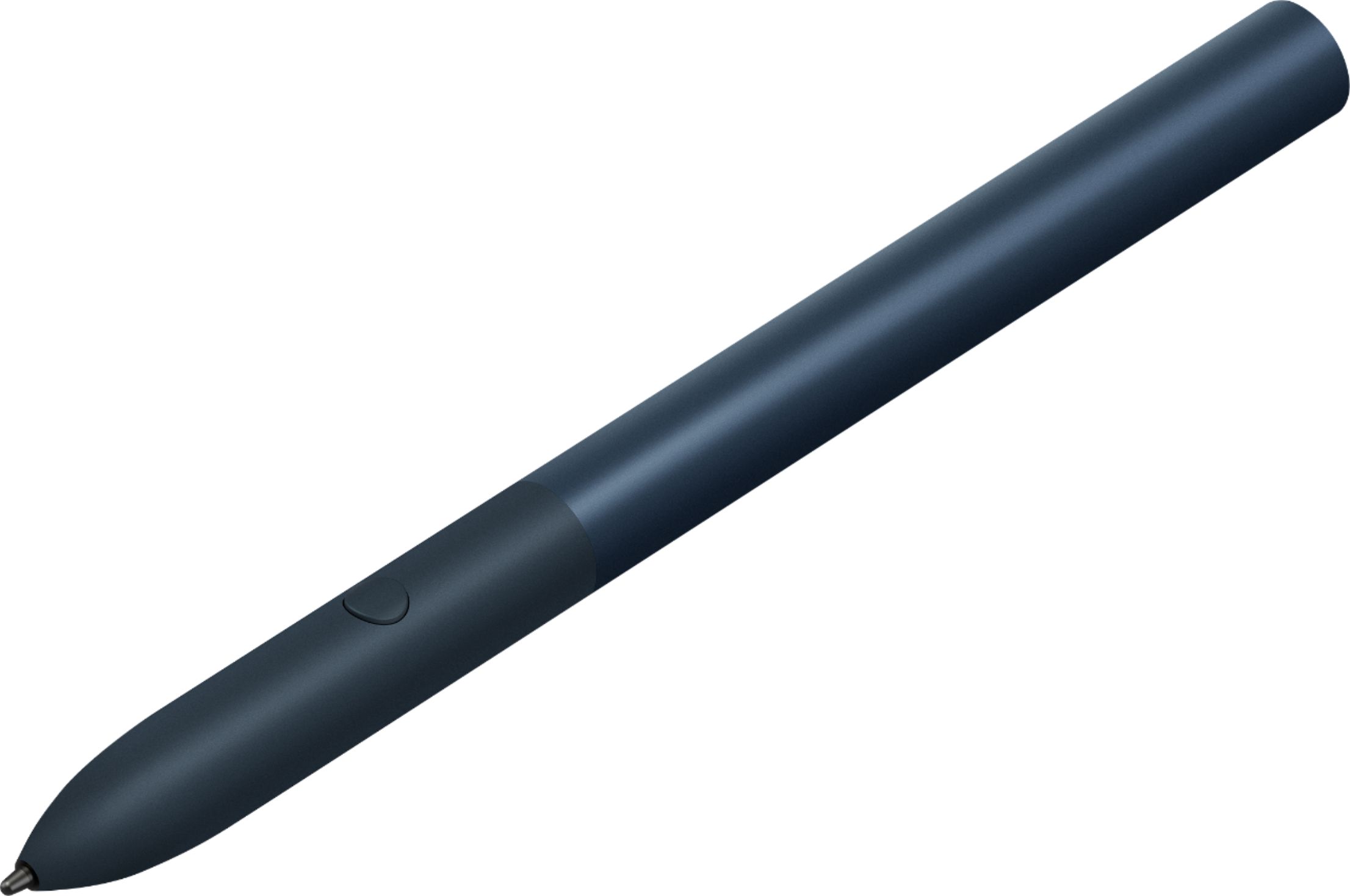

- Model:
- GA00561
- SKU:
- 6306364
Rating by feature
- Value
Rating 3.9 out of 5 stars
- Quality
Rating 4.6 out of 5 stars
- Ease of Use
Rating 4.5 out of 5 stars
Customers are saying
Customers praise the Pixelbook Pen's ease of use, responsiveness, and compatibility with various devices. Many appreciate its comfortable feel and accurate stylus functionality, while some find the battery life and lack of a storage mechanism to be drawbacks. The price point also received mixed feedback.
This summary was generated by AI based on customer reviews.
Unfotunately does not work with Pixel phone
||Posted . Owned for 1 month when reviewed.This reviewer received promo considerations or sweepstakes entry for writing a review.Wife's Christmas present, had to return because it only works with tablets
I would recommend this to a friendPayton
||Posted . Owned for 11 months when reviewed.This reviewer received promo considerations or sweepstakes entry for writing a review.I don't use this much because I don' t need it. Unless you are the artist, i don't think buying this is essential. this is for free. so it's good now!
No, I would not recommend this to a friendVery satisfied
||Posted . Owned for 9 months when reviewed.This reviewer received promo considerations or sweepstakes entry for writing a review.Works extremely well no problems I love it satisfied
I would recommend this to a friend- Cons mentioned:Battery life, Storage

Google Assistant in a pen
|Posted .This reviewer received promo considerations or sweepstakes entry for writing a review.The Pixelbook Pen can be used to draw, write notes and edit documents. It uses an AAAA battery. It has a single button that you can press and circle a picture or word and Google Assistant will search for more info on the item. I think an artist or designer could really work some magic with this pen but for me, it’s best for editing documents. Unfortunately, the lack of a storage option is really a black eye for the design team. Did nobody at all think a storage option would be beneficial for a $99 pen? Granted, it’s a large pen but it’s still a pen. How many pens have you lost in your lifetime? You can use the magnet on the edge of the keyboard cover to keep the pen in place when it’s sitting on your desk or coffee table but it won’t stay put in a bag.
I would recommend this to a friend Great pen
||Posted . Owned for 3 months when reviewed.This reviewer received promo considerations or sweepstakes entry for writing a review.Great pen for tablet with recommend it!!! Perfect size
I would recommend this to a friendWorked as intended
||Posted . Owned for 4 months when reviewed.This reviewer received promo considerations or sweepstakes entry for writing a review.Basic pen... came included with table... good for free
I would recommend this to a friendlove this color
||Posted . Owned for 1 month when reviewed.This reviewer received promo considerations or sweepstakes entry for writing a review.works great with touch screen wonderful pen worth the money
I would recommend this to a friendAwesome
||Posted .This reviewer received promo considerations or sweepstakes entry for writing a review.Nothing bad to saw. Great product works well no issues
I would recommend this to a friend- Pros mentioned:ResponsivenessCons mentioned:Lag
A good pen that can learn some additional features
|Posted .This reviewer received promo considerations or sweepstakes entry for writing a review.To get the most out of your Pixel Slate Google introduced 2 must-have accessories one is the keyboard case and the other the Pixelbook Pen. Now the PIxelbook has been around since 2017 when the PIxelbook was released. The only difference is the new color Midnight Blue to match with the Pixel Slate Pen. Build quality is solid and the midnight blue perfectly matches the Pixel Slate. Set up was quick and the Pen was detected by the Pixel Slate within seconds the battery was inserted. One of the touted features at Google I/O was the ability to search for specific objects on the screen by just drawing a circle around it. The feature is nice but to be honest it’s not something I would use that often. Since having the Pixel Slate I probably used it around 4-5 times. Now, for some of the apps, I used the with the Pixel Book Pen were AutoDesk Sketchbook, Painter and Chrome Canvas. Now to be honest my drawing skills are not the best but what I look for is latency aka lag. Drawing my Note 10 Plus is a very smooth experience. Lag is very minimal I can’t even tell on my phone but compared to the Pixel Slate I was able to tell. It has gotten so much better with the Chrome OS 76 update. Make sure you’re running the latest update Chrome is usually pretty good with updates on the background. When sketching some simple pictures the line is a hair second behind the tip of your pen. This is could be contributed to simply being an Android App not optimized for Chrome OS or just Chrome OS in general. The same results applied to the other apps. Palm detection is another area that could use improvement. Being on the larger side there’s plenty of room to rest your palm but there are times you will need to go back and erase some lines created by the movement of your palm. These are areas that I would like to see Google improve palm rejection, lag and add additional advanced features to the pen button. For the most part, is a good experience with some shortcomings that should easily be fixed via an update. When it comes to Pens there’s not really other alternatives besides the Pixel Book Pen. Overall if you’re in need of a pen to write some notes and do some drawings the Pixel Book Pen will have you covered. Pros: Comfortable to hold and use Solid feeling The battery lasts a long time and easy to replace just 1 AAA battery needed. Google Assist Integration. Does a good job of detecting pressure points. Cons: No replaceable tips included. Does not attach to the Pixel Slate for storage as competitors tablets do. There's still some lag experienced when drawing. Needs more advanced features for the pen button.
I would recommend this to a friend ok
||Posted .This reviewer received promo considerations or sweepstakes entry for writing a review.This pencil works pretty well but I compared it side by side to the Apple pencil and it just didn't match up well.
No, I would not recommend this to a friend- Pros mentioned:Ease of use, Stylus
Elegant and distinguishable
|Posted .This reviewer received promo considerations or sweepstakes entry for writing a review.This pen looks like a stylus and is unlikely to be confused for an ink pen. Other manufacturers do their best to disguise their stylus as a pen with chrome head and pocket clip; so much that someone mistakes it for a real pen and there's the annoyance. That said, the Pixelbook Pen is as easy to hold as a standard writing instrument. It pairs effortlessly and the Slate maintains the icon in the startup tray as long as the BT is within reach. The tip glides smoothly over the surface of the screen and the Slate instantaneously reads it. Use is intuitive and functional while drawing or writing which is great for adding value to your Slate or Pixelbook. My only issue: no attachable hoop to secure the pen to the keyboard or even a magnetic strip to help prevent the pen from getting lost. Otherwise a great addition to your Google product.
I would recommend this to a friend - Cons mentioned:Attachment
Good, but Could be Better
|Posted .This reviewer received promo considerations or sweepstakes entry for writing a review.I’m not the biggest fan of the Pixelbook Pen for one reason. I was excited that I would be able to write words and numbers in some cases. I have found the recognition to be very bad. One example, I was writing “forever” and it came up with “f fuvvr” for whatever reason. I’ve tried make sure that I’m writing clearly and that the letters are close enough that it does not think I’m starting a new word, but it doesn’t matter. On the up side, I do like the integrated Google Assistant on the pen. It’s the reason to get the pen. You circle something on the screen and hold the button and a Google Assistant window pops up and gives suggestions and search results. I use that mostly in tablet mode. My biggest problem with the pen is that it has nowhere to attach on the tablet or even keyboard. So if you’re taking the Pixel Slate somewhere, you have to put it in a pocket or somewhere. Not the biggest deal, but I like the minimalism of the tablet in the keyboard and don’t want another case to carry it in. It would be great if it held magnetically to the tablet (which I actually tried touching it around everywhere hoping that someone thought of that). I even hoped it would stick to the keyboard cover since that has magnet, but it did not. Not a deal killer, but just an annoyance. Since I’m not an artist to draw with the pen, the poor handwriting recognition makes me not recommend the pen. It’s nice to have and if it were included, that would be great. If the handwriting recognition is fixed, I would recommend it and give it 5 stars. But I would not recommend it as a separate purchase unless you’re going to be drawing.
No, I would not recommend this to a friend Is Ok
||Posted . Owned for 8 months when reviewed.This reviewer received promo considerations or sweepstakes entry for writing a review.I don't have to much for it. But is good accesorie
I would recommend this to a friendGood
||Posted . Owned for 1 month when reviewed.This reviewer received promo considerations or sweepstakes entry for writing a review.Worked, but no magnetic so I can stick on my slate.
No, I would not recommend this to a friend- Cons mentioned:Battery life
Too expensive for a "Stylus"
||Posted . Owned for 7 months when reviewed.This reviewer received promo considerations or sweepstakes entry for writing a review.I never found a real use for this and couldn't use it for nothing but drawing. The button command was useless and uses a battery but the pen doesn't do anything but connect to Google assistant.
No, I would not recommend this to a friend - Pros mentioned:Ease of use, StylusCons mentioned:Lag
It's a stylus and does what it says it can
|Posted .This reviewer received promo considerations or sweepstakes entry for writing a review.So the quality of the stylus is great, it feels great to hold, it's well balanced and feels just as good as other stylus for other devices. No lag when using it extremely minimal, great for writing and note taking which I have been using it for. Also for quick sketching it wonderful and helps me in my job. Over all it does what it says but like others it's over priced
I would recommend this to a friend Okay, but doesn't add much to the experience
|Posted .This reviewer received promo considerations or sweepstakes entry for writing a review.I found the pen to be rather “gimmicky.” I wanted to like it; I really did. I am into digital art, and I enjoy sketching for fun. I just couldn’t find a way to use it that felt all that natural to me. The pen itself is comfortable enough in the hand. The barrel is thicker than a #2 pencil, but it still manages to fit in my hand well. The pen is supposedly able to detect different pressure levels, but I wasn’t able to find any apps that actually seemed to take advantage of it. Light press or heavy press, I got the exact same line. This was true even in Google’s own canvas app. This is probably my biggest complaint about the pen. The instructions for using the button on the pen confused me at first. I read that I was supposed to “hold the button to activate the Google Assistant.” What they neglect to mention is that you’re supposed to be holding the button as you’re circling an item on your screen so that the Google Assistant can activate and offer options for it. Just pressing and holding the button doesn’t summon up the assistant so that you can ask it to turn on the lights or anything. The pen felt very comfortable on the screen. I’ve used some styluses that left me nervous that they were damaging the screen somehow. This stylus flows nice and smoothly across the screen. I did like using the pen in lieu of a mouse. Being able to click tiny links and icons with pinpoint accuracy using the pen tip was nice. Do I think that the pen is an essential purchase to compliment your Pixel Slate? No. You’ll be able to use your Pixel Slate just fine without this and not miss a beat. Do I think that the pen adds something to the whole Pixel experience? Possibly. If you’re really keen on drawing apps (and can find one that actually uses the pressure sensitivity), then this might be a good investment for you. If you’re into digital art, then I’d recommend this pen. Otherwise, it doesn’t add enough to the Pixel Slate experience to warrant the purchase.
I would recommend this to a friend- Pros mentioned:Compatibility, ResponsivenessCons mentioned:Battery life
Very responsive
|Posted .This reviewer received promo considerations or sweepstakes entry for writing a review.This pen provides surprisingly quick responsiveness to touch. There are several notes apps that can be downloaded for use with the Google Slate that is compatible with this pen. There is no additional setup necessary. It was immediately recognized by the State tablet. The only drawback (which is a minor one) is that it is not powered by USBC but a AAA battery. There is no way to see how much power is left in the battery which means you better be sure to always have one handy if you intend to use this pen often.
I would recommend this to a friend - Pros mentioned:StylusCons mentioned:Storage
cool accessory but not necessary
|Posted .This reviewer received promo considerations or sweepstakes entry for writing a review.I have tried this stylus with the new google pixel slate. I have never been a fan of using a stylus and this still hasnt swayed me. I did find this stylus to be much more reactive and precise than other ones I've tried. The grip of it is very functional, as well as the size of it. Slightly thicker than a pen but also feels more natural when writing on the Slate. It does take a battery which wasn't a surprise to me considering the quality of it. With all being said, I have never been a stylus person and this pen still hasn't changed my mind. I have grown too familiar with using a track pad or mouse and do not have any immediate reason to use a stylus. CON- there isn't a storage option for this pen. I wish it had some type of pocket, clip, or anything to store it on the Slate or the associated keyboard. For this reason I am significantly less likely to use this pen for fear of losing a $100 stylus.
No, I would not recommend this to a friend - Pros mentioned:Responsiveness
Very good when used as tablet
|Posted .This reviewer received promo considerations or sweepstakes entry for writing a review.The pen is offering a very good experience when using the Google Pixel Slate in Tablet mode. I found myself using it very often in almost every application. Taking notes is easier with it as well as photo-editing (I am not doing some crazy editing but just average). I like that I can place my hand on the screen when using the pen without getting unnecessary touches. Using the Slate as a notepad for taking quick notes. It detects the pressure on the screen and the angle of impact giving almost real pen writing effect. The only thing I don't like much about it is the AAAA battery. They might get more convenient to find as well more affordable with time. I am waiting for that to happen. I also have a PixelBook, the pen is working on both just fine. The only issue is there is no pen holder on any of those pixel devices. It would be nice but I can live with it. Some people complain about the battery life, I have my first pen for a year now and still with the first battery. It looks ok for me. The difference between Slate and the PixelBook that the Slate supports more Android apps and Games. There where the Pen will be more useful than in the PixelBook. Also, Slate is lighter to carry and works perfectly fine in tablet mode. Why you have to buy the pen: If you are working with a lot of hand writing or editing, the pen is really a must. It helps a lot. If you are using the Slate just as a Chromebook computer, you might just get a keyboard with track pad. But once you get used to the pen, you will use it daily.
I would recommend this to a friend