Customer Ratings & Reviews

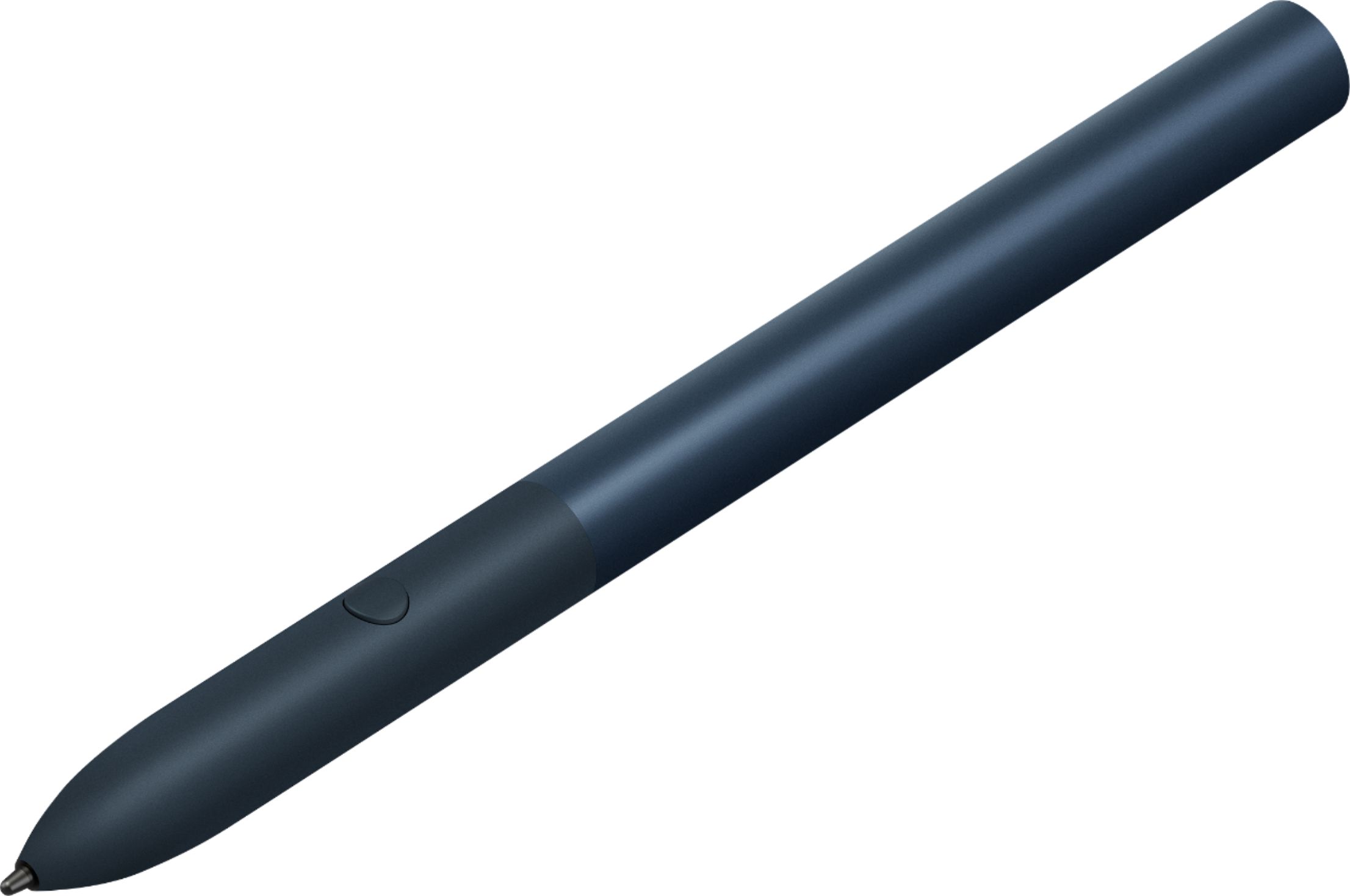

- Model:
- GA00561
- SKU:
- 6306364
Rating by feature
- Value
Rating 3.9 out of 5 stars
- Quality
Rating 4.6 out of 5 stars
- Ease of Use
Rating 4.5 out of 5 stars
Customers are saying
Customers praise the Pixelbook Pen's ease of use, responsiveness, and compatibility with various devices. Many appreciate its comfortable feel and accurate stylus functionality, while some find the battery life and lack of a storage mechanism to be drawbacks. The price point also received mixed feedback.
This summary was generated by AI based on customer reviews.
- Cons mentioned:Battery life, Lag

Good Stylus, a Must-Have for any Tablet
|Posted .This reviewer received promo considerations or sweepstakes entry for writing a review.A stylus is a must-have for any tablet on the market today, and this stylus does well with the Google Slate tablet. Made of all-aluminum, it’s a fairly rugged stylus with a good circumference that allows you to easily hold in your hand and write on the screen, unlike so many other thin styluses that make it feel like you’re using a coffee stirrer to write. A single button on the side gives you the “right-click” equivalent. The stylus is powered by the dreaded and often tough to find “AAAA” battery (included). Unfortunately, the lag time with the screen makes it a little distracting to use the stylus to write on the screen in notes apps like OneNote. When you make a stroke on the screen there is a noticeable lag between that stroke and when it appears on the screen. This, however, is a tablet issue, not a stylus issue. The stylus will sit on the back of the tablet when not in use by way of magnets, but in no way will stay there when stowing in a bag. The lack of companies including a better way to stow and store the stylus WITH the tablet remains one of the biggest complaints I have with the tablet industry. Ultimately, this is a must-have to get full use from your Slate tablet.
I would recommend this to a friend Got it part of the bundle
||Posted . Owned for 8 months when reviewed.This reviewer received promo considerations or sweepstakes entry for writing a review.Seriously never used it lol. Did a few times just to see it, but really it as a major let down.
No, I would not recommend this to a friendDifficult
||Posted . Owned for 7 months when reviewed.This reviewer received promo considerations or sweepstakes entry for writing a review.Super hard to pair and get to work with your Pixelbook
No, I would not recommend this to a friendBrand response from Google Team
Posted .Hi BryceC,
Sorry to hear of the pairing difficulty with your Pixelbook Pen. We can imagine the frustration as Pixelbook Pen is designed to work well with Pixelbook.
If you haven't tried already, the following steps below may help with the pairing issue with your Pixelbook Pen:
- Remove the pen's battery, then put it back in.
- Unscrew the pen to access the battery. Be sure to put it back in with the "+" side down.
- Check if your pen's battery power is low.
- You'll see a notification on the bottom of your screen if the Pixelbook Pen's battery is low. Replace it with a new AAAA battery.
- Check the pen tip for wear or damage.
- Replace the tip if it appears damaged or worn.
if the issue is not related to any of the reasons above, please feel free to reach out to us for further help here: https://support.google.com/pixelbook/gethelp
- Pros mentioned:Ease of useCons mentioned:Price
Does it's job great if you need it!
|Posted .This reviewer received promo considerations or sweepstakes entry for writing a review.This pen can easily replace typing for handwriting if you need that type of functionality. I personally don't need this all the time, but when I do it's nice to have. I took it to work all week with my pixel slate and used it to take notes during meetings. The screen lags behind the pen just a little, but I got over it as it looks great and easily gives me an electronic copy of my notes instead of having to scan a hand-written copy. My wife also took my pixel slate and pen to a college class she's in to try it and rather enjoyed being able to write her notes. If you need something like this, I can't come up with any cons as to why you shouldn't get it other than the fact that it's a little pricey and easy to lose - Google, why didn't you give us somewhere to conveniently store this with the tablet?
I would recommend this to a friend - Pros mentioned:Compatibility, Stylus
Decent Stylus
|Posted .This reviewer received promo considerations or sweepstakes entry for writing a review.This stylus/pen is most likely the best one you can buy for the Pixel Slate. However, i was a little disappointed by it. I think one of the problems is i have the google branded pixel screen protector but it kind of holds up the pen from its full potential. It still works but it drags a little and could make it hard for someone who is trying to draw with it. Other than that it is a decent stylus and i would still recommend buying it if you have the pixel slate tablet.
I would recommend this to a friend - Pros mentioned:Feel, Responsiveness
Expensive, but great quality and features
|Posted .This reviewer received promo considerations or sweepstakes entry for writing a review.I always found it funny that powered smart pens cost so much, but I had never owned one until now. This Pixel pen uses one AAAA battery. It is well built out of aluminum, feels great in the hand, and is insanely natural feeling and responsive on a touch screen. This is NOT your typical felt-tip stylus you get in a 5-pack for $6 online. It feels great and surprisingly natural to write and draw on my pixel slate tablet. The button on the side of the pen allows you to mark and circle anything on the screen for the google assistant to search. While watching a baseball game on youtube tv, I paused and circled a sponsor logo on the screen, and the google assistant recognized it and offered to take me to the sponsor's website. Very cool indeed.
I would recommend this to a friend bad
||Posted .This reviewer received promo considerations or sweepstakes entry for writing a review.Partly because I don't like the Pixelbook. If they hadn't designed the thing to be too slippery to hold comfortably, I might have gone as high as 2 stars. I forget that Google is primarily a bloated advertising agency, not a quality tech manufacturer
No, I would not recommend this to a friend- Pros mentioned:Ease of use
Works great but where do I put it?
|Posted .This reviewer received promo considerations or sweepstakes entry for writing a review.I have been using a Surface for years and love the pen. I use it for client signatures as well as for taking notes. I was excited to use this Google pen with my Pixel Slate but it loses 2 stars for not having any way to clip or stick to the Slate or its keyboard. I will return to that at the end of my review. The pen works really well for notes and I love how the Slate was really built with the pen in mind. Taking notes, using it like a mouse and bringing up the Google Assistant is really simple, The pen feels great in my hands and matches my Slate and keyboard perfectly. The problem is that there is no clip or magnet! How did they design this thing and not come up with a way for this to attach to the notebook??? Am I missing something? This will easily get lost if I travel with it and I will most certainly leave it at a clients office. Big miss on this one.
No, I would not recommend this to a friend - Pros mentioned:Ease of useCons mentioned:Battery life
Yep, it's a pen...
|Posted .This reviewer received promo considerations or sweepstakes entry for writing a review.What can I say...it's a pen. It's definitely a fat little pen. The input seems good enough. Can't say much about the battery life as I haven't had it long. If you're into taking notes, I imagine using the pen is way easier than anything else on a tablet computer. My biggest gripe is the lack of anywhere to store it on the device or keyboard...so at the end of the day you're kinda stuck babysitting an expensive input device. "Where in my bag did you go, you fat little pen?"
I would recommend this to a friend - Cons mentioned:Battery life
Great for note taking and drawing
|Posted .This reviewer received promo considerations or sweepstakes entry for writing a review.If you have purchased a Google Pixel Slate, then the Pixelbook Pen is almost a no brainer. It is a little expensive yes, but it is a great tool if you plan on jotting down lots of notes or if you are an artist and are looking for a good digital drawing / painting tool. I have fairly large hands and the pen feels comfortable and is just the right size. The nib feels quite smooth when writing / drawing on the Pixel Slate. There is the slightest "lag" when drawing on the slate, probably depends on the app you are using to write and draw with but in my use I found it to be perfectly fine and I am looking forward to using it for note taking and the occasional drawing with sketch apps. I was initially surprised that it needs a AAAA battery to power it. I didn't even know that size battery existed until i unboxed the pen. I don't know how long the battery will last in the pen before it needs to be replaced, but you can find them easily online for fairly cheap. I do like that I never have to charge the pen as with other stylus's. If the battery lasts at least 6 months then I think it is an excellent trade off and the pen easily unscrews for a quick battery swap. The Pixel Slate has several tools that work with the pen. You can use it to take screen shots, and circle things on the screen for a google search with the google assistant at the press of a button. I recommend the pixelbook pen if you are the type of person who could greatly benefit from a stylus. My only complain is that it does not come with any extra nibs and there is absolutely no way of knowing how much longer the battery in it will last you.
I would recommend this to a friend - Pros mentioned:Responsiveness
Works exactly as it should, just like you'd expect
|Posted .This reviewer received promo considerations or sweepstakes entry for writing a review.I've been wanting to try this out and was very happy after using it for a few weeks. The stylus works perfectly with the tablet, its great for selecting apps or scrolling through web pages. It writes very legibly while taking notes on the tablet and adjusts the thickness of the writing based on the amount of pressure you're using. Really cool feature. Only issue I have is where to store it when not in use?
I would recommend this to a friend Returned Pixel Pen !!
||Posted .This reviewer received promo considerations or sweepstakes entry for writing a review.This shows my return and you recieved it, stop calling me for the payment for it!!
No, I would not recommend this to a friend- Pros mentioned:Ease of useCons mentioned:Storage
I Found Unnecessary
|Posted .This reviewer received promo considerations or sweepstakes entry for writing a review.Perhaps it is just the way I'm using the tablet but I found having a stylus as an unnecessary burden. First, there is no place to keep/attach the stylus when you are not using it. Even if you have the keyboard, there isn't any place to keep it. Yes, there are less fingerprints on the screen when you own it. And, maybe if you don't touch type, you might be able to write more easily with stylus instead of typing. I just found the stylus to be a bit on the cumbersome side. I type fast and prefer not to move my hands from the keyboard if I can avoid it. For the typical web surfing I did besides that, just using my finger for tapping the screen was fine.
No, I would not recommend this to a friend A tad bulky
|Posted .This reviewer received promo considerations or sweepstakes entry for writing a review.This isn’t so much of a must have for me. If you do a lot of drawing/highlighting I can see this would be very useful though. It uses a AAA battery which is installed in the all-aluminum pen. It was easily paired with the Slate – just tap and go. Worked well with the apps I tried it on. No place to store the pen on the Slate or optional keyboard. Since it is round could easily roll anywhere and lost if not careful. I found it a tad bulky and twice the size of my Samsung notebooks pen, which has a flat side so as to help stay where placed. This should be included with the Slate especially given the Slates price.
I would recommend this to a friend- Cons mentioned:Battery life
OK
|Posted .This reviewer received promo considerations or sweepstakes entry for writing a review.I just got the pen and within 2 days the battery was weak or dead. Fresh battery (odd AAAA size impossible to find with planning a special trip and its not cheap), and it was good to go. I hope this is not an indication of expected battery life. The pen felt quite thick and substantial. It has a tenancy to roll away, or I try to close it in the keypad case. I thought it would stick by magnets somewhere but so far, haven't found a place. If I was travelling, this would be the first thing lost, before my ear pods ! I also wish it was a different color which would make it easier to spot. It works if I can find it somewhere under the desk.
No, I would not recommend this to a friend - Pros mentioned:Ease of useCons mentioned:Attachment
Very responsive.
|Posted .This reviewer received promo considerations or sweepstakes entry for writing a review.I haven't been using it for very long, but from what I can tell so far it's going to be great for writing in the tablet. It's a nice size, and feels really good in the hand. It requires no setup to use with the tablet, and will work as soon as you pop the batter in it. I only wish there was a way to snap it onto the tablet via magnet, because I'm afraid I'll misplace it.
I would recommend this to a friend - Pros mentioned:Stylus
Sleek & precise
|Posted .This reviewer received promo considerations or sweepstakes entry for writing a review.Great product from google. This stylus is very sleek and comfortable to use. It takes in a AAA battery. No setup is required and it pairs up with the pixel slate in seconds. I tried using the pen on paint app for some drawings and it is very precise and very responsive. The only negative that I can see is that it does not have a very suitable place to keep when it is not in use. Though pixel slate has provided a magnetic surface on the side of the tablet, the pen doesn’t hold on and it falls down. When the keyboard is attached to the tablet, the magnetic surface doesn’t work.
I would recommend this to a friend - Pros mentioned:Responsiveness
It works, a great accessory for the Pixel Slate
|Posted .This reviewer received promo considerations or sweepstakes entry for writing a review.I've been using the stylus as a mouse replacement. Occasionally I use it for jotting notes with the character recognition features that the table has. I've also used it for drawing pictures with the Chrome Canvas and Painter apps, and it's very responsive. I just wish there were a sleve or slot or loop or some good place to store it with the tablet.
I would recommend this to a friend - Cons mentioned:Lag
Can Live Without It for Office Use
|Posted .This reviewer received promo considerations or sweepstakes entry for writing a review.I have the Pixel Pen for use with the Pixel Slate (not the Pixelbook). Unless you’re a digital artist, the pen is difficult to justify. At $99, it’s expensive and most non-drawing apps do not take advantage of the pen’s features like pressure sensitivity or tilt. Plus, when writing with the pen, there’s no quick and easy way to backspace to make corrections. For office app users, you’re better off spending money on the excellent Google keyboard/cover whose built-in touchpad will gain you far more productivity. If you’re a digital artist, then this would be worth it if your apps take advantage of the pen’s features. There was no noticeable lag when I tried sketching (chicken-scratching is more accurate of my ability) in Infinite Painter. The feel of the pen is smooth, but being thicker than a pencil, easy to hold. There is some weight to keep it from rolling away if you simply put it down, but it can roll away if you drop it and it lands with momentum. Unfortunately, there's no place on the Slate to attach the pen when not in use. Also, it uses a AAAA battery which means it will last longer than a rechargeable stylus, but you'll need to keep an extra battery around if you use it a lot.
I would recommend this to a friend powered by Google
|Posted .This reviewer received promo considerations or sweepstakes entry for writing a review.I use a Surface Pro with pen for work nearly daily, but I haven't spent much time with the Apple pencil outside of some trials at the Apple Store. That being said, Google built its empire off the search engine, and that's something that sells the pen. I'll leave the Pixel comments for my actual review of the Pixel Slate, but what is relevant is that the pixel pen is fully supported by the Slate. You hold the button and circle something on the screen, and Google runs a search. Seems like not a big deal, but in practice it actually did save time and make my workflow more convenient. Writing feels smooth with the pixel pen, and I never noticed any issues with the battery dying during use. Looking at the Google site, I don't see options for different nubs like you can get for the Surface pen to customize the writing experience, but honestly, I don't think this device was designed for that type of fine-tuning. It's practical and functional within the Google Pixel system. If you're looking into getting a Pixel Slate, then this is a worthy add-on in order to get the full experience Google is offering
I would recommend this to a friend