Customer Ratings & Reviews


- Model:
- GA05802-US
- SKU:
- 6642280
Rating by feature
- Value
Rating 4.4 out of 5 stars
- Quality
Rating 4.6 out of 5 stars
- Ease of Use
Rating 4.7 out of 5 stars
Customers are saying
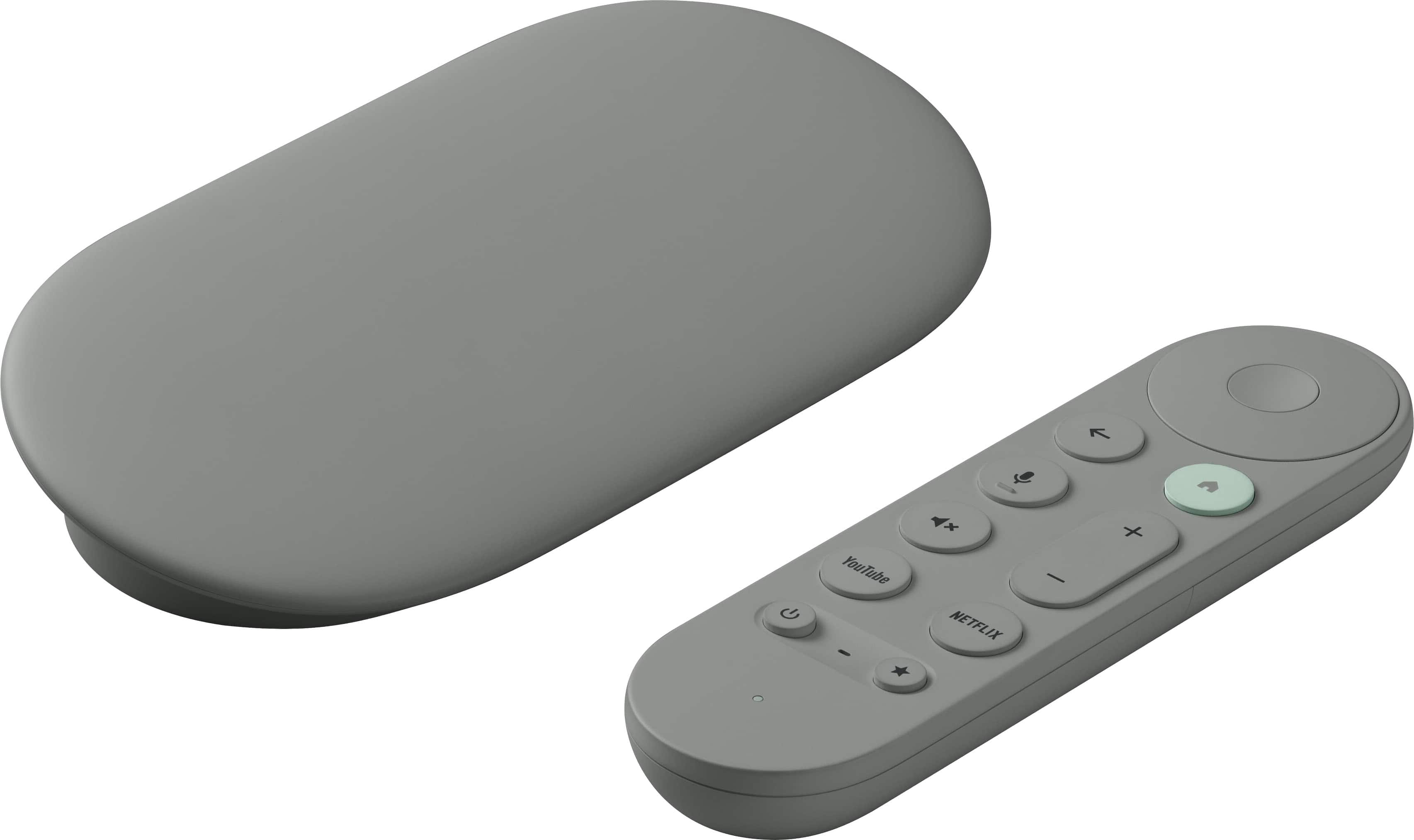
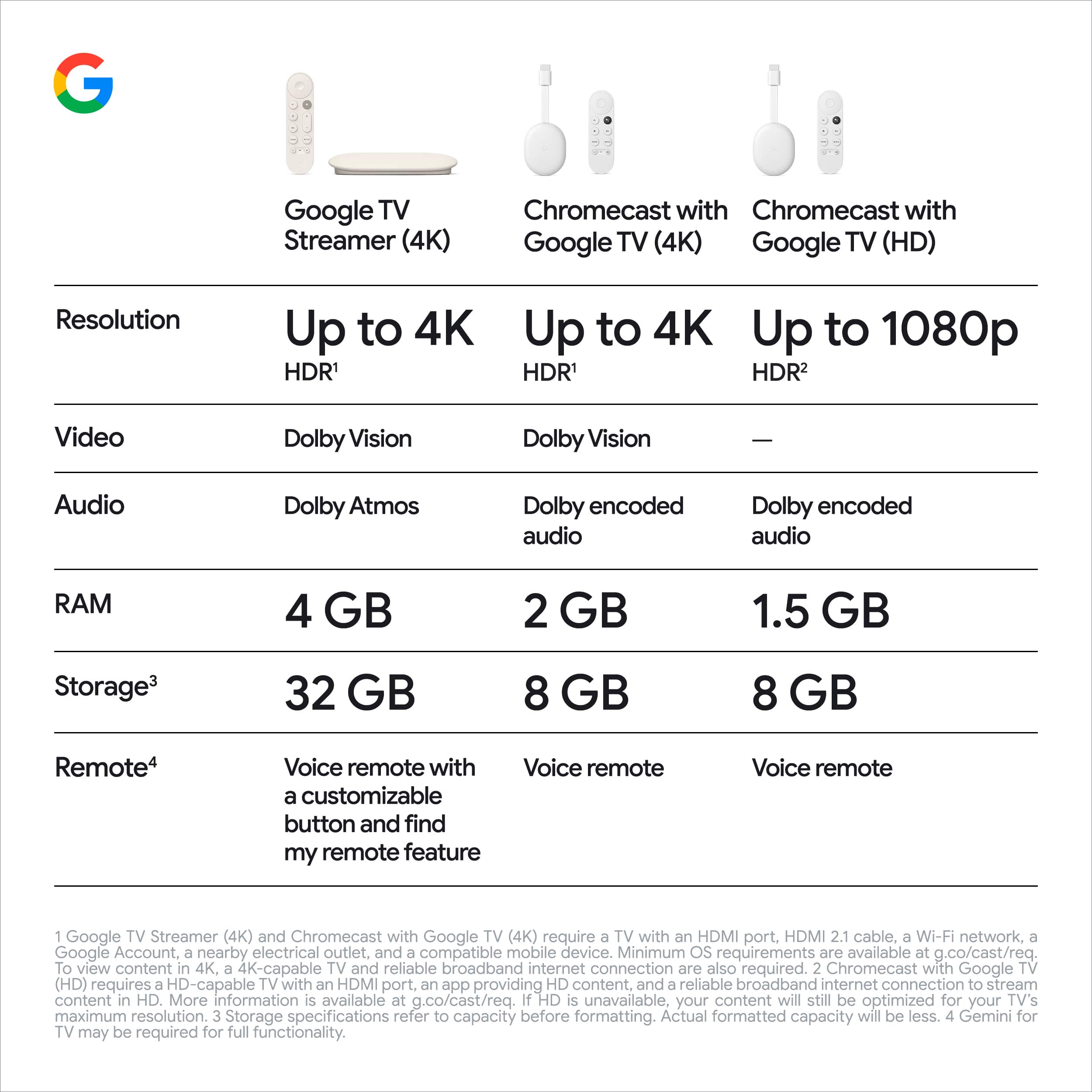
Customers highly value the TV Streamer 4K for its overall performance, speed, and ease of use. The remote control and simple setup are also appreciated features. However, some customers have expressed concerns about the audio quality, price, software, and size of the unit.
This summary was generated by AI based on customer reviews.
- Pros mentioned:Overall performance
Love hate relationship...
||Posted . Owned for 5 months when reviewed.This reviewer received promo considerations or sweepstakes entry for writing a review.Works great most of the time. I have 2 of them in different rooms and one of them freezes up right in the middle of a show about once a week and the only way to fix it is to unplug the power and let it restart and everything is fine for a few days to a week. I've checked to make sure it has the latest updates but that didn't help. The other one works fine. May eventually look for something more reliable...
I would recommend this to a friend - Pros mentioned:Overall performance, Speed
Nice streaming box at a nice price
||Posted .This reviewer received promo considerations or sweepstakes entry for writing a review.This streamer is working great for my bedroom television, and I'll probably pick another up for my dad. Works fast out of the box, and offers a snappy Google TV experience. No complaints!
I would recommend this to a friend - Pros mentioned:Overall performance, Remote control
Buy if need a new one, keep your Ultras for now
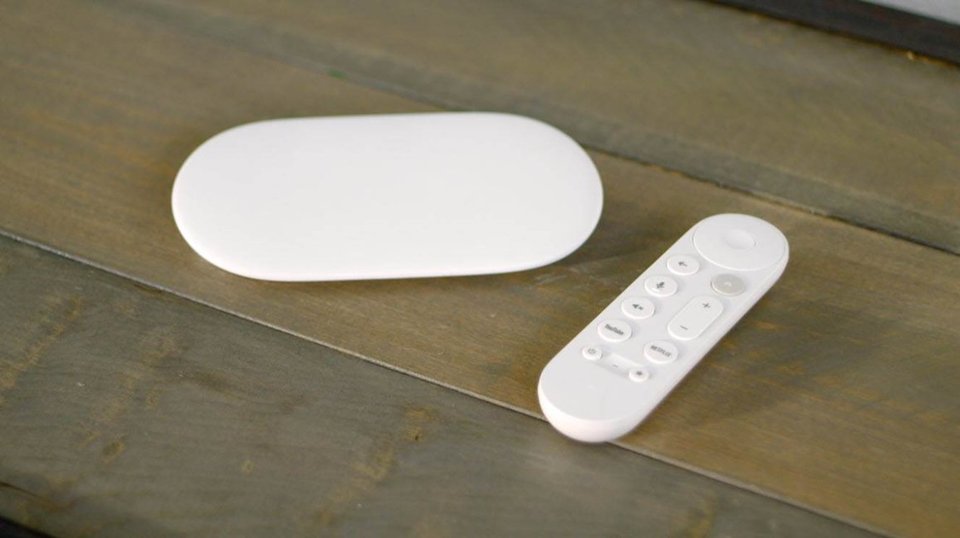
||Posted . Owned for 2 months when reviewed.This reviewer received promo considerations or sweepstakes entry for writing a review.This new Google Media Streamer is definitely snappier. Noticably les lag with opening apps and typing in text at login screens. The find remote feature is very nice. Like it very much. The table top box vs Chromecast dongle is less space friendly. That does allow for for a LAN port to be included so your are not limited to Wifi only. Overall, this is a good unit. I would definitely buy it when a new one is needed. However, the differences between this unit and the Chromecast Ultra are not amazing. I did not feel dazzled by the upgrade. So definitely buy this when you need a new unit, but if you are thinking about replacing your Ultras with this unit... It's not a significant enough upgrade to justify the cost, in my opinion.
I would recommend this to a friend - Pros mentioned:Interface, Speed
Easy upgrade to any TV
||Posted . Owned for 2 months when reviewed.This reviewer received promo considerations or sweepstakes entry for writing a review.My TV is so much faster now. The user interface is super intuitive as well.
I would recommend this to a friend Worth the Upgrade!
||Posted . Owned for 2 weeks when reviewed.This reviewer received promo considerations or sweepstakes entry for writing a review.This device is definitely worth the upgrade coming from the original Chromecast. I have been putting off upgrading because of the fact that the original device still fit my needs. Sure there were upgrades to the original device but I am a firm believer in if it ain't broke don't fix it. Well guess that was too good to be true. With the improvements being made to apps I guess you can say evolution is the inevitable. You guessed it, the apps began to no longer work on my device. I decided to upgrade to this device because of the apps it supported. A device that could support all the streaming apps i am subscribed to on one device is really nice. Connecting the device to my TV was very simple. The setup process was just as simple. The most difficult part of gettin up and running was getting logged into my different streaming apps. The other thing that impressed me the most about this device is the speed of the user interface and of the apps not buffering. Definitely woth the upgrade!
I would recommend this to a friend- Pros mentioned:Overall performance, Speed
An upgrade from previous Chromecasts
||Posted . Owned for 2 months when reviewed.This reviewer received promo considerations or sweepstakes entry for writing a review.I bought this to enhance my new OLED TV and I can tell a noticeable difference using this device over the previous Chromcast with Google TV. Better picture and faster. This also doesn't seem to have the issues of crashing that my last one had. Would recommend.
I would recommend this to a friend - Pros mentioned:Remote control
It's Ok, But?
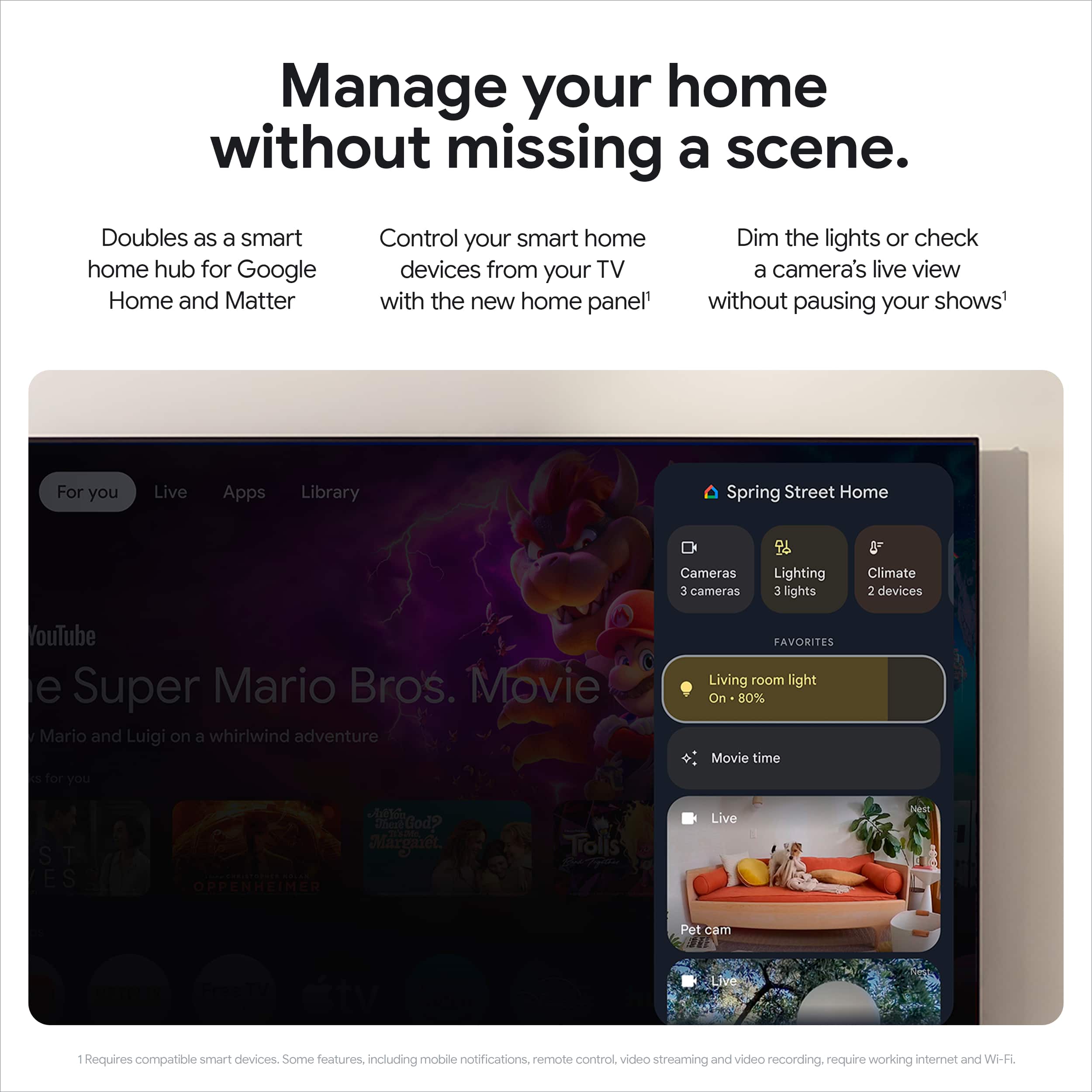
||Posted . Owned for 1 month when reviewed.This reviewer received promo considerations or sweepstakes entry for writing a review.I have been an Android/Google user for years. However, about three years ago, I decided to try Apple (phone, watch, and Apple TV 4K). Loved the seamless integration, but missed getting to do what I wanted with the OS of Android. So went back and all in. I purchased the Streamer 4K and found the picture to be dull compared to the Apple. I turned off the auto picture setting and the picture got better, but still not as good as the Apple; Not as vibrant and didn't really see the same quality HDR range. Also, there is an annoying glitch that hasn't been corrected with an update. The picture will flash off randomly and when it comes back, there is no sound. This requires a reboot and all is well for a while and happens again. Also, the screen is cluttered with all of the viewing suggestions, continue watching and rows & rows of things. This can be cleaned up with the apps only mode, which just shows your installed apps and is much better. One reason I purchased this was to get the ability of the Home function and view my cameras, thermostat and doorbell. Well, you can adjust the temperature on the Nest thermostat, but you can only view your cameras live; You cannot go to events, which is disapointing. Now, the thing that is really bewildering...The Home function is not an app, but you access it in the control panel section. When you switch to the more enjoyable apps only mode, the Home function disappears from the control panel. These are two separate and non related functions and it makes no sense. Sure, it seems this may be taken care of in a future update and hopefully the ability to view camera events, but seems more likely Google is trying to force more advertising on you and wants you to not use the apps only mode. Well, the current state of the streamer isn't doing it for me. If I had it first, I probably wouldn't have an issue, or know any better. But for now, I have disconnected it and gone back to my Apple TV 4K and am enjoying a better quality experience....Even without any other Apple products. I will reconnect it in the future and see what plays out with hopefully sooner, rather than later software updates. One thing I do like better about the Google is using the remote. Just wish it was rechargable. I would recommend it, depending on your needs/wants. I like it better than Roku.
I would recommend this to a friend - Pros mentioned:Overall performance
Can't switch inputs on TCL TVs :(
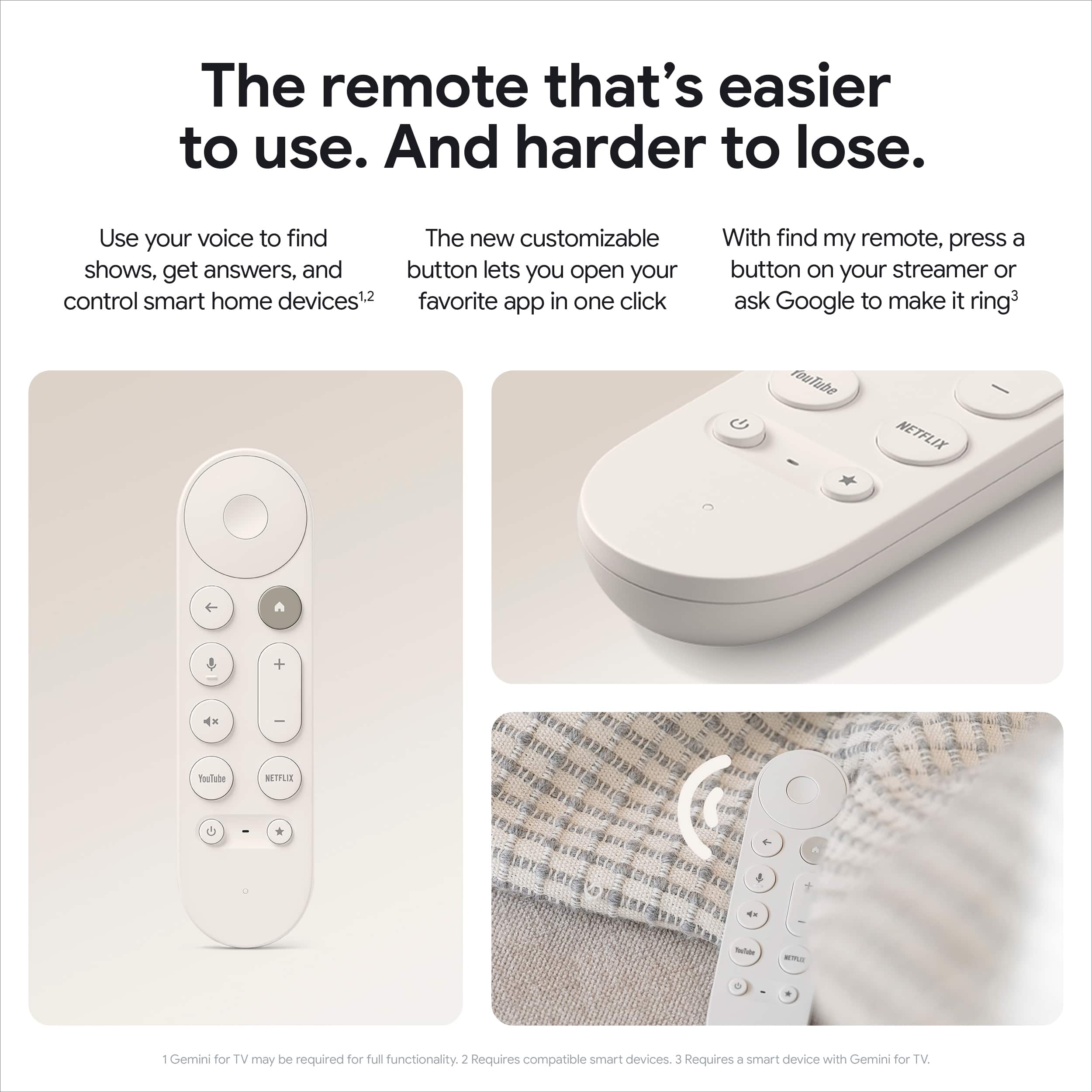
||Posted .This reviewer received promo considerations or sweepstakes entry for writing a review.I love this thing, it's great! However I tried so many times to get my TCL TV to work with the star button so I can put my TCL remote away and use the Google remote with it's voice assistant and things like that, but I can't! So I'm forced to use HDMI-CEC with my TCL TV remote to control the streamer. It's smooth, quick and I'm happy with it, but I can't use the remote which is a bummer.
I would recommend this to a friend - Pros mentioned:Overall performance
Apple Tv or Google TV?
||Posted . Owned for 1 month when reviewed.This reviewer received promo considerations or sweepstakes entry for writing a review.I've had apple TV for about five years. Remote tweaked out on me and it's the third one I've bought so recently having switched from iPhone to the Z Fold 7, I figured wth. It isn't apples eco system which is fine because I use it for streaming the 70 different monthly subscription apps to watch shows on. Works fine. I also have a Samsung 65" OLED TV. Google TV now has Victory Plus app so we can watch hockey and the Texas Rangers. I prefer it to Apple, honestly. It just feels better and smoother.
I would recommend this to a friend - Pros mentioned:Ease of use, Overall performance
Works great!
||Posted . Owned for 3 weeks when reviewed.This reviewer received promo considerations or sweepstakes entry for writing a review.This product is easy to set up, easy to use and works great!
I would recommend this to a friend - Pros mentioned:Interface, Overall performance, Remote control
Perfect!
||Posted . Owned for 1 month when reviewed.This reviewer received promo considerations or sweepstakes entry for writing a review.It works exactly as intended! Smooth, nice interface, and I like the remote is built for this device.
I would recommend this to a friend - Pros mentioned:Overall performance
Works well
||Posted .This reviewer received promo considerations or sweepstakes entry for writing a review.Works for streaming on my TV the paid services. Easy to set up
I would recommend this to a friend - Pros mentioned:Remote control
Best Streaming Device for Anything Google
||Posted . Owned for 3 weeks when reviewed.This reviewer received promo considerations or sweepstakes entry for writing a review.I ended up purchasing this product for my Mom who got that JME subscription when TV Japan ended their broadcast on AT&T UVerse. Since our Samsung TV still does not that app, it was so cumbersome to stream it from a phone or tablet. So this devices solves all your problems. I also used it for NBA app as well since Samsung TV does not have that either. Another great feature is watching YouTube videos on it, this device renders the videos really pretty and you can search for items with the intuitive remote that it is packaged with. Setup is a snap, and it automatically imports all your Google settings if you choose to do so.
I would recommend this to a friend - Pros mentioned:Ease of use, Overall performance
Best purchase ever
||Posted . Owned for 1 month when reviewed.This reviewer received promo considerations or sweepstakes entry for writing a review.I definitely would recommend it to anyone who asks me about this product, easy to use and works perfectly with any tv with HDMI port to make it even more smart than actual and recent tvs
I would recommend this to a friend - Pros mentioned:Interface
Clean interface
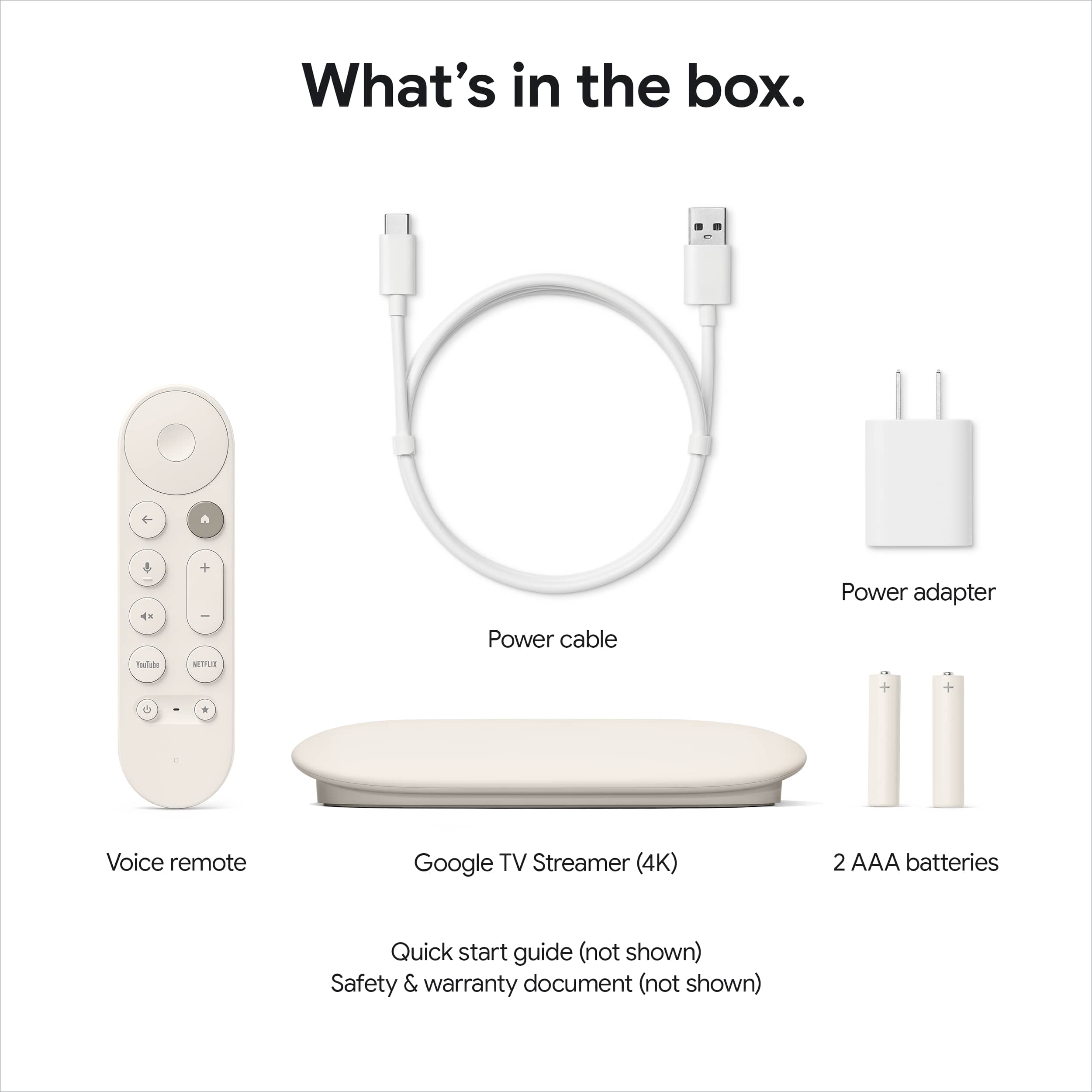
||Posted .This reviewer received promo considerations or sweepstakes entry for writing a review.I am in the process of replacing all of my 4k Roku sticks with these units. The interface is far superior to the Roku and does not have intrusive ads on the home screen. I had a number of issues with the Roku requiring rebooting due to black screens when changing apps. The only area for improvement would be including the HDMI cable in the box. Highly recommended.
I would recommend this to a friend - Pros mentioned:Overall performance
Easy streaming!
||Posted . Owned for 2 weeks when reviewed.This reviewer received promo considerations or sweepstakes entry for writing a review.I'm a huge fan of the Chromecast so I was a bit skeptical about the Google TV Streamer, but it works great! Have all of your subscription credentials handy because it will take a little time to add them, especially if you have a bunch, but once it's set up, it was great!
I would recommend this to a friend - Cons mentioned:Audio quality
WARNING! DOES NOT do digital audio passthrough
Posted .This reviewer received promo considerations or sweepstakes entry for writing a review.I have both the old Chromecast with Google TV 4K (CCwGTV) and now the new Google TV Streamer 4K connected to the same TV and AVR so I can A/B compare both. Watching a YouTube TV football game that was broadcast in 5.1 surround sounds SO MUCH BETTER on my old CCwGTV because it does digital audio passthrough, which allows my Denon AVR to process the surround sound. However, Google TV Streamer processes the surround signal itself and passes a 5.1 PCM signal to my AVR. So, it’s no surprise that a $2K AVR processes surround sound WAY better than a $100 streamer, but it’s very frustrating that there is NO option for the Google TV Streamer to support audio passthrough! This will be a DOWNGRADE for anyone coming from a CCwGTV connected to an AVR for surround sound. Until Google fixes this, I’m sticking with my better sounding CCwGTV.
No, I would not recommend this to a friendBrand response from Google Team
Posted .Hi SeanM. Thanks for taking a moment to review the Google TV Streamer (4k). We're sorry the audio experience missed the mark for you, but we really appreciate the feedback on why didn't meet your expectations. We hope you'll give Google TV another chance down the road.

- Pros mentioned:Ease of use, Overall performance
Super easy and works great
||Posted .This reviewer received promo considerations or sweepstakes entry for writing a review.Really happy with the new google tv. It's super easy to use. The quality is very good. I replaced my samsung ecosystem with this amazing google tv.
I would recommend this to a friend - Pros mentioned:Overall performance
Good Streamer
||Posted .This reviewer received promo considerations or sweepstakes entry for writing a review.This streamer works very well. Easy to set up and use. And it can connect without using Wi-Fi.
I would recommend this to a friend - Pros mentioned:Remote control
Excellent TV companion and helper
||Posted . Owned for 1 month when reviewed.This reviewer received promo considerations or sweepstakes entry for writing a review.Wish they sold individual Google remotes as I needed to buy a new set, Certainly makes TV binging so much easier. Use one also on my 13 year old TV as the Vizio remote kept dying. Bought a google remote pack and runs seamlessly.
I would recommend this to a friend