Customer Ratings & Reviews
- Model:
- AGMSS-011
- SKU:
- 12370933
Rating by feature
- Value
Rating 4.2 out of 5 stars
- Quality
Rating 4.5 out of 5 stars
- Ease of Use
Rating 4.1 out of 5 stars
No regrets
||Posted .This reviewer received promo considerations or sweepstakes entry for writing a review.It took me i lil time to figure it out but it works great. Does the job.
I would recommend this to a friendgood stuff
||Posted . Owned for 1 week when reviewed.This reviewer received promo considerations or sweepstakes entry for writing a review.nice nice nice nice nice nice nice nice nice nice nice
I would recommend this to a friendi hope it works well
||Posted .This reviewer received promo considerations or sweepstakes entry for writing a review.I like it so far, but i haven't used it in the field yet.
I would recommend this to a friendGoPro Review
||Posted .This reviewer received promo considerations or sweepstakes entry for writing a review.Overall good product, works as intended and easy to use.
I would recommend this to a friendBest gift
||Posted . Owned for 2 weeks when reviewed.This reviewer received promo considerations or sweepstakes entry for writing a review.Amazing device to record all type of events. User friendly
I would recommend this to a friendGreat
||Posted .This reviewer received promo considerations or sweepstakes entry for writing a review.Great item very easy to work with and would recommend to everyone
I would recommend this to a friend
Great gimbal and versatile
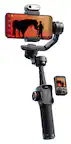
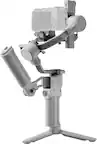
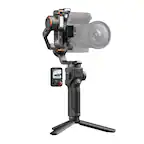
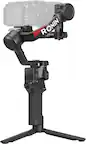
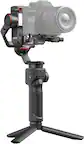
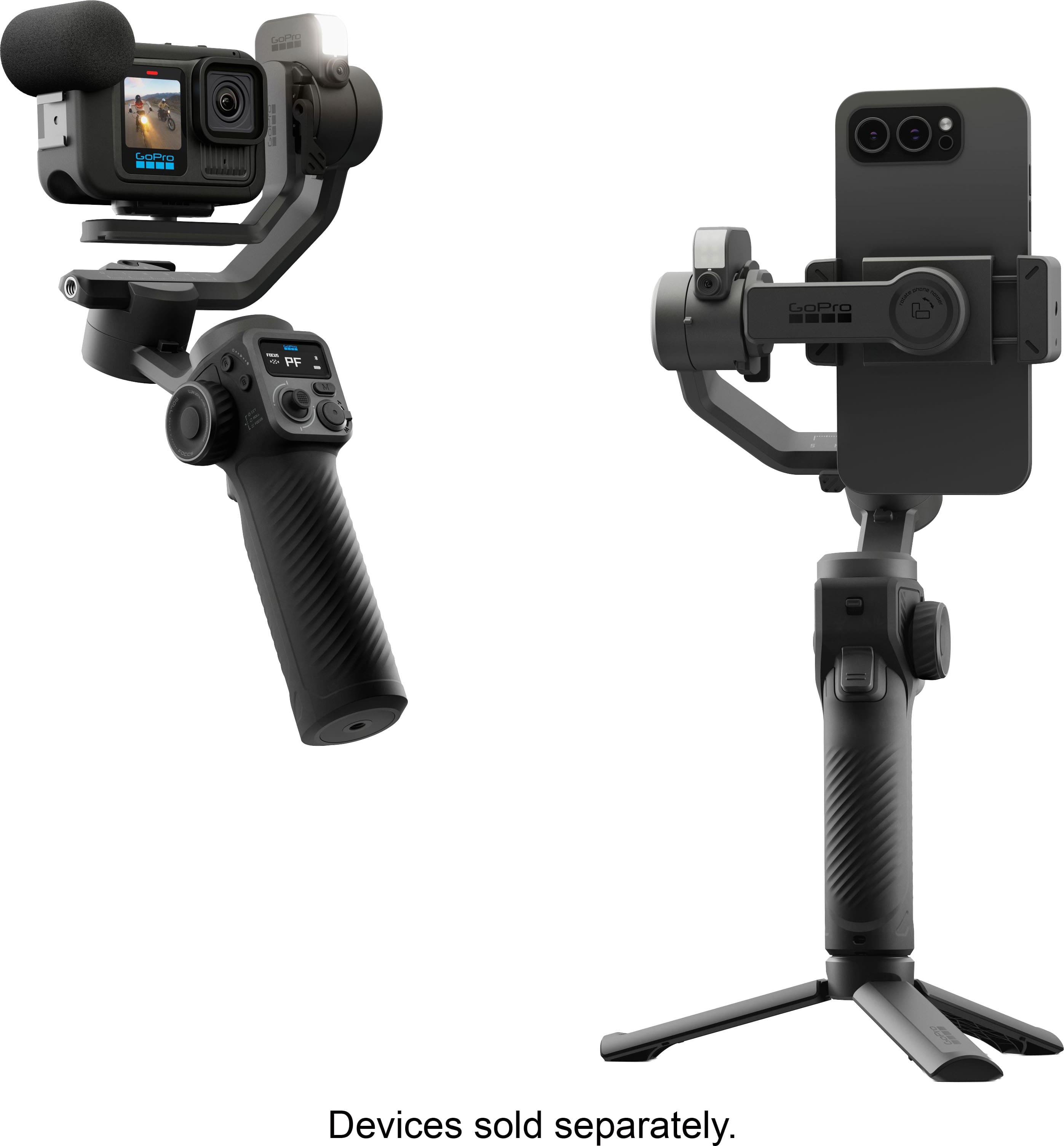
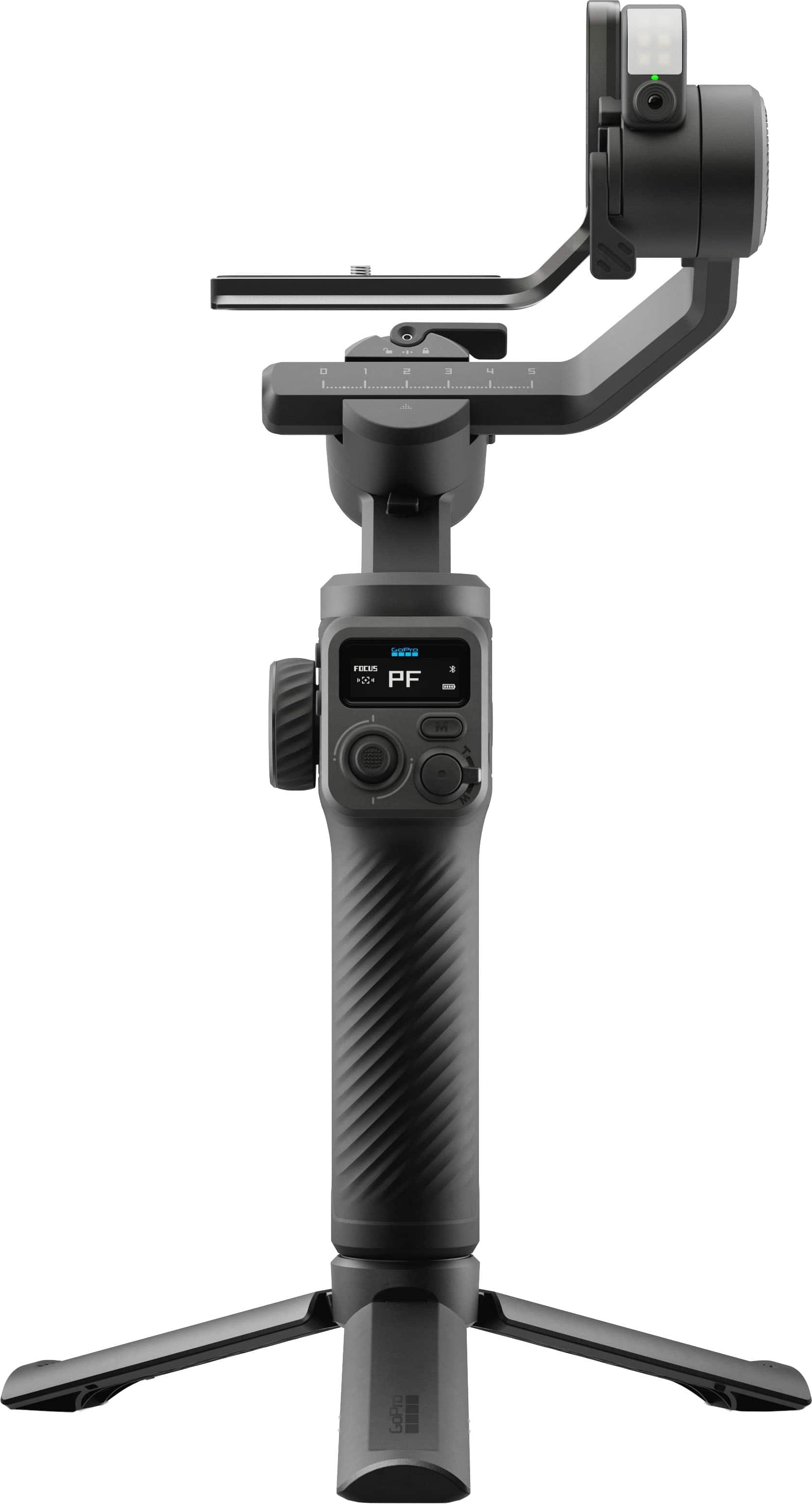
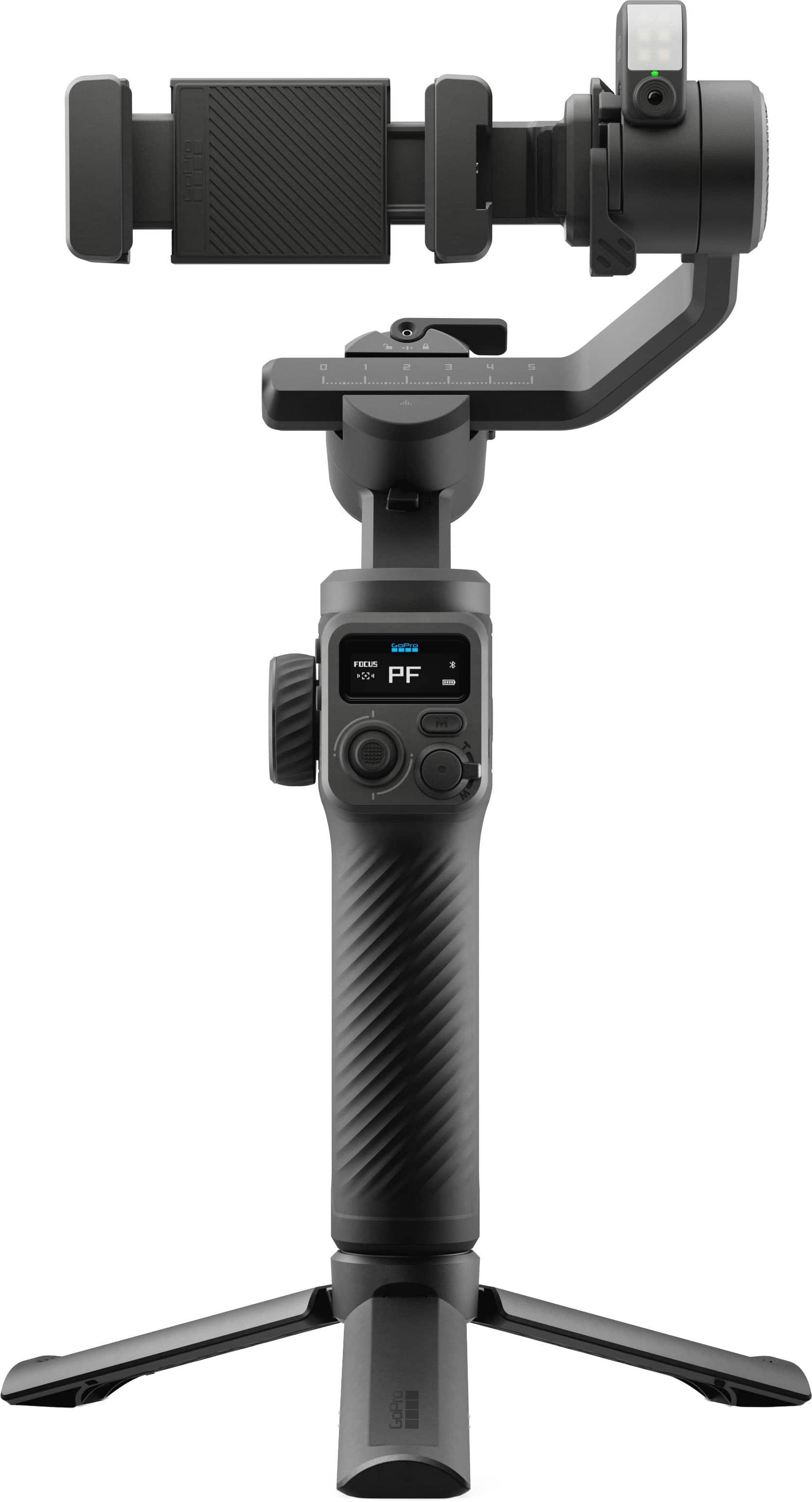
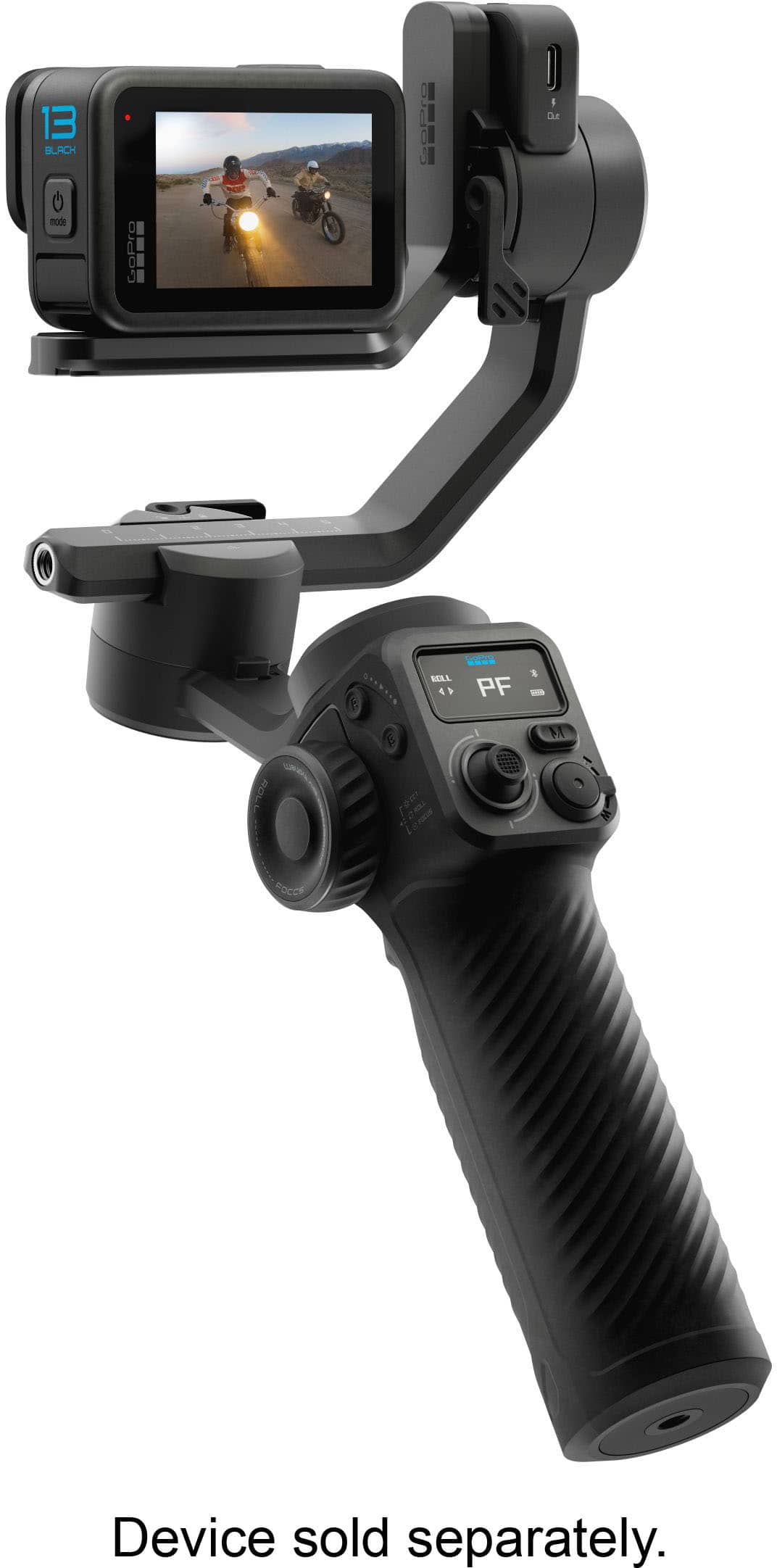
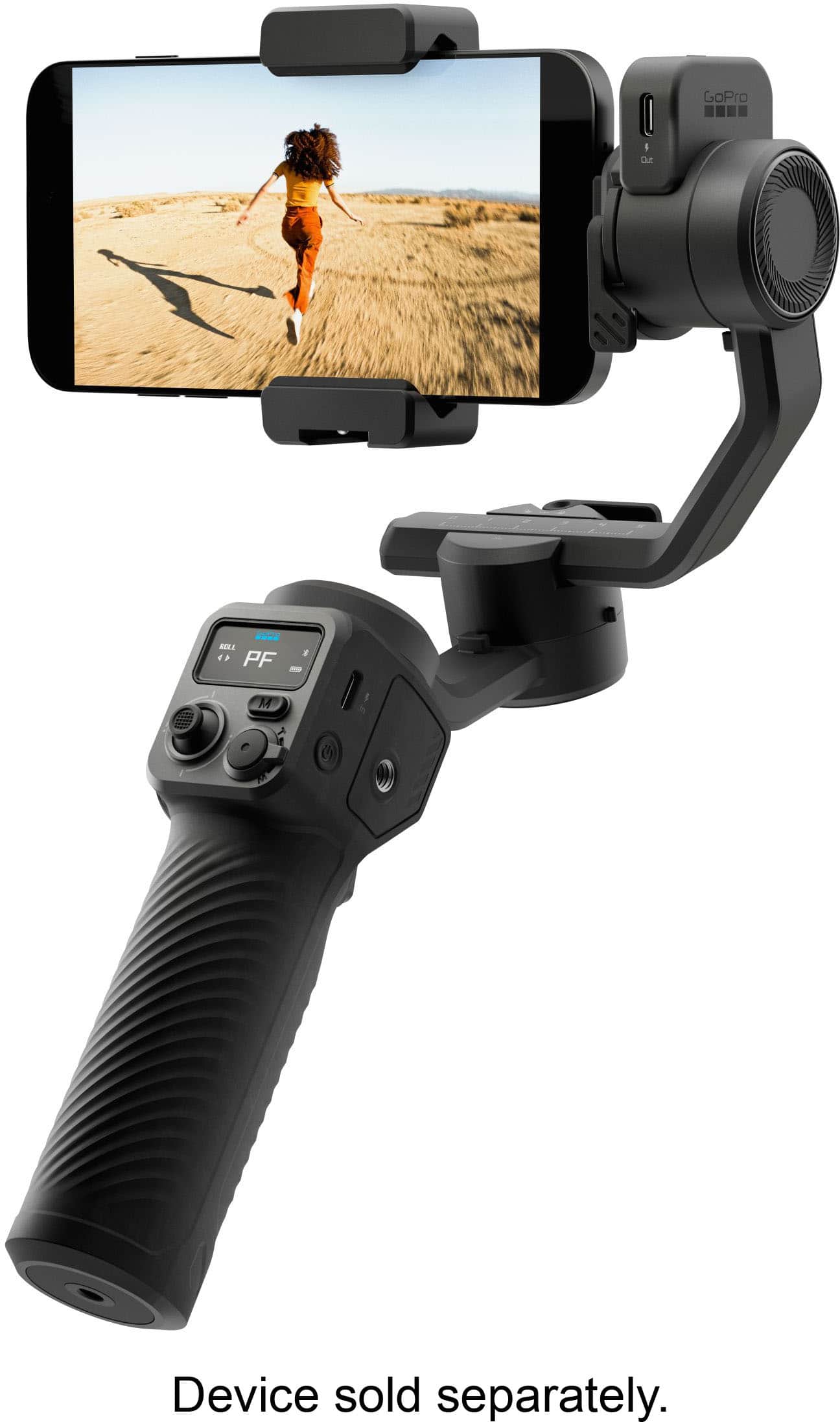
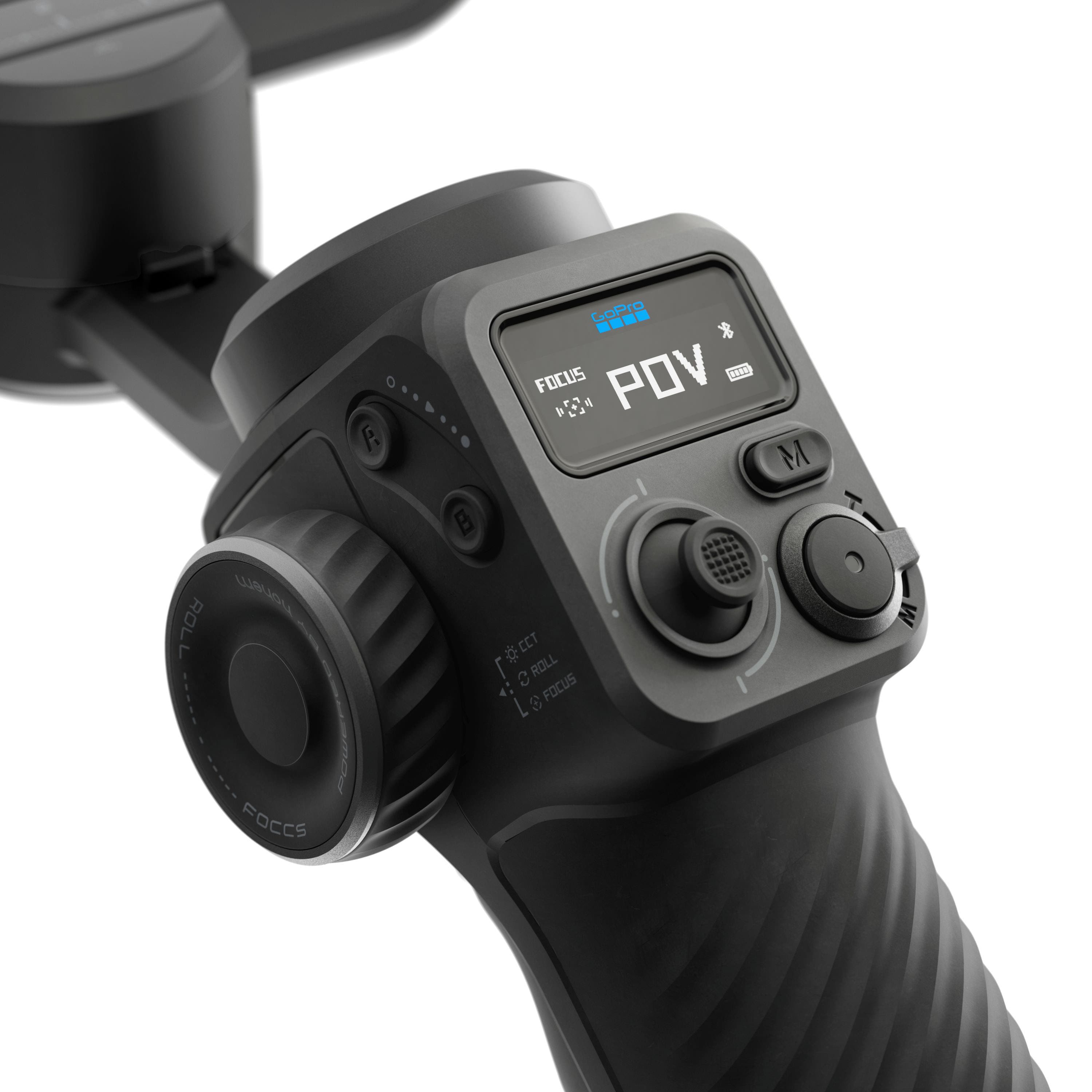
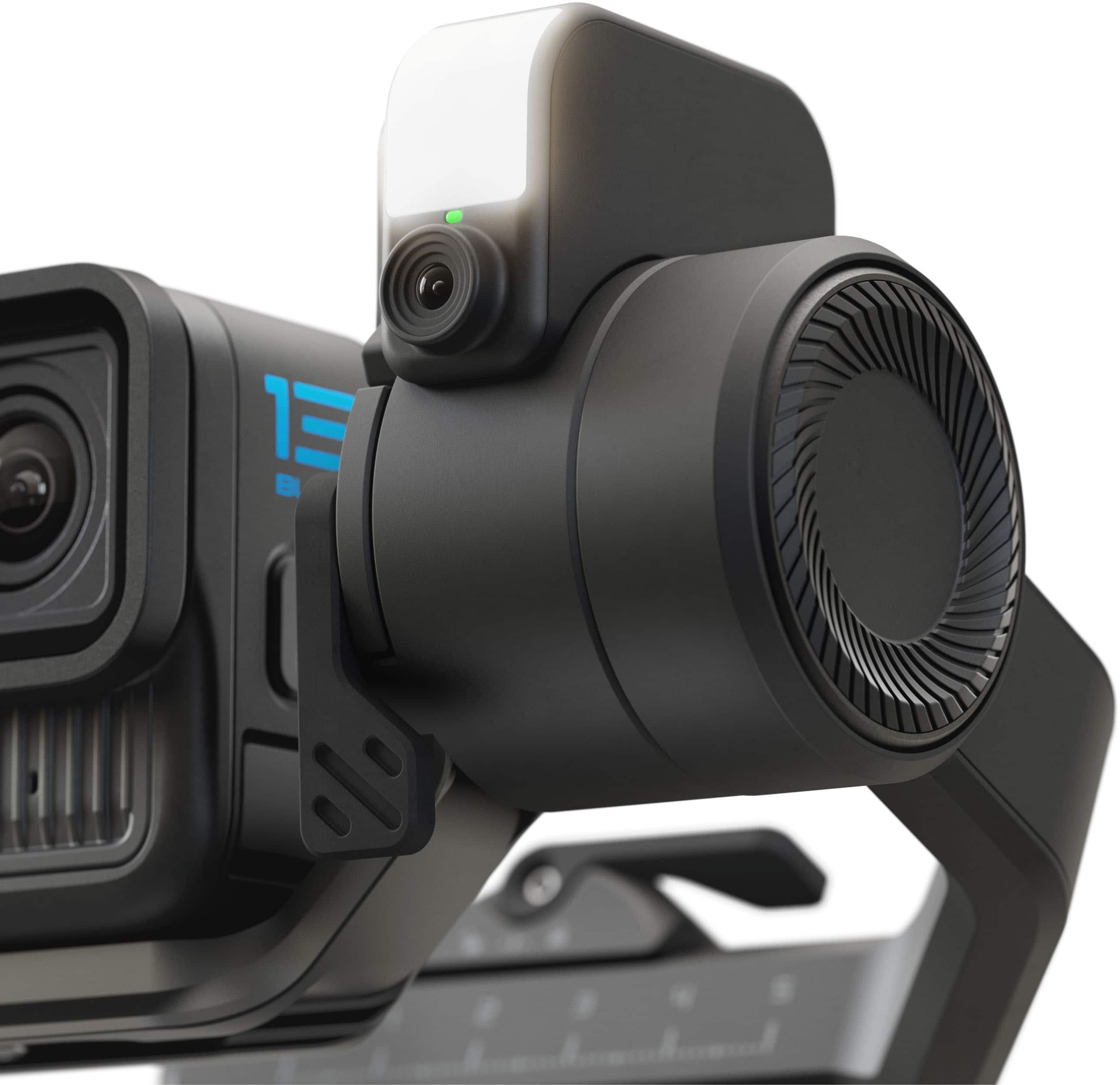
|Posted .This reviewer received promo considerations or sweepstakes entry for writing a review.The GoPro Fluid Pro AI Gimbal is a 3-Axis Gimbal Stabilizer for GoPro cameras, smartphones and perhaps a small point and shoot camera. I wouldn’t exactly call it compact, but if you are looking for a gimbal with robust motors, this gimbal can handle devices weighing up to 400 grams. My iPhone 15 ProMax with a case worked well on this gimbal, I also used my GoPro 13 action camera as this gimbal is made to integrate with GoPro’s cameras, utilizing some of the buttons and controls to operate functions such as zoom and focus on your GoPro. The gimbal solution comes with an AI tracking module, which is a mini camera just for tracking and also includes a fill light/flash to illuminate your subject, I found the mounting on the unit much better than the other gimbal I have from Hohem. The AI track on the Fluid Pro seems better integrated onto the device and doesn’t just appear to be an afterthought. AI tracking is something somewhat new to gimbals and is very useful as it does not rely on a particular app or device to use. The AI tracking can be controlled with simple visible gestures; this makes it especially useful for vlogging or doing a standup talk as the gimbal can act like an automated cameraman. The AI module also comes with a fill light, which can be controlled in intensity and color temperature via the control wheel on the left side of the gimbal. The small display on the gimbal can be used to determine status and mode of the various functions of the gimbal. Unfortunately, it cannot display what the AI tracker camera can see, unlike some other gimbals that have this feature (and where you can more easily lock onto a subject or object to track). This gimbal has numerous physical controls on gimbal handle, including a joystick (for up/down, left/right control, control wheel (for light control, focus), A/B button, mode button, zoom lever (built into the shutter button). All these physical controls work with the GoPro Fluid app which looks remarkably like the Hohen gimbal app (which makes sense given that the app developer is Hohem and is curious since the gimbal itself seems like a GoPro branded Hohen product). The gimbal also comes with a stand which screws into the standard ¼ -20 mounting threads at the bottom of the gimbal (it also has a ¼ -20 thread on the side of the handle for mounting other accessories such as a microphone or light). A substantial battery within the handle charges via the USB-C port, you can also charge/power other devices via the USB-C out port on the AI module (which in itself plugs into a USB-C port). The package also includes a small, coiled USB cable for powering/charging other devices. Also includes two mounting brackets (a clamp for a smartphone and an L shaped clamp for mounting a GoPro, Action Cam or small form factor camera). Having a gimbal provides you with a way to create professional looking content with a smartphone or other camera. Smooth motion and horizon leveling is just superior to the stabilization that is found on smartphones, action cameras or even software stabilization in video editing programs. Overall, the GoPro Fluid Pro AI Gimbal is a decent piece of hardware that is good to have in your content creation toolbox and integrates well with other GoPro devices and accessories. >>> Pros >> different mounting options for smartphones and small cameras up to 400 grams >> battery life >> well integrated AI tracking module >> stand <<< Cons << LED status light for AI module is difficult to see with fill light on << other brands have a more sophisticated control display
I would recommend this to a friendWorth it!
||Posted . Owned for 2 weeks when reviewed.This reviewer received promo considerations or sweepstakes entry for writing a review.A very worth it purchase. It looks new and works great
I would recommend this to a friendGo for it
||Posted .This reviewer received promo considerations or sweepstakes entry for writing a review.Simple and easy to use! Works great with GoPro and Iphone Pro
I would recommend this to a friendGood product and not for larger phones
||Posted . Owned for 3 months when reviewed.This reviewer received promo considerations or sweepstakes entry for writing a review.Nice device, but designed to support larger phones
No, I would not recommend this to a friendFluid shots for your GoPro and Phone
|Posted .This reviewer received promo considerations or sweepstakes entry for writing a review.GoPro is getting back into the gimbal space but it seems like it needs to hold hands with another company to do so. What I found works well: * AI Tracking is Smart. The main selling point is the subject tracking. It has a built-in camera/sensor (so it can follow faces independently of your GoPro or phone) and from what I have seen so far it is fairly accurate at locking onto a face or bodies keeping them centered, even with a lot of movement. Great if your filming on your own. The AI tracking module also has a LED fill light which helps in lower light situations but it's not suited for subjects further away. * Interchangeable mounts means The Fluid Pro AI is not just for GoPros. You can attach a phone(clamp included), smaller point-and-shoots, or other small action cams, weighting under 400 grams. * The battery life is about 18 hours in Passive mode. Although it will more than half if using the AI tracking/light, BUT will still outlast the battery on your camera even with those features active. I also like that you can use the gimbal battery as a power bank to charge your phone or camera while you shoot. * Full 360deg pan movement lets you get some cool cinematic shots you couldn't do with gimbals that have mechanical stop. On the flipside(Cons): * Not the most affordable option in a crowded space. Hopefully you're paying a premium for the multi-device support, the AI tracking, and the battery life-Not just the name that attached to it. * Kind of on the large size. While not the biggest gimbal, GoPros are very small and comparatively the Fluid Pro AI isn't the smallest option out there. * Setup took me a bit of time to figure out. Initial setup and the instructions were a bit confusing. It was a while before I got everything setup and shooting. Was definitely not a whip it out of the box and be up and running on the fly. * AI Tracking might not be perfect. Certain scenarios I noticed AI tracking lost me. Usually when there were more people around and especially in lower light situations. The gimbal also seemed to get a bit warm while using the AI tracking feature continuously for an extended period of long time. Hopefully this doesn't lead to overheating. Thought I have not experienced that as of yet. * Not weatherproof. This gimbal is a GoPro which is known for weatherproof action cams. It's disappointing to see that the Fluid Pro AI isn't rated for rain or dust. * Had to hold hands with Hohem. Not necessarily bad thing since Hohem is a known brand in the gimbal game. But it does mean GoPro didn't design the Fluid Pro AI from the ground up. In summary I found the Fluid Pro AI works well for your GoPro and your smartphone with excellent battery life and genuinely decent hands-free AI tracking, this is definitely a viable option with a well known name albeit in a crowded space. If you only ever shoot on your phone, there are cheaper and smaller/lighter, more focused options available.
I would recommend this to a friendGreat Gimbal with Great Pro Features
|Posted .This reviewer received promo considerations or sweepstakes entry for writing a review.The design and build quality of this gimbal is great. It feels to be made of a strong plastic. The gimbal grip is comfortable to hold and helps provide relief of holding the weight of the gimbal. The grip has a texture to it which would aid in maintaining grip if my hand got sweaty. There are a lot of physical controls included in this device which is great if I wanted to shoot with gloves on, like during a cold weather shoot. There are a number of threaded mounts on the gimbal to mount whatever you may need—whether that be an additional light (there is a built in fill light), an external microphone, or a tripod (a desktop size tripod is included with the kit). One thing I didn’t love about this gimbal is how much space it takes up even when it’s folded. It folds flat (and includes a number of locking mechanisms to make sure it doesn’t come undone) but it doesn’t fold in half so even at it’s smallest it’s still roughly the length of a Nintendo Switch or Steam Deck. On the plus side, it comes with a really nice travel case so I have no reservations around throwing it in my backpack. It also comes with mounting clamp for a phone as well as mounting hardware for a GoPro (or small point and shoot). The motors controlling the gimbal are sturdy, smooth, and silent, which are probably the most important factors to me in a gimbal. The motors were also responsive and quick, which I think is great for using them to pan. I think one of the things that intrigued me the most about this gimbal was its AI tracking, and it did not disappoint. There is a small module that connects to the top of the gimbal via USB-C, and it is bidirectional so I can flip it depending on if I’m trying to track myself in selfie mode or a subject in front of me. The tracking works really well. After a quick swipe to target my face on my phone, it worked flawlessly and was able to track me easily while I was moving around. The included GoPro Fluid app (tested on iOS) works great. It’s easy to use. It allows for a lot of customization of camera settings, like ISO, shutter, and EV. You can also customize the gimbal’s settings like motor speeds, joystick speeds, etc. Overall, I thought this was a great gimbal with great pro features like AI subject tracking.
I would recommend this to a friendNot worth it
||Posted . Owned for 3 weeks when reviewed.This reviewer received promo considerations or sweepstakes entry for writing a review.Not worth it, I rather use the dji mobile gimbal no need to adjust anything specially when switching from gopro to mobile phones.
No, I would not recommend this to a friendInteresting Buy
||Posted .This reviewer received promo considerations or sweepstakes entry for writing a review.I find that this gimbal is hard to calibrate but once done works great. Just have to figure out which direction to mount the gopro.
I would recommend this to a friendIt doesn't work that great
||Posted . Owned for 1 week when reviewed.This reviewer received promo considerations or sweepstakes entry for writing a review.It doesnt work in the cold very good. Sometimes it doesn't follow you.
No, I would not recommend this to a friendNot what I needed
||Posted . Owned for 1 week when reviewed.This reviewer received promo considerations or sweepstakes entry for writing a review.The gimbal stabalizer was nice but didnt seem to work flawless with my Samsung Ultra 25. Decided to take it back.
No, I would not recommend this to a friendBrilliant Engineering Undercut by a Broken Manual
|Posted .This reviewer received promo considerations or sweepstakes entry for writing a review.I am writing this review for the GoPro Fluid Pro AI Gimbal. I’m writing this review after several weeks with the GoPro Fluid Pro AI Gimbal, and I want to be upfront: if I were rating this product solely on the initial setup experience, it would be a –10 stars situation. Yes, a negative 10. That’s how frustrating those first several hours were. This is not an entry-level gimbal. Even seasoned veteran videographers might have found themselves confused before they ever got the thing balanced. And the reason is painfully simple: the user manual is fundamentally flawed. Before figuring out what was going on, I seriously considered just returning the gimbal. When I unboxed the Fluid Pro, the first thing I saw was a warning wrapped around the base: “Your gimbal must be balanced before it is turned on. See the user guide for instructions” That’s reasonable for a professional gimbal—so I grabbed the user manual to follow the instructions. And the nightmare began. No matter how I positioned or rotated my Fluid Pro, nothing matched the illustrations. It looked backwards. Crooked. Wrong. I genuinely believed the gimbal had been assembled incorrectly at the factory. Because the warning specifically said not to power it on before balancing, I didn’t dare test anything by force. And since this gimbal is still new on the market, there were zero videos or guides online to help me figure out what I was doing wrong, not even on GoPro’s own support pages. And their phone support? A dead-end recording that directs you back to the website…where there was absolutely nothing helpful. After several hours of frustration, I quit for the night. Off and on for the next several days, I kept searching for setup videos, setup instructions, ANYTHING that would let me get the gimbal setup. It wasn’t until digging through customer reviews that I found the answer. The user mentioned not being able to figure out how to set up the gimbal because none of the illustrations matched his gimbal. Why? The manual’s illustrations are literally mirrored—backwards. The only way to make sense of the illustrations would have been to hold the manual up to a mirror! Once I understood this, I had the thing balanced in minutes. This is a major failure on GoPro’s part. A product this advanced deserves a manual that isn’t so laughably corrupted. But enough of all of that! Let me go over the positive aspects of the GoPro Fluid Pro Ai gimbal! My first impression as I unpacked the gimbal was Wow! Everything comes in a molded carrying case, with manuals included in an inside pocket. As with all other GoPro products, it was obvious I was looking at a very high-quality setup. The gimbal itself feels extremely sturdy and well-built. There is not a shred of anything low-quality about the Fluid Pro. It exudes an aura of perfection. I began familiarizing myself with all the included components, and after the aforementioned setup debacle, I was ready to discover just what this gimbal was capable of doing. Before balancing, I downloaded the Fluid app, which I recommend as it keeps you from having to stop mid-setup later. It’s probably obvious by this point that there is a bit of a learning curve to contend with here. There are more dials and buttons on the Fluid AI than there are on the space shuttle. And every single one of them add an important flare and depth to the entire Fluid Pro experience. Even after several weeks of exploring the many functions, I still feel like I am only beginning to fully grasp just how powerful and useful the Fluid Pro AI really is. For example, the Power button alone has six different functions, depending on how many and how long you press the button. The Mode button lets you choose between four different follow modes. However, it also has several other functions, again depending on how many times and how long you press it. I really have to say that I am a bit baffled by the seeming conundrum here… the unbelievably intelligent and purposeful manner in which the engineers designed the Fluid AI to be perhaps the best gimbal on the planet, only to include a user manual that was so obviously flawed. My first use of the gimbal was outside. It took a bit of research, but I finally discovered that to activate the tracking feature, I had to make a square like a movie director might do to frame a shot. This is using the GoPro Hero 12 Black, and not my phone. Of course, with the GoPro Quik app there is the ability to preview the scene before actually shooting. I tried a few static shots at first to get the feel of how well the Fluid would track in my back yard. After enabling tracking, I walked a circle several times at various paces, even doing a quick jog, just to see if the gimbal would keep up. Yes, it did and did so flawlessly. I watched the gimbal closely to see if there was any motor shudder or stutter, but there appeared to be absolutely none. It wasn’t until I actually shot a few short videos that the unbelievably smooth movement of the gimbal’s motors became quite apparent. Using the POV mode was the deal sealer for me. I made it a point to try and lose the AI tracker. I jogged/ran, stopped suddenly and knelt down and got back up, and even did a 360 to see if it would lose track of my face. It didn’t. As I reviewed the videos, I had to laugh to myself because of just how seriously well the Fluid Pro AI performs. I hate to use a worn-out cliché, but its performance is stellar. The Fluid Pro allows for use with a phone, or one of the compatible GoPro cameras. As I said, I started off with the GoPro 12 Hero Black, mainly due to the ability to see the shot beforehand. But this has its obvious limitations, shoot time being the most prevalent, followed closely by lens(es) quality. Although the Hero 12 is equipped with top-tier lens, it pales in comparison to the lens architecture of some of the newer phones, such as my 17 Pro Max. But using a phone comes with its own set of limitations, the main issue being setting up a shot. The reasons are obvious. However, when the shot is good, the end results far outweigh the inconvenience of having to go back and forth to make adjustments for a perfect shoot. There is another feature I want to highlight at this point and that is the built-in fill light. It is surprisingly bright and genuinely useful. It provides real, usable fill illumination when shooting in dimly lit rooms, shooting at dusk, or moving between lighting environments. Thank you, GoPro, for thinking of this…it really makes a difference. After shooting several shots using the built-in tripod, I decided to use a full-sized tripod. With the camera at face level, I experimented with several of the different shooting modes, using various settings. The full-sized tripod added a level of cinematic professionalism that is stunning. A casual observer would no doubt believe these videos were shot using a human camera operator, and not a gimbal. As I said, there is quite a learning curve with the GoPro Fluid Pro AI gimbal, and I still have a way to go before I feel truly comfortable using it for anything more than casual, basic video shoots. But I know already that viewers on my YouTube channel will notice the difference. So, my take? Although this isn’t an entry-level gimbal, with enough patience and perseverance it can be a beginners’ ultimate dream video tool. Again, the greatest challenge is overcoming the flawed information in the users’ manual for the initial setup. A major faux pas on the part of GoPro. The bottom line then is this, would I recommend the GoPro Fluid Pro AI Gimbal? Not only YES, but ABSOLUTELY YES! For me, this is an evolutionary leap for any videographer wishing to expand their work. Even with the much-discussed user manual flaw, I am still giving the Fluid Pro a Five-Star rating. It is that good.
I would recommend this to a friendOverheats
||Posted . Owned for 1 month when reviewed.This reviewer received promo considerations or sweepstakes entry for writing a review.Over heats up way too quickly. Would not recommend. Especially for the price.
No, I would not recommend this to a friendDelivers a lot for people willing to work
|Posted .This reviewer received promo considerations or sweepstakes entry for writing a review.SUMMARY: AI is not just a buzz word here; the subject tracking actually works which is great news for the hobbyist or solo creator. But to get all that power means having to do some learning, maybe more than the average person just wanting to stabilize the shoot. Sturdy build, premium fell, reasonable price for what you get. Make sure you want all it gives. PROs: - AI subject tracking (put the gimbal down and forget it) - Great panning range. - Decent battery life for long shoots or charge your camera! - Built in fill light - Works with a variety of devices as long as they are < 400 g. - Sturdy build, smooth and stable. - Detachable tripod CONs: - Set up the first time takes time and patience. A MATTER OF TASTE: - Battery life is in base mode only, turn on LED and tracking and it goes twice as fast. - It’s not as light as devices meant just for phones, but not as heavy as devices meant for mirrorless cameras. - Feature laden means more to learn. MORE WORDS. Don’t think you can use your mirrorless camera with it, weights too much. And while the built in LED is good in a pinch, you will still want external lighting for the professional look. And the AI tracking is good but can fail in low light or confusing scenes. Sometimes you will have to resort to manual. WHO IS THIS FOR? It has so many features’ people will forget it’s for you. The solo shooter working fast and easy working with modest gear (lightweight). The hobbyist or the beginning solo creator. You also need to be willing to learn the system, it’s not the easiest because it is feature laden. It’s not a replacement for a professional system for heavier cameras, but nor is it priced as such. It’s easy to pack up and set up once you got the balancing thing down. Comes with a nice case. I’ve used more expensive systems that didn’t have all the feature but were easier. Make sure you want AI tracking, but if you do, this deserves your attention.
I would recommend this to a friendA gimbal that doesn't know what it wants to be
|Posted .This reviewer received promo considerations or sweepstakes entry for writing a review.GOOD - Can mount both phones and small cameras - Relatively good subject tracking and stabilization - Lots of camera controls directly on the grip - Many 1/4 threaded mount points for lights, mics, and accessories - Comes with nice carrying case - Has USB port to power camera or external lights BAD - Phone mount is fiddly and not very strong - Switching phone between portrait and landscape orientation requires complete remounting - Mounting phone in portrait mode drastically limits tilt range ( phone hits bottom of the gimbal frame ) - Focus controls on grip override zoom controls - Front facing camera limited to 1080p30 when using the app TLDR The GoPro Fluid AI does a good job at tracking subjects and smoothing out camera wobble while in motion. However it's in a weird no-man's-land in terms of price and practical application. It handles small cameras like GoPros and compact mega-zooms pretty well, and also phones in landscape. But it has issues with phones in portrait orientation and the gimbal isn't strong enough to mount even small mirrorless cameras or fully rigging up a GoPro with lights and mics. If you only need to use a phone for a camera, you can get a sufficient gimbal for less. If you want to use anything more than a point-and-shoot camera, you'll need to step up to a stronger, larger gimbal. DETAILS GoPro's Fluid AI gimbal is basically a relabeled Hohem M6 with a swappable arm mount. It even says "powered by Hohem" on the gimbal itself and the companion application is also made by Hohem. At first glance this seems like quite a versatile gimbal. It includes both a clamp mount and 1/4" threaded arm, allowing it to mount phones and cameras. The AI subject tracking module is detachable and reversible, and it has a USB port that can charge your phone, camera, or light while in use. But on closer look you see a lot of limitations. To start, the 400g weight limit of the gimbal drastically restricts what you can mount. While it can easily handle a phone or small action camera on its own, perhaps even a compact mega-zoom camera, adding an external light or microphone can quickly take it over the limit. My Pixel 8 with slim case on its own is 280g. While the frame is just big enough to mount a small mirrorless camera, the gimbal will throw errors that it's being overloaded, even if you're only 30g over the limit. Second, the gimbal isn't the most user-friendly with phones, particularly when mounted in a portrait orientation. The center of the tilt motor is a little over 2.5" above the bottom arm of the frame. So if your phone is over 5" tall ( as most are these days ), it will hit the bottom arm unless you mount the phone off center in the clamp. Of course, doing so is against the manual since it explicitly says you're supposed to center the weight in the gimbal axes whenever you mount something. I never had trouble with my 6" Pixel 8, but I can imagine using a larger, heavier phone, the gimbal might throw some warnings at you that the tilt motor is being overloaded. Next up, the phone mount itself is passable at best. It uses spring-loaded plastic jaws to hold your phone. The jaws are just deep enough to hold a phone in a slim case, but for a better grip, not using a phone case is preferred. Of course, that leaves the phone unprotected while on the gimbal, so pick your poison. And switching the phone between landscape and portrait orientation is a pain because you have to remove the phone from the jaws, rotate the clamp, remount the phone, and then rebalance it. In actual use, again, going off looks can be misleading. The gimbal grip has lots of controls on it that certainly come in use. The central joystick controls the gimbal while shutter and zoom control are next to it. The knob on the side can control the light on the tracking module, camera focus distance, and the gimbal's roll axis. However, all these controls only work when paired with a phone and the phone is using the GoPro/Hohem companion camera app. And here I noticed two issues. First, when using the phone's front camera, video is limited to 1080p30 only, regardless if you phone's front camera can record at higher resolutions and framerates. This is a problem with Hohem's software because the same thing happens on other Hohem gimbal apps. Second, if you use the gimbal wheel to change focus, the zoom control toggle will also switch to control focus instead of zoom. In order to get it back, you have to tap on the phone touchscreen to switch it back to zoom priority ( shown by a capital Z or F in the top left corner ). Other than that, it works well. Though the gimbal can pair over Bluetooth with a GoPro camera itself, only the shutter control works ( at least with the Hero 11 I tried ). You can't use the zoom control to change camera viewing angle, shooting mode, or anything like that. And a GoPro can't be paired simultaneously with the gimbal and your phone/tablet at the same time to get live feed and remote camera control ( again, at least the Hero 11 can't ). As for the AI subject tracking, that feature works well and if you've used another Hohem system, you'll be familiar with the features and gesture controls. The Hohem phone camera app itself also has some rudimentary tracking features even when you don't have the separate camera tracking unit plugged in, but they're not as smooth ( especially when using the front camera on close face tracking shots ). If you want a gimbal specifically for action cameras like a GoPro, or for small mega-zoom point-and-shoot cameras, then the Fluid gimbal is not a bad choice. For that use I'd give it 4/5 stars. It doesn't link directly to the camera enough to give you full control, but it's a good gimbal with much wider motion range than cheaper models. If you're only going to use phones in landscape mode, the Fluid isn't bad either. In this way, it does have some extra mounting points where you could perhaps fit a mic or SSD without going over the gimbal's weight limit. And again, the wider motion range than what you'd find on the Hohem V3 is very helpful if you want to shoot something more cinematic than just a face-to-camera vlog. Just understand some aspects might be more fiddly than you'd want. But as a general gimbal recommendation I can't give this more than 3/5 stars. If you're someone who wants a single gimbal to be used for facetime vlogging, and also some action and cinematic shots, I don't think this is the gimbal for you. It seems like it's trying to do too many things and ends up being only mediocre in most of them. You can spend less to get a very good dedicated phone gimbal. Hohem makes multiple models that also have detachable wireless remotes, which lets the gimbal double as an excellent active tripod. Yes, the Fluid's mobile act can also function as a remote control, but then you need to have another device to act as the camera. Similarly, paying a little more than the Fluid can also get you a larger and stronger prosumer gimbal that you can use with larger and heavier camera gear.
No, I would not recommend this to a friend