Customer Ratings & Reviews
- Model:
- CHDFB-121-CN
- SKU:
- 6554865
Rating by feature
- Value
Rating 4.6 out of 5 stars
- Quality
Rating 4.7 out of 5 stars
- Ease of Use
Rating 4.5 out of 5 stars
Customers are saying
Customers are satisfied with the product's sharp and smooth video quality, ease of use, and good battery life. They also appreciate its overall performance and the included light for illuminating low-light scenarios. However, some customers have noted concerns regarding the device overheating and the absence of a GPS sensor in the 12 series.
This summary was generated by AI based on customer reviews.
- Pros mentioned:Battery life, Video qualityCons mentioned:Gps

The Best Action Cam Gets a Little Better!
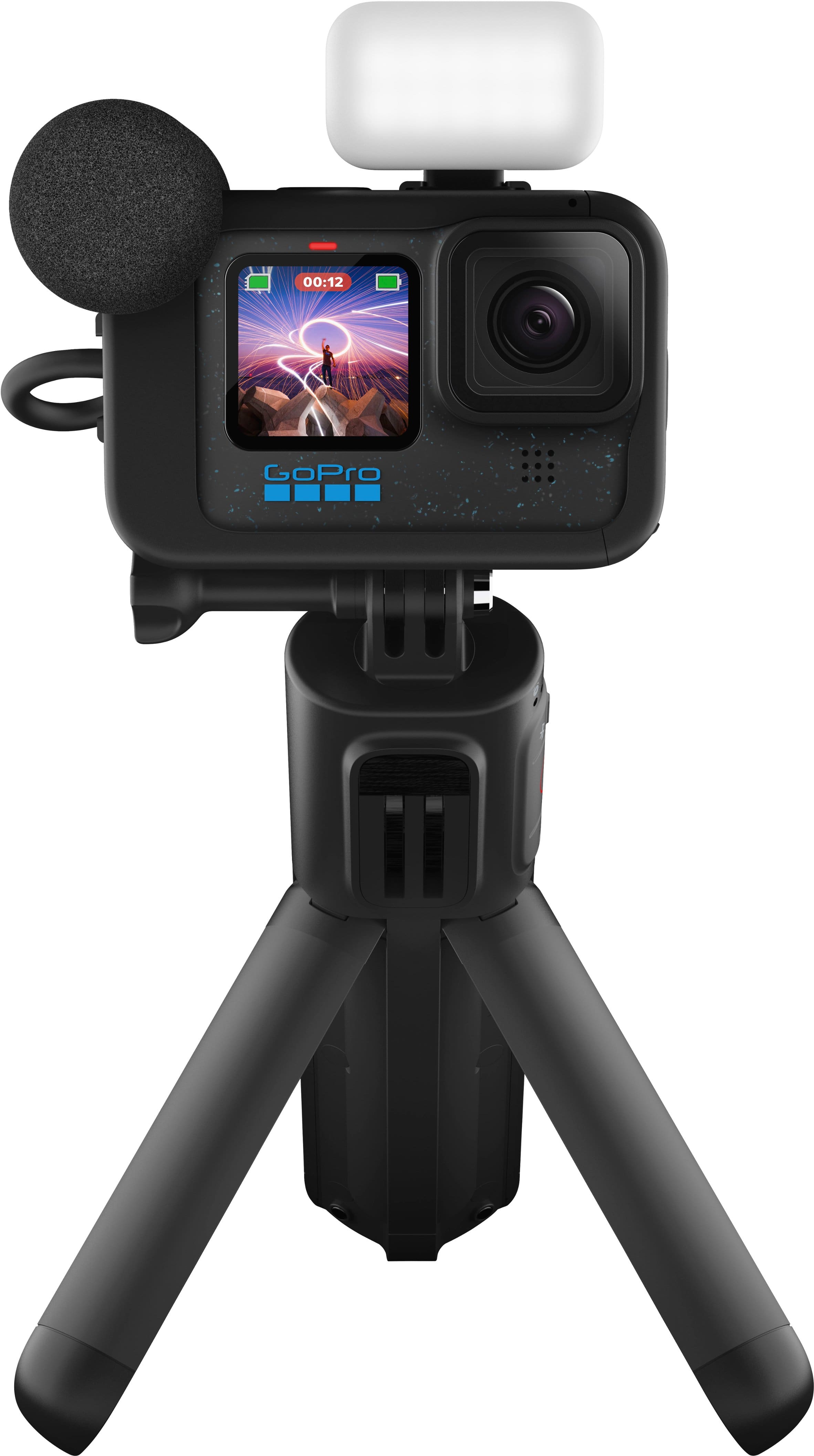
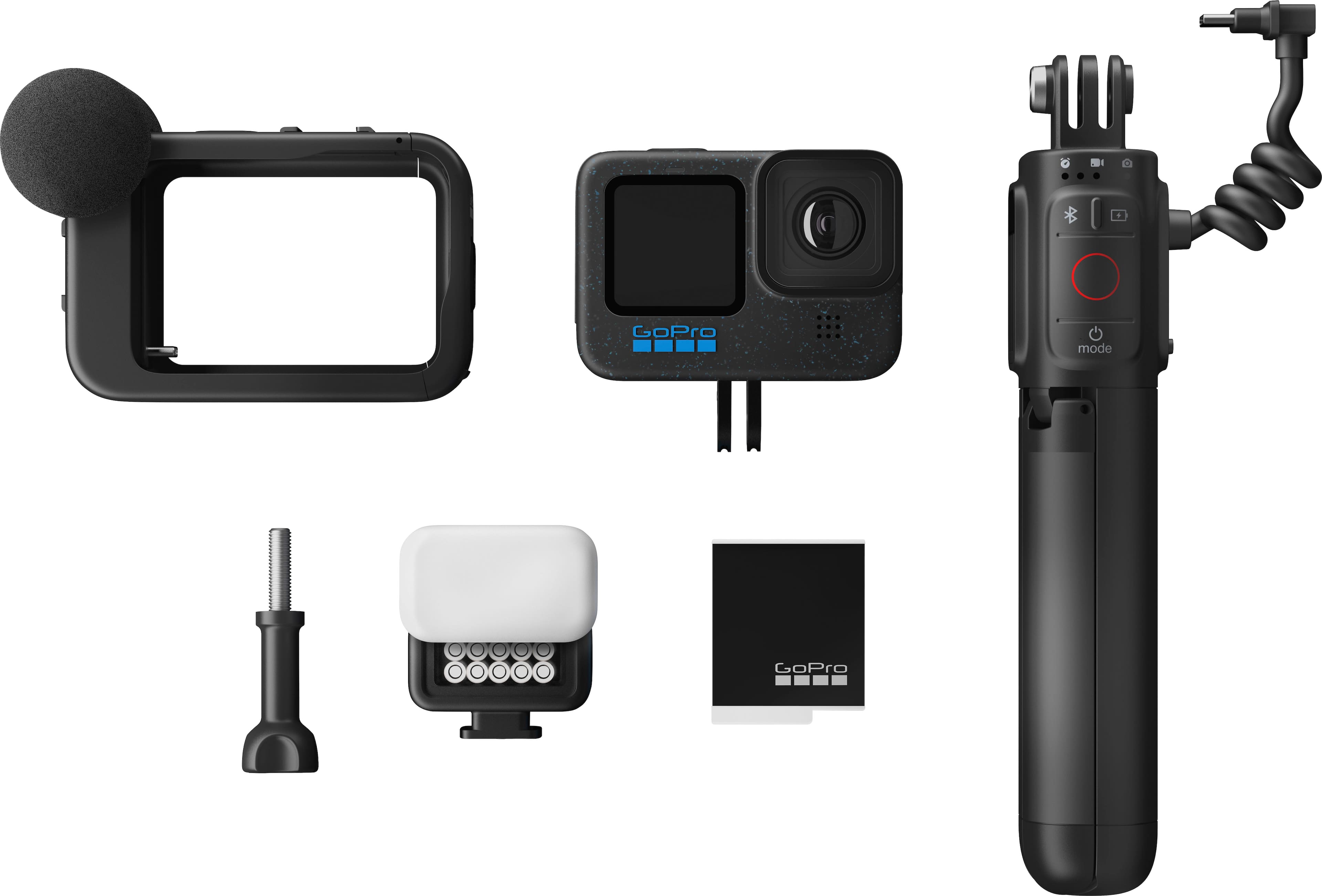
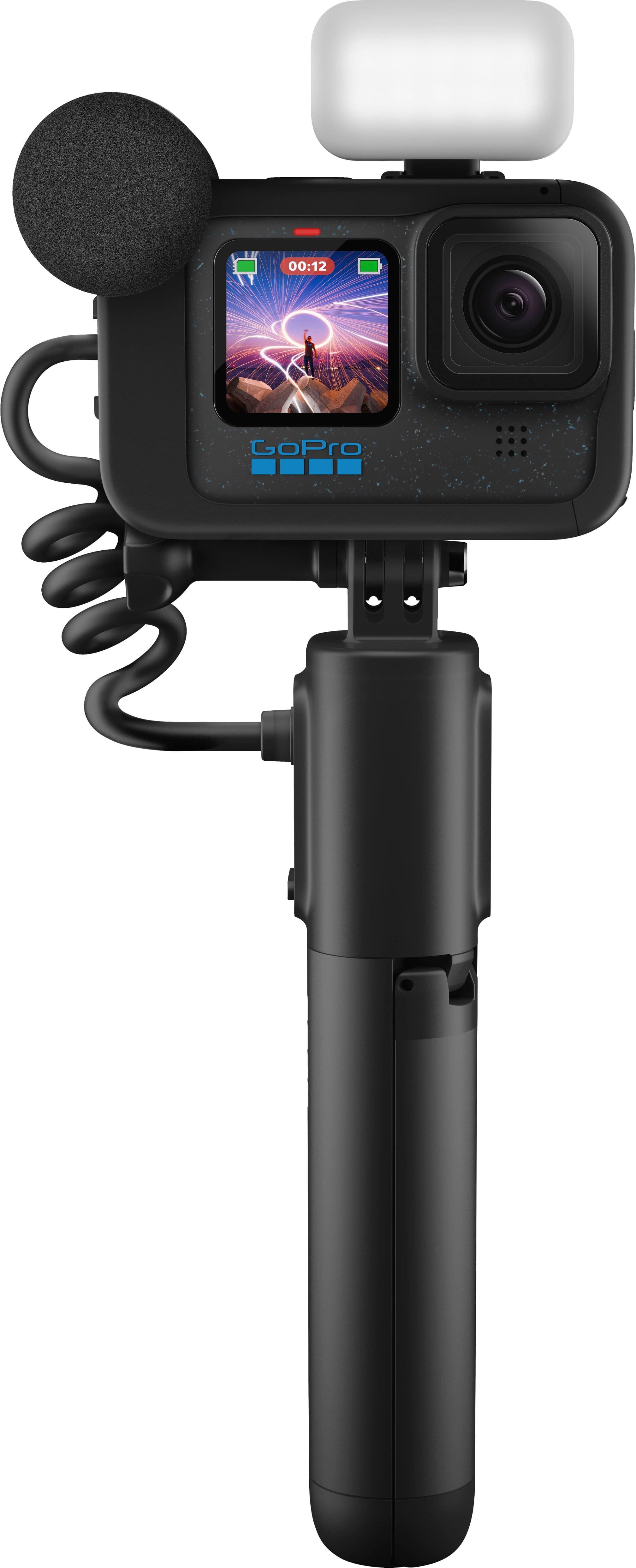
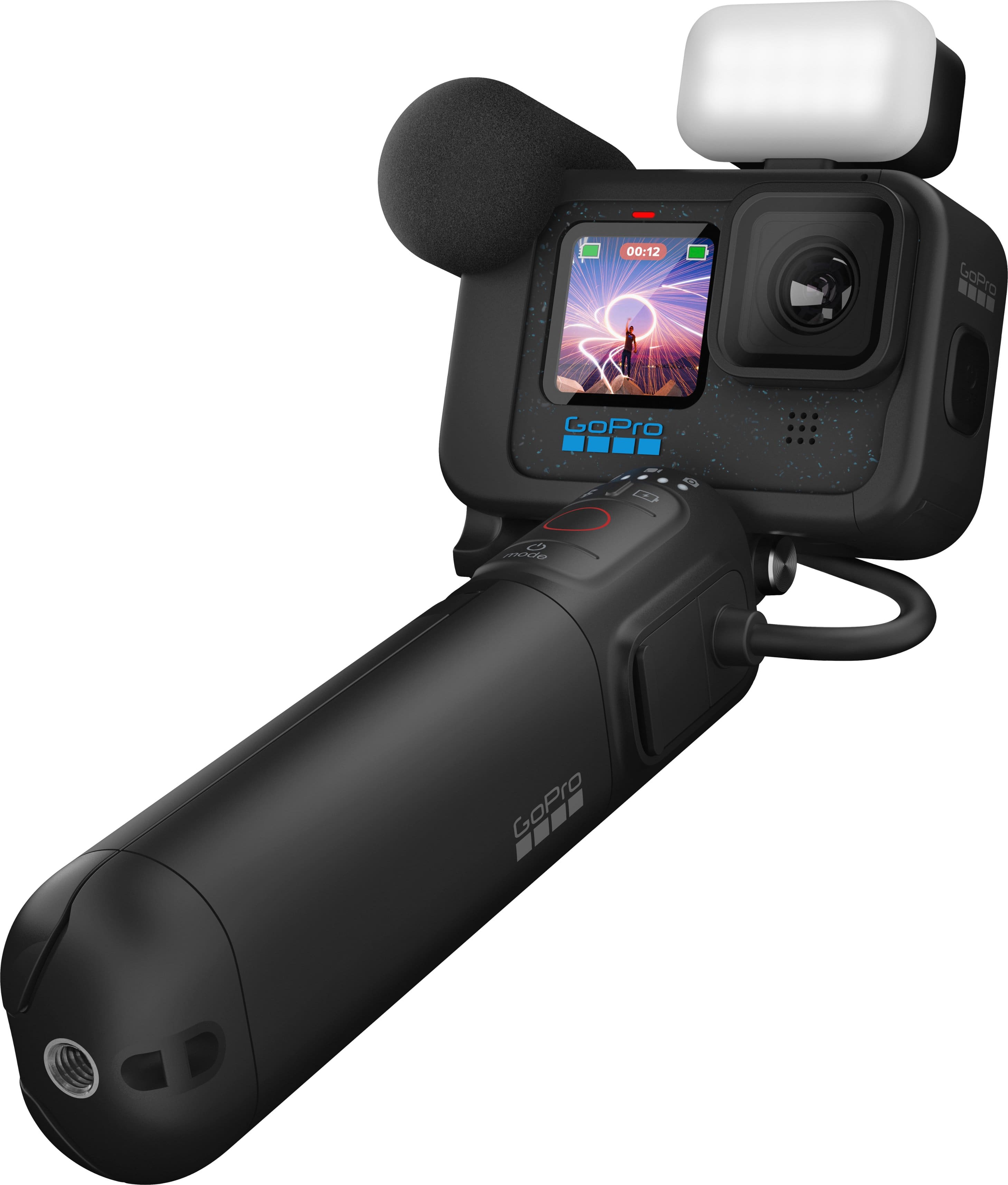
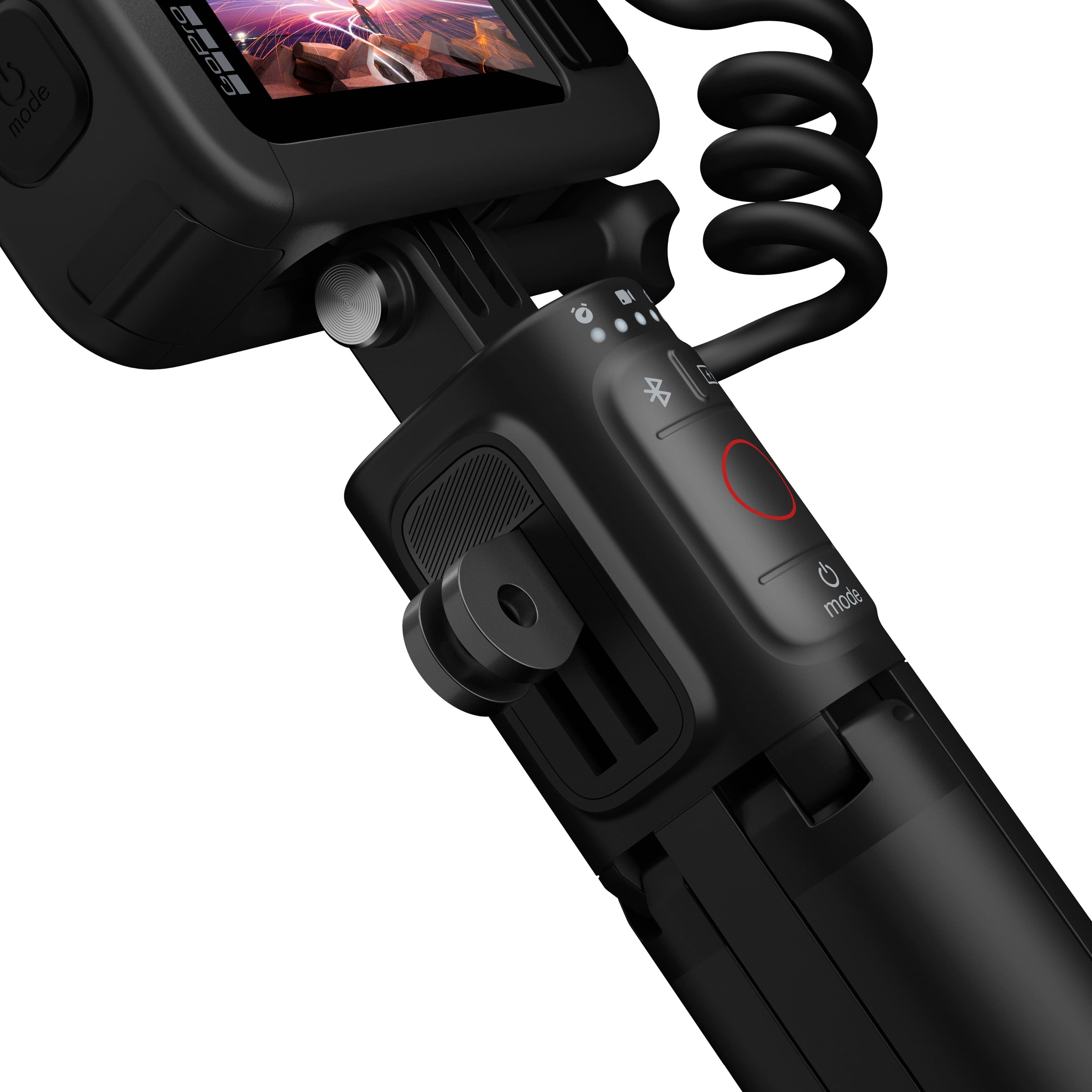
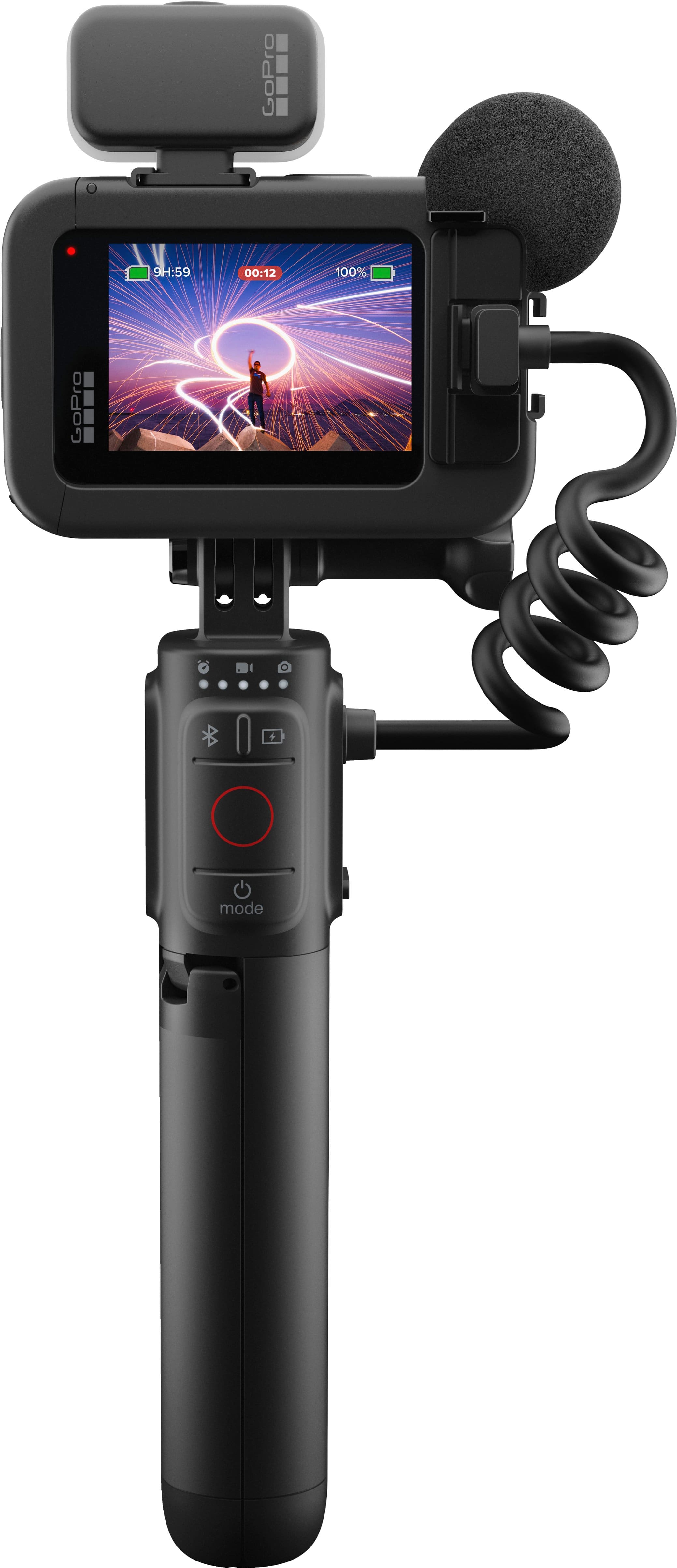
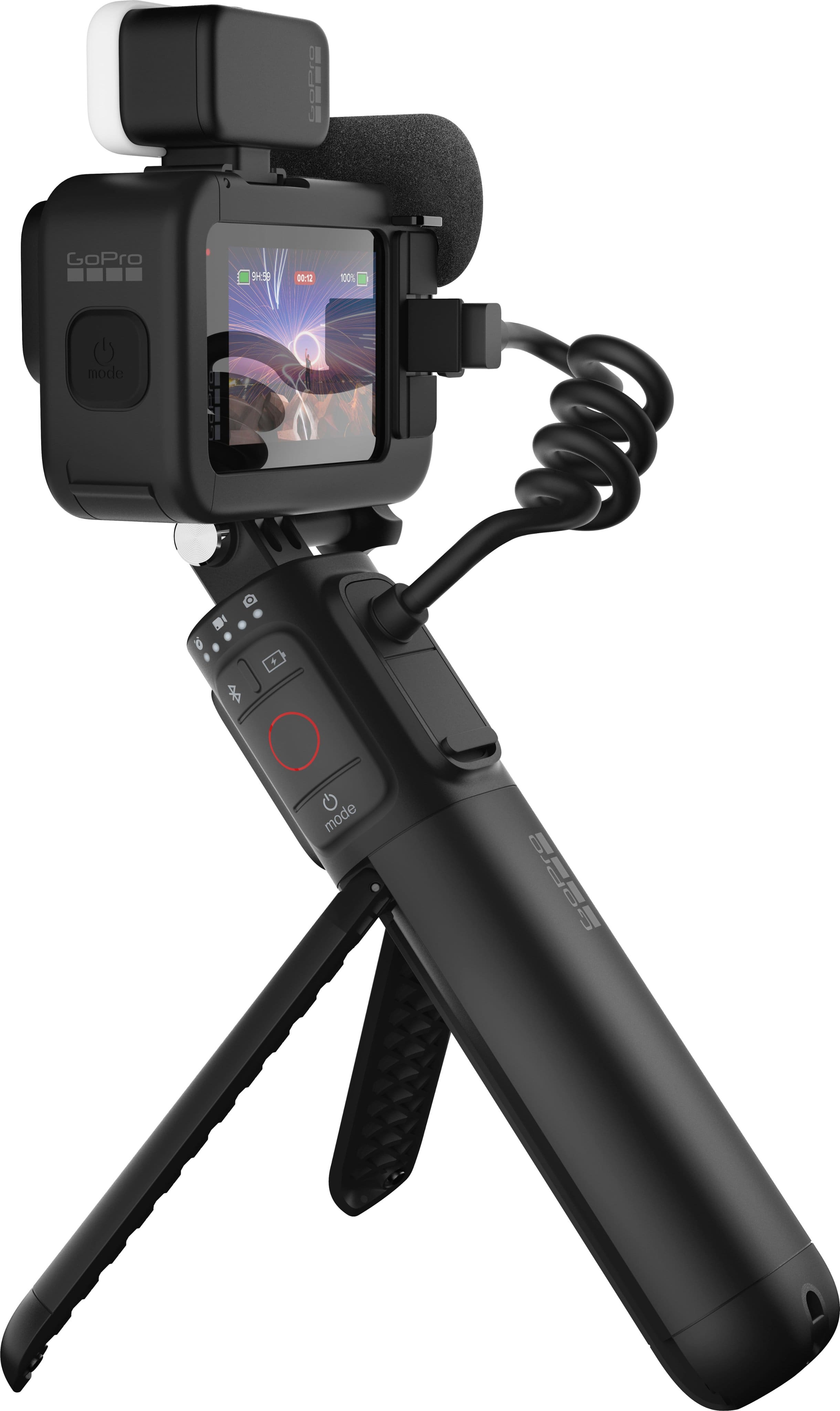
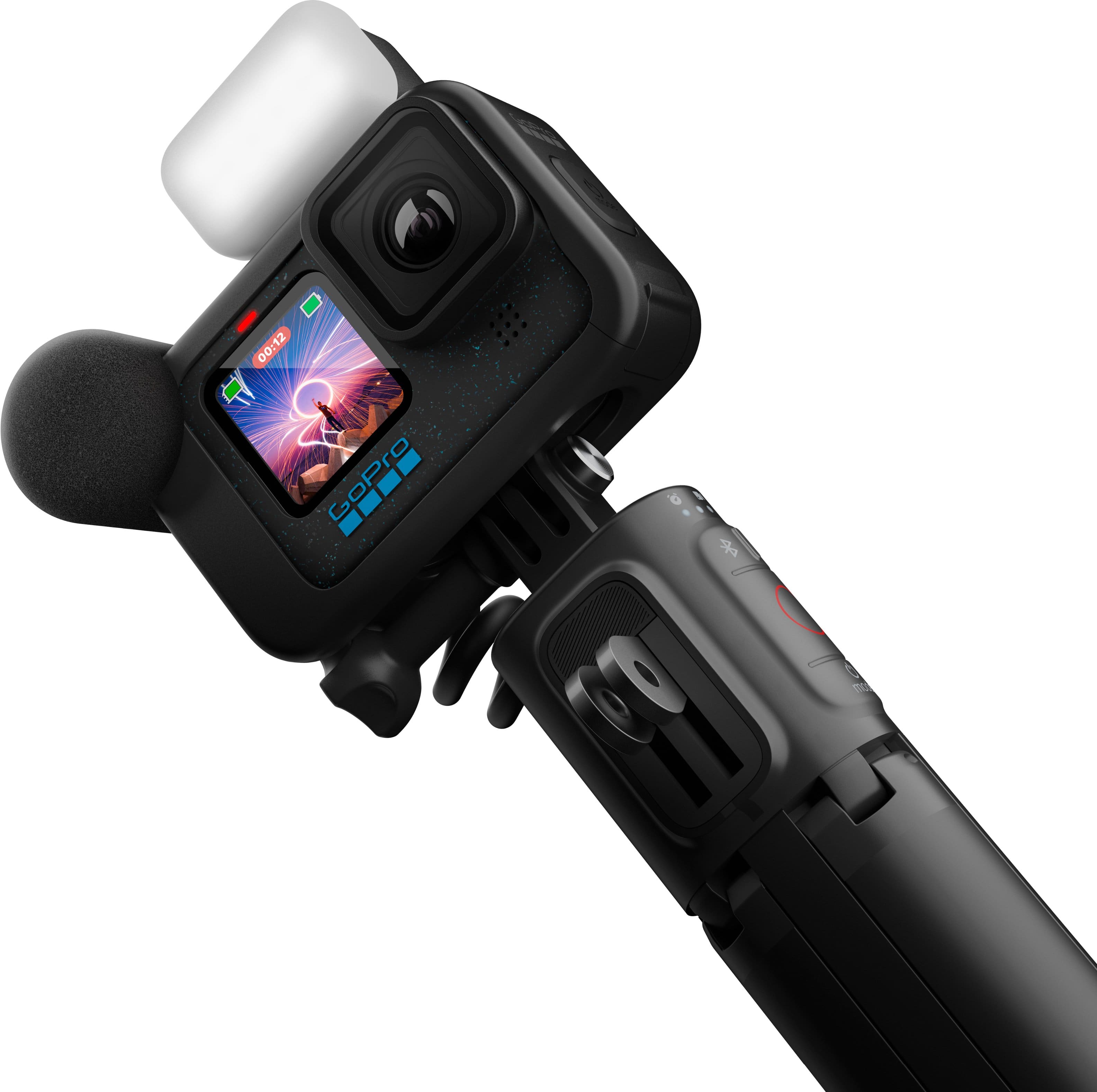
|Posted .This reviewer received promo considerations or sweepstakes entry for writing a review.GoPro has been synonymous with action cameras for many years. These multifunction cameras provide professional level video quality that is unmatched in this price range and they can literally be mounted to anything: boats, cars, airplanes, etc. and reliably record in the harshest of environments. I recently bought a HERO11 and was amazed at what I could do with it. The new HERO12 ups that with a few new features and the Creator Edition I am reviewing here packs in a lot of extra goodies. The HERO12 from a physical perspective looks nearly identical to the HERO11 with only a few cosmetic differences and one major addition which is the 1/4 “ tripod mount on the bottom of the camera. Now you can mount the GoPro directly to a camera tripod without any adapters. The HERO12 now allows you to shoot in full frame 8:7 in any mode then you can crop to either widescreen or portrait using the Quik app or other post editing software. This allows you the freedom to choose the orientation of the video after you shoot it. Creators can use widescreen for Youtube and then create another in portrait mode for TikTok from the same source video. Another big addition that I don’t see on my HERO 11 is Vertical mode which allows you to shoot in a social media orientation without turning the camera sideways. Shooting in 8:7 does have some drawbacks. Namely limiting the fastest framerates as you can only capture up to 5.3K30 or 4K60 at the 8:7 aspect ratio. To film in 5.3K60 or 4K120 you’ll need to use a standard 16:9 wide ratio. To capture at even faster framerates such as 240hz you’ll need to step the resolution down to either half of max (2.7k) or 1080p. The video quality was already impressive with the HERO11 but the HERO12 takes it further with all new HDR video that provides more detail and color in highlights in the 4K and 5.3K modes. What it will do is try to take areas that are typically overexposed such as the sky and make it more blue and likewise brighten up details that may get lost in shadows. The HERO12 also boasts of a new and improved HyperSmooth 6.0 and Horizon Lock. To be honest this is the feature that sold me on GoPro in the first place. The ability to capture video while in motion such as jogging and it being as smooth as if you had a gimbal is what sets GoPro apart from the competition. Side-by-side, I can tell a difference between Hypersmooth 6.0 and 5.0 (which is what the 11 has). It’s subtle, however, as the system already works so well. Horizon Lock allows you to keep your footage level with the horizon at all times-even if you completely turn the camera upside down. One of the new features of the HERO12 is that you can enable horizon lock with the Time Warp mode. Time Warp allows you to speed up an otherwise slow moving video such as walking or driving through a busy city into mesmerizing fast-paced action footage. Another new feature exclusive to the HERO12 is one I’m probably most excited about and that is the ability to use your Bluetooth headphones or Apple Airpods to record audio, as well as provide voice commands to the GoPro from within Bluetooth range. This makes it possible to capture audio that may otherwise be difficult to get if you weren’t prepared and had the MediaMod or Pro Mic Adapter handy. I didn’t notice any latency problems testing recording over Bluetooth. This edition of the GoPro Hero12 comes with a few accessories including Media Mod, Light Mod, and Volta Tripod. These are all new to me as I did not have them with my HERO11. MediaMod is an enclosure that gives you a built-in directional mic as well as additional ports for a 3.5mm mic, and HDMI out for external monitors and cold-shoes for external lights or screens. The Light Mod is an LED light that can be mounted onto one of those shoes. Both the Media Mod and Light Mod are useful for my vlogging. The Volta is a handheld grip/tripod with a built-in battery that can both charge the GoPro (or Light Mod) and has buttons to start/stop recording or change video modes. It operates over Bluetooth so you can even detach the camera and use the Volta as a wireless remote. To me this is one of the most useful accessories especially if you will be doing any solo shooting and will either be hand holding or needing to place the GoPro on an object in order to take a video of yourself. The Volta also includes it’s own set of folding finger mounts. There’s one accessory I wish the Creator Edition came with and that’s the Max Wide Lens Mod 2.0. Alone, HERO12 already has a 156° field of view (FOV) but you can attach the Max Lens Mode 2.0 accessory and increase the FOV to an incredible super ultra-wide 177°. However, this is an additional purchase. Battery Life is improved by better thermals and the removal of the GPS. The camera can record longer at the highest resolution than the older version but you will not get GPS data recorded to your footage which can be a bummer if you are looking to track that data in your videos. Personally, I’m happier with the better battery life. Besides the removal of GPS the only other downside is that the hardware is really an incremental upgrade over the HERO 11, not a revolutionary one. With the same sensor as the 11, a lot of the new features for the 12 come down to just software and UI improvements. These improvements do make the 12 easier to use and more flexible for content creators. I haven’t even gotten to the Quik app yet which lets you do things like download video from the GoPro to your phone as well as use your phone as a monitor. To make things short the app works well for most needs if you have a newer beefy phone to handle the high-resolution video. Professionals will find the app less useful as they’ll want to do most post-editing with video editing software. Finally, can’t forget about all the accessories that you can purchase that are still compatible with the HERO12. For example, I have the head strap which is amazing for doing hands-free POV videos. There’s a plethora of suction cup and mounts for bicycle helmets and surfboards. All these accessories work the same on the HERO12 as they do for the previous HERO generations due to the universal folding finger mount system that GoPro uses. Pros: Creator Kit includes popular accessories such as MediaMod and Volta Tripod Improved HyperSmooth 6.0 and 360 Horizon Lock Waterproof Can be used for Live Streaming 5.3K60, 4K120 or 2.7K240 with 10-bit HDR Ultrawide field of view (156°) 27MP Photos Timecode Syncing for Multicam Videos Improved Thermal Performance Bluetooth Audio Support New ¼” Tripod Mounting Point Backwards Compatible with a Wide Range of Accessories Cons: Incremental Upgrades Over HERO11 GPS Functionality is Removed Does not come with Max Lens Mode 2.0 Overall – If you have a HERO10 or older, or are looking to buy your first GoPro, get this HERO12 Creator Edition. It has everything you need included. If you already have HERO11, things are a bit more complicated. You won’t see dramatically better footage with the 12 but some of the convenience features such as longer battery, tripod mounting, Bluetooth audio, and vertical capture may be compelling enough to upgrade. Those that want the highest field of view will need to upgrade to the 12 and the newest Max Lens Mod 2.0.
I would recommend this to a friend Incorrect Item sent by BestBuy
||Posted . Owned for 4 months when reviewed.This reviewer received promo considerations or sweepstakes entry for writing a review.Ordered GoPro12 in October. Received a GoPro9 instead of GoPro12. Returned the product and they sent back saying I have sent an incorrect item. I sent it again to BestBuy and waiting for my refund. BestBuy Stores are not helping. Customer care is not helping, all they do is raise case number. Purely irresponsible of the case and all of Best buy is ignoring my requests and refusing to accept their mistake.
No, I would not recommend this to a friend- Pros mentioned:Battery life, Ease of use, LightCons mentioned:Overheating
Great portable camera
||Posted . Owned for 2 weeks when reviewed.This reviewer received promo considerations or sweepstakes entry for writing a review.This is probably one of the best cameras I've ever owned. It does have it's pros and cons, however. Pros: High quality video. Portability. Volta makes the battery life last even longer. Comes with a light to illuminate low light scenarios. Mic cover to reduce wind noise. Easy to upload videos to the cloud and transfer to a device via wireless. Cons: The camera can run very hot after about 10 minutes of continuous recording. This can be mitigated if used in a non-stationary way as in moving around outside, avoiding sun exposure, and running without the battery installed if possible. You can actually run this without a battery and just connect it to the Volta grip since that is a battery itself - runs much cooler this way. Low light recording isn't very good. You can watch some YouTube videos on how to adjust settings to get better low light performance but if that's a main buying point then this camera is probably not for you.
I would recommend this to a friend - Pros mentioned:Battery life, Video quality
GoPro Hero 12 Remains The Number 1 Action Cam
|Posted .This reviewer received promo considerations or sweepstakes entry for writing a review.With apologies to Mark Twain, opinions of GoPro’s death are grossly exaggerated. I start with this because I’ve read so many lamentations that with the Hero 12 GoPro lost its mojo. I have a robust camera arsenal and kicked many to the proverbial curb too, so I’d like to think I know a lackluster camera when I use one. The GoPro Hero 12 is excellent. It’s a refined, matured action video camera and very much still leader of its pack. The Hero 12 has not ceded to its competitors. Since you are reading specifically about the Hero 12 Creators Edition you probably know this already and only wonder whether this bundle is for you, or you are better off buying the camera alone and accessories separately. So that’s where I’ll start. First, my impressions of the accessories after a few days’ use then a few thoughts on the Hero 12 itself. I took a “GoPro hiatus” a few years ago, so the Creators Edition looked like a solid starter kit for a fresh beginning. It was the right decision for me as I don’t wander into the sea and tend to shoot in a conventional “documentary style”. The Creators Edition includes some of GoPro’s most popular accessories but there is no way any particular GoPro starter kit is right for everyone since it’s such a versatile camera. So, whether this kit has the right tools for you will depend on the kind of videos you want to make. The Creators Kit, unlike the camera-only version, is packed inside a zippered semi-hard case similar to the GoPro “Casey.” It’s excellent for travel, though, disappointingly trades “Casey’s” padded Velcro dividers for disposable cardboard shelves. Velcro dividers from non-GoPro camera bags you might own will stick to the edges, so that’s a possibility. It’s a shame GoPro doesn’t at least sell divider sets as an $10-15 accessory as a consolation. Regardless, having the case is better than not having one and does enhance the value of the Creators Edition. Unzip the case and the fun starts. The supporting stars here are Volta battery grip, Media Mod cage, and the LED Light Mod. There’s also a bunch of clips, cables, and covers not worth covering here. MEDIA MOD: For me, this is the crown jewel. It’s a 2-in-1 accessory; a directional mic and a camera cage. It is complete with two cold shoe mounts, a 3.5mm mic port for 3rd party mics, and a mini-HDMI port for external displays, like GoPro’s Display Mod. I prize this accessory for its additional audio control, which I’ll explain. But even while Media Mod is vital to many, it doesn’t lend itself to every shooting scenario since it’s not waterproof like the Hero 12, just weatherproof, and not everyone needs its audio, display, or lighting benefits. Media Mod’s directional mic is a quality improvement over the GoPro 12’s internal. It produces a fuller, clearer audio that is positioned more accurately. In the past Media Mod unlocked the ability to isolate audio to either front or behind the camera. But with the GoPro 12 there is also the option to records both sides on separate audio tracks. This gives me complete discrete audio control and makes voice editing so much easier and faster. As much as I appreciate Media Mod it has a usability “cost,” though maybe lessened when connected to Volta’s battery. The way Media Mod attaches to the Hero 12 it’s effectively locked in like straitjacket with no access to the battery or storage card. To change either in this situation you have to disassemble the whole set up which is both aggravating and a time-eater. But, like I said, Volta to the rescue. VOLTA: This is a second for me, only because Media Mod is one-of-kind while there are a variety of handles, grips, and tripods available. Like Media Mod, Volta’s benefit is its versatility for common GoPro uses. It has four distinct functions: handgrip with on-board controls, power bank, mini-tripod, and remote control (when unattached from GoPro). But its short 6”-ish handle and limited tripod spread make it too limiting to properly capture some scenes, so it’s not for everyone. Also, like Media Mod, it’s not waterproof, just weatherproof. The GoPro 12 on Volta has a balanced feel for steady shooting. This is a rig I have complete confidence won’t go jiggly or, worse, collapse on me when moving around. On its handle, a “Start/stop” recording control and time lapse/video/photo mode selection is in thumb’s reach. It’s a pleasure not having to reach to the camera. Start & stop is a faster, smoother operation this way. Another nice touch – these controls rotate 360 degrees for a perfect ergonomic feel. This also allows the user to grip with the narrow or thick part of the handle facing them, whichever is most comfortable. Volta’s most invaluable feature has to be its 4900 MaH power bank that extends record time by about 4 hours. This saves me time from battery changes and lessens the need to haul around a lot of extra batteries. Volta itself is charged via a USB-C port on the handle. (Charger not included). One minor concern, however, is the short connector cable wraps around the handle when rotated. That has to be stressful on the connection. Time will tell. Once the cable is damaged, the power bank aspect is ruined too. Volta’s control buttons communicate via Bluetooth so doubles as a remote control when unattached from the GoPro. I’m not sure how much of a feature this is, however, since the iPhone/Android app have this functionality too. Volta’s last trick is transforming into a table tripod. I appreciate it most at those unplanned moments when it’s the only tripod with me. It’s definitely simple though. It can’t pan, it doesn’t have multiple height levels (at least not safely), and in this vein, it can’t lay flat for an “ants eye view” of something, and it doesn’t have a built-in level, though that’s kind of a non-issue if you can enable horizon lock on the Hero 12. The last key part of the kit is the LED Light Mod, a compact maximum 200 lumen selfie light with three levels. It’s bright enough to light up a face in front of the camera but not a backdrop. As a selfie-light it does its job. I doubt I’ll ever use it much myself since I’m camera shy. One caution here: the included removable diffuser doesn’t grip as tight as it should for an action camera. I found it trying to make an escape when I wasn’t looking. So that’s a summary of the major accessories in the Creators Edition and why it’s a good starter collection for my needs. Hopefully it helps you decide whether it’s of value to you or you’d be better off with different accessories. On to the GoPro 12 Black itself. GOPRO 12 HIGHLIGHTS To reiterate my initial sentiment, it’s feature-packed in addition to its sharp video quality. This update may not be flashy, but it is a substantive. OK, maybe it’s a bit flashy considering the blue speckled case. (Not a fan). I’m running low on allowed word count here so I’ll briefly, some of the (mostly new) features that both attracted me to the Hero 12 and did not disappoint. There are a lot of new “pro” features like LOG and time code I can’t get to sadly, so below are my favorite new feature most “everybody,” can appreciate. First A+ addition: HDR video mode. I realize not everyone is a fan of HDR but GoPro did a great job here making footage look realistic and evenly exposed. It’s nice to have a quick, easy way on a bright day that the background won’t be blown out. However, use it only when needed. At least my experience, HDR footage was oversaturated if contrast was already fairly even. Next are two welcome audio features, double A+ for Hero 12. First, as mentioned earlier dual channel recording is now available with the Media Mod. It’s great to be able to have separate tracks for audio in front and behind the lens, respectively. It’s much easier to edit audio this way and achieve consistent sound when jumping from the interviewer behind the camera and whatever audio is being recorded in front of the lens. The other new audio feature doesn’t require Media Mod. It’s the ability to pair Bluetooth headphones for both audio recording and voice command. (Voice control does not require Bluetooth headphones though). I used a pair of AirPod Pro to test this and it’s a fantastic option to have for improved audio over the GoPro 12’s internal mic when you don’t have the Media Mod. It really enhances creative control allowing me to narrate a scene while my GoPro 12 is setup at an optimal view angle many feet away. Expectedly, audio quality here is on par with a phone call but it’s entirely usable or improve it in post later. GoPro night effects remain in the Hero 12 but more versatile with the 8:7 aspect ratio now available. For the unfamiliar, these they are Star Trails, Vehicle Light Trails, and Light Painting. I’ve only played around with these a bit but I’m looking forward to incorporating them in my videos. It’s a super easy and quick way to create pro-looking b-roll and transitions. The 8:7 aspect ratio makes them easier to crop into other aspect ratios without losing detail. Thumbs up to that. Additionally, with the Hero 12 it makes a full 27MP resolution photo. GoPro is known for its ability to smooth video of a bumpy ride. It’s one of the reasons it’s the best action camera. The latest version, Hypersmooth 6, expectedly, did an excellent job in my footage walking and running around my neighborhood. It was like having an invisible gimbal. Conclusion The Hero 12 is so deep in upgrades I can’t even discuss them all here – for example the expanded battery life. It’s a wonderful and relevant update that demonstrates why none of GoPro’s competitors have overtaken it. The Creators Edition itself offers a fantastic set of essential tools for those who record on land, not in water, and typically hold their camera at arm’s length or less and also don’t want to have to continually change batteries.
I would recommend this to a friend - Pros mentioned:Battery life, Video quality
Minor Update from Hero 11, Big Update from Hero 8
|Posted .This reviewer received promo considerations or sweepstakes entry for writing a review.UNBOXING: The Creator Edition version of the GoPro Hero 12 Black is full of accessories to facilitate your creative needs. You get a soft-shell zipper case with organization via removable cardboard compartments. I’m not sure if the intent is for users to get their own organizers, but I do think it would have been nice to be provided better organization that isn’t just cardboard. Inside the case, however, you’ll find the GoPro Hero 12 Black, a 1720 mAh Enduro battery, the 4900mAh Volta battery grip, the Media Mod (with built-in microphones, 3.5mm headphone jack micro HDMI output, and USB passthrough), a foam windscreen for the Media Mod microphones, a few mounting thumb screws, a USB Passthrough battery door, a curved adhesive mount, and 2 mounting buckles. And of course, two USB-A to USB-C cables for charging. HARDWARE: The build quality of the GoPro Hero 12 Black is solid. It’s rugged, and designed to be waterproof up to 33 ft without a case. I compared it against an older GoPro Hero 5 Black which came out in 2018 and there’s no doubt that they have leveled up the build quality. In 2023, you’re getting larger color displays on the front and rear that get plenty bright for monitoring in bright outdoor conditions, you get much larger buttons, a better (albeit not great) built-in speaker, better internal microphones, and built-in mounting hardware for GoPro accessories and ¼”-20 threading for standard camera hardware. Toss it into the Media Mod enclosure and it feels even more rugged and durable. Plus, you’re getting front and rear microphones with the Media Mod, so you’ll have improved audio compared to the internal camera. And with two cold shoe mounts on the Media Mod enclosure, you can add the Light Mod and other cold shoe accessories. However, I found that I could not use the built-in threading for camera mounts while the Media Mod enclosure was attached. Thankfully, I did have a standard GoPro to ¼”-20 threading adapter of my own, but I do think GoPro could have included this adapter in the Creator Edition since the customer is potentially losing some compatibility when using just the Media Mod. More on that in a moment. One distinction I should mention however is that this older Hero 5 Black had built-in Micro HDMI which is now only possible with the Media Mod on the Hero 12 Black. So if you’re coming from an older GoPro and haven’t paid attention to all the changes since then, it’s probably worth noting this one regression should it matter to you. Other than that, I consider the Hero 12 Black to be a full upgrade for older GoPro owners. The Volta battery grip is also quite useful for creators who find themselves needing a grip stick for better handling, want a mini tripod, need a wireless remote, or just need a bit extra battery. The Volta does it all with your GoPro, and it’s my favorite part of the Creator Edition kit since it gives extra versatility to correctly capture the moment under numerous circumstances—whether you need to be hands-on or hands-free. One lesser known feature about the Volta is that it actually has camera threading on the bottom so you can attach the Volta to ¼”-20 threaded camera hardware. So if you intend to use the Media Mod on a tripod or just want the battery charging when you’re not shooting, then this would be one way to achieve that. SETUP: Setup requires a firmware update out-of-box which will prompt you during the setup process with the GoPro Quik app. GoPro has always made it easy to discover new devices via Bluetooth, so I found the pairing process to be super easy and intuitive. And while they do ask if you’d like to create a GoPro account or subscribe to their cloud services, you can also just decline those and Continue as a guest in the app. This is my personal preference, and I hope they continue to respect that choice for customers. SOFTWARE: The operating system on the GoPro hardware is really not so different from older GoPros. If you want an easy out-of-box experience, it can absolutely give you that, but as the name implies, if you want to go pro, it can also let you dial in a ton of different image settings for field of view, frame rate, 8-bit vs 10-bit color, SDR, HDR or Log profiles, and others for audio. It would be hard to list everything out, but I think the important thing here is that if you’re well-versed in photo or video, then there are absolutely a ton of settings that can allow you to dial in the right picture and even capture a separate audio track with or without processing should you be interested in editing your audio in post. Moreover, the Hero 12 Black has support for 5GHz WiFi for faster wireless transfer speeds and live previewing if you choose to use the companion app for these features. If you want to live stream to Twitch or YouTube (achievable through the mobile app), you can also use the Hero 12 Black over WiFi for that, but you could also use the GoPro Webcam app for desktop if you plan to use it tethered to your computer over USB. Also, with Bluetooth onboard, you can use a pair of wireless headphones to hear better audio quality during playback as opposed to using the onboard speaker. GoPro also states you should be able to use the microphone on your bluetooth headphones to record, but I was unable to find this option in any of the settings, so hopefully GoPro makes this capability a bit more intuitive. MOBILE APP: The mobile app facilitates all of the same controls available on the hardware itself, just controlled via Bluetooth. As previously mentioned, you can also transfer media through a WiFi Direct connection with your GoPro, and also get a low-latency live preview over WiFi—which is significantly better than Bluetooth monitoring. Moreover, you can preview your recorded media on the GoPro itself (in lower resolution) without having to transfer the files to your phone, which is very convenient for quickly reviewing your footage. And of course you can also begin recording from the You can also set up auto-uploads to the cloud using GoPro’s subscription service, and you can initiate live-streaming to Twitch or YouTube using the app, but I did not test these services. IMAGE QUALITY: The quality of each pixel out of the GoPro Hero 12 Black certainly won’t compete with modern flagship smartphones, but that’s not exactly the point of it. Under excellent lighting conditions, the Hero 12 Black excels in its motion smoothing capabilities and delivers a sharp, vibrant, punchy image. Under less ideal lighting conditions, you’ll find that it yields a softer, noisier image. I mounted the Hero 12 Black directly to my electric scooter, and across a variety of different terrains, the footage was always very smooth, and with the Horizon Lock capability, I was able to retain a very stable image as though it were mounted to a gimbal. By comparison, the same test on my smartphone yielded incredibly shaky footage. Of course I had to use different mounts for my phone and GoPro, but without a doubt the GoPro processes shaky footage significantly better—especially with the HyperSmooth + AutoBoost feature. That being said, in lower lighting conditions and/or at lower framerates, the footage could be more shaky. You could certainly use the Light Mod to improve your lighting conditions, but in general, you’re going to yield the best results when recording in good lighting conditions. As far as the different wide angle views are concerned, I found that the 12mm HyperView had way too much warping on the edges for my taste and the 16mm SuperView also had some warping, but wasn’t as aggressive. So I think I will stick to Wide or Linear for situations where I don’t want warping (like people’s faces). If you decide to capture still photos, the GoPro really doesn’t do anything better than most flagship smartphones these days. In general, the GoPro’s onboard hardware just doesn’t have the computational power to do the kind of processing that modern smartphones have. But it’s still nice to have the option—especially with the option to take a very wide angle shot. I think the photos can be good (especially under excellent lighting conditions), but they won’t compete with the likes of modern smartphones. Using third party editing software can certainly alleviate some of these shortcomings, however. AUDIO QUALITY: Audio Quality on the Hero 12 Black is good but not at the level of flagship smartphones. You shouldn’t expect much directionality, and you might get a lot of noise if you’re mounting on a bike or scooter, but I also wouldn’t expect a smartphone to be great at handling audio for this, either. Using the Meda Mod with built-in microphones, you’ll get better microphone quality in addition to being able to record both rear and front facing microphones at the same time, or choose just one to use. I personally like having this flexibility since there are some circumstances where having only one microphone recording makes more sense—especially if wind noise is involved. BATTERY: GoPro claims that the Hero 12 Black can yield 1.5 hours at 5.3K@30fps or over 2.5 hours at 1080p@30fps. With the Volta attachment, GoPro claims you can achieve over 5 hours of 4K@30fps footage. But it’s important to know that you cannot charge the Hero 12 Black’s Enduro battery while it is actively recording, so the Volta will only charge the Hero 12 Black while it’s idle or powered off. Removing the Enduro battery from the GoPro, you can still power the GoPro directly from the Volta. So you shouldn’t have any issues running out of battery. CONCLUSION: Overall, the GoPro Hero 12 Black is really another iterative upgrade from the Hero 9 platform, but for those who are coming from the Hero 8 or older, I think the Hero 12 does offer improvements in its hardware and platform to justify the upgrade. And the Creator Edition adds a ton of flexibility for recording a variety of different situations.
I would recommend this to a friend - Pros mentioned:Battery life, Video quality
A solid starter kit for content creation
|Posted .This reviewer received promo considerations or sweepstakes entry for writing a review.This is a complete package for content creator and it even comes with a storage case. There’s an external frame case with multiple attachments option and built-in microphone, external lighting and an external battery grip. There’s also a wind shield cover for the microphone, which works well in reducing wind noise. The whole package is actually a good value considering individual price for each item is actually quite pricey. The external battery grip when combined with Go Pro’s battery can give you over 5 hours of recording time, just make sure that you got the right memory card capacity. The battery grip is mountable on a tripod, which makes this accessory a must have when you want to record something for hours. This battery grip alone is a compelling reason to get the Black Creator Edition. The media mod (GoPro’s external frame case) is thoughtfully design for content creation as it provides two cold shoe mounts and a micro-HDMI port as well as one 3.5mm port to connect external microphone. However, I didn’t find the need to connect an external microphone. Audio recording from the media mod is clear and audible enough. The lighting unit also works pretty well and it’s a pretty useful accessory when recording something that needs more area luminance. It’s not particularly strong but it certainly gives more boost in terms of LUX surrounding the object we are recording. The lighting unit is chargeable with a USB-C cable, which is great. Now what about the GoPro Hero 12 Black? This year’s edition of course brings a lot of things but I’ll just focus on several important points. First, GoPro is being consistent here, year after year they give us a reliable product that performs well. The video quality of GoPro Hero12 Black is just stunning. Exposure is well maintained; picture looks crisp and the 10-Bit color looks great. Audio performance is good as well; vocals and ambient sound are clear. Hypersmooth 6.0 has no problem dealing with people walking and recording video as the video looks stable. I personally don’t record a lot at 4K 120 or 5.3K60, but it’s there for those who need them. I never have any battery problem after using the external battery grip and again this is a great and very useful accessory. Recording for hours on a trip won’t be a problem. This year GoPro brings us Bluetooth support for external microphone, which gives this little camera quite an edge in content creation. It also brings us the vertical mode, which mimics the camera performance of a high-end mobile phone. If you subscribe to GoPro’s service you can also make all of your media to be automatically uploaded to the cloud. So, everything moves to the right direction with GoPro Hero 12 Black Creator Edition except for one thing. The GoPro is no longer weather resistant or waterproof when using it with all the accessories. Aside of that, this is a complete and solid starter kit for content creation.
I would recommend this to a friend - Pros mentioned:Light, Video quality
Lots of useful upgrades
|Posted .This reviewer received promo considerations or sweepstakes entry for writing a review.So, maybe I’ll start this review for folks who have a recent GoPro model. I’m guessing you really need to look over the spec sheet to see if what’s new with the 12 is of value to you worthy of making the upgrade. I think there’s a lot to like here, but at the end of the day it’s a GoPro and the fundamentals of what it does haven’t changed drastically. You probably know if you’re the kind of person who needs to have the latest and greatest in the category. But if, like me, you’re coming from a Hero8 or older - or you’re in the market for your first GoPro cam altogether - then there are some significant benefits to this model that go beyond just improved video options. For starters, the whole device is bigger than the 8, and I’m happy with the size change. Some people may flinch at that and prefer to have a smaller cam, but I think the gain in screen size makes the whole thing easier to operate. Not only is there a larger back screen, but the front LCD that can show you what you’re recording is a huge jump for those of us with older Hero’s. It’s just a really handy feature that maybe should have been there since day one and I’m somewhat surprised by how much I have used it. Tip: if you’re buying this with any intention of vlogging you gotta be mindful of this little front screen; looking at it instead of the lens will make your eyeline askew, and let me tell you: it’s hard NOT to look at the LCD! Thankfully, you can always disable it or have it show other info instead of the live video. And that’s a common theme with this camera. If you really dig into the menus there’s a lot of flexibility and options you can change to suit your need. It goes even further with the Quik app that connects camera to your phone. This is a very nicely designed and useful app; just know that you’re gonna need it maybe even before you buy your first camera. Setting up an account beforehand will save you some headaches later on. Expect a firmware update will be needed right out of the box, which you guessed it - means you’ll be needing the app. But again, I think this is a pretty powerful app that makes it quite easy to get the photos and vids off your camera and onto your phone. There’s also the USB-C option, as well as removing the microSD card (sold separately, BTW!!) and using a card reader and a computer. I should also say that I really like the speckled blue dots on the body of the camera. Just kinda fun. One big hardware change I’m mostly happy about is that they FINALLY added a standard tripod screw mount option. Hallelujah! Why am I only mostly happy about this? Well, the tripod/handheld system that comes with this creator’s edition doesn’t use it! Instead, it sticks with the weird little proprietary locking mounts that have been on all GoPro’s past. And I get that it may be more secure than a standard tripod mount, but it’s also definitely, unquestionably more of a pain in the butt to use in practicality. I dropped my camera today, matter of fact, trying to screw this thing into the tripod. I just don’t like it. Speaking of the handheld system, let’s stick with that for a second. It’s really quite cool and useful once you figure out the basics of connecting and whatnot. (Note: connecting the cable only provides battery to the GoPro itself. Or at least so I think. To use the remote buttons it has to connect via Bluetooth to the cam itself.) See the photos I add to see all the doodads and mounts it comes with in the case. I like having that as an easy means of carrying everything. The improved sound from the kit microphone is immediately noticeable. And the light… well, it’s bright all right. If you want to completely blind yourself or your subjects then that won’t be a problem. And, yeah, it comes with a diffuser but it’s still too bright for many use cases. Maybe I needed to fiddle a tad more with the EV settings in the cam to stop down a bit, but I also think - hey maybe don’t make the camera so bright next time? I also can’t figure out for the life of me how to get the thing off of the mount. Fortunately, I can’t think of a reason why I’d need to, but just seems a little weird. I also think the angle of the tripod could use some further tweaking. It’s tricky to ever really get it so that the camera isn’t going to have to point up at an angle that’s likely to seem a tad unnatural in the footage you get. (If it’s on a table you’re gonna probably have the ceiling also in the shot unless you raise the whole unit closer to eye level.) Maybe one day they’ll have a model that has a telescoping neck of some kind so that you can raise the camera up a bit away from the legs of the tripod… Okay, this is getting long. How does the footage look? I’m happy. I wouldn’t say it’s strikingly better than the Hero8, but everything looks pretty great overall. The HDR option is nice, but I’ve got to play with it more. I’ve got an HDR screen on my computer and am not positive the footage is making it onto my system with the HDR data intact. I may need to use some 3rd party software to really take advantage of that. But even so, it’s not like that makes the footage worse, by any means. I’ve always loved the slow mo and time lapse options, and there are some new tweaks to that which are so far so good. One area where I definitely see an improvement is in the overall stabilization. I just can’t believe that what they do is possible. You can run at a full sprint and there’s just no camera shake. None. Now there’s a horizon lock option too which only improves things further. It’s pretty stunning and of course the foundation of an action cam. All you people who ride your bikes on the peaks of Mordor are going to be thrilled. Overall, I’m really happy with this upgrade coming from the 8. There’s a lot more I need to play with (light trails and night modes, for ex.) and aside from a few quibbles with some details of the creator’s edition, this is a great little package that is extremely powerful for what it is. I’m impressed.
I would recommend this to a friend - Pros mentioned:Battery life
GoPro or Go Home!!!!
|Posted .This reviewer received promo considerations or sweepstakes entry for writing a review.I shoot a lot of video both for work and for fun at home. I have a lot of different options to grab the shots I need and each has their own use case but the most versatile platform I always seem to gravitate towards are my Gopros without question. Why? Because they get the shots I want and always look amazing…simple as that. I use a Gopro 7, two 11’s and now…the GOPRO 12 Creator Edition. With the creator edition I was finally able to really get in and utilize and experiment with all the mods which up until now I have shied away from. The stand alone Gopros are so great that I thought…ahhh who needs all the extra gadgets…. Turns out…I do!!! Back to the beginning… I got the 12 black creator edition and opened it up. It comes with a really cool case and cardboard inserts that have all the pieces of the creator kit in their own little spots. Very cool and very helpful when transporting it to locations. I wish they were soft foam but the cardboard works well enough. I am a gadget person by nature so all the mods really appeal to me generally but I wondered how much of the mods were just GoPro trying to make me buy extra addons that would sit in my gear bag. Turns out they are super useful and really take everything to the next level. In the Creator edition you get the following: -The Gopro 12 obviously -Light Mod (which I really love) It is surprisingly good at bringing out the details of a subject close up. I took a shot of a beautiful little violet and the light really brough out the flower in a way I did not think it would. The light mod is just the right amount of light to highlight a shot in the close up to about 15 feet out. It provides just enough light that it highlights the target of the shot without washing out the whole area. Which in turn also makes it critical to any head shots or vlogging you may do once you experience the contrast. The light has three brightness setting and a flash and a removable diffuser which also kind of doubles as a cover. It works great and easy to charge. Up until this I was using a light ring which worked great but the on camera angle keeps the light even and consistent on my face or the subject. It is super easy to charge and lasts plenty long for most applications. I went 30 minutes strait on the lowest setting, and it was still going. - Media Mod: this is the main case that has a better mic and housing to allow for the light mod attachment and wind guard you can apply to the mic on the media mod. With the media mod the sound is the best I have heard from a Gopro. Another really cool thing is you can pair a pair airpods with this as well. That really opens up some interesting avenues. So you can be narrating from a distance if you want or if it’s mounted outside a car window you can use the voice commands to start and stop recording which will save some time. If your vlogging though, I don’t want to have airpods in my ears when I am talking about product or having a discussion. I usually have a Blue Yeti for that. But the Bluetooth gives some fun options that I will probably utilize in content. - Media stick: Now this is really cool because it feeds power to the Gopro and really extends the record time. Keep in mind the battery itself is new and has almost twice the power than the 11. AND IT IS NOTICABLE!!! I almost think that is the biggest win for me and how I use my GoPros. I mean twice the run time then you throw on the Media stick and you have some serious record time! I REALLY APPRECIATE THAT!!! - Some additional mounts and two power chords which you will need to charge the light mod and the unit. Something to consider though is to get the mod on and the media stick set up and the right battery door to interface with the charging cable that runs from the media stick to the GoPro and plug it in…I found myself not wanting to keep putting the Gopro 12 into the media mods and taking it out. The solution is to get two I guess and have one naked with a mount and one in the mod kit. Or leave the 12 in the mod kit and use the 11 ect…FYI. I also absolutely love the 8 x slow motion…It is incredible!! I got some birds lading and taking off and chasing a bug in mid-air in 8 time super slow and it is buttery smooth. The high frame capture allows for a really impressive slow mo feature. It’s a main selling point next to the battery life for me! NOTE: Be sure to get a v30 Micro SD card they reccomend. It really makes a difference with the 12. I tried other cards but the camera itself tells you to upgrade. It still will work but some of the high capture rates features require it. The HDR is also a game changer. I took a screenshot of a video of a deer with a sunset behind it and you can clearly see the back lite deer and the beautiful sunrise… Really amazing to get the details on both. Backlighting can be tricky on beautiful sunsets or sunrises with a subject in front…not any more. Combine HDR with the light mod and you got yourself a shot!! I also love the time warp. NOTE: inside the time warp selection there are 4 more sub features like light trails, car lights and light painter selections where you can use glow sticks and light paint. You can also star track at night when you select that feature. I missed a gorgeous sunset time lapse though because I forgot to pull it out of the other features! For all the different settings and sub features ect, GoPro makes it the easiest I have seen when dealing with the settings and the app. They have a “pro setting” where you can geek out and 4K 30 FPS ect or you can select “easy” mode and they simplify it down to “standard quality good for shooting everyday shots”. I like that. I found myself switching back and forth on that and ended up using the “easy” mode. Life is hard…why not make it a little easier, as long as you know what you need. I also shot some phots which I don’t use much in my creations but 27 mp… Pretty impressive. I hate to sound like a GoPro “Fanboy” but in reality…I love excellence and products that work and get the job done and the 12 Creator Edition does that in spades!!! Overall, If action is your forte and you want a solid vlogging platform to boot…GoPro 12 creators addition will give you all you need for a one and done approach. It is a complete media eco system that really gives you all the tools you need to make some world class content. If you are heavier on the photo aspect of product selling or content creation involving a ton of product pictures you may want to look down one of the vlogging mirrorless cameras. But for action and vlogging the Great outdoors, You cannot beat the GoPro 12 Creator Edition!
I would recommend this to a friend - Pros mentioned:Battery lifeCons mentioned:Gps
Will it overheat?..
|Posted .This reviewer received promo considerations or sweepstakes entry for writing a review.It's an absolute best starter kit IF you just getting into action cameras. You'll have a set of accessories (GoPro calls them Mods) to actually start making some incredible footage! This year's model is very similar to GoPro 11 witch the addition of blue "specks" into the body color and one very nice thing 1/4-20 camera mount standard! It's a 27 Megapixel 8x7 sensor capable of landscape and portrait image capture without camera orientation change. Other news this year - GPS sensor is gone from 12 series and camera thermal performance has finally improved. I could not get more than 20 minutes out of GoPro 10 without overheating and 12 finally improved it (it's roughly double the time now, but I'm still testing and it's hot in TX)! I still do make sure camera gets some airflow though. Should you get a kit or just the camera? If you don't have any accessories just yet - kit would provide you with the basic stuff, for example media mod (microphone case) is absolutely a must if you planning on connecting external sound source and power at the same time, Volta handle is a great little handle/integrated tripod and a way to keep your camera battery charged. Just add a good micro SD cards and you good to go!
I would recommend this to a friend - Pros mentioned:Battery life, Video quality
The Best Action Camera Just Got Better!
|Posted .This reviewer received promo considerations or sweepstakes entry for writing a review.Simply put, the best action camera just got better! I have been using GoPro cameras for years and I have absolutely never considered using another action camera. Often the question isn't whether to use GoPro, it's how many GoPro cameras should I use. Personally I use GoPro cameras while mountain biking, flying and swimming. The GoPro Hero12 Black Creator Edition works incredibly well in these environments or at home when creating content in your office or kitchen. Included in the Hero12 Black Creator Edition is the GoPro Hero12 Black Camera, Volta Battery Grip, Media Mod, Light Mod and Enduro Battery. The GoPro Hero12 Black camera provides 5.3K at 60Hz or 4K at 120Hz along with support for recording HDR video and photos. GoPro also has incredible video stabilization using their HyperSmooth 6.0 Video Stabilization technology. HyperSmooth 6.0 provides a built in horizon lock which makes the videos much easier to watch and is an absolute must in action sports, such as mountain biking and flying. The GoPro Hero 12 Black camera is so good I think I'm about to order a second one!
I would recommend this to a friend - Pros mentioned:Video qualityCons mentioned:Overheating
Overheating issues from the Hero11 are back
|Posted .This reviewer received promo considerations or sweepstakes entry for writing a review.Don't let the title scare you. The Hero 12 is an amazing GoPro and has all the features you want for everyday filming, when it lets you. My friend owns the Hero 11 and we used it for our road trips when we went hiking, scuba diving and motorcycle riding. After I got my hands on the Hero 12, I was super excited to have my own POV vids for my vlogs. The Creator Edition has everything you want all in 1 great package. The GoPro itself, the wand aka Volta, battery, case, top mounted led light and cables. Adding a micro SD card lets you capture a ton of footage (I use a Sandisk 1TB). Some newbies new to GoPro will want to know the Volta is paired with the GoPro via bluetooth and not the attached USB C provided by the wand. It may be a little confusing as the USB C cable is provided to charge the GoPro in case you are needing a little more juice. Image quality is wonderful sporting 5k HDR for video filming and the still shots for camera isn't too shabby either (though for pics I still prefer the image quality of my phone more). The reason for the lower rating is the obvious overheating. I live in Texas and I can only blame the heat so much. My friend's 11 would constantly overheat outdoors and I figured GoPro would address and fix the issue with the 12, but I was wrong. While filming indoors, in an air conditioned house with ambient temps at 73F, my Hero 12 shut off mid filming (~10-15min of recording). At first, I thought I mistakenly let the battery die and plugged it in. After about 30 minutes, I turned it back on to that dreaded Overheating Message. I even turned off the front facing camera and dimmed the brightness to 20% and it still overheated indoors (2 pics to show proof). When it works, the GoPro Hero 12 is excellent for anyone looking to film, vlog or just want to capture the moment. Maybe your cam won't be the same as mine, but it looks like a QC issue to me.
I would recommend this to a friend - Pros mentioned:Battery life, Overall performance, Video quality
GoPro Hero 12 - Capturing Family Moments in Cinema
||Posted . Owned for 1 week when reviewed.This reviewer received promo considerations or sweepstakes entry for writing a review.Excitement kicked in when the GoPro Hero 12 joined our family. This camera is the secret sauce for turning our everyday moments into cinematic treasures. Video Quality The Hero 12's 4K at 60fps is great for our family videos in and out of the house. Colors pop, and every detail is crystal clear, making it feel like we're reliving the fun all over again. Durability Built like a tank, this thing can handle our wild family outings like a champ. The touchscreen has been poked and prodded by tiny fingers, but it's holding up surprisingly well. Battery Life Decent battery life means we're not constantly scrambling for a charger. Tossing in an extra battery before all-day adventures keeps us rolling without a hitch. The attached grip extends battery life with its own battery. User Interface The touchscreen is so easy to use, even the kids can figure it out. No complicated menus, just point, shoot, and capture those priceless family moments. Connectivity and App Integration Syncing up with the GoPro app is a breeze. It's like having a personal tech assistant for our camera - remote control, easy content management, all in one. I like the video montage's that the Quik app has been able to create. Additional Features Cool features like HyperSmooth stabilization make our videos look way fancier than expected. Some features might need a quick YouTube tutorial, but that's part of the fun. In a nutshell, the GoPro Hero 12 isn't just a camera; it's our family memory maestro. Killer video quality, built like a tank, and idiot-proof. If you're into capturing the craziness of family life, this hero12 is worth every penny.
I would recommend this to a friend - Pros mentioned:Battery life, Ease of use, Video quality
Wow
||Posted . Owned for 3 months when reviewed.This reviewer received promo considerations or sweepstakes entry for writing a review.I've always wanted a GoPro but the 12 creator kit has by far exceeded my expectations! Several resolutions, waterproof .. you name it. The mic kit and extended battery stick/stand is a must have! Quality and ease of use are outstanding.
I would recommend this to a friend - Cons mentioned:Overheating
What Happened to the GoPro Product?
||Posted . Owned for 1 month when reviewed.This reviewer received promo considerations or sweepstakes entry for writing a review.I upgraded from the hero 9 and despite using the gopro cameras since hero 4, the UI is still a bit iffy to me. The touch screen needs a lot of work and can be difficult to switch modes on dry land, not to talk of underwater. Within 17 minutes of first use, after the firmware update, it overheated and that was disappointing. I plan to use it for a week extensively during a trip and it's too late to switch to an alternative as the trip is happening tomorrow. I will watch a bunch of videos online to help avoid any mishaps...but currently disappointed at this point. The creator stick it comes with also needs an update in terms of its usability. I like that it serves as a charger for the camera but it's not useful in action situations like diving, snowboarding, or the like because it is not waterproof. The record button on mine doesn't work, so I definitely will return it after my trip. I wish the stick could extend to a longer length with the buttons at the bottom for easy camera control access. I already have so many gopro accessories from my hero 9 that are compatible with the hero 12 and I really do not want to switch brands.
No, I would not recommend this to a friend - Pros mentioned:Overall performance, Video quality
Go pro 12 black”creative edition” only gets better
||Posted . Owned for 6 months when reviewed.This reviewer received promo considerations or sweepstakes entry for writing a review.As we venture into a world where quality is key, the GoPro 12 isn’t just a camera; it’s a ticket to professional-grade documentation with a bit of amateur touches. On my wedding evening, I captured breathtaking images with the GoPro 12, which transformed darkness into vivid colors. I also captured realistic video from under the depths in several different types of water which the clarity was breathtaking. The GoPro 12 is always ready from to perform it well built tasks. So the next time you're out on an adventure, consider making the GoPro your partner; you won't regret it.
I would recommend this to a friend - Pros mentioned:Video quality
Complete GoPro Bundle That’s Ready to Go
||Posted . Owned for 1.5 years when reviewed.This reviewer received promo considerations or sweepstakes entry for writing a review.This GoPro HERO action camera bundle is a great value. The camera delivers sharp, smooth video quality with excellent stabilization, making action footage look professional. The included accessories are useful and save you from having to purchase extras separately. Setup is simple, performance is reliable, and the overall build quality feels durable and well-designed. It’s a strong all-in-one package for anyone looking to capture high-quality action content right out of the box. Highly recommended.
I would recommend this to a friend - Pros mentioned:Battery life, Ease of use
Great set up for Go Pro
||Posted . Owned for 3 weeks when reviewed.This reviewer received promo considerations or sweepstakes entry for writing a review.Easy to use controls on the handle makes video flawless. Handle recharges camera prolonging battery life. Only downfall is that the unit is not waterproof
I would recommend this to a friend - Pros mentioned:Video qualityCons mentioned:Overheating
Went Pro
||Posted . Owned for 1 month when reviewed.This reviewer received promo considerations or sweepstakes entry for writing a review.There’s quite a learning curve for a first time user. Luckily, I have friends that are knowledgeable. The unit does heat up easily. Most of my videos are short and used for content generation. I know that my phone can take videos but transferring from my phone to my desktop for editing took some extra steps. Overall the quality of the video is pretty great, even at non-4K res. Sound is decent but I found using the microphone cover mutes the sound a little. It’s an overkill for the purpose of my use but I have an action cam if I ever need it.
I would recommend this to a friend - Pros mentioned:Ease of use, Light
Agile Powered Up Action Cam in a Small Package
||Posted . Owned for 1 month when reviewed.This reviewer received promo considerations or sweepstakes entry for writing a review.Loved the portability and various options this latest GoPro device has. This particular package came with everything you would need to record your adventures. A microphone built into the casing, battery pack and controller, and a handly light. While at first glance it seemed difficult to figure out, the detailed & illustrated instructions made it easy for a quck start. I'd highly recommend a memory card that is supported for this device that can handle big media and has fast write and download speeds
I would recommend this to a friend - Pros mentioned:Video quality
Must have if you are a content creator!
Posted .This reviewer received promo considerations or sweepstakes entry for writing a review.Best investment i have made in 2024. Absolutely love it!!! I use it for all my work. https://www.twitch.tv/triple_the_vibe/about https://www.youtube.com/channel/UC1qk0Hivo5_WcCwhqDX7s2A
I would recommend this to a friend