GoPro - LIT HERO Action Camera - Black
Key Accessories:
- GoPro - 32in (80cm) Floating Extension Pole$39.99

More Buying Options
Related Item

Specifications
- Effective Pixels12 megapixelsStandardized Video Resolution4K (2160p)
Compare similar products
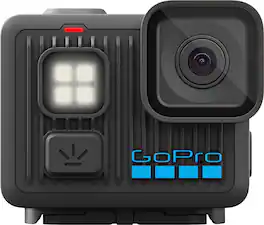
Just like the original HERO camera, LIT HERO is tough, tiny and waterproof, but is packed with even more amazing features. It bumps its 4K video up to 60 frames per second for smoother motion and the ability to play back footage in 2x slow motion. Turn on the new built-in light to help capture shots when there’s little to no light, while Magnetic Latch1 compatibility lets you switch between mounting setups in seconds. LIT HERO makes everything easy. Just point and shoot to capture your adventures. After recording, the GoPro Quik app can smooth out your footage with HyperSmooth video stabilization and automatically turn it into pro-quality highlight videos that are sent to your phone so you can relive and share your most awesome moments
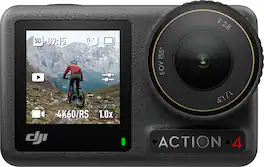
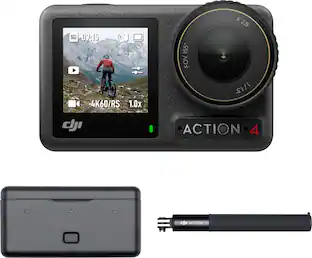
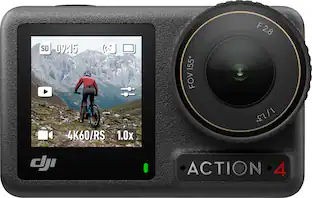
Capture the raw exhilaration of any moment with striking image quality and unmatched flexibility, even when the lights dim. Osmo Action 4 empowers thrill-seekers to record it all, share the rush, and set the tone.
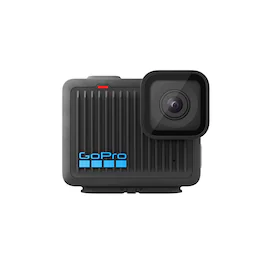
Our smallest 4K camera features a rugged super light design that’s a fraction of the size and weight of other GoPro cameras, but still waterproof to 16ft. Streamlined controls let you record 4K video, immersive photos and slow-motion shots with a press of the shutter button. After recording, play back your video on the GoPro Quik app. HyperSmooth video stabilization will automatically smooth out the shakes in your footage. Plug HERO in to charge and your footage will be uploaded to the cloud, turned into a highlight video and sent to your phone so you can relive your adventure and share the fun.
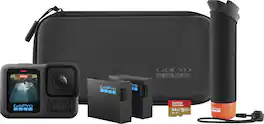
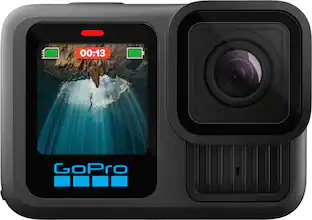
HERO13 Black is the camera for every creator. In addition to the 5.3K60 video and legendary GoPro durability, it’s compatible with new HB-Series Lenses. These lenses expand your capture capabilities for the most immersive POV shots, the ability to focus closer than ever, easy-to-achieve motion blur using neutral density filters and cinematic anamorphic footage. A new more powerful Enduro battery extends recording time in all weather conditions, while an updated mounting system gives HERO13 Black more mounting flexibility than any GoPro before it. With essential GoPro features including HyperSmooth 6.0 video stabilization, automatic highlight videos and the ability to auto upload your footage to the cloud, HERO13 Black is a powerful combination of great tech and endless creative possibilities.
| Pros for GoPro - LIT HERO Action Camera - Black | |||
|---|---|---|---|
| Video Quality, Size, Portability, Battery Life, Low Light Performance | There were no pros for this product— | Video Quality, Overall Performance, Ease of Use, Size, Weight | Overall Performance, Video Quality, Ease of Use, Included Accessories, Stabilization |
| Cons for GoPro - LIT HERO Action Camera - Black | |||
| There were no cons for this product— | There were no cons for this product— | Battery Life, SD Card | Battery Life, Heat Dissipation, Connectivity |
Specs

- Sony - ZV-1F Vlog Camera for Content Creators and Vloggers - Black$449.99The price was $599.99
- Sony - Alpha ZVE10: APS-C Content Creators’ Camera - Black$799.99The price was $899.99


Reviews
Customers are saying
Customers find value in the HERO LIT Action Camera's portability, video quality, and compact size. Many appreciate the battery life and lightweight design, along with the secure mounting. However, some customers feel that the light feature is unnecessary. Overall, the camera seems to be well-received for its convenient features.
- Video Quality (21)
- Portability (20)
- Size (13)
Customer Images
The vast majority of our reviews come from verified purchases. Reviews from customers may include My Best Buy members, employees, and Tech Insider Network members (as tagged). Select reviewers may receive discounted products, promotional considerations or entries into drawings for honest, helpful reviews.
- Rated 5 out of 5 stars
Small but mighty
Awesome camera for a beginner like myself. Just wanted something simple and ready to go out of the box, didn’t want something with a bunch of setting that I have no idea what they do. I haven’t had any over heating issues with it, even living in AZ and the video/picture quality is great. The size is also fantastic and makes bringing around much easier.
Nteg Posted
- Rated 5 out of 5 stars
A solid tiny camera
This is my first GoPro, and as a newbie user I’d say setting it up was pretty straightforward. The instructions were easy to follow, though you do need to download the GoPro Quik app to update the camera the first time using it. You also need to link it to your phone. That part went quick and smoothly. The camera itself is super compact and light and easy to carry around. The built-in light has three brightness levels which is handy whether you're filming in daylight or low light. Tried it at night with some lighting at the park and the video footage was amazingly bright using the built-in light. It’s got four simple capture modes: 16:9 video, 4:3 video, slo-mo, and 12MP photo. Switching between them is quick and intuitive on either the touchscreen display or on the app. The 4K video quality is sharp, and you can grab stills from your footage and easily edit using the app. It says it is waterproof up to 16 feet, although I haven’t tried submerging it under water I’m glad I don’t have to worry bringing this camera to our beach excursions in the summer. One cool feature I appreciate is it uploads your clips to the cloud while charging, it is really a nice touch because you don’t have to worry saving your clips manually. I think battery life is pretty decent, after a few photos and video footages, the battery has decreased about half the charge from a full charge. Overall, the GoPro Lit Hero 4K action camera is easy to use and worth checking out if you’re in the market for it. Price point is good too.
Lenlen Posted
- Rated 3 out of 5 stars
Great mini size, but all auto is limiting
The GoPro LIT promises simplicity and portability. But under the hood, it’s a mixed bag of clever design and frustrating limitations. Here’s what I found after putting it through real-world stress tests. I’ll cover that and compare it to my DJI Action 4 for video & photo mode and compare the audio quality of the two. Setup & App: Setup requires app and account if you’re a first-time user. Right after setting up ID and password to my new account GoPro wants you to upgrade to “premium” but doesn’t really say what it is, just vaguely. It a GoPro cloud service that allows unlimited video upload from any GoPro device, less storage for other brands. Next the app requires you to update camera. It took several times for the camera to connect and get update. The Quik app lets you do some video picture tweaks like Exposure, Contrast, Vibrance, Highlight and color temperature after you shoot the video or photo. Some or all of that ought to be available to tweaked to some degree in camera, such as fixed white balance and exposure compensation. Seems other GoPro cameras allow that as does DJI on the Action 3/4/5 cameras, and even my old Sony action cams. Note that the BB ad specs state there are modes and maybe features that are to be added post release? I didn’t see that in GoPro’s site about this camera. Video Modes & Stabilization: You MUST use the GoPro Quik app in Android or iOS to apply image stabilization, slo mo or anything else. If you pull video straight from the card it’s super wide with heavy fisheye effect distortion. You can also use third party apps to crop and correct video like Quik does. There is no Quik app for Mac or PC. There was for Mac until the end of 2024 and Go Pro pulled it to force users to use the mobile app. They also push their cloud service via the app pretty heavy. Not a bad deal for GoPro users that shoot a lot of video and need integrated offline storage that works with the app. But if you don’t, GoPro urging you to get it can get annoying. If you already have it then you’re good to go once you add the LIT to the app. Slo Mo is another way of saying 60 frames per second in 4K. Consider it 4K / 60 Mode as well. You have to use the app to get Slo Mo which just slows playback to 30 FPS and saves it that way. However, the app also gives you more playback rate options and doesn’t mute the audio. Video is 4K 30 FPS and 1080P 30 FPS. Both are 16:9 wide screen format. Video 4:3 is 4K 30 FPS in a 4 by 3 ratio. The pre High Def TV screen standard. The camera can get a little warm in use and just sitting on a table transferring files. The light is very bright. Too bright to use to vlog with, even at the lowest setting with the diffuser on it. It did a good job lighting up a dark room well enough to video anything within about 5 feet and get good lighting. It will do OK for fill lighting in some situations like at dusk. But if you try to use it to vlog with the sun behind you, not happening. Not bright enough for that. LOL! I tried it. What I would have liked to have tried was using underwater at night on a selfie stick, but the weather didn’t allow it. Video quality isn’t bad in most situations. Especially if you have good lighting. I shot video in the day, dusk and night. On foot and in a car. I thought it did pretty good at night with my wife driving through town while I shot video. Yes, very bright lights were a little blown out but the dark areas were dark and didn’t have that overdone HDR look to them. Redlights, neon signs and such, didn’t lose their color either. Video can be dark in the shadows depending on the lighting, say if the sun is in about a quarter to a third of the frame and the rest of the area is shaded. It does an average for the most part but once a much bright section hits a certain ratio for filling the screen, it will set its exposure to it. That will cause it to make the darker part of a scene even darker or black. The color always seemed to have a warm cast to it and the color saturation looked good. The auto white balance did good with one exception, and that was shooting at night and driving under orange sodium streetlights. This would cause the white balance to shift and turn everything blueish until it had enough light to change it. White LED streetlights did fine. Heavy fisheye effect in videos without App IS applied in the app. The app does cropping and image de-warping to fix it. If you pull the card out of the camera and play the videos, they will look very different, very distorted. Like the still photos. Photo Mode: Photos are JPGs fixed at 4:3 and has a serious warped fisheye look to it. Photo quality is fair at best. They lack contrast, look a bit washed out, dull and not sharp. See photos. Audio Response: Audio sounds pretty good but it’s not going to record Hi Fi quality. The bass response is attenuated by around 10 dB starting at about 120 hz and rolling off about 20 hz. Treble starts rolling off at 8khz and stops at 18khz. That’s a 50 Db roll off. However, the limiter keeps the audio from getting close to clipping at high volumes. I tested it at very low and high volumes. It did very well pulling up the gain as well as limiting it. More info about the audio in my comparison to the DJI Action 4 below. See photos. Other things to note: Hitting power button also changes modes. Hitting power or record will turn it on. I like that it has a standard tripod mount on the bottom as well as the Go Pro standard feet that flip out. Build quality feels excellent and the lens cover (glass) is replaceable. Mono audio. Has a mic on the front and on the top. No mic input. Multi language voice control option. Compared to the DJI Action 4 the Go Pro LIT falls way short, but if Go Pro added some features like exposure compensation, white balance presets, scene presets and some manual control, that would bring it much closer. Not sure if a firmware update could give it in camera IS as to not need the app, but that would be a biggie. The image quality of the Action 4 is also better and there might not be any firmware update that can change that. The Action 4 offers way more control, has a front touch screen, swappable batteries and it’s not that much bigger. It’s also only twenty bucks more than the LIT. When comparing the audio, to the Action 4 doesn’t attenuate the bass much. Maybe 5 dB starting at 100 Hz and rolling off to 20. The high end doesn’t start rolling off at 14 Khz and drops by 40 dB at 20 khz. That sounds great until the volume goes up and then the audio huffs and puffs at high volume from a none defeatable limiter on Action 4. GP uses a little stronger lowpass filter a limiter and does not “breath” with the bass. The LIT records at a lower lever at high volume than the Action 4. The 4 it right at clipping. Like a Loudness War remix. See photos. I have posted several photos so you can compare photos, frame grabs & my test rig. I tested both cameras with default settings and only did copy-paste in Photoshop to create the mosaics. The Action 4 has overall better image quality and does better in mixed lighting situations. More dynamic range in reducing highlights and raising shadows than the LIT out of the camera. You can tweak this a little in the Go Pro Quik app. With the Action 4, you can pop the card out of the camera and go. With the LIT you MUST use the app to add stabilization and tweak exposure, color and such. You also must download the video into the app to save it in full quality and edit it. Then Share it to save it on your device or elsewhere. Downloading a video with Quik to my iPad Air M3 didn’t save it where the iPad gallery app could find it, only sharing it did. I don’t like that. Final Thoughts: I love the size, weight, feel and build. I think if Go Pro added a few things like in camera exposure compensation, white balance presets and exposure control options, I’d give it 4 stars. The GoPro LIT is a curious mix of clever hardware and frustrating software constraints. It’s fine for casual users, but serious shooters will find themselves boxed in by auto-only modes and app dependencies. With a few firmware tweaks and manual controls, it could be a sleeper hit. As it stands, it’s a decent backup, not a primary.
MrLowNotes Posted