Customer Ratings & Reviews






- Model:
- HSA-15UA-BR
- SKU:
- 6427961
Rating by feature
- Value
Rating 3.2 out of 5 stars
- Quality
Rating 3.5 out of 5 stars
- Ease of Use
Rating 3.1 out of 5 stars
Customers are saying
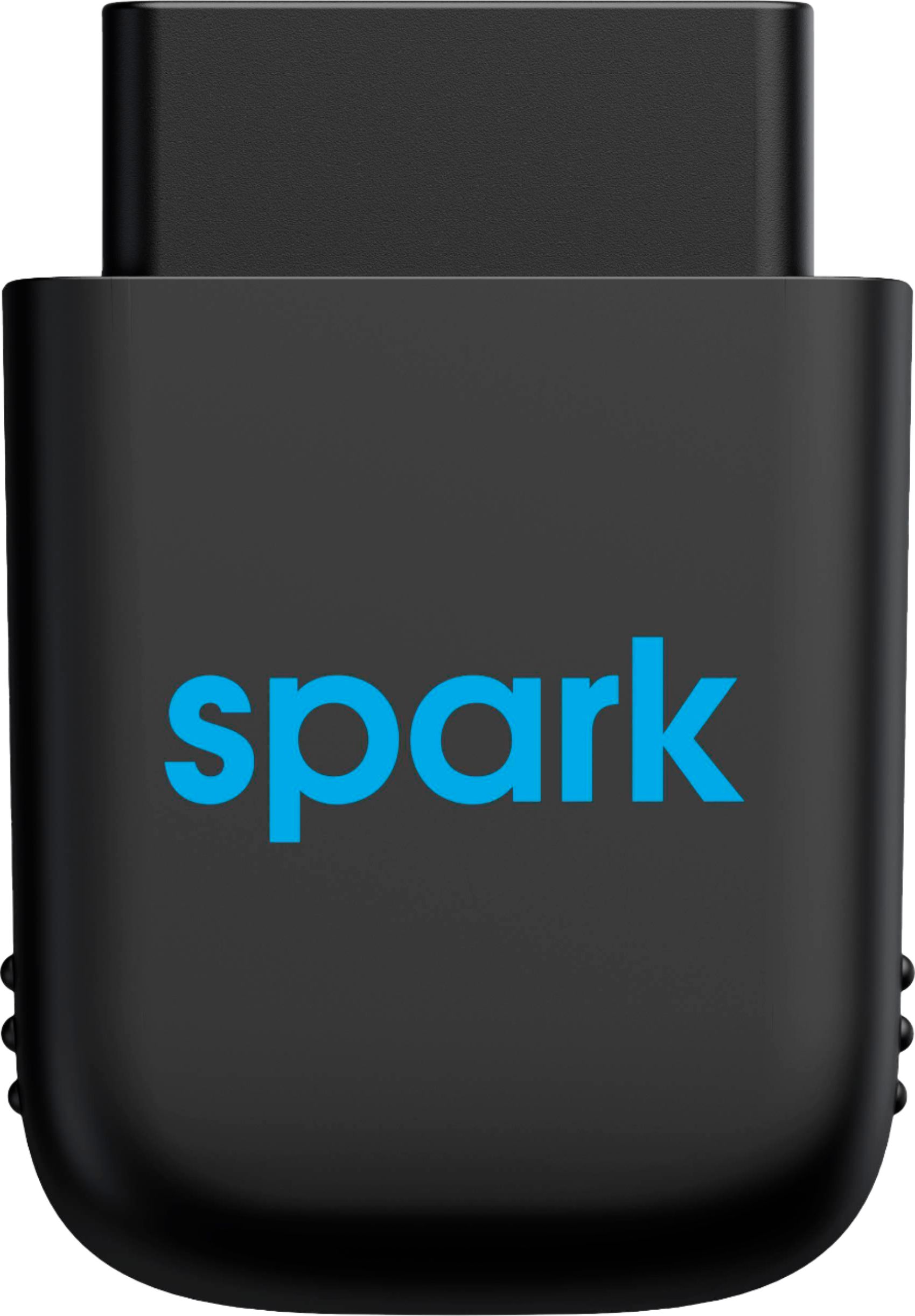
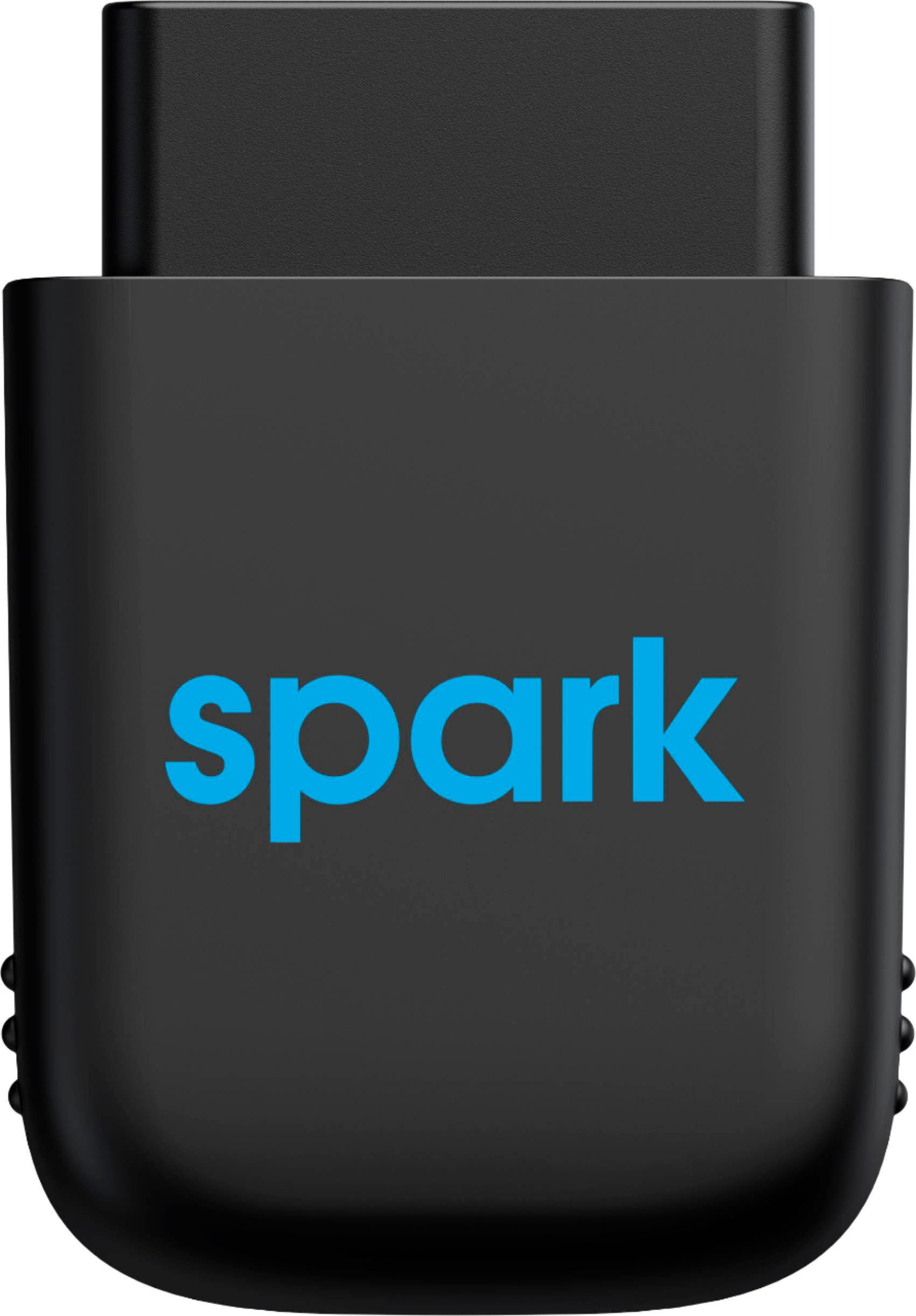
Customers praise the Harman Spark 4G LTE Mobile Hotspot for its reliable hotspot capabilities, making it an ideal device for mobile use. The easy setup process and the integration of GPS and vehicle diagnostics are also well-received features. However, some customers express concerns regarding activation issues, the monthly fee, and slow internet speeds.
This summary was generated by AI based on customer reviews.
- Pros mentioned:LteCons mentioned:Size

Nice features, OK data speed (WiFi)
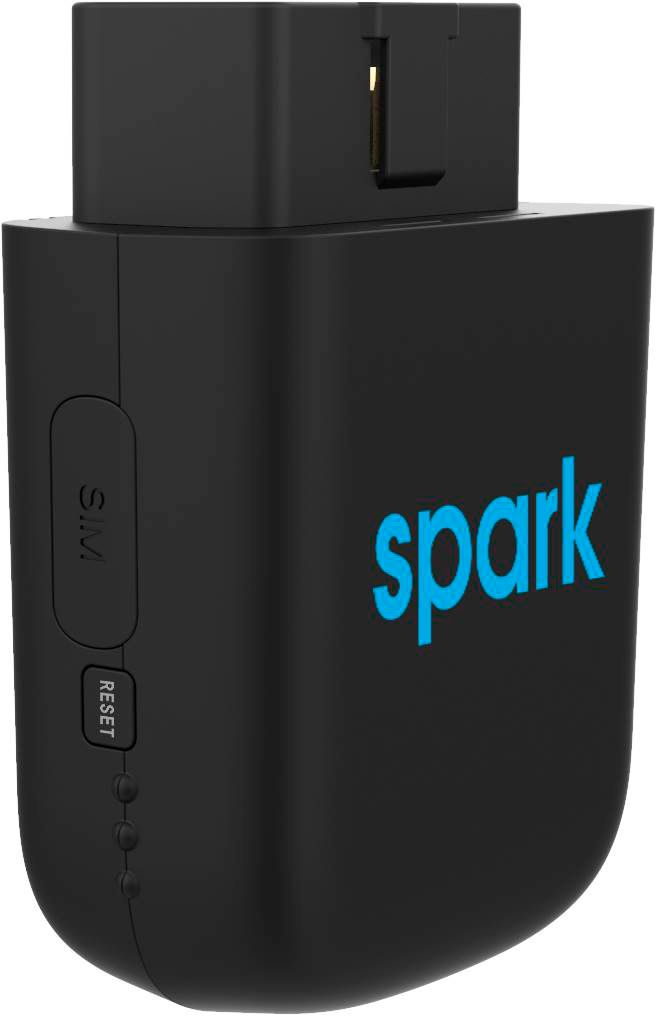
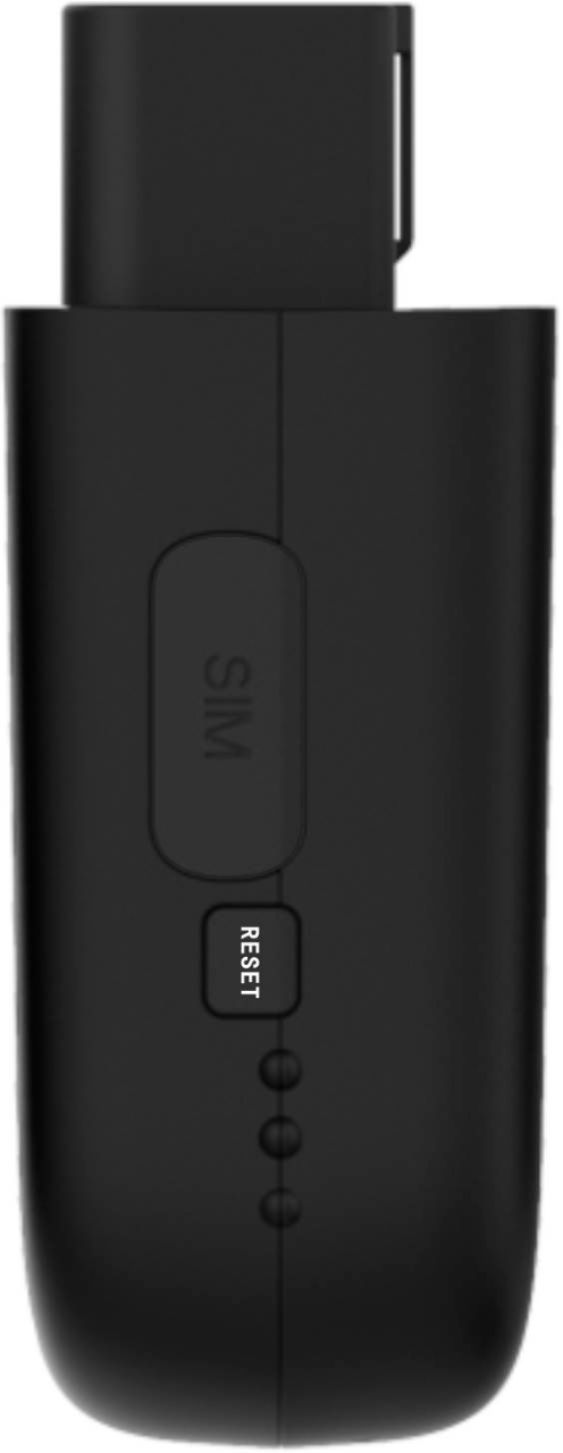
|Posted .This reviewer received promo considerations or sweepstakes entry for writing a review.The Harman Spark has a lot going for it. I don't use it as much as I thought I would but it's nice to have and gives peace of mind. The two main reasons I wanted to try the Spark is for the Virtual Mechanic and WiFi hotspot, but there are other convenient features as well. The Spark unit is quite compact, but when plugged into the OBD II port it does stick out under the dash. For the most part this was not a problem but it is possible to bump it with your knee and knock it out of the port. I like the ability to review maintenance issues. The app will alert you if the gas level is low and if other maintenance issues are detected. The WiFi hotspot works well in terms of the in car connection to the Spark. We had several devices connected at once without problems. The data speed was on the slower side, but it is adequate for everything we wanted to do. Videos streamed better at lower data rates. It's nice to know that I'm a good driver, at least according to the Spark app. I'm not sure how realistic that feature is. Impact detection works a little too good. I have a notification set up to alert me if the car is bumped. But every time I get into the vehicle I get an alert. There are some features that will be suited to parents monitoring young drivers, like trip monitoring and alerts when the vehicle goes out of a predefined boundary.
I would recommend this to a friend - Pros mentioned:Ease of use
Good performance, but very limited purpose
|Posted .This reviewer received promo considerations or sweepstakes entry for writing a review.It's really easy to set up -- just get the app, sign in with a profile, and plug it into your OBD port, and it just works! You set up the wifi name and password in the app, but then it just works. What it's good at -- - it's a good hotspot. It's pretty straight-forward to connect to, and it delivers a solid 4G internet connection, but only while you're driving. It cuts off at some point when you're parked, whether or not the engine is running. You can't just leave your key in the accessory position either -- it won't stop it from cutting off. - it logs your trips. You get maps of where you've been, but it logs from starting to parking. If you drive far and stop for gas, that's two trips. It would be cool if you could view trips by day, or combine trips. It would be even better if you could see an aggregated map view to see travel over time in a web page. Extra credit if it could display the map in Android Auto or Car Play, or integrate into GPS navigation apps. - you can see some vehicle info. On my cars, it displays battery, air intake temp, engine coolant temp, and % of fuel left in the tank. There's an Issues tab where it would display codes, but I haven't seen any yet. It didn't display the air pressure alerts from my TPMS. It would be awesome if it sent a popup alert when your fuel gets low. - the app has a dropdown for selecting vehicles, which I thought was promising, but it only shows one vehicle per device, so if you want to track multiple vehicles, you need to have one of these in each. This is what I wish it did -- - I can work remotely, and I have a motorhome. I wish I could use this as a hotspot while I'm camped. - it would be awesome if it integrated with GPS apps, or if you could download your travel history. - It's usually annoying to have new apps default to send alerts, but this would be an exception. It should send alerts for low fuel, flat tires, or other potentially emergency issues. - I wish it could keep multiple vehicles per device. There's only one of me, so I'd only use it in one vehicle at a time. So, I'm not really sure what the use case is. The need for a hotspot while driving is kinda limited because it doesn't have any better data than I get from my phone. I still lost internet connection at the normal dead spots on the road (I'm talking about you, Montana, Nevada, Wyoming, and Idaho!!). I'm not going to stream videos on my laptop while I'm driving. Maybe if you have passengers? Maybe if they came up with wi-fi connected car entertainment systems that don't need iphone or android?
No, I would not recommend this to a friend Not recommend
||Posted . Owned for 3 weeks when reviewed.This reviewer received promo considerations or sweepstakes entry for writing a review.Horrible I’m not able to do anything at all and I was unable to return it, Best Buy has a horrible return policy!
No, I would not recommend this to a friendWorthless device
||Posted . Owned for 2 weeks when reviewed.This reviewer received promo considerations or sweepstakes entry for writing a review.This device is worthless without a internet monthly payment plan
No, I would not recommend this to a friendDon’t
||Posted . Owned for 1 month when reviewed.This reviewer received promo considerations or sweepstakes entry for writing a review.Don’t buy this product as it doesn’t work at all even after activation.
No, I would not recommend this to a friend- Pros mentioned:Vehicle diagnostics
Great For Anyone Needing a Mobile Hotspot
|Posted .This reviewer received promo considerations or sweepstakes entry for writing a review.Whether you'll find use in the Harman Spark primarily depends on what you're looking to get out of it. If you're looking for a simple way to add a mobile hotspot to your vehicle, with some added benefits of vehicle diagnostic reporting, this is a good option. That being said, with the prevalence of unlimited data plans these days, it's pertinent to wonder whether the added cost of the Spark is worth the benefits. Setup was very simple. It comes with instructions that are easy to follow; download the app, plug the unit in, scan the QR code on top (which hopefully isn't obscured in your vehicle), turn the car on and wait. It took a couple of minutes for everything to get online. The one thing that didn't work immediately was the hotspot; my phone saw the hotspot, but there was no connection at first. This self-corrected after about 15 minutes (likely the activation time of the unit on ATT). Other than that, everything is surface via the Harman Spark app. I've found the hotspot to be reasonably reliable. This is highly dependent on your location and how good ATT is there, but in general, this has worked well for me, with no unexpected dropouts, and speeds that or more or less what I expected. I personally didn't find much value in the ODB/service information, because my vehicle doesn't have any problems at the moment. Whether this will be useful when it needs to be, time will tell. There are some additional features (geo-fencing/location monitoring, etc) that I didn't use, and the "driving score" was semi-interesting to look at occasionally, but didn't do anything to change my driving habits. Some may find this enough motivation to drive "better" though. The one issue I had with the Spark was that the fuel level indication was routinely incorrect. Honestly, I don't see the value in it anyways (unless your fuel gauge is broken) so it's not a big deal for me personally, but worth mentioning here. Overall, this is a well functioning unit that delivers on what it says. However, I'm struggling to find the value proposition given that this inherently comes with an additional monthly cost, which considerably increases the cost of ownership. Many will likely find greater value in using their phone as a hotspot and buying any number of the available cheap ODB interfaces that provide roughly the same functionality. The hotspot function could be useful, though, if your phone is on VZW and you could benefit from having ATT coverage as well.
No, I would not recommend this to a friend Great for Gig work. Useful for others.
|Posted .This reviewer received promo considerations or sweepstakes entry for writing a review.There are a few use cases where a connected car device can come in handy: 1) You want to monitor your teen’s driving in real time and help them become a better driver. 2) You want to track your own mileage, routes, etc for one of the gig/delivery services such as Uber, DoorDash, or Lyft. 3) You need real time diagnostics of a car issue. 4) You’re looking for a WiFi hotspot which doesn’t drain your cell phone battery. The Harman Spark will solve each of those issues in a nice, reliable, easy to use way. However each of these can be done with other options with a little bit of effort. The device requires an app on your phone which is easily found and installed. The app will then step you through installing the device in your car’s ODB II port. Extension cables can be found at online retailers if the port is too close to the parking brake pedal (as it is in one of my cars). Not all cables will work with the Spark, so you may need to try different ones if the first one ordered doesn’t work. Once installed, operation is automatic. There are some things the spark does better than others. For tracking driving, it will provide you with a driving score. This is similar to insurance company apps which will measure your acceleration rate, breaking rate, speed, and other factors to determine how safely you or your teen are driving. The scores from the harmony app are fairly similar to what I saw in my USAA app. it shows you where you lost points so you can continue to work with your teen (or yourself) to improve habits. The Spark lets you monitor this for others who may be reluctant to share their phone. There’s also an accident detection feature which will notify up to 3 people if the car’s airbags deploy. The app will keep a history of all routes driven, track start time, distance, average speed, and ending time. I was not able to find a way to output this track to a spreadsheet or other automation, so that’s done manually. It does help my son track his mileage for DoorDash to ensure a full tax deduction at the end of the year. He just needs to add it to the spreadsheet manually. It’s much more accurate than relying on Google location history as it’s tracking every second or 2 in the car. Apps such as Stride and Triplog can also be used to track routes. They’re not quite as accurate as the Spark, but cost less. The virtual mechanic feature was a bit hit and miss in the different cars I tried it in. Our 2015 Honda CR-V reported everything, including fuel status. I could tell from the app when I needed to remind my son to fill it up on Sunday so there would be gas when his mother went to work on Monday. However, in my electric LEAF, it told me I had a low battery. The reality was that it just didn’t understand what the car was saying. Our 2010 Nissan Altima doesn’t show fuel status, but reported no other issues. The WiFi was also a bit of hit or miss. When it worked, the speeds were very reasonable for mobile wireless. They were a little slower than what I was able to get from my phone hotspot, but still comparable. My work phone runs on T-Mobile, but the Spark runs on AT&T’s network. After the initial free period, it’s a $10 / month add on to shared phone packages. Unfortunately, I wasn’t always able to turn on the hotspot from the app. You can only turn it on manually, once the car is running. The app didn’t always recognize that the car was on, which prevented it from turning on. Worse, it turned off after 20 minutes or so, even on a long car trip. I could immediately turn it on again, but it was quite annoying to have to turn on my phone, find the app, then change the WiFi setting again. In comparison to my phone hotspot, I’ve never had to re-start it with the mix of applications I typically use in the car (email and Netsuite accounting) while others are driving. Overall, the Spark provides a lot of functionality and is reasonably priced if you’re already on AT&T. If you’re not on AT&T, then it’s $20 / month to maintain service. Gig drivers will likely find there’s value in the service due to the higher accuracy and the ability to save on data usage while on the road. Uber / Lyft can even offer Hotspot usage as an added benefit for their passengers, without leaving their phone open to hacking. The 22 GB allowance from AT&T will last a while for normal business or music streaming. Hopefully, the UI quirks can be ironed out and the becomes a 5 star product. For now, though, it’s just a little off the mark.
I would recommend this to a friend- Pros mentioned:Ease of useCons mentioned:5g
Great product, if you're the right audience
|Posted .This reviewer received promo considerations or sweepstakes entry for writing a review.I will preface this review by saying I am going to review the features and capabilities that the product claims, and just leave it up to you to decide if that is something you can actually use. Personally, after spending a good amount of time with it, I have decided that I am just not the target audience. First, let's start with setup. It is relatively easy. You really just take it out of the box and plug it into your car. My car's port was a little bit tucked away, but not impossible to reach. Once you have it plugged in, and the car on, you load up the app and it just walks you through everything. Once you have it set up, using it is a breeze. As far as wifi, it shows up just like any hot spot, and you get the password in the app. Once you connect your devices once, they will automatically connect every time you get in the car. Great for things like tablets. I noticed that the coverage was overall pretty great. It runs on the ATT network, so you can kind of get an idea if you know what ATT coverage is like in your area. One thing I would have liked is 5G, but maybe in the next model. Next, the telematics info it provides is pretty cool. You can see all kind of diagnostic info about your car like if there are currently any error codes or anything, and how long previous trips were, exact routes that were taken, and even how safe of a driver you are. All pretty interesting stuff, especially if you are into analytics. Another neat feature it has is setting up alerts. You can set alerts if the car goes over a certain speed, outside a designated area, or even if it starts moving outside of certain times. All really great features if you have a teen that you want to keep tabs on. Or even just really good for security purposes as well. If these features interest you, you'd be glad to know that they work 100% as expected. Overall, this is a really great product that is simple to setup and use, and performs it's advertised features really well. My only real problem with it is just that I didn't find it especially useful because I only have one very young son who is nowhere near driving age. It just wouldn't be worth the monthly subscription price for me. If you have driving age kids, or kids who will take advantage of the in-car wifi, then this is the perfect product for you.
I would recommend this to a friend Good concept, poor execution
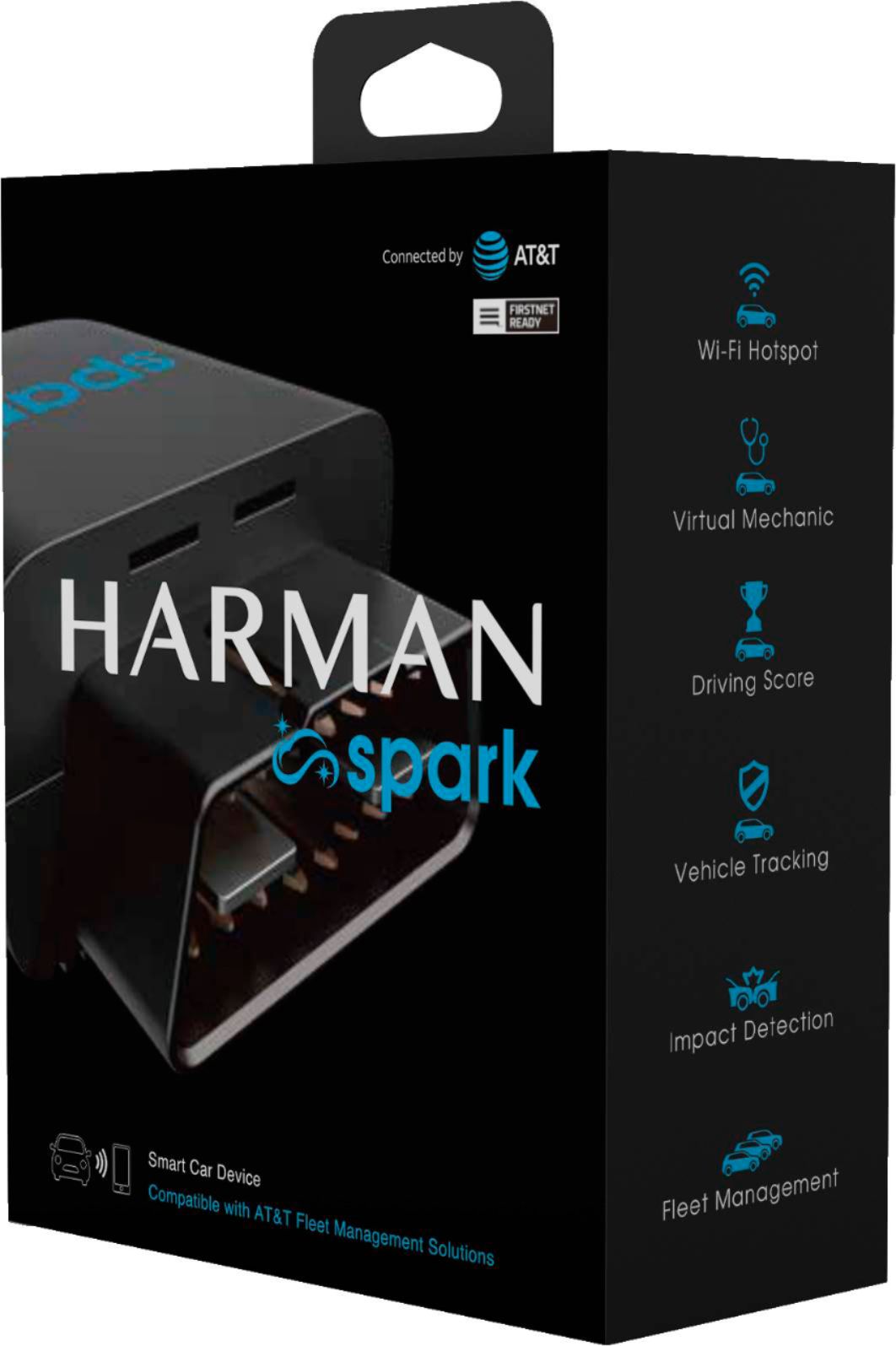
|Posted .This reviewer received promo considerations or sweepstakes entry for writing a review.The Harman Spark 4G LTE mobile Hotspot is advertised to be much more than a hotspot. In fact it can provide impact alerts. geo-fence alerts, virtual mechanic diagnosis, and an overall driving score that shows you how you can improve your overall daily driving. You can also track your trips as well as see your exact vehicle location. The Harman Spark is simply powered by plugging it in to your vehicles' ODB port. The port provides constant power to the unit even when your car is off. All the info and settings are accessed via the Harman spark iOS or Android app. The hotspot feature does require you to have a data plan with AT&T which is a little annoying because I have Verizon as my cell phone provider and there were many times that my cell phone had a much better data connection than the hotspot. The connection however was adequate enough from keeping the kids from complaining during long car trips. I found the virtual mechanic feature to be very helpful because it helped me diagnose a faulty battery which was replaced under warranty. The geofence feature seemed to work but with a large delay. I compared geofence alerts on my iPhone and via the Harman spark IOS app and found the iPhone to send alerts 5 minutes prior to the Harman Spark app. Impact alerts also did not work because it did not alert me when someone bumped my car very hard in a parking lot, however my dashcam did begin recording upon impact. Overall the device is designed well however the implementation of the features and requirement of an AT&T data plan don't really provide a significant benefit over using your phone and corresponding apps. If you however are looking for a device that will always be in your car providing data to multiple devices then you may want to consider this hotspot
No, I would not recommend this to a friendOk for tracking vehicle but horrible hotspot
|Posted .This reviewer received promo considerations or sweepstakes entry for writing a review.I tried this for 60 days and really wanted to like it. It offered in car wireless, pulse on my car and tracking of my driving habits. Unfortunately the best parts are the worst. I found my phone always feeling slow on the hotspot. When I took it off and connected to my cellular network that was faster by a lot. For example if I would download at 5mbps then my phone consistently was at 30-80mbps. Also when I turn the car off and go inside my house the wireless still broadcats and I need to manually take my phone off. Also the unit sticks out far and the cover needed to remainoff so a lot of wires were visible that were otherwise covered. Now the plus was that I could see how the car was driven, how much gas I had, if there were any issues. Also as a parent it was nice to be able to setup boundaries and curphews to alert me if my kids broke any of them. But in the end the hotspot was just more of a hassle than a feature. If that was improved in a gen 2 and it were small enough to stay hidden then this could be a good product.
No, I would not recommend this to a friendGood value with great potential
|Posted .This reviewer received promo considerations or sweepstakes entry for writing a review.The Harman Spark 4G LTE Mobile Hotspot is a great option for any car that doesn't have a wifi hotspot when you have kids that need to be entertained on long trips or even on a quick ride to run some errands. Features: - Wifi hotspot that connects up to 8 devices at once. - gas guage which tells you on your phone how much gas you have left and with a clock on it it will open gasbuddy to show you the nearest gas stations and gas prices as well. - parking position: the app will show you where the car is parked, and I found this useful as i have no sense of direction and always forget where i parked. - driving score report where the app will show you your driving score out of 100 based on acceleration, hard breaks, sharp turns, etc. this was nice to have although it wasn't always accurate. - virtual mechanic: since this is an OBD 2 connected device, it has a virtual diagnosis tool that is generic and will show you things like battery status, air intake temp, engine coolant temp. again, its generic and will not replace a visit to the mechanic if you get a check engine light. - trip counter where the app will show you each trip you took in the car with how much time you driven and the miles driven and a map of your route. this was nice to have. - boundaries: where you can set boundaries for driving the car and everytime the car leaves the designated geo area you will get a notification on your phone. this is kinda good if you have a teenage driver, but beside sending a notification it really does nothing else. - Curfew: same as boundaries, if the car is driven out of designated hours, you will get a notification. - the 2 notifications i loved the most are getting notified if the device is removed from the car and if your car is being towed. those 2 are so much undervalued. I tried both and they both worked. ( i lifted the car while parked and it did work. - impact detection setup: this one is great. when the car detects an impact you can create an automatic contact list and the phone will notify those who you chose and notify them that the car was an impact. I set it up but couldn't verify if it works well or not. app functionality is very good, and am sure it will get better with time. the gas gauge was off at times but its not a big deal. using the app is also very easy: you create your profile and setup the settings to your liking including naming your wifi hotspot and changing the password. WIFI quality: I would say its good 80% of the times, but at places it was spotty and was very slow. I tested the speed multiple times and it was ok, but not mind blowing. some throttling happened when 4 devices where connected at once. I got this device mainly because of the wifi hot spot. if you need one in your car I suggest you get one too. the rest of the features are nice to have but not essential.
I would recommend this to a friendIt's a hotspot
|Posted .This reviewer received promo considerations or sweepstakes entry for writing a review.I have been using this hotspot now for over a month. And it works good for devices that don't have their own cellular service. My iPad and phone were always faster when not on this Wi-Fi. And I think would be better for older cars with out on star and built in Wi-Fi.. They have lots of the same features. You can track the car, setup boundaries to get a notification if it goes out side of them. It also has a virtual mechanic if you get a engine light on it will give you the code. It will track your driving and give you a score. I feel like this is more for keeping an eye on your kids. I ran in to a few issues with the app. The main one I didn't like is with this unit pugged in I couldn't get my monthly report from on star. But the Wi-Fi signal is strong from this unit. I could use it about 30 feet away from the truck.
No, I would not recommend this to a friendMinor Pains For Huge Gains
|Posted .This reviewer received promo considerations or sweepstakes entry for writing a review.I was afforded the opportunity to test the Harman Spark for an extended period of time. In doing so I really enjoyed some of the cool added benefits it afforded us, while experiencing just a few slight issues along the way. Setup & Installation When I received the Harman Spark I immediately downloaded the app on both my iOS device & Android device so that I could test out the functionality of both. Both worked pretty well & were straightforward as far as the app is concerned. I was able to set up alerts for boundaries, a curfew & a speed notification so that if the vehicle I was first testing on reached a certain speed it would alert me. I also set up the other notifications like impact & towing, etc. Super easy. Setting up the mobile hotspot itself was easy too. I was on my iOS device & doing speed tests in no time! The speeds were to be expected for AT&T's 4G network & my VPN service continued to operate as it should. The iOS device is a Verizon phone while the Android is a AT&T phone. Both worked flawlessly no matter what I threw at them & I was always able to connect my kids' phones & my cars' head units up to the Spark's WIFI hotspot as well. All worked well, with no real hiccups as far as internet connection & streaming go. Telematics The telematics was definitely a cool feature. I had previously used my phone with my auto insurance provider in order to get a discounted rate. I only had one instance of hard acceleration while doing that in my previous testing but admittedly I knew it was running and actually logging for that reason, so we babied any vehicle that I was in. With the Spark, I just drove like I normally would. And wow! I didn't realize how frequently I accelerated quickly, stopped quickly, or even made sharp turns. It was rather eye-opening to see this. Odd Things Start To Happen I had an instance where the Spark was plugged into a 2016 SUV and I had just been grocery shopping. Going from the grocery store to our home it is 45, 35, 30, and 25 mph for the speed zones. As I parked the vehicle and unloaded groceries all was well. Then as I was bringing in the last load of groceries I got an alert from the Spark that the vehicle was traveling a high rate of speed! It clocked it at almost 120mph. Now, this SUV was parked, in the same spot as always (no trees or obstructions in any form) and so it was obviously very wrong. I had momentarily freaked out thinking the vehicle had someone warped like the USS Enterprise on Star Trek but when I checked it was still there. Odd. This happened a few more times with that vehicle. So I decided to test in my little coupe that I have modified, along with my sons, to make it faster, look cooler, and all that. It never alerted me to random insane speeds, so that led me to believe it is something with the Spark and the SUV or just the SUV itself. The SUV, when using CarPlay will not display my correct speed in Waze and instead lists it at half (or less) the speed I am truly going. So, maybe it was the SUV? However, in the coupe, I noticed different issues. On the Spark iOS and Android app, the dot for the Spark would travel just a bit further up the road from the coupe vehicle. This problem was made worse if I used an OBDII splitter so that I could have my ECU tuner (with display) and the Spark at the same time. The tuner's display is constantly sending & receiving and so the bus link is not capable really of keeping up with two devices without tons of collision. It is the nature of OBD2 to be this way and in no way a limitation of the Spark or even the tuner with a tuner. I was a little bummed but I can get most of what I want as is without the display on since I have on-the-fly map switching anyway via some push buttons on my vehicle's media controls. Closing Thoughts While I had some minor issues with the device, I still decided to keep it for the long haul. I am actually upgrading my data plan on my Android device (on AT&T) so that we can have the Spark in the vehicle with onboard WIFI. My ultimate goal will probably be to place it in my kids' vehicles so that we have some insight into their driving habits. I am not going to use it to be that type of parent where I have to know where they are at every moment-I only want to know that they are driving safely, that is all. No more & no less. We are extremely happy with the device & we are looking forward to being able to make use of it on some road trips we have coming up for our family vacation planned in a couple months. With the ability to have all our devices on the same hotspot we are totally considering this product a win & are looking at acquiring more for each of our vehicles. We can't recommend this enough & had a lot of fun testing it out!
I would recommend this to a friendDecent Device.
|Posted .This reviewer received promo considerations or sweepstakes entry for writing a review.I have been using the Harman Spark for a few months now and I am able to give you an accurate account of my experience. The GPS is lagging pretty significantly in my area, the mobile hotspot basically useless (once again, probably my geographical location). The diagnostic tool was great!!! The device accurate monitored my car's systems. I think this would be a great device for someone who is in an area that isn't so rural. I think they are on to something great with this device.
I would recommend this to a friendIt's a cool idea but falls short!
|Posted .This reviewer received promo considerations or sweepstakes entry for writing a review.The Harman Spark is in principle a good idea but falls short in so many areas that I have a hard time seeing the value in the device itself let alone the value of any monthly subscription! To summarize, here's what's good and bad in short: The good: -GPS was accurate and the app does relay basic vehicle information like where it's parked, speed and driving score, along how much fuel it has (I think I drive good but a 99 score has me skeptical of how accurate that is!) -The sensors work to sense disturbances to the vehicle but the app is buggy and the disturbances while parked are questionable - what's alarming is someone did try to open my car but it didn't sense that at all yet my dash cam did! -4G LTE coverage on AT&T's network -It does tell you when it's removed from the car and it's last location The bad: Monitoring & WiFi (the two key features) are poor at best -Don't buy this device for troubleshooting your car's engine or clearing an engine light - other devices like Fix'd do this and do it better and offer far more stats from your car! -Don't buy this expecting fast speeds on LTE!!! I was so very much disappointed in this it was almost embarrassing - in the same parking lot, I ran a speed test on T-Mobile 5G and got over 450 Mbps on my phone and then a whoppin 15 on this with the same phone connected on it's WiFi. I do speed tests at home with over 100 on my home internet so it's clearly the service. Ouch! Granted 5G is not 4G LTE but even switching to T-Mobile 4G LTE was still over 100 Mbps in the same parking lot - a double OUCH! I am sure once a couple people are streaming or downloading with a laptop you'd end up with buffering or even slower speeds! -Notifications - ummm yeah... this was supposed to be a selling point of this device and the service or at least I was hoping it would be.. I loaned my car to my mom without telling her about the device while I was gone, expecting that I would get a notification instantly that my car was moved and moved out of area.. i didn't, instead she called me from the store she went to and then after that the app notified me that the car had been parked somewhere else. I'm sure I would have received the notification at some point but the car would have been miles out of the area by the time I got the notification. This didn't happen just once but a few times and I tried the Harman app on my tablet just to see if it was my phone and the same happened. When notifications did work, one time it kept giving me an idling notification even though the car was off! The only way I was able to fix it was to unplug it and plug it back in. I tried the device in our Jeep Grand Cherokee to have the same types of issues. -In terms of monitoring, it offers SIGNIFICANTLY less information than competing products like Fix'd for troubleshooting you car and testing it to then reset engine lights with ease to troubleshoot the car and diagnose potential issues/causes of those error lights and the potential danger to the vehicle. I provided feedback in-app and never received follow up or anything like that though it wasn't stated any would be provided. Being a new product I thought maybe there might be more proactive communication about updates or notifications from the app about new updates released or coming based on people's feedback and there is nothing like that. I suppose if you want a powered slow 4G LTE hotspot that GPS tracks your car's location this would be okay but I definitely couldn't recommend it to anyone I know because of how poorly it performs and how many features are lacking. This would almost surely be a buyer's remorse type of purchase once they discovered there are better products out there and better services than what AT&T is offering with this device. AT&T clearly lost it's way on this one - very disappointing and not at all good for the customer.
No, I would not recommend this to a friendNot just “bad”…but downright “HORRIBLE”
|Posted .This reviewer received promo considerations or sweepstakes entry for writing a review.UNBOXING, SETUP, AND INITIAL IMPRESSIONS: The packaging is about as simple as it gets. Other than an adhesive label (containing thew IMEI, and a few other pieces of info), the packaging uses a magnetic closure…and, other than a very small plastic “bag” containing the Spark unit, no other plastic is used. Included in the box is the Spark unit, a small fold-out instruction manual, and a warranty ‘pamphlet’. For those already having a Spark account, setup is an extremely-simple 3-step process. For those not already having an account, it’s highly advisable to create an account before setting up the Spark. As for setup, it’s as simple as 1) installing the app on your phone, & logging in; 2) scanning the QR code on the back of the device; and 3) plugging the device into the OBD-II port. Before I continue, there is one piece of advice I would HIGHLY recommend following. Instead of plugging the Spark directly into the OBD-II port, get yourself an OBD-II splitter. There are quite a few on the market, with more than a few designs. The design I like best is one that uses a “pass-through” port, with a cable running out the side/top/bottom, which leads to the second OBD-II port. With this design, the ‘unused’ port is still in the original location, giving said port a “factory look”. This way, when a mechanic has to plug someone into the vehicle’s OBD-II port, he/she will already know where to look, and won’t have to “search out” the unused port on the splitter. Moving forward, those purchasing this device will have to set up a payment process…something I am unable to provide info on, as my device came “pre-registered”. If I could be of more assistance here, I would…but, I am unable to. Knowing that this is an AT&T Wireless device, I can only say, the best of luck (I’m a uses of the ‘V’ network, not AT&T). Also of note (as mentioned in the instructions) – once the Spark is plugged in, you might have to drive around for up to 15 minutes, for AT&T’s network to recognize & activate it. In my case, I had the vehicle stationary for almost 20 minutes after plugging it in, and it never activated. About 8-9 minutes into driving the vehicle, it was finally showing as “activated” within the app. IN-USE, SPEED TESTS, ETC: Starting with connectivity, I ran into problems…as in, there were countless times the Spark, for whatever reason, COMPLETELY disconnected from the network. I’d be driving along the freeway, when, all of a sudden, my cloud-connected dashcam would inform me that it had no internet connection. There were also countless times that I couldn’t even use Waze, simply because there was NO internet connection. The moment I’d turn off the phone’s Wi-Fi, and my phone connected via 5G (or 4G LTE), I’d instantly get navigation info. I would also receive notifications inconsistent with reality. For example, on more than a few occasions, I’d be near my car, and, out of the blue, I’d receive a notification, such as “Your vehicle may be being towed”. Obviously, I can see my car…it’s sitting there, completely undisturbed…so I know the notification is incorrect. The speed testing is where things got ‘interesting’…and not in a “good” way. I’ve been using this for the past 45 days, and have run more speed tests than I can (or care to) remember. The good news is that, for all but a few vehicles, the Spark will continue to operate when the vehicle is parked. The “bad” news…ok, the first of a few “bad” things…is that the speeds are bad…REALLY bad. The great majority of the time, we’re talking barely 3G speeds. I don’t know if this has to do with AT&T (I’m on Verizon), or the chipset within the device, or the device’s firmware, a combination of these things, or something else. All I know is, it’s SUPER-slow. For example, in one test, the Spark produced download/upload results of 17.1/4.97 (its highest download speed during all testing), while my Verizon phone did 50.7/24.2. On another day, at an entirely different location (20 miles from the previous one), the Spark did 4.17/1.43, while my Verizon phone did 55.7/13.0. The biggest ‘discrepancy’ took place near SFO, on April 3, where the Spark did 16.6/2.73 vs 96.8/31.7 on my Verizon phone. While my phone is 5G, all tests were done when the phone was connecte3d via 4G LTE. ADDITIONAL THOUGHTS: Before I get into my actual ‘additional thoughts’, I have something to say to those already owning the “old” Harmon Spark – other than the addition of Band 14, there is NO difference between the “old” & “new”…they are, essentially, identical (I say “essentially” because there is a strong possibility that the ‘new’ unit has a more recent firmware). Unless you truly NEED Band 14, there is NO reason to waste your money upgrading to the “new” spark. Band 14 is nothing more than a 20MHz section of the 700MHz spectrum, of which the primary purpose is for emergency communications. Those interested in more information can Google it…but, in short, Band 14 will be utilized for normal commercial traffic, except in the event of an emergency, at which point FirstNet (First Responder Network Authority) has 100% use of Band 14. Now that that’s been said….. FINAL VERDICT: Lots of problems. That’s the short of it. Between speeds that were so slow I could see a ‘digital snail’ speeding past the Spark, and more disconnects than a dying router, I wish I could give this a 0-star rating. Again, I don’t know if the AT&T network is the problem, the Spark is the problem, a combination of these things, or something else…but, it IS a problem. I would, most definitely, NOT recommend this. End of story. Ok…not quite. Tomorrow, I will be removing it from my car…then, it will be “end of story”. Disclaimer: This product was provided free, or at reduced cost, for the purpose of reviewing the product. Nevertheless, the above review, be it positive, negative, or anywhere in-between, is a 100% honest review, and the price paid played absolutely no part in my review.
No, I would not recommend this to a friend- Pros mentioned:Speed
First time using a car hotspot
|Posted .This reviewer received promo considerations or sweepstakes entry for writing a review.Love this! Didn’t realize it also had the capability of gps (knows exact location of my car), fuel level readings and produces high speed internet.
I would recommend this to a friend Teen drivers, car pool WiFi plus troubleshooting
|Posted .This reviewer received promo considerations or sweepstakes entry for writing a review.Similar to tracker units from corporations or insurance companies but data made helpful to owner. Has hotspot (with restrictions so you would not use at home) and functions like tracking fuel economy judging quality of driving. Not really designed for navigation. Just make sure you fully understand the uses. Has an att SIM card and as often under dash May have signal issues in weak signal areas.
No, I would not recommend this to a friendGreat solution for vehicle monitoring
|Posted .This reviewer received promo considerations or sweepstakes entry for writing a review.Ive had the opportunity to experience the Harmon Spark over the last few months and found it a great device overall for monitoring location and performance of one of my vehicles I use on a car sharing platform. The software that goes along with the app is very useful, providing up to date telemetry and onboard diagnostics right at your fingertips. There are a few sensitivity issues with functionality I’d like to see addressed, like the frequent notifications my car might be getting towed (when it wasn’t) and the inability to get more granularity in some of the monitoring features (like speed limits) but the average person who wants to keep an eye on their car when it’s with someone else shouldn’t find these to be major issues. Service was always on, and I never had a doubt that I could check in on a guest in my car at any time. Definitely recommended!
I would recommend this to a friendNot A Go!
|Posted .This reviewer received promo considerations or sweepstakes entry for writing a review.I was truly looking forward to trying this product out for the purposes of all its seemingly cool features. I especially wanted to experience the virtual mechanic feature as I drive an older car as I wanted to see if it would diagnose some of its problems. However, for some odd reason, I could never get this to work! I followed the instructions, and my friend and I tried several times to get this to work, but it was not a go.
No, I would not recommend this to a friend