Customer Ratings & Reviews


- Model:
- HOMEY-PRO-US-03
- SKU:
- 6559301
Rating by feature
- Value
Rating 3.3 out of 5 stars
- Quality
Rating 3.9 out of 5 stars
- Ease of Use
Rating 3.7 out of 5 stars
Customers are saying
Customers express satisfaction with the Pro Smart Home Hub's ease of use, powerful automation capabilities, and sleek, modern design. The hub also receives positive feedback for its support of Zigbee, Thread, and Infrared. However, some customers find the US market device compatibility to be somewhat limited and feel the price is a bit high.
This summary was generated by AI based on customer reviews.
- Cons mentioned:Device compatibility, Price
Zigbee compatibility
||Posted . Owned for less than 1 week when reviewed.This reviewer received promo considerations or sweepstakes entry for writing a review.This product is advertised as having zigbee capability so I bought it to connect to my Schlage Connect smart deadbolt lock - it finds the lock alright but still not responsive nor operational. The problem might be that the Schlage Home does not support their Schlage Connect. In essence the Homey Pro might not be compatible with all manufacturers’s Zigbee products and hence steep for the 399.99 price - am returning mine
No, I would not recommend this to a friend - Pros mentioned:Automation, Design, Ease of use

A needed addition to my smart home
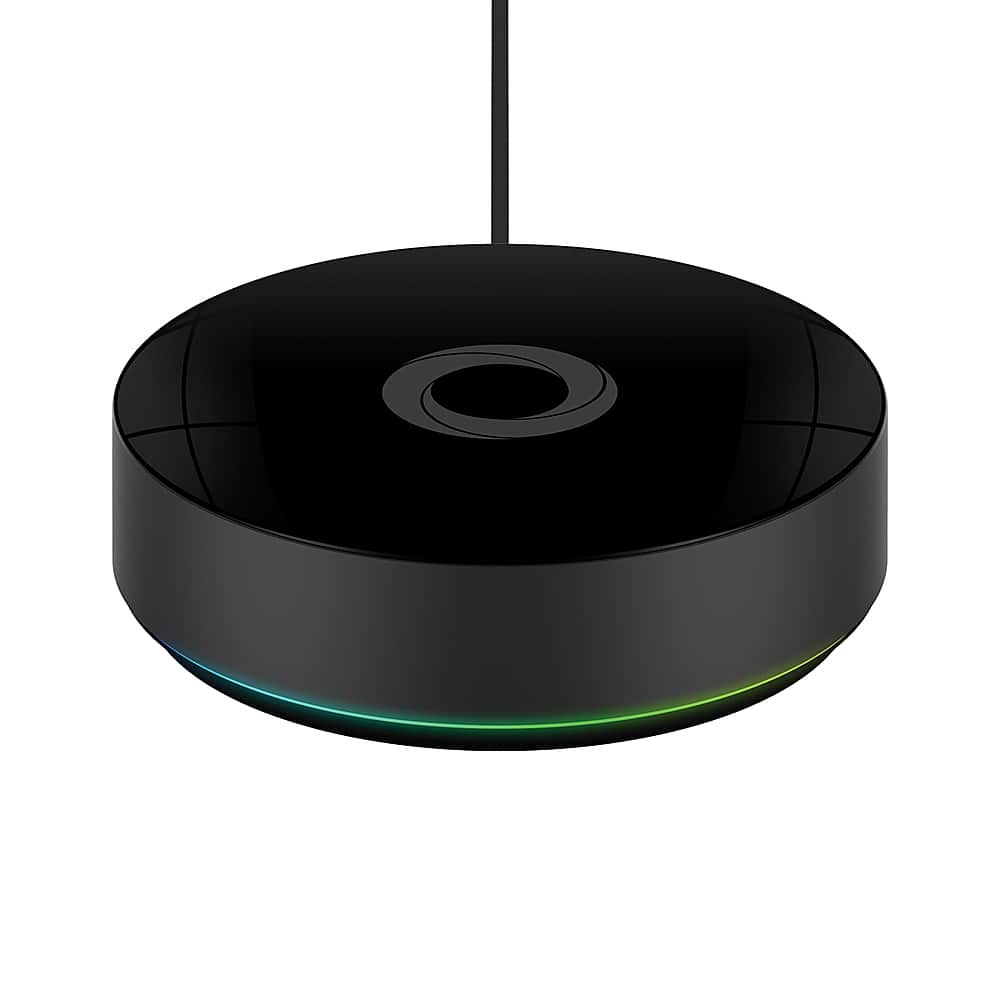
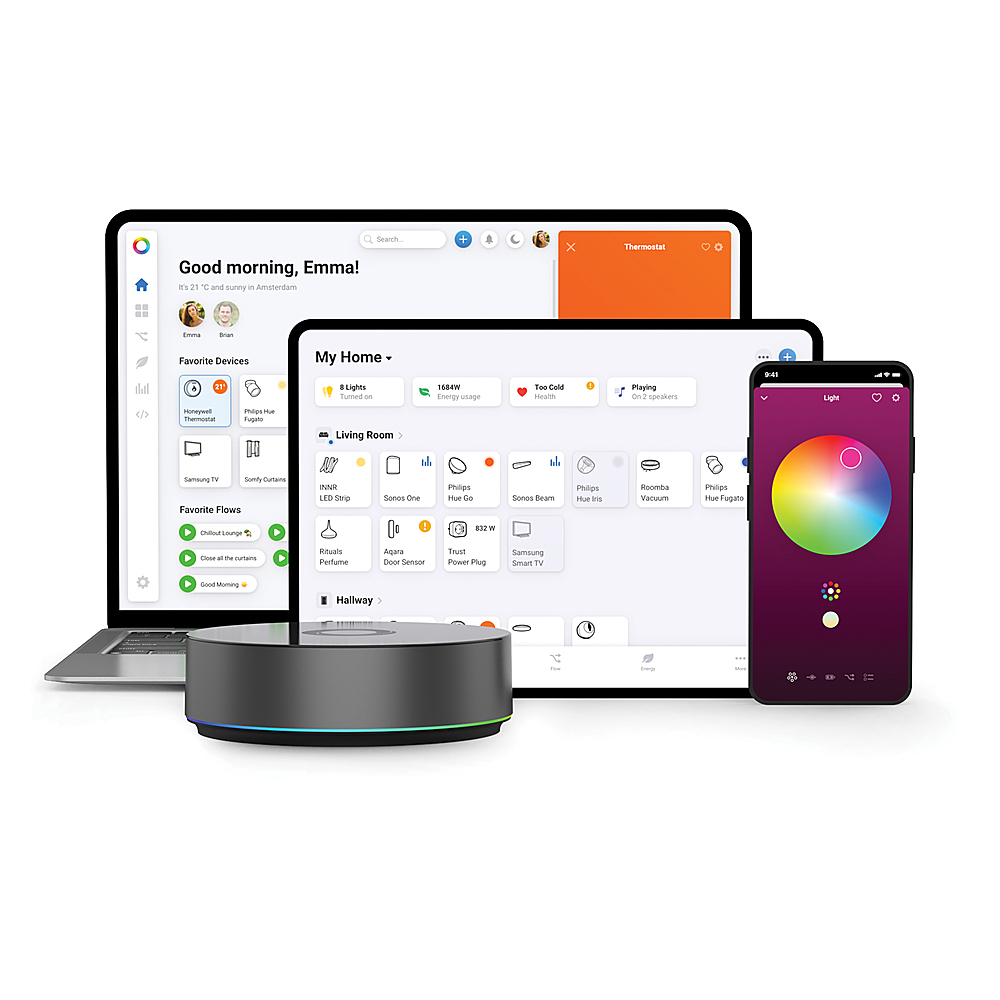
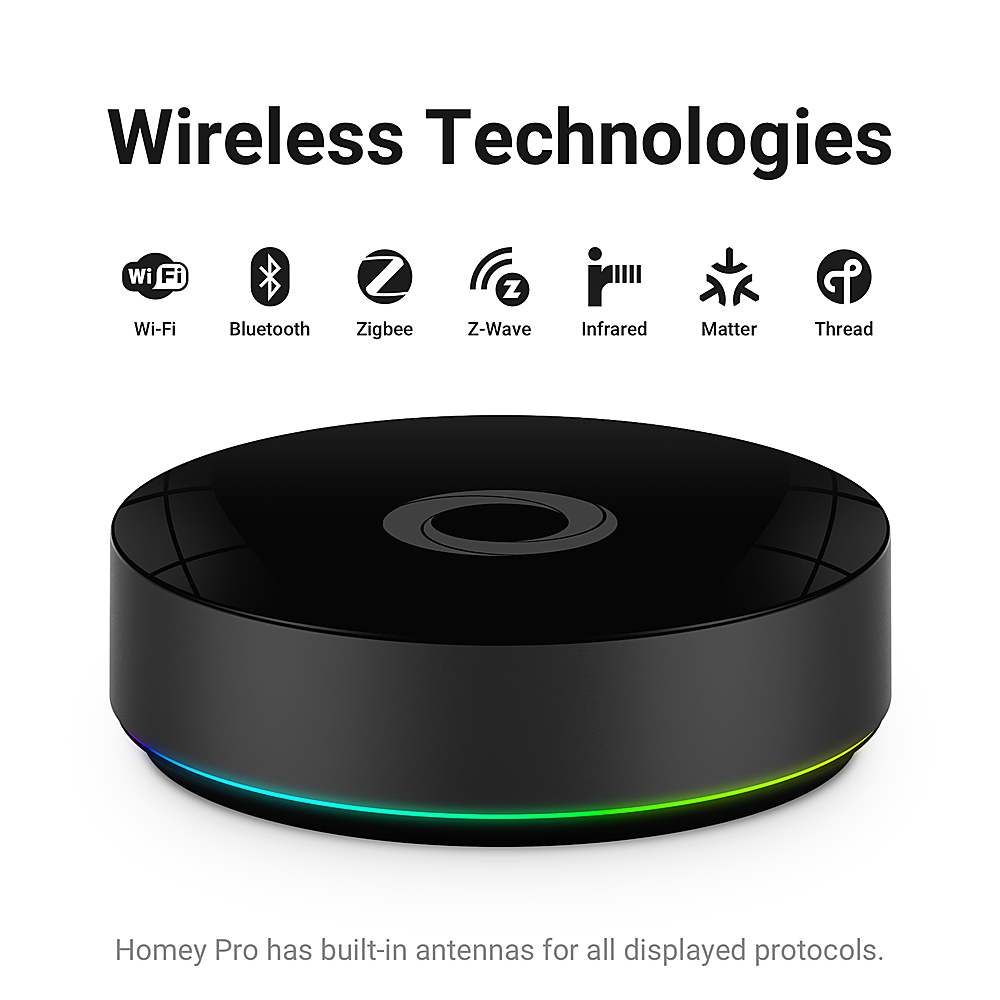
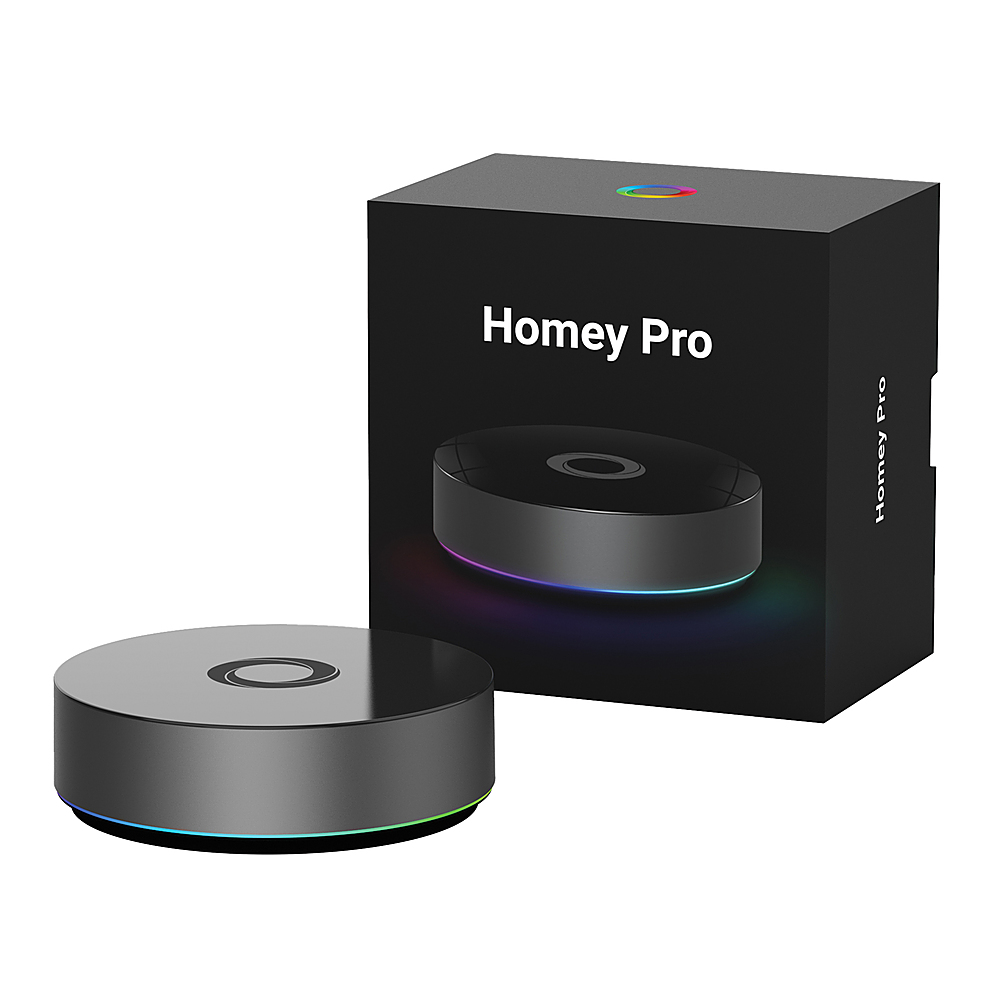
|Posted .This reviewer received promo considerations or sweepstakes entry for writing a review.The Homey Pro is a versatile smart home hub that offers multi-protocol compatibility and ease of use. Right out of the box, it comes with the charger, the cable with USB C on both sides and the Hub. The Hub looks sleek and it is around five inches in diameter and about one and a half inches tall. The piano black looks elegant and it does not suffer from leaving fingerprints on it. Once it is on it offers a ring of light, either with solid colors or different colors, it can be personalized. The only input is for the USB C input and there is an option to make connect it via wired with the Ethernet Adapter. The Homey Pro seemed hard to understand but it is much easier than I thought we started with one smart device at home and now there are a lot of devices that I often forget which application controls what so having the Hub was a must. It simplifies integrations and management. I can control from the application anywhere and also on my computer for easier to build automations. Speaking of automations, I can open the garage and at the same time it will turn on the lights in the garage and on my way to my house. Once I walk inside the door, it can turn on the lights inside, perhaps music and more. With over 50k devices and 1k brands I know I can connect future devices, so far all my devices have been connected with no problems. I like that it supports 5 and 2.4 Wi-Fi, Bluetooth 5.0, Zigbee 3.0, Infrared, Z-Wave Plus 700 series, and Matter protocols. I do not have all of them at home but it is good to know they are available just in case. Overall the setup was much easier than I thought, the automation is awesome, there is no subscription and everything is stored locally.
I would recommend this to a friend - Pros mentioned:Automation, Ease of useCons mentioned:Device compatibility
I wanted to love the Homey
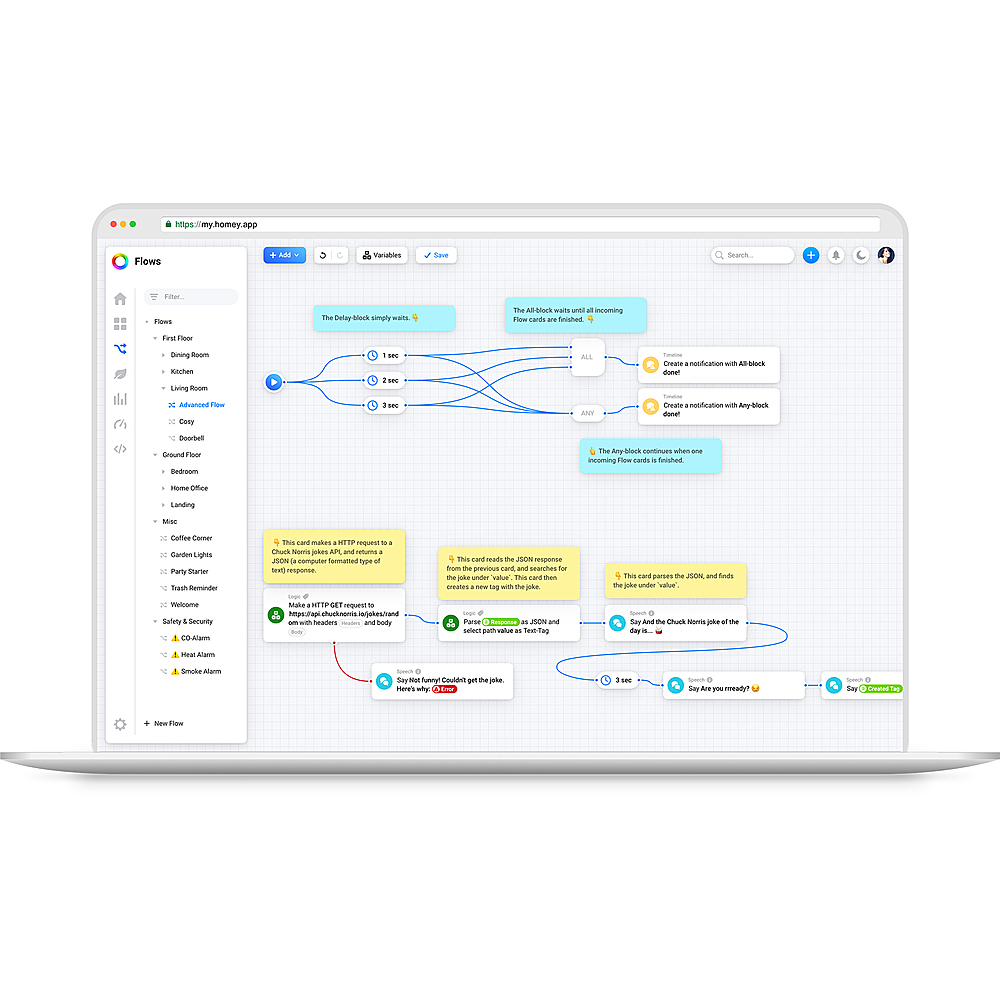
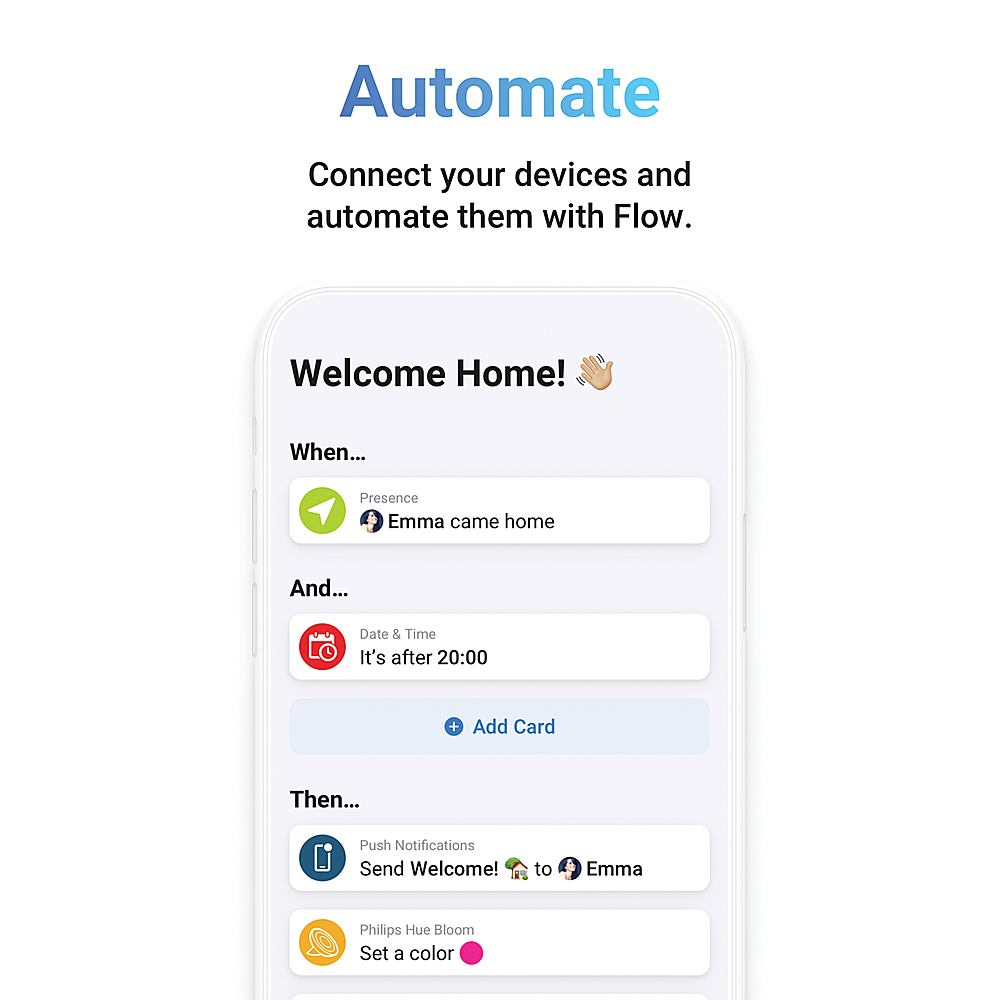
|Posted .This reviewer received promo considerations or sweepstakes entry for writing a review.I consider myself an early adopter for a lot of home automation things. I also consider myself technologically advanced as it relates to electronics. My home has a multitude of smart home “appliances” – ones from Philips, TP Link, Switchbot, Ecobee, and more. I’ve wired up my network with Home Assistant; it works well enough for my needs but moving to a professionally (read: not community) supported equivalent feels like it could be an improvement for the effort I need to put in to maintaining my home setup. My network is segmented – one for my computers and one for my IoT devices; I do this for security, and I think it will become relevant later. Bottom line up front, Homey has the right intent in mind of supremely easy setup and functionality, but I do not feel that this device is ready for primetime yet. Where I think Homey will work best is for entirely offline home IoT networks, but I don’t see how it could accomplish that given most smart home devices require an initial cloud connection for them to download firmware updates and be configured for the first time. The thing that drew me to the Homey was that all my disparate devices could be integrated with a single device. All my smart home devices connect to the cloud – mainly for the initial firmware download above, but also because I like them being accessible remotely. The ones that do not (specifically ones on the Z-Wave network) are still connected to Home Assistant for manipulation. On the tin, Homey checks all of these boxes with ease. Out of the box, you get the device, a charger and a USB cable for it. The instruction manual is sparse, but the setup is basically “plug it in, download the app.” My first attempt with it resulted in a device that would attempt to connect to WiFi, then give up. A factory reset by using the pinhole at the base didn’t resolve the problem, so I needed to perform a several hour-long factory reinstall by using their web application and connecting the device to my laptop. After the factory reset, I changed from my IoT segmented network to my home computer network. This got me to the point where I was able to begin to configure the device, but it was not the end of my problems. Most all of my smart devices were added without issue. Homey is based around “apps” that will allow you to connect devices that do not link via infrared, Z-Wave, Zigbee, or Matter. I added integrations for every device type I mentioned earlier and it was _mostly_ fine. For my hue and ecobee devices, it was literally as simple as logging in. My two Z-Wave devices were marked as generic “Z-Wave Device[s]” with no means of interacting with them – this was for an older Schlage smart lock and a Qolsys alarm panel. I was able to add the alarm panel via a Home Assistant integration, but the fact I had to use a competing standard to make things work defeats the value of this appliance significantly. Even after setup, I had issues with two of the five apps I was utilizing. The Switchbot app was misconfigured, preventing me from being able to log into it, and the TP Link app kept reporting that it was rate limited. Just like before, I was able to work around and “ignore” these problems, but it adds to the frustration of the experience. (Editing note, the TP Link issues seem to have shaken out over writing this review) After the initial teething, how well did it work? Pretty well. Homey leans more towards automation than observability. Each Homey app publisher selects what data can be represented for their various device; overall I found Home Assistant to have more data available for devices out of the box. For instance, my TP Link integration in Home Assistant tells me the line-level current, voltage, current consumption and overall consumption today. The Homey will provide a hard number and a graph of the usage at a specific moment in time, but there’s no additional data present. Homey’s strongest offering is automation via flows. If you have basic needs, Homey has a simple “When X and Y, then Z” flow. If you are a more advanced user, there is a drag and drop “blueprint” style flow with conditionals. The first flow I wrote using the advanced flow was “if a window or door is open for more than two minutes, turn off the HVAC.” I have written this flow in other applications, so I understand the general “what” and “how” of what I need to do making this a great test for exercising the capability. The advanced builder is relatively feature complete, but there is a steep learning curve, and it sometimes requires you to think creatively about your solution depending on how the Homey app is written. For instance, I can start a flow with “when a contact alarm is on” using the community supported app for Home Assistant, but if I want to conditionally check it again to make sure the contact is still on, I need to check for the negative case for if the contact alarm is off as the same check doesn’t exist for an “and” step. The builder also allows you to set variables using existing device states but reusing them as inputs to states seems to be impossible as of this moment (for instance, I want to set my HVAC back to the mode it was at last). I can see the world of possibilities opened with this script implementation. I’ve been meaning to get a water sensor and tie it to some lights or notifications for “hey you’ve got a leak,” but getting that integration set up using my existing tools is not nearly as trivial as this Homey will make it. For the people who want to go even further, Homey has an app called HomeyScript that lets you code automation using JavaScript. Much like the advanced builder, it is relatively complete with its own set of challenges. Nothing insurmountable, just sometimes it feels closer to an interview coding challenge than meaningful work. HomeyScripts also cannot be used as standalone flows – they must be integrated into a simple or advanced flow. I would love it if they could be run standalone. I wanted to love the Homey. Being able to replace Home Assistant with a singly integrated device has huge promise and one that requires next to no effort on my part makes it so much the better. Having a scriptable interface built in to the controller itself alone made me want the Homey. But after several hours of installation and having difficulties getting integrations to work with minimal configuration, I’m having difficulty figuring out where this device belongs in the user spectrum. For novices, the troubleshooting I was working through likely would have ended up with a return first. For more experienced people, while it does keep the promise of a singly integrated point of service, it still feels like there are other alternatives.
No, I would not recommend this to a friend - Pros mentioned:Automation, Design, Ease of useCons mentioned:Price
Seamless Smart Home Integration
|Posted .This reviewer received promo considerations or sweepstakes entry for writing a review.As a tech enthusiast who has a lot of smart devices in my house, I had become tired of having to use multiple apps just to control and sync everything. In comes the Homey Pro Smart Home Hub which has truly stood out to me, and has made my easier and more streamlined with controlling my smart home. Here are my thoughts on the Homey Pro Smart Home Hub. The sleek, modern design of the hub is subtle and seamlessly blends in with any home decor. It has an RGB light ring that lights up, if you're into that, but it can be turned off in the settings . Setting up the Homey Pro was a breeze. Simply plug in the USB-C into the back of the Hub and plug it into the wall and you're good to go. After plugging it in and connecting it to your home network, just downloaded the Homey app, which is available on both iOS and Android. The Homey app is very intuitive and user-friendly. From the moment I opened the Homey app, you are guided through the setup process with clear, step-by-step instructions. Within minutes, I had my hub up and running. The app's interface is clean and organized, making it very easy to navigate even for those who might not be tech-savvy. Once in the app you will then need to download “Apps” from every type of smart home device you want to connect to the Homey Hub. I was able to download a brand sponsored app or a community made app for every smart device I have in my home. That being said you might need to do some more work in setting up your device if it's a community made app. For instance with my Govee lights, I needed to reach out to Govee for their API code, through the actual Govee App. Govee emailed me the API code in less than 24 hours. Once I had the code, I just entered it into the Govee app in the Homey app and all my lights were now able to be discovered by Homey. Once, I had all my devices in the Homey app, I then assigned them to all the rooms in my house, so I now could control all my smart devices from just one app. That being said, make sure you have your username and passwords because you will need to login to some of your accounts in order to pair them to the Homey hub. A beta feature that Homey offers is non-supported devices in the Apple Home assistant, This is a cool feature because my Govee lights are not supported in Apple Home, but with the Homey hub I was able to assign my lights there, making it convenient to control my lights from the control center on my phone or with Siri. The Homey app really excels in its automation capabilities. Creating "Flows," which are custom automation routines that are very intuitive and easy to set up. In the Homey app or on through the Homey web page, where users have a visual flowchart-like interface that makes it easy to link triggers and actions across different devices. For instance, I created a morning routine that gradually turns on my bedroom lights, and then as I leave my house it knows that I have left and turns off all the lights and then starts my iRobot vacuum to clean my home. Overall, the Homey Pro Smart Home Hub is a fantastic investment for anyone looking to centralize and streamline their smart home devices. Its extensive catalog of devices, user-friendly app, and intuitive automation capabilities make it a standout choice. If you're serious about smart home automation, I highly recommend investing in a Homey Pro Hub. Pros: Extensive Compatibility: Works with a wide range of smart devices, including Govee, Philips Hue, LG, Tapo, Ring, Google, Amazon and iRobot. User-Friendly App: The Homey app is intuitive and easy to navigate, even for beginners. Powerful Automation: Creating custom automation routines is simple and highly customizable. Seamless Integration: Quick and painless syncing of devices. Real-Time Control: Provides real-time notifications and control over all connected devices. Cons: Price: The Homey Pro is on the pricier side compared to some other hubs. Learning Curve for Advanced Features: While basic setup is easy, mastering advanced automation might take some time. Apps: Some devices might not have an app and the community apps might not offer support for newer devices that were just released.
I would recommend this to a friend - Pros mentioned:Design, Ease of useCons mentioned:Device compatibility
My Homey
|Posted .This reviewer received promo considerations or sweepstakes entry for writing a review.Everything is smart nowadays. TVs are smart, lights are smart, refrigerators are smart, fans are smart. Having one place to combine all of your smart devices makes things so much easier. While the Homey Pro attempts to provide that solution, it falls just short of doing so. The design of the homey pro is smooth. Black puck like disc with LED lighting around the base…it’s nice without being too big or taking up too much space. The intro setup is easy. Download the app, locate the device, connect the device to your phone and the WiFi, and bam, you’re ready to setup your smart home…kind of. Devices are added via searching the brand and how far ultimately your experience goes with this product is based upon how many devices it supports. Results for me were about 50/50. And therein lies my major problem. Even when the Homey devices supports certain brands, it may not fully support all of their products. Which then means you may still have to use other apps for the other products, but if the other app supports more of the products, why not just continue to use the other app? This is no doubt a problem you’ll run into with most smart home setups, but I found the inconsistency within brands a little extra with the Homey Pro. Which is sad because the overall idea and concept of the device/app is done well. The app allows for community based device additions, however. I was a little nervous to try some of those out. It allowed for me to add my PlayStation, or even my PlayStation network login to gain access to my trophies/friends trophies etc, however, understanding my billing info is tied to that account. I was a little nervous testing that out as a community addition. The Homey Pro is a cool device/app for controlling your smart home, but its mileage varies depending on how many of you smart devices it supports. As of today, I could only give it a 3/5, however, if more of the community additions to the app become official, I can easily see that score increasing. If you see a device/brand you’d like included isn’t, the device has a “request a brand button,” that will not only allow you to request a brand, but also see the status of previous requests with updates like “negotiating with manufacturer” “in testing” “not planned,” etc. This type of commitment to improvement/transparency gives me faith in Homey’s long term commitment to the product.
I would recommend this to a friend - Pros mentioned:Automation, Design, Ease of use
Wide range of smart device compatibility hub
|Posted .This reviewer received promo considerations or sweepstakes entry for writing a review.I got this hub intending to connect non-Apple HomeKit-ready devices to Apple HomeKit. I've used Siri, Alexa, and Google Assistant for years but primarily rely on Apple HomeKit for managing my over 100 smart lighting, appliances, and devices. I purchased the Homey Pro hub to integrate more devices into the Apple ecosystem. Initially, the hub required an update which caused a non-stop restarting issue until I unplugged and plugged it back in, after which it set up correctly on the main app home menu. The hub features a sleek, modern design with a non-slip base and a subtle RGB light ring that can act as a notification light, that can be turned off via the app. The Homey Pro is a sophisticated smart home hub that integrates and controls a wide array of devices across multiple communication protocols through the official and community-built app stores. However, not all apps in these stores are reliable. The Homey Pro supports a wide range of communication protocols, such as Zigbee, Z-Wave, Wi-Fi (Matter), and Bluetooth, ensuring compatibility with numerous smart devices from various manufacturers. This generous compatibility was a key factor in my decision to invest in this hub, as it allows access to a wider array of smart devices. Additionally, the setup process and app navigation are straightforward and user-friendly. I integrated the Homey Pro hub with Apple HomeKit to bring more devices into the Apple ecosystem. While the Apple HomeKit integration is still experimental, it was easy to enable and add the hub through the app setting. Once added, all linked services appear automatically on the iPhone/iPad Home app. The hub acts as a bridge, adding any device linked through the Homey Pro app store. Additionally, you can exclude devices to avoid duplication, which I did with my Philips Hue devices and other services that I have already on my Apple Home app. Integration with Alexa and Google Assistant is smooth and allows me to control devices via voice commands. However, not all integrations worked flawlessly. For example, iRobot devices added to the Homey app did not appear on my iPhone Home app, and the Google Nest doorbell and other cameras didn't work at all. Despite some apps working well and others not, the automation features are simple and offer extensive customization. The Homey app is available on Apple and Android app stores and as a website, which offers more features. The Home Energy feature provides real-time insights into energy usage, helping optimize consumption and manage costs. The hub can connect to the internet via Wi-Fi or ethernet cable. I used Wi-Fi as recommended in the manual to find a good spot for the hub, avoiding obstructions and ensuring connectivity. Overall, I'm pleased with the Homey Pro hub and its ability to integrate more devices into my Apple Home app. However, I hope the company will add more apps and enhance the existing ones for a smoother experience. For those needing a hub with a wide array of connection protocols, the Homey Pro is an excellent choice. It also has the potential to make the Homey app the central platform for controlling devices and creating on-demand automation. From my perspective and based on my personal experience, the Homey Pro Hub is a highly capable and versatile smart home hub, offering extensive device support, and powerful automation features. It simplifies the integration and management of various smart home devices, making it an excellent choice for creating a seamless smart home experience.
I would recommend this to a friend - Pros mentioned:Infrared, Zigbee
Powerful, with caveats
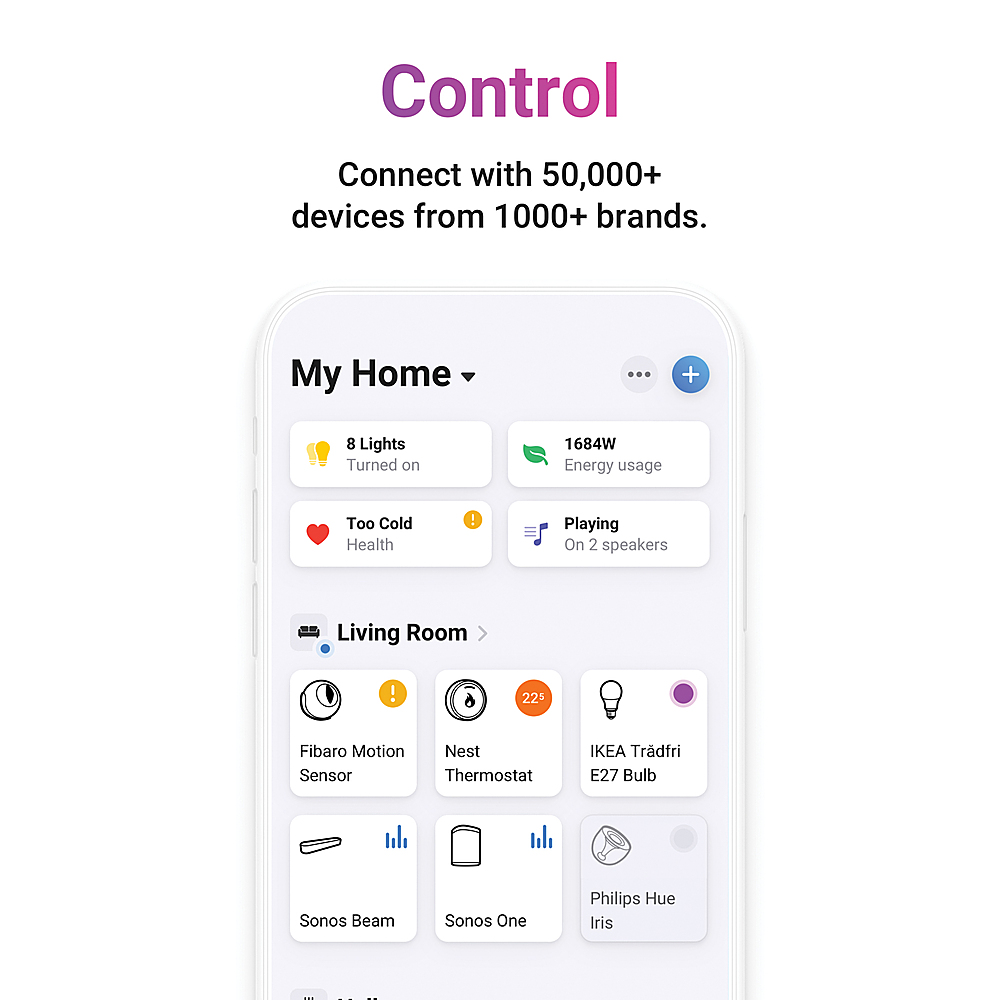
|Posted .This reviewer received promo considerations or sweepstakes entry for writing a review.I've been using home automation systems for quite a while, so I'm familiar with different commercial and open source systems. The advantage of this dedicated home automation hub is that it can connect to different products from different vendors and technologies, and seamlessly integrate them in very customizable and powerful ways. The interface on Homey is the best I've seen when it comes to the easy of connecting devices and creating automation flows. One can create flows by connecting block together (simple automations), which is very intuitive, but more limited. For more advanced setups, the multiple pieces can be connected via lines like in a mind graph, with advance logic including variables, timers, weather and environment data, presence, etc. If this is not enough, then one can directly code in a JavaScript dialect. Yes this option is best left to programmers but it's relatively easy to learn. This is barely required though and the flow based automations are impressive. When connecting devices, it has radios for Z-Wave 700 (This is their previous generation, since this product was originally launched in early 2023), Zigbee and Thread when used with Matter. It also supports the most common brands that already have established systems. For example, our Ecobee thermostat can be controlled by linking the Ecobee credentials. Our IKEA window treatments can be controlled via the IKEA gateway, which in this case is a direct connection within our home, no internet required. It also supports some very basic multimedia controls. It can connect to our Sonos speakers, Some of our Amazon Echo speakers (but not all of them), and Chromecast-enabled speakers as well. It can connect to some security cameras but it doesn't handle video. Instead it uses motion and people/package notifications from the cameras to be used in automations. For example, if the camera detects movement, and anyone is in the house, it can play an announcement on specific smart speakers, turn a light on, etc. We have an extensive collection of Z-Wave devices from several different vendors. However many were not directly usable if Homey doesn't have specific support for a particular model, and the generic actions that one can do with an unrecognized device is much more limited than with other controllers, so Homey is best if one sticks to what it's directly supported. The device itself is a black circle that has no ports except for a single USB-C that's used mainly for power. There is no Ethernet, as this works via Wi-Fi. If one wants to connect it via Ethernet instead, which would be recommended for the most stable connection in a key element of one's home network, requires using an external adapter. Homey sells one and also 3rd party USB-C Ethernet hubs or adapters are supported, or specific PoE adapters. There is a bright light circle that changes colors in a pattern when on, and uses other fixed colors when initializing or for a fault. The color animation can be turned off from the app. Homey is initially set up using a phone (via Bluetooth) and once it's running, it can also be managed from a web page. It also has an infrared remote, so it can control things with an infrared remote control, but it has to be within line of sight of the Homey box, or one would have to add additional satellite home boxes to control IR devices in other rooms. I had no need to use IR controls, as it also can control my older Harmony remote with a hub, although only for basic functions. For daily control, use either app or web page. It also supports Apple Watch. It also connects to Alexa and Google Home so with either system one can control lights and other devices. This works very well. There is currently no official support for Apple Home. There is an experimental support for Apple Home but in my test it was not usable. I wanted to use Apple Home as my main interface since I always carry a phone, but it did not really work. Another good feature is that it has very nice reports in forms of charts and logs covering everything from movement, to temperature and A/C charts, energy usage and more. It can also show glance information from what every smart speaker or TV is playing with volume and track controls. Overall, this is both an advance device and very simple to get started with. It's thoughtfully designed, but some features are not quite ready and for many devices it requires community supported features that might or might not work as intended. Other less popular brands are missing. Basic features like Z-Wave are under-represented. The main control is via tiles on the interface, and that's a bit limited. It doesn't allow for much customization.
I would recommend this to a friend - Pros mentioned:Design, Ease of useCons mentioned:Device compatibility
A Smart Hub To Make You Feel Homey
|Posted .This reviewer received promo considerations or sweepstakes entry for writing a review.I wanted my Homey Pro to manage my energy data, what I consume, and to help be conscious of how much I do or don't use my devices. Mostly, my AC which is already set to detect when I am away from home but more than ever I want to be a strategic as possible. It isn't the cost of utilities but I like knowing I'm doing my part. I've got about 30 smart devices that connect to my router so instinctively I thought they'd easily connect to my Homey Pro. For transparency the Homey system is not as easy to connect to as it is to connect to a in-home router. That was the biggest let down for me. Secondly, there are so many options as you are setting up the Homey that it looks like it will connect to everything you have but I quickly learned that a lot of the brands that are compatible are European. I am crossing my fingers that this is quickly adopted by more brands because being able to connect all devices and creating "flows" or automation for homes has been something I know most large businesses haven't cracked the code on. I am happy with the apps I have been able to connect so far such as my light bulbs, my thermostats, smart vacuum, and outdoor speakers. The ease of linking them is in the art of the Homey app speaking to the other apps within your phone. That was so cool. it asked me to authorize the Homey app to link and then it was done. Simple as 1,2,3, I'd say. The design is sleek, one cord so not messy with having to manage cords, and the ring with a color wheel is very neat. I prefer for the glow to not show up so I went into the settings and turned off the ring which for me was better. This is the device for someone who wants to tap into automating their home, exploring and pushing the capabilities of all of your smart devices. Prepare to put some time in but the yield is well worth your time. I can't wait to set more devices up this weekend.
I would recommend this to a friend - Cons mentioned:Device compatibility, Price
The Hub with Potential to revolutionize!
|Posted .This reviewer received promo considerations or sweepstakes entry for writing a review.The Homey Pro is what a smart hub should be but not without some shortcomings. The hub is very well built and packed with the most commonly used technology for home automation and more. In addition to its solid construction, it boasts a strikingly elegant appearance. The circular design, sleek glossy black finish, and the colorful LED lights gives it a modern touch. The Home Pro uses Bluetooth, Zigbee, Z-Wave, Thread, Matter, Wi-Fi, 433Mhz and the infrared to control devices like TVs. Setting it up is fairly easy. Download the Homey app and add the Homey Pro hub. I appreciate the device being powered by USB-C. My outlets support USB-C connections so I just needed to plug it directly to the outlet without the power brick. The app is not as intuitive to use as I would like it to be, as it can be a little confusing. The reason I say that is because the main home page shows your favorites, moods and favorites flows but not buttons to add devices. There is an “add favorite device" button on the favorite tab, which might mislead you into thinking it's for adding devices, but it's not. I'm experienced with home automation, and my home is nearly entirely automated, including the appliances. With years of experience in various platforms and technologies, I'd consider myself a proficient user. Despite that, this app managed to confuse me. To add devices, navigate to the device tab and then tap the “plus” sign located in the upper right corner. From there, you'll be presented with options to connect devices based on their respective technologies. Once you add the device it will become available on the device tab and ready to be used. The devices will function just as they expect. However, even the devices page can become overwhelming as it starts to become cluttered when you add more devices. Attempting to organize them can be cumbersome since there isn't an option to select multiple devices at once. Each device must be moved individually, which can be time-consuming, especially if you have numerous devices, as I do. Additionally, I found confusion when attempting to access the hub settings. Although the hub is visible at the top of the page under the "more" tab, tapping on it doesn't lead to its settings as expected. Instead, you have to scroll down on the "more" tab page to access the hub settings. I don't mean to criticize the app, but it could benefit from improvements to enhance user-friendliness and reduce confusion. I really like their “Flow” settings which are the same as automations, I found it to be more customizable than other platforms like Smartthings. This is where the Homey Pro truly excels in Its level of customization. Overall, the Homey Pro has the potential to revolutionize home automation once it reaches a more mature state. However, despite its impressive array of technologies, this hub still lacks support for certain devices. For instance, when I attempted to pair a Zigbee motorized curtain, it failed to recognize it as a curtain. I have two vacuum robots. One of them is a Shark and neither one was supported. While most major brands like Philips Hue, Yale, Nest and others are supported, I found that compatibility with the hub is a limiting factor in migrating my entire system to the Homey Pro at this time. This hub holds considerable promise, but its limited support for devices and high price tag make it a tough sell. In the box you get the Hub, USB-C cable, power brick, and user guide.
I would recommend this to a friend - Pros mentioned:Ease of useCons mentioned:Device compatibility
Novel idea. Devices supported are mainstream.
|Posted .This reviewer received promo considerations or sweepstakes entry for writing a review.So the novelty to get 1 central device to control many if no all of my automation devices is great ... The Homey Pro attempts to do this. Let's start.wotj setup. Setup of the device itself is super easy. Follow the directions download the app and let the firmware update and you are ready to start synchronizing your devices with Homey Pro. So setting up devices within the homey pro is tricky. First it needs to be a supported device and most of the devices are main stream meaning it is from popular devices. 2 mainstream devices that worked for as follows. I-robot and Eufy. My various string lights from Tuya, XMCosy, and MyTS did not work. You have to once again go for a mainstream device. My Dyson filters did not work. It only controlled Dyson fans. I also have other air filters from BlueAir it did not recognize those air filters. Given I was only able to test on my 2 different vacuums the functionality of that was decent. Ot controlled it pretty well all things considered. The fact that other devices I have are not supported yet I was disappointed. Homey does rely on community programmers to help bolster their compatible devices. So if you are interested in this make sure you check to make sure your devices are supported prior to purchase. Only because I could not get my non main stream device to be recognized I rated this product down slightly. The novelty to get a central device to control all of your devices is a great idea.
I would recommend this to a friend - Pros mentioned:Automation, Design
One Hub to rule them all
|Posted .This reviewer received promo considerations or sweepstakes entry for writing a review.When it comes to home/business automation there have always been 2 options, either you buy everything from the same company or you download 700 different apps. Now don’t get me wrong there are other options available to help integrate some devices together under one hub but at the moment those are for techies that have a greater understanding of networking/coding. What the Homey-Pro does is it simplifies automation for the average person by making integration easy and adding visuals aids to give you a greater understanding of how the automation's work. Integration: Homey-Pro works with all of the main players when it comes to smart home automation (Matter, Z-Wave, Thread, Zigbee,bluetooth and even works with old school infrared) which is great and all of the devices can work locally so you DON’T need the internet to be active. I used it across a number of devices which are from different manufacturers and was able to get all of them connected to Homey-Pro. My use case was Doorbell, Wifi, in ceiling lighting, lamp light, motion detector, table lighting, robot vacuum and all of them were from different manufacturers and worked off a different homebase/hub requirement. After adding all of these different devices I am convinced that Homey-Pro will be able to connect to just about any device (the company states it works with over 50,000+ devices and I am inclined to believe them). One of the greatest things about adding all of these devices is that the functionality of these devices is carried over to the Homey-Pro, for instance my doorbell sensors such as motion and night vision work. The Homey-Pro app even integrates time of movement and allows for different automation for movement and doorbell rings. Layout: Homey-Pro has the absolute best layout of any hub on the market, everything is easy to see and manage from one screen. Not only are you able to see what is turned on but you get so much more information about the products (color, movement, how its been in use etc) The dashboard is simple to read and gives you anything you could possibly want. Automation: The reason automation is easy with Homey-Pro is because it works with just about any device out there. There was no need for “work arounds” when it came to any of my devices, everything was supported and connected through official channels. Connecting (Google services/Spotify) took me to their official page and the integration was a breeze, I didn’t have to create developer accounts and need to use scripting to make stuff work. The best service that Homey offers is “flows”, which helps you set up automations. Homey offers a standard flow which is for beginners to get your feet wet with the automation process, you can tell a smart light to turn on/off based on a parameter you set. The next “flow” Homey offers is advance flow which allows you to do more complicated actions, currently I have a advance flow that turns on after sunset which increase the lights in the kitchen and hallway to 100% along with getting the robo vacuum started in case there is a movement captured from my mmWave sensor in the back yard. I use this advance flow when away from home to deter any unwanted visitors. You can get super in-depth with the advance flow by adding variable for time/date/yes or no questions etc. Homey also has a great feature where you can have different family members get their own automation setup as they arrive home/leave. Homey-Pro even allows you to set all devices to turn off once everyone has left your home so you can save electricity. Now the advance flows do have a learning curve, but if you put in some time you can create a smart home that will make everyone say how did you do that! As I stated it can take some time to learn how to use the Homey-Pro to its full potential but everything is made as easy as possible and with real time testing of the flows you can see what works and what doesn’t so you will know exactly what to expect. Besides automation and the simplicity of the device Homey-Pro has many more benefits such as being a localized hub helps avoids the cloud and reoccurring fees. If your internet goes out, guess what? As long as you have electricity your automation's will work and you will still be able to control them I really only have 2 complaints about the Homey-Pro and that is there is no Z-Wave LR radio and once you start the setup with Wifi you’re stuck using Wifi (can’t change it to hardwired) unless you reset the device. Overall this is the best hub on the market when it comes to home automation , so far I have had no issues and is it is by far the simplest and best looking hub out there. Homey has thought about the past with including inferred device controls and the future by making sure it is thread and matter compatible. The redundancy that Homey allows to be able to add a Homey bridge to extend the network and act as the primary in case the Homey-Pro goes down is excellent. Overall Homey-Pro isn’t just a home automation tool as it also allows for energy tracking and provides graphs/tables of usage data for your devices, this coupled with the fact that you can add any of your assistants (google,Alexa,Siri) makes this a no brainer for everyone.
I would recommend this to a friend - Cons mentioned:Device compatibility
Powerful but limited device support
|Posted .This reviewer received promo considerations or sweepstakes entry for writing a review.Great Compatible with all smart home communication protocols Also includes IR functionality Antennas seem strong Low power usage Powerful automation controls with flows and advance flows Makes complicated automations much easier Integrated Raspberry Pi 4 has enough power for fully local processing No subscriptions required for main functionality, including remote access Remote access doesn’t require a port forward Clean interface that makes setup much simpler Can be placed anywhere using a POE to USB-C adapter Ready-made complete smart home solution Good support for smart home devices popular in Europe Automatic updates Not So Great Static homepage with limited customization Multiple steps to get to configuration of devices Heavy reliance on community apps Many community made apps abandoned or infrequently updated Limited support for smart devices popular in the US Advance functionality of many devices not showing available Doesn’t register capabilities of generic Zigbee devices making them unusable Slow to update and sometimes doesn’t update status of devices on/off Doesn’t seem to support native Zigbee groups Lighting commands feel slow when part of a flow Limited troubleshooting when something goes wrong Doesn’t support live video on cameras, only manual snapshots Local backup requires connecting hub to computer in DFU mode Connecting devices often takes multiple tries App would randomly lag for a long period of time on opening App would periodically say it can’t find the hub until app restarted Homey Pro has every imaginable communication protocol included up to the latest Matter and Thread. In the box is the Homey Pro, USB-C cable, and USB-C power adapter. Homey Pro can connect via ethernet using their optional USB-C to ethernet adapter or you can use a third-party POE to USB-C adapter which allows more placement options. Internally it has a Raspberry Pi 4 compute module which is kind of nice because it means there could be a possibility of modding the hub in the future. HUB Setup 6/10 Setup could potentially be one of the easiest out there if it wasn’t for one issue. Setup is clean and polished but during the process the app just stopped with no further feedback. After waiting for a while and no change, the app was forced closed and opened back up ready to go. Thinking this was fluke the system said an updated needed to be installed. Once the install started the app gave no further feedback and acted stuck. After waiting approximately 15-20 minutes the app was forced closed again. On reopening, everything seemed fine suggesting the app didn’t reconnect after the update. Inviting family members also wasn’t as easy as expected. When sending the invite family members received the invite to join, would create an account, and then only be given the option to set up their own Homey Pro. No error or feedback was given. An obscure forum mentioned it works on cellular. When family members turned off their Wi-Fi then the invite processed correctly. It was small things like this where one second Homey felt polished and then a problem would occur with no feedback and nothing listed in their support that brought down the experience. Device Setup 5/10 While Homey has been around for 10 years this seems like it could be their push into the US market. Support for devices in Europe seems to be pretty good. If you have lots of Ikea smart home products you are well supported with Homey. While well supported that doesn’t mean seamless. When paring an Ikea E26 bulb if I told it to just pair a Zigbee device it would find it but not know what to do with it. I had to choose to specifically pair an Ikea E26 bulb and then it worked properly. Some officially supported devices would pair correctly without needing to choose a specific device. After installing the official device app Homey would report it as an unknown device but still work correctly which was strange. Other devices such as Leviton switches have official support, but the pairing processes is different than normal required triggering the pairing process twice. This wasn’t explained and required another forum search. On other smart home platforms, you can usually get a generic device to work even if there isn’t official support. I have some generic door and window sensors that work on every other platform I’ve tried. They just show up as generic contact sensors. Homey paired with them but wasn’t able to do anything with them. Beyond connecting devices some are missing advanced features even with official support. Leviton dimmer switches support customizable ramp rates for turning on and off. Even with official support the options aren’t shown in Homey. In Power User mode you can send raw commands to the device to configure these options. Leviton lists the parameters but trying it through Homey just returns an error with no specific information. For cameras, regardless of manufacturer support, the only option is to manually trigger a snapshot of the camera. You can use the cameras in flows and send snapshots, but live viewing is not an option for any manufacturer. For robot vacuums there are similar limitations. With an officially supported vacuum, like Roomba, you can see the status of the vacuum as well as start, pause, and stop but you cannot select a single area to clean. While nice, this does limit your automation options to cleaning the entire house. Speaker options are limited with Sonos having the best support. Echo devices work but took repairing the devices after pairing as they immediately lost connection. Some receivers have support from the community but for others the apps are essentially abandoned, such as Pioneer. Interface 6/10 The Homey interface is clean looking but limited in what it displays and how much customization you can do. You can add favorites and rearrange icons, but the icons can only show status with a customizable status in the top right corner. Icons do not animate to illustrate device status. Some icons a single tap will activate/deactivate whereas others require a long press to bring up options which feels a bit disjointed. In the case of lights you can tap on their icon to turn them on/off. A long press will bring up screens of options for the switch which you can swipe between, but then you can’t dismiss the options with a similar swipe unless you happen to touch a very small bar at the top where the close arrow is. Interactions in the interface switch between taps, long presses, and swipes in ways that don’t always feel natural. The good thing though is in most cases the controls work very fast with little to no lag unlike systems that control via the cloud. Automations 10/10 While there are other options that could offer even more powerful automations Homey makes it far easier out of the box to create advanced automations. For some their advanced flow system will look like other options out there but unlike others this is built into the system. It allows you to create automations graphically, link them together, and even test them and watch visually how your automation works to ensure you got it right. Final Thoughts There is so much more that could be said about Homey Pro. In the simplest terms the Homey Pro is attempting to be a solution that is simple but offers the power of more DIY solutions. While it has done a great job of simplifying the complex tasks, the simpler tasks feel like they need further refinement. If they could improve device support for more popular US brands and improve the interface Homey Pro would have a compelling option for many people. If you are looking for a middle of the road smart home solution that allows you to do complex automations simply without coding and would like a ready-made solution, then Homey Pro could be a solid solution for you. Just be sure to check the device compatibility list first or be ready to change devices if you already have some.
I would recommend this to a friend Homey Don't Play That!!!
|Posted .This reviewer received promo considerations or sweepstakes entry for writing a review.Couldn't resist the review title for those who remember that skit, but all kidding aside the Homey Pro is a pretty cool solution for all of the Smart devices made by the hundreds if not thousands of different vendors and ecosystems out there. So what is the Homey Pro and why does it need actual hardware when a lot of this seems to just be API calls and single-sign on authentication of your existing Smart accounts?? From what I can gather, it is a hardware bridge with a cpu, memory and some storage that has the ability to store and execute logical programs, or Flows. If this sounds similar to IFTTT with actual hardware that can run more securely on your home network while you are away from the home, then you are on the right track. The main problem I experienced and can see being a long-term issue, is support of the Homey Pro along with integration support with less popular, or competing vendors and devices. The auto-detect and new device add feature isn't great, as the auto-detect function seems pretty useless as it only finds 3-4 options. However, you can search for products or vendors and this can yield better results. If nothing pops up, then you can try to request or work on a custom/community integration which seems hit or miss at best. From what I tested, the following were supported/not supported Supported: Ring (Amazon), Sonos, Denon, SmartThings, Nanoleaf, TP-Link Smart plugs (some issues) Unsupported: Genie Garage Door, Lockly entry locks, Nanit baby cam Adding was initially very tedious, you have to know and pick the ecosystem/brand, then know the EXACT model and generation of device you own and then the Homey Pro app searches for the device on your home network. If the model/generation doesn't match, it wont' find anything, but if it does match, it does a nice job and lists ALL of the devices that meet the criteria and add them all at once. Adding from a smartphone like an iPhone works well here because you can search your key vault for your passwords for a vendor, but this is kind of a tedious and manual process and less streamlined than you would expect for such an expensive and premium device. But once you find and add your devices, its really nice to be able to see all of your devices on a single pane of glass in a single app and control or view some status on them. You can pick a device to view/control by tap and holding it and it'll pop out the device image, which seems like a snapshot of the live image, or some generic controls or metrics. All that said, the biggest feature of the Homey Pro is the ability to set up flows, group devices together via room and also control multiple using a flow to really help automate your home from a single app. For example, you can set a Flow to turn on your lights at 7am and turn them off at 8pm. You can have your automatic blinds open at 7am as well, or start your coffee. Or you can have your lights turn on if your ring camera detects motion. You can visualize and link multiple flows together as well which is really well done. I think the big thing with this device is that it will probably never have perfect support because the Homey developers have to work with each hardware vendor to update their Homey with any API changes or any new hardware that comes down the pike. I saw there was a huge thread about older TP-Link smart switches having issues with rate limits and its been ongoing and still unresolved, but it pretty much confirms what I expect the process to be. Typical fix flow: Users report an issue, Devs take notice once there's enough users complaining. Devs reproduce and re-work and either fix or need additional info from vendor. Devs reach out to hardware vendor and map out the issue and a possible solution. Solution takes months/years to fix. So the Homey Pro is a nice way to visualize and create flows for your smart devices - IF they are supported and don't break some point down the road. I think most of the cost is actually paying for software r&d, the hardware itself is attractive and all, but I'm not even really sure it is needed if you use your smartphone instead. I guess it does run the software to bring multiple devices together, while your smartphone would need to use something like IFTTT. I believe the Homey Pro can also be used for IR remote control inputs but I'm not using it for that, just for setting flows and a dashboard to view and control my devices. Pretty cool technology, I hope the device is supported for years to come!
I would recommend this to a friend- Pros mentioned:Ease of use
Helpful, easy to use smart home hub
|Posted .This reviewer received promo considerations or sweepstakes entry for writing a review.For the past decade, I’ve worked hard to integrate smart lighting into my home but I’ve struggled with finding the best app to control it all. I have tried using Apple’s Home but it just lacks something when it comes to the user interface. I love being able to set up automations for turning on and off lights but the Home app doesn’t exactly make it easy. So I like the idea of using a third-party option like Homey Pro. The device itself is round and puck-like in shape. It is a bit larger than an Apple TV but it has an RGB ring light around the bottom of it. The instructions suggest that users should give the unit a little space because putting objects on top of it might block infrared signals that it needs to communicate with smart devices. I typically like to hide my device hubs inside a cabinet or under a shelf, but since this specifically suggested that you should keep it out in the open, I made a place for it in my office, which is close to our Internet router and centrally located in the house. One of my concerns going into this setup was whether or not I could use the Homey Pro with my Home App. As it turns out, you can. The initial set up of the Homey Pro is very simple. You plug it in, set up an account, connect it to your network, and let it do its updates. After the unit has initialized, you can add your smart devices to it. Starting out, I added one of our Nanoleaf installations to it. I didn’t want to migrated everything until I knew it worked with HomeKit. The Homey Pro app automatically detected the compatible devices on my network and to add the Nanoleaf installation to the Homey Pro, I only had to do a restart. I was concerned I would have to do a reset of the device, but I didn’t. That meant that the device stayed connected to my Home App, too! When it came to setting up an automation, Homey Pro made it very, very easy. You go to Flows in the app and then complete a simple walk through of IF/Than statements. I set up the Nanoleaf to turn on and off at certain times of the day. To test the Flow I set the time the light would turn off for only a few minutes later and when that time came, the light turned off. It was a much easier process than setting up an automation in the Home App. While I haven’t had this device very long, I’m very impressed by its performance. I love the app interface and how easy it is to connect devices and set up their automations. Even though Homey Pro is already compatible with many smart devices, I’m looking forward to seeing even more rolled out. Since I have a lot of devices I’m slowly migrating them into Homey Pro, which I would suggest if you are nervous about how it all will work. I’ve had many false starts with smart home apps and hubs so I’m just treading cautiously. So far, I’m very happy with it.
I would recommend this to a friend - Pros mentioned:Zigbee
Good smart home device with great expectations.
|Posted .This reviewer received promo considerations or sweepstakes entry for writing a review.I purchased this gadget to improve the smart gadgets in my house. Regretfully, I was ahead of the curve and purchased a variety of smart devices in the past that are either no longer in production or may not be supported by more recent models. The company is very responsive and provides excellent customer service; these attributes are crucial to durability and usefulness. It does offer a large number of smart devices that it supports and is growing; in fact, an audio video device that was purchased just a year ago is on the list, and Homey appears to be working hard to make it function and remove any bugs that it currently has. This device surprised me by improving remote control IR signals, even the earliest ones, by a minimum of two feet or more. Because of the remote control problem, there has been a significant strain on the batteries, requiring replacement of up to 3/4 of the batteries. This improvement lowers the frequency of battery changes. Although this device has a wide range of communication capabilities, I am disappointed that it cannot connect to my older smart devices using most of those protocols. Additionally, Homey can turn off computers, DVR boxes, USB dongles, TVs, and other devices remotely via IR or Bluetooth, but it does not directly support the vast majority of older technology that I started using between five and twenty years ago. On the other hand, Homey is very keen on the newest smart devices and supports intelligent outlet devices that can regulate power supply to many of the older devices; I haven't bought many yet, so my use has been somewhat limited.
I would recommend this to a friend A good concept, but not a great solution
|Posted .This reviewer received promo considerations or sweepstakes entry for writing a review.I had really high hopes for the idea of a "one stop shop" for all my smart home devices with the new Homey Pro. The concept, software, and hardware are well-designed and relatively easy to use. However, there are a lot of missing and/or incompatible smart home devices that the Homey doesn't work with. It's marketed to be easy to set up even for people who don't have a lot of technology experience or aren't very tech savvy and I think it will lead some to some frustration. The initial set up is a breeze - download the app, plug in the device, and walk through the steps as the app and device prompt you to. That's where the breeze comes to a bit of a halt. First of all, some of the devices Homey's website show are compatible are either not compatible or not "fully compatible." For the devices it does support, set up is straightforward, especially if you have named your devices in a smart way (something I am guilty of NOT doing). The Homey Pro also allows you to sort of "code" what they call Flows. This is where people who are not very tech-savvy may run in to issues. The cards used to create flows are not intuitive and support is limited. So, for me - this is not something I've found very usable. It's easier to just create routines via smart home assistants. I don't think this would be a good purchase for people who are uncomfortable with technology and/or don't have the time to commit researching how to create flows that are so much more easily created (and successfully work) directly with smart home assistants.
No, I would not recommend this to a friend- Cons mentioned:Price
Great product, but my not work for everyone.
||Posted . Owned for 1 week when reviewed.This reviewer received promo considerations or sweepstakes entry for writing a review.Great product, but my not work for everyone. Pros- The homey software is fantasic and the heardware looks great. The community seems to be active. Cons- It doesn't support everything that I have, but it may for you. No support for live video for my google nest cameras. Overall- The price is a little high since you can get other solutions out there cheaper in a form of a hub to start. This has the best flow options i have seen so far. Unfortunately, it seems to support Europe more the the United States.
I would recommend this to a friend - Cons mentioned:Device compatibility
Hard pass!
|Posted .This reviewer received promo considerations or sweepstakes entry for writing a review.Well, I wish I could write a good review about the functionality of this product. The main problem is that I could find very little that would actually connect to it even though they claim it works with “over 50,000 devices from more than 1000 brands”. I will get to that in a bit. Out of the box the device seems well built and you get everything you need to get the device up and running and connected to the app. I got the device out, plugged it in, downloaded the app, set up an account, and it immediately said it was downloading updates. This is common with electronic devices these days. It said it had updated and was restarting. I waited, and waited, and waited, and waited. 30 minutes later it still said it was restarting the device in the app. So I just unplugged it and closed the app and restarted them both and then it was connected and showing up in the app. So now its time to connect my first device. I have 7 Eufy security cameras throughout my house. After some trial-and-error I was able to finally get one of them connected. I click on it in the app (expecting to be taken to a live view of the camera) and nothing happened. I held my finger down on the icon and I was taken to a still frame of the camera that says it was just updated, even though the picture was from a few minutes ago. I clicked refresh about 15 times and it kept saying the image was just updated, but it kept showing the same thumbnail. Something they don’t tell you is that you can’t have live video views of any of your security cameras in this “all in one” app. All you get is a still image that claims it was just taken even though it was not. So, right there, I knew I wasn’t going to be using this device anymore. But just for fun I tried to connect some of my Govee bulbs. It allowed me to connect the Govee app and log into my account. I selected the bulb I wanted to connect and it took me to a screen that said New Devices Found Select the device you would like to add. There was a blank white screen with the words [object response] written in the middle of the screen and I was unable to do anything else. So, I guess I won’t be connecting any of my Govee Devices. Finally, I have some TP Link Kasa switches I tried to connect. I went in the app, put in my name and password, and connected my account and when it took me to the page where I’m assuming I should select my device, there was nothing but a blank white screen. No devices to select and no way to connect any of those devices. I am a very tech savvy person and I know that none of my problems were a result of user error. Since I wasn’t able to actually get any devices from 3 major manufacturers to actually work with this device, I couldn’t really test any of the other functionality of the device or app so I cannot comment on any of that. I was really hoping for this all-in-one device to work so I would be able to just have to use one app for all of my smart home devices, but this is definitely not it! For the price, I would expect it to work a heck of a lot better. Definitely give this one a hard pass!
No, I would not recommend this to a friend - Cons mentioned:Device compatibility
Works well for Apple Homekit
||Posted . Owned for 1 week when reviewed.This reviewer received promo considerations or sweepstakes entry for writing a review.This works pretty well at getting all of your smart home devices incorporated into Apple Homekit. This is supposed to work with Amazon and Google as well, but I was looking for a solution for Apple Homekit. This is not advertised as working with Homekit, it is under the experimental section due to Apple's wall on third-party applications. It takes some time to setup, some trial and error, it's not 100% perfect, but it's pretty close. I'm pleased with it.
I would recommend this to a friend - Pros mentioned:Ease of use
Not up to my expectations
|Posted .This reviewer received promo considerations or sweepstakes entry for writing a review.I received my Homey Pro, read all the directions and downloaded the APP. It took me three days to get the APP to work. I registered and it just froze. Couldn’t scroll up or down and there was no button to push. I thought maybe they were updating the APP. Next day it was the same thing. The third day I was ready to give up. This happened on my iPad Pro and my iPhone13. Finally I want into my settings and set my print to the smallest available and tried again. It worked. Now I had the APP set up. Nowhere on the box or in the directions did it specify that I needed the smallest print available. I now had my Homey Pro connected to the APP via Bluetooth. I couldn’t wait to get rid of all the “bridges” I was using and only use one. Homey Pro needed to update and that took awhile. I was pleased that it could use my 5G AT&T fiber net. I began to set up my areas and scenes. It was picking up my Phillip Hue lights and strips easily but failed to work with my Maytag washer. I’m finding that during night my lights lose continuous connection. I’m disappointed. It is a great concept if it would only work correctly. I’m going back to my previous bridges.
No, I would not recommend this to a friend