Customer Ratings & Reviews

- Model:
- BH70970
- SKU:
- 6098600
to a friend
Customers are saying
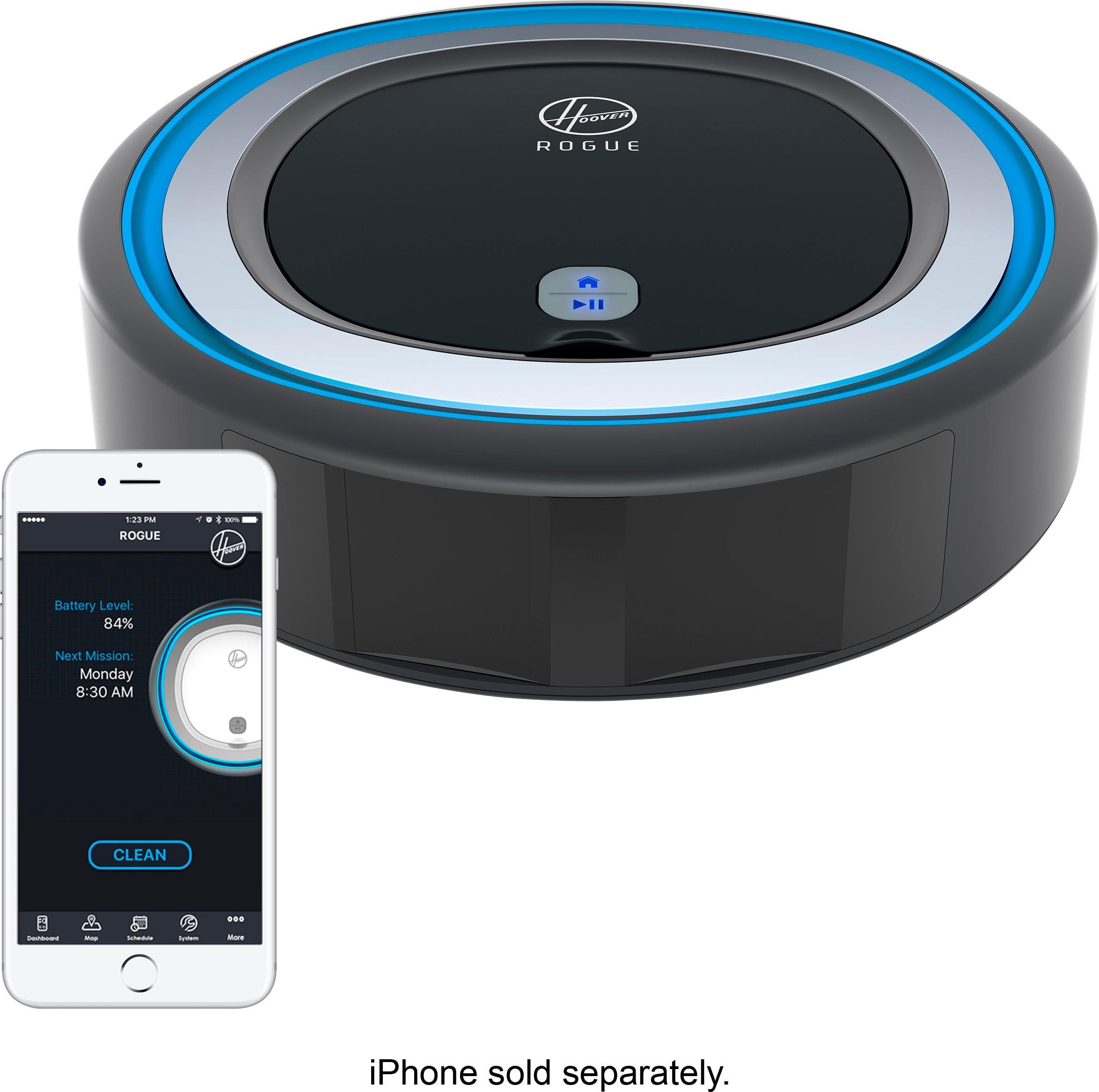
Customers frequently mention the Rogue 970's positive navigation and relatively quiet operation, while also noting ease of setup. However, concerns exist regarding the app's functionality and the accuracy of its mapping features, as well as battery life and dust bin capacity.
This summary was generated by AI based on customer reviews.
- Pros mentioned:Cleaning performanceCons mentioned:Battery life

A True 'Smart' Robot Vacuum
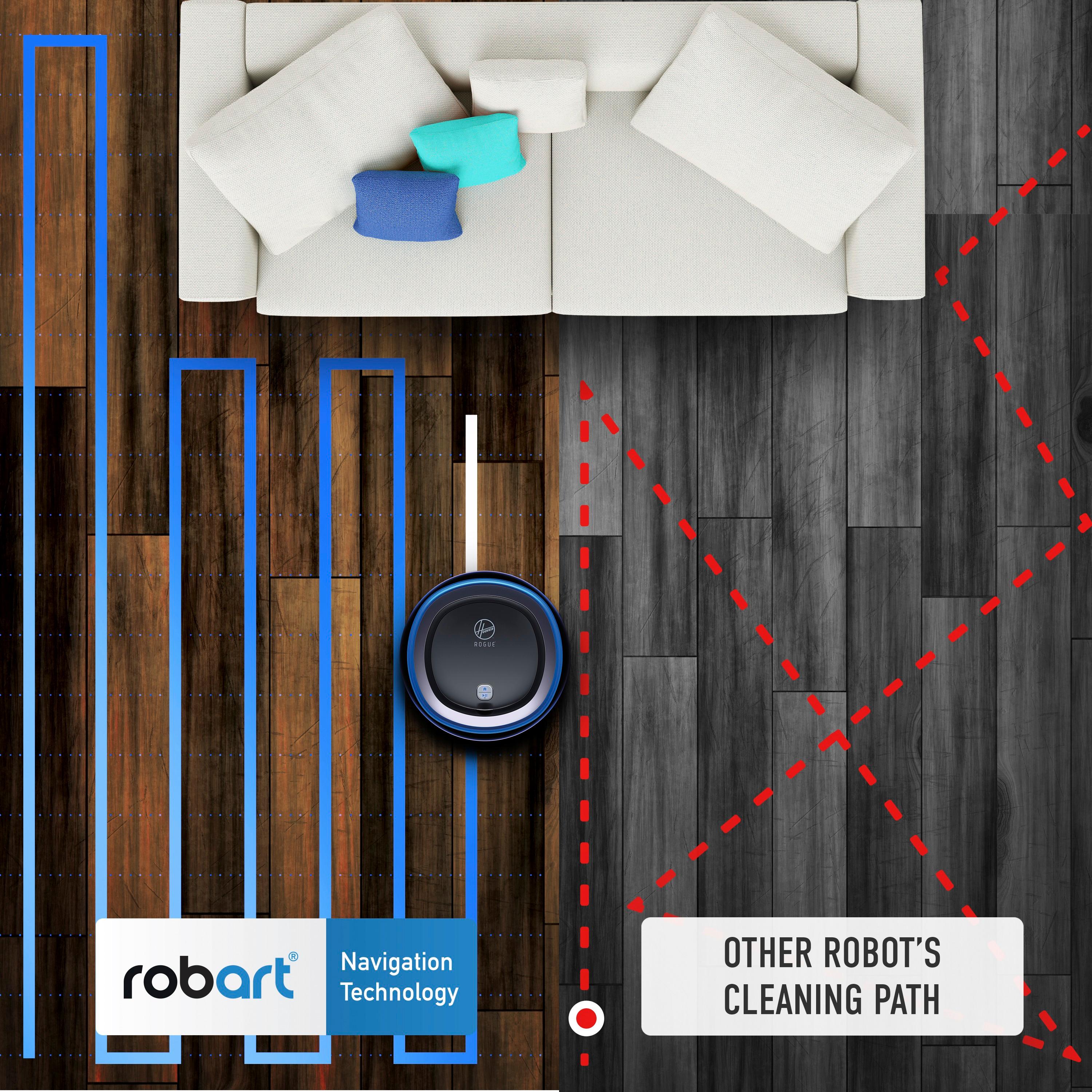
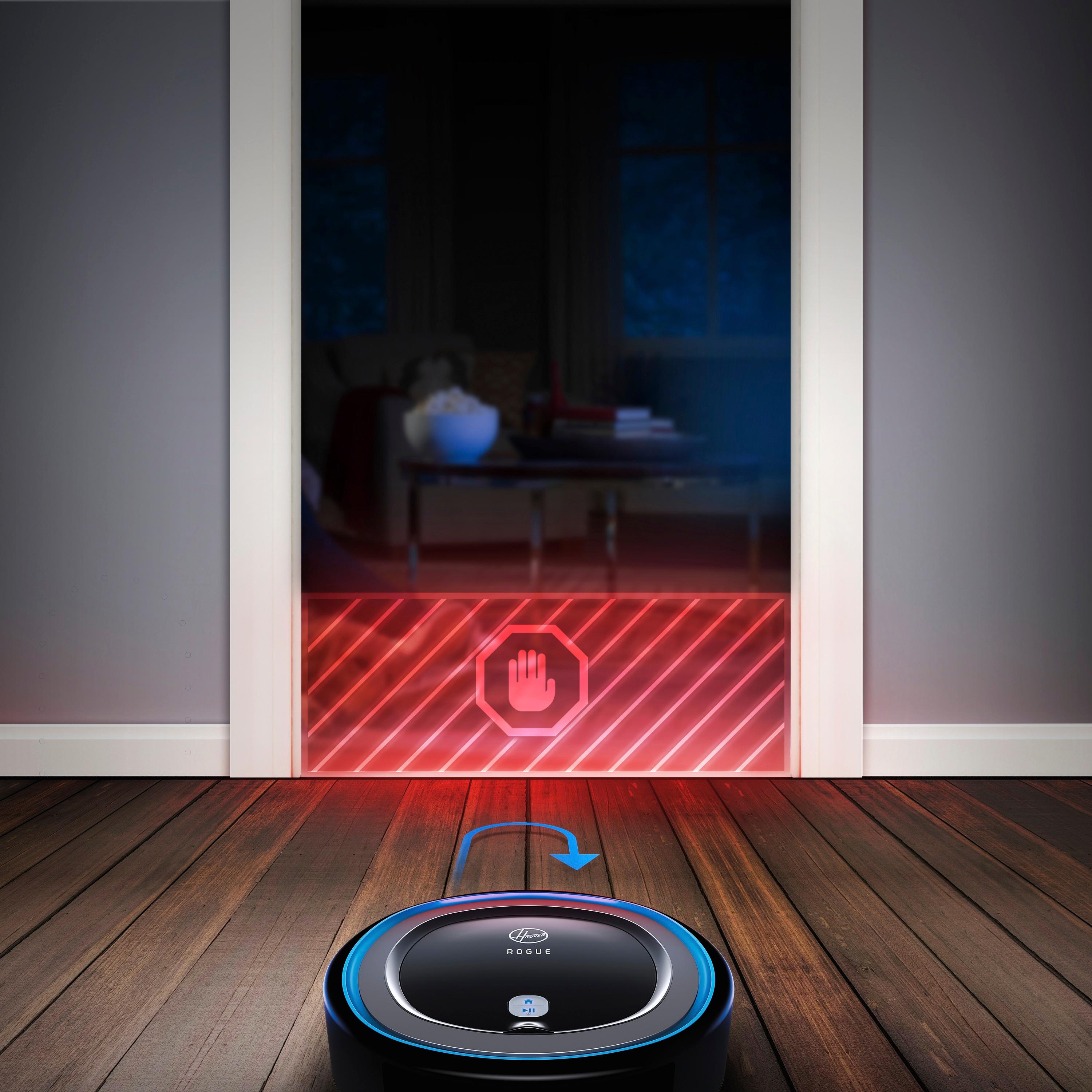
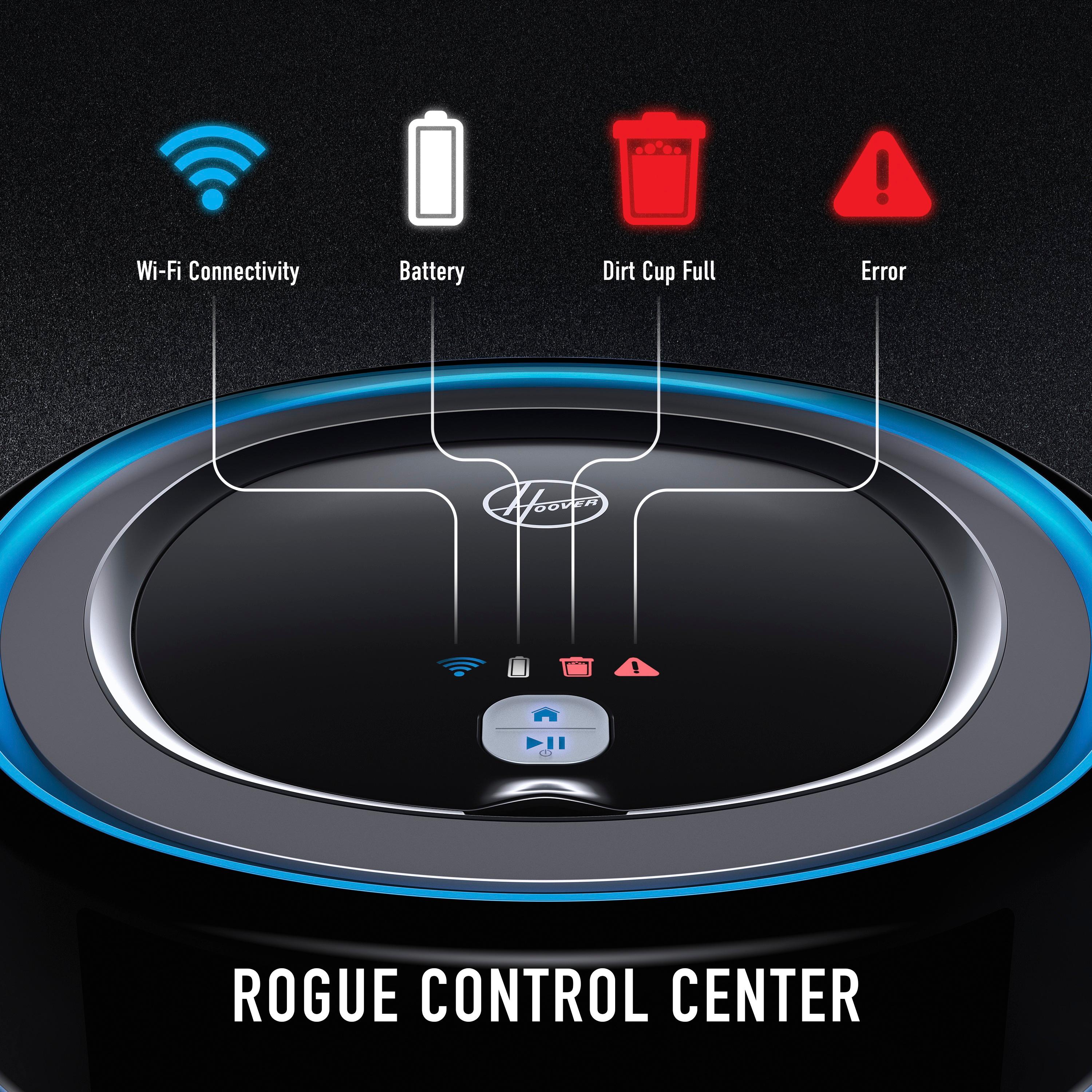
|Posted .This reviewer received promo considerations or sweepstakes entry for writing a review.Pros: -Cleaning pattern is linear and predictable, does not zig and zag randomly like other robot vacuums -Works well in homes with pets -You can construct virtual Smart Walls in the app to designate no-go zones for the robot vacuum -Easy set up -Indicator lights on robot vacuum show wi-fi connectivity, battery, dirt cup full, and error -Returns to dock automatically to recharge -Amazon Alexa and Google Home compatible -3 cleaning modes - quiet, standard, beast (battery drains quickly on beast) Cons: -Must use app for full technology/potential of robot vacuum -Battery drains quickly compared to other robot vacuums -App is buggy at times -Superficial cleaning on carpet
I would recommend this to a friendBrand response from Hoover
Posted .Thank you for your review! We are continually updating and improving the app to ensure everyone has a great experience with Rogue. A tip for optimizing battery life is ensuring you are using Rogue in standard or stealth mode (like you mentioned above.) Rogue has 120 minute run time but it can vary if you have a lot of carpet and obstacles throughout your home. Thank you for the feedback!

- Pros mentioned:Cleaning performanceCons mentioned:App functionality
Decent vacuum, room for improvement
|Posted .This reviewer received promo considerations or sweepstakes entry for writing a review.As I've come to expect from Hoover, the vacuum itself functions well at daily maintenance and it has a sleek look. Setup and the app could use a bit of help. Setup seemed to have trouble connecting to my WiFi, though once I got through that hurdle it wasn't too bad. General use is pretty good, it functions on a schedule and keeps the house clean, but again the app leaves much to be desired. It has stability issues, it does not alert when the trap is full or when the vacuum is stuck. Really the app feels like an afterthought. The best you may get out of this device is to not use the app after initial setup and just hit the run button on the vacuum. I hope some significant updates come down for the app to make this the 'intelligent' vacuum it claims to be.
No, I would not recommend this to a friendBrand response from Hoover
Posted .Thank you for the review. We are continually working on updating the app and adding in features like push notifications that will notify you if Rogue is stuck. Thank you for your patience and stay tuned for updates coming soon!
- Cons mentioned:Mapping
Cute branding, modest performance
|Posted .This reviewer received promo considerations or sweepstakes entry for writing a review.I've had a Roomba 595 for a couple of years, and decided to try some of the new models when it started to die. I've had that, the Shark, and now this Rogue. Performance: I think this robot suffers from the same problem as the Shark, in that the filter it uses is too fine. After running, there tends to be very little in the bin, and the filter is completely filled. I think the problem is that the filter gets full and the vacuum runs with almost no suction. Tech advancements: I appreciate that you can use your phone to program and start the robot, which allows you to keep it under a chair or elsewhere that you don't want to reach under all the time. Another nice feature is the use of optical sensors rather than physical. The Roomba just rams into things, the Shark taps them a bit, but the Hoover just glides along less than a centimeter away from walls, tables, or any other obstacle. The map it makes during it's first run may not be great, and it may take multiple tries to get a full run around your space. On my first try, the Hoover completely missed a room (meaning it wouldn't find it when running because it missed the door and thought a wall was there). Once it has a semblance of a map, you can track it's progress or set up virtual walls for it to skip over areas, which is nice. All in all, I think I'd stick with Roomba. While these new touches are nice, ultimately what matters is being able to clean the carpet, and none of the new models that I've tried actually function as well as a vacuum.
No, I would not recommend this to a friendBrand response from Hoover
Posted .Thank you for your review! We're sorry that Rogue didn't meet your cleaning expectations. Rogue, like most robot vacuums, is meant to be a maintenance cleaner. What sets Rogue apart from others is the technology included, for those that want the smart navigation and ability to customize cleaning. Thank you for the feedback!
Promising Vacuum, But Needs Improvement
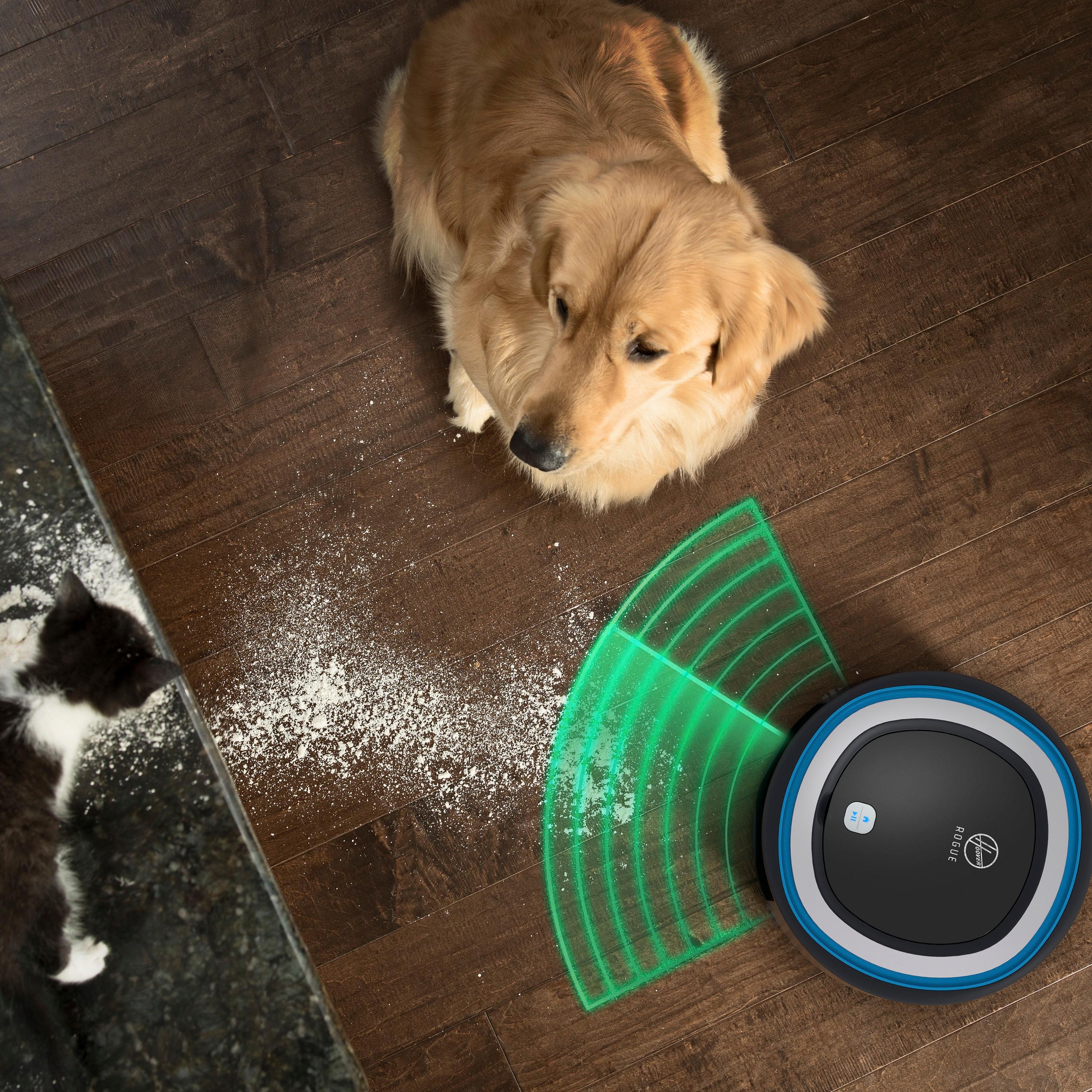
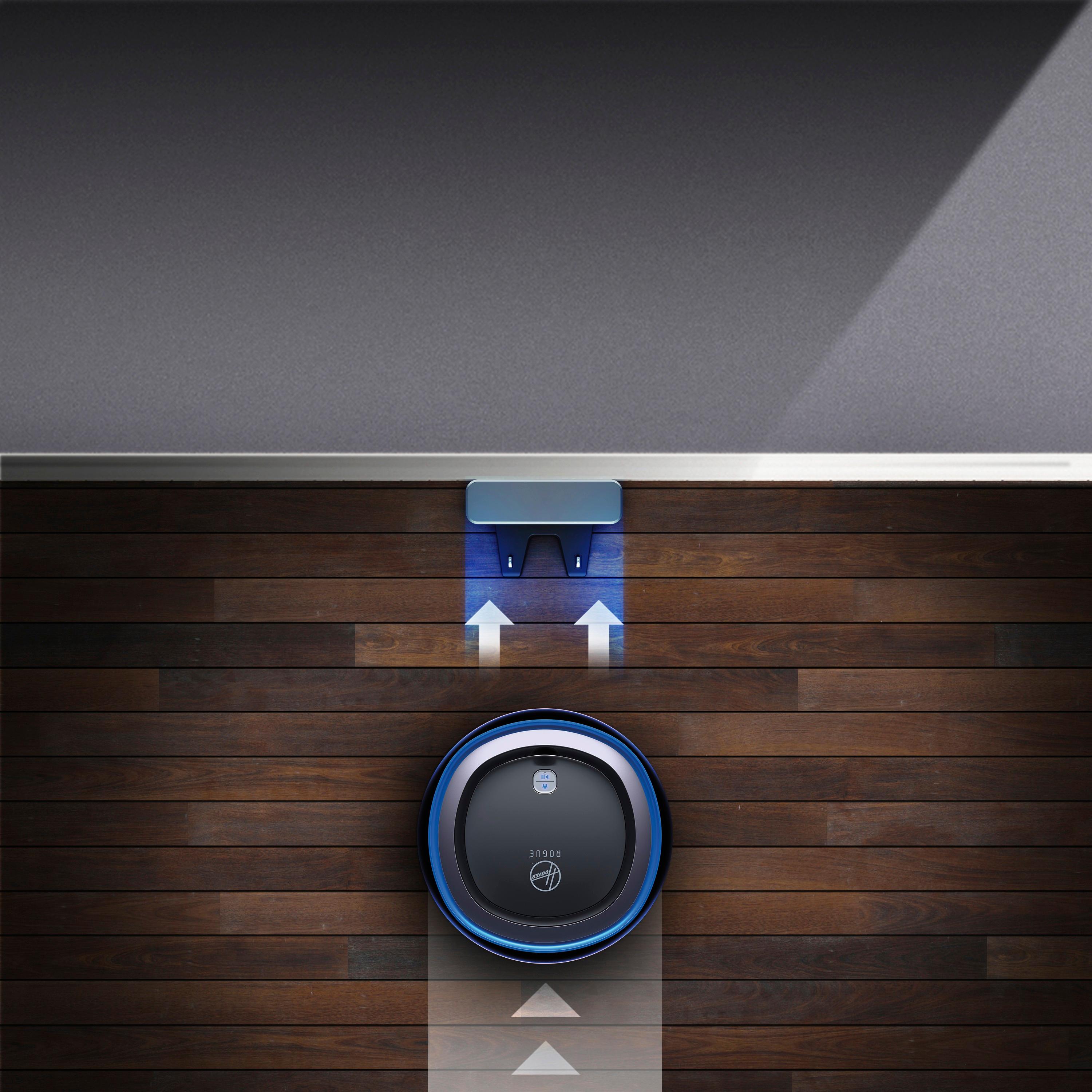
|Posted .This reviewer received promo considerations or sweepstakes entry for writing a review.This is really a review of both the Hoover Rogue 970 vacuum and the Hoover Home app for Android, since much of the functionality promised is only available from the app. The app for Android only just became available, the app for IOS has been available for a little longer. First, the vacuum itself seems to be very well constructed, very durable. The vacuum seems to pick up dirt and fur (we have two dogs) well and the dust cup seems a little larger than most robovacuums. It also picked up sand and dirt well. The sensor technology is impressive, the Rogue avoids running into walls and other obstacles very well. It also seems to be able to clean along the edges of a wall, which is something I haven't seen in a robovacuum before. The filter is rinsable, which is a nice touch. The Android app wasn't available when I first got the Rogue, which was disappointing, since it was advertised as being supported. So I turned it loose manually; it backed away from the dock and rolled off, doing a credible job of cleaning. It is impressive watching it avoid (most) obstacles. We have wood and tile floors, with throw rugs scattered around and it did get stuck several times trying going onto the rugs. Additionally, very disappointingly, it couldn't climb a 1/2" transition strip between the wood and tile floors. It also wedged itself really badly under a sofa and also under a recliner. It took a lot of effort (actually had to lift the recliner) to get it out. It's about 4" tall, about an inch taller than many other robovacs, and it's "wedge" detection, as well as it's rug detection, needs improvement. The app became available and mostly works, but with some peculiarities. The mapping function (recon mode) now works, but only supports one map. The maps are used to set up 'fences' and to help the robot navigate. Since it couldn't climb the transition, half my house was unmapped. It would be really nice to be able to either add to a map or support multiple maps. There are no notifications when the robot gets in trouble. This may be added later, but it means that you have to listen for the robot getting into trouble. I wouldn't use the scheduling at this time because it got into trouble on every run. I could simply clear the problem (usually a folded rug), start it and it would pick up where it left off, which was very nice. I didn't have to return it to it's dock, it didn't lose it's bearings. Speaking of docks, watching it return to the dock in docking mode really demonstrated the capability of the mapping function. It heads straight to the dock finding it's way through doorways and down halls without bumping into anything of having to wander. It's really impressive. To Hoover's credit, they seem to be actively working to address the deficiencies and extend the capabilities of the Rogue. If they continue, this will be THE robovac to get, especially at this price point. For now, it's really a product with a lot of promise that feels as if it was rushed to market.
No, I would not recommend this to a friendBrand response from Hoover
Posted .Thank you for your review and feedback! We are always working to improve the Hoover Home app and the overall user experience. Stay tuned for push notifications coming soon which will notify you if Rogue is in trouble. You mentioned that there are some areas within your home that Rogue gets stuck on. We would recommend utilizing SmartWall to block of the area rugs or anything else Rogue might have trouble with.
- Cons mentioned:Battery life, Mapping
I had high hopes...
|Posted .This reviewer received promo considerations or sweepstakes entry for writing a review.The Hoover Rogue 970 robot vacuum looked like a great addition to our home. With such a name "Rogue," I really thought that it would meet up to its name and perform its job with ease. I was completely wrong. Out of the box, I immediately charged it before doing anything else. Once fully charged, I went ahead and followed the instructions to link it to my home network to get it going. This was a very easy process that anyone can do, as it is as simple as choosing your network and entering your password. This wasn't the issue withe the Hoover Rouge 970. The initial setup is a breeze, but getting it to vacuum, and finishing its task, was a completely different story. On a full charge, I started the robot vacuum in the medium setting. I let it do its thing while I went outside to work on another project. About fifteen minutes, I come back inside and found the robot shut completely down in the middle of my living room. I thought that it might not have charged completely(display read full), so I went ahead an put it back in the charger. After a full night charge, I start the robot and put it on "map mode." It maps out my house (very cool), but does it very slowly. After it finishes mapping the house, I put it back to charge for a few hours. I turn it back on after it charges and put it in the highest vacuum setting. I immediately noticed that the vacuum kept stopping, forcing me to have to restart it manually. This happened multiple times!! I thought that the issue might have been the high setting, so I put it back to normal, cleaned the sensors, roller, etc... The issue persisted. I'm not sure what is going on with Hoover's Rogue robot vacuum, but I have never had issues with my Shark Ion Robot 750 vaccum. Honestly, I don't think I can recommend this vacuum to folks. I would explore other options before going with the Hoover Rogue 970.
No, I would not recommend this to a friendBrand response from Hoover
Posted .Thank you for your review. It sounds like something might be wrong with your Rogue. Please reach out to us at [email protected] so we can help!
Not ready for prime time at all - omg the app :(
Posted .This reviewer received promo considerations or sweepstakes entry for writing a review.Ok, so this is my second attempt at a Hoover robot vac. I bought the Quest 800 last week, absolutely hated it, returned it, and decided due to the tech capabilities of the Rogue 970 I'd give it a shot. Yes, I did read all the reviews, and yes, I knew it was an uphill battle but as someone who loves tech I wanted to give it a shot. So, I did... I bought it last night, took it home. Presentation, Hoover gets an A+. Slick and sleek looking, love the marketing/packaging materials, gives it a personality. Really neat. The hardware is VERY WELL BUILT. The two side brushes installed was a nice touch. It has a bit of a higher built profile and I was worried it wouldn't fit under my furniture - nope, totally fits just fine under the couch, etc. That made me happy :). On to the set up. Turned it on, put it into paring mode... nothing. No connection. I am running a 2.4Ghz / 5.0GHz Netgear Orbi router with one SSID broadcasting on different channels. It should easily connect, right? No. The reviews said that I had to disable the 5.0GHz SSID and broadcast 2.4Ghz only and it would connect. Cool. Tried it. Nope, nothing. WTH? Another reviewer said I had to temporarily disable security on my network and make it an open network (again, WTH?!?!!). So, I did it. Put it back into pairing mode - BOOM connected. Hmm ok lol. It connected, appeared to download some sort of patch software update, and was ready. COOL. I turned security back on, turned the 5.0GHz band back on, immediately WiFi signal dropped on the Rogue and it was no longer connected. OH COME ON!! I got so frustrated I gave up trying to connect and just decided to manually start it up. Started up, a bit louder than the Quest 800, but I assumed it was because it was a bit more powerful (side note, this thing is built like a tank - seriously - really nice job here with the design Hoover - underside of it looks extremely powerful/sturdy). Anyway, did its thing - got caught up twice, but nothing too major. Then, the randomness... it turned off in the middle of the floor for zero reason. Hmm ok, weird. Started it back up, kept going. 10 minutes later, same thing, turned off in the corner. WTH?! This happened twice more. Finally, again, I got super frustrated and pushed the home button on the dock. It found the dock within 3 minutes, docked, charged. I went to bed. Got up today, did manual mode again, didn't turn off at all. Cool. About an hour ago I decided, what the heck, let's try to connect it again (dual 2.4 and 5.0 GHz running on secured network). BOOM found it first try - OMG?!?! THERE IS HOPE PEOPLE!!! Connected within 5 mins, all good. COOL! Started Recon mode, started mapping the floorplan (I have to admit, when they work out the bugs with this, it's going to be killer - it was so cool watching it create the map on my iPhone X in real time - super neat). Ok, built the map, went back to the dock. YAY! Went to check out the floor plan to do some virtual walls... "Loading your Map"... "No current floor plan, Complete RECON mode to view map". Really? Really?!?! I just spent 45 minutes building this map and now I need to do it again. LE SIGH. At this point, I can say what every other reviewer has said: The hardware is killer - sucks up a lot of dirt, built like a tank, doesn't bounce off of everything, long battery life, and actually recongnizes obstacles in its path (it was hilarious watching it circle around my cat, giving it about 1/2 an inch of room between it and the cat as it cleaned around the cat lol - my cat was so confused :P). The software is, sorry here Hoover, AWFUL. Abysmal even. It constantly disconnects from WiFi (the app always says the Hoover has been disconnected and you have to reconnect). It removes the floor plan completely after Recon mode, thus rendering it useless. What's even crazier, is that I think when you run a regular clean mode, it builds another map automatically because when I went back into the app after running a standard clean cycle, it built a new map which I never sent on a new Recon mode to do). The animations are overly done in the app, causing the app to experience slowdown (I have an iPhone X - there should be zero app issues lol). The bottom line here is, it's a great idea, and early tech adopters may have patience for 6 months while they work out the kinks. I am going to probably return this for the Neato D3 Pro which, while it can't build the map on your smartphone, has this awesome laser tech that stores maps locally on the unit itself, thus it basically does the same thing. It can't build virtual walls, but at this point does it even matter since the Hoover app doesn't work. Buy at your own risk, but be warned - the software experience will drive you insane.
No, I would not recommend this to a friendNot great at deep cleaning carpets.
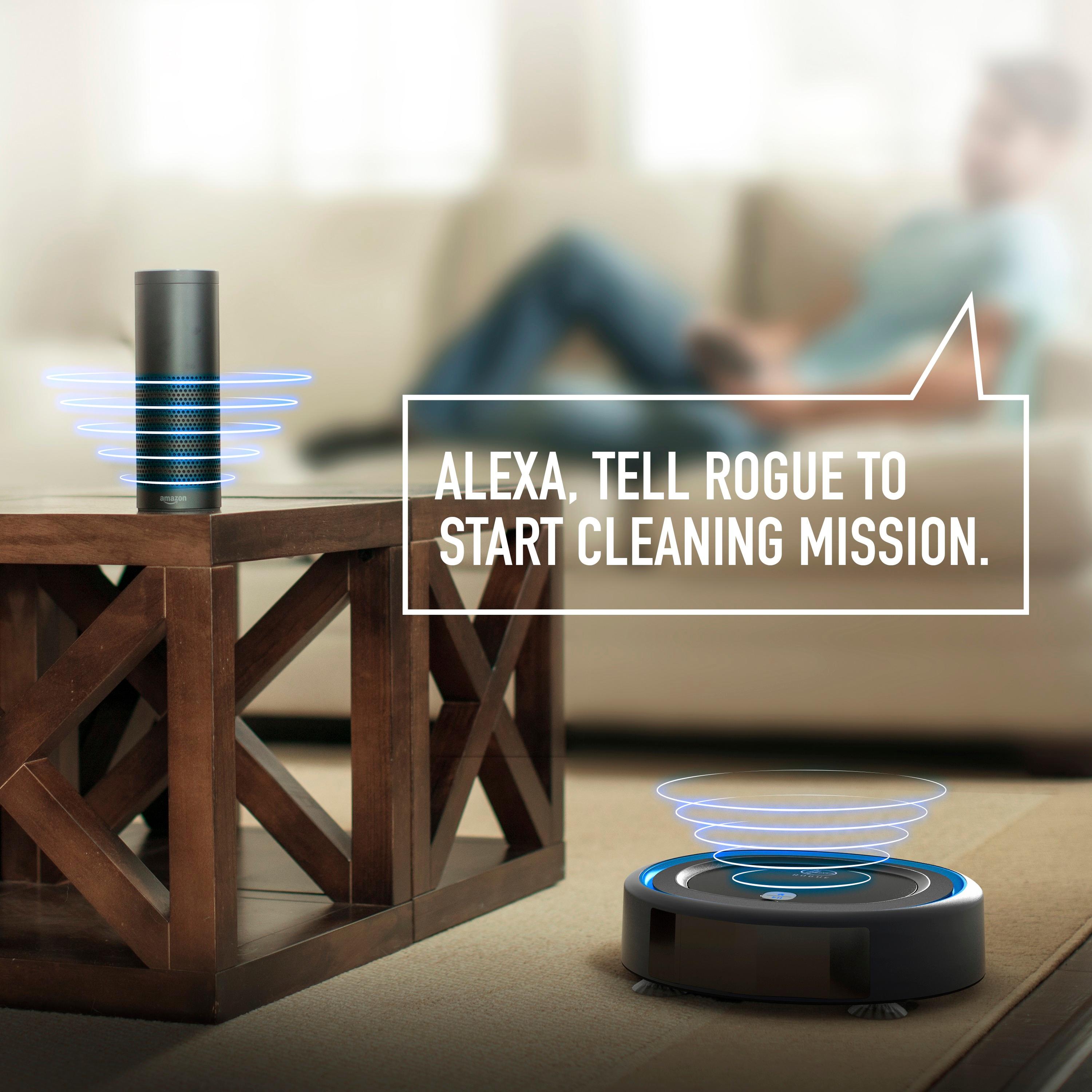
|Posted .This reviewer received promo considerations or sweepstakes entry for writing a review.I'll begin this review of the Hoover Rogue 970 with the Hoover Home app, which seems to be the "brains" to this device. While the vacuum cleaner will operate independently of the app, Hoover seems to be hanging their hats on the added versatility of the Rogue when the app is incorporated with this device. When I went to the App Store to download the app designed to work with the Rogue 970, I was repeatedly rebuffed with the message "No results for Hoover Home app". Umm, okay... I tried several times to find the app, to no avail. I looked on the App Store for the iOS version and the Play Store for the Android version; nada! Finally, I went to the Hoover website, and after searching fruitlessly to find any information to obtain this app, I clicked on the FAQ, which eventually lead me to a link to download the app from the App Store. Once I got the Hoover Home app up and running on my iPad, I was easily able to connect the device to my Amazon Echo Show, which allows me to verbally communicate with the Rogue. (What have we become, when you can do your housework by sitting on your sofa watching television, and telling a device to perform one of your chores for you? ...but I digress). Once I got everything set up, I had the Rogue 970 start its Recon Mode, which allows the Rogue to map the rooms in your home. After completing the recon, I had the Rogue run it's first cleaning session. I have hardwood floors in my home, with area rugs, and the Rogue impressively maneuvered between the two surfaces with no problem (It should be noted that thin, light rugs, or runners will cause a minor problem, as they'll get folded over or pushed around by the vacuum cleaner). Also, The Rogue completely missed certain areas of the floor while cleaning; even after I ran the Recon Mode twice. Watching this device navigate its way around your residence is entertainingly novel; it will definitely impress your friends. It's kind of like having a pet in your house that responds appropriately to voice commands. However, I don't believe this device has tremendous cleaning power. After the Rogue finished vacuuming one of my rugs, I went over that same rug with my regular vacuum cleaner, and picked up a 'significant' amount of dust. This was after the Rogue had already gone over it TWICE. Given this revelation, it's my opinion that the Rogue is better suited for hardwood, or bare floors. Based on my experience with this device, it does not perform deep cleaning on rugs or carpeting. If all you need vacuumed up are crumbs, or other small particles, this device will be adequate for you (moreso for novelty's sake). If you want embedded dust or dirt removed from your soft floor coverings, the Rogue 970 is not for you. You'll have to get off your sofa and do it yourself.
No, I would not recommend this to a friendBrand response from Hoover
Posted .Thank you for your review. Like most robot vacuums, Rogue is a maintenance cleaner but is not meant to replace your upright vacuum. You mentioned above that Rogue missed certain areas while cleaning. A couple tips to ensure Rogue maps correctly in Recon Mode: ensure Rogue has a full battery and always starts from the dock, place the dock on a hard surface and in the middle of the home if possible, make sure your home is well-lit and no obstacles hinder Rogue from exploring.
I can't believe it took this long for perfection!
Posted .This reviewer received promo considerations or sweepstakes entry for writing a review.I have had robot vacuums for at least a decade now, but have not been very happy with them. They bumped into everything, went off track, lost their way, but not my new Hoover ... or Roggie as I have now named her. I almost didn't get this as I couldn't find the Android app, but I took the plunge and am not regretting it. It arrived on Friday and I set it up. Process was pretty easy although I recommend being very close to it so that it finishes the connection and set-up. First check, cleaning power ... passed! It got everything. We had pet hair, cereal and all sorts of things I had no idea where on my floor, but Roggie found it and it was all in the cleaning bin. Next, map my house ... passed! Great map of the house and it seemed to get everything. It would be nice if some of the lines connected, but that's OK, I can see it worked. Last, scheduling. I hated having to press all the buttons on my Roomba to just set it up to clean every day at noon. This one was a big PASS for me. So much easier and I was blown away when I saw the robot went back to charge before finishing what it couldn't before. Wow! One interesting observation I had was that I set this up on Thursday or Friday but by Saturday I saw they rolled out new functionality and I didn't even have to download anything. The new mapping was much better and refined. I feel like it is getting better and better. I also haven't tried this on the iPhone yet, but I'll set it up on my wife's phone this weekend when she returns and see how it compares. I can tell you that my Google 6P worked like a charm though.
I would recommend this to a friendBrand response from Hoover
Posted .Thank you for your review! We're so glad you are happy with "Roggie"! Stay tuned for even more updates to the app coming soon!
- Pros mentioned:Navigation, Noise level, Setup
Great vacuum for the reluctant cleaner
Posted .This reviewer received promo considerations or sweepstakes entry for writing a review.As someone who hates finding time to vacuum, this is my second robot vacuum (first was an iRobot). I found it easy to set up (pretty much plug and go). While many have commented on the app, you don't need it to operate the vacuum and new updates must have come out since I got mine because I didn't have those issues. I really like how the robot seems to sense when it's getting close to an item and stops itself (unlike my iRobot which just bumps into it and repeatedly bumps my furniture until it moves along). It's easy to clean out. It's pretty quiet. And I can just set a cleaning time or press on when I want it to go. The only downside - my two year old loves to follow it and press the off button!
I would recommend this to a friend A great vacuum but...
|Posted .This reviewer received promo considerations or sweepstakes entry for writing a review.I got the Hoover 970 shortly after it launched. I think that the vacuum has a lot of potential, but it has had it's share of shortcomings. The vacuum is able to navigate around obstacles fairly well on its own and does while learning to map out a floor-plan of your cleaning area. This is a fairly well built device, strong motor, easy to remove dirt cup, and is fun to watch it wander around. Unfortunately, what the Hoover 970 lacks is a decent app, which are the real brains behind a seemingly well designed device. At launch, the Hoover 970 mentioned both iOS and Android support, as well as Google Home and Alexa support in its documentation, with an iOS Hoover Home app ready to go. Unfortunately, Hoover only supported iOS at launch. It was nearly a month before the Hoover Home app for Android was released. As of this writing, the Hoover Rogue 970 still lacks support for Google Home and Alexa, so uncheck that box for adding this to your list of home automation devices. It's only saving grace is that you can schedule it to run by itself. I would recommend the Rogue 970 if you have enough patience to wait for Hoover to smooth out the bugs and make its app more user friendly.
No, I would not recommend this to a friendA lot of bugs... but promising start
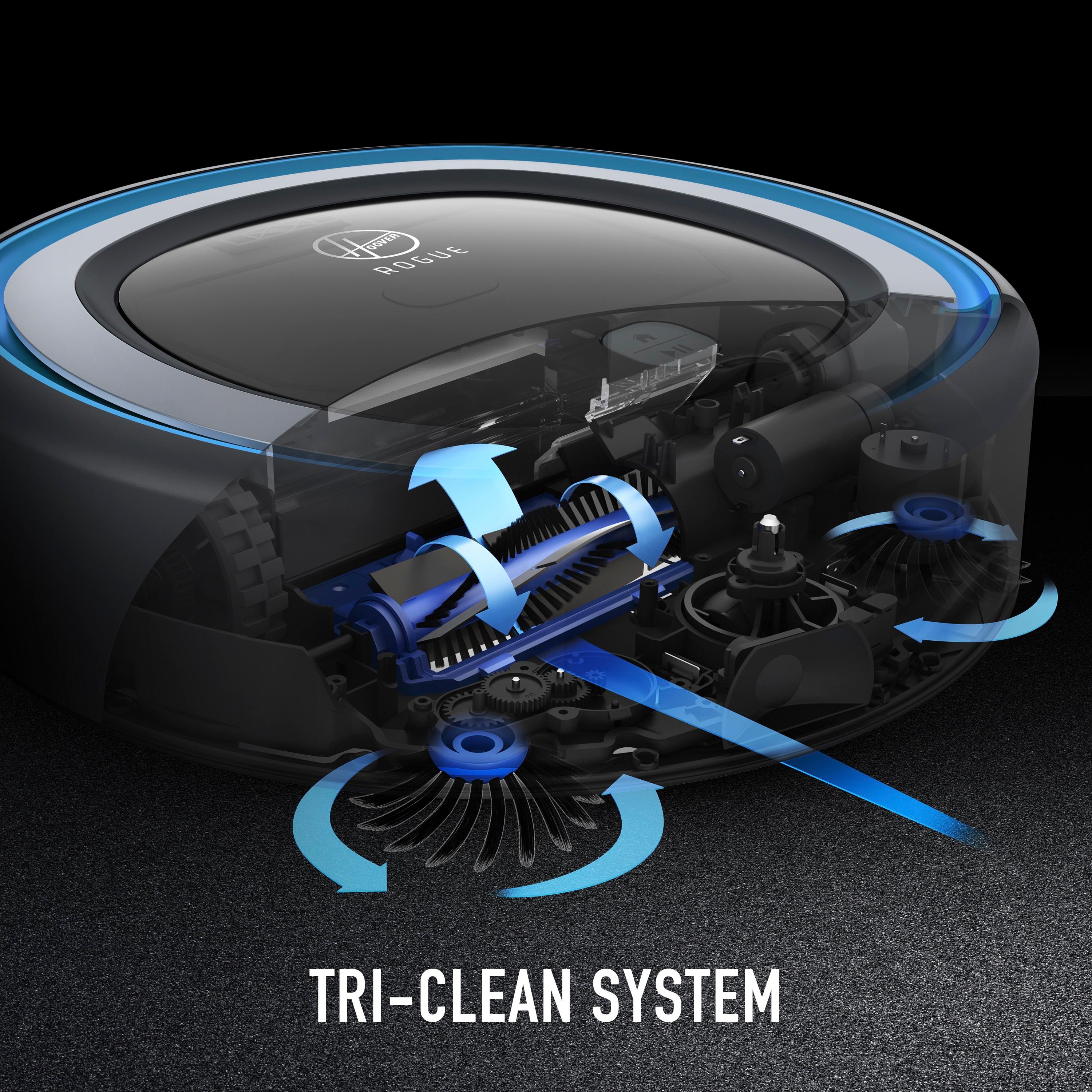
|Posted .This reviewer received promo considerations or sweepstakes entry for writing a review.I will start this review like this… give it a chance. This is a great device with lots of bugs that will eventually be great. Next, is my usual breakdown of what I like and would change about it. -=|Things I Would Change|=- WiFi Setup and Compatibility -I've never had so much trouble with connecting something to Wi-Fi. Whatever chipset is used for Wi-Fi communication is just odd and clunky. I've not been able to properly and reliably connect the device to any form of secured network. The instructions explicitly state that 2.4GHz is the only type of network it will connect to. What they don't say is that the SSID has to be 2.4GHz ONLY. I run a mixed 2.4/5.0 SSID and 99% of devices have no issues connecting. They connect to the band they are capable of. Not this guy! Rogue is like no can do, I need 2.4GHz ONLY network just to connect. Now, not just any 2.4GHz network initially, one that isn't secured. I couldn't get this darn thing to connect to anything until I set up a new SSID that was unprotected and put my APs in LEGACY (802.11b/g) mode. Then, magically it connected, seemed to download a firmware update, and then I was able to get it to connect to a secured 802.11n network. At least I assume it downloaded a firmware update because I figured that if I could get it on the internet Hoover probably had newer software for the thing ready to download that might fix some of these Wi-Fi issues - it's one of the features after all. In 2017 this was just silly and inexcusable. Poor Firmware out the Box Out of the box it will only connect to a 2.4GHz on an unsecured network. Most people have upgraded to better routers that are TriBand and offer A/G/B/N at both 2.4GHz and 5GHz. You have to connect to Hoover somehow to get the update. A not so techy consumer who does not have a background in IT or Networking will get frustrated and return this vacuum. It would be nice to have the vacuum connect through the app and load the firmware via Bluetooth or on its own WiFi network like GoPros or other devices do through an app. No Support for Android (as of 11/5/2017) Do you want to set it up on your Android? The app is nowhere to be found. A response from Hoover on here says the application for Android should be in the Play Store today, but it should have been on the Play Store weeks ago. You don't ship a product, advertise ON THE BOX that it has support for something, and then it's nowhere to be found. I have an Android phone and this is very, very, disappointing. EPIC FAIL! Simple solution, create the Android App BEFORE you advertise it has support for it. Apple App Feels Rushed The iPhone/iPad App is really just an iPhone app. It just scales up to iPad resolution like old apps did when iPads had apps developed exclusively for them. On my iPad the app runs in iPhone mode so everything is magnified. It's slightly clunky, but an improvement over the other Hoover app available. I've yet to have it reliably connect to my Rogue on the name network. The Rogue shows as connected to Wi-Fi, and the app sets it up, but yet it complains that it can't talk to the robot. On the bright side, I got them both working once when I was running that unsecured Wi-Fi network I talked about earlier. But they still both show as connected to my secured Wi-Fi...so yay? I haven't tried the Alexa skill yet, or the Google one. I kind of can't due to the issues just with connectivity. No Alarm/Sound for Being Stuck or Hindered It also seems to not beep when it gets stuck somewhere. It has a little ear piercing beeper, and well when it got stuck it just turned off and the error light illuminated. Might be an oversight on Hoover's end there - no reason not to have it beep at you so you can free it and let the Rogue get on with its mission. It also hates cords, a bit more so than some other robot vacuums I've owned. -=++|Things I Love|++=- Packaging and First Impressions The design language and overall feel of the product really seems like they put some effort into delivering a competitor that is different and fun! I actually enjoyed unboxing it and reading the manual. The box is coated in a nice finish and the instructions are delivered in a black "top secret mission" type of envelope. I like this design direction as it implies fun. Their YouTube marketing videos also really sell that. Design The vacuum itself is designed very well and feels extremely solid. The bumpers, brushes, and overall construction scream that they did put some thought into this thing lasting. The dirt bin is the neatest little feature I think - you flip up the top lid of the vacuum and you press a button and it pops out. Then you empty it, and you gently push it back into place until it clicks. That's really clever and feels cool just to do. It has four lighted icons on the top that indicate Wi-Fi connectivity, battery status, dirt bin, and any errors. The way they cover them with the top lid is actually pretty cool and makes the lights seem more luxurious. That's a weird word to use with a vacuum, but it's really how it feels. Technology and Mapping When you first fire it up, it does some "recon" of your house. That means it seems to wander aimlessly bumping into stuff like a curious dog or cat. I kind of watched the method to the madness, and it's actually really neat and works quite well. Power and Performance This thing can move! Wow is it fast. When it wants to go somewhere it hauls. That's awesome and makes me think that coupled with the Lithium-Ion batteries it can really get a bunch of cleaning done quickly. It's relatively quiet and has strong suction. You can also choose from 3 different modes in the app...if you get it working. Quiet, Standard, and Beast. No joke, it has a beast mode and that's just awesome. You only tend to hear the noise of the vacuum motor and not the actual wheels - it's very quiet and fluid when it moves around compared to other robot vacuums I have used… almost like it's hovering just slightly above the ground. The battery lasts around 2 hours on Quiet Mode and 45mins on Beast Mode. -=|The Verdict|=- So...with all the negatives why am I keeping it? For those who are interested in this vacuum… it's neat and stylish. It's fully loaded with technology. The marketing is cute. However, they've launched a product with incomplete and unreliable features...but I still like it enough to not give up just yet. Smart apps can be improved over time, firmware can be updated, and first releases are usually pretty buggy. However, this has become the norm in today's technologically focused society - ship it now and we'll patch it later. This is definitely the case here. BUT...this is a fine piece of hardware with (what I feel) is a bright future ahead of it. If Hoover can get some of the oddities with Wi-Fi sorted out and really bring their A game to the app table they'll have a winner. For a device so heavily focused on the tech bit, however, this is a disappointing start, but I believe this will become a great product with a few more months of tweaking. Most people would return something that was this buggy or unfinished out of the box, but I won't be one of them for now. I'm willing to stick it out and see what happens. You can see everything in the instruction manual at http://tti.a.bigcontent.io/v1/static/Rogue_900_Manual For Android users, this is a total WAIT A BIT. There is no Hoover Home App in the Play Store at the time of writing this on 11/5/2017. You cannot even link it to a wireless network without the Apple App. Luckily, I had an old iPad laying around collecting dirt to do this setup with. I am extremely disappointed in the release of this unfinished product with so much potential. For Apple users, this is a BUY. It's a great vacuum for the price. It's loaded technology and has tons of value. I believe the bugs will be worked out with this so GIVE IT A CHANCE!
No, I would not recommend this to a friendBrand response from Hoover
Posted .Thank you for the review! The Android app is now available in the link below. We appreciate all the feedback. We are continually updating and improving the app so thank you for being patient with us. We are also going to be adding some new features through the app like push notifications so you know when Rogue encounters an issue. https://play.google.com/store/apps/details?id=com.hoover.home
Dream Come True - Surreal
|Posted .This reviewer received promo considerations or sweepstakes entry for writing a review.I love sci-if movies, I love technology, and I have to say that this unit has brought an element to real life that really hits me how far we’ve come in this world. The first couple of times that I used it, I was so shocked by how it handled the different terrains (rug, hard wood floor, child’s play flooring) that I found myself just watching in disbelief. I sat there and watched in wonderment as the unit traversed my dining room through chairs and round the table - and to my disbelief, handled towels that were in the way at the sliding door where the dogs go in and out So to tell you how valuable this is to me, I have 2 dogs and a 1 year old daughter. My wife and I struggle to find the time to keep up with the dog shedding, let alone the dropped food that my daughter may get by our attention! The fact we can schedule the vacuum to clean at off hours, and the fact it does a superb job handling obstacles in the way, I could not be more happy with the functionality and amazing capabilities this has! The reality moment was the first time we said “clean,” left for a few hours and came back to a full dust bin and the Rogue back on the charger perfectly. The ONLY thing I would recommend and tell people is that you should make sure your router has 2.4 GHz channeling on. I have a dual band router, and when in 5 GHz mode, it was having difficulty connecting the Rogue to the local network. Once I cleared that up, it worked on the first try! Another thing I did wrong at first was not listen 100% to the quick start. Charge the Rogue first and from the base do the recon mode and let it complete and go back to the charger! This creates a full map of the space that it is cleaning and will ensure proper functionality. Aside from that, it is a blessing that keeps giving every day!
I would recommend this to a friendBrand response from Hoover
Posted .Thank you for the review! We're so glad Rogue has fit the sci-fi, technology bill and helps keep on top of the dog hair and baby crumbs!
- Cons mentioned:App functionality, Dust bin
Worst Mobile App Ever
Posted .This reviewer received promo considerations or sweepstakes entry for writing a review.I had such high hopes for this robot vacuum, the vacuum itself is very good. The suction was very good, but the robot would get stuck all of the time. It would either get stuck on the ledge of our stairs or under chairs. The dust bin was also frustrating, there is a little plastic flap that always falls off. You also need to use the brush to brush off the filter screen every time. It is just not designed very well. Setup of the robot is also very frustrating, mainly because the app is so poorly designed. The app also crashes all of the time and always has issues connecting to the robot. My biggest concern with this robot is that a lot of the advertised features are not available even though the robot has been available for 3+ months now. For example, the app does not have push notification and the status updates to tell us what is going wrong with the robot are very minimal and not descriptive enough. After months of communicating with Hoover and them promising app updates, there just has not been enough improvement. I finally broke and returned the robot. After much more research, I purchased a Neato D3 robot, hopefully it will be much more reliable than the hoover rogue.
No, I would not recommend this to a friend - Cons mentioned:Battery life, Mapping
Horrible App Ruins Product
Posted .This reviewer received promo considerations or sweepstakes entry for writing a review.Bought the rogue because it was on sale and the reviews were decent online. I should have looked harder at the reviews. The only way the vacuum will work is if you map the space. Fine that should not be too bad. First time completely skips a section of the floor. It did not put a wall like it ran into something. Just open. So I rerun and it kind of maps the area. There are jagged lines where straight walls are and it was able to get under my kitchen table but drew some weird shape where it thought chair legs were walls. I decide to run the vacuum then and it speeds off to a distant room and starts to vacuum. Everything is great until the battery is low. It returns to the home base to charge. 3/4 of the floor is done. Several hours later it randomly kicks back on and continues what it was doing. Then it loses the map. It begins to spin slowly seeming confused and then vacuums the same two feet of carpet over and over. I try reload the app, change tabs, and click on random options. THE MAP IS GONE! Several recon missions and failed missions later, I still have not been able to vacuum the floor completely and the map never stays for long. Also the alexa skill never works. Don't know if that is Hoover's fault or Amazon's. I wish i could return it but too much time has passed. AVOID AT ALL COSTS!!!!!
No, I would not recommend this to a friend - Cons mentioned:Battery life
good for small places
Posted .This reviewer received promo considerations or sweepstakes entry for writing a review.We had Rogue for three weeks now and overall enjoyed having it. No issues with the app or vacuum itself. BUT it is not designed to clean big spaces. IT either gets full or runs out of battery while cleaning our living/dining room area. It never made it to the bedrooms! Also, if you have dogs or cats, cleaning brushes becomes daily thing:( Bottom line: for a big house, good supplementary vacuum to keep the place clean in between regular cleaning service. Plus: both kids and dogs find it very entertaining!
I would recommend this to a friend Works, but still a "Bear of very little Brain"
Posted .This reviewer received promo considerations or sweepstakes entry for writing a review.I received this item in exchange for a review. I would liken this product to Star War's C-3PO. Helpful, but not very helpful. The tech is not there yet to really eclipse the need for a human-driven vacuum. Works well for: A broad, open, single-level floor plan without much furniture. One who does not like to vacuum often, even if one should. One who likes impeccable vacuum lines left in their carpet. Its really pristine. Ways in which this vacuum is thwarted: Objects other than dirt on floor (toys, shoes, light rugs, power cords are indifferently consumed, while objects that should be cleaned up - pine needles and other leaves or small sticks - often get stuck halfway into the dirt hopper, or just pushed around the floor) Convoluted, or cluttered walking areas It cannot vacuum into corners Low furniture or low cabinet overhangs closely matching the height of the robot; it will attempt to wedge its way under them and get stuck. Small elevation changes (ex. 2" tall fireplace hearth, or thresholds. The depth sensor registers the area as free-and-clear and attempts to drive through such steps). In summary, while this robot did assist in maintaining a clean state in our house, I found myself all too often fetching it from under a piece of furniture, extracting a partially ingested toy, shoving it the last two feet to the charger, and restarting it's cleaning cycle. I still need to vacuum the perimeter of every wall and piece of furniture, and occasionally deep clean the carpet myself. I still need to change out the dirt hopper and clean/replace the filters fairly often.
No, I would not recommend this to a friend- Pros mentioned:Noise level
Skeptic Turned Believer with Hoover Rogue
Posted .This reviewer received promo considerations or sweepstakes entry for writing a review."Do you really need a robot vacuum?" The question has often left me saying, "no," and therefore robot-less. However, a friend turned me on to Hoover and convinced me to "go Rogue." I'm so glad I did. First, I love the design of this product. It has modern and sleek clean lines that suit my home. It's also very quiet. I've been in homes with other robots and felt as if the robot vacuum should be seen and not heard. You can hear that the Rogue is running, but not at a level that compromises conversations. Second, I have two cats. They are short hair tabbys, but in order to stay on top of "the mess" I run a thorough vacuum once a week. The Hoover Rogue wouldn't completely replace a thorough weekly vacuum, BUT it does make for a nice quick in-between-job or a tide me over. Despite the compartment being small, it will take up a solid chunk of dust and dirt before asking to be emptied. My living room is completely carpeted, and I've been very happy with the results. Lastly, the charging station is extremely well designed. Nice and small and easy to put out of the way. You can tell this unit was designed to be in a functional home, and I appreciate that! The vacuum has an app that you can run from your Smart Phone to communicate where the vacuum should go, as well as easy to use buttons on the top. Looking forward to using the "home mapping" features next. Thank you Hoover!
I would recommend this to a friend - Pros mentioned:Cleaning performance, Navigation
Great product!
Posted .This reviewer received promo considerations or sweepstakes entry for writing a review.This is a really great machine. It cleans like it should. I think this is the future of vacuum cleaning. It cleans my hardwood and carpets! I was worried about it fitting under couches and tables but it gets the job done in every room without a problem. It doesn't bump furniture either. Definitely a great buy!
I would recommend this to a friend - Cons mentioned:App functionality, Mapping
APP SUCKS
Posted .This reviewer received promo considerations or sweepstakes entry for writing a review.So....I got this thinking it would be a pretty simple to operate and use. Not so much. It cleans ok but....the app. The robot did its recon thing and mapped out the house and worked for a few weeks until this. The smart barriers are a joke, half the time it’s hit or miss and I was walling off a whole other room. Since that didn’t work, I deleted my entire map (also doesn’t always show up btw). Once deleted the app kept locking up....especially when I wanted to delete the maps. It wouldn’t delete. I reset the robot, and now I keep getting an error stating it can’t detect the robot for setup again. Unfortunately, I’m out the money I spent on the this. Should have got the iRobot which I’m now gonna have to get cause I have a useless Hoover Rogue sitting on my living room floor.
No, I would not recommend this to a friend - Pros mentioned:Navigation
Very Easy Setup
Posted .This reviewer received promo considerations or sweepstakes entry for writing a review.This is my first robot vacuum and i was not sure what to expect. Instructions were easy and even reflected a personality from the minute I opened the box. I had it run for awhile before I downloaded the app - not a mistake but things made more sense with the app. Other reviews had glitchy experience with iOS - mine worked just fine first time. The recon it does is cool and you can see the map of your room in the app. I have a dog and the Rogue powered through dog hair and dust balls from 2 new area rugs. When it ran out of battery it turned around went back to it's station and watching it park itself was downright amazing. I have a lot of furniture - sectional couch, 4 large chairs plus two oversized ottomans just in living area - and it did amazingly well navigating around them. Even extricating itself (mostly) from under the furniture. All in all this has been a very positive experience and I hope it continues as well as it started.
I would recommend this to a friend