Customer Ratings & Reviews
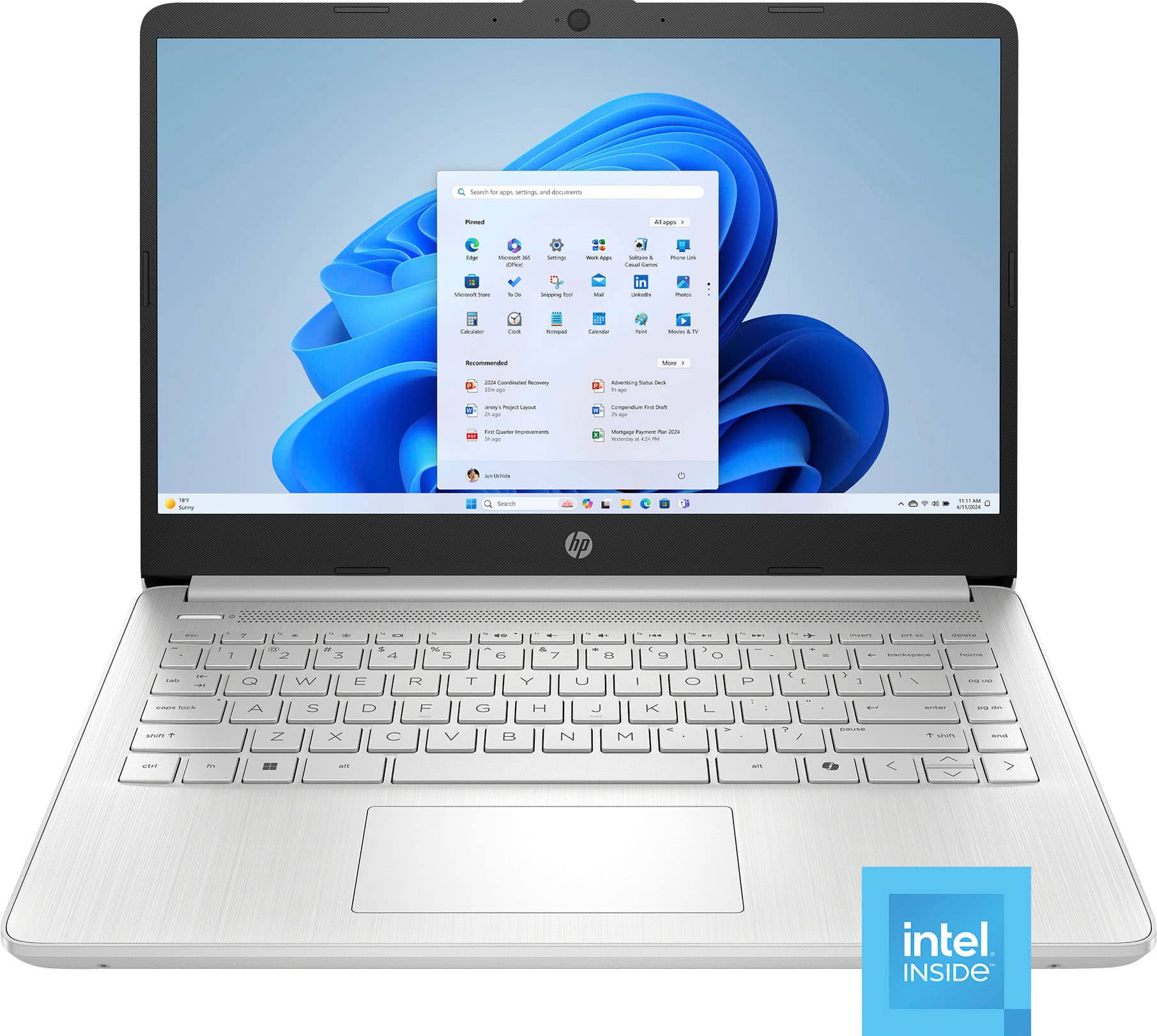
- Model:
- 14-dq6011dx
- |
- SKU:
- 11819644
Customer reviews
Rating 4.6 out of 5 stars with 1398 reviews
(1,398 customer reviews)Rating by feature
- Battery Life4.6
Rating 4.6 out of 5 stars
- Speed4.4
Rating 4.4 out of 5 stars
- Display4.6
Rating 4.6 out of 5 stars
to a friend
Rated 1 out of 5 stars
Bought new they shipped me a used one.
||Posted .This reviewer received promo considerations or sweepstakes entry for writing a review.Highly disappointed ordered a new one for college they sent me a used one and refused to return it, now I have to pay 100 dollars for them to try and reset it. Would not recommend.
This review is from HP - 14" Laptop - Intel Processor N150 2025 - 4GB Memory - 128GB UFS - Pale Rose Gold
No, I would not recommend this to a friendRated 1 out of 5 stars
Poor quality
||Posted . Owned for 1 month when reviewed.This reviewer received promo considerations or sweepstakes entry for writing a review.battery life is not very good at all keeps dying while in class would not reccommend you get what you pay for
This review is from HP - 14" Laptop - Intel Processor N150 2025 - 4GB Memory - 128GB UFS - Willow Green
No, I would not recommend this to a friendRated 1 out of 5 stars
It's just an underpowered PC
||Posted .This reviewer received promo considerations or sweepstakes entry for writing a review.It's just an underpowered PC. I need to go back to a Chromebook.
This review is from HP - 14" Laptop - Intel Processor N150 2025 - 4GB Memory - 128GB UFS - Sky Blue
No, I would not recommend this to a friendRated 1 out of 5 stars
Didn’t recommend
||Posted . Owned for 2 weeks when reviewed.This reviewer received promo considerations or sweepstakes entry for writing a review.I didn’t recommend that product because it is very slowly
This review is from HP - 14" Laptop - Intel Processor N150 2025 - 4GB Memory - 128GB UFS - Pale Rose Gold
No, I would not recommend this to a friendRated 5 out of 5 stars
Great Entry Level Laptop
|Posted .This reviewer received promo considerations or sweepstakes entry for writing a review.I have used many entry level laptops and this is one of the best. First, HP is a leader in laptops and this carries over to this device. It's very well built and has solid features. Not a gaming machine (will play web games) but works well with Office Suite, web browsing, watching videos or movies online and email. This does come with Windows 11 S mode. This means you can only install apps from the Microsoft Store (for security). You can easily exit S mode and switch to Windows 11 home (quick Google will tell you how). Pros * Keyboard is very reactive and easy to use * Screen is bright and vibrant (for this level of laptop) * Good speed and very responsive * Good battery life * Keypad works well. Cons * Only 4GB (Still responsive in S mode) * 128GB might now be enough for some people * Only fair sound quality * Low quality webcam Again, for the price (around $200) the pros definitely outweigh the cons. When it comes to an entry level laptop, I highly recommend this one.
This review is from HP - 14" Laptop - Intel Processor N150 2025 - 4GB Memory - 128GB UFS - Natural Silver
I would recommend this to a friendRated 1 out of 5 stars
Very bad
||Posted . Owned for 1 month when reviewed.This reviewer received promo considerations or sweepstakes entry for writing a review.The worst. You can only open 1 app at a time or the laptop crashes..
This review is from HP - 14" Laptop - Intel Processor N150 2025 - 4GB Memory - 128GB UFS - Pale Rose Gold
No, I would not recommend this to a friendRated 1 out of 5 stars
Oh,no!
||Posted .This reviewer received promo considerations or sweepstakes entry for writing a review.I've only had mine since June 27 and I THOUGHT it was great. it's been freezing up on me.
This review is from HP - 14" Laptop - Intel Processor N150 2025 - 4GB Memory - 128GB UFS - Pale Rose Gold
No, I would not recommend this to a friendRated 1 out of 5 stars
BUYER BEWARE: sound is very low!
||Posted .This reviewer received promo considerations or sweepstakes entry for writing a review.Buyer beware!!! Volume 100 and you can barely hear it!
This review is from HP - 14" Laptop - Intel Processor N150 2025 - 4GB Memory - 128GB UFS - Pale Rose Gold
No, I would not recommend this to a friendRated 1 out of 5 stars
avoid this product
||Posted .This reviewer received promo considerations or sweepstakes entry for writing a review.not working, requires applicatios and programs instalation
This review is from HP - 14" Laptop - Intel Processor N150 2025 - 4GB Memory - 128GB UFS - Willow Green
No, I would not recommend this to a friendRated 5 out of 5 stars
Left S Mode + 16GB RAM Upgrade = Pure Bliss
|Posted .This reviewer received promo considerations or sweepstakes entry for writing a review.This laptop is not going to be having you play GTA 6 (or probably even GTA 1-3), however, that's not what it was made for. It was made for simple word processing & web surfing with some video playback thrown in. And at that it truly excels! First Impressions & Initial Setup The laptop is sleek, feels lightweight yet premium at the same time, has really nice battery life, and is really nice looking. The Windows S Mode is a neat concept but I needed to get it out of S Mode so that my significant other could use it for work stuff. So I set about doing just that. Getting the device completely up-to-date on Windows 11 took only a couple of hours of off-and-on usage, which is standard but I noticed it felt really snappy for such a small amount of RAM and even the kind of budget CPU (it's not an I9 or something after all). All-in-all, I was impressed. So was she! Rating: 5/5 Upgradeability Upgrading the RAM was fairly straightforward. Although I had to remove the rubber stripping on the bottom because there were multiple small screws under there which held the bottom to the top of the case. That was annoying. I had to get my electronics toolkit out along with my vinyl wrapping spudgers and so forth to get everything apart. Not a massive deal but I really dislike when manufacturers do that. Just make the screws exposed-it's really not that big a deal where you have to hide them! Anyway, rant over. Once I took the bottom part of the case off I was easily able to remove the 4GB of RAM and slap in a 16GB DDR4-3200 stick. The system booted up & was blazing away in no time. I didn't notice a huge performance boost, it's just going to allow her to run more browser tabs, and Office docs, etc. without running out of RAM or the system slowing down. I did not see where any type of SSD (probably NVME) would go so I believe the storage driver is probably soldered onto the board. If it would have been a system for me I probably would have fully torn it apart looking but I didn't want to do that if it's a system we are going to be sharing. Rating: 4/5 Daily Usage We have both been using the laptop almost daily & have both really enjoyed doing so. Web browsing is great. Videos on YouTube or other streaming services is really nice, the audio doesn't blow me away with how great it is, but it's also not insanely horrible. The screen quality makes reading text easy. It's not a 4K monitor but at this price point it is perfectly acceptable. Battery usage is where it really shines. We can get a whole days worth of usage out of it before needing to recharge the battery/plug it into power. Also, with fast charging we are able to plug it in for about 45 minutes and get multiple more hours of usage out of it. Super nice! Rating: 5/5 Conclusion This laptop is made for basics tasks and it really excels at them. It blew me away at how snappy & great it is. And with being able to upgrade it to at least 16GB of RAM and it turned it into the best under $250 laptop I have ever owned. I was really blown away. Truly awesome bang for your buck! Overall Rating: 14/15
This review is from HP - 14" Laptop - Intel Processor N150 2025 - 4GB Memory - 128GB UFS - Natural Silver
I would recommend this to a friendRated 1 out of 5 stars
Moose doesn’t work
||Posted . Owned for 2 weeks when reviewed.This reviewer received promo considerations or sweepstakes entry for writing a review.It started working for a week then after that, it stopped working . The mouse keeps lagging Big regret
This review is from HP - 14" Laptop - Intel Processor N150 2025 - 4GB Memory - 128GB UFS - Sky Blue
No, I would not recommend this to a friendRated 4 out of 5 stars
Low budget ultra light laptop-With some quirks.
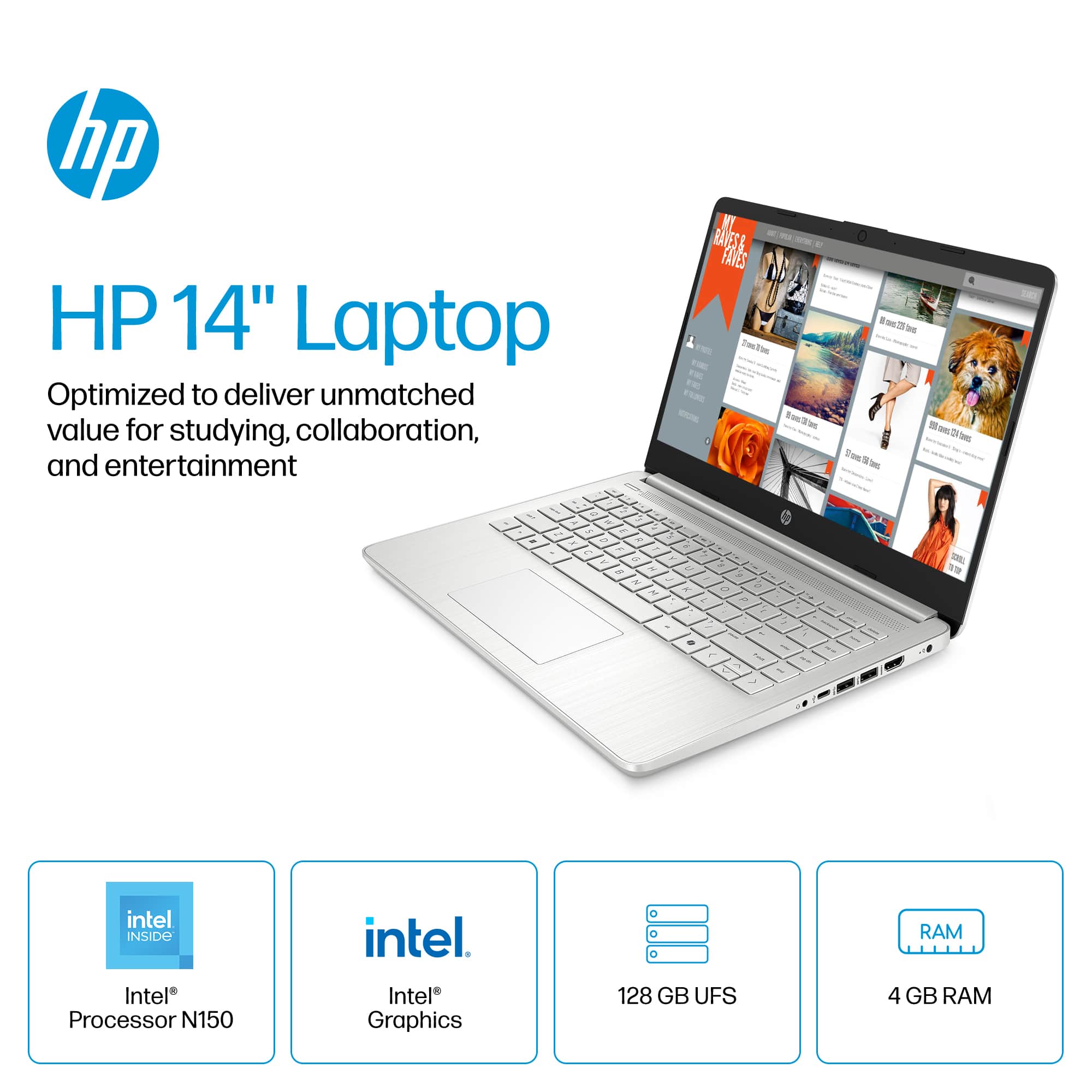
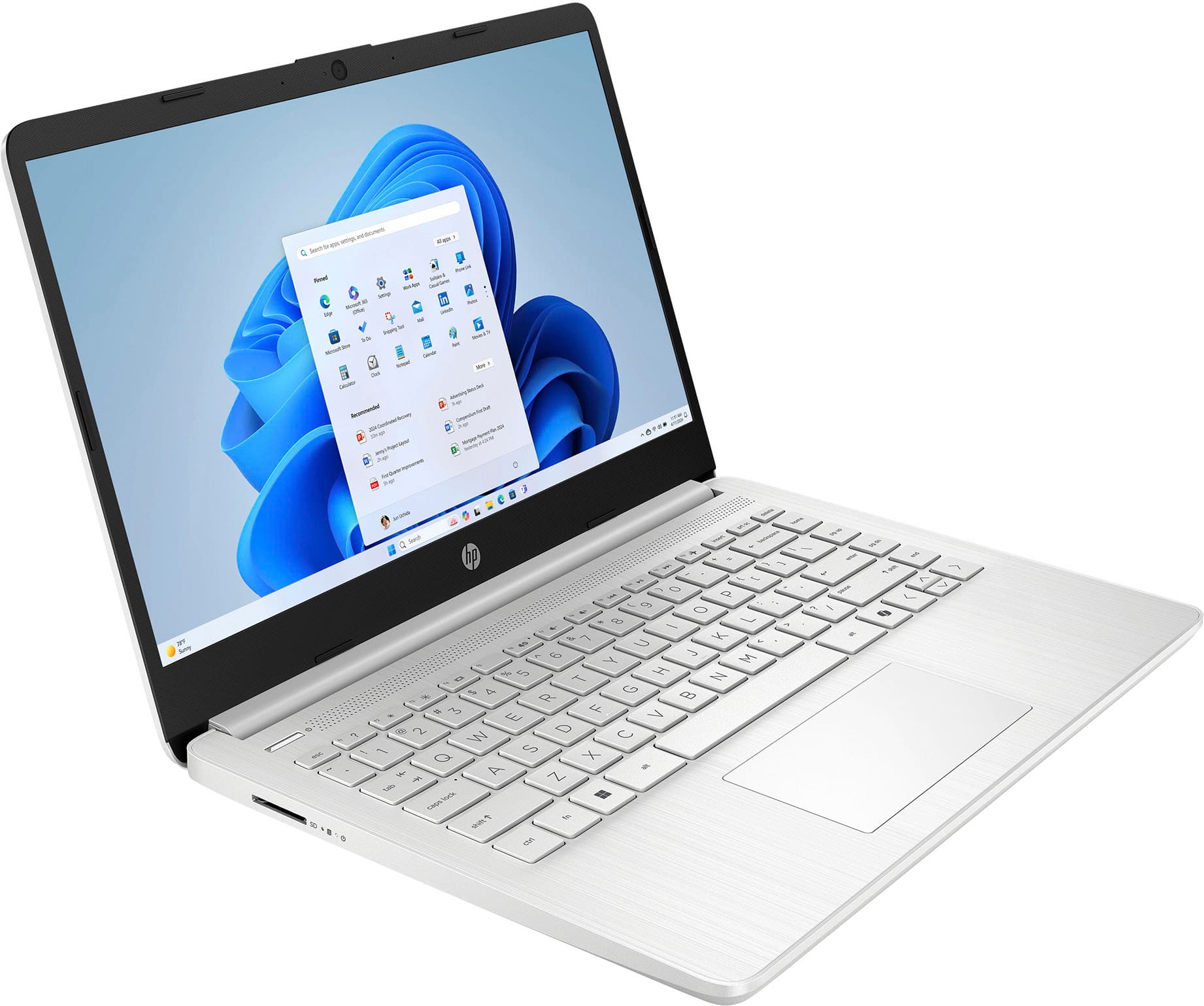
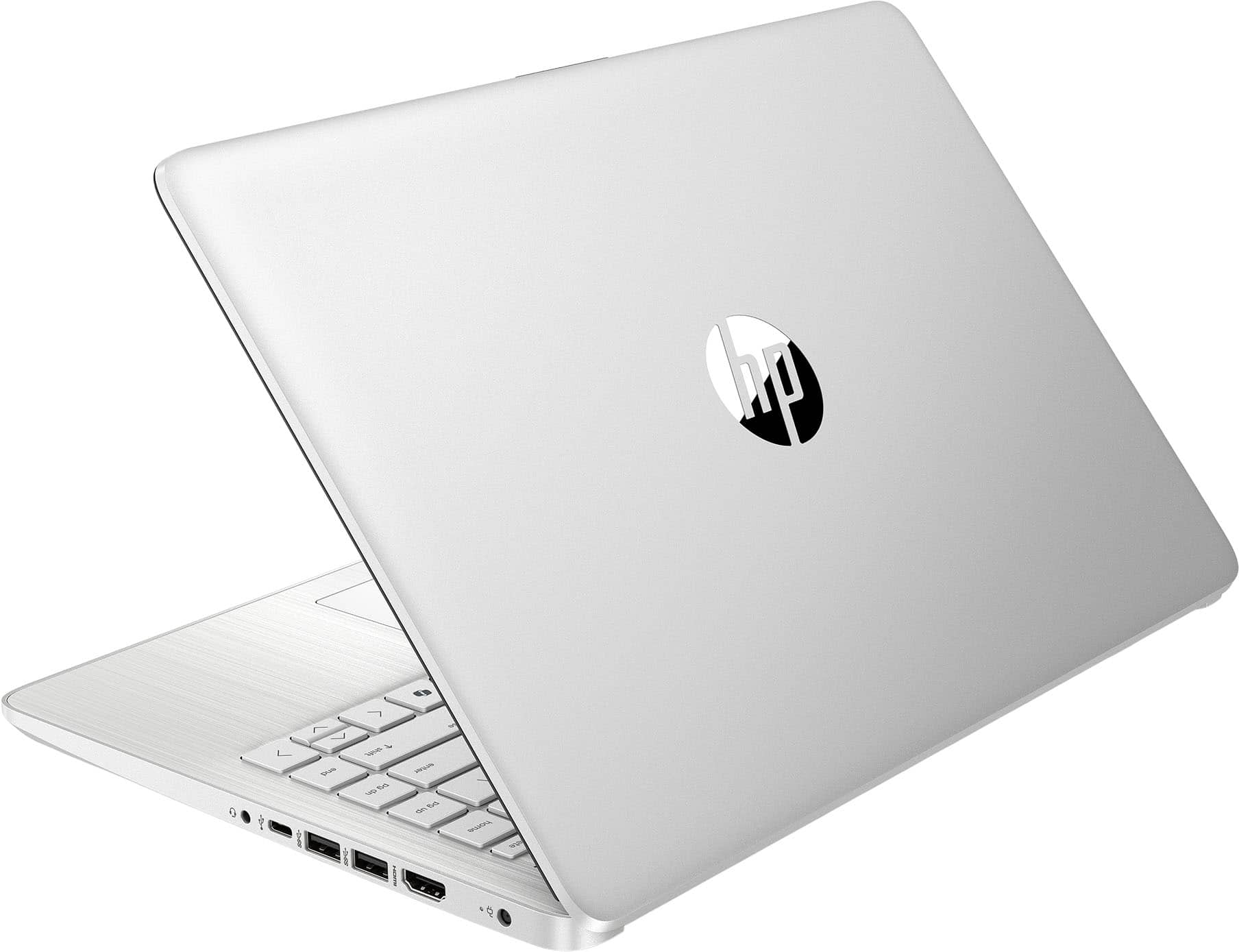
|Posted .This reviewer received promo considerations or sweepstakes entry for writing a review.The 14" HP 14-dq6011dx is a simple yet aesthetically pleasing laptop that features entry level hardware for the budget conscious. Paired with an N150 and 4GB of RAM, it is a very light, portable machine designed for the average user desiring to accomplish simple tasks. Key takeaways + Lightweight and thin + Every interface port needed including SD card slot. - Minimally textured keys - Bloated with excess software, including added 3rd party bloat - Cheap external frame flexes, which can add mouse key presses when moved - non-compliant Windows Hello camera DESIGN This arrives in a metallic gray shell. The paint/material isn't terrible against fingerprinting but does tend to stain rather quickly. The underside features a large, almost end to end, rubber foot that allows for channeled airflow along the base. This same feature creates a comfortable positioning of the keyboard. The screen can be fixed up to about 270 degrees, giving you plenty of viewing options. The I/O is well thought out and has every necessary port in a easily accessible area, offering every interface you would need. Full sized HDMI, USB-A, USB-C port, and MicroSD card reader. Camera placement is front and center, but offers no slide cover that are often included with other laptops. Keys, legends, and materials used to form them don't offer much more than a raised legend. There's little texture to get a sense of a "sticky" feel other than the markers on the typical keys, F|J. The material forming the frame of the laptop offers little resistance to flex. If picking it up from a corner to move into another surface, you run the possibility of clicking different areas of your screen. PERFORMANCE Starting it up for the first time was fairly snappy. A few clicks and I was past the initial setup login. Once in, it became apparent how much bloatware is flashed into the hardware. Redundant apps that have no apparent value other than marketing. Here is a list of all apps that don't typically come with Windows: * HP energy star * HP Smart * HP privacy settings * HP support assistant * HP system event utility * McAfee AV energy star and smart are a marketing bridge to devices that meet that specification and a tool to pair printing equipment with your computer. The remaining 3 could possibly be bundled into a single piece of software. Taking Windows out of S mode immediately resulted in pop ups from McAfee about a 30 day trial. Uninstalling McAfee yielded no gains as the pop-up would occasionally show up. I came to the conclusion that it was tied into one of the HP applications. After a few pop ups and noticing high CPU usage I decided to uninstall every software that came with it only to find myself reinstalling Windows. Once past the setup and into the home screen, it became apparent how much snappier it was. Loading up a streaming video was quick, the slowest bottleneck would be your Wi-Fi. Running any computer based task, from a simple text document to system information to tools such as Crystaldiskinfo was snappy. This is where it will really shine for most users. ISSUES/QUIRKS I never noticed these things in the first go. I assume they activate by default but cannot confirm. During the setup process of this I wanted to access some files from it in a Ubuntu server machine. It's typically just changing your network type and permissions, especially in Windows Home. This wasn't it and entering the domain would never resolve. The diagnostic tool didn't even give any useful information. That's because by default this machine seems to be hardcoded to require SMB signing. I've always been under the impression that this was a Pro or Enterprise feature as your UI editing options are set in group policy. Once reaching this realization, opening up powershell and modifying to what I needed worked fixed everything. Overall, this 14" HP is a decent machine for the non power user or everyday tasks. By default, an average user should have little to no problems with it. But for the more tech savvy, applying a few changes might make your system more suitable to your preferences. This is worth 4-stars.
This review is from HP - 14" Laptop - Intel Processor N150 2025 - 4GB Memory - 128GB UFS - Natural Silver
I would recommend this to a friendRated 4 out of 5 stars
Great laptop for students or light users
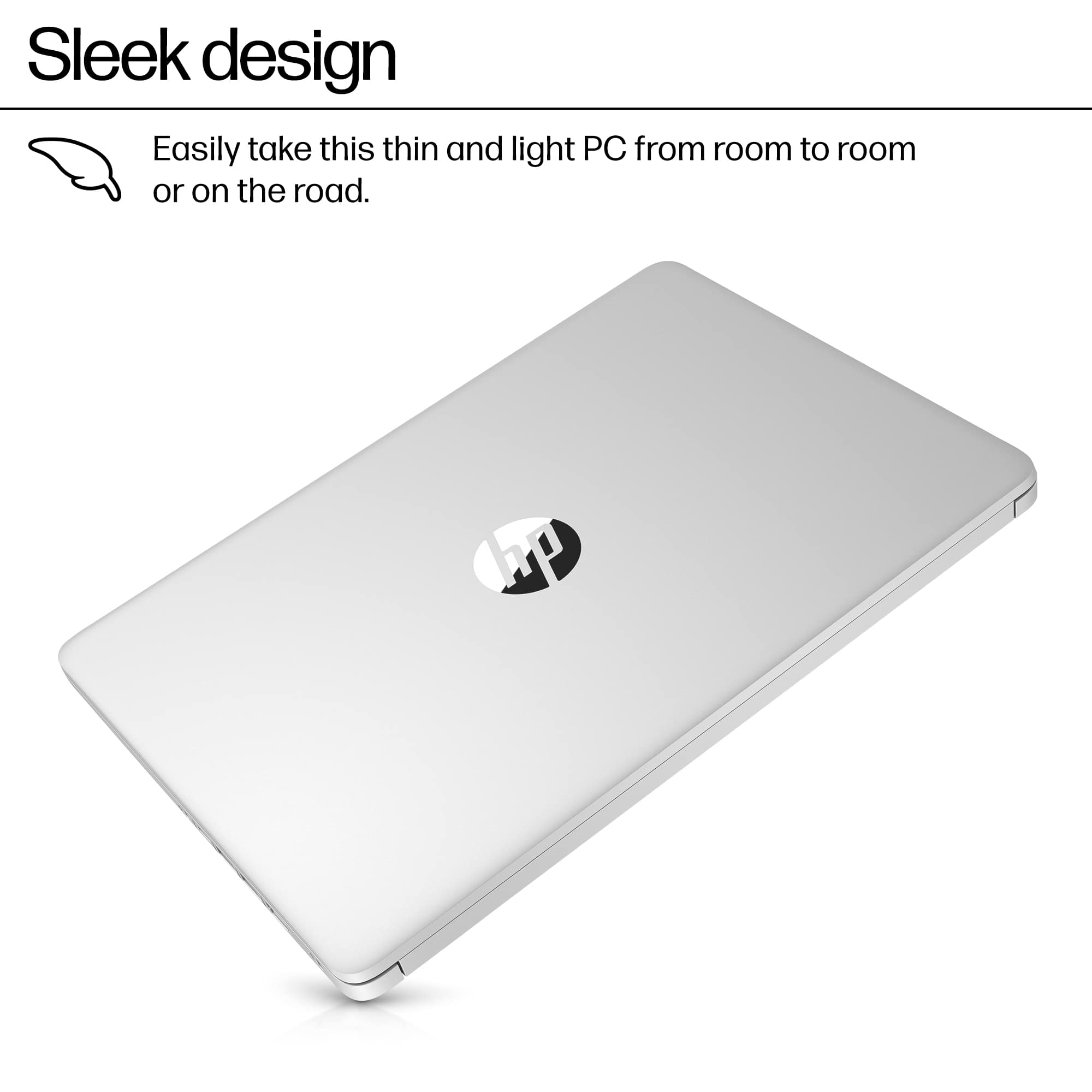
|Posted .This reviewer received promo considerations or sweepstakes entry for writing a review.It’s quite honestly impressive how you can get a computer that will do 90% of your basic tasks and with barely a hiccup for under $300. You do have to deal with some trade-offs to get to this price point, but nonetheless I remember a day when if you spent under $500 on a laptop you were sure to be disappointed. Let’s start off with the version of Windows this laptop uses: Windows 11 S. What is the S? Well that means you’re getting a more limited version of Windows that only allows you to install Microsoft approved apps (those found on their Marketplace app), and provides you with a much more “integrated” experience that excels in memory and power management. What this means though is that if you are dead set on installing Google Chrome, you either (1) won’t be able to, or (2) you’ll have to opt out of using Windows in this S mode. If you choose to disable S-mode, you’ll be greeted with several warnings around the possible performance and battery life downgrades you’ll see as a result. I personally disabled it and didn’t see much of a performance drop, but to each their own. Now, the other things that keep this machine so low budget include a display that looks like it’s straight off my work issued HP laptop that was manufactured sometime around 2018. It’s nothing that’s going to stun you, and you will notice that the screen isn’t necessarily evenly lit and you’ll probably need to play around with the screen angle to get it to where you’re comfortable with it. It’s a matte display, and not glossy, which means you don’t get a ton of glare or reflections which is a plus. But in terms of vibrancy, it’s definitely got more of a wash-ed out, or just basic display look to it. This is nothing that will keep you from cranking out some word or excel docs, but videos and streaming may not be the best quality. The keyboard is nice to use, very clicky, with not too much flex. The keyboard is not backlit, so if you need a keyboard that you’ll be using in the dark, perhaps a dark classroom or lecture hall (while a projector presentation is playing), you may opt for something that you’ll be able to see in low-light. In terms of ports, it’s got plenty. You’ll get an HDMI port, two USB-A ports, one USB-C port (which as far as I know does not support charging), an SD card slot on, and a 3.5mm headphone jack. All of these are nice to have and means you likely won’t need to carry a dongle around for extra ports. Battery life of this little machine has been pretty impressive. The low power state that the laptop goes into when you close the lid barely drains the battery in-between uses, which means that the battery level you close the lid at is likely the level you have when you turn it back on. I can’t say that about too many laptops, I always seem to have some drain on them when they’re sleeping. I believe battery life is touted at 10-hours or so, and I’d believe it, though I ended up plugging in before I reached that mark (not because it was dying, just because I had a power source available). In terms of style, this machine looks like a basic clamshell design. If you squint your eyes, it even kind of looks like a MacBook, a gray/silver laptop with a clean hinge design, and relatively minimalistic look. While it’s only made of plastic, it looks like it’s made of much more premium materials. All in all, for under $300 you’re getting a good (relatively) quick Windows 11 machine. It’s the perfect device for students, small business owners who just need a machine for bookkeeping, or those who need a laptop for the rare occasion they need a physical keyboard and trackpad (something your phone can’t provide). This is not a gaming computer, or necessarily a computer for graphic design or creatives. It is what it is: an affordable laptop that will perform best with Microsoft’s own applications, and those apps approved by Microsoft themselves.
This review is from HP - 14" Laptop - Intel Processor N150 2025 - 4GB Memory - 128GB UFS - Natural Silver
I would recommend this to a friendRated 5 out of 5 stars
Great power in a small package
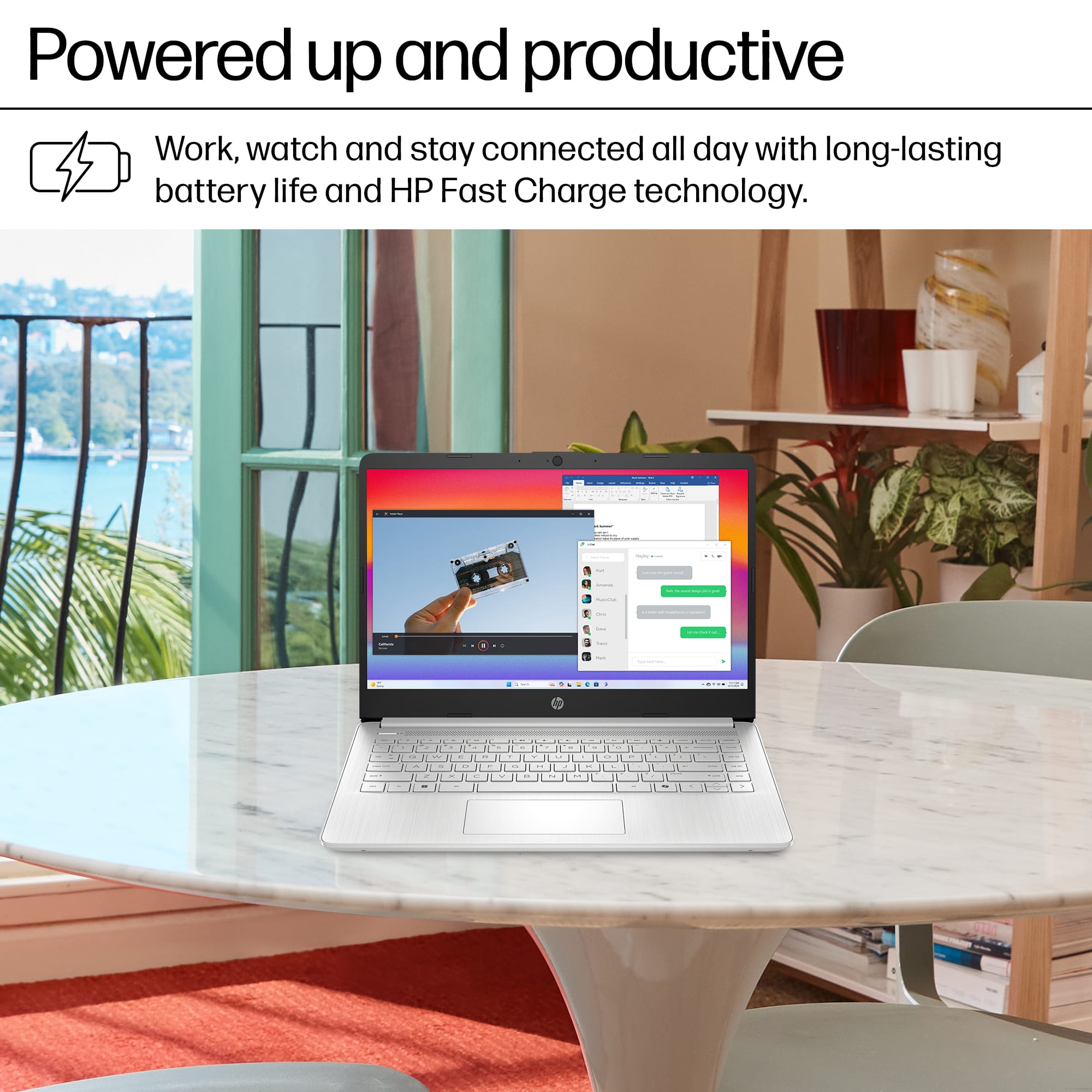
|Posted .This reviewer received promo considerations or sweepstakes entry for writing a review.The HP DQ6011DX is a 14" laptop that packs a lot of power in a small package. With an Intel processor, 4GB memory, and 128GB UFS (universal flash storage) it has enough power for busy days. It offers up to 11 hour battery life on a full charge and can go from zero to 50% charge in just 45 minutes. And, at only a little over 3 pounds, it's small/light enough to transport easily. It comes standard with Microsoft 365 - which includes Word, Excel, and Power Point - a 720p HD camera, and dual microphones for all of your productivity needs. It connected easily to my Wifi 6e network and bluetooth connectivity was effortless as well. The keys are slightly raised and the characters are large enough to see in most lighting conditions even without back-lighting. They make a quiet "tap" when typing with characters that are slightly raised as well. The sound is remarkably crisp and clear for such a small laptop. With 2 USB-A, 1 USB-C, 1 HDMI, and an external speaker/microphone port, connecting to other accessories is easy. I prefer an external using an external mouse and found that the HP connected easily and worked well. Although this is a review of the HP laptop and not of Windows 11, I must say that I am not a fan of Windows 11 Home in "S" mode. The S mode is designed to work exclusively with apps from the Microsoft store and for this reason might not work with all of the apps you use on a regular basis. It is supposed to be a more streamlined version of Windows 11 with improved security and performance. I prefer Google Chrome as my search engine and this laptop is shipped with Microsoft Edge as the default browser. The only way to change this is to disable "S" and return to Windows 11. While this might not seem like a big deal, once you disable "S" you can not return to it. I used the laptop for several days before disabling "S". While it may be safer and more efficient, I didn't want my frustration over not being able to use all of the apps I want to be a deterrent on using the laptop. The HP DQ6011 is a great full functioning laptop and is one that I can easily take with me from room to room.
This review is from HP - 14" Laptop - Intel Processor N150 2025 - 4GB Memory - 128GB UFS - Natural Silver
I would recommend this to a friendRated 4 out of 5 stars
Good laptop
|Posted .This reviewer received promo considerations or sweepstakes entry for writing a review.A few things to know going in. This comes with Windows 11S. The S is secure version of Windows that only allows you to install programs from the Microsoft Store. Trying to load from a download or external media, it will warn you that only Windows Store installs are permitted with S. To allow external install, just follow the on screen prompts to leave the 11S version. It is fairly painless, but does require a few Windows updates to be applied. This will take multiple updates. The next thing to know, the keyboard is black/grey letters on a silver reflective background. A horrible design for anyone who needs to look at the keys occasionally or hunt and peck to type. It is very difficult to read, especially in a well lit or low lit room. Direct light is the enemy. Vendors need to pay less attention to looks and more to functionality. The silver keys astatically pleasing, until you use the keys. Performance wise, this laptop does a good job with daily tasks. You can run multiple apps like Office or browser windows with ease. Light 'gaming' is fine. This will not be confused for a gaming laptop. Anything requiring some power will not run very smooth. But social games will work without issue. The touchpad is pretty responsive, no issues found. Keystrokes are manageable and light tapping is all that is required. Key travel is just about perfect. The screen can appear a bit washed out if not looking direct at it. The screen does not rotate very far back, so taller people using it in their lap may have issues reading the screen. This is a really good entry level laptop that will cover basic needs. It is lightweight and comfortable to use with the exceptions of keycap readability and screen rotation.
This review is from HP - 14" Laptop - Intel Processor N150 2025 - 4GB Memory - 128GB UFS - Natural Silver
I would recommend this to a friendRated 1 out of 5 stars
Better laptops out there
||Posted . Owned for 1 month when reviewed.This reviewer received promo considerations or sweepstakes entry for writing a review.Do not recommend this laptop. Spend a little more and get your money's worth.
This review is from HP - 14" Laptop - Intel Processor N150 2025 - 4GB Memory - 128GB UFS - Pale Rose Gold
No, I would not recommend this to a friendRated 5 out of 5 stars
Excellent casual use windows laptop.
|Posted .This reviewer received promo considerations or sweepstakes entry for writing a review.This is a great economy laptop. It’s fairly light, good screen, and responsive keys. At its price point, it doesn't feel as cheap as some of the “made for Black Friday specials”. It’s got some heft and less flex than the cheapies. One thing I highly recommend is to have an external USB stick for file storage. The built in storage is great for handling the on board windows 11, but I wouldn’t bog it down with much more than that to keep it snappy. The power brick is TINY! This laptop easily fits in a standard laptop sleeve. Using it for hours, it doesn’t run very hot. Does get warm, but never burning hot. Keyboard is a nice size and very responsive. Typing on it feels fairly natural and not like a keyboard that will suffer key breakages within 6 months. Screen is bright, decent resolution, and very little lcd ghosting effects. Overall, this is a fantastic laptop for a young student, elderly parent, or as an inexpensive backup. With Windows, it will be compatible with a wide range of software but don’t expect it to be a gaming powerhouse of content workhorse. This is your classic cafe social media, email checking entry level laptop.
This review is from HP - 14" Laptop - Intel Processor N150 2025 - 4GB Memory - 128GB UFS - Natural Silver
I would recommend this to a friendRated 5 out of 5 stars
Rose gold
Posted .This reviewer received promo considerations or sweepstakes entry for writing a review.It’s nice. I wish it was touch screen. It’s light weight and I love the color.
This review is from HP - 14" Laptop - Intel Processor N150 2025 - 4GB Memory - 128GB UFS - Pale Rose Gold
I would recommend this to a friendRated 3 out of 5 stars
Great starter PC for the price. Still some issues
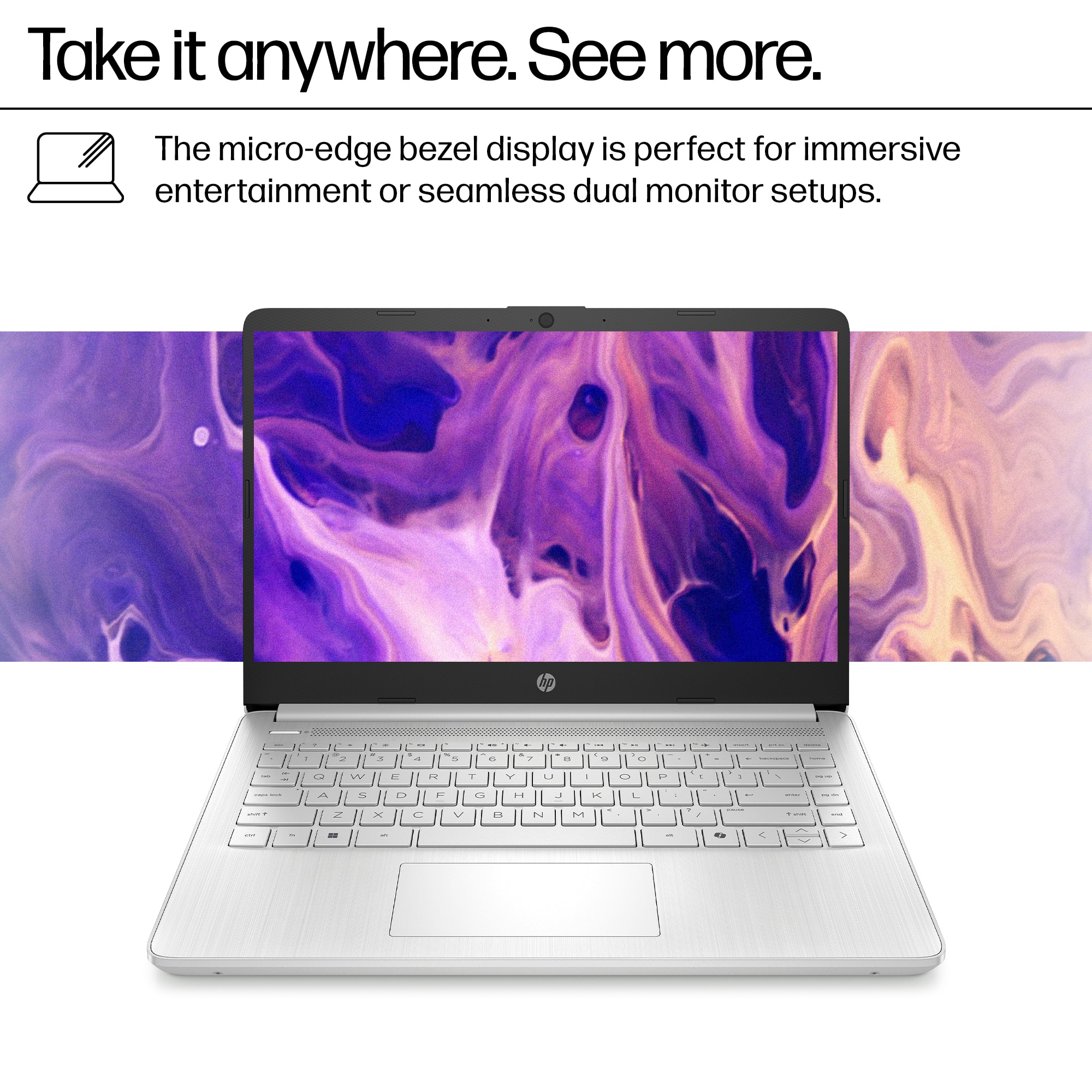
|Posted .This reviewer received promo considerations or sweepstakes entry for writing a review.The HP 14" Laptop (that doesn't seem to have any other name) is a halfway-decent productivity machine for basic web browsing and WiFi-based media consumption. I can see a budget-minded family buying a few of these for the kids to tear up doing homework, browsing the web and social media, and maybe some low-quality video watching for less than $200 each. I found the following areas concerning: - The monitor is VERY low density and VERY blue-ish... It took me getting the Intel Graphics Control Panel from the Microsoft Store and modifying the color balance to make this thing look normal (still dingy, TN panel quality, but the color was better) and the washed-out nature is hard to stomach when I'm used to more premium displays... It seems like similar offerings from Lenovo and Dell (for slightly higher prices) do better in this area. - RAM - 4GB isnt enough for Windows 11 to perform at normal levels. This is an otherwise snappy machine for the most part with all solid-state parts (save for the cooling fan) so this was a cost-based decision that could cost real experience with the device. I found that the model I have actually has a RAM upgrade slot on-board and I was able to swap the 4GB DDR4 SODIMM for a 16GB SODIMM I had laying around the shop. This made a HUGE difference in performance. From there I was able to turn off virtual memory, tax the slow onboard MMC/UFS storage, and take up less of the precious 128GB space with swapfile. The machine ran adequately for many tasks thereafter. - The finish on the machine is wannabe silver - Going after Apple's aesthetic and somehow making one all their own, HP uses this silver-on-silver motif all the way up well into their ENVY line. I think this machine would be stellar if it was done in a nice matte black to avoid scratches and make it more durable. Otherwise the build quality is what you'd expect sub-$200. Surprisingly sturdy actually all things considered. Would I recommend this? To someone who can't afford more machine but could muster an extra 30-40 bucks for a RAM upgrade and doesn't mind prying the bottom off to do it? Absolutely. To any other "enthusiast" or "serious" user? Not a chance. Thats not the target here - This is budget minded for budgets sake, and gets the job done for those use cases.
This review is from HP - 14" Laptop - Intel Processor N150 2025 - 4GB Memory - 128GB UFS - Natural Silver
No, I would not recommend this to a friendRated 3 out of 5 stars
Entry level HP laptop
|Posted .This reviewer received promo considerations or sweepstakes entry for writing a review.This HP laptop is pretty entry level. It isn’t anything fancy, but will get the job done. The keyboard is kind of clicky as it makes noise when you are typing. It does not bother me, but it is not quiet like some other keyboards I’ve used. The keyboard layout is fine. I can sit with the laptop on my lap and type pretty well. The screen is pretty basic. I’ve noticed that it looks best when looking straight at it. If you look at it at an angle, it does not look as good. It does not fold open but maybe 120 degrees. The hinge seems pretty solid. Keep in mind that this is not a touch screen. I’m used to using a touch screen, so sometimes I think this is and try to use it as a touch screen, but it isn’t. The laptop turns on fairly quickly once you get everything set up the way you want it. It did take a little time to set up and get all my apps/preferences set up. It is much easier nowadays using Microsoft and logging into Microsoft and logging into Google Chrome. This makes set up much easier. The shell seems to be a hard plastic and seems relatively durable. It does seem to have some give to it so maybe it won’t dent like metal does. The Wifi works well. It connected to my home network easily. It found my HP network printer quickly and did not require downloading any additional software. Probably because both are HP. The mouse touchpad seems to work very well. I’ve had trouble with other touch pads being sticky, but not this one. The speed is pretty good and battery life seems to be pretty good. I have Fiber internet and that generally works pretty fast. All in all if you are looking for a solid budget laptop, this would be a good option.
This review is from HP - 14" Laptop - Intel Processor N150 2025 - 4GB Memory - 128GB UFS - Natural Silver
I would recommend this to a friend


 for more information. ENERGY STAR and the ENERGY STAR logo are registered trademarks of the U.S. Environmental Protection Agency. - The percentage of recycled plastic varies by product. Recycled plastic content is based on the percentage of post-consumer plastic by product, as defined in the EPEAT 1680.1-2018 standard. hp](https://pisces.bbystatic.com/image2/BestBuy_US/images/products/dc6d6a2b-312c-4b89-b73a-59b468d78ae9.jpg;maxHeight=54;maxWidth=54;format=webp)