Customer Ratings & Reviews




- Model:
- 9A273A6#ABA
- SKU:
- 6593582
Rating by feature
- Value
Rating 4.5 out of 5 stars
- Quality
Rating 4.8 out of 5 stars
- Ease of Use
Rating 4.8 out of 5 stars
Customers are saying
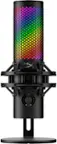
Customers often highlight the QuadCast 2 S microphone's excellent sound quality, ease of use, and visually appealing RGB lighting. The built-in shock mount and convenient mute button are also appreciated features. While the microphone's size is noted by some, the Ngenuity software and multiple polar patterns add to its functionality.
This summary was generated by AI based on customer reviews.
- Pros mentioned:Ease of use, Rgb lighting, Shock mount
Studio-Quality Sound With Beautiful RGB
||Posted . Owned for 2 months when reviewed.This reviewer received promo considerations or sweepstakes entry for writing a review.This HyperX QuadCast S mic is honestly one of the best microphones I’ve ever used. The sound quality is crisp, clean, and professional — perfect for gaming, streaming, podcasts, or recording. I love that it has multiple pickup patterns, so it works for any setup or room. The RGB lighting looks amazing and really elevates the aesthetic of my desk. It’s plug-and-play, super easy to use, and the mute tap + built-in shock mount are huge bonuses. Clear audio, great design, and reliable performance — definitely a 10/10 purchase.
I would recommend this to a friend - Pros mentioned:Rgb lighting, Sound quality
Hyper X Quadcast great choice for all your needs
||Posted .This reviewer received promo considerations or sweepstakes entry for writing a review.This microphone is incredible great quality love the rgb lighting. Picks up your voice well without picking up background noise. Another awesome feature is that you can connect headphones via the 3.5mm jack, I would recommend this to everyone two thumbs up.
I would recommend this to a friend - Pros mentioned:Sound quality
Just as good as the original Quadcast :)
||Posted .This reviewer received promo considerations or sweepstakes entry for writing a review.Got this mic as a replacement for my original quadcast which broke after 4 years of use. I wouldn’t really call this mic an “upgrade”, but it is still really good! The rgb is most certainly an upgraded aspect of this mic. My original quadcast had a dark spot in the rgb, this one has no dark/dim spots, there is more lights, which means more effects to be played with as well! The sound quality is pretty much the same, maybe slightly better. My friends in discord couldn’t tell I had gotten a new mic, other than the volume level being different. I do like that they moved the knob from the bottom and turned it into its own dial. I used to bump it all the time LOL. Overall very good mic, but wouldn’t get it as an upgrade from an original quadcast.
I would recommend this to a friend - Pros mentioned:Rgb lighting, Sound quality
I’ve Been Loving this Mic
||Posted . Owned for 1 year when reviewed.This reviewer received promo considerations or sweepstakes entry for writing a review.I’ve had this mic for a little over a year and this it’s amazing. Love the sound quality of the mic and how easy it was to swap into my previous boom arm. The RGB is really good looking and bright too. The tap to mute is pretty the best feature ever and it’s so easy to know if you’re muted. Being muted on accident is every gamer’s pet peeve.
I would recommend this to a friend - Pros mentioned:Rgb lighting
New mic
||Posted . Owned for 1 month when reviewed.This reviewer received promo considerations or sweepstakes entry for writing a review.The mic is kinda pricey,but it’s worth it and it lights up any color you want. If you touch the top of the mic it mutes the mic.
I would recommend this to a friend - Pros mentioned:Sound quality
Amazing Sound and Super Satisfying to Use
||Posted . Owned for 1 year when reviewed.This reviewer received promo considerations or sweepstakes entry for writing a review.I love the HyperX QuadCast 2. It sounds super clear and makes my voice come out crisp with no distortion. The tap-to-mute feature is very satisfying and easy to use, and the RGB lighting looks clean on my setup. It’s great for gaming, streaming, and talking with friends. Overall, it’s a high-quality mic and definitely worth i
I would recommend this to a friend - Pros mentioned:Sound quality
Amazing Mic for Gaming/Streaming
||Posted . Owned for 2 weeks when reviewed.This reviewer received promo considerations or sweepstakes entry for writing a review.I bought this Mic to use in multiple situations, and I just have to say it's very versatile! Sound quality is amazing, and I love the different voice input modes(narrow, wide, Omni, etc). I can tell this Mic is going to be in my office for years to come! Different color settings also make it a fun addition to the desktop setup.
I would recommend this to a friend - Pros mentioned:Sound quality
#1 purchase
||Posted . Owned for 1 month when reviewed.This reviewer received promo considerations or sweepstakes entry for writing a review.I totally love this microphone. The quality of sound Is amazing.
I would recommend this to a friend - Pros mentioned:Design
Elegance
||Posted . Owned for 3 weeks when reviewed.This reviewer received promo considerations or sweepstakes entry for writing a review.Beautiful, elegant device, perfect for those who love social media.
I would recommend this to a friend - Pros mentioned:Sound quality
Perfect
||Posted .This reviewer received promo considerations or sweepstakes entry for writing a review.A lot of audio quality and a product that feels very premium and beautiful
I would recommend this to a friend - Pros mentioned:Ease of use
Mike quality
||Posted . Owned for 3 weeks when reviewed.This reviewer received promo considerations or sweepstakes entry for writing a review.I have no problem with the Mike and it’s easy to use and step up.
I would recommend this to a friend yes you need the RGB version
||Posted .This reviewer received promo considerations or sweepstakes entry for writing a review.awesome microphone with great lighting effects - upgraded from my Samson and it blends well with my Lian Li build I have Software works good to switch between voice modes depending on the environment and how the mic is pointed towards you. No complaints so far as I’ve used it daily since I bought last month.
I would recommend this to a friend- Pros mentioned:Sound quality
Im very happy
||Posted . Owned for 1 week when reviewed.This reviewer received promo considerations or sweepstakes entry for writing a review.The best microphone I've ever had, impeccable sound
I would recommend this to a friend - Pros mentioned:Sound quality
RGB…Really Great Buy
||Posted . Owned for 2 weeks when reviewed.This reviewer received promo considerations or sweepstakes entry for writing a review.Best sounding mic for the price. Previously had a Blue Yeti and this HyperX out performs it in every scenario
I would recommend this to a friend - Pros mentioned:Ease of use, Rgb lighting, Shock mount

Press the 'Easy Button' for stellar sound quality!
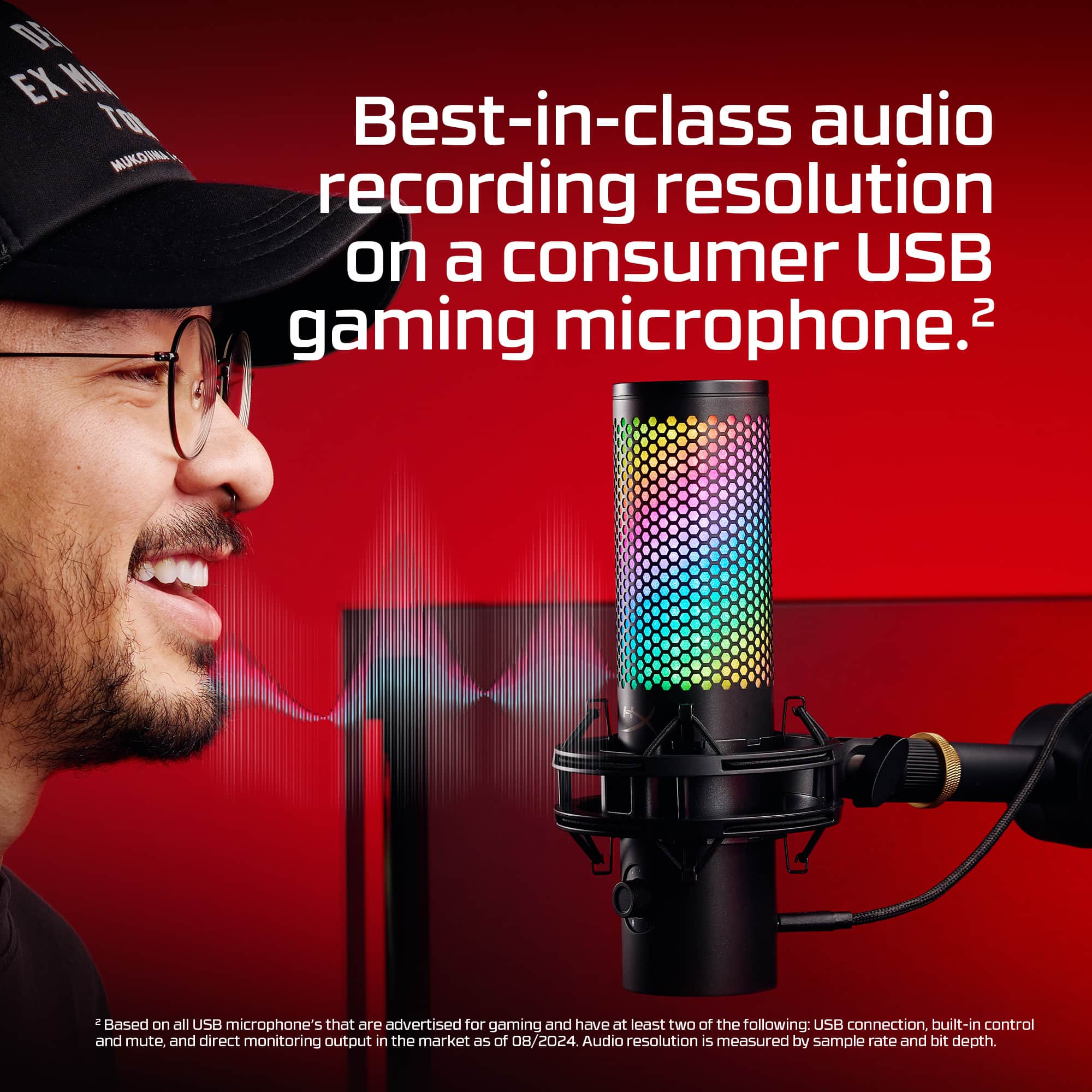
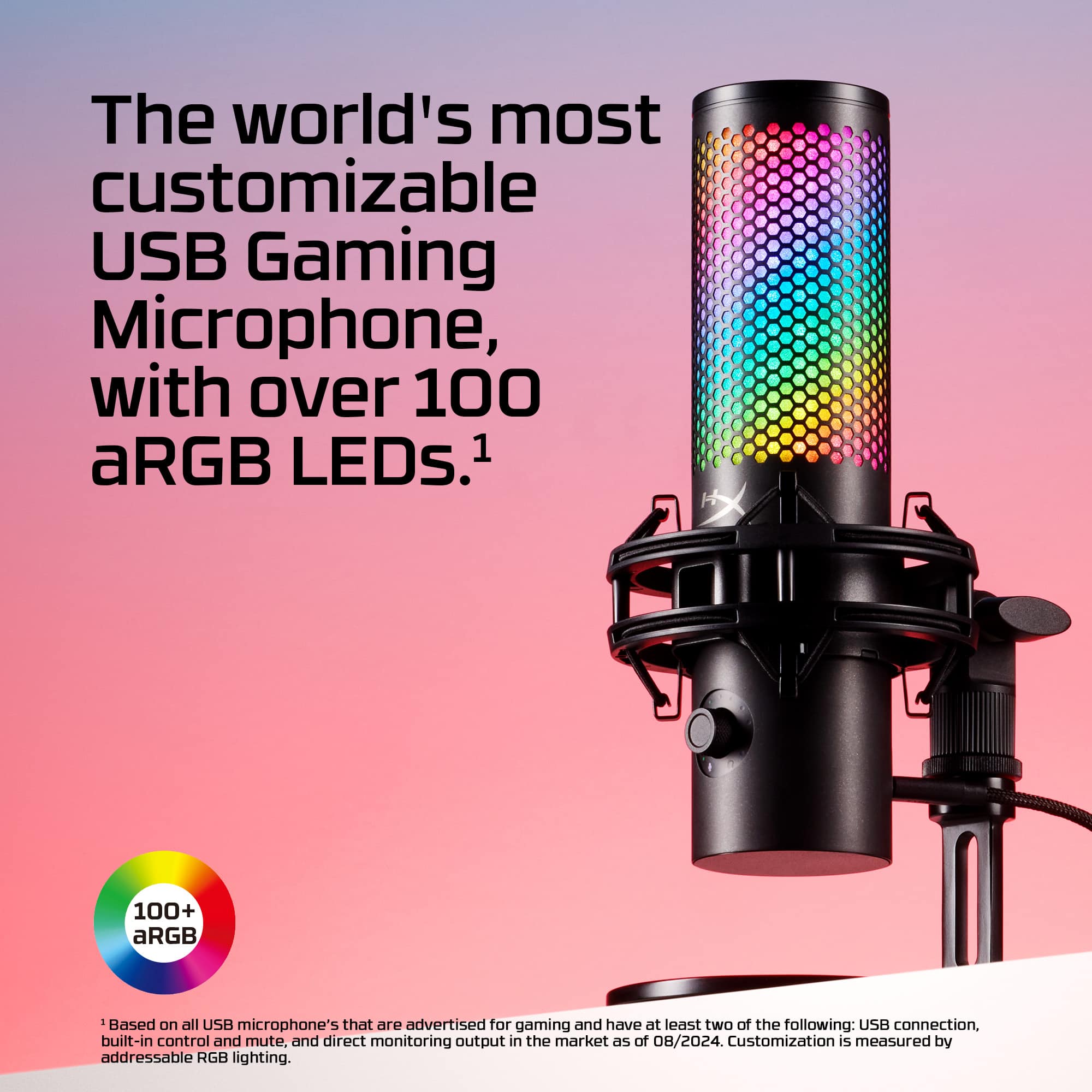
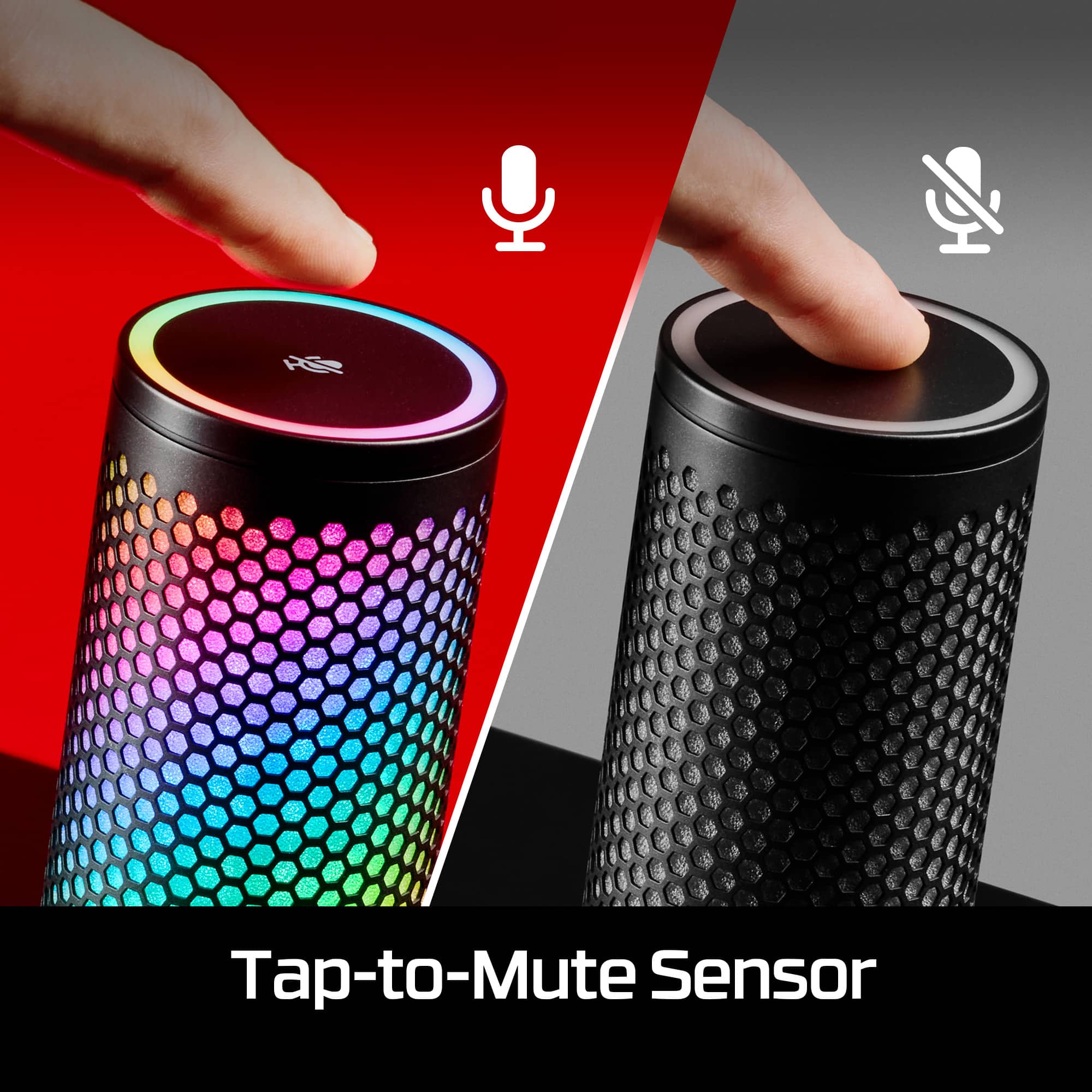
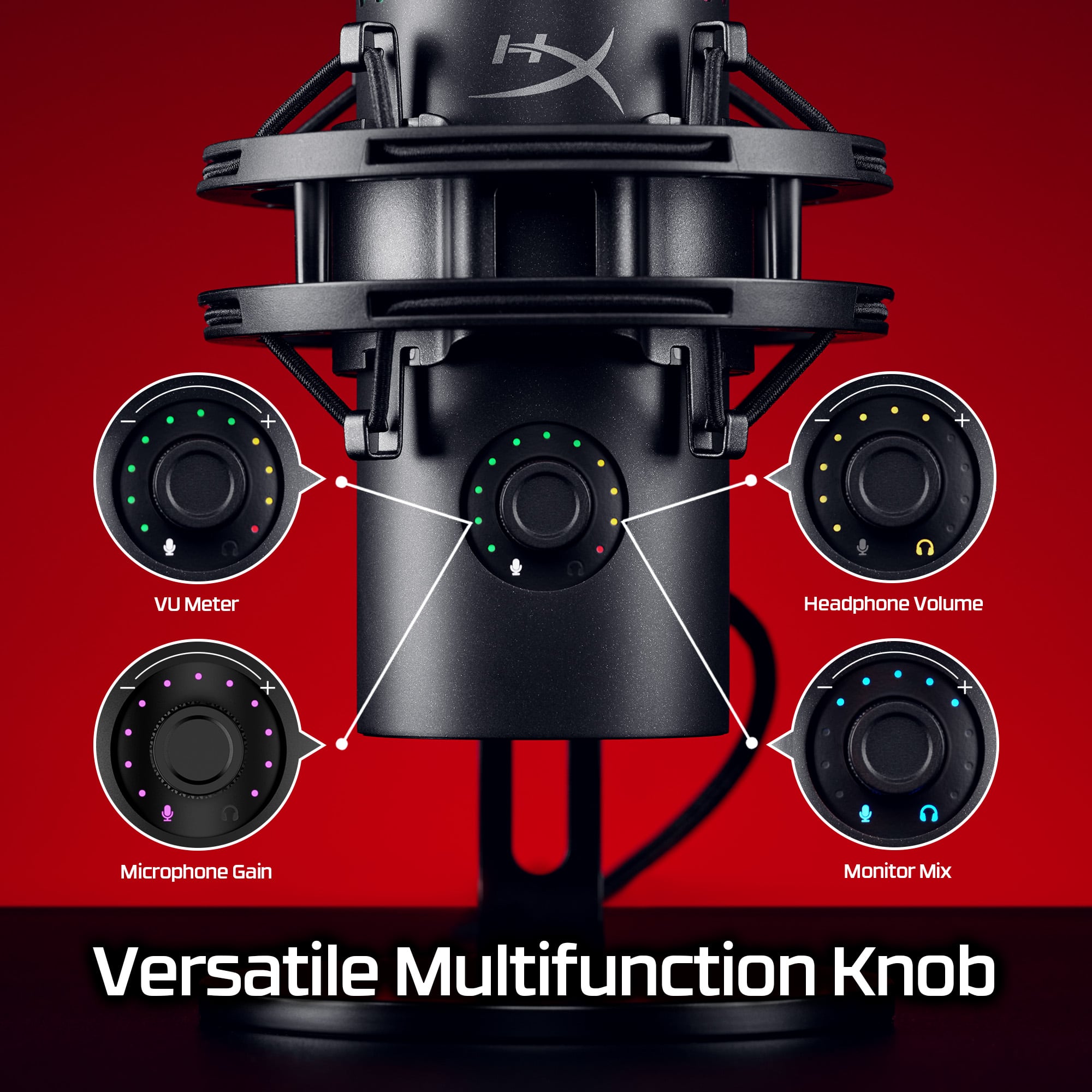
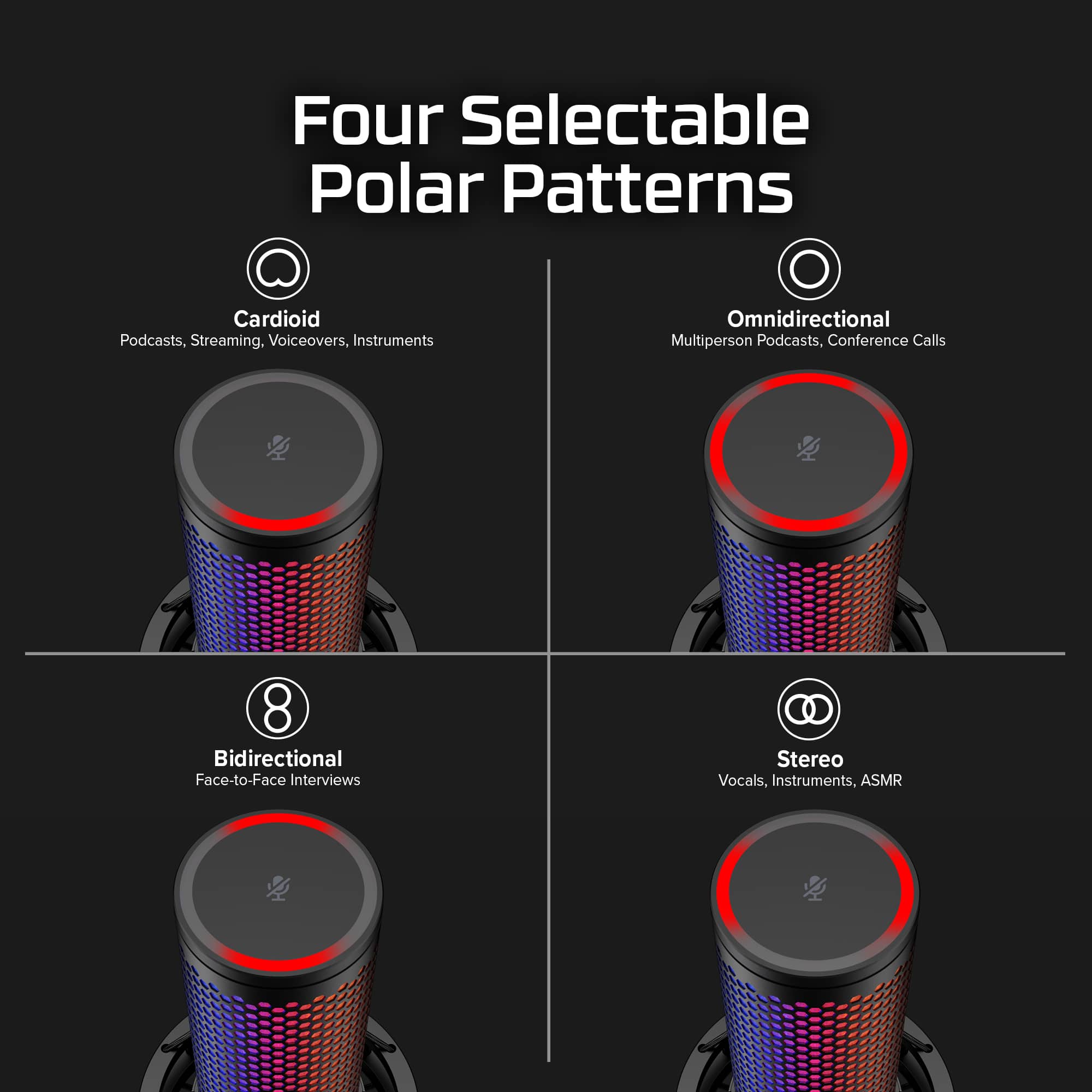
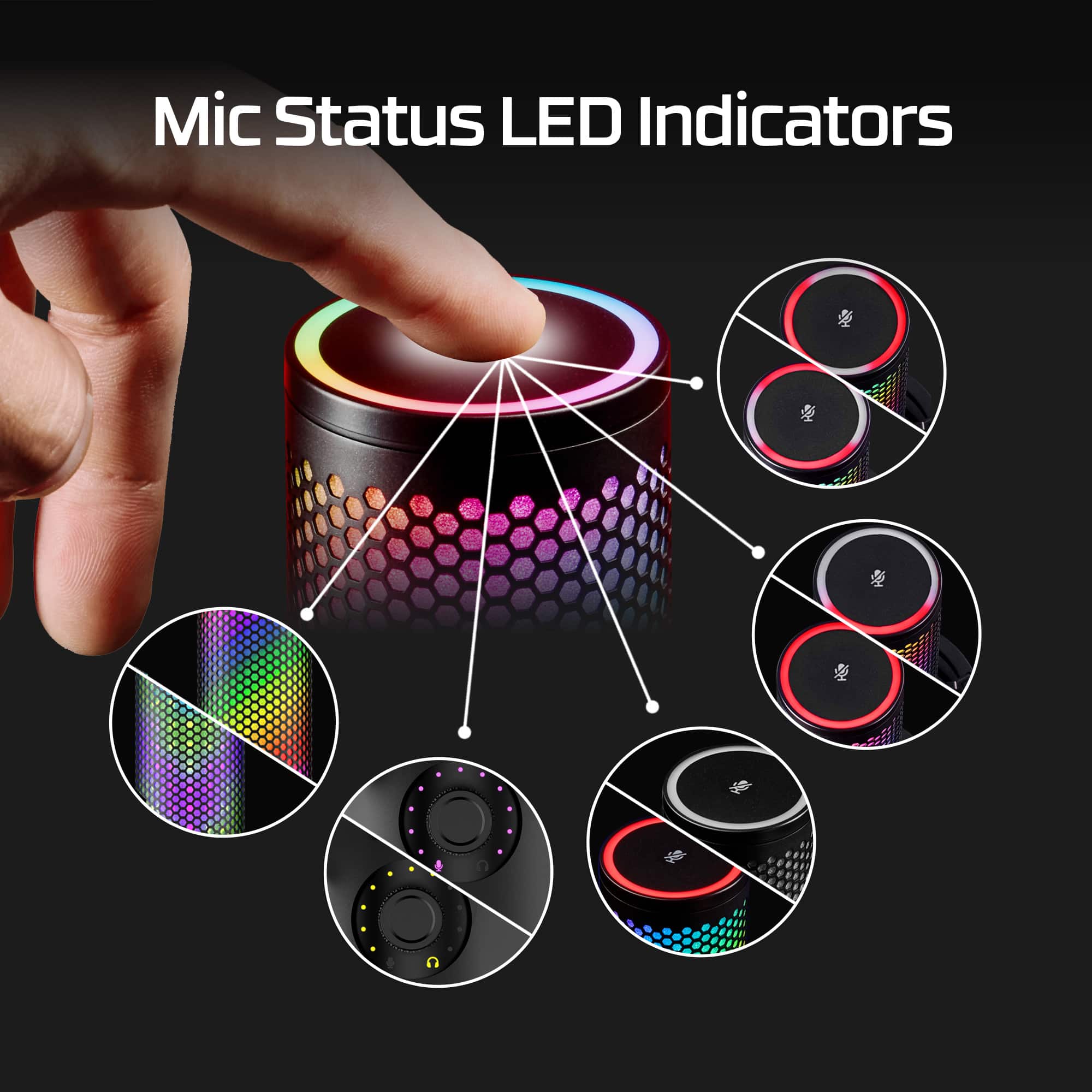
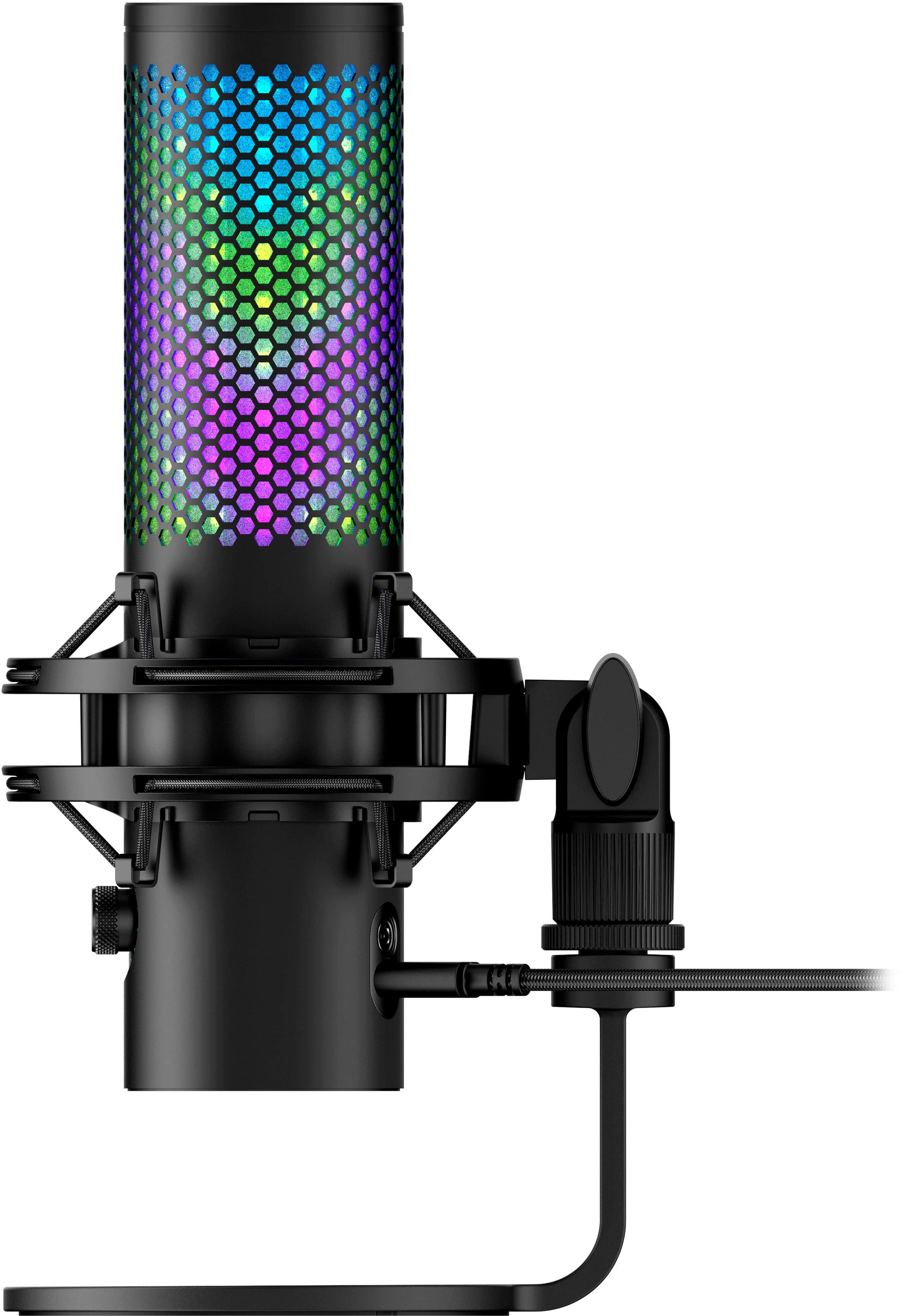
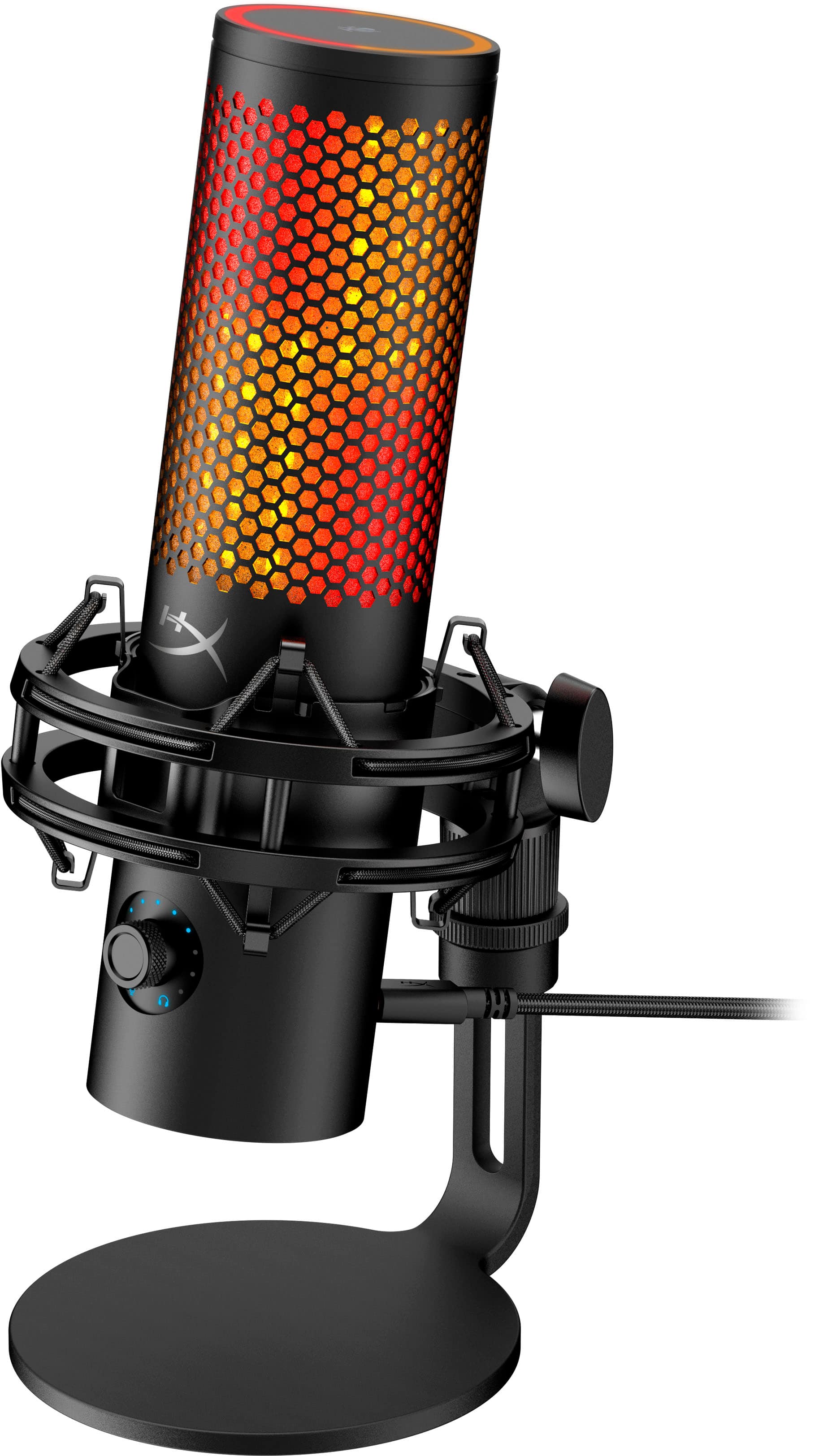
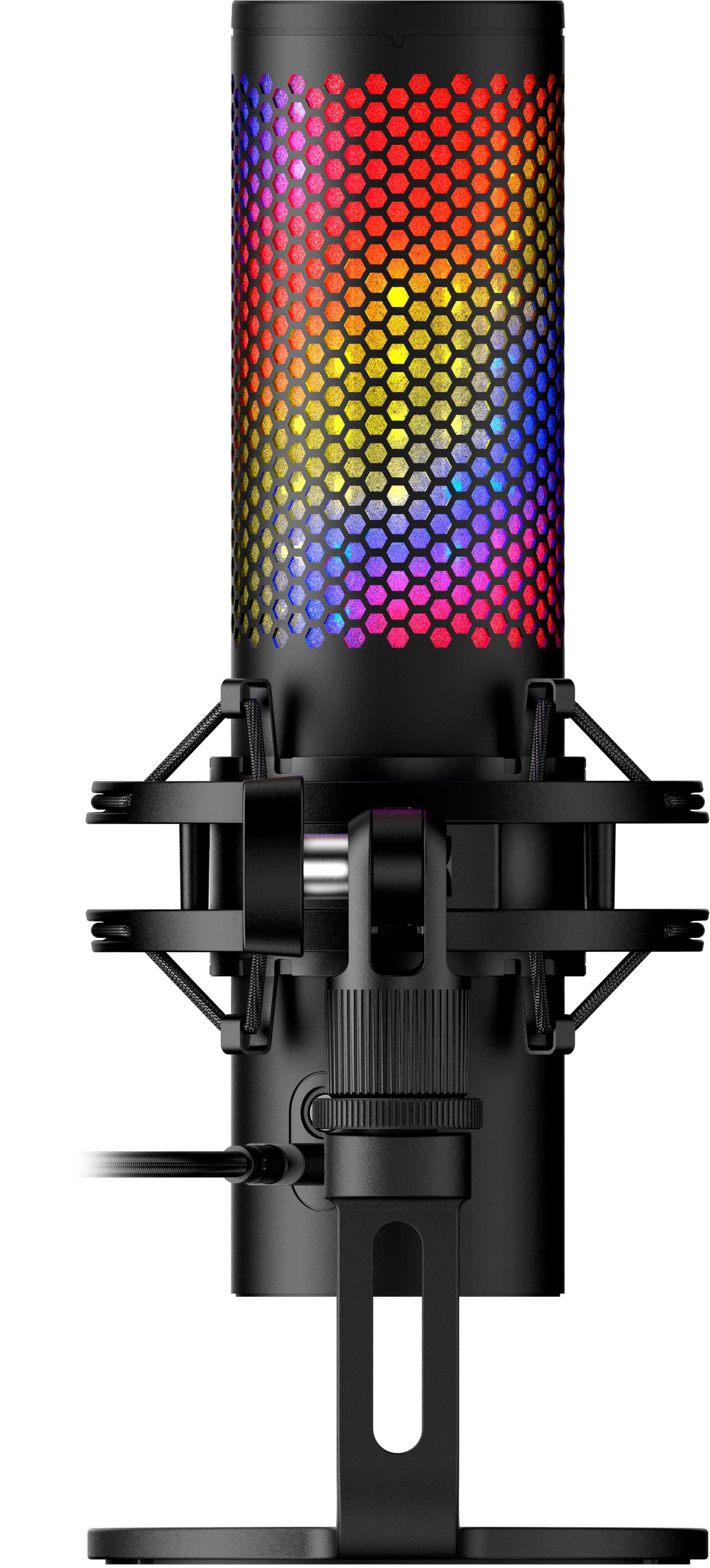
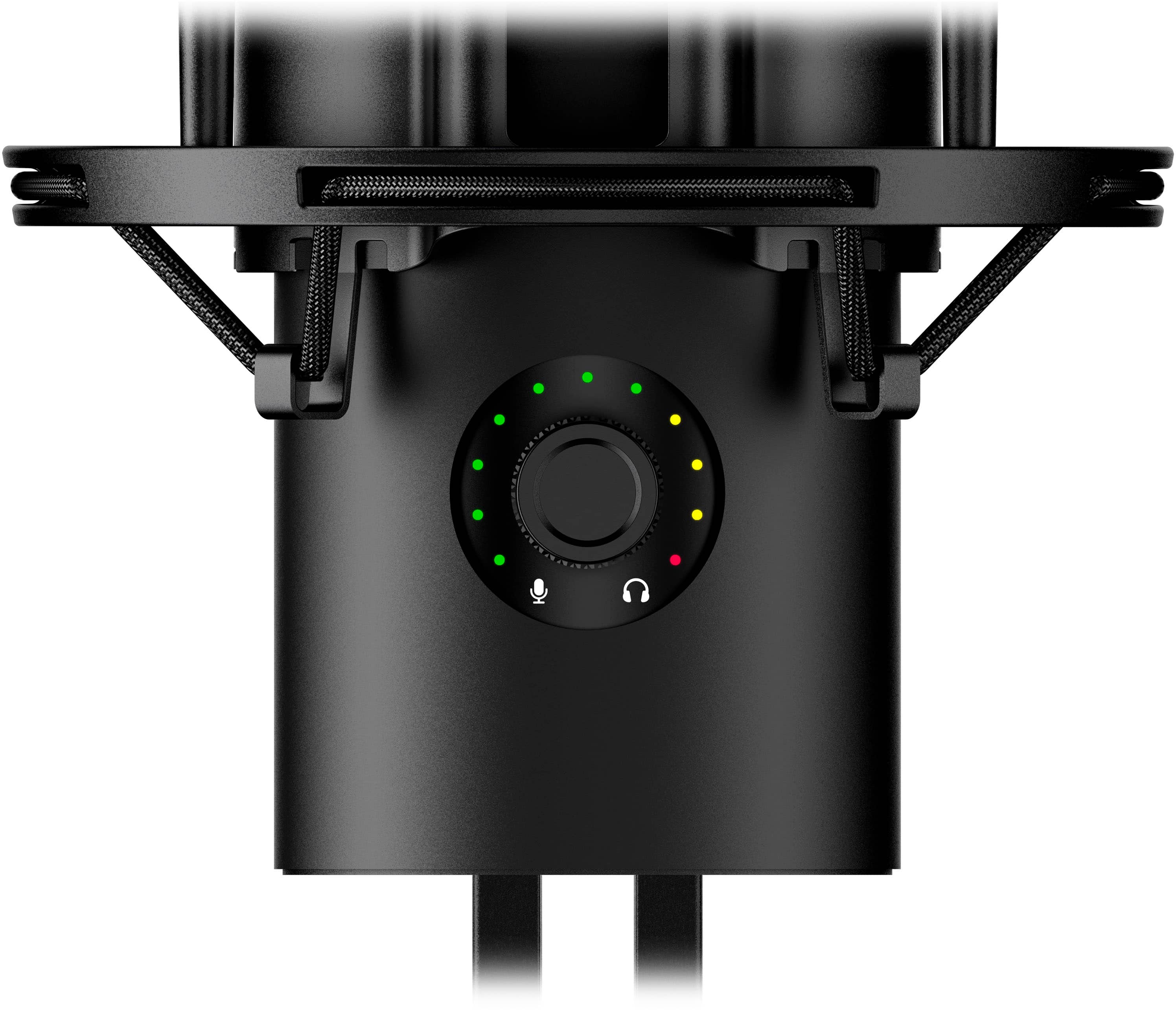
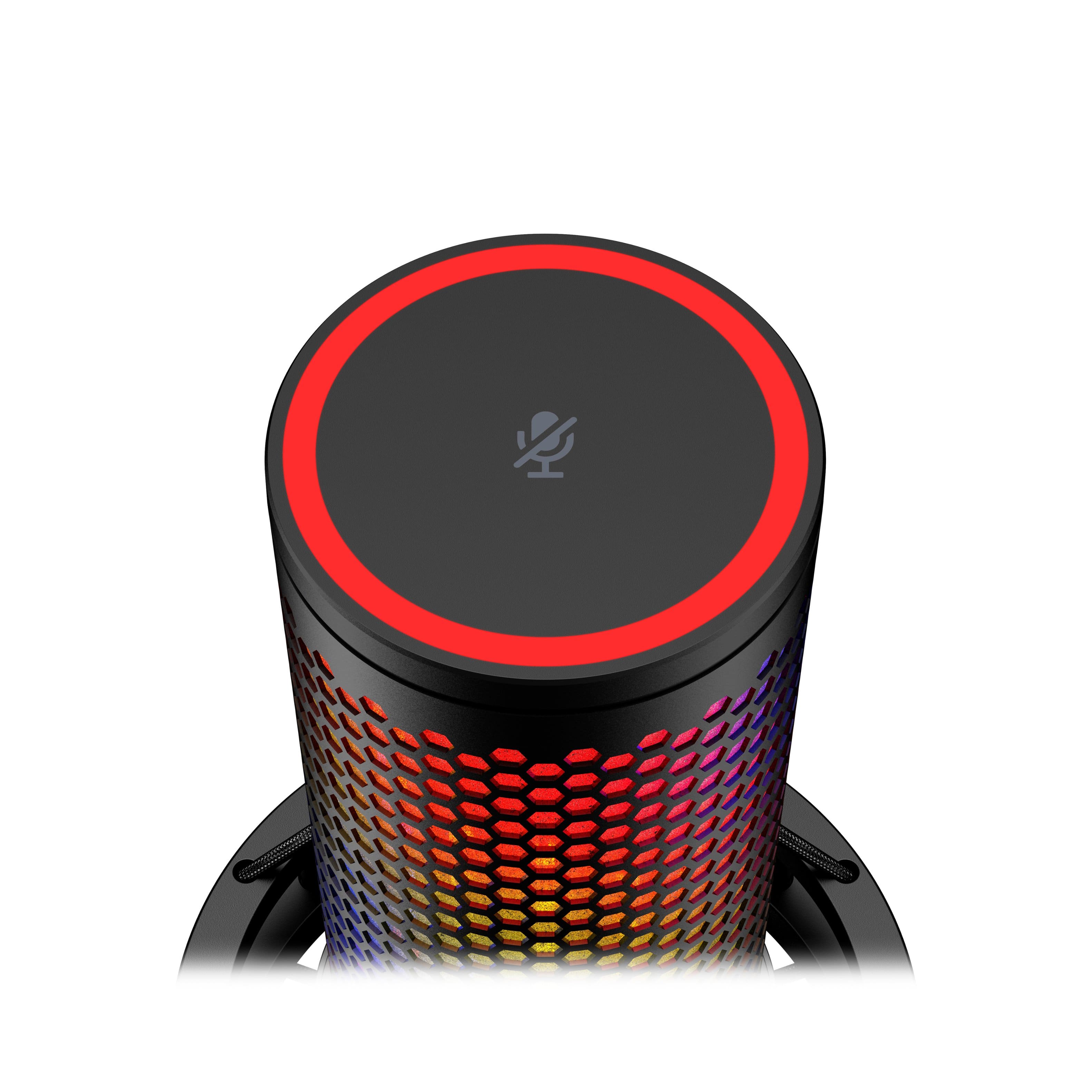
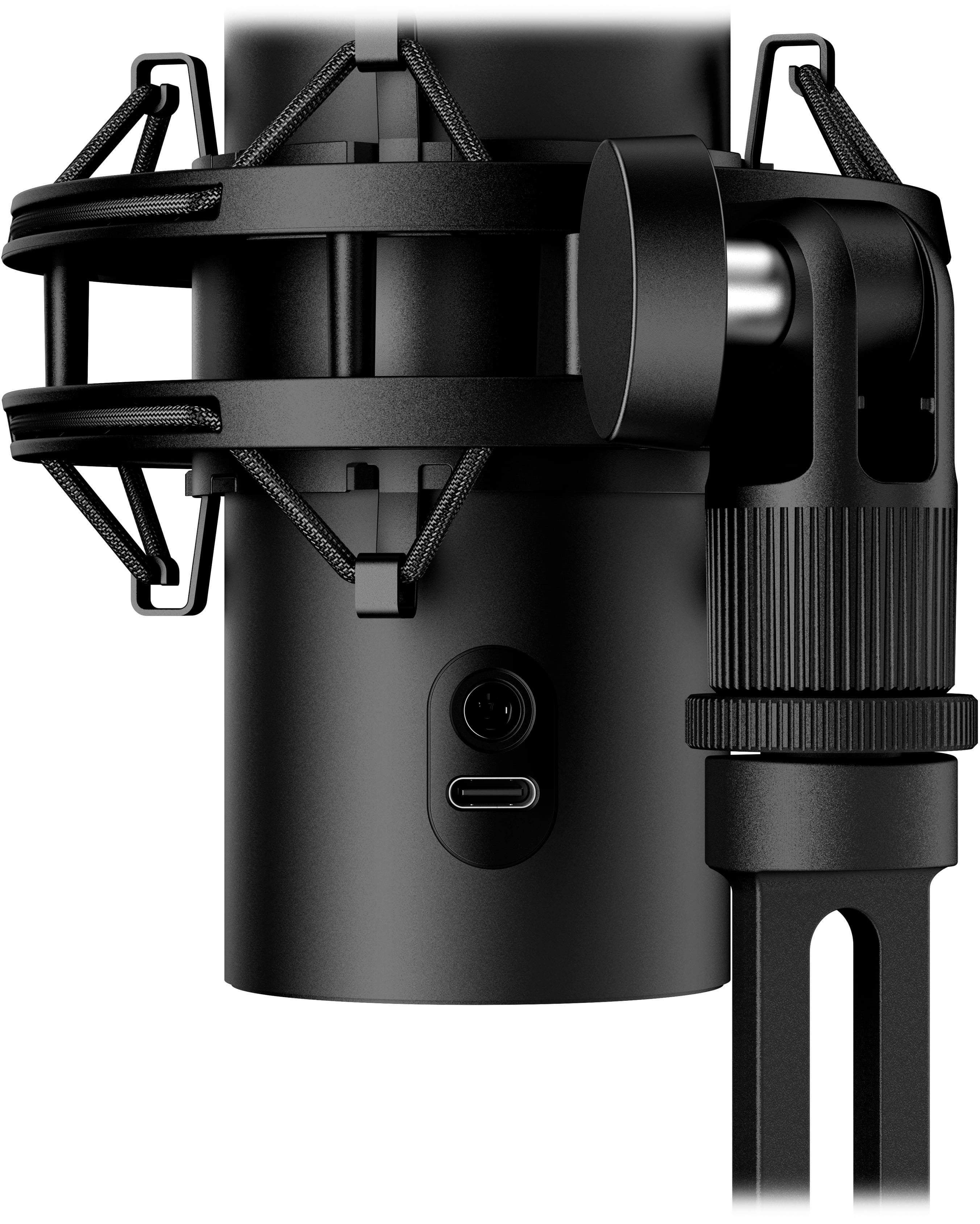
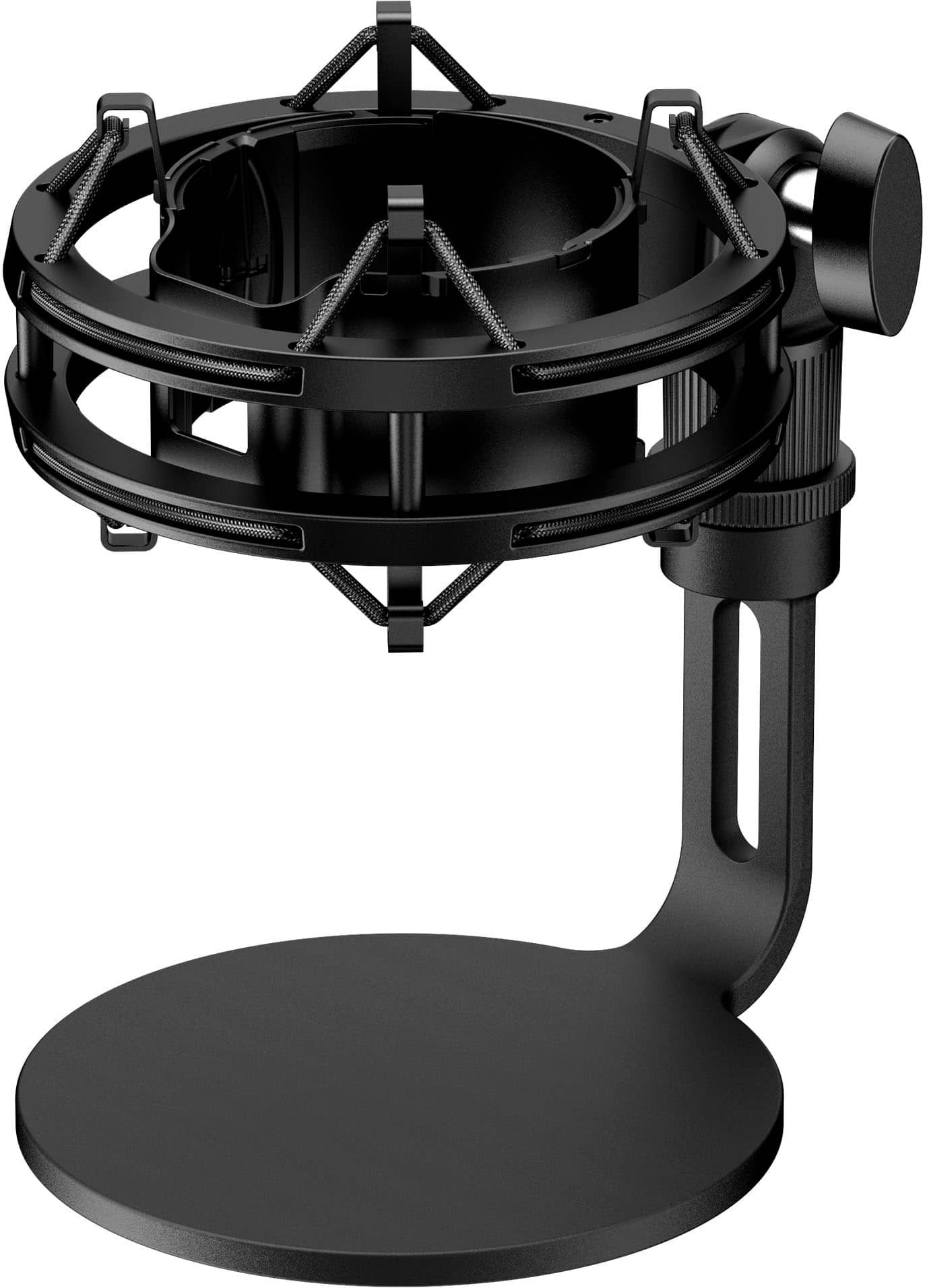
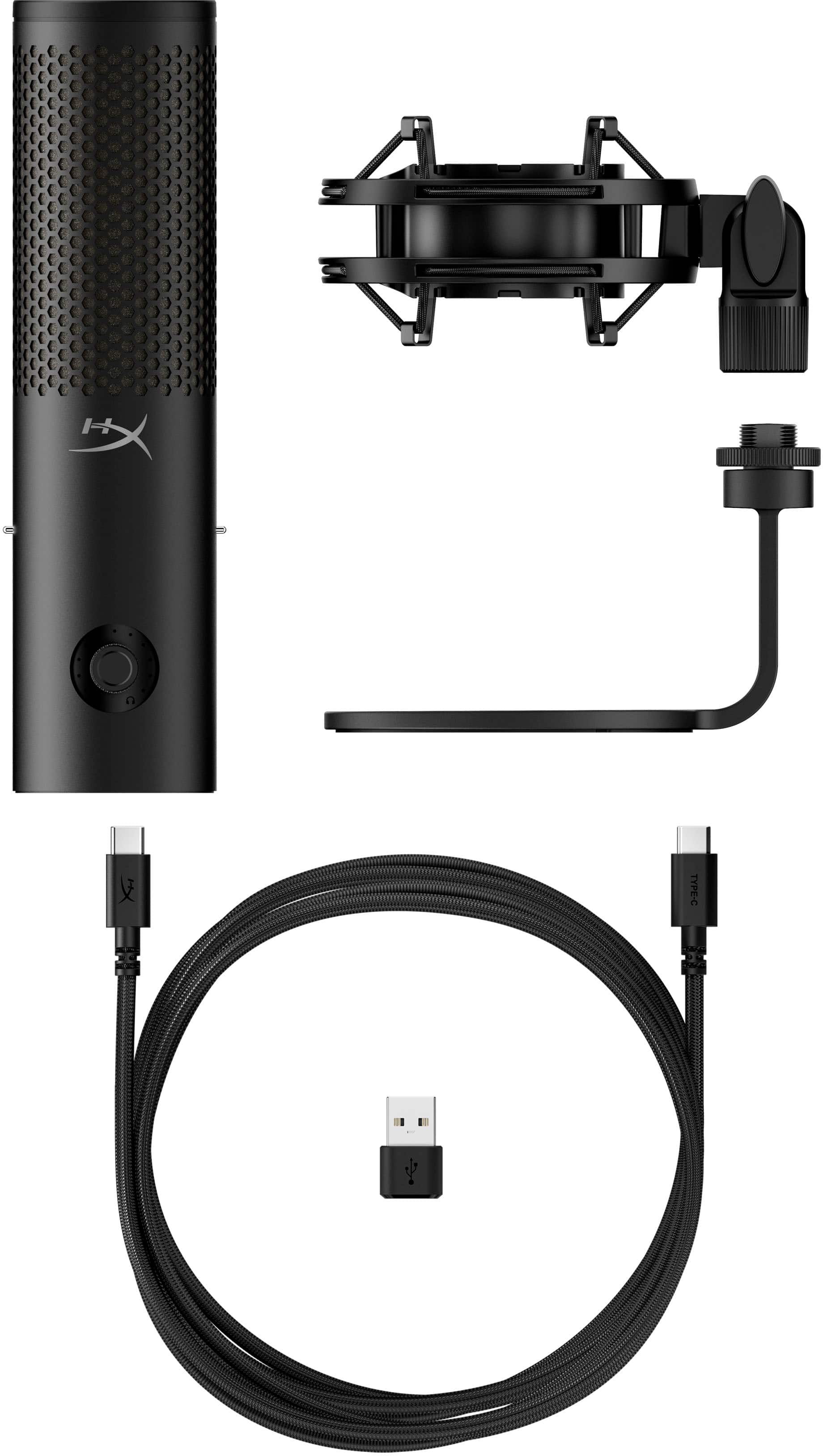
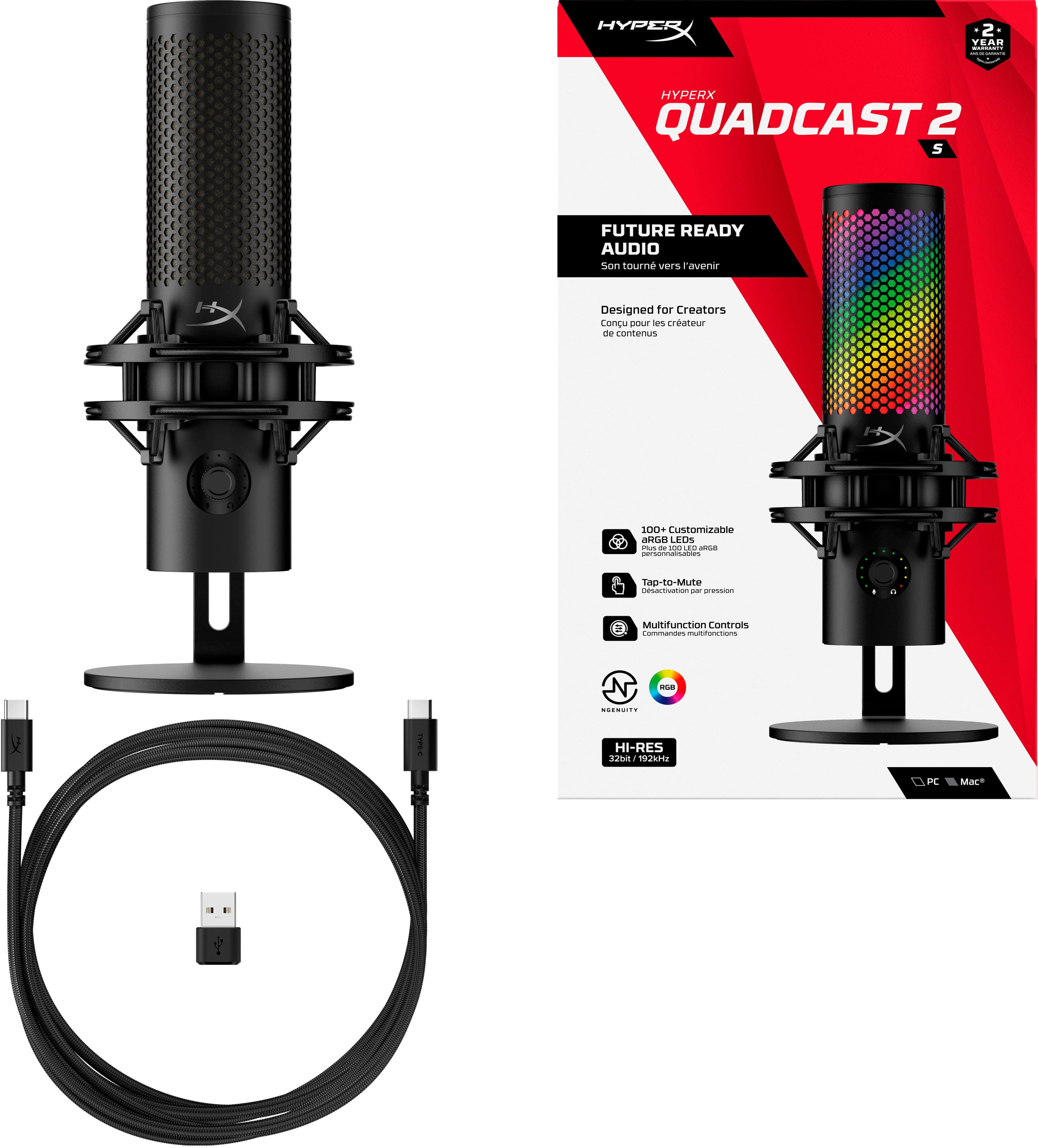
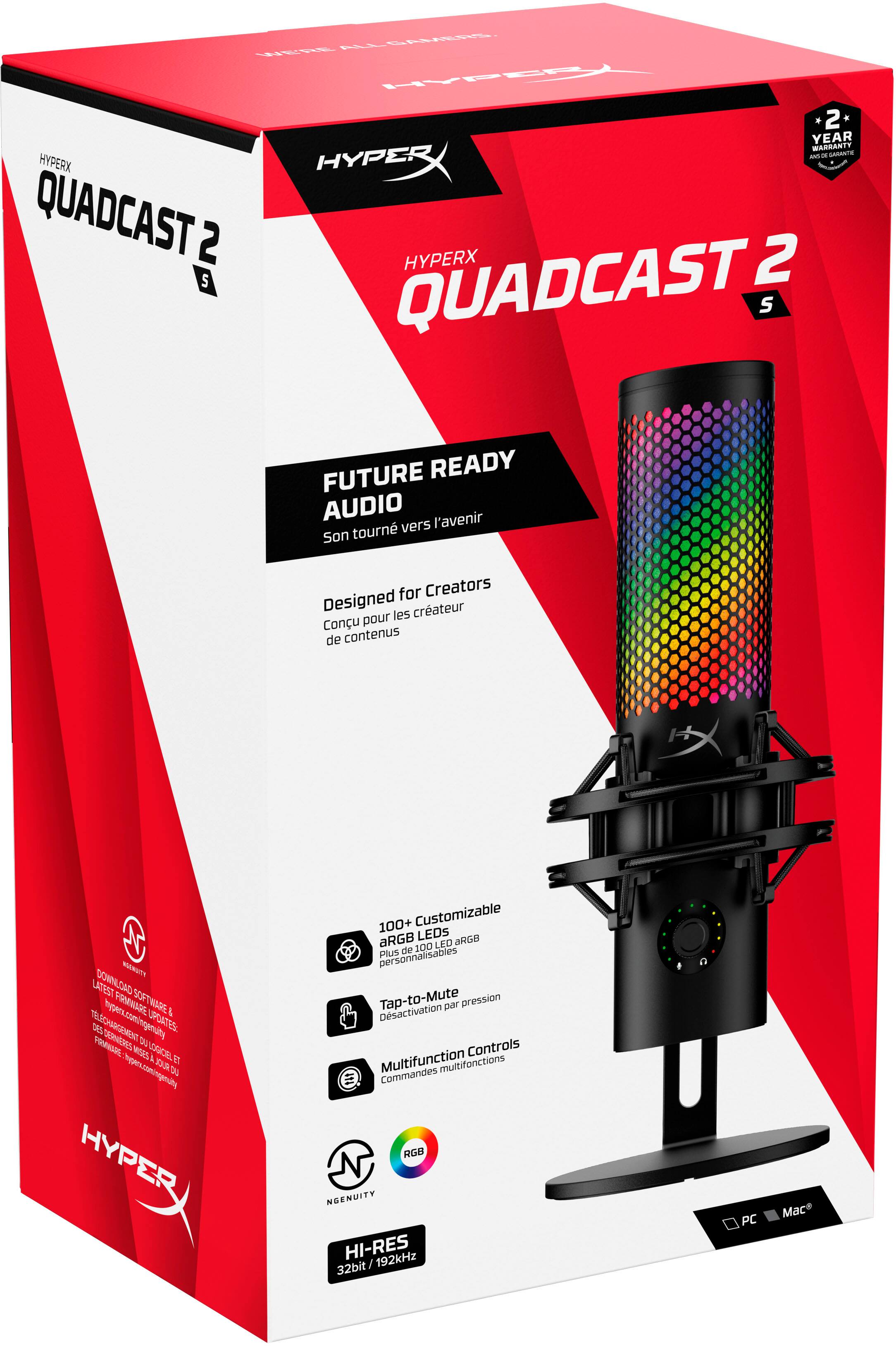
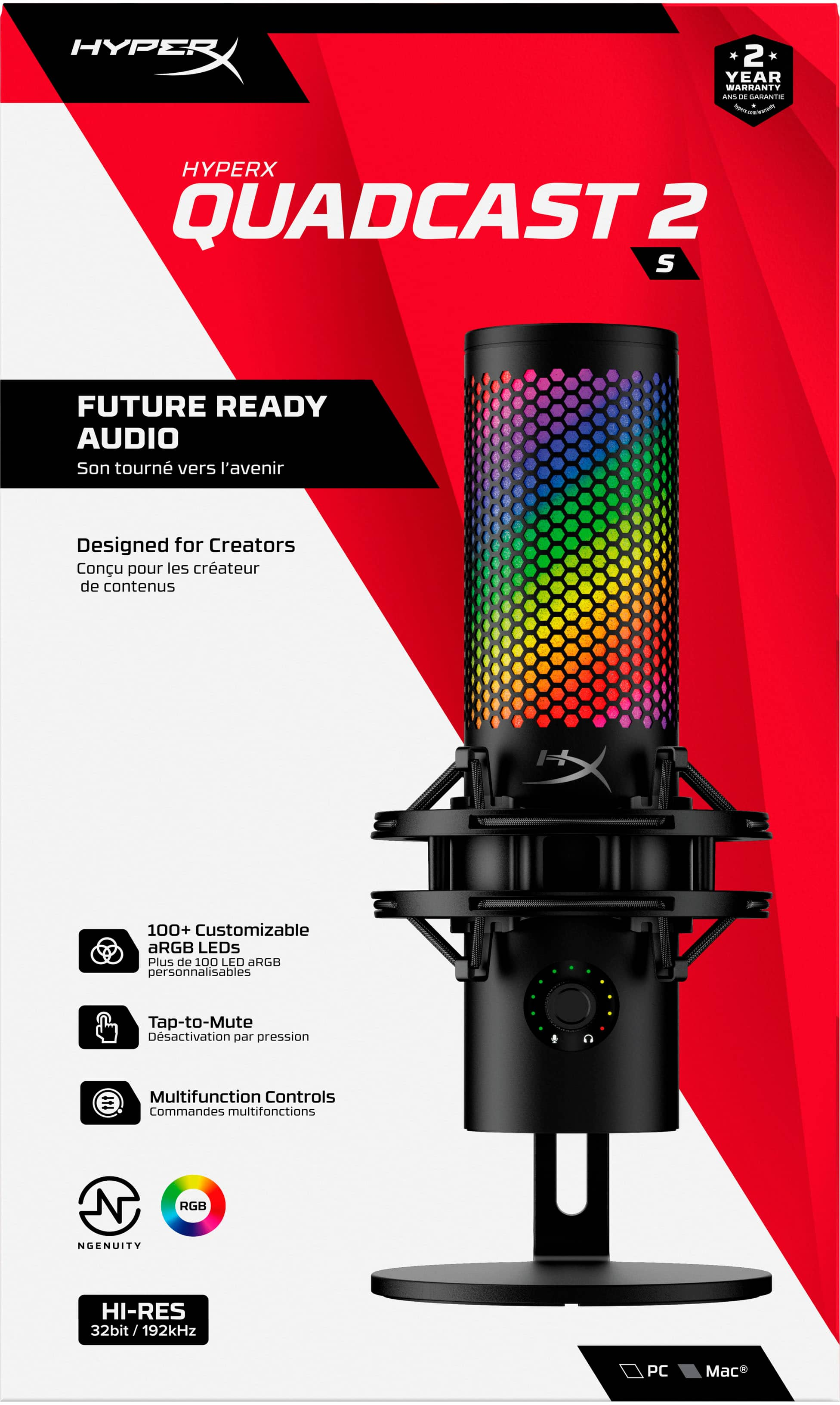
|Posted .This reviewer received promo considerations or sweepstakes entry for writing a review.Bottom line...the HyperX QuadCast 2 S sits atop HyperX’s current microphone lineup for good reason: it takes everything people really liked about the earlier QuadCast models and makes it even easier and more engaging to use. The interface is more informative and intuitive, the LEDs are more arresting and customizable, the hardware is slightly more capable, the design is more physically forgiving and approachable, and the shock-mount has been redesigned for even easier disassembly. Streamers and content creators operating just a *hair* below the professional level will undoubtedly appreciate the mic’s simplicity of operation and ease-of-use coupled with its stellar audio quality. The mic itself feels substantial and exceptionally well-built. The heavy metal base locks down for a rock-solid hold and the (admittedly cool-looking) crisscross bungee suspension-style shock mount collar is compatible with any other standard 3/8” or 5/8” hardware. There is a sturdy and generously long 3m braided USB-C to USB-C cable in the box with handy USB-A to USB-C adapter included to fit all types of plug-and-play scenarios and devices. Do you also want to be able to pull the mic from its mount and hold it newscaster style? You can *easily* do that, too--just a simple twist of the mic’s body within the shock mount collar releases a few spring-loaded pins and the mic lifts effortlessly out of the stand. Speaking of the stand, kudos to HyperX for a simple design tweak to the mic that keeps cables and connectors from colliding with the vertical arm. The previous QuadCast design had USB and 3.5mm audio connector ports directly at the back of the mic. For hookup, you had to snake the cables through a cutout in the stand to properly route them to the microphone itself making it awkward sometimes to manipulate, move, or plug/unplug the cables. Here, the USB-C port and 3.5mm headphone jack are slightly off center making it stupid-easy and convenient to reach the ports without risking any cable strain or interference between the mounting arm and a particularly long or beefy audio or USB connector. HyperX also gave the QuadCast 2 S some enhanced stage/screen presence with more than 100 addressable RGB LED lights ringing the outside of the microphone’s upper shell. You can create a static or dynamic light pattern/brand image for your audience (or just to entertain yourself) or let the RGB lighting respond in real time as an active VU meter. More complex lighting customization requires use of the NGENUITY companion app; an easy-to-use, if relatively limited, companion app that allows for a little more adjustability of some of the mic’s functions. The only caveat here is that the NGENUITY interface suggests much greater resolution and detail in the RGB effects than you can realistically expect to be rendered on the surface of the mic itself. For example, the app will indicate blank spaces/lines that are easily 2-3 unlit LEDs wide on the preview screen, but the light-diffusing material that covers the mic’s interior spreads out the RGB effects so much that you lose all the pinpoint detail/contrast you might have been shooting for. Those of you with visions of rendering a detailed logo or legible words on the exterior of your QuadCast mic may be slightly disappointed. In terms of all other critical functionality (you know, like its performance and usability in areas *other* than behaving like an addressable RGB disco ball), the HyperX QuadCast 2 S microphone really takes the crown on several fronts. For example, muting and unmuting the mic is effortless, requiring just a single tap to the top panel to toggle between active and mute status. When muted, all the accompanying outside RGB lighting instantly blanks to give a clear visual indicator (for you or your viewers) that the mic is definitively muted. The bottom-mounted gain control dial from the old QuadCast mic has been replaced here by a smaller front-mounted volume control-style multifunction knob with a surprisingly informative LED display that encircles it. While in mic mode, a little microphone icon lights up in the lower left near the multifunction knob while the surrounding LEDs serve as an active VU meter with color-coded signal strength indicators ranging from green to red. When you want to change the gain level, rotating the knob (or a quick press of the knob itself) briefly changes the LEDs to purple to indicate the current/selected gain level. Once you plug in a set of headphones to the 3.5mm jack, you can also cycle various levels with additional quick presses of the multifunction knob. A yellow LED meter and yellow headphone icon in the lower right means you are adjusting headphone monitoring/volume level, while the blue LED display is the mode needed to adjust the monitor/mic mix levels. And another little bit of helpful usability design, the small microphone icon in the circular LED display will also illuminate red in any adjustment mode if the mic happens to be muted at the time—nice! Aside from the customizable RGB lighting, the other big star of the show here is the 4-way selectable polar microphone patterns that allow the QuadCast 2 S to fit a variety of recording environments/scenarios. With a long press of the multifunction knob, you can cycle through cardioid, omnidirectional, bidirectional, and stereo polar patterns giving you a flexible recording solution that is optimized for podcasts/streaming, multi-person recordings/conference calls, face-to-face interviews, or musical performances/ASMR production. This feature alone isn’t unique to HyperX as several other competitors’ offerings give you selectable polar patterns, but where HyperX really takes the guesswork out is the accompanying visual feedback for each setting. As you long-press to the next polar pattern, portions of the LED ring around the tap-to-mute button top also illuminate to indicate the direction(s) of the optimal or favored recording zone(s). Select cardioid and a single red LED segment lights up facing you; select omnidirectional and the entire top ring lights up; the stereo setting illuminates the right and left sides of the LED ring; etc. It’s a helpful and remarkable intuitive way to indicate recording mode and is SO much better than trying to translate some obscure combination of icons/LED colors. Okay, all that sounds great on paper...but how does the mic actually perform? In a word: wonderful. Yes, you can absolutely work your way to better quality recordings, but it’s probably gonna take some extra effort, gear, and expense to get there. Here, recording resolution is supported all the way up to 32-bit/192kHz...that’s probably overkill for a streamer/podcaster, but if you have visions of eventually recording vocals, music, or producing some truly sublime ASMR material, you may be thankful for having all that extra headroom resolution. The mic also features a built-in pop filter to help tame some of those pesky plosives coming through your recordings--though I have read that it may feel a little under-powered if you have an especially breathy or forceful voice. Finally, the NGENUITY client gives you a high-pass filter to help cut out intrusive hums and low-frequency background noise. It’s unfortunate there aren’t a few more advanced sound-shaping options in the companion app (de-esser, noise gate, voice effects, etc.) to help elevate the QuadCast 2 S into serious prosumer microphone territory, but for what you have here, you’re going to be hard pressed to find a better plug-and-play solution that still meets a variety of recording needs. Well-done HyperX—definitely recommended!
I would recommend this to a friend Perfect!
||Posted . Owned for less than 1 week when reviewed.This reviewer received promo considerations or sweepstakes entry for writing a review.Incredible quality and amazing customizable options. Great for streaming or gaming
I would recommend this to a friend- Pros mentioned:Design, Shock mount, Sound quality
Best Mic for most Streaming and Gaming
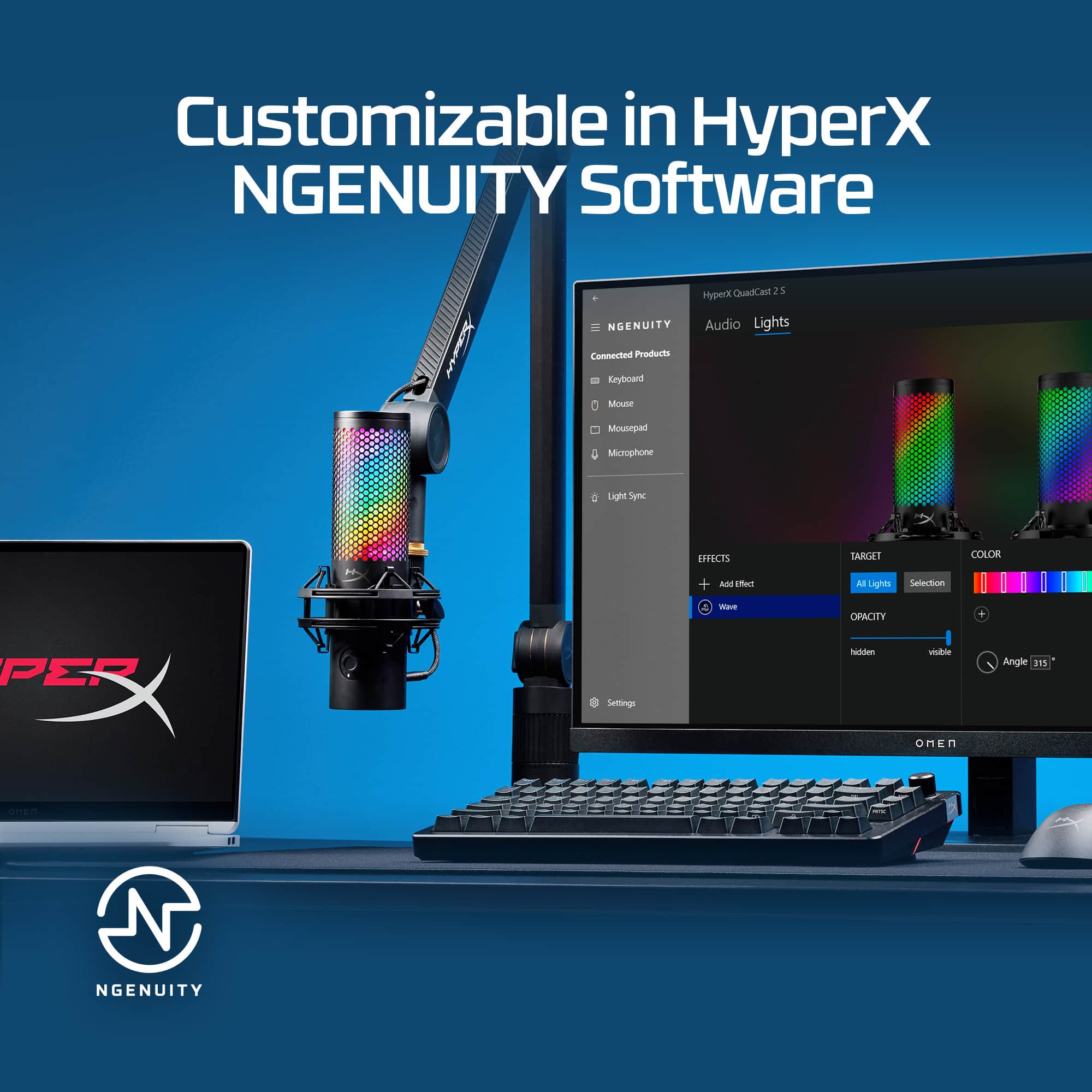
|Posted .This reviewer received promo considerations or sweepstakes entry for writing a review.I was looking for another microphone to use with a recording setup I’m putting together for my girlfriend in a quiet room, mainly for voice over work but also general voice recording. I’ve got a HyperX QuadCast S that is her main streaming microphone, but she uses it for her work now too. We’ve had zero issues with the sound quality and features of the QuadCast S, so when I heard there was a newer version, the QuadCast 2 S, I picked one up right away! Pros: - Improves on the already great design. - USB-C to USB-C Connection. - New mic directional indicator lights. - Detachable shock mount! Cons: - Literally nothing. Setup: Easy plug and play, though the added software helps manage the settings. As I already had it installed, the mic worked properly just plugging in. Without the software preinstalled, the microphone is detected but the RBG controls are set to a default. Software: The QuadCast 2 S needs the HyperX NGENUITY software to access additional customizations such as switching Polar Patterns or adjusting the RBG. As software comes, NGENUITY is very simple and easy to use. For the QuadCast, there are 2 tabs: Audio and Lights. All the Audio settings are available on one page to control the Mic Volume, Output Volume if using the 3.5mm Jack, the Filter, and selecting the Polar Pattern. On the Lights tab, it can get a bit more complicated quickly but in general the settings for all color control are available on one tab. HyperX has included the ability to layer effects or sync with the rest of your system lights. I’ve still got to explore the possibilities of adding a few custom effects to the light effect using the video effects with the setup we are working on. 4 Polar Patterns: One of the best features of this microphone is the ability to switch between 4 different microphone directions, which are called Polar Patterns. This allows more versatility with the microphone by providing different ways to capture the audio, and the QuadCast does it better than just good. The 4 different polar patterns are: Cardioid, Omnidirectional, Bidirectional, and Stereo. Cardioid is the most common pattern for gamers or individuals using the microphone on a desk setup, audio is captured from one side of the microphone. I’ve got both microphones in Cardioid most of the time for our use. Omnidirectional captures sound from all directions, which is great for multi-person activities or conference calls. Bidirectional captures sound from the front and back, which is good for interviews with 2 people. Stereo is like Bidirectional but side to side, which helps create the stereo effect for music. One of the bigger differences between the versions of the QuadCast is how you switch between modes; the QuadCast S has a dial on the back compared to the new QuadCast 2 S that uses software to configure the mode or a push on the multifunction knob to cycle through the patterns. With the New model, when unmuting, the top of the microphone will light up Red to indicate the current direction for recording. This was helpful when I was testing out the different modes, as I could easily check which pattern I had selected by muting/unmuting. Sound Quality: The sound quality on the QuadCast line is great, the sound is clear, crisp, and catches the voice range without distortion even from a shout of victory or jump scare scream from a game. To be honest, I couldn’t tell the difference in sound quality between the two versions of the QuadCast, though my girlfriend said QuadCast 2 S was the better of the two. I’ll trust the expert who uses microphones more often. Comparing this to say a headset or phone microphone, there is zero comparison as you can clearly hear the difference between the different types of microphones. I know there are better quality microphones that are studio quality. But those also require additional equipment, that in total with the microphone will cost 4-5 times the MSRP of the QuadCast 2S, while only doing 1 pattern. The versatility and ease of use of the QuadCast 2 S far out values the additional improvement to sound quality for most users, at least in my opinion. Conclusion: If you want the best possible USB Microphone for gaming, this is your best option. Period. If you also want to do other recording, but don’t want to break the bank on professional series, this does a good job and allows for multiple recording setups. For most gamers who want a massive step up from a headset microphone but still want to keep it simple, this is the microphone line I always recommend and will continue to recommend.
I would recommend this to a friend - Pros mentioned:Rgb lighting, Shock mount, Sound quality
Fantastic to the Eye, Light on the Features.
|Posted .This reviewer received promo considerations or sweepstakes entry for writing a review.THIS… Is the HyperX QuadCast 2 S and essentially the bigger brother to the Quadcast 2. The mic is a centerpiece and with over 100 addressable RGB diodes it certainly catches your eye with whatever color or color cycle you put it through. Lets take a step further and see how it sounds. Ok so out of the box, almost no physical changes from the Quadcast 2, and that's not a bad thing here. The removable shock mount is fantastic and helps eliminate erroneous sounds going into your mic while you slam away on your game. Plugging it in with the included braided USB C cable (why can’t everyone include a braided usb c, big +1), you are greeted with the fantastic RGB swirl lighting that I mentioned before. I really held off on changing the color as well as it looked so good in the RGB swirl, and that is really where the good also ends with the microphone. Plugging it in and downloading the HyperX software lead to my first headache. Every time I booted my PC it made my voice sound like I was on helium, and it kept doing this until I reset everything and re-downloaded the software. Continuing, the software is certainly not bloatware and I loved using it for HyperX’s keyboard but… you really cannot change anything outside of the color on the mic and the gain. I mean seriously? This is a ‘best in class audio’ with no adjustability at all, and no noise canceling abilities which we are seeing implemented on its competitors. While the 32bit/196kHz audio capability is nice, being able to adjust it is even better. There are some good physical adjustments you can make from the central dial: Gain, Headphone Volume, Monitor mix and polar pattern… and that's it! I will say, the mute button is fantastic though as the mic completely changes color so there is no guessing if you are on mute or not. All that being said, I am disappointed. When the first Quadcast was released it was almost an instabuy due to its shock mount and high end audio, so I am a bit disappointed to see a lack of adjustability and other high end features to offset its high starting price ($200 msrp). The aRGB is fantastic, but I would trade it for more usable features. That being said, I still urge you to try it if you are on the fence as it isn't an objectively bad mic. You never have to worry about buying a mic that you don’t like or that doesn’t mesh with your flow as bestbuy has a fantastic return policy and great customer service! So there is no harm in testing if the HyperX QuadCast 2 S is right for you. Until next time :)
I would recommend this to a friend - Pros mentioned:Ease of use, Sound quality
Excellent, adaptable sound. Easy to configure LEDs
|Posted .This reviewer received promo considerations or sweepstakes entry for writing a review.The HyperX QuadCast 2S is the second recent HyperX product I've had a chance to review and once again I'm impressed with quality of PC accessories from this brand. The Ngenuity software seems pretty lightweight vs some other brands' software suites, but retains some cool features that are on par with the best from other brands. The sound quality of the mic is excellent and it has 4 different configurations to maximize your pickup pattern. #Out of Box Impressions# The box for the QuadCast 2S is pretty large, and the mic came with a desk stand as well as the shock absorbing mount and a very long USB-C to USB-C cable. I was first impressed by how easy it is to mount and unmount the mic from the shock mount.You can easily turn the mic slightly in the mount to release it or lock it in - with a satisfying click as you do so. The USB-C cable is extremely long, more than long enough to get from my computer, up a pole, and along the boom arm to the mic itself. I already had Ngenuity on my PC, but installing is very easy from the Windows Store. #Using the QuadCast 2S# When I first plugged the mic in, I was a little surprised that the LEDs immediately lit up in a glaring moving rainbow pattern. I was pretty worried that I wouldn't be able to use the QuadCast for work meetings in addition to gaming and streaming as that initial default pattern was super bright and colorful (a good and bad thing!). I was pleased to find that Ngenuity allows you to save a pattern to the mic's internal memory so you don't have to have Ngenuity installed on the PC it's connected to. Other brands should take note of this. I settled on a slight red hue to the LEDs when the mic is on the default setting without Ngenuity, so I'd know when the mic is "hot" or not on a work call. On my personal desktop, I tried a few different lighting settings (including the option to create your own via animated gif!) and settled on the VU meter. I also enabled the High Pass Filter and made sure it was set to a standard cardioid mode. Sound quality wise, the QuadCast 2S is really impressive. My last desktop mic was from a similar gaming oriented brand and there's a noticeable improvement in how my voice sounds as well as the noise rejection frm behind the microphone in cardioid mode. Discord friends commented on it almost immediately. While I haven't recorded a multi seat podcast or interview session with the QuadCast 2s, the omnidirectional mode works well also. Stereo recording is another great addition. #Final thoughts# Overall, the 4 microphone capsules really give the QuadCast 2S an edge over similar gaming oriented microphones.HyperX have done a good job in adding thoughtful features to their software without it becoming too bloated. I also can't say enough about how much I appreciate being able to set a lighting pattern and save it to the internal memory on the microphone, saving me from having to install Ngenuity on every PC in intend to connect it to. Kudos to HyperX for making a great product.
I would recommend this to a friend - Pros mentioned:Shock mount, Sound quality
High-quality Microphone
|Posted .This reviewer received promo considerations or sweepstakes entry for writing a review.The HyperX QuadCast 2 S is a high-quality condenser microphone that great sound for a reasonable price. Having used the QuadCast 1, which was already a good microphone, there is an obvious improvement in sound and design. Using the 32-bit/192kHz audio capability, the microphone is very crisp and clear, and it can pick up my voice clearly while avoiding excess background noise from being heard. The shock mount is very sturdy and holds up very well. It is easily detachable, so you can use the microphone with a boom arm. It has good features, including the output headphone jack to plug your headphones directly into the mic. This allows for direct mic monitoring. Another great feature is the tap to mute on the top of the microphone, indicating which microphone mode you are on. The easy-to-use multifunction knob allows you to change the microphone gain, the audio out, and both with ease. The multifunction knob also allows you to switch between four different polar patterns: Cardioid, Omnidirectional, Stereo, and Bidirectional. These can all be changed easily using the HyperX NGENUITY app. You can also customize the aRGB LEDs on the microphone through the app, and it is highly customizable, allowing you to even video capture your screen and paste it onto the aRGB LEDs. Overall the HyperX QuadCast 2 S is an amazing microphone for its price, with many features that will continue to be top-of-the-line for many years.
I would recommend this to a friend