Customer Ratings & Reviews
- Model:
- SlateHako2120i
- SKU:
- 6519300
Rating by feature
- Value
Rating 4.6 out of 5 stars
- Quality
Rating 4.6 out of 5 stars
- Ease of Use
Rating 4.7 out of 5 stars
Customers are saying
Customers highly value the SlateHako2120i's strong performance and quiet operation, praising its effective cooling system and attractive case. Many appreciate the included RAM and storage, though some users suggest potential power supply upgrades for future-proofing. The included keyboard and mouse are also frequently noted as a positive addition.
This summary was generated by AI based on customer reviews.
- Pros mentioned:Performance
Pc gaming experience
||Posted . Owned for 4 months when reviewed.This reviewer received promo considerations or sweepstakes entry for writing a review.Outstanding performance and worth every penny. I recommend first time pc gamers and experienced gamers to give this pc a try. Very affordable and so far I have not come across any issues.
I would recommend this to a friend - Pros mentioned:Gpu, RamCons mentioned:Power supply

Great Value and Performance for gaming!
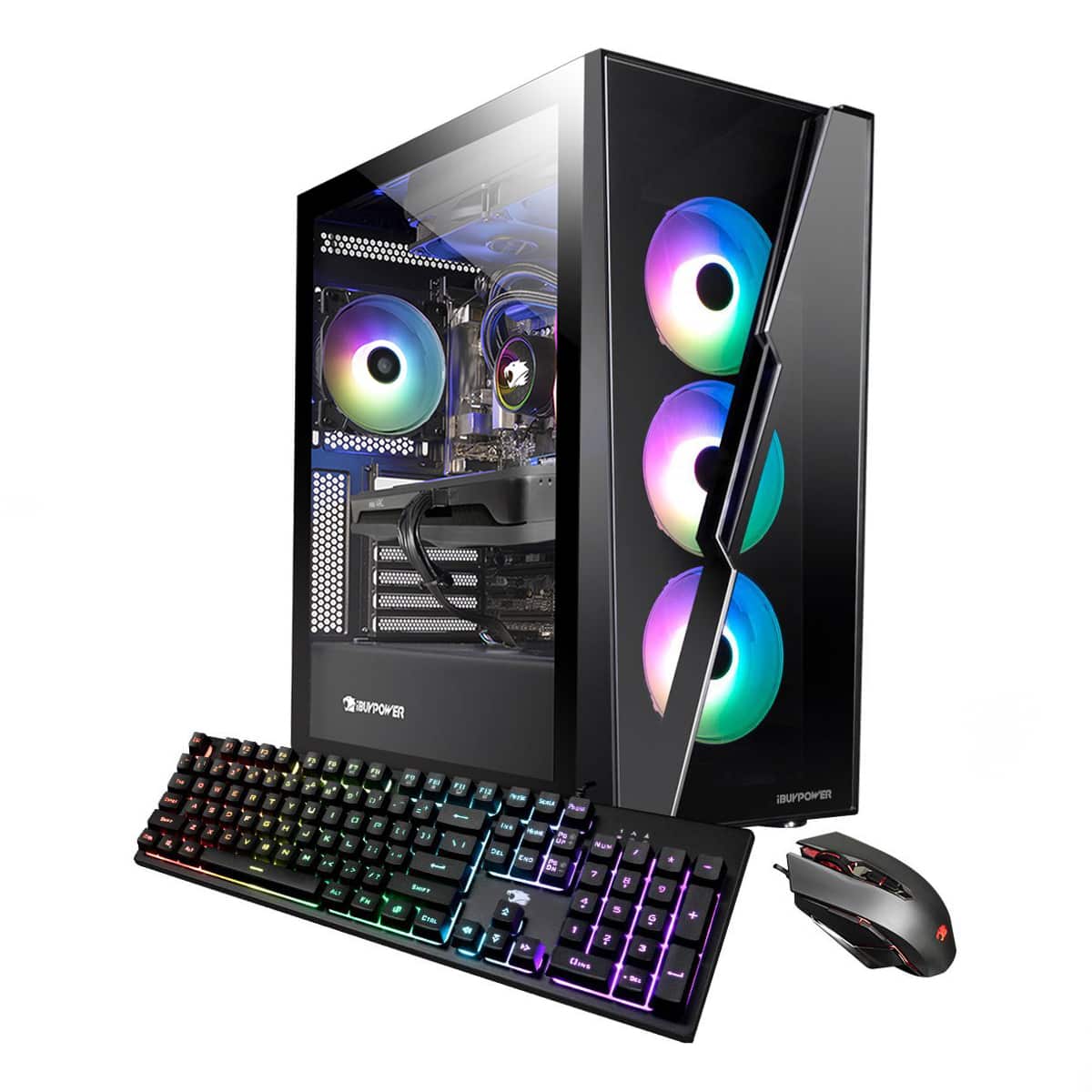
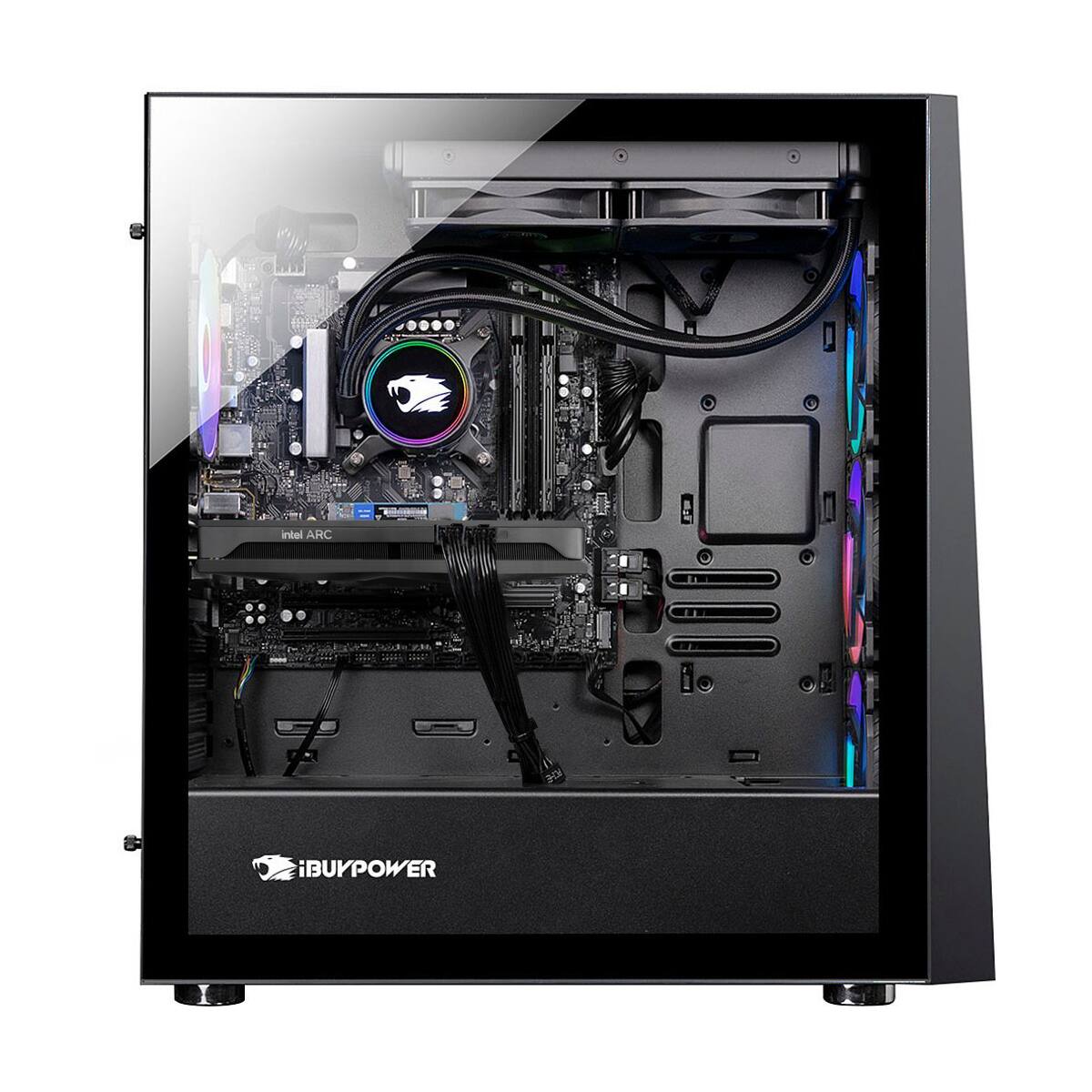
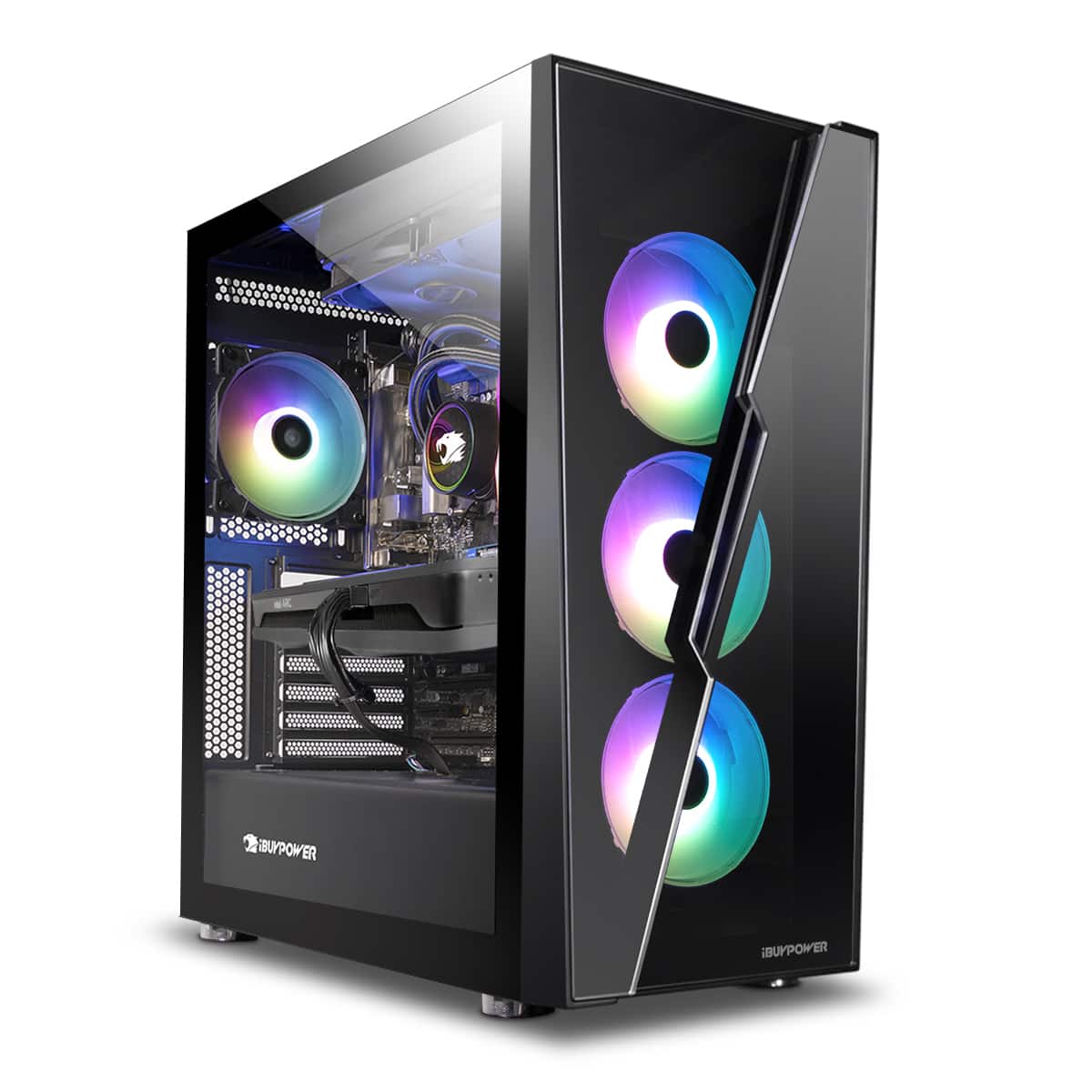
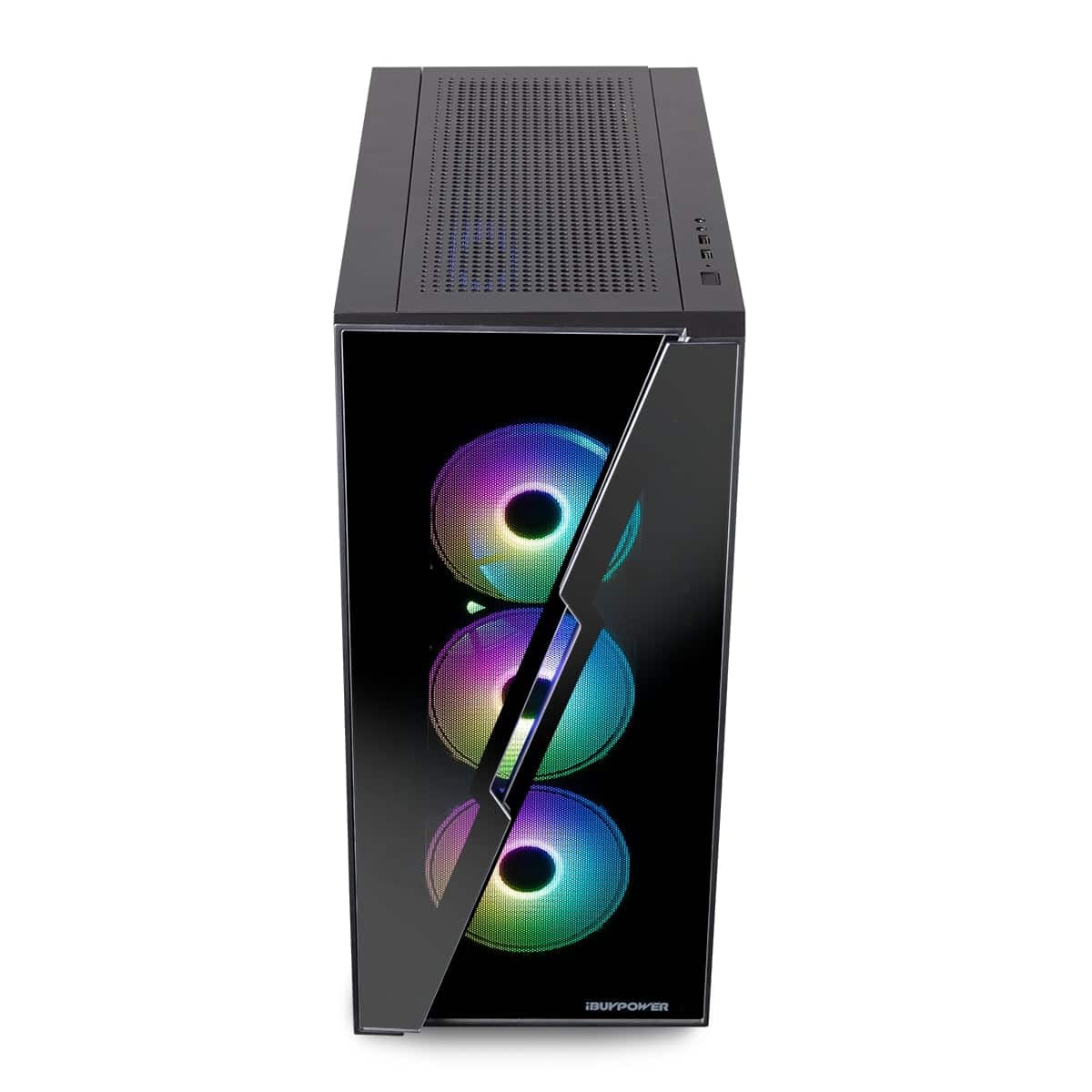
|Posted .This reviewer received promo considerations or sweepstakes entry for writing a review.This…. Is the IBUYPOWER - SlateHako2120i, and while the name is rather unremarkable - the PC IBuyPower is selling is a great mix of all the right parts at a great deal. From a 240 AIO, a great case, brand name everything and all prebuilt, with a warranty and cheaper than you could build it yourself for I was left wondering… Why wouldn't you buy it? With that being said… Lets cut into it! Before we get started, I know PC’s can be rather confusing and that's why some people just go with prebuilt - if that is why you are here, you are in the right place! This is a great PC and a great place to buy a PC from, and everything bought from BestBuy can be returned haggle free. Should you have any further questions you can always go in store and have someone at BestBuy help you out making a more accurate selection should you still be confused. CPU- Intel I7-12700, a solid pick for this price range. GPU- Intel Arc A750 (ASRock) comes with 2 4th gen m.2 slots and supports 13th gen intel processors as well as four dim slots for up to 128gb. Motherboard - ASRock B660M Phantom - plenty of expandability for storage, peripherals and looks quite sleek! Ram- 16gb PNY 3000Mhz While it might seem like off brand ram, PNY is a great reliable choice for ram here. Nothing flashy but it gets the job done. Storage- 500gb Samsung M.2 (possibly 980) and a WD Blue 1TB 7200rpm drive Case/Build Quality - The case was extremely well built and presumably a rebranded NZXT case as it was a VERY well made case and to be honest looked amazing in person - way better than in the stock photos. Tempered glass side and front with plenty of storage under for your drives, extra cable routing and whatever you should desire. The PC comes with a 240 rad AIO cooler but this case can fit a 360 on the top easily should you choose to expand in the future. My younger brother (12) was in love with this case as well and was upset he didn’t get this PC after having just been in the market for a PC and picking something else (now we know to be the wrong choice). AIO (all in one liquid cooler)- This PC is equipped with a liquid cooler, meaning it has a all in one system with a radiator and pump used to quietly and effectively cool this CPU. The AIO is a rebranded NZXT Kraken 240mm that is more than enough, this is actually almost overkill for this CPU but I love it. Very quiet and sleek looking. Power Supply- No name 600W power supply, biggest letdown of the build here. Peripheral included - The keyboard and mouse included with this PC actually shocked me with how good they were. Gone are the days of the e-waste peripheral's included with prebuilt because I could (and did while I was testing this PC) use the mouse and keyboard easily every day. Price for the performance - This PC, as it stands, removed from the cost of shipping and peripherals included cost about $1213 if you were to go and buy these parts off the shelf. This is a great deal on parts, the build and throw in the peripherals and it is almost a no brainer. On top of all that, you get great customer support from both BestBuy and IBuyPower. Intel GPU- It should be noted that this is a first generation intel GPU so there could be some hurdles. The drivers are new and so is the platform - so if Intel decides to axe the GPU program, it brings into question the support of future drivers release. Gripes - I have two main gripes for this PC, the first being that the power supply is some black box 600w with no name or branding on it. I am not sure if it is even bronze certified but it is also not modular. This is a hassle because when you go to upgrade this PC in any way I would immediately recommend a larger, certified PSU that is modular. When you replace this PSU you will have to re-run all the power wiring which isn’t the worst but is a headache. The second gripe I have is that this uses the 12700 - Non K variant and they are now all around the same price now, which means we are loosing some performance here for $10-20 max. I am sure IBuyPower probably got a great wholesale deal on the 12700’s but a 12700K would have made me slightly happier. Conclusion- If you are in the market for a gaming PC and in that 1000-1200 price range I would really put the choices between this and IBuyPowers Slate mesh 3060 variant of this PC that does come with the 12700f (an almost identical CPU) but looses the 240mm AIO. The case offers plenty of room to grow and the biggest pinch here is the power supply as everything else offers expandability and wiggle room to grow and upgrade. As always, BestBuy has excellent customer service and a great return policy, so you never have to worry about buying a product that you don’t like.
I would recommend this to a friend - Pros mentioned:Performance
SMILEY IS HAPPY
||Posted . Owned for 1 month when reviewed.This reviewer received promo considerations or sweepstakes entry for writing a review.Love it. Lot of updates but that's normal. Playing the new resident evil 4 remake on it performance is excellent.
I would recommend this to a friend - Pros mentioned:Gpu, RamCons mentioned:Power supply
Low-dust clear front!
|Posted .This reviewer received promo considerations or sweepstakes entry for writing a review.***TLDR:*** A solid starting point for gaming and productivity. ***STANDOUT FEATURES:*** 1.) This is the first clear front-panel case I've seen to have a fan filter. 2.) Uniquely removable top panel (useful for accessing radiator or for carrying the case by the top - hides an additional filter). 3.) The ARC card, which is new to the market and will only improve with time as drivers get better. ***PROS:*** 1.) i7 12700 is an excellent all-around CPU for gaming and productivity - it also includes integrated graphics. 2.) Case look is sleek and the case is large enough for card upgrades. It has extra standoffs for ATX sized motherboard down the road. 3.) The power supply is 600W Gold, good for keeping noise and wasted electric low. 4.) DDR4 slots mean cheap, high performance RAM upgradeability. 5.) Two NVMe slots make fast storage upgradeability easy. 6.) The motherboard has a thunderbolt port, should you want to add that connectivity later. 7.) It also has RGB headers for 5V and 12V setups. 8.) fans are nice and of a design that should be easy to clean. ***CONS:*** 1.) Case steel isn't very thick, opening up longer term durability concerns. 2.) Paint isn't very durable, as my unit came with a slightly scuffed internal corner, probably from initial component installation. 3.) Airflow is terrible, as is always the case with a glass or acrylic front panel. This will be a problem when upgrading your GPU. 4.) 600W PSU also won't be adequate for more than a 220W GPU. 5.) Included 3200 RAM runs at CL22. That's slow. 6.) Motherboard can't run a higher TDP CPU. There is only a single 8 pin for power. 7.) Case thumbscrews aren't captive, nor is the hard drive cage tool-less. ***CONCLUSION:*** Even with the drawbacks, this is still an attractive computer with solid specs. With the front fan filter you get to enjoy a clear look with loads less dust build-up over time. Catch it on sale and it's a no-brainer.
I would recommend this to a friend - Pros mentioned:Cooling, Gpu, Noise level
Amazing value and power with an ALL Intel combo.
|Posted .This reviewer received promo considerations or sweepstakes entry for writing a review.First reviews on seeing it: Sweet looking clear glass case with LOTS of cooling. 3 front 1 rear. Nice obnoxious blue LEDS. Case has one expansion slot. Bluetooth. 3 Extra SATA connections for a total of 4. Comes installed with 16 GB of DDR4 ram. 500GB Solid State drive and a 1TB platter. Full Compliment of convenient top front USB. Ambient noise is low. Right away it's good to go! The one new feature here is it's using an Intel ARC A750 card with 8GB of ram and it runs the games beautifully. Solid benchmark score: CPU-Z Bench: 751 Unigine: 20635 (1080P) Only a few hiccups. ARC (graphics card application) Control center failed to install on setup due to a missing file requiring a manual download; which was easy to fix. Windows Product Key wasn't already activated requiring a single button push. Startup is from button push to fully on is seconds. Photoshop runs like a dream and works accelerated with the ARC 750. Sadly another program I use (PTGUI) is not yet ready for the Intel GFX card. Input wise: The mouse is perfect for the gamer and works with advanced requested features like drag clicking. The keyboard full spectrum backlit. For the price this is an awesome setup and I highly recommend it.
I would recommend this to a friend - Pros mentioned:Cooling, Gpu, Noise level
Solid performance at a great price
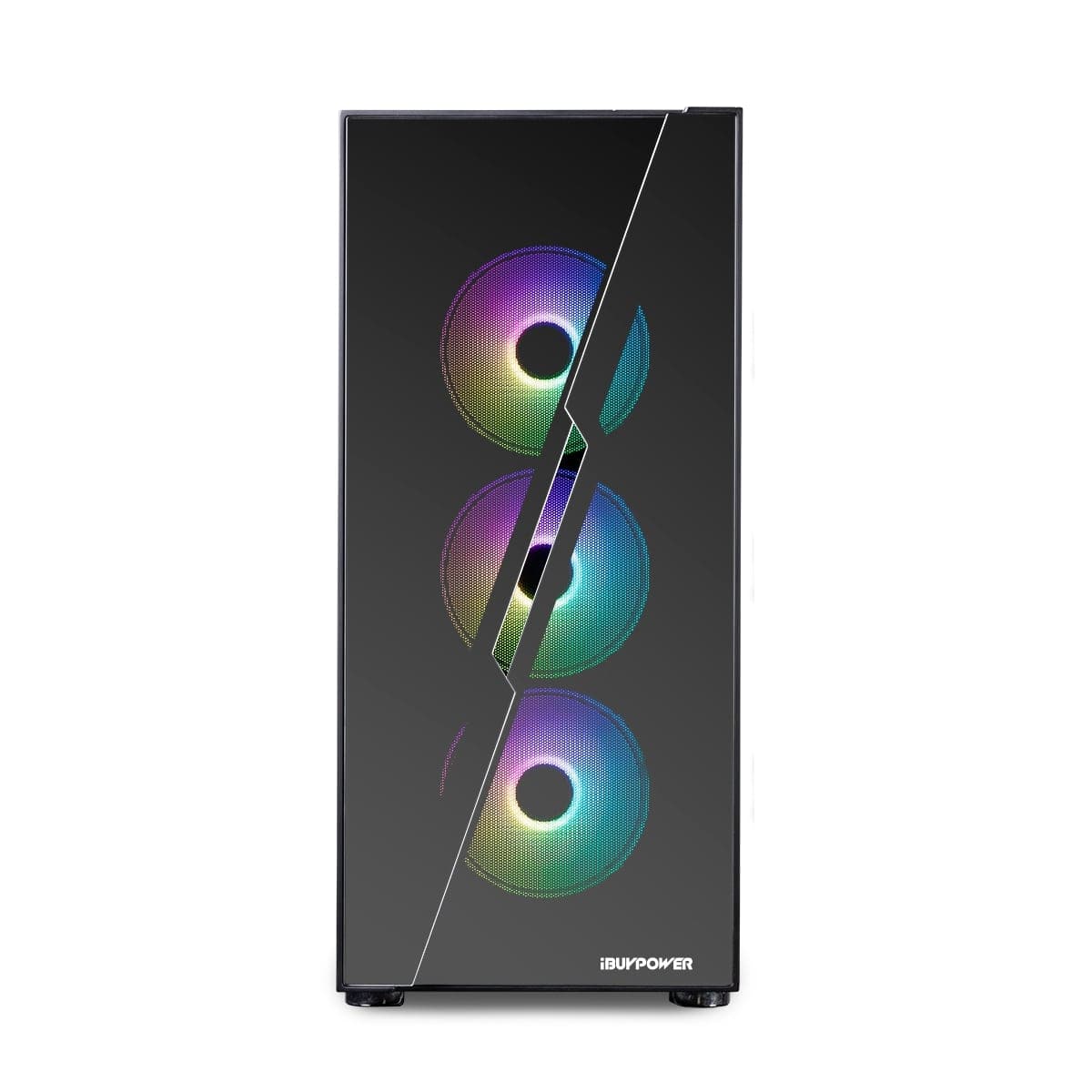
|Posted .This reviewer received promo considerations or sweepstakes entry for writing a review.It's easy to put together a great gaming machine if money is no object, but for the majority of us, money is very definitely an object. The Slate Hako 2120i has been a very pleasant surprise all the way around. For starters, it's very affordable. But don't think that means you're not getting a good machine. The 2120i has a lot of bang for the buck and it includes a lot of higher end features for the price. The case is striking. Honestly, the pictures just don't do it justice. There are glass panels in the front that are set in an interesting way and allow you to see the three LED lit fans inside. The side panel as well, is tempered glass that has a slight tint and slight mirror effect. The case is a solid beast, no flexing that I could notice. Most of the connections are on the back panel but there are convenience connectors on the top that include (2) USB3 connectors, a mic jack and an audio out jack. There's also the power button and a disc access LED. All the panels are easily removable and allow access to the entire machine. On the rear you'll find (2) more USB jacks at the top with a PS/2-mouse/keyboard jack, below that is an HDMI jack. Below that there are (6) more USB jacks, the RJ45 Gigabit Ethernet jack, another set of audio I/O and the antenna connections for the WiFi (there are two antennas included, both can be rotated and positioned as needed). The video card is below that, so this is where you'll find (2) DP jacks and (2) HDMI jacks. You'll want to plug your monitor(s) into the video card and not the HDMI above. And yes, you can have a dual monitor setup with this card. I can go on describing the case because it truly is beautiful and has a well laid out interior as well, but once you power it up, this machine takes you to an even higher level. This is when you get to see all the LEDs on the fans light up and this includes the processor fan as well. Now you can take the opportunity to really look inside. Gone are the days of pulling off the lid and seeing stark, bright silver sheet metal. This machine is all black both inside and out (even the ASRock circuit board is black). This helps to highlight the LEDs throughout the machine. Yeah, it looks great. So, what components does it come with? For starters, it has an Intel core i7 processor. I've used i7 processors for a long time both at work and at home and it's always been a solid performer. I've never had any trouble with one. To up the ante, iBuyPower opted to have this guy liquid cooled! On top of that it gives you 16GB of DDR4 memory. While that might seem on the low end to some, I didn't have any trouble at all with my games. If you want to, you can add more memory. There are a total of (4) memory slots and only (2) of them are filled, you can go all the way up to 128GB on the memory so plenty of room for expansion. The mother board is an ASRock B660M-C. If you're interested in the specs you can find them on the ASRock web page. Intel, while being a premier CPU maker, is relatively new to the video card industry and they make cards that offer a more middle of the road trade off between sane prices and good performance specs. This is their A750 card and it offers things like Ray Tracing, 8GB of dedicated memory, Variable Rate Shading, HDMI resolution up to 4K and Display Port resolution up to 8K to name a few. Graphics look pretty good with it. I've been able to run all of my games at the highest video settings, some video anomalies were visible until I went into the Intel ARC Control and set the Tearing Mitigation Mode to Vsync On. The colors are rich and deep in Diablo 3. Doom (2010?) and Doom Eternal play smoothly even through the most intense levels. I played at both 1080 and 1440 video settings without issues. I'm using a ViewSonic OMNI 2K gaming monitor with it, with the DP connection. The ARC A750 is a reasonably priced card that offers good specs and an attractive package. This helps keep the features up and the overall price of the machine down. I appreciate the card for what it is, and I know that there is a lot of development work being done on the Intel video drivers. I'm not crazy about being a guinea pig for beta drivers that should already work with the majority of the programs I use and the games I play, but with a card this new, I do expect it. That being said, you may across a program that will have an issue with it. For instance, I use Affinity Designer for graphic editing and design, but the program just crashes seconds after opening with this video card. The Affinity web page already knew about this issue and had a fix for running their programs with this graphics card, so all good. I feel the A750 still has some driver issues and it's going to take time before they get them all straightened out. Using the Intel Driver and Support Assistant got me the most currently sanctioned video driver, but the issues I had were with the newest driver so, still a ways to go. The included Intel ARC Control is a really nice tool to look at the specs of the card and even change settings on the fly. Intel seems serious about getting these cards right and every review I've read about them gives them good ratings for the class of card that they are aiming to be. There are driver updates frequently so if a game has some hiccups now, it probably won't be long before they're fixed. I'm willing to buy in for now and see how far they go. For me, the card performed admirably. To add to the speed of this machine, it includes a unique combination of drives which also helps to make storage access as fast as possible. There are actually two drives included. One is a 1TB HDD and the other is a 500GB SSD. The operating system resides on the SSD which allows for fast boot up, and the HDD is able to store whatever you want on it. This is a good combination and gives you the high capacity benefit of a standard disc drive with the speed benefits of an SSD. This is a really good price trade off as SSD higher capacity drives are still quite expensive. Including the HDD gives you tons of room at a much cheaper cost. The machine runs pretty quiet. You can hear the fans ramp up during intensive gaming, but it's still pretty quiet. The six fans seem to keep everything pretty cool. It doesn't seem to have air flow issues to me but some people may question it. It certainly didn't seem to struggle with heat. The machine comes with a mouse and keyboard, both are wired and have LEDs. I chose to use my own wireless keyboard and mouse as I'm very used to them. The included peripherals continue the nice color features of the internal fans. The machine comes pre-loaded with Windows 11. As with any new computer, you'll need to spend time downloading and installing the usual updates. I think iBuyPower did a really fine job with the design of this machine. A solid, capable processor combined with adequate (and very expandable) RAM, HDD and SSD drives for capacity and speed, more USB ports than you'll probably ever need, a second M.2 slot and room for expansion or upgrade. The video card is set up nicely with 8G of memory, and I think it will work better and better with every driver update. And, everything is nicely housed inside a beautiful case with a good amount of lighting. It's at a good price point for all that you get and it's a solid performer. I appreciate the components they chose, there's a really good balance between performance and sane pricing. This is a really good machine to start with if you want a dedicated gaming system. I think for the majority of people who enjoy PC games, this machine will be more than adequate for a good long time. Nicely done iBuyPower!
I would recommend this to a friend - Pros mentioned:Cooling, Gpu, PerformanceCons mentioned:Power supply
My first all intel gaming pc experience.
|Posted .This reviewer received promo considerations or sweepstakes entry for writing a review.I first want to say that i love the new competition coming from Intel with the first gaming video card. This one is a customized asrock card. Word of caution do not use the stock drivers when they ask about drivers updates 1. The over all build quality is much better than i expected ibuypower makes some really nice improvements to not look so boring with a pre-built gaming pc. 2. The fans and cooling actually work and arent for show. Oh the cpu is watercooled. That was an honest shock. Thermals were never an issue. Real tempered side glass a thing of beauty. 3. This particular system runs asrock parts. The mother board is a b660m-c so not off the shelf but can support 2 m.2 gen 4 drives. The video card is overclocked and from asrock but never had a crash while gaming. 4. The lighting is really nice and bright for the case and fans. Doesnt not get too loud under hard load. 5. Ddr4 ram dual channel can support upnto 128 gb. But most people never really need more than 32. 6. Power supply is the weakness of this system. I would upgrade that is i was to touch this system. 7. Gaming at 1080p is fine. Most titles I play run above 60fps. This card is not for 1440p or 4k gaming. I would definitely recommend this for the 1080p gaming crowd for the price point. 8. Pricing is really good for 1.5tb of storage and a decent 12700 intel chip with 16gb of ddr4 ram. It wiild be easily upgradeable to a 13 gen processor with more ram to make this system more efficient and powerful. But thats the great thing about it being able to be upgraded. 9. Dont expect this to be a frames pernsecond kingnor win any awards but the asrock parts does make it faster than the standard intel ark 750 card. I suggest you look at price per performance in deciding if this is right for you. Good platform to start off of. Also being able to be upgraded is a major plus. I will.mention the keyboard and mouse that comes with thenpc are nicer units. But I have my gaming setup that is wireless so I used that in testing.
I would recommend this to a friend - Pros mentioned:Gpu, Performance, Ram
Great custom build with a few issues out of box
|Posted .This reviewer received promo considerations or sweepstakes entry for writing a review.Upon first boot, there was issues with the Intel arc software. It was constantly having issues on boot up so I had to uninstall and reinstall the video card drivers as well as the Intel arc software to fix it. There is also issues with Bluetooth but I believe that to be issues with Windows 11 and not really hardware related. I have a razor Naga pro wireless mouse that should be able to connect Bluetooth as well as use the dongle if needed. And I have yet to be able to connect the Naga pro using Bluetooth which is frustrating. I plan on installing a fresh copy of Windows 11 and seeing if I can then get it to connect. If not then I'm going to try a fresh copy of Windows 10. I've played around with all the services and the drivers for the Bluetooth and still no luck. I will say that the case looks good and the lights are really nice. The keyboard and mouse that they send in the box is actually decent quality as well. I was satisfied with it. Surprisingly the new Intel video card. The a750 is quite powerful. It has played modern warfare 2 at 165 Hertz on a 32-in monitor. I also installed BioShock 2. Remastered and immediately was presented with a message about my video card not being supported at all and that it wasn't recommended to continue. However, I can continued and have had zero issues. It has played extremely smooth overall minus the couple of nuisances the machine has been very powerful and I will say is definitely worth the price. I would suggest upgrading to a better M2 solid state drive, one that is 4th generation and probably bigger than the 512. Maybe even upgrade the ram but right out of the box you can do quite a bit with this machine.
I would recommend this to a friend - Pros mentioned:Gpu, Performance
Great looks and Great performance
|Posted .This reviewer received promo considerations or sweepstakes entry for writing a review.The first thing I would say is that iBUYPOWER really takes care in packaging their computers for shipment. Styrofoam to keep the unit tight in the box and a foam like substance in the case to make sure no components get bounced around. After unboxing you see just how handsome this machine is. With it's 3 RGB fans in the front and a glass side panel you can see everything going on inside the case. The colors of the fans and included mouse and keyboard can be customized to a rotating color scheme or can be made 1 solid color. When the keyboard is set to flashing alternate colors it is kinda mesmerizing. setup was easy except for the fact that there were 7 updates that needed to be installed right from startup. Most were successful but the update for the ARC Control kept sending me error codes when I would start up the computer. I took several days to correct the issue but going to the Intel website lead to a fix for the problem. As far as my initial gaming experience on the SlateHako2120i Gaming Desktop I was thoroughly happy with it's performance. The i7 12700 combined with the Intel Arc A750 works great for gaming. I was a little skeptical at first because Intel has not been known for making great GPU’s but the Intel Arc A750 really surprised me. This GPU compares really well against the rtx 3060 which is an all around great GPU. I tested this by playing multiple games and even with high graphics you still get upwards of 100 fps. On low graphic setting you could easily get upwards of 200 fps. The SlateHako2120i also comes with a fairly large amount of storage with the 1tb hard drive and the 500gb SSD. The SlateHako2120i Gaming Desktop has all around great pc parts and if you ever feel the need to upgrade, it would be fairly easy. It also comes with windows 11 installed which has a new look over windows 10 but very easy to navigate. I would recommend this pc to anyone who wants solid all around gaming pc for a great price.
I would recommend this to a friend - Pros mentioned:Gpu, Noise level, Performance
Excellent performer
|Posted .This reviewer received promo considerations or sweepstakes entry for writing a review.Nicely packaged, you will need to remove the side panel and take out the packing material and film. The desktop was heavier than expected and sturdy. Very cool looking with the customizable color management and also quiet. Even the keyboard and mouse are fun colored and bring a smile to my face. Upon booting I kept receiving Intel ARC Control errors. Even after numerous Windows updates the problem persisted and I had to go to the Intel website and download the driver software – problem fixed. Intel ARC Controls features include driver updates, adjusting game performance, enabling streaming and broadcasting for all-in-one graphics management. It was my first time using ARC Control and it was fast and intuitive, enhancing my gaming performance. This desktop is loaded with features: Intel i7 12 core processing, 16 GB DDR4 RAM (upgradeable), Intel Arc A750 graphics card, 1 TB HDD and 500 GB SSD. It has room for expansion and several USB ports. It doesn’t have a USB-C port or a DVD/CD drive. It really should have a USB-C port. You can connect via ethernet or wireless. The two antennas provide a great wireless connection. There is also a removeable filter cover. The fans are quiet and I didn’t experience any overheating – even with my space heater running in my office. Bloatware has been kept to a minimum – THANK YOU!!! Not one person ever has said they want more bloatware. We tried several games both online and offline and performance was excellent. I kept looking at the fun colors at first and died quick. After the teasing, I focused on the games and was faster with this desktop than my previous one. I even beat my son on a game and he is much better than I am. I run some testers for work and loaded them to see how it handles some serious multi-tasking. Excellent! They used to take about 4 hours to run and this desktop cut it down to 2 hours and 17 minutes. Very impressive as they slow some PCs and laptops to a crawl. Very pleasantly surprised with the speed, functionality and the cool look.
I would recommend this to a friend - Pros mentioned:Cooling, Gpu, Noise level
Capable gaming system. Maybe not for beginners.
|Posted .This reviewer received promo considerations or sweepstakes entry for writing a review.The iBUYPOWER - SlateHako2120i Gaming Desktop - Intel i7-12700 - 16GB DDR4 Memory - Intel Arc A750 8GB Graphics - 1TB HDD + 500GB SSD - Black arrived very well packaged. Thick foam padding on both sides of the box and the system was wrapped in a plastic bag. The inside of the system had a custom formed Styrofoam insert to keep the components from rattling around and the tempered glass had peel off plastic coating. Not too difficult getting the system out of the box for one person. It does have some good weight to it with the tempered glass. The case seems solidly built with the tempered glass front and sides making it feel even more solid. The case has vents on the front, rear, top and the right side of the front with ample cooling provided by the 3 front fans, 2 top fans, and single fan on the rear. The system runs really quiet for a system with this many fans! The RGB effects on this system are really cool looking. The iBuyPower logo on the CPU cooler really set it off when looking into the case through the all glass side. Cable management inside the case is really clean. 2 thumb screws on the side gets you into the case. The included keyboard and mouse are much nicer than what I've normally gotten with any other system. You won't feel the need to replace them with something better right away. The RGB keyboard has a nice muted mechanical switch sound with nice travel distance on the keys. Reminds me of some Corsair keyboards I've had. The RBG wired mouse feels great and looks really nice. Has a nice solid feel and some decent weight to it. It has the button that adjusts the DPI on the fly which is handy. Setup of the system was quite easy... the only issue I had was the Intel ARC setup program for the graphics card had trouble finding files during it's initial setup and wouldn't complete, so I had to go download the latest installer off the Intel website as I wasn't able to find them on the iBuyPower website. Most likely due to the newness of these Intel ARC graphics cards. I have a feeling these kinds of issues will get better over time. Windows 11 is solid. It looks great and seems to be quite stable. It does take a bit of getting used to coming from Windows 10, but nothing too difficult to adjust to. Runs really smooth on this system. The Intel i7-12700 is a beast! Combined with the 16GB DDR4 Memory and fast SSD this system will plow through any day to day activity you throw at it. In benchmarks it far out-performed my i7-9700! When it comes to gaming, the Intel ARC GPU performs quite well and does really well in the benchmark software I tested it with. It tested much faster than my Nvidia 2080 Super, but I didn't see this performance superiority when running games. It was pretty comparable with my 2080 in the games I tested with. I tested the system with 2K resolution 2560 x 1440p. The only issue with the Intel ARC I can see is that in my testing doesn't seem to be as fully supported yet like one would find with AMD or Nvidia, so I wouldn't recommend this configuration to someone that isn't comfortable looking for solutions when things don't cooperate immediately. During my testing I ran into several issues that I was able to work around. For instance, the first game I tested with was Fortnite. By default it is set to run using DirectX 12, but the game would crash right as I was joining a match and just refused to get passed the issue. I was able to switch the game to DirectX 11 and was able to get past this issue and everything was smooth. When I tried running Battlefield V, I received an error that DirectX 11 wasn't supported on the Intel ARC GPU and it wouldn't even open directly after installing the game. I rebooted the computer and then it worked without this error alert popping up, so not sure what happened. I tested Subnautica and it ran without issue and performed excellent. Borderlands 3 was fine also and ran great. All the games I tested ran in the 75-100+ FPS range with all the settings set to max, so definitely a very capable GPU. Just be ready to work through some possible compatibility issues with certain games. From what I researched, Intel is actively working on improving these kind of quirks as well as DirectX 11 performance and compatibility. It's just not going to be as seamless as Nvidia or AMD GPU's until they have time to polish their drivers and work out the kinks. The 500 SSD / 1 TB HDD combo is a great setup and should give plenty of room for the games you play most on the SSD and the occasional games on the HDD. The SSD performed far above average in the benchmarks I ran. I think this would be an excellent system for any experienced user wanting to run games in either 1080p or 2k resolution. I wasn't able to test in 4K, so I'm not sure how it would perform in that resolution. Smooth frame rates in all games I tested and fast / quiet performance for any day-to-day activities. Plenty of ports on the back and top of the PC. The tempered glass provides great displaying of the RGB effects and gives a premium feel to the system. The system also came with 2 antennas for the Wi-Fi adapter in the back and Wi-Fi performance seemed great.
I would recommend this to a friend - Pros mentioned:Cooling, Performance
Quality gaming PC for the price!
|Posted .This reviewer received promo considerations or sweepstakes entry for writing a review.This is my first foray into an iBUYPOWER PC (or pre-built machine for that matter.) Unlike my last tower that I built myself, the components are well positioned and seemingly very well cooled, with plenty of whisper-quiet fans and and even liquid cooling for the CPU. I expected a lot of clear plastic, but the panels are actually very slick tempered glass. Lighting effects in the fans are both tasteful and interesting without being overtly gaudy. The price seems like a good deal, especially when you consider you’re getting a fairly modern set of capable components (at time of writing.) All in all, I’m very impressed and happy with this mid-tier gaming PC. The included wired Chimera KM1 gaming keyboard and mouse provide even more colorful LED effects that pair well with the tower and stand on their own as quality options to get you going. The keyboard defaulted to a very active color changing pattern, but once I checked the manual to discover the hotkeys to lock it to a nice color of my choice, I was just fine. Keys have plenty of travel and are otherwise pretty quiet for gaming keyboard. I found the keys themselves to be a bit hard to read without the backlighting on, or under any kind of glare, but in my normal room lighting setup I can find my way around secondary keys pretty well. Gaming with Intel Arc This was what I was most curious to explore. It’s been a while since Intel was producing dedicated graphics cards, and so far, I’m relatively impressed. It’s not seemingly capable of maxing out graphics settings in modern games on higher resolution displays, but it achieves a nice picture nonetheless. Some have expressed concern that ongoing driver support is an open point of caution, as other GPU brands have plenty of legacy and built up support to help ensure that not only new games, but also older games, get proper driver support. Intel's dedicated ARC GPUs are a bit too new to know for sure. I tested a few games before this review on an ultra-widescreen 3440 x 1440 monitor to get a limited impression. Both Windows and Intel's drivers were updated prior to testing: SHADOW OF THE TOMB RAIDER __ Looks and plays great at lower graphics settings, though I found considerable dropped frames/low frame rates beyond mid-tier settings. Definitely playable and enjoyable, but don’t expect 60fps or anything maxed out on an ultra-wide display. CONTROL __ Similar to Tomb Raider, definitely mid-level graphics options max, but I still achieved a great image. Not 60 fps, closer to 30. Ray tracing was incompatible by default, I’m sure dropping select graphics settings will get a good mix of performance and graphics quality. Take this with a grain of salt, as the higher ultra-widescreen resolution I have also played a role. PORTAL 2 __ This is obviously an older title, but I was happy to see that I could max out the graphics settings and still have a solid frame rate and no issues. —— With my short time so far, I’m very happy to have a gaming computer again and appreciate that it came ready out-of-the-box yet still has plenty of room to upgrade to my needs over time. The 500gb SSD is a bit small when games like Tomb Raider take up half of it, but that’s the beauty of a customizable, upgradeable machine. The performance I found is respectable, but you get what you pay for. My feeling is that this is a very capable machine for what it set out to achieve at it’s price point, and if you have a more common 16:9 - 1080p or 1440p display, you’ll undoubtedly pull much better results than I. From the benchmarks I’ve seen in professional reviews, you will - including very adequate frame rates at high graphics settings… but that’s not my display setup. Overall, the high quality of the case, design, internal layout, liquid cooling, etc. make for a very nice gaming PC.
I would recommend this to a friend - Pros mentioned:Gpu, Ram
Great computer with Intel ARC is coming along
|Posted .This reviewer received promo considerations or sweepstakes entry for writing a review.I have slowly been switching more to playing on PC and as my boys get older they want to jump in on the fun! With them playing beside me, I ended up looking at prebuilds to give them a starting point to play on, but is upgradable. One thing that brought me to iBUYPOWER is the fact that they use off the shelf parts that can easily be swapped or upgraded, my dad got me a prebuilt back when I was younger and wanted to give them the same experience. Included in the box is the PC itself, A Mouse, Keyboard, Wi-Fi antennas, power cable and some documentation. You will need to get your own monitor separately, I happened to keep a monitor after upgrading my personal one, so this worked out great for me! The machine is pretty robust, you got an Intel i7 CPU, paired with an Intel Arc GPU. The board is a Micro ATX board, which doesn't allow you many PCI port expansion, but you do have a couple extra RAM slots to upgrade if you needed. There is expansion foam fitted into the case to keep your GPU from bouncing around, falling out during shipping. You simply need to loosen a couple thumb screws and remove the insert. This is a good opportunity to visually check nothing is loose in the case and remove any peels. The included Keyboard and Mouse are pretty nice, the keyboard has a quiet tactile feel and the mouse has multiple options for DPI that you can change at a click. They are perfectly functional and a great option to get you started. Plug in to power, insert your video cable in to the graphics card, and peripherals and you're good to get started! Booting up you follow through the prompts to set up windows. Once set up I had a prompt for Intel Arc Control .MSI missing, I looked up intels page for the A750 and downloaded the updated software, which got rid of this prompt. After a couple windows updates and software installs I was good to go. I was able to game with a 1440p monitor and I jumped into Destiny 2 and Warzone 2, getting a feel for the Graphics card with games I typically play. In my experience, I was getting best results at a Medium setting in the games videos settings, you would notice frames lower a little bit if you have a counter up, but it did not drop enough to be noticeable while playing. Once I set it up for the boys, I put them on a 1080p monitor. For the games they play Cuphead, Minecraft, Roblox, Grounded and a few other miscellaneous games. In a 1080p environment, the machine appears to shine much more! I feel for this card, if you're gaming at this time, this is a sure bet in my experience. Intel ARC is new to the GPU market and there is a few things that they are working to improve, I wouldn't be surprised if my experience would be different had this been weeks maybe months later. On that note I will use that to touch on a couple negatives, starting with the GPU. For the most part, you will have a wonderful experience with the card, there will be those opportunities from time to time as the card gets updated to have a more refined experience. Having the prompt for missing installer files could cause some to worry about the PC having issues out of the box. There is a iBUYPOWER icon added to the taskbar, after the 22H2 Windows 11 update, the icon went missing and you have a plain icon sitting there, I ended up unpinning it. Windows also wouldn't auto register, I had to go in and manually register it in the computer properties. The case is nice, with the ventilation, if you aren't swapping out to a high powered GPU later you should be fine. I would also be curious to see how a larger motherboard would sit in the case, if there are cutouts or even standoffs to reuse this later. That being said you should be able to swap these parts into a new case, or re-use components in compatible hardware, which is how I got in to playing with and comfortable with computer hardware. This is a wonderful machine to start them off, but allows me to teach them how to clean, work on and upgrade machines as I did at a young age to help them learn a skill for their future! I love that iBUYPOWER does include guides on how to upgrade or swap parts, as well as articles for information. Overall; wonderful machine, packaged well, included peripherals are great to get you started, and the machine isn't full of proprietary parts to limit you. I am curious to keep working on this with the boys over time to see how Intel improves, it would be nice to see Intel get in the race to pushing graphics forward!
I would recommend this to a friend - Pros mentioned:Gpu, Ram
Pick one up
|Posted .This reviewer received promo considerations or sweepstakes entry for writing a review.It is a great time to be a PC user the available hardware is great and plentiful with the exception of graphics cards. The competition between cpu manufacturers is great Intel & AMD are back and forth and the value you get is amazing along with the efficiency between desktop processors. As I stated earlier graphics cards manufacturers aren’t in that same frame of thought with the exception of Intel who is currently attempting to be a third option in the gaming market. They recently released the A series of graphics cards the Intel Arc A750 & A770. These are mid-range cards and are solid but are still in their infancy and with my personal experience I have seen this and for the most part it is solid device but very rough around the edges. I will go into detail a little later on in that part of my review. :::Initial thoughts::: I just wanted to put out there that I am sure that the enthusiast’s who have seen Gamers Nexus review of the brand has had a positive effect on the company. To sum it up Steve had a horrible experience and it was embarrassing for the company. I am glad to say that for the most part I am very pleased with this build. Upon opening the box the system was packaged properly and not a single component was out of place. Cable management is top notch there was a lot of care and detail put into this build. The case is mainly tempered glass in the front and the side panel. The airflow isn’t bad thanks to the included AIO which does a good job in keeping the system cool even under a full load. The small form factor case is a plus it doesn’t take up a bunch of space and is solid and not cheap looking in any way, shape or form. :::I&O::: I love most of the hardware in this build it is all good with the exception of a problematic piece of hardware. Inside of this particular build you’ll find the following hardware; - Intel core i7 12-700 (12 cores, 8 power cores & 4 efficiency cores and 20 threads) - The i7 runs at 2.11GHz base speed and is an absolute monster that handles everything - 16GB DDR4 3200 Memory - AS Rock Motherboard with PCI E 4.0 - 500 GB NVME SSD & 1TB Seagate HDD - Intel Arc A750 There are plenty of USB ports but to me the one piece I was really looking forward to is the GPU but yet it is so disappointing. There is so much potential in the product it just needs a whole lot of refinement. You’ll find that the A750 supports HDMI 2.1 out of the box which is a great thing unlike the older cards that are on the market. Now I am not blaming ibuypower for this it is Intel that is at fault for taking so long to push out drivers and fixes for their product. I could not get older games to run on my machine, I had Modern Warfare running for a while until a GPU related error showed up and it will not run in safe mode either. The Achilles heel of this build is the A750 it isn’t ready for prime time and can’t yet compete with AMD & Nvidia. The A750 works good when it does work with games but don’t expect too much from it it runs best at 1440p forget about playing in high end 4K because it just doesn’t have the power to keep up with my LG C2 OLED. In fact it is the A750 that bottlenecks the CPU. I had high expectations for Intel’s card but again it isn’t ready yet. :::Pros & Cons::: Pros - Powerful components - Sleek chasis with RGB - Small form factor - Current gen hardware options - Quality parts Cons - My only complaint is the weak GPU (Intel A750) - The A750 needs more software updates :::Closing thoughts::: I really love my new PC it is great my last PC was built in 2017 and I was overdue for an upgrade. I was running the popular i7-8700 and that was great at the time. Overall Intel makes great processors and the 12th gen i7 is even better I can’t believe how far they have come since AMD embarrassed them with their offerings. I use my PC for gaming, media consumption and sometimes work. This will handle all of that but if you are gaming then I would advise that you look for another GPU because at the moment Intel A series of graphics are great but are a diamond in the rough with its fair share of problems. Don’t get the A series for the promise of what it can do because at the moment it isn’t worth the headache. Stick to AMD or Nvidia graphics for now until Intel can figure things out. Minus that small gripe I cannot say anything bad the rest of my experience. Would I recommend ibuypower yes I would they make it easy to get a PC you choose what you want and wait for delivery it can’t get nay easier than that. :::TL;DR::: If you are searching for a great gaming pc then go and check out ibuypower they have custom built computers and ready to build options as well. Just do yourself a favor and save yourself the headache and get an AMD or Nvidia powered graphics card you’ll be glad you did.
I would recommend this to a friend - Pros mentioned:Gpu, Noise level
Very Impressive
|Posted .This reviewer received promo considerations or sweepstakes entry for writing a review.This is my first iBUYPOWER PC, and I was impressed from the moment I opened the box. It was packaged really well with foam on both sides of the tower which to fair should be normal. What really impressed me was the foam inside the tower for the GPU. This is commonly overlooked and creates an initial boot up with no GPU because it shifted during shipping. Nothing shifted or became disconnected during shipping. The overall look of the tower is very sleek and the tempered glass is a nice touch. The setup was straight forward and I do like the the connections on top of the tower since it sits under my desk. When the system is running, it’s quiet which is amazing considering all the fans. The lights give it a very nice touch (can’t have a gaming PC without them!). The keyboard and mouse are nice feature too. While this is often overlooked and generic, they decided to put in a gaming mouse and keyboard with some customizable features and of course more lights! The initial boot up and Windows load was a breeze. The only issue I had was Intel Arc Control not finding the program to install which resulted in me going online to find it. It looks like the default path is not valid. I can see this being an annoyance for a novice to setup and might result in a call to tech support. I’ve experimented with a few games, but I haven’t had the time to get too deep yet. However, I don’t feel like I will run into any issues with quality or speed. The GPU is a monster and can handle any game I would want to throw at it, and there’s plenty of memory to run my video server. Overall, I am impressed with this system and the features. I have already recommended it to my friends as their next gaming system.
I would recommend this to a friend - Pros mentioned:Cooling
SlateHako2120i is ready to play and edit in one.
|Posted .This reviewer received promo considerations or sweepstakes entry for writing a review.I built my last pc and it was a nice experience but this time the iBUYPOWER was the easy and affordable way to go. This SlateHako2120i came in with both the keyboard and mouse and all have RGB light that makes the entire set look cool. I am a gamer and also video editor as well as photo editor and this pc is perfect for these fun things. The Intel i7 12700 processor is fast, it has 12 core processing so it delivers smoothly even with I am editing video, it just finishes the job and it does it flawlessly. The Intel Arc A750 8GB graphics is great for gaming and editing and it gets the job done. And it looks great. As for the storage, it has plenty to start with, 1TB HDD and 500GB SSD is also plenty and the pc can hold more if needed. I also like that it the pc can be used with the Ethernet cable but it does not stop there, it comes with two antennas to get Wi-Fi at great speeds. The SlateHako2120i comes with both HDMI and DP ports to have one or two monitors on at once. It also comes with USB 3.0 as well as 3.2. I would have really liked to have at least one USB C but no big deal. The lights can be customized to different modes, static, breathing, strobe, random, music and more. The lights can be synched or mix matched. The tempered glass on the side enables to see inside when the pc is on; it has a slight tint so when it is off it sort of looks like a mirror so it is also pleasant. It comes with 3 fans in front 2 on top and one in the back so the pc is always cool and just keeps working nonstop. Both the Chimera KM1 gaming keyboard and mouse combo are smooth and go well together with the pc since they all have a very nice and smooth Black Matte finish. Both do respond quick and the lights on the keyboard can easily be changed with the keys, and also has an anti-ghosting key design. Overall it is a very attractive and well-made pc for both gaming and editing. Right out of the box it is ready to work without breaking a sweat, it has room for add-ons and best of all of good value.
I would recommend this to a friend - Pros mentioned:Gpu, Performance
Very Good Budget Build w/Room to Grow!
|Posted .This reviewer received promo considerations or sweepstakes entry for writing a review.The iBUYPOWER SlateHako2120i is the first rig that I've ever purchased from a non 'mainline' brand and I wasn't exactly sure what to expect. What I got was a really nice tower PC with a great motherboard, processor, and heat management system. Oh the light system is nice too but I hate all the LED stuff. I would say that the graphics card is great, and while it is built like a beast, it still has some hangups being a very new tech from Intel. I expect this to be continually upgraded since already in the short time that I've had this, a software update already got rid of a nasty graphics bug on one of my games when using HDR. The best part of the SlateHako2120i is that it has some room to grow. Beyond just being able to slap in some new or more RAM, an extra slot for an M.2 SSD, or several bays for other drives. It also has the capability to do a Crossfire setup and sling two GPU cards if you wanted. I've already thrown in another M.2 SSD that makes better use of the x4 speed of the primary M.2 slot but I will gripe that the team at iBUYPOWER could have done me a slight favor by keeping (or installing) a lockdown screw in the other slot. I had to buy a $5 kit to get a set of screws and bolts for an ASUS motherboard which worked perfectly. One of the biggest and best surprises is the thermal management on this thing. I'm not running any of the monitoring software (which you have to add on your own, there is very little bloatware on this thing, but there is also very little in the way of 1st party management software either), but despite running some AAA games at max settings, the SlateHako was remarkably quiet with the liquid cooled system. I have a few misgivings about the lack of ventilation on the front of the case with the triple fan set-up but it would seem to be pulling a lot of the air from the sides and not the front. We'll see how it does in the long run, but right now it is handling thermals pretty well. Overall, I'm pretty pleased with the SlateHako2120i. Without breaking the bank, I got an attractive, cool-running, powerful system, with room to grow. If I could give half points, I would and this would be a 4.5, but I felt that its probably closer to a 4 than a 5. If things had gone a bit smoother with the SSD upgrade and I didn't have some of the graphical issues with the ARC card, it would be an easy 5 star rating.
I would recommend this to a friend - Pros mentioned:Performance
Awesome fun and setup
|Posted .This reviewer received promo considerations or sweepstakes entry for writing a review.Where to even begin! The unboxing felt like surgery. Everything was sealed and protected with much care. There was even instructions with removing the foam. I enjoyed every bit with the unboxing. High quality packaging is what I call it. This machine is beautiful and of course the mouse and keyboard too. The Setup: The setup guide is very step by step so no problems there. The look: Very stealthy when off and very futuristic when on, I love the cool lighting at night. It not as heavy as it looks but still handle with care. This Desktop definitely has its personality. The overall look is pleasing to the eye. It has a front panel that can be removed. It helps with the gpu temperature if it's removed. I have to say, the symbol reminds me of Thundercats. The Experience: You start out with setting up your windows profile and you're in. You can use a Xbox controller and/or PS5 controller but thru a USB. You can for surely use this for daily activities like streaming, work, browsing etc. Of course the main meal is gaming. This is simple for beginners and also it is quiet and it runs cool. You won't be disappointed.
I would recommend this to a friend Great gaming computer at a great price
|Posted .This reviewer received promo considerations or sweepstakes entry for writing a review.First impression: My first impression was with the packaging. The computer was packaged very well, using strong cardboard, large Styrofoam pieces, and Styrofoam in the computer to keep the boards from shaking loose. The computer is very nice looking. It has a stylish chassis with beautiful tempered glass. Unlike my Thermaltake P5 chassis, the tempered glass looks great with the LEDs. And the glass is thicker than some chassis’ I’ve had making it stronger. Specifications: The specifications are good for this computer, especially at the price. My computer arrived with the following: • Intel 12th Generation Core i7 12700 • 500GB SSD • 1TB HD • 16GB RAM • Asrock Intel Arc A750 8GB GDDR6 graphics card • AIO water cooler • Two M.2 NVME slots. • Chimera KM1 RGB Keyboard and mouse combo. The computer motherboard comes with 1 HDMI port and 1 DP port. Personally, I wished they would just give 2 of the same type so I could buy 2 matching cables without having to have an adapter. But this really doesn’t matter, as the included graphics card comes with 2 HDMI and 2 DP ports. Setup: Setup was just like any Windows 11 setup; I simply followed the Windows 11 initial setup wizard and connected it with my Microsoft account. After setup, I did run into one problem. When updating drivers, the Intel ARC driver refused to install. This isn’t a problem with Intel’s ARC drivers, but with a new Windows security feature called Core Isolation. Core Isolation helps keep the computer safe from malware and hackers by protecting the memory and system resources. To install this driver and app, you need to disable Core Isolation and then it can be installed. What I did was to disable core isolation, download the Intel Graphic 30.0.101.1325 ARC driver directly from Intel and then updated the driver through the Intel ARC Control Program. Performance: OK, this is where the rubber hits the road. After installing Steam but before flying, I ran benchmarks. The Passmark rating was 6056.7, and the Superposition benchmark was 20414. The numbers are impressive for this system. And these tests were run before right after configuring Windows and running updates, so this is the raw performance of the machine before any tweaking and overclocking. The included keyboard and mouse are pretty good. The keyboard is a mechanical keyboard but doesn’t feel as mechanical as most gaming keyboards. For myself, it really doesn’t matter while gaming. But I’m a 2-finger typist, so the typical gaming keyboard hinders my ability to touch type at a decent pace. This keyboard has a little more resistance in the keys and feels buffered, which I like a lot. I am keeping this keyboard on the computer. The included mouse is a good mouse and does everything I need it to. You won’t be disappointed with the included mouse though, it’s as good as any other I have used. My type of gaming is flying simulations. I fly both drone and airplane simulations, both training and gaming. So, this is what I used for this machine, as it is what I primarily used on my last home-built computer. I started with DRM and Liftoff drone simulations. These are both on Steam. In both simulations, the flying was about the same for easy level flight. However, when I started flying Acro and shooting gaps, the quality of this computer showed itself. With the graphics setting on high, I didn’t experience any digital breakup, I didn’t get any Low FPS warnings, and the blurs were much more realistic to what I actually see in my goggles when flying. On my old gaming computer that is being replaced, with the graphics settings on high, I would get Low FPS warnings as soon as I started flying Acro. Next I flew installed programs. I started with RealFlight 9.5. Again, my flying experience was much improved. With this program, it’s a slower flight, much like real General Aviation. My old computer had no problem running this program. The difference here was in the quality of the screen. On my old computer, when the plane would get too far away, I would have to use the magnifier to see the attitude of the airplane. With this computer, I can see much further before I need to use the magnifier. Also, the scenery was much cleaner and more realistic. With Microsoft’s Flight Simulator, the difference was also in the quality of the screen. The cockpit looked as good as on my old computer, but the weather and scenery looked far more realistic. I am really impressed with this Asrock Intel ARC A750. Conclusion: I am really impressed with this computer. The performance and the benchmark tests are excellent and will only get better with tweaking and overclocking. In addition to gaming, this computer has more than enough power for post-processing video editing for my cinematic videos from my 4K drones. For the price and the ability to overclock, the iBUYPOWER Slate Hako 2120i Gaming Desktop is both a solid performer and a great deal. I highly recommend this computer.
I would recommend this to a friendImpressive Power to Price Gaming System
|Posted .This reviewer received promo considerations or sweepstakes entry for writing a review.The iBUYPOWER SlateHako 2120i Gaming Desktop is an impressive performer in a solid desktop computer. Unboxing and Hardware The packaging is solid and provides good protection for the components and the tempered glass side panel. A large illustrated quick-start guide provides enough information to get started. There are many stickers and protective coverings to peel off and a foam pillow to remove from the inside. I found an extra cellophane piece on the edge of the Arc graphics card. The internal cabling is cleanly stored, revealing ample airflow and liquid cooling systems. The gaming keyboard and mouse have a quality feel and nice backlighting. I'm using an element 27" monitor at 2560x1440 at 119 hertz and 1ms response. Setup Windows 11 Home is pre-installed, and I stepped through the setup and software updates. I did encounter some errors with the Arc drivers through several reboots. Still, once the updates were completed, everything was running smoothly. Since this is strictly for use as a gaming computer, I appreciate that I didn't have to remove a bunch of bloatware apps. Just the usual Weather, Disney+, Spotify, and minor Microsoft apps that I don't use. I installed Steam and my "serious" gaming addictions of Microsoft Flight Simulator 2020 and No Mans Sky, which are graphics-intensive environments. And to make sure the specifications on the computer and graphics card are as advertised, I installed Novabench and 3DMark for benchmark testing. One minor issue I ran into was with the ASRock RGB LED program. It would crash when I tried to run it. I reached out to iBUYPOWER technical support via their website, called the support line, and the rep directed me to download the most current program from the ASRock website. I uninstalled the old program, installed the new one, and now it works. The program provides customizing of the in-case LED colors. Another configuration program that I could write an entire chapter on is the Intel Arc Control. The Arc Control program provides the following: • Customization and configuration profiles for games. • Game drivers. • Performance monitoring. • In-game overlays. • GPU performance tuning (overclocking, voltage offsets, temperature limits). • An impressive Studio feature for capturing and broadcasting gameplay along with camera capture. This is an excellent tool for streaming to YouTube, Twitch, Discord, or other media. Benchmarks I am surprised at the results of the performance benchmarks (seen below). Especially the 3DMark tests, which come out better than 78% of other DirectX 12 tests and better than 94% of the DirectX11 tests. These results are impressive since the Intel Arc is a relatively new technology, and Intel has taken some knocks for issues in the past. The device drivers from Intel are going to continue to get better as they strive to compete with other graphics cards. Gaming My first game to flex on this system is No Man's Sky. It presents an immersive environment as an FPS on various planet terrains and spaceships in space. While I know the Intel Arc card would choke on Ultra graphics settings in NMS, I attempted to configure NMS with the "High" settings for graphics, including a FidelityFX Super Resolution setting at Quality. This is just one step below the Ultra quality and relies heavily on GPU performance. With these settings, the gameplay encountered a slight stutter when running around the terrain and a crash to reboot after twenty minutes. When I dropped the graphics options to "Enhanced," the gameplay was smooth without any crashes. I'm assuming the crash was related to the CPU load, not the GPU. Overall, No Man's Sky is smooth, immersive, and enjoyable in these settings. Microsoft's Flight Simulator is the next game to get my attention on this computer. With the lessons I learned with NMS, I set the Global Rendering Quality to "High-End," the DirectX version to 12, the Frame Rate to 100% monitor refresh rate, and the full-screen resolution at 2560x1440. The terrain, buildings, trees, aircraft, and ground traffic graphics are highly detailed and smooth. There was no sheering, pausing, lag, or tearing of the details. Aircraft sound and communications with ground control stayed constant and consistent. While I didn't push the performance edges by kicking up the resolution, the graphics and immersive feel on a 27" monitor are lovely. Summary Overall, I am very impressed with the iBUYPOWER SlateHako 2120i Gaming Desktop. The list of features and the power of the Intel Arc graphics card at this price point is a far better decision than building your gaming machine. Intel wants to be a significant player in the high-performance gaming industry, which is a great start. While there might be minor glitches with device drivers, Intel will continue improving its performance and support for many high-end games. Features • OS: Windows 11 Home • Processor: 12th Gen Intel Core i7-12700 @ 4.25GHz • Graphics: Intel Arc A750 8GB • Memory: 16GB DDR4, 2x Teamgroup @3.192 GHz • Drives: 1TB HDD & 500GB SSD • Motherboard: ASRock B660M-C • BIOS: American Megatrends • Audio: Realtek 7.1 CH HD Audio Codec, Nahimic Audio • 7 USB 3.2 Gen1 ports • 8 USB 2.0 ports • Intel Gigabit Ethernet port • Intel Wireless-AC 802.11ac Wi-Fi + Bluetooth • Intel Wireless Bluetooth • HDMI port • DisplayPort • 600 Watt power supply • Liquid cooling system • Backlit full-size mechanical keyboard. • Backlit 5-button mouse with clickable scroll wheel. • Comes with MS 365 installed. Novabench • Score: 2986 • CPU Score: 2450 • RAM Score: 302 • Disk Score: 234 • Direct3D: 229 FPS 3DMark • Speed Way Score: 2308 • CPU Profile ○ Max threads: 9613 ○ 16 threads: 8681 • Time Spy DX12 Scores ○ Overall: 13062 ○ Graphics: 12784 ○ CPU: 14901 ○ Test 1: 81.45 FPS ○ Test 2: 74.80 FPS ○ Better than 78% of all 3DMark Time Spy Scores. • Fire Strike DX11 Scores ○ Overall: 26362 ○ Graphics: 31735 ○ Physics: 32014 ○ Test 1: 154.87 FPS ○ Test 2: 124.41 FPS ○ Better than 94% of 3DMark Fire Strike Scores • Port Royal Ray Tracing Scores ○ Score: 6645 ○ Test: 30.77 FPS
I would recommend this to a friend