Customer Ratings & Reviews
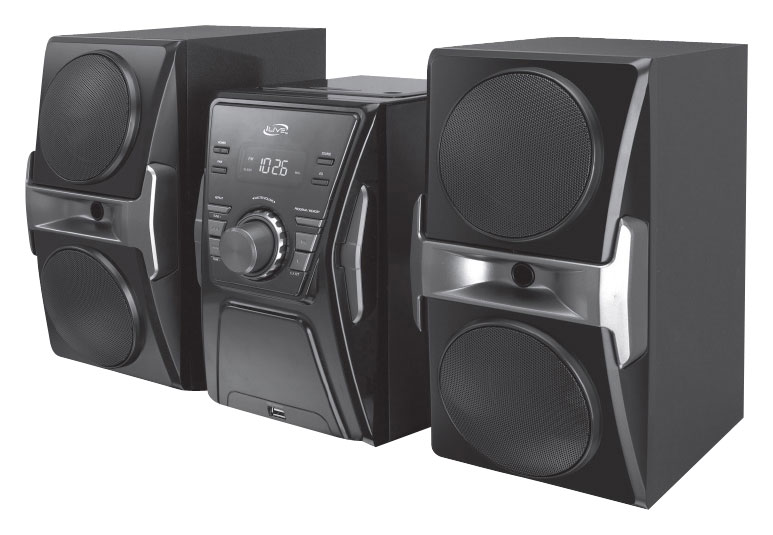
- Model:
- IHB613B
- SKU:
- 9205244
to a friend
Customers are saying
Customers express satisfaction with the CD player's sound quality, citing its clarity and great sound as positive aspects. Its ease of use and compact size are also frequently praised. The product is described as simple to operate and conveniently sized for various locations. No significant negative feedback was reported.
This summary was generated by AI based on customer reviews.
Great stereo system
||Posted .This reviewer received promo considerations or sweepstakes entry for writing a review.My teenage daughter loved it. Sounds loud for a small stereo system. Bluetooth feature is great.
I would recommend this to a friendNot refined. Feels cheap.
||Posted .This reviewer received promo considerations or sweepstakes entry for writing a review.This is an ok piece. Feels very cheap. The feel lacks the higher quality feel.
No, I would not recommend this to a friendGreat compact stereo
||Posted .This reviewer received promo considerations or sweepstakes entry for writing a review.Love it, don’t take no space, sounds great, is a perfect size
I would recommend this to a friendIts awesome
||Posted .This reviewer received promo considerations or sweepstakes entry for writing a review.I really luv this little radio I'd let my friends know
I would recommend this to a friendpoor quality, no documentation
||Posted .This reviewer received promo considerations or sweepstakes entry for writing a review.The player has no documentation, example: has a button to change time but no instruction as to how to change numbers. Several functions do not appear to work. Poor construction, I do not expect it to operate very long. Company web site provides no help.
No, I would not recommend this to a friendBrand response from Product Expert
Posted .Dear customer, we're sorry you aren't satisfied with the home music system. We have instructions for the clock on p.11 of the manual which can be found electronically by clicking the following link and navigating to the downloads tab towards the bottom left of the product's page: https://iliveelectronics.com/bluetooth-home-music-system-2426.html. If you are unable to find them, here are the instructions: With the unit powered on, press the CLK Set button. The hour will begin to blink on the display. Press SKIP/Search buttons to adjust the hour. An AM indicator will appear when the time is set to AM and vice versa for PM. To set the hour press CLK set again and the minute will blink. Again press SKIP/search to adjust minute and when done, press CLK set to finish setting the time. Let us know if we can be of further assistance and what else we could provide on the web site to assist you for troubleshooting in the future. Thank you for your honest feedback and we hope this has been helpful. -iLive Support Team

OK CD Player
Posted .This reviewer received promo considerations or sweepstakes entry for writing a review.This is an OK product and I use mine outside in the summer. It works ok especially for the price. One issue I have is the digital display on the CD track is very hard to read in the sun light.
I would recommend this to a friend