Customer Ratings & Reviews

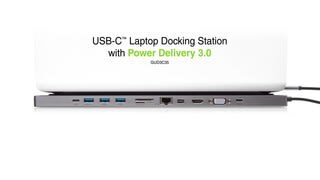
- Model:
- GUD3C35
- |
- SKU:
- 6269000
Customer reviews
Rating 4.1 out of 5 stars with 161 reviews
(161 customer reviews)Rating by feature
- Value4.1
Rating 4.1 out of 5 stars
- Quality4.4
Rating 4.4 out of 5 stars
- Ease of Use4.4
Rating 4.4 out of 5 stars
Customers are saying
Customers are positive about the USB-C Docking Station's ease of use, extensive port selection, and compatibility with various laptops. Many appreciate its compact size and ability to support multiple monitors. However, some customers are negative about the docking station's tendency to overheat and occasional power delivery issues.
This summary was generated by AI based on customer reviews.
- Pros mentioned:Compatibility, Size, Usb-c
Rated 5 out of 5 stars
Works as expected.
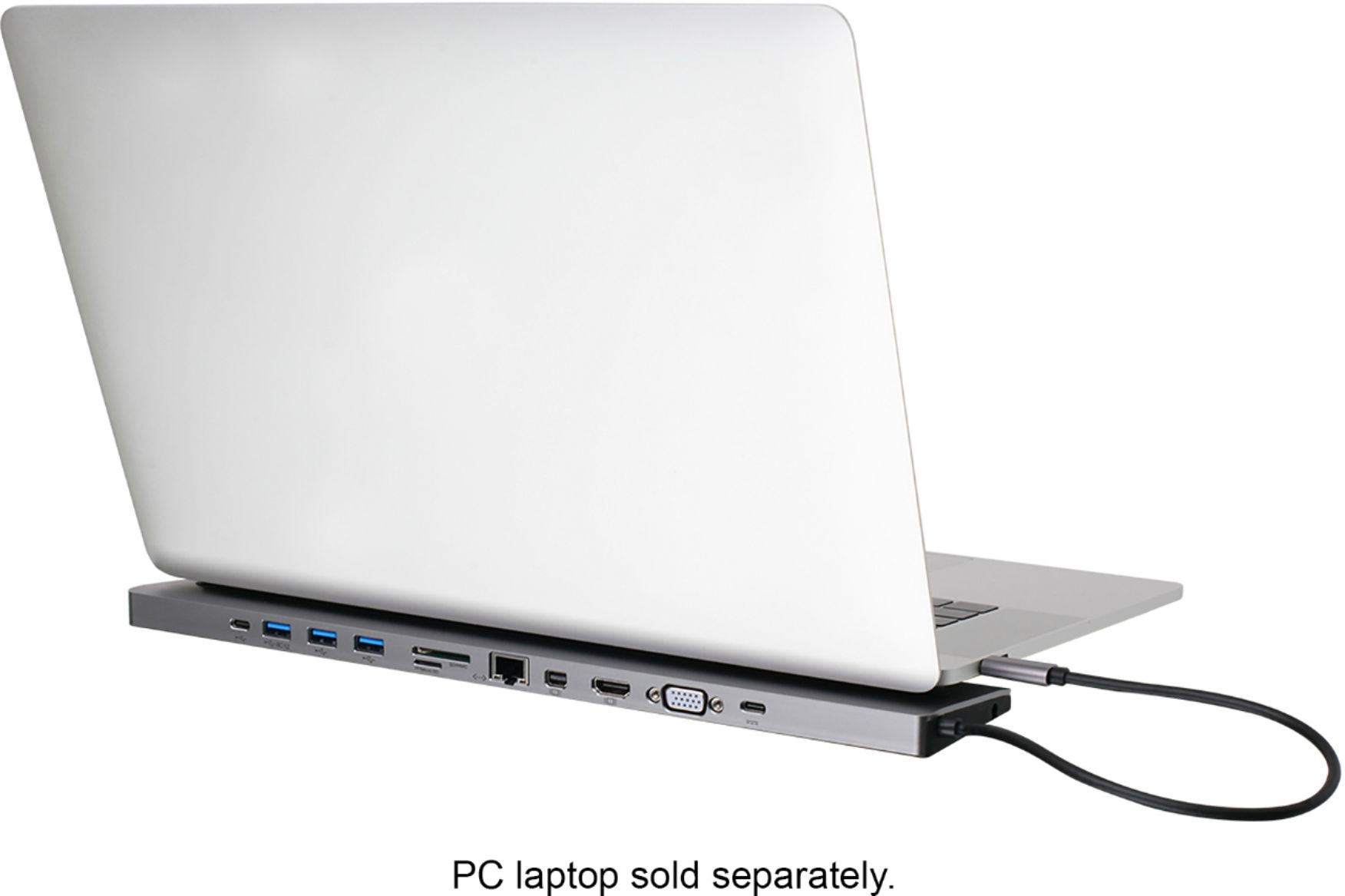
||Posted .This reviewer received promo considerations or sweepstakes entry for writing a review.I was a bit skeptical that this would work as expected with my 2018 MacBook Pro. I needen't have worried. I plugged it in. I connected an ethernet cable: it worked. I connected a monitor using HDMI: it worked. I did the same with BootCamp: it worked. I connected and XBox controller: it worked. I connected an external USB-C hard drive: it worked. It is also the same width as the MBP. You just rest the back of the MBP on top of it and connect the cable, then have all the ports you need. I purchased this because it had Ethernet, displayport and HDMI, along with USB, etc. Many cheaper devices do not include ethernet or HDMI. This was also cheaper than the OWC TB3 port expander and this will work with any PC that has USB type C. The OWC also does not have HDMI.
I would recommend this to a friend - Pros mentioned:CompatibilityCons mentioned:Heat
Rated 5 out of 5 stars
Works well with 2018 Macbook Pro
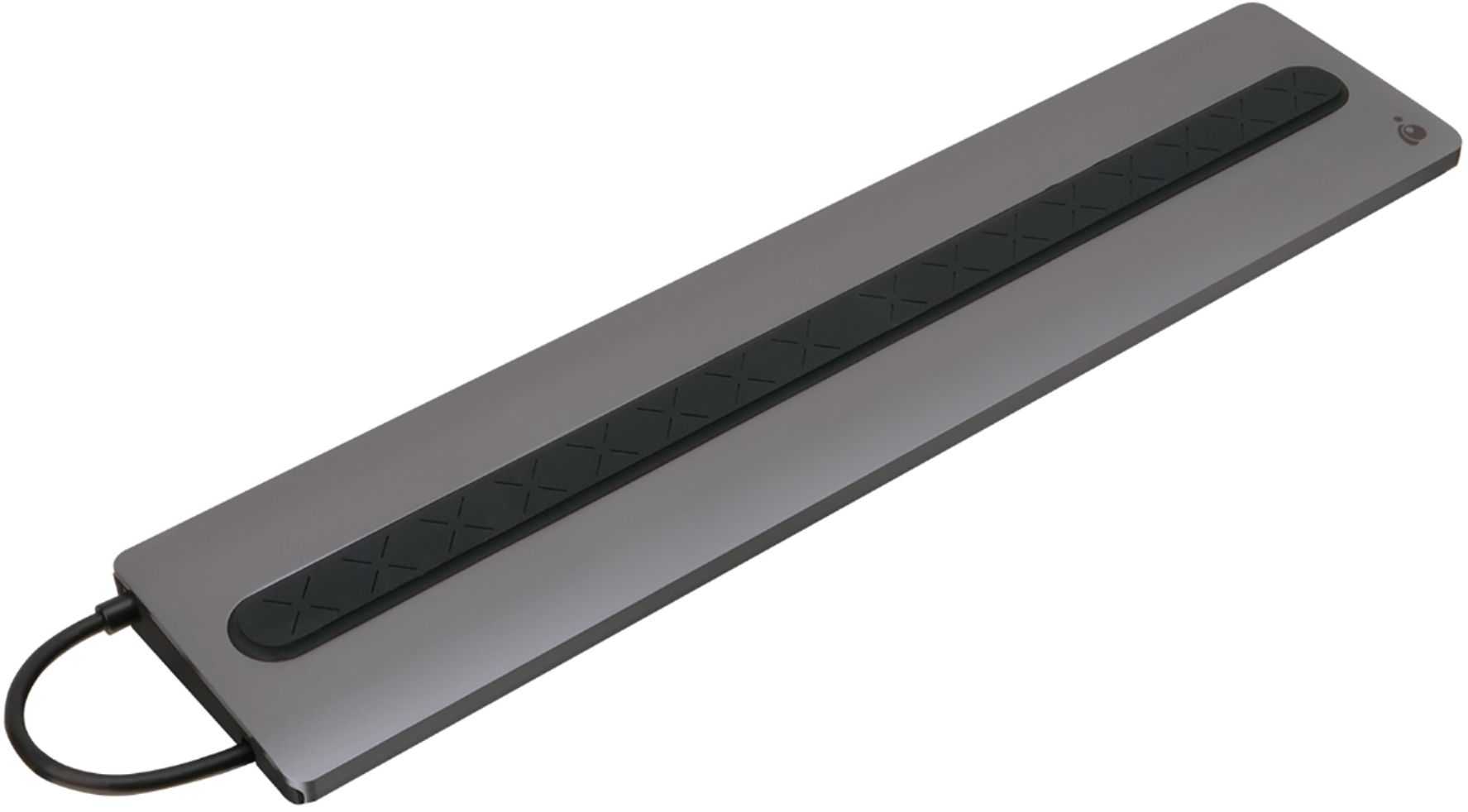
||Posted .This reviewer received promo considerations or sweepstakes entry for writing a review.I use this primarily as a hub for my 28" Samsung Monitor, printer, and desk speakers. It works well, except it does not hotter than I would have expected. The rubberized top is nice to hold the laptop in place sitting on top of it. Connector and case match the space gray Macbook which is nice.
I would recommend this to a friend - Pros mentioned:Compatibility, Usb-c
Rated 4 out of 5 stars
Good method for expanding ports
||Posted . Owned for 3 weeks when reviewed.This reviewer received promo considerations or sweepstakes entry for writing a review.My Lenovo only has 2 conventional USB ports. Given the USB C this allows great expansion. My purchase originally was to allow me to attach a legacy monitor. Now I find it even more useful to attach several external drives. Everything was recognized by the computer. overall a very useful device. As mentioned by others, the cord is short and my USBC is on right side which makes for awkward positioning and I am unable to use it as a rest for laptop.
I would recommend this to a friend - Pros mentioned:Size, Usb-c
Rated 4 out of 5 stars
Compact Design
||Posted . Owned for 3 weeks when reviewed.This reviewer received promo considerations or sweepstakes entry for writing a review.Pack a lot of options into a small size. The Thunderbolt cable wasn't long enough to plug in to either side of my notebook computer; had to buy a Thunderbolt extension cable There are some limitations on the combinations of monitor interfaces that can be accommodated, but found a combination that would work - HDMI to one monitor directly from the notebook and VGA to the 2nd monitor from the docking station.
I would recommend this to a friend - Pros mentioned:Ease of useCons mentioned:Heat
Rated 5 out of 5 stars
Amazing and easy connectivity.
||Posted . Owned for 1 month when reviewed.This reviewer received promo considerations or sweepstakes entry for writing a review.Amazing connectivity and options. Easy to use. Does get slightly warm as most reviews talk about, but not an issue. All the options I need and a valued recommended product.
I would recommend this to a friend - Cons mentioned:Power
Rated 1 out of 5 stars
Cannot support multiple External Portable HD's
Posted .This reviewer received promo considerations or sweepstakes entry for writing a review.I would NOT RECOMMEND THIS PRODUCT TO ANYONE! I have a MacBook Pro purchased new in June of 2018 with maxed out specs. I purchased this for two reasons and both failed. 1) to connect multiple portable Western Digital Hard Drives 2) to connect additional monitor. HARD DRIVES I have 4 Western Digital Portable 4TB Hard Drives that I use for video and photo work. The iogear hub could ONLY support powering 1 Hard Drive at a time. As soon as the second hard drive was connected, both disconnected themselves from the computer. from the sound of the hard drives it was clearly that not enough power is transmitted to run the external hard drives through the hub. I have a total of 10 various external portable hard drives and I tried in many combinations. * Note: when I tried charging my phone in one of the ports it only worked if the hard drives were NOT connected. -Solutions: I have not found a good solution yet for needing to power multiple hard drives. I have also tried belkin USBC Hub and same problem EVEN WITH POWER ADAPTER.. it could not power multiple hard drives. HOWEVER, the mac can power the hard drives with use of dongles which is ridiculous. MONITOR - I have 2 - 27" Apple Thunderbolt Displays already daisy chained using USB-C adapter from Apple. Those work Fine. I have a 3rd Samsung 1080p monitor and connected through the IOgear will only work when the other apple monitors are disconnected. As soon as the iogear hub was connected, the Samsung Monitor would NOT display UNTIL I unplugged the Apple Monitors. BTW I have two other Apple monitors in another office which I have used to connect to the MacBook Pro and ALL 4 worked flawlessly so CPU/Graphics power on the Mac is NOT the problem. - SOLUTION: I returned this item and bought an Apple TV 4K. The AirPlay feature worked flawlessly and let me set up the external Samsung Monitor as a 3rd monitor AND I can switch and watch movies so a great bonus. - Best Buy limits number of images so I could only upload a screen shot of the Disconnect Drive message on computer and the hard drives I was using.
No, I would not recommend this to a friend - Pros mentioned:Compatibility, Ease of use
Rated 5 out of 5 stars
Doing the intended job.
||Posted . Owned for less than 1 week when reviewed.This reviewer received promo considerations or sweepstakes entry for writing a review.Bought dock on clearance. Hooked it up in under 5 minutes. So far works great with my Dell laptop. Have a second monitor, standard keyboard & mouse, printer, internet, and external hard drive connected. Like that the connections go straight out the back. For my setup this is neater and keeps cables out of the way. Great way to turn my laptop into a desktop with just one connection. Only complaint is I can't get it to work with my desktop computer speakers.
I would recommend this to a friend - Pros mentioned:Usb-c
Rated 5 out of 5 stars
One Connection Turns a USB-C Laptop into a Desktop
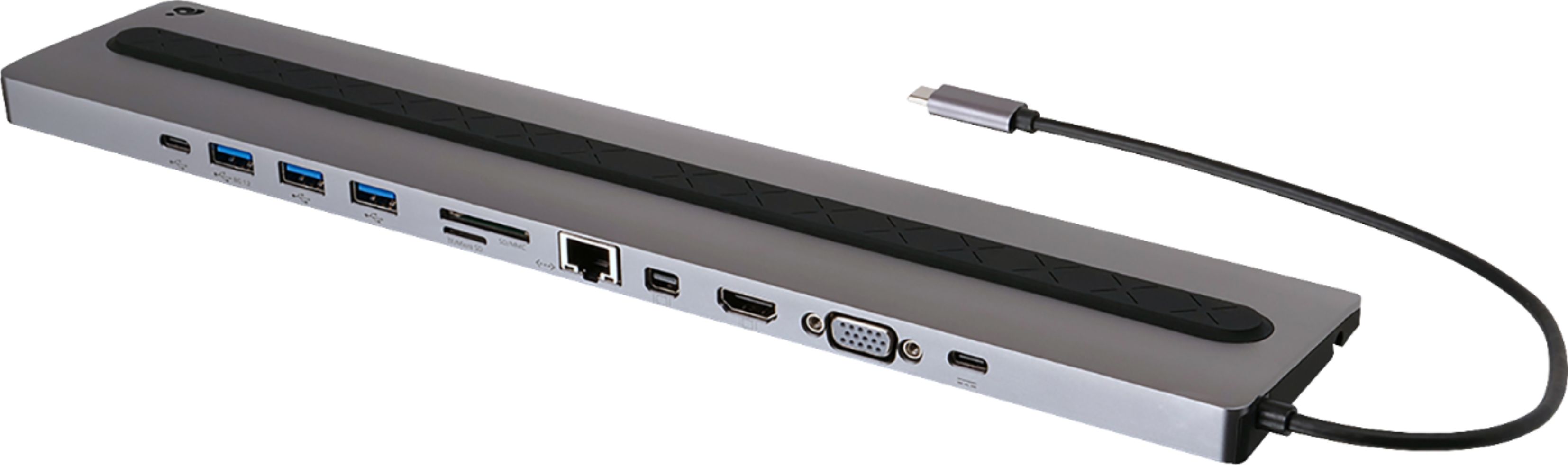
||Posted .This reviewer received promo considerations or sweepstakes entry for writing a review.The folks at IOGEAR know their stuff. Like Belkin, they seem to understand what it takes to deliver the goods. I have two IOGEAR docks: a GUD3C02 (for 13"ish laptops) and a GUD3C35 (for 15"ish laptops). Both slip under the hinge edge of the computer, plug into PD capable USB-C port near the hinge, and provide video, RJ-45, USB 3, and memory card ports sticking out the back (just like a desk top). Just leave all the cumbersome peripherals behind when your computer must go on the road and plug back into all the goodies with a single plug upon your return. With a sufficiently powerful laptop, you can live without a clunky desktop system unless you need the nearly supercomputer punch of a top end desktop system (e.g., rocket scientists, simulation modelers, video editors, and REALLY hard core video gamers).
I would recommend this to a friend Rated 4 out of 5 stars
Great concept but had to return
||Posted .This reviewer received promo considerations or sweepstakes entry for writing a review.Was hoping to get a docking station so I can use multiple monitors and connect to my laptop via usb-c connector. Unfortunately my computer’s usb-c port is on the opposite side of docking station’s usb-c cable, and the cable isn’t long enough to reach. Thought about using extenders, but all of the reviews says extenders doesn’t work well for docking station, thus I had to return the docking station. So, if your usb-c port is on the left side, definitely worth getting it, but if your laptop’s port is on the right side, then don’t bother with this.
I would recommend this to a friend- Pros mentioned:Usb-cCons mentioned:Heat
Rated 5 out of 5 stars
Best dock for the new MacBook Pro
||Posted . Owned for 1 month when reviewed.This reviewer received promo considerations or sweepstakes entry for writing a review.Great little dock for USB-C. Has every input you could need for using USB accessories, hard drives. Small enough to throw in a computer bag but extremely useful. Would love to see a Thunberbolt Display adapter so I could use my Cinema Display. The dock does get pretty hot so I'm not sure I would keep it under my computer all day long.
I would recommend this to a friend - Pros mentioned:Usb-c
Rated 5 out of 5 stars
A great Docking Station
||Posted . Owned for 1 month when reviewed.This reviewer received promo considerations or sweepstakes entry for writing a review.This product works so well with two monitors that after buying one for my home office I had to have another one for the three monitors in my work office and it connects my PC to my printer, my scanner as well as provides additional USB ports. Great product and very satisfied customer!
I would recommend this to a friend - Cons mentioned:Power
Rated 5 out of 5 stars
Works great with my 15” MacBook Pro 2018
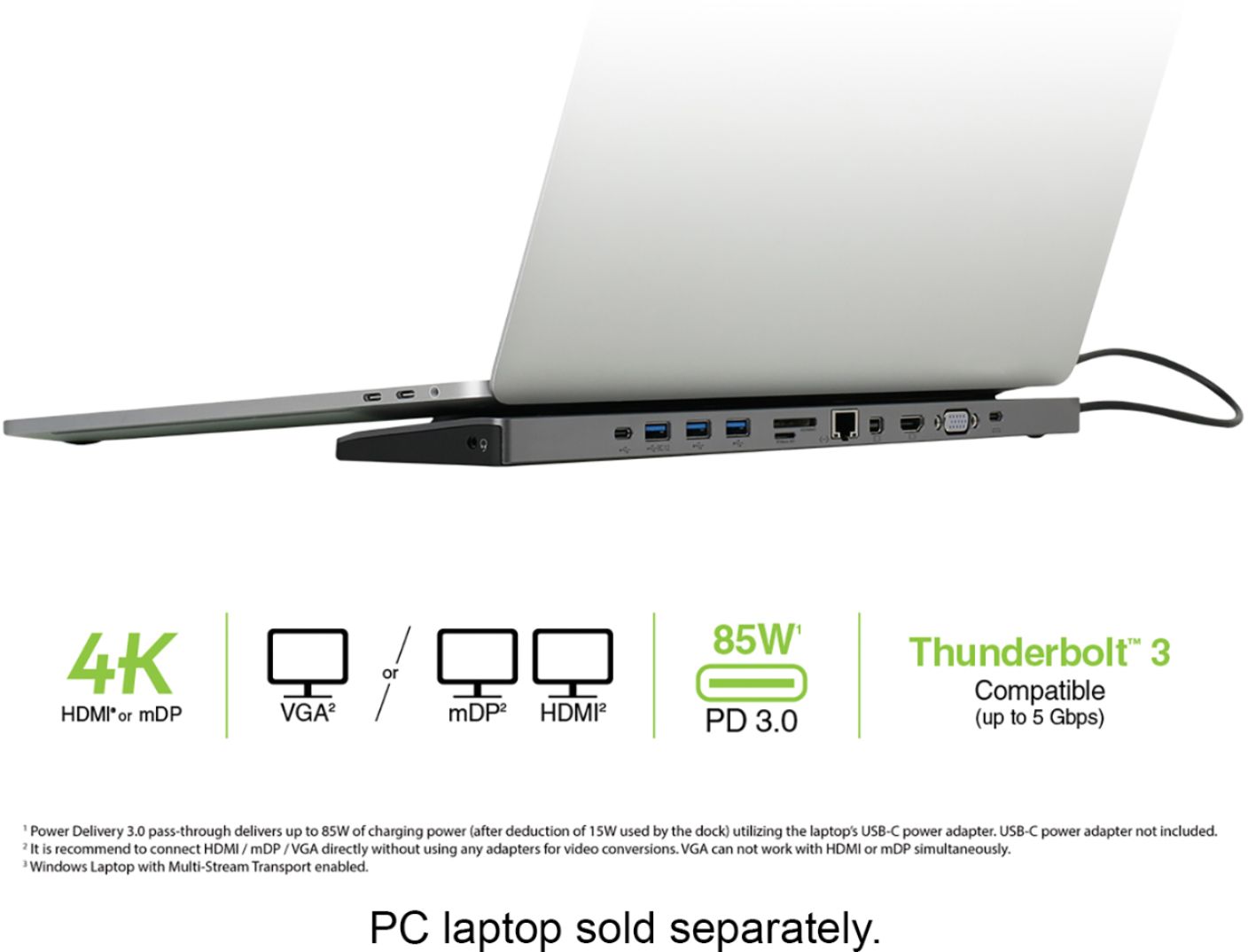
||Posted .This reviewer received promo considerations or sweepstakes entry for writing a review.So far so good - the connectivity is good, the pass-through resolution is excellent, and I finally have USB-A ports for my old periferals. The power delivery is pass-through only, so you need to use your USB-C power source. This version has the 85W PD Passthrough, so compatible with the 87Watt MacBook Pro 15” USB-C Power Brick.
I would recommend this to a friend - Cons mentioned:Heat
Rated 3 out of 5 stars
Lots of ports, A little behind on technology
||Posted . Owned for 1.5 years when reviewed.This reviewer received promo considerations or sweepstakes entry for writing a review.I understand this usb-c dock is getting older, but if they have been advetising them for macs then the 4K display output either on displayport or hdmi should be minimum 60hz. I believe it is only 4k 30hz which is severely undercutting what usb-c macs are capable of. Also ive used this about a year and some gripes i have is it gets hot which then heats up my laptop if it on top of it and also it has a whining sound from time to time. This can easily be fixed by unplugging it and letting it cool down for a bit but still rather annoying. It definitely has some positives though. I do love the wide port selection and it has worked for me without hiccups for about a yesr and a half now. So definitely reliable. If you can pick one up on sale and dont need 4k 60hz or thunderbolt 4 speeds then i can definitely recommend it still. Im sure there are newer models out now.
I would recommend this to a friend - Pros mentioned:Usb-c
Rated 4 out of 5 stars
Convenient and helpful
||Posted . Owned for 3 weeks when reviewed.This reviewer received promo considerations or sweepstakes entry for writing a review.Got it to be used with a Samsung laptop and a Monitor for my on-line teaching using Zoom. With a external keyboard, the laptop cap be closed and the additional monitor can display what’s on the laptop. Very convenient and helpful. The only drawback is the laptop still need to plug in to its own charging cable.
I would recommend this to a friend - Pros mentioned:Compatibility, Size
Rated 5 out of 5 stars
Love It
||Posted .This reviewer received promo considerations or sweepstakes entry for writing a review.IOGEAR - USB-C Docking Station is perfect for the new Mac I bought last month. It is long, the size of my 15in Mac. Instantly dock up to 7 devices, including built-in memory card readers. Works better than expected.
I would recommend this to a friend - Pros mentioned:Ease of use, Size
Rated 5 out of 5 stars
Perfect size Perfect price
||Posted . Owned for 3 weeks when reviewed.This reviewer received promo considerations or sweepstakes entry for writing a review.Perfect size and easy to use. A great addition in case of emergency and Wifi connection is not reliable. Easily fits in computer or backpack carrying case and lightweight
I would recommend this to a friend - Pros mentioned:Ease of use
Rated 4 out of 5 stars
Great mostly..
||Posted .This reviewer received promo considerations or sweepstakes entry for writing a review.It worked surprising for me not reading any instructions and just plugging everything in. The only issue is that you have to unplug it from your laptop sometimes to get it to boot everything up.. That issue may have been covered in the instructions but see above..Overall happy with the purchase.
I would recommend this to a friend Rated 5 out of 5 stars
Docking Station Met All My Expectations!
||Posted . Owned for 3 weeks when reviewed.This reviewer received promo considerations or sweepstakes entry for writing a review.I bought this for my son going off to college to dock his HP with two monitors. He also used the SD slots to process some go pro footage. Everything worked as advertised. Some reviews were having issues with the plug being on the wrong side to utilize this as a stand to prop up their laptop, and that was the case with us as well, but we just simply put it off to the side where the plug was located, and it worked just fine. One tip though, make sure you read the instructions on what ports can be utilized for two monitors at the same time.
I would recommend this to a friend- Pros mentioned:Ease of use
Rated 5 out of 5 stars
USB-C Dock
||Posted . Owned for 1 month when reviewed.This reviewer received promo considerations or sweepstakes entry for writing a review.Great item easy to install and set up using dual monitors and hard cabled internet , works great usb-c option is a great setup
I would recommend this to a friend - Pros mentioned:Size
Rated 5 out of 5 stars
Very slim and convenient
||Posted .This reviewer received promo considerations or sweepstakes entry for writing a review.I really like that it offers so many connections but takes up so little space. I have mine sitting under my laptop so it gives it a slight lift.
I would recommend this to a friend