Customer Ratings & Reviews
- Model:
- JCA374
- SKU:
- 5602501
Rating by feature
- Value
Rating 4.2 out of 5 stars
- Quality
Rating 4.3 out of 5 stars
- Ease of Use
Rating 4.5 out of 5 stars
Customers are saying
Customers commend the USB-C Multi-Adapter for its HDMI functionality, ease of use, and overall performance. Users appreciate its connectivity options and compact size, as well as its compatibility across different operating systems. However, some customers have expressed concerns about the product's price, power delivery, and heat generation.
This summary was generated by AI based on customer reviews.
Does not support IOS Catalina
||Posted . Owned for 1 month when reviewed.This reviewer received promo considerations or sweepstakes entry for writing a review.Company keeps stating NOT to download driver to support ethernet.
No, I would not recommend this to a friendBrand response from J5create Team
Posted .Golfer72, We apologize for the alarm when it came to installing Ethernet software. At this time, I can assure you it is safe to install the required driver and if you would like assistance on getting setup, our technical support team may be reached via email, chat, or phone and a rep will be more than happy to help.
Respectfully,
j5create
Returned
||Posted . Owned for 2 weeks when reviewed.This reviewer received promo considerations or sweepstakes entry for writing a review.I thought you could just plug and go NOPE not that easy
No, I would not recommend this to a friendBrand response from J5create Team
Posted .Hi Martha!
I'm very sorry for the inconvenience that this has caused you. The driver that we offer for this device is for the ethernet port. Otherwise, this device is plug and play. If you're having trouble with it, we'd be more than happy to assist you. Our information can be found on the back of all of our product boxes and on our website under the support tab. There you can find links to our livechat, phone, and ticketing services.
Thanks,
j5create
poor
||Posted .This reviewer received promo considerations or sweepstakes entry for writing a review.poorly made equipment broke on first use the connecting piece broke off in my laptop
No, I would not recommend this to a friendBrand response from J5create Team
Posted .I sincerely apologize for the inconvenience you experienced. Our contact info is available on our website under the "Support" tab for support. Cordially, j5
Bad hub
||Posted .This reviewer received promo considerations or sweepstakes entry for writing a review.Could not get the hub to work consistently. Had to return the product.
No, I would not recommend this to a friendBrand response from J5create Team
Posted .Barca, We apologize for the inconvenience you had with the JCA374. If the hub is not working consistently, we recommend contacting the support team mentioned on the casing and a specialist will be more than happy to answer questions or concerns you may have to get you going as intended.
Respectfully,
j5create
Not the best
||Posted .This reviewer received promo considerations or sweepstakes entry for writing a review.Heats up and is inconsistent with USB devices. Would return if I could.
No, I would not recommend this to a friendBrand response from J5create Team
Posted .Generally, adapters emit some heat as a normal part of its operation, especially if the USB-C pass-through charging and/or all ports on the hub are utilized
Returned
||Posted .This reviewer received promo considerations or sweepstakes entry for writing a review.It was not what I was really looking for. So I had to return it.
No, I would not recommend this to a friendBrand response from J5create Team
Posted .Hello, Lori, Finding the right device for your needs can be difficult and we understand. In order to obtain the right hub for your needs, we recommend contacting the support team printed on the casing and speaking with a specialist. A rep will gladly discuss different models and make suggestions for your intentions. Thank you for your time and we hope to work with you in the future.
Respectfully,
j5create
devise did not work as advertised..
||Posted .This reviewer received promo considerations or sweepstakes entry for writing a review.didn't work with blue ray disc player or using a wireless mouse
No, I would not recommend this to a friendBrand response from J5create Team
Posted .Blue ray players require more power. we recommend wired over wireless mouse to avoid RFI.
Not sure
||Posted .This reviewer received promo considerations or sweepstakes entry for writing a review.Not sure if it does what i need. Tried but unsuccessful
No, I would not recommend this to a friendBrand response from J5create Team
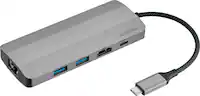
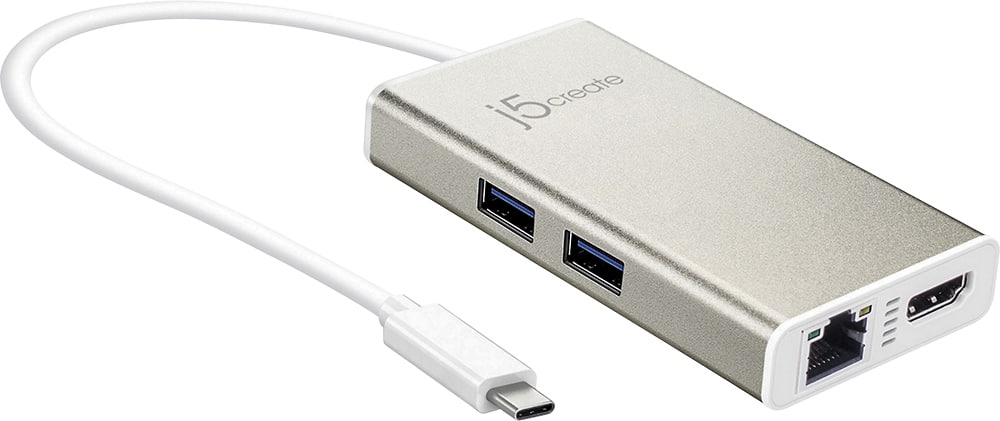
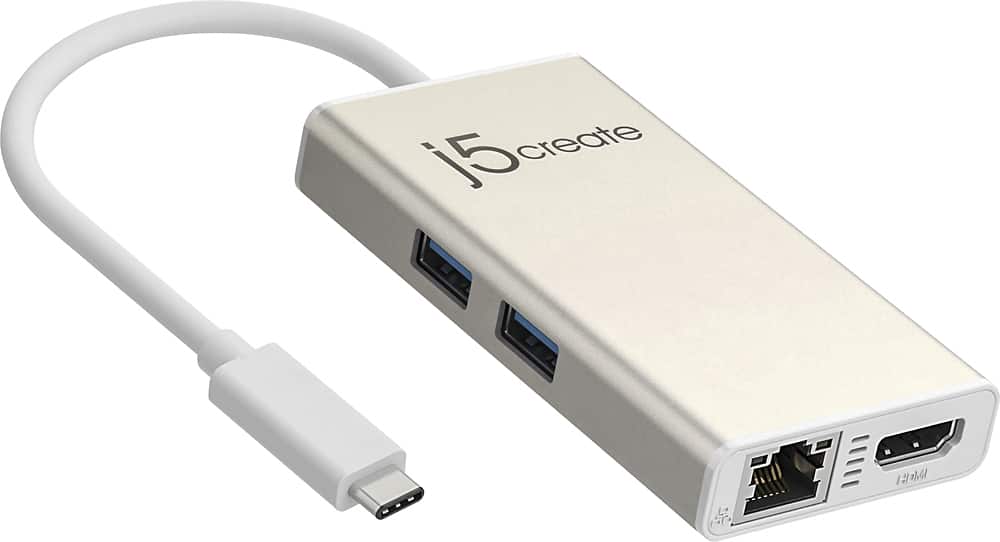
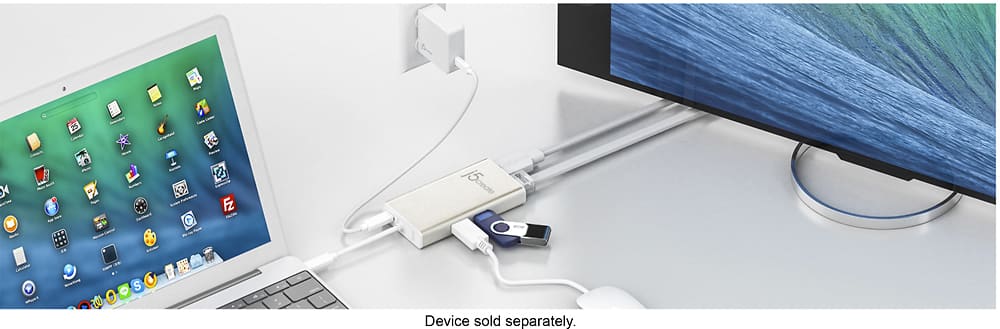
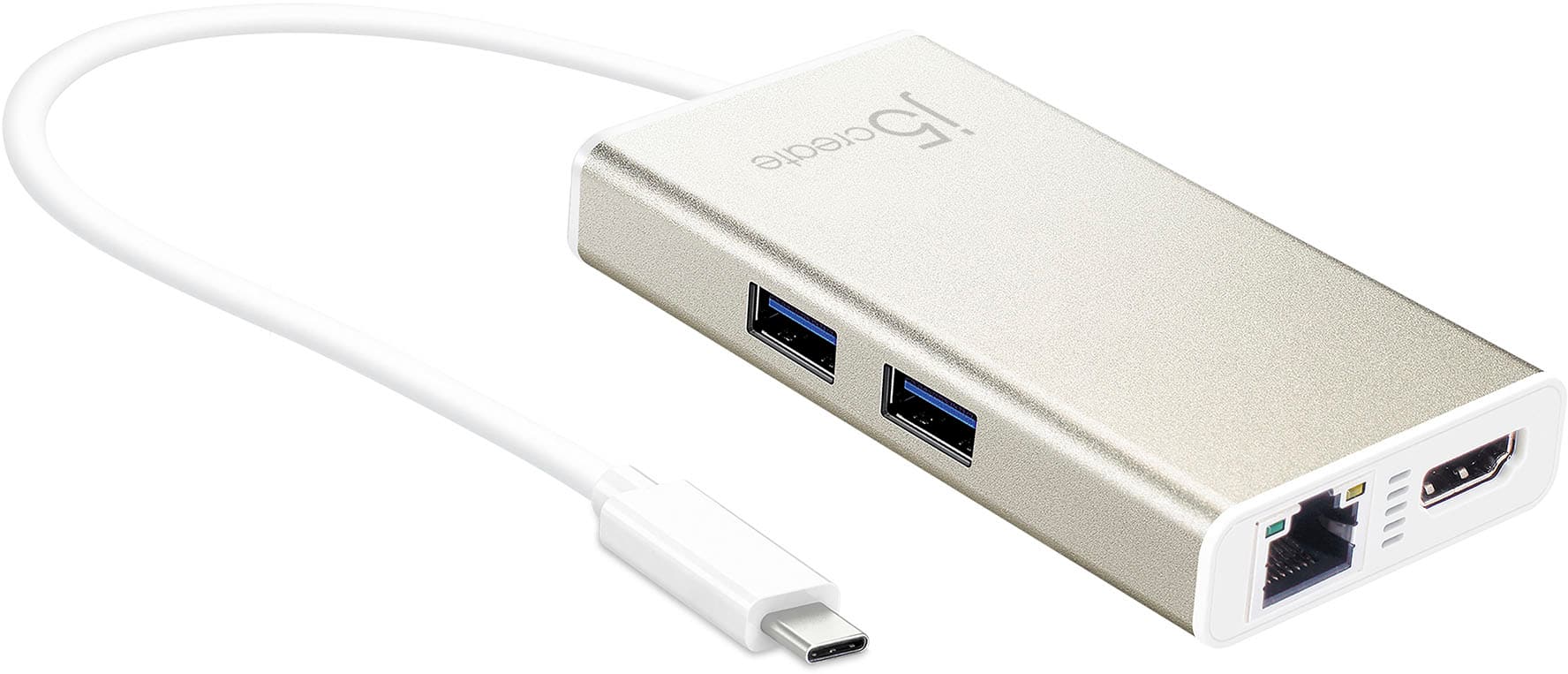
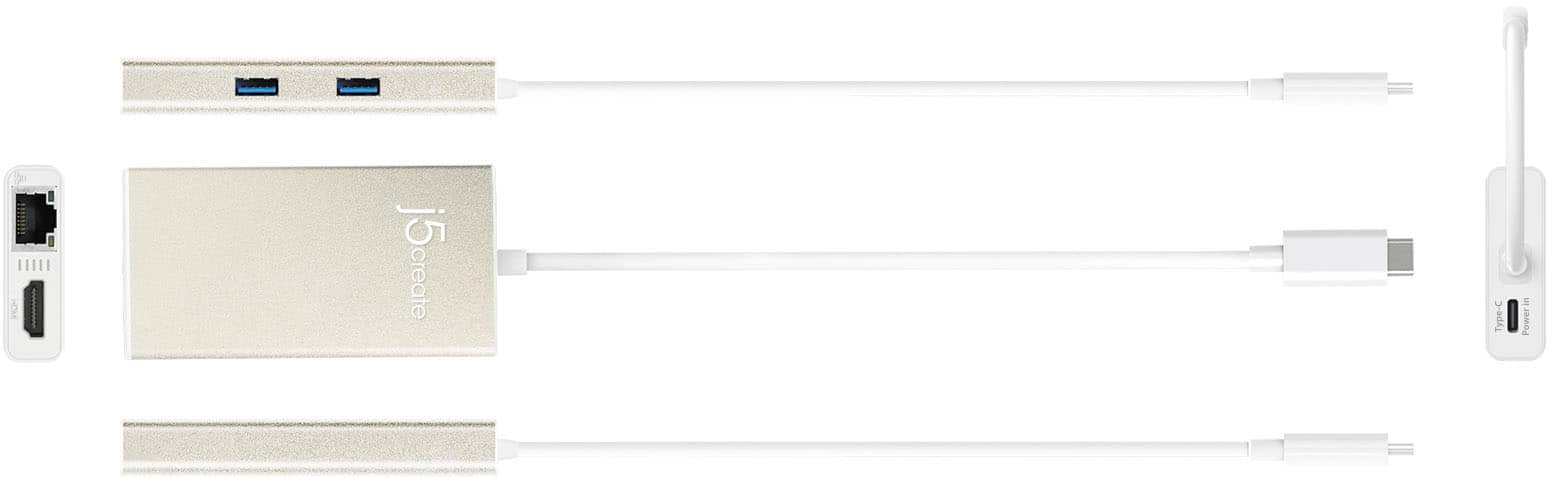
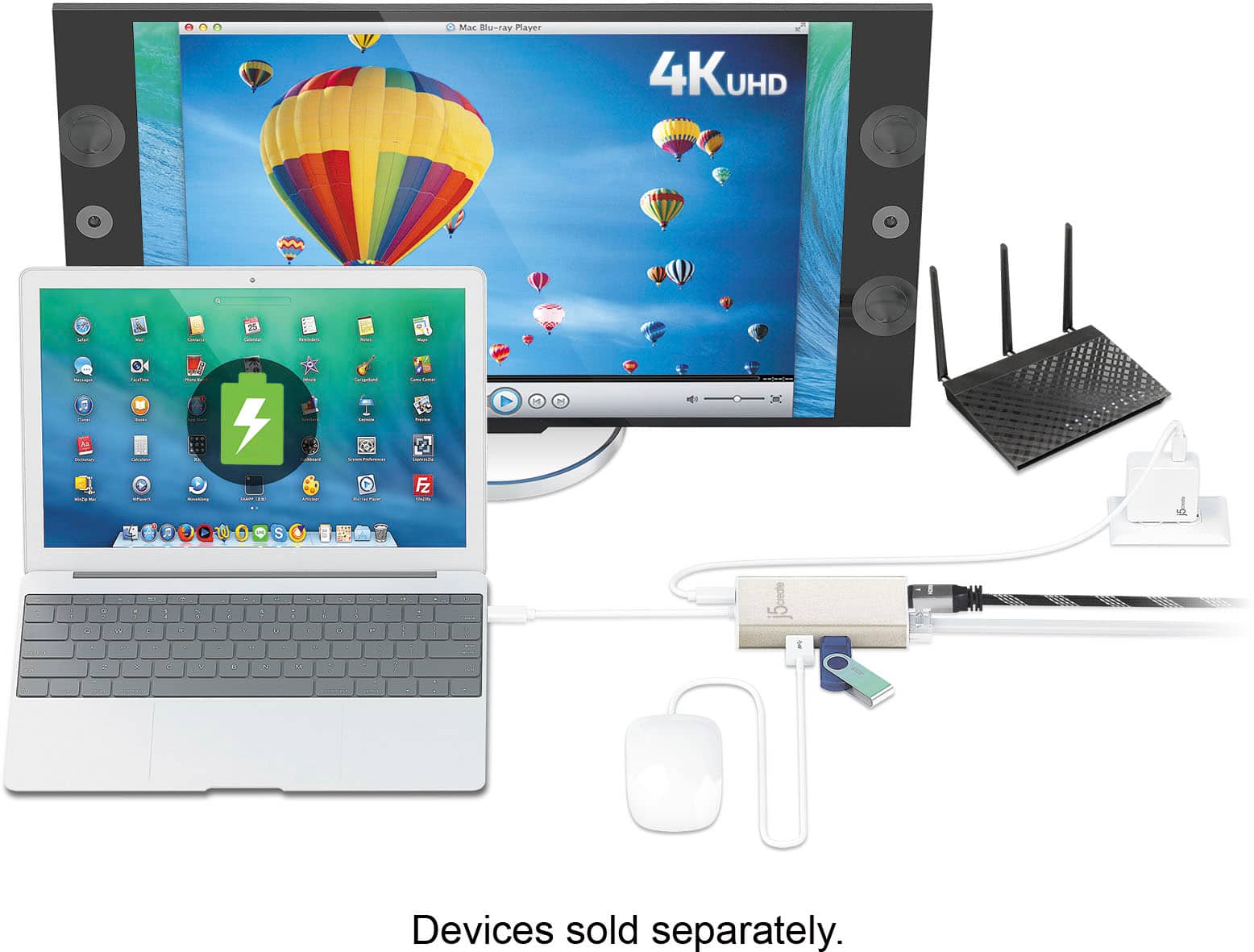
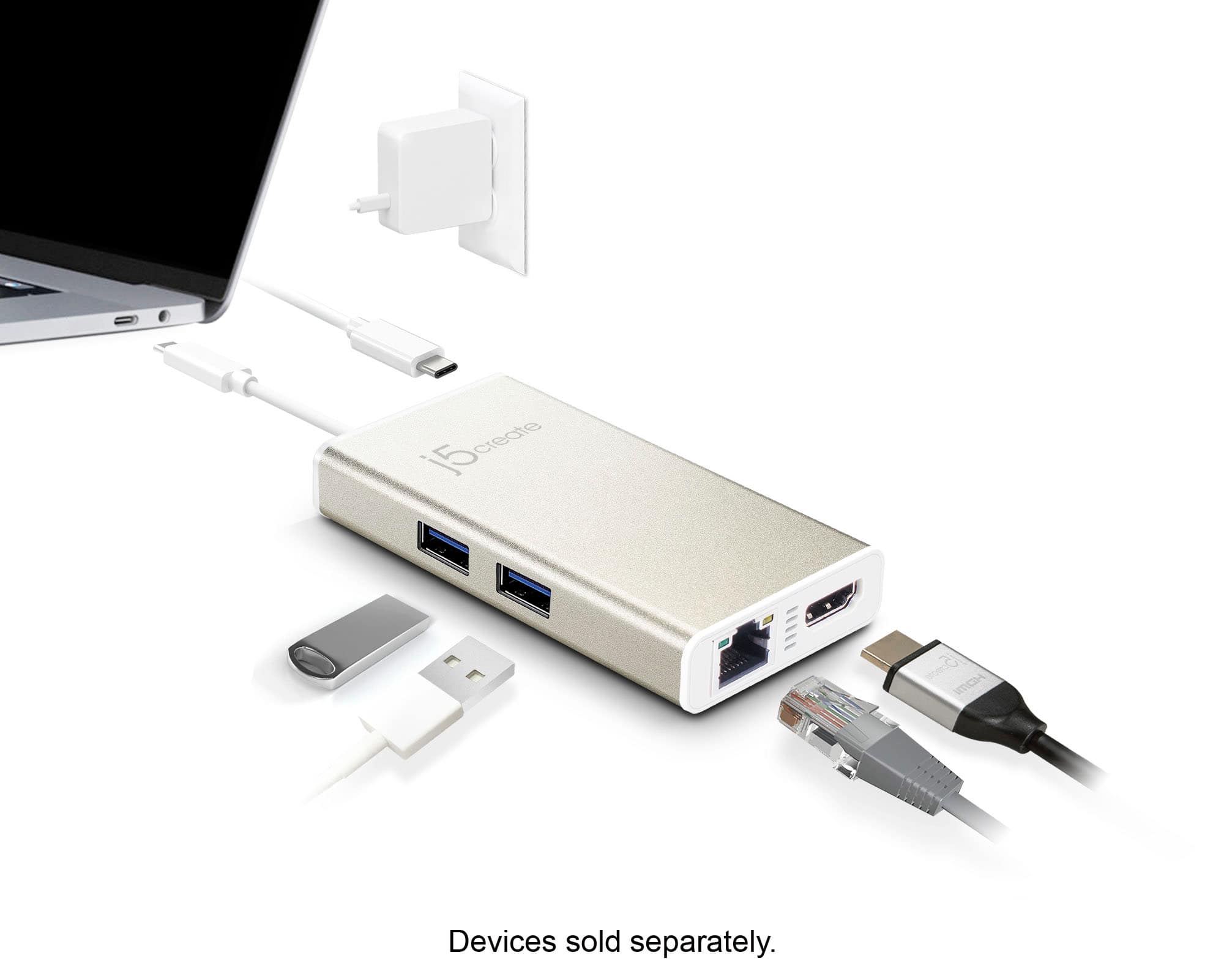
Posted .This device allows you to add two additional USB peripherals, 4K or 1080p HDMI display, and Gigabit Ethernet through your USB-C port. It will also provide pass-through charge up to 60W. However, computers must support DisplayPort Alt Mode and USB Power Delivery 2.0 or 3.0 Please refer to the manufacturer of your hardware for more information on your device.
- Pros mentioned:Hdmi
Essential Tool for Connectivity and Productivity!
Posted .This reviewer received promo considerations or sweepstakes entry for writing a review.I recently purchased the j5create USB-C Multi-Adapter in Champagne Metallic, and it has quickly become an indispensable part of my tech setup. This compact and sleek device offers a wide range of connectivity options that have significantly enhanced my productivity and device interaction. The build quality of the adapter is excellent. The champagne metallic finish gives it a premium look and feels that matches well with all my devices. It's sturdy yet lightweight, making it perfect for both home use and travel. Functionality-wise, this adapter ticks all the boxes. The HDMI port allows for easy connection to an external monitor or projector, which is fantastic for presentations or expanding my workstation. The Ethernet port provides a reliable wired internet connection that is much faster and more stable than Wi-Fi, essential for large file transfers and video conferencing. The USB 3.1 ports are a lifesaver, allowing me to connect multiple devices simultaneously without any lag or power issues. The PD 3.0 (power delivery) capability is also incredibly useful, enabling fast charging of my devices directly through the adapter, which helps reduce cable clutter. Setup was straightforward; it was plug-and-play with no need for any additional drivers or software installations. The adapter has worked flawlessly with various laptops and operating systems, showing great compatibility and performance stability. In conclusion, the j5create USB-C Multi-Adapter is a top-tier product for anyone looking to expand their connectivity options with a single, efficient solution. Its combination of multiple ports, robust build, and stylish design makes it a valuable addition to any tech user’s arsenal. Highly recommended for its versatility and reliability!
I would recommend this to a friend Not that great
||Posted .This reviewer received promo considerations or sweepstakes entry for writing a review.It kinda works off and on. For some reason it alway disconnects itself and my eternal hard drive.
No, I would not recommend this to a friendBrand response from J5create Team
Posted .In the case where the JCA374 is constantly dropping connection, it is possible the USB-C connector that plugs into the computer is loose and in that case we consider it defective. Our devices are covered under a 2 year manufacturer's warranty and if you are still within the time frame, we would be glad to exchange it for you. Feel free to contact support on the casing to speak with a rep for further information.
Respectfully,
j5create
- Pros mentioned:Connectivity, Overall performance
Awesome, Perfect for MacBook Pro 2016
Posted .This reviewer received promo considerations or sweepstakes entry for writing a review.I purchased a new MacBook Pro at Best Buy. I got the late 2016 version MacBook Pro, and did not realize that it did not have the "typical" USB ports. It has a Thunderbolt (USB-C) port. I am going to be going down to college, and my apartment has a ethernet cable for internet, and Wifi in the lounges, which will not allow me to connect from my room, since I was far away. I explained this to a very awesome Best Buy Apple expert, and he recommended this gem to me. Not only does it connect directly to an ethernet cable, but it has an HDMI and 2 USB ports on it. This is a true lifesaver. I tested it out, and it works PERFECTLY! I am so impressed with the product. If you own a Mac, you need install the driver, which literally only takes 2 minutes to do. After that, you are in business. It is a little pricey to be honest, but I can guarantee that you will not be disappointed with this handy device. 5/5 stars from me. I could not do research at school without it.
I would recommend this to a friendBrand response from J5create Team
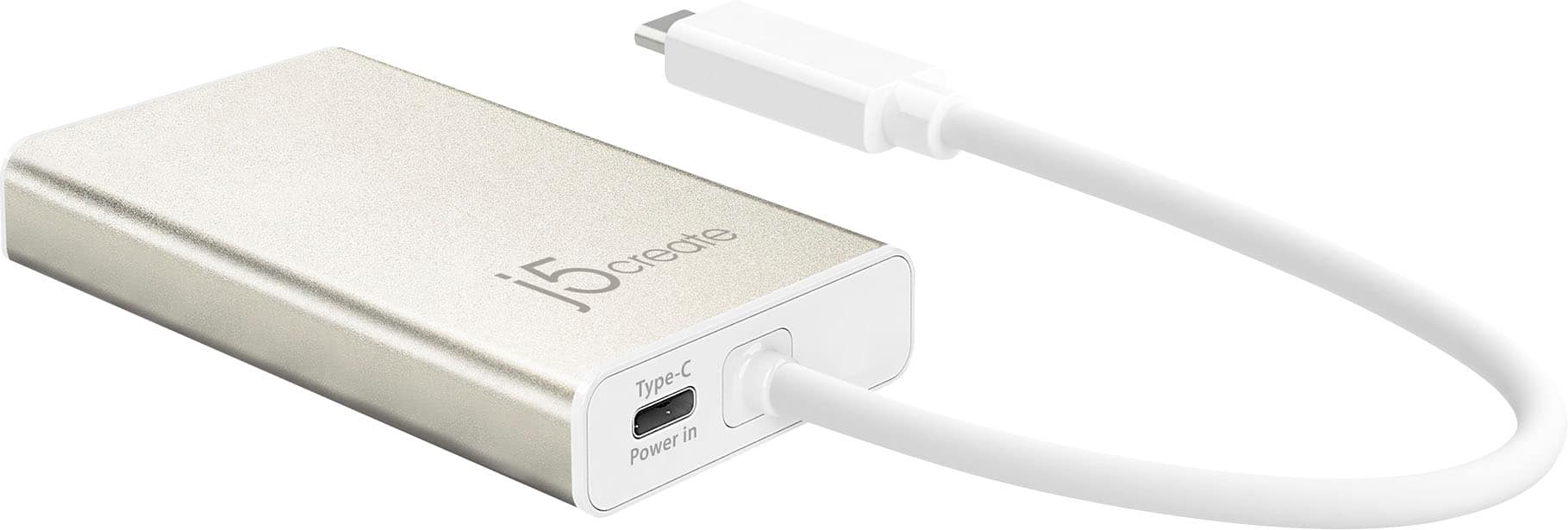
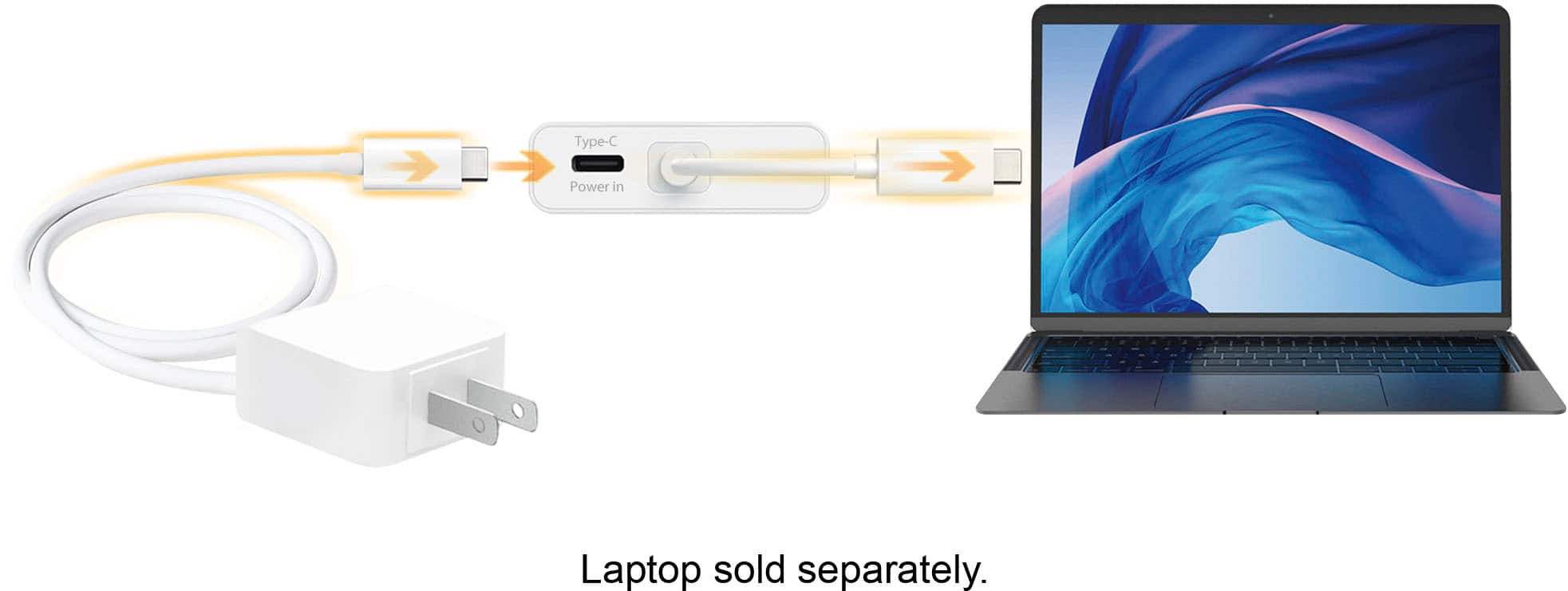
Posted .Provides you with two additional USB peripherals, a 4K or 1080p HDMI display, and Gigabit Ethernet through your USB-C port. It also supports upstream streaming ensuing your connected laptop powered up while in use via USB-C power-in port.
Junk
||Posted .This reviewer received promo considerations or sweepstakes entry for writing a review.This unit is not worth the money. By the time I realized it it was too late to bring it back. The charging cord for my Mac goes in and out of charging mode with a minor movement of the computer. The unit will not charge my iPad either.
No, I would not recommend this to a friendBrand response from J5create Team
Posted .Hi!
I'm so sorry to hear you had this problem. Please don't forget that my customer service team is always available to assist whenever something comes up. I hope that in the time since your review you found a device that works for you, but I also hope you'd be willing to give our products a second chance since they have much improved in the time since.
Thanks,
j5create
- Pros mentioned:Ease of use
USB-C
Posted .This reviewer received promo considerations or sweepstakes entry for writing a review.Great addition to my home office setup. Much easier to use than just plugging into laptop
I would recommend this to a friend UPDATED and Now works with M1 Macs!
Posted .This reviewer received promo considerations or sweepstakes entry for writing a review.I’ve had this thing for a really long time. Like 2017. It worked fine for my gaming laptop, but I rarely used. Now I have an M1 pro MacBook. I had been thinking of buying a dock, but remember this was sitting in a drawer somewhere and dug it out. Decided to read the reviews here and many people were saying that it was not compatible. J5 left a comment saying they were working on drivers for it but that was two years ago. So I figured why not try it maybe they actually did make those drivers. Low and behold…. It works! I have 5k 34” ultra wide monitor, plugged into the hub, as well as a power supply through USB C and both work flawlessly!
I would recommend this to a friendNot Good At All
||Posted .This reviewer received promo considerations or sweepstakes entry for writing a review.It stopped working after just a few weeks. These aren't as good as the hub types and not worth the money at all.
No, I would not recommend this to a friendBrand response from J5create Team
Posted .We're sorry to hear the JCA374 did not work to your expectations and we wish to make it up to you. We have other adapters available with different capabilities and if interested, we would value the chance to discuss them with you. Our contact information can be located on the packaging and an agent will be happy to lend a helping hand.
Respectfully,
j5create
- Pros mentioned:Hdmi
Does what it advertises
Posted .This reviewer received promo considerations or sweepstakes entry for writing a review.I bought this to plug in a Samsung S27390H1080p monitor and ethernet cable to my 2017 MacBook Pro 15". After I installed the required drivers the monitor connection has been perfect (no flickering or refreshing) and the ethernet connection has been stable. The two USB Type-A ports are also a plus and I have used them to connect my Samsung phone and charge my mouse without any issues.
I would recommend this to a friendBrand response from J5create Team
Posted .USB gadget connectivity, HDMI and Ethernet in one; the JCA374 makes a great add on for home or work setup - thanks for taking the time to let us know, Driwitteck.
Cordially,
j5create
- Pros mentioned:Ease of use
Works great!
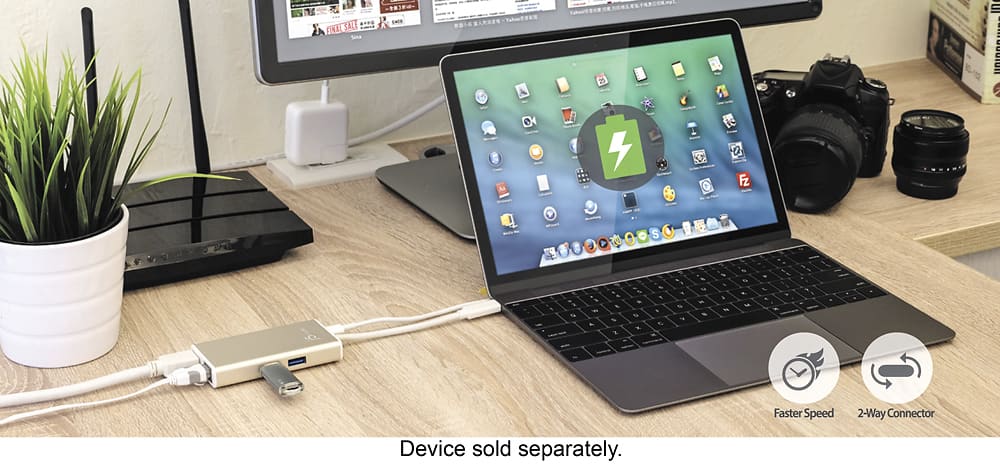
Posted .This reviewer received promo considerations or sweepstakes entry for writing a review.Got this one for my new MacBook Pro and it was an easy plug-and-go, no complicated driver download needed. What wasn't made clear in the description was that this adapter can also serve as a charger for the laptop! Just plug your laptop's USB-C power plug in the USB-C "in" port of the adapter (the product picture didn't show this part) and you're good to go.
I would recommend this to a friendBrand response from J5create Team
Posted .Allows you to add two additional USB peripherals, 4K or 1080p HDMI display, and Gigabit Ethernet through your USB-C port.
- Pros mentioned:Hdmi
Works as Samsung DEX
Posted .This reviewer received promo considerations or sweepstakes entry for writing a review.I have tried this with a Samsung Galaxy Note 8 and Note 20 Ultra 5g and both have worked well. I did have a power supply, phone charger wall wart, plugged into the power in port on the j5create. I used a regular HDMI cable to a 1080p 60hz monitor and when the j5create USB C cable was plugged into either phone the DEX mode auto activated. Also I used a mouse with a wireless dongle plugged into one of the USB A ports on the j5create and it worked well. Also was able to connect the Note 20 Ultra to my home network with the hard wired LAN port on the j5create. Happy with this purchase.
I would recommend this to a friend Needs Improvement
Posted .This reviewer received promo considerations or sweepstakes entry for writing a review.First and for most I know there are many other adapters I could of bought but I bought this one as a starter. This adapter its built with solid aluminum and it feels premium. the 2 usb 3 ports are nice to add functionality to my new MacBook Pro 13 inch no touch bar. I like how this device can charge your Mac and still use the ports available. Here is what gets me aggravated you can't use the USB ports while the HDMI is plugged in. I also could not get the ethernet working at all even with the latest driver from the vendors website. If there is a second revision for this product I would definitely like to see that the USB ports can be used while everything is plugged into it because for this being a "Hub" I would expect for the device to be able to handle this. Especially since all the major tech manufactures are posting one port for all your needs. While this device is a necessity with the new Macs I would definately look for another model or something else other than this. For the price point I expected more out of this device. When you are using this device to charge your Mac and use it as a USB hub it can get a little warm to the touch. While you are using the HDMI and charging it will get quite warm as well but no where near as warm as the USB and charge. For the design of this product I would of liked to see a removable cable for greater portability. The functionality is a bit to be desired for it will not work if all devices are connected such as the USB and HDMI. overall this product has a specific audience in mind and for me this works for the basics of what I would want to use. if I wanted to use my usb mouse and keyboard I guess I can always go bluetooth.
No, I would not recommend this to a friendBrand response from J5create Team
Posted .Hi!
I'll pass your feedback onto my team so that we can continue to improve our devices! In the time since your review we have updated all of our devices and drivers to ensure that they maintain compatibility with the latest versions of Windows and Mac and continue to release new products. I hope that you'd consider giving us a try again so that we can show you the difference!
Thanks,
j5create
- Pros mentioned:Hdmi
Excellent little adapter
Posted .This reviewer received promo considerations or sweepstakes entry for writing a review.This is a great little adapter. Having picked up one of the new MacBook Pros with only USB-C type ports, I needed something to connect the rest of my gear. I prefer to keep a wired connection whenever possible, as well as various USB devices. This adapter did the trick flawlessly and also make for an easy, 1 cable connect/disconnect when taking the MBP on the go. The HDMI connection works just fine, as does the ethernet and USB ports. It doesn't have the SD card reader, additional USB-C ports, or the audio port that an OWC dock does, but for less than half the price you can't go wrong.
I would recommend this to a friendBrand response from J5create Team
Posted .This device allows you to add two additional USB peripherals, a 4K or 1080p HDMI display, and Gigabit Ethernet through your USB-C port.