Customer Ratings & Reviews
- Model:
- JCA374
- SKU:
- 5602501
Rating by feature
- Value
Rating 4.2 out of 5 stars
- Quality
Rating 4.3 out of 5 stars
- Ease of Use
Rating 4.5 out of 5 stars
Customers are saying
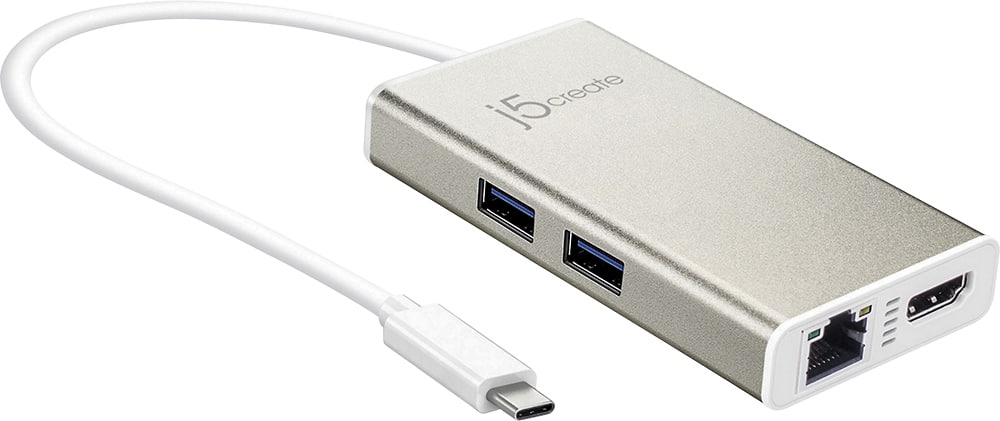
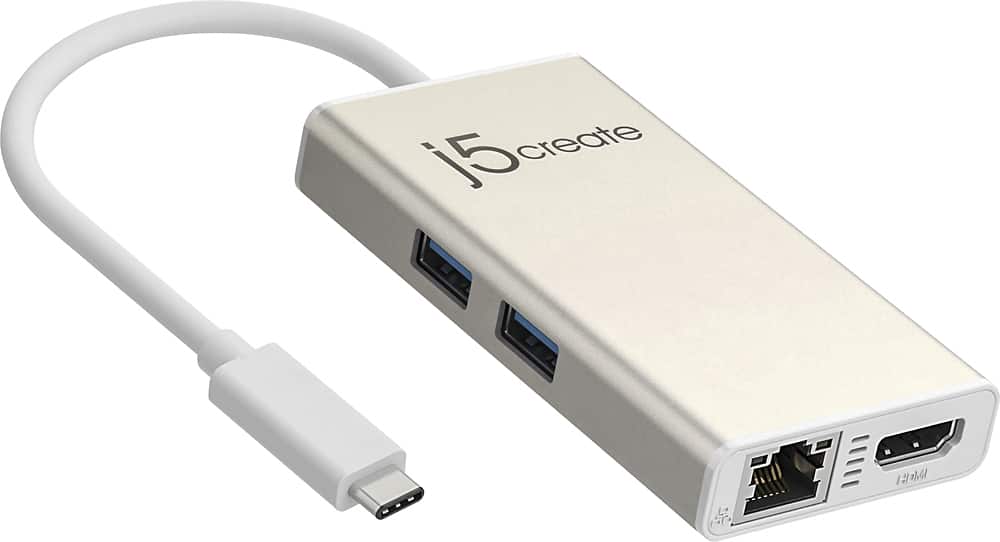
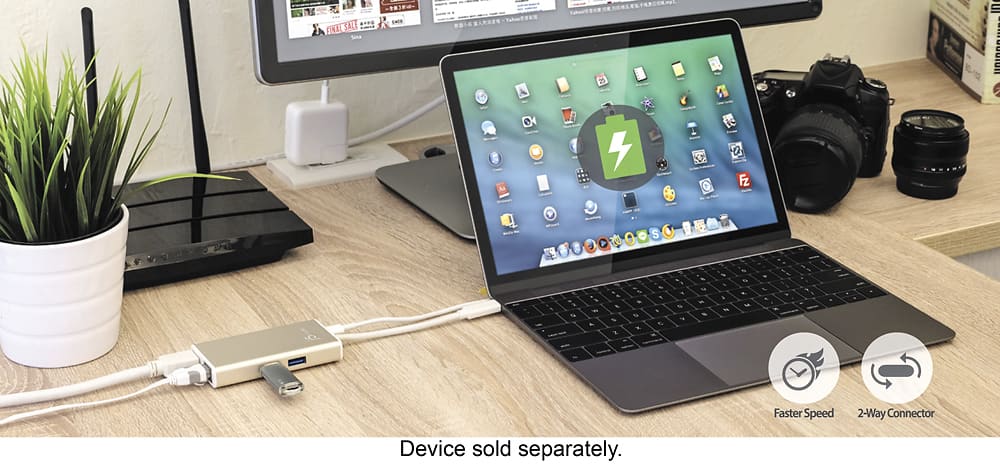
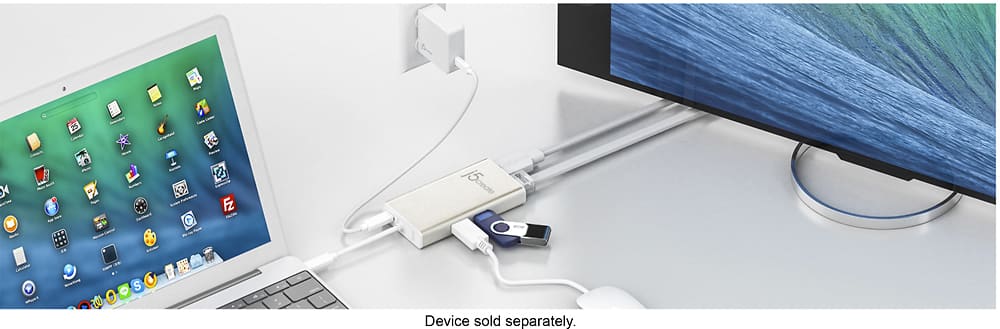
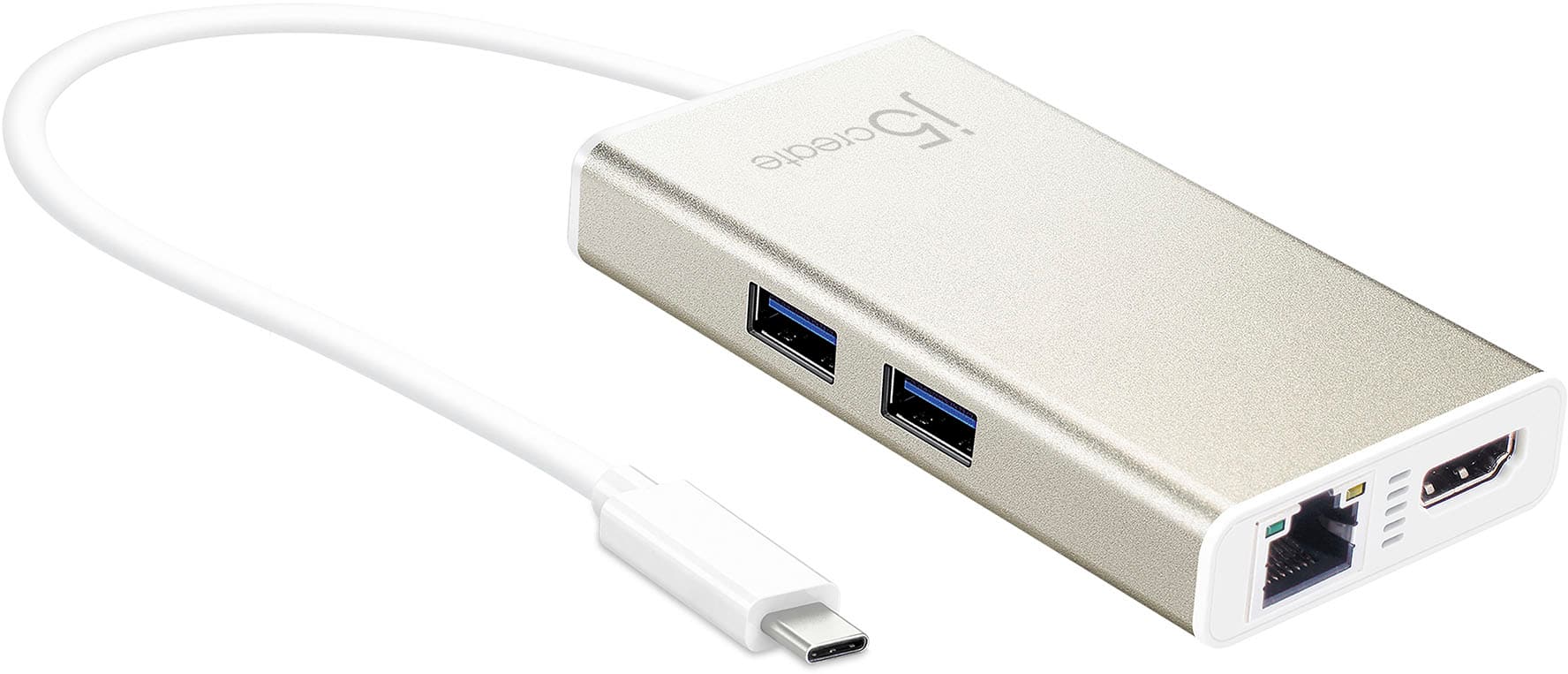
Customers commend the USB-C Multi-Adapter for its HDMI functionality, ease of use, and overall performance. Users appreciate its connectivity options and compact size, as well as its compatibility across different operating systems. However, some customers have expressed concerns about the product's price, power delivery, and heat generation.
This summary was generated by AI based on customer reviews.
- Pros mentioned:Overall performance
USB-C Dual HDMI Mini Dock
Posted .This reviewer received promo considerations or sweepstakes entry for writing a review.Just purchased this based on advice from Best Buy sales and it works great! I had some driver issues with Mac, but J5Create has excellent product support and fixed the issue in 10 minutes on the phone. Highly recommend, especially with new MacBook Pro models with limited ports.
I would recommend this to a friend - Pros mentioned:Overall performance
5 stars for device, 3 stars for instructions
Posted .This reviewer received promo considerations or sweepstakes entry for writing a review.Device works GREAT . . . AFTER overcoming the poor instructions. Please beware that in-box and the web-based instructions for driver download are not quite clear and complete. I have a MacBook Air running Mojave OS ... while I don't know how much that matters, there are other steps not explicitly included. In short, it's not plug and play. You'll need to do a few restarts of the driver installation and get into your system preferences to make some changes. HOWEVER, WHEN YOU DO get this set-up, this device works really well. And MacBook folks without USBs ... ENJOY the ports!
I would recommend this to a friendBrand response from J5create Team
Posted .Hey there and pardon the instructions for not being easier to comprehend; we are pleased to hear the device is now working properly and meeting your needs. As for properly installing the driver, feel free to contact the support team on the packaging and a representative will be ready to help through the process and have you up and working in no time. Thanks for letting us know.
Respectfully,
j5create
- Cons mentioned:Heat
Works great
Posted .This reviewer received promo considerations or sweepstakes entry for writing a review.I was skeptical of such an expensive dongle but my laptop did not have many ports for the legacy connections. After I upgraded the firmware on the device, everything it works great using both Windows 10 and Ubuntu installations. It does not get very hot. I do wish the main usb-c cord was a little bit longer. as is its probably about 8 inch long.
I would recommend this to a friend - Pros mentioned:Ease of use
A great gadget to have
Posted .This reviewer received promo considerations or sweepstakes entry for writing a review.This is very easy to use and it works well. I do not have to rely on very unreliable wifi.
I would recommend this to a friend Awesome
Posted .This reviewer received promo considerations or sweepstakes entry for writing a review.I am able to plug everything into this since new laptdont have enough space this gives you the extra ports
I would recommend this to a friend- Pros mentioned:Ease of use
Great dock for something small
Posted .This reviewer received promo considerations or sweepstakes entry for writing a review.This is a great dock i bought for the switch and it work perfect and it cost less then theres do. My switch is the oled model
I would recommend this to a friend - Pros mentioned:Connectivity
Works
Posted .This reviewer received promo considerations or sweepstakes entry for writing a review.Works fine to connect various cables. Would buy again.
I would recommend this to a friend - Pros mentioned:Hdmi
UCB
Posted .This reviewer received promo considerations or sweepstakes entry for writing a review.Great product. Very reliable device. Gives good UCB connections to any device you need to connect to.
I would recommend this to a friendBrand response from J5create Team
Posted .Thank you for your kind words and rating us with a five-star. Kind regards, j5create.
Do yourself a big favor and buy something else.
Posted .This reviewer received promo considerations or sweepstakes entry for writing a review.I bought this since it's on the lower-end of dongles needed for newer Macbooks, but I would have spent the extra money on something more "known" if I could take this back. The plugs work fine, the problem is if you move even the slightest bit (and I'm not joking, if I even adjust my macbook an inch while trying to get more comfortable) this will lose connection, along with anything I've got plugged in--second monitor, microphone... or worst of all... If you have an external hard drive plugged in you will get constant alerts that the "hard drive was ejected improperly" every time you move. And unplugging hard drives improperly has the potential to corrupt the entire drive and anything you've stored on it, especially if it's in the middle of transfering data--costing your backups. So if I'm ever using Time Machine or trying to back things up, I myself have to carefully back up as carefully as I can for fear that even the slightest breeze of my breath might cause it to lose connection and ruin all of my backups, meaning I won't even go near my computer until it's done backing everything up (which might sometimes take several minutes to an hour). But the reason I made an account to write this review is over something else I've finally had enough of. I'm a musician and I have an external USB Interface plugged in so I can record... Yep. Imagine being in the middle of recording and this thing loses connection and the USB interface shuts off. Well, it's done that so many times that something has gone wrong with the interface, to where now it TRIES to reconnect, turns on for a split second, and then turns off again. The only way to fix it is to restart the computer. So that's more time I'm away from my work while I'm trying to get all that up and running again. This thing is a constant headache. If I could go back I'd pay a little extra for something more known and reliable.
No, I would not recommend this to a friendBrand response from J5create Team
Posted .Hi Daniel!
This is definitely out of the norm for our device, but it sounds like you might have gotten a defective one. If you would contact my customer service department, we'd be more than happy to get you back up and making music again. Our information can be found on the back of all of our product boxes and on our website.
Thanks,
j5create
- Pros mentioned:Ease of use
Power in compact size
Posted .This reviewer received promo considerations or sweepstakes entry for writing a review.It is a must have for when one travels. Small but powerful
No, I would not recommend this to a friendBrand response from J5create Team
Posted .Compact and lightweight design for maximum portability. Cheers!
- Pros mentioned:Hdmi
Unreliable at best with a PC and a Mac
Posted .This reviewer received promo considerations or sweepstakes entry for writing a review.I initially purchased this for my MBPr 15 2016 and my Aorus x7v6. It works for ethernet but the HDMI is unreliable at best. I tried everything and it sometimes works and sometimes doesn't on BOTH laptops. I contacted their tech support and they stated that the Aorus doesn't support DP over USB-C = this is an HDMI adapter... first FAIL. They then said I need to disconnect the adapter from not only the laptop but then disconnect the HDMI from BOTH the monitor and the adapter each time I want to use it, along with any USB or Ethernet connections... I explained this is ridiculous as a use case scenario and maybe they had a driver update because it seems to be a software issue as it works sometimes but not reliably, not even after a reboot. They kept focusing on the Aorus not supporting DP over USB-C instead of focusing on the issue that the issue happens on both and I need it for my Mac... Just an FYI, these things look like great ideas but the HARDWARE needs well writen software drivers to support it and these companies don't...
No, I would not recommend this to a friendBrand response from J5create Team
Posted .Hi!
I'm sorry to hear that you had such difficulty, but the Customer Service Representative was correct. Your computer's type c port would need to support DP over USB-c in order to receive consistent input from our chip set. I'm sorry that this was not explained better, but I hope that you would consider giving us a second shot! Since the time of your review we've greatly improved all of our devices and our drivers to make them easier than ever to use.
Thanks,
j5create
- Cons mentioned:Power delivery
Better solutions available
Posted .This reviewer received promo considerations or sweepstakes entry for writing a review.I bought this about 5 months ago and it was promising. After daily use, the USB C plug started to become loose whereas other adapters were still snug in the same ports. Then I started to have video connection issues and yesterday I got a magical puff of blue smoke and the smell of a dead piece of electronics as my monitor disconnected and the power to my laptop was cut off. In the end, I bought on price and will be paying for it in finding a reputable product and brand.
No, I would not recommend this to a friendBrand response from J5create Team
Posted .We apologize for the inconvenience your are experiencing. Our contact info is available on our website under the "Support" tab for troubleshooting our device with you. Sincerely, j5.
- Cons mentioned:Power delivery
Not even worth the unboxing..
Posted .This reviewer received promo considerations or sweepstakes entry for writing a review.Bought this thing tonight to pair it up with my new i9 MacBook Pro. This thing had about 4.xx stars, and I thought, let's try it. Shouldn't have done that. This thing feels ok, not too professional. I can already call that the housing after a few months of normal use will give up. It's cheap plastic all the way around, the cable feels breakable, all in all, it's just cheap. So now let the fun begin.. This thing will not charge any device. My iPad Pro, or my Samsung Note 9. In fact, my phone was displaying a whopping 33 hours for a full charge. (WHAT) Not to mention, the power pass through only works maybe a quarter of the time? I didn't even want to test the HDMI/Ethernet, I feel there's no need to waste time if it already preforms this poorly, this early into the game. Let's be honest.. You want a product that has a lot of features, like this one, for a decent price..Like this one. Guess what? You won't get the features/quality with this unit. Returning it first thing tomorrow afternoon, and either going straight up with Apple Dongles, or a different USB dock. (Ugh...)
No, I would not recommend this to a friendBrand response from J5create Team
Posted .Hello and thank you for letting us know about your experience with the JCA374. We regret to hear about the hub not performing to your needs. If in the future, you experience any issues with a j5create device, please reach out to support and a rep will gladly lend a helping hand to resolve the problem.
Respectfully,
j5create
MacBook Air Laptop
Posted .This reviewer received promo considerations or sweepstakes entry for writing a review.My MacBook Air laptop works perfectly and FAST! My Geek Squad in-home rep set it up for me, and I appreciate all the tips he gave me. Outstanding was the operation of each of the “f” keys.
I would recommend this to a friendBrand response from J5create Team
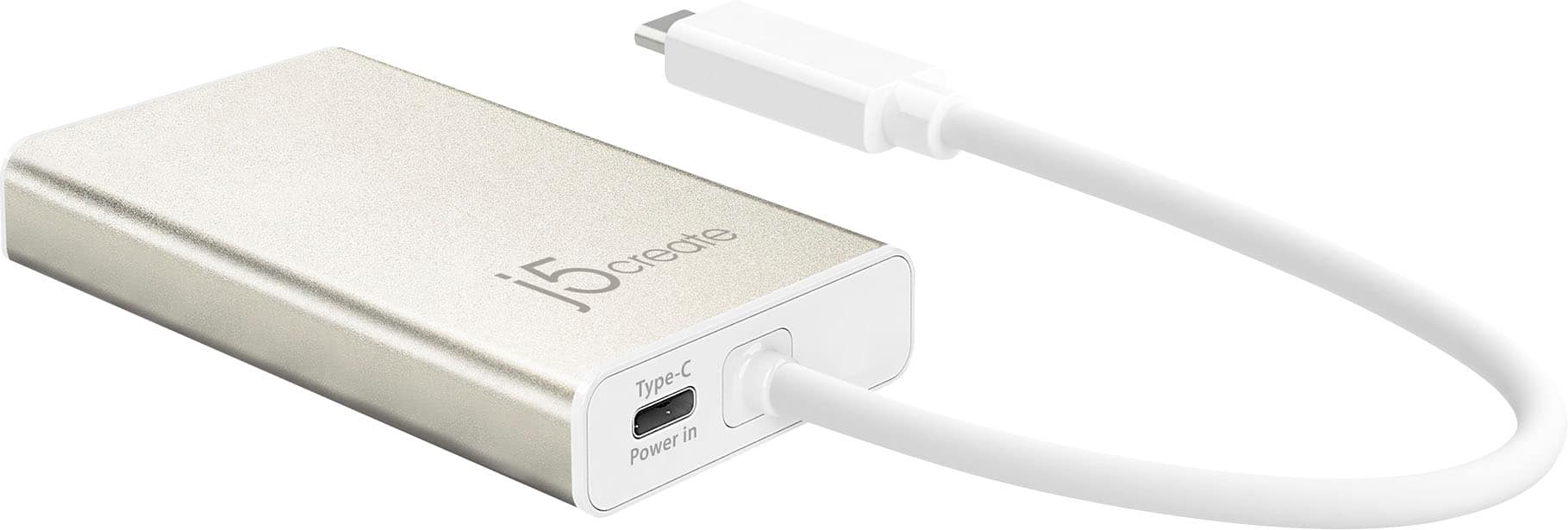
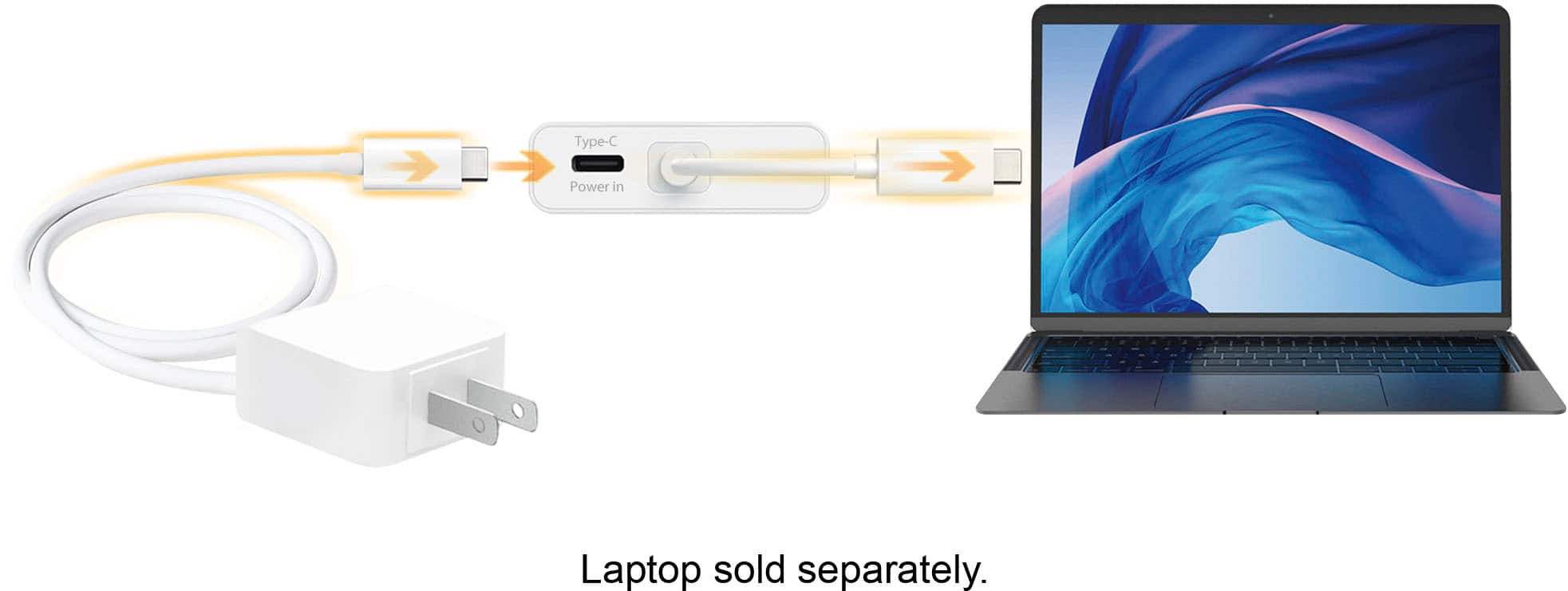
Posted .Power Delivery supports upstream streaming ensuing your connected laptop powered up while in use.
- Pros mentioned:Hdmi
compatibility issue
Posted .This reviewer received promo considerations or sweepstakes entry for writing a review.Bought j5create JCA multi-adapter, but couldn't get my Logitech Bluetooth mouse to work. I called j5create support and was told that somewrthing in the Ethernet portal prevents some Bluetooth signals from getting through. Nothing on the carton or instructions warned about that issue. The other functions (Ethernet, HTML, phone charging) all seem to work.
No, I would not recommend this to a friendBrand response from J5create Team
Posted .It's possible the Bluetooth may be experiencing RFI. We recommend using a wired mouse over Wireless/Bluetooth. Thank you for your feedback.
- Pros mentioned:Hdmi
Worked ok, but is fragile
Posted .This reviewer received promo considerations or sweepstakes entry for writing a review.I bought this adapter because it was the only model that had all the ports that I need: HDMI, Ethernet and USB. I used it for less than 6 months, carrying it in my laptop bag, after which it stopped working. I believe an internal contact must have broken. Unfortunately, this is not a sturdy product. I regret spending $80 on it.
No, I would not recommend this to a friendBrand response from J5create Team
Posted .Chryss, We apologize for the inconvenience you had with the JCA374. The hub is covered under the manufacturer's warranty. We recommend that you please contact the manufacturer for assistance and a rep will gladly diagnose, troubleshoot and offer solutions; if necessary an exchange will be issued.
Respectfully,
j5create
Subpar product with expensive pricetag
Posted .This reviewer received promo considerations or sweepstakes entry for writing a review.This thing sucks. I have a dell xps and i use it to plug in my monitor via hdmi and either mouse or keyboard via usb A (it cannot support both). It constantly turns on and off and everything disconnects and reconnects.
No, I would not recommend this to a friendBrand response from J5create Team
Posted .Hello Mike,
From what you are describing I would recommend that you contact j5create customer support for troubleshooting assistance. You can find our contact information at the link below:
https://en.j5create.com/pages/contact-us
I hope that you give us the opportunity to assit with getting the adapter working properly.
Thank you,
j5create
Hub Works Great minus one major flaw
Posted .This reviewer received promo considerations or sweepstakes entry for writing a review.The Hub is fast and sleek everything functions as intended except for one major flaw. Your instructed upon taking it out the box that if your a mac user you must download and install the updated firmware and drivers. This is a breeze and no problem to do. I gladly did this. I then followed the instructions for updating the charge throughs firmware to the letter. Upon plugging in the charge through zap! Saftey shut down on my brand new macbook pro. I unplugged and did the firmware upgrade again. Device pluged into the computer with no usb c power cable in click and it stats its successful. Plug it in and its charging but now I notice my computer is starting to slow. Simple functions are taking longer then normal and as a test I take out the usb c charger pass through and sure enough. Everything is back to normal. I fear out of prolonged use you could actually fry your $3000 computers logic board. That is simply not worth the risk and I will be returning this device asap.
No, I would not recommend this to a friendA good tool that met my needs.
Posted .This reviewer received promo considerations or sweepstakes entry for writing a review.I replaced an old one and think the USB plug was worn. I use it a lot.
I would recommend this to a friendLoose connection
Posted .This reviewer received promo considerations or sweepstakes entry for writing a review.Don't buy this. It fits loosely in the port so that the tiniest movement disconnects all your peripherals. I have tried this on every port on my Macbook Pro and each has the same issue. It takes 5 minutes of gently wiggling and propping up the device at just the right angle for it to finally connect again. My laptop stays in place on my desk so I can say that it's not a wear and tear issue.
No, I would not recommend this to a friendBrand response from J5create Team
Posted .Please contact our customer service team. Their info is located on our website under the "Support" tab. This product does have a warranty and they should be able to help you troubleshoot or set up a solution. We apologize for the inconvenience.