Customer Ratings & Reviews




- Model:
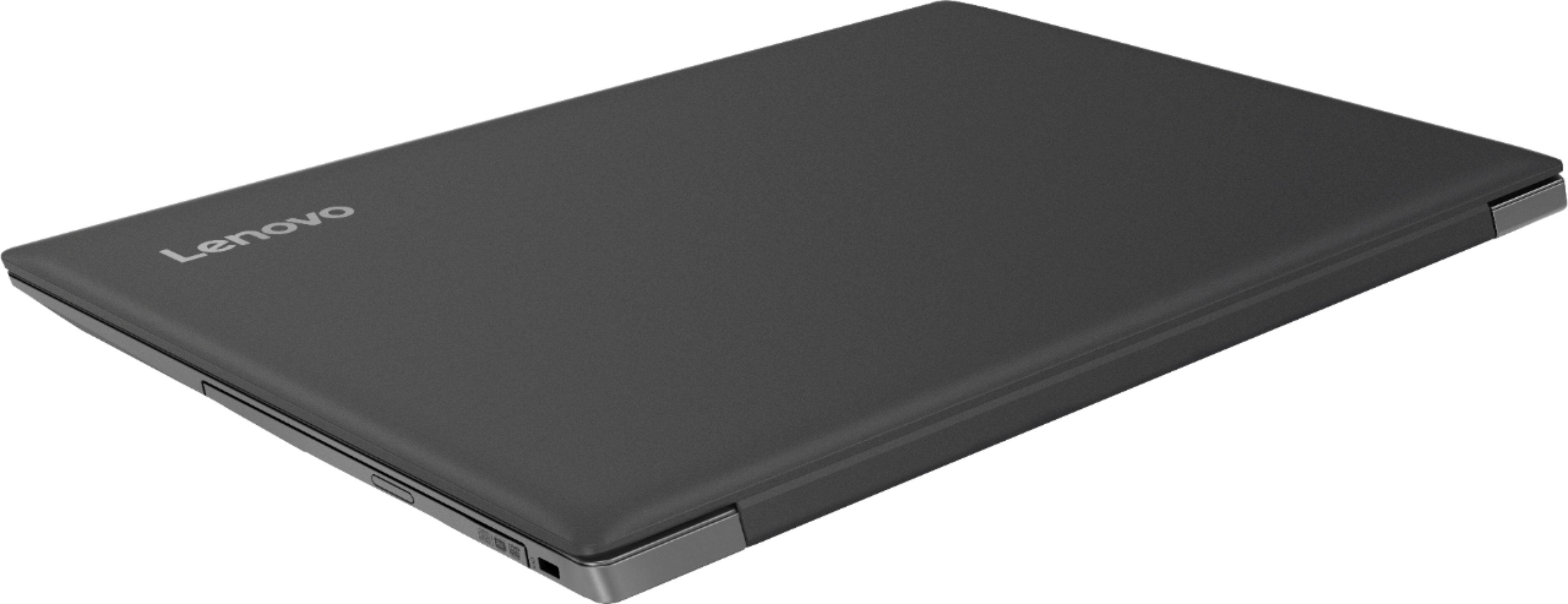
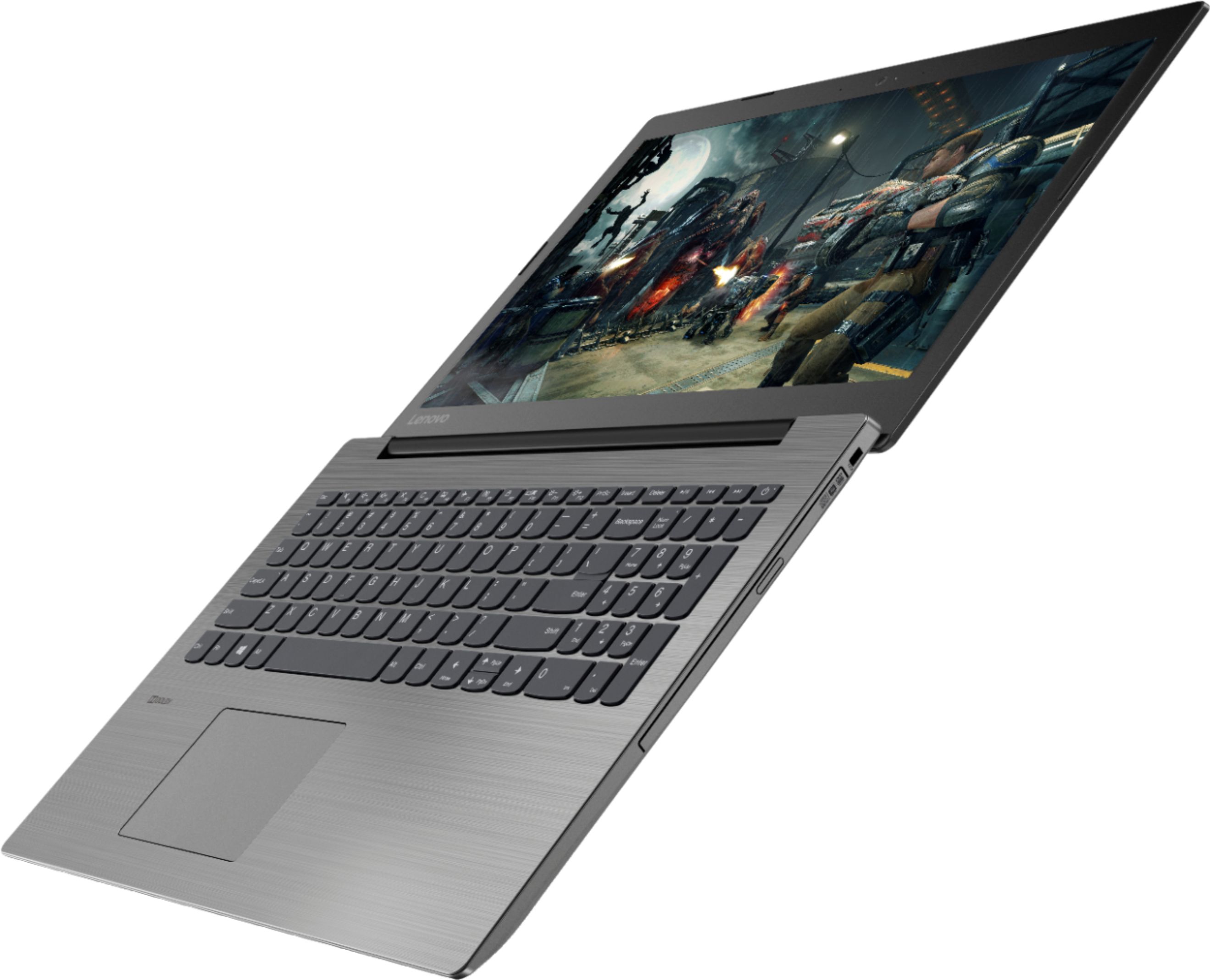
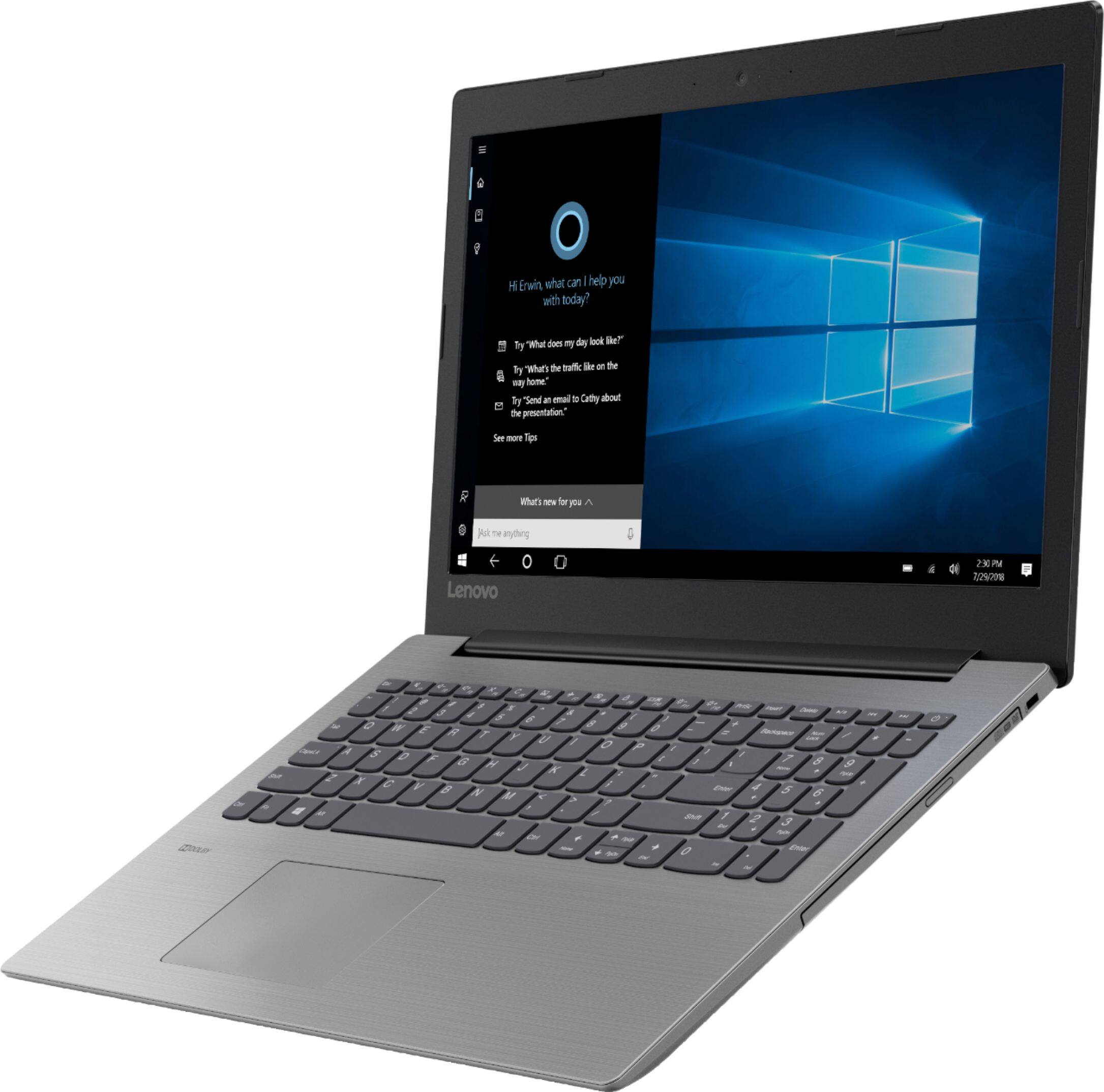
- IDEAPAD 330 15 - 81D2008FUS
- SKU:
- 6266402
Rating by feature
- Value
Rating 4.2 out of 5 stars
- Quality
Rating 4.0 out of 5 stars
- Ease of Use
Rating 4.2 out of 5 stars
Customers are saying
Customers find value in the affordable price, user-friendly interface, and ample storage space of the 330-15ARR laptop. They appreciate its gaming capabilities and lightweight design, making it suitable for various tasks. However, some users have concerns about the battery life and screen quality, while others find Windows 10 to be less intuitive and the fan noise to be noticeable.
This summary was generated by AI based on customer reviews.
- Pros mentioned:Price
Best Buy Best Place
||Posted .This reviewer received promo considerations or sweepstakes entry for writing a review.I went to Best Buy to get a new laptop. My needs are simple and both the guy who waited on me and the Geek Squad rep were the best! I didn't spend a fortune for something I didn't need!
I would recommend this to a friendBrand response from Lenovo Product Expert
Posted .Thank you for choosing the Lenovo IdeaPad 330-15 laptop. We are pleased to hear that the value, features and performance of the IdeaPad 330-15 meets your computing needs so well.

- Pros mentioned:Price
Great all around computer
||Posted .This reviewer received promo considerations or sweepstakes entry for writing a review.Great unit for the price. DVD was a pleasant surprise. It didn’t show that option in the ad. Bought 2 additional units for family members
I would recommend this to a friendBrand response from Lenovo Product Expert
Posted .Thank you for choosing the lenovo IdeaPad 330-15 laptop. We are pleased to hear that the value, features and performance are meeting your computing needs so well, that you purchased two more. We appreciate your loyalty to the IdeaPad 330s-15 laptop and the Lenovo Brand.
- Pros mentioned:Price
Decent for the price
||Posted .This reviewer received promo considerations or sweepstakes entry for writing a review.Not the fastest, not the slowest. Good for what it is, a low price internet and office machine.
I would recommend this to a friendBrand response from Lenovo Product Expert
Posted .Thank you for choosing the Lenovo IdeaPad 330-15 laptop. We are pleased to hear that the value and performance of the IdeaPad 330-15 meets your computing needs so well.
- Pros mentioned:Price
Great laptop for the price point
||Posted .This reviewer received promo considerations or sweepstakes entry for writing a review.Great computer for the price. Easy to use and easy setup. Use computer daily for work and so far so good. Would definitely recommend this product. Just brought a second one for my Son.
I would recommend this to a friendBrand response from Lenovo Product Expert
Posted .Thank you for choosing the lenovo IdeaPad 330-15 laptop. We are pleased to hear that the IdeaPad 330-15 is working out so well for you that you purchased a second IdeaPad 330-15 for your son. We appreciate your loyalty to the IdeaPad 330-15 laptop and the Lenovo Brand. This is a mid-level, moderate use configuration, with its AMD Ryzen 3 2200U processor. This Dual-Core processor has a base speed of 2.5GHz and a boost speed of up to 3.4GHz. This configuration has 8GB of DDR4-2400MHz RAM. It is good with Microsoft Office type programs, internet browsing and other moderate work. If this describes your computing needs, the IdeaPad 330-15 would be a good choice for you.
- Pros mentioned:Price
Steal!
||Posted .This reviewer received promo considerations or sweepstakes entry for writing a review.This laptop is awesome for the price. I have added all the software I need at work, and even a couple of the heavy Adobe design softwares and works smoothly. Happy with my purchase.
I would recommend this to a friendBrand response from Lenovo Product Expert
Posted .Thank you for choosing the lenovo IdeaPad 330-15 laptop. We are pleased to hear that the IdeaPad 330-15 is working out so well for you. This is a mid-level, moderate use configuration, with its AMD Ryzen 3 2200U processor. This Dual-Core processor has a base speed of 2.5GHz and a boost speed of up to 3.4GHz. This configuration has 8GB of DDR4-2400MHz RAM. It is good with Microsoft Office type programs, internet browsing and other moderate work. If this describes your computing needs, the IdeaPad 330-15 would be a good choice for you.
Great Budget Buy
||Posted .This reviewer received promo considerations or sweepstakes entry for writing a review.A Great Budget Buy: this Lenovo gives you what you are paying for and More! 1TB, 8GB, 2.6Ghz Processor slightly Better than an I-3, DVR-RW, WebCam and Most Important::Lenovo Quality! Excellent for Students and those on a Budget. The Lenovo Vantage Tool is very Handy for Maintaining the Machine. Only if Lenovo Adds a Tool, where One can Get to Control Windows Updates on their Machines! A Request to Best Buy: Please Make Sure that Y'all have Power Adapters for Lenovo Laptops as You have for HP's at the Store! Thanks
I would recommend this to a friendBrand response from Lenovo Product Expert
Posted .Thank you for choosing the Lenovo IdeaPad 330-15 laptop. We are pleased to hear that the value, features and performance of the IdeaPad 330-15 meets your computing needs so well. Windows 10 updates are controlled by Microsoft. We recommend you check with the Microsoft Support page for options for delaying Windows 10 updates.
- Pros mentioned:Gaming
Christmas for Granddaughter
||Posted .This reviewer received promo considerations or sweepstakes entry for writing a review.I purchased the Lenovo on a recommendation from the sales clerk. The computer will mainly be used to play The Sims 3 and 4 games. I was assured this computer would be allshe needed
I would recommend this to a friendBrand response from Lenovo Product Expert
Posted .Thank you for choosing the lenovo IdeaPad 330-15 laptop for your grand daughter. We are pleased to know that the features of the IdeaPad 330-15 met your requirements for a new computer for your grand daughter so well. This is a mid-level, moderate use configuration, with its AMD Ryzen 3 2200U processor. This Dual-Core processor has a base speed of 2.5GHz and a boost speed of up to 3.4GHz. This configuration has 8GB of DDR4-2400MHz RAM. It is good with Microsoft Office type programs, internet browsing and other moderate work. If this describes your computing needs, the IdeaPad 330-15 would be a good choice for you.
Nice for the price
||Posted .This reviewer received promo considerations or sweepstakes entry for writing a review.Good laptop, works well. Sometimes it’s a little slow to turn on. Very lightweight, but, the back cover to the screen seems flimsy.
I would recommend this to a friendBrand response from Lenovo Product Expert
Posted .Thank you for choosing the Lenovo IdeaPad 330-15 laptop. This system has Lenovo utilities installed to help maintain the health of the device and keep the operating system software up to date. Type "Lenovo Vantage" in the Cortana Search window (if Lenovo Vantage is not installed on your device, you can download the APP and install it now). Select Lenovo Vantage from the list. In the window that opens, click on "Health and Support". In the expanded menu, select "Hardware Scan" In the window that opens, select "Run Quick Tests". This will scan your entire system for errors. Follow any directions that may pop up. If the problem continues after this scan, now click on "System Update". First select Windows update from the menu. Scan your system to be sure you have the latest version of Windows 10. Once that scan is complete, select "Additional Updates". This will scan your device to be sure there are no new BIOS/Driver updates needed. Follow any instructions that may pop up. If the issue still continues after these updates, we recommend you call Lenovo Tech Support at: 877-453-6686 for additional help.
- Pros mentioned:Price
Great for kid
||Posted . Owned for 8 months when reviewed.This reviewer received promo considerations or sweepstakes entry for writing a review.Computer had worked out well for my 12 year old. Not too fancy but not bottom of the barrel. Been happy with the purchase!
I would recommend this to a friend Great Laptop for the price
||Posted .This reviewer received promo considerations or sweepstakes entry for writing a review.Easy, fast, quick and efficient setup, very fast laptop for home use and the price was right. Nice slim and lightweight design. Great replacement for our old 7 year old laptop.
I would recommend this to a friendBrand response from Lenovo Product Expert
Posted .Thank you for choosing the Lenovo IdeaPad 330-15 laptop. We are pleased to hear that the features and performance of the IdeaPad 330-15 meets your computing needs so well. This is a mid-level, moderate use configuration, with its AMD Ryzen 3 2200U processor. This Dual-Core processor has a base speed of 2.5GHz and a boost speed of up to 3.4GHz. This configuration has 8GB of DDR4-2400MHz RAM. It is good with Microsoft Office type programs, internet browsing and other moderate work. If this describes your computing needs, the IdeaPad 330-15 would be a good choice for you.
- Pros mentioned:Price
Great for the price
||Posted .This reviewer received promo considerations or sweepstakes entry for writing a review.It's has great features at a good price. I'm glad that it isn't a touchscreen. Cons: no keyboard backlite, very loud for a laptop
I would recommend this to a friendBrand response from Lenovo Product Expert
Posted .Thank you for choosing the Lenovo IdeaPad 330-15 laptop. You are correct, this model does not have a backlit keyboard. The IdeaPad 330-15 ships with the Ryzen 3-220U processor, which requires an internal fan for cooling. The system will generate heat whenever it is turned on, even at idle, this is normal. The onboard fan will maintain the proper operating temperature for the device. You will hear the fan whenever it runs, this too is normal.
- Pros mentioned:Easy to use
Just learning about this device
||Posted .This reviewer received promo considerations or sweepstakes entry for writing a review.Just hard setting up the device. I've worked through it and think it should be fine. Sure hope this gives me years of devotion.
I would recommend this to a friendBrand response from Lenovo Product Expert
Posted .The Lenovo IdeaPad 330-15 laptop has both voice and onscreen directions for the initial setup of Windows 10, to make it as easy as possible. This is a mid-level, moderate use configuration, with its AMD Ryzen 3 2200U processor. This Dual-Core processor has a base speed of 2.5GHz and a boost speed of up to 3.4GHz. This configuration has 8GB of DDR4-2400MHz RAM. It is good with Microsoft Office type programs, internet browsing and other moderate work. If this describes your computing needs, the IdeaPad 330-15 would be a good choice for you.
- Pros mentioned:Speed
Perfect budget computer
||Posted .This reviewer received promo considerations or sweepstakes entry for writing a review.Great budget computer. You can tell it’s not the highest quality in the keyboard and housing but for use at home it’s perfect. Turns on fast and loads fast once it’s running.
I would recommend this to a friendBrand response from Lenovo Product Expert
Posted .The Lenovo IdeaPad 330-15 laptop is a mid-level, moderate use configuration, with its AMD Ryzen 3 2200U processor. This Dual-Core processor has a base speed of 2.5GHz and a boost speed of up to 3.4GHz. This configuration has 8GB of DDR4-2400MHz RAM. It is good with Microsoft Office type programs, internet browsing and other moderate work. If this describes your computing needs, the IdeaPad 330-15 would be a good choice for you.
- Pros mentioned:Price
Good buy
||Posted .This reviewer received promo considerations or sweepstakes entry for writing a review.Good value for the price, a little slower than I expected but not bad for what you get. Using for kids homework and web surfing
I would recommend this to a friendBrand response from Lenovo Product Expert
Posted .Thank you for choosing the Lenovo IdeaPad 330-15 laptop. This model ships with the Dual-Core/Four-Thread AMD Ryzen 3 2200U processor which is supported by 8GB of DDR4-2400MHz RAM. This processor has a base speed of 2.5GHz and a boost speed of up to 3.4GHz. Be sure that any software you have installed is compatible with Windows 10.
great laptop
||Posted .This reviewer received promo considerations or sweepstakes entry for writing a review.just bought this laptop and its pretty fast once into windows it has blutooth and everything i need for everyday tasks now i gave this 4 stars because this would be able to boot up faster if it did not have a mechanical drive but a SSD or a NVME m.2 instead also left of the mouse pad is where the 1tb hdd is and this thing heats up quick not blazing hot but does get warm if they changed it to a ssd/m.2 it would boot up faster and fix the heating problem other than that it a great laptop
I would recommend this to a friendBrand response from Lenovo Product Expert
Posted .Thank you for choosing the Lenovo IdeaPad 330-15 laptop. This configuration should boot to the Windows 10 desktop in less than 40 seconds. Be sure any software you installed is compatible with Windows 10. There is no need to install Microsoft Office software. The software is already part of the operating system, you just need to activate the software with a purchased product key. If you have installed a copy of Microsoft Office, this is conflicting with the existing copy on the system and this will slow your system down. If you have installed a 3rd party anti-virus program, be sure that Windows Defender is turned off and that the trial version of McAfee Anti-Virus software is uninstalled. There can only be one anti-virus program on the system. You may need to restore your system to original factory default settings if any of the programing errors have occurred. You can do that by typing "restore" in the Cortana search window. Just click on the magnifying glass icon at the bottom left of your Windows 10 Desktop. Click on "Reset This PC" Then click on "Get Started" and follow the on screen directions to restore to factory defaults. If the problem persists, we recommend you contact Lenovo Tech Support at: 877-453-6686.
- Pros mentioned:Price
Good laptop
||Posted . Owned for 1.5 years when reviewed.This reviewer received promo considerations or sweepstakes entry for writing a review.It’s good enough for the price. Got it for my father who just keeps in contact with family.
I would recommend this to a friend Great computer, nice price
||Posted .This reviewer received promo considerations or sweepstakes entry for writing a review.Since I worked at a Best Buy for 10 years and my sister has been employed at a Best Buy for 25 years on the geek squad I always shop for electronics there. I was looking for a computer with lots of storage because I am a photographer and writer. I also wanted a DVD drive (which is hard to find). This computer has a terabyte of storage and a DVD drive!! It takes a little bit longer to power on and load than my past computers, but it is not that bad. The graphics are great and everything else about the computer is great. I would recommend this computer and of course Best Buy's service was great as usual.
I would recommend this to a friendBrand response from Lenovo Product Expert
Posted .The Lenovo IdeaPad 330-15 laptop should boot from off to the Windows 10 desktop in less than 40 seconds. Be sure you have installed all updates to your computer. Second, be sure any software you installed is compatible with Windows 10. There is no need to install Microsoft Office software. The software is already part of the operating system, you just need to activate the software with a purchased product key. If you have installed a copy of Microsoft Office, this is conflicting with the existing copy on the system and this will slow your system down. If you have installed a 3rd party anti-virus program, be sure that Windows Defender is turned off and that the trial version of McAfee Anti-Virus software is uninstalled. There can only be one anti-virus program on the system. You may need to restore your system to original factory default settings if any of the programing errors have occurred. You can do that by typing "restore" in the Cortana search window. Just click on the magnifying glass icon at the bottom left of your Windows 10 Desktop. Click on "Reset This PC" Then click on "Get Started" and follow the on screen directions to restore to factory defaults. If the problem persists, we recommend you contact Lenovo Tech Support at: 877-453-6686.
Great Laptop December 2019
||Posted .This reviewer received promo considerations or sweepstakes entry for writing a review.December 2019 Wanted a newer laptop that was already Win 10 and was more than compatible //Powerful enough to peruse the internet (multiple tabs open) and perform documentary functions (Office) // Boots quickly and is user friendly diagnostically // would benefit from a third USB port (for my use anyway) - new hub plugged into one of the two ports and the unit handles it with no issues // Not a finger pad person but don't want to disable it either; I use wireless mouse instead.
I would recommend this to a friendBrand response from Lenovo Product Expert
Posted .Thank you for choosing the Lenovo IdeaPad 330-15 laptop. This is a mid-level, moderate use configuration, with its AMD Ryzen 3 2200U processor. This Dual-Core processor has a base speed of 2.5GHz and a boost speed of up to 3.4GHz. This configuration has 8GB of DDR4-2400MHz RAM. It is good with Microsoft Office type programs, internet browsing and other moderate work. If this describes your computing needs, the IdeaPad 330-15 would be a good choice for you.
- Pros mentioned:Easy to use
Good for me
||Posted . Owned for 1.5 years when reviewed.This reviewer received promo considerations or sweepstakes entry for writing a review.Easy to use, I’m computer illiterate, and even I figured it out! I use it for basic budgeting, balancing, and occasional to download forms.
I would recommend this to a friend - Pros mentioned:Price
decent for web browsing or school work
||Posted .This reviewer received promo considerations or sweepstakes entry for writing a review.i bought this for college and it works fine, i bought this for about 250 dollars so at that price point it is good
I would recommend this to a friend