Customer Ratings & Reviews
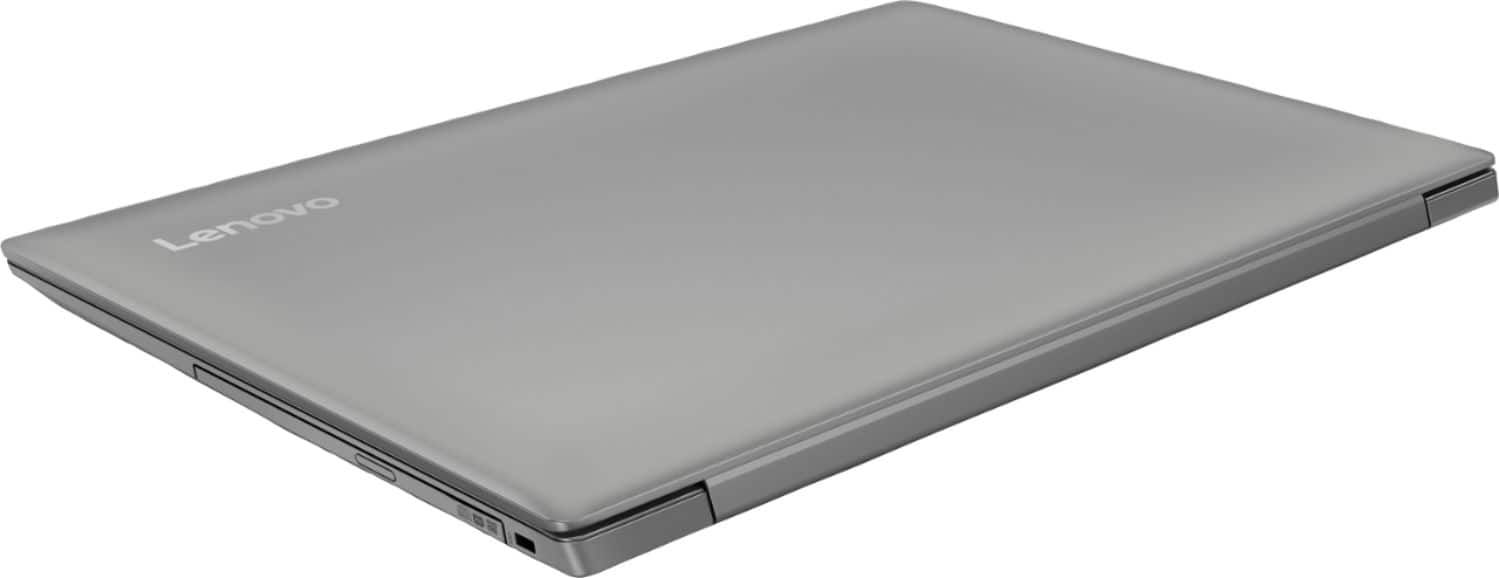
- Model:
- 81D1003TUS
- SKU:
- 6221788
Rating by feature
- Value
Rating 4.2 out of 5 stars
- Quality
Rating 3.9 out of 5 stars
- Ease of Use
Rating 4.1 out of 5 stars
Customers are saying
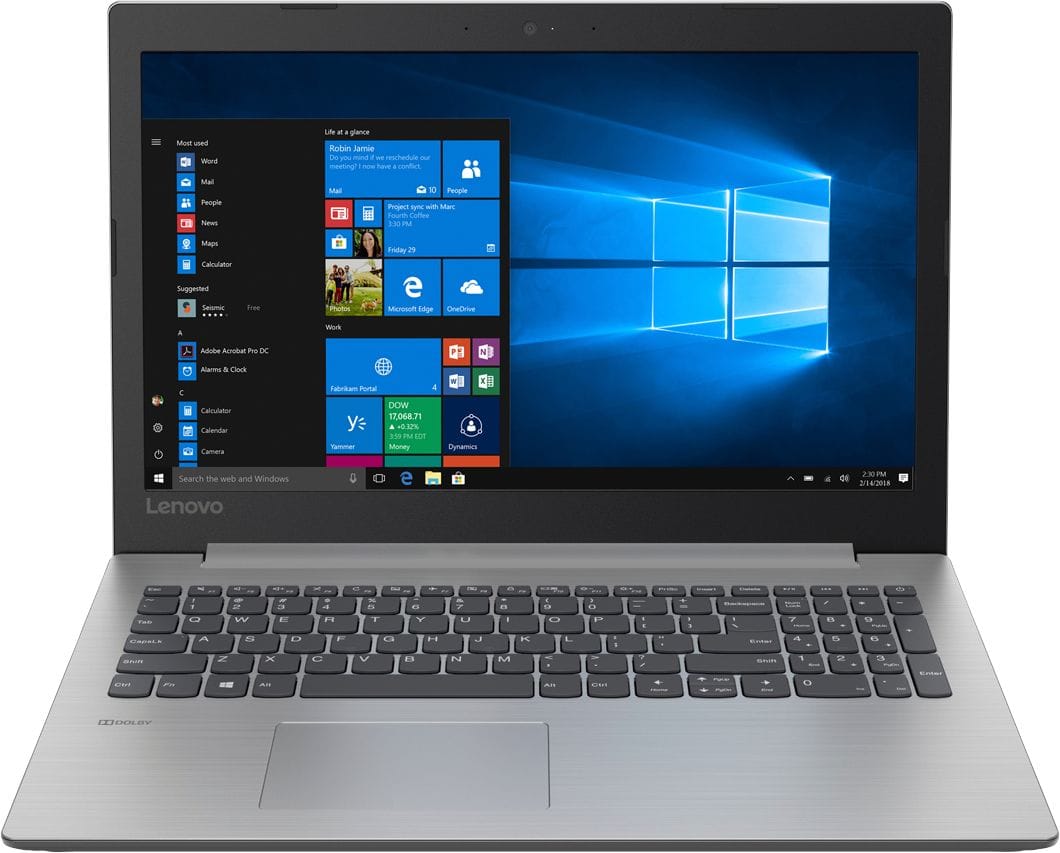
Customers consistently note the affordability and user-friendly nature of the 330-15IGM 15.6" Laptop. Many appreciate its lightweight design and adequate performance for basic tasks. However, some users express concerns about its slow processing speed and limited RAM, suggesting the need for upgrades.
This summary was generated by AI based on customer reviews.
- Pros mentioned:Screen size
15 inch computer
||Posted .This reviewer received promo considerations or sweepstakes entry for writing a review.When I first bought the computer. It looked a 17 inch screen. I love it. I wish could a touchscreen laptop computers with optical drives.
I would recommend this to a friend Great quality
||Posted .This reviewer received promo considerations or sweepstakes entry for writing a review.Lenovo makes quality high performance laptops. I love it.
I would recommend this to a friendBrand response from Lenovo Product Expert
Posted .Thank you for choosing the Lenovo IdeaPad 330-15 laptop with Intel Celeron processor. This is an entry level, light use system with its Intel Celeron processor. It is not meant for multi-tasking or demanding programs. It is good for Microsoft Office and light internet browsing. If this describes your computing needs, the IdeaPad 330-15 would be a good choice.

- Pros mentioned:PriceCons mentioned:Software
Great, cheap, easy
||Posted .This reviewer received promo considerations or sweepstakes entry for writing a review.Bought this computer as a cheap computer bc I work in an outside facility and didn’t want an expensive one to get water or sand damaged. I only needed it for internet and Microsoft office, but it also needed to be fast. So far it is working well. 3 days after I bought it, it fell off a table, this cracked the casing but the insides are all good and no issues with the software from this tramatic fall. Luckily it was only $210! Okay, now to the issues: It’s big, 15.4 is a bit much but it is surprisingly lightweight. I wanted a smaller laptop but this was the only one that could run what I wanted at this price (unless Best Buy lied to me) I have been trying to delete all the extra stuff on here that I don’t need, but it won’t let me The track pad is a little wonky but after a couple days I got used to it. Finally, Windows 10- it has an issue with wireless printers where it says they are “offline” but in fact, the printer is “online” I thought I was going nuts bc my printer and computer were not working together, and apparently it’s a windows 10 issue (I googled it and the Internet forums informed me of this issue) I still haven’t been able to print from this due to windows 10, but all in all a pretty decent computer for the price. I’m not going to feel guilty getting rid of it bc it was only $210, and it did 90% of it’s job well. But, I can’t wait to get my MacBook.
I would recommend this to a friendBrand response from Lenovo Product Expert
Posted .Thank you for choosing the Lenovo IdeaPad 330-15 laptop. With regard to the touchpad, you can make adjustments to the touchpad in your system settings. You can get there by clicking on the magnifying glass at the bottom left of your Windows 10 screen. Type "touchpad" in the search window. Select "Mouse & touchpad settings" from the list of choices. You can make general adjustments to the touchpad there. You can also select "Additional mouse options" for more detailed adjustments to the touchpad sensitivity by increasing the delay of the touchpad. With regard to the issue with your printers, be sure you have the latest Windows 10 printer drivers installed on the computer. Check the printer manufacturer web site for the latest Windows 10 drivers.
- Pros mentioned:Screen size, WeightCons mentioned:Touchpad
Decent but not great
||Posted .This reviewer received promo considerations or sweepstakes entry for writing a review.I guess my overall reaction to this laptop is "meh." PROS: nice big screen; it's fairly lightweight; I like the numeric keypad. CONS: I find the touchpad awkward; the processing speed has been slow from the moment we took it out of the box. We use the laptop for pretty light business functions, e.g. MS Office, web browsing, emails. Other than Office 365, I haven't loaded anything on it. I browse through Chrome. I find myself waiting for things to load, both software and web pages, just a few seconds longer than I expect, especially right after startup. It's not enough to ruin the computer, but it is annoying. My wife hates the touchpad. I don't hate it, but I don't like it either. I find the lack of hard buttons awkward, especially when I'm trying to highlight a large selection. Again, not enough to ruin, just annoy. Overall, if you're planning on light computing, especially if you're okay with this kind of touchpad, this computer is okay for the money. If I were doing it over again, and if I had the budget to upgrade to a faster processor, I would.
I would recommend this to a friendBrand response from Lenovo Product Expert
Posted .With regard to the touchpad, you can make adjustments to the touchpad in your system settings. You can get there by clicking on the magnifying glass at the bottom left of your Windows 10 screen. Type "touchpad" in the search window. Select "Mouse & touchpad settings" from the list of choices. You can make general adjustments to the touchpad there. You can also select "Additional mouse options" for more detailed adjustments to the touchpad sensitivity by increasing the delay of the touchpad. This is an entry level, light use system with its Intel Celeron processor. It is not meant for multi-tasking or demanding programs. It is good for Microsoft Office and light internet browsing. If this describes your computing needs, the IdeaPad 330-15 would be a good choice.
- Pros mentioned:PriceCons mentioned:Touchpad
Really good for the cost!
||Posted .This reviewer received promo considerations or sweepstakes entry for writing a review.Has not let me down yet!!! Feels thin and cheap so I wasn't expecting much. BUT - it has handled everything I have thrown at it so far. I bought it to use as a backup computer for DJ'ing wedding receptions but it has become one of my favorites to use! The internet is a little slow, the touchpad sucks (hook up a mouse) and I wish it had backlit keys and more USB ports BUT it was only $200!!! If you want a solid computer for cheap, this is it! If you are willing to spend more to get more features then there are other options out there.
I would recommend this to a friendBrand response from Lenovo Product Expert
Posted .This is an entry level, light use system with its Intel Celeron processor. It is not meant for multi-tasking or demanding programs. It is good for Microsoft Office and light internet browsing. If this describes your computing needs, the IdeaPad 330-15 would be a good choice. With regard to the touchpad on this device, you can make adjustments to the touchpad in your system settings. You can get there by clicking on the magnifying glass at the bottom left of your Windows 10 screen. Type "touchpad" in the search window. Select "Mouse & touchpad settings" from the list of choices. You can make general adjustments to the touchpad there. You can also select "Additional mouse options" for more detailed adjustments to the touchpad sensitivity by increasing the delay of the touchpad.
- Pros mentioned:PriceCons mentioned:Ram, Slow
Good computer for the price
||Posted .This reviewer received promo considerations or sweepstakes entry for writing a review.Good computer for the price. A little slow but nothing that would keep you from getting the job done. Will definitely increase the RAM soon.
I would recommend this to a friendBrand response from Lenovo Product Expert
Posted .Thank you for choosing the Lenovo IdeaPad 330-15 laptop. This is an entry level, light use system with its Intel Celeron processor. It is not meant for multi-tasking or demanding programs. It is good for Microsoft Office and light internet browsing. If this describes your computing needs, the IdeaPad 330-15 would be a good choice.
- Pros mentioned:PriceCons mentioned:Slow
Laptop Review
||Posted .This reviewer received promo considerations or sweepstakes entry for writing a review.For the price range, I’d say it is a good laptop. I bought it my senior year of college and it got me through both that academic year and student teaching. My only gripe is that it can be slow at times, but I was informed of that beforehand. All in all, I would recommend this to future students who need a device for school on a budget.
I would recommend this to a friend - Pros mentioned:Price
Serously good deal
||Posted .This reviewer received promo considerations or sweepstakes entry for writing a review.I purchased this as a replacement laptop for my 88-year-old mother-in-law. It was on sale, so with tax it was still less than $215!! Pleased with the price and the performance it provides someone who simply uses it for emailing and browsing the web.
I would recommend this to a friendBrand response from Lenovo Product Expert
Posted .Thank you for choosing the Lenovo IdeaPad 330-15 laptop. We are pleased to hear that the IdeaPad 330-15 is working out so well.
- Pros mentioned:Price, Screen size
Perfect for my daughter's online school!
||Posted .This reviewer received promo considerations or sweepstakes entry for writing a review.My daughter started virtual school this year, and needed her own laptop. I already own a Lenovo touchscreen laptop that i absolutely LOVE, so we went to Best Buy to check out a basic Lenovo laptop for her. This laptop was a great price (under $200), plenty of memory for downloading school worksheets/blackboard, and the screen is large - perfect for hours online for school. So glad we purchased another Lenovo :)
I would recommend this to a friendBrand response from Lenovo Product Expert
Posted .Thank you for choosing the lenovo IdeaPad 330-15 laptop for your daughter. We are pleased to hear that the value and performance of the IdeaPad 330-15 meets your daughter's computing needs so well. This is an entry level, light use system with its Intel Celeron processor. It is not meant for multi-tasking or demanding programs. It is good for Microsoft Office and light internet browsing. If this describes your computing needs, the IdeaPad 330-15 would be a good choice.
- Pros mentioned:PriceCons mentioned:Slow
Good for the money
||Posted .This reviewer received promo considerations or sweepstakes entry for writing a review.We bought this computer as a starter for our kids to do their class work on. So far so good. It is a little slower than more expensive computers but for money, well worth it, especially when considering children are using it!
I would recommend this to a friend - Pros mentioned:Price, Screen size
Very good
||Posted .This reviewer received promo considerations or sweepstakes entry for writing a review.I was surprised with the performance of this laptop. Pro: price, screen size, Amount of memory Cons: the hd is 5400 rpm super slow... but can be upgraded with ssd, I used 128 gb from amzn
I would recommend this to a friendBrand response from Lenovo Product Expert
Posted .Thank you for choosing the Lenovo IdeaPad 330-15 laptop. Please keep in mind, this model is not user upgradable. A certified technician must do all of the work, so as to not void the warranty. Additionally, this is an entry level, light use system with its Intel Celeron processor. It is not meant for multi-tasking or demanding programs. It is good for Microsoft Office and light internet browsing. If this describes your computing needs, the IdeaPad 330-15 would be a good choice.
- Pros mentioned:PriceCons mentioned:Slow
Good computer, unbeatable price
||Posted .This reviewer received promo considerations or sweepstakes entry for writing a review.I get this computer for my general use at home. It has worked perfect, a little bit slow for what i am used to, but i get the job done. The price was very good and works perfect.
I would recommend this to a friend - Pros mentioned:Screen size
Great Price
||Posted .This reviewer received promo considerations or sweepstakes entry for writing a review.I was pleasantly surprised by the size of this laptop once I saw in person after finding online. For light use (I am a teacher) this is perfect. Not too heavy or too lightweight. The screen is pretty large and the display is nice and bright also. Does seem a bit slow on startup but nothing that would keep me from recommending or purchasing again.
I would recommend this to a friendBrand response from Lenovo Product Expert
Posted .Thank you for choosing the Lenovo IdeaPad 330-15 laptop. This is an entry level light use system, with its Intel Celeron processor. We are pleased to hear that the IdeaPad 330-15 meets your computing needs so well.
- Pros mentioned:Easy to useCons mentioned:Slow
works well and a good clear screen.
||Posted .This reviewer received promo considerations or sweepstakes entry for writing a review.This laptop is easy to use, a bit heavy, a bit slower than I expected, it does the job but windows 10 is not as user friendly as windows 7.
I would recommend this to a friendBrand response from Lenovo Product Expert
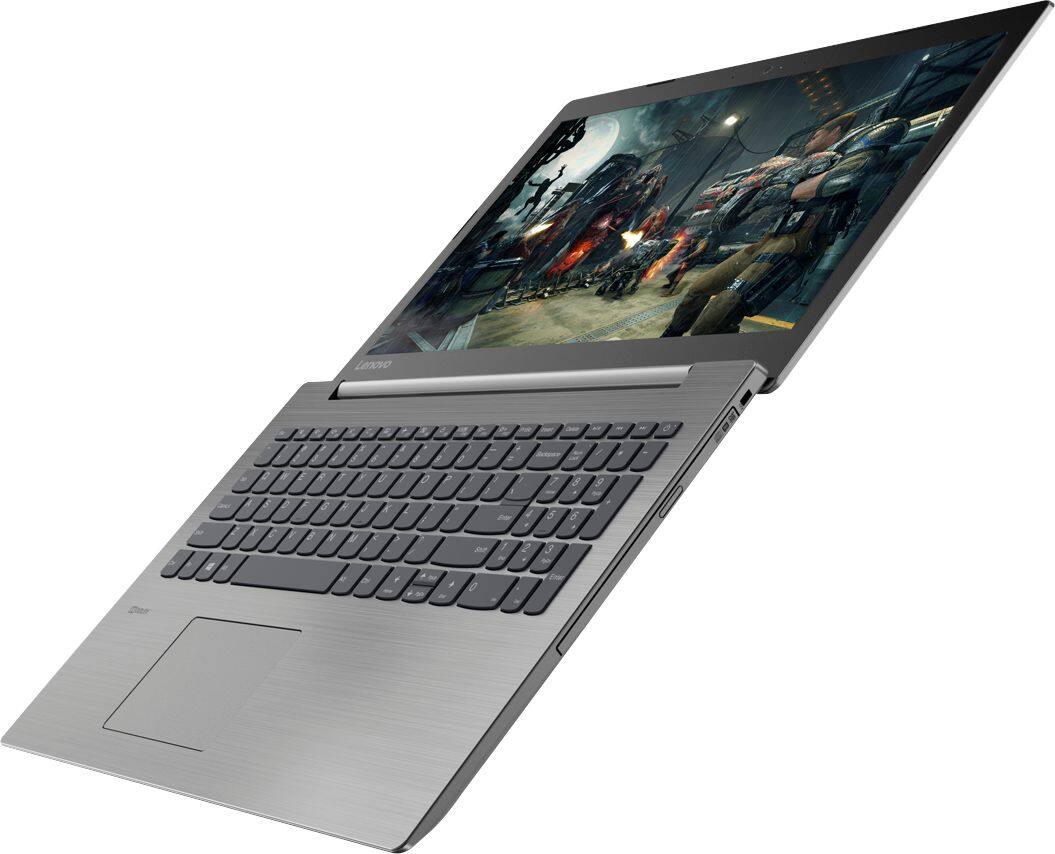
Posted .Thank you for choosing the Lenovo IdeaPad 330-15 laptop. This full-sized 15.6" laptop weighs just 4.85 lbs. and measures 0.9" thin. This is an entry level, light use system with its Intel Celeron processor. It is not meant for multi-tasking or demanding programs. It is good for Microsoft Office and light internet browsing. If this describes your computing needs, the IdeaPad 330-15 would be a good choice. With regard to learning your way around Windows 10, you may want to try YouTube.com (just type that address in your browser address window). There are hundreds for free instructional videos there about Windows 10. Just type Windows 10 Introduction in to the YouTube search window. You can watch free videos there that will show you the basics all the way up to tips and tricks videos and they're all free.
- Pros mentioned:Lightweight
Just Needed a Fresh laptop
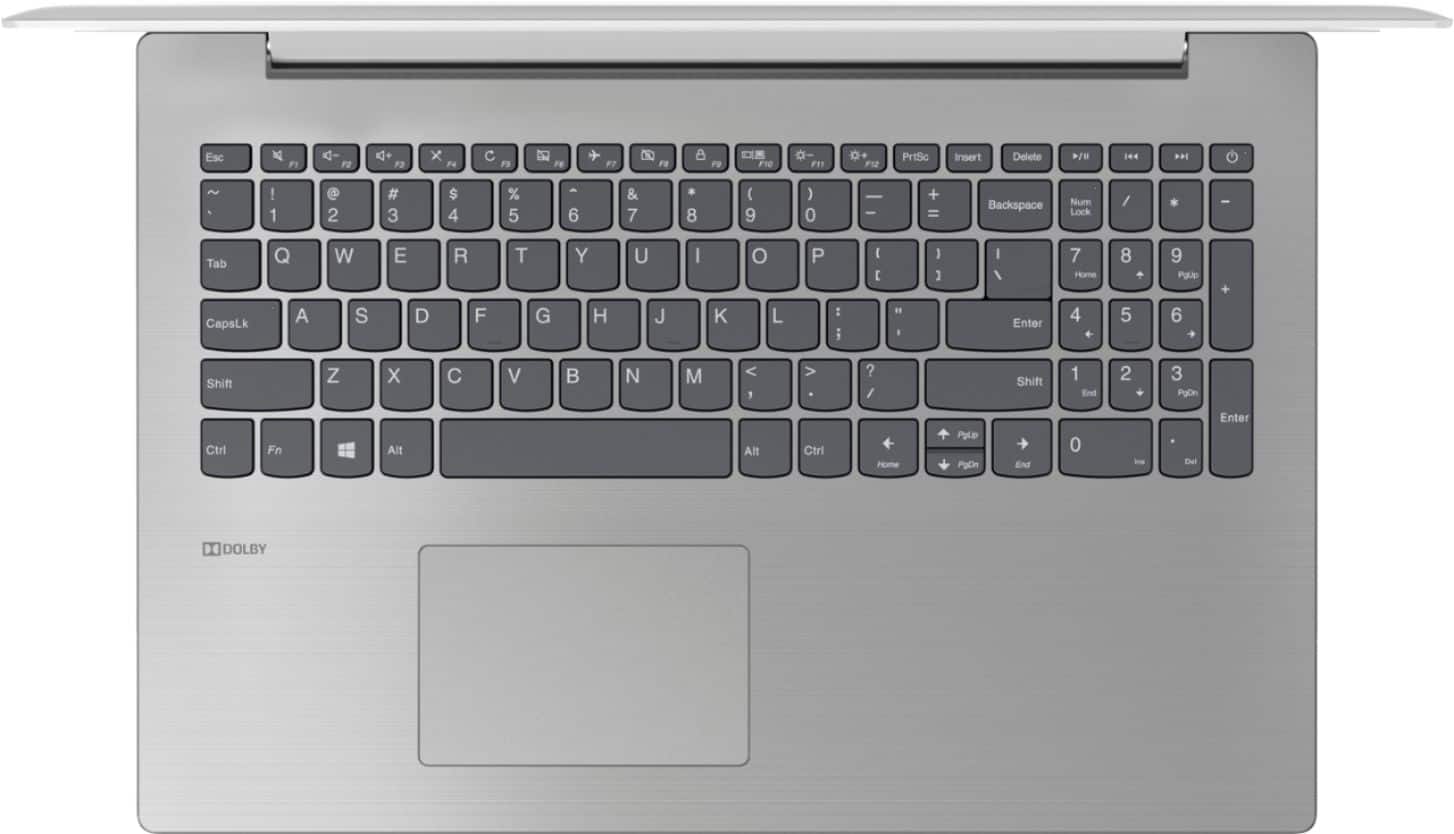
||Posted .This reviewer received promo considerations or sweepstakes entry for writing a review.Simply i needed a refresh on my laptop,and daily needs. Not anything close to a powerhouse obviously,but overall i think im glad I got it. IF I HAD MORE TO SPEND then I would choose higher up the food chain. here's the Pros/Cons that literally affect only me,subjectively- MY Pros- 1- lightweight. Compared to my other 15" this is very very light. 2- quality screen/display(there's even a dim type mode) 3- Very sleek when closed MY Cons- 1- Not touchscreen. i knew that when i bought it but its my con due to the similar price point of the last pc which was touch. I dont ,miss it too much AND its why this is so much lighter. 2- horrible edge where the hands / palms rest as typing or just in general. Normally i would never care nor notice,but its pretty awful that its not more rounded/smooth. its not crazy sharp or etc,but come on LENOVO use your brains. 3- once every 100 keyboard strokes,apparently there's a Hotkey to Num Lock lol,really annoying. Also its of course next to Backspace,btu this isnt that important overall. id recommend only if under 200.00 or if anyone wants a laptop just for regular,routine like emails pics etc and that sort. But i do use it for more.
I would recommend this to a friendBrand response from Lenovo Product Expert
Posted .This is an entry level, light use system with its Intel Celeron processor. It is not meant for multi-tasking or demanding programs. It is good for Microsoft Office and light internet browsing. If this describes your computing needs, the IdeaPad 330-15 would be a good choice. With regard to the edges on the IdeaPad 330-15 not being round enough, we will look into this for future improvements.
- Pros mentioned:Easy to use
Easy To Use
||Posted .This reviewer received promo considerations or sweepstakes entry for writing a review.I know little of the inner workings of computers but I've been enjoying my new computer very much for email, shopping, and "surfing the web". It's easy to use and so much faster than my old one! As a casual user I can't comment on set-up and technical computer subjects but I can express to you that I'm very pleased with my computer and have been from the very first day.
I would recommend this to a friendBrand response from Lenovo Product Expert
Posted .Thank you for choosing the Lenovo IdeaPad 30-15 laptop. We are pleased to hear that the features and performance of the IdeaPad 330-15 meets your computing needs so well.
- Pros mentioned:PriceCons mentioned:Ram
A really good buy!
||Posted .This reviewer received promo considerations or sweepstakes entry for writing a review.Like buying a new computer for a lot less! It has all the features that I wanted just wish that it had more ram!
I would recommend this to a friendBrand response from Lenovo Product Expert
Posted .Thank you for choosing the lenovo IdeaPad 330-15 laptop. We are pleased to hear that the value and performance of the IdeaPad 330-15 meets your computing needs so well. This is an entry level, light use system with its Intel Celeron processor. It is not meant for multi-tasking or demanding programs. It is good for Microsoft Office and light internet browsing. If this describes your computing needs, the IdeaPad 330-15 would be a good choice.
- Pros mentioned:Screen sizeCons mentioned:Slow
Not a speed demon
||Posted .This reviewer received promo considerations or sweepstakes entry for writing a review.Good computer, but lacking a little on speed. Great screen size. Now if I can only get used to the keyboard.
I would recommend this to a friend - Pros mentioned:PriceCons mentioned:Slow
bought computer good for my use
||Posted .This reviewer received promo considerations or sweepstakes entry for writing a review.was not the fastest was not the most expensive but it fit my use and at a fair price
I would recommend this to a friendBrand response from Lenovo Product Expert
Posted .Thank you for choosing the Lenovo IdeaPad 330-15 laptop. We are pleased to hear that the value and performance of the IdeaPad 330-15 meets your computing needs so well.
Very good notebook for home tasks
||Posted .This reviewer received promo considerations or sweepstakes entry for writing a review.Very good notebook for family tasks. use of Office, emails, and access to the web, and sites such as Netflix and applications in general. Something slow at the beginning, but it improved very well removing the applications installed at the beginning of the notebook in the factory. Lenovo has good support and communicates by email with the buyer providing assistance. This is the second notebook of this model that we have bought this year and we are satisfied because they serve us for the daily tasks of the whole family.
I would recommend this to a friendBrand response from Lenovo Product Expert
Posted .Thank you for choosing the Lenovo IdeaPad 330-15 laptop for your family. We are pleased to hear that the value and performance of the IdeaPad 330-15 meets your computing needs so well. We appreciate your loyalty to the Lenovo Brand.