Customer Ratings & Reviews




- Model:
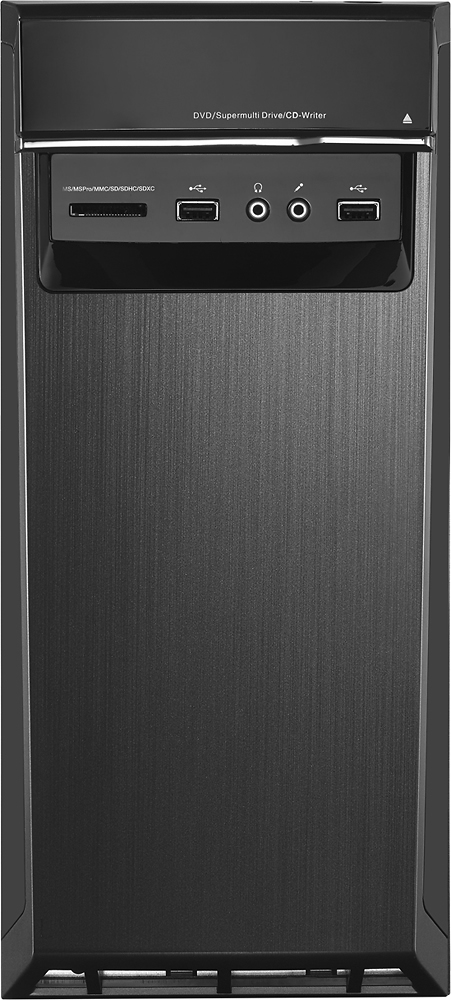
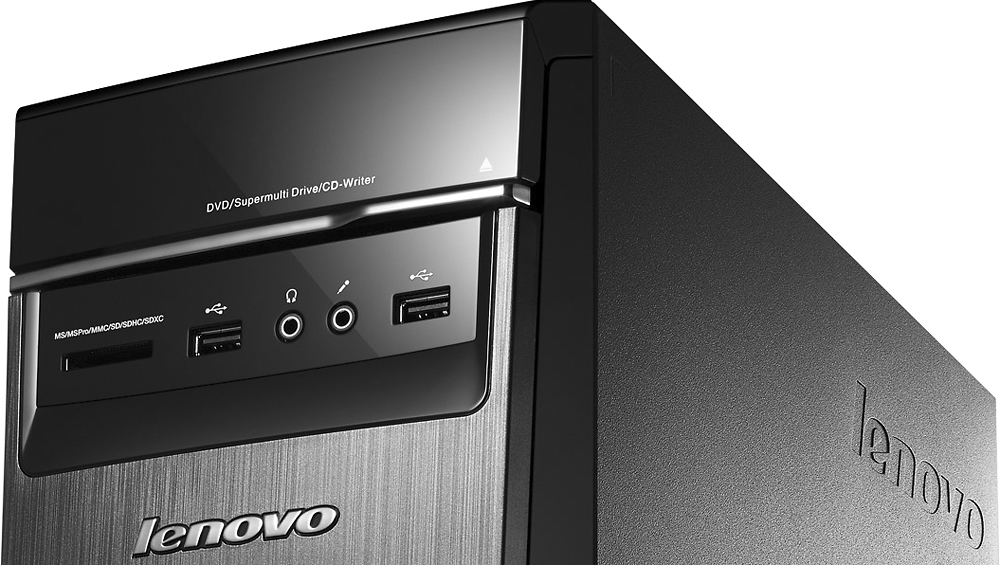
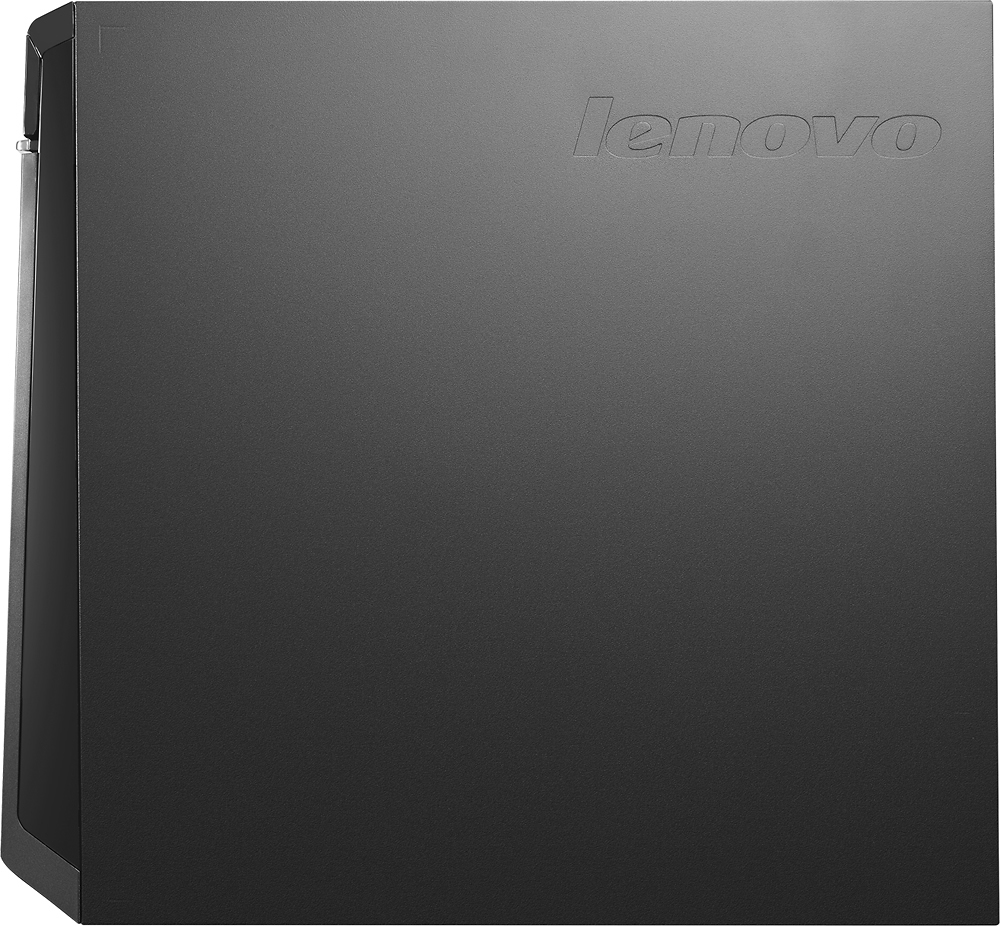
- LENOVO H50 - 90BG003JUS
- SKU:
- 4362103
Rating by feature
- Value
Rating 4.3 out of 5 stars
- Quality
Rating 4.5 out of 5 stars
- Ease of Use
Rating 4.4 out of 5 stars
Customers are saying
Customers commend the Desktop AMD A10-Series for its excellent performance, attractive price, and ease of use. Many appreciate the ample RAM, large hard drive storage, and quiet operation. While some users expressed concerns about the operating system, others found the system to be largely free of pre-installed programs. The power supply received mixed reviews, with some users finding it insufficient for their needs.
This summary was generated by AI based on customer reviews.
Great product
||Posted .This reviewer received promo considerations or sweepstakes entry for writing a review.Bought for husband and he is very pleased with it.
I would recommend this to a friendBrand response from Lenovo Product Expert
Posted .Thank you for choosing the Lenovo H50 for your husband. We are pleased to hear that the performance of the H50 meets your husband's computing needs so well.

Great computer for gaming
||Posted .This reviewer received promo considerations or sweepstakes entry for writing a review.My 13 yr old uses this for gaming and it is perfect
I would recommend this to a friendGreat Computer deal!
||Posted .This reviewer received promo considerations or sweepstakes entry for writing a review.Need no explanation got the best deal at Best Buy.
I would recommend this to a friendBrand response from Lenovo Product Expert
Posted .Thank you for choosing the Lenovo H50 Desktop. We are pleased to hear that the value and performance of the H50 meets your computing needs so well.
- Cons mentioned:Operating system
Lenovo Desktop
||Posted .This reviewer received promo considerations or sweepstakes entry for writing a review.I had told the salesman that I DID NOT WANT a computer that was a win 10 upgrade, but one that was straight win 10. well, that didn't happen, either he didn't know or whatever.. Then after I got it home, found out that the sound didn't work, brought it back it, the Geek Squad decided it didn't have 'internal speakers' as every other computer I have bought did.. Checked Leveno site, come to find out a lot of other people did have the same complaint, so the salesman didn't either know or whatever..
No, I would not recommend this to a friendBrand response from Lenovo Product Expert
Posted .This desktop computer does not have built in speakers.
Gaming Computer
||Posted .This reviewer received promo considerations or sweepstakes entry for writing a review.This computer was on sale when I purchased it, freezes sometimes and I have to restart it. Not sure if it is the games I have on my PC and it just can't handle them or if it is something wrong with the computer itself.
No, I would not recommend this to a friendBrand response from Lenovo Product Expert
Posted .Thank you for choosing the Lenovo H50 desktop. With regard to the system freezing, you may want to check with the games software publishers for their minimum/recommended requirements to run their games at the settings you are using. You may need to lower the settings you are running the games at to prevent the freezing.
At first I was pleased, then updates happened
||Posted .This reviewer received promo considerations or sweepstakes entry for writing a review.I'm a 17 year veteran in Desktop support. The price was right although it isn't my first choice for a system at home. You get what you pay for...it was running well for the first few days, then Lenovo decided my AMD Video card needed a software/driver update...now it doesn't boot up. I will be going through some of my normal troubleshooting motions when time allows, but after less than a week and this thing is just a brick. I'm not happy at all, plus they didn't send me media with it, so I can't just stick a repair disk in and run a repair. I'm stuck with this piece of garbage.
No, I would not recommend this to a friendBrand response from Lenovo Product Expert
Posted .Windows 10 does not ship with recovery media. Users need to create recovery media themselves now with Windows 10 systems. This system comes with OneKey Recovery capability. Repeatedly press and release the F2 key after turning on the computer until the Lenovo Rescue System opens, then select OneKey Recovery. Follow the on-screen instructions to select the backup task you want to restore from and the disk where you want to install the operating system, then press Next to start the restore. Please wait during the process of system recovery. Do not interrupt the operation during the recovery process. After the system is recovered successfully, the software will prompt you to restart the computer. Restart the computer and start the operating system. NOTE: System Recovery will overwrite all of the data on the C: drive. To prevent loss of data, be sure to back up relevant data before performing system recovery.
Its an ok starter computer....
||Posted .This reviewer received promo considerations or sweepstakes entry for writing a review.I have always had Hp but the Lenovo was a little less then the hp for the same 2 TB ..It is a little slower at the startup then i expected it to be and you have to set the NumLock on every startup..
No, I would not recommend this to a friendBrand response from Lenovo Product Expert
Posted .Thank you for choosing the Lenovo H50 desktop. With regard to the NumLock issue, usually this issue is caused either due to driver related issues or due to some hardware related issues. To check for hardware issues, first create a restore point on your system. You can do this by clicking on the magnifying glass icon on the bottom left of your Windows 10 Desktop Screen, type "create restore point" in the search window, then click on "Create a restore point". If you have never created a restore point before, click "configure" then click "create". Name your new restore point, then click "create" then "apply". Now, Run Hardware and Devices troubleshooter and check.
Follow the steps to run the troubleshooter:
a. Press or tap Windows + W keys on your on-screen keyboard to get the search option.
b. Type Troubleshooting and click/tap Troubleshooting.
c. Now type Hardware Troubleshooter in the search option.
d. Click/tap on Hardware and Devices troubleshooter and follow the prompts to run the troubleshooter.
If troubleshooter finds there are no hardware issues, then it probably means there is a driver that needs to be updated. Follow the link below to look for new driver updates for your specific system. You can also run diagnostics from the Lenovo site as well. As always, be sure to create a restore point on your system before you make any changes. You can do this by just typing "restore point" in the search window within Cortana and follow the link to create a restore point. Here is the link:
http://support.lenovo.com/us/en/products/Desktops-and-all-in-ones/Lenovo-H-Series-desktops/Lenovo-H50-55-Desktop/90BG/003JUS?tabName=Downloads&linkTrack=Mast:SubNav:Support:Drivers and Software|Drivers and Software
an ok computer
||Posted .This reviewer received promo considerations or sweepstakes entry for writing a review.If you are not going to do any significant gaming then it would be a good buy. I didn't like it because it would lag for me. I am really tough on computers and it did not hold up to my standards.
I would recommend this to a friendDidn't like it
||Posted .This reviewer received promo considerations or sweepstakes entry for writing a review.I don't know whether it was the computer or Windows 10, but it was so different from our old Dell. The computer was slow. It took too long for programs to come up. We exchanged it for a Dell.
No, I would not recommend this to a friend- Cons mentioned:Windows 10
Not easy to set up and get started
||Posted .This reviewer received promo considerations or sweepstakes entry for writing a review.This is not our first computer and it was not easy to set up. Windows 10 is not working properly not all .... What to do "............
No, I would not recommend this to a friendBrand response from Lenovo Product Expert
Posted .Thank you for choosing the Lenovo H50 desktop. You can try restoring to factory default settings and reactivating Windows 10 from the beginning. Here is a link to step by step instructions:
http://www.laptopmag.com/articles/reset-windows-10-pc
Price was OK but performance?
||Posted .This reviewer received promo considerations or sweepstakes entry for writing a review.It was cheap, but it has AMD A10-Series - 12GB Memory, it should perform much better. Its booting time is slow and it freezes too. I wouldn't recommend to anybody
No, I would not recommend this to a friendGood home Computer
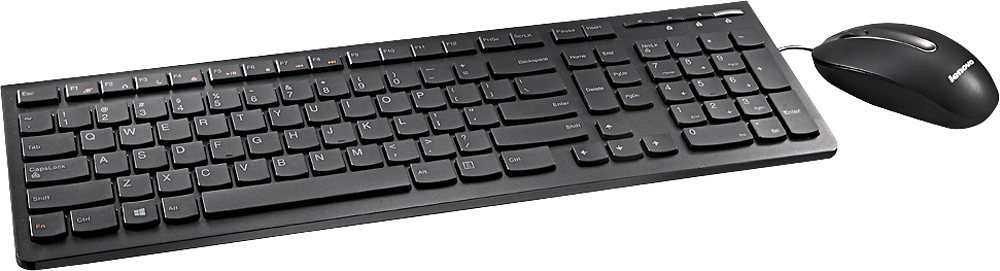
||Posted .This reviewer received promo considerations or sweepstakes entry for writing a review.For the price this is a good computer only thing I would recommend is wire less keyboard be added to the package.
I would recommend this to a friendBrand response from Lenovo Product Expert
Posted .Thank you for choosing the H50. We are pleased to hear that the H50 is meeting your computing needs. We have taken note of your recommendation for a wireless keyboard and mouse for this system.
The product may be great but I hate windows 10
||Posted .This reviewer received promo considerations or sweepstakes entry for writing a review.Again the product my be great but since it has windows 10 and you can not get help from windows. The unit does not operate any faster than my 10 year old computer. The only reason I purchased this computer was that xp was outdated and I had to upgrade. I am glad I purchased the geek squad protection. If I did not have them. I would not be able to use this computer. I would not recommend buying this computer unless you also purchase the geek squad protection.
No, I would not recommend this to a friendnever again
||Posted .This reviewer received promo considerations or sweepstakes entry for writing a review.I bought this computer and after 10 days took it back. There were files corrupted or missing according to the online help that I contacted. Figuring that this computer was an exception to the positive reviews that I read, I took it back and got another one just like it. After trying to set it up, talking to both Microsoft techs and Office techs, both saying AGAIN there were files corrupted or missing I took it back and got my money back. The only thing I can say positive about this is that Best Buy is good on their guarantee and refunded every cent I spent on this computer. I will never try another computer with Windows 10 or another Lenovo even though I do know people who have Lenovo computers and love them. It was a total waste of my time.
No, I would not recommend this to a friendIt's a Computer. It is functional for the Value.
||Posted .This reviewer received promo considerations or sweepstakes entry for writing a review.Has all the necessary characteristics to get me online. No bells and whistles, but it does what I purchased it to do. I am adequately pleased.
I would recommend this to a friendDesktop
||Posted .This reviewer received promo considerations or sweepstakes entry for writing a review.Good computer but if you leave it on it will kick you out and you have to reboot to get it to work again and it will do that every day.
No, I would not recommend this to a friendBrand response from Lenovo Product Expert
Posted .It sounds like your power settings are set to either go to sleep mode or turn off after a certain time of inactivity. You can check this by clicking on the magnifying glass icon on the bottom left of your Windows 10 screen. Type "Control Panel" in the search window. Select "Control Panel" from the selections. In the search window at the top right of the window that opens, type "power". Under the heading "Power Options" select "Change when the computer sleeps". If you do not want the computer to turn off after being inactive, make sure all the dropdown windows are set to "never".
Junk
||Posted .This reviewer received promo considerations or sweepstakes entry for writing a review.Brand new, turned on and it crashed. Called manufacture they said to send it to them and they would fix it, turn around about a week.
No, I would not recommend this to a friendExcellent performance and storage; issues with Win
||Posted .This reviewer received promo considerations or sweepstakes entry for writing a review.Issues when booting up such that it sometimes hangs and issues launching apps - again it periodically hangs requiring restart
No, I would not recommend this to a friendBrand response from Lenovo Product Expert
Posted .Thank you for choosing the Lenovo H50 Desktop. With regard to the boot up issues you mentioned, there may be driver updates that can improve the performance of your system. You can follow the link below to Lenovo.com support-drivers and look for driver updates for your specific system. Be sure to create a restore point on your system before you make any changes on your system, then create another restore point once the issue is fixed. Here is the link:
http://support.lenovo.com/us/en/products/Desktops-and-all-in-ones/Lenovo-H-Series-desktops/Lenovo-H50-55-Desktop/90BG/003JUS?linkTrack=Caps%253ABody_SearchProduct&beta=false
Seems okay. Service wasn't good but product is ok.
||Posted .This reviewer received promo considerations or sweepstakes entry for writing a review.Product seems ok. Service was not good but that's par for the course. Had to maje three trips just to get thing right.
I would recommend this to a friendHad problems
||Posted .This reviewer received promo considerations or sweepstakes entry for writing a review.The first machine I received was defective and was returned and replaced. The second computer also developed problems
No, I would not recommend this to a friend