Customer Ratings & Reviews
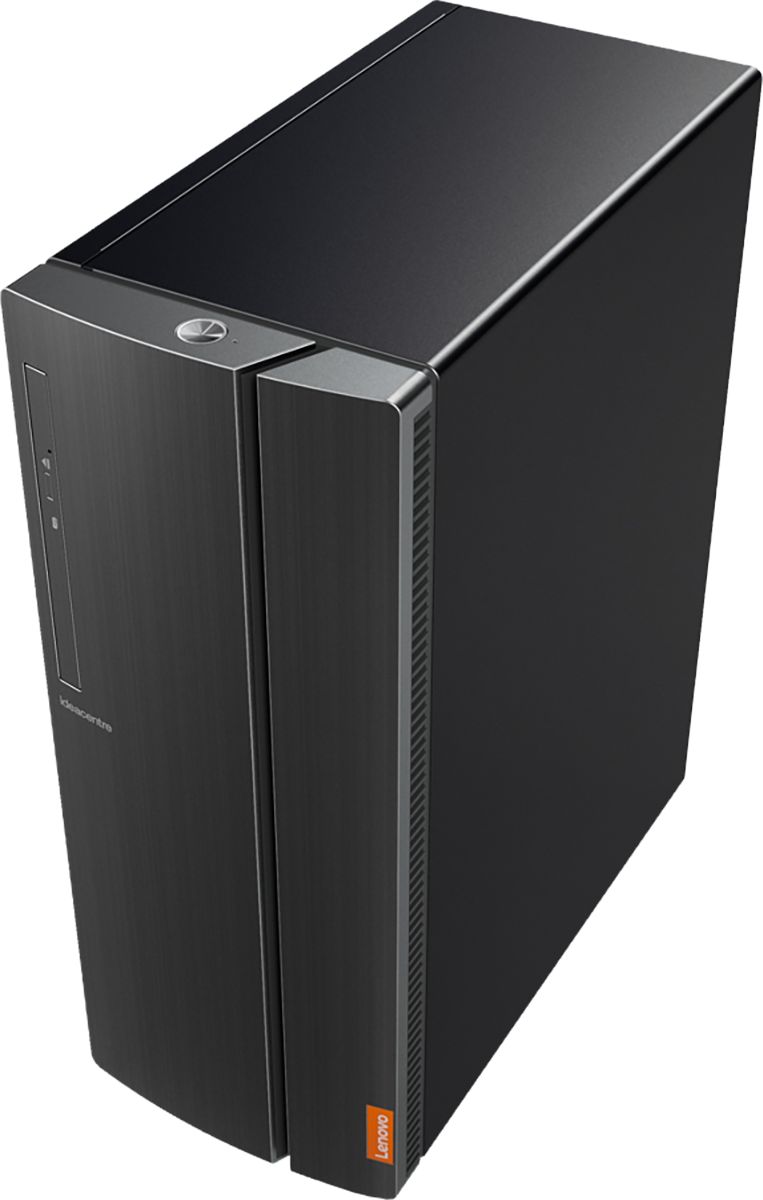

- Model:
- 90HV0003US
- SKU:
- 6203016
Rating by feature
- Value
Rating 4.4 out of 5 stars
- Quality
Rating 4.4 out of 5 stars
- Ease of Use
Rating 4.4 out of 5 stars
Customers are saying
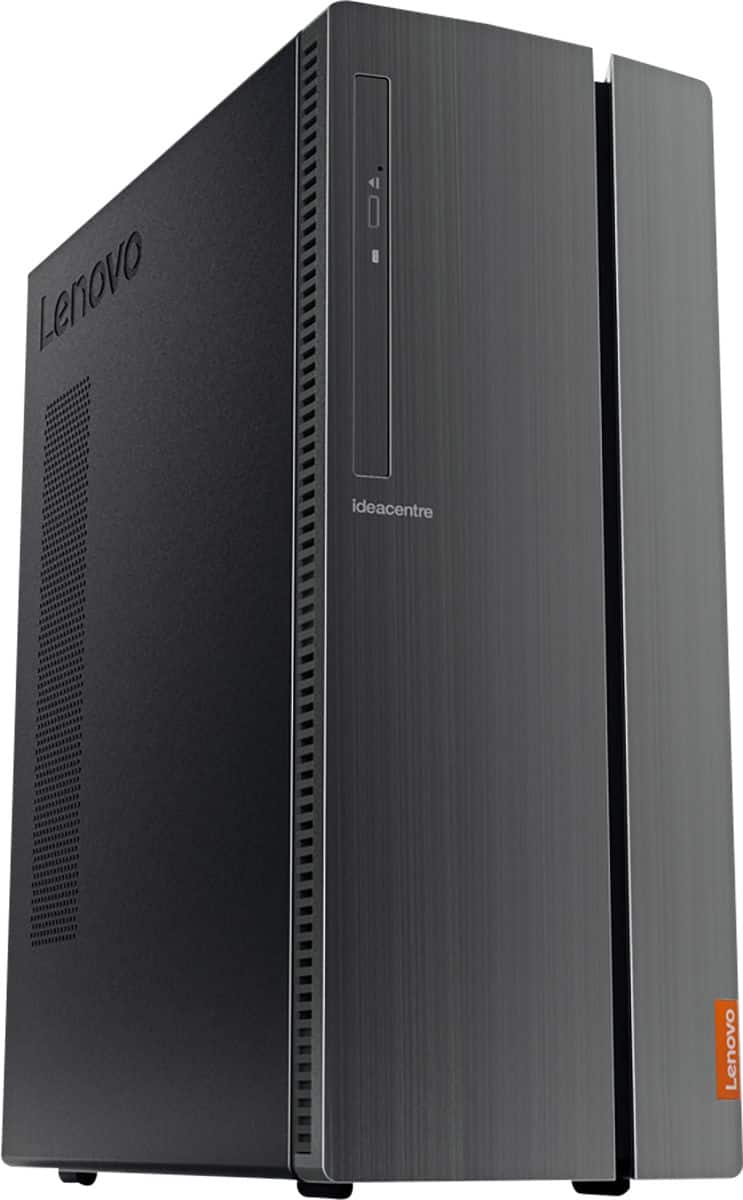
Customers have good things to say about the IdeaCentre 510A's performance, ease of use, and price. Many appreciate its ample storage and quiet operation, finding it easy to set up and use. While some users noted limitations with the integrated graphics card for demanding applications, the overall experience appears positive.
This summary was generated by AI based on customer reviews.
Great Tower so far
||Posted . Owned for 1 week when reviewed.This reviewer received promo considerations or sweepstakes entry for writing a review.Great so far - came with keyboard and mouse included which was a surprise.
I would recommend this to a friendBrand response from Lenovo Product Expert
Posted .Thank you for choosing the Lenovo IdeaCentre 510A Desktop, model number 90HV0003US. We are pleased to hear that the value and performance of the IdeaCentre 510A meets your computing needs so well. The Lenovo IdeaCentre 510A Desktop, model number 90HV0003US ships with the powerful Six-Core Intel Core i5-8400 processor, with a base speed of 2.8GHz and a Turbo Boost Speed of up to 4.0GHz. This processor is supported by 8GB DDR4-2666MHz RAM. This configuration is good for many of today's most demanding programs, browsing the internet with multiple tabs open. If this describes your computing needs, the Lenovo IdeaCentre 510A Desktop, model number 90HV0003US is a great choice.

No graphics card
||Posted . Owned for 3 weeks when reviewed.This reviewer received promo considerations or sweepstakes entry for writing a review.Everything was amazing except no graphics card for any type of gaming
I would recommend this to a friendBrand response from Lenovo Product Expert
Posted .The Lenovo IdeaCentre 510A Desktop, model number 90HV0003US, uses integrated graphics processing within the Intel Core i5-8400 processor. It is the integrated, Intel UHD Graphics 630 version. We recommend you check the requirements and compatibility of the specific games you want to play for compatibility and requirements.
works fine!
||Posted . Owned for 1 month when reviewed.This reviewer received promo considerations or sweepstakes entry for writing a review.Just getting this tuned in, and so far, so good. Acclimating to new Windows...
I would recommend this to a friendBrand response from Lenovo Product Expert
Posted .The Lenovo IdeaCentre 510A Desktop, model number 90HV0003US ships with the powerful Six-Core Intel Core i5-8400 processor, with a base speed of 2.8GHz and a Turbo Boost Speed of up to 4.0GHz. This processor is supported by 8GB DDR4-2666MHz RAM. This configuration is good for many of today's most demanding programs, browsing the internet with multiple tabs open. If this describes your computing needs, the Lenovo IdeaCentre 510A Desktop, model number 90HV0003US is a great choice. The heart of the IdeaCentre 510A is the Windows 10 Operating System. With regard to learning your way around Windows 10, you may want to try YouTube.com (just type that address in your browser address window). There are hundreds for free instructional videos there about Windows 10. Just type Windows 10 Introduction in to the YouTube search window. You can watch free videos there that will show you the basics all the way up to tips and tricks videos and they're all free.
Great Computer
||Posted . Owned for 1 year when reviewed.This reviewer received promo considerations or sweepstakes entry for writing a review.Love Lenovo have four of them and really love them it's a great computer!
I would recommend this to a friendBrand response from Lenovo Product Expert
Posted .Once again, thank you for choosing the Lenovo IdeaCentre 510A Desktop. We appreciate your loyalty to the Lenovo Brand. You can keep new your computer running at its best by keeping the Windows 10 Operating System and all supporting BIOS files and drivers up to date. You can easily accomplish this by scanning the computer with the Lenovo Utility software available on this computer. This system has Lenovo utilities installed to help maintain the health of the device and keep the operating system software up to date. Type "Lenovo Vantage" in the Cortana Search window (if Lenovo Vantage is not installed on your device, you can download the APP and install it now). Select Lenovo Vantage from the list. In the window that opens, click on "Health and Support". In the expanded menu, select "Hardware Scan" In the window that opens, select "Run Quick Tests". This will scan your entire system for errors. Follow any directions that may pop up. If the problem continues after this scan, now click on "System Update". First select Windows update from the menu. Scan your system to be sure you have the latest version of Windows 10. Once that scan is complete, select "Additional Updates". This will scan your device to be sure there are no new BIOS/Driver updates needed. Follow any instructions that may pop up. If you ever need additional help with your Lenovo computer, we recommend you call Lenovo Tech Support at: 877-453-6686 for additional help.
works for me!
||Posted . Owned for 2 weeks when reviewed.This reviewer received promo considerations or sweepstakes entry for writing a review.Good stuff- excellent salesperson. She knew what I wanted & made buying esy!
I would recommend this to a friendBrand response from Lenovo Product Expert
Posted .The Lenovo IdeaCentre 510A Desktop, model number 90HV0003US ships with the powerful Six-Core Intel Core i5-8400 processor, with a base speed of 2.8GHz and a Turbo Boost Speed of up to 4.0GHz. This processor is supported by 8GB DDR4-2666MHz RAM. This configuration is good for many of today's most demanding programs, browsing the internet with multiple tabs open. If this describes your computing needs, the Lenovo IdeaCentre 510A Desktop, model number 90HV0003US is a great choice.
great buy
||Posted . Owned for 3 weeks when reviewed.This reviewer received promo considerations or sweepstakes entry for writing a review.very satisfied with our new desk top , very friendly and helpful service .
I would recommend this to a friendBrand response from Lenovo Product Expert
Posted .Once again, thank you for choosing the Lenovo IdeaCentre 510A Desktop. You can keep your computer running at its best by keeping the Windows 10 Operating System and all supporting BIOS files and drivers up to date. You can easily accomplish this by scanning the computer with the Lenovo Utility software available on this computer. This system has Lenovo utilities installed to help maintain the health of the device and keep the operating system software up to date. Type "Lenovo Vantage" in the Cortana Search window (if Lenovo Vantage is not installed on your device, you can download the APP and install it now). Select Lenovo Vantage from the list. In the window that opens, click on "Health and Support". In the expanded menu, select "Hardware Scan" In the window that opens, select "Run Quick Tests". This will scan your entire system for errors. Follow any directions that may pop up. If the problem continues after this scan, now click on "System Update". First select Windows update from the menu. Scan your system to be sure you have the latest version of Windows 10. Once that scan is complete, select "Additional Updates". This will scan your device to be sure there are no new BIOS/Driver updates needed. Follow any instructions that may pop up. If you ever need additional help with your Lenovo computer, we recommend you call Lenovo Tech Support at: 877-453-6686 for additional help.
Good
||Posted . Owned for 2 months when reviewed.This reviewer received promo considerations or sweepstakes entry for writing a review.Wow is good and thanks and my brother he buy one and very nice
I would recommend this to a friendEasy to set up.
||Posted . Owned for 3 weeks when reviewed.This reviewer received promo considerations or sweepstakes entry for writing a review.Step by step instructions on how to get started setup the computer.
I would recommend this to a friendgreat computer
||Posted . Owned for 3 weeks when reviewed.This reviewer received promo considerations or sweepstakes entry for writing a review.I will buy Lenovo desktop computers in the future. They meet my needs.
I would recommend this to a friendBrand response from Lenovo Product Expert
Posted .Once again, thank you for choosing the Lenovo IdeaCentre 510A Desktop. You can keep your computer running at its best by keeping the Windows 10 Operating System and all supporting BIOS files and drivers up to date. You can easily accomplish this by scanning the computer with the Lenovo Utility software available on this computer. This system has Lenovo utilities installed to help maintain the health of the device and keep the operating system software up to date. Type "Lenovo Vantage" in the Cortana Search window (if Lenovo Vantage is not installed on your device, you can download the APP and install it now). Select Lenovo Vantage from the list. In the window that opens, click on "Health and Support". In the expanded menu, select "Hardware Scan" In the window that opens, select "Run Quick Tests". This will scan your entire system for errors. Follow any directions that may pop up. If the problem continues after this scan, now click on "System Update". First select Windows update from the menu. Scan your system to be sure you have the latest version of Windows 10. Once that scan is complete, select "Additional Updates". This will scan your device to be sure there are no new BIOS/Driver updates needed. Follow any instructions that may pop up. If you ever need additional help with your Lenovo computer, we recommend you call Lenovo Tech Support at: 877-453-6686 for additional help.
Working great
||Posted . Owned for 1 month when reviewed.This reviewer received promo considerations or sweepstakes entry for writing a review.An overall very positive experience. Very pleased with service and product.
I would recommend this to a friendBrand response from Lenovo Product Expert
Posted .Thank you for choosing the lenovo IdeaCentre 510A Desktop, model number 90HV0003US. This configuration ships with the powerful Six-Core Intel Core i5-8400 processor, with a speed of 2.8GHz and a Turbo Boost speed of up to 4.0GHz. This processor is supported by 8GB DDR4-2666MHz RAM. This configuration is good for many of today's most demanding programs, browsing the internet with multiple tabs open. If this describes your computing needs, the IdeaCentre 510A Desktop, model number 90HV0003US is a great choice.
purchased for a preschool director
||Posted . Owned for 1 month when reviewed.This reviewer received promo considerations or sweepstakes entry for writing a review.She loves the computer! she is thrilled and cant wait for school to start.
I would recommend this to a friendBrand response from Lenovo Product Expert
Posted .Once again, thank you for choosing the Lenovo IdeaCentre 510A Desktop. The user can keep this computer running at its best by keeping the Windows 10 Operating System and all supporting BIOS files and drivers up to date. You can easily accomplish this by scanning the computer with the Lenovo Utility software available on this computer. This system has Lenovo utilities installed to help maintain the health of the device and keep the operating system software up to date. Type "Lenovo Vantage" in the Cortana Search window (if Lenovo Vantage is not installed on your device, you can download the APP and install it now). Select Lenovo Vantage from the list. In the window that opens, click on "Health and Support". In the expanded menu, select "Hardware Scan" In the window that opens, select "Run Quick Tests". This will scan your entire system for errors. Follow any directions that may pop up. If the problem continues after this scan, now click on "System Update". First select Windows update from the menu. Scan your system to be sure you have the latest version of Windows 10. Once that scan is complete, select "Additional Updates". This will scan your device to be sure there are no new BIOS/Driver updates needed. Follow any instructions that may pop up. If you ever need additional help with your Lenovo computer, we recommend you call Lenovo Tech Support at: 877-453-6686 for additional help.
Stew it up
||Posted . Owned for 5 months when reviewed.This reviewer received promo considerations or sweepstakes entry for writing a review.Its so dang nice, really gets my stew going. Pot Roast!
I would recommend this to a friendNeeded computer
||Posted .This reviewer received promo considerations or sweepstakes entry for writing a review.I needed a computer because mine was old and outdated. The store had what I needed.
I would recommend this to a friendBrand response from Lenovo Product Expert
Posted .Thank you for choosing the Lenovo IdeaCentre 510A desktop. We are pleased to hear that the IdeaCentre 510A meets your computing needs so well.

Seems ok so far
||Posted . Owned for 3 weeks when reviewed.This reviewer received promo considerations or sweepstakes entry for writing a review.I bought this item 2 months ago. It's too soon to give a fair review.
I would recommend this to a friendBrand response from Lenovo Product Expert
Posted .Once again, thank you for choosing the Lenovo IdeaCentre 510A Desktop. You can keep your computer running at its best by keeping the Windows 10 Operating System and all supporting BIOS files and drivers up to date. You can easily accomplish this by scanning the computer with the Lenovo Utility software available on this computer. This system has Lenovo utilities installed to help maintain the health of the device and keep the operating system software up to date. Type "Lenovo Vantage" in the Cortana Search window (if Lenovo Vantage is not installed on your device, you can download the APP and install it now). Select Lenovo Vantage from the list. In the window that opens, click on "Health and Support". In the expanded menu, select "Hardware Scan" In the window that opens, select "Run Quick Tests". This will scan your entire system for errors. Follow any directions that may pop up. If the problem continues after this scan, now click on "System Update". First select Windows update from the menu. Scan your system to be sure you have the latest version of Windows 10. Once that scan is complete, select "Additional Updates". This will scan your device to be sure there are no new BIOS/Driver updates needed. Follow any instructions that may pop up. If you ever need additional help with your Lenovo computer, we recommend you call Lenovo Tech Support at: 877-453-6686 for additional help.
Great computer for our needs
||Posted .This reviewer received promo considerations or sweepstakes entry for writing a review.Used in our dental office for connection to data base and x-ray data base.
I would recommend this to a friendBrand response from Lenovo Product Expert
Posted .Thank you for choosing the Lenovo IdeaCentre 510A desktop for your office. We are pleased to hear that the performance of the IdeaCentre 510A meets your computing needs so well.
Love my new computer
||Posted . Owned for 5 months when reviewed.This reviewer received promo considerations or sweepstakes entry for writing a review.Love my new computer. I highly recommend Best Buy to all
I would recommend this to a friendDesktop that is great for beginner
||Posted .This reviewer received promo considerations or sweepstakes entry for writing a review.I've always trusted lenovo brand PCs. But this one gave the thumbs up!
I would recommend this to a friendBrand response from Lenovo Product Expert
Posted .The Lenovo IdeaCentre 510A Desktop ships with the powerful Six-Core Intel Core i5-8400 processor, supported by 8GB DDR4-2666MHz RAM. There's a 1TB 7200 RPM standard hard drive for maximum storage. This configuration can handle many of today's most demanding programs, streaming video and multi-tasking. If this describes your computing needs and you are looking for a work station, the IdeaCentre 510A Desktop is a great choice. Lenovo is the number #1 manufacturer of computers in the World:
https://venturebeat.com/2019/01/10/gartner-and-idc-hp-and-lenovo-shipped-the-most-pcs-in-2018-but-total-numbers-fell/
- Pros mentioned:Speed
Missing ports
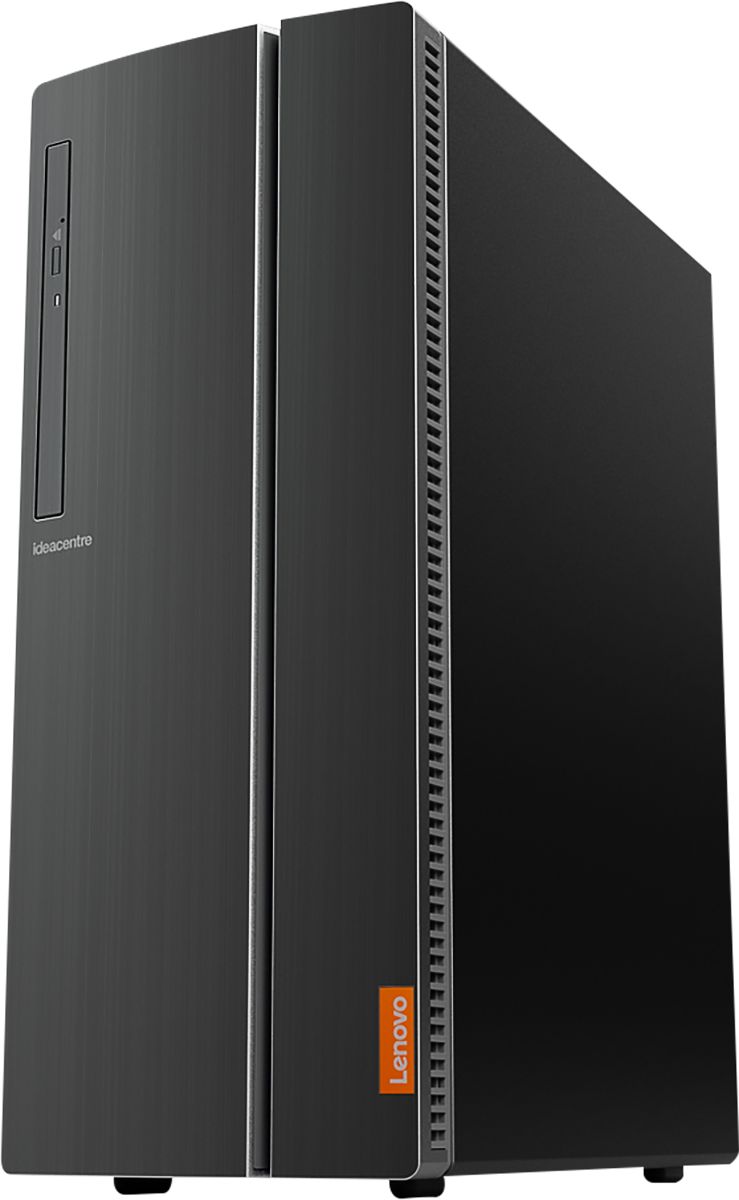
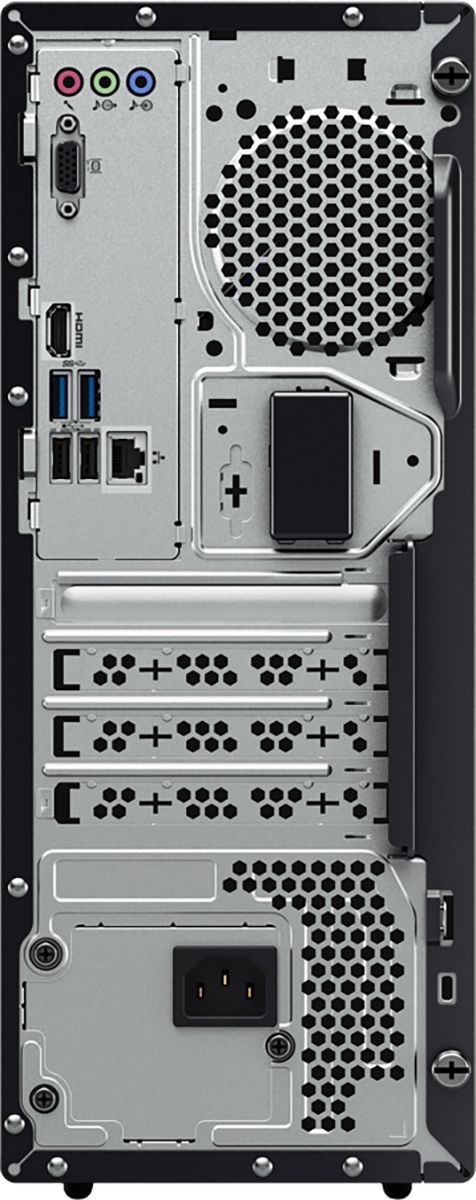
||Posted . Owned for less than 1 week when reviewed.This reviewer received promo considerations or sweepstakes entry for writing a review.I supposed to have 3 ports in the back , one for Line Out Audio...Line In Audio..Mic In Audio ....I just have Line Out Audio, also I wish it was a more detail on whats installed, other than that, the computer works great, and fast
I would recommend this to a friendBrand response from Lenovo Product Expert
Posted .The Lenovo IdeaCentre 501A Desktop, model number 90HV0003US ships with audio-IN and Audio-OUT ports on the top back of the computer. They are RCA type ports. Here is a link to the User Manual for more information: https://download.lenovo.com/consumer/desktop_pub/aio_510_510a_series_hmm_20180507.pdf
Not quite to my expectations.
||Posted . Owned for 1 month when reviewed.This reviewer received promo considerations or sweepstakes entry for writing a review.Guess I expected too much from a new computer. Start up time hasn't improved greatly from a 5 year HP. Some softwares similarly have improved speed / refresh times but not near my expectations from marketing statements. Guess I should spent a chunk more money.
No, I would not recommend this to a friendInstallation was quick and efficient.
||Posted . Owned for 1 month when reviewed.This reviewer received promo considerations or sweepstakes entry for writing a review.All well done and timely. Courteous and knowledgeable representative.
I would recommend this to a friendBrand response from Lenovo Product Expert
Posted .Thank you for choosing the Lenovo IdeaCentre 510A desktop. We are pleased to hear that the ease of setup and performance of the IdeaCentre 510A meets your computing needs so well.