Customer Ratings & Reviews















- Model:
- 81UT00EAUS
- SKU:
- 6398120
Rating by feature
- Battery Life
Rating 4.1 out of 5 stars
- Speed
Rating 4.4 out of 5 stars
- Display
Rating 4.4 out of 5 stars
Customers are saying
Customers are enthusiastic about the IdeaPad's price, ease of use, lightweight design, and gaming capabilities. They appreciate its performance, memory, and weight. However, some customers have expressed concerns about the camera quality, battery life, fan noise, touchpad, and S mode.
This summary was generated by AI based on customer reviews.
- Pros mentioned:Easy to use, Gaming
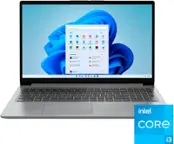
Lenovo 15" Laptop
||Posted . Owned for 1 month when reviewed.This reviewer received promo considerations or sweepstakes entry for writing a review.Purchased this computer for 93 year old father-in-law to replace old one. Wife had no issues finishing set up process after I helped with front end set up. Having no problems with computer to this point. He uses computer mostly for playing games and has family pictures loaded from various past celebrations to view from time to time. Recommend to others looking for a computer with similar usage requirements.
I would recommend this to a friendBrand response from Lenovo Product Expert
Posted .Thank you for choosing the Lenovo IdeaPad 3 laptop. We are pleased to hear that the value and performance of the IdeaPad 3 meets your computing needs so well! We appreciate your recommendation.

- Pros mentioned:PriceCons mentioned:Camera quality
For the price, an excellent choice
||Posted . Owned for 2 weeks when reviewed.This reviewer received promo considerations or sweepstakes entry for writing a review.I wanted a low cost windows laptop to use for my cars (coding, modifying etc). Next to my Mac, it is not even close to build quality, but that is precisely the reason for the purchase. I needed a cheap computer to do a specific job and it fits the bill perfectly. Wouldn't recommend for youngsters or those that aren't of the careful type as it won't stand up to a lot of moving and banging around. Otherwise it was the perfect fit of price, function and availability. Thanks BestBuy!
I would recommend this to a friend - Pros mentioned:PriceCons mentioned:Touchpad
Excellent laptop, horrible touch pad controls
||Posted . Owned for 1 month when reviewed.This reviewer received promo considerations or sweepstakes entry for writing a review.The computer is what it is. It does what I want it to do, and for the price, it's excellent. But, there is no straight forward way to disable the tap to click function of the touch pad. I do not, under any circumstances, want that function. It makes my use of the computer frustrating and sometimes impossible. Lenovo's support was laughably incompetent when it came to this problem. They clearly do not know their product and could not explain it. I was going to send the computer back and try something else when I finally figured it out by going into the guts of the computer. I'm a completely average user, not a tech guy, which means this is way out of line for what I should be doing. The fact that the average user has to do this kind of thing to make the computer function properly means I won't be recommending this computer or any other Lenovo. Now that it's sorted, it's fine. But it was days of frustration and irritation to get here. I'll look at Acer or HP or Dell or whoever next time.
No, I would not recommend this to a friendBrand response from Lenovo Product Expert
Posted .You can make adjustments to the touchpad in your system settings. You can get there by clicking on the magnifying glass at the bottom left of your Windows 10 screen. Type "touchpad" in the search window. Select "Mouse & touchpad settings" from the list of choices. You can make general adjustments to the touchpad there. You can also select "Additional mouse options" for more detailed adjustments to the touchpad sensitivity by increasing the delay of the touchpad.
- Pros mentioned:Price
Built-in camera is my only complaint
||Posted . Owned for 1 week when reviewed.This reviewer received promo considerations or sweepstakes entry for writing a review.At this price point of $350 the computer is a bargain. The 8GB RAM and Solid Sate Hard Drive were the key things I was looking for in terms of overall performance. The built-in camera is sub par for a computer that was just released for sale. My other constructive criticism would be the physical configuration. I believe the power adapter port should be located towards the right rear; and the headphone port should be located on the left side so the headphone wire and wireless mouse don't get in the way of each other, as most users tend to be right-handed.
I would recommend this to a friendBrand response from Lenovo Product Expert
Posted .Thank you for choosing the Lenovo IdeaPad 15.6-Inch Laptop, model number 81UT00EAUS. Regarding the performance of the webcam, here is a link to a new driver update for your web cam that may help performance:
https://download.lenovo.com/consumer/mobiles/9u4c05af0a50.exe
- Pros mentioned:Lightweight
High Performance Laptop at an Entry Level Price.
||Posted . Owned for 1 month when reviewed.This reviewer received promo considerations or sweepstakes entry for writing a review.Pros. The Ryzen 3 Processor and the Vega Graphics outperform any comparable processor / gpu from Intel, hands down. The matte finish display, the extended keyboard, 3 USB ports, HDMI and SD Card slot. 3.5 mm audio Jack. Everything you need; nothing you don't. Oh, and did I mention the price? Extremely light. Not built with a heavy metal enclosure adding extra unnecessary weight. Cons: Cannot think of a single thing unless a high-resolution webcam and a back lite keyboard is a priority. I'll have this laptop for a while. Thank you Lenovo for building an amazing product. I am very impressed
I would recommend this to a friendBrand response from Lenovo Product Expert
Posted .Thank you for choosing the lenovo IdeaPad 15.6-inch laptop, model number 81UT00EAUS. We are pleased to hear that the value and performance of the IdeaPad 15.6-inch laptop meets your computing needs so well. Here is a link to a new driver update for your web cam that may help performance:
https://download.lenovo.com/consumer/mobiles/9u4c05af0a50.exe
- Cons mentioned:Battery life
It is what it is
||Posted . Owned for more than 2 years when reviewed.This reviewer received promo considerations or sweepstakes entry for writing a review.I’ve owned this laptop for 2 years and 3 months now and it’s held up just fine. Getting the obvious out the way: it’s a cheap laptop. It’s not perfect. The display is pretty terrible and the sound quality from the card and speakers is also dreadful. It’s very light but it’s a giant piece of plastic which gouges easily. Battery life sucks. Besides those things which you should expect for a laptop of this price I’ve been happy with it. I use to buy and use apples - I went through a MacBook, MacBook Pro and iMac over 10 years and said screw it and went with this thing instead just out of curiosity to see if it could do what I needed and it’s worked fine for my use.
I would recommend this to a friend - Cons mentioned:Touchpad
Excellent value for the money
||Posted . Owned for 1 month when reviewed.This reviewer received promo considerations or sweepstakes entry for writing a review.Just about everything regarding this product is very good. Only complaint is the inability to turn-off "touch to tap" on the touchpad. Depending on how you position your hands when typing, it's very to cause a unintentional tap and for your typing to be somewhere else of even in another window. Have used Lenovo products for many years and this touchpad is the first I've come across with this issue.
I would recommend this to a friendBrand response from Lenovo Product Expert
Posted .Thank you for choosing the Lenovo IdeaPad 15.6-Inch laptop. With regard to the touchpad, try reducing the sensitivity of the touchpad. You can make adjustments to the touchpad in your system settings. You can get there by clicking on the magnifying glass at the bottom left of your Windows 10 screen. Type "touchpad" in the search window. Select "Mouse & touchpad settings" from the list of choices. You can make general adjustments to the touchpad there. You can also select "Additional mouse options" for more detailed adjustments to the touchpad sensitivity by increasing the delay of the touchpad.
- Pros mentioned:Lightweight
A lifesaver when schools closed
||Posted . Owned for 3 weeks when reviewed.This reviewer received promo considerations or sweepstakes entry for writing a review.I bought two Lenovos for my kids after schools closed due to COVID-19. Got them at a decent price for teenage kids - a perfect solution for home schooling. Don't like the combo pad and left/right buttons, yuck. Otherwise, a nice lightweight machine the kids absolutely love. I like the keyboard - big and spread out.
I would recommend this to a friendBrand response from Lenovo Product Expert
Posted .Thank you for choosing the Lenovo IdeaPad 15.6-Inch laptop, model number 81UT00EAUS for your children. This is a mid-level, moderate use configuration, with its AMD Ryzen 3 3200U processor. This Dual-Core/Four-Thread processor has a base speed of 2.6GHz and a boost speed of up to 3.5GHz. This configuration has 8GB of DDR4-2400MHz RAM. It is good with Microsoft Office type programs, internet browsing and other moderate work. This model ships with Windows 10 S-Mode Operating System. Windows 10 S-Mode provides added security by only allowing APPs available ( and therefore certified by Microsoft) at the Microsoft Store. If you don't need the added security or you need to install APPs not available at the Microsoft Store, you can switch to standard Windows 10 Home 64-bit Operating System, at no additional cost.
- Pros mentioned:Price, Speed
Awesome !
||Posted . Owned for 1 month when reviewed.This reviewer received promo considerations or sweepstakes entry for writing a review.Laptop boots instantly with it's ssd drive, light weight and fast . Really Worth it and good price .
I would recommend this to a friendBrand response from Lenovo Product Expert
Posted .Once again, thank you for choosing the Lenovo IdeaPad 15.6-Inch Laptop. You can keep your computer running at its best by keeping the Windows 10 Operating System and all supporting BIOS files and drivers up to date. You can easily accomplish this by scanning the computer with the Lenovo Utility software available on this computer. This system has Lenovo utilities installed to help maintain the health of the device and keep the operating system software up to date. Type "Lenovo Vantage" in the Cortana Search window (if Lenovo Vantage is not installed on your device, you can download the APP and install it now). Select Lenovo Vantage from the list. In the window that opens, click on "Health and Support". In the expanded menu, select "Hardware Scan" In the window that opens, select "Run Quick Tests". This will scan your entire system for errors. Follow any directions that may pop up. If the problem continues after this scan, now click on "System Update". First select Windows update from the menu. Scan your system to be sure you have the latest version of Windows 10. Once that scan is complete, select "Additional Updates". This will scan your device to be sure there are no new BIOS/Driver updates needed. Follow any instructions that may pop up. If you ever need additional help with your Lenovo computer, we recommend you call Lenovo Tech Support at: 877-453-6686 for additional help.
- Cons mentioned:Camera quality
Amazing Speed with a few minor issues
||Posted . Owned for 2 weeks when reviewed.This reviewer received promo considerations or sweepstakes entry for writing a review.Compared to my previous laptop, this is a fantastic laptop. The startup time with the SSD is excellent, and I am on my program within a couple of minutes. The only thing I have to say is terrible with the laptop is the camera and the touchpad. The touchpad/ mouse pad is sensitive, and you must touch in the lower left-hand corner to get it to drag or click on anything. A simple wireless mouse fixes this problem I found on Bestbuy.com for $10. As for the camera, it might just be my unit, but sometimes it is in Black and White. I would shut the program I was using the webcam with and reopen it, and that would fix the problem as for the blurriness of the camera that is fixed with an external webcam.
I would recommend this to a friendBrand response from Lenovo Product Expert
Posted .Thank you for choosing the Lenovo IdeaPad 15.6-Inch Laptop, model number 81UT00EAUS. With regard to the touchpad, you can make adjustments to the touchpad in your system settings. You can get there by clicking on the magnifying glass at the bottom left of your Windows 10 screen. Type "touchpad" in the search window. Select "Mouse & touchpad settings" from the list of choices. You can make general adjustments to the touchpad there. You can also select "Additional mouse options" for more detailed adjustments to the touchpad sensitivity by increasing the delay of the touchpad. Concerning the performance of your webcam, here is a link to a new driver update for your web cam that may help performance:
https://download.lenovo.com/consumer/mobiles/9u4c05af0a50.exe. If the issue continues, we recommend you call Lenovo Tech Support for additional help at: 877-453-6686.
- Cons mentioned:Camera quality
Great Price / Performance!
||Posted . Owned for less than 1 week when reviewed.This reviewer received promo considerations or sweepstakes entry for writing a review.As others have said: 8GB RAM / 256GB SSD / 15.6" 1920 x 1080 screen is a great set of specs for less than $400. I updated the camera driver using device manager and it's ok. 4GB Ram is just not enough nowadays (Task manager says I'm using 6.6Gb as I type this but I have lots of stuff open). Its best to buy 8GB portables or up gradable 4GB ones. My biggest beef turns out to be related to the keypad. The keypad shifts the space bar and track pad to the left. It took me a bit of time for me to realize that I needed to shift my whole body to the left to be lined up under the space bar (instead of aligning to the middle of the screen.) Once I did that, I stopped having typing and track pad errors. IMHO the keypad is nice but I would rather not had it and stay centered in the screen This position shift has a consequence: The webcam is in the center of the screen, so you end up shifted in the picture if you're typing while on the cam. Not the end of the world but a bit of an annoyance. I'm Keeping it in S mode is OK for now. Not too surprisingly, it limits me to one Microsoft browser (Edge) but I will stick with it for as long as I can for the extra security.... Bottom line: Great low cost portable!
I would recommend this to a friendBrand response from Lenovo Product Expert
Posted .Thank you for choosing the Lenovo IdeaPad 15.6-inch Laptop, model number 81UT00EAUS, ships with a standard QWERTY keyboard with 10-key numeric pad. The Touchpad is centered under the QWERTY keys, so when the typist's hands are in the Home Position, the Touchpad is centered under the typist's hands. This is a mid-level, moderate use configuration, with its AMD Ryzen 3 3200U processor. This Dual-Core processor has a base speed of 2.6GHz and a boost speed of up to 3.5GHz. This configuration has 8GB of DDR4-2400MHz RAM. It is good with Microsoft Office type programs, internet browsing and other moderate work. This model ships with Windows 10 S-Mode Operating System. Windows 10 S-Mode provides added security by only allowing APPs available ( and therefore certified by Microsoft) at the Microsoft Store. If you don't need the added security or you need to install APPs not available at the Microsoft Store, you can switch to standard Windows 10 Home 64-bit Operating System, at no additional cost.
- Pros mentioned:Lightweight
Great lapyop
||Posted . Owned for 1 month when reviewed.This reviewer received promo considerations or sweepstakes entry for writing a review.I would have given 5 stars but I haven't had it long enough. This notebook is my 2nd new computer purchase since I started to use computers way back in 1989. I first was an HP notebook bought just before this one, I had to return the HP because it locked up, ran slow, and could not identify an HDMI hook up to my tv. This one was a bit more expensive but well worth the cost. No issues at all so far. She loads quickly, doesn't go brain dead, and has many features I yet to explore. Very lightweight while using it on my lap. does not heat up. The only issue but not really serious is the screen is a bit muted, not a crisp view, I have it hooked up to my 4k TV, the screen is crisp and bright, no issues with the HDMI like the HP. In short shes a keeper.
I would recommend this to a friendBrand response from Lenovo Product Expert
Posted .Hello. Thank you for choosing the Lenovo IdeaPad 15.6" laptop. We are pleased to hear that the value and performance of the IdeaPad 15.6 meets your computing needs so well!
- Pros mentioned:Speed
A surprising powerhouse
||Posted . Owned for 1 month when reviewed.This reviewer received promo considerations or sweepstakes entry for writing a review.This laptop has quite literally surprised me. It was the first I bought with any AMD processor inside, as well as my first solid state drive too! I have to say that it doesn't disappoint me at all. Its super light to carry. It boots up in the blink of an eye and hasn't once been sluggish. If you're looking for a nice, affordable laptop to get the basics done, this one can surely keep up!
I would recommend this to a friendBrand response from Lenovo Product Expert
Posted .Thank you for choosing the Lenovo IdeaPad 15.6-Inch laptop, model number 81UT00EAUS. We are pleased to hear that the features and performance of the IdeaPad 15.6 meets your computing needs so well. This is a mid-level, moderate use configuration, with its AMD Ryzen 3 3200U processor. This Dual-Core/Four-Thread processor has a base speed of 2.6GHz and a boost speed of up to 3.5GHz. This configuration has 8GB of DDR4-2400MHz RAM and a 256GB solid state hard drive. It is good with Microsoft Office type programs, internet browsing and other moderate work. This model ships with Windows 10 S-Mode Operating System. Windows 10 S-Mode provides added security by only allowing APPs available ( and therefore certified by Microsoft) at the Microsoft Store. If you don't need the added security or you need to install APPs not available at the Microsoft Store, you can switch to standard Windows 10 Home 64-bit Operating System, at no additional cost.
- Pros mentioned:SpeedCons mentioned:Camera quality
Perfect
||Posted . Owned for 1 week when reviewed.This reviewer received promo considerations or sweepstakes entry for writing a review.I returned the 14" 4gb ram version a couple weeks of using it because it was so slow. This computer is light years better! Super snappy, starts up fast. Exactly what you need if your doing basic stuff and dont want to spend an arm and a leg for a computer. Th down side is, as I'm sure you've read, is the camera is pretty bad. I dont really care though. I just use my phone for that stuff.
I would recommend this to a friendBrand response from Lenovo Product Expert
Posted .The Lenovo IdeaPad 15.6_inch Laptop, model number 81UT00EAUS, ships with a 300p webcam and microphone built in. For the best performance from the webcam and microphone, be sure you have the latest version of Windows 10 installed on the computer, then update all of the BIOS files and drivers up to that latest version of Windows 10. Here is a link to instructions for checking any Windows 10 Updates: https://support.microsoft.com/en-us/help/4027667/windows-10-update. If you continue to have issues with your webcam, we recommend you call Lenovo Tech Support at: 877-453-6686.
- Pros mentioned:Easy to use, Speed
Light and fast laptop
||Posted . Owned for 1 month when reviewed.This reviewer received promo considerations or sweepstakes entry for writing a review.I loved this laptop since day 1. Its easy to use, its fast and very light.
I would recommend this to a friendBrand response from Lenovo Product Expert
Posted .Once again, thank you for choosing the Lenovo IdeaPad 15.6-Inch Laptop. You can keep your computer running at its best by keeping the Windows 10 Operating System and all supporting BIOS files and drivers up to date. You can easily accomplish this by scanning the computer with the Lenovo Utility software available on this computer. Just type "Lenovo Vantage" in the Cortana Search window (if Lenovo Vantage is not installed on your device, you can download the APP and install it now). Select Lenovo Vantage from the list. In the window that opens, click on "Health and Support". In the expanded menu, select "Hardware Scan" In the window that opens, select "Run Quick Tests". This will scan your entire system for errors. Follow any directions that may pop up. If the problem continues after this scan, now click on "System Update". First select Windows update from the menu. Scan your system to be sure you have the latest version of Windows 10. Once that scan is complete, select "Additional Updates". This will scan your device to be sure there are no new BIOS/Driver updates needed. Follow any instructions that may pop up. If you ever need additional help with your Lenovo computer, we recommend you call Lenovo Tech Support at: 877-453-6686 for additional help.
- Cons mentioned:Touchpad
Decent laptop for home use
||Posted . Owned for 2 months when reviewed.This reviewer received promo considerations or sweepstakes entry for writing a review.Overall I like this laptop. It's light and slim and I like the screen size. However, I am not happy with the touch pad functions/settings. Also the battery life seems very short, but I always have the charger handy.
I would recommend this to a friendBrand response from Lenovo Product Expert
Posted .With regard to adjusting the the touchpad on your Lenovo IdeaPad 15.6-inch laptop, model number 81UT00EAUS, you can make adjustments to the touchpad in your system settings. You can get there by clicking on the magnifying glass at the bottom left of your Windows 10 screen. Type "touchpad" in the search window. Select "Mouse & touchpad settings" from the list of choices. You can make general adjustments to the touchpad there. You can also select "Additional mouse options" for more detailed adjustments to the touchpad sensitivity by increasing the delay of the touchpad. The IdeaPad 15.6-inch laptop ships with a 2CELL_35WH_INTERNAL, Lithium Polymer Battery, with a battery life of up to 4 hours, depending on the work the device is performing. Here is a link to tips for getting more battery life within Windows 10: https://support.microsoft.com/en-us/help/20443/windows-10-battery-saving-tips
- Pros mentioned:Price
Good laptop
||Posted . Owned for 1 month when reviewed.This reviewer received promo considerations or sweepstakes entry for writing a review.The Lenovo 15.6" IdeaPad is good basic laptop. I added a mouse, which I use in conjunction with the standard method of cursor movement. The screen is ok. I have found that when I tilt it back, the screen is brighter and more clear. I've used it for Zoom meetings and it performed just fine. For reviewers who complained about the poor image quality while Zooming, I think that has to do with the angle of tilt and price. I was in BB a few days with a friend looking at laptops. For $1000, I could have gotten a super bright, crisp picture. I am content with less than that -- enjoying the money I saved.
I would recommend this to a friendBrand response from Lenovo Product Expert
Posted .Thank you for choosing the Lenovo IdeaPad 15.6-Inch Laptop, model number 81UT00EAUS. We are pleased to hear that the value and performance of the IdeaPad 15.6 meets your computing needs so well. This model ships with a 300p webcam and microphone built in. To get the best performance from your webcam, be sure to update the drivers. Here is a link to a new driver update for your web cam that may help performance:
https://download.lenovo.com/consumer/mobiles/9u4c05af0a50.exe.
- Cons mentioned:Touchpad
Fair Laptop with decent specs but assembly issues
||Posted . Owned for less than 1 week when reviewed.This reviewer received promo considerations or sweepstakes entry for writing a review.Purchased this as a replacement for older & smaller notepad to enable me to work from home with video conferencing. The good is the weight and decent specs coming with AMD Ryzen 3 (slightly less efficient than i-core 3) and 8 GB ram standard as many new laptops now come with soldered memory so you can be limited in upgrading. Now the bad is the kind of cheap plastic feel with troublesome touch pad that other reviewers have noted but the biggest sticking point for me was the assembly of components most notably the awful qualcomm 9377 wifi card. Had pc 2 days and wifi connection would drop randomly at least 10 times a day. Had event viewer showing over 100 errors on this wifi card and after trying everything from drivers, patches, configuration settings I just decided to return instead of digging further. The price does seem high at $379.99 but I feel that Covid19 has caused the price pump. Hopefully these new batches of Lenovo's use different wifi card or better assembly and support.
No, I would not recommend this to a friendBrand response from Lenovo Product Expert
Posted .The Lenovo IdeaPad 15.6-Inch Laptop, model number 81UT00EAUS, ships with 5G, 802.11AC frequency WiFi, which is up to 3X faster than standard 802.11N WiFi. If you are having issues staying connected to WiFi, be sure you have the latest version of Windows 10 on the computer, then update all of the BIOS files and drivers up to that latest version of Windows 10. You can easily accomplish this by using Lenovo Utility software. This system has Lenovo utilities installed to help maintain the health of the device and keep the operating system software up to date. Type "Lenovo Vantage" in the Cortana Search window (if Lenovo Vantage is not installed on your device, you can download the APP and install it now). Select Lenovo Vantage from the list. In the window that opens, click on "Health and Support". In the expanded menu, select "Hardware Scan" In the window that opens, select "Run Quick Tests". This will scan your entire system for errors. Follow any directions that may pop up. If the problem continues after this scan, now click on "System Update". First select Windows update from the menu. Scan your system to be sure you have the latest version of Windows 10. Once that scan is complete, select "Additional Updates". This will scan your device to be sure there are no new BIOS/Driver updates needed. Follow any instructions that may pop up. If the issue still continues after these updates, we recommend you call Lenovo Tech Support at: 877-453-6686 for additional help.
- Pros mentioned:SpeedCons mentioned:Camera quality
Great quality computer for the price
||Posted . Owned for 1 week when reviewed.This reviewer received promo considerations or sweepstakes entry for writing a review.My old computer finally kicked the bucket. My brother who is an IT tech recommended thiscomputer. It's super fast and the quality is excellent. Now the camera is not so great on full screen but at a smaller side it wasn't so bad. But I use my tablet not my laptop to video chat. M
I would recommend this to a friendBrand response from Lenovo Product Expert
Posted .We hope the issues you were having with the webcam on your Lenovo Ideapad 15.6-Inch Laptop, model number 81UT00EAUS, have been successfully resolved by now. If not, be sure you have the latest version of Windows 10 on the computer. Then update all of the BIOS files and drivers up to that latest version of Windows 10. You can easily accomplish this by scanning the computer with the Lenovo Utility software available on this computer. This system has Lenovo utilities installed to help maintain the health of the device and keep the operating system software up to date. Type "Lenovo Vantage" in the Cortana Search window (if Lenovo Vantage is not installed on your device, you can download the APP and install it now). Select Lenovo Vantage from the list. In the window that opens, click on "Health and Support". In the expanded menu, select "Hardware Scan" In the window that opens, select "Run Quick Tests". This will scan your entire system for errors. Follow any directions that may pop up. If the problem continues after this scan, now click on "System Update". First select Windows update from the menu. Scan your system to be sure you have the latest version of Windows 10. Once that scan is complete, select "Additional Updates". This will scan your device to be sure there are no new BIOS/Driver updates needed. Follow any instructions that may pop up. If the issue still continues after these updates, we recommend you call Lenovo Tech Support at: 877-453-6686 for additional help.
- Pros mentioned:Price
Backtoschool
||Posted . Owned for 1 month when reviewed.This reviewer received promo considerations or sweepstakes entry for writing a review.Works great for what I need. Simple to use and figure out Extremely well priced Light weight I wish the pad was central to the laptop instead if more to the side but otherwise it works great
I would recommend this to a friendBrand response from Lenovo Product Expert
Posted .Thank you for choosing the Lenovo IdeaPad 15.6" laptop. We are pleased to hear that the value and performance of the IdeaPad 15.6" meets your computing needs so well.