Customer Ratings & Reviews
Rating by feature
- Value
Rating 4.2 out of 5 stars
- Quality
Rating 4.0 out of 5 stars
- Ease of Use
Rating 4.3 out of 5 stars
Customers are saying
Customers are impressed with the IdeaPad 3 14" Laptop's affordable price, lightweight design, and large storage capacity. It is suitable for everyday tasks, schoolwork, and even gaming. However, some users have concerns about its slow performance, short battery life, and occasional camera issues.
This summary was generated by AI based on customer reviews.
- Pros mentioned:Gaming, Usage
Great!
||Posted . Owned for 1 month when reviewed.This reviewer received promo considerations or sweepstakes entry for writing a review.Got this for my kid’s school work during virtual learning and it has been great! They even manage to do some roblox gaming on it without any issues. It isn’t a super fast computer, but it isn’t slow either. It’s definitely not for hardcore gaming or anything. It’s perfect for what we need it for and my kids love it!
I would recommend this to a friendBrand response from Lenovo Product Expert
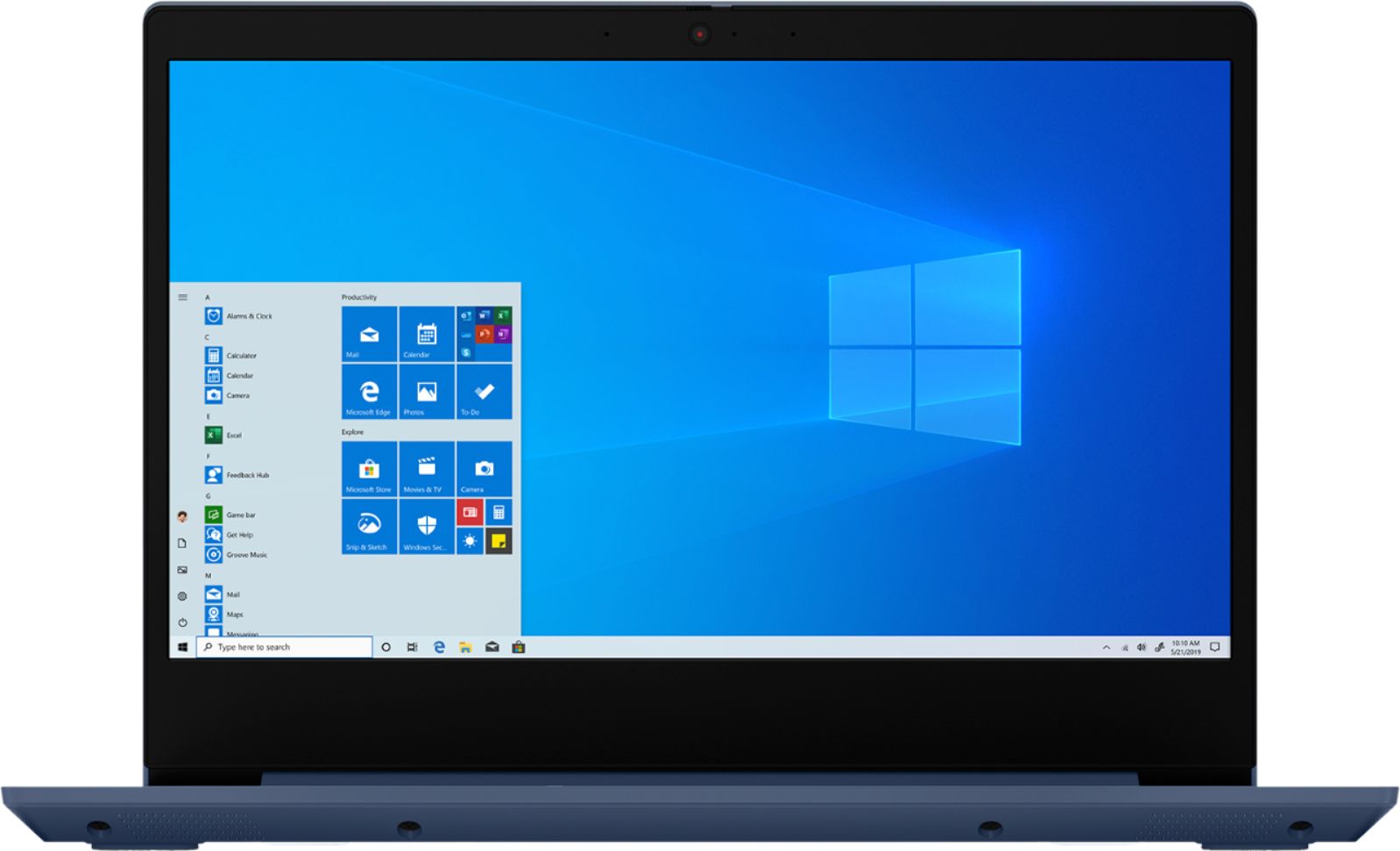
Posted .The Lenovo IdeaPad 3 14 Laptop, model number 81W0009DUS, is a mid-level, moderate use configuration, with its AMD Ryzen 3 3250U processor. This Dual-Core/Four-Thread processor has a base speed of 2.6GHz and a boost speed of up to 3.4GHz. This configuration has 8GB of DDR4-2400MHz RAM. It is good with Microsoft Office type programs, internet browsing and other moderate work. This model ships with Windows 10 S-Mode Operating System. Windows 10 S-Mode provides added security by only allowing APPs available ( and therefore certified by Microsoft) at the Microsoft Store. If you don't need the added security or you need to install APPs not available at the Microsoft Store, you can switch to standard Windows 10 Home 64-bit Operating System, at no additional cost.

Light and powerful, a low priced Lenovo.
||Posted . Owned for 1 month when reviewed.This reviewer received promo considerations or sweepstakes entry for writing a review.I bought this to replace my existing bigger ACER 15" laptop. This Lenovo is only 14" and has more modern storage and power attributes, and will be better for traveling on flights. After the sturdy ACER it almost feels too light. My existing laptop has become so slow and clunky it is amazing to have a computer that power up in a few seconds and is ready in less than a minute. I can see the benefits of more storage and GB processing speed. An unexpected benefit has been the size of the letters on the keys that makes them so clear. They are also raised and easier to use. 3 high speed USB ports, HDMI out as well as an SD card reader will be perfect for work. For under $400 this is a great purchase for the future.
I would recommend this to a friendSchool & Office
||Posted . Owned for 11 months when reviewed.This reviewer received promo considerations or sweepstakes entry for writing a review.Lenovo is just my go to. Always dependable and very user friendly.
I would recommend this to a friend- Pros mentioned:PriceCons mentioned:Battery life, Camera
The Strengths outweigh the Weaknesses
||Posted . Owned for 3 weeks when reviewed.This reviewer received promo considerations or sweepstakes entry for writing a review.When I first got the Ideapad 3, right out of the box, windows was installed incorrectly, which meant going to GS to get a quick repair. Since then, though this PC has been running like a beast! Fast, smooth processing with very few hiccups, and clean 1080p display make this the perfect study system, if you can overlook the atrocious battery life. The Camera may display HD, but it is a grainy mess in Zoom meetings. The Dolby audio is also nothing special, with not even a trace of bass in the speakers. Overall, this PC is fast, has a great display, and is quite portable at 3.3 lbs, which is all i really care about. Camera, Sound and Battery may be a disappointment, but it's not enough to bring this absolute beast down. Getting this thing at low price like $350 should be absolutely illegal. One of the best budget laptops available imo.
I would recommend this to a friendBrand response from Lenovo Product Expert
Posted .Thank you for choosing the Lenovo IdeaPad 3 laptop. We are pleased to hear that the value and performance of the IdeaPad 3 meets your computing needs so well! If you are experiencing poor batter life, be sure Battery conservation Mode is turned off. This power management setting should only be used when the laptop is plugged in all the time. It will prolong overall battery life by only charging the battery to 60-percent of capacity. Here is a link to instructions for turning off Battery Conservation Mode: https://support.lenovo.com/us/en/solutions/ht103159. Also check what programs are running in the background on the computer. Be sure only the programs you want running in the background are. These programs will drain the battery. Here is a link to information about how to find out what programs are running in the background on your Windows 10 computer and how to manage them for better system performance: https://www.windowscentral.com/how-prevent-apps-running-background-windows-10. Then, finally, be sure any software you installed is compatible with Windows 10. Incompatible software will drain the battery at a faster rate.
- Pros mentioned:StorageCons mentioned:Slow
Great starter laptop
||Posted . Owned for 3 weeks when reviewed.This reviewer received promo considerations or sweepstakes entry for writing a review.I bought this for a middle schooler to bring back and forth to school. I hate the idea of Chromebooks, so finding a decent Windows laptop with 8GB RAM and 1 TB storage at a similar price point was a surprise. The 5400 RPM drive struggles to keep up compared to SSD alternatives, but that can always be upgraded later. The display is also somewhat disappointing, but not bad for the price. This is a solid laptop that works perfectly for a student to do school work and play games.
I would recommend this to a friendBrand response from Lenovo Product Expert
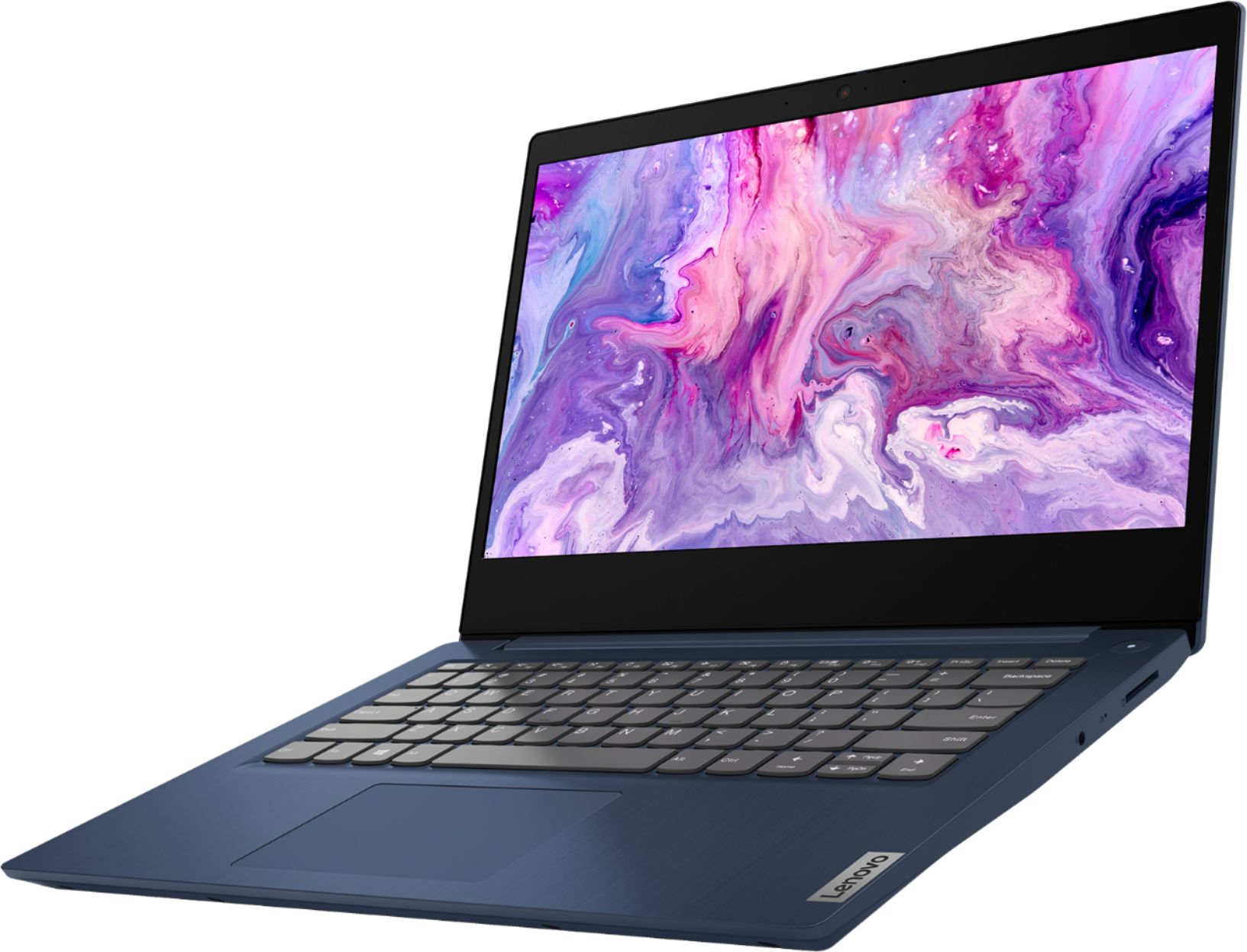
Posted .Thank you for choosing the Lenovo IdeaPad 3 14 Laptop, model number 81W0009DUS. This model ships with a 14.0-inch (screen size measured diagonally) TN, LCD w/LED Backlight (Anti-glare) screen, with a resolution of 1920 x 1080 (FHD) and a brightness level of 250 nits.
- Pros mentioned:Gaming, Price
Perfect for the price
||Posted . Owned for 3 weeks when reviewed.This reviewer received promo considerations or sweepstakes entry for writing a review.This laptop is perfect and was exactly what I was looking for! You can't beat the price for those specs that it comes with! Bought this laptop for my brother who started his first year in middle school during this pandemic and it's perfect for all his school work and zoom meetings. It even has enough ram and memory for him to do a little gaming on it. It also has a little slider to close the camera so that no one can peek in on him if they tried! Good laptop overall for the price. Only thing that was a pain was turning off the windows S mode but it was all good after I figured it out.
I would recommend this to a friendBrand response from Lenovo Product Expert
Posted .Thank you for choosing the Lenovo IdeaPad 3 14" laptop. We are pleased to hear that the value and performance of the IdeaPad 3 14" meets your computing needs so well. Windows 10 S-Mode provides added security by only allowing APPs available (and therefore certified by Microsoft) at the Microsoft Store. If you do not need the added security or you need to install APPs not available at the Microsoft Store, you can switch to standard Windows 10 Home 64-bit Operating System, at no additional cost.
- Pros mentioned:PriceCons mentioned:Ram
Great for 9yo for virtual school work!
||Posted . Owned for 1 month when reviewed.This reviewer received promo considerations or sweepstakes entry for writing a review.We needed a basic computer that was enough to handle Zoom meetings and any school work our 9yo needed to do. The IdeaPad, while I was a bit skeptical, has worked out really well. We are not allowing any games installed because this is for school use only. Because of this reason, the IdeaPad has not been bogged down by any installations that's not needed. It could use an extra 8GB of RAM, but the current 8GB is fine from what I can tell. So if you're looking for a laptop that's not high in price but is able to handle schoolwork and Zoom meetings, then I recommend this model.
I would recommend this to a friendBrand response from Lenovo Product Expert
Posted .Thank you for choosing the Lenovo IdeaPad 3 14 Laptop, model number 81W0009DUS, for your child. We are pleased to hear that the IdeaPad 3 14 is working out so well for your child. This is a mid-level, moderate use configuration, with its AMD Ryzen 3 3250U processor. This Dual-Core/Four-Thread processor has a base speed of 2.6GHz and a boost speed of up to 3.4GHz. This configuration has 8GB of DDR4-2400MHz RAM. It is good with Microsoft Office type programs, internet browsing and other moderate work. This model ships with Windows 10 S-Mode Operating System. Windows 10 S-Mode provides added security by only allowing APPs available ( and therefore certified by Microsoft) at the Microsoft Store. If you don't need the added security or you need to install APPs not available at the Microsoft Store, you can switch to standard Windows 10 Home 64-bit Operating System, at no additional cost.
- Pros mentioned:PriceCons mentioned:Camera
Good value for basic laptop
||Posted . Owned for 2 months when reviewed.This reviewer received promo considerations or sweepstakes entry for writing a review.Bought this for simple school and work use. Fine for all the basic needs like web browsing and Microsoft office programs. The webcam is not amazing but functional. The software updates seem very slow but you can limit the hours when it updates so it doesn’t cause a problem. The design and weight are good for carrying around and doesn’t look cheap. Overall a recommend for the price if you are looking for good value.
I would recommend this to a friend Good Basic Laptop
||Posted . Owned for 1 week when reviewed.This reviewer received promo considerations or sweepstakes entry for writing a review.You get what you paid for with this one. It''s decent once you turn off the limited Window S Mode and things load particularly fast. The resolution is great and the screen is anti-glare so lights don't reflect it. The setup was also very easy. It's great for basic use - uaing Word, Excel, etc. and web browsing. It does, however, struggle when you have 3 or more things running at once. It also will not handle any kind of 3D gaming. Overall, it's perfect for a student -- especially right now when most inexpensive laptops are out of stock due to school being remote.
I would recommend this to a friendBrand response from Lenovo Product Expert
Posted .Thank you for choosing the Lenovo IdeaPad 3 14 Laptop, model number 81W0009DUS. We are pleased to hear that the features and performance of the IdeaPad 3 14 meets your computing needs so well. This is a mid-level, moderate use configuration, with its AMD Ryzen 3 3250U processor. This Dual-Core/Four-Thread processor has a base speed of 2.6GHz and a boost speed of up to 3.4GHz. This configuration has 8GB of DDR4-2400MHz RAM. It is good with Microsoft Office type programs, internet browsing and other moderate work. This model ships with Windows 10 S-Mode Operating System. Windows 10 S-Mode provides added security by only allowing APPs available ( and therefore certified by Microsoft) at the Microsoft Store. If you don't need the added security or you need to install APPs not available at the Microsoft Store, you can switch to standard Windows 10 Home 64-bit Operating System, at no additional cost.
- Pros mentioned:Lightweight, Price
Good Value for the Price
||Posted .This reviewer received promo considerations or sweepstakes entry for writing a review.For the price its a good value. lightweight. so far am happy with the purchase. Hard to install any other browsers because Microsoft thought S mode would be a good idea. You have to turn off S mode to install programs.
I would recommend this to a friendBrand response from Lenovo Product Expert
Posted .Thank you for choosing the Lenovo IdeaPad 3 laptop. We are pleased to hear that the value and performance of the IdeaPad 3 meets your computing needs so well! Here is a link to instructions for switching from Windows 10 S-Mode to Windows 10 Home: https://support.microsoft.com/en-us/help/4456067/windows-10-switch-out-of-s-mode
Mac user and Lenovo idea pad 3 14'
||Posted .This reviewer received promo considerations or sweepstakes entry for writing a review.As a Macintosh user for decades, I bought this computer hoping to to become multi-operating system familiar. I expected that much would be unfamiliar, so I enlisted the help of the Geek Squad for the initial installation of Windows 10 and MS Office (Home and Office 2019). They got me going, but we had problems validating the key code for MS Office. Eventually, it too was installed. The computer seems like a well built machine. The keyboard is comfortable, and the screen is sharp and vivid. The speakers are comfortable, also. The touchpad, however is very sensitive...perhaps too much so. I have the 1TB HDD version, so it is not a speedy boot. I am looking forward to learning the ins and outs of a very different OS, and the complexities of MS Office.
I would recommend this to a friendBrand response from Lenovo Product Expert
Posted .Thank you for choosing the Lenovo IdeaPad 3 laptop. We are pleased to hear that the value and performance of the IdeaPad 3 meets your computing needs so well! To adjust the sensitivity to the touchpad please type "touch" into the widows search bar at the bottom left of the screen. Then please select "Touch Settings". From here you can tweak to your preference.
- Pros mentioned:Gaming, Storage
i bought it for my grandson, and he loves it
||Posted . Owned for less than 1 week when reviewed.This reviewer received promo considerations or sweepstakes entry for writing a review.Its pretty good, can play Roblox well, Fortnite like an iPad with home button, and has a lot of storage. would recommend if you are on a budget.
I would recommend this to a friendBrand response from Lenovo Product Expert
Posted .Thank you for choosing the Lenovo IdeaPad 3 14 Laptop, model number 81W0009DUS, for your grandson. We are pleased to hear that the IdeaPad 3 14 is working out so well for your grandson. This is a mid-level, moderate use configuration, with its AMD Ryzen 3 3250U processor. This Dual-Core/Four-Thread processor has a base speed of 2.6GHz and a boost speed of up to 3.4GHz. This configuration has 8GB of DDR4-2400MHz RAM. It is good with Microsoft Office type programs, internet browsing and other moderate work. This model ships with Windows 10 S-Mode Operating System. Windows 10 S-Mode provides added security by only allowing APPs available ( and therefore certified by Microsoft) at the Microsoft Store. If you don't need the added security or you need to install APPs not available at the Microsoft Store, you can switch to standard Windows 10 Home 64-bit Operating System, at no additional cost.
- Pros mentioned:PriceCons mentioned:Camera
Great for the price
||Posted . Owned for 3 weeks when reviewed.This reviewer received promo considerations or sweepstakes entry for writing a review.Works well for simple daily use (google docs, web browsing, watching videos). Camera and display aren’t the best, but you get what you pay for. Overall I am very satisfied with the laptop given the price I paid for it!
I would recommend this to a friendBrand response from Lenovo Product Expert
Posted .The Lenovo IdeaPad 3 14 Laptop, model number 81W0009DUS, ships with a 720p (HD) webcam with manual Privacy Shutter and Dual Array microphones. This model ships with a 14.0-inch (screen size measured diagonally) TN, LCD w/LED Backlight (Anti-glare) screen, with a resolution of 1920 x 1080 (FHD) and a brightness level of 250 nits.
- Cons mentioned:Camera, Reliability, Slow
Slow, functions randomly stop working
||Posted . Owned for 2 weeks when reviewed.This reviewer received promo considerations or sweepstakes entry for writing a review.Would give 0 stars if possible. Got this laptop for online school bc more affordable laptops and chromebooks were sold out everywhere. Had high hopes for this due to BestBuy reviews but so disappointed. Seems like every day there's a problem while my son is online for school. The trackpad/cursor, microphone, and camera have randomly stopped working during google meets and zoom calls. Have been able to get it working again but usually requires reboot which is problematic bc then he's missing instruction and I'm missing work to troubleshoot it. The laptop is also incredibly SLOW at functions. All that is running on it is Chrome. Not even any files stored on it yet. Tried to wipe the computer using the system reset option and even that got stuck! Returned to BB after less than 2 weeks. Don't know why we had such trouble when others have not. Maybe we got a lemon?
No, I would not recommend this to a friendBrand response from Lenovo Product Expert
Posted .Sounds like you may need to update the system drivers. You can easily accomplish this by scanning the computer with the Lenovo Utility software available on this computer. This system has Lenovo utilities installed to help maintain the health of the device and keep the operating system software up to date. Type "Lenovo Vantage" in the Cortana Search window (if Lenovo Vantage is not installed on your device, you can download the APP and install it now). Select Lenovo Vantage from the list. In the window that opens, click on "Health and Support". In the expanded menu, select "Hardware Scan” In the window that opens, select "Run Quick Tests". This will scan your entire system for errors. Follow any directions that may pop up. If the problem continues after this scan, now click on "System Update". First select Windows update from the menu. Scan your system to be sure you have the latest version of Windows 10. Once that scan is complete, select "Additional Updates". This will scan your device to be sure there are no new BIOS/Driver updates needed. Follow any instructions that may pop up. If the issue continues after these updates, we recommend you call Lenovo Tech Support at: 877-453-6686 for additional help.
This model ships with Windows 10 S-Mode Operating System. Windows 10 S-Mode provides added security by only allowing APPs available (and therefore certified by Microsoft) at the Microsoft Store. If you do not need the added security or you need to install APPs not available at the Microsoft Store, you can switch to standard Windows 10 Home 64-bit Operating System, at no additional cost.
- Pros mentioned:PriceCons mentioned:Ram
Great value laptop over intel
||Posted . Owned for 3 months when reviewed.This reviewer received promo considerations or sweepstakes entry for writing a review.Bought it for the shop, great little laptop. Only draw back is Lenovo soldering of the ram. Only one expansion port open. Overall better value over intels offering.
I would recommend this to a friend - Pros mentioned:Price
For the money, it's a good value that does what I
||Posted . Owned for 1 month when reviewed.This reviewer received promo considerations or sweepstakes entry for writing a review.Is it blazingly fast, no. Can you perform multiple tasks, depends on how much video and computer memory you need But it does have a ton of easily accessible memory and more than adequate for performing your everyday computer needs. No, you're not going to be able to play hi-res computer games without lagging, but spread sheets, surfing the web, watching videos (pretty decent speakers and video resolution and clarity was surprisingly crisp and clear), and you're able to video chat easily. For the amount I paid, I seriously expected a lot worse. Very pleased and happy with the purchase
I would recommend this to a friendBrand response from Lenovo Product Expert
Posted .Thank you for choosing the Lenovo IdeaPad 3 laptop. We are pleased to hear that the value and performance of the IdeaPad 3 meets your computing needs so well!
- Cons mentioned:Battery life, Slow
Meh
||Posted . Owned for less than 1 week when reviewed.This reviewer received promo considerations or sweepstakes entry for writing a review.It's a good looking laptop, but I'm not sure if they sent us a faulty laptop or what, but the battery life is not 7 hours. Mine goes upto like 3 hours. I'm not sure if the games we installed have any part in lowering the battery life but I'm not happy at all regarding the battery life. The laptop is really nice but a bit slow when you first start off and it's not the best for games, so I'd probably avoid this if you're looking for a laptop for gaming purposes.
No, I would not recommend this to a friendBrand response from Lenovo Product Expert
Posted .The Lenovo IdeaPad 3 14 Laptop, model number 81W0009DUS, ships with a 2CELL_35WH_INTERNAL, Lithium Polymer Battery, with a battery life of 6 hours, depending on the work the device is performing. Gaming will drain the battery at a faster rate. Here is a link to tips for getting more battery life within Windows 10: https://support.microsoft.com/en-us/help/20443/windows-10-battery-saving-tips. The IdeaPad 3 14 is a mid-level, moderate use configuration, with its AMD Ryzen 3 3250U processor. This Dual-Core/Four-Thread processor has a base speed of 2.6GHz and a boost speed of up to 3.4GHz. This configuration has 8GB of DDR4-2400MHz RAM. It is good with Microsoft Office type programs, internet browsing and other moderate work. This model ships with Windows 10 S-Mode Operating System. Windows 10 S-Mode provides added security by only allowing APPs available ( and therefore certified by Microsoft) at the Microsoft Store. If you don't need the added security or you need to install APPs not available at the Microsoft Store, you can switch to standard Windows 10 Home 64-bit Operating System, at no additional cost.
- Cons mentioned:Battery life
Its Good, for the price
||Posted . Owned for 3 weeks when reviewed.This reviewer received promo considerations or sweepstakes entry for writing a review.I expect more, but, is fine, the resolution is great, and is fast (Can run games decently, but you need to adjust to get 25-30fps in the most heavy ones, minecraft run in 60fps with some settings), the battery is not that great, but for study is fine, at least 5-7 hours (depend the program), for gaming can last 3-5, The Multitask is... a little bit slow. In Conclusion. Is Good but not Great, Is perfect for the Study and a Normal amount of work, but if you need this to more heavy work, see other laptops
I would recommend this to a friendBrand response from Lenovo Product Expert
Posted .The Lenovo IdeaPad 3 14 Laptop, model number 81W0009DUS, is a mid-level, moderate use configuration, with its AMD Ryzen 3 3250U processor. This Dual-Core/Four-Thread processor has a base speed of 2.6GHz and a boost speed of up to 3.4GHz. This configuration has 8GB of DDR4-2400MHz RAM. It is good with Microsoft Office type programs, internet browsing and other moderate work. This model ships with Windows 10 S-Mode Operating System. Windows 10 S-Mode provides added security by only allowing APPs available ( and therefore certified by Microsoft) at the Microsoft Store. If you don't need the added security or you need to install APPs not available at the Microsoft Store, you can switch to standard Windows 10 Home 64-bit Operating System, at no additional cost.
- Pros mentioned:Price, Usage
Nice Product
||Posted .This reviewer received promo considerations or sweepstakes entry for writing a review.Very good laptop for the price. Does exactly what we needed it to do for school work and basic web surfing/video editing.
I would recommend this to a friend - Pros mentioned:Gaming, Storage
Perfect for my 1st year College Student
||Posted . Owned for 3 weeks when reviewed.This reviewer received promo considerations or sweepstakes entry for writing a review.We bought this almost a month ago and we are not disappointed! I wanted to stay within a reasonable budget but still have a quality laptop with functionality and storage. My daughter is taking virtual college courses through the week and this fits her needs perfectly. She has even installed Sims and plays that in her leisure time. We are very happy with this purchase.
I would recommend this to a friendBrand response from Lenovo Product Expert
Posted .Thank you for choosing the lenovo IdeaPad 3 14 Laptop, model number 81W0009DUS, for your daughter. We are pleased to hear that the IdeaPad 3 14 meets your daughter's computing needs so well. This is a mid-level, moderate use configuration, with its AMD Ryzen 3 3250U processor. This Dual-Core/Four-Thread processor has a base speed of 2.6GHz and a boost speed of up to 3.4GHz. This configuration has 8GB of DDR4-2400MHz RAM. It is good with Microsoft Office type programs, internet browsing and other moderate work. This model ships with Windows 10 S-Mode Operating System. Windows 10 S-Mode provides added security by only allowing APPs available ( and therefore certified by Microsoft) at the Microsoft Store. If you don't need the added security or you need to install APPs not available at the Microsoft Store, you can switch to standard Windows 10 Home 64-bit Operating System, at no additional cost.