Customer Ratings & Reviews

- Model:
- 90RB001LUS
- SKU:
- 6476717
Rating by feature
- Value
Rating 4.1 out of 5 stars
- Quality
Rating 4.1 out of 5 stars
- Ease of Use
Rating 4.2 out of 5 stars
Customers are saying
Customers are impressed with the Legion Tower 5's performance, especially its high frame rates in games and its ability to handle demanding applications. Many also appreciate the relatively low price point for the included components and the quiet operation during use. However, some users have reported issues with the motherboard and Wi-Fi connectivity, requiring replacements or troubleshooting. A few also experienced problems with the hard drive.
This summary was generated by AI based on customer reviews.
- Pros mentioned:Cooling, RamCons mentioned:Hard drive, Motherboard, Wifi
Good Buy
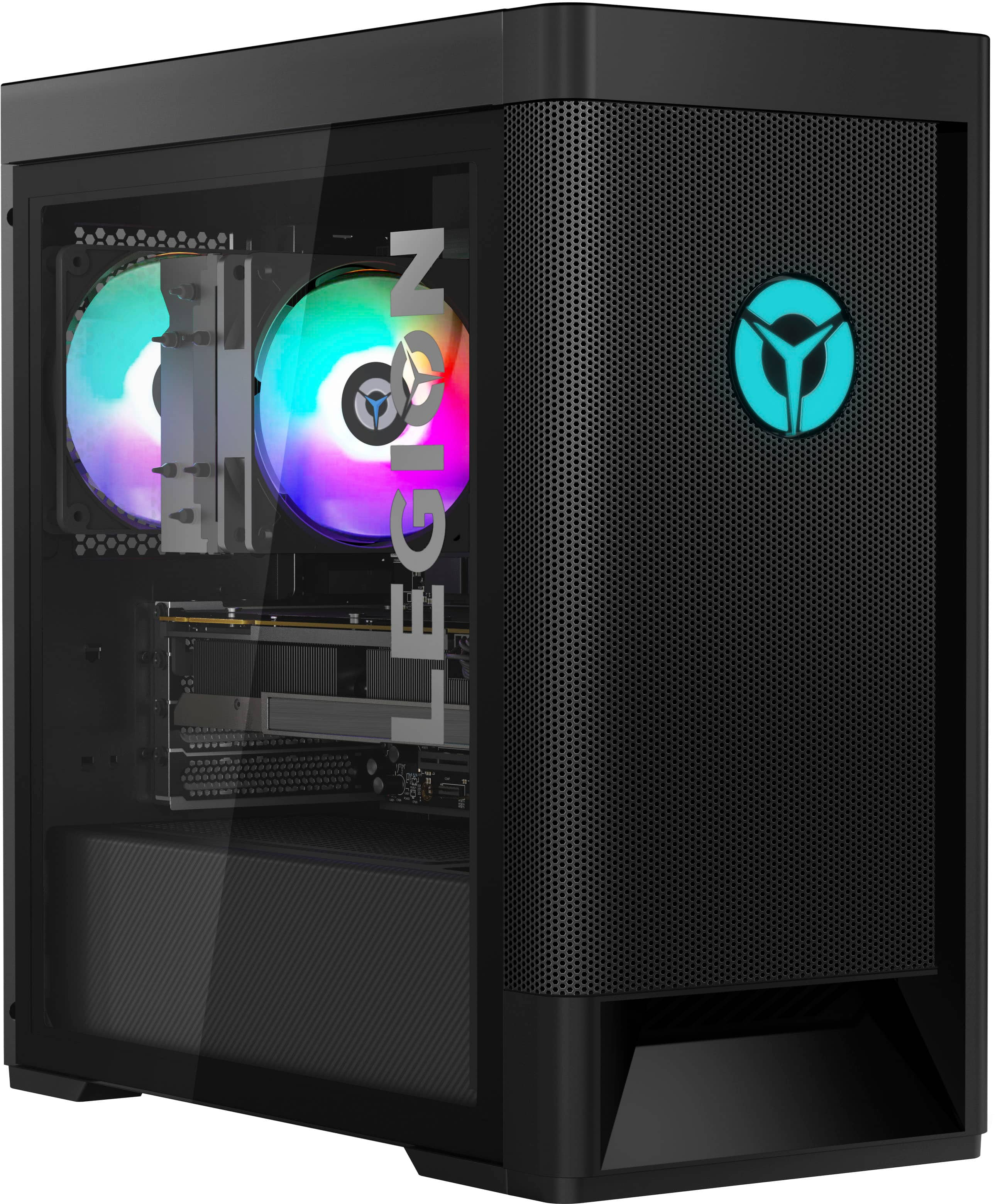
||Posted . Owned for 3 weeks when reviewed.This reviewer received promo considerations or sweepstakes entry for writing a review.Overall a good buy. The CPU and GPU on this model is beautiful. Ryzen 7 5700 with a 3060. I love this machine the airflow and aesthetic is very pleasing. Blacked out finish looks amazing with a mellow white RGB setting. But... as a pc builder I will mention my only flaws. The WiFi issue that somehow makes the driver not work at certain times when turned on. The m.2 SSD that came with it could be better I actually swapped mine out with a better one. The GPU comes with a weird really bulky extension that seems unnecessary as it really doesn’t sag at all and it blocks air flow. The hard drive also seemed to have a problem as I couldn’t save anything to it and the capacity read 0 and in Lenovo Vantage 100% full so I had to put a new one in as well. Overall a good product at a good price.
I would recommend this to a friendBrand response from Lenovo Product Expert
Posted .We are sorry to hear that you are having Issues with your Lenovo Legion Tower 5 AMD Gaming Desktop Computer. We recommend you contact Lenovo Legion Ultimate Support for additional help with the issues you have mentioned at: 888-278-9707.

- Pros mentioned:Cooling, Price, Ram
Very happy with my purchase. Would recommend
||Posted . Owned for 1 week when reviewed.This reviewer received promo considerations or sweepstakes entry for writing a review.Let's just get the obvious out of the way.. I know it's a pre built.. but, this isn't just any pre built. The pairing of Ryzen 7 and rtx3060 is a treat. CPU/Gpu temps are phenomenal. Highest Gpu I've seen has been 28 degrees c and the CPU had hit 27/38 degrees c. This OEM case has insane airflow. I mean you can actually FEEL the airfliow. The rgb has a little bit of control so you can control it enough to make it your own. Also the price is not to shabby given the state if affairs with GPUs.... Oh and you can do some upgrades here. Gpu, motherboard, ram,etc....
I would recommend this to a friendBrand response from Lenovo Product Expert
Posted .Thank you for choosing the Lenovo Legion Tower 5 AMD Gaming Desktop Computer. We are pleased to hear that the features and performance of the Legion Tower 5 meets your computing needs so well.
- Pros mentioned:Performance
Loved it until it turned into a Brick
||Posted . Owned for 1 year when reviewed.This reviewer received promo considerations or sweepstakes entry for writing a review.This was my first PC and it functioned extremely well and keep it in a clean condition, weirdly enough after my warranty expired I come across an issue where my pc is on with fans spinning but the display and ports refuse to turn on…. It’s been 2 days since I’ve been able to use it..
I would recommend this to a friend - Cons mentioned:Wifi
Great prebuilt
||Posted . Owned for less than 1 week when reviewed.This reviewer received promo considerations or sweepstakes entry for writing a review.Same as others here, the wifi needs to be reset everytime the computer enters rest mode. Just got an external usb wifi for now, but still an excellent deal in my opinion. Runs all games I've thrown at it, at ultra settings and still pulling a minimum of 120fps consistently while maintaining cooler temps.
I would recommend this to a friendBrand response from Lenovo Product Expert
Posted .Thank you for choosing the Lenovo Legion Tower 5 AMD Gaming Desktop Computer. We are sorry to hear that you are having issues with your WiFi connectivity, through the Legion Tower 5. Check to be sure you have the latest version of Windows on the computer. Then update all BIOS files and drivers up to that latest version of Windows. You can easily accomplish this by scanning the computer with the Lenovo Utility software available on this computer. This system has Lenovo utilities installed to help maintain the health of the device and keep the operating system software up to date. Type "Lenovo Vantage" in the Cortana Search window (if Lenovo Vantage is not installed on your device, you can download the APP and install it now). Select Lenovo Vantage from the list. In the window that opens, click on "Health and Support". In the expanded menu, select "Hardware Scan" In the window that opens, select "Run Quick Tests". This will scan your entire system for errors. Follow any directions that may pop up. If the problem continues after this scan, now click on "System Update". First select Windows update from the menu. Scan your system to be sure you have the latest version of Windows. Once that scan is complete, select "Additional Updates". This will scan your device to be sure there are no new BIOS/Driver updates needed. Follow any instructions that may pop up. If the issue still continues after these updates, we recommend you call Lenovo Legion Ultimate Support at: 888-278-9707.
- Pros mentioned:Ram, Speed
Very happy
||Posted . Owned for less than 1 week when reviewed.This reviewer received promo considerations or sweepstakes entry for writing a review.Just bought this 4 days ago... and ive been playing it everyday... really solid pre built here.. and cant go wrong with the ryzen 7 and the 3060 graphics card... pc runs so smooth and its very quiet. Upgraded the ram too corsair RGB.. and gonna be putting in a corsair liquid cooler white. Very highly recommended.
I would recommend this to a friendBrand response from Lenovo Product Expert
Posted .Thank you for choosing the Lenovo Legion Tower 5 AMD Gaming Desktop Computer. We are pleased to hear that the Legion Tower 5 is working out so well for you.
Gaming pc in detail
||Posted . Owned for 1 month when reviewed.This reviewer received promo considerations or sweepstakes entry for writing a review.Was trying to find a semi detailed review of this and couldn’t find one, guess I’ll review it for future customers. Warzone, works fine on low resolution, 80-110 fps High resolution 60-80fps Fortnite, low resolution 135fps High resolution 80fps I also stream with obs on at the same time which may impact my fps. Overall good Pc for its price, if you can afford a bit more try getting a faster processor but overall I’m happy with my purchase. Ttv/KeNNie__3
I would recommend this to a friendBrand response from Lenovo Product Expert
Posted .Thank you for choosing the Lenovo Legion Tower 5 AMD Gaming Desktop Computer. We are pleased to hear that the Legion Tower 5 meets your computing needs so well.
- Pros mentioned:Ram
Unbelievable Pre Built
||Posted . Owned for 1 month when reviewed.This reviewer received promo considerations or sweepstakes entry for writing a review.Absolutely love this PC. Bought it for gaming only and it has exceeded all of my expectations. Was told that i had to build one to play the games i wanted and a prebuilt for $1500 would never do it. Well, they were wrong! Runs COD at 165hz with nothing but the highest settings all day long. Setup the RGB to reflect temps and they stay cool blue/green even at 4k on The Forrest. Would have spent double on what was recommended to me but this machine runs games on a 32" Asus while also running a 28" Asus with iCue and Amazon music app, Xbox eleite controller and a Corsair Virtuoso flawlessly. Lenovo software keeps it all in check and running smooth for $30/yr. This machine is set up to add more RAM, second hdd, second ssd and 4 more rgb devices. I am no computer pro but i can upgrade this pc myself if needed in the future. Recommended this to a friend who has little computer knowledge and he loves this machine as well.
I would recommend this to a friendBrand response from Lenovo Product Expert
Posted .Thank you for choosing the Lenovo Legion Tower 5 AMD Gaming Desktop. We are very pleased to hear that the specifications and features of the Lenovo Legion Tower 5 AMD Gaming Desktop meet your computing needs so well.
- Pros mentioned:RamCons mentioned:Wifi
Good price point
||Posted . Owned for 2 weeks when reviewed.This reviewer received promo considerations or sweepstakes entry for writing a review.Working okay. Just having trouble with the wifi it goes out of connection bery often and i have to restart the computer. I just used LAN cable now. Also added a corsair ram to bump it to 32GB
I would recommend this to a friendBrand response from Lenovo Product Expert
Posted .We are sorry to hear that you are having issues with the WiFi within your Lenovo Legion Tower 5 AMD Gaming Desktop Computer. Check to be sure you have the latest version of Windows on the computer. Then update all BIOS files and drivers up to that latest version of Windows. You can easily accomplish this by scanning the computer with the Lenovo Utility software available on this computer. This system has Lenovo utilities installed to help maintain the health of the device and keep the operating system software up to date. Type "Lenovo Vantage" in the Cortana Search window (if Lenovo Vantage is not installed on your device, you can download the APP and install it now). Select Lenovo Vantage from the list. In the window that opens, click on "Health and Support". In the expanded menu, select "Hardware Scan" In the window that opens, select "Run Quick Tests". This will scan your entire system for errors. Follow any directions that may pop up. If the problem continues after this scan, now click on "System Update". First select Windows update from the menu. Scan your system to be sure you have the latest version of Windows. Once that scan is complete, select "Additional Updates". This will scan your device to be sure there are no new BIOS/Driver updates needed. Follow any instructions that may pop up. If the issue still continues after these updates, we recommend you call Lenovo Legion Ultimate Support for additional help at: 888-278-9707.
Bi Initialize library failure
||Posted . Owned for 1 year when reviewed.This reviewer received promo considerations or sweepstakes entry for writing a review.The computer worked perfectly for about 15 months, and then I got the "CPU fan failure" and "Bi initialize library failure" error. On the Lenovo support website it says to just boot it up and download the new BIOS, however I can't boot up my computer. I can't get past the error, it's a fairly common issue from the information I could find. If I can get into the computer and actually download the BIOS I will update my review, but until then I'm having to look into an entirely new motherboard.
No, I would not recommend this to a friend- Pros mentioned:Performance
Main pc for a while
||Posted . Owned for 1.5 years when reviewed.This reviewer received promo considerations or sweepstakes entry for writing a review.I love this pc, never had any problem since day 1, excellent performance and not loud at all. This is my main gaming pc for now
I would recommend this to a friend - Cons mentioned:Wifi
Wifi faulty. Replace wifi adapter
||Posted . Owned for 2 months when reviewed.This reviewer received promo considerations or sweepstakes entry for writing a review.Everything is fine EXCEPT for the wifi. Its a realtek wifi adapter on the motherboard which isn't detected by the system unless you restart it, even after a fresh start. The wifi also fails to work if your PC goes into sleep, forcing you into another restart. SOLUTION : REPLACE THE WIFI ADAPTER. Buy an Intel wifi 6 desktop kit and replace the realtek chip.
I would recommend this to a friendBrand response from Lenovo Product Expert
Posted .We are sorry to hear that you are having issues with the WiFi connectivity within your Lenovo Legion Tower 5 AMD Gaming Desktop Computer. This model ships with WiFi-6, 2x2 802.11ax frequency WiFi installed. If you are getting less than expected WiFi performance, first, check to be sure you have the latest version of Windows 11 on the computer. Then update all BIOS files and drivers up to that latest version of Windows 11, including the BIOS files and Drivers that control WiFi. You can easily accomplish this by scanning the computer with the Lenovo Utility software available on this computer. This system has Lenovo utilities installed to help maintain the health of the device and keep the operating system software up to date. Type "Lenovo Vantage" in the Cortana Search window (if Lenovo Vantage is not installed on your device, you can download the APP and install it now). Select Lenovo Vantage from the list. In the window that opens, click on "Health and Support". In the expanded menu, select "Hardware Scan" In the window that opens, select "Run Quick Tests". This will scan your entire system for errors. Follow any directions that may pop up. If the problem continues after this scan, now click on "System Update". First select Windows update from the menu. Scan your system to be sure you have the latest version of Windows 11. Once that scan is complete, select "Additional Updates". This will scan your device to be sure there are no new BIOS/Driver updates needed. Follow any instructions that may pop up. If you get a message that says there are no updates available, you can directly update/reinstall the WiFi Driver within the Windows 11 Operating System on this Laptop. Here is a link to instructions for doing this: https://allthings.how/how-to-install-or-update-windows-11-wifi-driver/#:~:text=In%20Settings%2C%20click%20on%20the,Download%20%26%20install'%20under%20it. If the issue continues after these updates, we recommend you call Lenovo Legion Ultimate Care for additional help. Let the Legion Gaming Expert know the troubleshooting steps you have already taken. Call at: 888-278-9707.
- Pros mentioned:Cooling, Performance
Great
||Posted . Owned for 5 months when reviewed.This reviewer received promo considerations or sweepstakes entry for writing a review.Computer is great and was a good alternative to building my own pc. It has great airflow and runs well. The only problem I have had is when the computer falls asleep, it forces me to change my pin when I wake it back up. It’s manageable though. Other than that, this is a good choice for a pc.
I would recommend this to a friendBrand response from Lenovo Product Expert
Posted .Thank you for choosing the Lenovo Legion Tower 5 AMD Gaming Desktop Computer, model number 90RB001LUS. We are sorry to hear that you are having issues waking your Legion Tower 5 from Sleep Mode, using Windows 11. Here is a link to a similar issue that may be helpful: https://answers.microsoft.com/en-us/windows/forum/all/must-enter-pin-promptly-after-coming-up-from-sleep/66193cbf-3303-4f8b-97a7-925dd97b407d. If this does not help with your specific issue, we recommend you contact Microsoft Software support for additional help at: https://support.microsoft.com/
- Cons mentioned:Wifi
Great computer. One bug in firmware
||Posted . Owned for less than 1 week when reviewed.This reviewer received promo considerations or sweepstakes entry for writing a review.This computer was my first choice for a gaming computer and I must say, I don’t regret this choice. It looks good the lighting is great and it runs smoothly and without issue. As other buyers have stated there was an issue with the Wi-Fi setting disappearing and not showing back up, but once I updated the BIOS that problem went away and it’s a fully functional computer. I personally think that Lenovo should ship the computers out already updated but that’s just me. That was the only issue I had. I would recommend this computer to anyone looking for a new and decent priced pc.
I would recommend this to a friendBrand response from Lenovo Product Expert
Posted .Thank you for choosing the Lenovo Legion Tower 5 AMD Gaming Desktop. We are pleased to hear that you were able to install the BIOS and driver updates correcting your WiFi issue. You can keep your Legion Tower 5 up to date by scanning your system regularly for updates with the Legion Vantage Dashboard software installed on this computer. If you have questions about your Legion Tower 5, we recommend you contact a Legion Gaming Expert at Legion Ultimate Support: 888-278-9707.
- Pros mentioned:Performance
First PC
||Posted . Owned for 1 month when reviewed.This reviewer received promo considerations or sweepstakes entry for writing a review.This is my first pc i bought mainly to play gta rp and apex legends and it’s been more than great to me Im glad i chose this one, i get remarks about getting a prebuilt then once they see the specs they’re pretty impressed so i think i did good :)
I would recommend this to a friendBrand response from Lenovo Product Expert
Posted .Thank you for choosing the Lenovo Legion Tower 5 AMD Gaming Desktop Computer. We are pleased to hear that the value and performance of the Legion Tower 5 meets your computing needs so well.
Love it but had to replace Realtek Wi-Fi card.
||Posted . Owned for 5 months when reviewed.This reviewer received promo considerations or sweepstakes entry for writing a review.It plays everything that I want to play. I am very happy with the size. and power the system provides. My only issue was with connecting to my home Wi-Fi. The problem was the Realtek Wi-Fi card wasn't showing in the system until I restarted the system. I didn't want to restart everyday so I tried everything support offered, downloading drivers and what not. In the end I replaced the card with a Intel card and now its smooth sailing.
I would recommend this to a friendgood pc
||Posted . Owned for 2 months when reviewed.This reviewer received promo considerations or sweepstakes entry for writing a review.This is a good pc for gaming and came with Xbox game pass so i have games to play right after i got it. got it in dec 2021 and still good also good for vr games too.
I would recommend this to a friendBrand response from Lenovo Product Expert
Posted .Thank you for choosing the Lenovo Legion Tower 5 AMD Gaming Desktop Computer. We are pleased to hear that the Legion Tower 5 meets your computing needs so well.
- Cons mentioned:Motherboard
Boot errors.
||Posted . Owned for 1 year when reviewed.This reviewer received promo considerations or sweepstakes entry for writing a review.Second serious crash in 6 months. B1initiation error. This time its so bad i cant even boot with Win11 boot usb. Last time i ended up scrubbing the HDD and reinstalling Win 11. Fingers crossed.
No, I would not recommend this to a friendBrand response from Lenovo Product Expert
Posted .We are sorry to hear that you are having issues with your Lenovo Legion Tower 5, model number 90RB001LUS. First, be sure any software you installed is compatible with Windows 11, especially the games you are trying to play. This system has Lenovo utilities installed to help maintain the health of the device and keep the operating system software up to date. Type "Lenovo Vantage" in the Search window (if Lenovo Vantage is not installed on your device, you can download the APP and install it now). Select Lenovo Vantage from the list. In the window that opens, click on "Health and Support". In the expanded menu, select "Hardware Scan" In the window that opens, select "Run Quick Tests". This will scan your entire system for errors. Follow any directions that may pop up. If the problem continues after this scan, now click on "System Update". First select Windows update from the menu. Scan your system to be sure you have the latest version of Windows 11 Home. Once that scan is complete, select "Additional Updates". This will scan your device to be sure there are no new BIOS/Driver updates needed. Follow any instructions that may pop up. If the issue continues after these updates, we recommend you call Lenovo Legion Ultimate Support for additional help at: 888-278-9707.
- Pros mentioned:Performance
Lenovo
||Posted .This reviewer received promo considerations or sweepstakes entry for writing a review.This was my first gaming pc I purchased and I absolutely loved it. It worked very well and was doing great until about 2 months in and then it just gave out it was beyond repair the operating system or Windows 11 would not load nothing would at this point. The error I received BlInitializeLibrary failed Oxc0000001 . With all that said we tested everything out and there was no answer to the problem. With my I believe it was the luck of the draw but I was upset I lost everything but Best Buy did make sure I was taken care of and did an awesome job. If this all did not happen I’d still be in love with this pc. I think it was very good and an amazing starter just be weary and make sure to get a protection plan.
I would recommend this to a friendBrand response from Lenovo Product Expert
Posted .We are sorry to hear that you are having issues with your Lenovo Legion Tower 5 AMD Gaming Desktop Computer, model number 90RB001LUS. We recommend you contact lenovo Legion Ultimate Care for help with this issue you are having at: 888-278-9707.
Good overall
||Posted . Owned for 2 months when reviewed.This reviewer received promo considerations or sweepstakes entry for writing a review.Great computer, runs most games at high or ultra settings. A friend and I both got this computer and it’s great except for the fact that when in sleep mode it blinks so it light up a dark room, easy fix just unplug the light which is hidden under the GPU. Overall would recommend. Also some models have a spotty Wi-Fi part which my friends did so be prepared to swap it out or plug in an Ethernet cord, mine did arrive working fine though.
I would recommend this to a friendBrand response from Lenovo Product Expert
Posted .Thank you for choosing the Lenovo Legion Tower 5 AMD Gaming Desktop Computer. You can control the internal ambient RGB lighting of this Legion Tower 5 within the Legion Vantage Dashboard software installed on this computer. This model configuration ships with the latest WiFi-6, 2x2 802.11ax frequency WiFi capability installed. If you are getting less than expected WiFi performance, check to be sure you have the latest version of Windows 11 on the computer. Then update all BIOS files and drivers up to that latest version of Windows 11, including those BIOS files and Drivers controlling WiFi. You can easily accomplish this by scanning the computer with the Lenovo Utility software available on this computer. This system has Lenovo utilities installed to help maintain the health of the device and keep the operating system software up to date. Type "Lenovo Vantage" in the Cortana Search window (if Lenovo Vantage is not installed on your device, you can download the APP and install it now). Select Lenovo Vantage from the list. In the window that opens, click on "Health and Support". In the expanded menu, select "Hardware Scan" In the window that opens, select "Run Quick Tests". This will scan your entire system for errors. Follow any directions that may pop up. If the problem continues after this scan, now click on "System Update". First select Windows update from the menu. Scan your system to be sure you have the latest version of Windows 11. Once that scan is complete, select "Additional Updates". This will scan your device to be sure there are no new BIOS/Driver updates needed. Follow any instructions that may pop up. If you get a message that there are no current updates needed, you can directly update/reinstall the WiFi Driver within the Windows 11 Operating System on this Laptop. Here is a link to instructions for doing this: https://allthings.how/how-to-install-or-update-windows-11-wifi-driver/#:~:text=In%20Settings%2C%20click%20on%20the,Download%20%26%20install'%20under%20it. If you continue to have issues, we recommend you contact Lenovo Legion Ultimate Support for additional help at: 888-278-9707.
- Pros mentioned:Performance
Gaming desktop
||Posted . Owned for 1 year when reviewed.This reviewer received promo considerations or sweepstakes entry for writing a review.Awesome computer for gaming and personal matters. Recommend
I would recommend this to a friend