Customer Ratings & Reviews
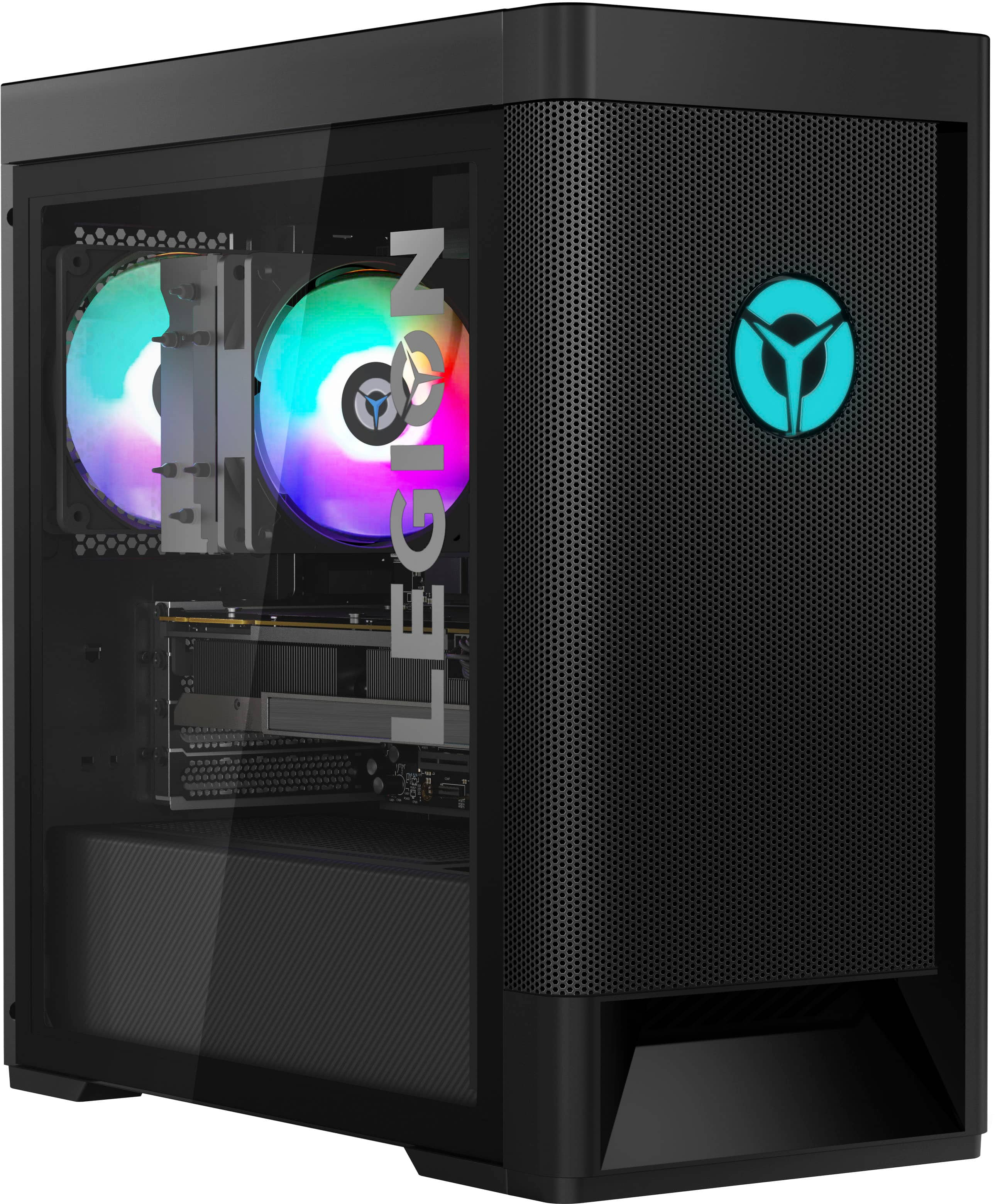

- Model:
- 90RB001LUS
- SKU:
- 6476717
Rating by feature
- Value
Rating 4.1 out of 5 stars
- Quality
Rating 4.1 out of 5 stars
- Ease of Use
Rating 4.2 out of 5 stars
Customers are saying
Customers are impressed with the Legion Tower 5's performance, especially its high frame rates in games and its ability to handle demanding applications. Many also appreciate the relatively low price point for the included components and the quiet operation during use. However, some users have reported issues with the motherboard and Wi-Fi connectivity, requiring replacements or troubleshooting. A few also experienced problems with the hard drive.
This summary was generated by AI based on customer reviews.
- Cons mentioned:Motherboard
DO NOT BUY
||Posted . Owned for 8 months when reviewed.This reviewer received promo considerations or sweepstakes entry for writing a review.Would give negative stars if I could. This Lenovo worked for less than 3 months and then died. FOUR motherboard replacements later and I still have a dead computer after another 3 months of dealing with Lenovo "Premium Care". Lenovo knows that there is an issue and refuses to replace but will gladly send someone to my house to replace dead motherboard after dead motherboard until the "warranty" ends. BestBuy could care less so I'm on my own with a $1500 brick. Do yourself a favor and RUN far, RUN fast!
No, I would not recommend this to a friend Quick and quiet
||Posted . Owned for 3 months when reviewed.This reviewer received promo considerations or sweepstakes entry for writing a review.My 11 year old son loves it. No lagging and works great with Oculus Quest 2 which was a deal breaker when we started looking for a pc. He mostly plays Roblox (and Roblox on Oculus) and Minecraft. All have worked flawlessly.
I would recommend this to a friendBrand response from Lenovo Product Expert
Posted .Thank you for choosing the Lenovo Legion Tower 5 AMD Gaming Desktop. We are very pleased to see that the specifications and features of the Lenovo Legion Tower 5 AMD Gaming Desktop meet you and your son's computing needs so well.

My first Pc
||Posted . Owned for 8 months when reviewed.This reviewer received promo considerations or sweepstakes entry for writing a review.Great computer had excellent use out of it but dident take long before everything stopped working for me now everytime i turn on the Pc. I get Error 0135.
I would recommend this to a friendBrand response from Lenovo Product Expert
Posted .We are sorry to hear that you are having issues with your Lenovo Legion Tower 5 AMD Gaming Desktop Computer, model number 90RB001LUS. A Error 0135 is a: Error 0135:CPU fan failure message, usually requiring a BIOS update. Since you can not get to the Windows Login Screen currently, we recommend you contact Lenovo Legion Ultimate Support for additional help at: 888-278-9707.
Good for gaming
||Posted . Owned for 9 months when reviewed.This reviewer received promo considerations or sweepstakes entry for writing a review.It’s been almost a year, everything is good except the fan is too noisy.
I would recommend this to a friend- Pros mentioned:Cooling, Performance, Ram
Good for casual gamers
||Posted . Owned for 2 weeks when reviewed.This reviewer received promo considerations or sweepstakes entry for writing a review.When I say good for casual gamers, I don’t mean that this PC doesn’t have the chops to play the latest AAA titles at 60FPS. It definitely can! The 5700G processor is quite capable and powerful with a bonus of integrated Vega graphics. The GPU, an RTX3060, is still in the current gen and thanks to CES is now no longer the entry level card in NVIDIA’s lineup. That’s now the 3050. Lenovo installed 16GB RAM correctly in Dual Channel configuration and it is upgradeable to 128GB thanks to the 4 channels on the motherboard (more on that later……) 512GB SSD and 1TB HDD means you won’t run out of storage immediately. The case is mesh, with two 120MM fans pulling in air, a 120MM CPU Cooler, and a 120MM exhaust. This all amounts to a quiet, cool temp gaming experience. So why does this only meet the casual gamer criteria? Well, simply put, the upgrade potential is still somewhat limited in the most basic area: RAM speed and over locking potential. The motherboard claims to support RAM of 3200, but the BIOS and lack of XMP/AMP support means no RAM, stock or upgrade will reach those speeds. An enthusiasts off the shelf board would enable this, but by upgrading that you void your warranty, since the Lenovo vantage software (which manages your BIOS, RGB, CPU power management, etc. is not present on any off the shelf ATX board. The case uses standard ATX mounts, so of course you could physically fit the new motherboard in, but it’s not a Lenovo Legion PC at that point really. So if you are willing to accept that the motherboard will always be a bottleneck for your CPU and RAM due to lack of overclocking support, what can you upgrade? 1. RAM (with aforementioned limited returns) 2. CPU cooler (if you prefer all in one liquid cooling) 3. More case fans 4. Additional storage drives 5. The power supply (though the FSP unit onboard is 80+ Gold rated and will last a while) 6. The GPU (if you can find one at a good price), which is a Lenovo card produced to NVIDIA’s spec. To many users, who just want a personal computer that just works for them for a couple years to play the latest games at 1080p and also have the chops to meet all the basic web browsing, video streaming, productivity tasks, go for it. It’s a great machine that’s up to the task. If, like me, you’re forced into pre-built PCs by this market but want something that’ll give you limitless potential to get into the DIY PC game, this isn’t it. But it could be a good PC to try it out in the areas I described. Just don’t expect it to do what Lenovo doesn’t intend it to do.
I would recommend this to a friend - Pros mentioned:PerformanceCons mentioned:Motherboard, Power supply
Get Ready to Cry, Swear, and Enjoy Short Term Love
||Posted . Owned for 1.5 years when reviewed.This reviewer received promo considerations or sweepstakes entry for writing a review.Hello everyone. If you find this review, then congrats! You will learn how trash and broken this prebuilt PC is. So, as my very first PC, it is good. It does the job it needs to do and it helped me a lot with my Content Creation (I am a gaming YouTuber/Streamer). I purchased this PC in December of 2021, and it was an amazing time and experience. It then lasted until March of 2023 when many who also owned this PC started screaming in their windows and to their mothers that the PC's motherboards and boot setup were failing them. Mine did just about the same. Always had a boot error that was "b1initializelibrary failed" multiple times until I managed through sheer will and tears to then update the BIOS and have it working for another few months until now, November 2023, it has officially become a brick where after multiple manual resets (and more tears), the PC's power supply and perhaps even the motherboard has issued its last breath. So to those looking to get this PC (which I doubt it considering even Best Buy here doesn't want to sell it so that's very telling), buy it if you have the money to invest in a longer-lasting PC. If not, then build your own man. It's more economical. In my case, I got a brick, but now it's time to dissect it and build my own out this husk. Wish me luck, and hope you enjoyed this review.
No, I would not recommend this to a friend - Pros mentioned:Cooling, Performance, Ram
Good pre- built?
||Posted . Owned for 1 month when reviewed.This reviewer received promo considerations or sweepstakes entry for writing a review.I purchased this computer about a month ago. I normally build my own computers but you cant get a good power supply and GPU at this price. It plays every game I put on it. Extremely quiet and has customizable RGB inside. Surprising dual channel ram and great airflow. Cable management is to par and better than most pre-built. I feel it is a good buy. Minimal bloat on this PC.
I would recommend this to a friendBrand response from Lenovo Product Expert
Posted .Thank you for choosing the Lenovo Legion Tower 5 AMD Gaming Desktop. We are very pleased to hear that the specifications and features of the Lenovo Legion Tower 5 AMD Gaming Desktop meet your computing needs so well.
- Pros mentioned:RamCons mentioned:Hard drive
Overall good
||Posted . Owned for 1 year when reviewed.This reviewer received promo considerations or sweepstakes entry for writing a review.My son has loved this computer. Great look, fast, functional. Up until this point, it has been very reliable. We added some RAM so he can play the more advanced RAM heavy online games...a cheap upgrade. Perfect until just now. We are about 16 months after purchase and seeing a potential hard drive error. Maybe par for the course, it has a lot of running time so you decide. FOr the price, I think I am good with overall value. not sure what to expect from gaming computers.
I would recommend this to a friend - Pros mentioned:PerformanceCons mentioned:Motherboard
Good Product, EXTREMELY large issue
Posted .This reviewer received promo considerations or sweepstakes entry for writing a review.When I bought the computer, it was amazing. It runs games like Elden Ring at a consistent 60fps, but after a few months, I received an error code reading "B1InitializeLibrary failed 0xc0000001" It seems that it's a motherboard issue, and almost every unit I've seen has had this issue, keeping it from booting ANYTHING up, with the bios menu being the only exception. Overall, it's a great computer, but is simply NOT worth getting unless you know how to change the motherboard. I also refuse to get a warranty on it, as every instance of the Lenovo Support stepping in has resulted in the exact same issue. Once again, great product, but comes essentially preloaded with an unfixable issue.
No, I would not recommend this to a friend - Pros mentioned:CoolingCons mentioned:Wifi
A great PC for beginners!
||Posted . Owned for 3 weeks when reviewed.This reviewer received promo considerations or sweepstakes entry for writing a review.I was looking for a good prebuilt computer because I am very new to the PC gaming community and wasn't interested in building one especially with everything being so expensive right now. My package was delivered right on time and in perfect condition with good packaging. It was an easy set-up and I was able to get it running in less than 5 minutes. The build is sleek and organized with slight customization with the lights. The airflow of this PC is wonderful and isn't very loud even when I am using it for the whole day for both school and gaming the temperature stays low. I have had no problems running any game so far. I did have to take a star off due to one main problem that other people seem to also have an issue with. The wifi seems to disconnect every time that the PC turns off which can easily be fixed by restarting the computer but for its price point I would have expected better quality on that part. I don't know much about PC so I don't trust myself in trying to replace that part but if you a capable in managing such issues then I would highly recommend this PC.
I would recommend this to a friendBrand response from Lenovo Product Expert
Posted .Thank you for choosing the Lenovo Legion Tower 5 AMD Gaming Desktop Computer. We are sorry to hear that you are having issues with your WiFi connectivity. Check to be sure you have the latest version of Windows 11 on the computer. Then update all BIOS files and drivers up to that latest version of Windows 11. You can easily accomplish this by scanning the computer with the Lenovo Utility software available on this computer. This system has Lenovo utilities installed to help maintain the health of the device and keep the operating system software up to date. Type "Lenovo Vantage" in the Cortana Search window (if Lenovo Vantage is not installed on your device, you can download the APP and install it now). Select Lenovo Vantage from the list. In the window that opens, click on "Health and Support". In the expanded menu, select "Hardware Scan" In the window that opens, select "Run Quick Tests". This will scan your entire system for errors. Follow any directions that may pop up. If the problem continues after this scan, now click on "System Update". First select Windows update from the menu. Scan your system to be sure you have the latest version of Windows 11. Once that scan is complete, select "Additional Updates". This will scan your device to be sure there are no new BIOS/Driver updates needed. Follow any instructions that may pop up. If the issue still continues after these updates, we recommend you call Lenovo Legion Ultimate Support for additional help at: 888-278-9707.
- Pros mentioned:PerformanceCons mentioned:Motherboard
Great quality and performance for the money!
||Posted . Owned for less than 1 week when reviewed.This reviewer received promo considerations or sweepstakes entry for writing a review.I purchased this computer with the intent of getting the GPU due to being unable to procure my own at a reasonable price due to the chip shortage. That being said, this is easily the best pre-built I have seen so far. Opening the case, I was met with neatly organized wire management, name-brand parts, and, as opposed to most other pre-built PCs, the memory was dual channel! I even opened the right-side panel to see behind the motherboard, and the wires there were neatly arranged. The power supply is name-brand and 80+ gold certified, not a knock-off by any stretch of the imagination. The computer booted right up fresh out of the box. I had to remove some bloatware that came pre-installed but it wasn't nearly as severe as some other manufacturers. Gaming performance on this computer is stellar for 1080p. If going to 1440p or beyond, I'd be looking for a system with at least an RTX 3060ti, or a 3070. The system is also dead quiet in normal operation and the fans don't spin up very loud during gaming sessions either. My only gripe about the system is the PSU is only 650W. It will suffice for the setup, but if you want to upgrade the GPU at a later date, you're going to need a larger PSU. I was planning on gutting the GPU and CPU to move into a custom setup, but I honestly don't see a reason to move them out of this case at all right now. I already added a 4TB HDD for mass storage, and will soon be placing an order for 4x32GB of DDR4 3200mhz memory along with a 2TB NVME SSD to max out the motherboard's capabilities. Overall, I am ecstatic about the system! If you're looking for a pre-built gaming PC because you're not familiar with computers, or you just want the simplicity of a plug-and-play system, this is absolutely for you.
I would recommend this to a friendBrand response from Lenovo Product Expert
Posted .Thank you for choosing the Lenovo Legion Tower 5 AMD Gaming Desktop Computer. We are pleased to hear that the Legion Tower 5 meets your computing needs so well.
- Cons mentioned:Motherboard
Initialized Library Failure-avoid this PC
Posted .This reviewer received promo considerations or sweepstakes entry for writing a review.Worked pretty good for a year and a half, then downhill. After just over 2 years the motherboard bricked. Came up with initialized library failure. Brought to professional to reinstall windows but they’re unable to due to a chip Lenovo puts on the board. ~$400 later I have a new motherboard and case. Also need to buy a new air cooler as theirs does not fit in a regular case configuration. I’d steer away unless your intent is to upgrade mobo.
No, I would not recommend this to a friend - Pros mentioned:Performance, SpeedCons mentioned:Wifi
Pc streaming/gaming/ all great
||Posted . Owned for 1 month when reviewed.This reviewer received promo considerations or sweepstakes entry for writing a review.So far a month into using the pc, fast speed, quiet and colorful design, system running smooth gaming and watching shows. Though it is doing the whole wifi drop when in sleep or randomly when turning it on I have to restart. Which annoying but it fixes after restarted since no driver update to correct it unless I swap the wifi from Realtek to intel. The pc is fantastic in all regards and happy I am able to upgrade it still.
I would recommend this to a friendBrand response from Lenovo Product Expert
Posted .Thank you for choosing the Lenovo Legion Tower 5 AMD Gaming Desktop Computer, model number 90RB001LUS. We are sorry to hear that you are having issues with the WiFi connectivity. First, check to be sure you have the latest version of Windows 11 on the computer. Then update all BIOS files and drivers up to that latest version of Windows 11. You can easily accomplish this by scanning the computer with the Lenovo Utility software available on this computer. This system has Lenovo utilities installed to help maintain the health of the device and keep the operating system software up to date. Type "Lenovo Vantage" in the Cortana Search window (if Lenovo Vantage is not installed on your device, you can download the APP and install it now). Select Lenovo Vantage from the list. In the window that opens, click on "Health and Support". In the expanded menu, select "Hardware Scan" In the window that opens, select "Run Quick Tests". This will scan your entire system for errors. Follow any directions that may pop up. If the problem continues after this scan, now click on "System Update". First select Windows update from the menu. Scan your system to be sure you have the latest version of Windows 11. Once that scan is complete, select "Additional Updates". This will scan your device to be sure there are no new BIOS/Driver updates needed. Follow any instructions that may pop up. If the issue continues after these updates, we recommend you call Lenovo Legion Ultimate Support for additional help at: 888-278-9707.
- Pros mentioned:Performance
Legion T5 AMD
||Posted . Owned for 3 months when reviewed.This reviewer received promo considerations or sweepstakes entry for writing a review.After 4 months of use for gaming, school, and memes this thing has not let me down performance wise. Handles most games at high settings with adjustments depending on the game (obv) keeping a pretty stable 60fps. Minimal bloatware (3-4) programs easily deleted. Unfortunately at the time of writing this review I have run into an issue. The PC will not post/boot up/ whatever you wanna call it. After hours of phone calls with lenovo they have sent out replacement parts and a technician to address the issue. Upon pressing the power button the whole case will usually light up with all the RGB glory it has. Now the only thing that happens is the fans start spinning without the RGB lighting and the logo of the graphics card lights up. Luckily this particular unit comes with a year of lenovo premium care, so this will all be covered under the warranty. I did attempt to adress the issue with best buy, but their out of store (online/phone) customer service sucks. They also will charge you for any repairs through the in house geek squad. Over all if ya need a rig for some late nights with the boys this is a pretty decent option. The case is super nice and the fan set up creates excellent positive pressure forcing hot air and dust out. With only 1 HDMI port you are limited, unless you have a DVI capable monitor then no worries. Hopefully my no post issue isn't a widespread issue and is only my bad luck.
I would recommend this to a friend - Cons mentioned:Motherboard, Wifi
Nice specs, Ok price, Lenonvo need QA department.
||Posted .This reviewer received promo considerations or sweepstakes entry for writing a review.Ordered it online and pick in up at store and it was DoA out of the box. Quick note: the RTX 3060 is a Lenovo OEM card, in case anyone is wondering. Rig starting crashing during windows update, but eventually got done. Then it started getting the random restart loop that some people are having where the rig will flash to black and proceed to restart itself and it will go through this loop over and over again. The frequency only became shorter and shorter to a point it will start doing that in the middle of logging into windows. If I even try to reset window, it will crash. Yes, it is at a point where I can even rest windows. Amazed this got pass QA at Lenovo. So I did what a normal human being would do and pack the whole thing up went back to the stores within hours for an exchange. To my surprise, the exchange process was easy and painless, Best Buy store made it easy and the awesome guy at the counter reminded me they are having and extended return policy during this time of year, which was great. So say what you will about online shopping, getting stuff at a brick and mortar store still has it advantages. So +1 for Best Buy. So the second unit I got works like a normal would work and complete up to date with windows update, yay I guess? Well until I encounter the common WiFi issue like many mentioned here AND on the internet. The WiFi would stopped working when you turn on the machine, and why it wasn't working? A look at the Control Panel will show you that the WiFi adapter doesn't even exist, but the real issue can only be revealed when you go into the Hardware Manager, it will tell you that WiFi adapter is having the "not enough resources" issue and throws a "Code 12" (you can look it up yourself online what that is). Many online would suggest doing some setting gymnastics to get it to even function, but the real issue is the rig out of the box came with an outdated bios that literally stop the WiFi adaptor from working...in the year of 2021. Again amazed at Lenovo QA, if they even have a QA department. I know the Lenovo rep that hangs around here that pats people on their shoulders when they gave 4~5* reviews, may be he won't show up on this one cause it's a 3, would say use the Lenovo Vantage app and get system updates. Well, that Vantage is a pointless piece software, as NONE of the updates are consider "critical" so the app will tell you you don't need any updates. Let me break it to you if WiFi isn't work out of the box on the 2021 computer, that's pretty critical to me. So after I MANUALLY update the bios, the Wifi seems to stopped having amnesia and divide itself with zero every time I start the machine. So I will take any battles I can win. Rig seems to run like a normal computer would run now but I will need more time to see, at least I still have the extended return from Best Buy until January. If it weren't for a few hundreds dollars from my credit card rewards I would have refund this and not look back. Finally managed to treat myself to a rig that is not 1 or 2 generations behind and this is the experience I got from a $1500 machine. The only up side about this rig is the specs are not bad, great case and lots of fans. If you want something that works out of the box or you are buying this as a gift to someone that does not even remotely have any tech sense. Look for something else.
No, I would not recommend this to a friendBrand response from Lenovo Product Expert
Posted .We are sorry to hear that you are having issues with your Lenovo Legion Tower 5 AMD Gaming Desktop Computer. We recommend you contact a Legion Gaming Expert at Legion Ultimate Support for help with any issues or questions you may have about your Legion Tower 5 System: 888-278-9707.
- Pros mentioned:RamCons mentioned:Motherboard
Avoid Lenovo
||Posted . Owned for 1 year when reviewed.This reviewer received promo considerations or sweepstakes entry for writing a review.I bought this computer in November of 2021. Normally I build my own computers and never go with prebuilds but this was during the time you couldn't buy graphics cards so I decided to try one and this is what I got. It was a fairly good computer while it lasted which was less than 6 months. Around March of 2022 It started to not boot and kept throwing error codes and from what I can tell the motherboard or PSU was dying or even both. While doing research I found this to be a common problem with this model so I called Lenovo customer support and they told me they were aware of the issue but had no solution to the problem and basically told me there was nothing they can do even though it was within warranty. During this time I was working Insane hours so I didn't have the time to push the issue and now its out of warranty. I have since built and new computer and now I have this $1400 over sized paper weight. From my research there appears to be a class action lawsuit due to this issue and believe me I will be looking into it more because this is unacceptable. Lenovo used to be a good brand but I don't know what happened to them. I will be taking any salvageable parts (Graphics Card and CPU) and will be rebuilding this computer so its not a total loss
No, I would not recommend this to a friend - Pros mentioned:Cooling, Performance, PriceCons mentioned:Wifi
Best Pc for price
||Posted . Owned for less than 1 week when reviewed.This reviewer received promo considerations or sweepstakes entry for writing a review.I recently bought this pc even after reading bad reviews about the bad WiFi chip and after 2 days I haven’t had that problem at all. Runs smooth and stays cool with the mesh case. Overall if ur looking to get a good pc for a good price this is the best you’ll get.
I would recommend this to a friendBrand response from Lenovo Product Expert
Posted .Thank you for choosing the Lenovo Legion Tower 5 AMD Gaming Desktop Computer. We are pleased to hear that the performance of the Legion Tower 5 meets your computing needs so well.
- Pros mentioned:Cooling
100% would tell others to buy great pre built
Posted .This reviewer received promo considerations or sweepstakes entry for writing a review.The pc is great im giving a 4 star because it doesnt allow you to control fan speed very limited in doing so at least and it wont even work when you want to change fan speed and your have to re connect wifi every time you shut it down other then that the pc is great with cooling and pc parts it saved me 300$ the pc barely has any pre installed apps i have owned it for 3 months works fine
I would recommend this to a friendBrand response from Lenovo Product Expert
Posted .Thank you for choosing the Lenovo Legion Tower 5 AMD Gaming Desktop. We are very pleased that the specifications, features, and performance of the Lenovo Legion Tower 5 AMD Gaming Desktop meet your computing needs so well.
- Pros mentioned:Cooling, RamCons mentioned:Wifi
This pre built is better then my ibuypower
||Posted . Owned for 1 month when reviewed.This reviewer received promo considerations or sweepstakes entry for writing a review.I'm coming from my first pc pre built which was a ibuypower 2060 super the ssd went in it which was a adata and the ram sticks are also adata very cheap they cut corners didn't do much research when buying that pc but this one has a wd blue so you'll be 100% good Samsung ram sticks were in my pc i upgraded them to 32gb rgb ram kit the cooling holly stays so cold how i look at it is spend the extra and get a pc you'll be 100% happy with oh and the wifi thing people had problems with i didn't and still have not had a disconnect but i did buy a wifi card adapter because i was worried about it don't lol you'll be good i just installed the wifi card in my old pc
I would recommend this to a friend - Pros mentioned:PerformanceCons mentioned:Wifi
Lives up to basically ever expectation
||Posted . Owned for 2 months when reviewed.This reviewer received promo considerations or sweepstakes entry for writing a review.Got it around Christmas time, and have yet to really put it through its paces outside of a bit of Baldur's Gate 3 (which it ran perfectly), but it runs older games at their top specs, which is to be expected. Looking forward to seeing what it can do with games like Elden Ring and Horizon Forbidden West. Only minor complaints are it's a bit slow on start up, the wifi is buggy as heck sometimes (especially come out of sleep mode), and it doesn't have a Disc Drive, but that's on me for not checking that it does before purchase. Overall, I think you could do a lot worse for a midrange prebuilt and I wish I'd bit the bullet on something like this 5 years ago instead of an expensive laptop and a budget gaming pc.
I would recommend this to a friendBrand response from Lenovo Product Expert
Posted .Thank you for choosing the Lenovo Legion Tower 5 AMD Gaming Desktop Computer, model number 90RB001LUS. This model configuration ships with two hard drives: a 512GB solid state hard drive with the Windows 11 Operating System installed and a 1TB mechanical 7200RPM hard drive drive for archiving. With the Windows 11 OS installed on the slid state hard drive, this Legion Tower 5 will boot from off to the Windows login screen in less than 20-seconds. If you are getting slower boot times, be sure any software you installed is compatible with Windows 11, this includes any legacy software you have installed from an old computer. Additionally, there is no need to install Microsoft Office software. The software is already part of the operating system, you just need to activate the software with a purchased product key. If you have installed a copy of Microsoft Office, this is conflicting with the existing copy on the system and this will slow your system down. If you have installed a 3rd party anti-virus program, be sure that Windows Defender is turned off and that the trial version of McAfee Anti-Virus software is uninstalled. There can only be one anti-virus program on the system. Here is a link to instructions for uninstalling McAfee from a Windows computer: https://service.mcafee.com/?articleId=TS101331&page=shell&shell=article-view You may need to restore your system to original factory default settings if any of the programming errors have occurred. You can do that by typing "restore" in the Cortana search window. Just click on the magnifying glass icon at the bottom of your Windows 11 Desktop. Click on "Reset This PC" Then click on "Get Started" and follow the on screen directions to restore to factory defaults. Regarding the WiFi issues you mention, check to be sure you have the latest version of Windows 11 on the computer. Then update all BIOS files and drivers up to that latest version of Windows 11. You can easily accomplish this by scanning the computer with the Lenovo Utility software available on this computer. This system has Lenovo utilities installed to help maintain the health of the device and keep the operating system software up to date. Type "Lenovo Vantage" in the Cortana Search window (if Lenovo Vantage is not installed on your device, you can download the APP and install it now). Select Lenovo Vantage from the list. In the window that opens, click on "Health and Support". In the expanded menu, select "Hardware Scan" In the window that opens, select "Run Quick Tests". This will scan your entire system for errors. Follow any directions that may pop up. If the problem continues after this scan, now click on "System Update". First select Windows update from the menu. Scan your system to be sure you have the latest version of Windows 10. Once that scan is complete, select "Additional Updates". This will scan your device to be sure there are no new BIOS/Driver updates needed. Follow any instructions that may pop up. If you get a message saying that there are no updates needed, you can directly update/reinstall the WiFi Driver within the Windows 11 Operating System on this Laptop. Here is a link to instructions for doing this: https://allthings.how/how-to-install-or-update-windows-11-wifi-driver/#:~:text=In%20Settings%2C%20click%20on%20the,Download%20%26%20install'%20under%20it. If the issues continue, we recommend you contact lenovo Legion Ultimate Support for additional help. Let the Legion Customer Support Specialist know what troubleshooting steps you have already taken. Call Legion Ultimate Support at: 888-278-9707.