Customer Ratings & Reviews



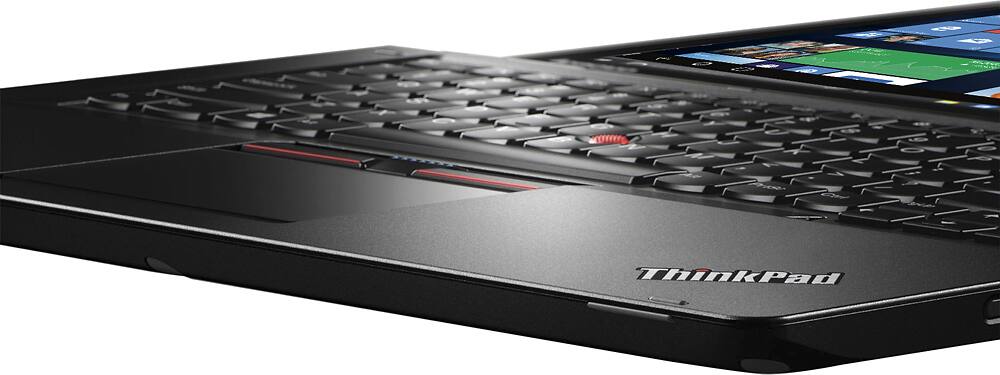

- Model:
- 20FY0002US
- SKU:
- 4456400
Rating by feature
- Value
Rating 4.1 out of 5 stars
- Quality
Rating 4.1 out of 5 stars
- Ease of Use
Rating 4.4 out of 5 stars
Customers are saying
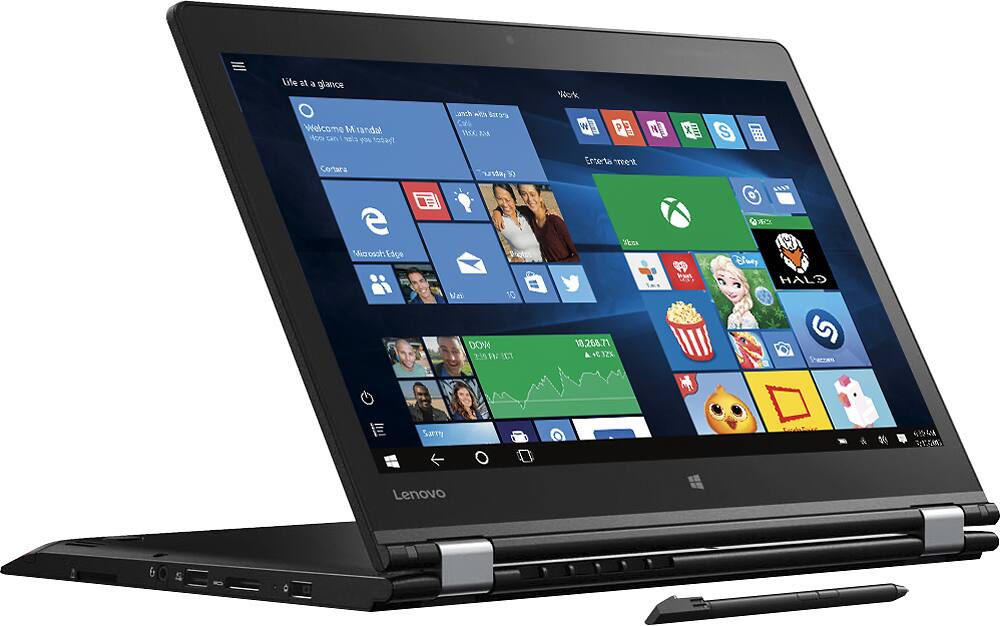
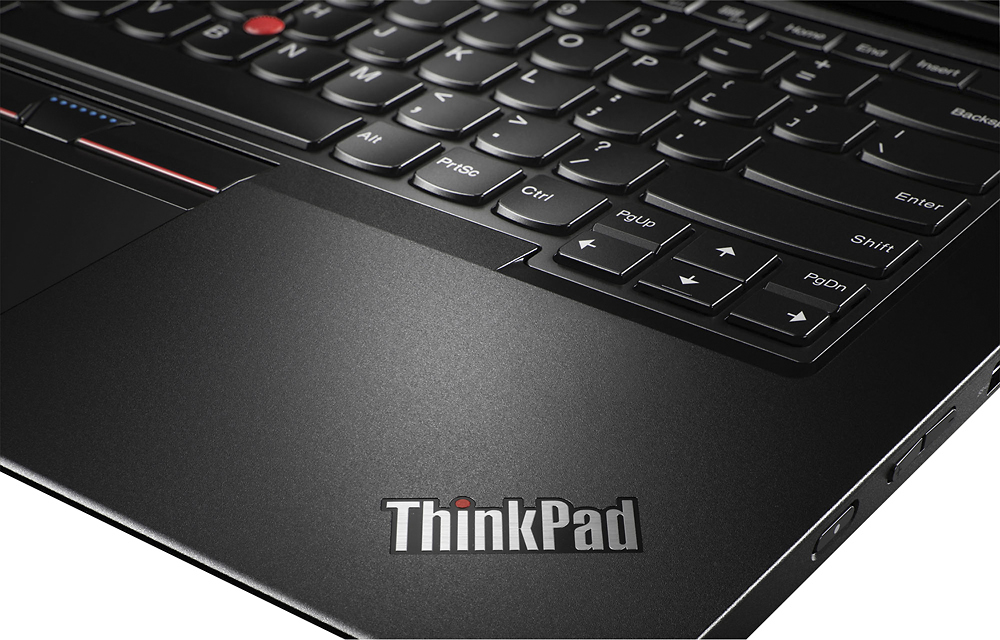
Customers commend the Thinkpad 2-in-1 laptop for its exceptional keyboard, great value, smooth performance, and impressive battery life. While some users find the laptop to be a bit heavy, others wish for more RAM and a dedicated Ethernet port. Overall, customers are pleased with the build quality and performance of this laptop.
This summary was generated by AI based on customer reviews.
Very happy so far
Posted .This reviewer received promo considerations or sweepstakes entry for writing a review.The included pen is fairly good - it is definitely better than the pen on the Surface Pro 3, very close to the old Wacom EMR. You will notice some slight artifacts and jitter close to the edges, but overall I am very satisfied. I do think the included pen is too slim - it is not as comfortable to hold as the SP3 pen. Definitely order the big pen if you need to write a lot of stuff. I am a little disappointed with the screen though - the color is way off and looked washed away (just like my old T410), I haven't had enough time with it so I don't know if this can be calibrated somehow. Touchpad is not as good as old ThinkPads but still better than competition; I found myself using the track point a lot, like in the old days.
I would recommend this to a friend- Pros mentioned:Battery life, Keyboard
Very Pleased
Posted .This reviewer received promo considerations or sweepstakes entry for writing a review.I have been looking for a replacement to my HP Elitebook 2740 that I loved until my husband spilt coffee on it. I am rather picky about laptops and how they suit me. I have been using tablet/laptops for numerous years and I knew that I would only be happy with another. For me, one of the big selling points was that this laptop has a pointing stick/eraser head mouse. I have been using them for a long time back to my old days with my first IBM ThinkPad. I find this so much easier to use than a touchpad since I rest my hands when typing on where the touchpad is and I don't have to take my hands off the keyboard to use the mouse. Very easy to turn the touchpad off. I have been impressed with log on and log off speeds. The screen resolution is lovely along with very good touchscreen sensitivity. I do like the backlighted keyboard which is very responsive. I did take me a bit to get used the location of the caps lock key that is rather close to "a". I did have some issues with loading legacy software BUT that is a Windows 10 issue not the laptop issue. A simple Google search gave me the work around and it worked perfectly. I am very pleased with the battery life and the weight of the laptop. I also LOVE the large square end to the AC adapter along with its reduced weight and the fact it doesn't get hot during charging. I looked at MANY laptops to find that one that suited me best. I also should mention that I had a very helpful Best Buy salesman that helped me narrow my search to two laptops (other an HP) once I described my needs and likes. After nearly a month with this laptop, I couldn't be more pleased. Even though I kind of went into Windows 10 laptop with doubts (especially after software loading issues), I am very happy with the whole experience.
I would recommend this to a friend - Pros mentioned:KeyboardCons mentioned:Weight
BUY THIS MACHINE
Posted .This reviewer received promo considerations or sweepstakes entry for writing a review.This is by far the best value laptop you can buy today. The keyboard is fantastic (like most thinkpads), the trackpoint makes it easy to keep your hands on the keys (a definite plus if you code), the stylus is accurate, and it has plenty of power for most tasks. The finish is also quite good, very deep black with a nice texture and does not show fingerprints. I have been complimented by many mac owners on this thing... The bad: I ended up buying two because I bought open box to save money. The first one crashed pretty frequently so I returned it. The second had a problem with the display, but instead of returning it, I called Lenovo directly (they have a separate service department and number for Think products) and they had a box on my doorstep 10 hrs later. Once I received my unit back (2 days later) it worked flawlessly and has ever since. Only other thing is that there is a limited number of compatible styluses available, although this has more to do with the new AES technology than the laptop itself. Lastly, the product weighs 4.2 lbs, not the advertised 3.85 (this is probably due to the fact that the Yoga 460, Lenovo's "real" version, is made from carbon fiber). Conclusion: Even with the issues I experienced, I would not hesitate to recommend this model, it is that good. For what I got, the trouble was completely worth it. For comparison, if you were to order directly through Lenovo, the comparable version would cost $1,300 and they do not even offer it with a discrete graphics processor. Also, this is the only stylus enabled laptop that has a trackpoint, which I personally would have paid more for but thankfully didn't have to. *Note - if you have problems with the machine, call Lenovo, Best Buy has pretty terrible customer service from my experience.
I would recommend this to a friend - Pros mentioned:Battery life
Fit my strict criteria - good laptop
Posted .This reviewer received promo considerations or sweepstakes entry for writing a review.Probably about time I posted a review for this laptop, now that I've had it for about 6 months. As some background, I am a student in college so I carry it everyday to and from campus, and use it for notes and school. I was very specific with my requirements for my next laptop, including: i5 or better processor, 8gb+ memory, ssd, 1080p screen, good battery life, 13-14", backlit keyboard, light-ish weight (3-4lb), touchscreen + stylus, upgradable, good looking. Thankfully, I found this laptop that fit the bill! It has been plenty fast, and although the ssd is a little small, it has been enough for me so far if you watch the storage usage. The battery life is enough to get me through a full day of classes while taking notes with onenote/the stylus. I like the fact that it has the stylus and is foldable, and haven't had any issues with durability with the folding screen. It could be lighter, but not bad for a 14" laptop that's not too expensive. I also really like the dedicated graphics card, and have been able to use this laptop for some light gaming! (hitting a steady 45fps in Overwatch, and have played some Age of Empires II). This laptop has also been able to manage some light video editing in Premiere. Pros: -Dedicated GPU -Upgradable (memory/ssd) -Backlit keyboard and lenovo keyboard (with a full size R Shift button!) -Good battery life -Powerful enough for some video/photo editing and light gaming -Good looking and sturdy construction Cons: -Glossy screen gets dirty quickly -The front edge of the laptop when is sharp, so resting your hand on it while using the computer can get uncomfortable -Power button on the side is awkward -My sweaty palms leave damp spots where my palm rests, which are easily wiped off -Had some issues originally with some drivers and software updates, but everything seems to be worked out now I really don't have too many complaints about it (as you can see, mostly small cons) In conclusion, a great buy for an all around laptop for a student. I would suggest this laptop to someone in the market for all that I was looking for, in a cheaper laptop. This has fit the bill well for me, and I hope to use if for years to come!
I would recommend this to a friendBrand response from Lenovo Product Expert
Posted .Thank you for choosing the Lenovo ThinkPad Yoga 2-14. We are pleased to hear that the value, features and performance of the ThinkPad Yoga 2-14 meets your computing needs so well.

- Pros mentioned:Battery life, Keyboard, Price
Great Laptop
Posted .This reviewer received promo considerations or sweepstakes entry for writing a review.Great laptop for the money. Dont think i5 processor is not good enough. Dedicated graphic card really makes it up. Keyboard and mousepad is great. Battery life is great. It will pull 8 hours doing email web/networking with no problem. There is nothing else that feels this good, not even macbook pro.Only negative is that Lenovo doesnt offer this setup with i7. I would pay extra money. At the same time if you go with i7 x1 carbon for $1700 still no graphic card... Lenovo please fix that.
I would recommend this to a friendBrand response from Lenovo Product Expert
Posted .Thank you for choosing the Lenovo ThinkPad Yoga 2-14. We are pleased to hear that the performance of the ThinkPad Yoga 2-14 meets your computing needs. With regard to offering a configuration with an I-7 processor and graphics card, we will look in to this for future updates.
- Pros mentioned:Battery life, Keyboard
Single greatest piece of technology I've used
Posted .This reviewer received promo considerations or sweepstakes entry for writing a review.This Lenovo is the the single greatest piece of technology I have ever interacted with. It WORKS as it should, and fails only under the most extreme of circumstances. It's only time it ever crashed on me was when I had about 50 tabs open on google chrome, 4 instances of Microsoft Word open, and three OneNote notebooks open, and was watching Netflix while reading a book in split-screen. I bought this "two in one" for both note-taking and for use as computer in college. As far as note-taking is concerned, it preforms phenomenally. I flip the screen back, open OneNote and take notes with the built in Wacom stylus. In this way I've realistically taken hundreds of thousands of words of hand written notes with no problems. The stylus charge lasts longer then my hour and a half lectures, and charges in the time walking between classes, ready for the next lecture. The stylus has never died on me, only announced it was low on charge ONCE, when I forgot to slot it back in again while doing homework. As far as acting as a computer, from my previous statement you can tell there is no problem there, it's very fast and does what you tell it with no complaints. Because of its discrete Nvidia graphics card it has no problem playing Civilization V at high settings, with no memorable frame drops. As far as hardware is concerned, it's amazing. It charges much faster then my phone and previous laptops and tablets, and the battery lasts reasonably long, over six hours of continuous heavy usage. I have had it die on me in class though, but so long as you have access to an outlet for 15 minutes at some point during the day, you should have no problem using it all day long. Its built like a tank. Its made of solid METAL, despite how it looks in the pictures. Whatever they've painted it with is even harder then metal. I put this in my backpack with spiral notebooks and worried about scratching. I should have been worried about my notebooks. Every time I take it out of my backpack I have brush METAL DUST off of it, from where it rubbed against my notebooks, while my laptop remains scratch free.
I would recommend this to a friendBrand response from Lenovo Product Expert
Posted .Thank you for choosing the Lenovo ThinkPad Yoga 2-14. We are pleased to hear that the features and performance of the ThinkPad Yoga 2-14 meets your computing needs so well.
- Pros mentioned:KeyboardCons mentioned:Weight
Has the nice Thinkpad features. Weighs 4.14 lbs
Posted .This reviewer received promo considerations or sweepstakes entry for writing a review.I bought a 13.3" Dell at first. The screen may be just a tiny bit smaller but the keyboard on the Dell was way to small. I could barely type at all. Thinkpads have always been famous for their great keyboards. This one has a great keyboard. I dont understand why the other Lenovos dont have the same keyboard (or layout). Its not like Lenovo has to get a license from another company! Anyway the build quality looks good so far. I did not see any screen edge bleeding mentioned by others. Mine was assembled on Aug 1, 2016. Maybe the newer ones are ok. The keyboard has some flex but I have no idea why anyone would care? The keyboard still feels 10x better than the other laptop keyboards. Has the nvidia card plus I also see the intel adapter in the device manager. I am not sure if the nvidia can turn off automatically to save battery power (as was the case with my older thinkpad t400). battery life indicator said it has 7 hrs left at full charge. I havent tested the battery yet. The biggest flaw I have seen is the weight. This is not a light computer. and a lot of the weight seems to in the screen. Maybe its due to the digitizer in the screen for the included active touch pen. Anyway, I took this laptop and weighed it on a precision scale. This thing weighs 4.14 lbs. Not the 3.85 lbs in the specs. Deceptive specs! However it does seem good for a household with crazy kids (or at least I hope). My T400 survived 7 years of heavy banging and I hope this one does the same.
I would recommend this to a friendBrand response from Lenovo Product Expert
Posted .Thank you for choosing the Lenovo ThinkPad Yoga 2-14. The weight of this system is 3.85 lbs.
- Pros mentioned:Keyboard
Durable. Super-comfy keyboard, sharp screen.
Posted .This reviewer received promo considerations or sweepstakes entry for writing a review.My Thinkpad Yoga 14 was flawless right out of the box. I've had it two weeks, it's been perfect. I use, and like, both Macs and Windows machines, and while the trend toward thinner-and-lighter has its charms, the great Thinkpad keyboard and larger screen (than that of a 13" device or Surface Pro 3) make this machine far more comfortable for serious office work. The touchpad is great, too. This machine is a great bargain.
I would recommend this to a friend - Pros mentioned:Keyboard, Price
Awesome Computer. Great features
Posted .This reviewer received promo considerations or sweepstakes entry for writing a review.I bought this computer a week ago as an Open Box Excellent condition. Saved $250 from the normal price! I was looking for a 14ish inch Lenovo 2-1. I chose this model over the regular Yoga for the Thinkpad durability and the stylus. It doesn't look as nice but that doesn't bother me at all. The Stylus is a big plus for me as well. The computer will charge it while it's plugged in. Everything has worked well thus far and I do NOT regret my decision. The i5 processor paired with the 8GB RAM works sufficiently for what I use it for. Start up is pretty quick and moves through open programs like a charm. Storage seems a little small but I'm using this for a work computer so I don't really need a large amount of storage. Display looks awesome. Touch screen is very responsive (Windows 10 needs a touchscreen in my opinion.) The keys lower into the keyboard as you flip the screen into tablet mode. This might not seem like a big deal but I tried out other 2 in 1s that didn't have this feature and I didn't like the keys sticking out. It seems more stable with the recessed keys. Battery is ok but who wouldn't like to have a longer battery life. If I had to guess, I'd say that I get around 5- 6 hours of life before a charge is needed, but most laptops never get the life that the manufacture says that they do. The red mouse button in the middle of the keyboard is a blast from the past. It doesn't interfere with typing but I don't actually use it. I stick to the touchpad which has dedicated buttons at the top but also has the buttons built into the touch pad at the bottom. The bottom buttons work well, and this is what I always use. I went from 15.6" laptop so I'm still getting used to the smaller keyboard and the lack of a number pad but I'm doing just fine with it. All in all I think that this laptop and I will get along just fine!
I would recommend this to a friendBrand response from Lenovo Product Expert
Posted .Thank you for choosing the Lenovo ThinkPad Yoga 2-14. We are pleased to hear that the features and performance of the ThinkPad Yoga 2-14 meets your computing needs so well.
Great just dont break the pen
Posted .This reviewer received promo considerations or sweepstakes entry for writing a review.The laptop is phenomenal. Great screen great power and the pen input is everything I could ask for as an engineering major in regard to note taking. The 2gb dedicated graphics also works well as I can run solidworks and autocad with ease. It can also play Steam games in full 1080 with no problem (although I'd recommend getting an external cooling source like a fan pad as it will get very hot playing graphic intensive games). Now to the cons. One of the biggest selling points for me was the pen that came included. There is a dedicated port on the laptop for you to store the pen. It is also a capacitive pen so it will reach a full charge in a matter of minutes. However mine was poorly assembled. After a month of use, the glue holding the pen together failed and half the pen got stuck in the port of the computer. I was still in the range for the manufacturers warranty and I also had the full GeekSquad subscription. Turns out on Lenovo's website, the pen does not exist and they could offer me no replacement. Seems kind of silly that something not only included with the laptop but also has a dedicated port would not be considered an accessory. I managed to get a replacement by having my local bestbuy to use the pen from their floor model. In short, take care of the pen and hope to god it does not break. It uses Wacom tech so you could buy one separately but not for cheap by any means and you wouldnt be able to store it with the laptop.
I would recommend this to a friendGreat Value for what it offers.
Posted .This reviewer received promo considerations or sweepstakes entry for writing a review.I had this computer for a month. I really toyed around with it and made sure I experienced it well. i wanted a Surface Book-- but I cannot justify the price for one. This one has a "self-charging" digitzer with it, is less than 15inches, it is user upgradeable, and has a dedicated video card. Given the build of the computer, I know it's solid. It just lacks the oomph for me. For the price, the build, the features and usability, I don't think you can find anything else in this price range. Just the dedicated graphics itself is already a winner. I also looked at the Lenovo 900 and the HP Spectre-- both were pretty machines and were light. but were more expensive and did not have dedicated graphics. The reason I returned it was I thought it was a little on the heavy side and it lacked the i7 option-- the weight, I will understand. That is what you will get with a machine with dedicated graphics-- but part of it was, I thought I was not future-proofing myself with just an i5 option. The memory or sdd is upgradeable which makes this machine a great value. I will recommend to others who are medium users. I was partially sad to have returned it, but I don't want to keep it knowing there might be a better one coming soon with better looks too. Look for a 2-in1 with a dedicated video card-- so far I think out there, this is the best affordable option.
I would recommend this to a friend- Pros mentioned:Battery life, Keyboard, Performance
Great, versatile laptop with power.
Posted .This reviewer received promo considerations or sweepstakes entry for writing a review.I purchased this machine for a work computer. I'm in the construction field, so battery life and durability were important. Not only does this computer excel in those areas, it's sleek and easy to use as well. Switches easily from laptop to tablet mode, and the stylus comes in handy for my line of work. Would definitely recommend to anyone lookiing to purchase a powerful laptop with the versatility of a tablet.
I would recommend this to a friendBrand response from Lenovo Product Expert
Posted .Thank you for choosing the Lenovo ThinkPad Yoga 2-14. We are pleased to hear that the durability and performance of the ThinkPad Yoga 2-14 meet your business computing needs so well.
- Pros mentioned:Performance, Price
Best Bang for your dollar!
Posted .This reviewer received promo considerations or sweepstakes entry for writing a review.What can I say, it's a ThinkPad made by Lenovo, it's craftsmanship is top notch, performance of the machine is everything I could ask for, and much more. I am an electrical engineering student, for the task that I need, programing, various 3D software, this laptop tackles whatever I throw at it. And for the price, with the hardware that this little beast has inside, it is a steal. What this might be lacking in so called "Flash", it is what is underneath this machine where it truly shines. If you are looking for a laptop don't bother looking anywhere else. The only con I can see someone having with this computer is the battery life, but for what this computer is built for, most of the time you will have a power outlet close by. But that would be the only con. Pros: Everything else.
I would recommend this to a friendBrand response from Lenovo Product Expert
Posted .Thank you for choosing the Lenovo ThinkPad Yoga 2-14. With regard to the battery life, try changing your power management setting to a more conservative one. You can do this in the control panel, in the power management category on your system. Select a more conservative power management setting to extend battery life.
BUY IT
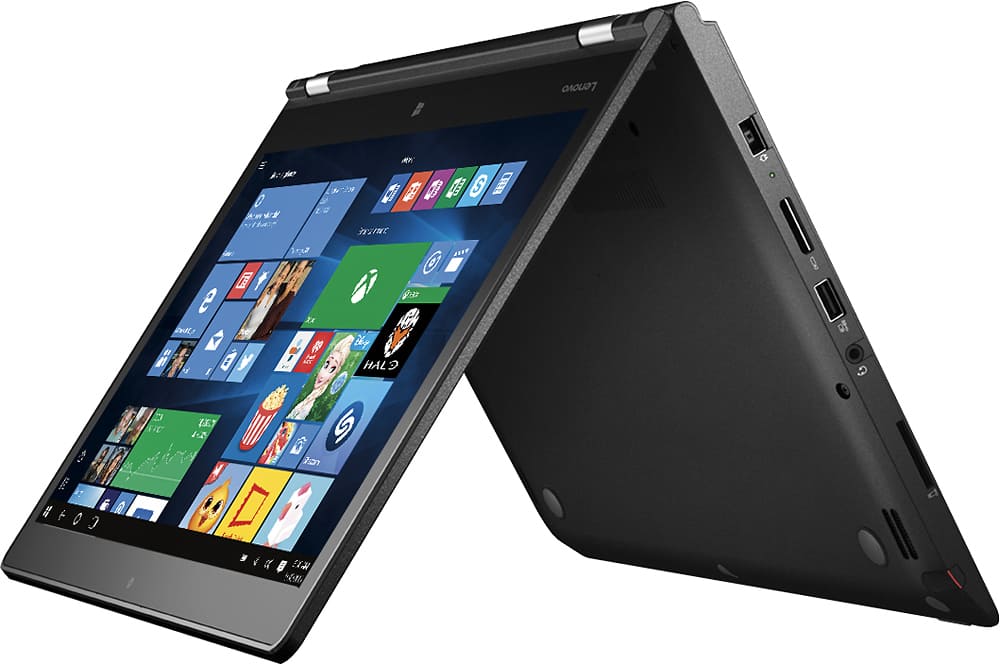
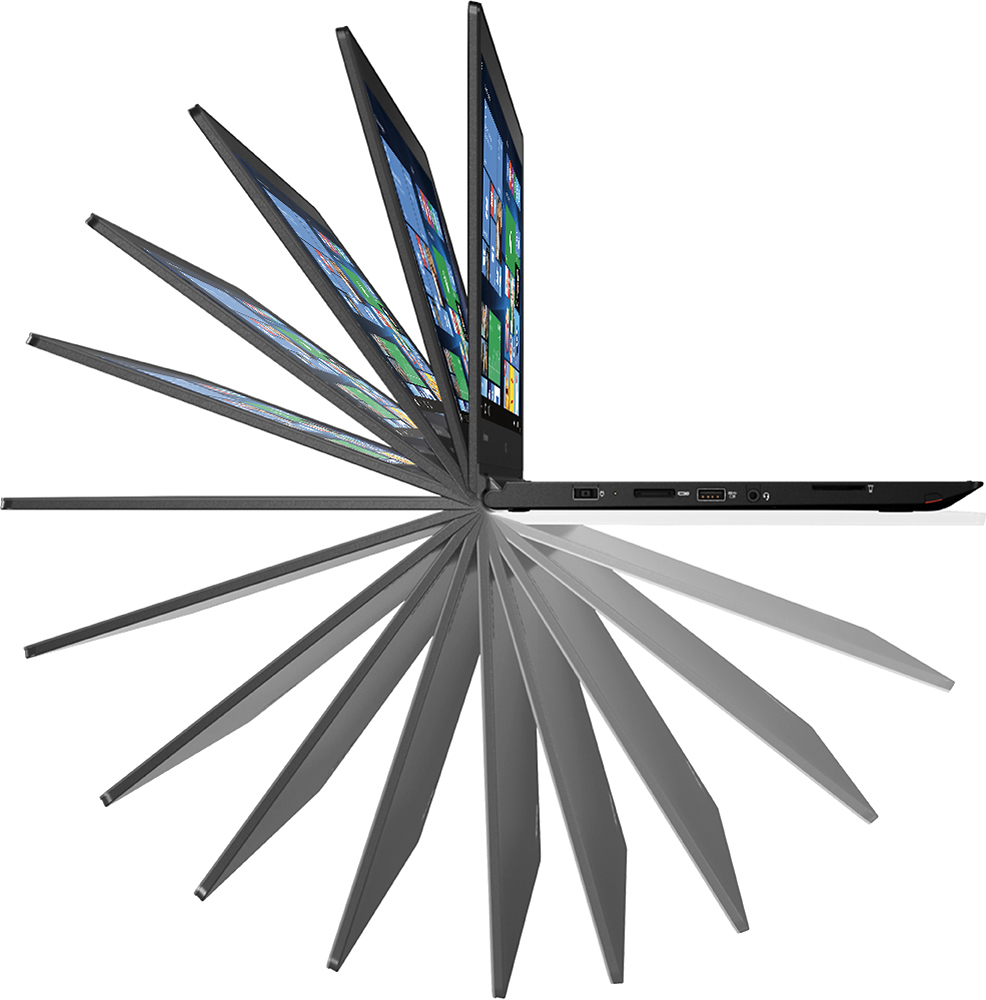
Posted .This reviewer received promo considerations or sweepstakes entry for writing a review.Seriously...buy it. Has all the specs of the higher priced Macbook Pro but with THE BEST keyboard in the industry. Period. Has the latest 6th gen skylake i-5 processor, 256 SSD, and 8gb of RAM, complete magnesium case, FANTASTIC touchpad, a stylus pen that charges and stores inside the laptop itself. And oh yeah....it's a 2 in 1...being able to transform into tablet mode, tent mode, stand mode, and laptop mode. Really....its the total package. Before I bought this laptop...I went through 3 laptops (hp, lenovo flex, macbook) and returned them all. This is the one I settled on....do yourself a favor...try it.
I would recommend this to a friend- Pros mentioned:Keyboard
Awesome laptop, with quirks
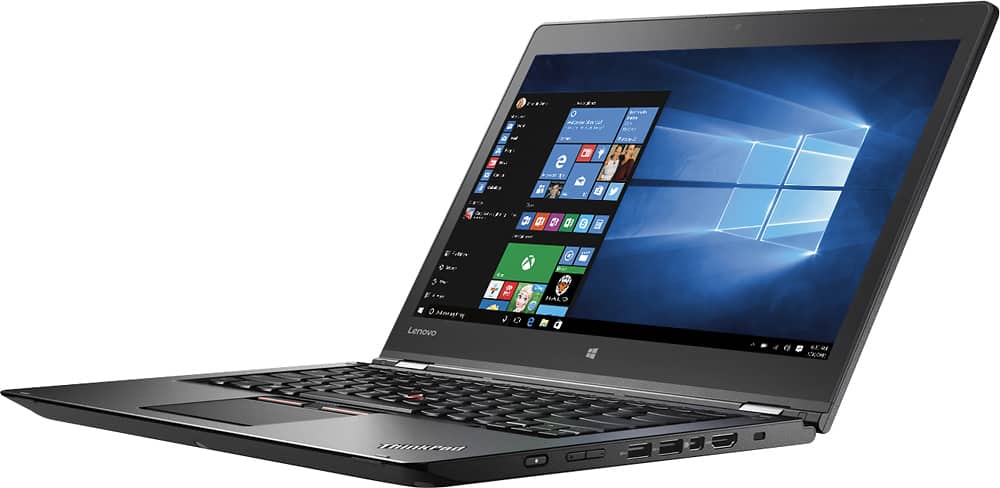
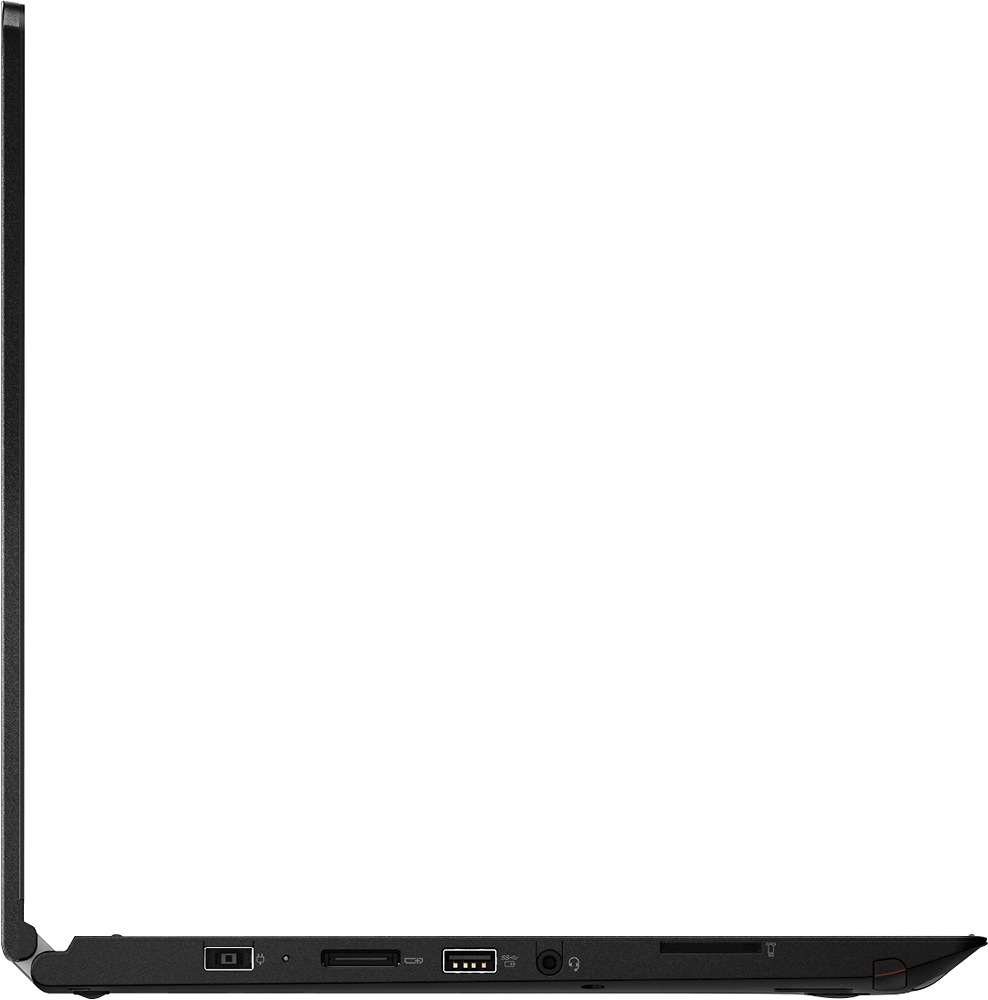
Posted .This reviewer received promo considerations or sweepstakes entry for writing a review.Overall, a good laptop with excellent features for the price. I was afraid the i5 would be slow but it is performing nicely. Pros: It comes with an excellent keyboard and a good selection of ports. It has USB ports on either side which is convenient and it comes with a micro SD card reader. I wish it had an Ethernet (RJ45) port. That would have been perfect as it would allow me to connect to Internet using a cable instead of always relying on the wireless. The laptop runs silently which is very important to me. Most professional reviewers (online and print) do not indicate this, but many laptops, even those with no moving parts (all SSD, etc.) have rather loud and persistent fan noise. For me, the battery lasts around 4-5 hours which is fine with me but not near the advertised amounts. The biggest factor is in the brightness setting of the screen. Under lower levels, it can go longer. It comes with a pen which is nice. There are two buttons on it like on a mouse. I would have liked it more if not for two reasons:. It is quite thin to hold. The buttons are located not near the tip of the pen but somewhere in the middle which makes it very hard to click on the buttons. If you try, you lose the position of the cursor, which defeats the purpose of using it. But, for basic usage of clicking on things, it works fine. Again, the pen is a nice extra; it is just that it could be so much better with a slightly more ergonomic design. It comes with a dedicated graphics card. This should make it possible to play games without lag. I don't really play games so it remains to be seen. Note: there are no instructions on how to enable the graphics card, so I am not sure if it is always on or not. Cons: The screen is kind of dim. At a coffee shop or near windows with sunlight, you will need to turn the brightness all the way up to 90% or higher. Otherwise, I can usually work fine with brightness around 40%. Now, my biggest gripe: lately, in the past few days, my cursor has started losing its grip and it resets halfway through an action. For example, I am moving a window, and halfway, the mouse will lose its grab on the window title and stop moving the window. But it immediately reactivates which results in the mouse selecting stuff in other windows or on the desktop. Or, I am editing some text, and I try to highlight/select a word or two, and it starts OK. But then by the time I reach the end of the words, it loses its focus and selection goes away. It is infuriating as it is a very basic feature to be able to hold the mouse down and select words, or move things around. I have tried the trackpoint, the trackpad as well as a mouse connected to a USB port, and it always happens. It wasn't like that though until a few days ago so I am not sure what went wrong. Everything is up to date with Lenovo Companion. I don't see this in other touchscreen laptops and tablets, all running Windows 10. Maybe I will switch to plain vanilla Windows 10, instead of Lenovo version if this persists.
I would recommend this to a friendBrand response from Lenovo Product Expert
Posted .The issue you describe with the cursor sounds like an automatic Windows update conflict issue. Can you restore back to a date before the issue started? If not, there may be driver updates for your specific system. Follow the link below to look for new driver updates for your specific system. As always, be sure to create a restore point on your system before you make any changes. Here is the link:
http://support.lenovo.com/us/en/products/Laptops-and-netbooks/ThinkPad-Yoga-Series-laptops/ThinkPad-Yoga-14-20FY/20FY/0002US?linkTrack=Caps%253ABody_SearchProduct&tabName=downloads&beta=false
- Pros mentioned:Keyboard
Great laptop with a few quirks
Posted .This reviewer received promo considerations or sweepstakes entry for writing a review.Been using this Thinkpad Yoga for a couple of weeks now, and so far it has been a great experience. Coming from two mechanical keyboards, the keyboard of the Thinkpad didn't feel particularly mindblowing, but it's certainly better than the keyboard of my last laptop or any other latop I've used. The trackpoint on they keyboard is awesome and my most preferred way of using the mouse when using the laptop on the go. The GT940m can handle old games like Sven-Coop (Half-Life 1) and Mount & Blade: Napoleonic Wars very well (on low), although M&B lags in large maps with high amounts of players. Also, in Sven-Coop there is this strange artifacting on the screen where there is a diagonal line going from the center to the top left corner that causes shearing when looking around rapidly. Kind of irritating but doesn't directly affect performance while playing that game. The diagonal line sometimes appears in M&B too but not as often. The 360 degrees screen is very useful and most of the time I use it in display mode (keyboard facing down) when on my small rolling desk so I can fit my mechanical keyboard & mouse. The retracting keyboard is quite a feat of engineering when turning the screen completely 360. As a tablet in this mode it's quite heavy to hold onehanded, so you should probably just rest it on a table or your lap if you want to use it as a tablet. The included pen is nice for using in this mode, although a little on the skinny side. Beware when buying a third party pen for a more comfortable grip though; I tried to use a Fujitsu T5000 with it and it did NOT work with it. So make sure to find a compatible pen if you prefer something besides the stock pen.
I would recommend this to a friend Solid windows laptop
Posted .This reviewer received promo considerations or sweepstakes entry for writing a review.I am an IT professional, software developer and a Mac. I don't think I've ever enjoyed simply being on a windows computer as much as this one. I was skeptical about a 2.3 processor but I've met with no lack of performance so far. Running Eclipse and watching flash video along with windows mail is about all I've done at once, though. I intend to run several other developer services and will update. My perception so far is that this laptop has a solid, pleasant keyboard, no sponge, and a better-than-average trackpad. With all my laptops past and present I tend to rest the heel of my left hand on the bottom left of the laptop when just using the mouse for a while and this one does still exhibit the peculiar aspect of that sometimes engaging drag-and-select when you are just attempting to move the mouse pointer. Unrelated, my preference would be that the mouse buttons be at the bottom of the trackpad rather than the top. I spent a few minutes in the store on an Acer R14 and chose this instead mostly because it felt more solid, physically. Display is quite good. Form factor is sleek and solid.
I would recommend this to a friend- Pros mentioned:Battery life, Keyboard
LOVE IT!!
Posted .This reviewer received promo considerations or sweepstakes entry for writing a review.I was fed up with my Dell computer (unreliable internet access, heavy, big, would turn on and stay on randomly, draining the battery...). So I did some research. I liked the Thinkpad because of the battery life, the stylus, the ability to flip the screen. I liked it better than the other computers at Best Buy, but was tempted to go for a more expensive one. In the end, I chose the Thinkpad, because of the battery life, the solid structure, the stylus and the price for all that. I love that there is a dedicated place for the stylus which charges it. The stylus is great, with a super sensitive tip--it writes like a real pen! I also have become quite attached (in one week) to the ball mouse that comes with IBM computers. I love that I can take this light computer to work without the cable, and work for hours! After using it for 3 hours, it said that I still had 8 hours left. Of course, I didn't need to test this, but it was nice to see!
I would recommend this to a friendBrand response from Lenovo Product Expert
Posted .Thank you for choosing the Lenovo ThinkPad Yoga 2 14. We are pleased to hear that the value, features and performance of the ThinkPad Yoga 2 14 meets your computing needs so well.
- Pros mentioned:Battery life, Keyboard, Performance
Exactly What I Wanted
Posted .This reviewer received promo considerations or sweepstakes entry for writing a review.The Yoga 14 is a great work laptop. It has the same durability and design as the more expensive Thinkpad Yoga at a discounted price. Keyboard is excellent, pen is sensitive, and it has a ton of power! Great device with long battery life. The transformer does get a bit warm.
I would recommend this to a friendBrand response from Lenovo Product Expert
Posted .Thank you for choosing the Lenovo ThinkPad Yoga 2-14. We are pleased to hear that the value and performance of the ThinkPad Yoga 2-14 meets your computing needs so well. With regard to the AC adapter getting warm to the touch, this is normal but it should never get too hot to touch.
- Pros mentioned:Keyboard
This laptop is exquisite!!
Posted .This reviewer received promo considerations or sweepstakes entry for writing a review.About me: I am a graduate student about to go on rotations. I was looking for a laptop that would fit the needs for going on rotations, is small enough for portability, sturdy, something that can handle a lot of work at one time, not super expensive (less than $900) and Netflix (of course!). My previous laptop was a dell inspirion 15" that I have had for about 8 years now. It is quite heavy compared to these newer lighter laptops. I was waiting for my dell to die before purchasing a new laptop but the 'd' and the 'l' keys stopped working on my dell so here we go! Initially, I purchased the dell inspirion 2-in-1 13.3 inch" laptop. I’ve had dell for years so I thought, hey dell again! I had it for 12 days before returning it. I did not like the dell because even though it had the 256gb ssd, it was still really lagging. When I search using start program, it takes a few seconds to catch on what I was typing. For instance, "program". I type in program, the 'pro' pops up and it takes about 3 more seconds to fill in the rest '-gram'. I am a person who needs to work very fast and therefore loves things that works fast. This was a huge annoyance to me. Also, the scrolling function lagged. When scrolling through powerpoint or even webpages, it is very jumpy and skips; not smooth at all. I even uninstalled some of the extra bloatware that dell installed, and that helped a little but not enough for me to keep it. After returning it, I did a TON of research on other 2-in-1 laptops because I love the tablet feature. That is when I purchased this one. In the previous review, people love this laptop because it is a thinkpad. I have NO CLUE what that means. I love using short cut keys and function keys so I needed my home, end, insert, delete buttons as a one stroke key. I hate it when smaller keyboards combine the arrow keys with these functions, and that you had to use Fn + whatever arrow key to use these functions. This was one of my top priority. I love that this keyboard had the: home, end, insert, delete function as one stroke. I really appreciate that in a 14-inch laptop. The function keys are also multimedia keys, but there is a Fn lock option that locks out the multimedia functions and allows you to use F1, F2, etc as usual. I love that we have the option for this. The keyboard is exquisite. It is one of the best laptop keyboards I’ve ever tried. The keys push in more when you use them, so it feels like a desktop keyboard and not one of those flat looking keyboards. The Lenovo does not lag in the search or scrolling department as it did with the dell. It does not install any other Lenovo features in contrast to the dell (the dell had almost 8 other applications installed that was not needed). The trackpad mouse has good sensitivity. Note, the right and left clicks for a mouse are more near the keyboards than the person, however, the trackpad also clicks to be able to use the right and left click. The charging port is a USB type port and not the usual round looking plug-in, which makes it more familiar to use. There is a stylus that comes with this thinkpad. It has good pressure point, sensitivity, and tracking. The pen is stored and charges in a slot within the laptop. There is no external battery that you can take out like in the dell. Speakers are on the bottom side of the laptop but near the front (person) so nothing is too quiet. The power button is on the right side of the laptop and Headphone jack is on the left side. There is backlit keyboard, and options to turn the lights higher and turn off. And, I have not heard the fan since buying this laptop. It does get warm when charging, but that’s not too concerning. I do not have a single thing to complain about this laptop, yet!
I would recommend this to a friendBrand response from Lenovo Product Expert
Posted .Thank you for choosing the Lenovo ThinkPad Yoga 2 14. We are pleased to hear that the features and performance of the ThinkPad Yoga 2 14 meets your computing needs so well.