Customer Ratings & Reviews


- Model:
- 81CU0040US
- SKU:
- 6295992
Rating by feature
- Value
Rating 4.1 out of 5 stars
- Quality
Rating 4.3 out of 5 stars
- Ease of Use
Rating 4.4 out of 5 stars
Customers are saying
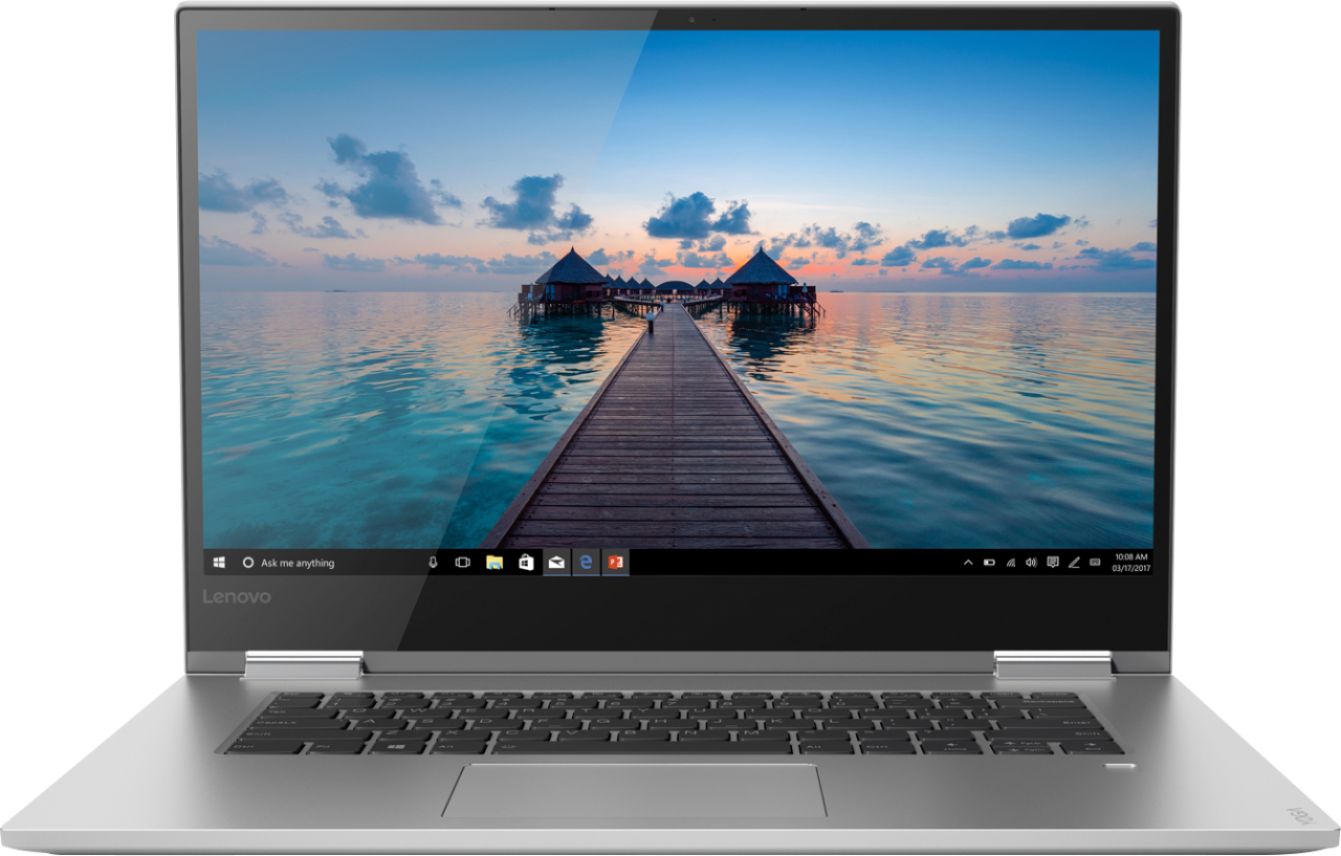
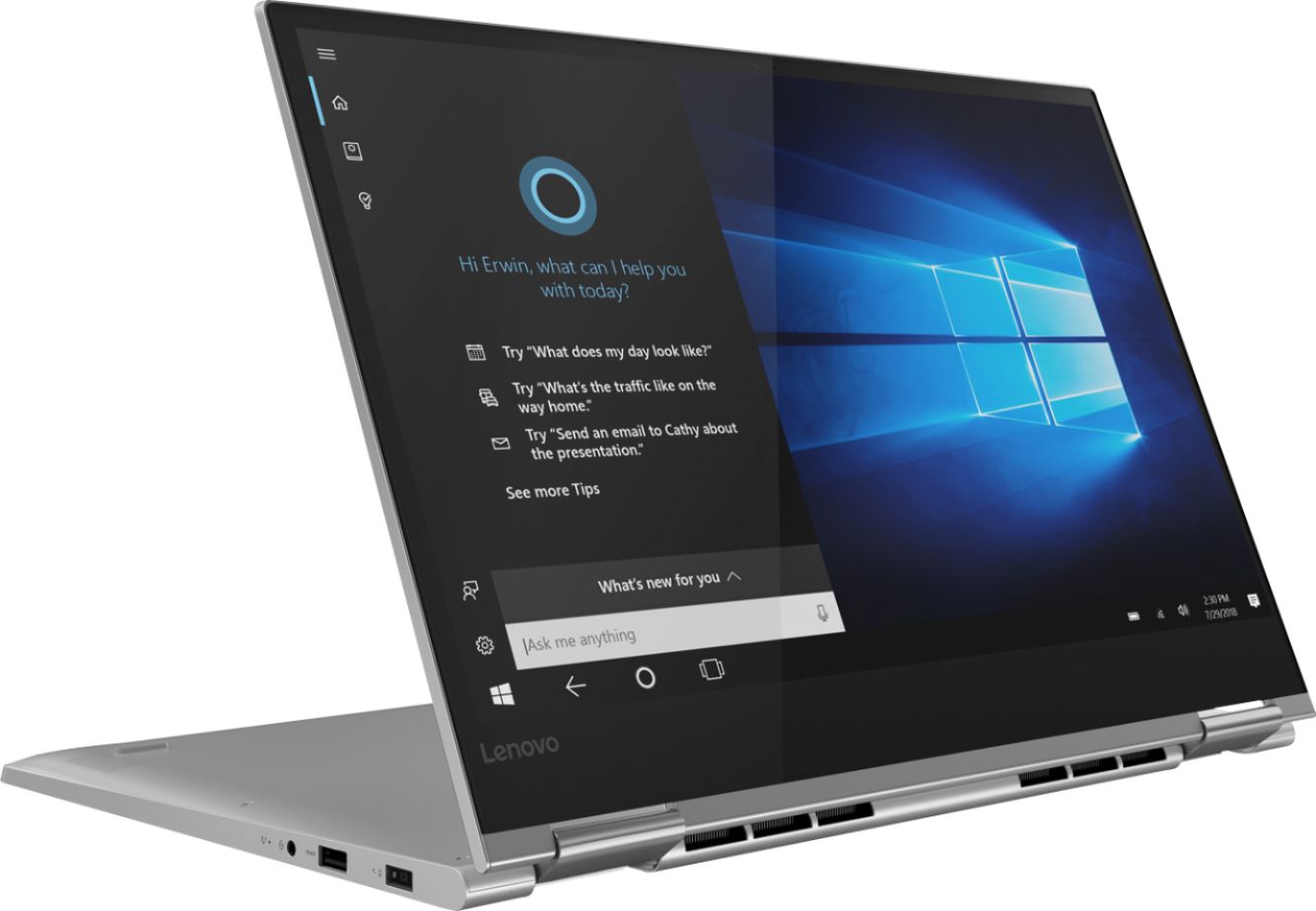
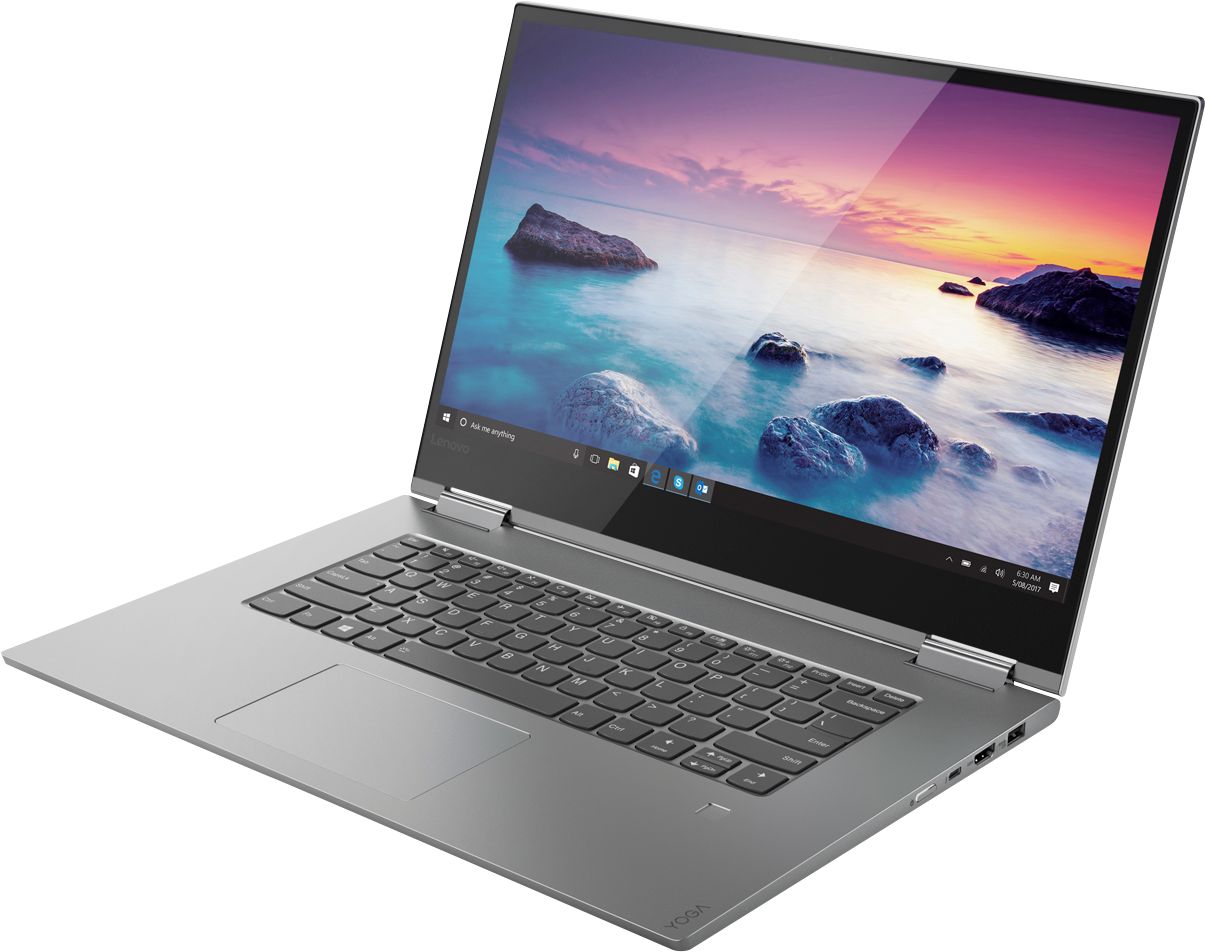
Customers are delighted by the Yoga 730's stunning 4K touch-screen display, powerful performance, and reasonable price. Many users also appreciate the laptop's build quality, ease of use, and fingerprint reader. However, some customers have expressed concerns about the laptop's battery life and Wi-Fi connectivity.
This summary was generated by AI based on customer reviews.
- Pros mentioned:Touch screen
Nice computer.
||Posted . Owned for 1 month when reviewed.This reviewer received promo considerations or sweepstakes entry for writing a review.Like the touch screen. Great screen. Keyboard backlit. Battery life is ok. WiFi drops but my husband found a fix online and it’s better now.
I would recommend this to a friendBrand response from Lenovo Product Expert
Posted .The Lenovo Yoga 730-15 4K Model ships with a 3CELL 51.5WH, Lithium Polymer Battery, with a battery life of up to 8 hours, depending on the work the device is performing. If you get dropped WiFi, be sure you have the latest version of Windows 10 on the computer. Then update all of the BIOS files and drivers up to that latest version of Windows 10. You can easily accomplish this by scanning the computer with the Lenovo Utility software installed on the computer. This system has Lenovo utilities installed to help maintain the health of the device and keep the operating system software up to date. Type "Lenovo Vantage" in the Cortana Search window (if Lenovo Vantage is not installed on your device, you can download the APP and install it now). Select Lenovo Vantage from the list. In the window that opens, click on "Health and Support". In the expanded menu, select "Hardware Scan" In the window that opens, select "Run Quick Tests". This will scan your entire system for errors. Follow any directions that may pop up. If the problem continues after this scan, now click on "System Update". First select Windows update from the menu. Scan your system to be sure you have the latest version of Windows 10. Once that scan is complete, select "Additional Updates". This will scan your device to be sure there are no new BIOS/Driver updates needed. Follow any instructions that may pop up. If the issue still continues after these updates, we recommend you call Lenovo Tech Support at: 877-453-6686 for additional help

Returned
||Posted . Owned for 3 weeks when reviewed.This reviewer received promo considerations or sweepstakes entry for writing a review.Bought this for my son who was going to college. He/We could never get the pen to sync with the computer. He also was not very comfortable with that specific computer. We just returned and purchased a different model. The computer was very nice and clean looking and ran smoothly what little time we had it. There was a sharp edge on the backside that did concern us which would have been enough to return even if we were keeping that brand. Not a terrible issue; I think it was just a bad part in assembly.
I would recommend this to a friendGive and Take, good features, heavy and dim screen
||Posted .This reviewer received promo considerations or sweepstakes entry for writing a review.I wanted better processing speeds, SSD, and a backlit keyboard. Got them all with this 730. The biggest drawbacks I feel are the weight and the dim screen. I was sitting in a Starbucks with the shaded windows behind me. It was a bright and sunny day outside and I had to switch seats to be able to see my screen. However, good batteries are dense and heavy and a brighter screen also means shorter battery life. I also like the new all-metal case, but metal is heavier too. It's "give and take". Overall, I am happy with it.
I would recommend this to a friendBrand response from Lenovo Product Expert
Posted .The Lenovo Yoga 730-15 4K model ships with a IPS LCD w/LED Backlight screen, with a resolution of 3840 x 2160 (UHD) and a brightness level of 300 nits. If you are experiencing a dimmer screen, be sure auto-brightness is turn off. Here is a link to instructions for turning off auto-brightness within Windows 10: https://www.itsupportguides.com/knowledge-base/windows-10/windows-10-how-to-disable-automatic-brightness-adjustments/. The Yoga 730-15 4K model ships with a full size 15.6" (screen size measured diagonally) screen, but still only weighs 4.17 lbs. The case on this model is light weight aluminum. For 2018, Lenovo retained its place for a second year as the best laptop vendor:
https://www.laptopmag.com/articles/laptop-brand-ratings
Great Laptop for college Students
||Posted . Owned for 1 month when reviewed.This reviewer received promo considerations or sweepstakes entry for writing a review.This laptop has everything a college student needs. I got my oldest son the equivalent model 2 years ago and he loved it so much I got my youngest son who is now getting ready to go to college the new model of this laptop. Plenty of CPU, RAM, and good graphics to do college work and play games and watch streaming for entertainment as well.
I would recommend this to a friend- Pros mentioned:SpeedCons mentioned:Battery life
battery life
||Posted . Owned for 1 month when reviewed.This reviewer received promo considerations or sweepstakes entry for writing a review.Battery life is really bad. Other than that, great aesthetics, weight, and speed
No, I would not recommend this to a friendBrand response from Lenovo Product Expert
Posted .The Lenovo Yoga 730-15 4K model ships with a 3CELL 51.5WH, Lithium Polymer Battery, with a battery life of up to 8 hours, depending on the work the device is performing. If you are getting less battery life, be sure any software you installed is compatible with Windows 10. Incompatible software will drain your battery quicker. There is no need to install Microsoft Office software. The software is already part of the operating system, you just need to activate the software with a purchased product key. If you have installed a copy of Microsoft Office, this is conflicting with the existing copy on the system and this will slow your system down. If you have installed a 3rd party anti-virus program, be sure that Windows Defender is turned off and that the trial version of McAfee Anti-Virus software is uninstalled. There can only be one anti-virus program on the system. You may need to restore your system to original factory default settings if any of the programing errors have occurred. You can do that by typing "restore" in the Cortana search window. Just click on the magnifying glass icon at the bottom left of your Windows 10 Desktop. Click on "Reset This PC" Then click on "Get Started" and follow the on screen directions to restore to factory defaults. If there is no incompatible software installed, to maximize battery life, first adjust your battery saver settings. Here is a link to instruction for doing this in Windows 10: https://www.digitalcitizen.life/how-use-configure-battery-saver-windows-10. Next, to maximize battery life, be sure there are no unwanted programs running in the background, draining the battery. Here is a link to some tips for finding out what is draining your battery:
https://www.laptopmag.com/articles/battery-saver-windows-10. Also, to maximize battery life, try changing your power management setting to a more conservative one. You can do this in the control panel, in the power management category on your system. Select a more conservative power management setting to extend battery life. Finally, if the battery life does not improve, a battery reset may help. Here is a link to instructions for reconditioning a non-removable battery, using the Battery Management Software installed on the computer. If you need further assistance, we recommend you call Lenovo Tech Support at: 877-453-6686. Here is the link: https://windowsreport.com/laptop-battery-not-charging-windows-10/
Comfortable keyboard for hours of typing
||Posted .This reviewer received promo considerations or sweepstakes entry for writing a review.I have enjoyed my purchase. It has been a great tool for word processing and having many multiple tabs open and running.
I would recommend this to a friendBrand response from Lenovo Product Expert
Posted .Thank you for choosing the Lenovo Yoga 730-15 4K model. We are pleased to hear that the features and performance of the Yoga 730-15 4K model meets your computing needs so well. The Yoga 730-15 ships with NVIDIA GTX 1050 discrete graphics with 4GB GPU RAM powered by NVIDIA Pascal, the world’s most advanced gaming GPU architecture, built for the latest multi-dimensional gaming environments. Savor a smooth, power-efficient performance that will take your gaming and cinematic experiences to the next level. Paired with the Yoga 730-15 4K display, it’s a whole new way to game. For 2018, Lenovo retained its place for a second year as the best laptop vendor:
https://www.laptopmag.com/articles/laptop-brand-ratings
- Cons mentioned:Battery life
Average Review
||Posted . Owned for 1 month when reviewed.This reviewer received promo considerations or sweepstakes entry for writing a review.There have been disappointments with this new computer. There is a pattern of dropping WiFi connections. Battery time is just ok. Keyboard and touchpad are both not easy to use. Extra care must be used to avoid having the left hand on the correct keys.
No, I would not recommend this to a friendBrand response from Lenovo Product Expert
Posted .For the best WiFi connectivity, be sure you have the latest Windows 10 update on the computer and that all of the BIOS files and drivers are also up to date. You can easily accomplish this by scanning the computer with the installed Lenovo Utility software. This system has Lenovo utilities installed to help maintain the health of the device and keep the operating system software up to date. Type "Lenovo Vantage" in the Cortana Search window (if Lenovo Vantage is not installed on your device, you can download the APP and install it now). Select Lenovo Vantage from the list. In the window that opens, click on "Health and Support". In the expanded menu, select "Hardware Scan" In the window that opens, select "Run Quick Tests". This will scan your entire system for errors. Follow any directions that may pop up. If the problem continues after this scan, now click on "System Update". First select Windows update from the menu. Scan your system to be sure you have the latest version of Windows 10. Once that scan is complete, select "Additional Updates". This will scan your device to be sure there are no new BIOS/Driver updates needed. Follow any instructions that may pop up. If the issue still continues after these updates, we recommend you call Lenovo Tech Support at: 877-453-6686 for additional help. The Yoga 730-15 4K model ships with a standard QWERTY keyboard, without 10-key numeric pad. You can make adjustments to the touchpad in your system settings. You can get there by clicking on the magnifying glass at the bottom left of your Windows 10 screen. Type "touchpad" in the search window. Select "Mouse & touchpad settings" from the list of choices. You can make general adjustments to the touchpad there. You can also select "Additional mouse options" for more detailed adjustments to the touchpad sensitivity by increasing the delay of the touchpad.
- Pros mentioned:Performance, Price
Really good Laptop
||Posted . Owned for 1 month when reviewed.This reviewer received promo considerations or sweepstakes entry for writing a review.This computer works in a very good way and the price is okay.
I would recommend this to a friendBrand response from Lenovo Product Expert
Posted .Thank you for choosing the Lenovo Yoga 730-15 4K model. The Yoga 730 offers a NVIDIA GTX 1050 discrete graphics with 4GB GPU RAM powered by NVIDIA Pascal, the world’s most advanced gaming GPU architecture, built for the latest multi-dimensional gaming environments. Savor a smooth, power-efficient performance that will take your gaming and cinematic experiences to the next level. Paired with the Yoga 730’s 4K display, it’s a whole new way to game. We packed more than 8 million pixels into a 15” wide-angle display edged with super-thin bezels (6.55mm sides / 9.65mm top). You’ll be watching the latest in theatrical quality video, movies, and TV exactly the way they were meant to be seen. With 300 nits brightness, you’ll see every detail. Experience truly immersive sound with Dolby Atmos, which creates a three-dimensional audio space. Sound comes alive with fullness and depth when you listen through headphones. For 2018, Lenovo retained its place for a second year as the best laptop vendor:
https://www.laptopmag.com/articles/laptop-brand-ratings
- Pros mentioned:Speed
Fast laptop
||Posted .This reviewer received promo considerations or sweepstakes entry for writing a review.Fast laptop. Speed is great. Flips into a tablet. Only downside is sometimes it freezes!
I would recommend this to a friend - Cons mentioned:Wifi connectivity
Great and powerful laptop
||Posted .This reviewer received promo considerations or sweepstakes entry for writing a review.I like this new laptop. However, I met some technical issue as default gateway is not found once connecting to WiFi
I would recommend this to a friendBrand response from Lenovo Product Expert
Posted .Thank you for choosing the Lenovo Yoga &30-15 4K model. With regard to the issue you are having with WiFi connectivity, if you were able to activate Windows completely you were connected to the internet at least during the initial automated setup of Windows 10. First, try a reboot of your computer, then see if you can complete a connection to your WiFi router. If this doesn't work, resetting the computer back to original factory settings, then resetting up Windows 10 may correct the issue. This system is equipped with OneKey Recovery System. There is a very small pin hole on the left side of the device, right near the headphone jack on the device. You will need a pin to push this reset button. Plug the device in. Let the battery charge for about 15 minutes. Push the reset button. The system should boot to a choice screen where you can choose "Restore To Factory Default". Select this. It will delete everything from the hard drive except the original factory install of the operating system. You will need to reinstall all programs and files after the reset. If you don't have copies of the files, try to make one before you restore by selecting "Boot to desktop" and trying to back up your files. If the problem persists after the factory reset, we recommend you contact Lenovo Tech Support at: 877-453-6686. For 2018, Lenovo retained its place for a second year as the best laptop vendor:
https://www.laptopmag.com/articles/laptop-brand-ratings
- Pros mentioned:Touch screen
Good for price point
||Posted .This reviewer received promo considerations or sweepstakes entry for writing a review.Graphics card and touch screen at the price point were very good. Screen, however, has a been of an unsavory glare.
I would recommend this to a friendBrand response from Lenovo Product Expert
Posted .The Lenovo Yoga 730-15 4K model, model number 81CU0040US, ships with a IPS LCD w/LED Backlight screen, with a resolution of 3840 x 2160 (UHD) with a brightness level of 300 nits. The Yoga 730-15 4K model with its Quad-Core/Eight-Thread Intel Core i7-8550U processor provides extraordinarily smooth processing, and pen support (active pen sold separately), this machine is made for active creators. The Yoga 730-15 4K model ships with the NVIDIA GTX 1050 GPU, with a dedicated 4GB GPU RAM graphics power provides fast rendering for creating images and watching video or playing games. Combine all of that in an all-aluminum chassis and you have one slick way to power your day. For 2018, Lenovo retained its place for a second year as the best laptop vendor:
https://www.laptopmag.com/articles/laptop-brand-ratings
- Pros mentioned:Price
No Complaints
||Posted . Owned for 2 weeks when reviewed.This reviewer received promo considerations or sweepstakes entry for writing a review.So far, so good. Working from home has allowed me to really get a good feel for it. There are inly a few kinks but that’s normal for a PC (i.e. occasional freeze). It’s pretty fast and the memory capacity it great. Hopefully it will continue to function as I need. Also, the price was beyond amazing.
I would recommend this to a friend Decent but defective
||Posted . Owned for 1 month when reviewed.This reviewer received promo considerations or sweepstakes entry for writing a review.I picked this one up as an open box item. The price was fair and it was an easy purchase in the local store. The sales rep was knowledgeable. Problem was it did not work. I thought BB did check out open box items. The rep said they do that. It kept freezing up. I contacted Lenovo support and they worked on it, but it did not fix the problem. I than took it to BB / Geek Squad and they just said to return it to there repair center. so we did that. A week later, it came back from BB repair center and they did nothing to repair it. It still had the same issues so I do not believe they did anything to it, or at the least, check it over. Why I have no idea, but it still would stall every 5 minutes. Same problem as it had before BB took over. I returned it to the local BB and they were no help. Completely confused and there only solution was to return it, which I did not want to do, but I had no other choice. They were also completely insensitive to my situation and could not come up with a solution. Not even a " lets try it again" reply. Not even a " sorry. " Just return it. So in the end it was a complete waste of my time and their's. I did come back and try a Dell that was of similar specs and it was also defective. Spent a lot of time and energy trying to get it to work, but finally gave up. I than decided to purchase a PC from another store and that one works fine. Maybe it was the Holiday's that had everyone burnt, but that was my experience. I do think this would have been a fine PC in the end, but shopping was just a source of frustration and not a typical BB shopping time. Lenovo did contact me to see if it was working OK, but I had just returned it to BB and they did offer to have them repair it, but it was to late in the game. I also contacted BB in an email asking them to contact me about this experience and have not heard back. They emailed me asking about how everything went on my end and I responded like I am doing here. This review is way more about my shopping with BB than the quality of the PC, as the PC did not work so I can't render a comment about it. This is NOT a typical BB shopping experience as I do buy quite a bit from them and they are usually great to deal with. This time, it was not fun and in the end, I bought from another store.
No, I would not recommend this to a friendLOVE THIS
||Posted . Owned for 9 months when reviewed.This reviewer received promo considerations or sweepstakes entry for writing a review.Amazing computer and I love that it can be flipped and used as a “tablet” I have not gotten the pen that goes with it because it’s a tad pricey but over all I’m very happy with this purchase. I will say it runs a bit slower after uploading pictures from my DSLR camera to it but let’s be honest I had a lot! The mouse Pad is also a bit finicky so I purchased a wireless mouse for it.
I would recommend this to a friend- Cons mentioned:Battery life
Wish battery was better
||Posted . Owned for 1 year when reviewed.This reviewer received promo considerations or sweepstakes entry for writing a review.Battery sucks but other than that great computer.
No, I would not recommend this to a friend - Pros mentioned:Speed
Sharp, smooth computer
||Posted .This reviewer received promo considerations or sweepstakes entry for writing a review.So far this computer has been very good. I use it primarily for home office, but it works fast, with a great graphics card for viewing or editing movies. I'm happy with it to this point.
I would recommend this to a friendBrand response from Lenovo Product Expert
Posted .Thank you for choosing the Lenovo Yoga 730-15 4K model. We are pleased to hear that the features and performance of the Yoga 730-15 4K model meets your computing needs so well.
- Pros mentioned:Speed
heavy for a laptop
||Posted . Owned for 3 weeks when reviewed.This reviewer received promo considerations or sweepstakes entry for writing a review.Little on the heavy side, to carry at airports. has good speed and memory
I would recommend this to a friendBrand response from Lenovo Product Expert
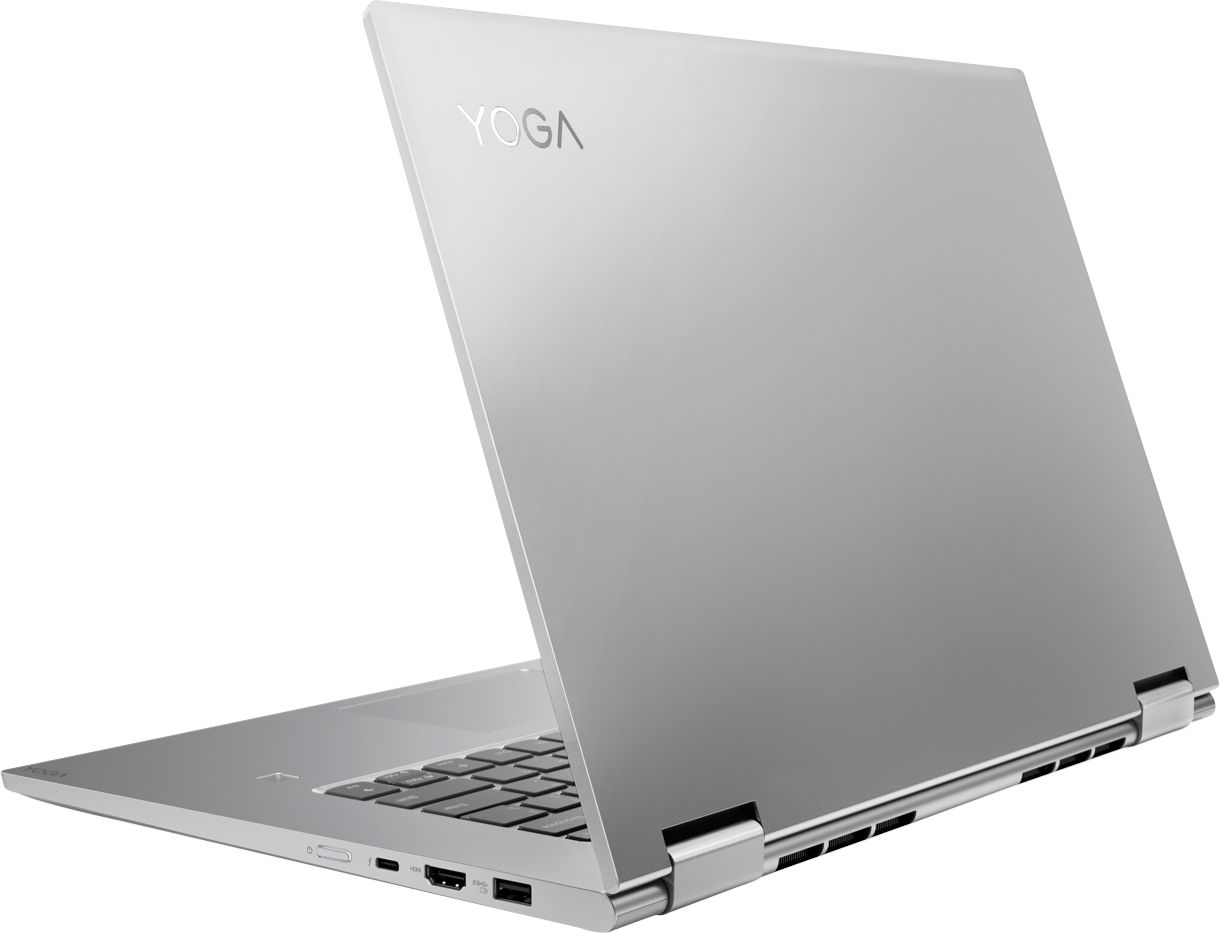
Posted .The Lenovo Yoga 730-15 4K model provides a full size, 15.6-inch screen (screen size measured diagonally), but only measures a total of 14.17 x 9.80 x 0.68 inches and weighs just 4.17 lbs. You can transition from tablet model to laptop mode and back with the new Yoga 730-15. Weighing in at 4.2 lbs and polished in premium aluminum, the Yoga 730 will complement your style no matter where the day takes you. The latest 8th generation Intel Core i7 processors gives the Yoga 730 up to a 40 percent performance boost with unprecedented touchscreen and pen responsiveness (active pen sold separately), faster bootups, and seamless multitasking. All of this speed and power to amplify your productivity and help you be ready at a moments notice. The Yoga 730 offers a NVIDIA GTX 1050 discrete graphics with 4GB GPU RAM powered by NVIDIA Pascal, the world’s most advanced gaming GPU architecture, built for the latest multi-dimensional gaming environments. Savor a smooth, power-efficient performance that will take your gaming and cinematic experiences to the next level. Paired with the Yoga 730’s 4K display, it’s a whole new way to game. We packed more than 8 million pixels into a 15-inch wide-angle display edged with super-thin bezels (6.55mm sides / 9.65mm top). You’ll be watching the latest in theatrical quality video, movies, and TV exactly the way they were meant to be seen. With 300 nits brightness, you’ll see every detail. Experience truly immersive sound with Dolby Atmos, which creates a three-dimensional audio space. Sound comes alive with fullness and depth when you listen through headphones.
YOGA 730 Rocks!
||Posted . Owned for 10 months when reviewed.This reviewer received promo considerations or sweepstakes entry for writing a review.I really love my laptop! It's super fast and allows me to do many things at once. I do a lot of video editing for my youtube channel, and this Lenovo YOGA 730 handles it with ease. This was my first Lenovo computer and won't be my last.
I would recommend this to a friendWorth every penny
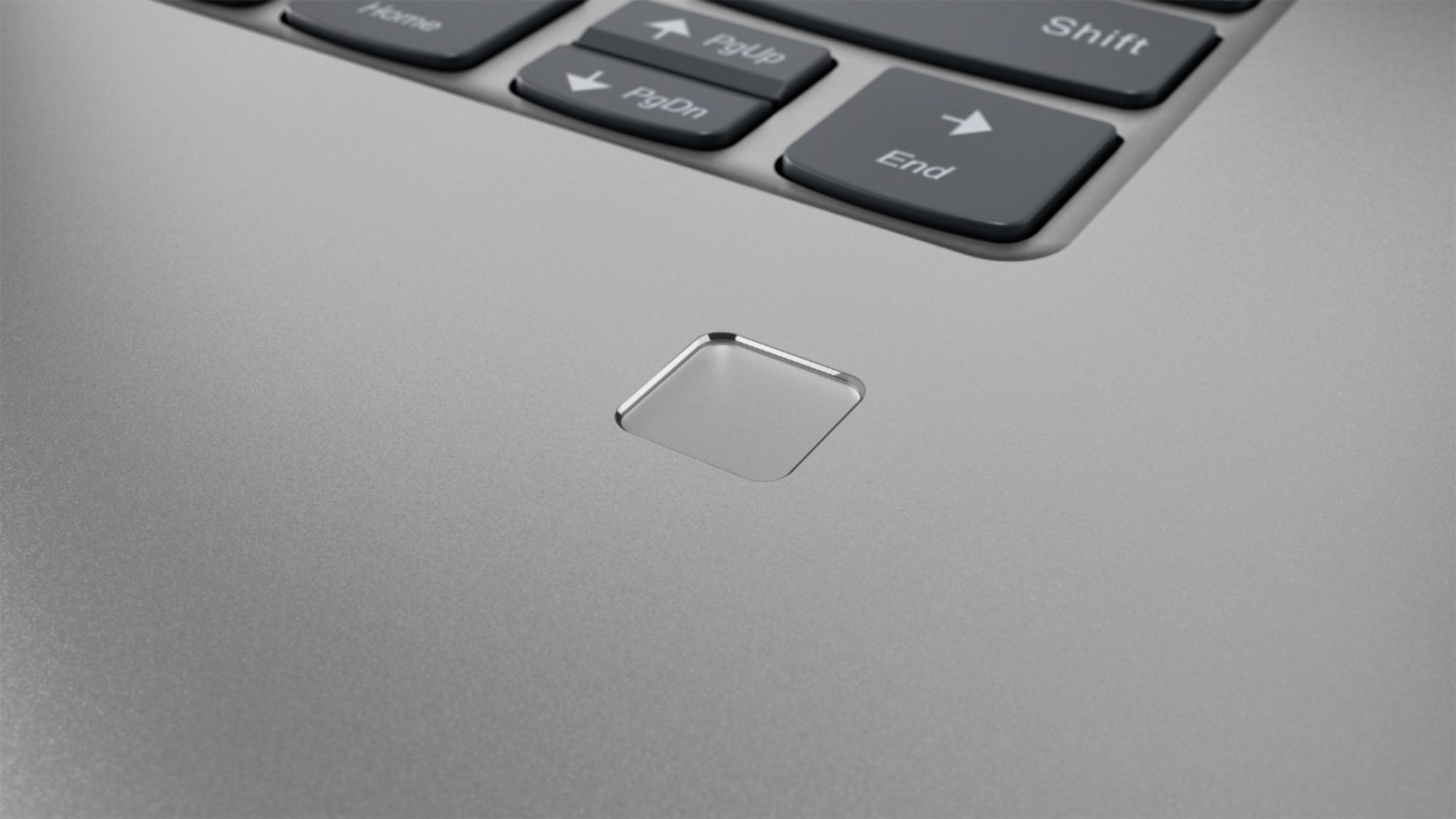
||Posted . Owned for 3 weeks when reviewed.This reviewer received promo considerations or sweepstakes entry for writing a review.I bought this as a replacement since I started nursing school. It’s fast and I love that I can convert it between a tablet and a computer. The finger print ID is very touch and go and doesn’t quite work most of the time. That’s the one irritating thing. Graphics are great.
I would recommend this to a friendBrand response from Lenovo Product Expert
Posted .Thank you for choosing the Lenovo Yoga 730-15 4K model. Here's a tip for making your fingerprint reader work every time: Try lightly sliding your finger over the fingerprint reader. No need to press hard on the reader, in fact pressing hard on the fingerprint reader will distort your fingerprint and cause read errors.
- Pros mentioned:4k screen
Great laptop
||Posted . Owned for 3 weeks when reviewed.This reviewer received promo considerations or sweepstakes entry for writing a review.4k HD screen is amazing. Wonky wifi card reader. Replaced it with a Intel one.
I would recommend this to a friend