Customer Ratings & Reviews





- Model:
- 80VF002JUS
- SKU:
- 5579131
to a friend
Customers are saying
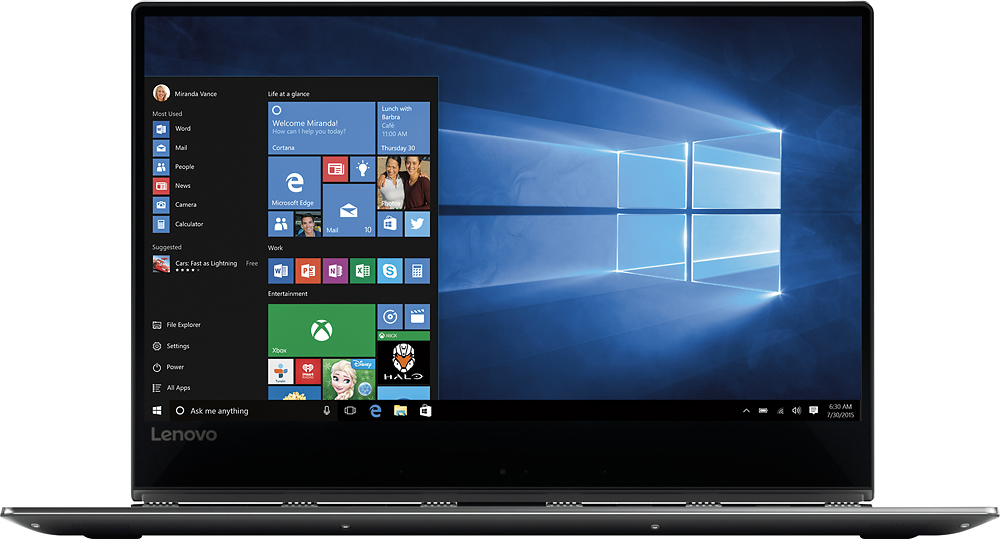
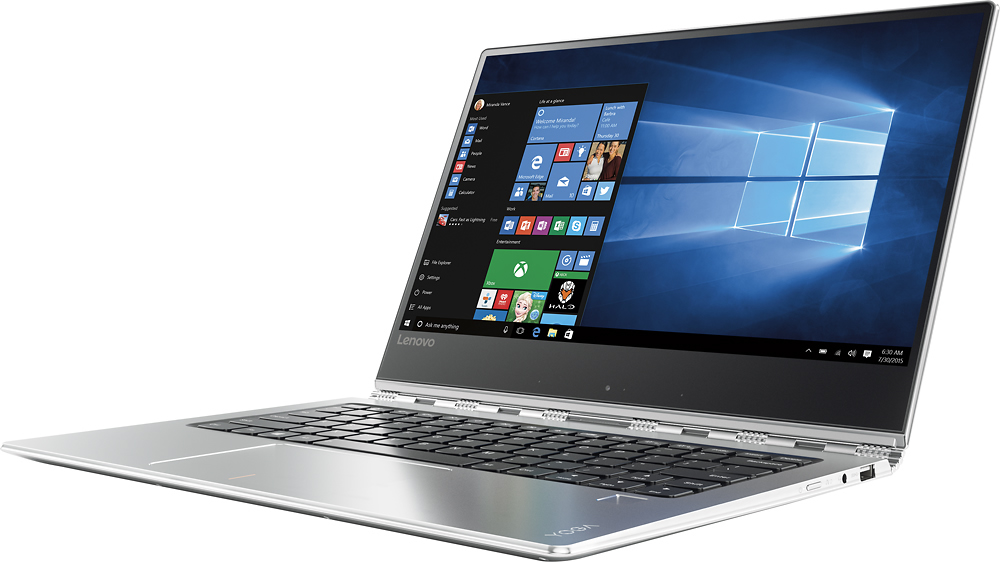
Customers are satisfied with the Yoga 910's lightweight design, long battery life, and ease of use. Many appreciate its compact size and stylish appearance, though some users noted concerns regarding the keyboard, fan noise, and limited USB ports. The hinge mechanism received positive feedback. A few customers expressed a desire for more RAM.
This summary was generated by AI based on customer reviews.
- Pros mentioned:Battery life, Size
Great Laptop, better choice than XPS13 and HP360
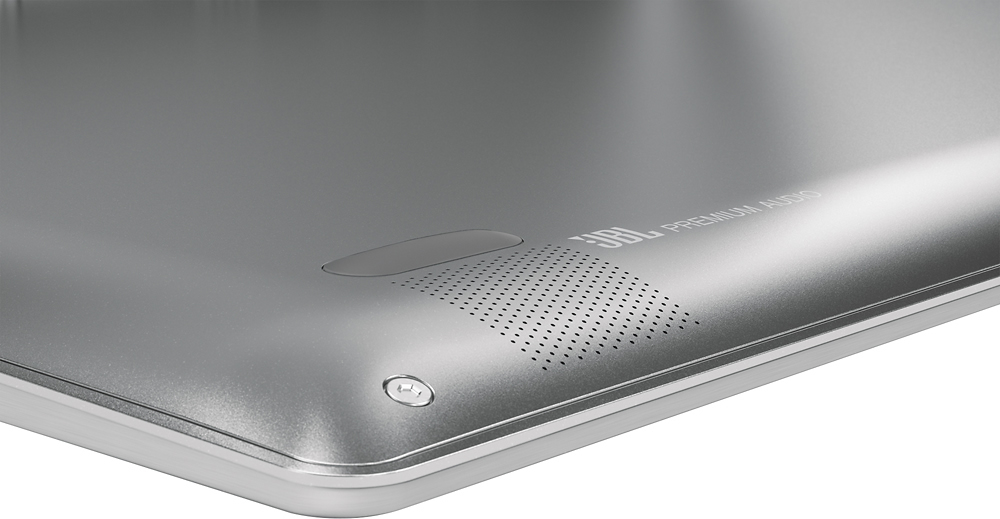
||Posted .This reviewer received promo considerations or sweepstakes entry for writing a review.Edge to edge screen with 1080, touch enable. 80w battery for up to 15 hours (online video or word editing. ps13 is 60w, x360 is 57.8w) Best design of appearance with finger print, JBL. 1000 dollar for i7 7th 8G 256 (1499 for XPS 13) The fan is barely running during light works. ...etc. I think the only laptop can beat this yoga is MacBook pro, of course, with 1499 or 1799 more cost.
I would recommend this to a friendBrand response from Lenovo Product Expert
Posted .Thank you for choosing the Lenovo Yoga 910-14. We are pleased to hear that the features and performance of the Yoga 910-14 meets your computing needs so well.

- Pros mentioned:Size
Awesome 2-1
||Posted .This reviewer received promo considerations or sweepstakes entry for writing a review.Absolutely love this computer. Light, small enough to put in my purse yet the screen is big enough to see. Also has finger scan protection. I wanted something that I can use for school & once I'm finished in my paralegal profession and I got all of that in this device.
I would recommend this to a friendBrand response from Lenovo Product Expert
Posted .Thank you for choosing the Lenovo Yoga 910-14. We are pleased to hear that the Yoga 910-14 is working out so well for you.
best laptop ever created
||Posted .This reviewer received promo considerations or sweepstakes entry for writing a review.This is an amazing machine. I am a pharmacist and have to use QS1/NRX all the time in conjunction with quickbooks. As anyone in the pharma industry knows it is very difficult to run such programs on a laptop. The Lenovo 910 does this flawlessly. It can run Photoshop CC along with other programs with no issues. I just love working on this machine. The screen is awesome and the touchscreen is just spot on with no input lag.
I would recommend this to a friendBrand response from Lenovo Product Expert
Posted .Thank you for choosing the Lenovo Yoga 910-14. We are pleased to hear that the performance of the Yoga 910-14 meets your computing needs so well.
- Cons mentioned:Keyboard quality
Has issues
||Posted .This reviewer received promo considerations or sweepstakes entry for writing a review.Yoga 910 idea pad we've only had it a month and the touch screen cracked. Lucky we purchased the extended warranty through Lenovo Best Buy was double the price for less. Too soon to recommend.
No, I would not recommend this to a friend A great hardware with a couple of issues
||Posted .This reviewer received promo considerations or sweepstakes entry for writing a review.A great laptop for the price. Pros: 1. Premium Built. 2. Great screen and responsive fingerprint scanner. Cons: 1. Issues with ram management. 2. Average speakers
I would recommend this to a friendSleek and great functionality
||Posted .This reviewer received promo considerations or sweepstakes entry for writing a review.I bought this for my wife and she loves it. Light weight
I would recommend this to a friend- Pros mentioned:Battery life, Processor speedCons mentioned:Fan noise
Best 2-in-1 ultrabook out there!
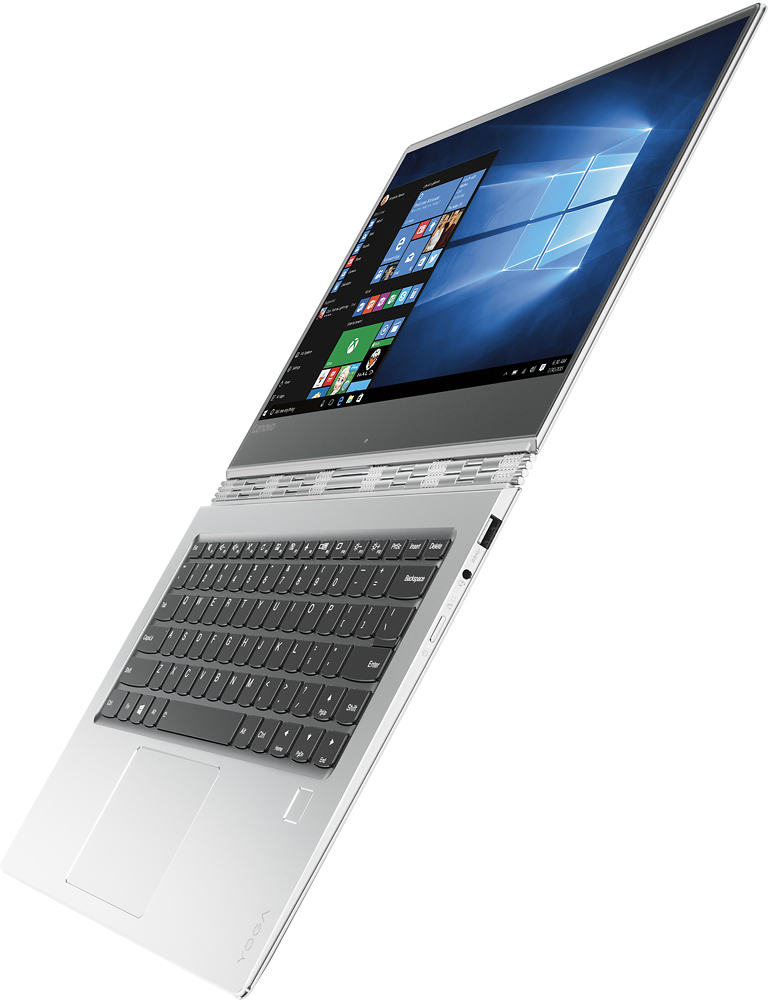
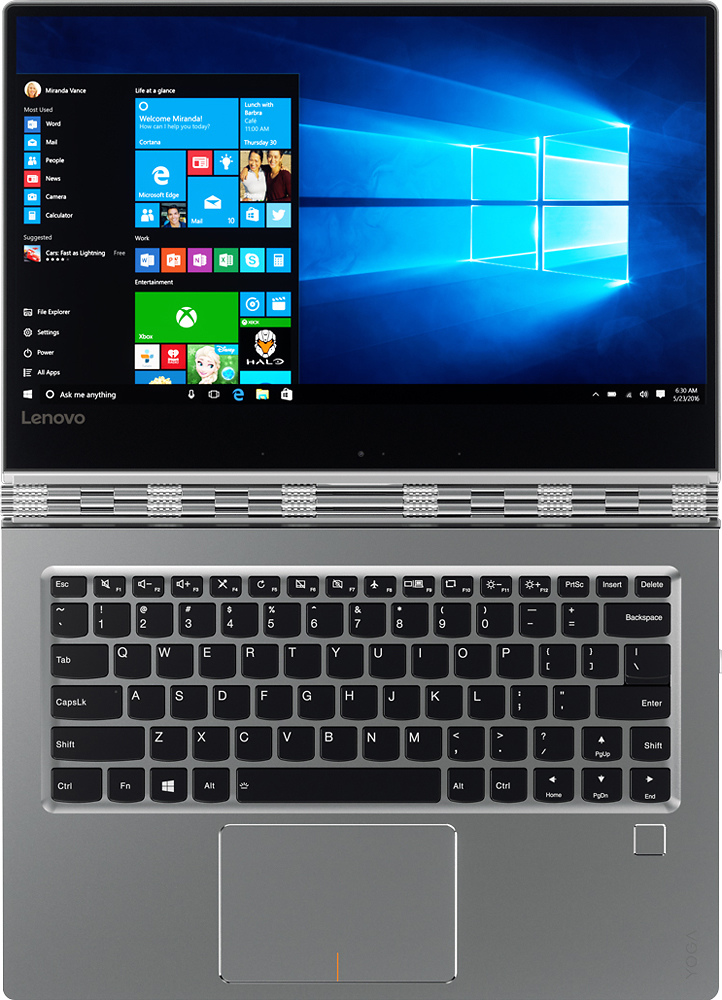
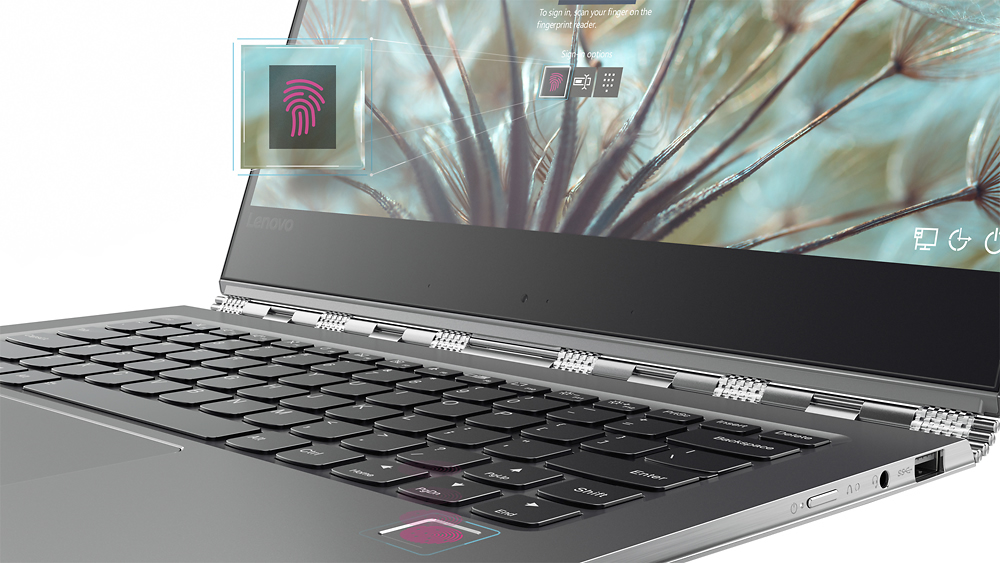
Posted .This reviewer received promo considerations or sweepstakes entry for writing a review.Disclosure: Lenovo Yoga 910 as part of the Lenovo INsiders program. All opinions are my own. The Yoga 910 refines essentially every flaw on last year's Yoga 900; with a drastically better keyboard and trackpad, larger display, smaller bezels, and much better battery life. Even though the Yoga 910 is 13.9" (almost an inch larger), it is the same exact size as the Yoga 900, meaning the sleeve for my Yoga 900 fits the Yoga 910 perfectly. Design- Just like last year's Yoga 900; the Yoga 910 has the same beautiful watchband hinge. The Yoga 910's hinge is actually much sturdier than the Yoga 900's hinge; which means that moving the display has much less wobble. This year though, the entire machine is made of metal. The sides are made of shiny, chrome metal, and the inside is covered with the all-metal unibody design. Resting my arms on the metal chassis feels great, since it's cool to the touch. Don't worry about the metal scratching; there's no scratches during the time I used it, and it's been carried in a backpack with a laptop slot. Also, the fingerprint sensor is super fast and responsive, awesome add-on. Performance- It's got the Intel Core i7-7500U processor, up to 16GB RAM and up to 1TB PCIe storage. It's as top of the line as any ultrabook this range gets. It zips through whatever I throw at it. I edited multiple videos on it, and noticed no glitching or stuttering. I was able to stream YouTube while rendering a video, and even though the fans kicked in a full throttle, the system still didn't stutter. Speaking of the fans, I noticed in the beginning that the fan was always on, even though I wasn't doing much. There's a BIOS update on Lenovo Support that drastically improves this: I barely hear the fan when I'm just web browsing or editing documents. The only time I hear it is when I stream videos or edit/render video. Keyboard & Trackpad- The keyboard is much more clicky and gives you more tactile feedback than the Yoga 900. The left shift key is also larger, but the right shift key is a bit on the short side. I got used to it in a few days, and I'm able to type my typical 80wpm on this keyboard. I could see writing a paper or essay very enjoyable on this keyboard. There's a huge improvement on the trackpad. This time, it's a Microsoft Precision Trackpad, which means you get a lot of gestures that you didn't get before. More importantly, scrolling, regular trackpad usage, and zooming is miles better than the Yoga 900. Everything is smooth, just like using the touchscreen. It's pretty amazing the drastic difference the Precision Trackpad has over the non-precision trackpad. Display- It's about an inch larger than last year's display, even though it has the same dimensions, because Lenovo cut down the bezels. Texts and photos are extremely sharp on the UHD display, and the display get very bright. I had no issues using it near direct sunlight. The colors are vivid, and it has a high contrast ratio that leads to crisp details. Battery- It has a 78Wh battery, which is 30Wh larger than the Yoga 900, and is considerably larger than the competitors out there. If you're really power hungry and need a lot of battery life, you should go with the FHD model. Lenovo says up to 15.5 hours with that display. I have the UHD model, in which I get 8-9 hours of mixed usage. Of course, the UHD display takes up more battery because of all the pixels it has to push out; but it's entirely up to your needs. Audio- The two JBL speaker with Dolby Audio sound pretty good. There's a Dolby app preinstalled that allows you to change what mode you want to be in. There's movie mode, music mode, game mode, and voice mode. You can also personalize it to your liking. Dolby also adjusts the audio output when you which modes, and by that I mean laptop mode, tent mode, tablet mode, etc. Tons of modes! Webcam & Microphone- It has a 720p HD camera with dual-array microphones. The camera looks good; but since it's located on the bottom, typing during a video call would block about one-fourth of the camera viewing angle. Since it's a Yoga, I suggest propping it up into either tent or stand mode, and use it that way. Conclusion- It's the best 2-in-1 ultrabook out there. It's by far the best looking out there, but also has top of the line performance, a wonderful display, amazing battery life, and an amazing unibody metal design. I'd say the only thing to really consider is FHD vs UHD. If you need the laptop to last a really long time on a charge, the FHD is the best option because you get 15.5 hours of juice. Otherwise, the UHD is the way to go.
I would recommend this to a friendBrand response from Lenovo Product Expert
Posted .Thank you for choosing the Lenovo Yoga 910-14. We are pleased to hear that the features and performance of the Yoga 910-14 meets your computing needs so well.
- Pros mentioned:Processor speedCons mentioned:Fan noise
Great laptop & FIX for the fan noise & shift key
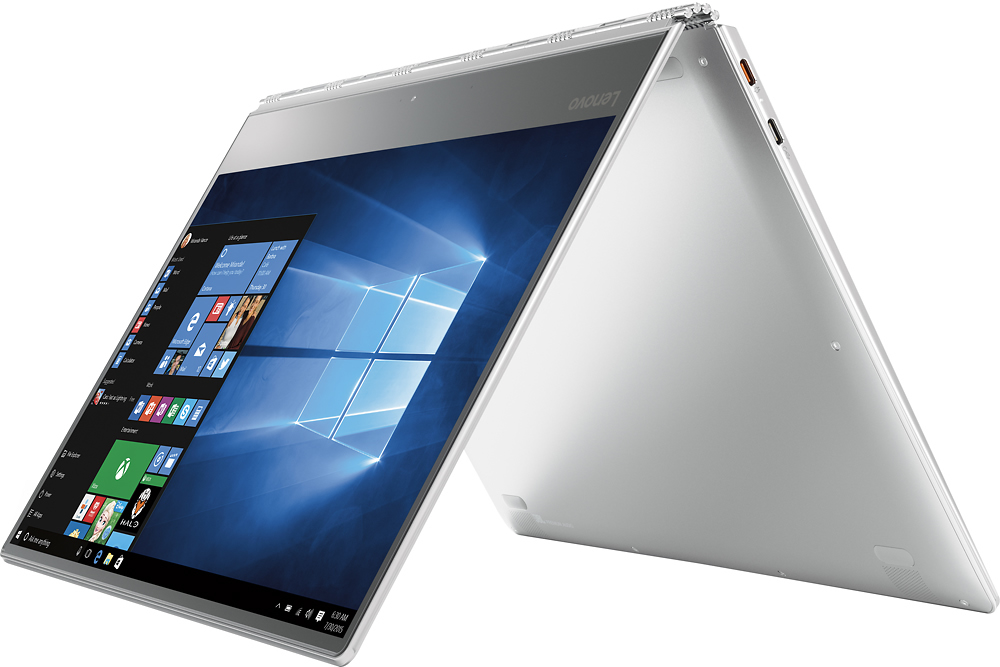
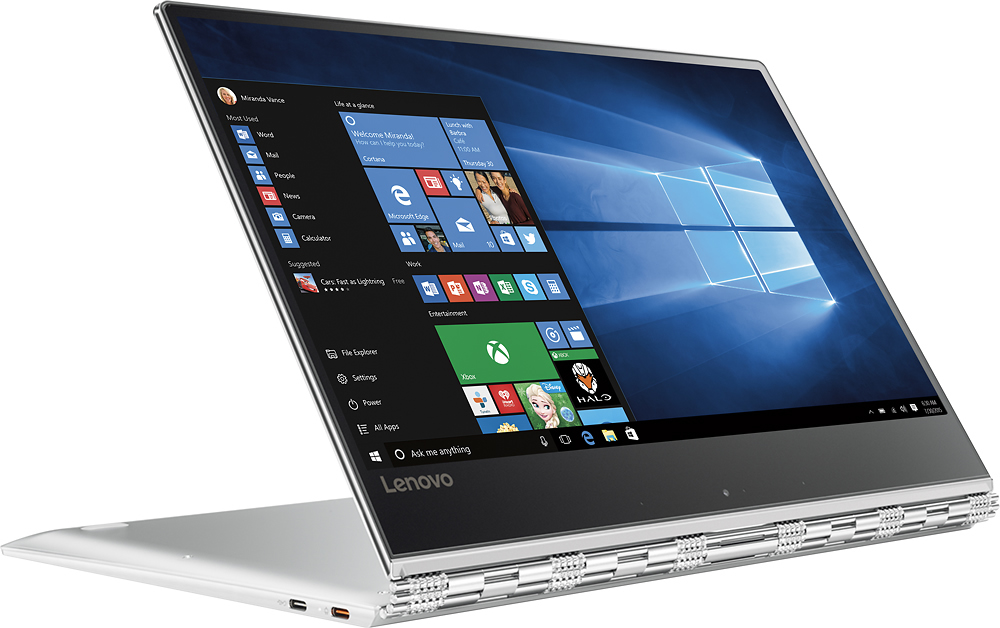
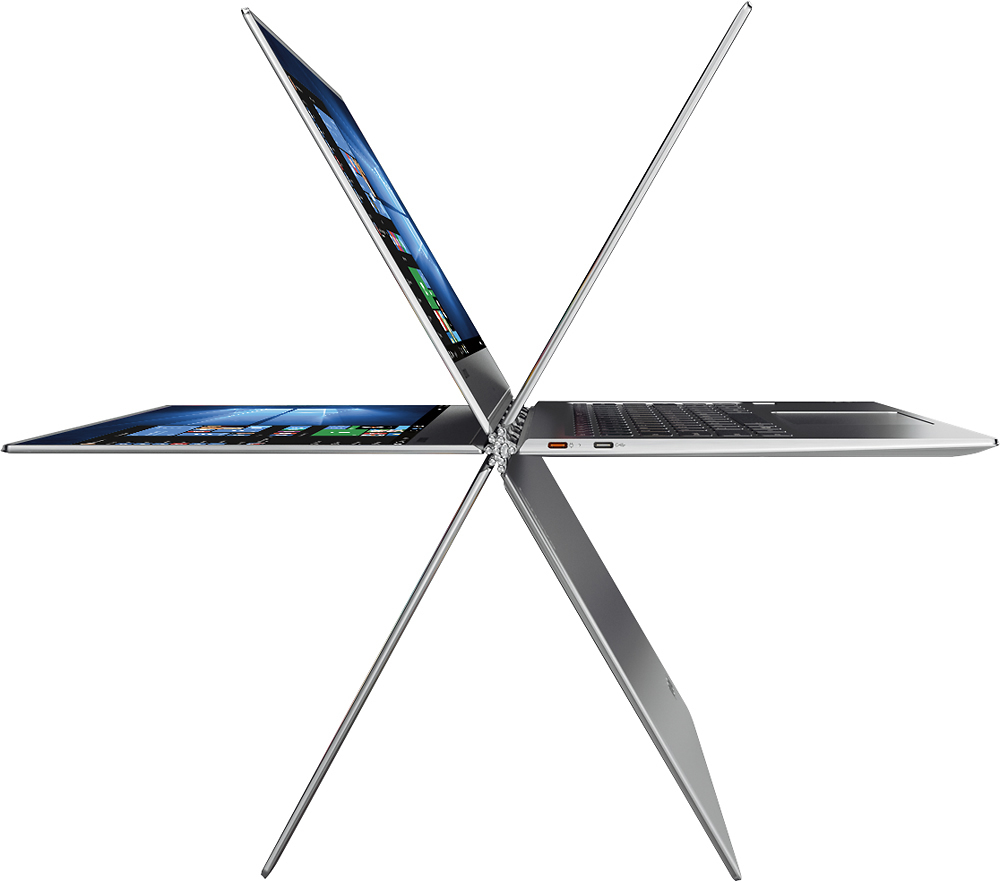
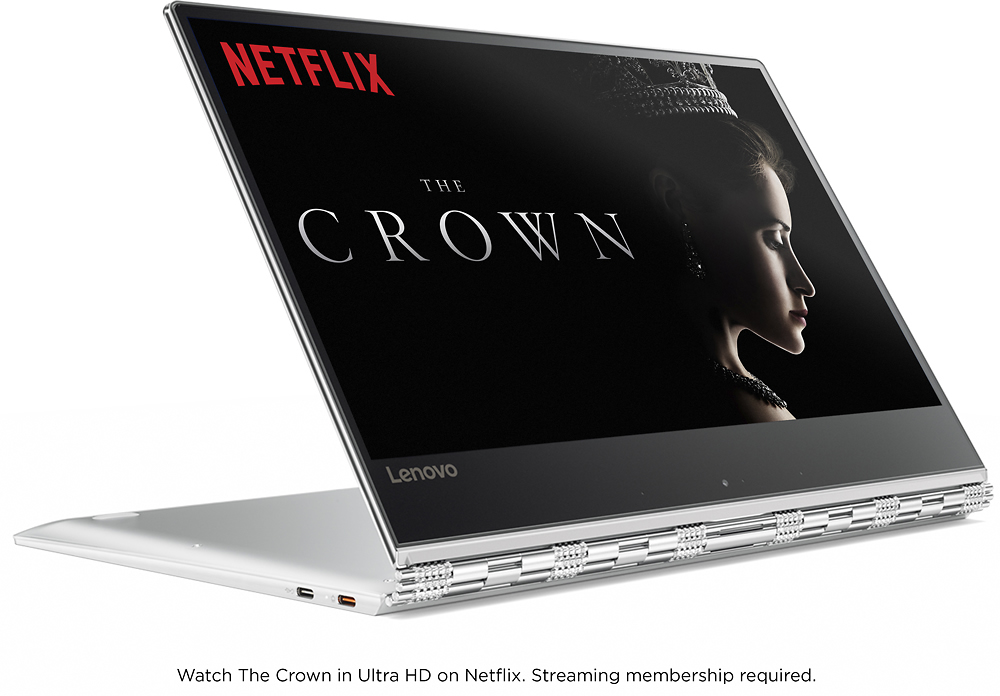
Posted .This reviewer received promo considerations or sweepstakes entry for writing a review.I researched a lot of laptops before buying this one. I really wanted a 2 in 1 and a touch screen. Considered the Dell XPS 13 2 in 1 and the Surface Book, but after seeing the Dell in person it is a really small laptop. The Surface Book was nice, but I just liked this Lenovo Yoga 910 overall. This Yoga 910 was the perfect size with all the features I needed. The built-in fingerprint reader works very well and allows for quick logins with the Windows Hello feature. The Lenovo 910 is fast and very responsive with multiple tabs and apps open. The mousepad responds very well and the touch screen is awesome with no lag. The 360° flip-and-fold design offers versatile functionality with laptop, presentation, tabletop or tent, and tablet modes. I really enjoy watching movies with it in tent mode. After purchasing it I heard the fan noise several times and did some research on how to fix that. Lenovo dropped the ball on this issue. Purchasing a $1,000 + laptop a customer shouldn't even have this fan noise issue. However there is a FIX for it and I have attached the link for the fan noise issue along with the FIX for the right shift key. I can confirm that they both work, just follow the instructions and you won't have any problems. In addition, I also physically removed the right shift key with the page up key after remapping the keys. Link for fan noise and shift key issue: https://forums.lenovo.com/t5/Lenovo-Yoga-Series-Notebooks/Yoga-910-fan-amp-right-shift-key-solutions/m-p/3546303/highlight/false
I would recommend this to a friend - Pros mentioned:Size, WeightCons mentioned:Ram
Best 2 in 1 Laptop available today
||Posted .This reviewer received promo considerations or sweepstakes entry for writing a review.Three pound weight, solid as a rock. Really nice watchband hinge. Finally nearly edge to edge bezels. This is the base model, i7, 8 GB DDR4, top notch 256 SSD, FHD screen. I opted for the FHD screen because it eliminated the need for scaling; the screen is quite vivid. Performs great, AC wireless is hooked up to my fiber optics getting speeds over 400 GB / sec download and upload. I would have liked 16GB Ram but was not available with FHD screen at this time.
I would recommend this to a friendBrand response from Lenovo Product Expert
Posted .Thank you for choosing the Lenovo Yoga 910-14. We are pleased to hear that the features and performance of the Yoga 910-14 meets your computing needs. With regard to configuring this model with 16GB of RAM, we will look in to this for future improvements.
- Pros mentioned:SizeCons mentioned:Keyboard quality, Ram, Usb port
thin and fits in small places.
||Posted .This reviewer received promo considerations or sweepstakes entry for writing a review.I am pleased with this Lenovo. I bought to better facilitate my computer needs while traveling and because I knew I was going to have to give up my main laptop for a while to be repaired. It isn't a full keyboard and only has 8GB of working memory but this was never meant to be my main computer. As it turns out they can't fix my main computer and now this one has been promote to main computer. The keyboard is big enough to type on although smaller than a full size. The back light is good while not intrusive. The boot up is quick and so far problem free. It runs around the Internet without a hiccup. When I do some extended gaming it needs to be frequently re-booted however like I said I only opted for 8GB working memory. The touch screen also tends to suck up the working memory pretty fast; I prefer my trackball anyway. I do like the flexible positions I can get this unit into. The picture quality is perfect and the lack of thick frame makes the screen look bigger than it is. sound is impressive for a small unit. Cons: only comes with one USB port and one micro HDMI port. Doesn't come with a disk player. It does have a gaming headphone port also however I haven't tried it. Over all price for what I received I feel I got my money's worth.
I would recommend this to a friendBrand response from Lenovo Product Expert
Posted .Thank you for choosing the Lenovo Yoga 910-14. We are pleased to hear that the value, features and performance of the Yoga 910-14 meets your computing needs so well.
- Pros mentioned:Battery life, WeightCons mentioned:Fan noise, Heat
Yoga 910
||Posted .This reviewer received promo considerations or sweepstakes entry for writing a review.ibought my Lenovo Yoga 910 about a month ago. Read all the reviews on how the fans are noisy and it overheats. Haven't experienced any of these issues. Haven't even heard the fans turn on (it stays pretty quiet actually) or any uncomfortable heat coming from laptop. JBL speakers work well, screen is brilliant, reinforced hinges are appealing, very sturdy, light weight and durable all metal case. You'd think with how thin it is, it would feel delicate. In a matter of a couple seconds from the time you press the power button your Lenovo is ready for use. I use my laptop everyday at work and personal use. Had it upgraded to windows 10 pro for only $99 off Microsoft's website. Sure it only has 1 USB C 3.0 - 1 USB C 2.0 and aux port but battery life is fantastic. Option to buy a $35 USB C to hdmi out adapter. icharge it only twice a week maybe 3 if it's a productive week from 5% or less to 100% full charge. Definitely would recommend this Lenovo over any over priced Mac with there fancy new keyboard Touchbar.
I would recommend this to a friendBrand response from Lenovo Product Expert
Posted .Thank you for choosing the Lenovo Yoga 910-14. We are pleased to hear that the features and performance of the Yoga 910-14 meets your computing needs so well.
- Pros mentioned:Battery life, Ease of use, Processor speed
Best 2-1 Laptop out there
||Posted .This reviewer received promo considerations or sweepstakes entry for writing a review.I was extremely undecided between the yoga 910 and hp spectre x360. I can happily say that I made the right choice in buying the yoga Pros Fast Battery life Screen Great design and watch band hinge( biggest reason i didn't buy the x360 was because I felt the design was cheap and their was no contrast between keyboard and the rest with it being all silver just didn't look good imo) Touchpad Easy to carry Cons- no thunderbolt 3 No sd card reader but nowadays most laptops don't have a reader anyways This computer is amazing especially at price compared to others. If you are decking between this one or another don't hesitate and get the yoga 910
I would recommend this to a friendBrand response from Lenovo Product Expert
Posted .Thank you for choosing the Lenovo Yoga 910-14. This model does have a USB-C port for video and audio out.
- Pros mentioned:Battery life, SizeCons mentioned:Keyboard quality
I really, really liked this Yoga 910, except for..
||Posted .This reviewer received promo considerations or sweepstakes entry for writing a review.I like almost everything about this laptop. The battery life is amazing. If the sales guy tells you they tested it and it got 9 or more hours streaming hd video, believe him. It's seriously impressive. I like the form factor. The hinge. The overall size. The screen size. One deal breaker. It would not turn back on, without holding in the power button and doing a hard restart. This does not impact your data or anything really. But it's not how it's supposed to function. Lenovo tech support wanted me to reset it to factory defaults, to make sure it's not a software problem. I refused to do this, since in my opinion, it has nothing to do with software. I had owned this less than 48 hours and had to restart in this manner 5 times. Having purchased the extended, onsite warranty from Lenovo, I would have even been willing to allow them to come out, find the problem and fix it. But I was not going to spend hours troubleshooting software issues that aren't real. When I went back to Best Buy, the Geek Squad rep told me my problem, before I told him. He said these Yoga models have a history of this, and Lenovo needs to address it. He was surprised that this was the new model and it was still a problem. Given all of the above, I decided that even though I really wanted to keep this Yoga 910, I would not. The only other thing I wasn't really fond of was the keyboard. I could have gotten used to it, but the HP I bought to replace this one is a much better keyboard. So, in spite of liking this one, that was a deal breaker for me.
No, I would not recommend this to a friend - Pros mentioned:Battery lifeCons mentioned:Keyboard quality, Usb port
Almost a winner
||Posted .This reviewer received promo considerations or sweepstakes entry for writing a review.I got a lemon with a bad USB port (pretty important when there's only one!) Best Buy would have been happy to exchange it but I chose to return. Typing and key spacing was not comfortable for my smaller hands although I may have gotten used to it. Bigger issue was the camera at the bottom of the screen. A significant design flaw, in my opinion. It's undesirable for work video conferences where typing is needed. You could use an external keyboard if at home/office but not when traveling. Probably an ok workaround for most people to use tent mode for personal video chats. The other annoyance was the misplaced shift key mentioned by many reviewers. Not something you want to get used to if you also use other keyboards. I do like that they've kept full size up/down arrow keys (versus the half-size keys on some other brands) but I prefer them stacked (more intuitive) not side by side. Fingerprint login worked only about half the time. Windows Hello by video would be better. For pluses, the fan issues seemed to be resolved after doing all the latest Lenovo updates including bios update & setting change to 'quiet' mode. Battery life was outstanding at 14+ hours for basic web use. I wanted to love it for that reason. Lenovo seems to be the only brand that advertises realistic estimates on battery life and can really deliver. An option for 512 GB SSD without 4K screen would also be a major plus for those of us who value battery life.
I would recommend this to a friend - Pros mentioned:Battery life, Processor speedCons mentioned:Keyboard quality
Good laptop with great screen
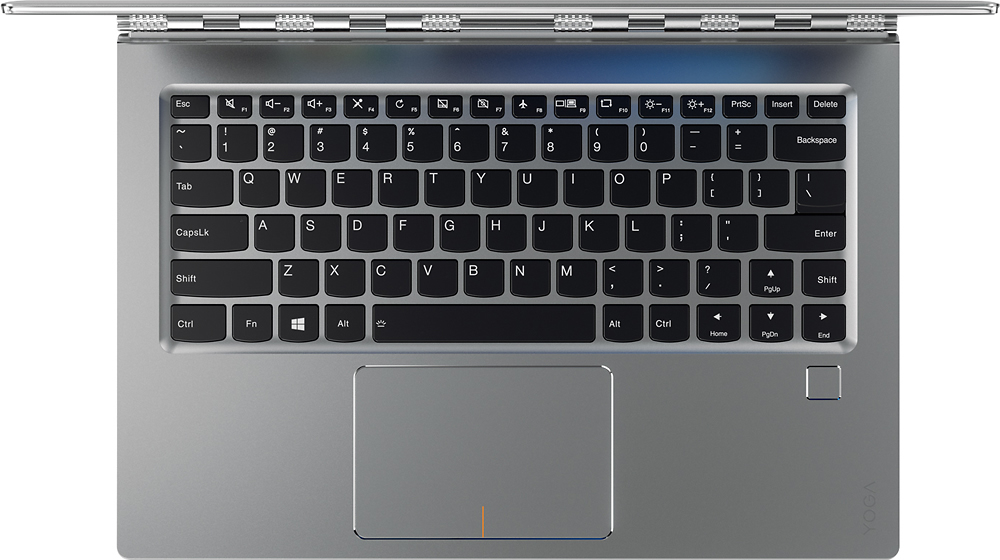
||Posted .This reviewer received promo considerations or sweepstakes entry for writing a review.Purchased this Lenovo Yoga 910 touchscreen laptop about a week ago and have been using it ever since. I won't go into too much detail regarding specs, as at least a couple of other reviewers have already done so. The Intel Core I7 7500 processor and 8 GB ram make this laptop run quite smoothly, though the 16 GB version definitely trounces the 8 GB version in speed... which is to be expected. There were a couple of things that drew me to the Lenovo Yoga 910 over the HP Spectre and the Dell XPS. Number one, I prefer the screen on the Lenovo Yoga. It is quite bright (though not the brightest available) and it is clear. Number two, I prefer the touchpad on the Lenovo Yoga. Scrolling and touch input on it are very accurate and smooth. (And, more important to me, I can easily turn on "Reverse Scrolling" since I find it irritating to move between the scrolling motion used on a Chromebook and scrolling motion used on a Windows PC.) Number three, thus far the device has run much cooler that the HP and the Dell. However, as other reviewers have mentioned, the fan noise from this device can be quite loud and often ongoing. I downloaded a couple of new drivers for the fan and cooling system and that has seemed to help a bit. However, I need to use the device a bit longer before making a final determination as to whether or not the new drivers will help. My biggest complaint about this laptop is its keyboard. I don't know who thought it was a good idea to put a tiny little shift key directly to the right of the arrow keys, but it is very annoying and I continually hit the wrong button. Aside from these minor gripes, this laptop is great. It's fast. It has a nice screen, It's lightweight. It has good battery life. It has one USB-C port dedicated for charging the device, one USB-C port that can be used for data transfer or display-out, and one standard USB 3.0. So again, all in all, a good 13.3" laptop... now if only the fans would stop running continually...
I would recommend this to a friendBrand response from Lenovo Product Expert
Posted .Thank you for choosing the Lenovo Yoga 910-14. With regard to the fan, here is a driver update that may help with the fan: http://support.lenovo.com/us/en/products/Laptops-and-netbooks/Yoga-Series/yoga-910-13ikb/80VF/007TUS/downloads/DS119202. With regard to the right shift key issue you mention, there is a free software APP called KeyTweak that may help you. You can switch the key functions of specific keys on your keyboard with this software, so you could change the right shift key with the key you hit in its place. Just Google search "KeyTweak" and you will find articles about what the software does and you will find the download location for this free APP.
- Pros mentioned:Battery lifeCons mentioned:Fan noise, Keyboard quality
Great Alternative to New MacBook Pro
||Posted .This reviewer received promo considerations or sweepstakes entry for writing a review.I was an diehard Apple customer for over 20 years until I discovered the Lenovo Yoga 910. I was greatly disappointed with performance and lack of innovation and functionality of the recently released MacBook Pro. While at Best Buy I had a chance to try the Lenovo Yoga 910 Demo Unit. Needless to say I was instantly blown away! For half the price of the MacBook Pro, I picked up a very responsive and innovative Windows Laptop. Now I have not owned a Windows machine in close to 20 years. But having the ability to use the Yoga 910 in a tablet form as well as a functional PC kills two birds with one stone. I no longer have to carry a MacBook and my iPad when I travel. The 910's touch screen tablet mode is great for reading my Wall Street Journal, Kindle Books & Magazines. The Built in JBL Speakers are incredible. It's hard to believe so much quality sound comes out of these beautifully designed and positioned speakers. The Right Shift key that so many people complain about is really not a big deal. I was able to adapt to it very quickly. As for the fan noise, When I upgraded to the most recent Firmware, it instantly took care of the issue. As for the battery performance, I have been averaging 18-20 hours between charges when left on the default energy saving settings. That is amazing! Overall, if you are looking for a great alternative to the MacBook Pro I would highly recommend giving the Yoga 910 a serious look. Great product Lenovo!
I would recommend this to a friendBrand response from Lenovo Product Expert
Posted .Thank you for choosing the Lenovo Yoga 910-14. We are pleased to hear that the features and performance of the Yoga 910-14 meets your computing needs so well.
- Pros mentioned:Battery life, Ease of use, WeightCons mentioned:Usb port
Productive Road Warrior
||Posted .This reviewer received promo considerations or sweepstakes entry for writing a review.I am a road warrior, so selection required a lighter weight laptop this time with good graphics, fast response, decent battery life and ease of use. Isn't that what everybody wants? I am truly enjoying using the Lenovo Yoga 910! The only trade-off was a limited number of ports, which is not an issue for me. And it is a breeze to carry into meetings, with mouse, pad or touch screen capability.
I would recommend this to a friendBrand response from Lenovo Product Expert
Posted .Thank you for choosing the Lenovo Yoga 910-14. We are pleased to hear that the value, features and performance of the Yoga 910-14 meets your computing needs so well.
- Pros mentioned:Battery life, WeightCons mentioned:Usb port
Great laptop for everyday use
||Posted .This reviewer received promo considerations or sweepstakes entry for writing a review.Great laptop for everyday use. Laptop is lightweight and it has a decent battery life. My only complaint is that it only has one USB port.
I would recommend this to a friend - Pros mentioned:Battery life, Processor speed, Size
Great Product!
||Posted .This reviewer received promo considerations or sweepstakes entry for writing a review.This laptop is awesome. It is very compact, speedy, and the batter lasted me about 5-6 hours of heavy usage. Much better than my previous Dell laptop.
I would recommend this to a friend - Pros mentioned:WeightCons mentioned:Keyboard quality
Great Computer, Weird Keyboard
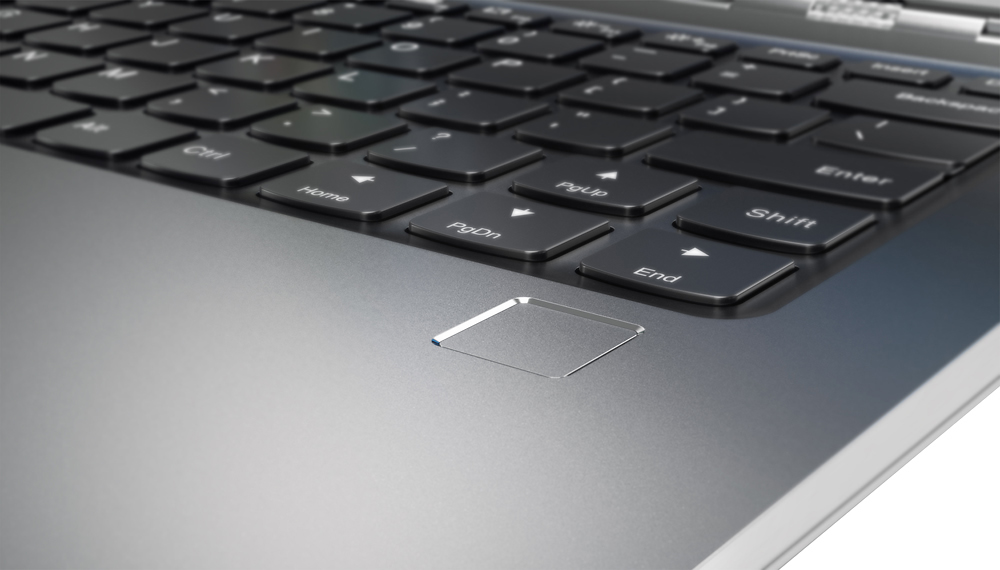
||Posted .This reviewer received promo considerations or sweepstakes entry for writing a review.Can't say anything that hasn't already been said about the form factor of this computer -- it's one of the best ultrabooks out there. Very thin and light and the hinge is sturdy. The webcam placement is a bit odd when in traditional laptop mode because it points upward, but the weirdest thing that you need to get used to is the right side shift key. In order to save room on the keyboard and keep the arrow keys a normal size, Lenovo has shrunk the shift key on the right side to the size of a normal key and inserted the up arrow to the left of it. I find myself hitting the up arrow all the time instead of pressing shift. I'm sure it will take a while to train my muscles to reach further, but it's annoying. Lenovo took similar liberties with moving around standard keys in their business laptops and moving the lower left ctrl key over... I eventually had to learn that too. Overall great computer, just one odd key layout that kept me from keeping the computer.
I would recommend this to a friendBrand response from Lenovo Product Expert
Posted .With regard to the right shift key issue you mention, there is a free software APP called KeyTweak that may help you. You can switch the key functions of specific keys on your keyboard with this software, so you could change the right shift key with the key you hit in its place. Just Google search "KeyTweak" and you will find articles about what the software does and you will find the download location for this free APP.