Customer Ratings & Reviews


- Model:
- 82DE002XUS/82DE0009US
- SKU:
- 6426711
Rating by feature
- Battery Life
Rating 4.2 out of 5 stars
- Speed
Rating 4.6 out of 5 stars
- Display
Rating 4.6 out of 5 stars
Customers are saying
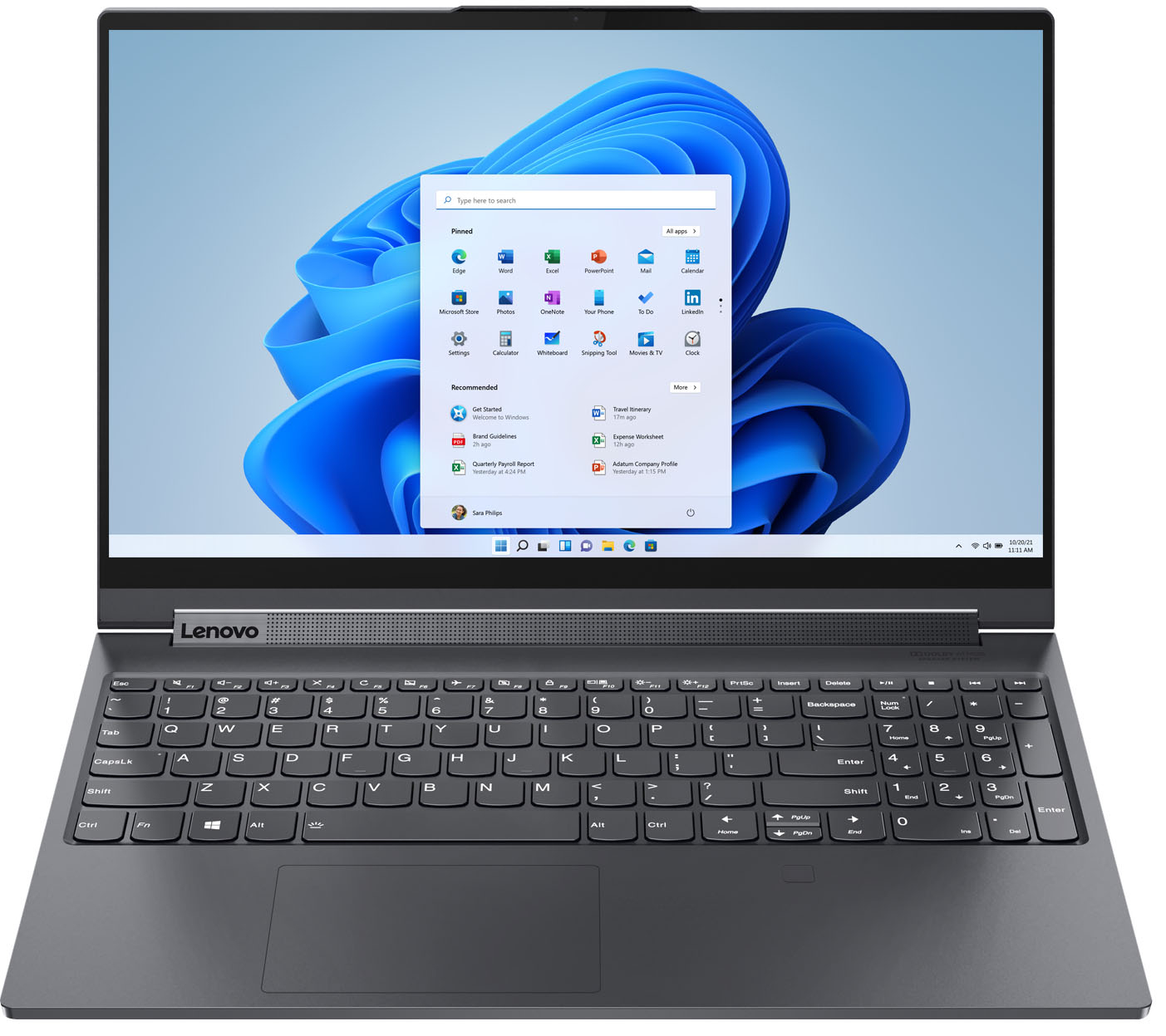
Customers frequently mention the excellent performance, impressive screen size, and ample SSD storage as major strengths of the Yoga 9i 15" laptop. Many appreciate its ease of use, light weight, and good graphics capabilities. However, some users point to the battery life and fan noise as areas needing improvement, along with a limited number of ports. A few also commented on the price point.
This summary was generated by AI based on customer reviews.
- Cons mentioned:Ports
Nice laptop or tablet
||Posted . Owned for 1 week when reviewed.This reviewer received promo considerations or sweepstakes entry for writing a review.This thing just works. Right out of the box, ran Windows and Lenovo updates, done and done. Ready for business. Fast for my heavy duty apps (Photoshop, Premier Pro, Excel, Visio, etc.). Love the video display. Pen is small but works fine, love the built in camera cover for privacy. Now the bad part, no built in HDMI port, only USB C and USB 3.0. Recommend using MOKin 14 in 1 docking station to fix this, and you get up to 3 displays. Check Amazon for it. Also the power brick is 135 watts so it is heavy. Great sounds from speakers. Fingerprint reader is handy as this thing boots up as soon as you open the lid. Keyboard is great for conference room note taking. Pen is good for handwritten notes. Use OneNote to convert handwritten to text to paste into Word. This will replace my other 2 in 1.
I would recommend this to a friendBrand response from Lenovo Product Expert
Posted .Thank you for choosing the Lenovo Yoga 9i 15, model number 82DE0009US. This configuration supports up to 3 independent displays via native display and 2 external monitors; supports external monitors via Thunderbolt (up to 5120x3200@60Hz). We are pleased to hear that the features and performance of the Yoga 9i 15 meets your computing needs so well.

- Pros mentioned:Screen size, Speed
Nice with a couple gripes.
||Posted . Owned for less than 1 week when reviewed.This reviewer received promo considerations or sweepstakes entry for writing a review.Bought an open box and the first one was actually broken. Best Buy took care of that right away and returned the unit with no issues. The second I got was great. So far the laptop is quick and the screen is nice and bright. Glad I went with the 15 inch vs the 14 because the number keypad is def a big plus for me. One issue I have is really not major but the lid is somewhat hard to open. It appears there is a magnetic hold and the lip to grip the lid is very small for those with larger hands. Its a small gripe but should be noted. Also, the sound that everyone talks about...kind of blown out of proportion to me. It is loud for a laptop but remember the speakers are like 1/2 an inch (in other words, tiny) so don't expect all the immersion that everyone speaks of. Although, perfectly fine for a laptop. Last gripe is the power consumption. Its 135 watts, which is fine but its hard to find a universal dock that handles power distribution for 135w. Typically they are 65w. So when docking, you will need to not only plug in USBc or thunderbolt but also a power plug.
I would recommend this to a friendBrand response from Lenovo Product Expert
Posted .Thank you for choosing the Lenovo Yoga 9i 15, model number 82DE002XUS. This Yoga 9i 15 has a lip on the front of the laptop cover for easier opening. It is positioned in the center of the cover for easiest access. The Yoga 9i 15 also has Quad-Stereo system speakers, 2W x2 (woofers), 2W x2 (tweeters), optimized with Dolby Atmos. For the best audio experience, be sure to adjust the Dolby Atmos software to your personal preferences. This Yoga 9i 15 is a high performance configuration with the discrete NVIDIA GeForce GTX 1650 Ti GPU and the 6-Core/12-Thread Intel Core i7-10750H Processor, requiring an external power supply, AC adapter/charger of 135W to properly power the Yoga 9i 15 when plugged in and to properly charge the Integrated Li-Polymer 69Wh battery, which also supports Rapid Charge Boost (get 2 hours of runtime with a 15-minute charge). We are pleased to hear that the features and performance of the Yoga 9i 15 meets your computing needs so well.
- Pros mentioned:Speed
Lenova
||Posted . Owned for 1.5 years when reviewed.This reviewer received promo considerations or sweepstakes entry for writing a review.Great computer. Speed and storage are incredible. Reliable
I would recommend this to a friend - Pros mentioned:Speed, SsdCons mentioned:Battery life
Levono 9i
||Posted . Owned for less than 1 week when reviewed.This reviewer received promo considerations or sweepstakes entry for writing a review.Got this Lenovo after I returned my new 7i. I love the speed of the processor and it has 16gb ram. Hard drive is nice at 1tb for all my work and home needs. Only thing that sucks is the battery is only about 6-7 hours depending on screen brightness and usage.
I would recommend this to a friendBrand response from Lenovo Product Expert
Posted .The Lenovo Yoga 9i-15 model number 82DE0009US, ships with a 4CELL_69WH_INTERNAL, Lithium Polymer Battery, with a battery life of up to 13 hours, depending on the work the device is performing. If you are getting substantially less battery life, first, set your screen brightness at less than 100-percent - try 80-percent to start with. Then, be sure Battery conservation Mode is turned off. This power management setting should only be used when the laptop is plugged in all the time. It will prolong overall battery life by only charging the battery to 60-percent of capacity. Here is a link to instructions for turning off Battery Conservation Mode: https://support.lenovo.com/us/en/solutions/ht103159. Also check what programs are running in the background on the computer. Be sure only the programs you want running in the background are. These programs will drain the battery. Here is a link to information about how to find out what programs are running in the background on your Windows 10 computer and how to manage them for better system performance: https://www.windowscentral.com/how-prevent-apps-running-background-windows-10. Then, finally, be sure any software you installed is compatible with Windows 10. Incompatible software will drain the battery at a faster rate. There is no need to install Microsoft Office software. The software is already part of the operating system, you just need to activate the software with a purchased product key. If you have installed a copy of Microsoft Office, this is conflicting with the existing copy on the system and this will slow your system down. If you have installed a 3rd party anti-virus program, be sure that Windows Defender is turned off and that the trial version of McAfee Anti-Virus software is uninstalled. There can only be one anti-virus program on the system. You may need to restore your system to original factory default settings if any of the programming errors have occurred. You can do that by typing "restore" in the Cortana search window. Just click on the magnifying glass icon at the bottom left of your Windows 10 Desktop. Click on "Reset This PC" Then click on "Get Started" and follow the on screen directions to restore to factory defaults. If the problem persists, we recommend you contact Lenovo Tech Support at: 877-453-6686.
- Pros mentioned:Screen size
Great Value, Great Laptop
||Posted . Owned for 1 month when reviewed.This reviewer received promo considerations or sweepstakes entry for writing a review.If you are old school like my wife and I and you like keypad, lighted keys, touch screen, touch pen, and kicking speakers to play music or listen to movies this is the computer to get. I researched for months. Held out at its $1879.00 price point and now it's on clearance at $1407 in ATL metro. I went to store and bought the excellent Open box version for $1014 because I missed the same one at $985 the day before but glad I did. Mine had absolutely nothing wrong with it other than no box. It comes loaded with Windows 11 home, I bought the $99 digital upgrade to Windows Pro. Brought it all home and in less then 30 minutes had everything updated, upgraded, and playing a movie in tent mode. It was bought for my wife to use in her start up business it has plenty of power and memory to last her for at least the next 5 years. We own 5 Laptops now every member of the family has a Lenovo laptop and they all have worked great since we bought them,
I would recommend this to a friendBrand response from Lenovo Product Expert
Posted .Thank you for choosing the Lenovo Yoga 9i 15 for your wife. We appreciate your family's loyalty to the Lenovo Brand. We are pleased to hear that Lenovo computers meet the computing needs of you family so well.
Excellent Laptop
Posted .This reviewer received promo considerations or sweepstakes entry for writing a review.Excellent laptop, very good looking and potent software
I would recommend this to a friend- Pros mentioned:Ease of use, Screen size
Worth it in every way
||Posted . Owned for 2 weeks when reviewed.This reviewer received promo considerations or sweepstakes entry for writing a review.I've noticed that the ease of use is very convenient. Also, the speed and start up time/restart time is remarkable. Plenty of storage space for a great price. Large screen, great graphics. I don't have anything bad to say at this point. Oh yeah, the speakers put out more than enough volume, at a good quality as well.
I would recommend this to a friendBrand response from Lenovo Product Expert
Posted .Hi there! Thank you for choosing the Lenovo Yoga 9i. We are so happy to hear the amazing performance, features, premium look, and feel of the Yoga 9i is meeting your computing needs so well.
- Pros mentioned:Ease of use, Speed, Ssd
Great Speed
||Posted . Owned for 1 month when reviewed.This reviewer received promo considerations or sweepstakes entry for writing a review.I am very pleased with this computer. Still learning my way around but love the speed, ease of use, keyboard. Using this to replace a desktop and an older laptop. The 1 TB should be able to hold everything from both of those.
I would recommend this to a friendBrand response from Lenovo Product Expert
Posted .Thank you for choosing the Lenovo Yoga 9i 15. We are pleased to hear that the ease of use, features and performance of the Yoga 9i 15 meets your computing needs so well.
- Pros mentioned:SpeedCons mentioned:Battery life
Fast laptop
||Posted . Owned for 1 week when reviewed.This reviewer received promo considerations or sweepstakes entry for writing a review.From what I came from, this computer is lightning fast. I use it for mostly work related stuff. Pros: Great connection speeds on the wifi, great processing speed. Cons: The battery only lasted 3 hours on a zoom call with video. It was the only active program running. It actually takes effort to open the top. You lift the top, the whole laptop comes up. I have to put a fingernail in between the top and bottom to hold it down.
I would recommend this to a friendBrand response from Lenovo Product Expert
Posted .The Lenovo Yoga 9i-15 model number 82DE0009US, ships with a 4CELL_69WH_INTERNAL, Lithium Polymer Battery which, within this configuration has a battery life of up to 13 hours, depending on the work the device is performing. This configuration has an easy open lip at the front of the laptop cover to make opening the lid easy. If you are getting substantially less battery life, first, set your screen brightness at less than 100-percent - try 80-percent to start with. Then, be sure Battery conservation Mode is turned off. This power management setting should only be used when the laptop is plugged in all the time. It will prolong overall battery life by only charging the battery to 60-percent of capacity. Here is a link to instructions for turning off Battery Conservation Mode: https://support.lenovo.com/us/en/solutions/ht103159. Also check what programs are running in the background on the computer. Be sure only the programs you want running in the background are. These programs will drain the battery. Here is a link to information about how to find out what programs are running in the background on your Windows 10 computer and how to manage them for better system performance: https://www.windowscentral.com/how-prevent-apps-running-background-windows-10. Then, finally, be sure any software you installed is compatible with Windows 10. Incompatible software will drain the battery at a faster rate. There is no need to install Microsoft Office software. The software is already part of the operating system, you just need to activate the software with a purchased product key. If you have installed a copy of Microsoft Office, this is conflicting with the existing copy on the system and this will slow your system down. If you have installed a 3rd party anti-virus program, be sure that Windows Defender is turned off and that the trial version of McAfee Anti-Virus software is uninstalled. There can only be one anti-virus program on the system. You may need to restore your system to original factory default settings if any of the programming errors have occurred. You can do that by typing "restore" in the Cortana search window. Just click on the magnifying glass icon at the bottom left of your Windows 10 Desktop. Click on "Reset This PC" Then click on "Get Started" and follow the on screen directions to restore to factory defaults. If the problem persists, we recommend you contact Lenovo Tech Support at: 877-453-6686.
- Pros mentioned:PerformanceCons mentioned:Battery life
Very good 2-1 for the price
||Posted . Owned for 3 weeks when reviewed.This reviewer received promo considerations or sweepstakes entry for writing a review.Very good machine for the price (I got the laptop on President's day sale). Very nice performance, is fast and stable so no complains. I have previous Lenovo Yoga 720, so this is sort of upgrade. Anyway there are few cons compared with my old machine, so for that reason I only giving 4 stars and not 5: (a) included pen is not cool and the design is not comfortable; (b) battery doesn't long as advertised (maybe 40% less); (c) some issues with the dedicated graphic card when running some software, which curiously I didn't have with my old Yoga. Anyway is a very good 2-1 laptop and I recommend it, and no regrets at all.
I would recommend this to a friendBrand response from Lenovo Product Expert
Posted .Thank you for choosing the Lenovo Yoga 9i-15, model number 82DE0009US. This configuration ships with a 4CELL_69WH_INTERNAL, Lithium Polymer Battery, which within this configuration, has a battery life of up to 13 hours, depending on the work the device is performing. Regarding your issues with running some software, if the software is legacy software and not specifically made for Windows 10, be sure the software is compatible with this system's configuration. Regarding battery life: If you are getting substantially less battery life, first, set your screen brightness at less than 100-percent - try 80-percent to start with. Then, be sure Battery conservation Mode is turned off. This power management setting should only be used when the laptop is plugged in all the time. It will prolong overall battery life by only charging the battery to 60-percent of capacity. Here is a link to instructions for turning off Battery Conservation Mode: https://support.lenovo.com/us/en/solutions/ht103159. Also check what programs are running in the background on the computer. Be sure only the programs you want running in the background are. These programs will drain the battery. Here is a link to information about how to find out what programs are running in the background on your Windows 10 computer and how to manage them for better system performance: https://www.windowscentral.com/how-prevent-apps-running-background-windows-10. Then, finally, be sure any software you installed is compatible with Windows 10. Incompatible software will drain the battery at a faster rate. There is no need to install Microsoft Office software. The software is already part of the operating system, you just need to activate the software with a purchased product key. If you have installed a copy of Microsoft Office, this is conflicting with the existing copy on the system and this will slow your system down. If you have installed a 3rd party anti-virus program, be sure that Windows Defender is turned off and that the trial version of McAfee Anti-Virus software is uninstalled. There can only be one anti-virus program on the system. You may need to restore your system to original factory default settings if any of the programming errors have occurred. You can do that by typing "restore" in the Cortana search window. Just click on the magnifying glass icon at the bottom left of your Windows 10 Desktop. Click on "Reset This PC" Then click on "Get Started" and follow the on screen directions to restore to factory defaults. If the problem persists, we recommend you contact Lenovo Tech Support at: 877-453-6686.
- Pros mentioned:Screen size, Speed
10/10 Would Recommend
||Posted . Owned for 3 weeks when reviewed.This reviewer received promo considerations or sweepstakes entry for writing a review.This computer is really powerful and gets the job done. It is a little heavier than I prefer, but it also has a really good size screen and keyboard. For reference, I teach full time in an online program, I run statistical processing software, and I often have many (many) tabs open and windows running, all at once. This computer handles the zoom classes, intense statistical work, and lectures seamlessly. The stylus is useful and easy to work with for writing or just scrolling. Overall, excellent product!
I would recommend this to a friendBrand response from Lenovo Product Expert
Posted .Thank you for choosing the Lenovo Yoga 9i 15. This high performance, 15.6 inch ultra-portable, 2 in 1 convertible laptop weighs just 4.40 lbs. We are pleased to hear that the Yoga 9i 15 meets your computing needs so well.
- Pros mentioned:Speed
Laptop
||Posted . Owned for 1 year when reviewed.This reviewer received promo considerations or sweepstakes entry for writing a review.This laptop has been awesome. Have used it for over a year now and I love more now then when I bought it. Battery life is outrages even after a year, runs smooth and fast. This is my 2nd Lenovo and I can’t see me buying any other brand.
I would recommend this to a friend - Pros mentioned:Screen size
Good Machine, But Ultimately Picked Different One
||Posted . Owned for 1 week when reviewed.This reviewer received promo considerations or sweepstakes entry for writing a review.Purchased the Yoga 9i based on Best Buy rep suggestion. After leaving the store, I researched the laptop, and realized it dit not have the features the rep advised it did. Ultimately ended returning before opening, and going with an HP Spectre due to some added perks with that model (full size pen, number pad, nicer exterior, 4K screen, 32 GB storage acceleration, better sound system, etc...). However, the Yoga 9i is a solid machine from what many people have told me. However, it wasn't the machine for me. Ultimately, it just comes down to personal preference.
I would recommend this to a friend - Pros mentioned:Screen size, Speed
Great
||Posted . Owned for 2 weeks when reviewed.This reviewer received promo considerations or sweepstakes entry for writing a review.What is there not to love? Good battery, fast, folds in both directions, lighted keyboard, and touchscreen. I barely get to use it because the kids take it.
I would recommend this to a friendBrand response from Lenovo Product Expert
Posted .Thank you for choosing the Lenovo Yoga 9i 15. We are pleased to hear that the features and performance of the Yoga 9i 15 are working out so well for you.
- Pros mentioned:Speed
Lenovo Yoga
||Posted . Owned for 1 month when reviewed.This reviewer received promo considerations or sweepstakes entry for writing a review.Perfect laptop for gaming, videos and streaming. This laptop is fast and super responsive. It has tons of space and doesn’t weigh you down when transporting it. I absolutely love the capabilities.
I would recommend this to a friendBrand response from Lenovo Product Expert
Posted .Thank you for choosing the Lenovo Yoga 9i-15. We are pleased to hear that the features and performance of the Yoga 9i-15 meets your computing needs so well.
- Cons mentioned:Heat, Ports
Honest Review from a College student
||Posted . Owned for less than 1 week when reviewed.This reviewer received promo considerations or sweepstakes entry for writing a review.Overall Amazing (Quality, Speakers, Look, Battery Life, Portability). Tried out multiple gaming laptops before buying this device (Razer Blade 14 & Asus ROG M16) and I can say that this device will not easily start to heat up compared to those which is great. Perfect for any students majoring in engineering or anything else that needs a good cpu/gpu to work with. The one and only con with this device is the lack or ports, literally that is the only semi-negative thing. 100% Recommend to anyone looking for a school/gaming laptop!!
I would recommend this to a friendBrand response from Lenovo Product Expert
Posted .Thank you for choosing the Lenovo Yoga 9i 15 Laptop, model number 82DE0009US. This high performance, ultra-portable, 2 in 1 laptop ships with these ports: 1x Headphone / microphone combo jack (3.5mm), 2x USB-C 3.2 Gen 2 / Thunderbolt 3 (support data transfer, Power Delivery and DisplayPort 1.4), 1x USB 3.2 Gen 1 (Always On), 1x Power connector. This configuration supports up to 3 independent displays via native display and 2 external monitors; supports external monitors via Thunderbolt (up to 5120x3200@60Hz). We are pleased to hear that the features and performance of the Yoga 9i 15 meets your computing needs so well.
- Pros mentioned:Ssd
Very nice Premium Laptop
||Posted . Owned for 1 month when reviewed.This reviewer received promo considerations or sweepstakes entry for writing a review.Purchased the Lenovo Yoga 9i laptop for music production and it is working out very well for me. Excellent bright display with good colors and viewing angles. Premium build with nice keyboard and trackpad and 1 TB SSD. Thunderbolt ports are a plus to connect external displays , fast external storage devices and my digital audio interface. Using the USB type A port to connect and power my midi keyboard controller. Can't comment on battery life since I am using it plugged in. Even though I am not a gamer I tried it with an advanced racing title outputted to my plasma tv through the thunderbolt 3 port. The Lenovo 9i performed nicely with very good frames rates utilizing the NVIDEA graphics.
I would recommend this to a friendBrand response from Lenovo Product Expert
Posted .Thank you for choosing the Lenovo Yoga 9i-15. We are pleased to hear that the features and performance of the Yoga 9i-15 meets your computing needs so well.
- Cons mentioned:Battery life
Major problems after 3 months
||Posted . Owned for 3 months when reviewed.This reviewer received promo considerations or sweepstakes entry for writing a review.I have only had this laptop for about 3 or 4 months and have already been having some major problem. After the first month I had problems with charging this laptop. The good part was it came with a one year warranty through Levanto, and after a lot of long phone calls trying to fix it, they sent some to fix the problem, which ended up with them taking out all the major components and replacing them(not a good sign for a new laptop). Since then I have had no other problems with charging. I have recently had problems with the touch screen deciding not to work randomly after some heavy use also. I bought this laptop, as it was recommended by a rep from one of the companies, for college. Needing a good machine for engineering, I saw no problem with this at a first look. After a bit of time I had problems with autocad/inventor not being able to open certain files and ending up lagging and freezing. This may be just the program but I have not had this problem on any other device and have reset this laptop multiple times. My final complaint is the battery life. Not sure exactly what I should have expected but none the less if you plan to use this laptop to do any type of work you need to bring the chord with you. I can get anywhere from an hour and a half to 7 or8 hours out of it depending on your settings. For my case I normally don’t get more than 2 hours out of it before needing to charge it. The other problem with charging it is that you absolutely cannot charge it off a battery pack or anything. It has to be plugged into a wall. I tried many different ways with no avail and have not heard of anyone who has been able to. Now the good parts about this laptop. When I am not having problem with glitches (30:70% of the time)the touchscreen is something that i really like. Espically along with the 360 rotating screen. It’s good for presenting and watching movies. I have put this laptop though a lot of work having a lot of heavy programs running at the same time and not really noticing much lag or anything other than the laptop heating up quite a bit. While I would like some more plugs, it does come with quite a few in comparison to some other laptops. That being said you really should get an adapter so you can have more than a single usb plug among other things. I also really like how this keyboard has a number keypad. On another note, Best Buy was little to no help in resolving these issues, if the device had not come with its own warranty I would have had to pay some big bills to get them to fix it even after less than a month Overall this machine running as smooth as it does on a good day is what you should expect buying a machine like this. I was not expecting to run into all these problems especially as soon as I started to use it. Whether this is just this one laptop or if they are all problematic I don’t know, but I wouldn’t risk it. I’d take a safer route Spending that much money. I would still return this if I were able to and get something more reliable.
No, I would not recommend this to a friendBrand response from Lenovo Product Expert
Posted .We are sorry to hear that you are having issues with your Lenovo Yoga 9i 15, model number 82DE002XUS. This model ships with a Integrated 69Wh, Lithium-Polymer Battery, which within this model configuration, has a battery life of up to 13 hours, depending on the work the device is performing. Regarding charging the battery, let the battery level drop below 50 Percent, then charge the computer normally with the included 135W, external power supply - slim tip (3-pin) AC adapter/charger, 100-240V, 50-60Hz. Because this Yoga 9i 15 is a high performance configuration with its NVIDIA GeForce GTX 1650 Ti GPU, it requires a 135W AC adapter/charger to power or charge the computer. Trying to charge the computer with less than 135W will either not charge the computer or charge at a very slow pace. For the issues you are having with the touch screen function, first, check to be sure that the touch screen function has not been inadvertently turned off when the issue occurs. Here is a link to instructions for checking to be sure that the touch screen feature is enabled when the issue occurs: https://www.lifewire.com/disable-the-touchscreen-in-windows-11-5196411 If the touch screen is enabled but the issue continues, now check to be sure you have the latest version of Windows 11 on the computer. Then update all BIOS files and drivers up to that latest version of Windows 11. You can easily accomplish this by scanning the computer with the Lenovo Utility software available on this computer. This system has Lenovo utilities installed to help maintain the health of the device and keep the operating system software up to date. Type "Lenovo Vantage" in the Cortana Search window (if Lenovo Vantage is not installed on your device, you can download the APP and install it now). Select Lenovo Vantage from the list. In the window that opens, click on "Health and Support". In the expanded menu, select "Hardware Scan" In the window that opens, select "Run Quick Tests". This will scan your entire system for errors. Follow any directions that may pop up. If the problem continues after this scan, now click on "System Update". First select Windows update from the menu. Scan your system to be sure you have the latest version of Windows 11. Once that scan is complete, select "Additional Updates". This will scan your device to be sure there are no new BIOS/Driver updates needed. Follow any instructions that may pop up. Finally, the issues you are having with the specific software you are using, we recommend you check with the specific software publisher's web sites of the software you are using for their compatibility with Windows 11 Home 64-bit operating system and the minimum/recommended hardware requirements (Is a Graphics card required, the processor speed and the minimum required system RAM and the minimum available hard drive space) to run their program, then compare those requirements to this system's configuration. Be sure the configuration of this Yoga 9i 15 can properly run the software you need to use. If the issues continue, we recommend you contact Lenovo Premium Care for additional help at: 888-278-9707.
- Pros mentioned:SpeedCons mentioned:Ports
No HDMI
||Posted . Owned for 1 month when reviewed.This reviewer received promo considerations or sweepstakes entry for writing a review.Biggest problem is no HDMI port. This must be a sign of the future. Is HDMI going away??? The ONLY way to connect this computer to my TV/stereo system is through a wifi connection. The picture quality is then unsatisfactory. Everything else is nigh on perfect. Goes from power off to ready-to-use in 11 seconds. Wow!
I would recommend this to a friendBrand response from Lenovo Product Expert
Posted .This Lenovo Yoga 9i 15 model number 82DE002XUS, ships with 2x USB-C 3.2 Gen 2 / Thunderbolt 3 (support data transfer, Power Delivery and DisplayPort 1.4) ports with video out capability to compatible external devices. This Yoga 9i 15 supports up to 3 independent displays (native display and 2 external monitors via Thunderbolt). Thunderbolt supports up to 5120x3200@60Hz. You can connect an HDMI device to this Yoga 9i 15 by using a USB-c Thunderbolt compatible to HDMI adapter, like this one: https://www.bestbuy.com/site/startech-com-usb-c-to-hdmi-adapter-black/5086618.p?skuId=5086618
- Pros mentioned:Screen size, Speed
Great Computer Choice
||Posted . Owned for 3 weeks when reviewed.This reviewer received promo considerations or sweepstakes entry for writing a review.I had great success with my 5 year old Lenovo Yoga 900 and wanted a replacement with a larger screen. The 9i is a great choice. Extremely fast processor with adequate memory. I've read reviews where some feel it's too big for the 2 in 1 format, but personally, I don't find that to be the case. So far, this computer satisfies my needs and hopefully will have the same longevity as my previous model.
I would recommend this to a friendBrand response from Lenovo Product Expert
Posted .Thank you for choosing the Lenovo Yoga 9i-15. We appreciate your loyalty to the Yoga Product Family and the Lenovo Brand. We are pleased to hear that this new Yoga 9i-15 meets your computing needs so well.