Customer Ratings & Reviews

- Model:
- 81TD001YUS
- SKU:
- 6388041
Rating by feature
- Battery Life
Rating 4.1 out of 5 stars
- Speed
Rating 4.3 out of 5 stars
- Display
Rating 4.5 out of 5 stars
Customers are saying
Customers often highlight the responsive touch screen, ease of use, and lightweight design as significant advantages. Positive feedback also frequently mentions strong performance and good battery life. However, some users reported issues with the device overheating and occasional excessive fan noise. A few customers also commented on the price point being higher than expected.
This summary was generated by AI based on customer reviews.
- Pros mentioned:Speed
Outstanding Laptop. Highly Recommended!!!
||Posted . Owned for 1 week when reviewed.This reviewer received promo considerations or sweepstakes entry for writing a review.This is a fantastic laptop for all around general purpose computing! Extremely impressed with this machine @ $999. You get A LOT for your money here. Let's break it down. Display: This particular model as a 500 NIT brightness display with Dolby HDR 400. It's bright and crisp, and colors pop and have good uniformity. This makes it usable in brightly lit areas. Note that the HDR 400 won't really make HDR content look all the great because this is on the lower end of the HDR spec, but it still looks darn good. Also note that the other c740 model Best Buy sells only has a 250 NIT brightness display, for an extra $180 this is totally worth the upgrade. Build Quality: Is exceptional at this price point. The chasis is metal all around and feels very well put together. This material does NOT collect fingerprints AT ALL. Thank YOU Lenovo for this material choice. The hinge feels solid and the display doesn't have much flex in it. The design aethistic is very clean and minimal. Love it! Performance: You get a 10th gen I7 with 4 cores @ 1.8ghz up to 4.9ghz, with 8mb Cache. You get 12GB RAM (almost certain soldiered onto the board) running in dual channel mode. The hard drive is an NVME SSD + 32 gb of Intel Optane storage. This is plenty for running lots of apps at once. The laptop boots very quickly, and performance all around is snappy. This is a good solid combo of CPU/memory/ram. Keyboard: Lenovo generally makes great keyboards. I love that it has a 10 digit keypad because some of my work requires lot of number entries. It's also backlit and fairly uniform in it's lighting. I found it easier to type on this than the 14 inch c740. Trackpad: Works pretty well. No issues here. Battery: I haven't had much time using it off battery, but when I do a full charge is usually estimated around 8 hours. Ports: You get 2 usb-A and 2 usb-C, plus headphone/mic combo. Charging: The included charger is USB-C! YES! No more proprietary charging port. You can also charge this with a mobile battery pack! Awesome! Audio/Speakers: They are under the chasis near the front. The sound is fairly clean and clear, volume is louded than expected. They do not dissappoint for laptop speakers Lenovo knocked it out of the park with this model. They got everything right. The highlights being the 500 nit display, amazing build quality and materials, and the USB-C charging. You can't go wrong with this model. I'd recommend this laptop to anyone unless you want to do serious gaming. Students, general computing, even light to medium workloads. Most laptops compromise somewhere, but I can't find any real compromises on this model. 10/10. Would recommend!
I would recommend this to a friendBrand response from Lenovo Product Expert
Posted .Thank you for choosing the Lenovo Yoga C740-15. We are pleased to hear that the features and performance of the Yoga C740-15 meets your computing needs so well.

- Pros mentioned:Touch screen
Great laptop for work and personal use
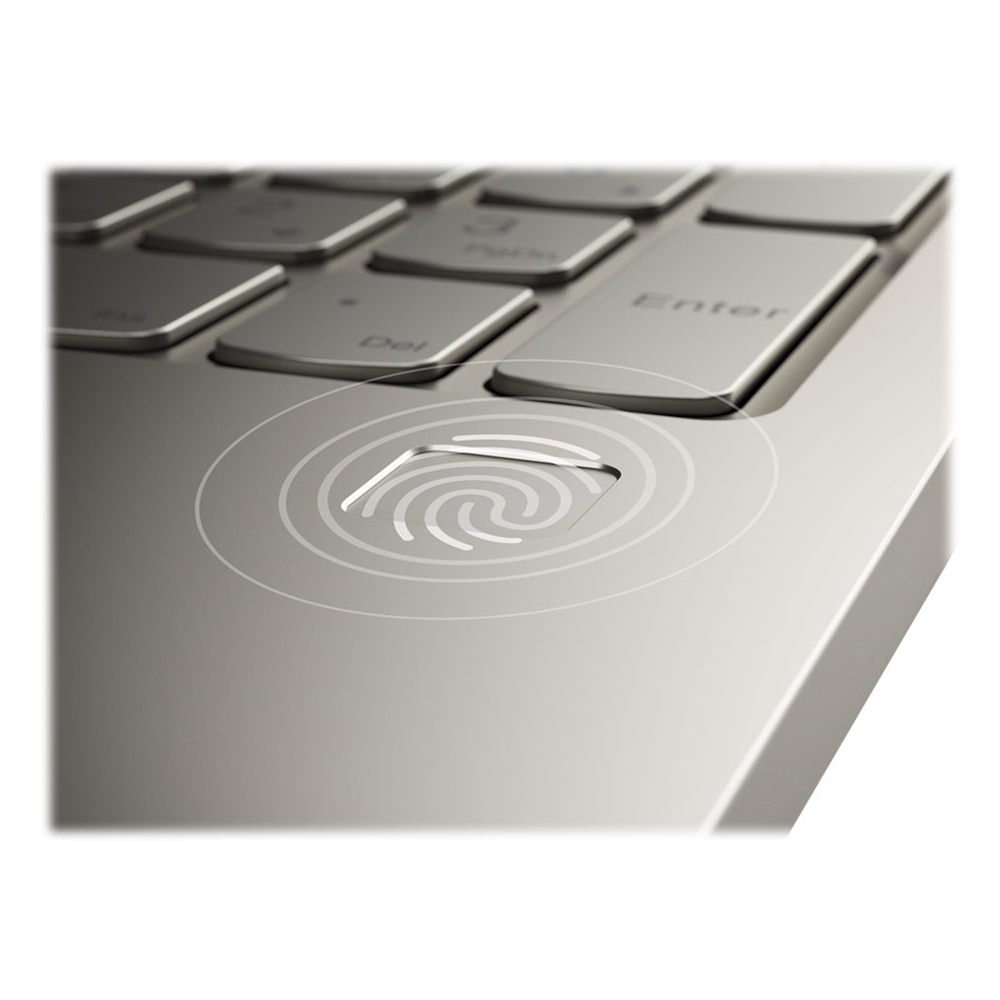
||Posted . Owned for 1 month when reviewed.This reviewer received promo considerations or sweepstakes entry for writing a review.While working from home, my old laptop froze up. I found this Lenovo Yoga C740 at Best Buy and picked it up from BB an hour later. Set up was easy and I was working again soon. I really like this Yoga for several reasons. Start up is quick and the fingerprint reader is way better than typing in a password. The laptop touch screen is responsive and the brightness and intensity of the colors is good for reading and watching streaming content. I have two 27 inch monitors hooked up to it so I can have several spreadsheets open at a time in addition to having my e mail open on the laptop screen, and there is no lag or hesitation when navigating between screens. I can multitask without any slowdown. The backlit keyboard also has a numeric keypad and the feel is solid and responds quickly. I have been using the Yoga C740 for about six weeks and I really enjoy using it. I think the features of the laptop make it easy to use for any one and I would recommend it to any one.
I would recommend this to a friendBrand response from Lenovo Product Expert
Posted .Thank you for choosing the Lenovo Yoga C740-15. We are pleased to hear that the features and performance of the Yoga C740-15 meets your computing needs so well. Combining heavyweight performance with lightweight portability, the Yoga C740’s 10th Gen Intel Core i7 processor enables longer battery life, high-speed connectivity, and ultra-responsive multi-tasking performance in a sleek package. Packing a one-two punch of stunning audio and visual experience, the Yoga C740 is the perfect companion for streaming your favorite videos or playing games. With a 15.6-inch FHD HDR wide-angle display with 500 nits brightness, this laptop delivers millions of colors to your screen. To match the tantalizing visuals, the Yoga C740’s Dolby Atmos speaker system creates an audio experience in which sound flows above and around you. Yoga is committed to protecting your privacy. Log in with your fingerprint or slide the Yoga C740’s TrueBlock Privacy Shutter closed for true peace of mind when you’re not using your webcam.
Great battery life
||Posted . Owned for 3 weeks when reviewed.This reviewer received promo considerations or sweepstakes entry for writing a review.I have only owned this laptop for a little over a month but the look of the laptop is chic and stylish. Also, this laptop’s n battery life is outstanding. I can go all day without being charged and I still have enough battery life to finish a 15page research paper. Overall I am happy with my purchase.
I would recommend this to a friendBrand response from Lenovo Product Expert
Posted .Thank you for choosing the Lenovo Yoga C740-15. This model ships with a 3CELL_60.3WH_INTERNAL, Lithium Polymer Battery, with a battery life of up to 15 hours, depending on the work the device is performing. Combining heavyweight performance with lightweight portability, the Yoga C740’s 10th Gen Intel Core i7 processor enables longer battery life, high-speed connectivity, and ultra-responsive multi-tasking performance in a sleek package. Packing a one-two punch of stunning audio and visual experience, the Yoga C740 is the perfect companion for streaming your favorite videos or playing games. With a 15.6-inch FHD HDR wide-angle display with 500 nits brightness, this laptop delivers millions of colors to your screen. To match the tantalizing visuals, the Yoga C740’s Dolby Atmos speaker system creates an audio experience in which sound flows above and around you. Yoga is committed to protecting your privacy. Log in with your fingerprint or slide the Yoga C740’s TrueBlock Privacy Shutter closed for true peace of mind when you’re not using your webcam.
- Pros mentioned:Speed
Excellent computer
||Posted .This reviewer received promo considerations or sweepstakes entry for writing a review.I got this Lenovo during a sale, and it's my first one. I'm extremely happy and satisfied so far. The laptop is really fast, and the battery life is great (lasting for at least 8+ hours). It fulfills all my needs. If you are using it for Zoom, the camera quality is good enough (like other computers at this price range). One disadvantage about the privacy shutter - it's a little hard to move, but I don't really use it that much. Overall, I'm glad that I settled on this one.
I would recommend this to a friendBrand response from Lenovo Product Expert
Posted .Thank you for choosing the Lenovo Yoga C740-15. We are pleased to hear that the features and performance of the Yoga C740-15 meets your computing needs so well.
- Pros mentioned:Touch screen
Happy Mama, good value, heavy duty feel
||Posted . Owned for 2 months when reviewed.This reviewer received promo considerations or sweepstakes entry for writing a review.Sturdy, fast, crisp screen, good volume, keyboard backight is very good. I love that it is not cheap, plastic. Perfect size for carrying it around. This is my first good laptop, and I don't let anyone else use it, but I wouldn't be afraid to let my kids as it is durable.
I would recommend this to a friendBrand response from Lenovo Product Expert
Posted .Hey there! Thanks for choosing the Lenovo Yoga C740 Laptop. We are pleased to hear the design, performance, and features of the C740 Laptop are meeting your computing needs so well!
- Pros mentioned:Speed
I love this laptop!
||Posted . Owned for 8 months when reviewed.This reviewer received promo considerations or sweepstakes entry for writing a review.I love my laptop! This laptop that has a folding screen which changes into an large size tablet. I game on this laptop, write, shop and browse the web all with ease. It has a fingerprint censor and a webcam shutter for added security. It has 2 brightness levels for the keyboard. The speakers sound nice. It’s fast and is a great laptop!
I would recommend this to a friendBrand response from Lenovo Product Expert
Posted .Hello, thank you for choosing the Lenovo Yoga C740. We are so happy to hear the performance, features, and sleek modern design of the Lenovo Yoga C740 is meeting your computing needs so well.
- Pros mentioned:Speed
Great laptop!
||Posted . Owned for 3 weeks when reviewed.This reviewer received promo considerations or sweepstakes entry for writing a review.This thing is awesome! It is fast and responsive and the keyboard is fun to use!
I would recommend this to a friendBrand response from Lenovo Product Expert
Posted .Once again, thank you for choosing the Lenovo Yoga C740-15. You can keep your computer running at its best by keeping the Windows 10 Operating System and all supporting BIOS files and drivers up to date. You can easily accomplish this by scanning the computer with the Lenovo Utility software available on this computer. Just type "Lenovo Vantage" in the Cortana Search window (if Lenovo Vantage is not installed on your device, you can download the APP and install it now). Select Lenovo Vantage from the list. In the window that opens, click on "Health and Support". In the expanded menu, select "Hardware Scan" In the window that opens, select "Run Quick Tests". This will scan your entire system for errors. Follow any directions that may pop up. If the problem continues after this scan, now click on "System Update". First select Windows update from the menu. Scan your system to be sure you have the latest version of Windows 10. Once that scan is complete, select "Additional Updates". This will scan your device to be sure there are no new BIOS/Driver updates needed. Follow any instructions that may pop up. If you ever need additional help with your Lenovo computer, we recommend you call Lenovo Tech Support at: 877-453-6686 for additional help.
- Pros mentioned:Speed
Lenovo i-7
||Posted . Owned for 3 weeks when reviewed.This reviewer received promo considerations or sweepstakes entry for writing a review.Excellent Laptop for the price, and extremely fast and dependable.
I would recommend this to a friendBrand response from Lenovo Product Expert
Posted .Hey there! Thanks for choosing the Lenovo Yoga C740 Laptop. We are pleased to hear the value, performance, and features of the C740 Laptop are meeting your computing needs so well!
- Cons mentioned:Hard drive
Terrible customer service !!!
||Posted . Owned for 10 months when reviewed.This reviewer received promo considerations or sweepstakes entry for writing a review.Hard drive crashed after buying in brand new only a few months after purchase. Product was returned to Owings Mills store to try to retrieve data. Geek squad rep told me the next day that they’d have to send computer to “corporate l” in Kentucky in order to retrieve date . He told me that there would be no charge because the computer is still under Best Buy warranty . After nearly 6 weeks of waiting for the computer to be returned I get an e-mail form Kentucky saying they Received the laptop but will charge me for data retrieval . I refused service because I was told I wouldn’t be charged . They mailed it back to Owings Mills store . I went to pick it up and it was damaged !! The power button was broken and it would not turn on . I wasted 6 weeks and lost all my data due to Best Buy INCOMPENTENCE . None of the Best Buy staff members even attempted to apologize to me or admit any fault or even sympathize ! Terrible customer service overal
No, I would not recommend this to a friend My lenovo yoga
||Posted . Owned for 3 weeks when reviewed.This reviewer received promo considerations or sweepstakes entry for writing a review.Although it was a open box item it was in great condition and was a great value.
I would recommend this to a friendBrand response from Lenovo Product Expert
Posted .Thank you for choosing the Lenovo Yoga C740-15. We are pleased to hear that the Yoga C740-15 meets your computing needs so well.
Sleek, light weight, excellent battery life, fast.
||Posted . Owned for 3 weeks when reviewed.This reviewer received promo considerations or sweepstakes entry for writing a review.I just loved it. I will recommend to everyone. Go grab yours.
I would recommend this to a friendBrand response from Lenovo Product Expert
Posted .Thank you for choosing the Lenovo Yoga C740-15. We are pleased to hear that the features and performance of the Yoga C740-15 meets your computing needs so well. Combining heavyweight performance with lightweight portability, the Yoga C740’s 10th Gen Intel Core i7 processor enables longer battery life, high-speed connectivity, and ultra-responsive multi-tasking performance in a sleek package. Packing a one-two punch of stunning audio and visual experience, the Yoga C740 is the perfect companion for streaming your favorite videos or playing games. With a 15.6-inch FHD HDR wide-angle display with 500 nits brightness, this laptop delivers millions of colors to your screen. To match the tantalizing visuals, the Yoga C740’s Dolby Atmos speaker system creates an audio experience in which sound flows above and around you. Yoga is committed to protecting your privacy. Log in with your fingerprint or slide the Yoga C740’s TrueBlock Privacy Shutter closed for true peace of mind when you’re not using your webcam.
- Pros mentioned:Speed, Touch screen, WeightCons mentioned:Heat
overheats while charging
||Posted . Owned for less than 1 week when reviewed.This reviewer received promo considerations or sweepstakes entry for writing a review.Pros: reasonably lightweight and thin for it's size, bright display (500 nits), touchscreen, no pulse-width modulation, fast and capable, usb 3.1 ports, good-looking, backlit keys, numeric keypad, mostly a great value for the price (particularly if on sale). Cons: Unfortunately, the cons overwrite the pros, for me. 1) It BADLY OVERHEATS as a default while charging. I exchanged this laptop twice - meaning I tried three units of this laptop. All three had this issue. I finally downloaded software and tested the exact temperature. While charging, this unit runs at an AVERAGE temperature of around 150 Fahrenheit, and regularly reaches 200+ degrees Fahrenheit. Yes 200 Fahrenheit, i.e., you could cook on the bottom surface of this laptop. Local bestbuy staff told me they hear many complaints about Yoga laptops running hot, and other reviewers here have noted the same problem, but Lenovo continues to deny this is an issue with this model or Yogas in general. If it isn't, then it is definitely an issue with a large portion of the units made. 2) Unless you get escalated to management, Lenovo support is frustrating and not at all helpful. Once I got through to management they started to try to solve the problem, but regular departmental representatives simply thought it best to transfer me from one to another to another and back again, each making me explain the issue from scratch and then informing me it was not within their purview, until more than an hour and a half later when I got fed up and demanded to speak with a supervisor. I currently am on my THIRD unit (two ordered online, one picked up from the store) of this laptop! If it was just a matter of the temperature itself I would just live with it as I tend to use a lapdesk anyway, but I worry the regular super-high temperatures will cause other problems over time, and I'm not looking for laptop that constantly has issues. I've given this model several chances because I really do like it otherwise. Hoping Lenovo can send me a unit directly that they test and can ensure does not overheat, otherwise I'm moving on and never laying eyes on another Lenovo laptop again. Frustrating and time consuming experience.
No, I would not recommend this to a friend - Pros mentioned:Speed, Touch screen, Weight
love this laptop computer
||Posted . Owned for 2 months when reviewed.This reviewer received promo considerations or sweepstakes entry for writing a review.I wanted this computer for a long time. i7 gen 10, solid state drive and 2 in 1...touch screen..everything I wanted. I didn't want to have to get another computer for a long time and this had a lot of upgrades that I personally didn't need right now but in the future it would be needed if u wanted to keep current. Many others had more GB, etc but for me that was an over kill. I waited till it went on sale, as the price kept going up and down. had good reviews but a few that I didn't like. most like the missing of memory card reader I could rectify with a card reader and extension for more ports. the one negative thing that bothers me the most is the keyboard. keys are hard to see..a problem for me as I don't have all the keys in my memory, but if you type without looking this will be a non issue. this computer is crazy fast compared to my old Dell. Sound is good for me but if u want can always add a speaker. set up was easy, haven't used the touch screen or 2in1 much but will in the future as this is a busy Covid summer for me. Very light weight and size is just right for me. I have helped others in my family buy a Lenovo computer through the years and they have had no issues as I feel Lenovo is an excellent computer. Would recommend this computer. stay safe.
I would recommend this to a friendBrand response from Lenovo Product Expert
Posted .Thank you for choosing the Lenovo Yoga C740-15. We are pleased to hear that the features and performance of the Yoga C740-15 meets your computing needs so well. Combining heavyweight performance with lightweight portability, the Yoga C740’s 10th Gen Intel Core i7 processor enables longer battery life, high-speed connectivity, and ultra-responsive multi-tasking performance in a sleek package. Packing a one-two punch of stunning audio and visual experience, the Yoga C740 is the perfect companion for streaming your favorite videos or playing games. With a 15.6-inch FHD HDR wide-angle display with 500 nits brightness, this laptop delivers millions of colors to your screen. To match the tantalizing visuals, the Yoga C740’s Dolby Atmos speaker system creates an audio experience in which sound flows above and around you. Yoga is committed to protecting your privacy. Log in with your fingerprint or slide the Yoga C740’s TrueBlock Privacy Shutter closed for true peace of mind when you’re not using your webcam.
Hard drive dead.
||Posted . Owned for 1.5 years when reviewed.This reviewer received promo considerations or sweepstakes entry for writing a review.Harddrive dead in less than 2 years. I cannot retrieve anything back. So technically you lost $1200 in less than 2 years.
No, I would not recommend this to a friend- Pros mentioned:Speed, Touch screen
Best laptop in all the land
||Posted . Owned for 2 weeks when reviewed.This reviewer received promo considerations or sweepstakes entry for writing a review.I love this computer! It runs so smoothly and it gives me no problems when I multi task. I can run zoom, windows office, have 10 google chrome tabs, and it won't crash or lag on me. The camera is great. The keyboard is nice and big and very smooth to type on, I don't have to smash hard to hit keys. The screen is pretty to look at and its nice and big enough to make movies and Hulu look really nice. It was very easy to find protector products for it on Amazon. The battery life on this is AMAZING. It takes about an hour to charge and it lasts me the whole day (8hrs or more) If I am using zoom for a long time it lasts me half a day (3-5 hours). The camera is chef's kiss. And the best part is that it does NOT heat up at all. At most there is a lukewarm feeling near the top left of the keyboard, but its not noticeable. My partner has the HP Envy Spector and her laptop gives her more software and hardware problems than mine does. The problems I mentioned below are so minuscule that its not really noticeable; in reality I wish I could give this laptop a 4.4/5 stars!!! The only reason I give it the 4/5 and not 5/5 stars is because: -I'm not using the original McAfee protection it comes with because it sucks. I use Bitdefender and the program works amazing (someone at BB recommended it to me) the only thing is, the windows system took some time adjusting to Bitdefender. The windows program kept trying to sell me Mc Afee. This is more of a windows system. issue and not the laptop itself. -The speakers are not as loud as I hope to be. When I am alone with no background, they are okay, but when I am in a room with other people I have to put the sound on 100 and it still isn't loud enough. -the track pad was working amazing and very quick to react, but after 1 month of having it, the trackpad gets a little slow after the computer auto sleeps. When I wake it up from autosleep or step away from it for like a few minutes, the track pad takes a while to bring the arrow cursor back. Its not a 24/7 issues BUT it does happen and it makes me sad. -Noise. This laptop makes a good humming sound in the background and it can get pretty loud. This laptop has one, high quality fan built in instead of two so that's why you get that noise. But like I said, it doesn't over heat so the noise is ok with me. -Breakouts. This commuter does not have enough breakout ports. It comes with USB-A and type C and that's it. I use a lot of regular USB ports (wireless mouse, keyboard, and storage usb) I had to get a type C adapter from BB, too. Its called a Hyper+Drive 9in1 adapter. A little pricey but worth it. -Headphone Jack. I don't know whats wrong with my head jack but whenever I connect it, i don't get a great connection. Everyone says I sound far away even tho my sound is up all the way. Good thing the adapter I bought has a headphone jack. Since this is a 2-in-1 I bought the bamboo pencil that was sold here on BB for $49.99 and it works amazing. There is a lenovo pencil for this laptop, but its hard to buy since its not sold in stores and more expensive ($85+ shipping). •if you're going to use this for basic school use (zoom univ), multitasking, and office work then get this laptop. If you're going to be using high end programs for editing, gaming, or other things then get a higher end laptop that has at least 16GB RAM. OVERALL I GIVE THIS A 4.4/5 STARS !!
I would recommend this to a friendBrand response from Lenovo Product Expert
Posted .Hey there! Thanks for choosing the Lenovo Yoga C740 Laptop. We are pleased to hear the value, performance, and features of the C740 Laptop are meeting your computing needs so well! We appreciate your detailed review and value your feedback. Regarding the fan noise please be sure any software you installed is compatible with Windows 10. There is no need to install Microsoft Office software. The software is already part of the operating system, you just need to activate the software with a purchased product key. If you have installed a copy of Microsoft Office, this is conflicting with the existing copy on the system and this will slow your system down. If you have installed a 3rd party anti-virus program, be sure that Windows Defender is turned off and that the trial version of McAfee Anti-Virus software is uninstalled. There can only be one anti-virus program on the system. Q-Control for Heat and Fan Noise: You can use Lenovo Q-Control to manually control fan performance: (Fn + Q ) option to change the fan. Also : Here is a link to information on uninstalling McAfee from Windows 10: https://service.mcafee.com/webcenter/portal/oracle/webcenter/page/scopedMD/s55728c97_466d_4ddb_952d_05484ea932c6/Page29.jspx?wc.contextURL=%2Fspaces%2Fcp&articleId=TS101331&_afrLoop=1355161020222084&leftWidth=0%25&showFooter=false&showHeader=false&rightWidth=0%25¢erWidth=100%25#!%40%40%3FshowFooter%3Dfalse%26_afrLoop%3D1355161020222084%26articleId%3DTS101331%26leftWidth%3D0%2525%26showHeader%3Dfalse%26wc.contextURL%3D%252Fspaces%252Fcp%26rightWidth%3D0%2525%26centerWidth%3D100%2525%26_adf.ctrl-state%3Dx25crirbo_9
- Pros mentioned:Touch screenCons mentioned:Fan noise
Fantastic All-Around Device!
||Posted . Owned for 3 weeks when reviewed.This reviewer received promo considerations or sweepstakes entry for writing a review.This baby has easily powered through everything I've thrown at it from music production to some light gaming. The SSD is super fast and starts up the pc within seconds and the fingerprint works well. The touchscreen is quite nice to use both in portrait and landscape modes as a tablet as well as a propped up mode on a table. Drawing on this thing is very enjoyable(i also purchased the bamboo ink plus pen to draw with) with lines coming out smooth. one bad thing ive noticed is the position of the vent, its in the back blowing out the back edge of the bottom half. It's not too much of a problem though as long as you pay attention to where i is and make sure nothing is blocking it otherwise things will get hot REAL quick. Fans are pretty quiet even through playing minecraft with high settings. However i have had a couple points where the fans make some sort of noise like something is hitting the blades. Moving the laptop fixes this. The speakers are SURPRISINGLY good. When i was looking for laptops i also looked at the c940 which has a dolby atmos soundbar built into the hinge, the speakers on this are located on the bottom of the device. They are still dolby atmos and they sound AWESOME. One last thing to note, and this is more with windows 10 than the laptop itself, but when I was using my music production software I noticed the cpu was maxing out and glitching out the audio, but I discovered that switching the performance mode from better battery to best performance fixed this immediately. So if you use this for hefty processes like video editing or music production or something be aware of that. In short: One of the best purchases I've ever made. Speakers, keyboard, touchscreen battery are great! Make sure you don't block the cooling vent. If you use this for drawing, this does not come with a pen. (I'd recommend the bamboo ink plus.)
I would recommend this to a friendBrand response from Lenovo Product Expert
Posted .Thank you for choosing the Lenovo Yoga C740-15. We are pleased to hear that the performance of the Yoga C740-15 meets your computing needs so well. We always recommend you check the requirements and compatibility of any software you will be installing on your new computer, before you invest in any computer. Be sure your new computer can support the software you will need to use. Combining heavyweight performance with lightweight portability, the Yoga C740’s 10th Gen Intel Core i7 processor enables longer battery life, high-speed connectivity, and ultra-responsive multi-tasking performance in a sleek package. Packing a one-two punch of stunning audio and visual experience, the Yoga C740 is the perfect companion for streaming your favorite videos or playing games. With a 15.6-inch FHD HDR wide-angle display with 500 nits brightness, this laptop delivers millions of colors to your screen. To match the tantalizing visuals, the Yoga C740’s Dolby Atmos speaker system creates an audio experience in which sound flows above and around you. Yoga is committed to protecting your privacy. Log in with your fingerprint or slide the Yoga C740’s TrueBlock Privacy Shutter closed for true peace of mind when you’re not using your webcam.
- Pros mentioned:Performance
Fast, light and versatile laptop for all ages.
Posted .This reviewer received promo considerations or sweepstakes entry for writing a review.Love this laptop. Used mainly for photography and video editing, voice recording, gaming, streaming (netflix and twitch gaming style streaming), & web browsing. Love the usb and usb c options, wish it had a cd/DVD drive but that's just how most laptops and computers are made anymore- without them. Other than that, i don't have any qualms about this laptop. It's been very good to me! definitely recommend.
I would recommend this to a friend - Pros mentioned:Speed, Touch screenCons mentioned:Fan noise
Excellent computer, just noisy
||Posted . Owned for 3 weeks when reviewed.This reviewer received promo considerations or sweepstakes entry for writing a review.I LOVE this computer. I almost returned it because of the loud fan noise, but after doing some research for fixes, we found one that worked and quieted the fan down considerably. So, I decided the benefits of this machine outweighed the louder-than-I-like fan noise. The screen is crystal clear and the computer is fast. It can handle multiple tasks at once without slowing down. I mostly use this computer at home, so it does not matter that it occasionally runs louder than I would like. The excellent processor and other perks (sleek design, pretty color, number key pad, and quick response touch screen) make up for it. If you plan to work on this computer in a quiet library, you might want to search for another computer.
I would recommend this to a friend - Pros mentioned:Touch screen, Weight
LENOVO RULES!
||Posted . Owned for 1 month when reviewed.This reviewer received promo considerations or sweepstakes entry for writing a review.this Lenovo Yoga is my second ( third or forth) Lenovo computer... the others are a 900 series Yoga and is a 13". I also carry a Lenovo 12.5" Think Pad when I travel. And I have a older 15.6" Think Pad on my desk. I hope you can see I truly love Lenovo products and feel that they are excellent computers. As for this Yoga C740, I am still learning all that it offers and boy is that a lot of new things to work with... I love the finger pad over the older slide, the lighted key pad is super and 2 in 1 is handy when I want to hold it on my lap... the key pad response is outstanding and smooth... the touch screen is great... light weight and long, long battery all add up to a superior computer. I love it and would recommend it to anyone who needs a larger computer.
I would recommend this to a friendBrand response from Lenovo Product Expert
Posted .Thank you for choosing the Lenovo Yoga C740-15. We appreciate your support of the Lenovo Brand. Combining heavyweight performance with lightweight portability, the Yoga C740’s 10th Gen Intel Core i7 processor enables longer battery life, high-speed connectivity, and ultra-responsive multi-tasking performance in a sleek package. Packing a one-two punch of stunning audio and visual experience, the Yoga C740 is the perfect companion for streaming your favorite videos or playing games. With a 15.6-inch FHD HDR wide-angle display with 500 nits brightness, this laptop delivers millions of colors to your screen. To match the tantalizing visuals, the Yoga C740’s Dolby Atmos speaker system creates an audio experience in which sound flows above and around you. Yoga is committed to protecting your privacy. Log in with your fingerprint or slide the Yoga C740’s TrueBlock Privacy Shutter closed for true peace of mind when you’re not using your webcam.
- Pros mentioned:Speed
Perfect laptop update
||Posted . Owned for 1 month when reviewed.This reviewer received promo considerations or sweepstakes entry for writing a review.I purchased the Lenovo Yoga C740 after doing a lot of research and consulting with an IT friend. It has a great design and all of the requirements I was looking for to replace my old Samsung laptop. The solid state drive, Core i7 processor and memory make it an ideal computer for my all around home computer. It's fast, light and has very good battery life. It ticks all the boxes for what I do most; home budgeting, online shopping and some web surfing. I'm confident that it was the right laptop for me and Best Buy offered the best deal bar none!
I would recommend this to a friendBrand response from Lenovo Product Expert
Posted .Thank you for choosing the Lenovo Yoga C740-15. We are pleased to hear that the value, features and performance of the Yoga C740-15 meets your computing needs so well. Combining heavyweight performance with lightweight portability, the Yoga C740’s 10th Gen Intel Core i7 processor enables longer battery life, high-speed connectivity, and ultra-responsive multi-tasking performance in a sleek package. Packing a one-two punch of stunning audio and visual experience, the Yoga C740 is the perfect companion for streaming your favorite videos or playing games. With a 15.6-inch FHD HDR wide-angle display with 500 nits brightness, this laptop delivers millions of colors to your screen. To match the tantalizing visuals, the Yoga C740’s Dolby Atmos speaker system creates an audio experience in which sound flows above and around you. Yoga is committed to protecting your privacy. Log in with your fingerprint or slide the Yoga C740’s TrueBlock Privacy Shutter closed for true peace of mind when you’re not using your webcam.



















