Customer Ratings & Reviews
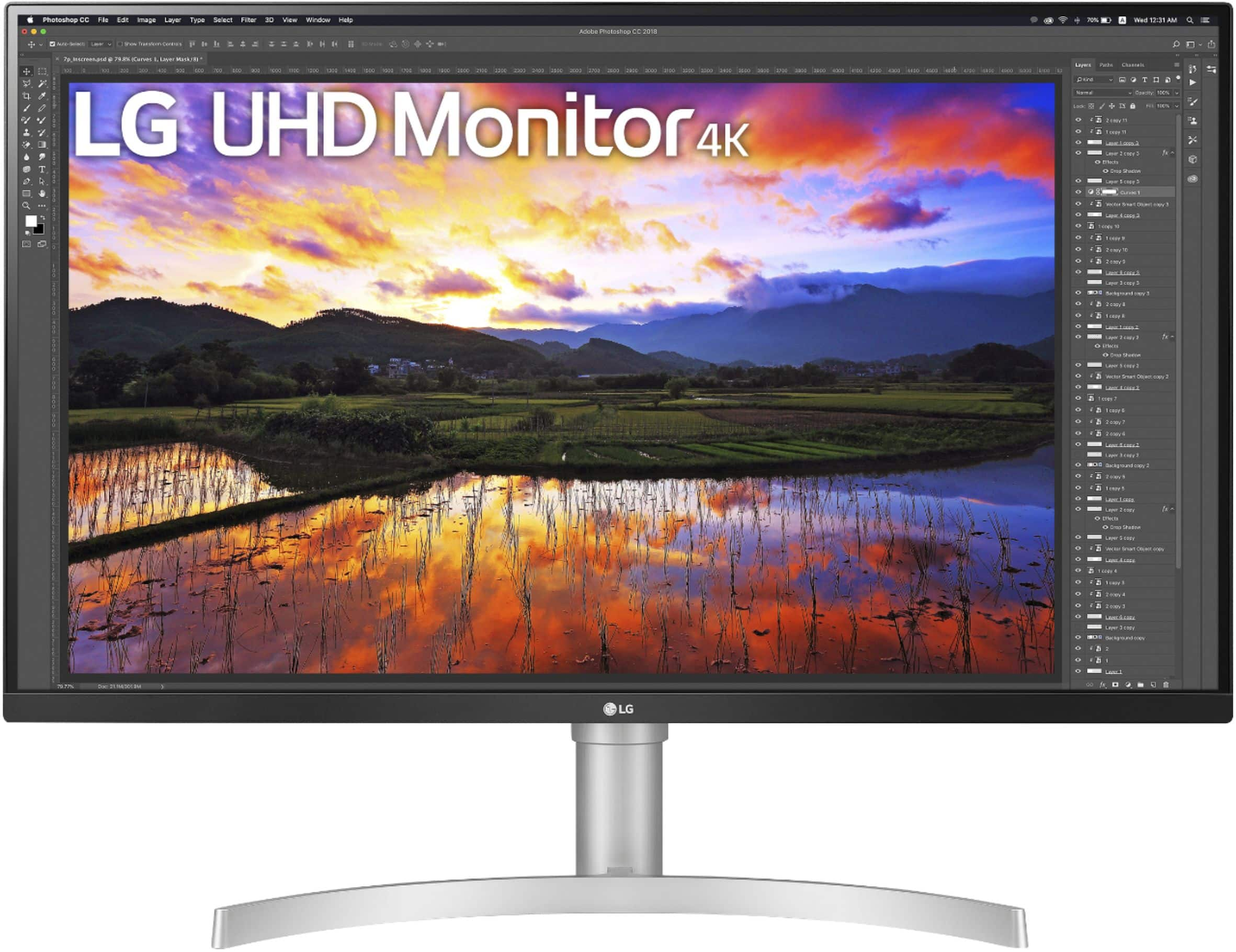
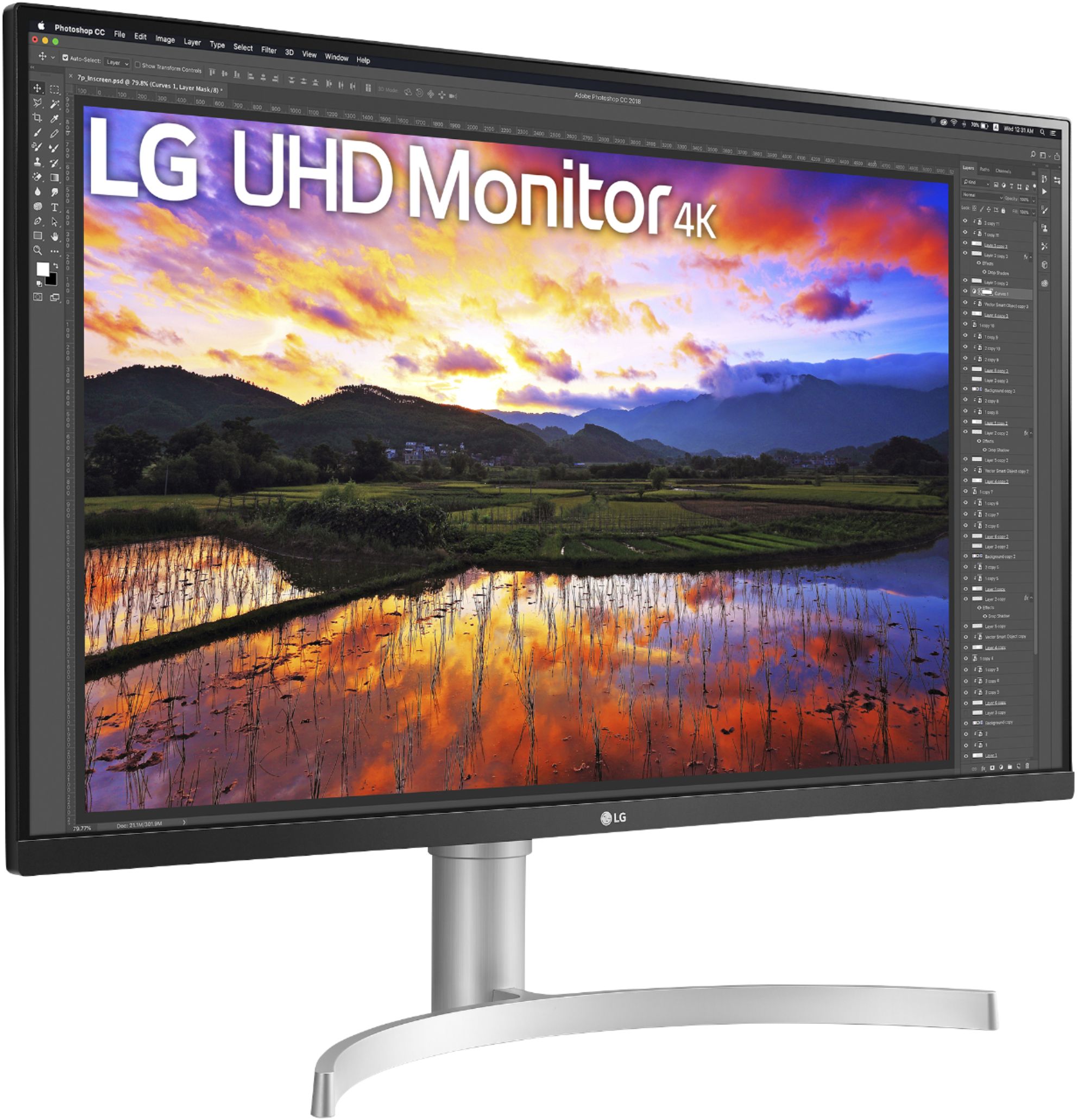
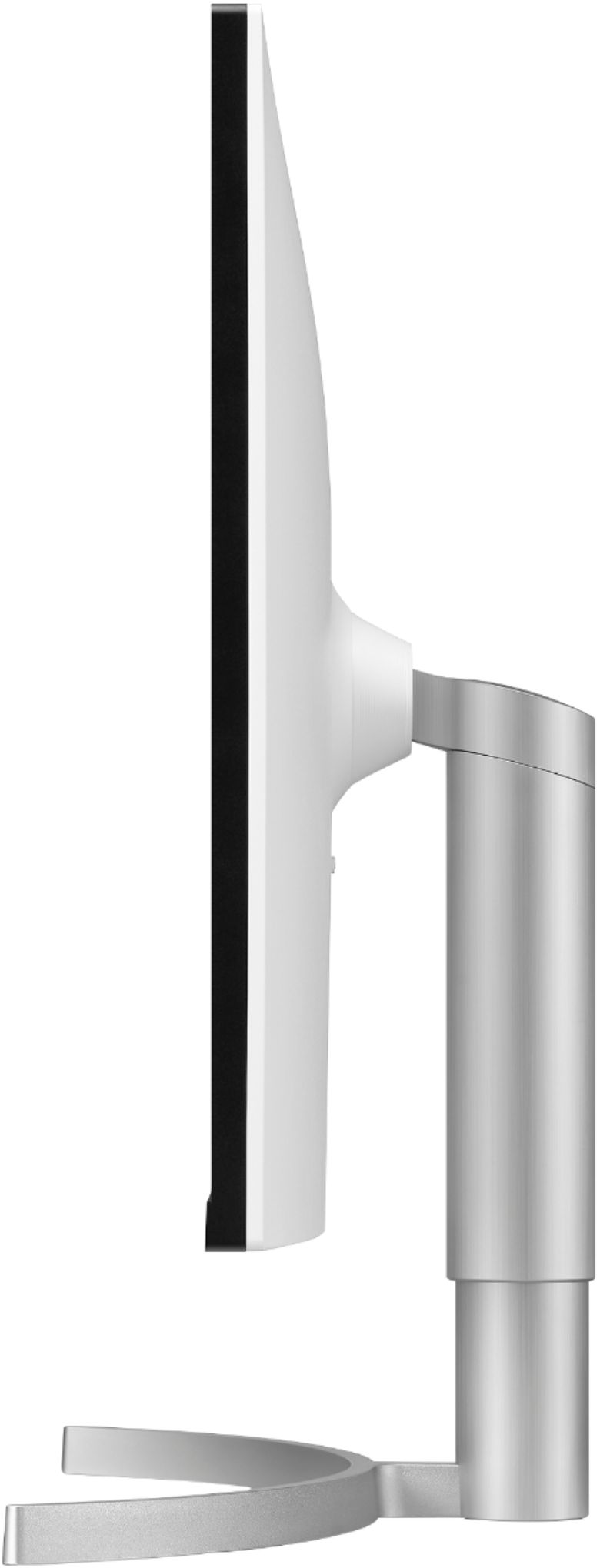
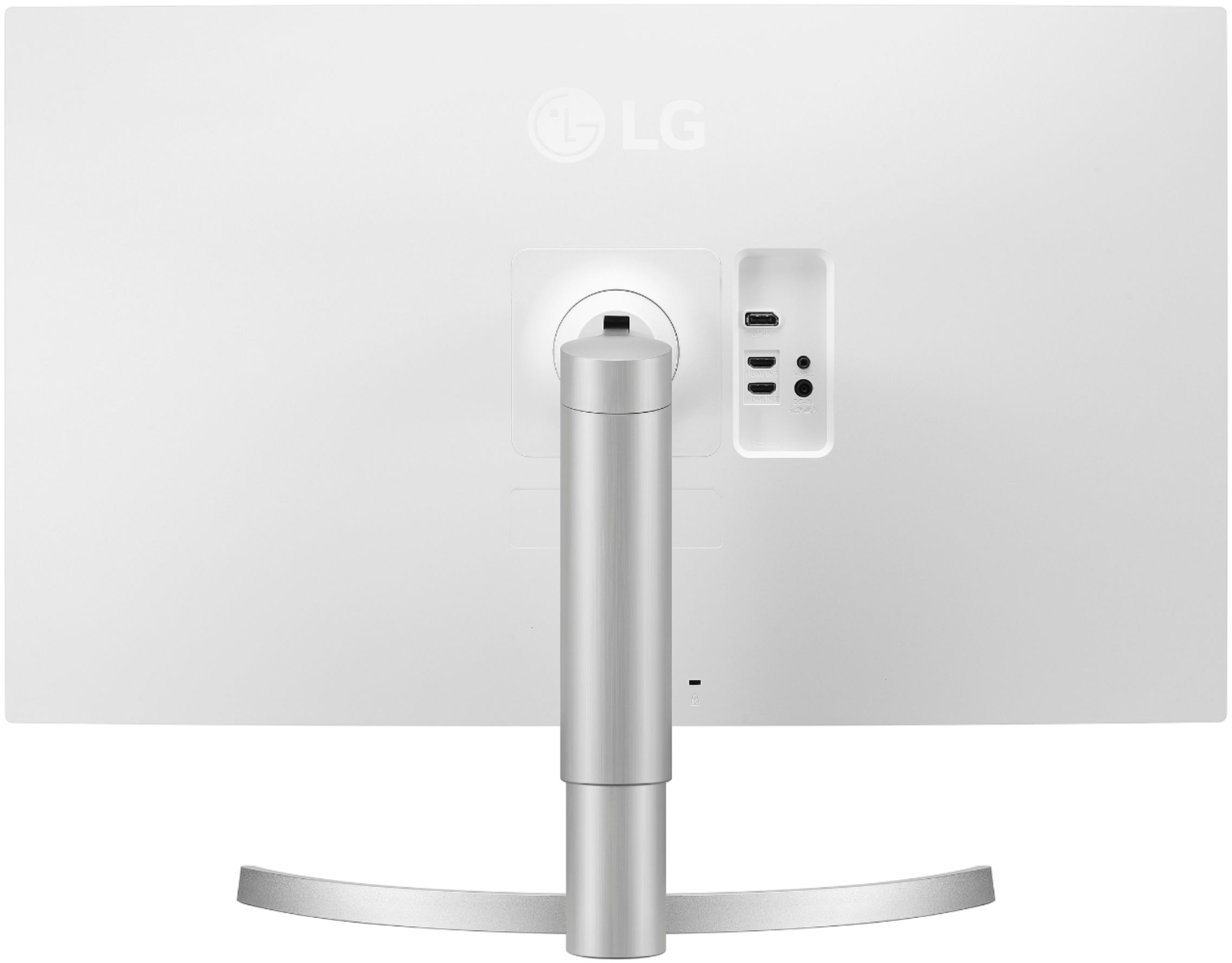
- Model:
- 32UN650-W
- SKU:
- 6437472
Rating by feature
- Display Quality
Rating 4.5 out of 5 stars
- Ease of Use
Rating 4.7 out of 5 stars
- Features
Rating 4.5 out of 5 stars
Customers are saying
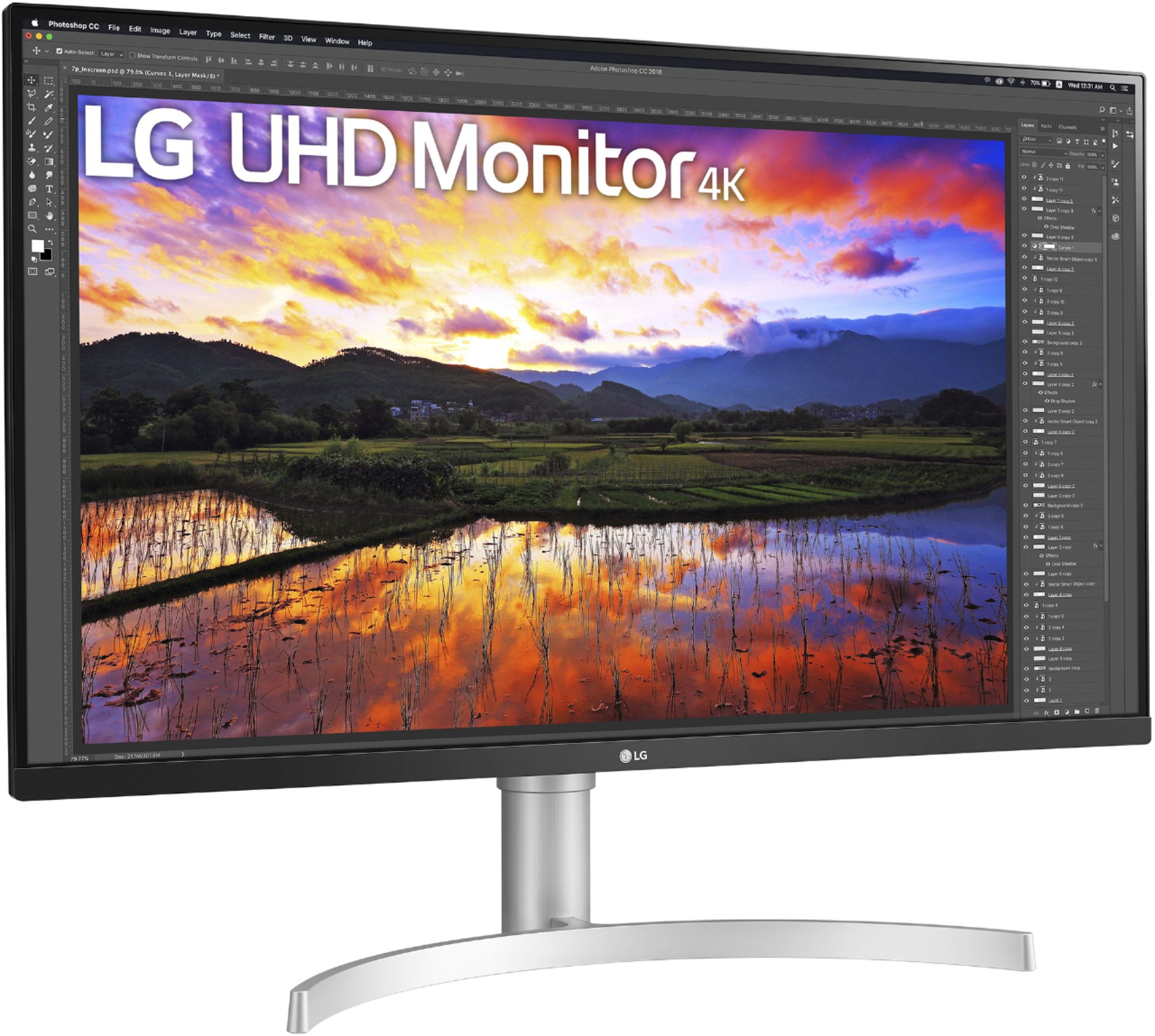
Customers express satisfaction with the 32" UltraFine IPS UHD 60Hz FreeSync Monitor's screen size, resolution, and built-in speakers, frequently praising the image quality and ease of setup. Many appreciate the monitor's stand adjustability and consider it good value for the price. While some users wish for a higher refresh rate, others find the 60Hz refresh rate sufficient for their needs.
This summary was generated by AI based on customer reviews.
- Pros mentioned:Speakers, Stand
Great value for a 4K Free Sync 32 inch IPS monitor
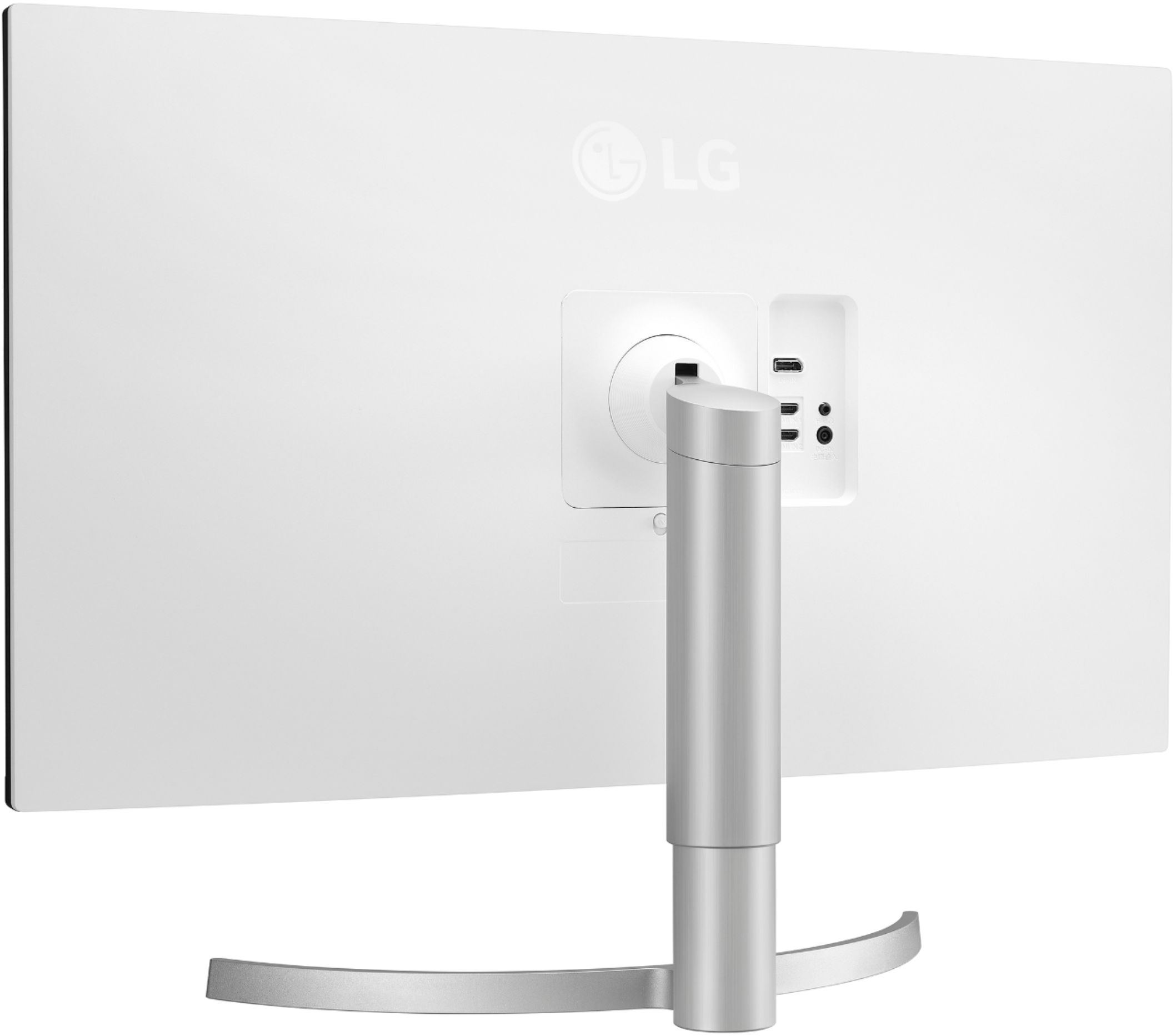
||Posted . Owned for 1 month when reviewed.This reviewer received promo considerations or sweepstakes entry for writing a review.This review is for a retail purchased LG - 32" Model 32UN650-W UltraFine IPS UHD 4K Monitor with FreeSync First of all I am a retired Wedding Photographer and I have critical experience with good quality monitors. I bought this monitor for my recent foray in to Flight Simulators. I have been using a 27 inch IPS 4K monitor for my photography work, which has 168 pixels per inch. Impeccable detail and sharpness. So on advice and reviews for gaming monitors, I bought a $400.00 32 inch Curved VA panel QHD (2560 x 1440P) 165 hz Free Sync monitor for my flight sim rig. First thing I notice is that it isn't sharp. Contrast and color start to degrade towards the edge. Got rid of it. So next I buy a $1700.00 38 inch Curved 3860 x 1600 IPS 144hz G-Sync gaming monitor from Best Buy. That much money, it has to be great, Right? Not so. Being an IPS panel, it is the same edge to edge but it still is underwhelming. Cockpit detail isn't sharp, colors are dull. I hate to return anything, but I can't justify $1700.00 for a monitor that is going to make me miserable every time I turn it on, so I returned it to Best Buy and they were most gracious. Here is the problem with monitors. Pixels per inch matter. The experts tell us we don't need anymore than 110 pixels per inch. It isn't so. You may get better frame rates on a lower resolution monitor, but at 110 pixels per inch, you will never get anything that actually can be considered great quality. So I reassessed my situation, which is Single player Flight sims. 60 Frames Per Second is all you need in a non competitive flight sim and it takes a really good system to average 60 FPS in 4K with a flight sim set at high quality settings anyway. After a lot of research I found this LG - 32" Model 32UN650-W UltraFine IPS UHD 4K Monitor with FreeSync. Yes it is only a 60hz panel. Free sync on this monitor works really well with my RTX 2080Ti. I just set the maximum frame rate in Nvidia Control Panel to 59 FPS as I do have the ability to exceed 60 FPS a lot of the time and that would cause stuttering. When my frame rates drop into the 50s G-Sync in the Nvidia driver takes over and it is smooth as butter even if I drop into the 40s. Now for the best part. Beautiful color, sharp detail. All my cockpit gauges are sharp. The 135 pixels per inch that this monitor delivers may not seem like a lot over the 2560 x 1440 110 pixels per inch on a 32 inch monitor, but it is a big time difference. The monitor has a good stand. adjustable for height and tilt forward to back. Nice joystick control for the OSD. Thin bezel. It is a flat-non curved monitor. After trying two curved monitors, I really can't say I see any real advantage. They look nice, but I think it is more gimmick than advantageous. The only con I have is the stand. The lowest that the bottom of the panel will go is about 5 inches above the surface it sits on, but it can be VESA mounted on a monitor stand. I like to be looking down on my monitor, but on the other hand it gives you room to put a sound bar under the monitor although it actually has pretty decent speakers. Also if you are a flight sim person and use your keyboard sparingly, your keyboard can sit on top of the monitor legs under the monitor leaving you lots of room for your HOTAS and Throttle. Another plus is that this is a good all around monitor. It has good color fidelity out of the box. I calibrated mine, but I gained little from the factory calibration. Lots of viewing mode settings. So if you are looking for a good 4K, Free Sync capable IPS 32 inch 60hz monitor, I don't think you can find anything better for it's $500.00 price.
I would recommend this to a friend - Pros mentioned:Resolution
Great So Far!
||Posted . Owned for 1 month when reviewed.This reviewer received promo considerations or sweepstakes entry for writing a review.I purchased this monitor as a second display to work in tandem with my 34" LG Ultra-Wide. I needed more screen real estate when working on video and motion graphic content, and this does just that! Colors seem to be accurate and the HDR output is quite impressive. My setup isn't the "cleanest" (looks a little wonky) with both a curved and flat panel, but I will say adding this has without a doubt improved my workflow. At 4K resolution I could see this being a fine single display as well. The only slight negatives are that the power cord and display port cables are quite short. And I wish it was curved. Being such a large display, it really looks best when sitting about a foot further back than my desk sits. It isn't this way with my 34" curved monitor below it. But overall, at this price point, I honestly don't think you can go wrong here.
I would recommend this to a friend - Pros mentioned:Screen size
Great with iMac, dual monitor.
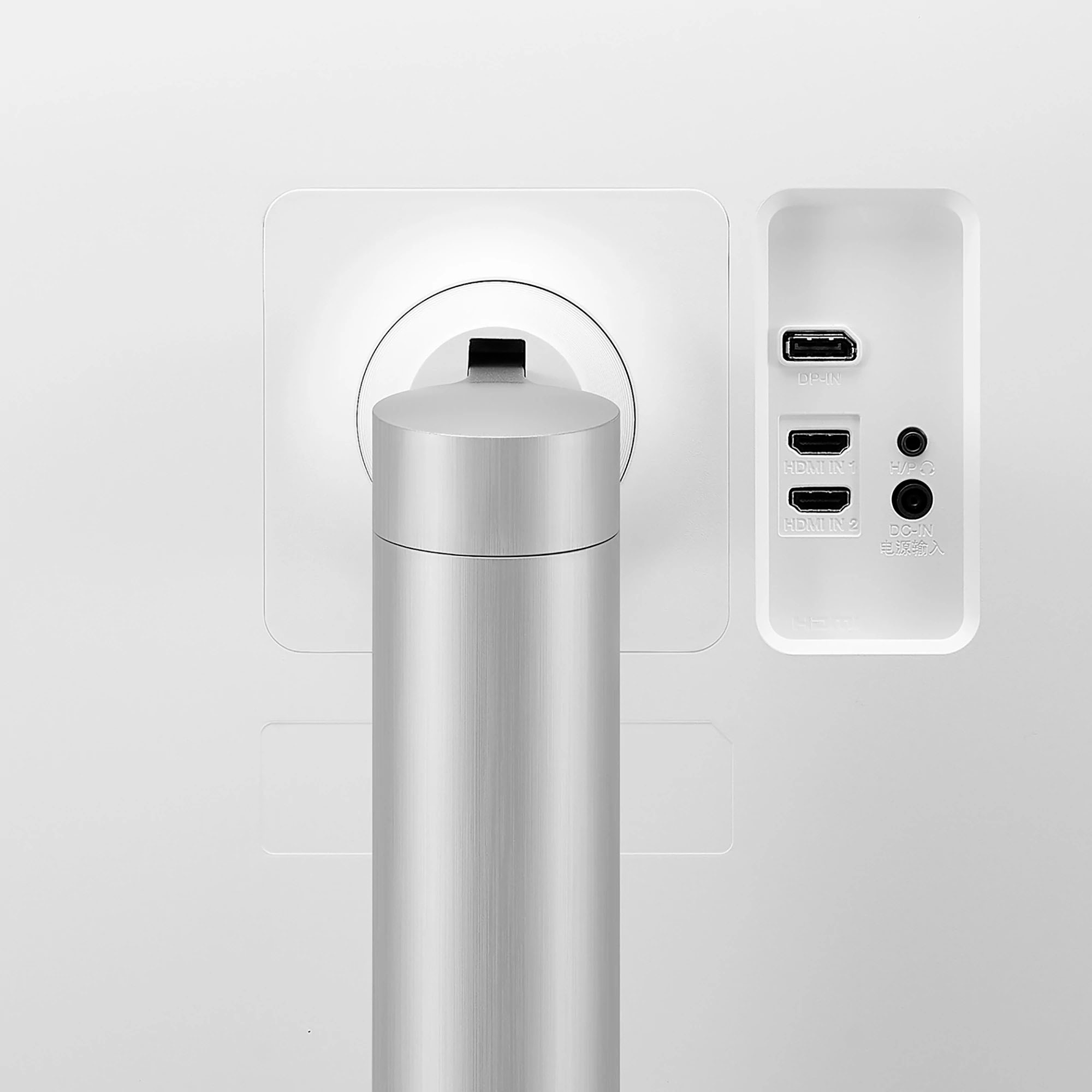
||Posted . Owned for 1 month when reviewed.This reviewer received promo considerations or sweepstakes entry for writing a review.This monitor works great with a new 21.5 inch iMac, connected with a USB-C/thunderbolt to display port cable. Many reviews state that it's not bright enough. I am running it at 50% to match the brightness of the iMac, anything more is really too much. My wife is doing interior design and autocad type classes, various programs. This monitor works great for all of it. Images and 3D renders are nice and crisp. Scans even look just like the genuine article. When the sound comes through, the speakers sound pretty good, rich. I like the joystick control. It's easier than buttons and menus and it's hidden. (Last photo.) I reccomend this monitor for a dual monitor setup with an iMac for uses like stated above. I'm sure its great for spreadsheets too. I don't know anything about gaming, other reviews speak to that.
I would recommend this to a friend - Pros mentioned:Screen size
Nice big monitor
||Posted . Owned for 1.5 years when reviewed.This reviewer received promo considerations or sweepstakes entry for writing a review.I've been using this on my Mac Mini for about a year now, the screen quality is great, I don't know much about color accuracy - but I am a web/mobile developer and I find this monitor does a fine job in my day to day duties. I find the 4K resolution to make the text a little small for me, so I actually set it to run at 2K resolution (2560x1440) and it does a perfect job at running this non-native resolution. Also tried with lower resolutions with the same experience.
I would recommend this to a friend - Pros mentioned:Resolution
Great for gaming aswell
||Posted .This reviewer received promo considerations or sweepstakes entry for writing a review.LG has really blown me away in the past 10 years. Their 4K monitors are so good and i used to be a diehard Samsung TV fan, but LG is doing it well on both TV and Monitor fronts. Even hooking it up to a PS5 or Xbox looks phenomenal.
I would recommend this to a friend - Pros mentioned:Screen size
Great monitor!
||Posted . Owned for 3 weeks when reviewed.This reviewer received promo considerations or sweepstakes entry for writing a review.So far this monitor has been amazing for my work with development and gaming the Image Quality. has been great and I love the large screen and being able to View my code and render my project on the same screen
I would recommend this to a friend - Pros mentioned:Screen size
Nice monitor
||Posted . Owned for 5 months when reviewed.This reviewer received promo considerations or sweepstakes entry for writing a review.LG 4k monitor,definitely recommend for purchase because those monitor make a good picture for entertainment and provides and enough hardware sources for work.
I would recommend this to a friend Color shift
||Posted . Owned for 1 week when reviewed.This reviewer received promo considerations or sweepstakes entry for writing a review.This is a great monitor if you don't use a white background. There is noticeable color shift, the left half of the screen is warmer than the right. Around all edges, there is fairly dramatic light falloff which looks like a darkening of the image about 1" wide. That being said, when using the monitor for work or even photos, everything looks great, just not solid backgrounds. Have another 27" 4k monitor from LG and it only had the light falloff on the bottom, but there is no color shift like this.
No, I would not recommend this to a friendBrand response from LGAnswers
Posted .We are sorry to hear that your unit did not meet your needs/expectations. This is not the quality we expect from our products. We are continuously working to improve the quality of our products and anticipate market demands that drive customer satisfaction. If you ever have any questions please reach out to our support team on Facebook at @LGUSSupport. To speak with an agent via phone, you can call 800.243.0000 We apologize for any inconvenience this caused. ^Venette

- Pros mentioned:Screen size
Happy with purchase
||Posted . Owned for 1 month when reviewed.This reviewer received promo considerations or sweepstakes entry for writing a review.I’m loving the monitor. Great picture would recommend
I would recommend this to a friend good for work
||Posted . Owned for 3 months when reviewed.This reviewer received promo considerations or sweepstakes entry for writing a review.so far so good. use for work. however, the price shall be lower now. saw some other review saying the panel (using BOE brand?) may not be the best of the best, but i cannot tell much - i also have a Dell 32 ips which is priced $100 more.
I would recommend this to a friendhigh resolution monitor
||Posted . Owned for 7 months when reviewed.This reviewer received promo considerations or sweepstakes entry for writing a review.its my first ips 4k monitor. get really impressed for the color. lg maybe doesn’t have the really nice design shape but for me the quality is more important than anything!
I would recommend this to a friendAwesome
||Posted . Owned for 1 month when reviewed.This reviewer received promo considerations or sweepstakes entry for writing a review.Satisfactory results as per my expectations of my screen and Apple Studio.
I would recommend this to a friendCool blue
||Posted . Owned for 3 weeks when reviewed.This reviewer received promo considerations or sweepstakes entry for writing a review.Great graphics! Works with 4K gaming as well. Using Radeon 6800 graphics card…
I would recommend this to a friend- Pros mentioned:Speakers, StandCons mentioned:Refresh rate
A good but not great monitor
||Posted . Owned for less than 1 week when reviewed.This reviewer received promo considerations or sweepstakes entry for writing a review.This is a nice, but not perfect monitor, with a bright display with great HDR color. It is sharp and clear and mine doesn’t seem to have any dead pixels or other visual flaws. The backlight bleedthrough is quite apparent, so blacks aren’t as black as I’d like. The Free Sync seems to work fine with modern GPUs, though the refresh rate is only 60 Hz, so it isn’t for serious FPS gamers. The speakers are surprisingly good and powerful. The stand is good and offers a good range of positions. The biggest downside is that it doesn’t have auto-input switching, so if you turn on a connected device, you still have to press the little button at the bottom to switch the input if it wasn’t the last device selected. Since auto switching has been a feature or option on monitors for many years, it is disappointing that this one doesn’t have it. Also, the advertised features are tiny bezels at top and sides, but there is a large gap between the plastic bezel and the active display area on those same edges, perhaps 4 times the size of the bezel, so the thin bezel is nonsense. It is only thin if the monitor is off. Finally, the included cables are quite short and the power supply plug is a terrible design, taking up 3 socket locations on a power strip.
No, I would not recommend this to a friend - Pros mentioned:Resolution, Screen size
Does the trick
||Posted . Owned for 1 month when reviewed.This reviewer received promo considerations or sweepstakes entry for writing a review.Looking for a large 4K monitoring without breaking the bank? This will do. Was a bit of an adjustment coming from a 5K iMac since the colors on the iMac are phenomenal, but wanted the flexibility of a laptop/monitor combo instead. Out-the-box resolution was a bit too small for comfortable reading of text, so easily adjustable while still maintaining plenty of screen real estate. I also own a 34" LG ultra wide, and prefer this for work & productivity due to more space. The HDR color settings could use some calibration, but I haven't don't that, and likely won't get around to it. Not sure about gaming on this thing, probably would be good for casual gaming. The stand seems fine despite negative reviews that it's plastic... but since this is vesa-mountable, you can easily remedy that. Has limited ports/imports compared to pricier models, but non-issue for me - using both the HDMI and Display Port imputs works fine. This ain't no Pro Display XDR, but it also only costs a fraction of the price...
I would recommend this to a friend - Pros mentioned:Screen size, Stand
Cons overtook the Pros for me
||Posted . Owned for 1 week when reviewed.This reviewer received promo considerations or sweepstakes entry for writing a review.Pros: - Amazing Picture Quality - Good amount of menu options - Sleek adjustable stand Cons: - The plastic used for the body looks cheap, especially the back. - Weird color combination - Front black, back white and stand silver. Not sure why LG decided to go with 3 colors don't blend well. - Annoying beep sounds when turning on/off and operating menu. I couldn't turn it off. I loved the display, but couldn't stand the look and beep sound, so I had to return it. I bought a Dell which looks more decent & professional.
I would recommend this to a friend Good monitor
||Posted .This reviewer received promo considerations or sweepstakes entry for writing a review.The monitor has vivid color, good uniformity, and relatively little color shift due to viewing angle. I'm not sure whether the color is accurate or not. But in terms of gaming and office work, uniformity and the wide viewing angle are more important and more noticeable. There are many setting options, including gamma and color temperature. Overall, I'm satisfied with the image quality and the color settings of the product. Also, this monitor is g-sync compatible (I use a gtx1060). I really wish it allows me to customize the shortcut button. It wakes up slower than a Dell U2720Q. The manufacturing quality is ok, but I can see >1mm gaps. The speakers are poor. They have no bass, and the voice and background music mix together. Lastly, wall-mount users should look for a flexible and longer DP cable for shorter wall clearance. Overall, I'm satisfied with this monitor in terms of the image quality and its price. It's a good budget 4k monitor.
I would recommend this to a friend- Pros mentioned:Screen size
Great for work from home
||Posted . Owned for 1 week when reviewed.This reviewer received promo considerations or sweepstakes entry for writing a review.I work from home full-time these days, and wanted something a little bigger than the 27" Dell I'd been using. I bought this monitor after purchasing a Samsung that didn't quite fit my needs. The monitor is bright, colorful, and vivid. It's fantastic for day-to-day work stuff. I use all three inputs: DisplayPort for my work computer, HDMI 1 for my home computer, and HDMI 2 for a 4K Blu-ray player. I don't love the joystick control, but I'm getting used to it. The AC cable is very short, so you'll want to have an extension cord handy unless there's an outlet right behind the monitor. All in all, an excellent 32" 4K screen for the money. It's significantly improved my work from home experience!
I would recommend this to a friend - Pros mentioned:Screen size, Speakers, Stand
Great monitor, I’d recommend
||Posted . Owned for 3 months when reviewed.This reviewer received promo considerations or sweepstakes entry for writing a review.Excellent monitor, picture and decent stand. The speakers are loud, it is mountable. Overall, very happy, likely to buy another.
I would recommend this to a friend - Pros mentioned:Screen sizeCons mentioned:Refresh rate
Useful Features for an Affordable Price
||Posted . Owned for 1 month when reviewed.This reviewer received promo considerations or sweepstakes entry for writing a review.In terms of picture quality this monitor is able to produce colors that VA panels just can not. When watching HDR content the monitor out of the box has a visual experience which is amazing. The calibration was a little bit off out of the box, with my model needing some boost to the blues, but after some tweaking the monitor is able to produce accurate colors. I use this monitor as a second monitor for specifically media consumption so the 60Hz is not a limiting factor at all. A wonderful buy and I would be likely to purchase another LG product in the future.
I would recommend this to a friend