Customer Ratings & Reviews
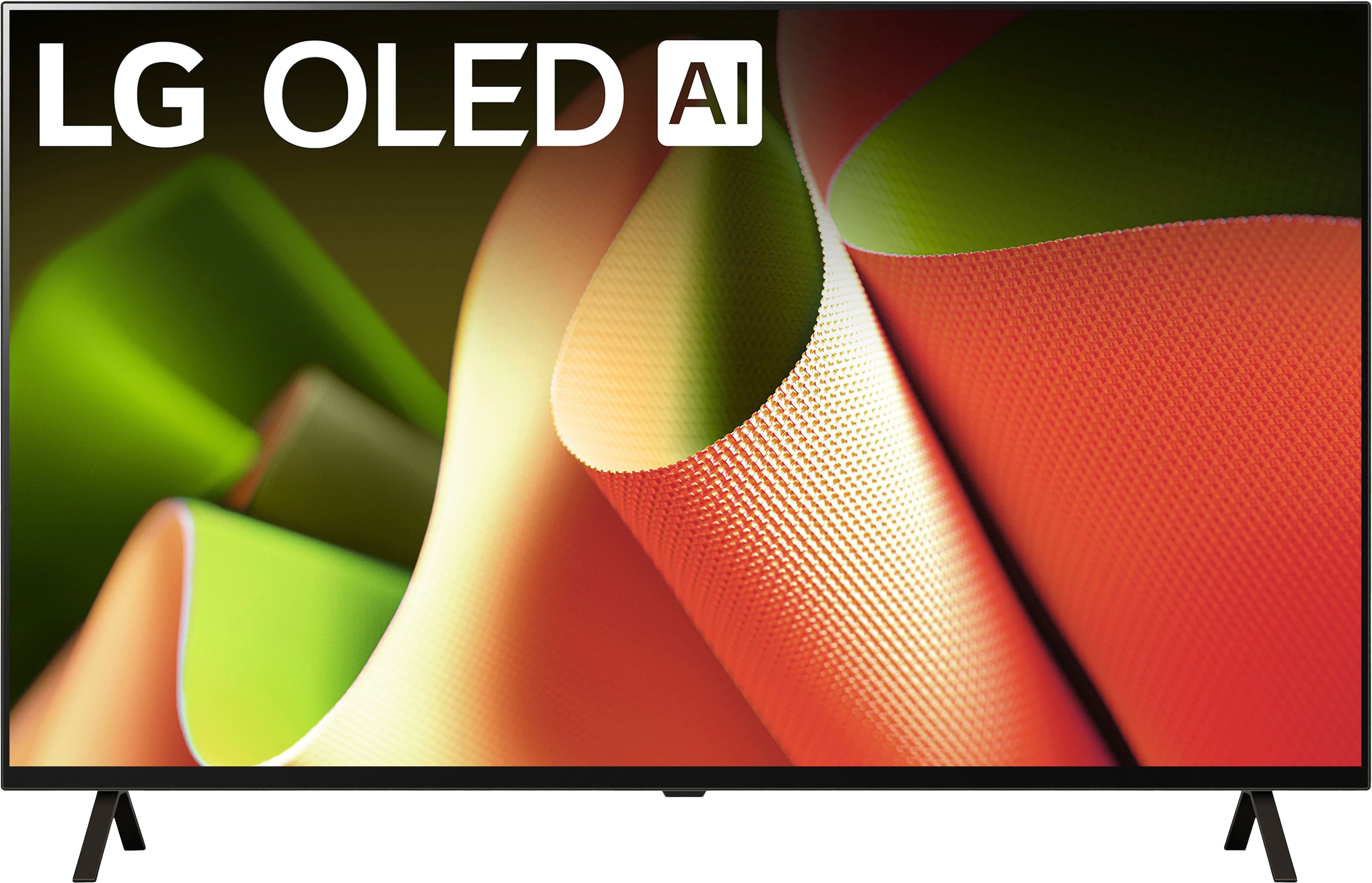








- Model:
- OLED55B4PUA
- SKU:
- 10818534
Rating by feature
- Picture Quality
Rating 4.9 out of 5 stars
- Sound Quality
Rating 4.5 out of 5 stars
- Brightness
Rating 4.8 out of 5 stars
Great TV!
||Posted . Owned for 1 month when reviewed.This reviewer received promo considerations or sweepstakes entry for writing a review.TV works fine, after getting used to control differences from my old one.
I would recommend this to a friendTV
||Posted . Owned for 3 weeks when reviewed.This reviewer received promo considerations or sweepstakes entry for writing a review.TV is great but we have intermittent problems turning it on that haven't been resolved yet
I would recommend this to a friendMissing remote and stand.
||Posted .This reviewer received promo considerations or sweepstakes entry for writing a review.I wish they told us that open box doesn’t come with original stand.
I would recommend this to a friendThis TV Constantly Turns Off – Waste of Money!!
||Posted . Owned for 4 months when reviewed.This reviewer received promo considerations or sweepstakes entry for writing a review.I bought this LG TV from Best Buy back in April 2025, and after only 2–3 months it started turning itself off after just a few minutes of use. I usually only watch about two hours a night before bed, so it’s far from heavy use. I’ve tried every fix I could find — disabling all “Auto Off” settings, changing cables, and doing a full factory reset — but nothing solves it. For a TV at this price, I expected much better quality. Even more frustrating, it didn’t come with a warranty from the seller, leaving me stuck with a defective product just months after purchase. Very disappointing experience for something brand new from a big-name brand like LG. I used to be a loyal LG fan, but after this experience, I’ll be looking at other brands. The days when reputable names consistently delivered quality products seem long gone.
No, I would not recommend this to a friendBrand response from LG Digital Customer Care
Posted .Hi, Pab. Thank you for sharing your experience with us. We understand your concern about the unexpected shutdowns after just a few months of light use of your LG TV (OLED55B4PUA) model. We strive to provide reliable, high-quality products and exceptional services to ensure a smooth experience. A quick troubleshooting step is to power cycle your TV: unplug it for 30 seconds and then plug it back in. This can resolve minor software issues. Also, ensure your TV is well-ventilated to prevent overheating, which can cause auto shut-off.
For more information, visit https://www.lg.com/us/support/help-library/lg-tv-troubleshooting-tv-intermittently-powers-onoff--1427121212479. If you need further assistance, email us at [email protected], and our team will help you explore some possible solutions. ^Juvy
Woth it.
||Posted . Owned for 1 week when reviewed.This reviewer received promo considerations or sweepstakes entry for writing a review.A fine TV. We are very happy with this purchase.
I would recommend this to a friendJust okay
||Posted .This reviewer received promo considerations or sweepstakes entry for writing a review.Average Oled. Picture and brightness not that good. Worst remote control design
No, I would not recommend this to a friendBrand response from LG Digital Customer Care
Posted .Hello there, MariaG. Thank you for sharing your experience with us regarding your LG 55" Class B4 Series OLED 4K UHD Smart webOS TV. We understand your inquiry regarding the picture brightness and the remote control design. To enhance the brightness of your OLED panel, we recommend going to All Settings > General > Energy Saving and ensuring that the "Energy Saving Step" is set to Off, as this allows the TV to reach its full brightness potential. We understand your experience and want to ensure you are fully enjoying the premium quality of your OLED display.
https://www.bestbuy.com/product/lg-55-class-b4-series-oled-4k-uhd-smart-webos-tv-2024/JJ8VPZQFHQ
For further assistance and any specific concerns you may have, please contact us on [email protected]. We appreciate your patience. —Renzo
Buy a Sony Bravia
||Posted . Owned for 1 week when reviewed.This reviewer received promo considerations or sweepstakes entry for writing a review.The screen cuts out images so the whole of the image isn't seen. Also words on the left and right margins are cut off e.g. Derby horse American Promise read American Prom.
No, I would not recommend this to a friendBrand response from LG Digital Customer Care
Posted .Hi, Roger. Thank you for bringing this to our attention. We understand your concern about experiencing issues with the LG TV (OLED55B4PUA) model's screen cutting out parts of the image and text, especially when it affects your viewing experience. We strive to provide reliable, high-quality products that exceed our customer's needs and expectations.
To start, we recommend checking the Aspect Ratio or Picture Settings on the TV. If the image is being cropped, it might be set to an incorrect display format. Try adjusting the aspect ratio to "16:9" or "Auto" mode to see if that resolves the issue with the cut-off images and text.
Another troubleshooting step is to ensure that the TV is using the correct Input Source settings, as some devices (like cable boxes or streaming devices) may send a signal that’s not fully compatible with the TV’s display, leading to image distortion.
If the issue persists, please send us a private message on social media @LGUSSupport, and our team will be more than happy to assist you further with more detailed troubleshooting. We’re here to help get your OLED TV working as it should. ^Juvy
Lg Customer service is horrible.
||Posted . Owned for 7 months when reviewed.This reviewer received promo considerations or sweepstakes entry for writing a review.Better hope it does not have a problem in the first year. Bestbuy can't help you, and lg customer service has been very bad. There's a lot of tv repair in my area, and none of them will work for Lg. I'm not sure why. They just keep putting off the repair.waiting for a call from their president department keep pushing callback from them off.
No, I would not recommend this to a friendBrand response from LG Digital Customer Care
Posted .Hi there. Thank you for sharing your experience with us. We understand your inquiry regarding the issues you've encountered with your OLED55B4PUA TV and the challenges with service. Your feedback is important, and we'd like to assist you further. Please send us a private message on Social Media @LGUSSupport and our team will be more than happy to explore possible solutions.
https://www.bestbuy.com/site/lg-55-class-b4-series-oled-4k-uhd-smart-webos-tv-2024/6578057.p?skuId=6578057
We appreciate your patience. —Renzo
Wish I had just ordered it on Amazon:(
||Posted . Owned for 2 weeks when reviewed.This reviewer received promo considerations or sweepstakes entry for writing a review.SAVE YOURSELF! This business no longer cares about customer service.Virtually impossible to talk to a human being and when you do get somebody their accents are so thick its a nightmare. After texting for over 45 minutes and being assured my TV be delivered and set up at no additional cost if I bought a "BB membership", it was simply dropped off. We are in our mid 70s so I would NEVER have agreed to that. Even though I have it in a text,what I agreed to was NOT honored. Adios BB
I would recommend this to a friendBrand response from LG Digital Customer Care
Posted .Hi there! Thank you for sharing your experience regarding your purchase of the OLED55B4PUA TV. We understand the inconvenience you've faced with your delivery and the customer service experience. It's important to us that our customers feel valued and receive the service they expect. We understand how concerning it can be to encounter issues, especially regarding delivery and setup, and we appreciate you bringing this to our attention. You may contact Best Buy's Customer service 1 (888) 237-8289. If you haven't already, we encourage you to reach out directly to our customer support team to address your concerns and see if we can assist you further. Please send us a private message on Social Media @LGUSSupport, and we’ll do our best to help resolve the situation. Your feedback is vital, and we appreciate your patience.
—Avril
Great OLED for the $
Posted .This reviewer received promo considerations or sweepstakes entry for writing a review.A great TV dedicated for the Xbox. It was a great value
I would recommend this to a friendUpgraded my Plasma TV after 20 years
Posted .This reviewer received promo considerations or sweepstakes entry for writing a review.Great TV. Recently retired my Samsung Plasma after 20 years and this oled web connected tv is a tremendous upgrade
I would recommend this to a friendGreat choice!
Posted .This reviewer received promo considerations or sweepstakes entry for writing a review.Great TV. Beautiful picture and color quality is amazing.
I would recommend this to a friendvivid
Posted .This reviewer received promo considerations or sweepstakes entry for writing a review.Great TV with clear sound and vibrant picture. Quick and easy delivery.
I would recommend this to a friendOled for live sports
Posted .This reviewer received promo considerations or sweepstakes entry for writing a review.Excellent picture once you make the adjustments to the plcture,live sports is the best in oled
I would recommend this to a friendNot Suitable for Tremors
Posted .This reviewer received promo considerations or sweepstakes entry for writing a review.The picture is fantastic but the remote is worthless. If you have tremors this tv remote will drive you nuts. There are apps this set does not accommodate.
No, I would not recommend this to a friendBrand response from LG Digital Customer Care
Posted .Hi, Dave. Thank you for sharing your feedback with us. We’re pleased to hear that you’re enjoying the fantastic picture quality of your LG TV (OLED55B4PUA) model. However, we understand your concern about the remote control and app compatibility issues. We strive to provide high-quality products and ensure a smooth and seamless viewing experience. Regarding the remote, if you have tremors or find the remote challenging to use, you might consider using the LG Magic Remote, which offers more intuitive controls and may be easier to handle. Additionally, check if any updates are available for your TV that might improve app compatibility or provide new features. For further assistance or to explore alternative solutions, please send us a private message on social media @LGUSSupport. Our team will happily assist you with more troubleshooting or recommend accessories that may enhance your experience. ^Juvy