Customer Ratings & Reviews

- Model:
- 920-009332
- SKU:
- 6397082
Rating by feature
- Value
Rating 4.8 out of 5 stars
- Quality
Rating 4.8 out of 5 stars
- Ease of Use
Rating 4.9 out of 5 stars
Customers are saying
Customers appreciate the high-quality build and comfortable wrist rest of the G513 Carbon keyboard. The responsive keys and vibrant RGB backlighting are also frequently praised, along with the convenient USB passthrough port. Positive feedback also highlights the ease of use and customizability offered by the Logitech G Hub software.
This summary was generated by AI based on customer reviews.
- Pros mentioned:Keyboard quality
Good for typing and gaming.
||Posted . Owned for 3 weeks when reviewed.This reviewer received promo considerations or sweepstakes entry for writing a review.I liked the linear switches. silent and smooth. Great for typing. I a am picky when it comes to keyboard because of typing experience needed. I am happy and this is one of the best keyboards . I would buy one more for office.
I would recommend this to a friend - Pros mentioned:Key feel, Keyboard quality, Rgb backlighting

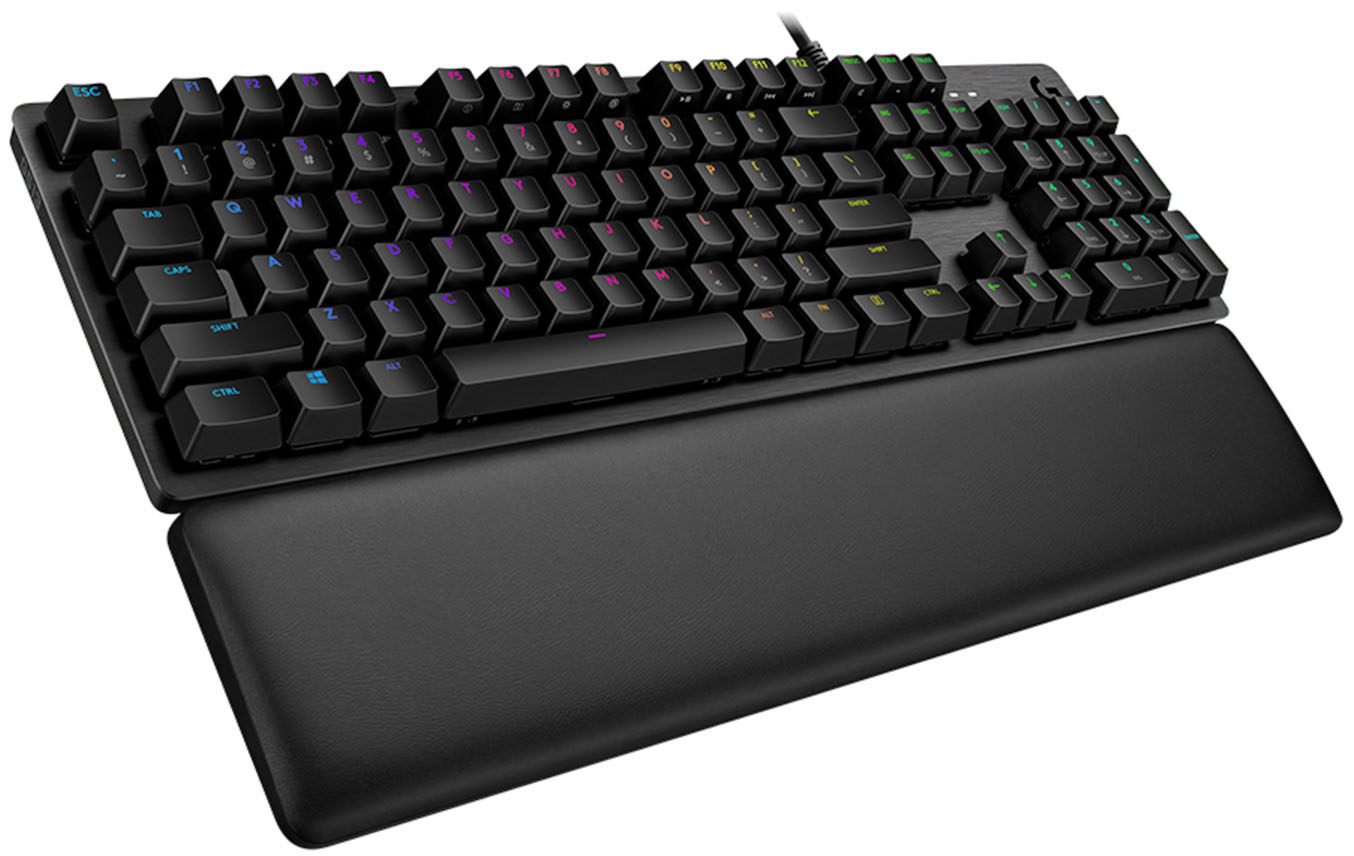
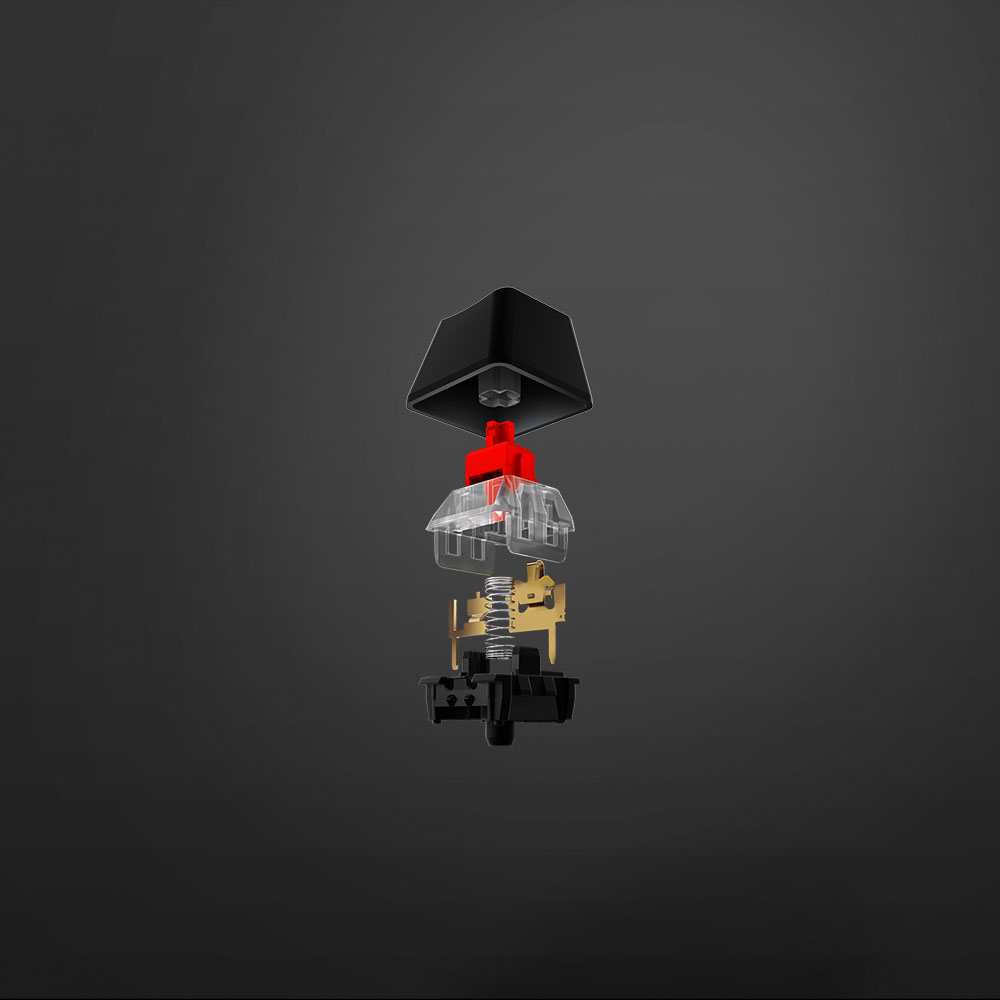
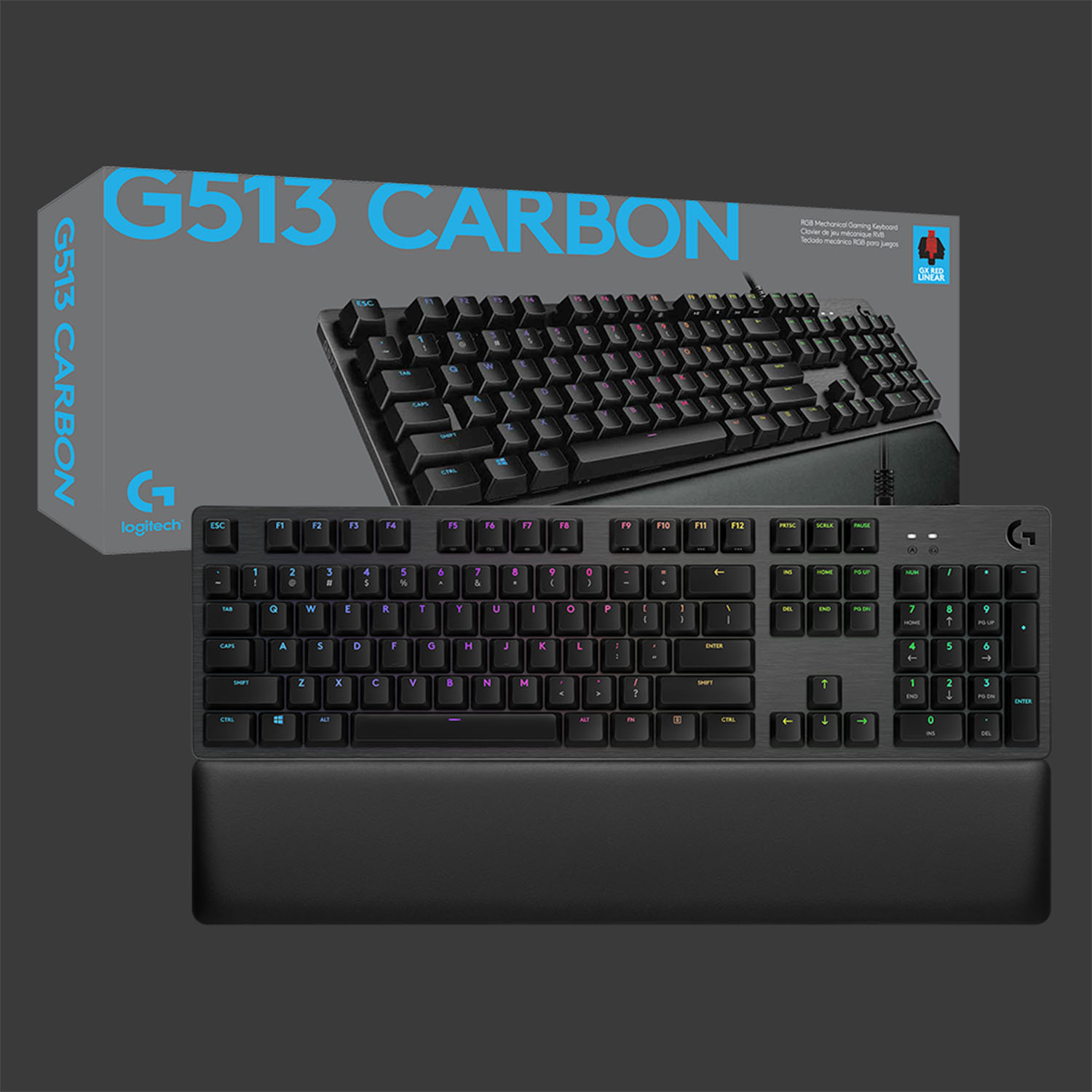
Logitech G513 Carbon with GX-Red Linear Keys
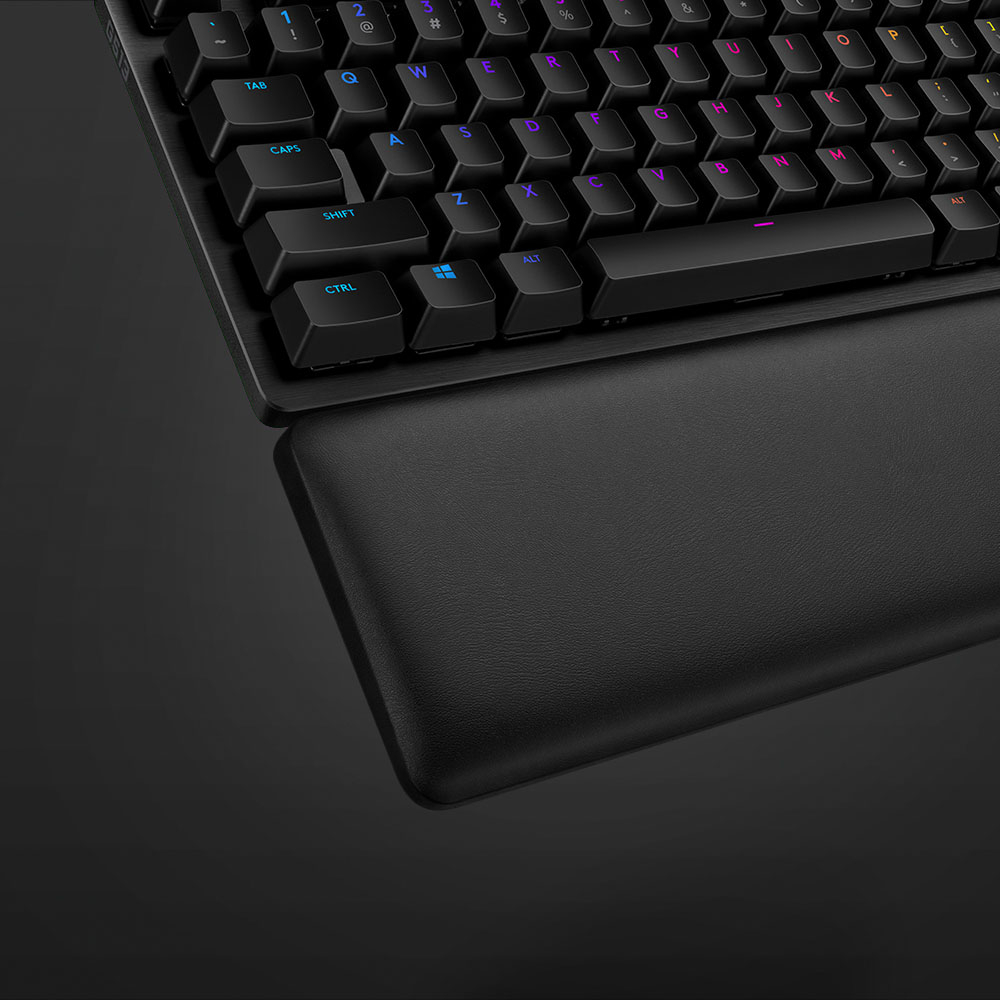
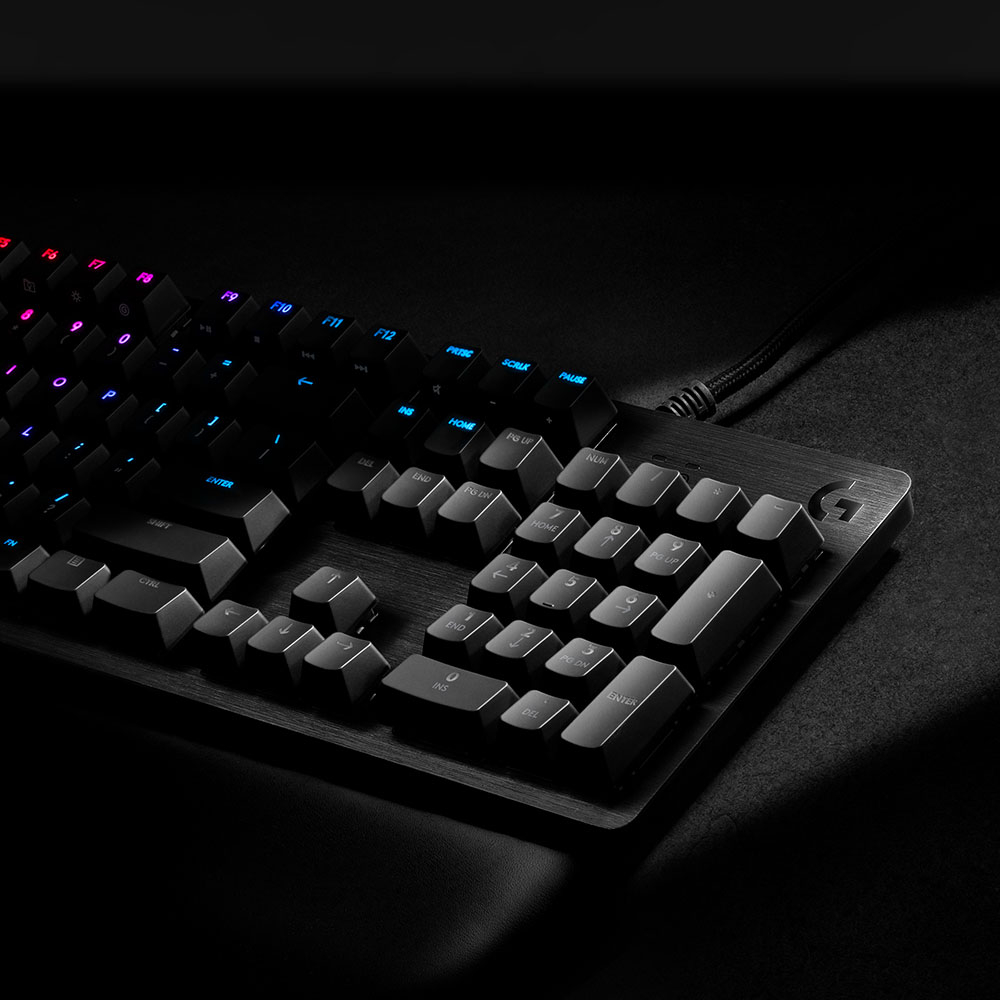
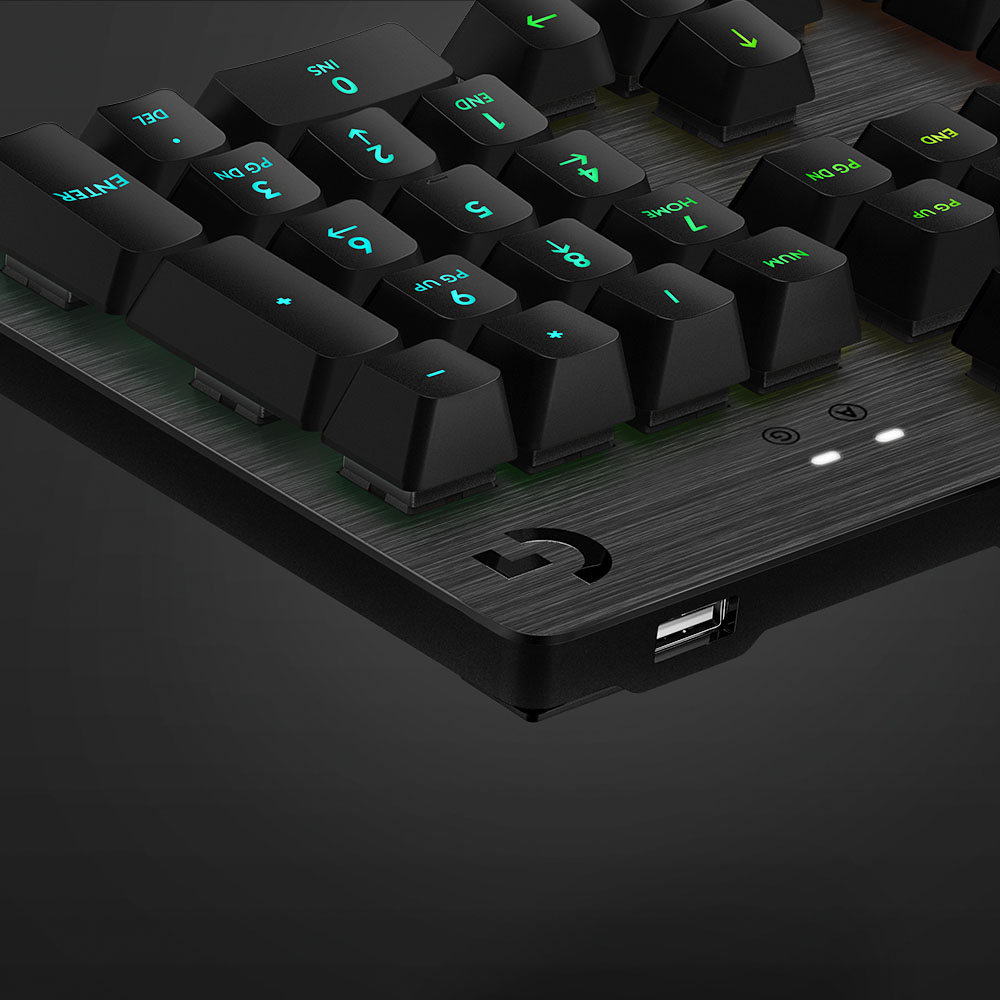
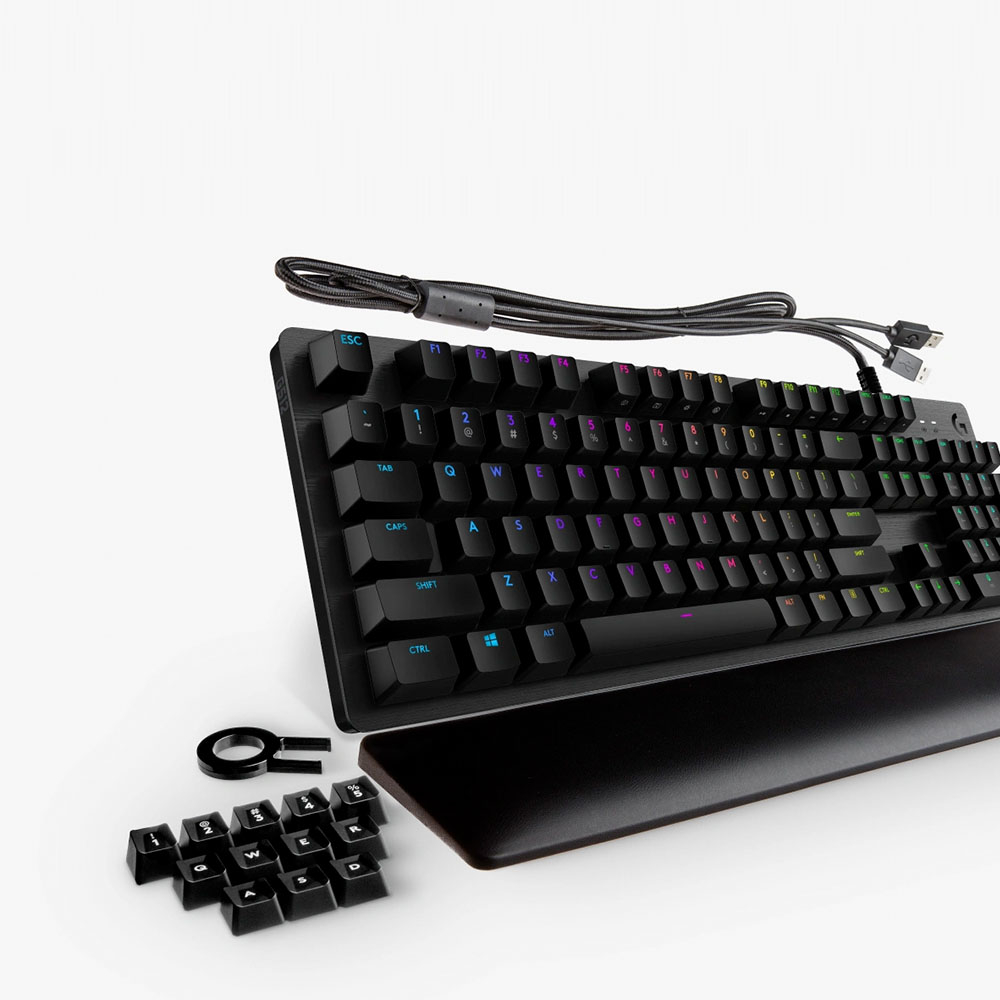
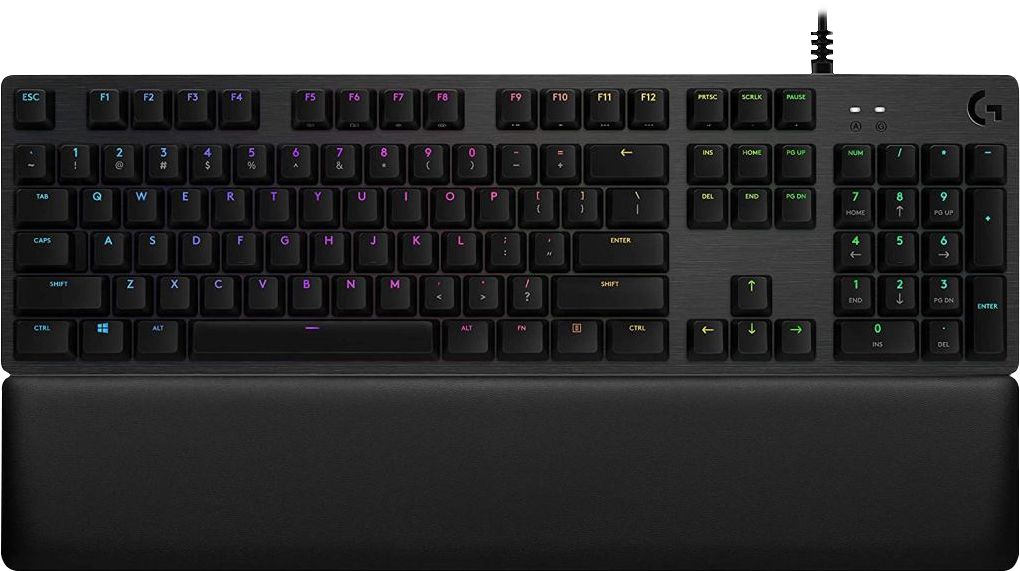
|Posted .This reviewer received promo considerations or sweepstakes entry for writing a review.Logitech is the first name that comes to mind when you think keyboards and mice and computer accessories. I’ve been a long time fan of the Logitech keyboards, mice, webcams, and gaming accessories, having pretty much owned several versions of their popular keyboard and mice models over the years. This is my first mechanical keyboard from Logitech’s premium gaming line that I now get to the pleasure of reviewing. I am a typist, not much of a gamer these days, though an occasional FPS always hits the spot. What makes a good typist and a good gamer squeal with joy is the feel of the keys. We want keys that are responsive, smooth and a solid feel. A touch typist wants to know that the keys are accurately reflected on screen, much like a gamer who wants to strife on a shooter without going too far. I’ve been a long-time user of an IBM Model F Keyboard, having owned one from 20 years ago, that uses a USB adaptor (since none of the new computers do PS/2). The mileage I’ve put on the IBM keyboard is a testament to its heavy-duty build quality, and this keyboard reminds me of it by weight, feel and build quality. The keyboard is manufactured of a lovely aluminum alloy that is both stylish and durable. That said, The new king of the mechanical keyboard in my menagerie of keyboards is the New Logitech G513. This “Carbon” edition keyboard in the middle of the pack for the Range of gaming keyboards that Logitech offers; Logitech keyboards come in a range of different keystroke feels. This G513 Carbon Edition has the “linear” feel GX Red keys, the Logitech G513 line of gaming keyboards also include “Tactile” (GX Brown) and “Clicky” (GX Blue). Other Logitech keyboards offer the GL series keys (for the low profile keyboards) and the G-Romer Linear & Tactile versions. For the G513, of the three, the Linear Red GX keys would be the smoothest in terms of feel, and the quietest, and while it does miss the tactile ‘bump’ click that other mechanical keyboard versions that Logitech G513 line has. The benefit of not having the tactile bump is that you don’t have to completely reset past the bump to reinitiate the keys, which means by nature rapid double and triple tap for gamers who need the edge in rapid-fire speed. Given that this model that I am using is the GX-Red linear keys is linear in actuation, it feels very much like the Cherry MX Red keys but maybe a bit better. The keyboard takes a bit of getting used to when coming from the regular membrane interface keyboards, partly because of the increased travel required by mechanical keyboards over their membrane brethren. Mechanical keyboards, which eventually can make you a bit tired of typing but you benefit from the fact that your typing gets better, and in line, lesser spelling errors in the long run. That is why the beloved IBM F series keyboards are still so loved. The other part that gets getting used to is the noise. A mechanical keyboard is NOT quiet; compared to a membrane keyboard, but that’s by design. The feel of the keys and the noise it makes is part of the experience and the joy of using a well designed mechanical keyboard. For the gamers, Logitech provides replacement keys for “A,” “S,” “W,” “D,” “Q,” “E,” and # 1-5. These are keys that have an indent that allows gamers to lock their fingers on the standard movement keys for the optimal gaming experience. The keyboard comes with a key puller removal tool that makes replacing the keys very easy, hook it to the key you want to remove, and pull upwards. Replacing the key is just a matter of pushing down the new key into the replacement slot. The keyboard does have some quirks, as for one there are two USB inputs, but on closer observation, one has a “keyboard” symbol etched on the USB, the other has the standard USB Hub symbol. One of the connectors serves to provide power for the keyboard while the other connector is for the built-in USB 2.0 pass through that exists on the keyboard. It is best to install the keyboard directly to the computer, and not through a USB Hub, as the keyboard is a power hog when the LED lights are on and working. Thus if this connected through a hub, rather than on to the computer, any other device plugged in would mean the keyboard stops working. To make sure no such thing happens, it MUST be plugged into the computer directly. The other “feature” I found perplexing is what looks like a tripod connector (3/8” 16 screws) in the middle of the keyboard (picture), looks like Logitech may have plans to create additional accessories that can be mounted to the keyboard in the future like the old G510 series displays. The keyboard features 16.7 million colors backlit LED that is fully customizable with the Logitech GHUB software. The Logitech RGB LightSync allows you to allow one to customize the colors per your use case scenario, for example, you may want to light up or change the key colors for those that are associated with your game controls. The software also allows programmable “Macro’s” that allow for key combinations that could be triggered in a single keystroke. The keyboard “Play” “Pause” “Skip” “Change lighting effects” can be controlled with the Fn+F5-F12 keys. Keys F5-F7 control lighting built-in styles, downloaded styles and brightness. F8 is unique in that it turns off the “windows key” in “Game Mode”. Keys F9-F12 are control keys to the media controls and FN + Print Screen (PRTSC), Scroll Lock (SCRLC) and Pause control the audio controls. Speed of the keyboard effects can be adjusted with the FN with the + or -.. The GHub software allows for some interesting effects. I particularly like the “Echo Press” with a 1000 ms delay, which makes shows which keys have been pressed. There are a million effects one can trigger through the GHub software. There are downloadable color effects should you need them. So how is this keyboard? The feel of this keyboard is better than my worn down other keyboards, and the overall adjustment took only a few minutes. The initial typing errors took a few minutes to sort out, but after four days of typing, this feels just like any other keyboard that I use. I kinda prefer this keyboard over the older ones, may have to get another one of these Logitech mechanical keyboards for work too. The keyboard accurate and super fast in typing and in the limited gaming that I did with it. The foam wrist support is effective and helps keep the typing strain off the wrists. I did end up with some carpel tunnel but could be from the extra typing, and I wish Logitech would make one of these mechanical keyboards for the curved ergonomic line of keyboards that they make. Overall I am very happy with this keyboard and looking forward to getting another version of this for the office. Cons: • Logitech, please make an “ergonomic” version of this keyboard for the touch typists with carpal tunnel… • No “NUM LOCK” light, does have a “G” light, which • The secondary option keys are not lit, therefore harder to read in the dark. It seems, Logitech did make a version with fully lit keys, but this is keyboard does not have it. Pros: • Great typing accuracy and speed. Relatively quiet, for Red Linear GX keys. • Heavy-duty, will last a long time for my gaming and typing needs. • Love the USB hub built into the keyboard, makes plugging in USB sticks and security authentication keys easier.
I would recommend this to a friend Last keyboard you'll ever need
||Posted . Owned for 3 weeks when reviewed.This reviewer received promo considerations or sweepstakes entry for writing a review.Great keyboard for gaming or office work. Would highly recommend
I would recommend this to a friend- Pros mentioned:Keyboard quality, Rgb backlighting, Usb passthrough
Lives up to Logitech's high-end feel and quality!
|Posted .This reviewer received promo considerations or sweepstakes entry for writing a review.I am so happy with this keyboard. I have been long on the hunt for a replacement for my Razer Cynosa Chroma keyboard which has definitely outlived its usefulness in my use case of FPS gaming with mouse and keyboard with its squishy, non-precise membrane keys. In general, I have a very high opinion of Logitech products. I have used a lot of Logitech products and I can't recall any of them in the mid-high end of price range every disappointing me. My first Logitech product was a $12 wireless mouse I purchased in 2009 in high school that worked for almost 6 years without issue! Anyways, I digress. The Logitech G513 is a keyboard that from unboxing to setup reeks of quality. The keyboard is stout enough to be used as a blunt melee weapon, the key strokes are precise and live up to their advertised feel and tactility, and the software Logitech G HUB is my favorite interface over Razer Synapse and Corsair iCUE that I am familiar with! One of the things I love is the clean appearance of the RGB. There is no bleed, no wasted lighting. The Rainbow mode this defaults too before a profile is loaded is just so sexy and demonstrates the cleanliness of the color transitions when you see it the first time. The braided USB cable is thick enough to make a construction contractor proud and the pass through USB port is thoughtful (if not expected) at this price range. I am using it for my mouse dongle currently to avoid the connection having to pass through my desk or other objects and experience interference. So far, it has been amazing! The palm rest is comfortable and the angles of the keyboard should suit most any user. My only criticism is rather general and not specific to Logitech alone as many keyboards at this price range and RGB setup have this problem: I don't like not having secondary key functions and symbols light up! I find myself typing in a dark environments quite often, and when I have to find a special character I haven't memorized I am require to turn on a lamp or light the keyboard with my phone. Not convenient, but definitely not a huge issue as I mostly use this keyboard for gaming. Overall, I can't recommend this keyboard enough. The switches, the quality, the appearance, the RGB, the software, it all just WORKS. I expect nothing less of high-end Logitech and this is highly demonstrative of my satisfied expectations!
I would recommend this to a friend Affordable gaming keyboard that doesn't disappoint
||Posted . Owned for 1 week when reviewed.This reviewer received promo considerations or sweepstakes entry for writing a review.Awesome grade of keyboard at a very affordable price point of $71.00.
I would recommend this to a friend- Pros mentioned:Keyboard quality, Rgb backlighting, Wrist rest
Excellent “gaming” keyboard, worth the money
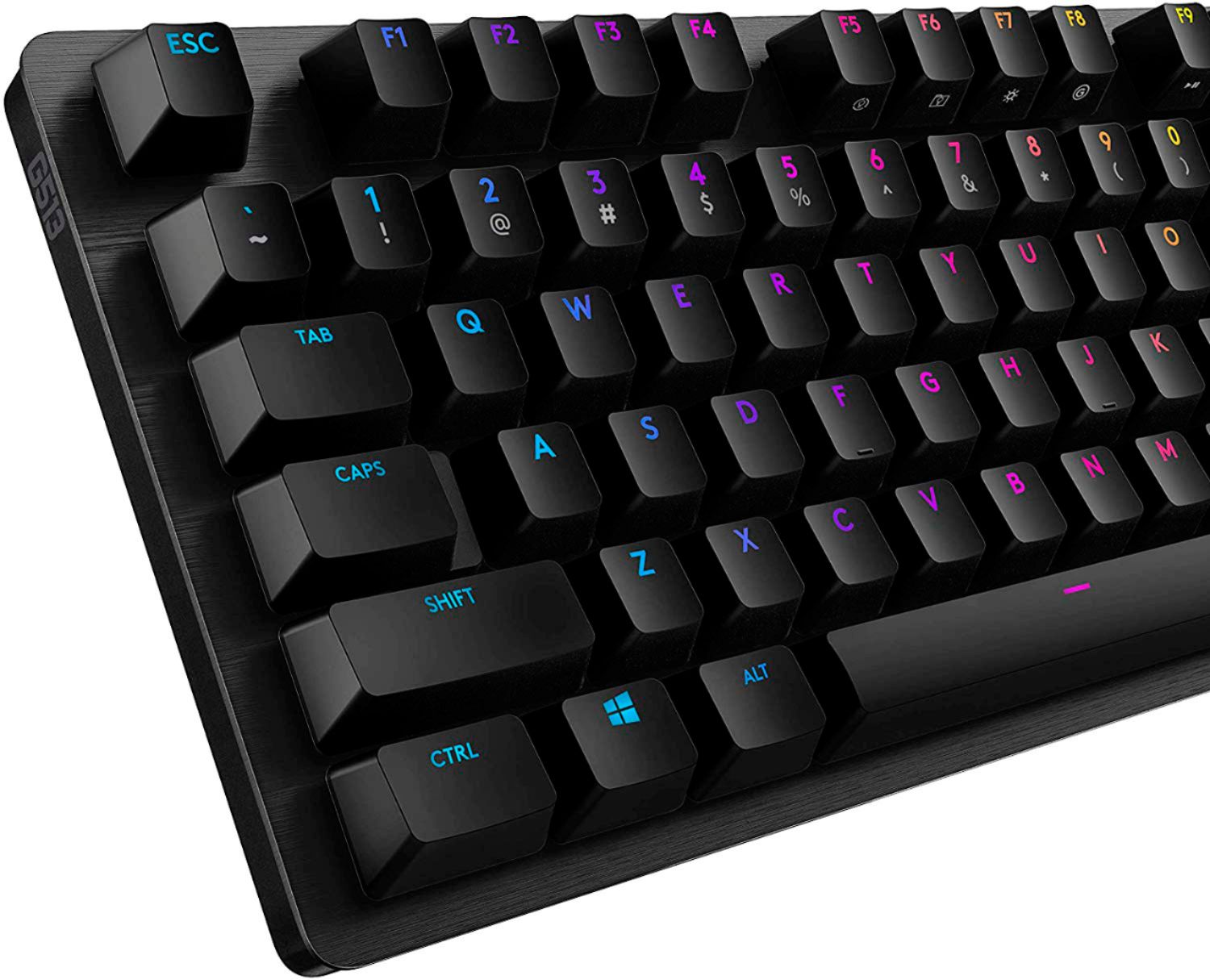
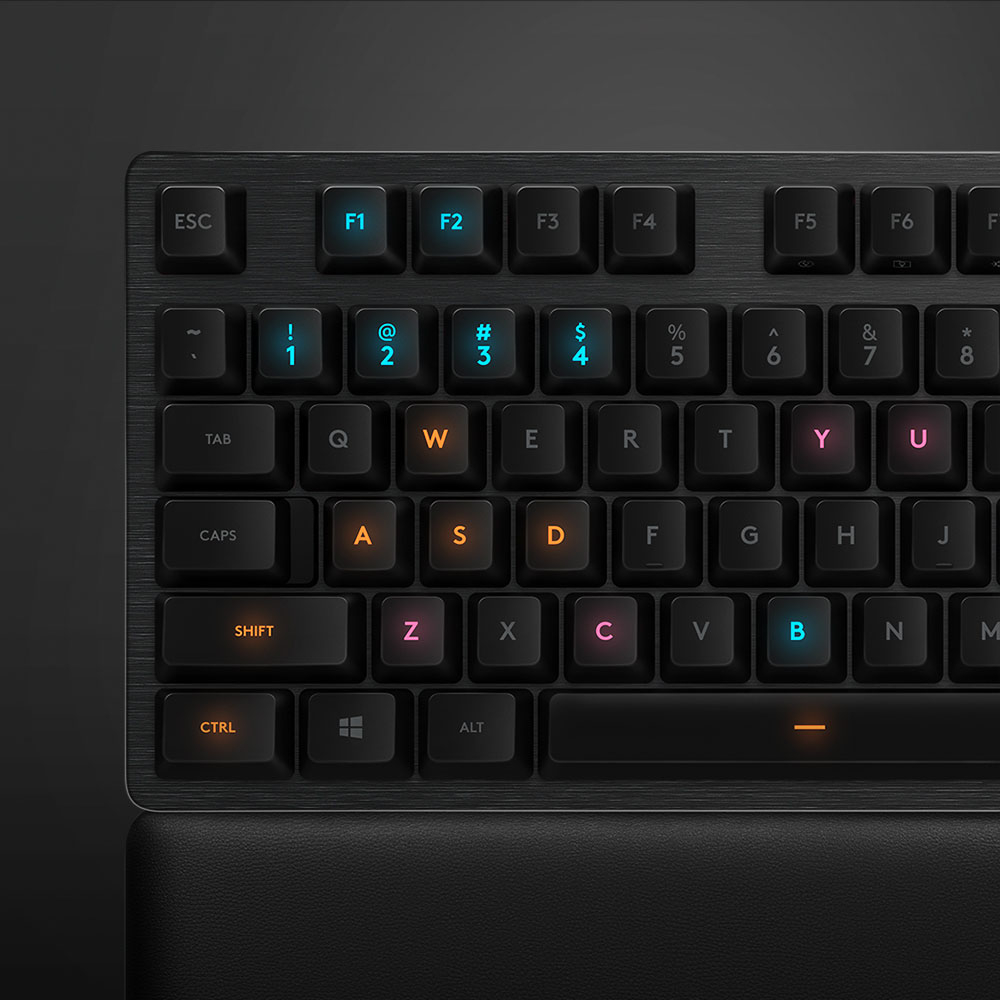
|Posted .This reviewer received promo considerations or sweepstakes entry for writing a review.Bottom Line Upfront: You will not be disappointed with the G513 GX Carbon, it checks all the boxes needed for a keyboard that can both “work” and “play” – however, you will have to pay for this level of capability and performance. =========================================================== Detailed Thoughts and Observations: =========================================================== Current MSRP for this keyboard is $149.99. At this price point, I expect a product to deliver on its marketed promises and justify its’ price – especially when you can buy relatively reputable solid performing keyboards starting from anywhere in-between $20 - $50. After using the Logitech G513 GX Carbon – w/GX Red Linear switches – for a little over a week now – I have mostly positive things to say about it. As always, at this level of price, there are so many options to fulfil your gaming and productivity needs … which is why as great as I think this keyboard is, I also feel that there is room for improvements in some areas that I will share later on below. I generally use my main computer to get me through a mix of a various “work” stuff and “gaming” stuff on a regular basis. My review is based on my subjective observations while doing so. To elaborate a little more, my “work stuff” consists of mild application (C++, Java, HTML, Pyhon) development/debugging in various IDE environments, text/manual/reference document reading and research, in addition to heavy web browser usage – and my “fun” stuff consisted of playing several hours of “The Division 2”, “Jedi Fallen Order”, “Battlefront II” and “Call of Duty MW” among others. Normally the “gaming” moniker means you have to “give up” some level of usability and/or ergonomics in order to get more “performance” of said item. Interestingly, the G513 GX RED Carbon is able to mostly defy that rule. I do want to underscore the word “mostly” here. The usual disclaimers apply in that what may be a minor problem to me; may be a huge problem to someone else – and vice versa. I was very impressed with the GX Red Linear switches. I normally prefer “tactile” style Cherry “Brown” switches for their telltale “bump” when engaged – however the GX Reds “linear” style switches are notably smoothly and quieter when compared directly to my “other” gaming keyboard I normally use. I think it’s great that they include a decent “memory foam” wrist rest in the box, as it goes a long way to help improve comfort for me in my book – although again at $149.99 MSRP, I kind of expect this. I really appreciate the relatively small (compared to many of the ginormous gaming keyboards out there) foot print of this keyboard and its overall build quality and aesthetics. The 513 Carbon looks right at home in an office as much as it does at a LAN party. While the Logitech Gaming Software provides a lot of options and customization for the keyboard – mainly improvements in usability and presentation. Build quality, while overall appears very good in book, is still not perfect in my book… especially when compared to what else is out there at this price in the “wired keyboard” market realm. Still, with my minor quibbles, I have to say this a 5 star product from my point of view. It has always been my experience that Logitech is one of those companies that take feedback from its users and the industry and regularly incorporates it into new products, or make refinements of its current ones. A good example is the new GX switches they are rolling out in response to the first round of Romer G switches they initially put in these models. Despite the minor short comings, I shared I still think this keyboard deserves it’s 5-star rating. The GX Linear red key action, the look, the feel and ergonomics are excellent and arguably the best in this price range. While there may be things it could do better – in no way does those shortcomings – break the experience or reduce the functionally of the keyboard itself in any meaningful way. If your looking for something that’s looks professional, games like best of them, and doesn’t take up a ton of space on your desktop… it is definitely worth the money … especially if you can catch it on sale … even better. ======================================================== Pro’s / What I liked: ======================================================== ++++ Overall size / “footprint " • I touched on this before, but it’s nice to have a gaming keyboard that does not have 8,000 programmable buttons or takes up “extra” real estate on my desktop needlessly. This gives the G513 GX Carbon a notably more professional look in my opinion and in addition to the aluminum backpack and centered LED style lighting make it look “classier” than many other keyboards while still retaining excellent gaming functionality as the same time. ++++ Good sized “detached” memory foam style wrist rest – • I want to start by clarifying this is not a true “detachachable” wrist rest. To be “detachable” would mean it would have to attach to something first….and in this case, it does not physically attach to the G513 GX carbon in any way what so ever. To restate – it is a free standing/floating detached style wrist rest that does not physically attach to the key board. That is a plus to me as it allows for flexibility for the placement of the wrist – or even the option of complete replacement or removal with something else without looking like its is missing something from the front. It does however increase the otherwise “smallish” foot print of the actual keyboard. Its not the most expensive or ultra-luxurious thing out there (in regards to wrist rests) but its much nicer than many other manufacture’s options that they include in the box and is a very reasonable size. ++++ Tasteful RGB lighting – • It is hard to tell in my photo. But the way the center mounted LED shines with the GX key caps – really helps to eliminate excess light bleed from under the keys. The photo I shared makes the back bleed brighter than it is in person, but the RGB lighting on the GX 513 Carbon just looks cleaner and more professional – which I really like. ++++ Legible Font on the key caps – • Thank you, Logitech, for picking a legible, easy to read, font on your keys. This seems like a simple thing to ask for… but a lot of “gaming” keyboards tend to use "alien-like" or “gamer-fied” fonts that aren’t the clearest to read or look at. For its worth, I truly appreciate that. ++++ Excellent GX Linear style switches – • This is a purely personal preference, but I really liked the GX Red Linear style switches. As I mentioned previously, I usually use Cherry Browns, or Blues in my previous keyboards – and was not really a fan of the Cherry Reds – which I think these GX Reds are aiming at. I personally found the switches to be quieter then my other Cherry switches while having increased word accuracy and speed in my day to day typing. ++++ USB pass-through - • It has a single USB pass-through in case you need it. This is a solid extra worth mentioning if you use USB powered headsets or mics and it’s a nice to have feature. ====================================================== Cons / What I DIDN’T like so much: ====================================================== ---- "Plasticky" back side / under the top facing aluminum back plate – • Just like above … I feel this isn’t limited to just this model of keyboard and/or Logitech models in particular. I always find it interesting that such effort is made by manufactures to have a quality, luxury/metal like feel to the top plate, but then it goes out the window when it comes to the underside. In this instance the plastic is sturdy and works well enough, its just the at the price I guess I still expect something “better” feeling or looking. ---- Cheap feeling/looking plastic height feet/adjuster things – • Just like above … to repeat … I feel this also isn’t limited to just this keyboard or Logitech models in particular. If/ when it comes to adjusting the height of the keyboard for this model, you have to rely on arguably the flimsiest feeling plastic on the whole build … the little feet that adjust the height. At this price, I expected something sturdier and/or well thought out or made of a different material. ---- The texture/finish of the keys tends to leave oily/wet marks from my fingers • I don’t consider myself to be a “sweaty” guy or have excessively oily skin .. but apparently my usage for the past week has left “wet marks” from the oils of my finger tips on the key caps. I find this interesting, because I don’t eat at my PC, and I have never noticed this on my other keyboards, so it leaves me a bit intrigued. I guess it’s the “matte” finish? Perhaps adding a touch of texture or switching finishes may help with this in future revisions. ---- Lack of RGB lighting for all of the media shortcut icons AND punctuation keys on the keyboard buttons – • Interestingly enough, the older/other G513 Carbon keyboards with the original Romer G switches actually have their punctuation keys fully light up both characters. If that sounds confusing, just look at a picture of the keyboard I provided or ANY stock picture on a retailers website and notice that keys such as the colon, quotation, apostrophe, etc, etc… AND all the special characters under the number keys 1,2,3, etc, etc … DO NOT light up with RGB on this/the newer G513 GX models. I wonder why they made that switch. I still sometimes have to look down and make sure I am hitting the right key for my special characters and punctuation marks at night/in a darkened room since I don’t have the keys memorized (perhaps I should). I feel like unless there is some kind of technical limitation introduced by the new switch, it’s a cheap way to save a couple cents on Logitech part.
I would recommend this to a friend - Pros mentioned:Keyboard quality, Rgb backlighting, Usb passthrough
Love this keyboard
|Posted .This reviewer received promo considerations or sweepstakes entry for writing a review.Logitech is at the top of their game with gaming peripherals. The build quality of this keyboard is top notch, made with great materials (high grade aluminum) and work as advertised. The MX red switches are my favorite and I was glad this had the option to choose which switches I wanted. The GHub software is intuitive and easy to use making this keyboard one of the best for RGB lighting and just pure gaming enjoyment. The keyboard is not wireless which makes the response time great. I also love that it has a usb port on the back that allows my Logitech powerplay mouse pad to plug in and charge my mouse. Im all in with Logitech and this keyboard. I previously had the Logitech 10 keyless keyboard with romer switches (they are ok not great) and I dearly missed the 10 key. Glad I got this.
I would recommend this to a friend - Pros mentioned:Keyboard quality, Rgb backlighting, Wrist rest
Glad I Made The Switch!
|Posted .This reviewer received promo considerations or sweepstakes entry for writing a review.I’m coming from a fairly new Corsair mechanical gaming keyboard so I had some high expectations for this keyboard from Logitech. Overall, I am very impressed with the build quality, the feeling of the mechanical switches, the RGB backlighting as well as the app. After using this keyboard for a few days, this has now become my primary keyboard. Build Quality: The build quality is great. You can feel the quality just holding the package. For a keyboard, it is quite heavy. I love the 5052 aluminum-magnesium alloy they used on this keyboard. Its aesthetically pleasing and is what makes the build quality of this keyboard superb. I love the size of this keyboard. It has all of the basic keys, and the right-side number pad. My previous keyboard was quite large so this is a nice change. The quality of the keys themselves is great, they have a grippy feeling to them so your fingers do not easily slide off the keys. My favorite thing about this keyboard is the non-attached wrist rest. Not only is it comfortable, but it isn’t attached the keyboard so if I don’t want to use it, I can just move it out of the way. That is a game changer for me because I don’t always want to use the wrist rest. It has a nice grip to my desk as well so I have not had any issues with it sliding around during use. Overall excellent build quality. RGB Backlighting: The backlighting on this keyboard is amazing. The colors are gorgeous and the light comes through the keys perfectly in my opinion. I typically don’t really care about the RGB feature of keyboards, but what I like about the RGB on this keyboard is its not overbearing and its not “too much”. There are also tons of different lighting effect options within the app. App: The app is great. It took me a minute of looking around to identify where everything was located but now, I can open it right up and I know where everything is. Its easy to modify the RGB lighting effects which there are endless options by the way. Its also easy to setup specific application profiles for this keyboard which may come in handy if users like to create their own macros or shortcuts for certain applications and games. There is also a game mode which allows you to disable certain keys to prevent them from interrupting your game like the windows key etc. The app provides a lot of versatility for this keyboard and if you learn the options it gives you, its very useful.
I would recommend this to a friend - Pros mentioned:Keyboard quality, Rgb backlighting, Wrist rest
Solid gaming keyboard, software could be better...
|Posted .This reviewer received promo considerations or sweepstakes entry for writing a review.When picking up the keyboard, first thing I noticed was how heavy it is. Especially compared to the keyboard I was replacing. It is most definitely 'solid' which is what you want from a gaming keyboard. Opening the sleek packaging, you get a nice looking, backlit mechanical gaming keyboard with a dark grey brushed aircraft grade aluminum top plate, a nice braded USB (2.0) pass through cable (permanently connected to the keyboard) allowing you to plug in and charge your phone or mouse, and a nice quality memory foam wrist rest. One of the nicest wrist rests I've seen, great quality and very comfortable. Heavy too, so it's not going anywhere either. Also included are extra 12345, QWER, and ASD keys, the most frequently used gaming keys, and a key removal tool. The instructions were hidden underneath the liner for the keyboard packaging. The keys are removed very easily and replaced just as quickly. Placing the keyboard on the desk, it looks fantastic. It's not going anywhere due to it's very rubbery feet, even with the extension legs raised, it doesn't slide anywhere at all. Looking at it closely, the aluminum is only a 'veneer' on the top, and not a solid piece of aluminum. At this price point, I expected it to be a solid piece. The Romer-G linear key switch travel is nice and, well, linear (as it should be with this linear model), requiring a solid press to make the full depression distance. Recoil is nice and quick, ready for the next key press. When plugged in, the keyboard defaults to an RGB rainbow wave of color that rolls across all of the keys thanks to LIGHTSYNC Technology. Definitely not my color palette so quickly downloaded the Logitech G HUB software to customize the layout. You have 16.8 million colors to choose from within the customization software. Having not used this type of keyboard before, I was new to setting up the color changing properties. Once the software was loaded up, I clicked on the first thing I saw and that took me to other users profiles that they had already set up and not to my own personal customization screen. The software was not initially intuitive with a 'quick guide' out of the gate. I had to fumble my way around to get to where I wanted. I finally settled on making all the keys white, until a key press and then that key turns to a blood red color. That looks pretty neat. There is an option that makes the keys 'ripple' when you press them, but I could only seem to get them to do that in the rainbow color and not in the blood red effect that I wanted them to. More than likely user error, but as I mentioned, the software wasn't as intuitive as I was expecting. There is a great deal of customization for the keys available, and then the ability to share them within G HUB as well, makes for a very personalized set up. I have had some of the keys remain the color assigned instead of reverting to their original color until their next press, but for the most part, the LIGHTSYNC Technology has worked fairly flawlessly. I've seen complaints of lack of media keys or volume keys, but F9-PAUSE are pre-printed with the media keys on them and can be customized within the G HUB. They are not 'dedicated' keys but can be programmed to act as such. Don't expect to typically use this keyboard in an office environment for typing (it's not designed for that use, it is a dedicated gaming keyboard), as it is quite loud when typing. It does feel good to type with, I'm currently typing this review with it, but it is loud. Distractingly loud. Over all, very happy with the keyboard itself, it's nice and solid, great key travel and response, fantastic customization available and very comfortable wrist rest included as well. Just wish the customization within G HUB was a little more user friendly.
I would recommend this to a friend - Pros mentioned:Keyboard quality, Wrist rest
Finally, a Great Gaming Keyboard for Mac & Windows
|Posted .This reviewer received promo considerations or sweepstakes entry for writing a review.When I found out Logitech finally supported their gaming keyboards on Mac, I had to have one. The G513 Gaming Mechanical Keyboard with the Red Switches provides the perfect feel and configurations for my specific gaming needs. Installation After unboxing and plugging in the two heavy-duty USB cables into my iMac, I was happy to see the Mac see the keyboard. However, when I downloaded and installed the Logitech G HUB software, it would not detect the keyboard. I downloaded and installed G HUB onto my Windows laptop, and it discovered the keyboard without any problems. So, I got in touch with Logitech Support and provided them the details of my configuration. It took ten days of back and forth emails, but eventually, they figured out the issue and provided me with an updated installer for G HUB. And now, it detects the keyboard and allows configuration. Configuration The G HUB application provides the ability to customize the color lighting effects of the keyboard and even define custom keyboard color keys for specific games. Many games use the WASD keys for movement. The Freestyle settings in G HUB have a Quick Color setup for WASD. Select the mode, then select the color. It is that easy. I did the same for the number keys and the Function Keys. There is a Color Brush mode for choosing a color and then clicking on the keys you want for that color. With G HUB Assignments, custom commands, actions, and macros can be assigned to almost any key or key combination. In G HUB Game Mode, specific keys can be disabled to prevent accidental hits while gaming. Different keyboard configurations can be saved. Popular keyboard profiles for specific games and configurations can be downloaded from the G HUB interface. Keyboard Use I love the brushed steel look and the solid feel of the keyboard. The spacing of the keys and the layout is perfect for my use. I share this keyboard between my iMac and my Windows laptop with a software package called Synergy, and it works perfectly with this keyboard. When the focus is on the Mac, the keyboard Windows key works as the Command key, and when focusing on the Windows computer, it works as the Windows key. The tension and throw distance of the keys is perfect for my touch typing. Aside from playing a game now-and-then, my primary use for this keyboard is for programming and writing. The included wrist rest is an excellent addition to the keyboard. Overall, I am very pleased with this keyboard, the G HUB software, the quick response and support from Logitech, and the flexibility of using this for both my iMac and my Windows laptop.
I would recommend this to a friend - Pros mentioned:Keyboard quality
Solid and Rugged
|Posted .This reviewer received promo considerations or sweepstakes entry for writing a review.i have been using this keyboard for a little over a week now. Upon initially opening the product I was immediately impressed as the packaging is designed to please which gave me a happy feeling right off the bat. Aside the from the packaging there are a couple of main reasons why I really enjoy this mechanical keyboard. The build and the sensitivity. This unit is build to take a hit, its tough to the touch, heavy and even has a nice braided cord coming out of the back, opposed to the single strand, minimal coating that other keyboards have. You can hear and feel when a button is clicked unlike other keyboards. it even comes with a neat companion app that give you some additional touches to the experience. This leads me to my second reason I enjoy this product. The sensitivity is unmatched from my experience, similar to mouses some games require a light touch to really do well in the game, this keyboard holds true to its promise. Being as its slight heavier than others i have owned really adds to the touch aspect as there is a lower chance of the unit sliding on my desk. All in all due to its sturdy build, companion app and its performance I highly recommend this keyboard to any gamer or no gamer.
I would recommend this to a friend - Pros mentioned:Keyboard quality, Rgb backlighting
Solid keyboard
|Posted .This reviewer received promo considerations or sweepstakes entry for writing a review.At first glance this is a very sleek keyboard. It has a nice style that allows it to go well with most desktop setups. Especially the bright RGB backlit keys, it looks really cool. I mean it when I say this is a solid keyboard. The overall feel just feels premium. Once you hook it up to play some games it feels "right". I play with headphones so I don't need to hear the clickity clack of the keys for gameplay. Not having a large audible click isn't a deal breaker for me. The only thing I withdrew a star for was the wrist rest that came for it is overly large. I don't know if there is a real purpose to fill a large portion of positions or something but wrists have a minimal contact point. I would buy this product again and I plan on doing so for gifts to my gaming friends and cousin's.
I would recommend this to a friend GREAT gaming keyboard and accessories
|Posted .This reviewer received promo considerations or sweepstakes entry for writing a review.To begin with, I've always been a Logitech guy. Keyboards, mice and even 5.1 speakers for my computer. This review will not be biased though. The keyboard itself has some weight to it. That' most likely do to the brushed aluminum alloy top. The USB cord is nicely braided and 6' long. There are two USB connectors to plug into your computer. One is for the keyboard itself, the other is to power the USB out on the back of your keyboard. You can plug in your wireless charging mouse pad, or charge your phone, etc. Underneath the keyboard you'll find two legs that you can open to make the keyboard rise at an angel, as well as 6 rubber pads so the keyboard won't slide around. The included wrist rest is nicely padded and it springs back to "normal" immediately when you remove your hands. The material is not leather, but pleather I assume. Time will tell how long that will last until it starts cracking/peeling. The G513 Carbon also came with a set of 12 additional keys and a key puller. The extra keys are different from the standard keys as their shape is slightly indented so that it's very easy to feel the keys when gaming instead of having to look at them. The RGB back lighting is GREAT. As you can view in my picture, I do have a few keys highlighted in different colors. You can set individual keys to ANY color you want, or for example,you can have all the keys bright red, or any other color you want. You download the software for the lighting at Logitechs website. I got the G513 Carbon with the GX Red Linear keys. These type of key are new to me as all of my other Logitech gaming keyboards had the Logitech Romer keys. The GX reds feel just about the same, but just a hair nosier than the Romers. The lighting difference in the Romer keys is that the light shines right up through the middle of the keys, while all other keyboards (Logitech, Razer, Corsair, etc) light shines up near the top of the keys. In the G513 keys, while the main keystroke is illuminated, if the key has a second function like the 1,2,3,4 or <,>,? are not lit up. So, if you're typing in a very dark room, it's hard to see those extra keystrokes if you need to use them. Overall, this is NOT a problem though and does not subtract from this review. Keystrokes are instantaneous and playing BF4 or BF5 works great using this keyboard. General everyday typing is fast and smooth. And while the GX red linear keys are just a hair louder than my Romer keys, it's not a distraction. You actually don't even notice it after a few minutes. Oh, I almost forgot. Above the numbers key pad area on the right, there are two lights that light up a light blueish/turquoise color when you have the caps locked on and also when you have the game mode on. To activate the game mode you hit the FN + F8 key. This will lock the Windows key, as well as any other key that won't mess things up when your gaming. You would set this up with the LIGHTSYNC software the hopefully you've downloaded from Logitech. Overall, I'm extremely happy with the Logitech G513 Carbon keyboard and I highly recommend it.
I would recommend this to a friendMy 2nd G513 Carbon!
|Posted .This reviewer received promo considerations or sweepstakes entry for writing a review.I previously purchased a Logitech G513 Carbon (Tactile) and absolutely loved the keyboard. It replaced an older Corsair MX Blue keyboard I had and I haven't regretted it, so when the opportunity to try out this G513 with linear switches came along I just had to give it a go. There are so many different types of key switches out there on the mechanical keyboard market that choosing one can be daunting, luckily Logitech's description and options make the choice much easier. This keyboard has a completely linear keystroke, which means that there is no actuation click at any point during the stroke of each key. Other switches have a very tactile "bump" or at least some sort of "bump" that signifies when the key has been pushed, but not this guy! What's that mean to you as a potential buyer of this keyboard? Well, it's going to be absolutely great for gaming and pretty much anything else, but mostly for gaming. This linear Romer-G is much like an MX Red key switch, but just a bit modified and improved. You'll be able to quickly actuate any key press and it'll be a very responsive keyboard for quick movements in any game you might be playing. The only concerns with this keyboard is for the pure typist. I wouldn't recommend this keyboard or any MX Red key switch based keyboard for someone that types, writes or programs on their computer a significant portion of the day as it's going to increase fatigue during these activities for some people due to how far you'll end up pressing the keys while typing in this manner. Because this is intended as a gaming keyboard though, I won't knock off any points for this. Using the Logitech G-Hub you'll be able to customize the lighting of this keyboard to your liking and it'll even sync with your favorite games to enhance your gaming experience in titles like Battlefield or Call of Duty. Some of the effects are fantastic, but if you'd like to turn off the backlight you can do that too! Oh..and it has a disconnected arm rest, which is durable and high quality. Pros: Excellent quality build Keys are brightly lit and the customization in regard to the lighting is pretty great Logitech product support is fantastic, as is their warranty Keyboard has an additional USB port for quick access Super comfortable, durable and detachable arm rest Cons: Requires 2 USB ports for recommended connection This linear type key switch is definitely geared more towards gamers than casual users
I would recommend this to a friendBest Gaming Keyboard
|Posted .This reviewer received promo considerations or sweepstakes entry for writing a review.This is one of the best gaming keyboards on the market. When typing it's just SO smooth with very little resistance on the keys. It's loud to type but personally I enjoy hearing the feedback from the keys so where that may be a con for some it's a pro for me. The keyboard itself feels pretty heavy and uses 2 USB ports to plug into your PC which leads me to believe it's as powerful as it feels. There's a software called Logitech G Hub that pairs with the keyboard and it allows you to completely customize the color light effects on the keys as well as the mapping of the keys. I especially love the fact it has a game mode where I can switch my settings with ease to have all my keys mapped out specifically for my gaming preferences and change it back with no issues for regular PC usage. Another really useful feature with the G Hub software is you can download presets from the community of various light effects and key mappings even for specific games such as Fortnite. Included with this keyboard is a memory foam wrist rest which is extremely comfortable and allows me to play longer without any discomfort. I was surprised it doesn't directly attach to the keyboard itself so you can technically interchange it with any keyboard in the future. Overall, this is a great purchase not just for gamers but for anyone even just for typing in Word or browsing the web.
I would recommend this to a friendfinally have a logitech keyboard
|Posted .This reviewer received promo considerations or sweepstakes entry for writing a review.first of all I currently have the latest alienware AW510 low profile gaming keyboard, I love it, but after using this i’m starting to rethink myself that I think it’s a much better keyboard that’s alienware, maybe since it’s not low profile, but if it was low profile I don’t think it will bother me at all. the design of this keyboard is very simple, also another keyboard with simple font keys, the aluminum case looks sick and i’m enjoy the weight of the keyboard, a little heavier than alienware, I also like how the g513 have the ability to customize macros keys. I don’t think the alienware have that but it doesn’t really tell ya on the box or guide, but logitech does which it’s a plus. I really enjoy how the key feels it’s almost have some kind of rubberized feel to it, hard to explain, it comes with usb pass through and the thick cord is not as hard like alienware does, that’s another thing I like about it. i’m also excited that g513 came with foam pad! I think all keyboards should come with one. the only think I didn’t like about the the keyboard is that if you have greasy hand it deff gonna show on the keys since it’s black, the also no volume scroll wheels where my alienware does. but after testing it I think the logitech will be my main keyboard to use. thank you logitech!
I would recommend this to a friendSolid performing keyboard.
|Posted .This reviewer received promo considerations or sweepstakes entry for writing a review.Logitech G513 Carbon keyboard. I was pleasantly surprised by the weight of the package when it arrived. The packaging is all recyclable, which is important for me. Upon removing the keyboard from the box you can see that the reason for the heft is that the body of the keyboard is made of metal. It also comes with a comfortable wrist rest. The first thing I had to do was download the newest version of the Logitech software and upon doing so, my PC prompted me to remove the old version and replace it with the newest. After that, it automatically sensed my hardware and walked me through the process of customizing the lighting effects. Once I settled on a lighting profile I liked, I set to gaming. The keys have a positive feel without a loud “clack” sound other keyboards have. The weight of the keyboard made it feel solid and caused it to stay put during hectic battles unlike other lighter keyboards that tend to slide around during gameplay. So far I have not seen the need to replace any keys, but it’s nice to know I could if needed thanks to the tool provided as well as extra keys (presumably the ones that get heavier use). The whole thing has a quality feel to it. One thing to keep in mind is that this is strictly a keyboard and has no multimedia controls added. Overall I am very pleased with the look, the feel and the construction of this keyboard. Other than the omission of multimedia controls I have nothing negative to report.
I would recommend this to a friend- Pros mentioned:Keyboard quality
Hit or Miss
||Posted . Owned for 1.5 years when reviewed.This reviewer received promo considerations or sweepstakes entry for writing a review.If youre a keyboard head, be aware of a keyboard like this. I had a g413 before, and that was awful. But then i got the g513 with the cherrymx blue switches. I hated that one too. But the one with the cherrymx red switches, I rlly like the sound and feel of them. Oh, and another thing. For some dang reason, Logitech doesnt ever lube their switches enough. So if you use it for long enough, the spacebar, the enter keys, and the shift keys start sounding terrible. Keyboard reviews are hard, since theyre all subjective, but id say its aight.
I would recommend this to a friend - Pros mentioned:Keyboard quality
Good, but in the end not for me.
||Posted . Owned for 8 months when reviewed.This reviewer received promo considerations or sweepstakes entry for writing a review.Took a while getting used to it. I liked it well enough and liked the ARGB for each key. Ultimately I ended up dealing for a slimmer profile mechanical with less travel.
I would recommend this to a friend - Pros mentioned:Keyboard quality
Really good keyboard for the price
||Posted . Owned for 1 week when reviewed.This reviewer received promo considerations or sweepstakes entry for writing a review.Really good keyboard for the price Really good keyboard for the price
I would recommend this to a friend