Customer Ratings & Reviews



![Shortcuts for work and home:
* Ctrl + [B] = 3 pages down
* Ctrl + [2] = 2 pages down
* Ctrl + [8] = 8 pages down
* Ctrl + [1] = 1 page down
* Ctrl + [C] = Clear
* Ctrl + [7] = 7 pages up
* Ctrl + [4] = 4 pages up
* Ctrl + [1] = 1 page up
* Ctrl + [T] = 2 pages up](https://pisces.bbystatic.com/image2/BestBuy_US/images/products/83ee7b58-8272-4dbc-9c31-6cb95c0eb5cd.png)



- Model:
- 920-012429
- SKU:
- 11910225
Rating by feature
- Value
Rating 4.8 out of 5 stars
- Quality
Rating 4.7 out of 5 stars
- Ease of Use
Rating 4.8 out of 5 stars
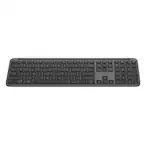
Logitech K950 Wireless Keyboard
||Posted . Owned for 1 month when reviewed.This reviewer received promo considerations or sweepstakes entry for writing a review.Highly recommend this keyboard. Has a high-quality feel.
I would recommend this to a friendBrand response from Logitech
Posted .A strong recommendation for the Logitech K950! We're thrilled you appreciate its high-quality feel. It's great to know it's making such a positive impression.

Great keyboard, not quiet
||Posted . Owned for less than 1 week when reviewed.This reviewer received promo considerations or sweepstakes entry for writing a review.Really great keyboard. Runs off AA batteries. Not as quiet as I thought it would be, but I can live with it. Would recommend as an alternative to the MX keyboard, but not as a quiet keyboard.
No, I would not recommend this to a friendBrand response from Logitech
Posted .Thank you for your feedback on the K950 Signature Slim! We appreciate you highlighting the keyboard's battery life and its suitability as an alternative to the MX Keys. We understand that the keystrokes might be slightly louder than anticipated. We'll take this feedback into account for future product development.
Easy setup
||Posted . Owned for 3 weeks when reviewed.This reviewer received promo considerations or sweepstakes entry for writing a review.Similar to the mouse, the setup was quite easy, even with the Apple OS that wasn't expecting it.
I would recommend this to a friendBrand response from Logitech
Posted .We're delighted that you were able to easily connect the K950 Signature Slim to your Apple device. We strive for a user-friendly setup experience across various operating systems. Thank you for choosing Logitech!
Great keyboard
||Posted . Owned for 1 month when reviewed.This reviewer received promo considerations or sweepstakes entry for writing a review.Great keyboard dor the price. Needed it to connect to my macbook air. Does great
I would recommend this to a friendBrand response from Logitech
Posted .Thank you for your positive feedback on the Logitech - K950! We're glad it's meeting your needs and connecting seamlessly with your MacBook Air. We strive to provide high-quality products at competitive prices, and we appreciate you choosing us.
Updated my keyboard
||Posted . Owned for 1 month when reviewed.This reviewer received promo considerations or sweepstakes entry for writing a review.Love the lighted "cap" key. It really helps!!!!!!
I would recommend this to a friendBrand response from Logitech
Posted .It's great to hear the lighted Caps Lock key on the K950 keyboard is helpful for you. Thank you for sharing your positive experience!
Logitech K590 Wireless Keyboard
||Posted . Owned for 3 weeks when reviewed.This reviewer received promo considerations or sweepstakes entry for writing a review.Great external keyboard. Works perfectly with my Mac.
I would recommend this to a friendBrand response from Logitech
Posted .This is wonderful to hear! It's fantastic the Signature Slim is working seamlessly with your Mac setup. We appreciate you sharing your positive experience.
keyboard
||Posted . Owned for 3 weeks when reviewed.This reviewer received promo considerations or sweepstakes entry for writing a review.love it, good function, perfect on mac mini and linux boxes
I would recommend this to a friendBrand response from Logitech
Posted .We're thrilled to hear you're loving your K950! It's fantastic that it works perfectly with your Mac mini and Linux boxes and that you're enjoying its good functionality. Thank you for your positive feedback!
3 different computer you can use
||Posted .This reviewer received promo considerations or sweepstakes entry for writing a review.great keyboard , takes second to sync up really did not even need the instructions. It very quiet and alway good with logi, you can use 3 different computers with keyboard.
I would recommend this to a friendBrand response from Logitech
Posted .Hey there! We're thrilled to hear such amazing feedback about the Logitech K950! It's fantastic to know that you love how quickly and effortlessly it syncs up – we designed it with simplicity in mind. And we're so glad you appreciate the quiet typing experience. That's a key feature we're proud of.
great keyboard
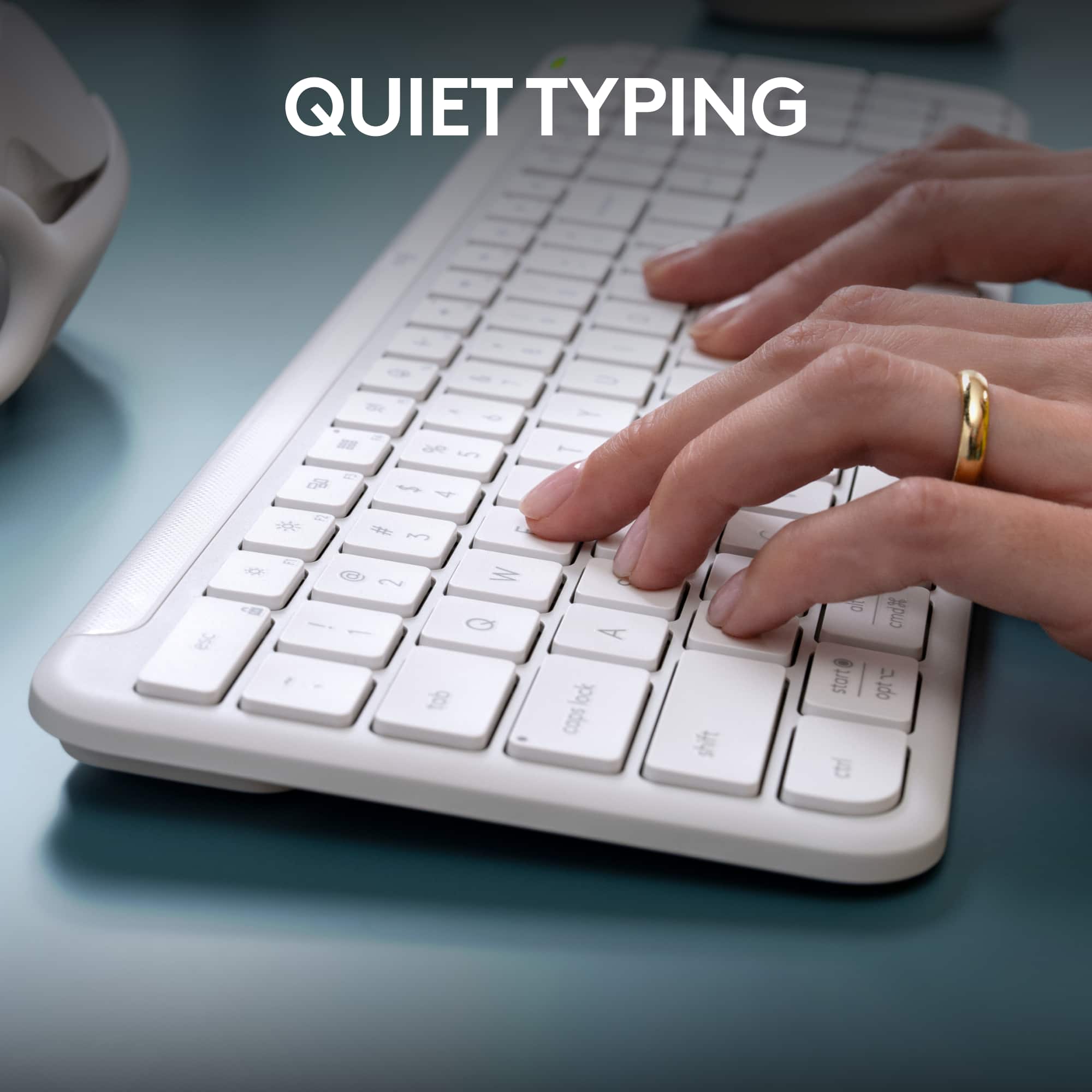
||Posted . Owned for 3 weeks when reviewed.This reviewer received promo considerations or sweepstakes entry for writing a review.great haptic feedback from the keys, quiet typing, small footprint
I would recommend this to a friendBrand response from Logitech
Posted .Appreciate the positive feedback on the K950's haptics and quiet typing. It's good to hear the compact design is working well for you.
Slim keyboard
||Posted . Owned for 1 month when reviewed.This reviewer received promo considerations or sweepstakes entry for writing a review.Like the slim version. Good key response. Price is reasonable
I would recommend this to a friendBrand response from Logitech
Posted .That's excellent feedback on the Logitech K950! It's clear you appreciate the slim design and positive key response. Knowing you find the price reasonable is also great to hear, as we aim to provide quality at an accessible value.
great for multi use
||Posted . Owned for 1 week when reviewed.This reviewer received promo considerations or sweepstakes entry for writing a review.Love this keyboard! I can use it on multiple devices in a matter of seconds
I would recommend this to a friendBrand response from Logitech
Posted .We appreciate your positive feedback on the Logitech K950 Signature Slim Wireless Keyboard! Its ability to seamlessly switch between multiple devices is a valuable feature for many users. Thank you for choosing Logitech!
A very nice and convenient to use keyboard
||Posted . Owned for 1 month when reviewed.This reviewer received promo considerations or sweepstakes entry for writing a review.This keyboard was very user friendly to install on my laptop. Not the best keyboard action or feel. But seems very durable and would recommend for the casual user.
I would recommend this to a friendBrand response from Logitech
Posted .We appreciate your feedback on the Logitech K950 Signature Slim keyboard. It's great to hear that it was easy to set up on your laptop and meets your needs for everyday use. While the typing experience may not be as premium as some other options, its durability and value are appreciated. Thank you for sharing your experience.
Super sleek and easy to use
||Posted . Owned for 1 month when reviewed.This reviewer received promo considerations or sweepstakes entry for writing a review.Really enjoying this, this was a big upgrade over my ten year old wireless keyboard
I would recommend this to a friendBrand response from Logitech
Posted .We're thrilled to hear you're enjoying the upgrade to the Logitech K950 Signature Slim! Its sleek design and improved functionality are definitely noticeable compared to older models. Thank you for sharing your positive experience!
Looks cool and works well
||Posted .This reviewer received promo considerations or sweepstakes entry for writing a review.It works perfectly, but I have not been able to get any Logo software to control the keys.
No, I would not recommend this to a friendBrand response from Logitech
Posted .Thank you for your feedback on the Logitech K950. We're glad to hear it's working well, though we're sorry you've had trouble with the software functionality. Your experience is noted and will be shared with our team for further improvement.
Worked OK for 4 months
||Posted . Owned for 5 months when reviewed.This reviewer received promo considerations or sweepstakes entry for writing a review.Bought on 4/10/25 and it worked until 9/15/25, about 5 months and stopped working. Will be contacting Logitech and they most likely will replace it so I bought an Apple keyboard yesterday. It will most likely take 3 - 4 weeks to repplace and I'll either keep the replacement junk or sell it.
No, I would not recommend this to a friendBrand response from Logitech
Posted .Thanks for taking the time to share your experience. We're glad the keyboard served you well initially, though we're sorry to hear it stopped working sooner than expected. We understand how frustrating that can be. If you’d like us to look into this further, please reach out to our social care team at [email protected] with the following details:
- Name
- Email Address
- Country
- Product Name
- Brief description of issue
We’re here to help and want to make things right for you.

Versatile Keyboard Connects to 3 Devices at Once
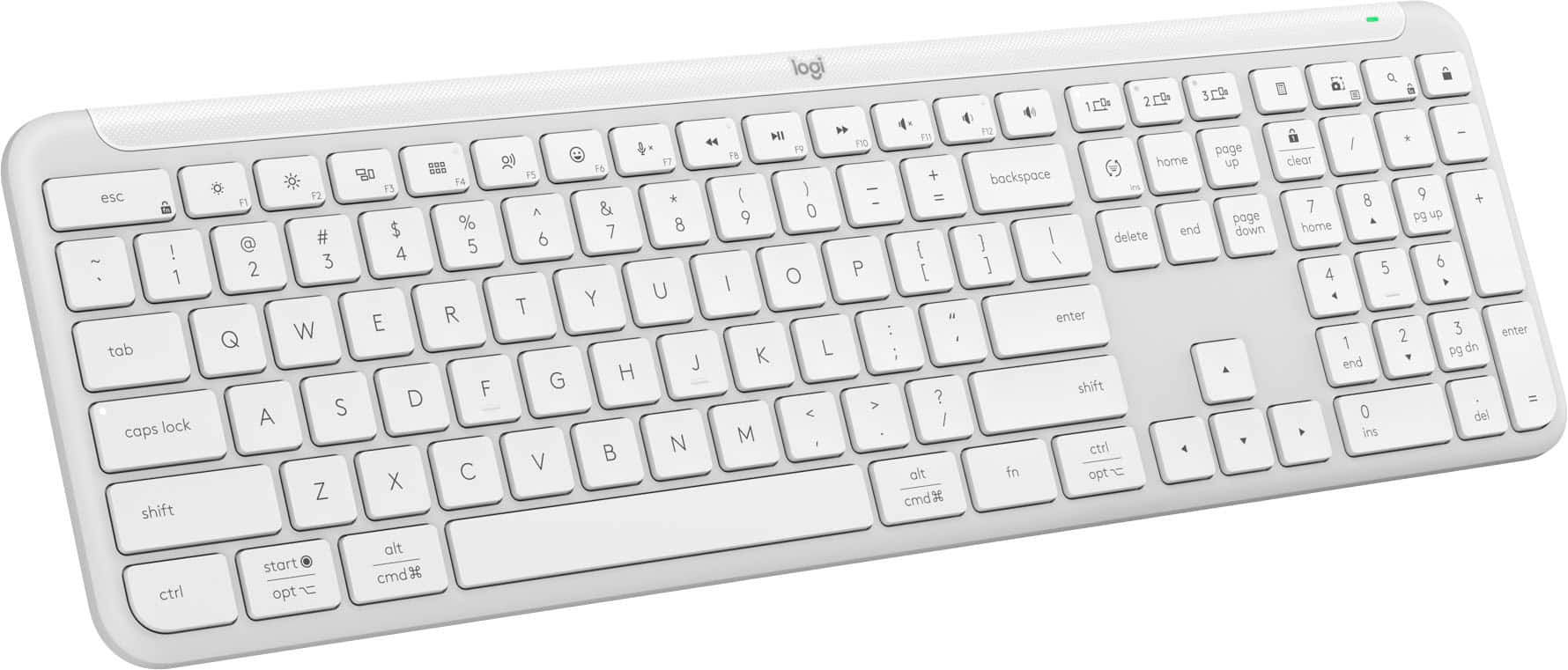
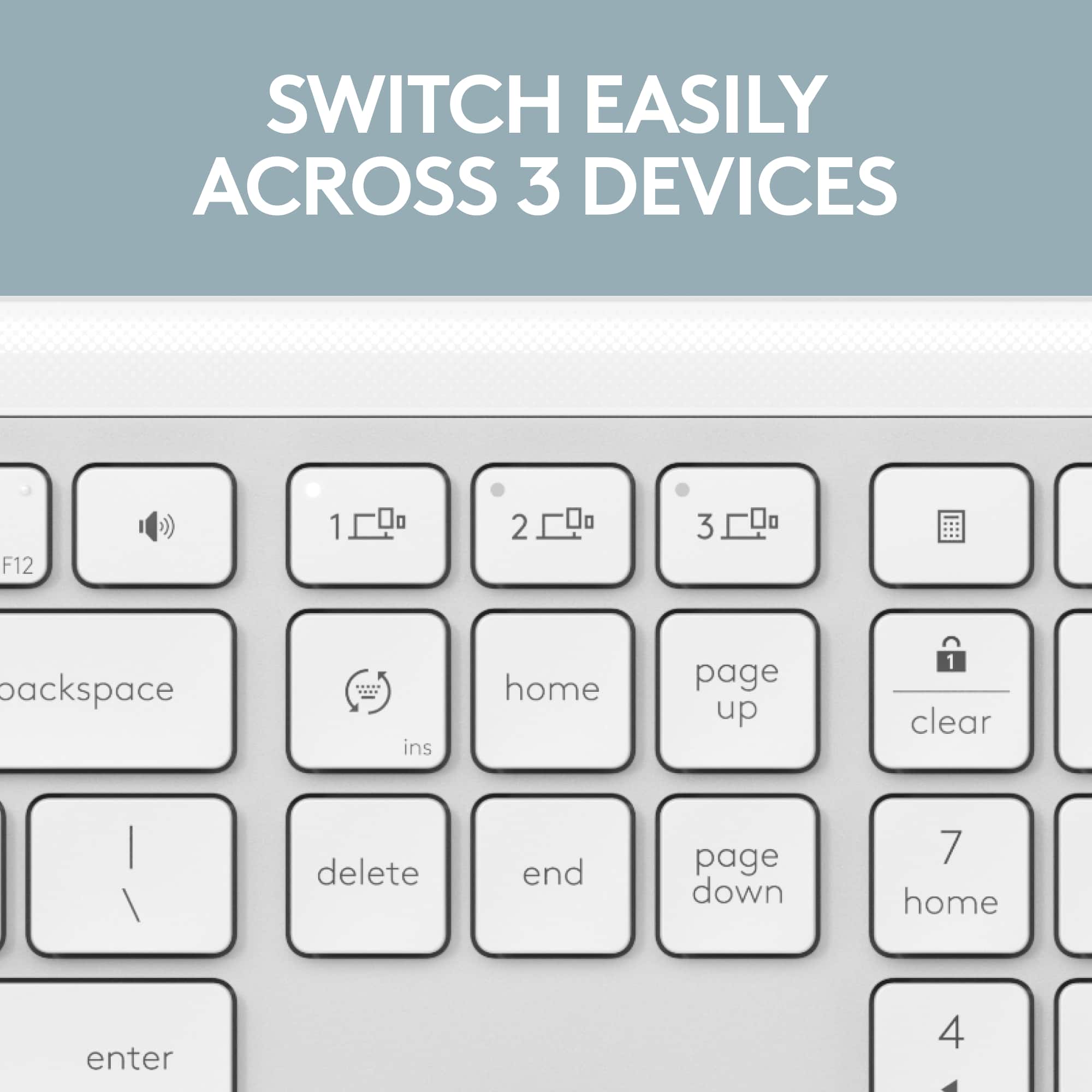
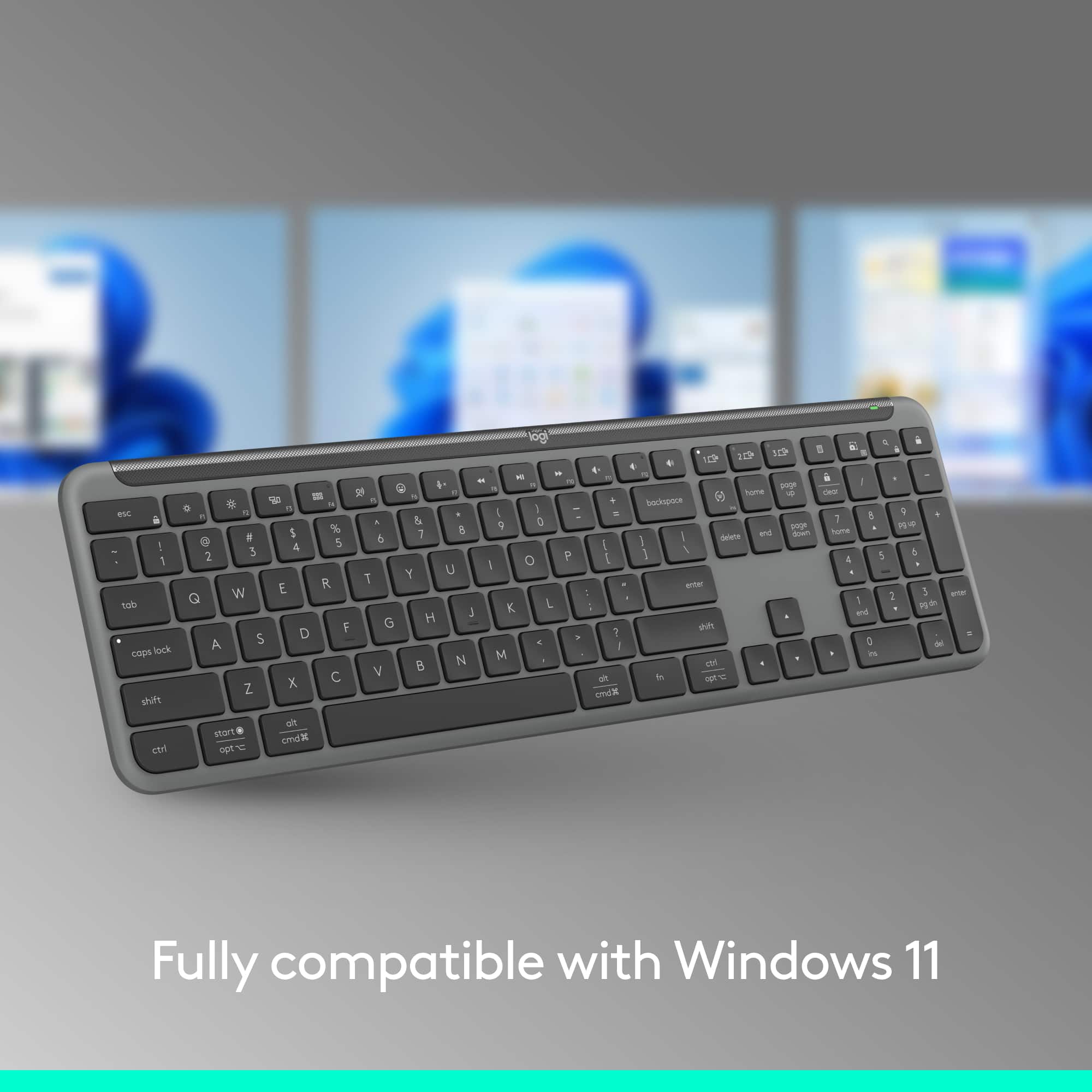
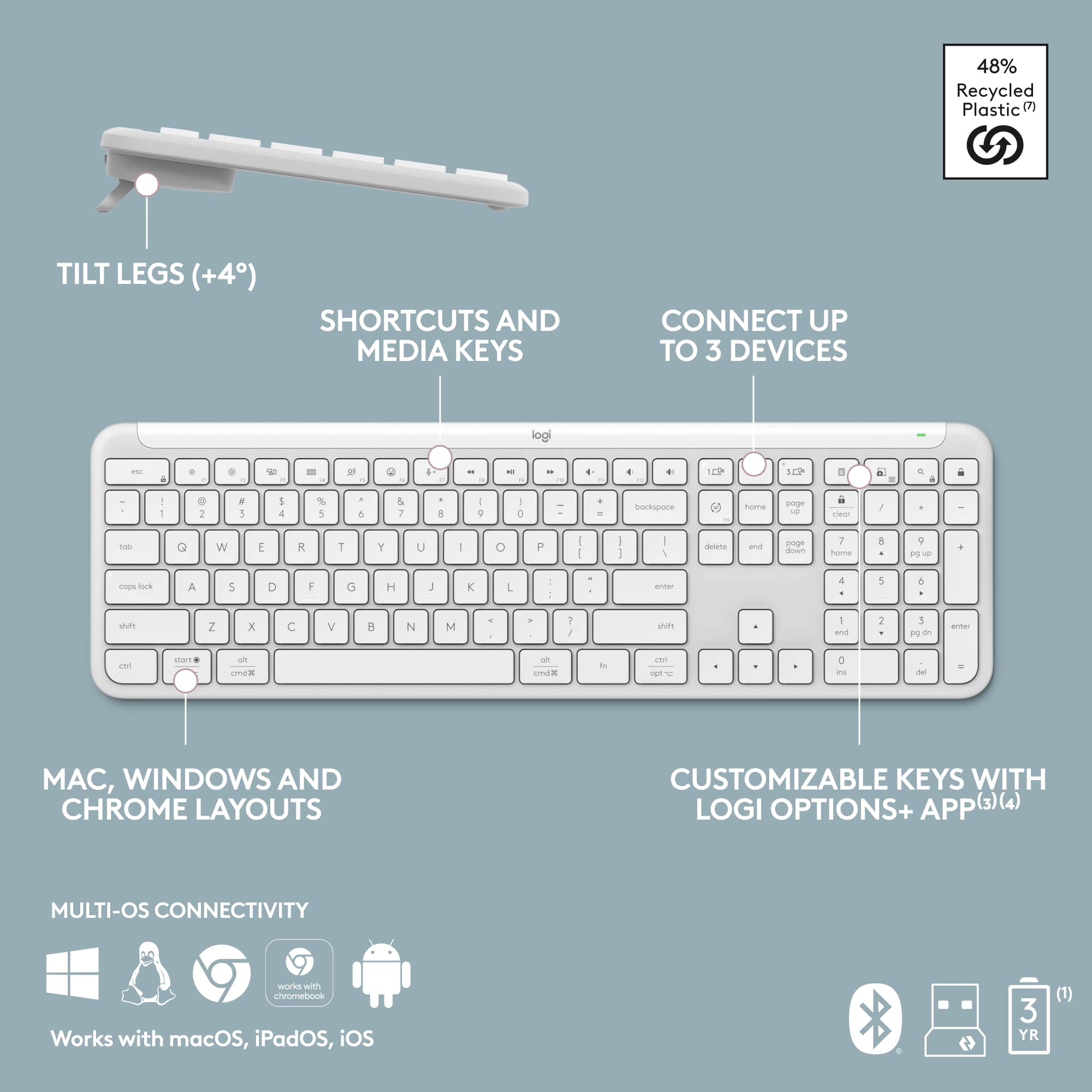
|Posted .This reviewer received promo considerations or sweepstakes entry for writing a review.History: This is my 10th Logitech device, including mice, keyboards, speakers, & even gaming equipment (back in 2005) since I started buying from Logitech 20 yrs. ago. Overall, I’ve had good experiences w/Logitech products & was excited to try this new K950 keyboard. Out of the Box: I almost missed the tiny Logi Bolt USB-A receiver which sits in a little notch next to the keyboard’s spacebar, in the front of the cardboard box in which the keyboard ships. Don’t miss it, or you might accidentally toss the box AND your wireless receiver. If you elect to go w/the Bluetooth connection rather than plugging in the min-dongle to your connected device, be sure to store it in it in the dedicated side space of the closed battery compartment. Aesthetic: This full-size keyboard (17”W x 5.3”D x .91”D; 1.5lb) includes an integrated numeric keypad which is ideal for spreadsheets & calculations. Even w/this, it has a slim, sleek design & offers laptop-style typing. But, for us, there’s 1 problem. All of our computer-related hardware in both work & HO spaces is in business black. So, this off-white keyboard sticks out like a sore thumb in our office environs. Benefit: The featured benefit of this keyboard is its versatility, including its ability to pair w/3 different devices simultaneously. You can pair your keyboard to your devices w/Bluetooth or use the Logi Bolt USB-A mini-dongle receiver. With just a press-&-hold of the 3 dedicated Easy-Switch buttons at the top R of the keyboard, I moved my keyboard input seamlessly from my Dell desktop PC to my Acer gaming laptop to my Android smartphone. If you’ve longed for the speed, accuracy, & convenience of typing on a full-size keyboard while using your laptop or phone, pine for it no more. This slim, lightweight, portable but full-size keyboard grants that versatility. Bolt Receiver: Although I’ve been using a Logi Unifying USB-A receiver on the back of my various PCs for more than a decade to connect my Logi keyboards & mice, I wasn’t familiar w/Logi’s newer proprietary name which they call the “Bolt” receiver. So, I went to Logi’s website & read their 17-page white paper on the subject. Using their summary, the idea behind Logi’s Bolt wireless technology is to provide their keyboard & mouse users w/fully encrypted, secure, reliable wireless connections even in wireless environments congested w/interference from Wi-Fi access pts. or surrounding wireless devices. It combines BT low energy wireless tech w/US Federal Info Processing Stds. (FIPS) & additional Logitech security features to reduce security vulnerabilities when devices are paired. Logi promises a robust, drop-off-free connection of up to 10m (33ft) w/up to 8x lower latency than other commonly deployed wireless protocols, which is why you don’t experience any noticeable lag between your mouse & keyboard inputs vs. the resulting data you see on your display. Batteries: I don’t like to feed my devices batteries. I like rechargeable Li-ion batteries w/USB-C charging cables. In fact, I’m still rotating my 2 Logitech K750 Solar Keyboards which contain ML2032 rechargeable Li-ion coin cell batteries. So, this new K950, in some ways, is a step backward in technology & convenience for me. The specs indicate that the 2 required AAA batteries will last 36 mos. As much as I use my keyboard each day, I’ll be surprised if I get that kind of longevity from 2 small alkaline batteries. Typing Angle: I like the keyboard’s 8-degree tilt angle that the L & R pop-out tabs on the upper rear of the keyboard provide. But if you prefer a flat keyboard, those same tabs easily retract & remain flush w/the bottom of the keyboard. This 8-degree angle is the same angle my K750 keyboards have provided for many yrs. I type a high volume of emails/docs each day & have never suffered a repetitive motion injury such as carpal tunnel syndrome, etc., from using this ergonomically-sound angle. Quiet Typing: I find the noisy, distracting, clickety clack sound of cheap plastic keyboards annoying. I not only prefer sleek, minimalist tools, I prefer tools that allow me to do my work quietly & efficiently. Quietness is one of the reasons that I fell in love w/Logitech’s K750 Solar Keyboard 13 yrs. ago. Since Logitech promotes the quietness of the K950, I decided to set both keyboards next to each other, flat on my desk. To my ears, the K750 is actually quieter than the new quiet K950. Multi-OS Connectivity: I can connect wirelessly to Windows, Chrome, Linux, & Android. And if I used Apple products, I could also connect wirelessly to iOS, Mac, & iPad. Shortcuts/Customization/Personalization: I like the customizable keys & shortcuts which can help improve my efficiency & productivity. I can easily personalize my F-keys & assign simple 1-tap functions to open a browser, stream music, mute/unmute my mic, adjust the volume, perform screen captures/utilize snipping tool, add emojis, pull up my calculator, etc. I can also choose ready-to-use “Smart Actions” to jump between work & personal, simplify routines, & multi-task. Logi Options+ (LO+): According to Logitech, the LO+ App isn’t currently supported for Chrome OS, Linux, ipadOS, iOS, or Android, which is disappointing. But the keyboard’s basic functions will work w/o LO+. I first downloaded Options+ v.1.29 to my desktop PC back in 11/2022. Although I had auto-updates toggled “on” in my settings, I still needed to download a manual update to v.1.68, just released on 3/27/24. After installing, my Logi MX Master 2S mouse & new K950 keyboard were immediately visible. From there, you can customize away. If you want to do a deep dive into minutiae-land, the LO+ software will allow you to customize a couple dozen keys. Using the impressive pt.-&-click GUI, you can hover your cursor over each customizable key to generate a popup that displays what that particular “Smart Action” key is preprogrammed to do. When you click on that customizable key, another popup menu appears w/a vast array of alternate “Smart Actions” from which to choose. “Click, click” & you have a newly customized key set to perform your preferred action. It’s pretty slick, really. You don’t have to record all the inputs to capture or create your own “macros.” Logitech has already done that for you & given you the freedom & control to pick & choose your fav actions along w/the ability to reassign them to different keys. Areas for Improvement: I prefer backlit keys. In our master bedroom, far away from the bed, we have a small nook & escritoire where I sometimes sit & do a little extra work late at night while my wife sleeps. But what good are quiet keys, a dimmed display, & a blue light filter w/o backlit keys? I also prefer a rechargeable Li-ion battery w/a USB-C charging cable. When my keyboard runs out of juice, I want the ability to quickly plug & play so I can keep cranking, much as I do w/my Logi MX Master 2S mouse when it runs out of juice. I don’t want to stop & fumble around w/replacing alkaline batteries, an annoying & unnecessary interruption (given the advances in battery technology) which typically comes at the worst possible moment. Summary: We like Logitech products as evidenced by our customer loyalty across multiple devices purchased over 20 yrs. Overall, we think this is a good keyboard. We like its versatility & capability to connect to 3 devices at once, & we like its customizability for shortcuts & personalization. We’d prefer it in black & prefer that it come w/backlit keys & rechargeable battery, but we think it provides good value & functionality & would be a fine addition for any personal or home office user.
I would recommend this to a friendBrand response from Logitech
Posted .Hey! Thank you for your very detailed review of the Logitech K950 Signature Slim Full-size Wireless Keyboard! Your in-depth breakdown covers everything from the unboxing experience and connection options to the typing experience, software customization, and battery life. We especially appreciate your insights on the pros and cons of the design, multi-device connectivity, and customization features. Your feedback about preferring backlit keys and a rechargeable battery is valuable for us to consider in future iterations.
Quality Wireless Keyboard At A Good Price
|Posted .This reviewer received promo considerations or sweepstakes entry for writing a review.An affordable full size keyboard that is wireless. Product was packaged very good and the instructions to hook up to a desktop or laptop are good. Is really nice to have the full size portable keyboard as I can put it in my lap when I am doing emails or general correspondence where I am not hard at work. The key response is fast and I do not notice any delays when I press a key and it appears on the screen. I like having a quiet keyboard and this is very good at a silent pressing all the keys. When pressing a key you have good feedback that you did the press and this is good especially being a silent keyboard. I use the number keys on the right side frequently and this is a must have for myself as I work with numbers a lot and this works like my desktop. I got the white keyboard and so far not showing any smudges or dirt, will see how this goes. I do like that so far no finger prints show and this is very good as many laptops I have played with are fingerprint magnets. If you are looking for a quality and affordable wireless keyboard this one will work just fine.
I would recommend this to a friendBrand response from Logitech
Posted .Hello, Thanks for the Logitech K950 Signature Slim Wireless Keyboard review! We appreciate you mentioning its affordability, ease of use, comfort, and quiet design. It sounds like a great choice for a wireless keyboard.
Finally keys that are quiet
|Posted .This reviewer received promo considerations or sweepstakes entry for writing a review.Ok maybe not everyone’s most important feature but for me when gaming I don’t want to have keys that distract from the people I’m talking to. This keyboard the K950 has quiet keys that feel good but are not loud thank God. I also love that the F keys are programmable which is very useful and should become more standard. Also you won’t need to worry about the battery life as it’s supposed to be 36 months! You willl need to invest in some AA batteries after the three years lol. For me the white is an awesome color for a keyboard as it matches some other peripherals and also the Logitech app is so nice and user friendly. Slim design without you losing things that are useful in my opinion. It does use Bluetooth so if you are someone that wants to use it for a tablet or phone you can. I just use it for my windows pc. It feels light but not cheap feeling if that makes sense. For me it replaces a keyboard that was even more compact but was missing the keys on the right (number pad). I love this one so much more!
I would recommend this to a friendBrand response from Logitech
Posted .Hey! Thanks for the detailed review of the Logitech K950 Signature Slim! We appreciate you highlighting the quiet keys, programmable F keys, long battery life, white color option, user-friendly app, and slim design with a number pad. It's valuable feedback for potential customers who prioritize these features!
Keys stick
||Posted . Owned for 1 month when reviewed.This reviewer received promo considerations or sweepstakes entry for writing a review.I missed the return date by one day. The keys stick. Not just one key different keys. Really annoying as I use it all day and all the sudden a key just gets stuck down.
No, I would not recommend this to a friendBrand response from Logitech
Posted .We apologize for the inconvenience you've experienced with the Logitech K950 Signature Slim Full-size Wireless Keyboard. It's frustrating when a product doesn't perform as expected, especially one you rely on daily. Your feedback is important to us, and we'll use it to improve future products. To address this issue, we recommend reaching out to our social care team via email at [email protected] with your
- Name:
- Email Address:
- Country:
- Product Name:
- Brief description of issue:
Perfect Budget Portable Keyboard
|Posted .This reviewer received promo considerations or sweepstakes entry for writing a review.When it comes to computer peripherals Logitech sits at the top of the mountain to which they have only proven that here with this more budget travel keyboard. I initially was hesitant with so much of the keyboard material being recycled, but I have to applaud Logitech here as this feels like a premium keyboard right out of the box. The keyboard has a firm solid feel to it. Logitech always thinks of the little things as the non-slip grips on the bottom and retractable stands allow for multiple use cases. Then one small thing I love with this keyboard is that the spot to hold the Bluetooth dongle is held within the battery compartment so you don’t have to worry about it accidentally falling out when traveling. All this does not go to say that Logitech didn’t fully consider usability as that shines here too. Firstly, syncing devices was quick and easy to which switching between them is even easier with the dedicated keys versus the usual toggle switch that most keyboards use. The use of shortcut keys is where this keyboard really shines though as the usual music controls are there, but the snipping tool key is amazing for work related purposes as I find myself using this a lot! However, if these are not to your liking the Logi Options+ app takes this a step further as it allows the user to customize a multitude of keys, buttons, and shortcuts to whatever your liking may be. Overall, the usability here really shines as all these various facets bundled together to go along with the near silent typing and portability aspects create the perfect budget keyboard not only for travel purposes, but even for desktop use too.
I would recommend this to a friendBrand response from Logitech
Posted .Hey! Thanks for the detailed review of the Logitech K950 keyboard! We appreciate your insights on its value, design, functionality, and quiet typing. This feedback is valuable for potential customers!