Logitech - K950 Signature Slim Full-size Wireless Keyboard for Windows and Mac with Quiet Typing - Off-White
About this product
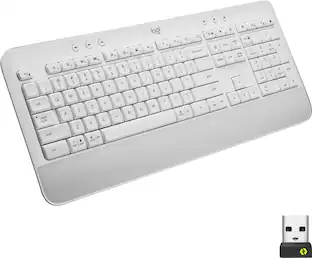
Effortlessly switch typing between your computer, tablet and phone with the Logitech Signature Slim Wireless Keyboard K950, made with recycled plastic. Make work-life magic with customization and shortcuts that keep you in control. Enjoy a familiar laptop-style keyboard feel that allows you to work even smarter with Logi Options+ App’s custom shortcuts. Quiet typing gives you more focus and less disturbance to others. Connect this computer keyboard wirelessly with Bluetooth or the included Logi Bolt USB receiver, and stay concentrated for longer with up to 36 months of battery life.
Features
Switch typing between your computer, tablet or phone
The Logitech Signature Slim Wireless Keyboard K950 lets you switch typing between three devices with a single tap – just like that.
Save time like magic
Do more than you ever dreamed by using customizable keys with the Logi Options+ App; it's like magic (available on Windows and macOS). ²
Enhance your space
A sleek and solidly built full-size wireless Bluetooth keyboard with familiar laptop-style typing; made with recycled plastic. ³
Shortcuts for work and home
This computer keyboard features one-tap, out-of-the-box functions for work and home; play music, mute/unmute, use the snipping tool, control volume and more.
Works on nearly any platform
Worry-free wireless connection to Windows, macOS, Chrome OS, Linux, iPadOS, iOS and Android; easily pair via Bluetooth or Logi Bolt. ⁴
Feel good about your choice
Plastic parts in the Signature Slim keyboard include a minimum of 48% certified post-consumer recycled plastic.²
¹ Battery life may vary based on user and computing conditions.
² Customize device by installing the Logi Options+ App available for download for Windows and macOS at Logitech's official website. Logi Options+ App is currently not supported for Chrome OS, Linux , ipadOS, iOS and Android. The device’s basic functions will work without it.
³ Signature Slim keyboard K950 plastic content: minimum 48%, excluding printed wiring assembly, cables, and packaging.
⁴ Mouse not supported by iOS.
Specifications
- Lighting TypeNoneForm FactorFull-sizeConnection TypeWireless
Reviews
Rating 4.7 out of 5 stars with 98 reviews
Customer Images
The vast majority of our reviews come from verified purchases. Reviews from customers may include My Best Buy members, employees, and Tech Insider Network members (as tagged). Select reviewers may receive discounted products, promotional considerations or entries into drawings for honest, helpful reviews.

Compare similar products
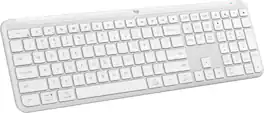
Effortlessly switch typing between your computer, tablet and phone with the Logitech Signature Slim Wireless Keyboard K950, made with recycled plastic. Make work-life magic with customization and shortcuts that keep you in control. Enjoy a familiar laptop-style keyboard feel that allows you to work even smarter with Logi Options+ App’s custom shortcuts. Quiet typing gives you more focus and less disturbance to others. Connect this computer keyboard wirelessly with Bluetooth or the included Logi Bolt USB receiver, and stay concentrated for longer with up to 36 months of battery life.
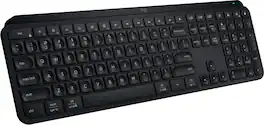
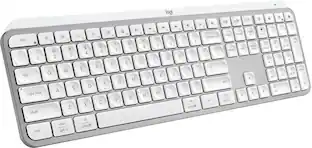
MX Keys S Logitech Wireless Keyboard — a low-profile full-size keyboard that offers a fluid, precise typing experience and customizable, time-saving Smart Actions that automate your most repetitive tasks with a single keystroke. The backlit keyboard features smart backlighting that lights up when your hands approach it and automatically adjusts to suit the time of day.

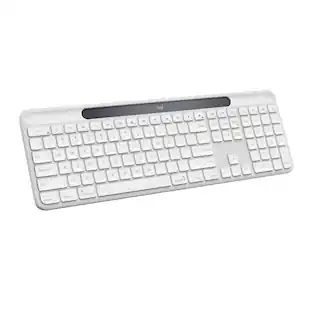
Make work-life magic with the Logitech Signature Slim K950, a keyboard that lets you switch between your computer, tablet, and phone and enhances your productivity with customizable keys and shortcuts. Balancing work and life tasks can be challenging. Signature Slim K950 is a keyboard that helps you manage it all by putting a little bit of magic at your fingertips.

The slim profile and minimalist design transform your keyboard and mouse into a visual statement that elevates your desk setup. A slim profile and compact design make typing and mousing a pleasure. Low-profile keys give you that laptop-like typing experience you know and love. Whisper-quiet keys and a 90% noise-reduced mouse let you power through in near-silence. Long battery life and an easy plug-and-play 2.4GHz USB receiver ensure a reliable, hassle-free experience.
| Pros for Logitech - K950 Signature Slim Full-size Wireless Keyboard for Windows and Mac with Quiet Typing - Off-White | |||
|---|---|---|---|
| There were no pros for this product— | Keyboard Quality, Ease of use, Battery Life, Key Feel, Connectivity | There were no pros for this product— | Keyboard Quality, Ease of use, Size, Design, Noise Level |
| Cons for Logitech - K950 Signature Slim Full-size Wireless Keyboard for Windows and Mac with Quiet Typing - Off-White | |||
| There were no cons for this product— | Price, Size | There were no cons for this product— | Caps Lock Indicator, Compatibility |
Specs
Customers often buy these together

Logitech - MK270 Full-size Wireless Membrane Keyboard and Mouse Bundle for PC - Black
$26.99The price was $29.99
Logitech - MK540 Full-size Advanced Wireless Membrane Keyboard and Mouse Combo for PC - Black
$48.22The price was $59.99

![esc 1 ! 2 @ 3 # 4 $ 5 % 6 ^ 7 & 8 * 9 ( 0 ) - = | F1 F2 F3 F4 F5 F6 F7 F8 F9 F10 F11 F12 tab Q W E R T Y U I O P [ ] { } | caps A S D F G H J K L : : enter shift Z X C V B N M , < > ? shift ctrl alt fn ctrl](https://pisces.bbystatic.com/image2/BestBuy_US/images/products/bc5bce35-ca08-45da-bcc3-8d6fb215154b.jpg;maxHeight=232;maxWidth=233?format=webp)





![Sure, here is the corrected and grouped text from the image:
**Top Row:**
- ESC
- F1
- F2
- F3
- F4
- F5
- F6
- F7
- F8
- F9
- F10
- F11
- F12
- PRTSC
- DEL
**Number Row:**
- 1
- 2
- 3
- 4
- 5
- 6
- 7
- 8
- 9
- 0
- -
- =
- \
**Letter Row:**
- TAB
- Q
- W
- E
- R
- T
- Y
- U
- I
- O
- P
- [
- ]
- \
**Letter Row:**
- CAPS
- A
- S
- D
- F
- G
- H
- J
- K
- L
- ;
- '
**Letter Row:**
- SHIFT
- Z
- X
- C
- V
- B
- N
- M
- ,
- .
- /
**Function Row:**
-](https://pisces.bbystatic.com/image2/BestBuy_US/images/products/9be10b95-8e90-4a5d-b85f-cbc6a7d8e8df.png;maxHeight=232;maxWidth=233?format=webp)

![esc ~ ! 1 tab caps lock shift ctrl F2 Fl # 2 3 Q W A S Z start opt L F3 $ 4 E D X alt cmd3 ) FS F4 A % 5 6 R T F G V C logi 44 HI & F9 FID FB F7 F6 * ) - - & 0 8 9 7 O P U I Y K L H J > < N M 1 B PM + = { [ : I ; ? I alt cmd D 2 4 300 3 1 F12 . * page I insert home up clear backspace 8 9 + 7 page A pg up end down home } I delete ] / 6 4 5 4 enter 2 3 enter 1 dn Pg end shift = 0 del ins etrl fn opt](https://pisces.bbystatic.com/image2/BestBuy_US/images/products/6539/6539505_sd.jpg;maxHeight=232;maxWidth=233?format=webp)

![Esc F1 F2 F3 F4 F5 F6 F7 F8 F9 F10 F11 F12 Print Screen Scroll Lock Pause Break 1 2 3 4 5 6 7 8 9 0 - + = Backspace Insert Home H Page Up A Num Look 1 I Tab Q W E R T Y U I o P { [ } ] I I Delete End IN Page Down 7 Home 8 9 Pg Up Caps A Lock A S D F G H J K L ; : DE g Enter 4 5 6 Shift Z X C V N M < > ? I Shift 1 End 2 3 Pp Dn Enter Ctrl Alt Alt Ctrl 0 Ins Del](https://pisces.bbystatic.com/image2/BestBuy_US/images/products/a588d446-5678-40ae-86b8-1f15e0026e66.jpg;maxHeight=232;maxWidth=233?format=webp)

Customers ultimately bought
Explore tech essentials Sponsored
 $179.99The price was $249.99


Discover related products
 $12.99The price was $13.99
 $149.99The price was $169.99











Keep exploring
 $23.99The price was $25.99
 $129.95The price was $159.95