Customer Ratings & Reviews


- Model:
- SLK-00001
- SKU:
- 11578541
Rating by feature
- Battery Life
Rating 4.3 out of 5 stars
- Speed
Rating 4.3 out of 5 stars
- Display
Rating 4.4 out of 5 stars
A Mobile Professional's Dream Laptop
||Posted . Owned for 3 weeks when reviewed.This reviewer received promo considerations or sweepstakes entry for writing a review.This is my 2nd Surface Book. I decided to upgrade from the 1st Gen model I got 5 years ago. I was surprised at how sturdy these laptops are. I travel a lot and constantly throw them in an d out of my bag. It multitasks like a dream, and even handles some minor video and photo editing and rendering.
I would recommend this to a friendBrand response from MicrosoftOutreachTeam
Posted .Hi there,
Thanks for taking the time to share your thoughts on Surface Book 3. We're happy to hear that you are enjoying the durability. We hope it continues to impress!
Cheers,
Kiernan
Microsoft Customer Care

A Premium Convertible with few shortcomings
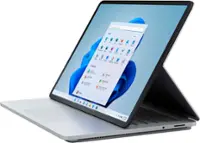
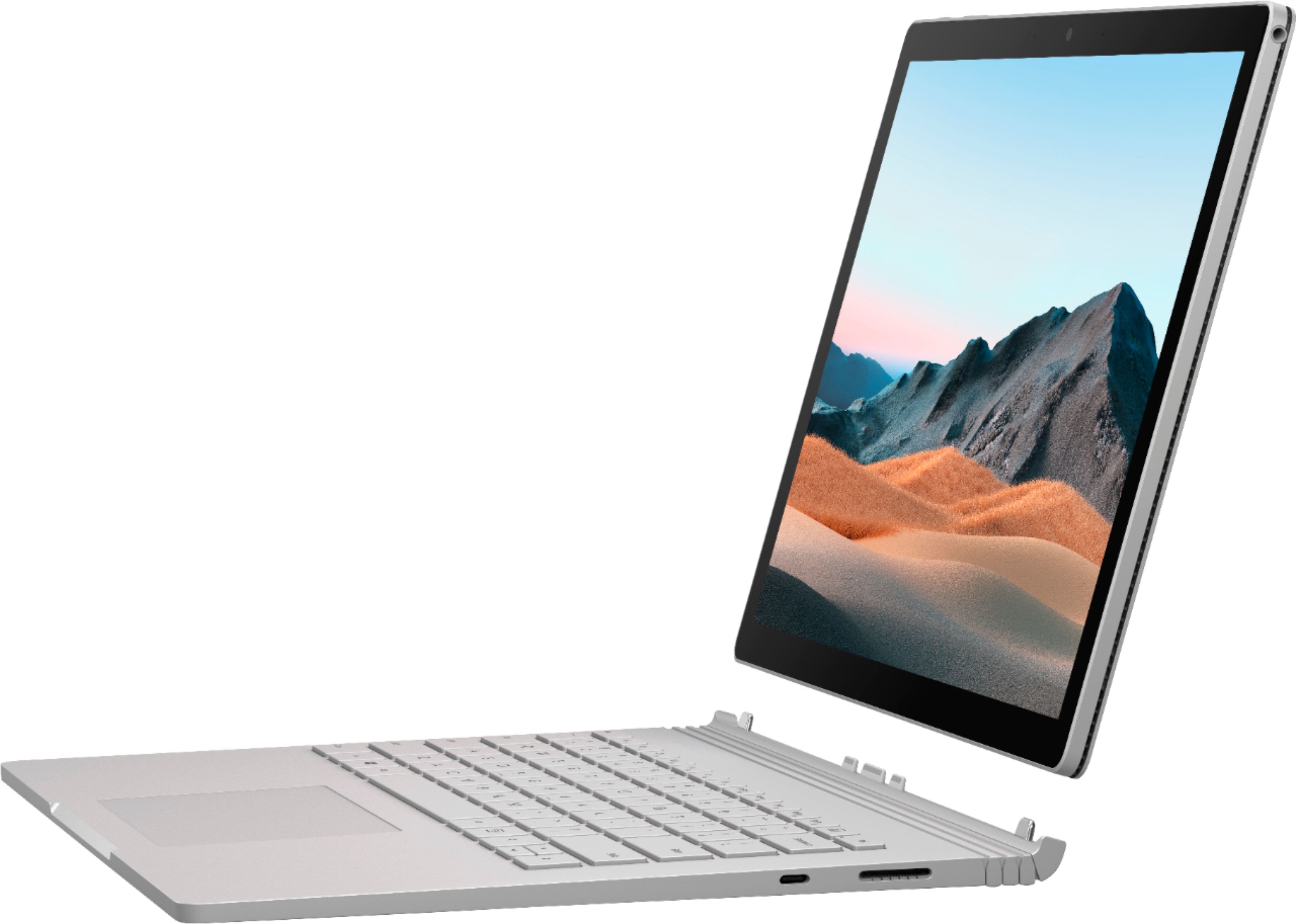
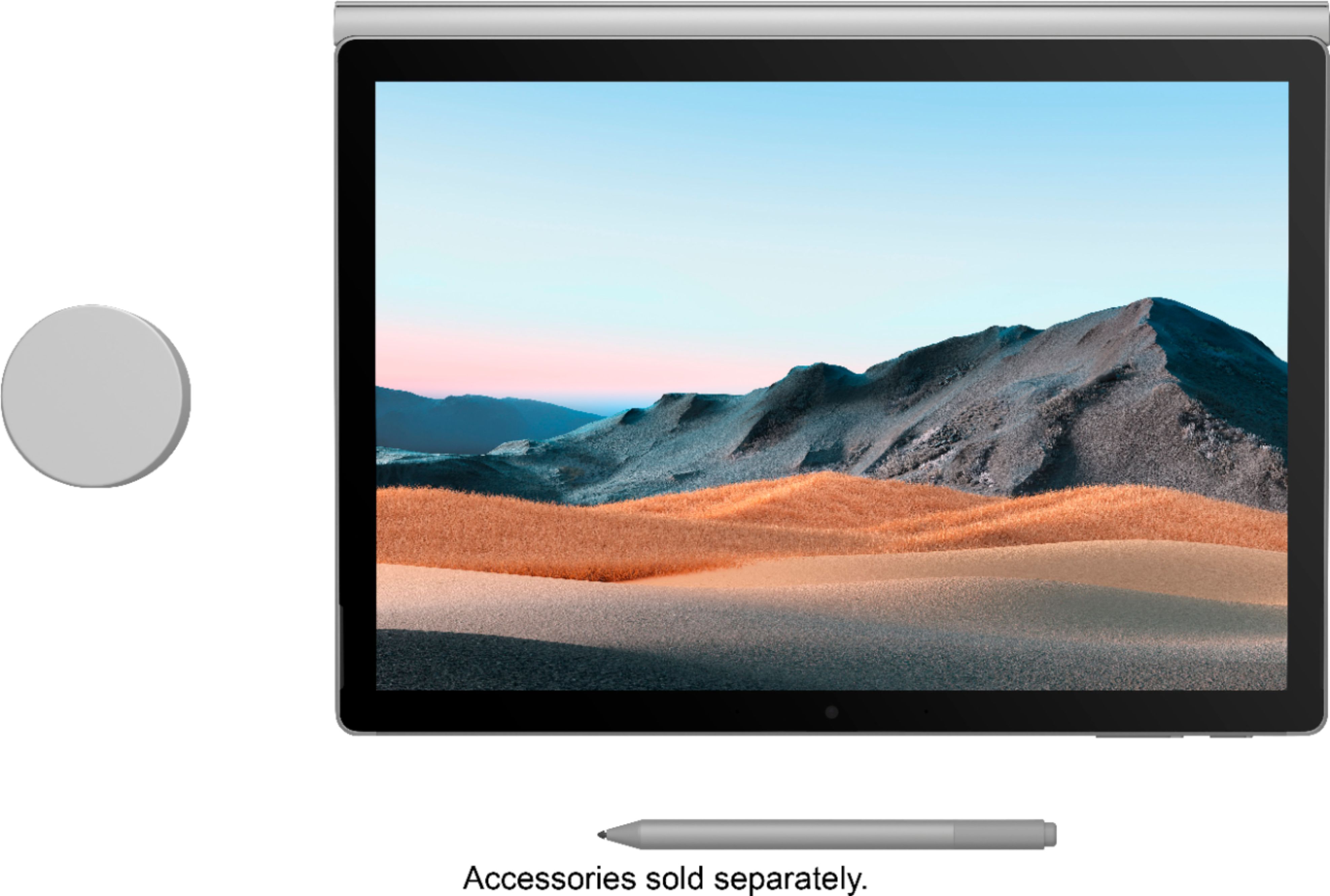
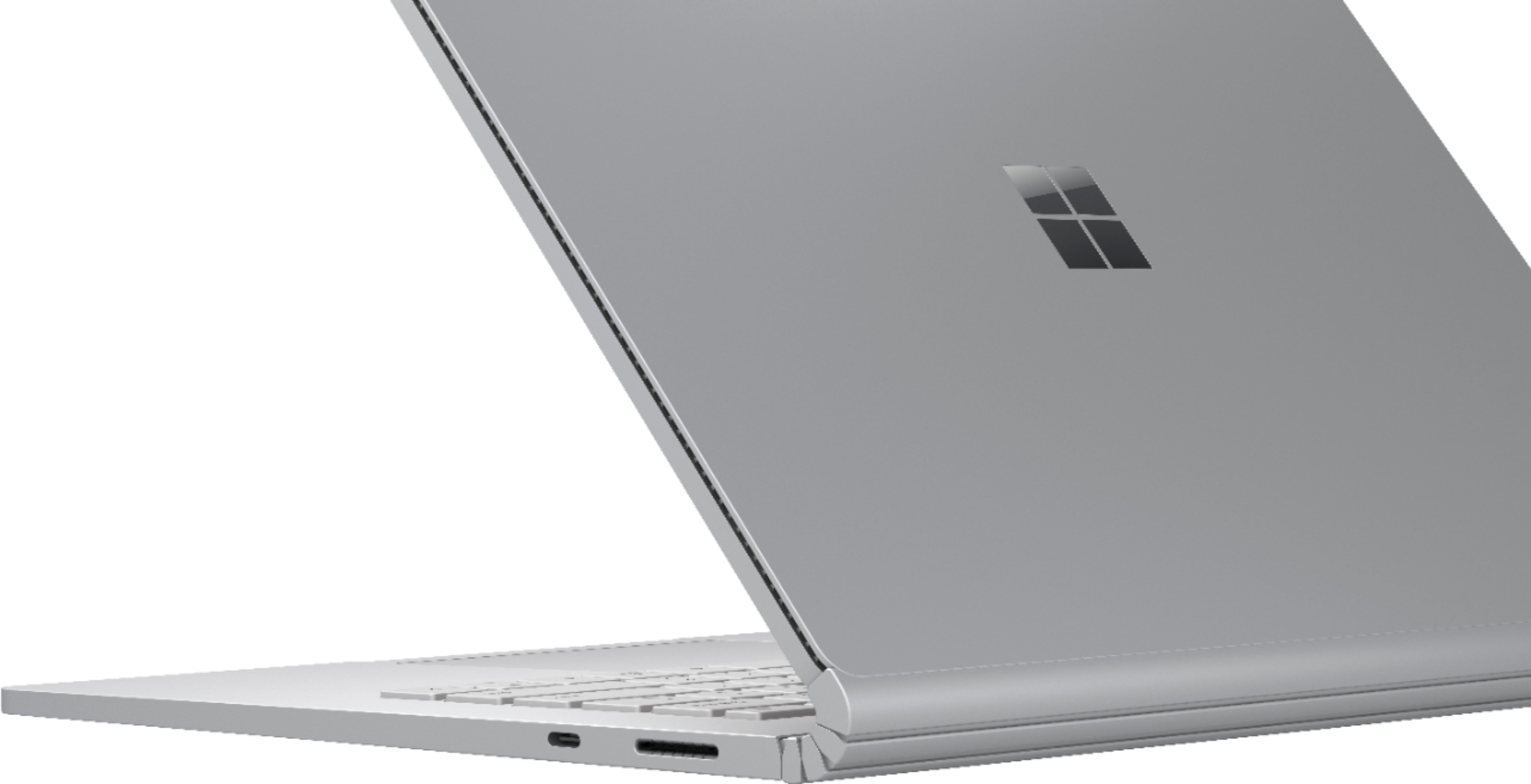
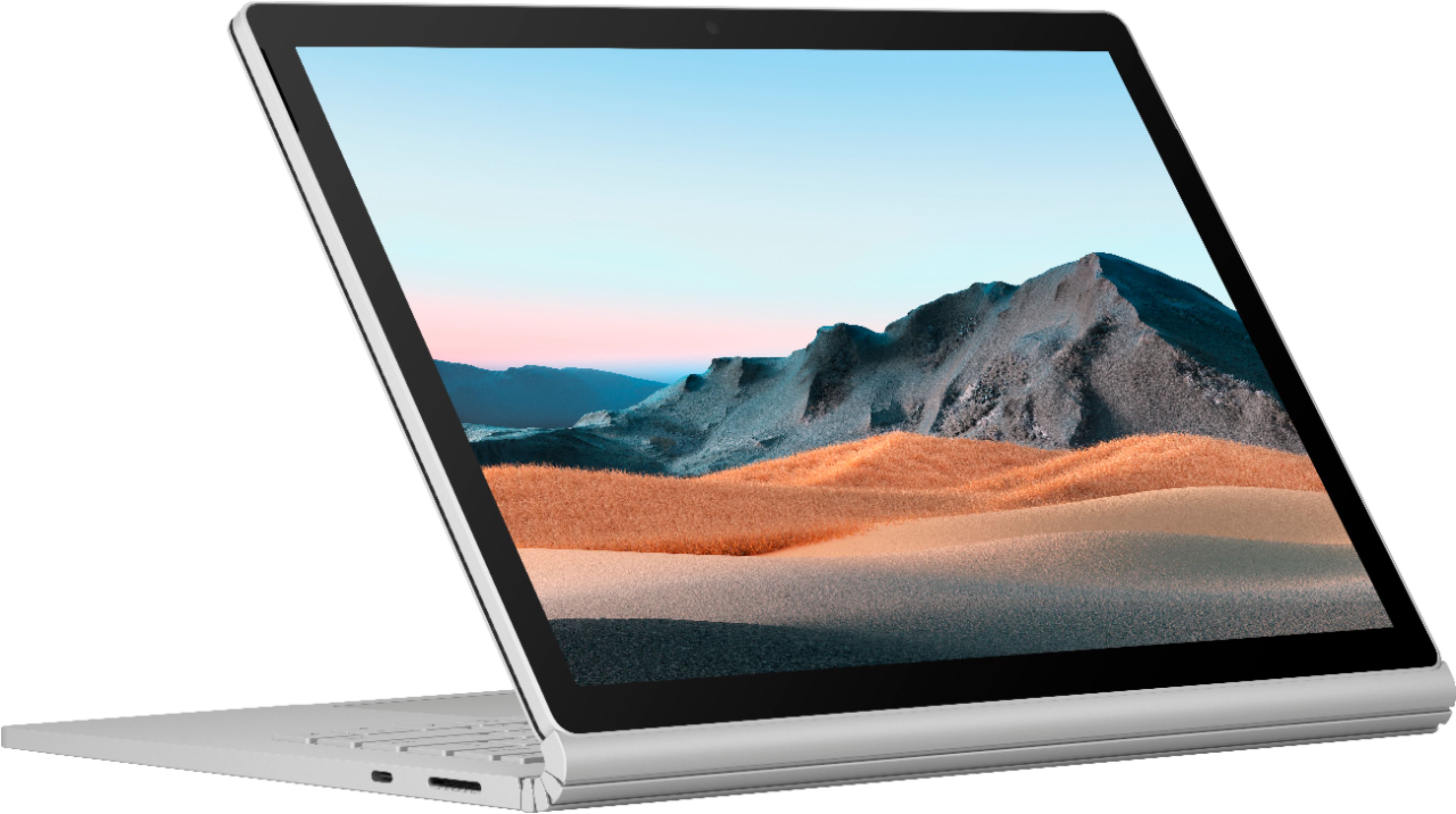
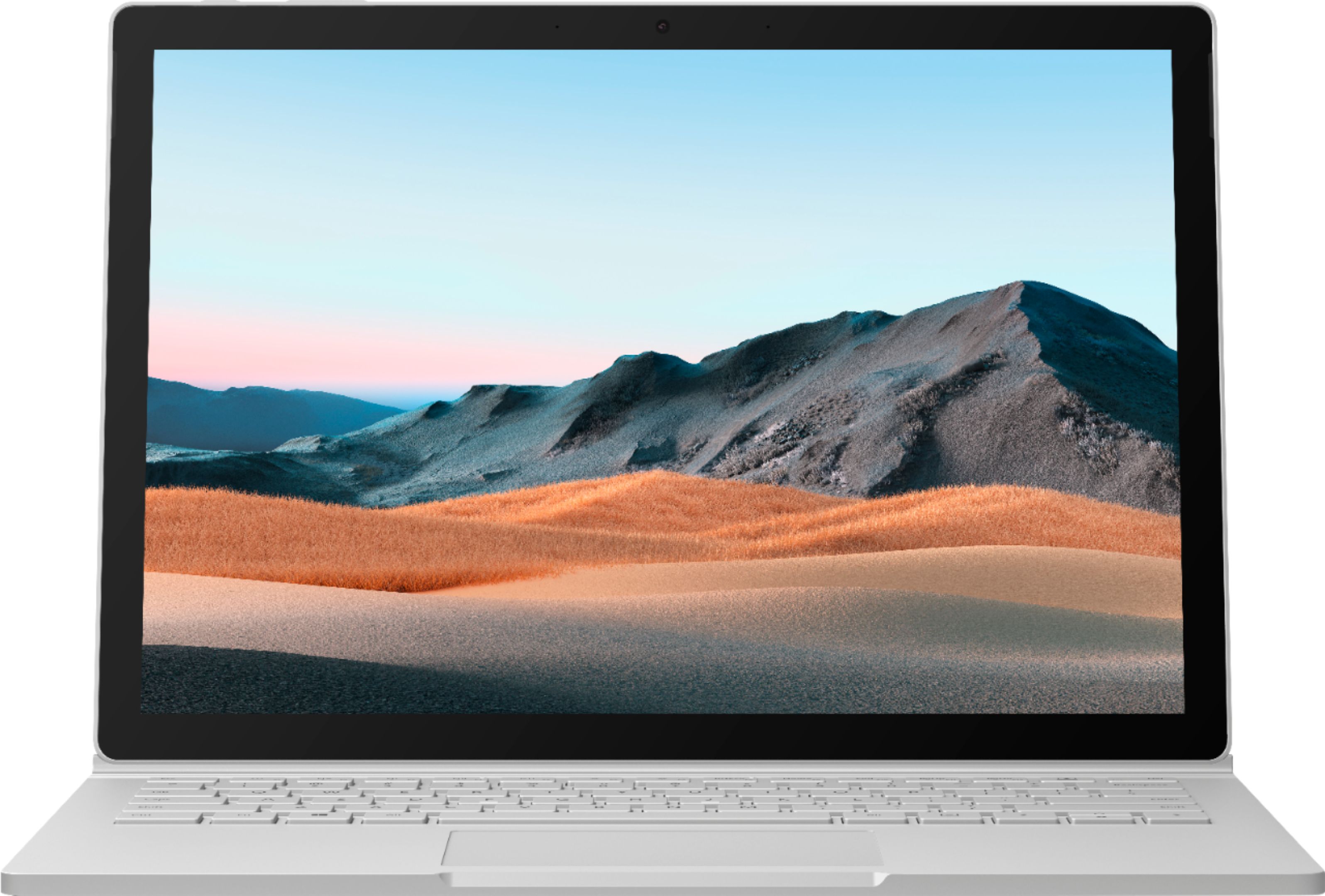
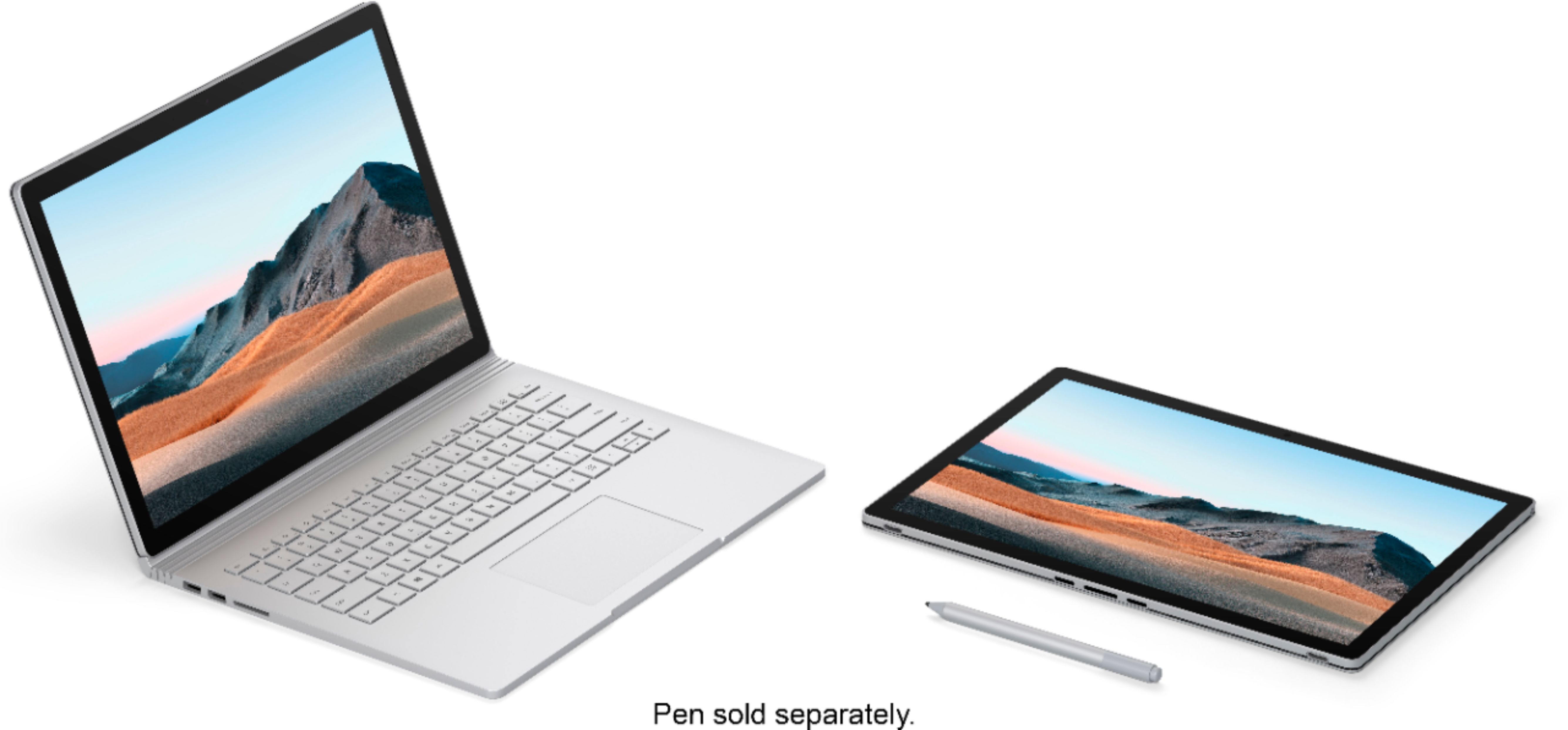
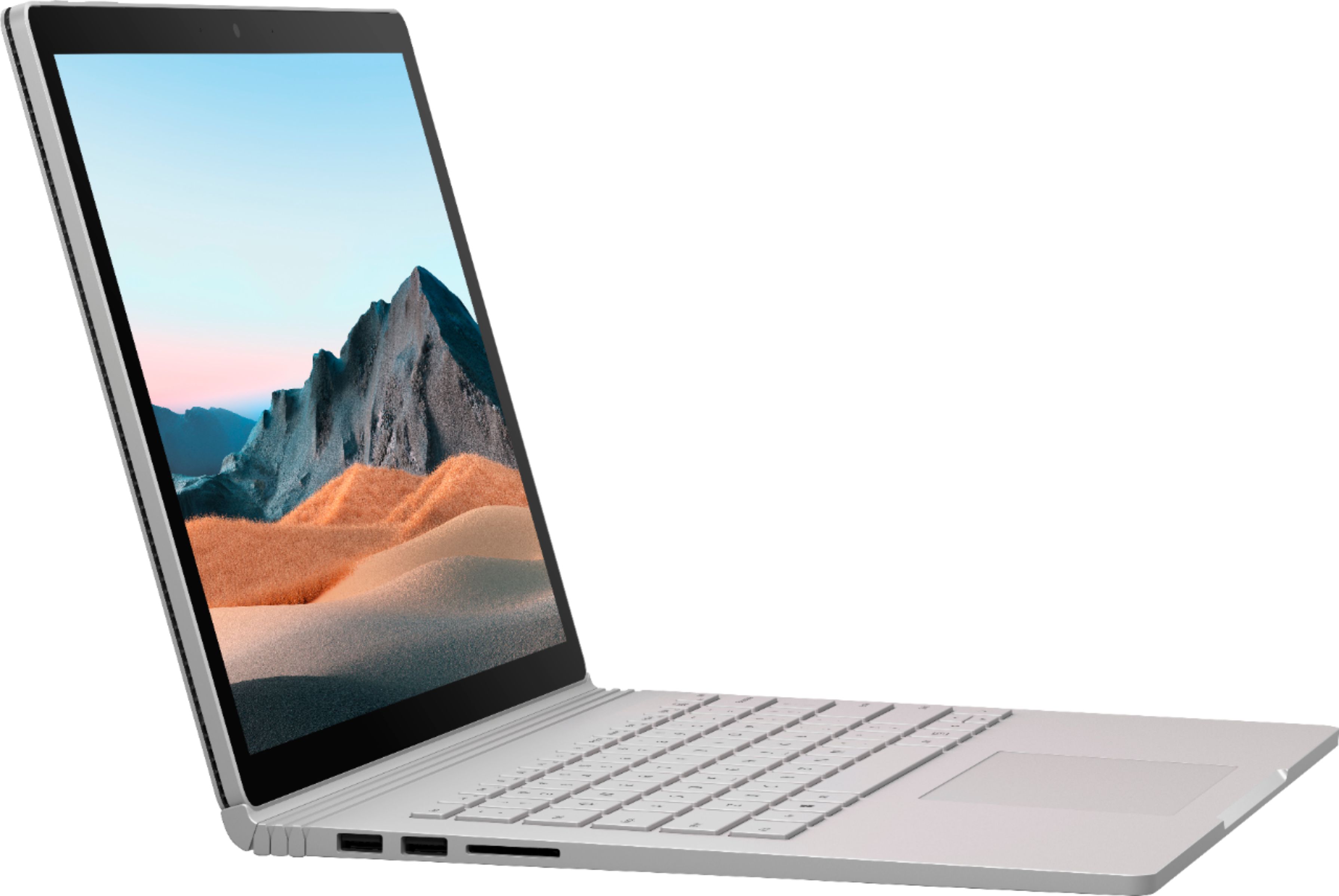
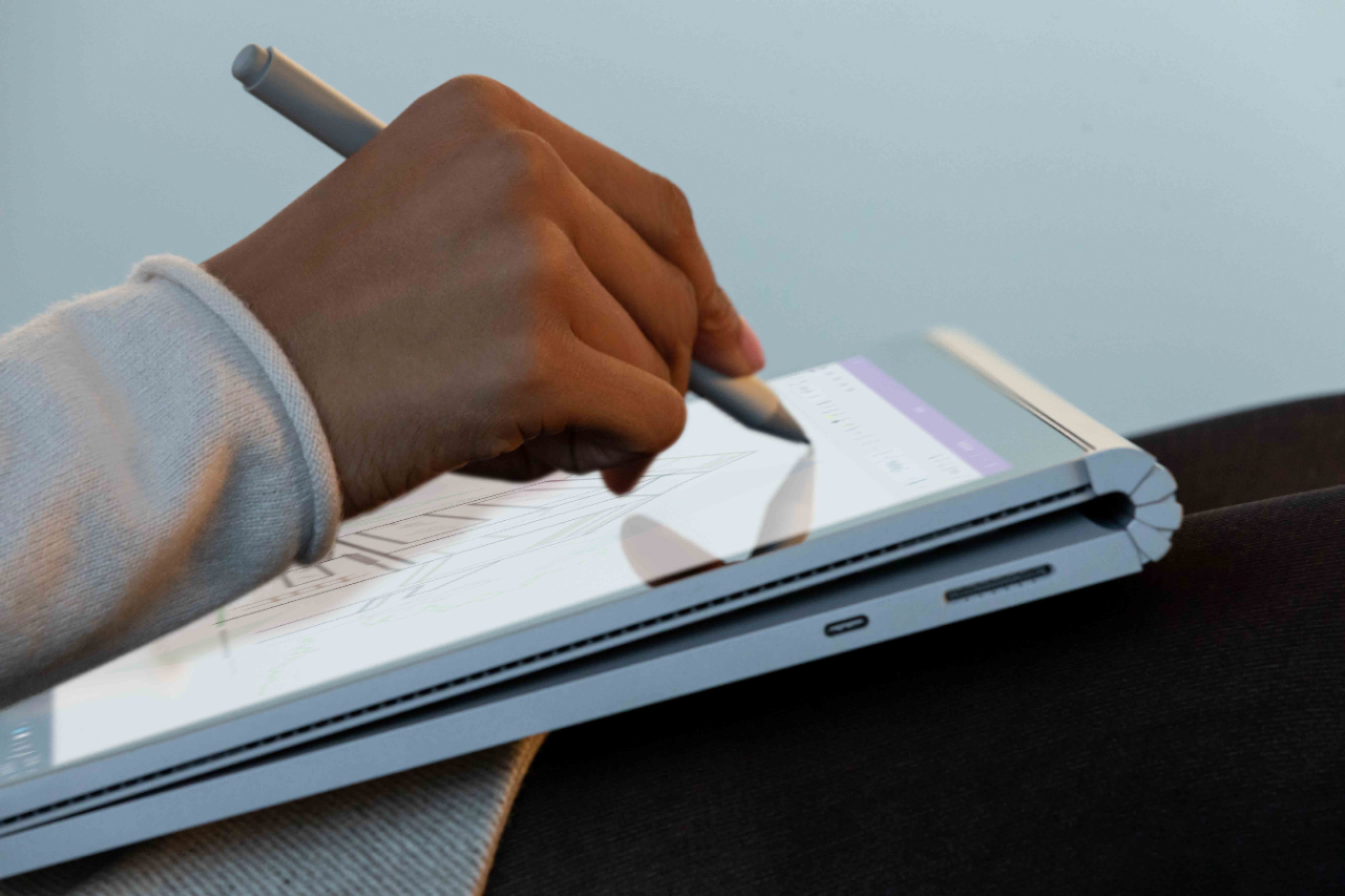
|Posted .This reviewer received promo considerations or sweepstakes entry for writing a review.If you liked the looks and ergonomics of the Surface Book 1 and 2, then you will love the Surface Book 3. The look and ergonomics of the Surface Book 3 is mostly unchanged from its initial release nearly 8 years ago. Not many other products go that long without a refresh. No need to change what already works. Changes to the Surface Book 3 are mostly internal performance enhancements. The Surface Book 3 now comes with the latest Intel quad core 10th Gen CPU, now includes up to 32GB of RAM, M.2 SSD, and Nvidia Quadro graphics with 4 GB of ECC RAM. While the Surface Book 3 can play most games today well enough, those primarily seeking a gaming PC may be better served elsewhere. I use SolidWorks and SketchUp for informal design work of small projects in my home shop on a 4-year-old desktop with i7, 8GB RAM, SSD. The performance difference with the Surface Book 3 was surprising, renders have cut down to nearly half the time. I also tried to install a trial of AutoCAD but received a warning that the 1.5GHz CPU was too slow. It did let me continue and I am able to load and trial the software. I have not done anything too large or complex yet, but it seems to work well enough so far. I also tried Adobe Premiere on a home movie project I have been working on. There was very little lag on intensive tasks, everything worked smoothly. When the screen is separated from the keyboard, you have a basic tablet with no ports and the Intel Iris Plus Graphics instead of the Nvidia Graphic GPU which is in the keyboard base. But you can attach the screen to the base backwards to get up close without a keyboard or fold it over on top of the keyboard for tablet use. You can use it as a rather thick wedge-shaped tablet with the use of the Nvidia GPU and ports this way so you can use a pen. Unfortunately, I did not have a pen to test this situation with. The RAM is soldered to the mainboard and is NOT upgradeable. Be sure you buy all the RAM you think you may ever need. Get a smaller drive to get more RAM if you must as the drive is now replaceable for a larger drive, unlike with previous generations. However, the SSD drive is NOT user replaceable, most people will need to have a tech with the correct tools do this work, and to keep the warranty intact. But know that if you have a need for more built in storage in the future or a drive failure, you can do something about it with this new Surface Book. Of course, using an SD card in the SDXC slot or plugging in an external drive are options provided the keyboard is hooked up. There are no ports at all on the screen piece. They are all on the keyboard base which has two Type ‘A’ 3.1 USB ports and one Type C 3.1 Gen 2 port which supports up 10 Gbps (1.25 GB/s) bandwidth. You can get a USB-C adapter to connect to a Gig Ethernet cable, or drive a 4K monitor, even two 4K monitors (3840×2160@60Hz) with the correct USB-C hub or dock with optional adapters. Even with two monitors, the laptop can be used as a third screen. Wi-Fi supports the latest Wi-Fi 6 (802.11ax). With my older Netgear AC router in the next room, I was connected steadily at 867 Mbps every time I checked. Connect your phone with Bluetooth and your screen will automatically lock when your phone start to move away from the PC. The keyboard has a good feel with 3 levels of backlighting by pressing the F1 Fn key. The keys light up white on my platinum Surface Book 3, which does not provide much contrast. It would be useful to be able to pick from a pallet of colors as on other keyboards. The touchpad is one of the best I have used and works very well. The screen is gorgeous. It says 13.5” but it seems larger. Perhaps it’s the 3:2 aspect ratio or the 3000x2000 resolution, but it seems larger. The Surface Book 3 has the best implementation of Windows Hello I have come across to date. I have trialed and used over 20 laptops the past two years and found the feature lacking in speed and/or detection. Most use the video camera for Windows hello as well, which just does not seem to work that well. The Surface 2 however is near instant recognition regardless of whatever crazy facial expression I made at it, whether I was wearing my glasses, or the room lighting. I could not trip it up but once. There is separate camera for the Windows Hello feature which glows red at image acquisition, infrared light maybe? It works great and is a feature I can finally use reliably to log in as quickly as looking at my screen. You can still use a password or PIN if you prefer or as a backup. The case is relatively light, yet solid with no flex due to its magnesium alloy construction and excellent build quality. The fit and finish are perfect. The Surface Book 3 seems to use and take advantage of every feature in Windows 10 home. This convertible, 2 in 1 laptop does most things very well and shows just what Windows is capable of. There are a number of accessories available from Microsoft for the Surface Book 3 to fit most any need. Some good news for owners of a previous Surface Book is that your peripherals will work with this new model. In addition to the usual items, there are 2 different pens, one with a battery and one that is USB-C rechargeable plus various pen tips. There is also the cool and intriguing Surface Dial, a portable and more permanent dock. While not an add-on peripheral, it should be noted that the keyboard base of the Surface Book 3 is not interchangeable with previous versions. If you are in one location much of the time, and who isn’t these days, the new Microsoft Surface Dock 2 is worth a hard look. The new dock provides four USB-C ports which can support two 4K monitors at 60Hz (with the right optional Display Port Adapters), Gig Ethernet cable Jack, DIN headphone jack, two USB Type-A ports, fast charging, and a Kensington lock to keep it secure. The dock is powered by a second plastic brick you can put on the floor. It connects by a wire with a round power connection rather than one that matches the Surface Book 3. What’s missing? The Surface Book 3 now comes with the Home Edition of Windows 10 instead of Professional. Use to be they all came with Windows 10 Pro edition. It seems like an odd place to cut costs when you consider the vendor. If you are planning to use this in a business where you need to a join a domain, use BitLocker encryption as many now do, and/or use Hyper-V virtual machines, look for the business model or figure an extra $99 for an upgrade to Windows 10 Pro version. Other items lacking that some competitors provide are: • No pen is included. • No Thunderbolt 1.3 support is not here. • And sure, it could it be faster, more cores and/or speed like its competitors. But there are always trade-offs in developing a product to hit a certain price point for a target market. This is not a dedicated CAD workstation or gaming PC. But it a very capable and speedy general-purpose business, presentation PC, home laptop where a tablet may be useful. An architect or designer that needs to their tools in the field or to present to contractors and clients would likely find this convertible useful. I received this PC due to my affiliation with the Tech Insider Network Program. Reviewers in this invitation-only program are provided products for the purpose of writing honest, unbiased reviews.
I would recommend this to a friendMicrosoft Surface Book 3 - laptop and tablet
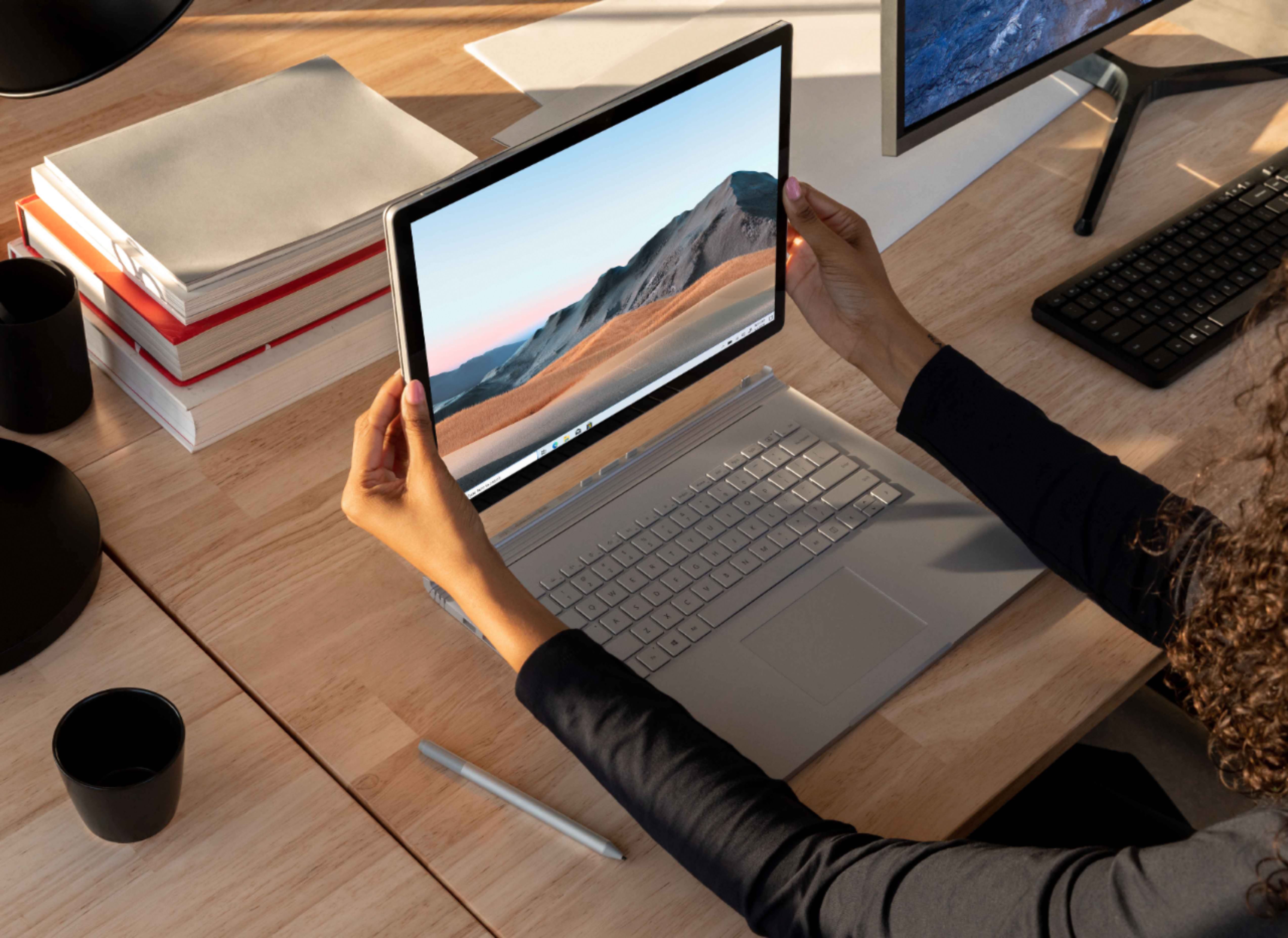
|Posted .This reviewer received promo considerations or sweepstakes entry for writing a review.The Microsoft Surface Book 3 is a laptop that can also be used as a tablet, by detaching the screen from the keyboard. This is larger than the average tablet, but one can briefly adjust to that very minor first impression and appreciate how versatile that makes this device. It’s as simple as clicking a button to detach, and then it reattaches itself when the connections are back together. I’m back and forth between my laptop and tablet (or desktop and tablet), often working from both at pretty much the same time. This eliminates much of my need for that. Portability is an important consideration, but this laptop has so much to offer – most importantly the power and speed of its components. I didn't have any issues with setup or use- it's pretty much ready to go out of the box, and the added software downloaded so quickly I was able to start using it in a surprisingly short time. When working on a design program, such as Illustrator, you create shapes and lines. You then manipulate those shapes to create—a poster, a landscape, a logo, a human face; the more complex the desired result, the more shapes and lines needed to get there. As you make a piece, you can end up using an innumerable amount of separate objects to make one object or one layer. It takes time and patience, but also the technology to keep up with it, even when you already have the assistance of the design software. With the many objects and layers, it’s a lot of information for a computer to process. With a less powerful computer, this often leads to lagging or in some cases freezing up. I’ve had it happen in the past where I lost some progress on my work because I was using a slower computer that could not keep up with the requirements of the project I was working on. This computer has none of those issues. Everything was processed and rendered instantly; its ridiculously quick. Even when you first start the laptop up, its ready to run instantly, no hesitation, with a quick setup process. I started with Illustrator, working on one piece with hundreds of different layers and objects and colors, working on it for almost 8 hours and not once did it slow down or falter. The battery wasn’t even dead- which is another key point, the long battery life; this can keep up with the work, and not need recharging as often as one might think for the amount of time spent on it. As someone who is something of a traditionalist when it comes to computers, I never considered using a computer with touch-screen capabilities for programs such as Illustrator and Photoshop. The ability to select, adjust, and move objects with my fingers while still accessing hotkeys on the keyboard added a whole new layer of depth. It also made it a lot more tangible and enjoyable. The Pen tool is one of the most important tools on Illustrator because it allows you to draw your own object of whatever shape or size you want. However, using the pen tool with a mouse and keyboard, isn’t everyone’s forte, and takes some practice. Having the alternative of touching the screen to adjust the lines as you’re drawing saved a lot of time and effort. I couldn’t believe what a difference it made to the whole process. I was able to incorporate my usual methods in a new way by adapting to the capabilities of this laptop. And that’s just Illustrator. The same is true of Photoshop and Lightroom, although I didn’t spend nearly as much time with those programs, as I wanted to complete this review in a short period of time. I expect that I will find even more to like as I continue to use this, as I am impressed with everything I have seen so far. In addition to the designing software, I wanted to really test how much the computer can handle in a different environment – for play, instead of work. I downloaded an online PC game, increased the graphics and frame rate quite a bit, and had some fun. Not once did the laptop stutter or slow down. It handled the massive open expanse of the game, every little detail, far better than the console equivalents, and even better than most gaming PCs I’ve used. This is a great product with incredible speed and power. Clearly, the intent of the device is for power hungry programs in a work environment, whether your day job or a hobby you’re passionate about. Professional users can rest easy that the features, particularly the quad-core Intel processor, will not let them down. It also has 32 GB RAM, and NVIDIA Graphics, which add to the overall speed and visual experience. Even if you’re just using it for your personal photographs or designing projects on the side, those users will also be happy with the capabilities for any program that they choose. You don’t need to have advanced computer skills to use this device either; if you don’t need all of the features of this, there are other models to choose from, although this has an incredible combination of specs. It does not have an optical drive (typical of this sort of device) but does include an SD card slot. There is also an app in the Microsoft Store to connect to your phone. This allows you to see what is visible on the phone screen, as well as respond to messages from the Surface. I didn’t have to switch to my phone, just replied to the message and went back to what I was doing on the laptop. I cannot wait to see what else I can do with this over a longer period of time. The overall design of the product is sleek and elegant while remaining durable for long term use. The hinge looks quite different when you first see it, but it works great. It actually feels sturdier with this than a lot of other laptops. The only thing I thought was missing was that, at this price point, it should have the pen included. It did fine without it, and might not be needed, but I was surprised it was not part of the package. All in all, this is an excellent laptop with countless bells and whistles to make it well worth the investment. This device was provided through TIN. Reviewers in this invitation-only program are provided products for the purpose of writing honest, unbiased reviews. I wrote this based on my own personal interaction with the product reviewed. I highly recommend this laptop.
I would recommend this to a friendLove the laptop but speakers are defective
||Posted . Owned for less than 1 week when reviewed.This reviewer received promo considerations or sweepstakes entry for writing a review.I received the laptop a few days ago and a very good product and I love it with one big exception. The audio has a very bad crackling sound when detaching the screen. I tried updating the drivers, resetting the laptop twice, and running all updates but the issue still persists. I attempted to call my local store several times today but nobody ever answered the phone so I turned to the online chat. I was informed that my issue would need to be reviewed and some would contact me in a few days. I found this to unacceptable. I was hoping to have a replacement sent to my local store so I could simply exchange it for a new one or a comparable action. Hopefully this gets resolved soon.
I would recommend this to a friendBrand response from MicrosoftOutreachTeam
Posted .Hi Will,
Thanks for taking the time to reach out. We're sorry to hear you've been having some difficulties with your Surface Book 3. If you haven't yet we highly recommend reaching out to our support team here: https://aka.ms/AA4rbq6, at your earliest convenience.
Kindly,
Heather
Surface Customer Care
A very nice laptop for designers
||Posted . Owned for 1 week when reviewed.This reviewer received promo considerations or sweepstakes entry for writing a review.I bought this laptop for interior design purposes as I intend to use it with adobe and autodesk applications. So far it has not given any issues the touch screen is extremely response and the keyboard is comfortable. Although the same price is up there I feel as if you do get your money’s worth.
I would recommend this to a friendBrand response from MicrosoftOutreachTeam
Posted .Hey there,
Thanks for sharing! We're delighted to hear your new Surface Book 3 has been helpful with your interior design work and we hope you continue to enjoy.
Cheers,
Heather
Surface Customer Care
Nice pc with a lot of quality features
||Posted . Owned for 1 week when reviewed.This reviewer received promo considerations or sweepstakes entry for writing a review.Great PC, love almost everything about it. Still not sure of the battery life as it seems to run short of what I expected based on teh info on the web site, but I'll give it a few more weeks to see what happens. Jim
I would recommend this to a friendBrand response from MicrosoftOutreachTeam
Posted .Hi Jim – Thanks for sharing! For tips on how to optimize your Surface's battery life, please visit our website: https://aka.ms/AA4r434 Hope that helps, Erica Surface Customer Care
such a great product it is my second one
||Posted . Owned for 1 week when reviewed.This reviewer received promo considerations or sweepstakes entry for writing a review.I love this computer. I like the first one so much I bought another with larger memory and larger hard drive..... Works great as a table and even better as laptop.... the first one traveled with me on all my motorcycle trips...
I would recommend this to a friendA Lemon.
||Posted . Owned for less than 1 week when reviewed.This reviewer received promo considerations or sweepstakes entry for writing a review.From the moment I opened my brand new SurfaceBook it has been TRASH !!!! I am truly shocked an appalled! I bought this due to numerous great reviews but as SOON as I opened it, it froze during start up ! I had to restart the computer before it even turned on! From there it was just a mess, the very first night the keypad constantly messed up and would stop working while the mouse disappeared ! THEN the touch screen stopped working. I had to go into device manager to fix that. smh I was then prompted to do a system update. I figured once I do that, everything should be fine. WRONG !!!!!!!!! somehow the Nvidia graphics card wasnt working. I play sims pretty hardcore. I like to have the graphics on ultra. All the computers before showed the graphics very well but its BLOCKY on this computer, I'm so heartboken!!!! Somehow the computer cannot read the Nvidia card???? how does a brand new computer start out with such stupid software issues? Im certain I have a lemon. This cannot be the standard. Im going to switch this computer out tomorrow. and hopefully that one does well !! Also as im trying to finish this....the 2 finger scroll isnt workinggggg. This computer almost made me cry from frustration. - Yup 2 finger scrolling is not working. and while I'm typing the trackpad is also glitching out!! I actually refuse to believe this is is normal. This has got to be a lemon- I'm going to get another one tomorrow.
No, I would not recommend this to a friendGood machine
||Posted . Owned for 3 weeks when reviewed.This reviewer received promo considerations or sweepstakes entry for writing a review.It's good but after I did Microsoft updates it causes me a lot of trouble. Then I have to spend time online research reboot and all. Now working fine. But I spend $3000.00 on it want it to be smooth lik butter.
I would recommend this to a friendBetter than expected
||Posted .This reviewer received promo considerations or sweepstakes entry for writing a review.After trying a surface a year ago and buying one for my son, I thought I would get one to replace my aging laptop and MacBook. I can't be happier. It does everything I expected and more. Not inexpensive, however you get what you pay for. No regrets at all.
I would recommend this to a friendBrand response from MicrosoftOutreachTeam
Posted .Hello Robert,
We're glad that your new Surface Book 3 has exceeded your expectations. It's great to hear that you'e happy with its overall power and performance. Thank you for sharing your experience; we hope you enjoy using your new Surface.
Cheers,
Chuck
Surface Customer Care
Monster computer
||Posted . Owned for 2 months when reviewed.This reviewer received promo considerations or sweepstakes entry for writing a review.I would recommend this laptop for any college-goers 100% made my life easier. Get a 1tb version or a solid-state drive, depending on what you need it for or planning to do. If it's for just school or work should be fine but for gaming recommend getting an SSD.
I would recommend this to a friendGreat Versatile Device
||Posted . Owned for 2 weeks when reviewed.This reviewer received promo considerations or sweepstakes entry for writing a review.I had a Book 2, and upgraded to a Book 3 and the graphics performance with gaming is definitely better. Gamed Full HD with Ultra settings no problem! NO other product like this in the market.
I would recommend this to a friendBrand response from MicrosoftOutreachTeam
Posted .Hi there,
We appreciate your review. We're glad to hear you decided to upgrade from Surface Book 2 to Surface Book 3, and that you've been impressed with the graphics and performance of your new device.
Have a great one,
Heather
Surface Customer Care
Unique 2-in-1 Laptop
||Posted .This reviewer received promo considerations or sweepstakes entry for writing a review.A great powerful laptop for when you need one and a tablet when you need to take notes or show someone what you have been working on. The build quality, trackpad, and ability to take notes is great. This is a great device for college students.
I would recommend this to a friendBrand response from MicrosoftOutreachTeam
Posted .Hi there,
Thank you for recommending Surface Book 3 as a great device for college students! We're glad that you're enjoying its power and portability, too. We hope you get a lot of use out of it.
Cheers,
Chuck
Surface Customer Care
Microsoft Surface
||Posted . Owned for 6 months when reviewed.This reviewer received promo considerations or sweepstakes entry for writing a review.Microsoft Surface does everything that I would want a tablet and computer to do. Very nice product and I recommend it to anyone interested in both a tablet d a computer.
I would recommend this to a friendLaptop
||Posted . Owned for 8 months when reviewed.This reviewer received promo considerations or sweepstakes entry for writing a review.Bought this for our granddaughter to take to college. The sales people were helpful and knowledgeable. Our granddaughter had researched different products and chose this for the memory and other features.
I would recommend this to a friendEasy setup
||Posted . Owned for 1 week when reviewed.This reviewer received promo considerations or sweepstakes entry for writing a review.Just got this charged up and ready to go. No problems so far. Note: does not come with a stylus. You must purchase this separately.
I would recommend this to a friendBrand response from MicrosoftOutreachTeam
Posted .Hey there,
Thanks for the review! We're glad to hear your Surface Book 3 was easy to set up and has been working well.
Cheers,
Heather
Surface Customer Care
Love It!
||Posted . Owned for 6 months when reviewed.This reviewer received promo considerations or sweepstakes entry for writing a review.I love this thing so much, I get frustrated when I have to use my work computer. The only negative I can think of is the screen automatic brightness adjustment has troubles in low light.
I would recommend this to a friendSuperior Speed and Performance, but GPU lacking
|Posted .This reviewer received promo considerations or sweepstakes entry for writing a review.The Microsoft Surface Book 3 looks and design just scream premium quality with its all metal body and sleek design...well except for the curved hinge that connects the tablet to the base, which doesn't allow the computer to fully close, leaving a substantial gap. This is the same design as in the Surface Book 2. The overall design is a hybrid of a laptop and tablet computer, where the tablet can be removed from the keyboard base, and each section contains a battery, which combined for me to have about a 12 -14 hour battery life. The Surface is charged with a proprietary magnetic charging cable that I find to be rather frustrating as it is far too easy to become detached with the slightest of bumps. The charging capabilities however are quite rapid, utilizing a 102 watt wall charger. Packed inside this device is a substantial 32 GBs of Ram and a 10th gen Intel i7 core processor, which is more than enough to handle your computing and processing needs. It has a quick response, and partnered with the 512 SSD this computer is lightning fast. In using programs like Adobe Photoshop I am able to edit photos and process multiple projects at one time with no issues. The biggest drawback to the Surface Book 3 however is the integrated GPU. My unit came with Intel's Iris Plus G7, not the advertised NVIDIA GeForce GTX 1650 Max-Q. Benchmarks on the GPU were rather lacking, particularly in 3D performance. So don't expect to be able to play video games with high resolution, high settings and high frame rates. I was however able to play some games dropping down from the native 3000 x 2000 to the standard 1080p on medium settings to achieve a solid 60 fps. All in all, if you're looking for a high performance, portable laptop/tablet for photo editing and drawing, then I highly suggest this computer. However, if you're looking for an all around fast laptop with gaming capabilities or programs that require a good GPU, then I suggest you look elsewhere. Disclaimer: Reviewers in this invitation-only program are provided products for the purpose of writing honest, unbiased reviews.
No, I would not recommend this to a friendFlickering screen.
||Posted . Owned for 1 month when reviewed.This reviewer received promo considerations or sweepstakes entry for writing a review.Had problem with flickering screen after used for a few weeks. It should not happen with laptop that costs almost $2,500.
No, I would not recommend this to a friendBrand response from MicrosoftOutreachTeam
Posted .Hello – We're sorry that there's an issue with your Surface Book 3. For assistance, we recommend contacting Microsoft Support here: https://support.microsoft.com/en-us/contactus/ Hope that helps, Erica Surface Customer Care
Just as great as my surface pro
||Posted . Owned for 1 month when reviewed.This reviewer received promo considerations or sweepstakes entry for writing a review.I had a surface pro for 5 years and it was starting to get tired. When I decided to get a new computer, I upgraded to this surface laptop. I love it just as much as the surface pro. Perfect for virtual teaching.
I would recommend this to a friendBrand response from MicrosoftOutreachTeam
Posted .Hello Marti,
Congratulations on upgrading to Surface Book 3. We're glad that it's been a perfect device for remote teaching, too. Thank you for sharing your experience; we hope you enjoy using it.
Cheers,
Chuck
Surface Customer Care