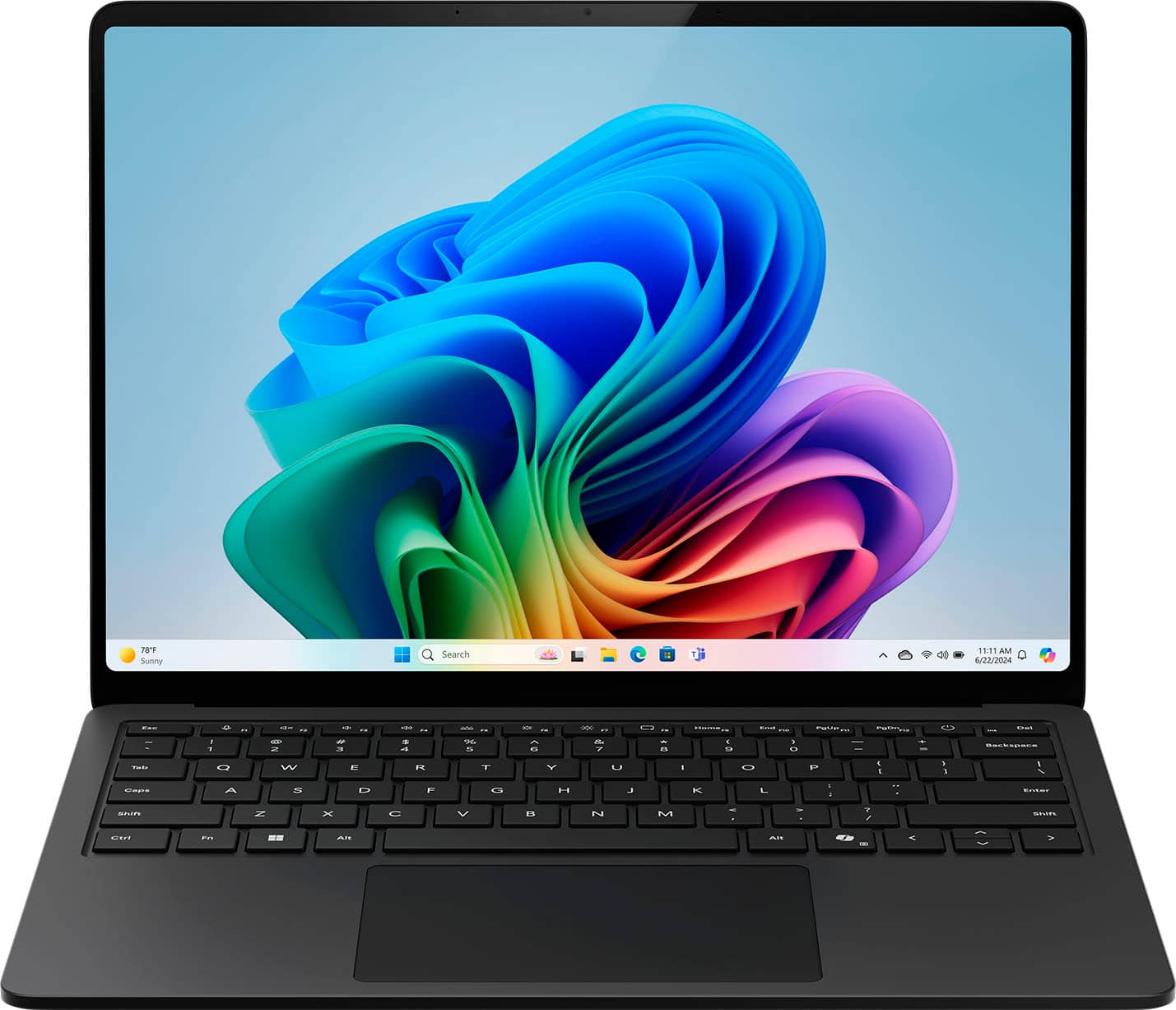
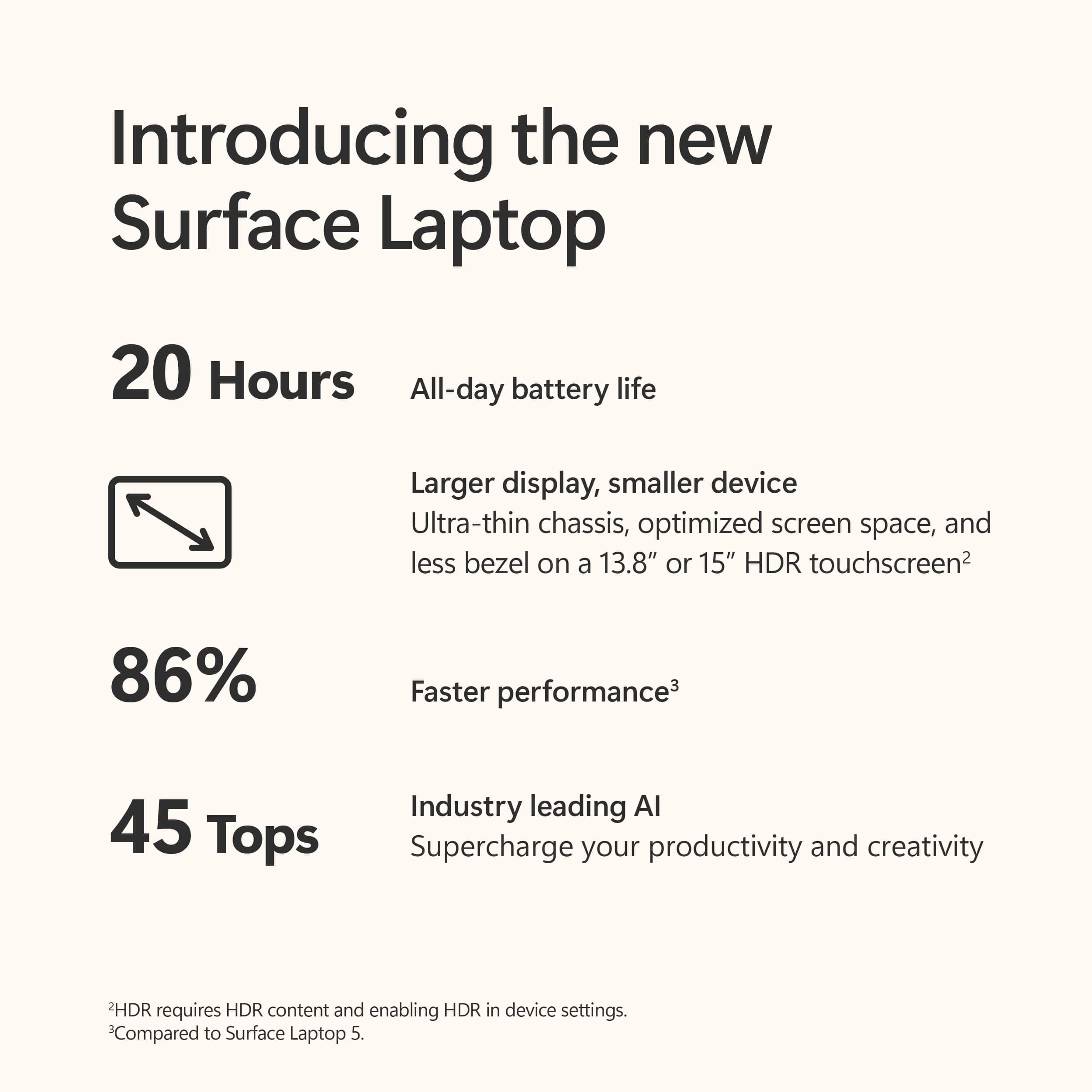
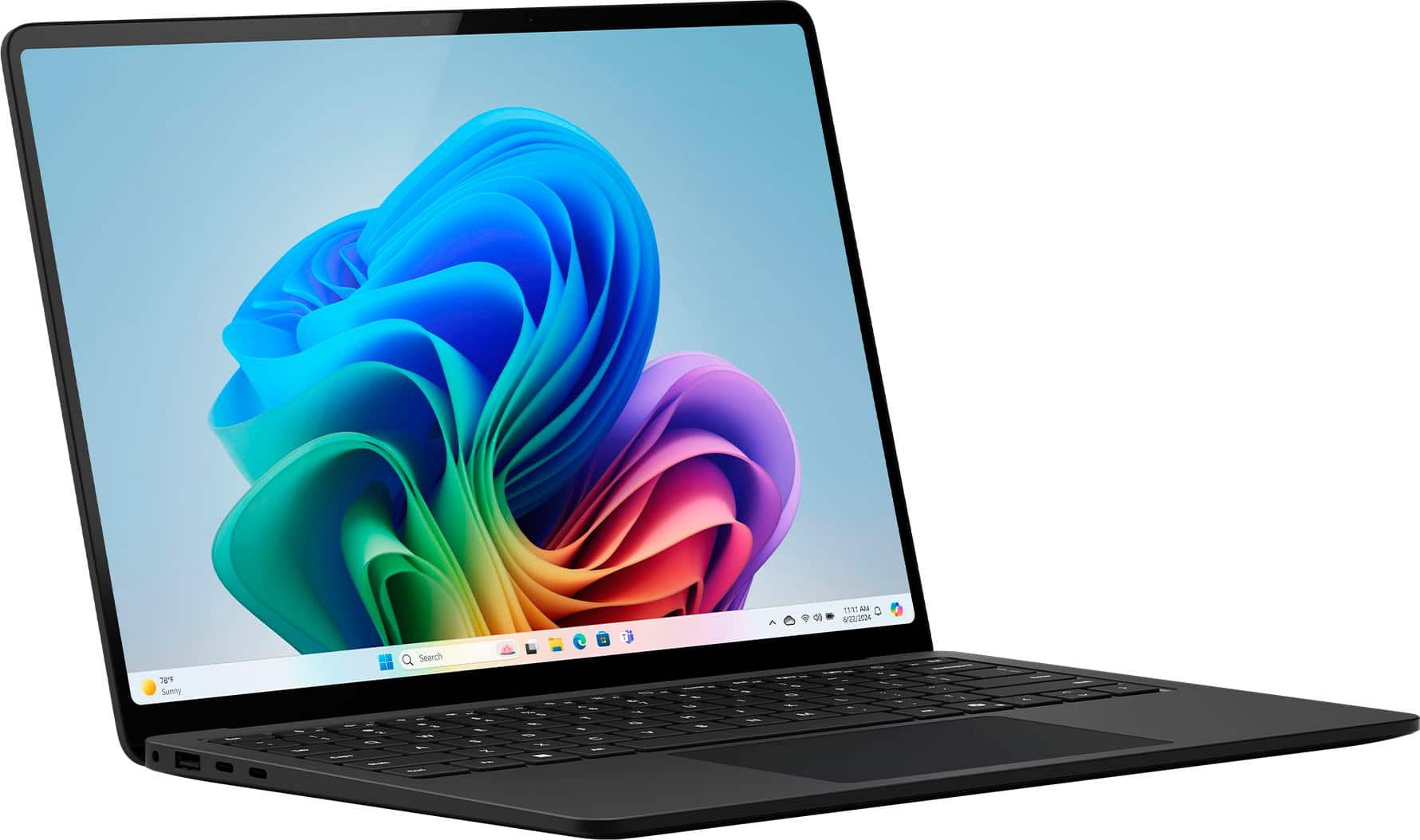
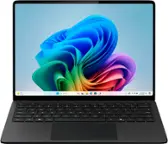
Customers admire the Surface Laptop 7's long battery life, fast performance, and high-quality build. They appreciate the inclusion of Copilot and the vibrant display. However, some users find the price to be a bit high and are disappointed by the lack of Surface Pen support.
This summary was generated by AI based on customer reviews.
The vast majority of our reviews come from verified purchases. Reviews from customers may include My Best Buy members, employees, and Tech Insider Network members (as tagged). Select reviewers may receive discounted products, promotional considerations or entries into drawings for honest, helpful reviews.
Page 4 Showing 61-77 of 77 reviews
Rated 5 out of 5 stars
Computer
|
|
Posted . Owned for 3 weeks when reviewed.
This reviewer received promo considerations or sweepstakes entry for writing a review.
This is a great laptop for students in college . I’m in comp engineering and it’s been greats so far
I would recommend this to a friend
Rated 5 out of 5 stars
Computer
|
|
Posted . Owned for 1 week when reviewed.
This reviewer received promo considerations or sweepstakes entry for writing a review.
It’s the exact computer I needed for my nursing class.
I would recommend this to a friend
Rated 5 out of 5 stars
Great Laptop
|
|
Posted . Owned for 1 month when reviewed.
This reviewer received promo considerations or sweepstakes entry for writing a review.
Excellent laptop.
It has everything my son needs to start college.
I would recommend this to a friend
Rated 5 out of 5 stars
Great option
|
|
Posted . Owned for less than 1 week when reviewed.
This reviewer received promo considerations or sweepstakes entry for writing a review.
Amazing laptop, on of the greatest because of the processor
I would recommend this to a friend
Pros mentioned:
Battery life, Build quality
Rated 5 out of 5 stars
Well-made and powerful productivity machine!
|
Posted .
This reviewer received promo considerations or sweepstakes entry for writing a review.
I was really excited to get my hands on this laptop when I saw that Windows computers were finally coming with ARM-based chips. I am primarily a Mac user, and when Apple made the transition from Intel to their ARM-based Apple silicon, the difference in performance and battery life was night and day. Given that experience, I had very high expectations for this machine.
The Windows laptop I have been using before this machine is only a couple years old with high-end specs, including an Intel Core i7 processor. Despite that, it has always been sluggish at opening and running applications, the battery life sucks, it gets hot and the fans run all the time, and the camera and touchpad suck. But wow - the difference this Surface Laptop 7 makes in all those areas is quite amazing!
To start, I love the design and materials used on this laptop. It feels really well-made and premium, like an Apple laptop. Of the many Windows laptops I have used over the years, including higher-end premium ones, the design and quality of materials on this machine is unmatched. This machine is made of a super sturdy all-metal body just like Apple does with their MacBooks. And it feels really great to hold and carry around. Microsoft has really set themselves apart with the design of this machine.
Another area where Windows laptops have historically sucked in is touchpads and cameras. But wow, this machine really bucks that trend! The touchpad on this machine works great and has been redesigned to be a haptic touchpad like Apple uses in their laptops. The touchpad has consistently worked well throughout my use of this machine. Also, the camera on this machine is so much better than the built in cameras I am used to seeing on Windows laptops. Is it the best camera in the world? No, but it is leaps and bounds better than any built in Windows laptop camera I have seen before. On my previous Windows laptop, Windows hello facial authentication did not work half the time because the camera on it was so crappy. On this machine, as soon as the camera turns on, the machine quickly recognizes me and logs me in. Really impressed with the camera!
Unlike my previous laptop, this machine is super snappy opening and running applications, it does not get hot, and the battery life is excellent. No more having to plug my laptop in to charge after just an hour or two of use. I only recall the fan running one time on this machine during the initial setup, and it was very quiet when it did run. The difference in performance, heat output, and battery life on this machine compared to x86-based machines is amazing!
The display on this machine is also great. Since it has a 120hz refresh rate, motion is super smooth. It also is a touch screen which is very convenient. Additionally, the keyboard on this machine works well and is easy to type on.
The new Snapdragon processor on this machine includes a Neural Processing Unit (NPU) which includes some useful AI features. Studio effects is a feature that can be used on live video conferences for improving lighting and removing background noise. These machines can also display live captions and generate images from text prompts.
I only have a couple minor complaints about this machine. First, as soon as I opened the screen, I noticed that the screen is very reflective. When the screen is off, you can see yourself very clearly. That being said, this is a minor issue as I generally don’t notice the reflectivity when the screen is on. My only other complaint is around software compatibility. I haven’t been able to extensively test this yet, but as of right now, application support is not completely there yet for Windows on ARM. For example, as of right now, when going to the Microsoft Store, Apple Music is listed as not supported on this machine. While Microsoft does have a built in emulator in Windows 11 to run applications that don’t have ARM support, that may not always work for certain applications. Additionally, as of right now, this machine would not be good for gaming as many games do not have native ARM support. All that being said, I expect that application support will improve over time. And generally, for productivity use, most of the primary and common applications that people use should already have native support for Windows on ARM.
Overall, I am really impressed with this machine, and it has exceeded my expectations! Microsoft seems to have taken notice of the things that Apple has always done so well with their laptops and has implemented those on this machine. This is the first time I have used a Windows machine that really stands up to Apple in terms of quality of materials, performance of hardware, etc. If you are looking for a great Windows machine that is fast and perfect for productivity needs, look no further!
I would recommend this to a friend
Pros mentioned:
Battery life, Build quality, Portability
Rated 5 out of 5 stars
You will run out of power before this laptop!
|
Posted .
This reviewer received promo considerations or sweepstakes entry for writing a review.
As a tech enthusiast and a frequent traveler, I recently had the pleasure of using the Microsoft Surface Copilot Plus Laptop. This sleek machine promised a blend of performance, intelligence, portability and long battery life and it doesn’t disappoint. Let’s explore my impressions.
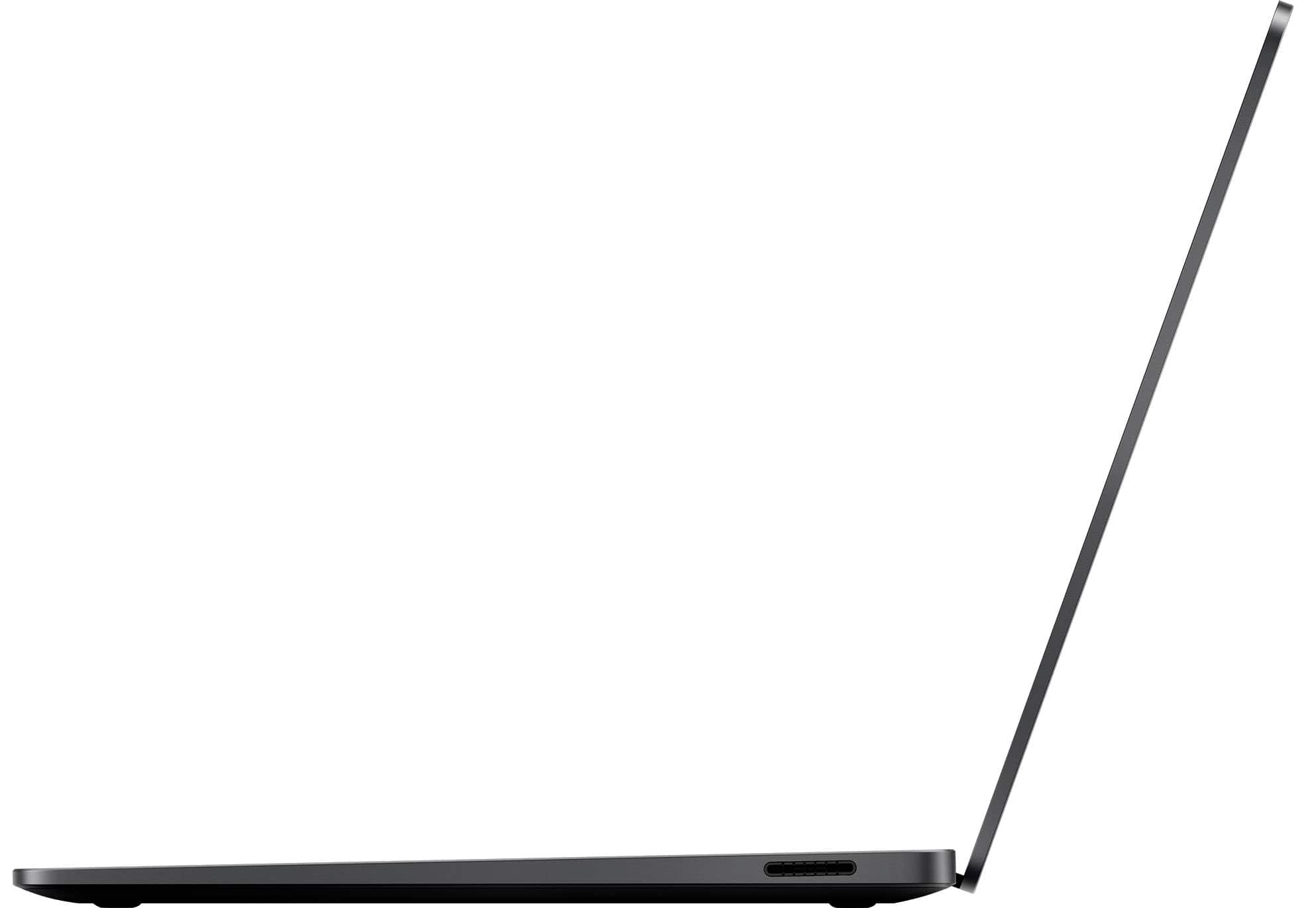
The Copilot Plus Laptop arrived a brushed titanium chassis that felt both sturdy and lightweight. The Gorilla Glass display is framed by very thin bezels that makes it feel larger than the stated 13.8” display.
The backlit keyboard was a joy to type on. Each keystroke was precise and responsive. The glass trackpad glided smoothly, allowing me to navigate through tasks with grace. I’ve always used a mouse with my laptops due to real or perceived issues with trackpads, but I’ve used this one exclusively for a week without one!
The Snapdragon X Elite processor is very fast! Whether I was editing large spreadsheets or editing pictures and videos, it handled everything with lag. The 8-core architecture worked seamlessly with the Copilot AI, with the feeling that it was anticipating my needs.
It comes with 16GB of RAM which made multitasking was effortless. I could have multiple tabs open, run complex spreadsheets, and still compose emails without missing a beat.
The 13.8-inch QuantumTouch display was a big surprise. Colors were vibrant, blacks made me double check if it was OLED, and touch sensitivity was very responsive. Whether I was sketching, reading, or watching videos, the display was exceptional.
The chassis has the standard Microsoft power port, as well as 2 USB-C, 1 USB-A ports and a 3.5mm headphone jack.
The unit comes equipped with Wi-Fi 6E for fast internet access, and Bluetooth 5.2 for fast and stable peripheral connectivity.
The backlit keyboard is clear, and as with most Microsoft laptops the keys are more visible in daylight with the backlight off. I’ve used this laptop at least 1 or more hours per day for the last 8 days for a variety of tasks, and I’m still at 50% battery so the stated battery life of 18 hours appears to be on point for once. This is a thin and lightweight unit than can be opened with one hand, so I don’t think there’s better choice for travelling, commuting or any situation where portability and battery life is a priority.
I would recommend this to a friend
Rated 3 out of 5 stars
Surface 7 laptop
|
|
Posted . Owned for 1 week when reviewed.
This reviewer received promo considerations or sweepstakes entry for writing a review.
Laptop is good. Best Buy cheesy sales tactics, not good.
I would recommend this to a friend

Pros mentioned:
Build quality, Processor speed
Rated 4 out of 5 stars
Windows on ARM begins here
|
Posted .
This reviewer received promo considerations or sweepstakes entry for writing a review.
Microsoft’s marketing for their new Surface Laptop and Surface Pro tout devices that are not just faster, but smarter. I picked up the new Surface Laptop 7th edition because I’m interested in not just a laptop upgrade, but an entry into the nascent world of AI computing. So, I’ll discuss the usual topics of hardware and performance, but also whether this laptop really does represent a new direction for personal computing.
------ Hardware ------
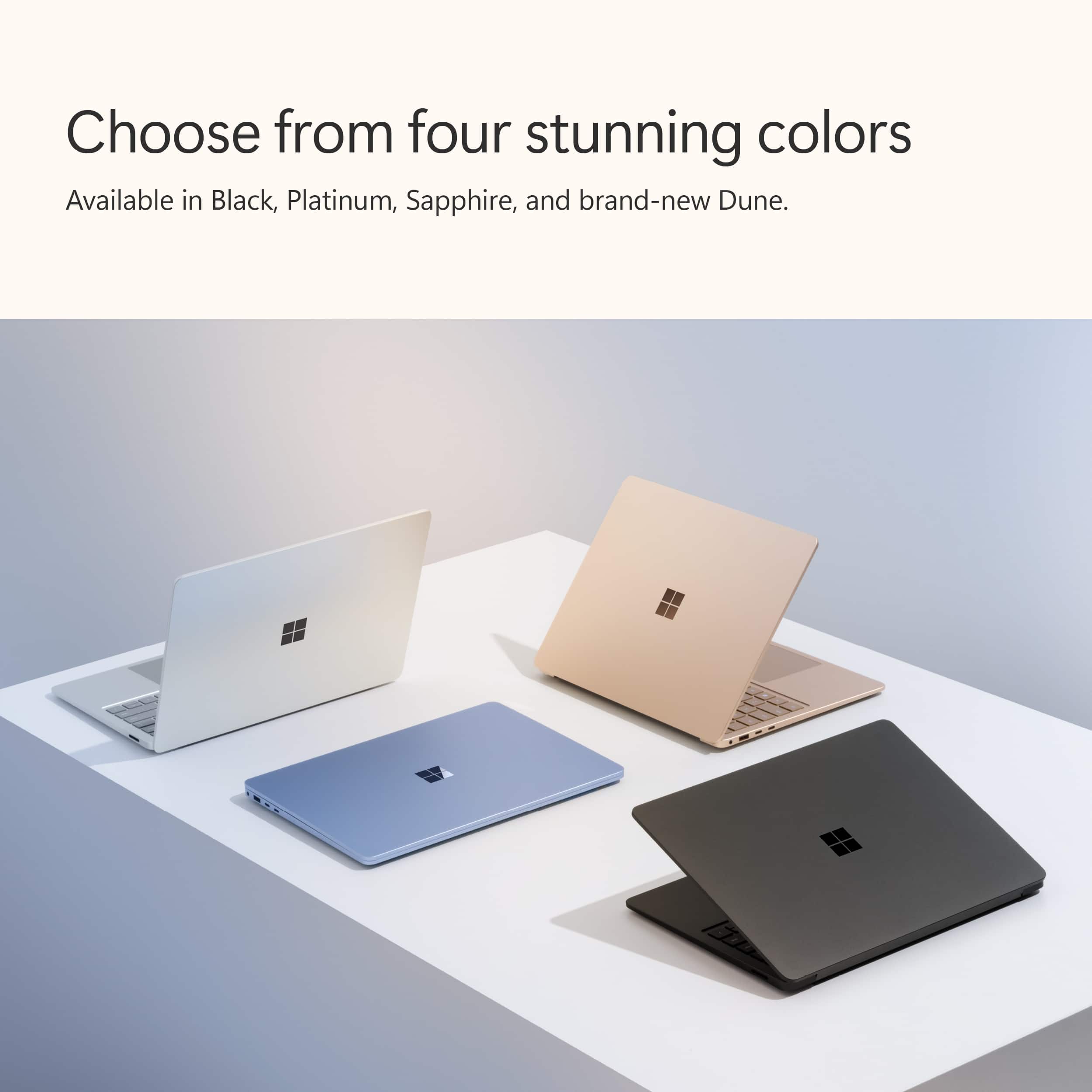
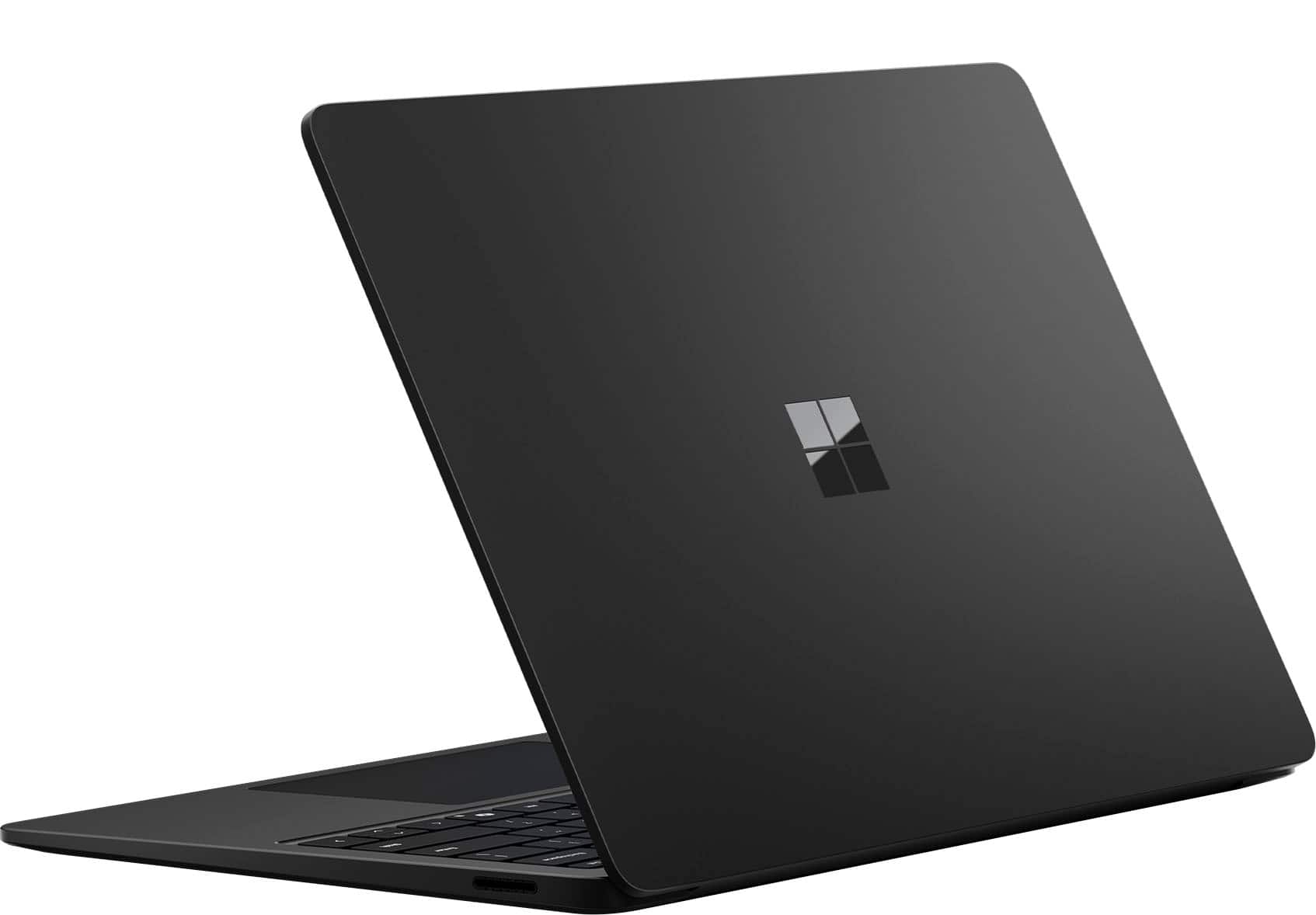
The hardware is excellent! Just like all of Microsoft’s machines, the fit and finish on this one is impeccable. The new Dune color is striking, and the coating on the aluminum surfaces resists fingerprints and looks great. Marketing touches, as usual, are minimal, with just the shiny metallic Windows logo on the top, and the word “Microsoft” printed discreetly on the bottom.
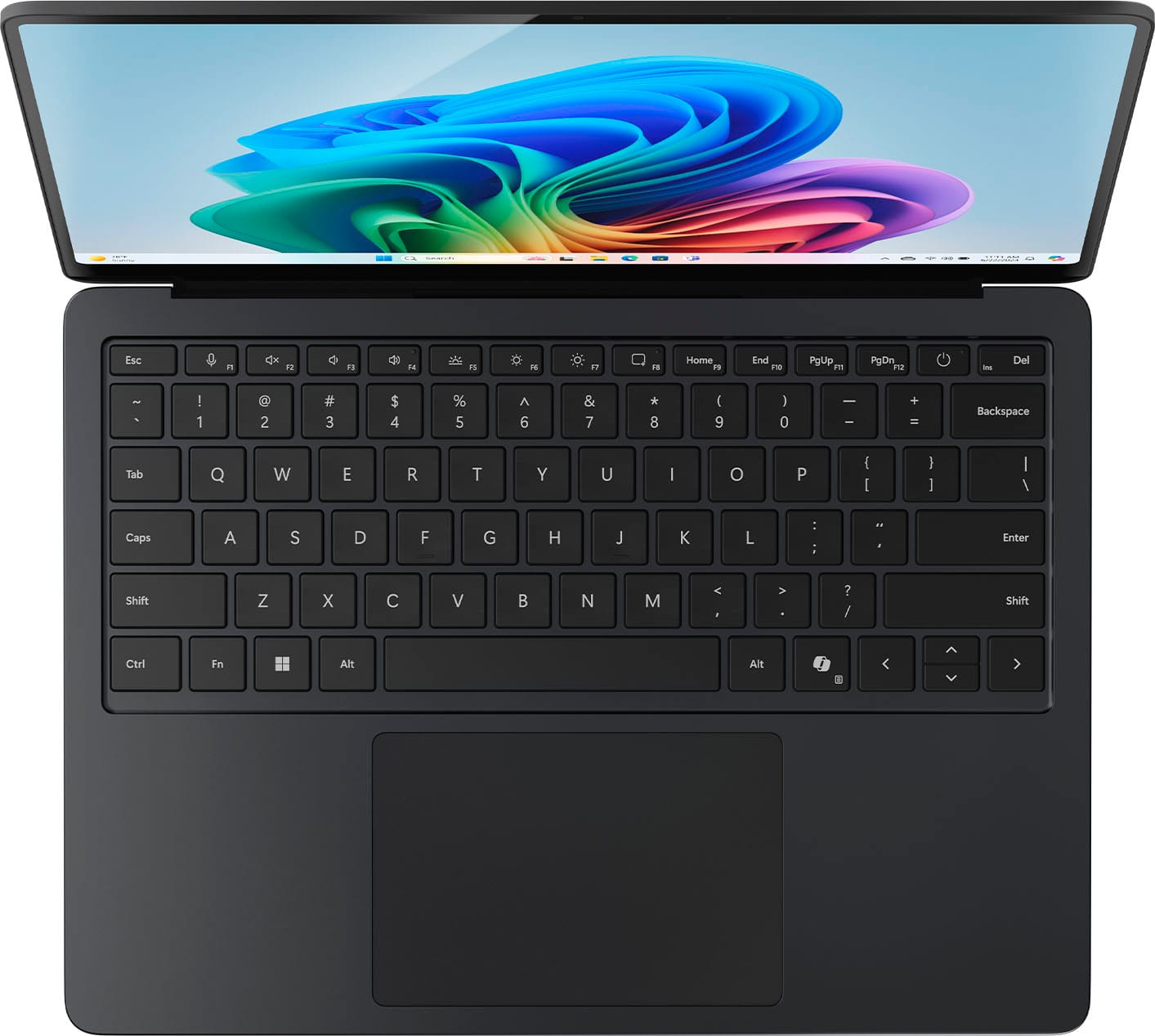
The keyboard is not quite as good as the one on the Surface Book 3, but it’s still very good, and better than those found on many laptops today. The keys have a decent amount of key travel and “clickiness”, and overall they feel very good. Spacing of the keys is good and the keyboard doesn’t feel cramped at all. The new haptic touchpad is fantastic. I was worried that it would feel fake or be too loud, but that’s not the case. It is super smooth, and clicking it is solid and responsive. Microsoft really got it right on the touchpad.
The screen is beautiful, as usual, but I’m disappointed that MS didn’t include an OLED display on the laptop, like they did on the Surface Pro. Resolution and brightness are great, but OLED displays just look better. Nonetheless, this is still a beautiful display, and the 3:2 aspect ratio makes for a more spacious screen.
The SL7 runs cool and quiet, even under a moderate load. If there are fans, I haven’t heard them yet.
Microsoft made a big deal about battery life. I have the 13.8” model, which is supposed to get up to 13 hours of battery life doing web browsing. Web browsing is probably less demanding than a normal workload, but I was still hoping for something close to that. What I’m seeing in practice is around 8-10 hours, which isn’t bad. It’ll get me through a work day, but not with enough margin to confidently leave the charger at home.
One thing to keep in mind when talking about battery life is the processor that’s under the hood. The main difference in Microsoft’s new machines is that they’re not built on Intel or AMD x86 chips, but use Qualcomm’s Snapdragon processors instead. These are ARM chips, which means that applications need to be recompiled for ARM in order to get the performance gains that are possible. Since most software outside of Microsoft’s offerings has not been recompiled for ARM yet, a large number of applications will need to run in emulation mode. Microsoft has included their PRISM x86 emulator, and I must say it does a very good job. Applications that are supported run seamlessly, with no additional configuration necessary. I’ve only found one application so far that would not install. Emulated applications deplete the battery significantly more than native applications, so that will have a big impact on overall battery life.
------ Performance --------
The Surface Laptop 7 is the successor to the 5, which featured an Intel i7 and, similar to other models I’ve used, had 16 GB of RAM and 512 GB of storage.
While it’s not a gaming machine, I wanted to see how the SL7 would handle Sid Meier’s Civilization VI. I was very pleasantly surprised at how well the SL7 performed! I’m not a hard-core gamer, so I don’t have stats on frame rate or anything like that, but Civ VI looked good, and the GUI was very responsive. I didn’t play to the end of a full game, so late-game mechanics weren’t tested, but the “launch it and play a little” test passed impressively well.
Microsoft says the SL7 is 86% faster than the SL5. Running a standard Excel test consisting of 100,000 VLOOKUP formulas took an average of .05 seconds, which matched my Dell XPS desktop sporting a 13th gen i7, but only 40% faster than an 11th gen i7, which is older than the one in the SL5 that MS is using for comparison. So, no 86% speed boost, at least not on this test. As always, you have to exactly replicate all of the test conditions, which I did not, but this gives you some idea of how well it performs.
Another test recommended by a friend was to create a passage guide in Logos Bible Software. A passage guide is basically pulling excerpts from your library on a particular topic or passage. The Dell XPS 8960 handled it in 5.69 seconds, and the SL7 did it in 9 seconds. However, consider that this is not a native ARM application, but is running using Microsoft’s PRISM emulation layer. Given that, it’s really not a bad result!
So, while I don’t think I believe Microsoft’s claims of an 86% speed improvement over the SL5, the SL7 is a remarkably solid machine, given that it’s running a mix of native ARM applications and emulated x86 applications at any given time. If I could get all of my software in native ARM versions, I think the performance would be excellent, and a significant bump over prior machines I’ve used.
------ AI Features ------
Copilot+ features seem to be in the early stages. If AI is your reason for looking at this machine, you should probably look elsewhere. Microsoft should make it easier to find and use the Copilot AI features on the machine.
- Co-creator didn’t work very well for me. It seems to be just a GUI interface for using DALL-E inside of Paint. It’s supposed to allow you to use a text prompt or a sketch you draw to tell the program what to create. The results vary based on the level of creativity you select, but it’s not intuitive as to how to get the best results out of this tool. I’m sure I could work with it to get better results, but I don’t often need custom images, so I’ll get back to it later. There is also Image Creator inside of Paint, which is text only, but it wasn’t clear to me how to get it to work. Next to the “create” button was an icon which seems to be indicating that I need credits to use the tool, but I could not see how to get any credits.
- Live captions were easy to turn on, and it adds a bar across the top of the screen where the audio is translated in real time. It did a pretty good job, but sometimes missed a word here or there. As a built-in tool that you don’t have to purchase and install, this is a nice feature. I suspect that downloading the language files locally might allow for better performance.
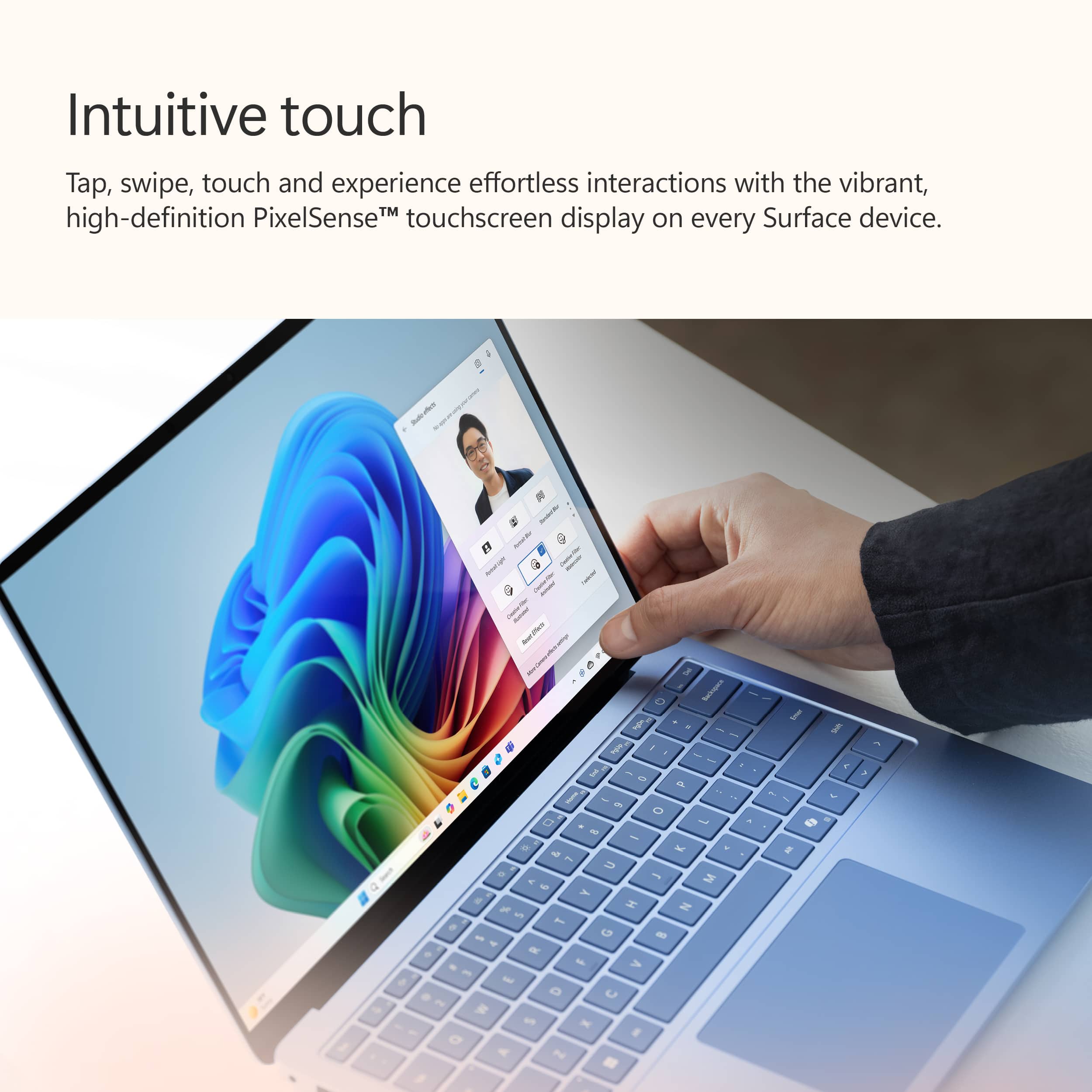
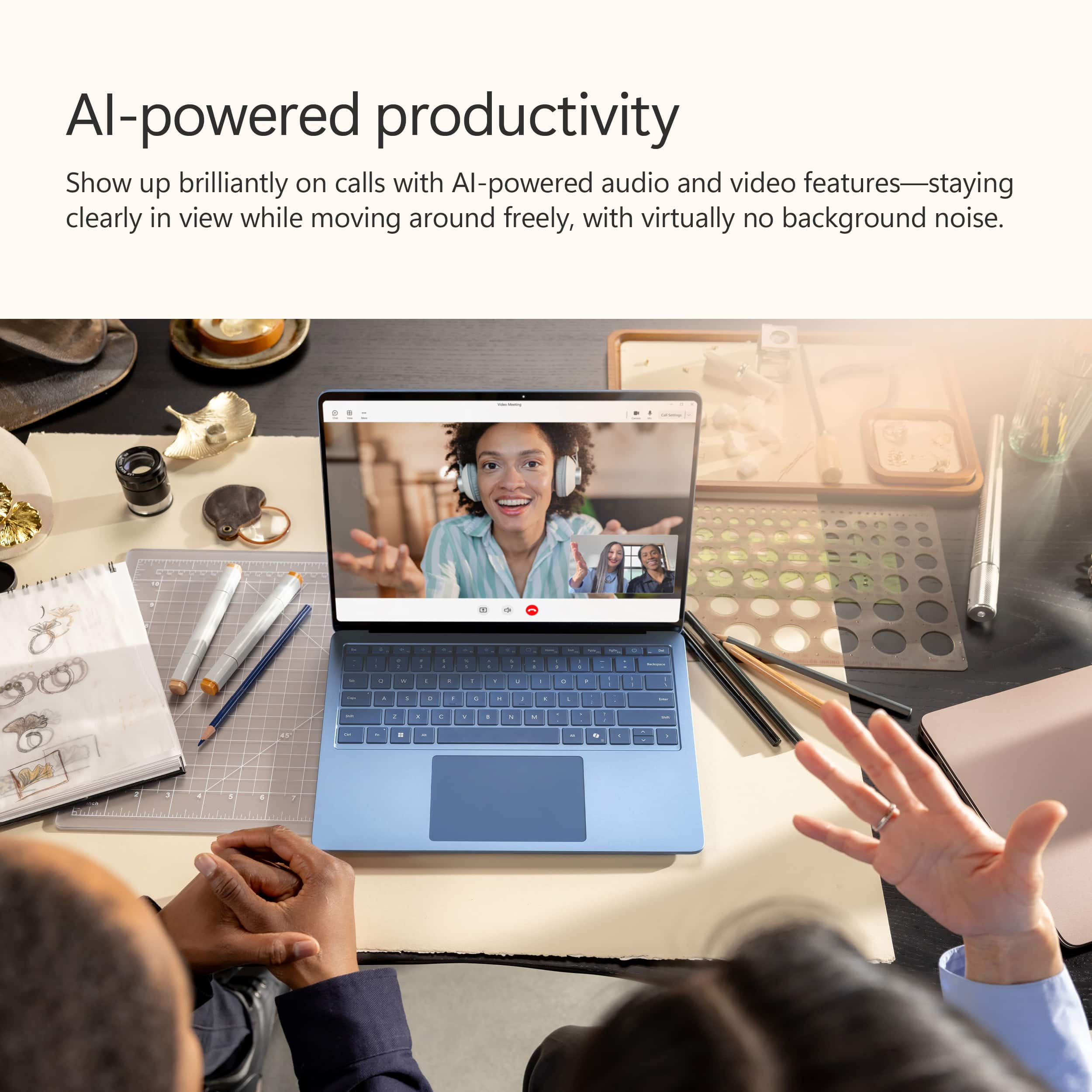
- Windows Studio Effects for the camera are very good. The background blur is impressive, and is much better than what is possible in Teams today on most computers. The eye contact feature can be a little creepy, but I’m sure it will get better. These features are valuable improvements for those of us who are in online meetings frequently.
- Image Creator in the Photos app: I didn’t even realize that the Photos app had this. There is actually another version of image creator included there. This was easier to use, and created a number of nice digital images based on my text prompt.
Beyond these fairly limited uses of AI, the dedicated Copilot button just brings up a version of the web site where you can engage AI in a conversational style. This is indeed convenient, and I appreciate how easy it makes it to bring up Copilot, but it’s not much more than I already had with Bing. This button will certainly get a lot more functionality as Microsoft improves its AI offerings.
For a PC that wants to focus on AI features, I think the overall presentation could be a lot better. An easy to find set of tutorials could teach new users how to get the most out of the AI capabilities. Instead, we’re left to figure out how to find the AI features and use them.
------- Conclusion ---------
Microsoft is planning to roll out more features in the future to take advantage of the neural processing unit (NPU) in the Surface Laptop, but until then, I don’t think the existing AI features make a compelling case to choose this device on AI alone. Without a compelling set of AI features, you have to evaluate this machine like any other, on things like performance, price, compatibility and build quality. Using that framework, it would be hard to justify the extra price of the Surface Laptop 7 when there are other options with better specs at lower prices, and without the need to use emulation software for some applications.
On the other hand, this is one of the first of the new Copilot+ PCs, and it’s always bumpy when you’re pioneering. As publishers re-compile their applications for ARM processors, we’ll get the performance we expect, with better battery life all around. It seems like Microsoft got it right this time with the Snapdragon X Elite processor, so this machine is only going to get better with time. If you’re willing to look at it that way, then this is a machine you should be considering.
I would recommend this to a friend
Pros mentioned:
Ai performance, Battery life
Cons mentioned:
Screen brightness
Rated 5 out of 5 stars
Gives MacBook Air a run for their money
|
Posted .
This reviewer received promo considerations or sweepstakes entry for writing a review.
Packaging: simple but effective, with minimalist packing. Surface Laptop is covered in a thin paper wrap, and then the power cord and brick are underneath the tray.
Screen: touchscreen capable, with 120 Hz refresh rate. Standard 2304 x 1536 resolution makes for a crisp view on the 13.8” screen. 600 bits brightness is plenty for offices or home, but trying to use the laptop on a sunny day out on the patio at my local coffee shop was a little difficult to see.
Ports: 2 USB-C, 1 USB-A, 3.5 mm headphone jack (hallelujah), and the magnetic jack for the charger. The magnetic connector is proprietary, but has been consistent for all Surface products so not a surprise. Of note, you can use the USB C ports to directly charge the Surface Laptop, in case you don’t want to carry around the power brick or forget to bring it.
AI: this is the big push in tech nowadays, and the Surface Laptop 7 has a dedicated Copilot key to launch the Copilot+ AI assistant. Pushing the key launches the AI chatbot in a new window, which looks identical to the page if you have tried using Microsoft Edge’s new updated version. Copilot is powered by ChatGPT-4, so it’s pretty standard fare. You can ask Copilot to generate anything from form letters, to schedule templates, to workout plans. Some more sophisticated prompts can yield some pretty amazing results. Then, the big surprise for me was CoCreator, which is linked into Paint. You use AI prompts to ask it to generate images based off what you write, and it was actually very cool.
Battery life with standard office work (judicious use of Microsoft Excel and Word, and web browsing - no videos) has literally lasted me 3 full workdays on a single charge. Microsoft touts 20 hours of video playback, and I believe it based on my usage.
I’ve used Surface Pros dating back to the Surface Pro 4, and I always had gripes (some major), but for the first time, I can and do recommend the Surface Laptop wholeheartedly.
I would recommend this to a friend
Pros mentioned:
Battery life, Build quality
Cons mentioned:
Screen brightness
Rated 5 out of 5 stars
Good power for a light and portable laptop
|
Posted .
This reviewer received promo considerations or sweepstakes entry for writing a review.
I have used and tested this Surface Copilot+ laptop out for about a week now. It very much reminds me of a slightly thicker Windows 11 version of my 13” MacBook Air. The Dune (gold-ish) color is actually nice and I can see the keys clearly (note: they do not have a backlight though if you are in a dark setting).
The trackpad is very smooth and I like the gestures that can be set as well. Very responsive in my use. 120hz display is really nice for motion and mouse pointer movement and accuracy. While the display is quite glossy it is very clear and the colors and contrast is great. I set my brightness at 60% and the power setting to peak performance (slider all the way to the right). Responsiveness and opening apps seemed very fast in all uses.
Battery life with this laptop paces out at over 11 hours for me. I'm sure I will get much longer life if I dial it back a bit, but this is pretty good at these settings. Most usage was web browsing, email, MS Office apps, and light YouTube watching. Testing out CoPilot has worked ok so far, but I can see this improving over time as well.
In summary, I think it is a good and light laptop for on the go use. Certainly has more than enough power, speed, and smoothness for all the apps I have used so far. Recommend!
I would recommend this to a friend
Rated 1 out of 5 stars
Bad discussion
|
|
Posted . Owned for 3 weeks when reviewed.
This reviewer received promo considerations or sweepstakes entry for writing a review.
Battery life is not as expected and very sensitive color
No, I would not recommend this to a friend
Brand response from Snapdragon team
Posted .
Hi JahidH, Snapdragon X Series processors are engineered for outstanding performance and efficiency, promising all-day battery life. If you’re not seeing this, please review your power settings and display brightness, as these factors can significantly affect battery longevity. Additionally, restarting your PC and ensuring you have the latest updates installed can also help optimize battery performance.
Pros mentioned:
Ai performance, Build quality
Rated 5 out of 5 stars
Snapping into the Future of AI with Snapdragon
|
Posted .
This reviewer received promo considerations or sweepstakes entry for writing a review.
The Microsoft - Surface Laptop - Copilot+ PC with Snapdragon X Elite (7th Edition) overall impressed with a few minor caveats along the way. This model was the 13.8", Snapdragon X Elite, 16GB Memory with 512GB SSD in Dune. Upon arrival, the box itself looked sleek with clean lines and simplistic packaging. Most definitely has the look to compete with other brands. The Dune color is magnificent (in both mine and my wife opinion). The color is golden with a hint of rose tint. The charger is the traditional Microsoft surface charger/port. I enjoy the smooth look of the chargers against the side and easy hook-up with magnetic connection. Start up was simple and quick, logging into Windows 11 which is pre-installed. I have noticed as these devices get smaller there are less port options. This includes an ability to display connection via USB with 2 USB-C and 1 USB-A ports available. The USB-C can be used not only for peripherals but for charging. Added to the included surface charging port available, increasing versality and the ability to charge from a friends or at the coffee shop if one forgets their surface charger. There is a headphone jack included also, an added bonus to have. There is a camera that does produce clear picture on video call and also a built-in microphone if one chooses to have a web call. With the camera comes facial recognition, which I found quickly scanned my face and saved it and will recognize me both with and without glasses on which is a huge plus making sign in quick upon opening. The screen itself displays crisply and clear with no issues identified or of concern.
The Qualcomm Snapdragon X Elite is one of the features entailing the minor caveat. I have not previously had a Qualcomm CPU and the Snapdragon X Elite comes with benefits and differences. Those differences are the caveats, and as long as one is aware they exist I do not consider it an issue. The Snapdragon chip itself has been designed to have what they refer to as a neural processing unit (NPU) on the chip to assist in AI processing. I find this quite the nifty feature in that on a device that is being presented as Copilot+ PC using AI technology, having dedicated processing for this AI makes sense. Will speak to the AI features below. The Snapdragon Elite uses ARM architecture not x86 that is traditional for most computers. What this means to myself/understanding and most users is that some applications either do not run or require there to be an artificial environment for use in the traditional x86 architecture. I grabbed this device for work purposes and have not encountered an issue. There is an emulator that Microsoft has designed to allow for use of more applications, compared to without which is an added plus. This is the caveat though is not every application one may be used to using may work on the device and is just something to be aware of if looking to purchase. Battery life is pretty good overall using this and I have been able to walk away from the charger, browse and complete work for about 6 hours without the device dying or notifying that battery is low. I personally have not tested how long the battery goes before dying though, but it does allow for normal use away from charger if one prefers.
The additional portion of this device is the Copilot+ AI integration. Copilot has been available through online office prior to this and I had played around with the features some. Having the integration within the computer allows for improved features versus web-based access and is fun. There is a Copilot Key to the right of the space bar, providing quick access to the AI bringing up an interface one may use to search or direct action. Within the paint application is cocreator, where you can turn decently scribbled items into graphic art through AI with some added description. This can be done without a drawing of sorts using either Copilot by itself prompting image production or the specific image creator that is within photos. Either-way Copilot is able to create images based off text, as intricate or not for interpretation. I've always enjoyed that aspect of Copilot, typically what I would mess with online. The processing does seem faster for images on this device compared to if through a web-browser. I did not specifically time it, but maybe about half the time? Otherwise, my favorite feature is the translate and caption option, which provides real time translation/captions of audio and video. This is a game changer if coming to communication or watching videos outside of primary language. There have been some videos in Spanish that my Spanglish has failed to understand but Copilot translates captions for me, pretty impressively. I did compare Copilot translation with Netflix closed captioning for a Spanish movie and there is a slight delay in Copilot along with some missed words/phrases but overall the idea is conveyed, which for an active translate/caption through AI I find impressive and sure will be built upon as time goes on. Of note, there does seem to be additional AI features down the pipeline at the time of this review and I am looking forward to seeing what Microsoft will add.
Overall, this device lives up to the expectations of what is promised. As long as one does the research and chooses this for the right utility, I personally was not disappointed
I would recommend this to a friend
Pros mentioned:
Battery life, Build quality
Rated 5 out of 5 stars
Amazing hardware, great battery, convenient AI
|
Posted .
This reviewer received promo considerations or sweepstakes entry for writing a review.
For the hardware itself, the size, shape, and weight are amazing. It's thin, light, and slips easily into a small backpack or even a sling. The construction is solid with little to no flex with a tight hinge for the display. I've owned Microsoft laptops in the past and this is by far the most impressive and highest quality piece of hardware I've seen from them yet. It's hard not to see striking similarities to a MacBook Air though but that's a very good thing in this case.
The keyboard and trackpad are also a pleasure to use. The keys have a positive and firm feel with a nice amount of throw and the trackpad is fantastic. It's predictable with taps and touches and the haptic feedback is positive. I'm a stickler when it comes to trackpads and this one is awesome.
For ports, it has one USB A port and 2 USB C ports along with a headphone jack and charging port but I would have loved to see an SD card slot.
The touchscreen works very well - just like the trackpad is quite predictable and responsive requiring just a light touch to interact with it.
I find the 13.8" display with 2304 x 1536 pixels to be a great size with enough real estate to have 1 to 1.5 windows open at a time so I can easily switch between windows.
Battery life is pretty astounding for a machine of this size. I've been using it for about 4-5 hours a day for web browsing, writing, and watching videos and I usually have to plug it in every 3 days or so. This should absolutely be able to last a full work day or a long-haul flight without having to plug it in. Even though it uses a proprietary charging cable with their Surface connector you can also charge it via USB C if you don't have the stock charger, which I would actually recommend as the stock charger only supplies 39 watts.
The "highlight" of this laptop are the Copilot+ AI features which allow you to call on it at any time using it's built-in Copilot+ key. I was a bit skeptical of this initially but have come to enjoy the convenience of being able to ask it to provide quick summaries of different search topics without the need to sift through numerous search results in a browser. You can also customize the interaction and results with different "conversation styles" which I found particularly interesting where you can choose from "Balanced", "Creative", and "Precise" styles. I liked the Precise conversation style as most of my usage with Copilot+ was to do research.
Responses are also quite quick where results come back within 3-5 seconds at most and I also quite like how it saves your AI history so you can go back to a particular task to see the results. Of course, you can delete these results at any time.
One thing to be aware of is that this uses a Snapdragon processor vs an Intel processor and apparently it's so new that not all software is optimized to be used with it quite yet. I do almost everything through a browser so I didn't run into those issues but it could be worth looking into if you have a specific piece of software that you use.
The built-in AI features are incredibly convenient but the hardware is what really makes this laptop shine. It's an absolute pleasure to use for its speed, the fantastic keyboard and trackpad, portability, as well as the superb build quality.
I would recommend this to a friend
Pros mentioned:
Battery life, Build quality
Rated 5 out of 5 stars
Great build, lots of copilot features baked in!
|
Posted .
This reviewer received promo considerations or sweepstakes entry for writing a review.
I have had a number of Microsoft surface both tablet and laptop devices. The build of this machine reflects the continued evolution of the Microsoft surface as a top-notch consumer grade laptop Smooth, metal surfaces and very, very thin build along with almost nonexistent screen bezel makes for a gorgeous looking machine machine. Aside from some of the under utilized AI features on this machine that will be handy in the near future as Microsoft rules out more integrated Copilot features. My biggest concern is the ARM Chip ecosystem. I did already run into a few softwares that I downloaded that I was unable to run because it was incompatible with Windows on ARM. These seem to be getting fewer and far between, But it still exists. CPU and GPU performance kept up with Intel and AMD counterparts And didn’t make me question the hardware choice in other places. Overall, this laptop is fairly well built, Battery life has been amazing It’s apparent that the ARM ecosystem is going to be easier on batteries than counterparts. If you are someone who believes that you were going to follow Microsoft into the AI space, then an early purchase of a QUALCOMM snapdragon Chip is a good speculative one and will likely serve you well in the future even if that does put you in a machine machine that cost a little more for similar specs.
I would recommend this to a friend
Pros mentioned:
Build quality
Cons mentioned:
Screen brightness
Rated 3 out of 5 stars
Nice potential for a first gen CoPilot+
|
Posted .
This reviewer received promo considerations or sweepstakes entry for writing a review.
So I'm generally a Mac user but am used to using Windows at work. On my work PC we are currently running Windows 10. This Surface laptop has Windows 11 installed which seems to be a nice upgrade from some of the 10 features. The build quality on this laptop is nice - it seems sturdy. There's a dedicated AI button for you to bring up what is essentially the Edge browser AI interface. The trackpad is smooth and glides nicely. The screen is essentially akin to a 14 inch screen (technically 13.8 inch) and is a touchscreen which is nice. However, it doesn't seem to get very bright. The refresh rate, however, is fast at 120. My main uses have been web browsing, some video watching and music listening. Office applications too, but that is mainly related to my work. While using the Surface during my routine tasks I was a bit disappointed with the battery life. The battery life seemed to drop precipitously during what would otherwise be considered table stakes tasks that shouldn't cause the battery to deplete quickly.
No, I would not recommend this to a friend
Pros mentioned:
Battery life, Build quality
Rated 3 out of 5 stars
A Step In The Right Direction
|
Posted .
This reviewer received promo considerations or sweepstakes entry for writing a review.
The history of Windows on ARM is a long path of stumbles and failures. The bright spot turned out to be running Windows on Apple Silicon MacBooks via Parallels. The latest MacBook Pro with M3 Max was nearly as fast as my large desktop gaming machine in terms of day-to-day use. The benefit was always great performance with terrific all-day battery life. The holy grail of computing. Now, with all that out of the way, it is Microsoft's turn at bat with Windows on ARM. The ARM based processor in this instance is the new Qualcomm Snapdragon X Elite. It promises fast performance, AI neural co-processing, and all-day battery life. The new Microsoft Surface Copilot+ brings forth Qualcomms latest and greatest in the hopes of stealing the crown from Apple and their M-series based machines. The new Surface Copilot+ is as close as I think Microsoft has ever gotten to building a true MacBook competitor. The problem is that I still prefer Windows on my MacBook.... so what's the deal? Well, frankly, the M3 Max is just better even when running Windows virtualized. The single core performance is nearly 50% higher than the Qualcomm. Now, is this really noticeable in day-to-day use? For me, yes, as I tend to run Microsoft Excel extensively with multiple worksheets open at all times I can feel the difference. For the average user it is probably more than adequate and the Surface is substantially less expensive to boot. Everything else is good to great on the new Surface. The build quality is excellent, the keyboard feels great and has no flex with good tactile feedback, and the trackpad is uniformly top notch. The screen is a bit of a mixed bag for me. The resolution is good, but the variable refresh rate isn't terrific despite offering a wide range of rate. Scrolling is always noticeable and never really feels smooth on or off battery. Color is good and brightness is about average.
The battery life is the really interesting aspect of the new Surface Copilot+. When it isn't heavily taxed I can see battery life of 10+ hours easily. This is what I would expect. The problem is as soon as you tax the processor even moderately the time starts to drop fast. I lost 10% of the battery life in a less than half an hour doing some Excel work, a few browser tabs open, and a video playing in a small window. It was honestly a little alarming. Now, I know the machine is new and probably has some firmware updates in its future that might help some of this, but considering that Microsoft hasn't even launched the forthcoming AI features I have to wonder how much worse it might get. Now there are a few factors to consider. I was running some x86 applications and not native ARM. The added translation does impact performance and battery life as it is more of a strain on the processor. This is an area that Microsoft really needs to continue to concentrate on. They want developers to start pushing towards ARM, but there are millions of applications built out there that are not native to the platform and will either run through translation or not at all. This will continue to be a performance and battery life hit depending on the applications one uses. Only time will tell how this will change, but keep it in mind if you use something small or not heavily supported. It may be an issue and it may not.
Overall, the Microsoft Surface Copilot+ is a step in the right direction for Microsoft. Unfortunately, Apple is almost four generations ahead so Microsoft has some catching up to do. Microsoft is bringing to the table a well built, stylish, and generally good performing laptop at a great price with the promise that they are committed to the future they are giving one a glimpse of. For now, for me, it feels like a half-measure and I will be sticking with my MacBook Pro and Parallels.
I would recommend this to a friend
Pros mentioned:
Battery life
Rated 4 out of 5 stars
Great first gen AI Laptop
|
Posted .
This reviewer received promo considerations or sweepstakes entry for writing a review.
I have the opportunity to try this Microsoft Surface Laptop 7 out and overall it is a great laptop if your looking for a premium device for productivity like Web browsing, Microsoft Office apps like Excel, Word, Powerpoint and etc. One of the biggest weakness for windows for window laptops in the past has been poor battery life. Intel powered ones were just horrible or underpowered and AMD powered ones were better but still was lacking compared to the newest MacBooks with the M chips. The early adoption of ARM chips with Windows the apps were lacking. Even more recent ones like the Qualcomm 8cx Gen2 chips the chip was ok and the support was ok the laptop's I've seen were more of the budget kind and the power didn't work well with traditional apps that still use X86 and not native to ARM
Specs;
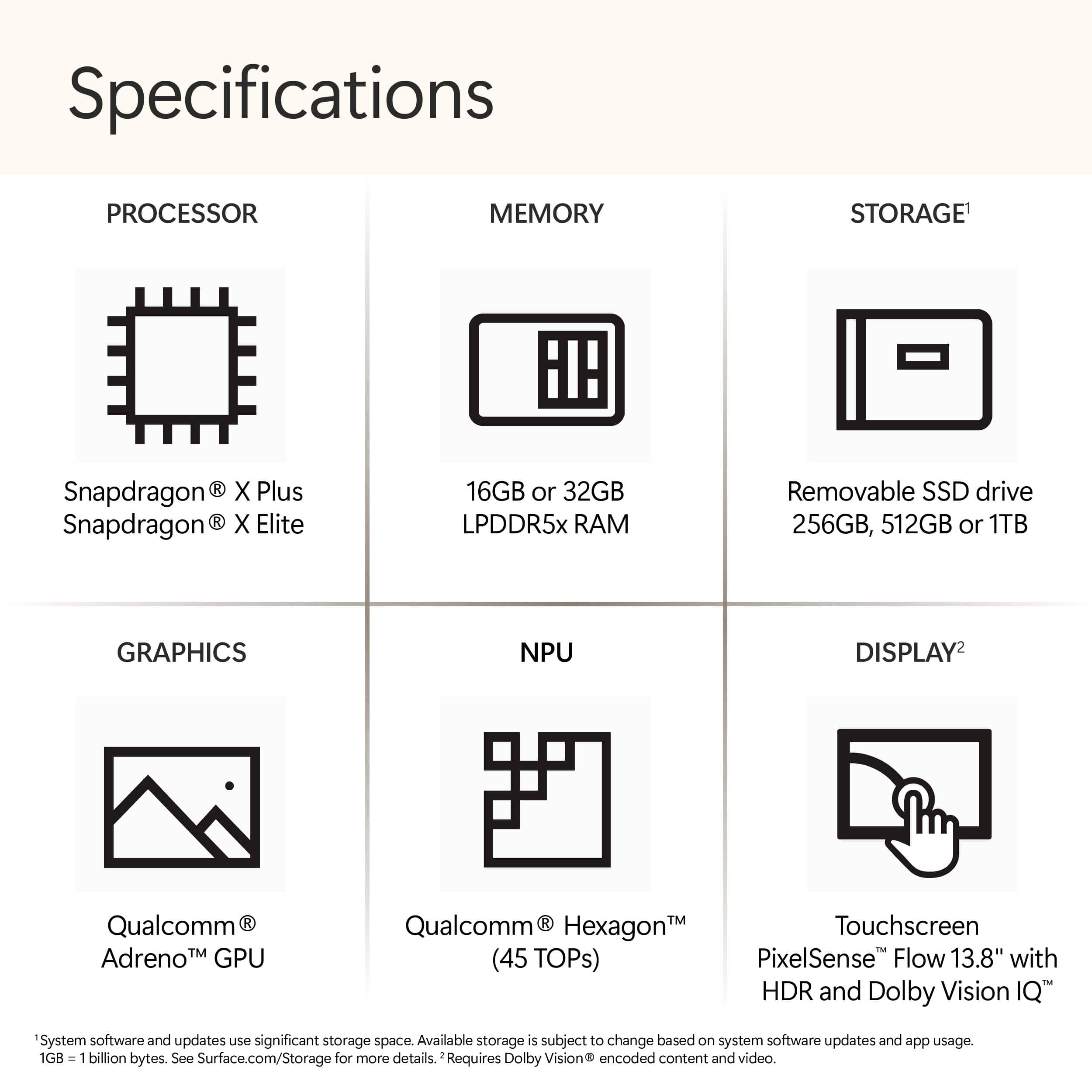
13.8 HDR 3:2 Aspect ratio LCD Screen with 120hz and 600 nits of brightness ( reported)
16GB of LPDDR5X RAM
512GB SSD
Qualcomm X Elite SOC X E80-100: The middle variant of the X elite chip
The thing with these new Co-pilot + pcs are the min specs are 16GB of RAM and 256GB SSD so you know you'll get a decent amount of RAM in the base model if that is all that you want. Plus with the Surface laptop you can upgrade the SSD with a 2230 sized one if you want so you don't need to pay the premium for the bigger ssd if you don't want to. I have been using this for a while now and the battery life is better than what I have gotten compared to other Intel/AMD powered general purpose premium laptops. I mostly been using this for web browsing, youtube,netflix, and some very light gaming. The games are older so not gpu intensive at all. The GPU in this computer is lacking compared to the integrated ones in intel and AMD chips but this isn't meant for gaming or like intense video editing. As far as the apps that run native on ARM like Microsoft Edge the battery life and experience is great. I have noticed apps like discord is kind of sluggish but this Prism emulation is new so we need to give devs time to make their apps ARM native
Now onto the Copilot part of this computer. They did remove the recall feature as of the writing of this review. Though if you sign up for the windows insider you can try it out I believe which is basically a beta. I have tried the live translate and the co create in paint and its nice. The live translate would be great for Video calls If you both don't speak the same language or in videos like youtube even. The Cocreate is nice as well you can make some nice pictures of what you tried to draw or make.
Conclusion: I do hope Windows makes the effort to keep on working on Windows on ARM with them and their partners because it is the future. The better battery life with ARM chips and the power we can get from it is great for portable devices.