Customer Ratings & Reviews
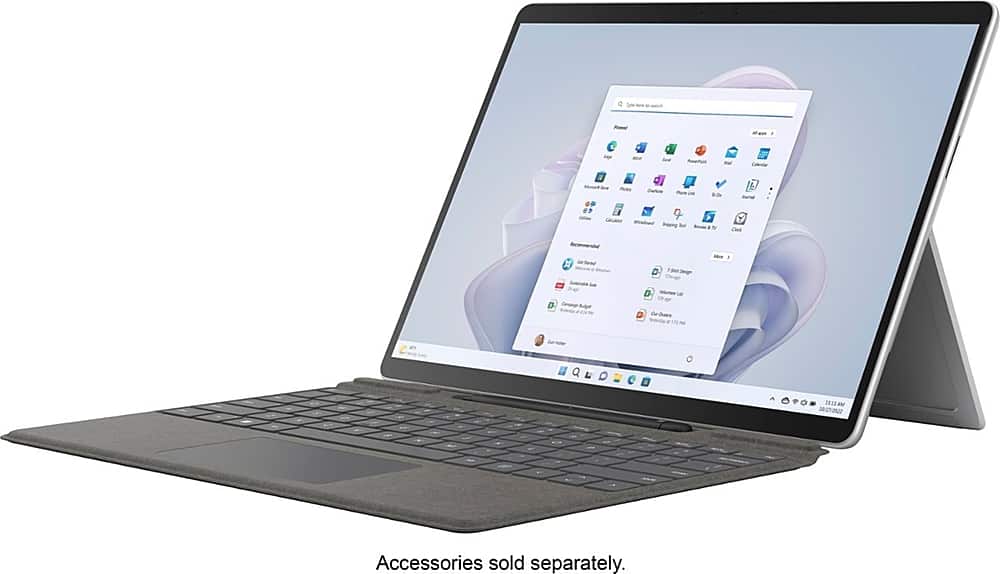
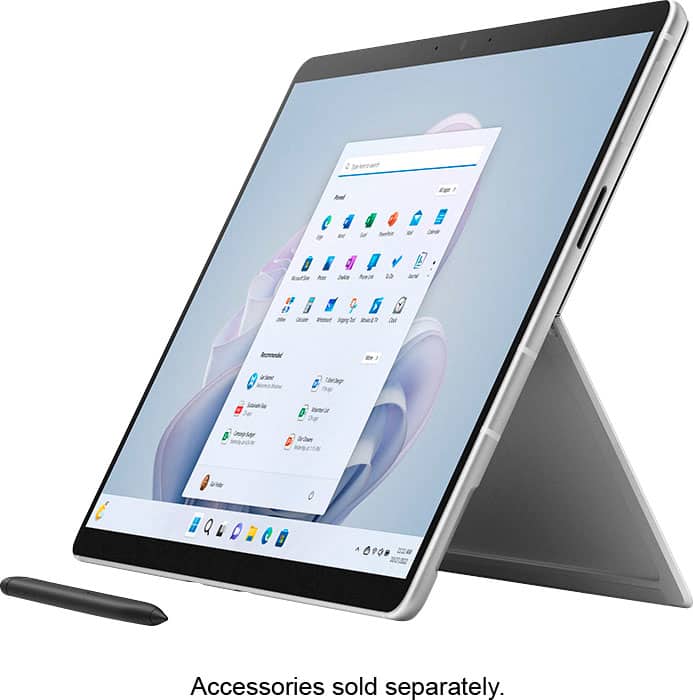
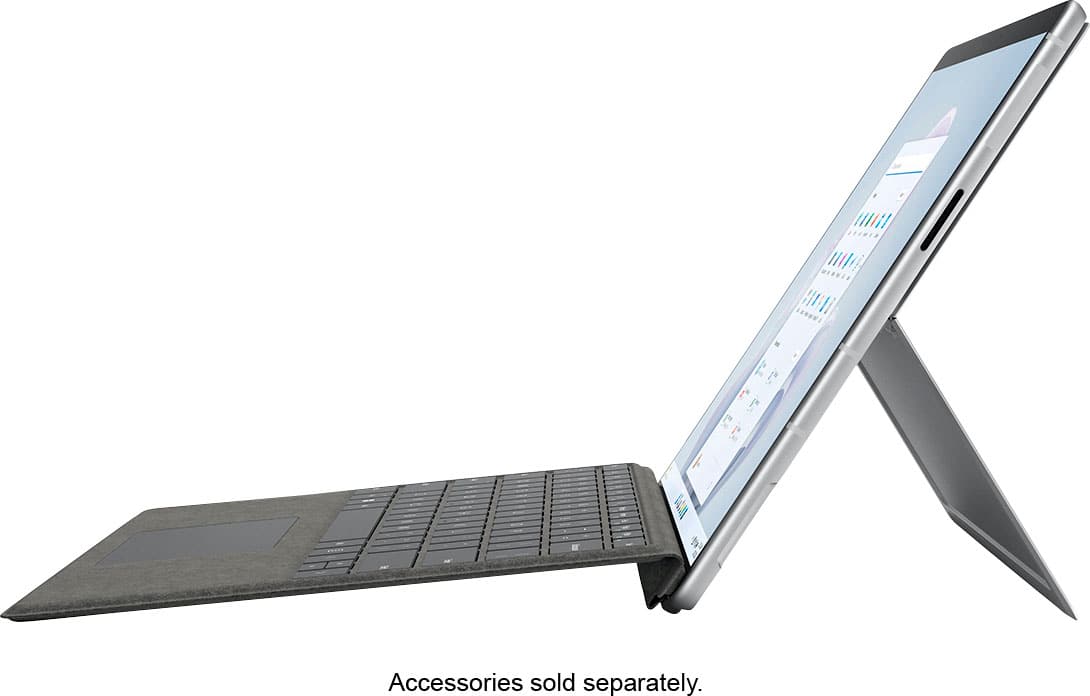
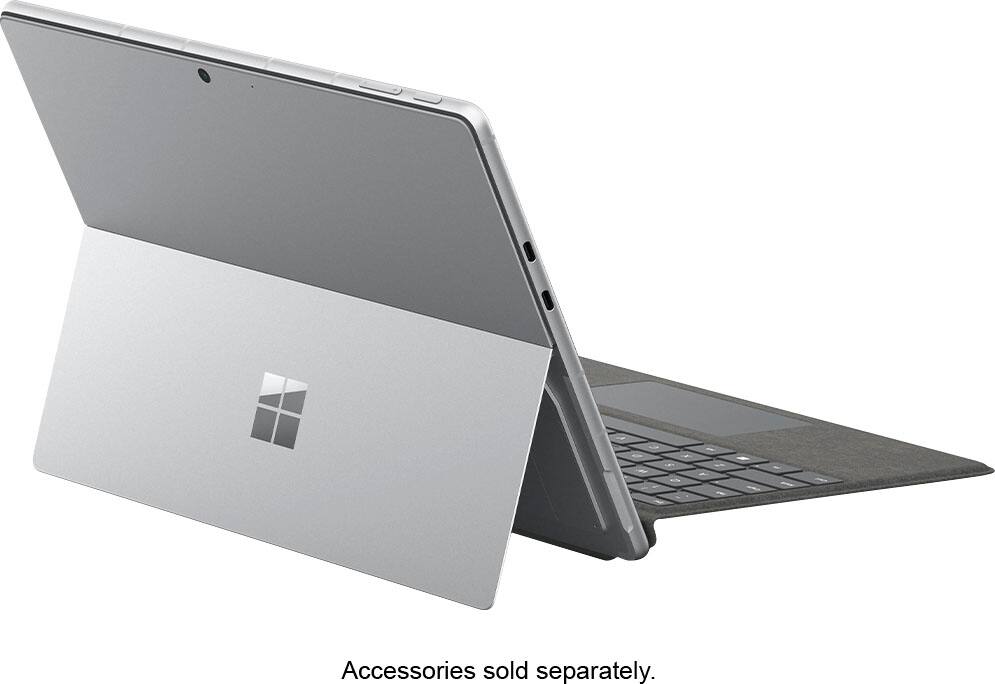
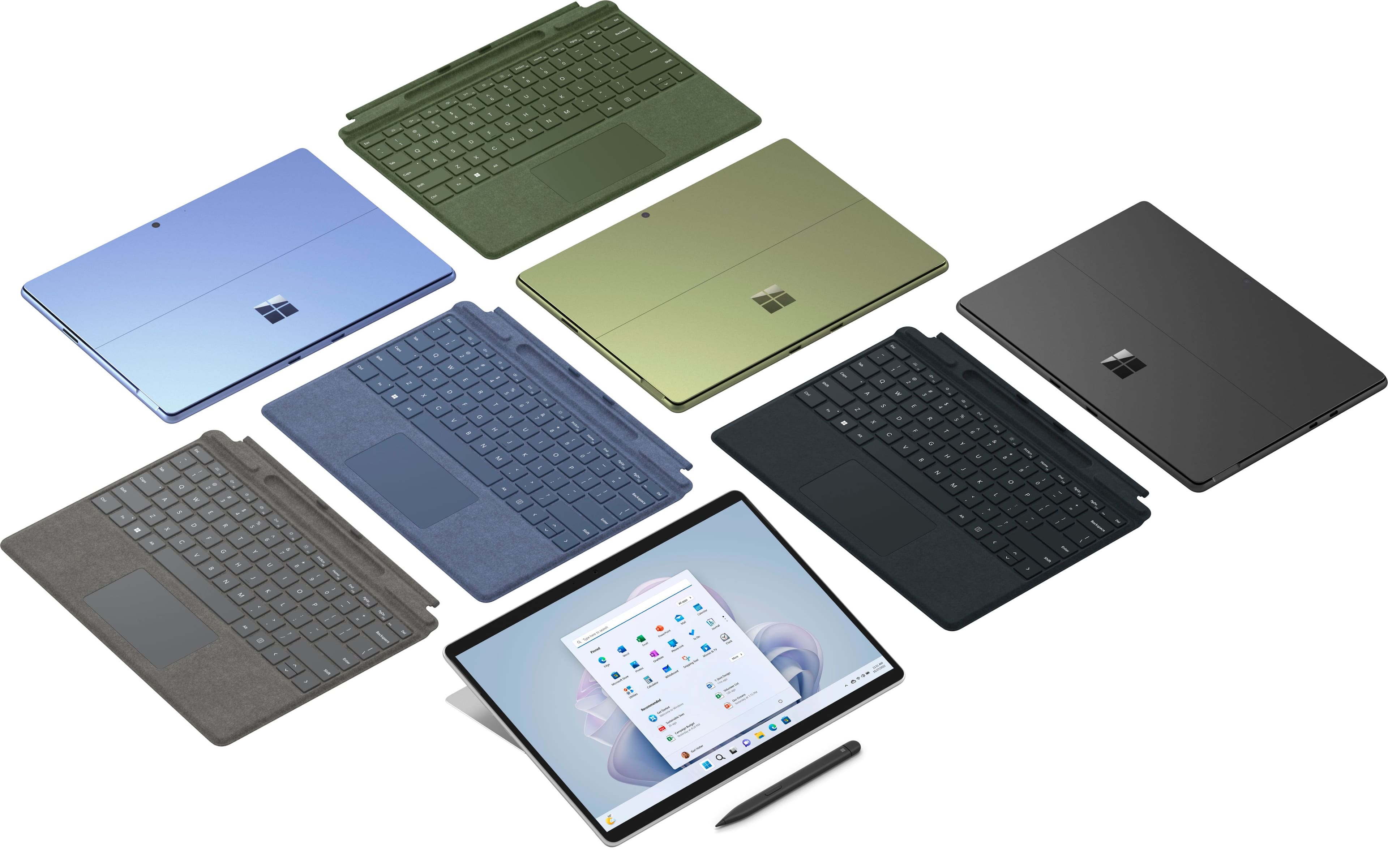





- Model:
- QEZ-00001
- SKU:
- 6517658
Rating by feature
- Battery Life
Rating 4.5 out of 5 stars
- Durability
Rating 4.7 out of 5 stars
- Display
Rating 4.8 out of 5 stars
Customers are saying
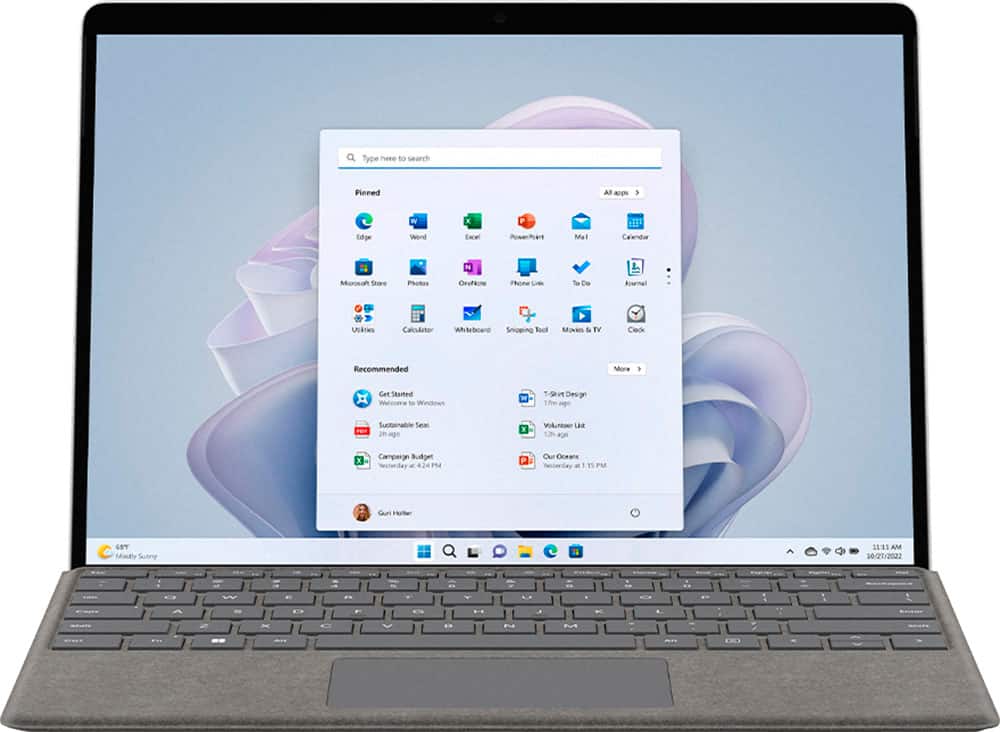
Customers praise the Surface Pro 9 for its overall performance and portability. Users appreciate its speed and lightweight design, making it easy to carry. Some users suggest changing the refresh rate to 120hz. However, some customers have expressed concerns about battery life, port selection, and heat dissipation.
This summary was generated by AI based on customer reviews.
surface pro9
||Posted . Owned for 3 weeks when reviewed.This reviewer received promo considerations or sweepstakes entry for writing a review.great for school and doing assignments online for good grades
I would recommend this to a friendPortable and affective device.
||Posted . Owned for 3 weeks when reviewed.This reviewer received promo considerations or sweepstakes entry for writing a review.Very stable and powerful device. Easy to use in remote environments too!
I would recommend this to a friendSurface Pro 9
||Posted . Owned for 3 weeks when reviewed.This reviewer received promo considerations or sweepstakes entry for writing a review.It’s been fine so far. Haven’t had it long enough to determine any issues.
I would recommend this to a friend- Pros mentioned:Battery life, Design

Great little machine... better with a keyboard
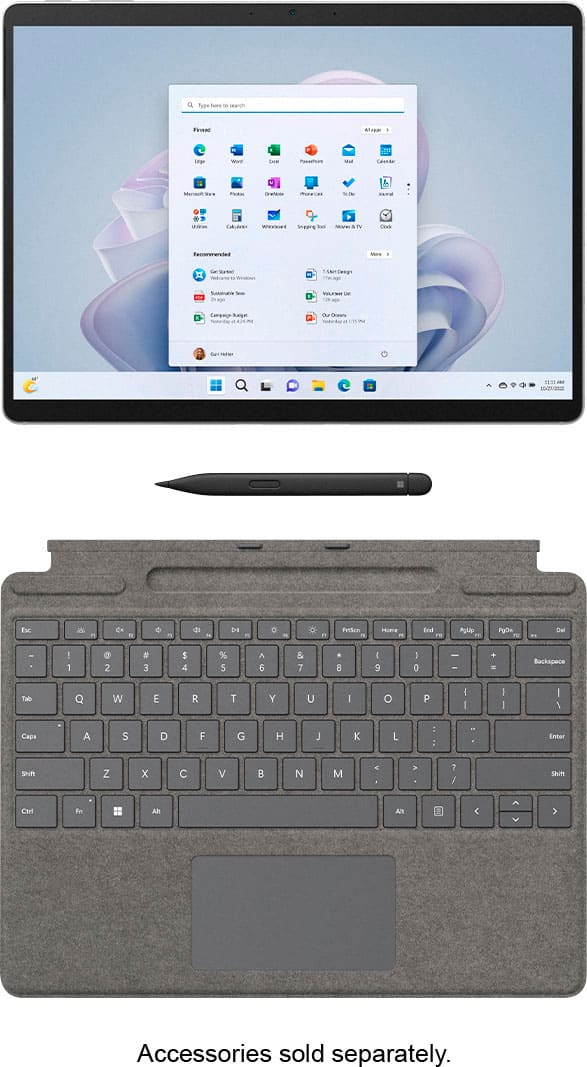
|Posted .This reviewer received promo considerations or sweepstakes entry for writing a review.I decided to test the new Surface Pro 9 to see how much Microsoft had improved the product over the older versions. Out of the box, the unit looks similar in size to an older model I had several years ago, but the Surface Pro 9 is more sleek, a bit thinner, and definitely lighter than my previous model. The one thing I noticed almost immediately is that there's no headphone jack; the case is thick enough for a jack, but for whatever reason, they chose to remove it. Granted, a Bluetooth headset can be used, but I always liked using a corded setup on my older model. The other glaring 'elephant in the room' is that Microsoft doesn't include a keyboard or pen with the unit. I really don't understand this decision; sure, you can use the device as a tablet, but to get full use out of it as a lightweight laptop, you really need a keyboard and pen. Luckily, I was able to pick a keyboard/pen to test as well, but that would be an added cost for someone buying the Surface. The screen, as expected, is very nice, and the i5 configuration that I received has enough power and ram to handle about anything you'd expect to throw at it. I've averaged about 9-10 hours of battery life while working remotely and streaming content in the background. The app I've found the most use for is MS Whiteboard; I've found this app extremely helpful, but again, that is based, at least for me, primarily on the fact that I have a pen to use. Overall, I think this product makes a great work laptop, but in order for that to happen, you need to spend more and get the keyboard and pen. The Surface Pro 9 is a nice product... if it came with a keyboard and pen it would be a true home-run.
I would recommend this to a friend - Pros mentioned:Battery life, Portability, SpeedCons mentioned:Port selection
Great Experience with High perfor and lightweight
||Posted . Owned for 1 month when reviewed.This reviewer received promo considerations or sweepstakes entry for writing a review.Here's a draft for your rev **Title: Perfect Lightweight and Multipurpose Laptop for Business!** I recently purchased the Microsoft Surface, and I couldn't be happier with my decision. I was in the market for a lightweight and multipurpose laptop for my business activities, and the Microsoft Surface turned out to be the perfect fit. **Pros:** - **Lightweight Design:** The laptop is incredibly light and portable, making it easy to carry around for meetings and travel. - **Versatility:** It handles a wide range of tasks effortlessly, from running business applications to handling everyday tasks like browsing and video calls. - **Amazing Features:** The Surface comes packed with features that enhance productivity, including a responsive touchscreen, a comfortable keyboard, and excellent stylus support. - **Performance:** It runs smoothly without any lag, even with multiple applications open, thanks to its powerful processor and ample RAM. - **Battery Life:** The battery life is impressive, lasting through a full workday without needing a recharge. - **Price:** Considering the features and performance, the price is very reasonable and offers great value for money. **Cons:** - **Limited Ports:** While it has the necessary ports for most tasks, a few additional ports would have been nice. Overall, the Microsoft Surface has exceeded my expectations and has become an essential tool for my business activities. Highly recommended for anyone in need of a reliable, versatile, and lightweight laptop!
I would recommend this to a friend - Pros mentioned:Battery life, Design, Overall performance
Microsoft Surface - A Game-Changer
||Posted . Owned for 4 months when reviewed.This reviewer received promo considerations or sweepstakes entry for writing a review.I recently purchased the Microsoft Surface Pro, and I have to say, it’s a complete game-changer for both my work and personal use. This device strikes the perfect balance between the portability of a tablet and the power of a laptop. First off, the design is sleek and professional. It’s incredibly lightweight, making it easy to carry around, whether I’m heading to a coffee shop or traveling for work. The kickstand is a standout feature, offering versatility in how I use the device – it’s perfect for presentations or just watching a movie. The touchscreen is responsive and bright, with fantastic color accuracy that brings my work and entertainment to life. The Surface Pen is a joy to use, especially for taking notes or doodling – it feels just like writing on paper. Performance-wise, the Surface Pro handles all my tasks effortlessly. From browsing and office applications to more demanding software, it hasn’t skipped a beat. The battery life is impressive too – I can go through most of my day on a single charge. Another big plus is the keyboard. It’s comfortable to type on, even for extended periods, and it attaches and detaches seamlessly, transforming the Surface Pro from a tablet to a laptop in a snap.
I would recommend this to a friend Wrong charger
||Posted . Owned for 4 months when reviewed.This reviewer received promo considerations or sweepstakes entry for writing a review.Got this surface pro 9 as a open box and it works grate but when it came to charging it I kept getting slow charging and come to find out best buy never made sure that the items getting returned where the right ones. I have the wrong charger for this and they told me there is nothing they can do. Big L on them
I would recommend this to a friend- Pros mentioned:Overall performance
Best windows tablet/laptop replacement
|Posted .This reviewer received promo considerations or sweepstakes entry for writing a review.This quite honestly has to be the best feeling and best looking windows based tablet on the market and assuming your just using it for general usage/very light gaming this is probably the best windows experience you can get in such a small form factor. Starting with the display, it's absolutely beautiful IPS touch screen with an almost 4k display. Really can't overstate how good this screen looks in comparison to my 2 other laptops that use a TN panel and VA panel respectively. The display is also 120hz capable to my surprise which makes motion and inputs feel very fluid. Moving on to the rest of the system specs, the system I have comes a 12 gen Intel i5 processor with iris xe graphics, 8GB ddr5 ram, 256GB SSD, wifi 6e nic, and 2 thunderbolt 4 ports along with the proprietary connector ports for the charger/keyboard attachment. Staring with the good here I love that the device actually comes with a wifi 6e card. The surface pro connect to my wifi 6e router at a link speed of 1.9Gbps on the 6hz band which is vastly better than my old laptop and well above the speeds of what my isp actually delivers to me which is fantastic. The 256GB SSD is a good size and should be good enough for most people though and you can easily use a usb-c external drive for more if needed. Moving onto the OS, Windows 11 is by far much better than W10 especially for tablet usage and I think at this screen size it's really nailed usability and scale with practicality. I am disappointed with the 8GB RAM a bit. It hasn't impacted my usage yet and likely won't matter if you're not a power user however it can definitely cause some issues if you're a content creator or trying to game with it and in 2022 16GB should be considered the minimum standard to shoot for. Speaking of gaming, the Intel iris xe graphics here simply aren't up to snuff unfortunately. For the vast majority of games you're going to be limited to 1080p low settings for older games at 30fps with newer games requiring 720p to get anywhere near playable framerates. I would've much rather had an amd based APU since they offer much better performance especially for gaming for a miniscule loss in efficiency overall tho I understand why they went with Intel since it has better integration with how Windows 11 works. The Intel xe igpu might be good enough however for emulators if you wanna play older games from the GameCube or even 3ds era. The thunderbolt 4 capability does open the door for possible eGPU usage however I do not have the means at this time to actually test if it would work well. Moving onto the peripherals the optional keyboard attachment is something I would deem essential and Microsoft really should include it with the tablet rather than making you pay extra for it, especially if it's marketed as a 2 in 1 laptop and not as just a tablet. Overall though I think if you're in the market for a new laptop and you're not concerned with gaming performance, this is a top tier buy.
I would recommend this to a friend Outstanding laptop, with benefits of a tablet
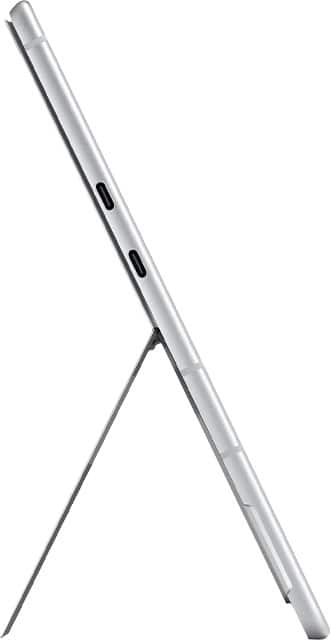
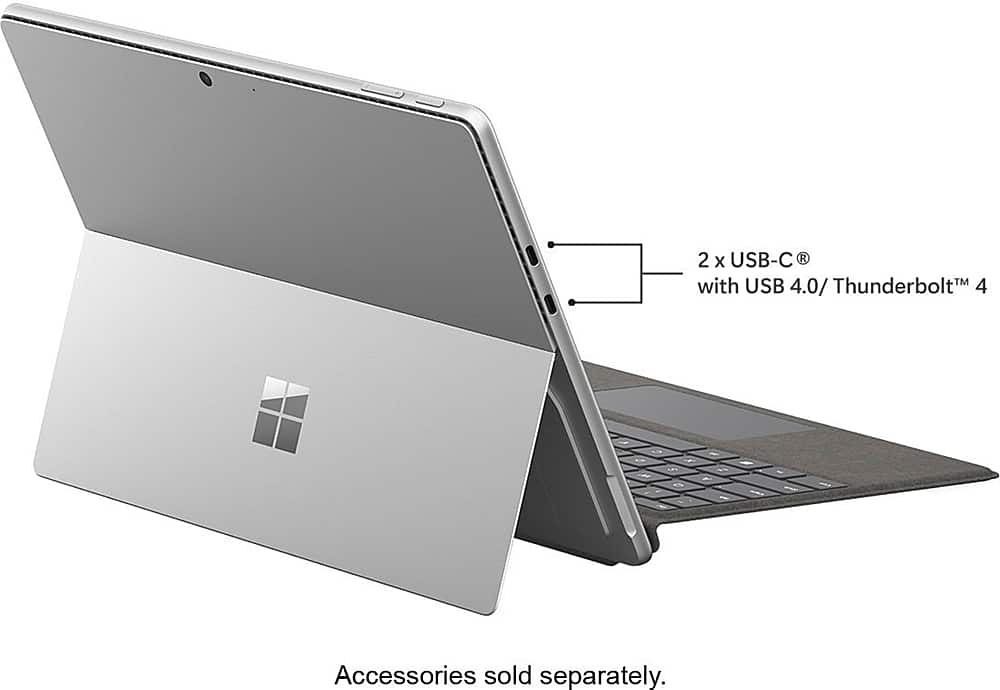
|Posted .This reviewer received promo considerations or sweepstakes entry for writing a review.The Microsoft Surface 9 is compelling, which bills itself as the best of a thin and light laptop, with the features that only a touch screen tablet might offer. It runs a full version of Windows 11 rather than a separate tablet operating system. The Surface 9 (Intel 12th gen. Core i5-1235U) weighs 2.6 lbs, and it comes with 8GB of RAM and 256 GB of SSD storage. It has 2 USB C (Thunderbolt 4) ports. The Surface 9 comes supplied with a proprietary (non-USB) charger with non-USB plug. However, you can charge via the USB-C ports and it will support fast charging if you have a USB-C cable and a PD charging source of sufficient power (generally over 60 W). If you have a Type-C PD charger, you could leave the Microsoft charger at home when you travel, and not have to carry any extra weight in chargers with you. Surface signs you in with either a facial recognition (Windows Hello), or use of a self selected PIN. The facial recognition was brisk and accurate, but if wearing a face mask I got a “Couldn’t recognize you” response. Other options exist, using the Microsoft Authenticator app on your phone, or a prior password to sign in to your Microsoft account. This model does not have fingerprint recognition, a feature that some of the Surface add on keyboards do incorporate. FaceID on iPhone with current versions of iOS will work with even an N-95 mask, which was an update with iOS 16. Using the Surface as a laptop, with the accessory keyboard, is a bit challenging in low light situations, since the keyboard is not backlit. This is similar to using the accessory keyboard for an iPad, which also is not backlit. The keyboard for an iPad from Apple does not have a trackpad, whereas the Surface keyboard has a generously sized touchpad. There are third party keyboards for an iPad that do have very serviceable trackpads. Microsoft Slim Pen charges wirelessly while stored in a small recessed slot in the attached screen protector / keyboard. More secure and always handy; the Apple Pencil2 charges when magnetically attached to the edges of the iPad. Both devices seem to work equally well, and quite precise and dependable. Headphone jack. The MacBook indeed has a headphone jack which is missing from the Surface 9. This is a trend that has been accelerating in the past few years, with phones dropping a headphone jacks, as well as other tablets. The move to Bluetooth connection seems to be the wave of the future across the board. If you feel deprived for this lack of output, an optional USB-C to 3.5mm Audio Adapter lets you connect 3.5mm audio accessories, like earbuds or headphones, to your Surface using one of the USB-C ports The Surface’s tablet heritage is apparent with having 2 cameras: forward facing and a rear camera, just like your phone. Unlike the iPad line (until the 10th gen iPad was just released) the camera has always been on the top when held in the portrait orientation. For videoconferencing, the laptop is usually in a landscape / horizontal stance, and indeed that is how the Surface is set up: with the camera at the top when in the horizontal position. Since the Surface is running on Windows 11, the software universe available is extensive. Unlike a dedicated tablet such as the iPad, the PadOS offerings are large, but entering columns of numbers, etc. can be tedious. f you are using the Surface Pro as a laptop replacement, then the Signature Keyboard and bundled Slim Pen 2 are important additions, at a cost of $280 additional. The keyboard is sturdy and affixes securely to the Surface, and utilizes the kickstand whether you have it on a desk or perched on your knees. The is a generous trackpad, and has a full row of function keys at the top. Just beneath the lower edge of the screen is a magnetic hinge that covers the storage and charging slot for the stylus. It is light in the hand, comfortable to use, and has two push buttons to switch commands. I found the stylus as a handy tool for noting changes or add annotations, without having to move the cursor to that spot. I found the built in kick-stand to be surprisingly delightful. It was secure, so making entries on the screen with the stylus did not shift the angle or collapse the laptop. It was adjustable easily, but held its position. The speakers were also a nice surprise; generous enough volume to serve up a streamed movie for a small audience without distortion. As a source for background dinner music at a lower volume, it would also excel.
I would recommend this to a friend- Pros mentioned:Battery life
Excellent tablet and portable Windows experience
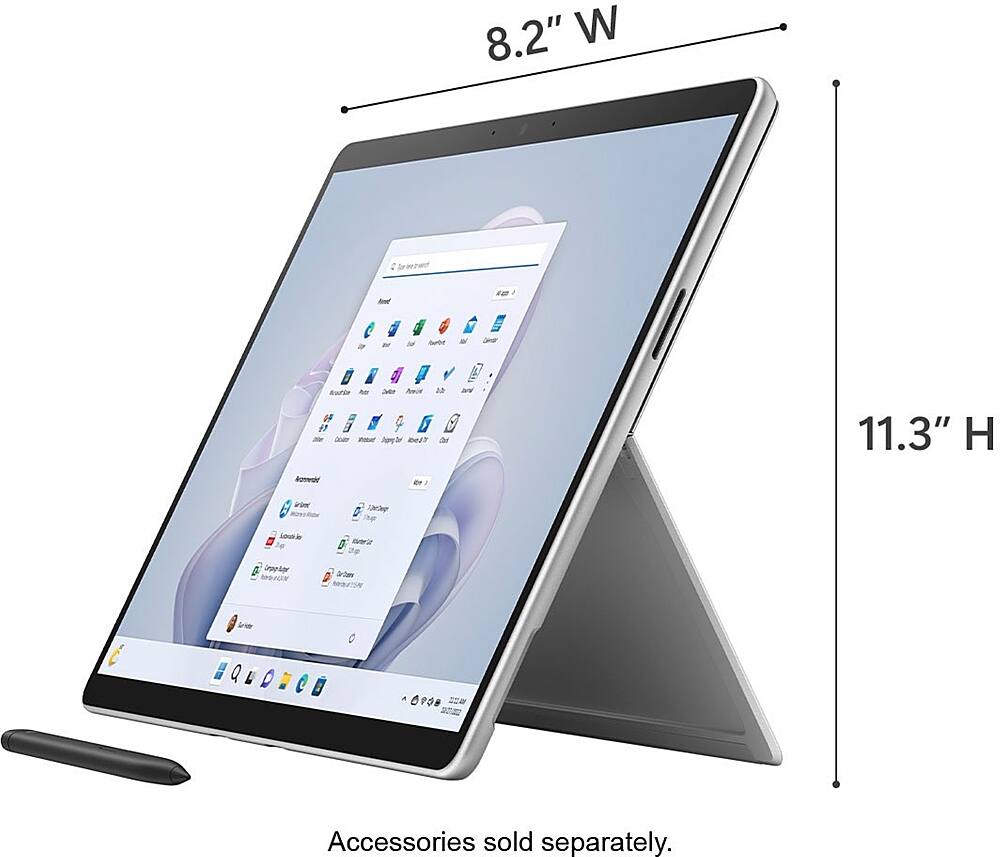
|Posted .This reviewer received promo considerations or sweepstakes entry for writing a review.I own an iPad Pro 12.9 from 2018 so I'm not new to using tablets. Therefore, the Microsoft Surface Pro 9 had some strict competition. My one week long experience with using the Surface has been very positive. While I lament the fact it doesn't have an 3.5mm port, I do like the fact that you have two USB C 4.0 ports as opposed to one on the iPad. Furthermore, the stand is built into the Surface as opposed to needing to buy a case that supports it. The display is incredibly bright at 2880 X 1920, and the refresh rate can go up to 120hz. Performance wise, it starts up fast like the iPad and the Intel i5 provides a snappy performance. It very much feels like using Windows on the go for me. The downside though is the Microsoft app store isn't as robust as the Apple app store. On the other hand, you can practically install any desktop application (as long as it meets the specs for the Surface) on the Surface. This is great for work or schoolwork especially if you use any Microsoft Office programs. Battery life lives up to expectations so far. I really don't have too many nitpicks about the Surface. It is slightly heavier than the iPad Pro 12.9'' though not by too much. Although the power adapter uses a proprietary connector, you can charge using your phone charger with a USB C plug though it is slower. The auto rotate seems a bit spotty at time, but not so much that I would consider it a big annoyance. So iPad or Surface? At the end it depends on what you want. iPad is probably for a pure tablet experience, but if you're looking more something that's more of a hybrid between a tablet and laptop (especially if you buy the keyboard add-on), I would recommend the Surface more if you don't mind Windows 11.
I would recommend this to a friend Updated hardware
|Posted .This reviewer received promo considerations or sweepstakes entry for writing a review.Coming from a surface Pro 3, the hardware is much improved. Most welcome improvement to me is that this has two USB4/Thunderbolt4 ports. The magnetic charge plug remains the same across all Surface models. The power brick remains the same, with a 65W model that includes an USB-A port for charging, which I find convenient. Then I noticed there are no other ports. No headphone plug, no MicroSD card reader like in previous releases. My surface Pro 3 became unusable when the internal SSD stopped working reliably and since there is no way to do any repairs on these tablets, could no longer work. This model has a great improvement which is a magnetic latch behind the hinge that exposes the SSD drive, so this is the only upgradeable component here. Everything else is sealed. Cameras: Camera array is very nice here: Front camera includes Windows Hello IR hardware. Front-camera resolution, as per the camera app: 4.4MP photo, 1080p video Rear (main) camera: 10.3 MP in 4:3 format, 2K video Colors appear very natural, with warm tones, likely the best camera array I used in a Windows laptop. The keyboard/trackpad and pen are of course optional, and it remains the same from the Surface Pro 8 and Surface X. Nothing new here. The Alcantara surface is my favorite part of the keyboard. If setting the keyboard all the way flat, it feels very wobbly, but folded against the bottom lip as this is the intended use feels very solid. The trackpad is fine, wide enough; not the widest trackpad but it's fine. Clicking requires a bit more force than other tablets but is fine. Typing is fine with island keys with enough travel. They're backlit with three brightness levels. Putting the keyboard flat reveals the thin pen. The cradle for the pen also charges it. This is leaps and bounds improvements over the older pens. The pen's tip is removable, and there are sensors on the tip itself, so getting new tips won't be as simple as in older models. The tip itself feels more solid. The control button is right where one would hold the pen, and the top is an action button that is configurable for one click, two clicks and hold action, with vibration feedback from the pen. As mentioned, to recharge it just simply put it back on the cradle. No more sticking the pen to the top of the tablet. Windows setup is about the same as any other windows laptop. A tad simpler because one is only required to sign to a Microsoft account (and yes it seems to be a requirement). Other than that there is the usual amount of endless advertisements and bundle apps like Spotify, Disney, Instagram, TikTok (really), Amazon apps and so on. Then there is the hours long required upgrades and multiple reboots. Some of the required upgrades appeared to get stuck and duplicate until they eventually went away after having to run a repair right after the initial setup. Typical windows issues. After install, I realized my Surface 'Pro' tablet no longer comes with Windows 'Pro', but Windows Home and the pro version is a $99 upcharge. Using Windows is like any other laptop or 2-in-one which goes into tablet mode when the keyboard is detached. However it feels a bit slow. The Windows Mail app feels very sluggish, Microsoft Edge feels like it takes its sweet time after any action, although other times is snappy. Out home has a gigabit internet provider and Wi-Fi 6 Mesh. Speedtest shows close to 400 Mbps on Wi-Fi which is actually the highest I've seen on WiFi, so it has a solid WiFi. The screen is very nice, I really like the form factor that is taller than the typical 16:9 in other laptops, I can do a lot more here. Screen is HDR but only for movies. HDR is unavailable for any other mode including photos, even when plugged in. It's not something I need but I find it odd. Overall it's an excellent convertible tablet / laptop. The screen format is excellent with the longer format a pleasure to use. It's not possible to service except for the SSD. That the SSD can be swapped is a major improvement. Because the only ports are two USB4/TB4 ports means one would be wise to carry some adapters like a portable USB-C hub. Being a Microsoft product I'd expect it will have better support over time, although the initial setup did not feel any less convoluted than any other laptop.
I would recommend this to a friendPricey with flexible form factor; dependable
||Posted . Owned for 1 week when reviewed.This reviewer received promo considerations or sweepstakes entry for writing a review.The device offers a reasonable amount of power, making it suitable for office work, light graphic design, and occasional 1080p video editing. The battery life, however, could be improved for better longevity. One drawback of the Surface Pro 9 is its price, especially when taking into account the additional cost of essential accessories like the keyboard and pen. Windows 11 is not a tablet or touch-optimized operating system so don't buy this unless you just happen to like the light and portable form factor. Pros: 1. Versatility: The Microsoft Surface Pro 9 is a versatile 2-in-1 device that can be utilized as both a laptop and a tablet, providing users with flexibility and adaptability. 2. Performance: With its powerful processors and various RAM options, the Surface Pro 9 ensures excellent performance for multimedia editing, multitasking, and other tasks. 3. Display quality: Featuring a high-resolution touchscreen display, the device delivers sharp visuals and vibrant colors, enhancing the overall viewing experience. 4. Portability: Weighing around 1.7 pounds, the lightweight Surface Pro 9 is easy to carry, making it an ideal choice for users who are constantly on the move. 5. Connectivity options: The device offers a wide range of connection options, including USB-C and USB-A ports, an SD card slot, and a headphone jack, ensuring convenience and flexibility for users. Cons: 1. Battery life: Some users have reported that the battery life of the Surface Pro 9 falls short, particularly when performing resource-intensive tasks, indicating room for improvement in this aspect. 2. Limited storage: The base model of the device comes with a relatively small amount of storage, and upgrading to larger storage options can be quite expensive, limiting the device's storage capacity. 3. Price: The Surface Pro 9 is positioned as a premium device, which may deter budget-conscious consumers who are seeking more affordable options. You can definitely find more affordable options with better performance and specs. 4. Limited ports: The device has a limited number of ports available, which may require users to rely on adapters or docking stations for additional connectivity options. Also, I wish they had retained the headphone jack. My disclaimer: *The opinion is my own and I was not compensated by anyone for this post*
I would recommend this to a friend- Pros mentioned:Battery life, Design, Overall performance
surface 9
||Posted . Owned for 10 months when reviewed.This reviewer received promo considerations or sweepstakes entry for writing a review.I recently purchased a Surface Pro 9 from Best Buy, and I'm very impressed with it so far. It's a great 2-in-1 device that can be used as a tablet or a laptop, and it's very powerful and versatile. One of the things I like most about the Surface Pro 9 is its design. It's very thin and lightweight, and it has a beautiful 13-inch PixelSense display with a 120Hz refresh rate. The display is very bright and clear, and it's great for watching videos, playing games, and working on documents. The Surface Pro 9 is also very powerful. It comes with a 12th Gen Intel Core processor and up to 32GB of RAM, so it can handle even the most demanding tasks. I've been able to use it for everything from running multiple productivity apps at the same time to playing demanding games like Elden Ring. The Surface Pro 9 also has a great battery life. I'm able to get a full day of use out of it on a single charge, even when I'm using it for heavy tasks like video editing and gaming. Overall, I'm very happy with my purchase of the Surface Pro 9. It's a great 2-in-1 device that's powerful, versatile, and has a long battery life. I would definitely recommend it to anyone looking for a new 2-in-1 device. Here are some of the pros and cons of the Surface Pro 9: Pros: Beautiful 13-inch PixelSense display with a 120Hz refresh rate Very powerful with a 12th Gen Intel Core processor and up to 32GB of RAM Long battery life Versatile and can be used as a tablet or a laptop Great build quality Cons: Expensive Keyboard and pen are sold separately No headphone jack Limited port selection Overall, the Surface Pro 9 is a great 2-in-1 device, but it's expensive and comes with some limitations. If you're looking for a powerful and versatile 2-in-1 device, the Surface Pro 9 is a great option. However, if you're on a budget or need a device with a headphone jack or more ports, you may want to consider other options.
I would recommend this to a friend Its ok, i prefer my older surface over this
||Posted . Owned for 3 weeks when reviewed.This reviewer received promo considerations or sweepstakes entry for writing a review.I miss the split screen. This is more like a laptop with a crappy keyboard.
No, I would not recommend this to a friend- Pros mentioned:Battery life
Very capable "tablet" computer.
|Posted .This reviewer received promo considerations or sweepstakes entry for writing a review.I'm grudgingly moving back to the Windows platform but this looks like it will really help the transition! I have been using a Samsung Galaxy Chromebook Plus for quite a few years. It has been a tireless tool in my classroom but is showing its age more and more. Unfortunately, the newer Galaxy Chromebook I picked up doesn't work with a precise pen (despite the claim otherwise in advertising and several support techs, only to have it elevated to someone who "corrected" my misunderstanding of their literature), so my diagrams and illustration in Chemistry and Physics are out the window. Then along came the Surface Pro 9. I was a little hesitant in moving but got an incredible deal on it and decided to give it a try. I have used Windows since Windows 286 and every version since, so the setup and getting started was very simple. Once everything was updated, it was time to put it through its paces. I ran several programs I use often on my desktop and then tried the Whiteboard program looks like it will be a perfect replacement for Squid, with many of the same features I have come to rely on with the Chromebook. The pen and keyboard work seamlessly, giving me almost as convenient a setup as my trusty Chromebook Plus. Battery life seems to be very good, but I am comparing to a very old device that I had to plug in almost constantly at this point, but I have been using it all day for several school days and it hold up well. I hate having a dead battery, so I do plug it in from time to time between classes and at lunch, just in case one of those unplanned parent-teacher conferences comes up! There are just a couple of little complaints I have found, but neither would break the deal for me if I had known about them before picking this up. First, the "kickstand" is kind of a pain after all the years of just opening and folding the keyboard back on the Chromebook Plus. It takes just a bit more effort but It will take practice to open it with one hand like I can do with the Plus. I do like the ability to hide the pen, but the Plus clipped it inside the case. Second, Microsoft doesn't bundle any decent apps for actually using the machine for productivity. Sure, there are tons of ads for Microsoft 365, but they only give you a week to use it before it locks you out of most features. At this price, I would expect at least a longer-term trial, if not a full year or more included. I have gotten used to Google Docs for school, so will probably just go to that exclusively on this machine and save the heavy lifting for my desktop. Other than those little things, I am very happy with the new machine and look forward to using it for my classes. It is incredible to think of how far we have come from the chalkboards I started teaching on! I love the ability to save and share my notes with students who need extra help or are absent. I have held out for quite a while, hoping to get every last drop of use out of my trusty old Chromebook, the Surface Pro 9 looks to be a worthy replacement. Now, I hope it will last as long!
I would recommend this to a friend - Pros mentioned:Design
N/A
||Posted . Owned for 9 months when reviewed.This reviewer received promo considerations or sweepstakes entry for writing a review.Great product. The Microsoft Surface Pro 9 is an exceptional 2-in-1 device, offering powerful performance, a sleek design, and impressive versatility. Its vibrant display and responsive touchscreen make it ideal for both work and play, making it a top choice for professionals and creatives.
I would recommend this to a friend - Pros mentioned:Battery life, Portability, Speed
The Swiss Army Knife of Gadgets!
||Posted . Owned for 1 year when reviewed.This reviewer received promo considerations or sweepstakes entry for writing a review.I recently snagged a Microsoft Surface Pro 9 from Best Buy, and let me tell you, it's like they combined the brains of Einstein with the body of a supermodel. This device is the epitome of versatility—whether I'm typing up reports, sketching masterpieces, or binge-watching my favorite shows, it handles everything with ease. The Surface Pro 9 transitions from a laptop to a tablet smoother than a cat sneaking into a sunbeam. The PixelSense touchscreen is a delight, making every swipe feel like a caress, and the detachable keyboard is a godsend for those of us who can't commit to just one form factor. Plus, with the power of Intel's latest processor, it multitasks better than a circus juggler on caffeine. Battery life? Let's just say I’ve forgotten what a charging cable looks like. And with Windows 11, it feels like I’m working in the future. If you want a device that’s as stylish as it is functional, look no further. The Microsoft Surface Pro 9 is worth every penny—and then some. Buy it, love it, and join the club of ridiculously satisfied users.
I would recommend this to a friend - Pros mentioned:Battery life
Perfect Tablet and Laptop In One
||Posted . Owned for 2 weeks when reviewed.This reviewer received promo considerations or sweepstakes entry for writing a review.Before I purchased this I was using a Surface Pro 7 which I still have that I've passed down to my son. I was skeptical if I should spring for the Surface Pro 9 but I'm so glad I did it. I had issues with my financial spreadsheets and paying bills as I manage bills through my email. With two spreadsheets and my email open it could barely keep up and then opening a new tab for the bill I needed to pay was so slow. Now I can open all the tabs for each bill I need to pay with my spreadsheets and email open. Windows 11 is also great and I have all my tech connected and it's seamless. I'm really impressed and Windows is my preferred OS. The tablet function is great, if I want to show someone something I'm looking at I can disconnect the keyboard or fold it behind and manage controls through the touchscreen. I know people can argue apple does that too. I don't like the box you are stuck with and have to use apple products to play nice. I have a google phone that connects to the Pro 9 so easily. I can answer phone calls and respond to texts when I'm on it. If I'm watching a video I can cast it to any of my TVs in my house or at another home or office. It's light and the same footprint of my Pro 7 but the rounded edges make it so much nicer to handle in tablet mode. It goes everywhere with me and as long as Microsoft keeps up with trends I will continue to upgrade since tech moves so fast. The face recognition to unlock is so much better than the fingerprint as it can be finicky and need to redo the fingerprint occasionally. There is more I'm missing I bet, but if you are considering one get it! I have an overbuilt desktop PC and I haven't turned it on since I've had my Surface Pros.
I would recommend this to a friend - Pros mentioned:Battery life
Why did I wait so long?
|Posted .This reviewer received promo considerations or sweepstakes entry for writing a review.I have had my eye on the surface for sometime and I was finally able to get and I am glad that I did. I have used all manner of laptop, tablets, ultra portable devices but I must say that nothing at all compares to the surface. We will see why in my review. :::Initial impression::: I was super excited to finally get my surface because I have been following the evolution of the product and while it isn’t drastic you most certainly can see the refinement process. Upon opening the box it is a very simple unboxing you’ll find the device itself, a manual and power cord. Now as I’ve said before I have yet to own a surface until now but I closely follow Microsoft products so after finally getting my hands on it the feeling is just amazing the smooth feel of the device, the kickstand is sturdy and well made the screen is as clear as day I was just taken back by the fact that this was my own. The device boots up nearly instantaneously and setup for Windows 11 was a breeze and took very little time once I connected it to the internet. Now I know that some people have their reservations about windows 11 but it really isn’t as bad as it is made out to be but we will leave that alone as this review isn’t about the operating system. That being said though I will touch on the features that make this device great. :::Specs::: I want to note that there are a few configurations available for the surface pro 9 but I have the Intel core i5 1235U (10 core & 12 threads) paired with 8 GB DDR5 memory and Intel IRIS XE graphics. There is a user replaceable 256GB SSD M.2 2230 which resembles a CF flash card. I have to admit that the 12th gen i5 is power efficient and doesn’t run hot. :::Battery::: Battery life is amazing and I have never had battery life in a mobile device last more than 6 hours. My Surface Pro 9 last a good 12 hours without a charge. I use it daily for school and sometimes for game streaming I have used both Game Pass and Remote Play with my PS5. :::Other things::: - Display The display on the surface is not OLED quality but I am more than satisfied with it the clarity is great and is plenty bright. The screen is 13 inches and has a resolution of 2880x1920 with a 3:2 display ratio and a smooth 120Hz refresh rate. I also love the fact that the surface has a touch screen and a stylus input as well. I really feel like Windows 11 was made with all of this mind. :::Pros & Cons::: Pros - Many hardware options - Power efficient - Great battery life - Portable - Love the form factor tablet/laptop Cons - My only complaint is that the keyboard and stylus are separate accessories :::Closing thoughts::: I know I listed what seems to be a significant con but there is certainly a way around that albeit not as elegant as what is designed to go with the device but you can opt to purchase a wireless keyboard & mouse and use that and the stylus separately of course. Besides that, I really love my surface and would only trade it for another surface I say that having owned Chromebooks, Mac laptops, and various windows-based laptops and Samsung android-based tablets. There really isn’t anything like this on the market others have tried from what I have seen e.g. Samsung tablets and other PC manufacturers. :::TL;DR::: With so many options for school and or work it can be difficult to decide what to get and let’s be real the first thought is Windows or Mac. This is the way to go no Mac laptop can do what this does not even the ipad pro is as good as this. Heck not even a Windows laptop is as good as the Surface. Pick one up you’ll be glad you did.
I would recommend this to a friend Fast and a real improvement (so far)
|Posted .This reviewer received promo considerations or sweepstakes entry for writing a review.I must admit my past experiences with Microsoft Surfaces was not very good. My work-issued machines both suffered from the “swelling battery” known issue so I was hesitant to try another Surface. This Surface Pro definitely feels like an improvement over previous models. To begin with, I really like this sapphire color. The Surface feels solid, especially the metal case. The set-up was simple and self-guided, providing all the options I would want for security and personalization. I had to reboot about four times to complete all the various upgrade installations but that did not take too long. I did not have to fight a lot of bloatware installation attempts, just the usual MS insistence on using MS Edge as the default browser. One thing that is very important to me is Wi-Fi connectivity. Perhaps because of the WiFi 6E, this MS Surface appears to be very fast. That was obvious both during the upgrades and in general when browsing using Chrome. I hope that the quality is lasting and that this Surface experience continues as it has started. Based on the first few uses, I have to say I really like this new Surface and can recommend it to anyone looking for a versatile, powerful, and fast tablet computer.
I would recommend this to a friend