Customer Ratings & Reviews
- Model:
- 101-1007P06
- SKU:
- 11233764
Rating by feature
- Display Quality
Rating 4.3 out of 5 stars
- Ease of Use
Rating 4.3 out of 5 stars
- Features
Rating 4.3 out of 5 stars
- Pros mentioned:Screen quality

Laptop Quality of Life Improvement Product
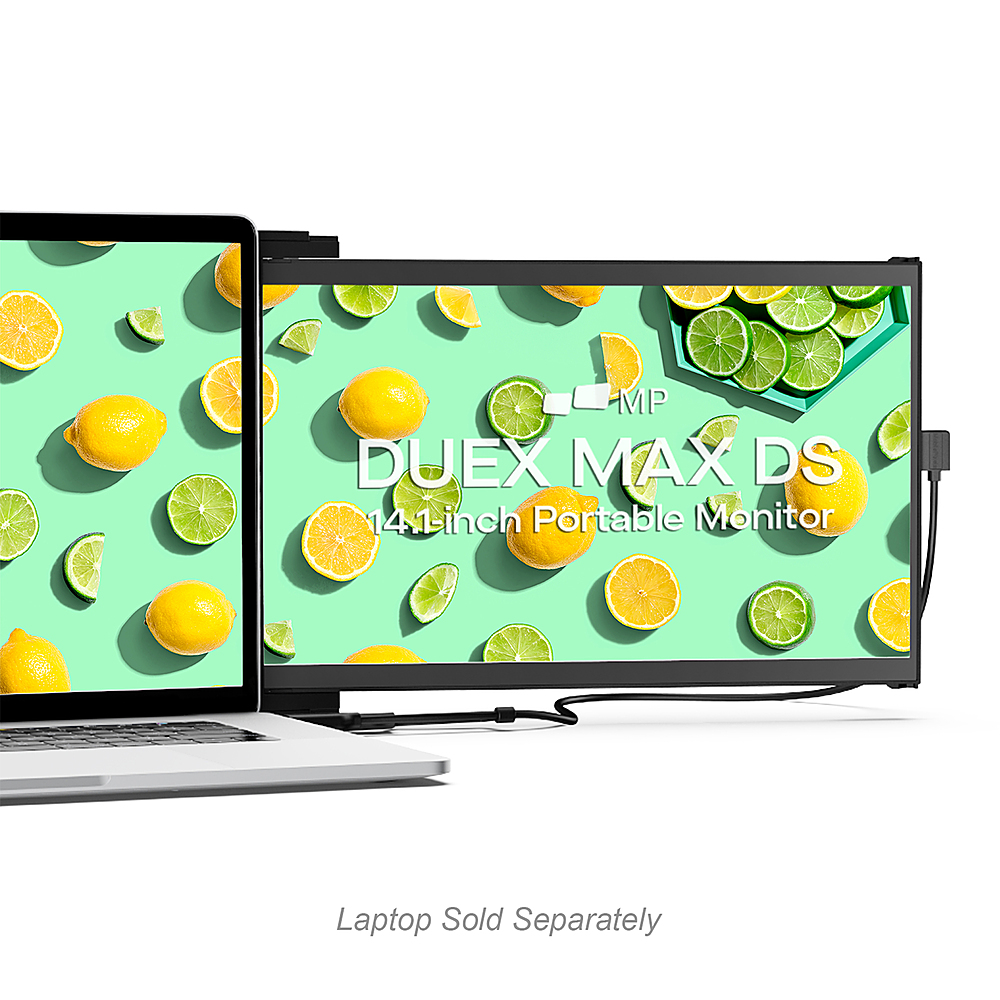
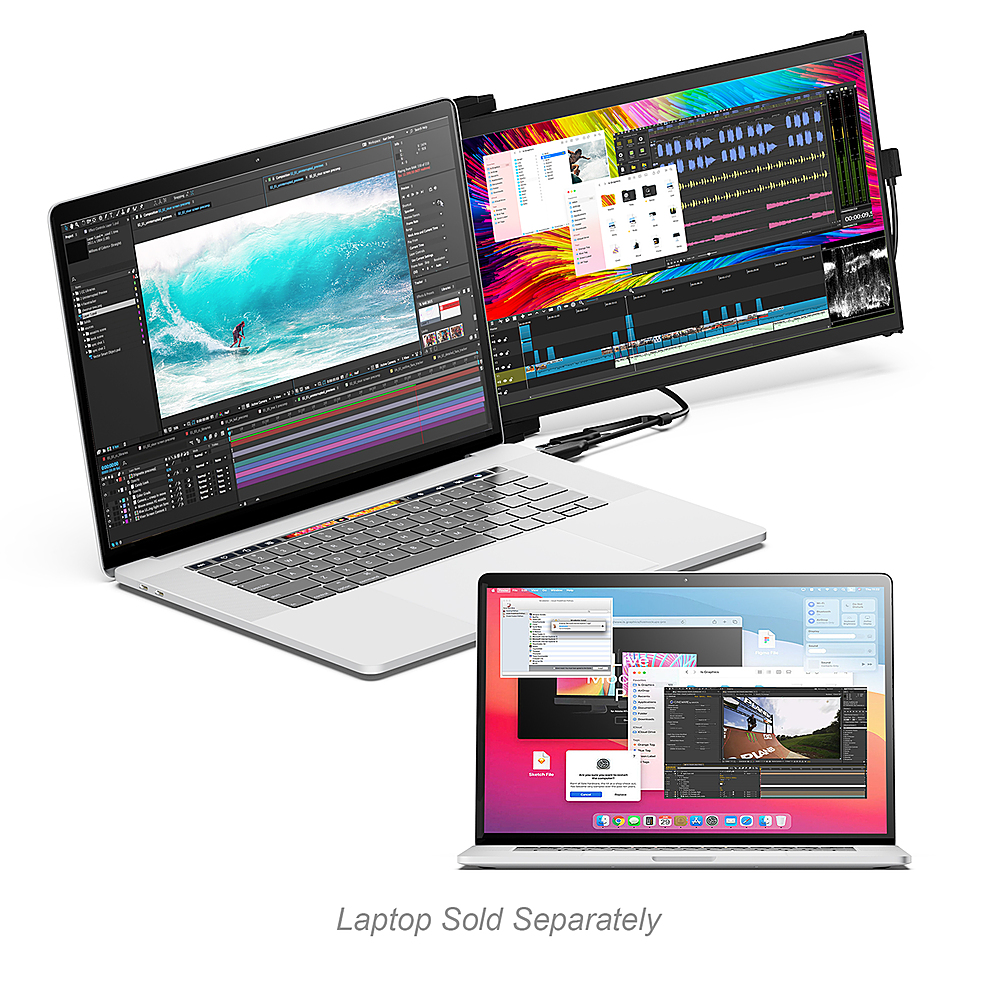
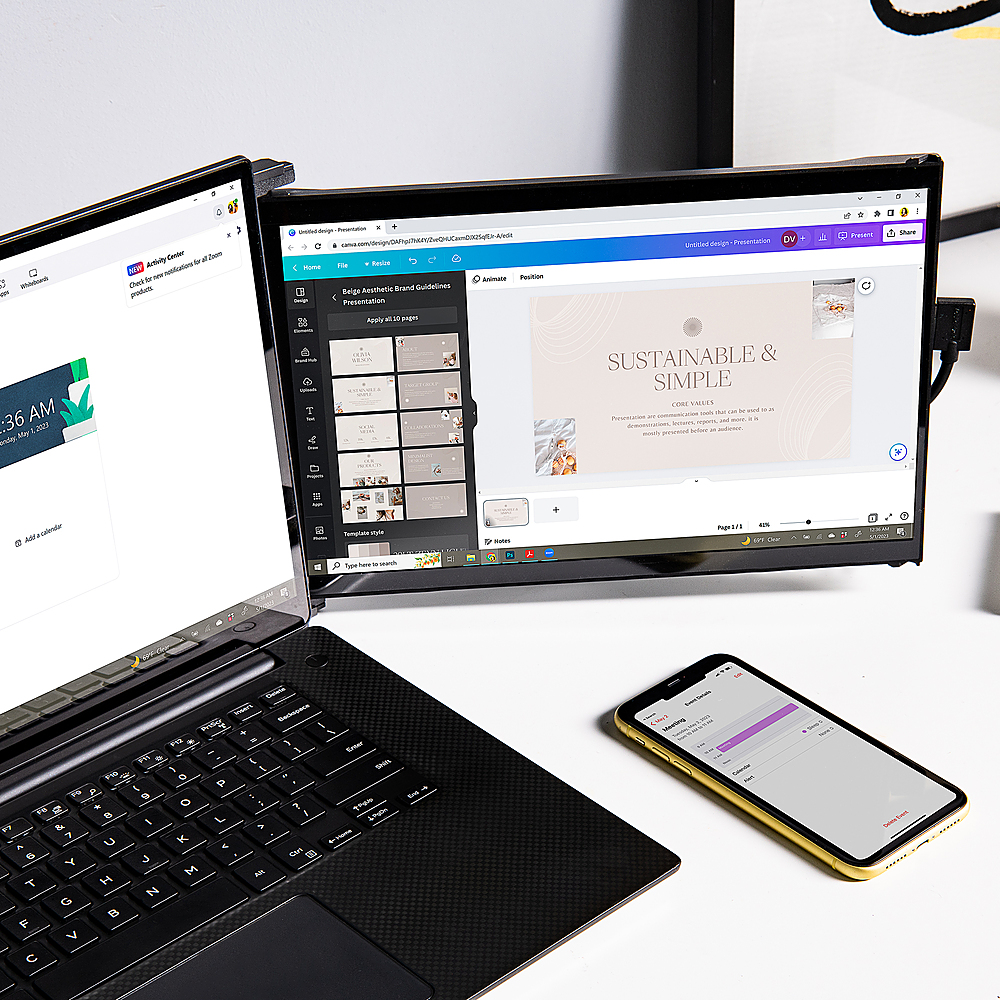
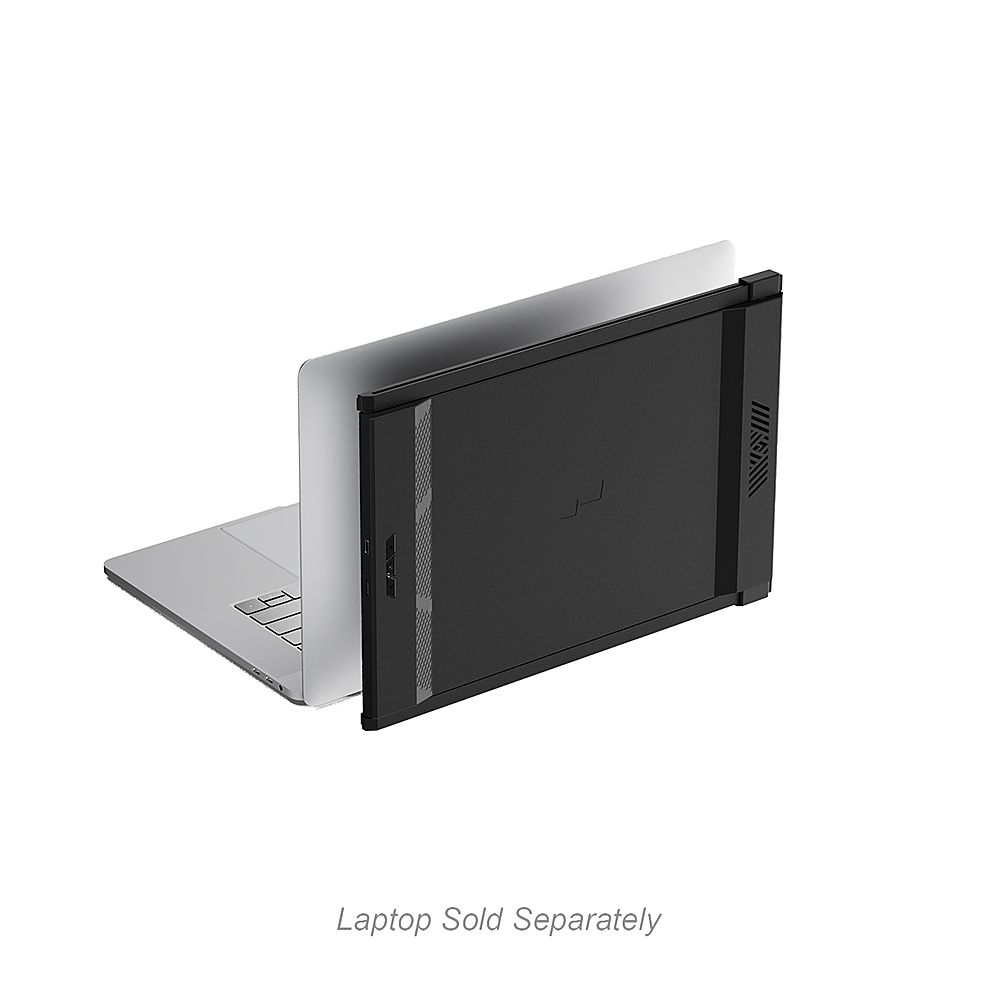
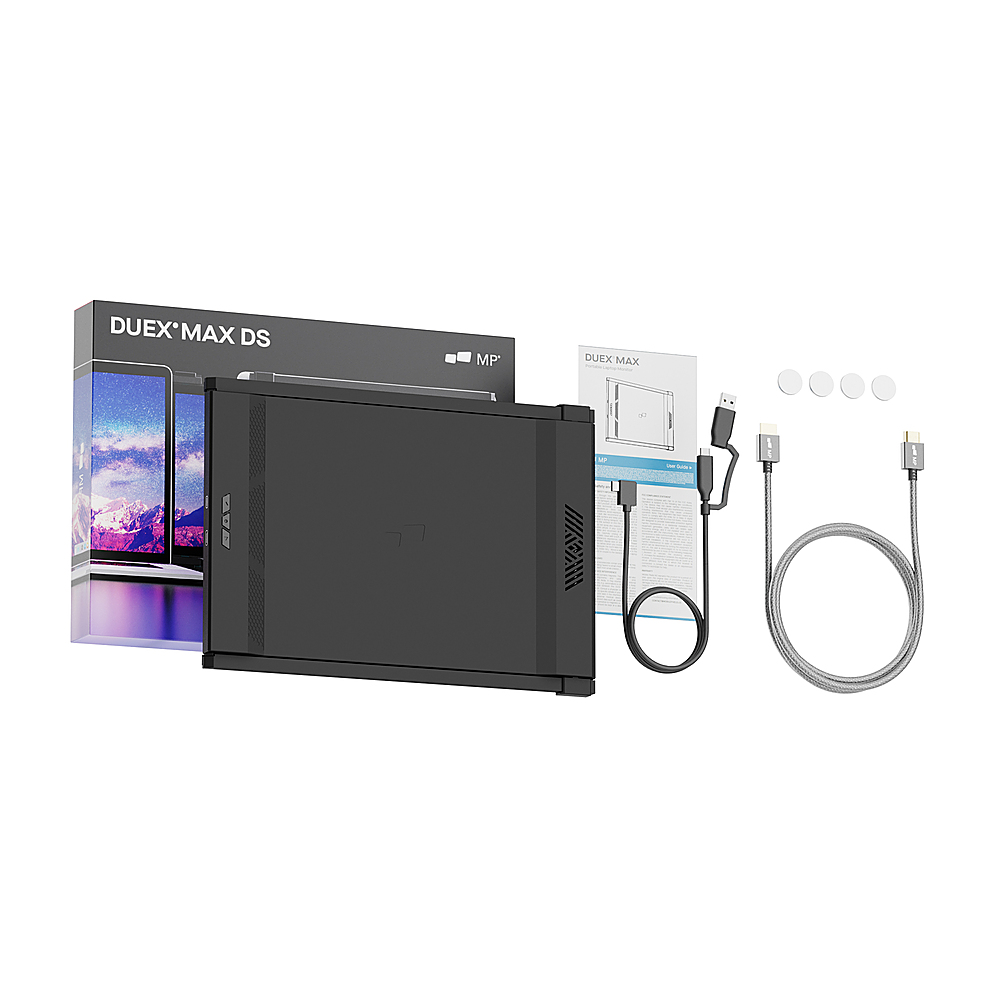
|Posted .This reviewer received promo considerations or sweepstakes entry for writing a review.The Mobile Pixels DUEX Max DS 14.1" IPS LCD Monitor is a sweet add on to your laptop if you need a second screen and don't want to lug around an additional monitor. The monitor is held on to the monitor with the use of strong magnets. The biggest issue is if you have a laptop larger than 15.6 inches. You would be tempted to try and put the monitor in the middle of your laptop but you will have a bit of clipping on the edge of the screen. Therefore, I recommend picking which side of the laptop you will use the screen and flush the monitor installation template to that side. The other consideration is how weak is the hinge of your laptop. If it is loose, you potentially would have the screen fall open or close. Mobile Pixel does sell an attachment stand, but it feels like that should have been included with the monitor. Now that the grips are out of the way, this is a major quality of life improvement for your laptop. The screen is clear and crisp and is a very low footprint. It comes with everything you need to install on any modern-ish laptop. It comes with an HDMI cable, a USB-C cable, and a USB-C to USB-A adapter. If you laptop is fortunate enough to have a USB-C port that supports DisplayPort, then you only need one wire to connect your screen to your laptop. Otherwise you would need to connect two wires, making it a bit of cumbersome wire routing. The color, saturation, and brightness all can be changed. It works seamlessly in Windows 11 and just reduces the table footprint of having two screens on your laptop. There is no heat being emitted from this extra screen and is a great quality of life improvement. One other nit pick is when the screen is fully extended, it is held in place by two BB ball bearings. There are times light movements will knock it off the ball bearing and the bottom part of the screen slips. So if you are using this on rough terrain and shakiness, it might not work best, but on a table or stable surface, this is a winner.
I would recommend this to a friend - Pros mentioned:Screen quality
A Seamless Dual-Screen Experience on the go
|Posted .This reviewer received promo considerations or sweepstakes entry for writing a review.The setup of this monitor was a breeze. I placed the included template onto the back of my laptop and adhered the magnets using the attached sticky pads. I appreciated how installation location was so customizable. It took me a few tries to figure out precisely where I wanted the screen to be, but the sticky pads were very forgiving and retained their stickiness even after multiple adjustments. The package also includes additional stickers, which act as a nice backup in case you ever need them. The screen slides in and out on a rail system with ease. This feature allows for quick and convenient access to your additional screen whenever you need it. It's a simple yet effective way to extend your display and maximize productivity. As a Mac user, I was happy to see how seamlessly the monitor integrated with my laptop. The monitor was immediately detected, and my desktop was extended. It was a very simple plug-and-play experience. The monitor boasts a brightness of 300 nits, which proved to be more than sufficient for my needs. The screen delivers crisp visuals and vibrant colors. The built-in accelerometer is very responsive. When you rotate the screen, it quickly adapts to its new orientation. Even as a larger display, the DUEX Max DS still maintains a low-profile design. I was pleased to find that my laptop still fit comfortably in the laptop compartment of my backpack with the screen attached. The magnets and adhesive are robust enough to keep the monitor securely in place, even when on the move. If I were to suggest one design enhancement for future iterations, it would be the inclusion of a built-in cable routing solution. The included USB-C-to-C cable is reasonably long, and while it's a minor nitpick, having a way to neatly manage cables would be a nice touch. In summary, the DUEX Max DS monitor is a fantastic addition to any laptop setup. It offers easy installation, smooth operation, and exceptional display quality. The convenience of having an extra screen that doesn't weigh you down and fits in your backpack is a real plus. As somebody who is work-from-home with a multi-monitor setup, being able to untether from my home office and have multiple screens on the go is a game changer.
I would recommend this to a friend Perfect second monitor
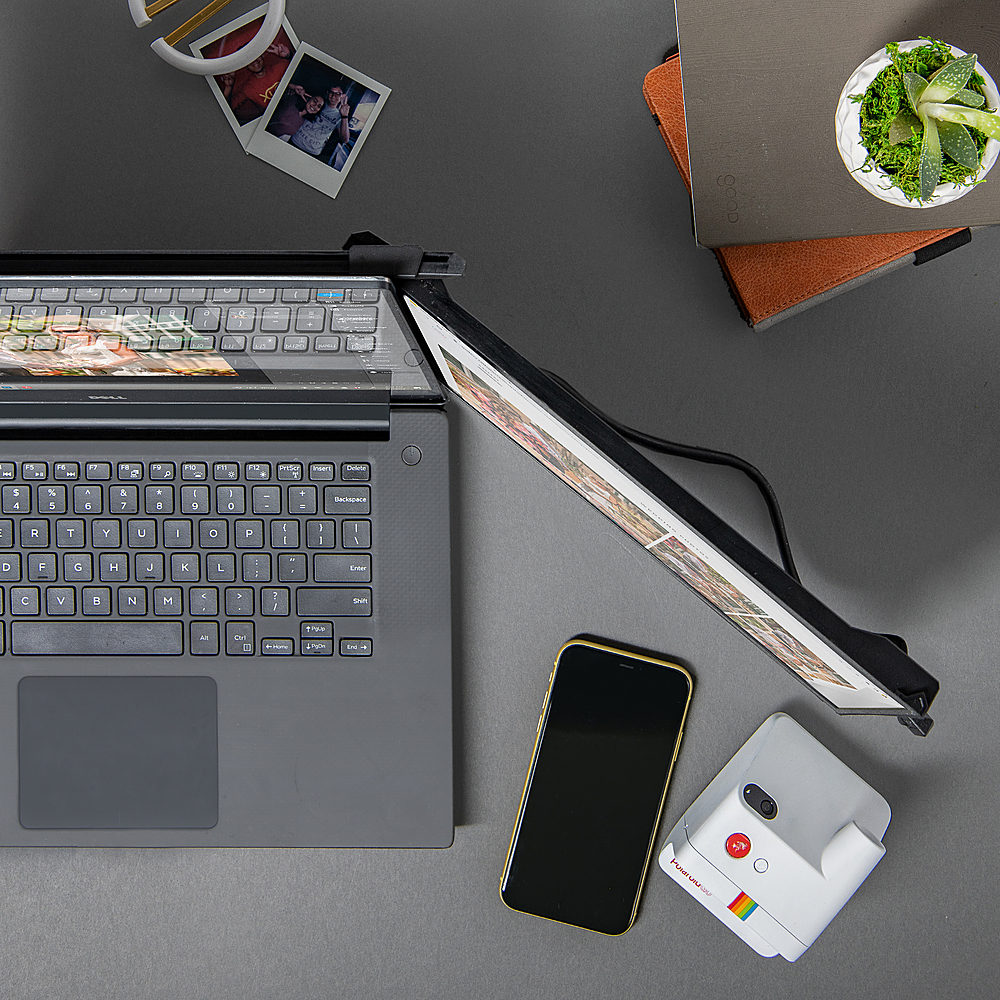
|Posted .This reviewer received promo considerations or sweepstakes entry for writing a review.For my main computer I use an UW 34" screen. Lotsa space to have multiple apps or immerse yourself in a game. I love the real estate. I've considered getting an external monitor for one of my laptops but didn't really think I'd enjoy lugging around another laptop sized accessory, so I decided against it. Then I saw the Duex Max DS. What set this one apart from some of the others I looked at was the fact that it can be mounted to the laptop. Instead of looking for another spot to prop up the monitor, you just attach it to your existing laptop via magnets. You can mount it on the left or right side and can change at anytime since the monitor auto rotates. You can even use it vertically but it'll have to sit beside the laptop instead of mounting it. There are minimal controls for brightness and color temp. Since it's mainly for extra space and not the main monitor, accurate colors aren't really a concern for me. The main thing is to have more space to keep a browser open while gaming. My current game is Wayfinder, so having something to pass the time during loads is a must, lol. It's also helpful any second monitor tasks. It can also be used to mirror what you display and have someone opposite of you view whatever activity you're doing on your side. The downsides are the battery drain. This shouldn't be a surprise since you're using your laptop to power another monitor. Another may be the magnets. Keep in mind what you place near them or you could end up with data corruption. Also, if the screen has pen support, the magnets may interfere. The DUEX Max DS is a great addition to any gaming laptop or work laptop.
I would recommend this to a friendMax tool for Mac and other laptops.
|Posted .This reviewer received promo considerations or sweepstakes entry for writing a review.I put a premium on computer screen real estate, but easier said than done with a laptop unless you use a traditional desk monitor. I love my Apple 16” MacBook Pro, the largest laptop Apple makes. Yet I still often long for an extra “utility” screen like I use with my desktop. So, I was intrigued by Mobile Pixels 14.1” DUEX Max DS display (“Duex” hereafter) that does just that – provides a second completely portable screen to your laptop. More detailed thoughts on my experience with it so far are below, but, in a nutshell, while it’s a bit kludgy, it gets the job done. I’m confident it will be huge boon to my productivity. To be sure, it’s a bit unrefined, but being as it’s eminently affordable, whatever nitpicks I have are just that. It’s a great tool to have in my peripheral arsenal. That said, it would be excellent if a sleeker, more premium version was eventually released. The Duex will do for now for sure. In recent years computer OSes have enabled tablets to be used as a 2nd monitor. I’ve toyed with Apple’s version, Sidecar, but, in my experience it’s a bit inconsistent, maybe because it depends on a good wireless connection. It’s nice to have in a pinch, but for me it’s not a long-term solution. On the other hand, power and video signal is fed to the Duex via a single USB-C cable for reliability. (Your laptop’s USB-C port has to support DisplayPort for single cable setup). The Duex also works with HDMI (video) plus USB (power). In this set up you’ll connect two cables, both supplied -- one cable to your laptop’s HDMI and another to USB-A for power. Whatever connection method used you know it will work every time you need it without any fuss. To be clear, while I use the Duex with a Mac, it is also compatible Windows and Chromebook laptops as long as you have an available USB-C port with DisplayPort or USB and HDMI out ports. Mobile Pixel says it also works with the Nintendo Switch. Because of Duex’s 14.1” size, it obviously can only piggyback on a 14” or greater laptop. But if your smaller laptop meets the technical requirements you can use it sitting next to you. INITIAL SETUP The Duex includes four nickel-size magnets with adhesive on one side and a template with four cutouts. Place the template on the back of your laptop’s display (top of the laptop when closed), remove the adhesive from the magnets and put the magnets, adhesive side down on the template’s cutouts. (For laptops 16” and over you’ll have to choose which side you want the Duex to slide out on before attaching the magnets). Remove the template and align the magnets with the metal strips on the Duex’s enclosure. Done and ready to use. I’ve attached a photo of the template with magnets on the top of my MacBook Pro side-by-side with the magnets attached after installation. This will give you an idea of what your laptop will look like afterwards. If you are concerned about either the aesthetics or potential damage to your laptop, I was “there” too. But I’ve noticed no ill-effects to my computer or when removed. Of course, if you remove the magnets you’ll have to put new adhesive circles on the. The Duex comes with one extra set. When piggybacked to the laptop just pull the screen out from the Duex’s enclosure when needed and plug in the cable(s). Once fully extended out you can move it toward you another 60 degrees or so as you like. Also important to note, the Duex may flash when you attach the cable(s) as it syncs to the property resolution and frequency. This is normal. Like any other display, the Duex appears in Mac OS’s “displays” control panel with all available settings, resolution, screen mirroring, and switching between landscape and portrait mode. The one notable setting not here is brightness. For this there are hard buttons on the Duex itself. I’ve attached a screen shot of my Mac’s control panel with the Duex attached to give you a better idea of what can be adjusted. USE IMPRESSIONS AND BUILD QUALITY The DM itself is a 1080p 60Hz screen. It’s color and brightness, are all good for what the Duex’s purpose is, to provide a basic 2nd screen. If there is a nitpick here it’s that the screen pixels are on the large side, but to be fair I’ve viewing side-by-side with my Mac’s 4K, 250 PPI screen. Even still, it’s fine for common 2nd monitor uses like viewing two word documents or web pages side by side, or parking Photoshop control panels. I could not use the Duex itself for heavy document editing or video or photo editing. The Duex is no one trick pony either. Its flexibility can be leveraged into what Mobile Pixels calls this “presentation mode.” Just enable screen mirroring on your computer and flip the Duex screen so it’s facing the person on the other side of your computer. They can now see what you see without them hovering over you. That alone could be worth the price of admission here. There is one drawback, at least for me, while the Duex is light at just 1.8 lbs., the weight does add up when piggybacking on a laptop. My 16” MacBook Pro, for example is already somewhat of a paperweight at 4lbs 11oz. Add in the Duex and, well… So I’ve been using it mostly at home when I don’t feel like sitting at a desk. I’ll likely pack it in my luggage when traveling but probably not my backpack. I know there isn’t much Mobile Pixels can do in this regard, but it could be a factor if your commute involves a lot of walking or standing in a bus or train where you can’t set your backpack down. Normally I discuss build quality early in a review, but I feel the Duex being both affordable and more practical than not, this aspect is less of a buying factor. That said, it’s build construction does impede it from being a 5-star product. It does have a slight “under engineered” feel to it, in hand and in use. The overarching problem for me is it feels fragile maneuvering it. It frequently gets caught on the flimsy guide rails putting me in fear I’m going to break or scratch it, even though I probably won’t. Mobile Pixels would do well to focus on refinements here for future models. But again, measuring the Duex as a whole, it’s still a great product to use. IN THE BOX Everything you need is in the box – templates, USB-C cable (with USB-A adapter), HDMI cable, magnets with adhesive, and an extra set of adhesive circles for the magnets. CONCLUSION The Duex is a versatile 2nd screen monitor at an attractive price. It has a few areas that need improvement but that shouldn’t be a deterrent for anyone who can boost their productivity with a transportable 2nd screen.
I would recommend this to a friend- Pros mentioned:Ease of useCons mentioned:Weight
Better than stand alone, but has some drawbacks
||Posted . Owned for 1 month when reviewed.This reviewer received promo considerations or sweepstakes entry for writing a review.It was very easy to set up and is very convenient. I find the portable monitor stands inconvenient because you need to find more table space and they are often not easy to fold to get to stand correctly but this is much easier. The draw backs are that it's heavier than other monitors and if you're using on your lap (vs a table) it leans quite a bit to that side. The far left portion of the screen is also cut off. It won't extend far enough out to see that edge so I can't view "full screen" on that size. I have to just resize so it doesn't extend all the way left.
I would recommend this to a friend - Pros mentioned:Ease of use, Screen quality
Love!
||Posted .This reviewer received promo considerations or sweepstakes entry for writing a review.Love the screen! Really live the availability to move either left or right side wfh became easier
I would recommend this to a friend Great tool
||Posted . Owned for 2 weeks when reviewed.This reviewer received promo considerations or sweepstakes entry for writing a review.Great tool for Law enforcement I am able to sit in my vehicle and work on reports efficiently
I would recommend this to a friend- Pros mentioned:Screen quality
Great BUY
||Posted . Owned for 3 weeks when reviewed.This reviewer received promo considerations or sweepstakes entry for writing a review.Fantastic monitor and TV. No issues setting this up. Great screen, clear and crisp. Well worth the money!
I would recommend this to a friend Perfect portable second screen for productivity
||Posted . Owned for 1 year when reviewed.This reviewer received promo considerations or sweepstakes entry for writing a review.The DUEX Max has been an excellent addition to my work setup. The 14.1" IPS display is crisp, bright, and perfect for multitasking, whether I’m coding, reviewing documents, or working on presentations. The sliding magnetic design is very smooth and makes it feel like a natural extension of my laptop. Setup was extremely easy — it connected instantly and required almost no configuration. The build quality feels premium, and despite being portable, it is sturdy and reliable during travel. I especially like how slim it is when closed, and it doesn’t noticeably add bulk to my laptop bag. For anyone who works on the go or wants a cleaner dual-screen experience without carrying a full monitor, this is one of the best options available. Highly recommended.
I would recommend this to a friend5 Star
||Posted .This reviewer received promo considerations or sweepstakes entry for writing a review.This is a great second monitor for my small space. Easy to set up. Works great. I wish I would have purchased it sooner.
I would recommend this to a friendDual Screen For Laptop
||Posted .This reviewer received promo considerations or sweepstakes entry for writing a review.Works well. I wish it was smoother to move the screen, but ultimately it makes it much easier for me to finish my work having this screen.
I would recommend this to a friend- Pros mentioned:Ease of useCons mentioned:Weight
Great little purchase
||Posted . Owned for 3 months when reviewed.This reviewer received promo considerations or sweepstakes entry for writing a review.Perfect screen for my everyday use. Connects easily and is user friendly. The only downside is it is a little heavy but ease of use makes up for that!
I would recommend this to a friend Monitor
||Posted .This reviewer received promo considerations or sweepstakes entry for writing a review.Very convenient item. Still in use, did not disappoint.
I would recommend this to a friendLove it!
||Posted . Owned for 3 months when reviewed.This reviewer received promo considerations or sweepstakes entry for writing a review.Absolutely love the additional travel monitor. Makes working at the airport easy!
I would recommend this to a friendGood product
||Posted . Owned for 2 weeks when reviewed.This reviewer received promo considerations or sweepstakes entry for writing a review.Love it so far, but read and understand this does not come with a stand!
I would recommend this to a friendDisplay screen
||Posted . Owned for 1 week when reviewed.This reviewer received promo considerations or sweepstakes entry for writing a review.Its been working great for me. Just what I needed.
I would recommend this to a friend- Pros mentioned:Ease of use
Worth every penny!
||Posted . Owned for 3 weeks when reviewed.This reviewer received promo considerations or sweepstakes entry for writing a review.I never write reviews like these, but I've been so impressed with this product. Traveling for work a lot and this has been a life saver. Easy to use, quick, simple, light weight, and with a very clear screen. This is worth the investment!
I would recommend this to a friend - Pros mentioned:Ease of use
why didn't I think to get one of these earlier.
||Posted .This reviewer received promo considerations or sweepstakes entry for writing a review.This thing is awesome. If you work remotely, totally worth it
I would recommend this to a friend A bit disappointing.
||Posted .This reviewer received promo considerations or sweepstakes entry for writing a review.It's bulky, sags on one side despite proper installation, and it triples the weight of my laptop. I just think there are better options available.
No, I would not recommend this to a friendSuper easy to setup
||Posted .This reviewer received promo considerations or sweepstakes entry for writing a review.i love it! It was super easy to setup and its so perfect.
I would recommend this to a friend