Customer Ratings & Reviews

- Model:
- 101-1007P06
- SKU:
- 6562731
Rating by feature
- Display Quality
Rating 4.3 out of 5 stars
- Ease of Use
Rating 4.3 out of 5 stars
- Features
Rating 4.3 out of 5 stars
Customers are saying
Customers express satisfaction with the DUEX Max DS 14.1" IPS LCD Monitor's screen quality and ease of use, finding it a portable and suitable addition to their laptops. The monitor's connectivity, particularly its USB-C compatibility, is also appreciated. However, some customers have noted the added weight to their laptops as a drawback.
This summary was generated by AI based on customer reviews.
- Pros mentioned:Ease of use, Magnets, Usb-c

A Game Changer for Productivity and Portability
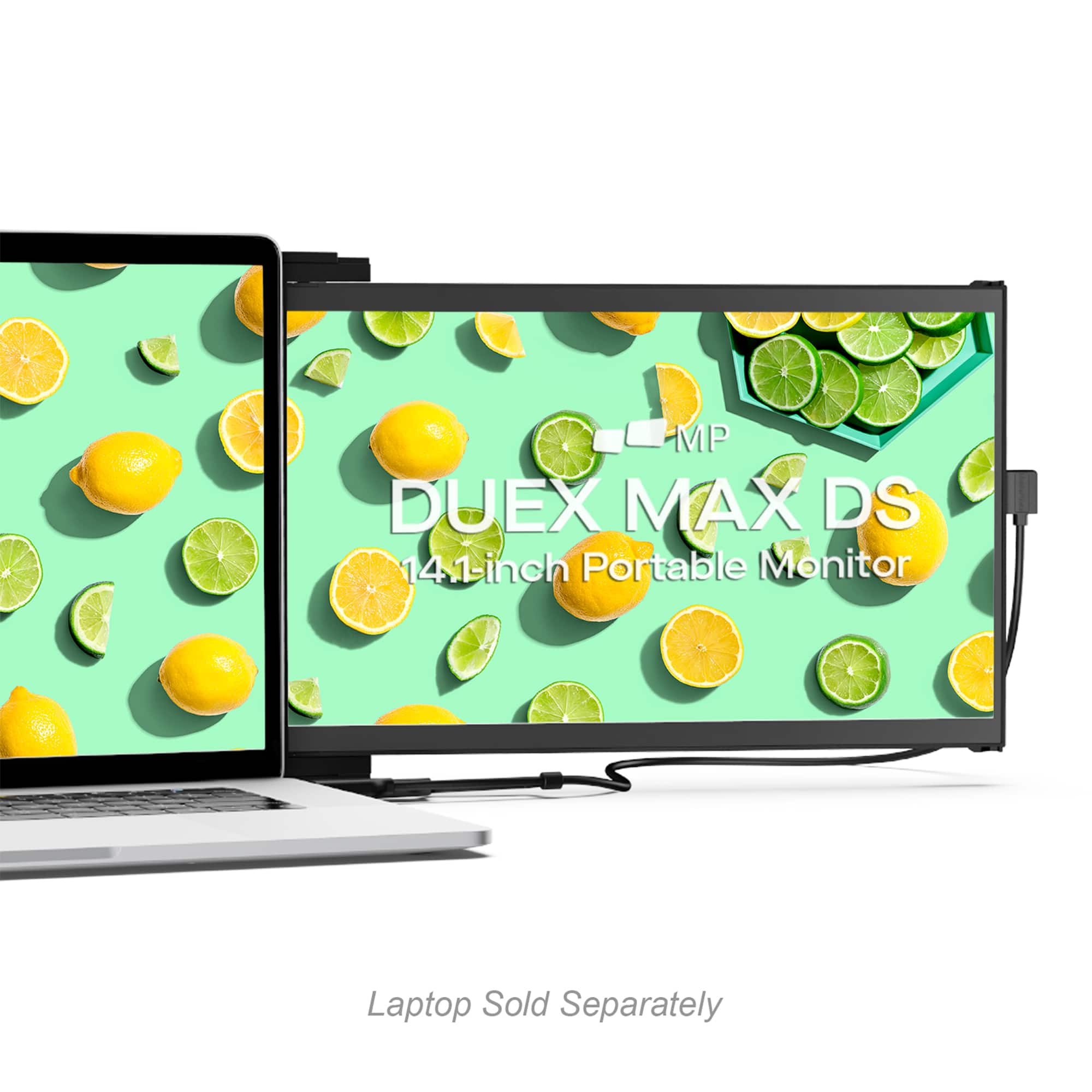
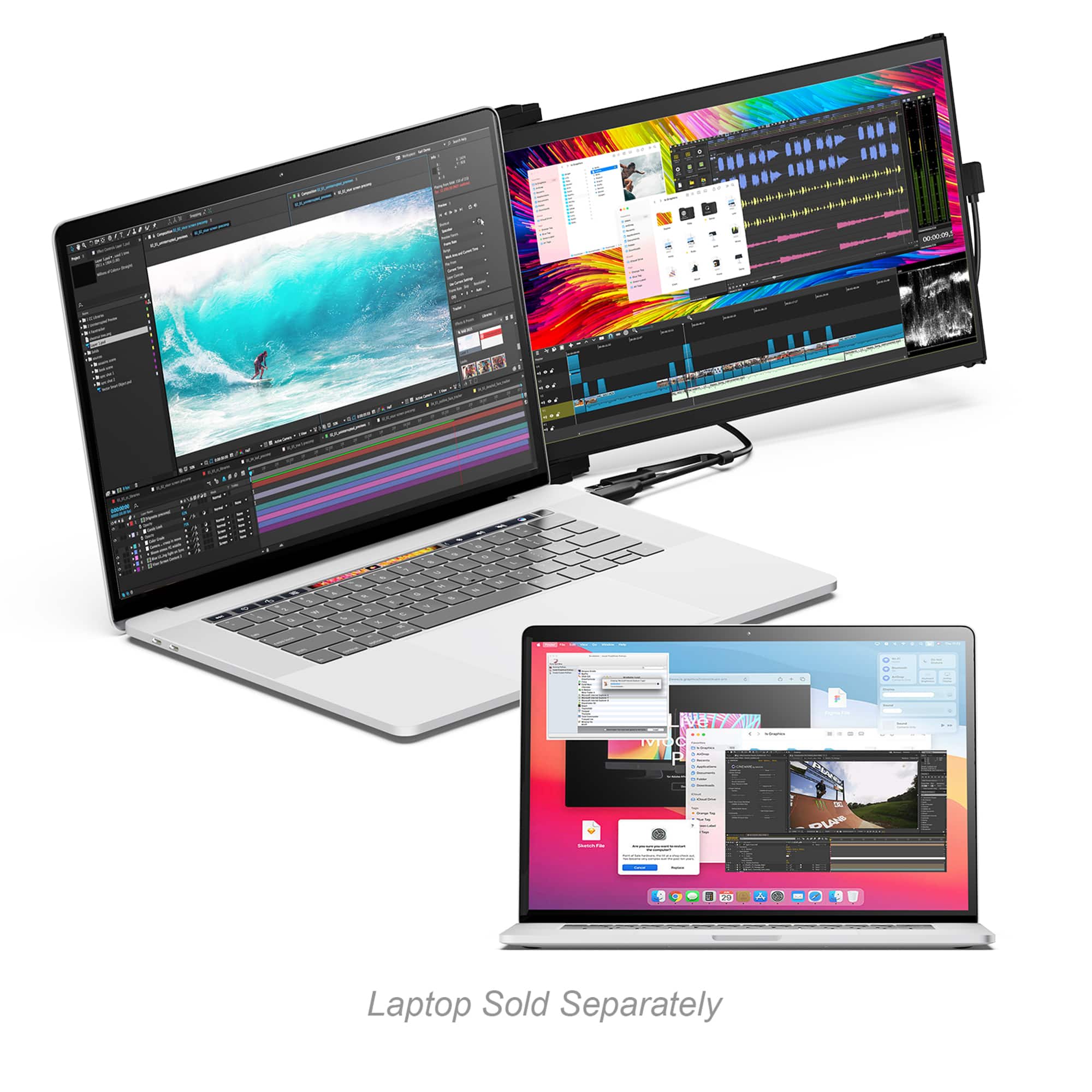
|Posted .This reviewer received promo considerations or sweepstakes entry for writing a review.I have recently started using the Mobile Pixels - DUEX Max DS 14.1" IPS LCD Monitor, and I must say, it is a revolutionary addition to my workspace. The product's design is remarkably sleek, but what's more impressive is its functionality. This device has boosted my productivity and work efficiency, allowing me to multitask effortlessly. Design & Build Quality The DUEX Max DS showcases a premium black case made of durable PC-ABS plastic and upgraded aluminum alloy, making it good-looking and robust. It is just 0.60 inches in thickness. Despite its slim form, it does not compromise screen quality, offering a vivid 14.1-inch IPS display. Display & Performance The 1920 x 1080 maximum resolution on an IPS panel makes sure the visual output is crisp and vibrant. The 60Hz refresh rate ensures smooth transitions, which is great for dynamic presentations or casual gaming. The display includes various modes, such as a low blue-light mode for eye care, making it adaptable for long work hours. Connectivity & Compatibility Connectivity is seamless. One USB-C port features a Hybrid-Signal Input and an HDMI mini port. I have been using it with my macOS laptop, and it is also fully compatible with Windows, Nintendo Switch, and Samsung DeX. Including multiple cables like USB-C and HDMI with a USB-C adapter means you can virtually connect it to any device without fuss. Setup & Portability The setup is genuinely hassle-free, living up to its plug-and-play promise. It took me just around 2 minutes to get everything up and running. Weighing only 1.8 lbs, it is incredibly portable, and the compact size makes it a breeze to carry it in a briefcase or backpack, making it ideal for business trips and remote work. Step-Up Features The step-up features are the icing on the cake. The Auto Rotate display via G-sensor and smaller laptop attachment magnets show the thoughtfulness behind the design. These small, incremental features enhance the overall user experience manifold. Conclusion The Mobile Pixels - DUEX Max DS 14.1" IPS LCD Monitor is a holistic package offering great design, superb display quality, seamless connectivity, and ultra-portability. It is a must-have for professionals who wish to augment their workspace without compromising on aesthetics or functionality. Five stars are well deserved.
I would recommend this to a friend Perfect
||Posted . Owned for 3 weeks when reviewed.This reviewer received promo considerations or sweepstakes entry for writing a review.I love this monitor! Great picture and easy set up.
I would recommend this to a friendLaptop screen
||Posted . Owned for 1 month when reviewed.This reviewer received promo considerations or sweepstakes entry for writing a review.This is working great. Love having two screens. Colors are better than my laptop
I would recommend this to a friendUnfortunately I have to return the monitor
||Posted . Owned for 3 weeks when reviewed.This reviewer received promo considerations or sweepstakes entry for writing a review.I really like having the extra monitor on the laptop and it was working really well before I had to remote in for work. The main screen was freezing for a few minutes while the extra monitor was fine. If I did not have to remote in for work I would keep it, but unfortunately I will have to return it.
I would recommend this to a friendPortable monitor
||Posted . Owned for 3 weeks when reviewed.This reviewer received promo considerations or sweepstakes entry for writing a review.You have to try it on your own! Great product!!!!!
I would recommend this to a friendGreat screen but doesn't stick to curved tops
||Posted . Owned for 1 month when reviewed.This reviewer received promo considerations or sweepstakes entry for writing a review.I'm not sure 3 stars is fair but the screen install/install instructions don't say it only really works with flat laptop covers. The magnets it comes with won't work as they're supposed to unless they make solid contact.
I would recommend this to a friendPerfect for the go!
||Posted . Owned for 2 weeks when reviewed.This reviewer received promo considerations or sweepstakes entry for writing a review.Great item. Clear picture and just one cable to connect. Love this!!
I would recommend this to a friendNot durable.
||Posted . Owned for 1 month when reviewed.This reviewer received promo considerations or sweepstakes entry for writing a review.After less than two months, the screen is going black and showing 'No Signal.' I have to say the durability is very disappointing.
No, I would not recommend this to a friendI returned it.
||Posted . Owned for 1 month when reviewed.This reviewer received promo considerations or sweepstakes entry for writing a review.This monitor simply sucks! The screen quality is super poor and the engineering of how it attaches to the laptop is not convenient at all. For this price, it’s definitely not worth it.
No, I would not recommend this to a friend- Pros mentioned:Ease of use
Good space saving very portable monitor.
|Posted .This reviewer received promo considerations or sweepstakes entry for writing a review.Since covid changed my work routine significantly, I have been trying to improve my setup when I am working remotely. I generally use a 2 screen setup at my main office and split a large 27 inch screen in 2. My single computer there is better than the work one at the house. At my house I'd been using a 3 screen setup. Laptop main screen for the main program, video on another, and 3rd for email and net access. The problem being is my laptop plus a bulky second monitor and a second computer with monitor for the video feed. I loose a lot of desk space So I found this so I can and narrow my footprint on the desk and get rid of the second monitor with this. The computer I use is a 15 inch laptop, so this fits nicely on the back of it, I have it to the right of the main sreen, but it can go left also. I use the hdmi input on my old home work computer, but this does woth with usbc video input as well, which I have used on my personal laptops. This basically doubles my screen size and no further space on the desk itself. It's magnetically held to the back of the laptop. Colors on the screen are good, no flickering and no delay on moving things between screens. Recognition of the monitor was immediate. I did manage to set up a second set of magnets on the other laptop with metaillic pads I had from a batch of magnetic remote control holders bases, it holds on much loke the manufaturer metaloc pads. This only comes with one set of those pads for a laptop. NowI can flip between my home and work units. This unit's price is a bit higher than what you can buy a desk monitor for, but the value comes in the portability. It will drain a batter faster, but I keep my laptop's plugged in while working. I do not see any reason to deduct stars from this. A good product I do reccomend.
I would recommend this to a friend Faulty Monitor
||Posted . Owned for 1 month when reviewed.This reviewer received promo considerations or sweepstakes entry for writing a review.It’s been barely 1 month and my monitor stopped working.
No, I would not recommend this to a friend- Pros mentioned:Ease of use, Usb-c
Quick setup, works great!
|Posted .This reviewer received promo considerations or sweepstakes entry for writing a review.Out of the box, this was really easily setup. I have a 16" laptop so it isn't a perfect fit like it woul dbe on a 14" laptop (the minimum size laptop to use the Mobile Pixels Duex Max). Overally, I wish it was a little brighter at maximum brightness but the convenience factor outweighs any concerns or preferences there. It was really easy to setup. It comes with magnets that have adhesive pads to stick to the back of your laptop. You use an included guide to mount them and even then the monitor slides further left and right on the magnets with ease - allowing you to position it exactly where you want it horizontal. It is fixed vertically though so you have to be careful how you position it. But if you do make a mistake, it comes with extra magnets in the box. It also comes with multiple USB cables so you can use it with pretty much any laptop. USB-C to USB-C works great on my Macbook Pro but I also see and HDMI port that I could use with my laptop as well. Overall, it's a great device - I just plugged it in and my computer automatically extended the screen to it and it works like any other external monitor, although much faster. I highly recommend this monitor.
I would recommend this to a friend Great laptop companion
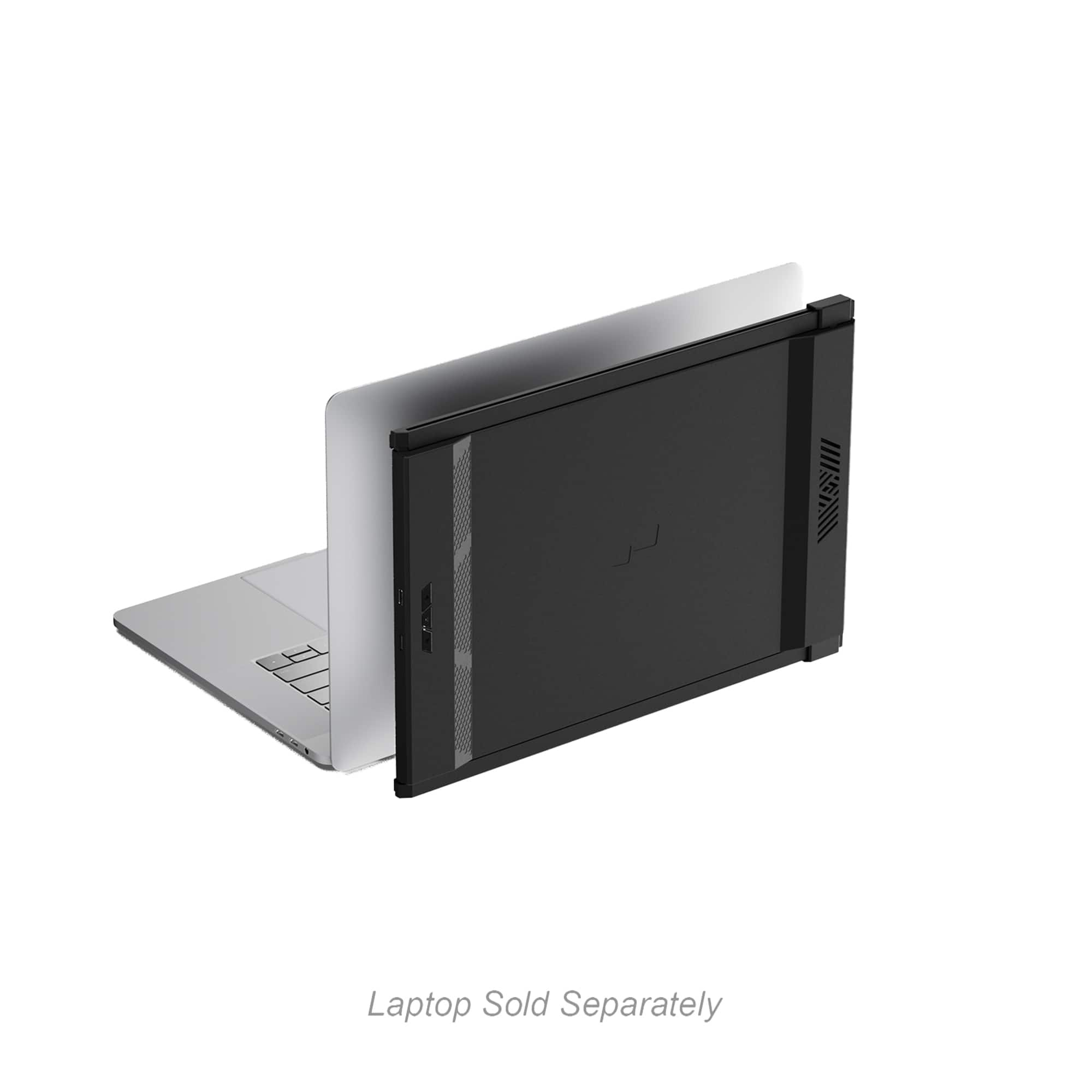
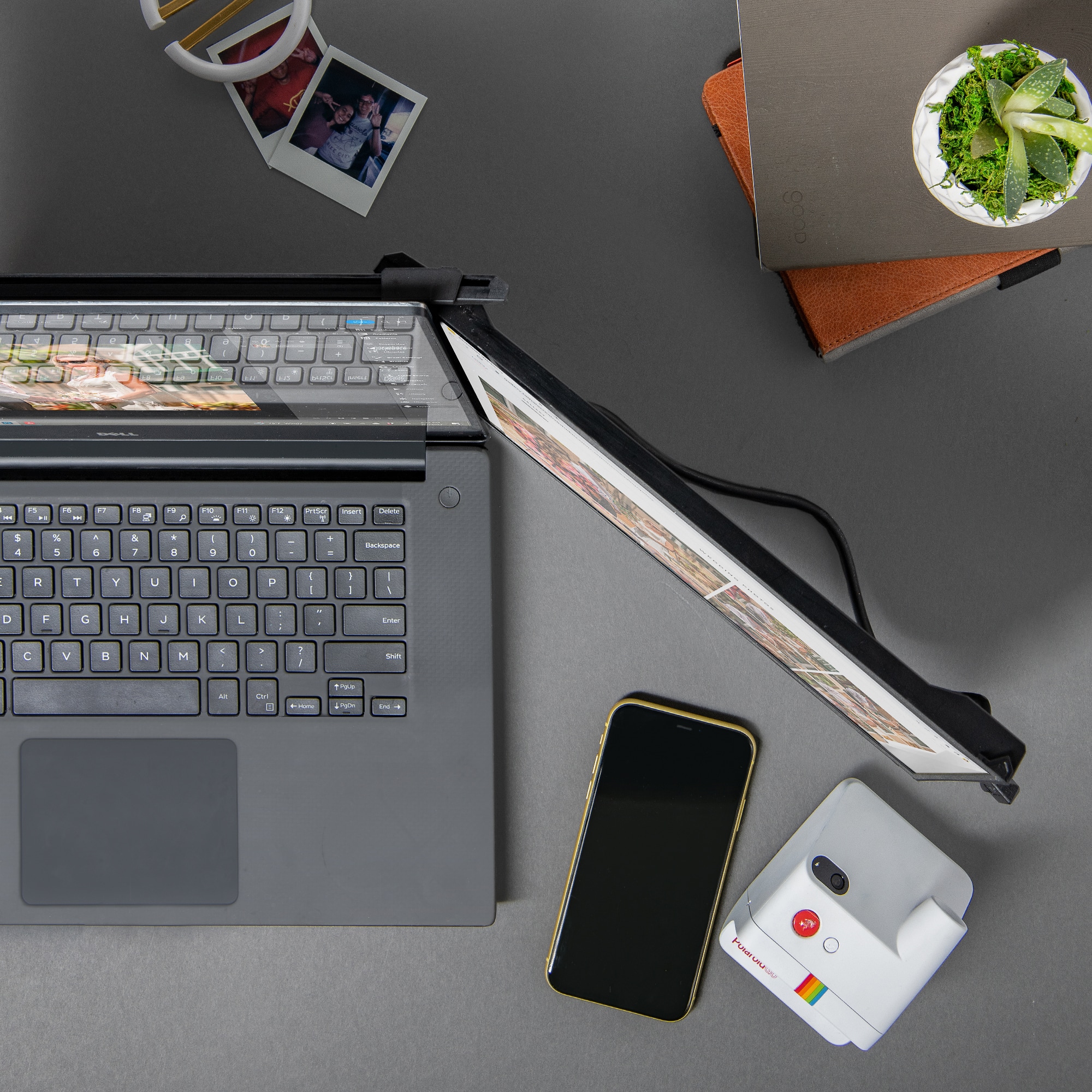
|Posted .This reviewer received promo considerations or sweepstakes entry for writing a review.This device resolves an issue that most people that primary use a laptop experience. Laptops provide a convenience over desktops but it is not always easy to connect to an additional monitor or docking station. Installation is very easy. There is an included guide that allows the adhesive backed magnets to be lined up precisely. The adhered very well to my primary gaming laptop. It adds very little bulk to the laptop and only a little extra weight. Connection is via a cable to the laptop HDMI port and power is provided a USB connection. An added benefit is that it has dongle that allows it to connect to a USB-A or USB-C port. This is huge benefit since most newer laptops have a limited number of connection ports. Once is centered and mounted on the laptop cover, you simply slide it open and pull it out to use. The angle can be adjusted and even swing 180 degrees to use in a presentation mode. The screen resolution is very good and effortlessly allows swapping screens. One thing to keep in mind is that the refresh rate is 60mhz so if your primary monitor has a higher refresh rate it will be limited to match the secondary screen. Quality build seems very good and connection is firm and sturdy.
I would recommend this to a friend- Pros mentioned:Ease of use
Great Mobile Display for Those on the Go
|Posted .This reviewer received promo considerations or sweepstakes entry for writing a review.If you're looking for portable display expansion, this is a great option. First, setup is straight forward and easy. I just glanced at the quick install instructions and was able to set it up very quickly. The magnetic mounting is very handy to be able to take off the screen when traveling or not in use. Remains to be seen if the magnets stay attached to the laptop but there are replacement adhesive buttons included. It very stable in that it does not have any play when open and does not weigh down the laptop. Getting it running is as simple as plugging into an HDMI port on the laptop as well as a standard USB. Make sure you have both available on the device you plan to use. There were no drivers or anything to install. Just go into Display settings on the laptop and have it extend displays and you have two displays. The screen is very good at 1080p and 60 hz. Colors are bright. I wasnt sure if this would be useful but now see myself using it quite a bit seeing how mobile it is. I would highly recommend this.
I would recommend this to a friend - Cons mentioned:Weight
Overall good product
Posted .This reviewer received promo considerations or sweepstakes entry for writing a review.It is a good display, worth its price. Few things to consider before buying: it is pretty large and heavy so if your laptop screen opens very easy it will not handle it, as the weight will cause it to fall back. It is not designed to stand alone, if you want to put it next to the laptop not on it it will be gymnastics and folding mechanism tends to stuck pretty much every time you want to fold it.
I would recommend this to a friend - Pros mentioned:Usb-c
Disappointing build quality
|Posted .This reviewer received promo considerations or sweepstakes entry for writing a review.I do some of my work on the road and have tried various attachment and standalone Mobile monitors over the last several years. This unit attaches to your laptop monitor back with four round magnets, which would stay on the back of your laptop built-in screen even when the unit is not in use. When I am not in a remote location, I prefer to remove the portable laptop monitor as it alters the weight of the built-in screen and puts at least some stress on the hinges of the laptop. Typically I am plugged into a docking station if at my main work location And my desktop monitors are fairly high-quality professional monitors. The image quality is fair to good but not better than you would get on a quite an expensive desktop monitor. I wish the vertical resolution was 1200. The brightness rating is 300 but the highest I was able to test was about 257. It is not uncommon for peak brightness to be somewhat high in uncalibrated panels. The monitor was able to calibrate with a less than 3% variance at certain color levels. If your laptop has a USB-C port, it must have display port function built-in to use the single cable (power and video signal). If you do not have a single cable and additional cable is included which connects to a laptop, HDMI, port, and a mini HDMI port on the side of the portable monitor. Has this configuration does not provide power you must use the Included USB a or USB-C cord to power the monitor. Some modern laptop screens have a curved back surface and even if slight this can distort attaching portable monitor holder. The magnetic circles on the back of your monitor connect to oval elongated plates on the frame of the portable monitor, and then the actual monitor slides out to the right or left. When removing the portable monitor, one of the oval metal contacts on the frame, detached from the frame itself. In my opinion, the build quality could be improved by having these metal plates, be integrated or somewhat attached to the plastic rather than merely glued to the frame. In my experience, it is much better to have a portable monitor that attaches to your frame as if you are in a small desk or airport or using your lap to hold your laptop. There’s also provide support for the portable monitor. The freestanding, portable monitors that do not attach to the actual laptop in a firm fashion can be quite awkward unless you have a large desk available to you.
Recommended, with a caveat
|Posted .This reviewer received promo considerations or sweepstakes entry for writing a review.I find multiple screens indispensable for productivity. The ability to read a document or website on one screen while editing content on another, or to keep content on one screen while using a second screen for videoconferencing, is a huge boost to my ability to get things done. For me, three screens are ideal, but two is a vast improvement over a single one. Of course, this is great when I’m home, but it has always been difficult when traveling. Enter the Mobile Pixels DUEX Max DS. The Mobile Pixels DUEX Max DS 14.1” monitor is a great, largely portable, screen for when you need a second screen on the go. Connectivity is simple, with a USB-C DVI-compatible port all you really need to get started. With its relatively light weight, it’s easy to slip into your bag and carry with you. The images are sharp and refresh rate is fast. With a wider screen format, it’s perfect for watching movies. The drawback is the way this screen mounts to your laptop. Rather than rely on clips to hold it in place, the DUEX uses magnets. These magnets are glued to the back of your laptop screen (they are removable) using sticky pads (included). It’s a relatively simple process, as the included template allows you to line up the magnets and place them properly on your laptop. The screen slides into a case, which has metal bars aligned with the magnet placement. It holds the DUEX in place firmly, but at a cost. These magnets are relatively thick, making your laptop suddenly much larger and less portable, even when you’re not traveling with the DUEX. When you are traveling with the DUEX, between the magnets and the case you should be prepared to more than double the thickness of your laptop. Still, I found a way to make the DUEX Max very useful without sacrificing the portability of my laptop, and as a result I have been traveling with it. I didn’t end up leaving it attached to my laptop, instead slipping the screen and case into my bag separately. The case can be used as a stand for the screen, either in horizontal mode (you’ll need a pen to level the screen) or vertical (great for viewing or editing documents). I’m using it as an additional screen in my office as well. Because it doesn’t have a stand, it takes up very little space, and I’ve found it fits nicely beneath and in front of my 32” monitor or vertically beside it. If you travel a lot and miss having a second screen, then this could work for you. But you need to think hard about whether it’s worth actually mounting it to your laptop, as this comes with the significant tradeoff of reduced portability.
I would recommend this to a friendA second screen worth having
|Posted .This reviewer received promo considerations or sweepstakes entry for writing a review.This Mobile Pixels Duex Max DS monitor attachment is an excellent addition to your laptop as a second screen for gaming, work, design and many other things. It is well built and sturdy and looks great! Out of the box, which is nice and well designed, the monitor is easy to set up and add to your laptop. Having at least a 15" screen is what you will need for this setup. There is a template that is included that you lay on the lid of the screen with your laptop closed. And then using the double sided tape, attaching the magnets to the open holes in the template. The magnets do not effect the laptop screen. I was worried it would but its ok. After attaching the magnets to the laptop screen lid, you just simply attach the monitor panel to the screen. The whole panel is meant to slide on its magnet rails to tuck behind the laptop screen, and slide out to the side when getting ready to use the monitor. Then you simply grab the edge of the monitor and pull it out from the sleeve. It has a pretty good motion to it and is really secure. The monitor does not droop or sag when extended and can be angled in or out once fully extended. There are 2 cables included for a couple of options to hook up the display to your laptop. On mine I was able to use the thunderbolt usb port to get power and signal from the laptop. It turned on right away and automatically funtioned as an extended screen. You can go into the screen options on the laptop and change what the monitor does. One downside is that with the extra monitor attached, The laptop becomes super heavy. If you are going to take it anywhere, you can just take the panel off and carry it separate or leave it attached and it is still slim enough to fit in most laptop sleeves, it is just heavy. The monitor resolution is 1080p so the color and clarity is really clear and the motion rate is pretty decent. It really is a fantastic second screen. Overall it is well built, sturdy, easy to install and use, and functions well. I highly recommend this panel setup.
I would recommend this to a friendRevolutionary for the techy who needs more screen!
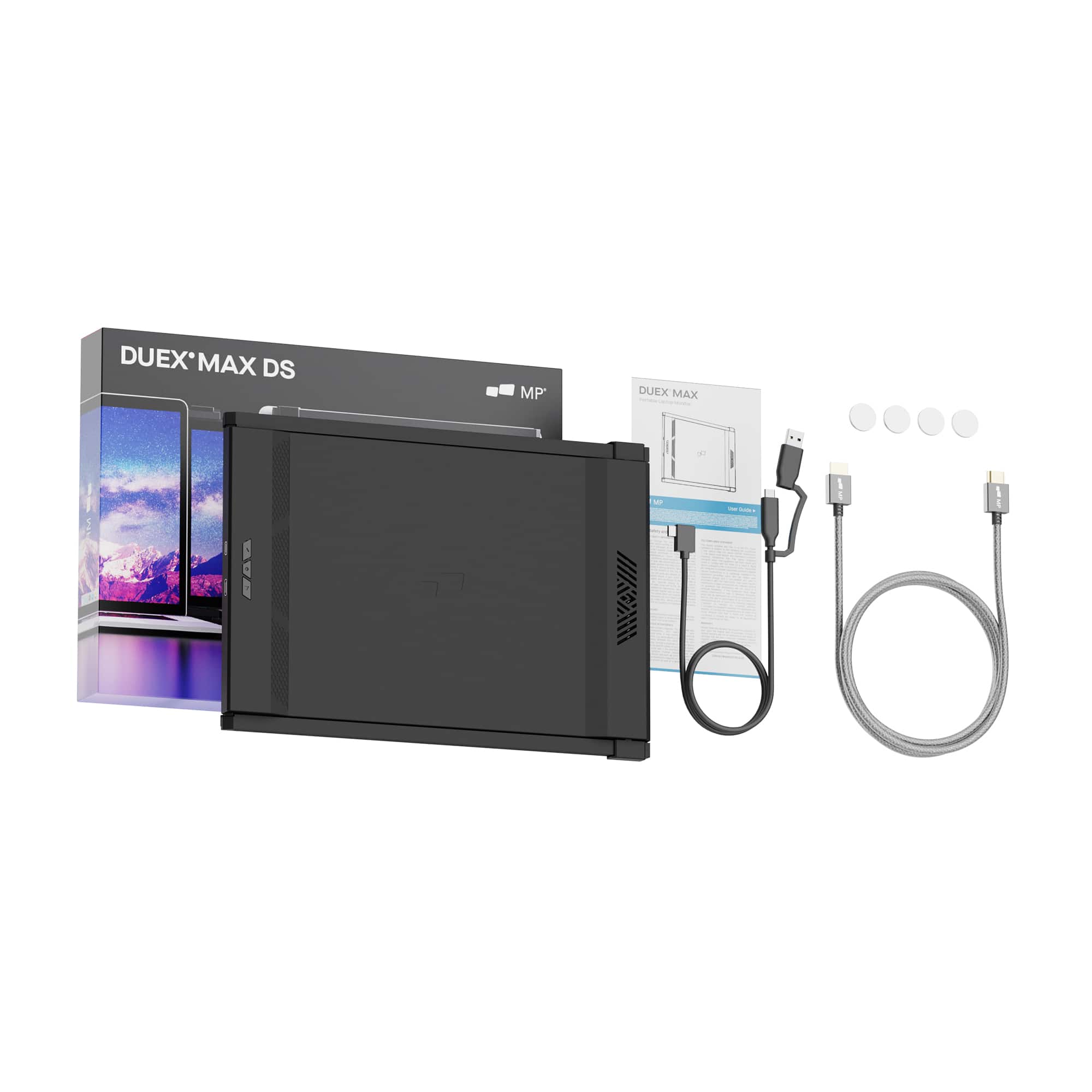
|Posted .This reviewer received promo considerations or sweepstakes entry for writing a review.If you are a techie or someone who works on-the-go, then the Mobile Pixels - DUEX Max DS 14.1" is a must-have for you! This portable monitor has revolutionized my work productivity and has made it easier for me to multitask on my laptop screen. The DUEX Max DS 14.1" is extremely easy to install. It comes with a mounting plate that you attach to the back of your laptop and then simply slide the monitor onto the plate. The monitor's plug-and-play feature makes it easy to connect to your laptop without any additional installations. The device even comes with a USB Type-C to Type-C cable, Type-C to HDMI cable, and a Type-C to USB-A adapter, making it easy to connect to any laptop model. The set-up process takes less than 5 minutes, and you are ready to go! The DUEX Max DS 14.1" has increased my work productivity exponentially. With this portable monitor, I can now have two screens wherever I go. The additional screen space allows me to multitask with ease and boost my efficiency. I can work on my presentation while conducting research on the internet, all on separate screens! Additionally, the monitor's 1080p high resolution provides crystal clear image quality, making it easy to read and work for long hours. The DUEX Max DS 14.1" is extremely portable and can be easily carried in a backpack or laptop bag. The device is sleek and lightweight, making it the perfect companion for business trips or working from coffee shops or co-working spaces. The monitor also has an adjustable screen angle, providing the flexibility to work comfortably in any position, whether sitting or standing. The Mobile Pixels - DUEX Max DS 14.1" is revolutionary for anyone who is a techie or works on-the-go. It is easy to install, highly productive, and extremely portable. The device's high resolution and adjustable screen angle make it comfortable to use for extended periods, and the added screen space makes working on any task much more efficient. I highly recommend this portable monitor to anyone looking for increased productivity, flexibility, and convenience.
I would recommend this to a friendAutobots, Transform And Roll Out!
|Posted .This reviewer received promo considerations or sweepstakes entry for writing a review.This 14.1" display is running at 1920x1080 resolution. The screen displays crystal clear images on par with my main display. The portable monitor is attached via magnets on the back of your standard laptop display. There is a template used for placement of the magnets. You can use the display on either side of your laptop or free standing in portrait or landscape. Landscape is not as stable as portrait, the base in portrait mode is long enough to keep the monitor balanced. The base attaches, as mentioned, via magnets to the back of your current display. It slides out in one direction but can be removed from the magnets and flipped so it will slide out the other side. The monitor will auto adjust/flip to the side it is on. You can also rotate the monitor around to face away from the main display if you are doing a presentation on it. Power is supplied via USB type C cable. Output can be over the USB type C cable or an included HDMI cable. I have tried this with a Chromebook. The Chromebook worked without issue over USB type C. There are directions to use this with a Nintendo Switch or a Android device, I did not attempt either of these configurations. The images were not very clear on eithers connection and setup. Included in the box are the USB Type C (seems to be proprietary?), an HDMI cable, magnets (one set), a alcohol wipe and additional adhesive strips for the magnets. After having this second monitor on my laptop, I wonder why laptop makers do not add this as an option to the standard build. I would not mind having a slightly thicker laptop if it included two monitors. It would be ideal if it could slide out either direction or up. Hoping future monitors will have a USB type C passthrough so you don't lose a port that are fewer and further between on the modern laptops. I highly recommend this monitor. The screen is top notch and the images are crisp. My son has started calling my laptop a transformer. I have a feeling one of these will be on his Christmas list.
I would recommend this to a friend