Customer Ratings & Reviews




- Model:
- Cubi NUC 1MG-295US
- SKU:
- 6631094
Rating by feature
- Value
Rating 4.8 out of 5 stars
- Quality
Rating 4.9 out of 5 stars
- Ease of Use
Rating 4.8 out of 5 stars
Customers are saying
Customers admire the Cubi NUC 1MG Mini Desktop for its abundant connectivity options. However, some customers have expressed concerns regarding the processor speed. Specifically, some users have noted that the NVMe drive performance is slower than expected. Overall, the connectivity is a strong point, but the processor speed may be a drawback for some users.
This summary was generated by AI based on customer reviews.
Simple and easy
||Posted . Owned for 2 weeks when reviewed.This reviewer received promo considerations or sweepstakes entry for writing a review.This was a simple and compact PC that we were able to easily use at our church for our kids ministry.
I would recommend this to a friend- Pros mentioned:Connectivity, Overall performance

Very well powered, but have to remove Norton
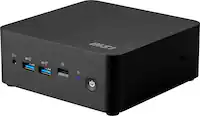
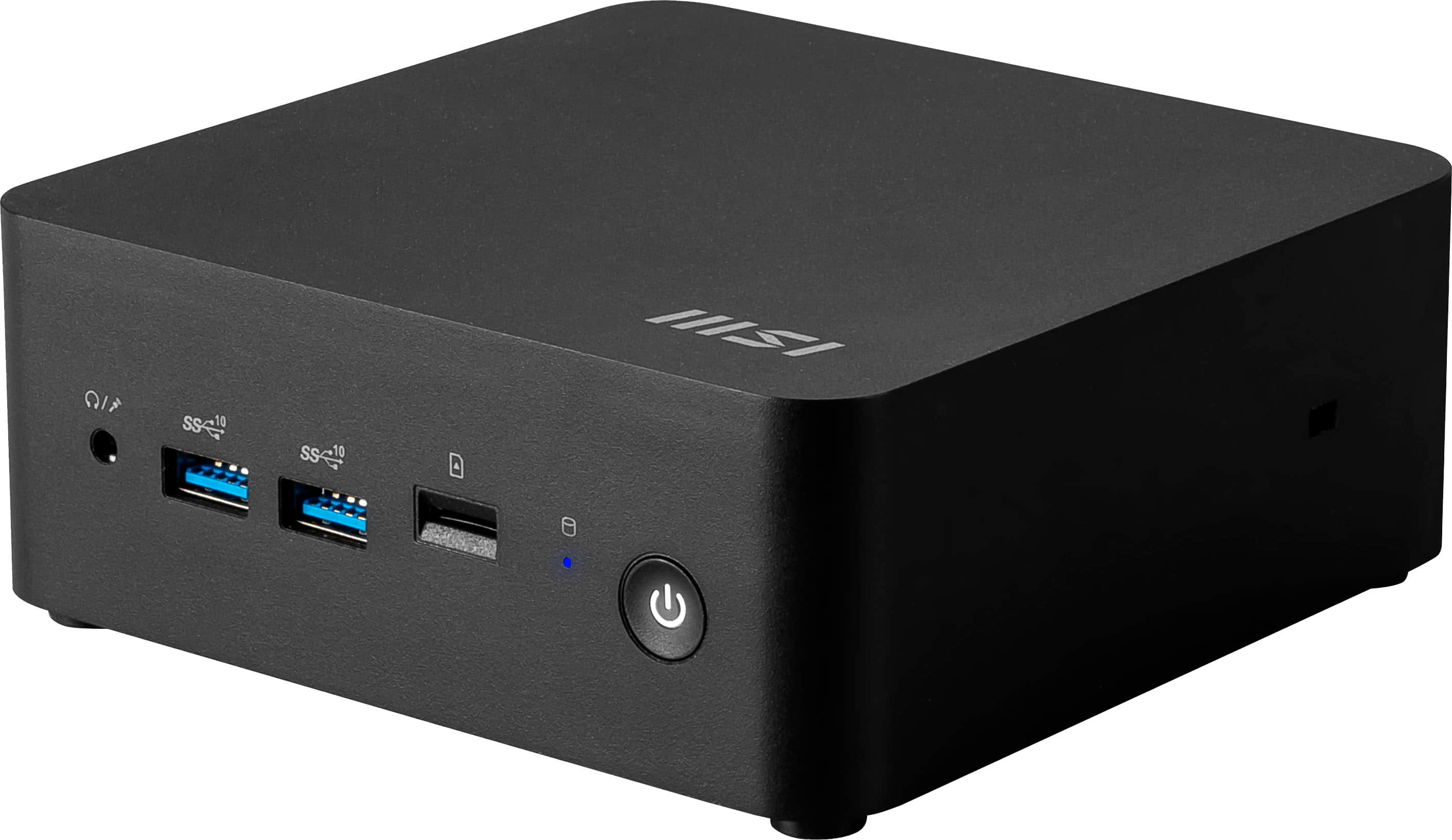
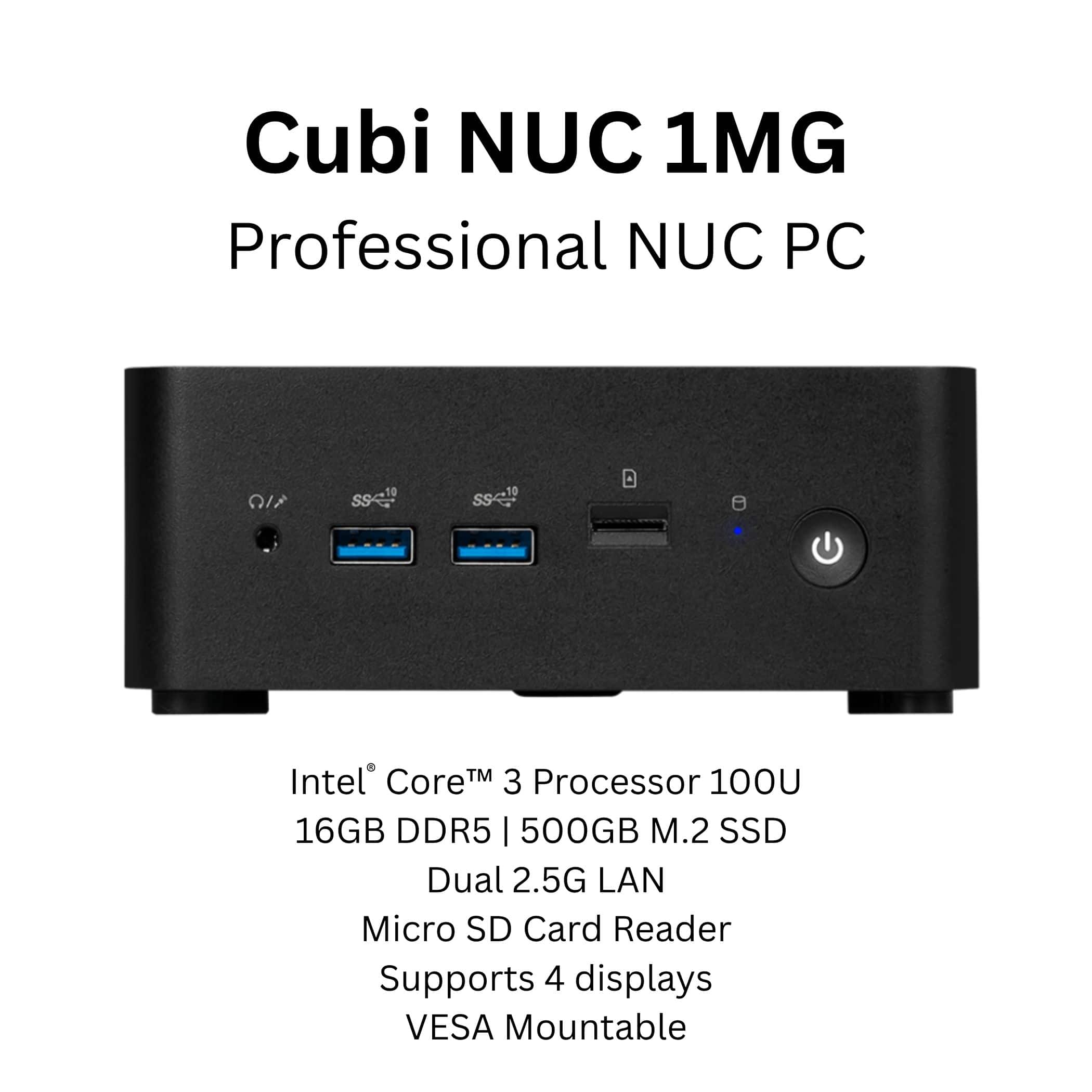
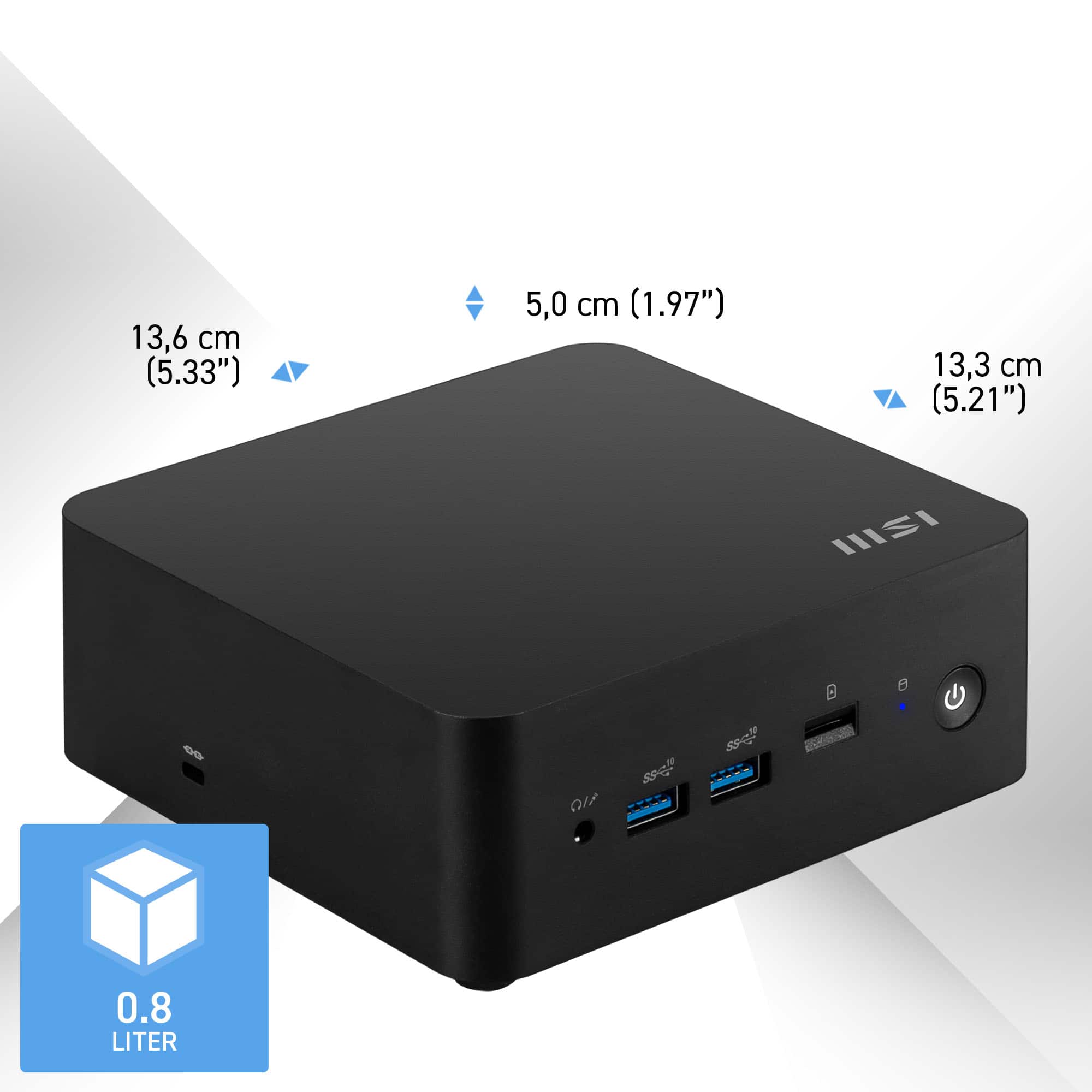
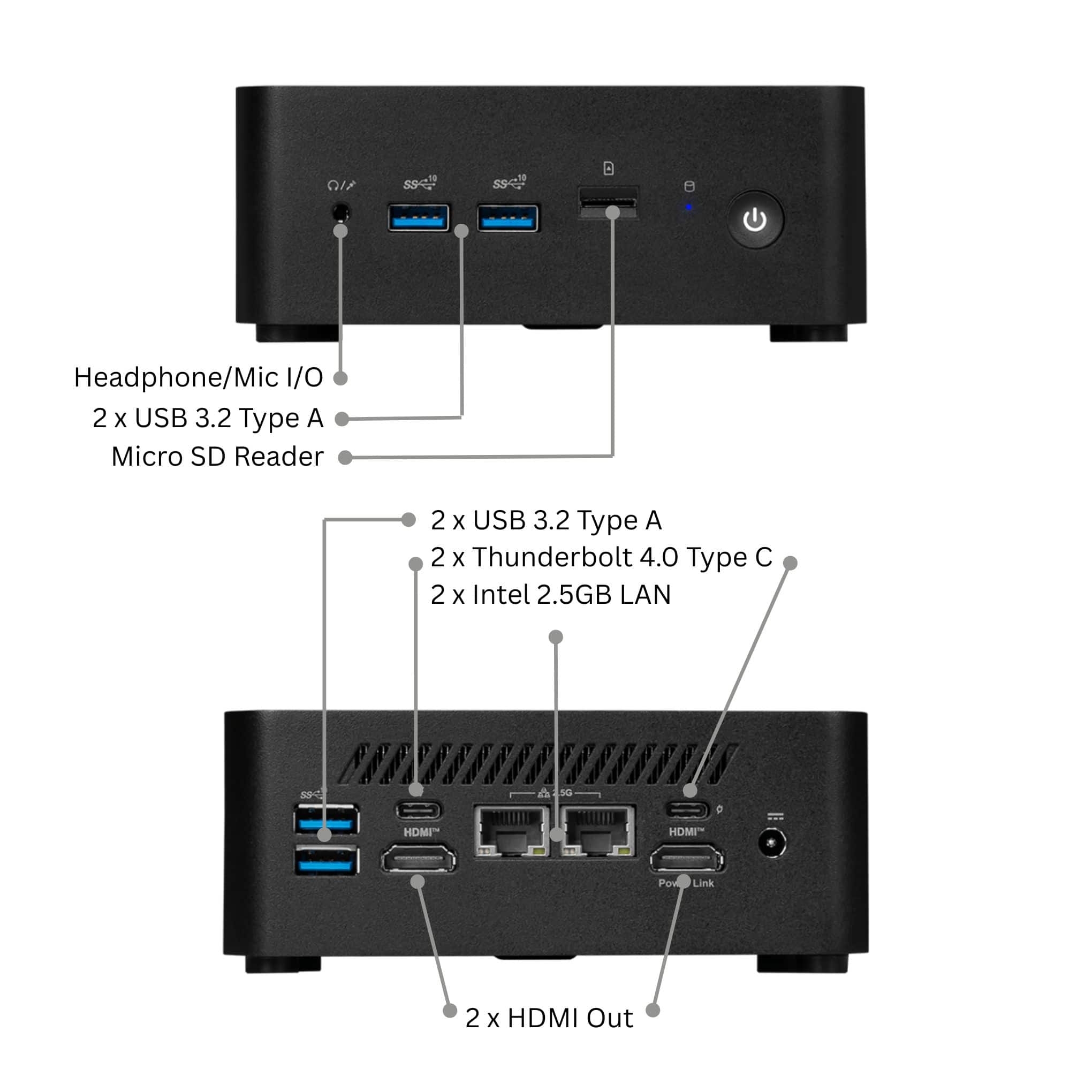
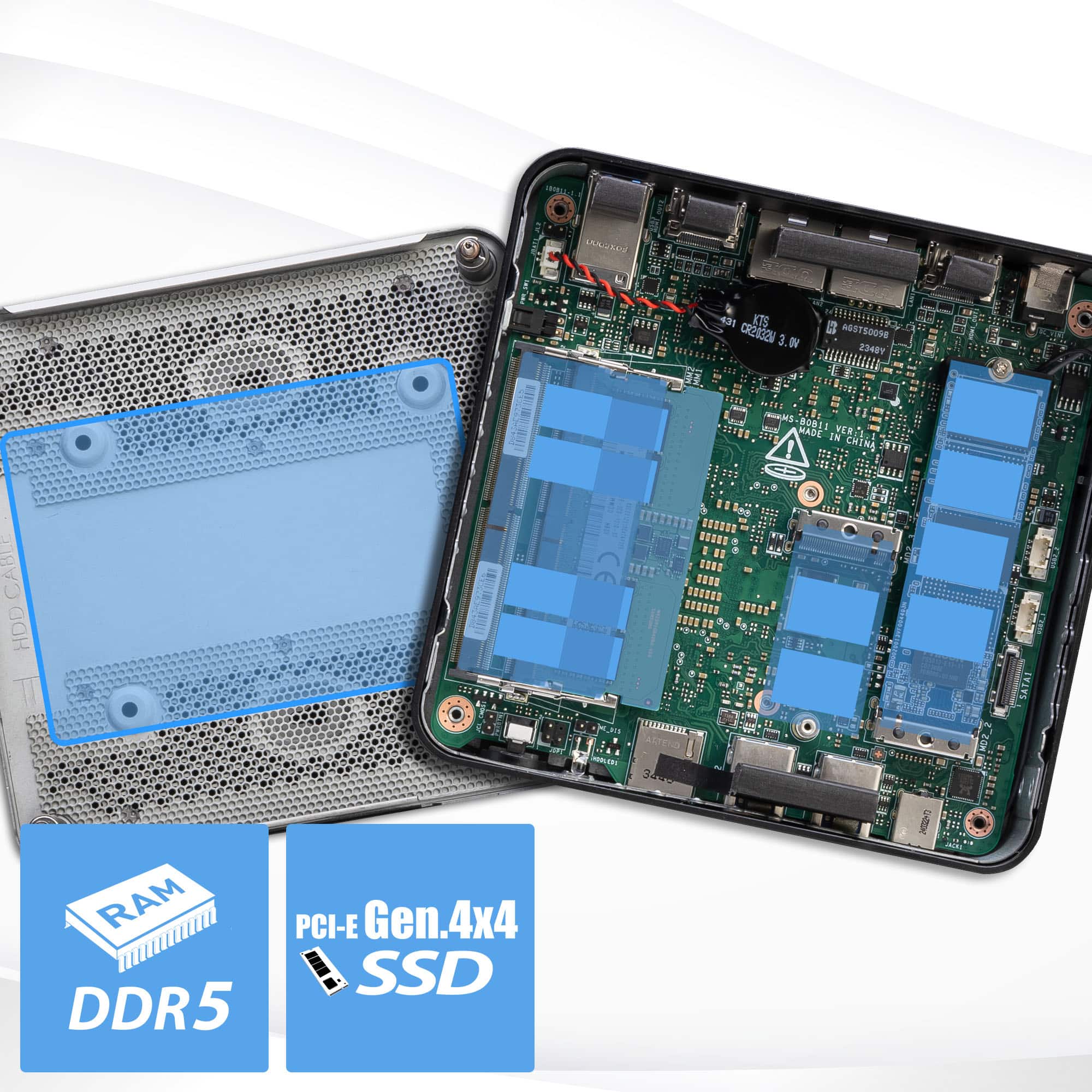
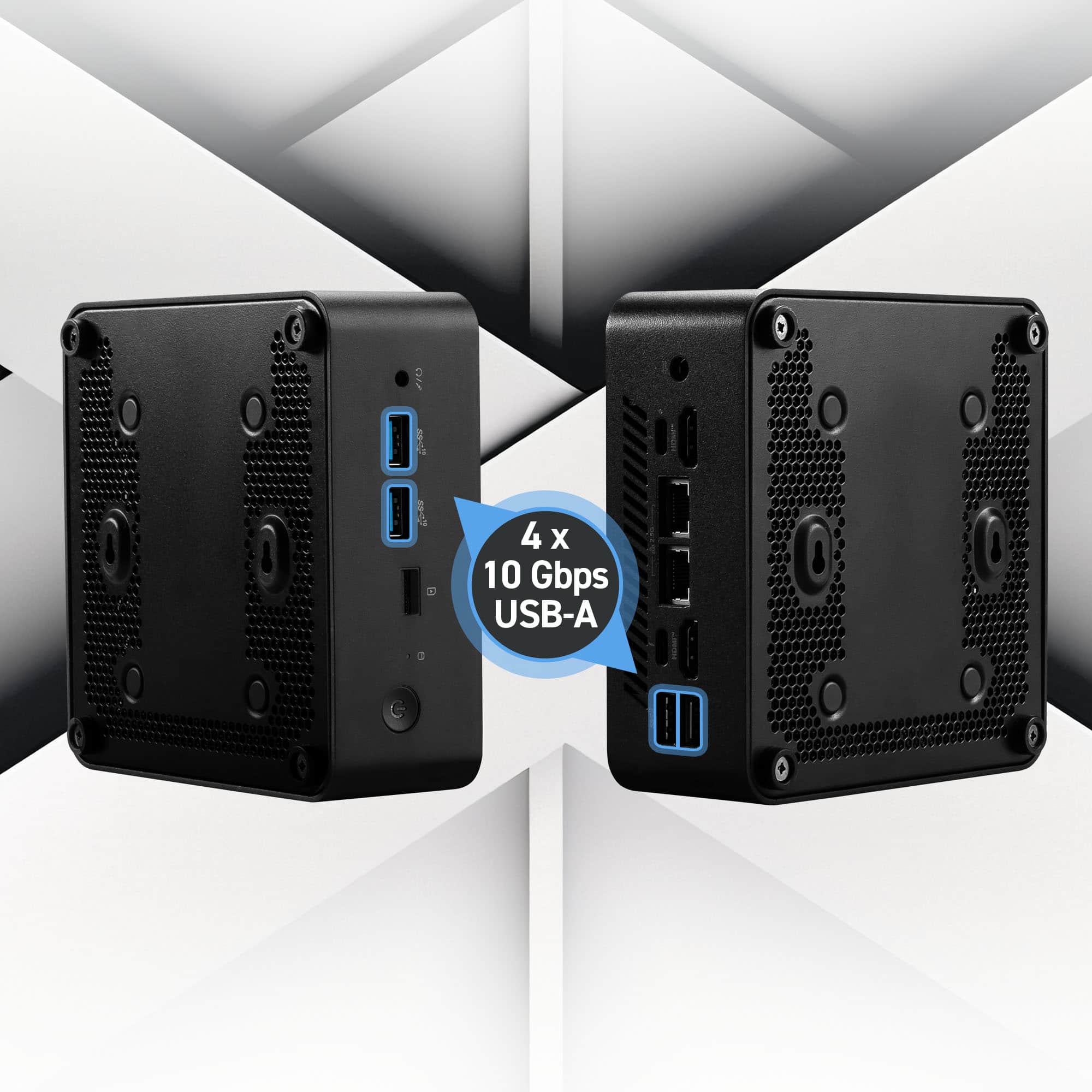
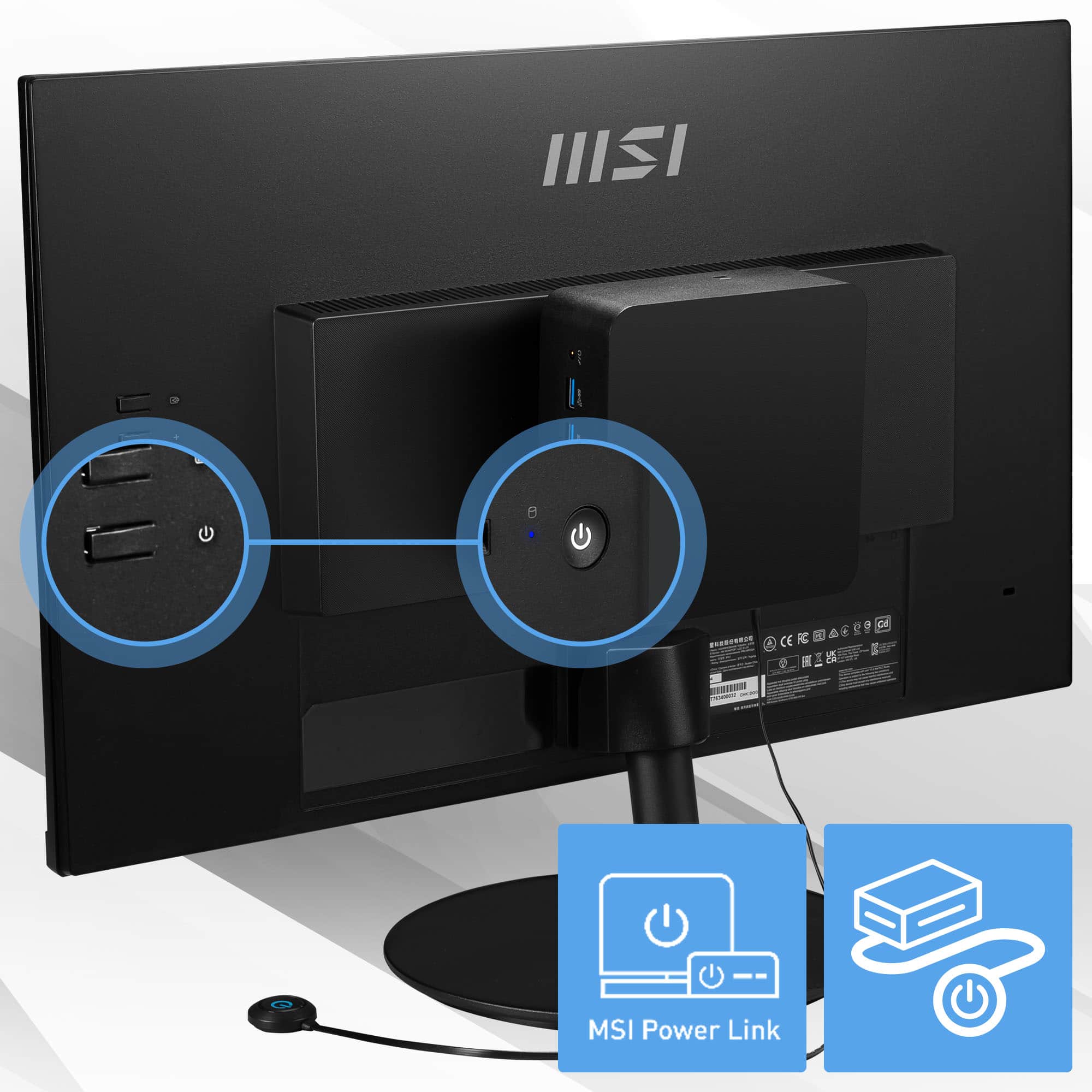
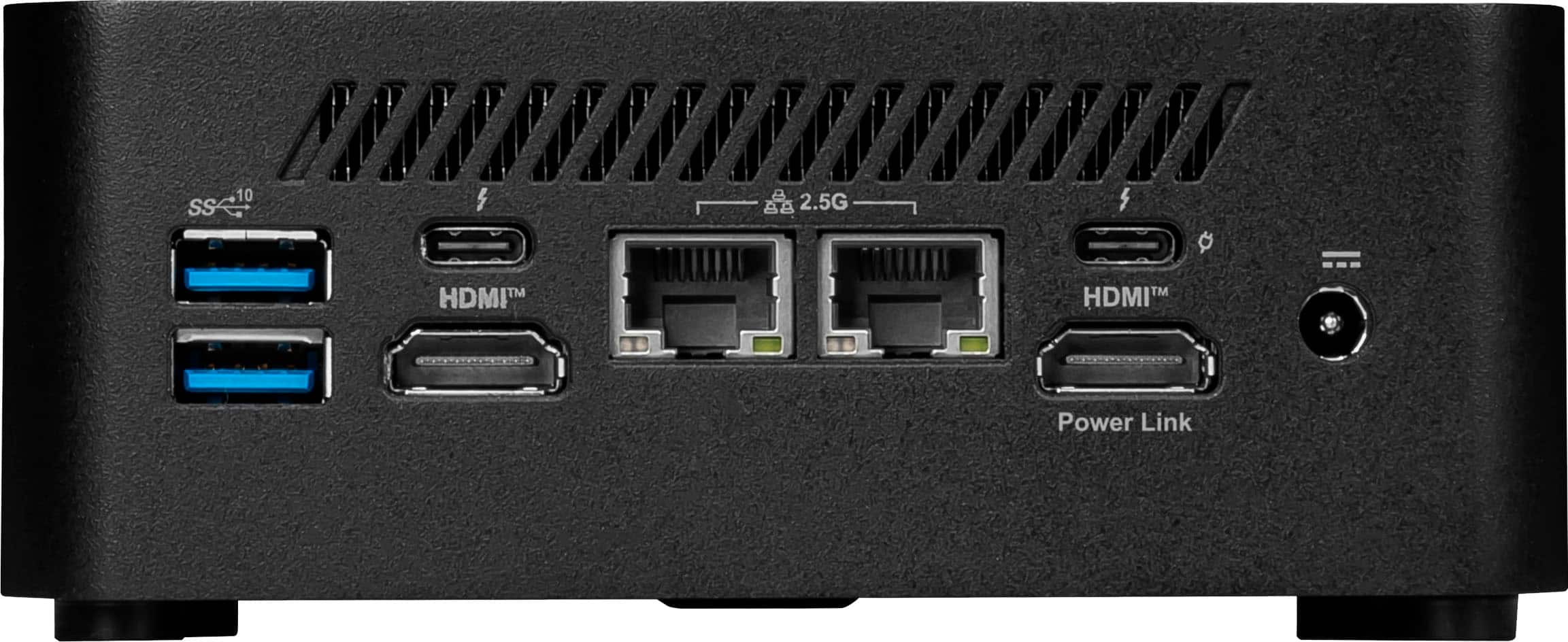
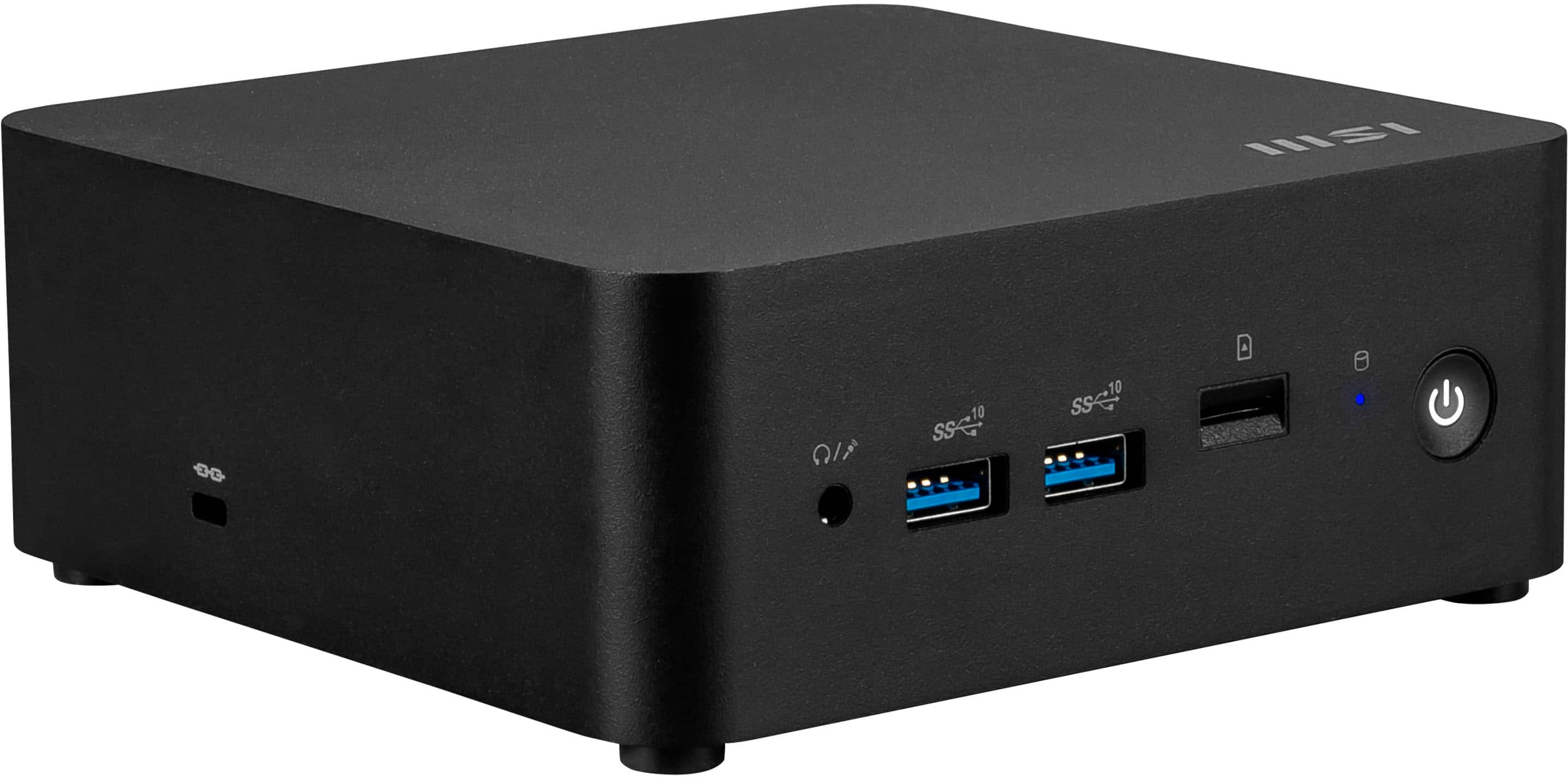
|Posted .This reviewer received promo considerations or sweepstakes entry for writing a review.I have to admit, I was not very impressed with this MSI Cubi NUC during its first boot. It really detracts from the overall product. If you have the patience though, you will be rewarded with a much more pleasant experience. In the box, you get the Cubi NUC and the power supply. You also get a mounting plate which should work well with monitors that have VESA mounting holes. There is the requisite paper notices. You also get an SSD SATA adapter, more on that in a bit. On the front, you get a headphone jack, 2 USB A with Superspeed delivering 10 Gbps, a MicroSD card slot a hard drive indicator and the power button. On the right hand side, there is a strange port that I later learned is for a wired power button (not included), so you can place your power button somewhere more accessible if you happen to mount this NUC in a hard to reach area. On the left hand side, there is a stopper that gives way to a Kensington lock port. On the rear, you have 2 more USB A with Superspeed delivering 10 Gbps, two USB-C ports with Thunderbolt, two HDMI ports, power port for the barrel style power supply and two 2.5 Gbps network ports. The NUC's dimensions with the included feet are 2.15" tall, 5.35" wide and 5.22" long. There are a few information stickers on the bottom and because there isn't a lot non-perforated space there, the stickers tend to overlap each other. I had to open it up and that's easily accomplished by removing the 4 feet screws. There are 4 round pads on the bottom plate and it took me half a second to realize they are to mount an SSD. The included SSD SATA adapter mentioned before plugs into a proprietary port and provides power and data for a SSD. While I have an SSD that would work, I'll probably upgrade the NVMe before I do anything else. After removing the bottom plate, I was surprised that MSI could have realistically reduced the height of the Cubi NUC by 25%. But I'm sure I'll appreciate that extra space if I decide to add a 2.5" SSD some time down the road. The RAM on this device is upgradeable with its two slots, the NVMe slot is easily accessible. The processor on this Cubi NUC is an Intel Core 3 100U with 6 cores, 2 of which are performance cores that allow Hyperthreading, so you can have up to 8 threads running. This should rival a 6th Generation i7. Despite the decent hardware, the first boot is where it kinda lets you down. It boots into the Windows setup pretty quickly, you go through some configuration screens and then it starts to go through the Windows update. I walked away to tend to some household items and periodically checked on this device. 1, 2, 3 hours ticked by and it was making incremental progress. 4 hours after initial boot, I could finally get into Windows. I then installed some of my traditional programs like Chrome, Firefox, VLC, GIMP, Notepad++, etc. It seemed to struggle a little bit with that because there were other updates happening in the background. Finally I shut it down for the night and came back the next day to really look at the system. The next day, I pulled a crystaldiskmark and was slightly disappointed in the sequential speeds. Read at 3200 MB/s and write at 2369 MB/s. When I looked up the specs on this particular drive, that's about where it should be on this particular Gen 4 NVMe drive. I can see myself upgrading to a Samsung 990 Pro very shortly. As I was playing around with the MSI Cubi NUC, the MSI software was trying to prompt me to install some extra applications. One of which was the Voice Mod v3 software. After it was installed, it would fail to execute, so that came off pretty quick. I also noticed that a trial of Norton was installed, so I removed that. After Norton was uninstalled, I witnessed a general change in behavior for this MSI Cubi NUC. It seemed to have a little more pep in its step. There were about a dozen Windows updates still and they installed really quickly. The overall experience with this system was much more improved. The provided dual 2.5Gbps network ports has my mind spinning on what I could really do with this. The system draws minimal power, it's got a decent processor. I can see myself making this device as my dedicated firewall with something like OPNsense/pfSense or Sophos. If I didn't already have a Homelab server, this could really fit as a starter Homelab server. As for a normal user, once you get rid of Norton, it really is an enjoyable system to work with. I would have no problems suggesting this machine as a unobtrusive desktop system for watching videos, browsing the web and other productivity applications.
I would recommend this to a friend It works.
||Posted . Owned for 3 months when reviewed.This reviewer received promo considerations or sweepstakes entry for writing a review.These work well for kiosks and desktop clients. Pricing fluctuates but they are value oriented.
I would recommend this to a friendWorked great
||Posted . Owned for 1 month when reviewed.This reviewer received promo considerations or sweepstakes entry for writing a review.Works great for the price. Able to run Alot of steam games and Fortnite.
I would recommend this to a friendExcellent for servers
||Posted . Owned for 3 weeks when reviewed.This reviewer received promo considerations or sweepstakes entry for writing a review.Has two tb ports and two Ethernet ports. It has 2 SSD slots and you can expand the ram with 2 SODIMM slots. Forget about a NAS. Get yourself a DAS and manage it through this and you'll have a future proof beast
I would recommend this to a friendWorth the purchase
||Posted . Owned for 1 week when reviewed.This reviewer received promo considerations or sweepstakes entry for writing a review.Great product! Small and compact with lots of ram.
I would recommend this to a friendGreat for everyday use
||Posted .This reviewer received promo considerations or sweepstakes entry for writing a review.Bought for the intention of streaming to Twitch and it handles that exceptionally well. Better than I imagined honestly.
I would recommend this to a friendIn love
||Posted .This reviewer received promo considerations or sweepstakes entry for writing a review.Bought it as a gift for my husband. He loves it! Was super easy to set up. No issues here.
I would recommend this to a friendAverage
||Posted . Owned for 2 weeks when reviewed.This reviewer received promo considerations or sweepstakes entry for writing a review.Average product. It’s not that powerful and for a similar price i can get better machines elsewhere. No Bluetooth as well
No, I would not recommend this to a friend- Pros mentioned:Connectivity, Noise level, Overall performance
Plex, Emby, Jellyfin, etc...
|Posted .This reviewer received promo considerations or sweepstakes entry for writing a review.My use for the Cubi NUC isn't as a standard desktop. The size, specs, and power draw make it a perfect media server. With two 2.5Gb NICs it could also be used as an OPNsense router if you choose (my second choice I change my mind). I have a few mini-PC's and all are n100's or n150's. Low powered, quiet, and can handle most of what I need. But, since my daughter's back home from school and my wife has been using my server more than usual, I need something a little more powerful. My set up includes and external 4 bay USB drive enclosure and Drive Pool. The small size of the Cubi means I can stack everything together and put it all out of sight. I use VNC if needed to access the Cubi but it mostly will go untouched as it does its thing in the background. As far as serving videos go, not a single hiccup. The Core 3 100u far outperforms the N100 it replaced, but it does take a tiny bit more power. A decent trade off IMO to make sure everyone gets to watch what they want without any stutters or buffers. Give how it handles server duties, I wouldn't hesitate to tag the Cubi to the back of monitor via the VESA mount and run it as a secondary desktop. As for the OpnSense, I'm really considering buying another for it so that I don't have any slowdowns using OVPN and all the other services I'll need it to take care of. But that's a project for another day.
I would recommend this to a friend - Pros mentioned:Noise level, Overall performance
Perfect mini PC for a media server.
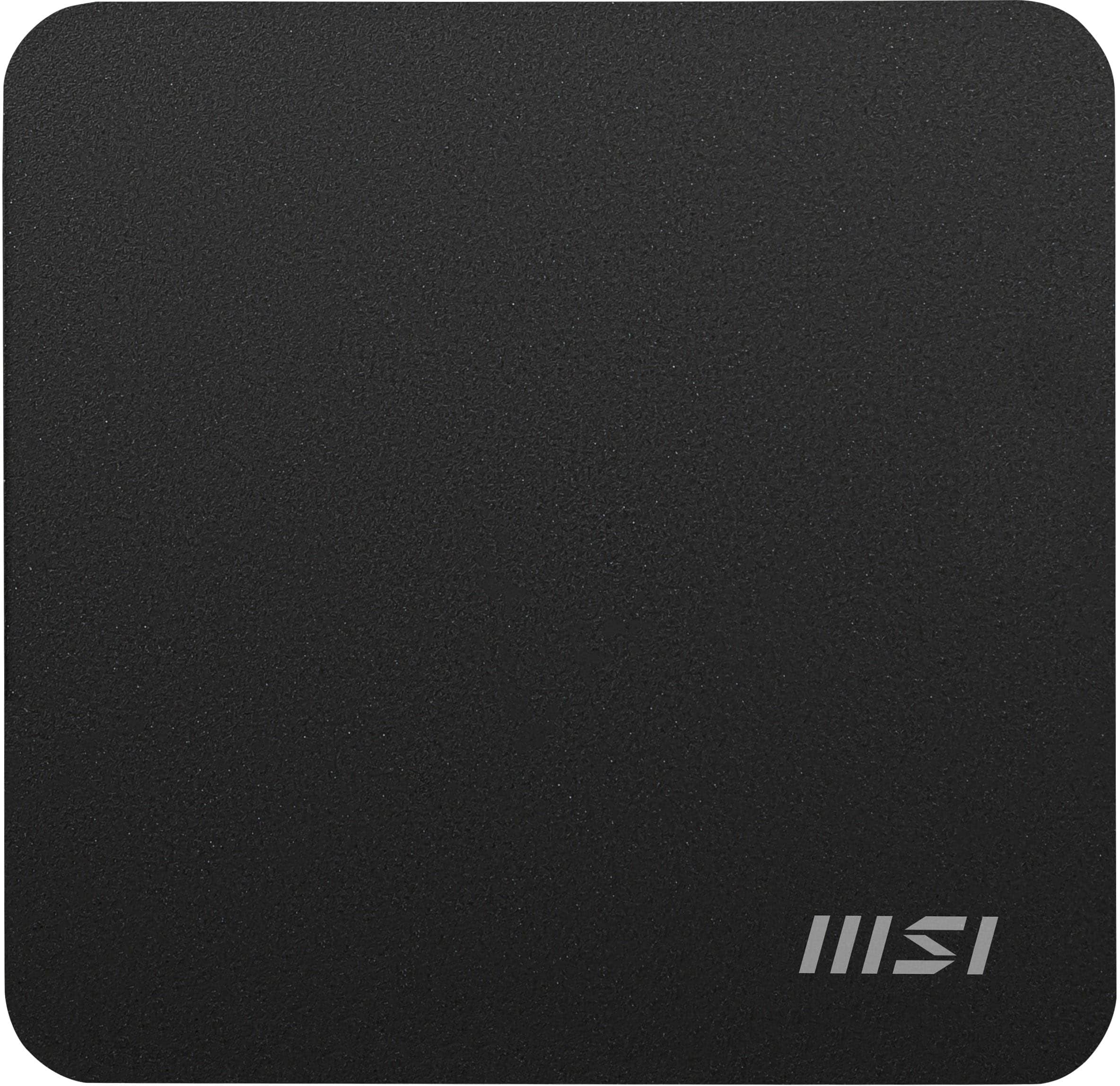
|Posted .This reviewer received promo considerations or sweepstakes entry for writing a review.I have an older computer that’s similar to this one that I keep tucked away in my home entertainment center that I use as a movie and music server that I can access from any TV in my house as well as on my phone if I am away from the house. That PC was getting old and I was looking to upgrade it with something new. This one came along and all the specs looked great, so I pulled the trigger and got it. Out of the box, it’s a solid feeling small cube. Its roughly 5 ¼” square and a little over 2” tall. Its all black and something you can easily tuck away and never see. It also includes a mounting bracket if you want to mount it to a desk, wall, or even on the back of your monitor. On the front there are 2 USB ports, a headset jack, and a micro-SD card slot. On the back you have 2 more USB ports, 2 HDMI ports, 2 2.5GB LAN ports as well as 1 Thunderbolt 4 USBC port. I wish there was at least 2 more regular USB ports on the back, but that is a small gripe. There is also space inside where you can add a secondary SATA hard drive, and the cable is included. Both the RAM and the main hard drive are also upgradable. Under the hood you get an Intel Core 3 Series 1 processor, 16GB of RAM, a 500GB SSD, and dedicated Intel Graphics. Plenty of power to easily run most office tasks. I found it works great as a media server. Has no problem sending multiple 4K streams to different TV’s in our house at the same time. I even set up Steam on it and have used that to game on it as well. While it’s not going to handle high end PC games, anything you can download in the app store will easily be played on this. Using it for office type applications would also be another perfect use. Running word processing or spreadsheet programs will run very well as well as photo editing. I put Photoshop on here as well and it runs flawlessly without any hiccups. Overall, it’s a very solid machine and will be more than enough PC for most users looking for a mini PC for home or office use. It has a very small and minimalist design, and runs extremely quietly, you wont even know its there.
I would recommend this to a friend - Pros mentioned:Noise level, Size
Good mini desktop PC for your office needs
|Posted .This reviewer received promo considerations or sweepstakes entry for writing a review.The MSI Cubi NUC 1MG Mini Desktop is a nice little desktop computer with an Intel Core 3-100U processor, 16GB of RAM, Intel Graphics, and a 500GB SSD drive. It comes packaged with the computer itself, power chord, VESA Mount and Quick start guid with accessories. The Quick Start Guide has illustrations on setting up your PC with limited typed instructions. It shows how to open up the unit and replace the RAM or SSD drive if needed. The included VESA mount allows you to mount it onto the back of a computer monitor. It can only be mounted on computer monitors that have the monitor stand mounted at the bottom of the monitor, with VESA mount screws visible. Some computer monitors have their stand mounted onto the back of the monitor. Monitors that use this setup will not work. The mini desktop computer is compact and takes up very little space on your office desk. It has quite a few ports such as USB ports, USB-C ports HDMI ports, and Ethernet ports. It has a headphone jack that will need to be plugged into wires headphones or computer speakers in order to listen to your audio. Setting up the unit was a pain. I would blame those issues on Windows software. While setting up the computer and going through the included setup process steps for Windows, it required a software update. Windows would not allow me to proceed without the update. This took almost 6 hours. After it went through the software update process, I would get an error that said “Something went wrong You can try again, or skip for now. OOBEDEVICENAMECOMMIT”. I then had to go through the entire process again. After it finally got near the end of updating Windows, another popup appeared on the screen that said “You're 100% there.Please keep your computer on.” This appeared on the screen for a few hours. I also get an error that pops up from the preinstalled MSI software that says “Unfortunately, Voicemod found an internal error and needs to close itself. If this happens recurrently, please contact our support team.” The unit itself has been good, but the Windows software and the MSI software has been a little buggy. The internal fan is fairly quiet for a Windows PC, since most PC’s I’ve used would have loud and annoying fans. This one is fairly quiet. Overall, it’s a good unit, with the exception of the few software glitches.
I would recommend this to a friend - Pros mentioned:Form factor, Overall performance
Perfect complete small system for productivity…
|Posted .This reviewer received promo considerations or sweepstakes entry for writing a review.I have been interested in these mini systems for quite some time, and I know they have been put into use in quite a few unique ways, but my use case is fairly simple…as a secondary system. For me, this has been perfect. I am using this mainly as an office machine handling all aspects of my small business. E-mail, spreadsheets, image collection and organization, shipping, all of it. I could not be more pleased. For me, having a dedicated machine, in an optimized location, has been a great experience. Further, I like it is a complete system, in a very small form factor, and allows me to use my own monitor and peripherals. I am fairly particular in that way. Beyond that though, I just prefer the desktop setting for the kind of work I am doing, and, again, the small form factor makes that all a bit easier. Performance-wise, I have zero issues. I realize my demands are not that high, but I do have a bit of a tab problem, and so far so good there, even with some image editing being done as well. There is some headroom there for me as is, but I do like that there are some easy upgrade paths there if need be (although the RAM and memory market are not friendly at the moment). Regardless, nice to have the option. Ultimately, I really like this system, and for what I was looking for this was a great solution. It does all I need it to do, well, has some futureproofing, and is simple to work with. I think anyone looking for a similar use case would be happy with this, and for all that you get I think the value is there.
I would recommend this to a friend - Pros mentioned:ConnectivityCons mentioned:Cpu performance
The Mighty NUC
|Posted .This reviewer received promo considerations or sweepstakes entry for writing a review.[PROS] Ports Aplenty: There's no shortage of connectivity options. I'm able to connect mouse, keyboard, external hard drive, two monitors, and still have space for much more. Quite simply, I'm able to utilize every peripheral device that I would if I were using a traditional desktop computer. Convenient Design: As a minimalist, I appreciate the small footprint of the 1MG. Furthermore, a VESA adapter is included which enables it to be mounted easily behind a monitor. What makes the Cubi NUC even more valuable is that it can be upgraded. The existing CPU and current market prices, make additional RAM unnecessary, but I do see myself upgrading storage to possibly repurpose this machine as a server. [CONS] Slight Performance Concern: On paper, the Cubi NUC 1MG is up to date because of the different technologies implemented. However, the CPU does leave a bit to be desired. The Intel Core 3-100U is mobile processor that should be sufficient, but my real world experience hasn't been as favorable as I would've liked. For most of the day, I was worked as normal with multiple applications opened. However, there were some points where I noticed delays and hitches in performance. Personally, I believe Windows 11 could be optimized more to increase efficiency of lower end processors so I wouldn't penalize the machine much. [CONCLUSION] Overall, the Cubi NUC1MG is a well rounded machine. It does surprisingly well for work related purposes, but there are performance woes that could creep in depending on what applications are running. Despite the hiccups, I would still recommend the machine.
I would recommend this to a friend