Customer Ratings & Reviews


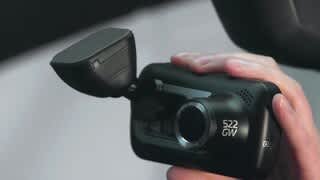
- Model:
- NBDVR322GW
- SKU:
- 6347000
Rating by feature
- Value
Rating 3.7 out of 5 stars
- Quality
Rating 3.9 out of 5 stars
- Ease of Use
Rating 3.9 out of 5 stars
Customers are saying
Customers enjoy the 322GW Dash Cam for its video quality, overall performance, and ease of use. The dash cam is also appreciated for its small size, secure mounting, and many features. However, some customers have expressed concerns about connectivity issues, battery life, and overheating. Additionally, a few customers have reported issues with the app performance.
This summary was generated by AI based on customer reviews.
- Pros mentioned:Size, Video qualityCons mentioned:Connectivity

Excellent Dash Cam
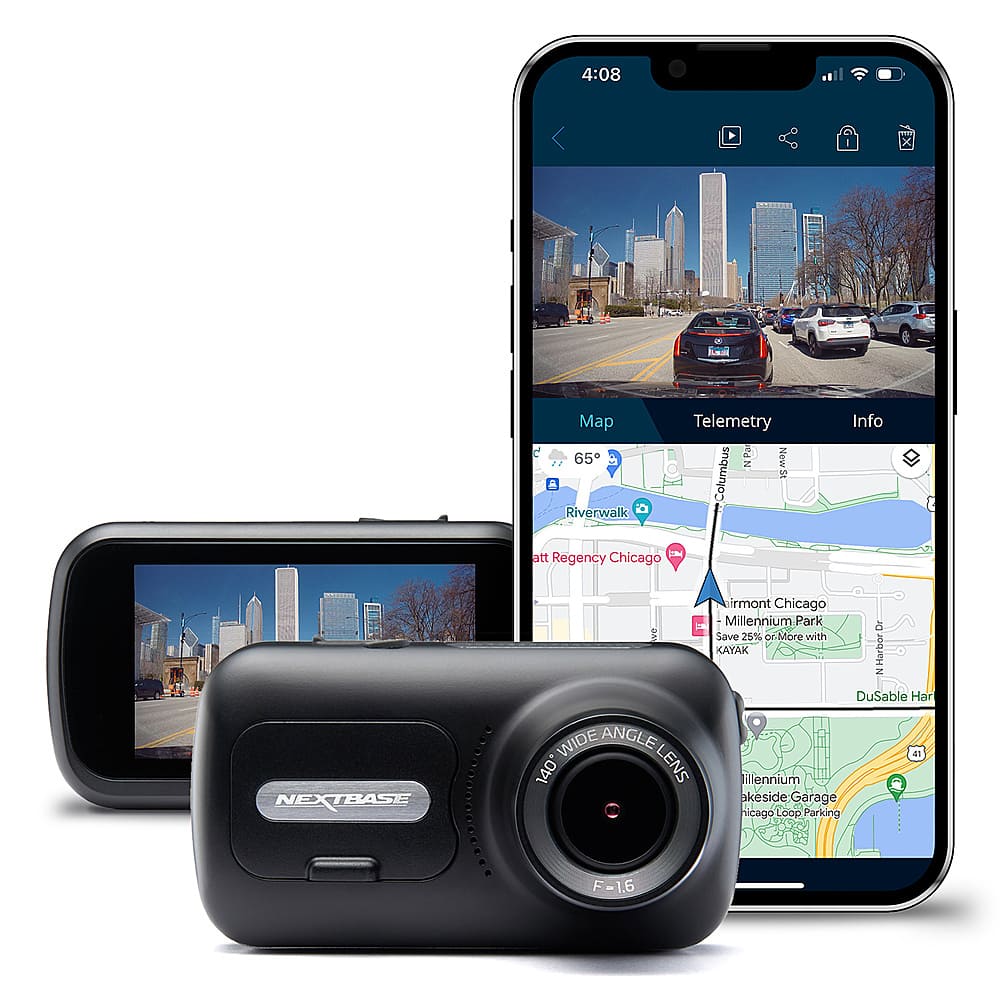
|Posted .This reviewer received promo considerations or sweepstakes entry for writing a review.I always wanted a dashcam now finally got one and a pretty darn good one. In the box I came with camera, USB charging cable, vehicle lighter charger, mount and manual. Setup was simple, you need to download the dedicated Nextbase Connect app from either iOS or Play store. You will need an SD card to record videos and get the cam working, sadly the SD card is not included in the package. The camera is loaded with tons of feature from GPS to SOS, Park mode and, the ability to add a rear view camera. The cam records on 720P(30/60 FPS) and 1080p (30/60 FPS), and the video quality are really good. The camera has a 2.5 inch touch display where you can watch the videos and access cam menus. You can also view the videos on your phone using BT connection, but I did encounter bit connectivity issues between the phone and the cam, that can easily be fix with software updates. The app for the mobile phone is easy to use but I rather connect the cam to my laptop using the USB cable it works much better. In the app you can view coordinates and travel speed which is pretty cool. The video are recorded with sound and the mic on the cam pick up the sound amazingly good. The camera has a small foot print which makes it practically unnoticeable next to the rear view mirror. Overall this an outstanding camera with tons of feature at a good price point.
I would recommend this to a friend - Pros mentioned:Ease of use, Size, Video quality
Unbiased witness to accident or traffic stop.
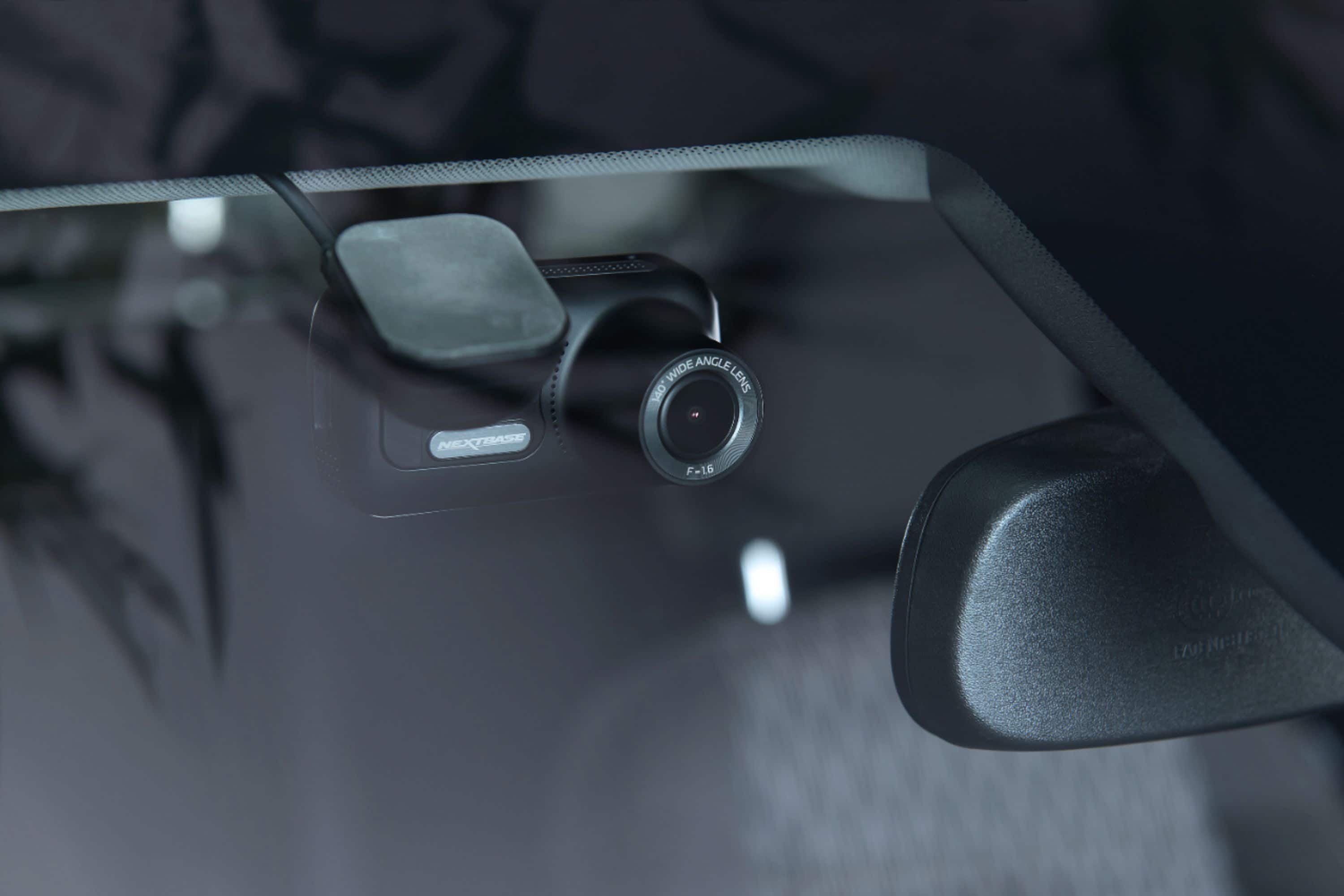
|Posted .This reviewer received promo considerations or sweepstakes entry for writing a review.Besides great video and ease of installation, a feature I hope I never need is the automatic call to emergency services. If the gyro sensor feels an accident occurred, it dials your cellphone to your emergency contact's number be it a relative or 911. If someone bumps into your parked vehicle, it records the incident thanks to some special electronic circuitry. You have a choice of window mounts. Most will use the double sided tape mount which securely holds the camera mount in place. A super magnet snaps the connector to the mount as the camera itself is only a few ounces.Mine fits nicely out of sight behind my rear view mirror, very discrete. I like the suction cup mount as it can be used in more than one vehicle or in a rental. Nothing like having peace of mind when an incident does occur. Records speed, location, and audio as well as front window video at HD quality. They even have a rear camera add on if needed. The video is recorded onto a micro SD chip which you can remove like a handheld camera.If you want to lock a video from being erased, just press the bar below the touch screen. I use the included USB cable to view my TRIP , but you can even use the WIFI or Bluetooth thats built in.
I would recommend this to a friend - Pros mentioned:MountingCons mentioned:Heat dissipation
Excellent telemetry, good quality, dated style
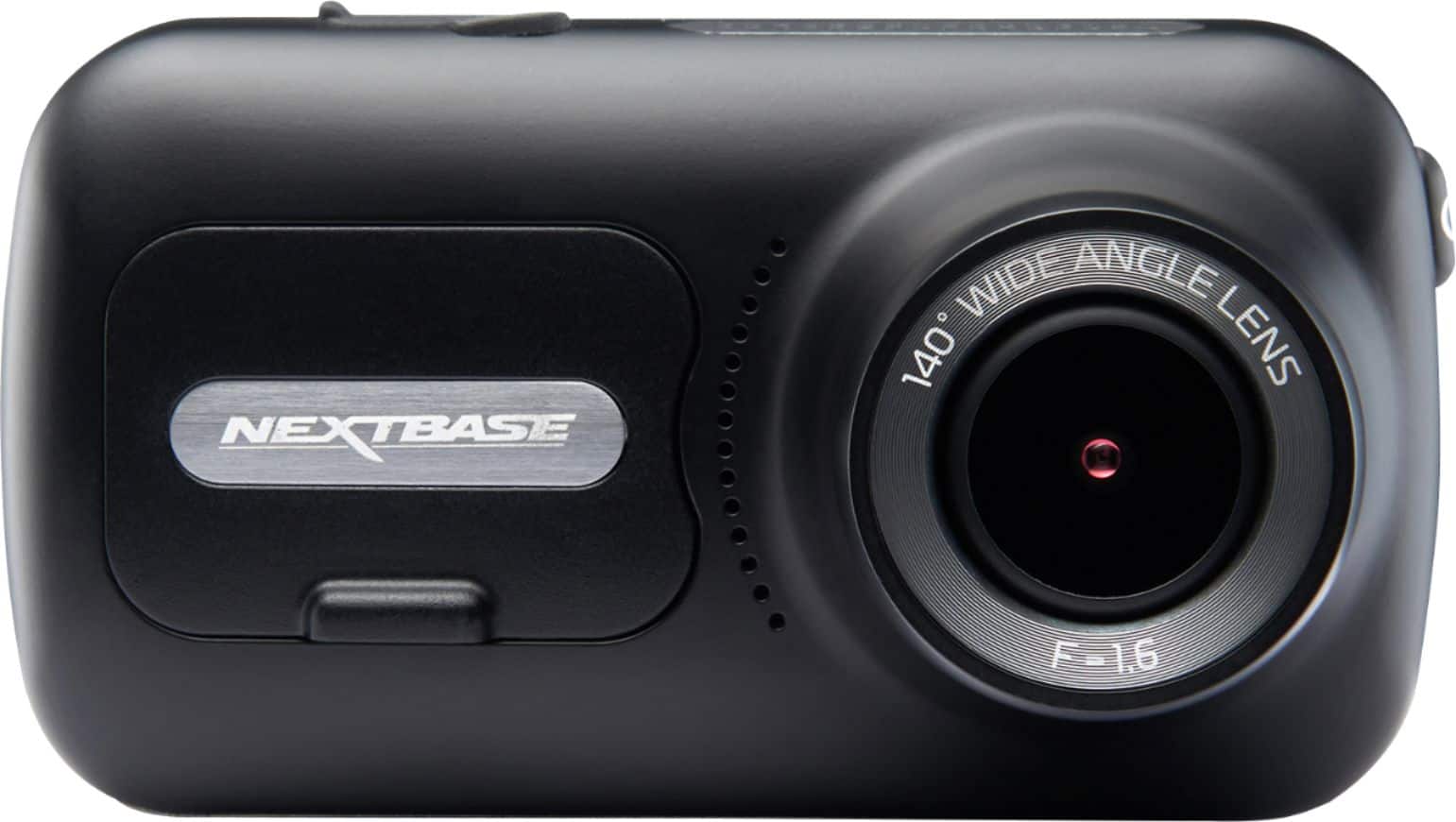
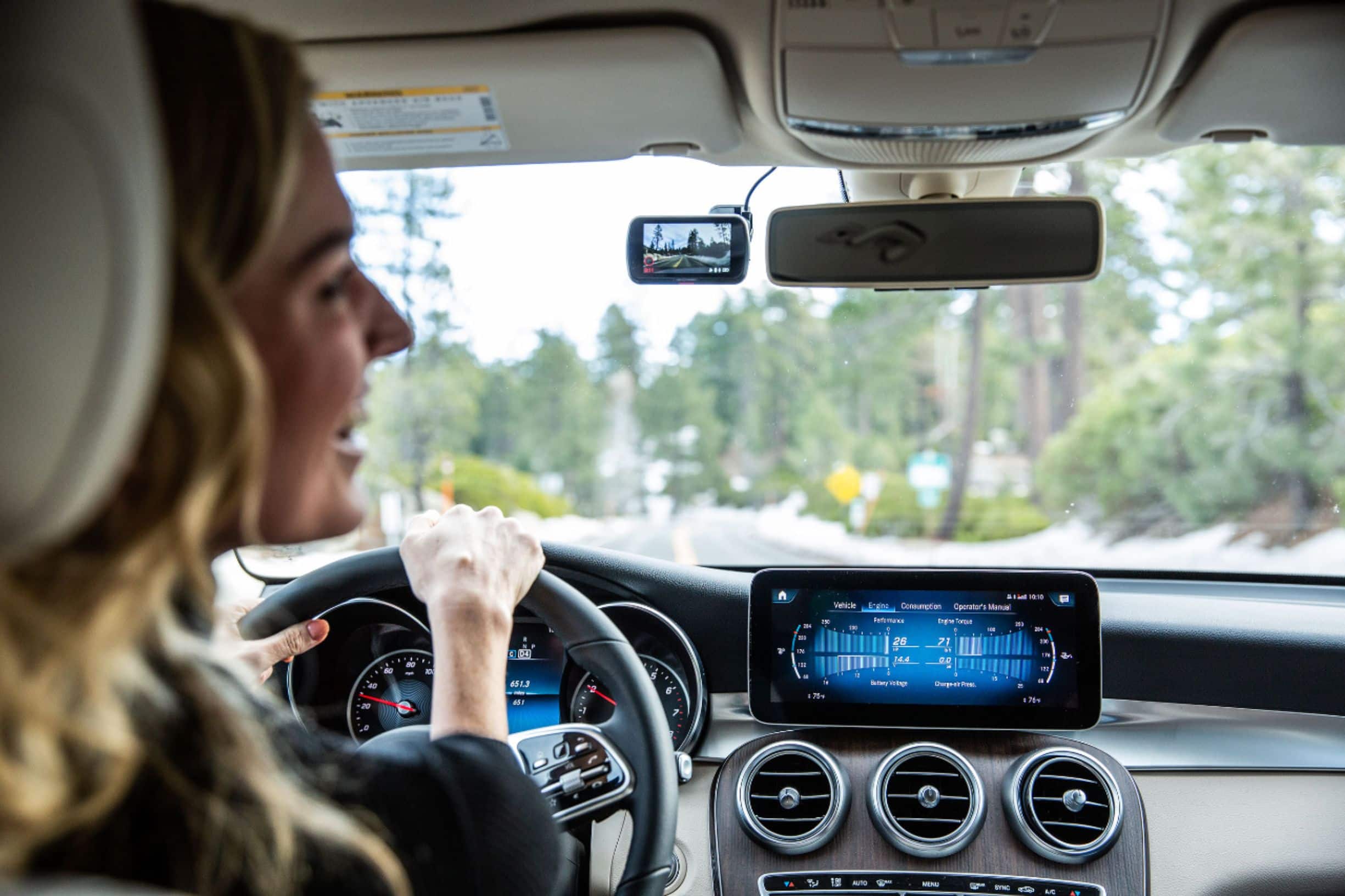
|Posted .This reviewer received promo considerations or sweepstakes entry for writing a review.Pros Design easily blends in behind rear-view mirror Mount hides power connection Magnetic mount allows quick removal for video retrieval Includes tool to help tuck the power cord away SOS feature allows dashcam to send your location if you can’t High accuracy GPS shows your exact speed and acceleration Downloaded video show your location and direction on map Hardwire option Downloaded videos can be shared directly from phone Cons Runs very hot Doesn’t include polarizing filter so videos have glare Can’t use fullscreen mode to aim the camera Fullscreen mode in playback cuts off bottom of video Downloading videos wirelessly is slow, nearly matches real time Extra cameras, hardwire option, and filter options are upgrades Design The Nextbase 322GW has a more conventional design that looks more like a small point and shoot camera unlike most dashcams. The GPS antenna is integrated so no batwings are needed on this one. Included is a suction mount and permanent mount that uses 3M adhesive. The mount helps to hide the power cable on the windshield until you tuck it into the headliner. Although you could install it anywhere you wish on the windshield, the mount is designed to be up near the headliner. The mount uses a strong magnet to hold the 322GW so that you can easily remote it for direct video retrieval without the need to unplug anything. It has a power button, micro-SD card slot, and video lock button which locks the latest video clip to prevent deletion. Included is a tuck tool to allow you to tuck the power cord behind the vehicle trim and down to a power point. If you want to hardwire it, you can purchase a kit that taps into your fuse panel. The overall package is very small and can easily hide behind a rear-view mirror if you want to keep it more discrete. One thing not included is a micro SD card. You need a minimum of a class U1 card and if you want to install the optional interior or rear-view camera, purchased separately, you need a U3 class card. Oddly, the integrated lens doesn’t include a polarizing filter so if you want to reduce glare and reflections you will need to purchase the upgrade as well. For any dashcam it just seems odd not to not just include the polarizing filter built in considering glare and reflections are extremely common. Setup Installation is quick after you decide on your mount and location. All you need to do is tuck one wire down to power and you are ready for the app setup. The windshield mount is firm so once you aim the unit you shouldn’t find it wandering on its own from driving. The screen on the 322GW is small, which is nice so as not be distracting but it does make precise aiming a bit more challenging. If you pair it with your phone you can change the settings from there but changing them directly via the dashcam is more intuitive. Some of the settings have names that aren’t very descriptive, such as parking mode, so the online manual is a necessity. More on parking mode. You would think parking mode has something to do with turning on the security monitoring for bumps when you are parked. This isn’t true. Parking mode is used for when you either hardwire the camera or your power point doesn’t shut off with the ignition. The camera will go into power save mode after 5 minutes of inactivity. This is particularly important to turn on if you have constant on power points as the dashcam will keep GPS on and all and drain your battery flat overnight as it has no automatic battery saver function. If you are looking for parking mode, that is oddly called G Sensor. You can change G Sensor from off, low, medium, and high to sensitivity. Although subjective, it would seem Nextbase could use refinement on the names of their settings or descriptions right with the settings to improve ease of use. Performance When you start your car, the dashcam is ready to record very shortly after the chime. As soon as it starts, it will begin recording clips of between 1 and 3 minutes, depending on how you set it. If you use the Parking Mode, mentioned earlier, it is pretty much set it and forget it. If you don’t have to contend with the glare or reflections mentioned early, the video quality is very good. The mount holds the camera very steady, so movement and bumps track along with vehicle very well. You won’t have to worry about videos bouncing around like some with a loose mount. However; if you are wanting to be able to read license plates of passing cars you will be disappointed. Standard HD just isn’t enough to pull out the detail need to grab license plates in most cases, so this isn’t unique to Nextbase. About the best you can hope for is if a car is about 15 feet ahead of you and travelling a similar speed you should be able to pick up the numbers. Of course, in most cases that is not when we need it. Audio quality is good but slightly muffled. It seems the culprit is the microphone is also picking up the ambient noise of your air condition blower and noise coming from your windshield which causes conversations to be slightly affected. Usually conversations can still be understood easily unless the ambient noise is just too great. GPS is the standout feature. With it tracking your location 10 times a second your speed is tracked with high precision. It almost seems more accurate than the vehicle speedometer. It’s also worth noting that during normal operation the dashcam gets very hot, even in a cool car. It never froze or locked up but there is some concern over the long-term reliability if this unit runs so hot during daily operation. There is an app for Android and iOS but the design feels a bit old. Video previews, whether directly from the dashcam live feed or recorded videos it seems the app doesn’t want to you to view them any way except portrait. This means if you want to use your cellphone to get a larger picture to aim the dashcam you will be disappointed. Live view only lets you view the picture in a tiny portrait screen on your phone with no pinch to zoom support. Viewing them directly is via WiFi direct and uses the lower quality video. You can rotate to landscape mode to try to see a bigger picture and in this mode, it works but them the video overflows the screen at the bottom because of a top toolbar than cannot be moved. If you want to grab high quality video to store on your phone, be prepared to wait. Each minute of video takes a minute or more to download. Once downloaded to your phone you cannot edit the video, you can only share them or view them when away from the dashcam. No problems were experienced while using the app but it feels as though Nextbase isn’t putting much effort into developing and refining accessing the 322Gw via your cellphone. The primary way Nextbase seems to want you to view your videos is the reliable and feature rich, albeit old fashioned, desktop program. This isn’t a modern Windows Store app with touchscreen support or pinch to zoom. This a format and style of program that harkens back to the early 2000’s. It works ok but again, feels like it needs modernization. You can access videos by plugging the dashcam in directly into your computer, keeping that old school vibe alive, mini USB. It’s not even micro USB so if unless you just held onto your old USB cables from 15 years ago you don’t want to lose this one. Another option to access the videos is to plug the micro SD card directly into your computer. Either way, playback is choppy even with a Core i7 system from 2018 and a U3 class micro SD card. Performance is more reliable if the videos are first manually copied to the computer first and then added to the desktop program. Once you are up and running with the desktop program you will find a lot more options at your disposal. You can view videos on a larger screen with full telemetry including your location on the map, direction of travel, speed of travel, time, acceleration, deceleration, as well as if you are taking a hard turn. If you need to see a larger picture you can select full screen but again, don’t expect pinch to zoom or any sort of zoom for that matter. Although dated in feel, there are some very useful features to help you build a video of your drive. You can annotate your video with text or other markings to help illustrate your drive. You can also have the video show the date, time, dashcam model, and current speed. You can also combine multiple video clips into one, just be prepared to wait. On a modern, high power system from 2019 it took 10 minutes to combine 4 clips of 1 minute each into a single clip. Once thing to keep in mind is the combined clips are generated as .mov files, which don’t play in other players except old fashioned QuickTime or the Nextbase editor. Strangely, not even VLC can play them. Aside from these quirks this telemetry and these tools would likely prove very handy in a legal battle. Conslusion The Nextbase 322GW is a solid performer, albeit dated in feel. The main issue that could be easily fixed that would make this even better would be to at least include the polarizing filter across the board for all their Dashcams. It just seems like an odd choice to not include. Otherwise, it worked without issue and offers several models to upgrade its functionality further as your budget, or preference, allows. The competition between dashcams gets tougher every day but the 322GW does stand out in particular because of its high-resolution telemetry. If getting very precise telemetry of your drive for your protection is your primary concern, the 322GW is well equipped to do the job.
I would recommend this to a friend - Pros mentioned:Size, Video quality
A must have...
|Posted .This reviewer received promo considerations or sweepstakes entry for writing a review.I think all vehicles on the road should be equipped with dash cam recording device...It should be mandatory... Such device can be "often" a life savior.... I've had a lot of dashcams... Some are cheap and some are average priced and some fancy. This NextBase 322GW is indeed a good piece of technology. Camera angle is wide enough to capture your car front side to side. The image is clear, the device itself is still small compared to others. Mounting it on the windshield is too easy with 2 options: Vacuum mount or glue pad. I like to use the vacuum mount as it can be easily transferred. The Dash Cam is coming with smartly build GPS module that stays on the windshield connected to power line. Like that, it will guarantee a better reception and make the camera module smaller. The power line provided with the dash cam is long enough for any type of installation. NextBase are generous enough to also provide a tool to make the power wire installment easier. When connected to the phone through the NextBase app, you will get full control over the dash cam: Modify settings, download videos and even live streaming... I'd recommend to make sure you have the latest firmware installed. Some glitches are fixed with the latest update. The dash cam has an amazing feature: Parking lot mode, the camera will stay powered with its internal battery. It will detect any minor shock and then start recording for 1 min for every shock. Recording time can be modified. According to NextBase, internal battery will run parking mode for about one week. In the options, you can stamp the videos with: Speed, Time and date, GPS coordinates... Videos recorded and reviewed with the app will give access to map GPS for every recorded video (showing location) and other readings as speed and G-Sensor readings. Quite useful and important in case of issues. The NextBase has also an automatic S.O.S. mode. According to the manual, this mode would call emergency number whenever Dash Cam senses accident event. The way it works, I guess, is by monitoring the G-Sensor for abnormal shocks. Videos are usually deleted or over-written when card is full. If you want the video to be saved, you can click at the red button on the camera and the video being recorded will be locked. Also, if you do a hard steering or hard braking, the video being recorded will be automatically lock and never auto-deleted.The NextBase has also an audio recording feature. The microphone is very sensitive and clear recording whatever noise around and in the car (people talk, car horns ... etc). Audio recording can be disabled in settings. One thing to mention, it is important to have a fast Micro SD card. I tried with an older card I had and I had some minor issues and then I bought a Micro SD card from BB that fixed them. What I don't really like about the NextBase: Like all high quality products, makers always try to make them flashy... The NextBase is also the case. The DashCam looks really fancy. Kind of appealing for some people... The good thing that it is magnetically attached to the mount so you can hide it when parking in some areas.... The magnet is very tough though. But it is still convenient.. My other Dash Cams saved me some tickets, some insurance money and helped a lot of other people around on the road. They recorded at least 2 accidents and helped in the police work. I really recommend to get any Dash Cam and this NextBase is a good one to keep. Wide lens camera, speed, GPS, Parking Mode, SOS, ... etc.. All are good features that you really need in your car driving. I have in average 3 ~ 4 hours daily on the road. This NextBase is my black box. It covers the front of the vehicle and soon I'll get the one that covers the rear (Nextbase offers rear camera connection to this device).
I would recommend this to a friend - Pros mentioned:Ease of use, Size, Video quality
Easy setup, convenient use, HD Quality video
|Posted .This reviewer received promo considerations or sweepstakes entry for writing a review.It took me about 5 minutes to set up the camera and hide the cable using the handy tool that's incuded. The camera is small enough to fit behind the rear view mirror so not to distract you when your driving, and the wide lens (140° viewing angle) gives a good view of the road ahead. The 2.5 inch touch screen works well, and the picture is more than adequate to scroll through to find the clip you want. The camera connects via bluetooth to a cellphone/tablet making it easy to scroll through the videos, which you can set make 1 to 3 minute clips (keeping the file small for faster transfer). The video records GPS data and telemetry, so the video is accompanied by a map as well as how fast the vehicle is traveling. The 322GW Dash Cam has a couple of nice features. It left powered on, it will record if the vehicle gets bumped when parked. If you're in a crash, it will alert emergency services to your location (so if you're unconscious, info will still be sent), and can even include any crucial medical data if you choose to set it up. You can even add a 2nd camera for a cabin or rear window view. The unit can be a life-saver, and it's not particularly expensive making it a great value. The only negative point I found is that the camera does not include an SD card, so it's not useful right out of the box. Otherwise, an overall great unit.
I would recommend this to a friend - Pros mentioned:Mounting
Impressive and useful features, good video quality
|Posted .This reviewer received promo considerations or sweepstakes entry for writing a review.I had been thinking about getting a dash cam for my car for some time now, because it seems like every day I come across wild drivers on the road. I wanted a little peace of mind, knowing that I would have some recorded evidence in case anything happens to me and my car or anyone else on the road. The video quality on this dash cam isn't the best, but its a decent trade off for everything that this dash cam can do. I was pleasantly surprised when I played back the footage on my laptop. The dash cam not only puts a date and time stamp on the video, it also puts coordinates and also how fast you were driving. Very cool! It seems to keep an accurate record of speed and time. This is the first time I come across a dash cam that does that. It was very easy to set up in my car with the included 3M mounting tape and base. The camera is magnetically attachable to the mount, that magnet also powers the camera with the included power cable. The tape is very strong, so be sure to pick a good spot for it before sticking it to the window. The camera does have the option to record in 1080P at 60 FPS, but it isn't very high quality. You can see some noise and artifacts in the video recording after. It is perfectly usable though, and should provide sufficient footage for whatever situation. Night time image quality is also pretty good, it obviously looks better and clearer when you are driving in well lit areas, but areas lit by my headlights looked clear enough in the recoding. Nextbase also provides an app that you can download for iOS or Android and use it to connect wireless to the dash cam. It updated the firmware automatically and has other useful features such as library view and transfer. S.O.S and a live view while the camera is on. I believe you need to have the app on to turn on some functions of the dash cam, such as SOS in the case of an emergency. It will use your phone to place a call for help. I personally do not leave the app open while I am driving because I am usually using my phone with my car to stream music while on the road. All in All, I think this is an excellent dash cam and provides many useful features. Would I recommend it? Yes. Especially if you live in a busy city or are on the road a lot. You never know when you might need this. The only con ( and it could just be me lol) is that the screen is a little distracting to me, I found myself looking at the live view of the screen while I was driving from time to time. Could just be that its because its new and I was trying to make sure I had a good view of the road with the camera. So just a heads up.. make sure you place it in an area where it won't be too distracting for you.
I would recommend this to a friend - Pros mentioned:Mounting, Video quality
Fantastic Dash Cam
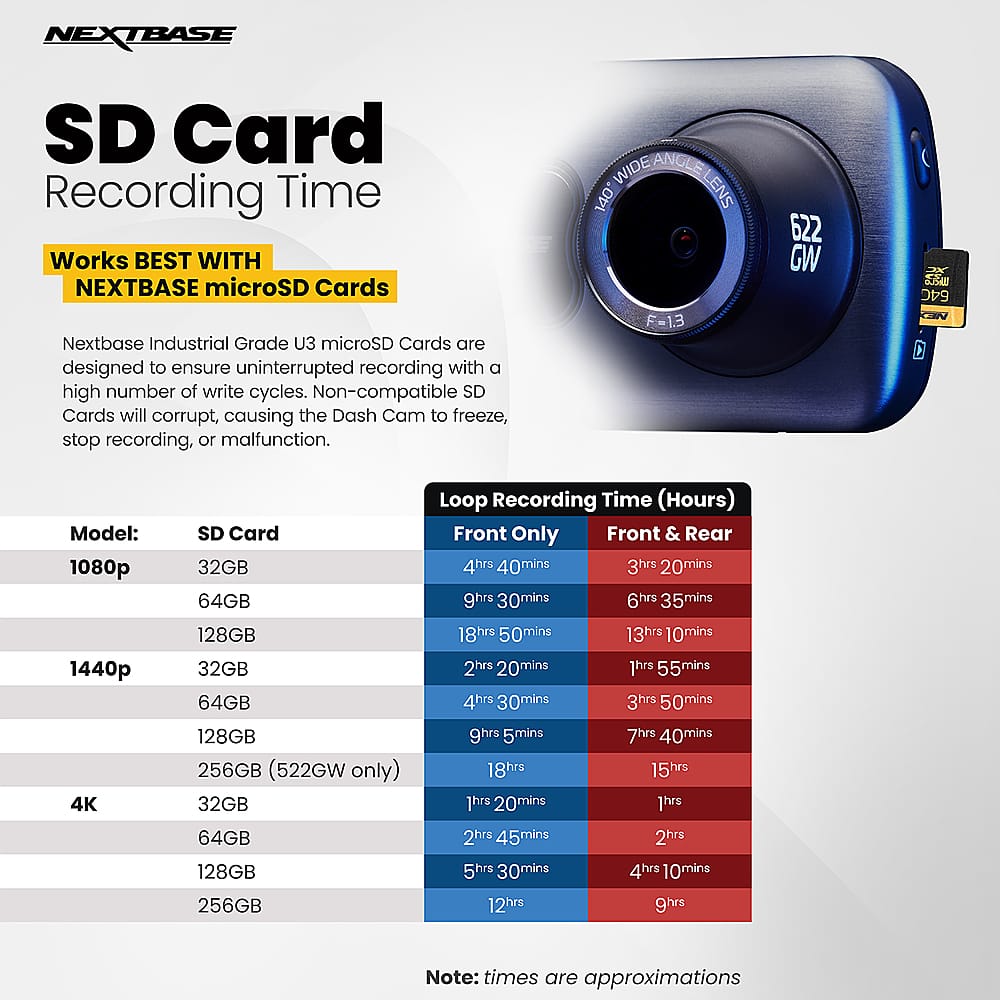
|Posted .This reviewer received promo considerations or sweepstakes entry for writing a review.It really is a great Dash Cam. As never having one I don't have a tremendous amount of input on competitors. I've been looking for a Dash Cam for quite some time and I decided to finally pull the trigger. My current installation of it comprises of the cable just dangling from the mount in to the center console of my Buick. I will probably at some point look to get the Hardwire Kit so that I can take advantage of the Protect Mode where it will record when there's been an incident. It's a good looking camera and is pretty small. I do wish that it was using USB-C or even at worse Micro-USB. This is using mini-usb which is pretty dated. The Picture quality is pretty good, despite only recording at 1080p, but I think the biggest deal is that it records at 60 FPS. This is major boon over recording in 30 FPS as it's more fluid. The touch screen is a nice addition. The UI is ok and pretty straightforward. It's not the best looking, but everything is pretty easy and quick to find. The screen's resolution is low, but this is a small screen. The Dash Cam does come with two mounts, one a suction cup the other a more permanent mount. The do include an additional 3M double sided piece of adhesive that you can apply to the mount if you decide to remove and put it in another vehicle. The installation is pretty straigtforward and there's an included piece to help pry the panels on your car. I opted to not do so at this time as I'm probably going to go with the Hardwire kit over the included power supply. The Dash Cam does has an app that you can remote in to, so long as you are within range and it's powered. I do like how it will power on and start recording once power is supplied to it after my car is started. It doesn't work when I remote start as no power is supplied until the key is in the ignition and turned to the On position. This may be overcome with the hardwire kit though but I am not certain. I strongly recommend having it installed professionally if you're not handy with pulling your car panels apart in the interior. I think this device will give me some piece of mind for years to come. My only other real nitpick's with the device is the storage options. It only supports up to 128GB. I wish it did support upwards of 256GB or even 512GB as that would allow for an extensive amount of time for recording. The 128 can record up to 16 hours. It will also only record in options of 1, 2 or 3 min segments. I suppose it does help to reduce the amount of searching in footage for a particular time frame, though it would have been nice to have up to 15 or 30 minutes. If you're in the market for a Dash Cam this is a very good option especially if your on a budget.
I would recommend this to a friend - Pros mentioned:Ease of use, Video quality
Solid build and performance
|Posted .This reviewer received promo considerations or sweepstakes entry for writing a review.I just got the Nextbase - 322GW Dash Cam a few days ago and was able to install it rather easily in my F-150 pick-up truck. The power cable it came with was long enough to route under the trim around the windshield and dash. I opted to use the suction cup mount for now, and may switch to the adhesive pad before the summer. I especially like that the charging cable plugs into the mounting base, so you can easily detach the camera from the magnetic mount without having to disconnect the power cable. This is an FHD 1080p camera capable of recording videos at 60fps, or 30fps. I prefer the highest quality available, but be warned it will take up a lot more storage space. Either way, the video quality is very good and is standard MP4 format, so you can view it on any modern device. The camera pairs with smartphones via bluetooth, and you have to install their App and have it running if you want to view live content on your phone and additional information such as GPS coordinates and the speed you’re traveling. It also allows you to download recorded video clips directly to your phone for viewing, storing or sharing. Make sure you install a fast U3 microSDHC memory card for best performance. I first tried it with an older SD card and the recording was a bit choppy at 60fps, so I installed a 64 GB Nexbase U3 card that offers up to 100 MB/s read speeds that is even suitable for 4K UltraHD videos. There are many other settings you can change using the pretty nice 2.5” touch screen display. There is even an emergency SOS response feature that will alert 911 via your phone, in the case of a crash detected by the built-in G-sensor. Hopefully you’ll never have to test out this feature…
I would recommend this to a friend - Pros mentioned:Ease of use, Size
Set and forget dashcam...
|Posted .This reviewer received promo considerations or sweepstakes entry for writing a review.Quick notes: Comes with handy tool to tuck power cable behind car trim Includes adhesive window mount, as well as a suction cup mount for those that don’t want a semi-permanent install. Has quick release, so you can leave the mount installed, but can easily remove the camera itself. The power connects to the mount, so you don’t have to unplug the camera when you remove it, as power is delivered through the mount. Neat Windows app that shows dashboard (speed, direction, G-force) as well as video and a corresponding map. Records files as MP4, so you don’t need to view them in the app - can view on just about any device. Defaults to recording both a high, and low res video. This can be changed in settings. They do NOT include an SD card, so you’ll need to make sure you have one available, or purchase one, before you can really use the camera. Overall, it’s very simple and unobtrusive. As long as you power it by a key-controlled (only has power when the car is on) outlet, it’s pretty much set-n-forget. It automatically starts recording as soon as you turn the car on, and turns itself off when it loses power. It overwrites files (oldest first) as your SD card fills up. I was able to keep about 3 hours of recordings (high and low res) on a 32GB micro SD card.
I would recommend this to a friend - Pros mentioned:Video quality
Amazing lil Dash Cam
|Posted .This reviewer received promo considerations or sweepstakes entry for writing a review.The Nextbase 522GW Dash Cam comes with a car adaptor, mount that is magnetic, charger cord, sticker to place in your car window, and instruction booklet. Charging the Dash Cam took less than 2 hours for me. You are able to download the app on an IPhone, IPad, and or android devices. I selected an android phone to use and downloading the app went very quickly. The Dash Cam paired quickly with my phone. The Dash Cam has High Definition Video. Could see things very clearly. Liked that your able to connect the device to the insurance company in case of an accident or emergency. It has SOS Emergency Response Technology, and GPS Spee and Location. You can easily take the Cam out of the car when not in use. The click and go GPS mount is very easy to use. I would have liked to have seen a Mount where I could easily swivel it to the left and the right. However, that is not a deal breaker for what the Cam can do. Setting the device up had to enter the Time Zone I was in, and the date. Purchasing an Micro SD card is important for storing the videos. Overall I like the Dash Cam. Going to keep using it and thinking of purchasing another one for a loved one.
I would recommend this to a friend - Pros mentioned:Ease of use, Video quality
Great Dash Cam with good features
|Posted .This reviewer received promo considerations or sweepstakes entry for writing a review.Got this Dash Cam for my truck after getting a different one for my wife that I wasn't really impressed with. This one is much nicer than the one I got her and I am much happier with this one over hers. Setup was straightforward and pretty quick. Did the firmware update and formatted the memory card to get it setup pretty easily. The camera has multiple features for video resolution, ability to turn on/off sound recording, GPS tracking that can be seen via the app as well as at the bottom of the video, and connecting to it via your phones' WIFI to see video or download from the memory card. I like this feature most of all to be able to copy over videos without having to actually remove the memory card to plug into a computer. Installation was easy and it comes with either a 3M sticky pad to mount or use of a suction cup attachment. It also comes with a tool to hide the wire so you can run them out of sight to plug into your cigarette adapter. Overall very happy with the quality of video and the multiple features this Dash Cam offers compared to my other one.
I would recommend this to a friend - Pros mentioned:Size
Nice Little Camera
|Posted .This reviewer received promo considerations or sweepstakes entry for writing a review.Nice little camera. And I mean little. I was pleasantly surprised at the size. In the box is the camera, USB charging cable, lighter car cable, documentation and mounting equipment. ++PLEASE NOTE++ The memory card is not included in the box, it is a separate purchase. Set up was simple, no manual needed. Operation is simple as well. Installation is environment dependent but it was pretty easy in my 2020 F-150. The only disappointment is the windshield mounting. It comes with a 3M sticky mount and no suction mount. I wish it had come with a common suction mount to make removal easier and allowing me to place in another vehicle if I would like to do that. End of the day, I would recommend it to a friend. 4 stars instead of 5 due to the lack of suction cup mounting.
I would recommend this to a friend - Pros mentioned:Ease of use
Great way to protect yourself and your car
|Posted .This reviewer received promo considerations or sweepstakes entry for writing a review.The Nextbase offers a great way to protect protect yourself and personal vehicle in the event of a motor vehicle accident or break in. Out of the box you should get everything you need to help get you started however be advised this unit will not work without a SD card and depending on the package you go with, it may or may not come with one. Set is very easily even if your not very handy to begin with. All you need to do is simply mount the base to the center of the window ensuring that you get the most visibility possible then simply run the power cord to your vehicles power source. Nextbase will provide a handy trim tool which looks like a smaller version of a shoe tongue which you will use to simply push your power wire up in between your vehicles trim panels. While this is a single forward facing camera you do have the option to buy and run a rearward facing camera attachment as well. One awesome feature that i love about this camera that alot of the older cameras never came with is the added feature of a free app service to help customize your set up. The camera links up to your personal mobile device and utilizes its internet to give you multiple add ons. Through the app you can view live recordings at any time and set up its intelligent park mode feature which allows for some pretty cool additions. While activated the camera will automatically start recording any time it detects motion. In case i forgot to mention this camera also records audio as well with the option for you turn this feature off. There is a built in G-Sensor that in the event somebody backs up too far and hits your car it will automatically start recording and will even zoom in automatically on the vehicles license plate. If you are looking for some more added safety features then you may fall in love with its optional SOS mode which can be turned on via the provided app. The SOS feature allows medical personal to be notified in the event it gets activated due to a severe accident. Once activated your GPS is sent to a 911 dispatch to notify them that you have been involved in a accident and may need medical attention. You can even upload personal information such as your blood type and allergies to help assist medical staff in the event they find you unconscious. This feature is free for the first year then after starts at $4.99 per month. There is also a incident feature that allows you to send video recordings directly from your device to your vehicles car insurance company to help speed up the claims process. In the event that you do find yourself in a motor vehicle accident this unit comes equipped with a protect button. When pressed the previous recording will be locked and can not be erased. Overall this is a awesome dashcam that is a great way to help protect yourself from those hit and run drivers or those people looking to scam insurance companies on your dime. Although the price tag may be hefty i truly feel it is worth every penny
I would recommend this to a friend - Pros mentioned:Video quality
Helpful
|Posted .This reviewer received promo considerations or sweepstakes entry for writing a review.Traffic is crazy. Having a camera in your car at all times to record random things can really help for many reasons. Hit and run, 3rd party wreck, getting pulled over by a cop, etc..... charge and power on and you are prompted to set up the camera. Series of questions such as time zone, language, other preferences. The video is clear and has a small fish eye fill. HD quality can be argued. easy click and go. This device give you gps speed and location. its wifi enabled (media can be streamed to your phone) and even has sos emergency options. mounting it to your windshield might be the most hard part because you will need to find a spot that is least irritating to have in your peripheral. overall, I love it.
I would recommend this to a friend - Pros mentioned:SizeCons mentioned:Battery life, Heat dissipation
Great Little Camera
||Posted . Owned for less than 1 week when reviewed.This reviewer received promo considerations or sweepstakes entry for writing a review.Great little camera. Happy with it so far. A little difficult to figure out and get put together but once done its great. Only downside ive found so far is the battery life and it gets so hot being on the windshield it will quit recording and will shut down. Once its cooled by sitting it infront if an ac vent for a few minutes its good to go until the next day. Pros are the S.O.S. feature as well as the ability to upload videos on the go.
I would recommend this to a friend A great functionapp based dash camera.
|Posted .This reviewer received promo considerations or sweepstakes entry for writing a review.I love this 322GW dash cam by Nextbase it was easy to hardwire to my 2019 ford explorer. The app functionality is awesome, was able to update the firmware right away through the nextbase app. I like the clarity of the 1080p recordings and ability to store recordings on my smartphone. To be able to use Park Mode youmust hard wire the dash cam with a seperate hardwire kit. Imusing a 256gb Sandisk U3 micro sd card which functions perfectly in the 322GW. I already have the rear window dahcam set to be delivered tomorrow to pair with this, Im excited to see the combo in action. I highly recommend giving the nextbase brand of dashcams a try, I really like the qualityand functionality of theyre dashcams. This is my 2nd one i ve owned with no issues whatsoever.
I would recommend this to a friend- Pros mentioned:Ease of use, Mounting, Video quality
Amazing Dashcam for a small price
||Posted . Owned for 1 week when reviewed.This reviewer received promo considerations or sweepstakes entry for writing a review.I have been looking for a dash cam and debating for year plus now, I wasn't sure if I wanted to drop $500 plus or buy a cheaper one and then I found Nextbase. This is an excellent camera and very easy to use and set up. Picture quality is great in day and night even at 1080P. I recommend buying the hardwire kit to enable it to turn on and off with car, as well as charge why you are driving! The app functionality is super useful as well. Coming from an insurance agent background, having a dash cam is a SMALL investment to save you A LOT of money and give you piece of mind! Protect yourself and your car with Nextbase! Highly recommend. The magnetic feature is clutch as well!
I would recommend this to a friend Good but no storage included
||Posted . Owned for 2 weeks when reviewed.This reviewer received promo considerations or sweepstakes entry for writing a review.Easy set up and connection. I imagine some cars will have a harder time with where to put it, but it was all pretty simple. Biggest complaint for a $190 dash cam, doesn't come with any form of internal storage or include the ad card. So instantly becomes a $230 dash cam.
I would recommend this to a friendBrand response from Nextbase
Posted .Hello Adam,
Thank you for your feedback! We’re glad to hear that the setup and connection were simple for you. We understand your concern regarding the lack of internal storage and the need for an SD card. While the camera doesn't come with an SD card included, it is designed to work with a variety of compatible cards that allow for flexible storage options. We recommend using a Dash Cam compatible U3 SD card, that is specifically designed for Dash Cam or CCTV usage. We appreciate your input and will certainly pass it along as we continue to improve our products. If you need any recommendations on compatible SD cards, feel free to reach out!
-The Nextbase Reviews team
Good but buggy
|Posted .This reviewer received promo considerations or sweepstakes entry for writing a review.Fresh out of the box it wasn't hard to look at the instructions and see what I needed to do in order to get this thing charged, mounted, hooked up, and connected to my phone. I used a Sandisk 128gb Extreme micro sdxc uhs-1 memory card, mounted it on my 2012 Nissan Altima, and connected via a Google Pixel 3XL. I went about setting up the camera settings, alerts, and S.O.S option very easily. The first trip around the block was as to be expected. The field of view is perfect to see wide enough on what is going on in front of you. I parked and tested out the parking feature and it turned on and recorded with some moderate amount of movement or impact on my car. I'm satisfied with this camera up to this point.. the software and the connection with my phone does this camera in. When I come in to turn on my car and then head out I get the alert that my phone is not connected. I try connecting by going into the application on my phone but the connection is never established. The good thing is that the camera still records on its own, without the need of my phone being connected. I lose out on the S.O.S feature because of the loss of phone connection which is a bummer. I also am not able to see the recorded videos on the camera. I don't know why it sporadically doesn't connect but I hope it gets fixed with a firmware update because it is annoying.
No, I would not recommend this to a friend- Pros mentioned:Mounting, Size, Video quality
works as expected
||Posted . Owned for 1 month when reviewed.This reviewer received promo considerations or sweepstakes entry for writing a review.Compact and good suction cup mount allowing to easily move between cars. Good video quality.
I would recommend this to a friend