Customer Ratings & Reviews



- Model:
- NBDVR622GWXR
- SKU:
- 6641259
Rating by feature
- Value
Rating 4.5 out of 5 stars
- Quality
Rating 4.6 out of 5 stars
- Ease of Use
Rating 4.5 out of 5 stars
Customers are saying
Customers enjoy the 4K 622GW dashcam for its excellent video quality, ease of installation, and overall performance. The inclusion of accessories and connectivity options like Bluetooth and Wi-Fi are also appreciated. However, some customers have reported concerns about the dashcam's battery life.
This summary was generated by AI based on customer reviews.
- Pros mentioned:Ease of use, Included accessories, Overall performance

A little piece of mind while driving
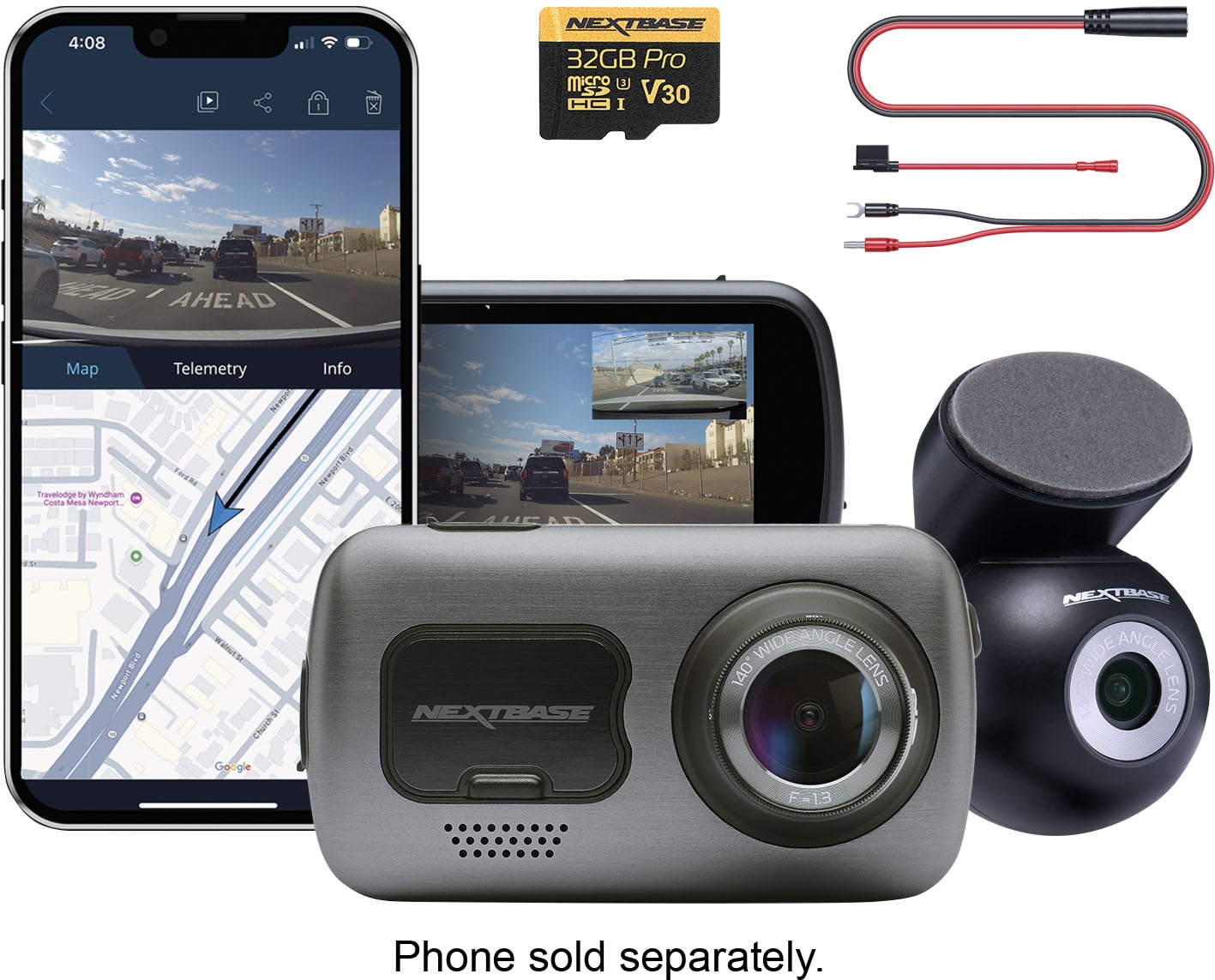
|Posted .This reviewer received promo considerations or sweepstakes entry for writing a review.Everything you need and more is in the box minus any tools you need if you’re hard wiring (like wire strippers). I like that it gives you the option to hard wire as well as having the 12v accessory power option. I personally went for the 12v accessory option just because I am actively planning on updating my transportation and want to be able to remove it easily when the time comes. Installing it was pretty easy, I just slid it underneath the trim and fed it through the different holes to get the front down to the power and the rear camera to the back. I had about quite a bit extra (maybe around 5 feet or so) to the back but my current ride is a compact hatch back so depending on your vehicle your extra length may vary. It comes with an extra piece of tape for the front and rear cameras which is awesome for switching cars, but I definitely didn’t need it for the inability for the first set of tape not to stick, I wiped off the surfaces and it stuck perfectly and has remained in place without an issue. I did need to restart the camera to get it to recognize the rear camera, so just be aware of that. For the usability of the camera. It has Alexa built in, I’m not sure I really understand the purpose of it, you can ask her to start recording and stuff, but I really just have the camera on and let it run anytime I’m driving, that way if anything ever happens it is for sure recorded. The included SD card is large enough that I’m not worried about any event getting lost before I download it from the camera. Your phone can connect directly to the camera versus having to unplug the SD card from the camera and put it in a laptop. I thought at first it was auto transferring but it wasn’t, just showing you all the videos available. It’s nice to be able to connect to it with the phone in a pinch but I don’t mind the SD approach at all. The video quality is great and it auto turns on whenever I get in my card and starts recording. It has been running seamlessly since I installed it. Overall, it does it’s job and I can kind of just forget it even exists until I need it and it is already working for me at that point.
I would recommend this to a friendBrand response from Nextbase
Posted .Hello Ben,
Thank you for your detailed review!
We’re so pleased to hear the installation process was smooth and that the camera has been running seamlessly for you. It’s great to know you’ve found both the 12V option and the app connectivity convenient, and that the video quality gives you confidence everything will be captured when needed.
We also appreciate your thoughts on Alexa integration—it’s designed to offer hands-free control, but we’re glad to hear the core features are already meeting your needs. It’s wonderful to know the 622GW is doing its job so reliably that you can simply set it and forget it.
Thanks again for sharing your experience and for recommending Nextbase!
-The Nextbase Reviews Team
- Pros mentioned:Ease of use, Included accessories, Video quality
Great Dash Cam!
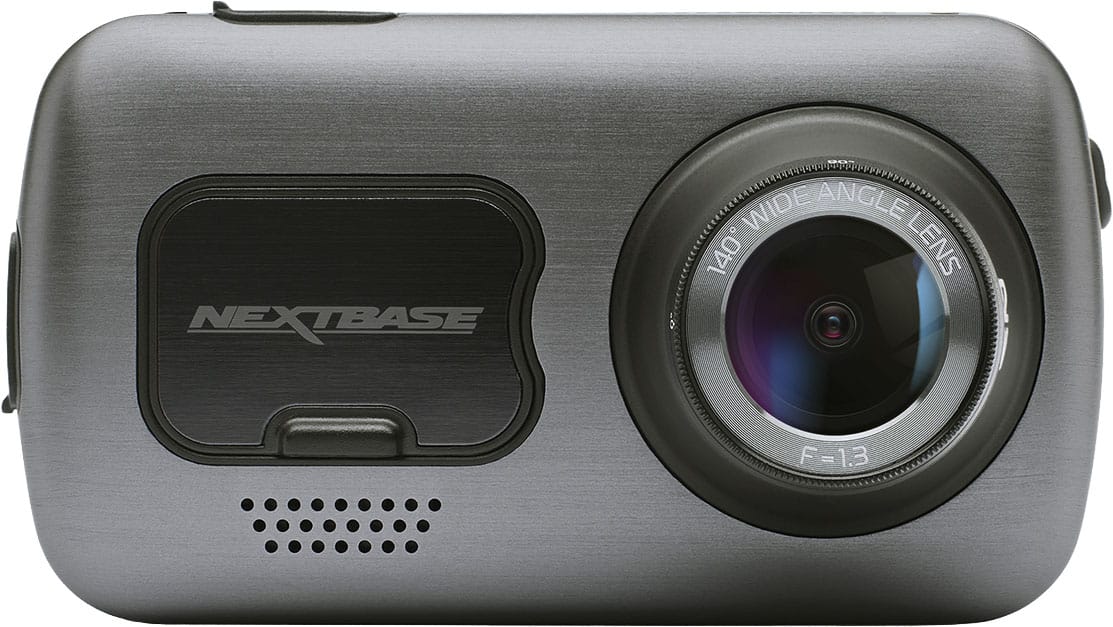
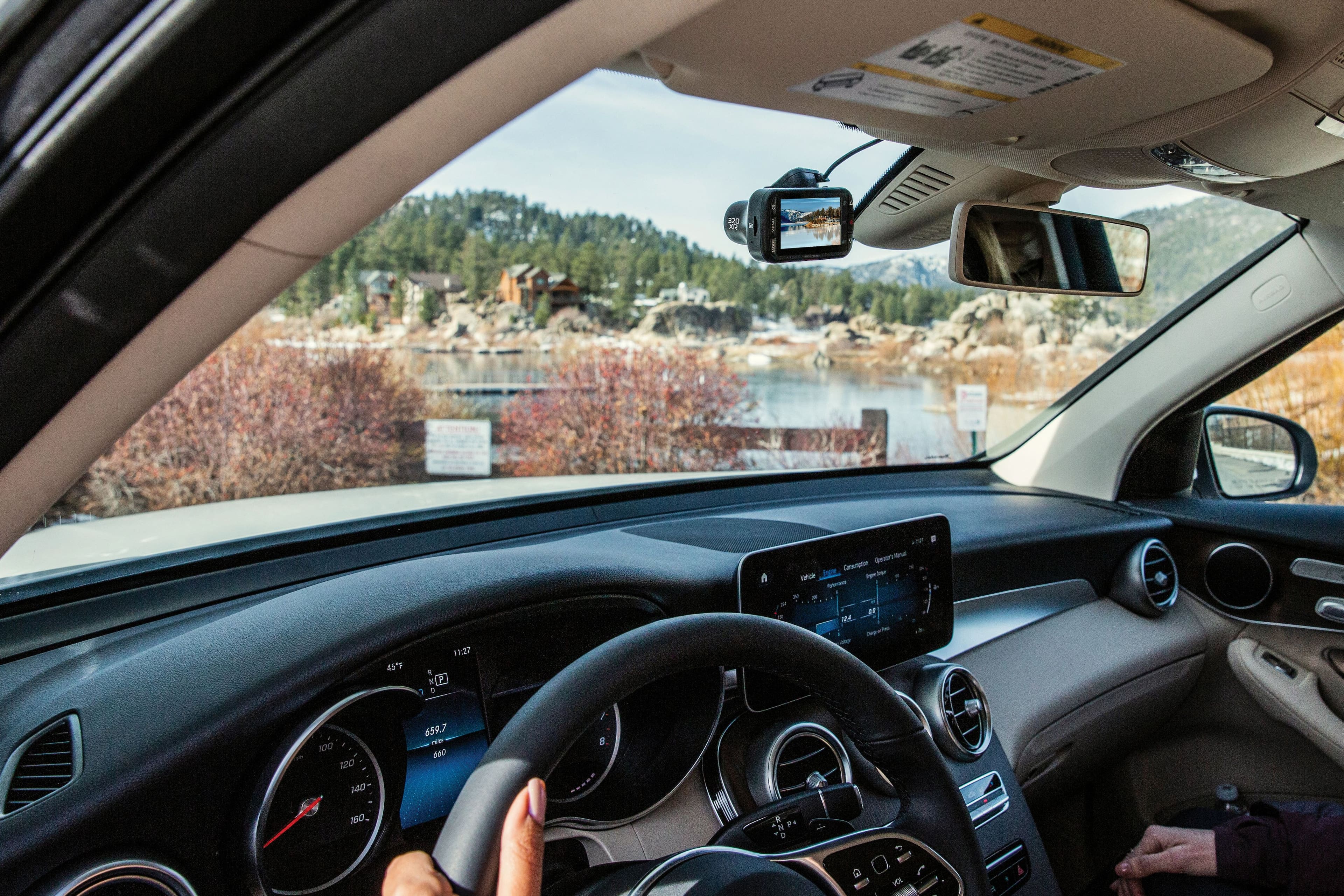
|Posted .This reviewer received promo considerations or sweepstakes entry for writing a review.The Nextbase 622GW is great dash cam that has everything you need to get set up, right inside the box. The 622GW can be hardwired using the included wire kit, or if your car has a 12v port then you can use the included 12v power cord. The main unit can attach to the windshield using the GPS mount, the rear camera connects to the main camera with an HDMI mini cable. The main dash cam has only 1 physical button, everything is now controlled by the touchscreen. The one button that’s on the front of the main camera is perhaps one of my favorite features, and that the ability to lock and save the current clip being recorded. To me this is an essential function that needs to be in every dash cam. Lastly, the dash cam comes with a 32gb SD card to store video clips manually on the device. The Nextbase app is a very useful app for the dashcam, as it allows you to connect directly to your camera via WiFi and Bluetooth and transfer videos, edit videos, or even get a live view of your camera. The app looks good and is very user friendly, best of all it’s all free. The 622GW is capable of filming 4K video up to 30fps, which looks pretty impressive when playing back on a compatible device. There are plenty of useful features that the cam has built-in which can be toggled on/off…The ability to use Amazon Alexa, I could see how this would be useful for some, but I didn’t need it so I never used it. The image stabilizing, (which is turned off by default) is a great and useful feature that makes your videos a lot less shaky. Extreme weather mode makes it easier to see video in extreme weather. Intelligent Parking Mode is another feature that I really like, this allows you dashcam to detect if something hits your car while its parked and automatically starts recording. Luckily, I haven’t had to test this out yet. Overall, I really like the Nextbase 622GW dashcam. I think Nextbase makes some of the best dashcams on the market, they video quality is great, they are very user friendly, not to mention they are jammed packed with amazing features. I would definitely recommend this to anyone looking for a premium dashcam.
I would recommend this to a friendBrand response from Nextbase
Posted .Hello,
Thank you so much for your fantastic review!
We’re thrilled to hear how much you’re enjoying your 622GW and its many features—from 4K video and image stabilization to Intelligent Parking Mode and the clip lock button. It’s great to know the setup, app, and included accessories have made the experience smooth and convenient for you.
We truly appreciate your recommendation and your kind words about Nextbase. It means a lot to us that you consider our dash cams among the best on the market!
-The Nextbase Reviews Team
- Pros mentioned:Ease of use, Video quality
Great quality and easy installation
|Posted .This reviewer received promo considerations or sweepstakes entry for writing a review.This was my first time installing a Nextbase camera. Opening the box I was surprised at how complete the package was. Usually there's some extra thing I wind up needing to get this type of tech up and running, but they really thought of everything. After charging the unit and setting up an Nextbase account, I went out to my wife's car to set it up. Installation was pretty straightforward. There are options for both hardwiring it into your interior fuse box, and for using a power socket. I couldn't find a ground point near the car's fuse box, so I went with using an unused 12v socket for simplicity. The cable for wiring into the fuse box has three different adapters for passing through, with pretty much every fuse type represented. I'll probably switch to that later, I just wanted to get it up and running. Both front and rear cameras come with mounts that attach with double sided tape. This stuff is unusually strong, so make sure you test fit before you stick them on. The rear camera magnetically attaches to the mount, but the wiring that runs from it to the front camera is fixed, which I don't like. If you ever need to replace this camera for any reason, the wiring has to come out with it. The included 32GB MicroSD card seems like it'll be sufficient for long drives, but if you want to use the thing to monitor your car while parked, you're going to want something bigger. Recordings made using the camera are better than I expected. Footage is clear and sharp in both day and nighttime situations, especially the 4K footage, which provides plenty of detail. If the camera detects an event like a crash, it locks the footage for overwrite protection, which is a great feature. The app seems like it has potential, but I'm accustomed to (and prefer) just pulling the SD card to transfer footage. Overall, I think it's a fantastic kit, and I'd recommend it to anyone looking for a great dashcam setup with an easy, universal installation.
I would recommend this to a friendBrand response from Nextbase
Posted .Hello,
Thank you for taking the time to write such a detailed review!
We’re glad to hear your installation went smoothly and that you found the kit complete and easy to set up. It’s great to know the 4K video quality and safety features are meeting your expectations.
We also appreciate your thoughtful feedback about the rear camera cable and app. We’ll be sure to share this with our product team as we continue improving the experience.
Thanks again for choosing Nextbase and for recommending us!
Let us know if there is anything we can help with.
-The Nextbase Reviews team
- Pros mentioned:Field of view, Overall performanceCons mentioned:Connectivity
Great kit and camera, sharp day time pics
|Posted .This reviewer received promo considerations or sweepstakes entry for writing a review.The Nextbase 622 dash cam offers a straightforward installation process, even if you do a hard-wired setup. The kit comes with plugs which go in place of a standard fuse. The biggest challenge I had was finding someplace to attach the ground wire. My car didn’t have any nearly screws attached to the body. I had to solder it. Getting it connected after that was a piece of cake. The only other challenge I had was in the rear camera cable, the short cable needed some extra pushing to get it firmly seated in the extension. Of note, this camera still uses a mini USB cable for power, instead of the newer micro USB or USB C. If / when this is upgraded, a new hardwiring kit will likely be needed.. The front camera records in sharp 4K resolution, providing excellent daytime clarity. However, it's important to note that while the image quality is high, it may not be sufficiently sharp to discern fine details, such as license plates, at night. Road signs were clear and it was certainly sufficient to have an idea of where cars are travelling. This is the critical need. I’ve had dash cams in all my cars ever since I was in an accident 5 years ago and used dash cam footage to prove it was the other driver’s fault. For me, the dash cam is for insurance. I’d rather pay a little more for something I don’t need right now, rather than find out later I didn’t have it when I really needed it. A notable design aspect is the rear camera's ability to tilt, which allows for more flexible, off-center mounting options without compromising the field of view. Previous cameras I’ve gotten had to be placed in the middle of the rear window, so the camera and it’s wire slightly obstructed my view. All my vehicles are either hatchbacks or SUV / Crossovers, so the cord hangs down slightly to allow the slack needed for the tailgate to open. The device features a responsive touchscreen interface, making navigation and settings adjustments intuitive. Integrated GPS ensures accurate speed readings are recorded alongside the video footage. Nextbase lets you program your license place so that also gets embedded in the resulting video. Separate files are saved for the front and rear camera. Each file is saved with a high resolution file (3840 x 2160), Medium Resolution (1920 x 1080), and low resolution (852 x 480). The camera allows for transfers directly to a phone without removing the card. Auto transfers only save the video at the lowest resolution. The high resolution files are only available directly from the card. To manage file sizes, the camera automatically saves video segments in 45-second clips, which helps to keep individual files more manageable. Despite this, the 4K recording resolution generates substantial file sizes, with approximately 24 GB of storage required per hour of footage. Therefore, it is strongly recommended to use a high endurance, large-capacity microSD card. Users should periodically save desired footage to a hard drive or cloud service and then re-format the card to maintain optimal performance and storage availability. Nextbase offers a cloud service subscription, but it’s not required. Connectivity to mobile devices via Wi-Fi can be somewhat challenging, particularly for users who also utilize wireless Android Auto. It took me several minutes to get it connect the first time and required me to either disconnect the phone from the car or turn the car off and turn the camera on manually. Even then, it was not as easy as I would have preferred. My workflow for using the saved videos was to pull the card out after a week, then copy the locked files using a PC. When I was done copying, I re-formatted the card so it could be used again. A longer interval will work, as long as your card is significantly larget Overall, this is a good, solid option for a high resolution dash cam. It’s easy to use and can be installed without going to an expert, if you’re a decent DIYer. With the right card, I expect this to be trouble free for several years.
I would recommend this to a friendBrand response from Nextbase
Posted .Hello Dan,
Thank you for taking the time to share such a detailed and thoughtful review!
We’re glad to hear the installation process went smoothly overall and that you’ve found the 622GW’s 4K recording, GPS, and touchscreen features helpful for peace of mind on the road.
Your insights on the setup process, file sizes, storage needs, and mobile connectivity are very valuable, and we appreciate you highlighting both the strengths and areas where there’s room for improvement.
It’s great to know the dash cam has already made a difference in your driving experience, and we hope it continues to serve you well for years to come.
If you ever need help with your camera, don't hesitate to reach out!
-The Nextbase Reviews Team
- Pros mentioned:Included accessories, Video quality
A Very Good Dash Cam
|Posted .This reviewer received promo considerations or sweepstakes entry for writing a review.This Nextbase Dashcam with everything included, and I mean everything is a very good dash cam. The unit comes with a dash cam, a rear camera, an SD card, as well as a hard wire fuse kit. There is ample wire to run the wiring to the back under your headliner for the rear camera. The front camera with the rear camera attached plugs into your cigarette lighter. To keep the unit in an always on position you can wire it to the fuse box. Make sure to ground. That is a must. The camera is good. 4k video. In the few days Ive had it I find the video crisp, but it is hard to be able to view license plates. Perhaps I can fine tune it and get better results. I'm going through setup settings to see if I can do something there. Ill look at that more, as I said, I've only owned it a few days. I applaud the video stabilization. It is excellent. Not jumpy. The video screen is 3 inch which is sufficent to me. It has something called extreme weather mode which allows low visibilty recording. Night view is also very good. The provided 32gb micro sd card is a start. Best to upgrade that capabilty to the 256gb micro sd card. That is the maximum. The SD card holder is a bit of a pain. I found it is easy to detach the sd card which is frustrating. It has bluetooth 5.0 and wifi. The wifi is a bit spotty. The bluetooth connection is good. There is a nextbase app that app allows live view and some setting capabilities and such. A pretty good app that compliments and enhances the camera. As with everything today, nextbase has subscription services. No thanks. I understand some features are behind the paywall, but so be it. I'm resistent to subscriptions. Nextbase has a nice camera here. I would recommend it, but it isnt perfect. Well built, functional, with some very good features.
I would recommend this to a friendBrand response from Nextbase
Posted .Hello,
Thank you so much for taking the time to share such a detailed and thoughtful review. We're really glad to hear you're enjoying the overall build, features, and video stabilization of the Nextbase Dash Cam. It sounds like you've done a great job setting everything up!
We appreciate your honest feedback regarding the SD card slot and the Wi-Fi performance, those insights are very helpful. If you’re still having trouble with license plate clarity, feel free to reach out to our support team for help fine-tuning the settings, we’d be happy to assist.
Thanks again for your recommendation and for being a valued customer!
-The Nextbase Reviews Team
- Pros mentioned:Ease of use, Overall performance, Video quality
User friendly, Quality Dash Cam
|Posted .This reviewer received promo considerations or sweepstakes entry for writing a review.Installation Experience: Setup was smooth and well-documented. The front camera includes a 12V power cable that plugs directly into your dash outlet for a quick install. I chose to hardwire mine to the fuse box using the optional permanent wiring kit, which comes with easy-to-use fuse connectors. No wire stripping or soldering required, making it a clean and beginner-friendly solution. The trickiest part was feeding the wire through the firewall, which took some patience. Installing both front and rear cameras took about two hours. Mounting & Flexibility: The rear camera is magnetically held to its mount, allowing you to adjust it to nearly any angle. This makes positioning simple whether you're mounting it high, low, or off-center. Video Quality & Recording Options: Both cameras deliver excellent image quality, sharp and reliable in various lighting conditions. The system records three file types per camera: • L – Low resolution • H – High resolution • T – Time lapse This gives you flexibility in managing storage while preserving high-res footage when needed. Software & App Integration: The phone app connects via Wi-Fi and lets you view recordings instantly. The desktop software adds another layer of functionality, displaying speed, direction, and other metadata alongside your footage, great for reviewing incidents or road trips. Touchscreen & Display Features: The touchscreen is responsive and easy to navigate. You can customize the screen saver mode to either go dark while driving or display your current speed. I really like this feature, except for one drawback: if you wear polarized sunglasses (as I do), the screen becomes unreadable due to the polarization angle. It’s a minor but noticeable design flaw. (- 1 star) Final Thoughts: Aside from the polarized screen issue, the Nextbase 622GW is a feature-rich, high-quality dash cam system. Installation is flexible, video quality is top-tier, and the software integration adds real value. I’d definitely recommend it to anyone looking for a reliable and smart dash cam setup.
I would recommend this to a friendBrand response from Nextbase
Posted .Hello,
Thank you for the detailed and thoughtful review! We're thrilled to hear that the installation, video quality, and software features met your expectations.
Your note about the polarized sunglasses is a helpful insight, and we’ll be sure to pass it along to our product team. We truly appreciate the recommendation and your support!
-The Nextbase Reviews team
- Pros mentioned:Field of view, Overall performance, Video quality
The ultimate dash cam bundle.
|Posted .This reviewer received promo considerations or sweepstakes entry for writing a review.For the last week, I've been testing the Nextbase 622GW Smart Front and Rear Dash Cam. I have always been a fan of Nextbase dash cams, and this bundle performs well and is a fantastic deal. Inside the package were the front dash cam kit, rear dash cam, a 32GB high-speed Micro SD card, and all the necessary wiring to hardwire the cameras to the vehicle fuse box. This is seriously everything you need for a successful and professional-looking install. As for performance, the dashcam does a fantastic job in both day and night. All the captured footage was crystal clear, and it did an excellent job of capturing license plates. The field of view is fantastic. It is wide enough to capture multiple lanes of traffic and even vehicles driving next to me. In addition, it also recorded important information such as time, date, GPS location, and current speed. Basically, it provides everything you need to protect your interests in the unfortunate case of an accident. With that said, I absolutely love my Nextbase dash cam, and I would highly recommend it to anyone that wants a full, reliable, and easy to install dash cam package.
I would recommend this to a friendBrand response from Nextbase
Posted .Hello,
Thank you so much for your fantastic review!
We’re happy to hear that your Nextbase 622GW has been performing so well and that installation was smooth.
It’s great to know the camera’s clarity, wide field of view, and detailed footage are giving you the peace of mind and protection you were looking for.
We truly appreciate your recommendation and your continued trust in Nextbase!
Let us know if there is anything we can help with.
-The Nextbase Reviews team
- Pros mentioned:Video quality
My favorite camera in the Nextbase line
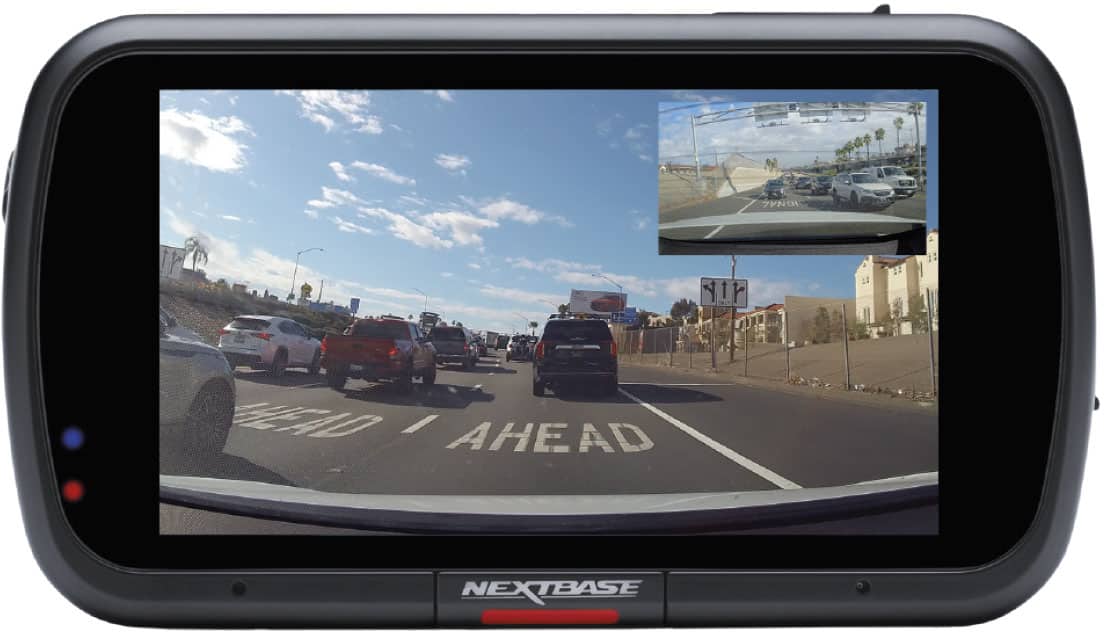
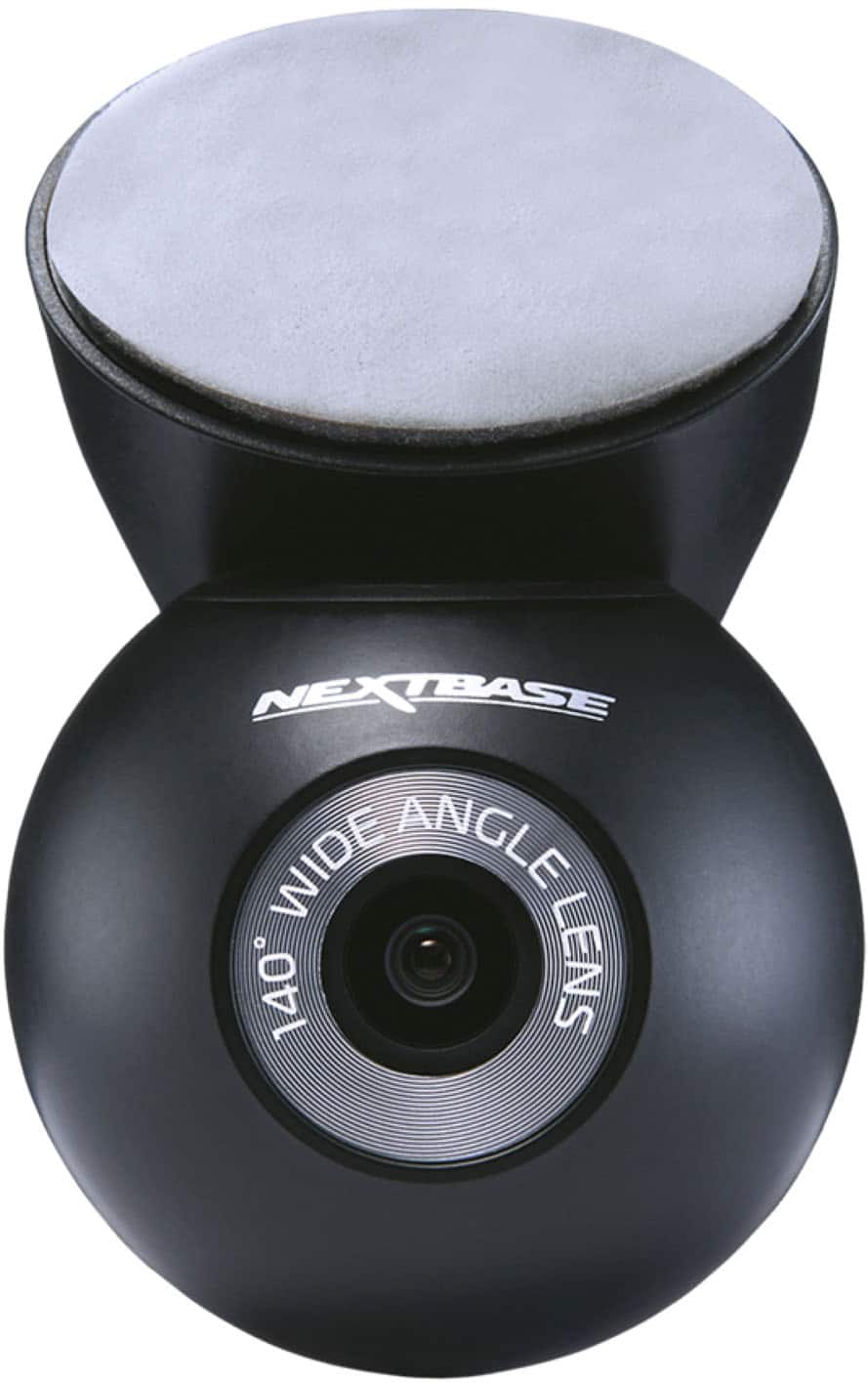
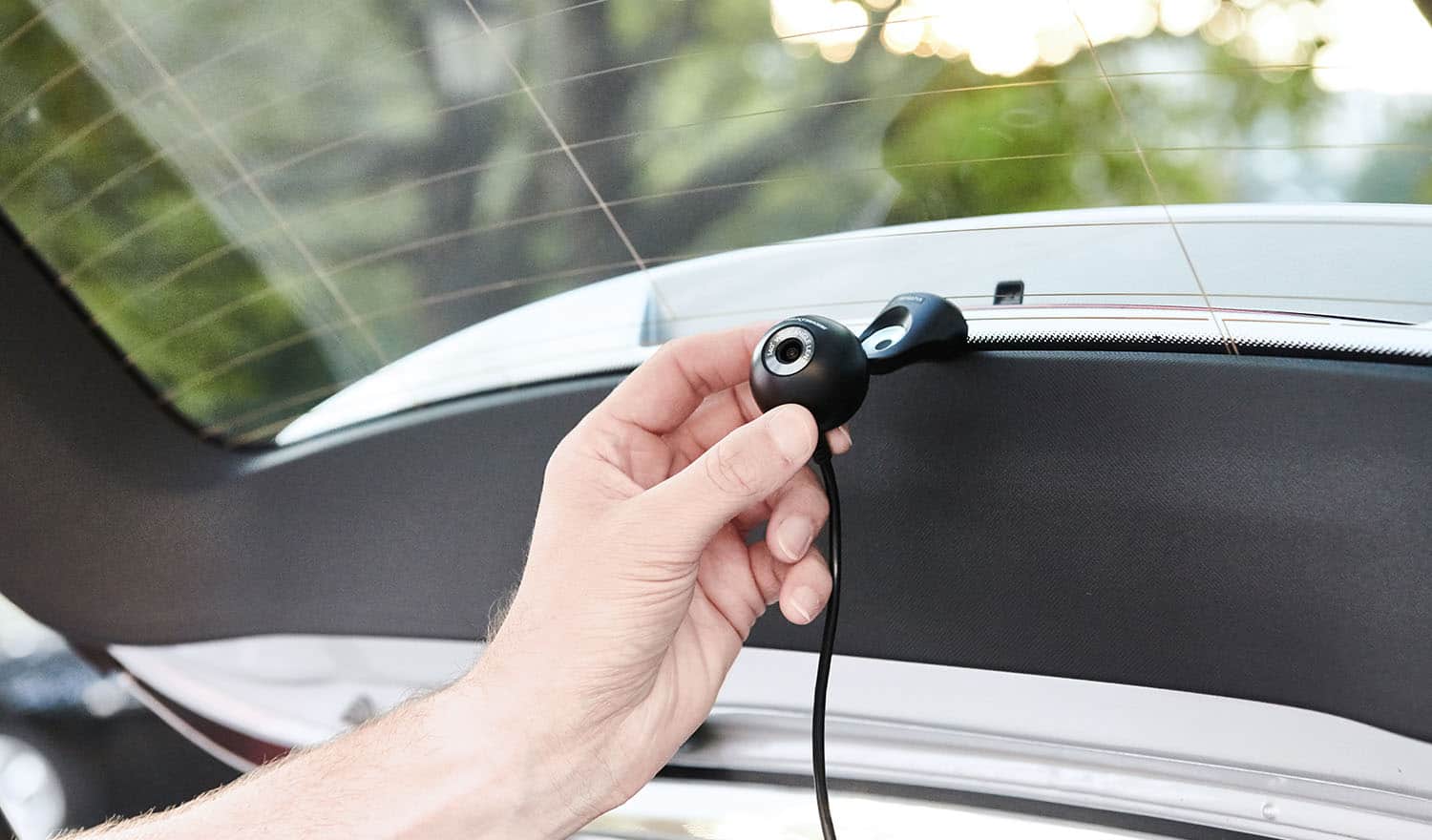
|Posted .This reviewer received promo considerations or sweepstakes entry for writing a review.The Nextbase 622GW marks my return to Nextbase’s original camera lines. I recently gave their newer IQ dash cam system a try and it wasn’t the best experience or camera for me. Despite my disappointment with the IQ line, I’ve never had issues with Nextbase’s 322, 522, and 622 line of dashcams. I did run into a few minor setup issues with this 622GW, but they were quickly resolved and overall it was a mostly a pain-free experience. My first step was to fully charge the camera with the included mini-USB charging cable before use. The charging and car cable connectors are both mini-USB. I connected to the camera through my phone via wifi and set it up through the MyNextbase app. The app allows me to live view, perform camera firmware updates, adjust camera settings, and download media to my phone from the camera without removing the SD card. The MyNextbase app is where I ran into the minor issues. The first was the inability to use my existing Nextbase account. My account became corrupted and rendered unusable after I attempted to pair it to my IQ subscription a couple years back. I simply created a new account to use with the 622, which resolved that issue. Then I quickly encountered another issue. My phone screen auto-locked while installing the camera firmware update through the app. This resulted in a stuck loop cycle that took over an hour and numerous subsequent installation attempts to resolve. I finally got past the spinning circle of misery installed the firmware update. Both issue were minor and quickly resolved. That was thankfully the end of any unexpected issues and the rest of the setup went smoothly. The vehicle installation was straightforward and problem-free. A hardwire kit is included, along with a typical 12V DC cigarette lighter style plug. The hardwire kit is easy to install and the 12V is available for those who prefer not to tap into the vehicle’s electrical system. The biggest advantage of the hardware kit is that it provides constant power for standby features like the parking mode monitor. I cleaned the front and rear vehicle windows, lined up and installed each camera in the front and back. Both cameras are mounted to the glass via 3M heavy duty tape. The front camera attaches magnetically to a base which stays attached to the glass. This allows me to easily remove the camera if necessary without disturbing or removing the mount. The rear camera is a sphere that also attaches magnetically to its mount. Although the rear camera can also be easily detached from its mount, the lengthy wiring is hard-wired directly to the camera, not the mount. If I want to remove the rear camera from the vehicle for any reason, I’d have to pull out all the wiring with it. One thing to watch out for is making sure the barrel style connector on the rear camera is firmly inserted until it clicks. I initially couldn’t get the rear camera to work until I checked all connections and corrected the not fully inserted connector. I then used the included trim tool to conceal and run the rear camera wire underneath the interior trim and pillars from front of vehicle to rear. All wiring is easy to conceal with a little patience. I used a couple zip ties helped me conceal the under-dash wiring nice and neat. A 64GB Nextbase MicroSD card is included, but I purchased a 128GB high-speed card for additional storage capacity. The 64GB card was only good for storing about a day worth of recordings. The higher capacity cards have worked well without issue in my previous Nextbase cameras and provide multiple days of footage. The included 64GB card is sufficient for daily use. It’s just more of my personal preference. Recordings from both cameras is decent quality. The camera displays a rear camera PIP screen over the main front camera display and records simultaneous clips from both cameras in both 3840x2160 and 1920x1080 resolutions. The 4K recordings from both front and rear are crisp and sharp. The HD resolution recordings are okay but grainier by comparison and mostly only good for casual sharing since they’re smaller. I am able to clearly decipher signs, license plates or other important data in the higher resolution footage recorded under nearly any lighting conditions, day or night. Not so much with the lower resolution recordings, but they’re more of an emergency use option for me anyhow. The camera records clips in intervals and footage can be offloaded via removing the physical SD card or through the app. The camera records reliably and the 30fps frame rate is sufficient for this type of recording. If the camera records something it feels is important (impact, parking mode detection, etc) it will lock and protect the footage from being overwritten. The 622W has additional safety features such as an emergency SOS mode that integrates with what three words location services. The camera can initiate contacting emergency services in the event of an accident with no movement detected after impact. The WTW service enables location to be pinpointed to within 3 meters. There is also a parking mode which begins recording if the car is parked and the camera senses movement or impact. Some services require a paid subscriptions to use. Like most dash cameras, the 622 has both pros and cons. Thankfully, the pros outweigh the cons. The companion app can be hit or miss at times, but unlike the IQ line which is virtually unusable without the app, the 622 seldom requires me to use the app unless I need to periodically reformat the card, apply a firmware update or some other sort of housekeeping task. I seldom use the app outside of that. I prefer to pop the SD card out and download footage directly to my PC.
I would recommend this to a friendBrand response from Nextbase
Posted .Hello,
Thank you for such a thoughtful and detailed review!
We’re delighted to hear that the 622GW has been a smooth return to the Nextbase range for you and that you’re enjoying the reliable 4K recording, parking mode, and safety features like Emergency SOS and what3words. We also appreciate your honest feedback on the app and setup process—this kind of insight is incredibly valuable as we continue to improve.
We’re glad the 622GW is giving you the quality and peace of mind you were looking for, and we truly appreciate you sharing your experience. Thank you for choosing Nextbase again!
-The Nextbase Reviews Team
- Pros mentioned:Video quality
Feature rich dash cam with great resolution
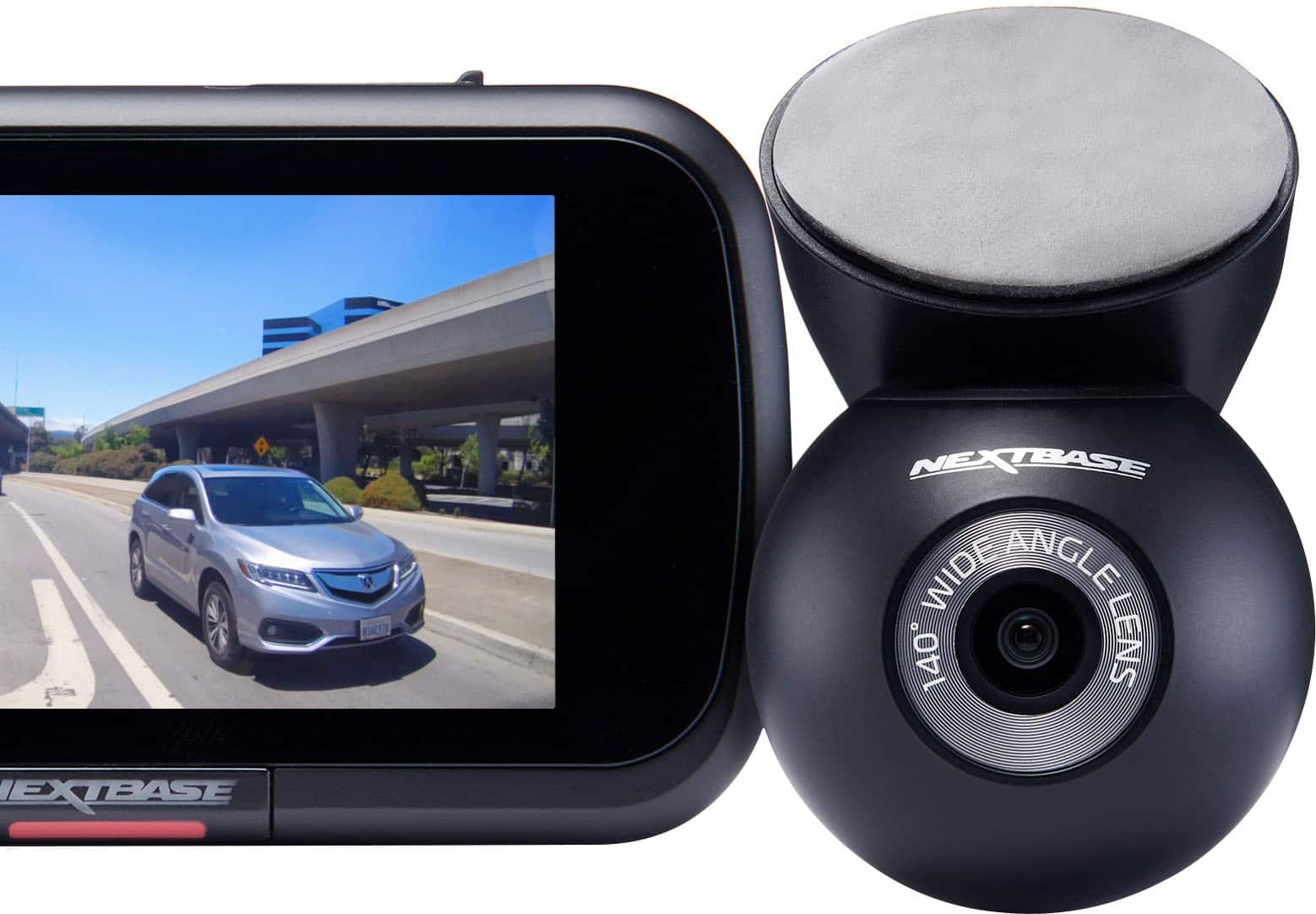
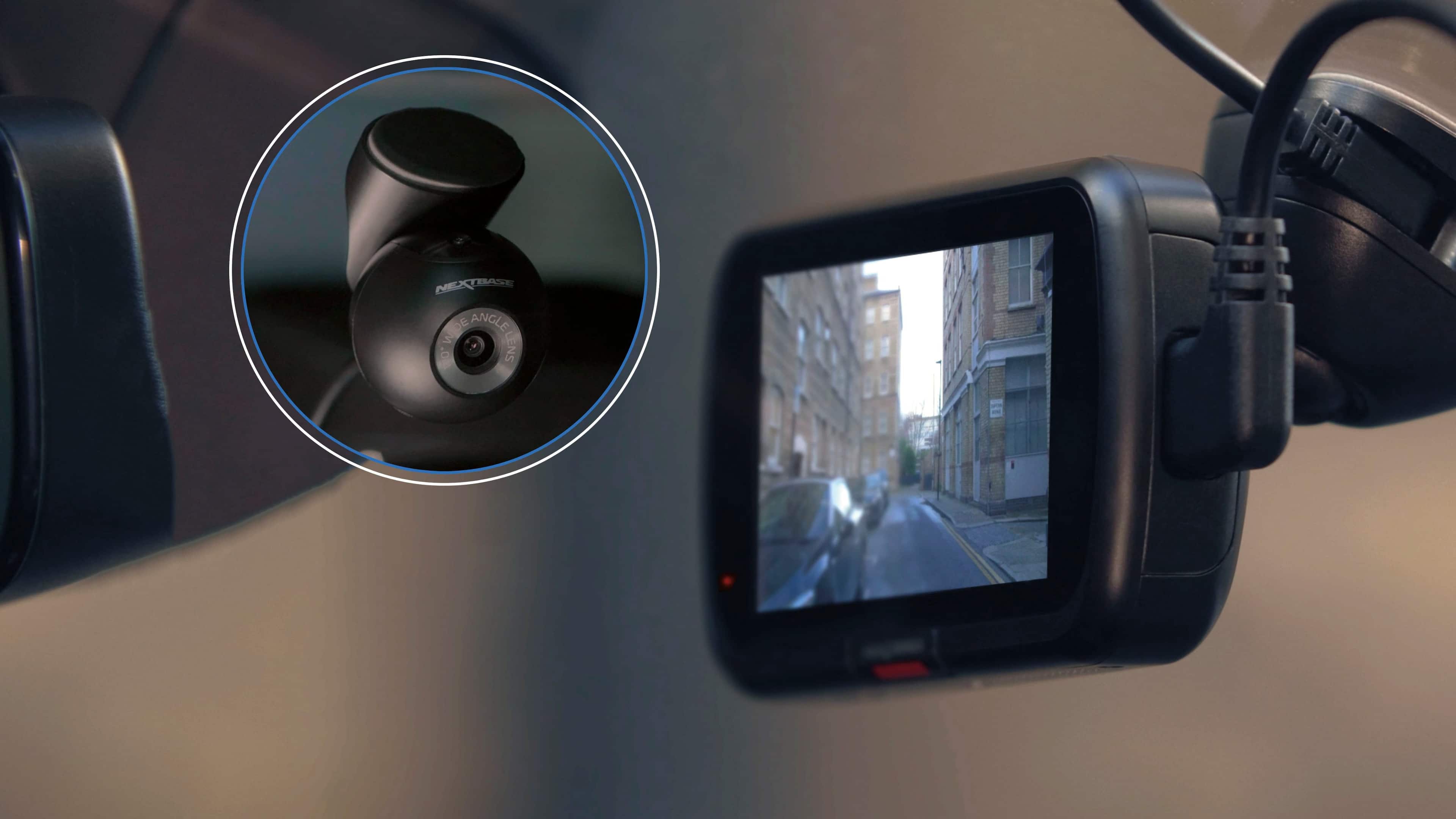
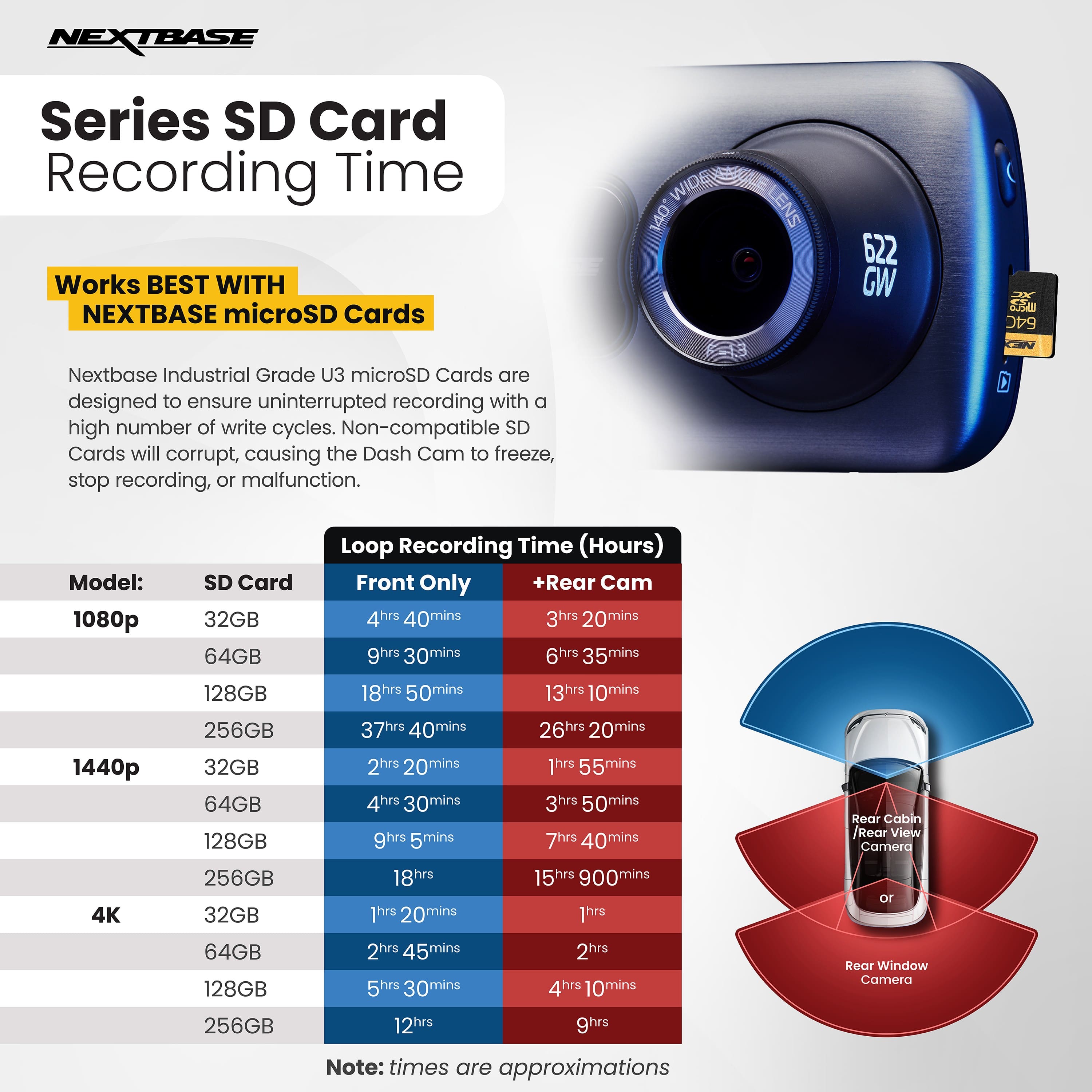
|Posted .This reviewer received promo considerations or sweepstakes entry for writing a review.I have found that dash cams are nearly invaluable these days, both for having teenage drivers, and offering protection against 'at fault' claims. For this reason, I picked up the Nextbase 622GW 4k dash/rear cam to see how it would perform. TL:DR - This dashcam is easy to hardwire, providing you know your way around the vehicle and how to remove trim, and straightforward to use. Mounting options and camera coverage offer enough flexibility to get a great viewing angle, regardless of vehicle design. The app isn't the best, and takes a bit of patience to get everything to work as expected. Nice features include parking monitoring, what3words location verification, and emergency assist. Pros: Assistant voice control allows you to change views, capture photos, and protect images while driving. Fuse tap cables are included, if you DIY, this means you don't have to splice anything or tie up your 12v outlet. The app provides location information and speed, both on the video as well as in the information tab. Image stabilization is fantastic, we have a lot of unpaved roads in my rural area, and the video playback is relatively smooth compared to other cameras. what3words precision accuracy is great for exploring the trails and figuring out where you are when not on a mapped road Cons: The app for iPhone is a bit buggy. At times there will be load or odd playback errors, see photos for examples, everything resolved eventually, but still annoying. Only an hour of recording space, so if you travel long distances you'll need to upgrade the storage, or protect files that you think may be of interest later. In the box is front and rear camera, front mount with adhesive pads, usb cable, power cable, wiring kit, 32gb sd card, and quickstart guide. Setup wasn't difficult, but I also do all of my own vehicle maintenance, so I understand how to pull access panels to run these wires. For many vehicles, you can find tutorial guides online. For setup, I downloaded the app, charged the camera for a few hours, and then got to work. The hardware kit makes installation easy, first plug into the fuse panel, run the power wire up to the front camera, then plug in the rear camera cable and run that to the rear placement. Overall it took about 45 minutes to pop trim, run cables, and place cameras. To use, you can do everything through the app, playback, protect files, update settings, etc. Yes, you can pull the sd card and review the video files on a computer, however I don't foresee myself actually doing this unless there is an incident that warrants review. As for the build, the click & go mount is nice so that you aren't fighting it if you want to remove either camera on a routine basis. The cameras are both small, with the front cam having a simple user interface with touchscreen accessibility. You can select what you want the 3" screen to display, front or back real time video, screen in screen view, speed, gps, etc, I found that I don't use these options and typically leave it on screen in screen so I can see both views easily. The front camera is 4k with 30 fps frame rate, so when you need to review a detail, grab a license plate, or even capture images of people, nothing is blurry, regardless of your speed. The back camera is about the size of a golf ball and offers 1080p resolution with a 140 degree viewing angle. Other notable features include: the rear camera does surprisingly well at night, so far I have not had any mystery videos where I can't tell what was behind me. The voice assistant offers the ability to integrate weather, voice control, voice calling, music playback, etc. I honestly do not use any of these features, as I already have these options as part of the vehicle entertainment system. However, I do use the voice assistant to change views, protect files so I can review them later, and change the view on the screen. The parking mode is nice in that if it records a physical event such as being bumped by another car while parked, the movement will trigger the camera to record. Lastly, the emergency SOS services is a free trial for a year, if does have a false positive test prior to contacting emergency services, and will activate if it sends a signal to your phone and is not reviewed withing a short period of time. Overall no issues with it false triggering, even on the most jarring off road adventures. Overall, if you have a valuable vehicle, store valuables in your vehicle, a teen driver, or just want to make sure you have an unbiased record in case of an accident, I highly recommend this camera. The features are fantastic, and I've not come across any other camera that offers this many options in such a compact design. The app glitches are minor, and something I'm willing to navigate, as so far the camera has worked and recorded even if the app isn't able to play back.
I would recommend this to a friendBrand response from Nextbase
Posted .Hello,
Thank you so much for your detailed and thoughtful review!
We’re delighted to hear that the 622GW has provided peace of mind and performed well for your needs — especially with your new driver on the road. It’s great to know the installation, image quality, and helpful features like Emergency SOS and What3Words have made a strong impression.
We also appreciate your feedback about the iPhone app experience — our team is continuously improving performance and connectivity to make it even smoother.
Thank you again for your support and recommendation!
-The Nextbase Reviews team
- Pros mentioned:Video qualityCons mentioned:Battery life
Modularity On The Dash
|Posted .This reviewer received promo considerations or sweepstakes entry for writing a review.So let me start by saying, one of the strongest features of this dash cams is the modularity it provides the uses. BUT there are a few things i did not like of course. Pros -Modularity -4K@30fps,60ps, [email protected] -HDR -Great stabilization -Many other features Cons -Battery Life -UI in camera a bit slow -App can be a little in your face All right let me be straight, if you have never installed a dash-cam, i would highly recommend watching some YouTube videos first. As someone who already messed with their car by removing panels in the past it was pretty straight forward. I would recommend the direct wire harness if you want neat cable management, but if you do not really care the cigarette harness is fine. I have a smaller car and made the mistake of installing it close to the rear view mirror, thankfully they provide extra adhesive for one to reposition the base mount. My favorite part of this camera and you could say brand, is the modularity, but of course it comes with its drawbacks. The biggest one I would say its the buying power amount, if you know what i mean. Another thing is the many gimmicks, that they include, which is what I am assuming is what makes the value go up. One example of that is the voice assistant, I understand some people love their alexa, or amazon ecosystem but as someone who is not part of that ecosystem, it is pretty useless. Another nitpick of mine is the mobile app its self. They provide A LOT of information regarding recordings, but to me as long as it shows me a clear view of what happened in front of me and in this case behind me as well, It is something I do not care much about. I know, I know, some people might want exact location, altitude, etc.. of when they hit a deer but lets be honest, unless your insurance is a pain to deal with, and or you have an extremely expensive car, I am sure it is something you do not need. I would like to assume people do not get in accidents often to need all these features constantly. Anyways, the app is decent, sometimes it could take a while to connect to the cameras, but it work. The only thing I do not like is that they push their store at the front as soon as you launch the app. TLDR; This camera is great if you are replacing an old camera, and also if you are not sure you want extra cameras at the moment, but plan to upgrade later and not want to buy a new set (convenience). Would I recommend it? Yes and No. Yes to those who have experience with the company, want many features that fit your needs, and want to add other cameras with no hassle in the future. No to those shopping for a new dash cam ecosystem, a small tip if you just a raw dash cam experience, research their mobile app, ease of use, and camera quality
No, I would not recommend this to a friendBrand response from Nextbase
Posted .Hello,
Thank you for taking the time to write such a detailed review!
We’re glad to hear you’re enjoying our 622GW's video quality, stabilization, and design.
We really appreciate your honest feedback about the app experience and additional features. Insights like yours help us continue improving both usability and value for all drivers.
It’s great to know installation went smoothly and that you’ve found the flexibility of the system useful for future upgrades.
If you ever need further help with your camera, you can email us at [email protected]
Thank you again for choosing Nextbase!
-The Nextbase Reviews team
- Pros mentioned:Ease of use, Video quality
A complete vehicle recording system
|Posted .This reviewer received promo considerations or sweepstakes entry for writing a review.This is an all in one set for recording your front view and rear view on your vehicle. This kid comes with everything you need to install your front facing camera. There's also an option to hardwire the camera for continuous power to the camera. Or an adapter to plug in to the cigarette lighter. The rear view camera is also easy to install. Cameras run in 4k. The kit comes with a 32g memory card that you can install on the front facing camera. The front facing camera has an option to flag incidents in times. The front facing camera itself does not seem heavy where it can fall when placing on your window. The front-facing camera also features a 3-in color display. The whole system can be connected via an app. The system also features an SOS detection system where if an accident is detected it can send GPS information to emergency services. The camera equipment looks durable. Overall this is a perfect kit for anyone looking for a complete camera recording system and with extra features that is worth the value.
I would recommend this to a friendBrand response from Nextbase
Posted .Hello,
Thank you so much for taking the time to leave such a thoughtful and detailed review.
We're delighted to hear that you're happy with the camera kit and found the installation process straightforward. It's great to know that the 4K video quality, dual camera setup, and additional features like the SOS emergency system and app connectivity are meeting your expectations.
If you ever need assistance or have any questions in the future, please don’t hesitate to reach out. We're always here to help ensure you continue to get the best experience possible from your setup.
Thank you again for choosing our product, and safe driving!
-The Nextbase reviews team
- Pros mentioned:Video quality
The camera witness you want as a driving companion
|Posted .This reviewer received promo considerations or sweepstakes entry for writing a review.Nextbase 622GW 4K Front and Rear Dash Cam with 32GB microSD Card. I insist that vehicles my family drives are equipped with a dash camera. In the event of a road incident, I’d like an unbiased witness on my side. This 622GW is an updated version from Nextbase, a company that has been a favorite of mine for a few years because of the way they allow me to manage the captured video files. I can quickly survey video directly from the camera’s 3” Touch Screen, or by connecting to my phone wirelessly (QuickLink Wi-Fi), or I can take the storage SD card and use the fully featured Nextbase app on my computer. This app is my favorite because I can manage everything I might need to do. I’ll provide details further into this review. PREVIEW: The video quality is sharp, colorful, contrasty, and when downloaded to my computer, the resolution I’ve selected (4k@30fps, 1440@60fps, 1080HD@120fps) is perfectly represented and easily manipulated. This newest 622GW version includes a simple feature like the front polarizing filter, which reduces glare for a clear image on sunny days when the light reflected off of wet roads, passing vehicles, or snow might make a recording unusable. There are sophisticated features, too, like image stabilization, which can be enabled in the settings. There is an enhanced night mode, which contributes to an improved amount of detail in night video. There is also connectivity to emergency SOS services using What3Words that is triggered by an accident and provides location within 3 meters if there is no movement after the accident. After a trial period, a subscription is required. There is an Intelligent Parking Mode that creates a recording in the event of a parking lot bump. SETUP: Nextbase has created several videos which should give users more confidence installing their dash cams. The guide on their website is nicely done. I watched my installer connect my 622GW into my hybrid Lexus sedan. Installation is pretty straightforward, and you can have a working camera, powered up and starting to record on an inserted SD card within an hour. I opted for a hard-wired installation, and everything but the remarkably small front and rear cameras are visible. The automobile installation isn’t complicated, although a hard-wired setup requires a good understanding of your vehicle’s spaces that allow for using an existing wire track. You don’t want to guess and possibly interfere with airbags or other sensors. The rear camera is not at all complicated, but, again, wiring YOUR automobile along its seams or wire raceways can be beyond many users. That’s where Best Buy’s installation services are worth checking out. Connecting to my iPhone (14) so I can use the Nextbase app for managing videos or settings was daunting but eventually successful. If I can offer a suggestion here: don’t rush to the firmware update. It’s offered immediately after you install the Nextbase App, but for me, it simply failed to complete, leaving me with a spinning wheel in the app, and nothing happening on the camera. Meanwhile, I’m sure it’s working and dare not interrupt the process. It never completed. Skip this step and move on to the next ”Wi-Fi” connection. This completes after a modest delay, and then my camera became more responsive and accepted the firmware update. When your camera is truly updating, it’s flashing red along the camera’s bottom bar, and the app display is clearly keeping you advised. After that, you can set up the features you want to enable. It’s a wonderful app that simplifies everything about the camera. There are over a dozen parameters that you can choose. There is even a computer-based video player app for my Mac, which offers a beautiful interface for managing recordings. (I could not find it in the Mac App Store. I downloaded it from Nextbase, directly.) This is my preferred way to manipulate and view my camera recordings. Everything you enabled in your camera is on the computer screen underneath the very detailed video image. The speed and other travel conditions are illustrated on a speedometer, a GPS readout, a compass, and a map! It’s all here, waiting for you to select, trim, edit, annotate, add titles, zoom, or save to a shareable file. It’s all pretty impressive. OPERATION and PERFORMANCE: The front camera and its mount are shockingly small, and the rear camera is about the size of a big bumblebee. The mount attaching to the windshield uses an effective adhesive plate/magnetic hold system. The camera itself uses a magnet design, so removing/attaching the camera to its permanent mount is easy. It will stay in place permanently, unless you pop it off its magnetic attachment with a firm tug. Very nice. Video recording is the default mode. You’ll capture everything in a 140-degree wide (4K@30fps with other options) view out in front of your vehicle and a 140-degree view (at 1080p resolution) from the rear. You can review, edit, and save clips directly on the camera screen, or by using your WiFi-connected phone and the NextBase app, or by using the wonderful Nextbase Player app for your computer. You can pull the memory card (32GB is included) from the camera and use the provided memory card holder. Nextbase provides larger capacity cards, but other high-capacity, highest video quality cards will work, too. See my pictures along with this review from a 128GB card I substituted. The app will pull in files from the camera or a card reader, either individually or as groups of files. Files are fairly easy to identify by date. A front or rear icon on the video identifies front or rear video clip. A long trip can be represented by a lengthy list of files (both front and rear camera). IRRITATIONS: — Initial setup (with my iPhone14) had its difficulties, but I could eventually resolve everything. It’s hard to hold a grudge once you experience persistent good performance. — The “Live View” features in the NextBase phone app have not worked for me. I am successfully paired via Wi-Fi and can do everything else, such as modify settings. But, no “Live View.” I’m also not sure why I might care. When driving, there is always a view of the captured video directly on the camera screen. The camera’s live image, even exclusively the rear camera if desired, is easily viewed. So, maybe it’s not that irritating, after all. — It’s not the fault of NextBase, but that tiny memory chip is hard to manage, as it flies out of its slot when I want to retrieve it for reviewing trip video. I’ve already lost one. — There are many settings that can be modified by the end user. It would be very helpful for Nextbase to offer guidance along with the (too) basic descriptions of the many settings. SUMMARY: The very Nextbase 622GW is a feature-loaded dash cam that gives any car owner peace of mind. I don’t use the phone for managing everything, but you can, and it’s easy. It’s perfect for settings and necessary if you want the location services. But I move to my computer for video file management. I love having both. The PC-based app is without peer. I love the simplicity, reliability, and usability of the Nextbase 622GW Dash Camera and its companion rear window camera. I can easily recommend this Nextbase Dash Cam, and once setup, you can have confidence it is your unbiased witness to any road incident. These are well made cameras, too.
I would recommend this to a friendBrand response from Nextbase
Posted .Hello,
Thank you for such a thoughtful and detailed review of the 622GW!
We’re delighted to hear that you’ve had a great experience with both the camera and our apps across mobile and desktop. It’s wonderful to know the video quality, feature set, and editing tools give you the confidence of having a reliable “unbiased witness” on the road.
We appreciate your feedback on setup, firmware updates, and feature guidance—insights like these are invaluable as we continue improving both our products and support resources. It’s great to know that once everything was set up, the 622GW has delivered the performance and peace of mind you were looking for.
Thank you again for your trust in Nextbase and for recommending us so highly—we’re proud to be your go-to choice for dash cams!
-The Nextbase Reviews Team
- Pros mentioned:Overall performance
The complete package
|Posted .This reviewer received promo considerations or sweepstakes entry for writing a review.The 622GW dashcam is the flagship model Nextbase offers. The 4K resolution allows you to capture a lot of details while on the road. And it’s a good way to have peace of mind while driving. This bundle contains this, the rear window camera, the hardwire kit, and a microSD card to start off. It is the all-in-one dashcam starter kit. The main unit itself is simple in its design and has a small touch screen for viewing and navigating the menu. The lens also has a built-in polarising filter to reduce reflective glare from your windshield. There’s a maximum of 128GB for video storage so it’s something to keep in mind should you shop for your own microSD card. The bundle includes a 32GB microSD card. However, depending on recording resolution and framerate, the storage size may or may not be adequate. Installation is fairly straightforward. The 622GW itself comes with a couple of mounting options – adhesive and suction cup. Both have pros and cons when it comes to choosing one or the other. There is a spare adhesive pad for when you need it. I chose to power the dashcam using the cigarette lighter adapter. While the hardwire kit is available for powering the dashcam, I am not confident nor comfortable in using that method. As for the rear camera, wiring is a little trickier and more time consuming for me. And mounting the rear camera only comes in one method – adhesive. There is a spare adhesive pad for the rear camera if the need arises. Camera angle is limited due to the cable connected to the camera and it bumping into the magnetic mount. Some rear windows may be angled in a way that having a rear camera may not work optimally with it. Also, when connecting the wiring cable to the rear camera, ensure it is completely and fully inserted, with no visible sign of the metallic plug. My initial mistake was leaving a tiny gap that the rear camera would not turn on. First time power-on will guide you through the setup process. Due to personal preference, the maximum resolution I can use is 1440p30fps for the front, despite that it is capable of 4K. The use of image stabilisation reduces the resolution when the rear camera is connected. While it means I lose some image quality, I gain a more stable video footage. The companion app (“MyNextbase Connect”) is unfortunately not good software. Initiating a connection seems fine but I have had trouble trying to connect to the dashcam to view footage and/or to download a clip. Although I have only tried once and had limited time in figuring it out, the first impression wasn’t great. For reference, the app was installed on an Android phone. Also of note, to import any video files from the dashcam, I ended up taking the microSD out and manually copying them onto the computer. Overall, I like the dashcam for its complete package. It’s the complete package since most dashcam normally don’t come with the rear camera. You get peace of mind knowing that you have both front and rear being recorded when something happens. The Good: 4k resolution, built-in polarising filter, two mounting options The Bad: only 1 spare adhesive for main and rear camera The Ugly: knowing we need dashcams because of how crazy drivers are today Verdict: buy
I would recommend this to a friendBrand response from Nextbase
Posted .Hello,
Thank you for taking the time to share such a detailed review!
We’re thrilled to hear you’re enjoying the 622GW bundle and that its image quality, design, and dual-camera setup have given you extra peace of mind on the road.
We really appreciate your feedback regarding the rear camera installation and app experience — this kind of insight helps us continue to refine both our hardware and software. We’re glad the overall setup met your expectations and that you’d recommend the product.
Thank you again for choosing Nextbase and for trusting us to help protect your journeys!
-The Nextbase Reviews team
- Cons mentioned:Connectivity
Needs better instructions
|Posted .This reviewer received promo considerations or sweepstakes entry for writing a review.I've had this dash cam about a week now but I've only had it installed since Sunday. I had to wait until the weekend to install it and then we had a tropical storm come through. Installation was pretty straightforward. There was plenty of wire for both the front and back cameras. The kit also comes with a tool to help tuck the wire between the trim and the roof liner or wherever else you choose to route it. There is a mount, adhesive and a cleaning cloth for the window for each camera. It comes with a couple extra adhesives in case you need to reposition the cameras. Take their advice for mounting. I mounted my front camera little too high and I'll probably reposition it. You'll want to make sure that you keep them close to other things, like the rear view mirror or 3rd tailight to cut down on clutter and limit obstructing your view. The kit also comes with a cable to download/upload to the dashcam. I am confused as to why a modern device came with an old style of USB rather than a USB-C like most devices use currently. Also included are the jumpers to power the unit through the fuse panel. This was handy since that was the plan for my vehicle. The only problem was that the connectors come out at a right angle so I want able to put the cover back on the panel. On my '25 Grand Highlander, the panel is under the dash so it isn't as important. I struggled with getting the dash cam set up. The app choices did not list for US. By googling I found that it is the UK app. Also, the box gives a different variation of the model number, which doesn't show up in the choices. I found that it is actually just a 622 GW. The next issue I had was figuring out how to connect to the cam. I tried holding my finger down on the screen few seconds to wake the settings up but it was so hot that I was burning myself. It wasn't just warm. I had to watch a YouTube video but I finally figured out how to it. It still wasn't easy. I'm still not exactly sure how to download the videos, etc. I can't seem to get them to go into my library. And each time I try to open the videos, I get a message about another cam already recognized so I think I'm doing something wrong. There is an SOS feature but I think you need to use that in conjunction with Amazon Alexa and I haven't been able to get that hooked up yet. The daytime video quality is nice and clear and the audio is great as well. I am on the road before 6 am though and the video I saw so far doesn't seem as good. All in all, I think it is decent but I have a long way to figure everything out and be more comfortable with it.
I would recommend this to a friendBrand response from Nextbase
Posted .Hi,
Thank you for sharing your experience, we really appreciate your honest and detailed feedback. It’s great to hear that installation went smoothly and that you’re happy with the video and audio quality so far.
We’re sorry to hear about the confusion with the app setup and the initial heat issue during configuration. That certainly sounds frustrating, and we’d be happy to help make the process easier for you. We’ll make sure our instructions are clearer going forward.
If you’re still having trouble with downloading videos or connecting to Alexa, please don’t hesitate to reach out to our support team at [email protected] we’d love to walk you through it step by step and get everything working as it should.
-The Nextbase Reviews Team
Thanks again for choosing Nextbase and sticking with it through the learning curve!
- Pros mentioned:Overall performance, Video quality
The Best Yet
||Posted . Owned for 1 month when reviewed.This reviewer received promo considerations or sweepstakes entry for writing a review.The best yet. Of the half dozen cash cams over the years this outshines then all. This unit replaced the very good Nextbase 522, which we moved to another vehicle. Great app. Easy installation. REALLY good video, fore and aft. You can power by plug-in or hard wire. Good printed instructions and a plethora of online videos made installation simple. Worked very first time.
I would recommend this to a friendBrand response from Nextbase
Posted .Hello Greg,
Thank you for the fantastic review! We’re thrilled to hear the 622GW has exceeded your expectations and delivered such a strong video performance front and rear. It’s great to know the installation, app experience, and setup resources made everything smooth from the start. We truly appreciate your continued trust in Nextbase and your thoughtful feedback.
-The Nextbase Reviews team
Decent camera hardware, bad software
|Posted .This reviewer received promo considerations or sweepstakes entry for writing a review._____ *Pros: -Easy to set up the base mount, the camera, and wires. -Crisp and detailed 4K@30fps daytime footage. -Has many useful settings. _____ *Neutral: -The nighttime clarify is lacking and hard to make out license plate numbers. _____ *Cons: -The MyNextbase app is buggy and unreliable. -Too repetitive and aggressive ads for paywall services and subscriptions. The Nextbase 622GW is my second unit from Nextbase (the previous model I used was the 422GW from 2019), and my experience with it has been mostly the same, for good and bad. The hardware is good, and putting all the pieces together was easy and simple, such as the power cable and the extra rear camera module. The power and data lines were long enough to route inside my car, a Hyundai Sonata sedan, and the mounts and adhesives were strong. I did perform proper prep by wiping down the windshield with both some Goo Gone and 99% alcohol. The package includes everything you need for the installation, such as alcohol wipes, a hardwire kit (if you want to connect to the fuse panel), a microfiber cloth for drying, a 32GB U3 microSD card, and a plastic pry tool for the headliner and A column plastics. Connecting the 622GW to my smartphone via the MyNextbase app was both easy and frustrating. The app quickly discovered and connected to the 622GW, and subsequently guided me through a successful firmware update that was available. Some other functions, however, were unreliable and glitch, such as activating Live View. Live View rarely worked due to connection issues, and when it did, the lag was severe and the video quality was poor (I have a Samsung Galaxy S24 Plus, which is a high-end phone). Clicking on the Library tab to view recorded clips and transfer them to my phone was another slight pain point – the process was slow, and file transfers were not always successful. As a result, I found it easier to simply pop out the microSD card, connect it to my laptop, and copy and paste the video files. Another thing I really disliked about the app was its aggressive advertising pop-ups to buy into this or that that appeared every single time I launched the app – it’s highly annoying and a big time sink. It’s a shame that Nextbase haven’t improved the app for all these years. I’ve had my Nextbase 422GW dashcam since 2019, and the software is still crappy and subpar, which seems to be the norm for most dashcam companies unfortunately. When it comes to the most important part of a dashcam – the accurate and continuous recording of traffic – the 622GW did not let me down, fortunately. The camera captured clear and crisp 4K@30fps footage, which was really apparent when reviewing daytime footage. The nighttime footage, although improved over the older 422GW dashcam, still wasn’t satisfactory most of the time as the camera failed to capture the license plate numbers of most cars. With high-intensity headlight beams hitting the license plates, the plate number becomes obscured and doesn’t become readable until the target car changes to the next one or two lanes over. I really pray that I’m not involved in a crash or fender bender during the night as I have low confidence in the 622GW’s ability to provide readable plate numbers in such a challenging lighting condition. As you can probably tell by now, I have a very mixed feeling about the Nextbase 622GW dashcam. It’s definitely an improvement over my older Nextbase 422GW from 2019, but the improvements are super incremental and lackluster, in terms of nighttime image quality and clarity. The companion smartphone app, somehow, is worse than before, due to the in-your-face-daily upsell ads, and the unreliable connectivity issues with my smartphone, which should not be, since it’s a high-volume, mainstream phone model from a top three smartphone company in the world. I definitely would not recommend the 622GW to my friends and family, since at this relatively high point, I feel the product does not offer enough consistency, reliability, and value. 3 stars.
No, I would not recommend this to a friendBrand response from Nextbase
Posted .Hello,
Thank you for taking the time to share such a detailed review of your experience with our 622GW model.
We’re glad to hear that you found installation straightforward and that the daytime 4K footage met your expectations.
We also appreciate your feedback on areas that could be improved, particularly the night time clarity and the MyNextbase Connect app.
We understand how important reliable performance and a smooth user experience are, and your comments are very valuable to our development team as we continue working on updates.
We’d like to help address the issues you’ve experienced with the app and connectivity. Please don’t hesitate to reach out to our support team at [email protected] so we can assist you directly.
-The Nextbase Reviews Team
- Pros mentioned:Ease of use, Overall performance
Great camera, have BestBuy install it!
||Posted . Owned for 1 month when reviewed.This reviewer received promo considerations or sweepstakes entry for writing a review.Great features, easy to navigate, and dos what it’s supposed to. Be mindful to use only the micro SD cards from Nextgear or it may void the warranty.
I would recommend this to a friendBrand response from Nextbase
Posted .Hi Abbas,
Thank you for the fantastic review! We’re glad you’re enjoying the features and ease of use of your 622GW, and great tip about professional installation.
You’re absolutely right that using a high-quality, dash cam–approved microSD card is important for performance and reliability. We appreciate you highlighting that for others! Thanks again for choosing Nextbase!
-The Nextbase Reviews Team
- Pros mentioned:Overall performanceCons mentioned:Connectivity
Car cam.
||Posted . Owned for 2 months when reviewed.This reviewer received promo considerations or sweepstakes entry for writing a review.The camera works great the problem is the difficulty of the hookup process. No USB connecters. Only connectors to the fuse box, or former cigarette lighter sockets. Car dealer was leery of me connecting to the computer.
I would recommend this to a friendBrand response from Nextbase
Posted .Hello Chuck,
Thank you for sharing your experience! We’re glad to hear the 622GW is working well and delivering great performance. We appreciate your feedback about the installation options. Your insights help us understand how we can better support customers with different vehicle setups.
-The Nextbase Reviews Team
- Pros mentioned:Ease of use, Video quality
Best setup out there for the price!
||Posted .This reviewer received promo considerations or sweepstakes entry for writing a review.Was very satisfied with the ease of installation and the overall picture quality. The app might have a couple of quirks to work out but very happy with this purchase.
I would recommend this to a friendBrand response from Nextbase
Posted .Hello Robert,
Thank you so much for your fantastic review!
We’re delighted to hear that you found the installation easy and that you’re happy with the overall picture quality of your 622GW Dual Channel camera. It’s great to know the system is delivering the performance you expected.
We also appreciate your feedback regarding the app. Our team is continually working on improvements, and comments like yours help us refine the experience even further.
Thank you for choosing Nextbase, and safe driving!
-The Nextbase Reviews team
- Pros mentioned:Ease of use, Overall performance
Great Camera system
||Posted . Owned for 1 week when reviewed.This reviewer received promo considerations or sweepstakes entry for writing a review.Got a mew vehicle. My husband loves this camera system. Said it works better than the ones he had in his previous car. Also easier to use.
I would recommend this to a friendBrand response from Nextbase
Posted .Hello,
Thank you for taking the time to leave us a review. We really appreciate your feedback. Please let us know if you require any further assistance.
Kind regards,
The Nextbase Reviews Team