Customer Ratings & Reviews
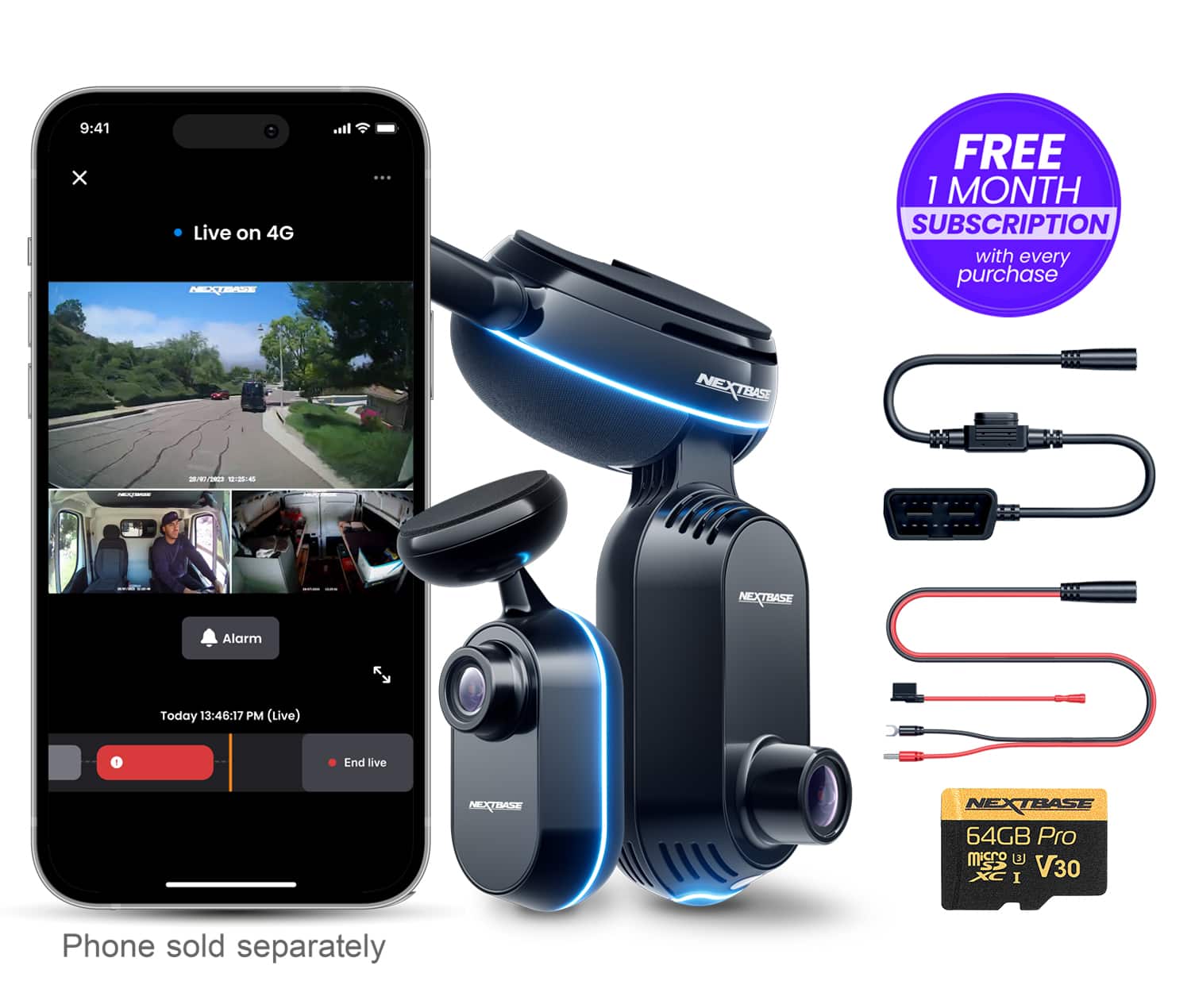
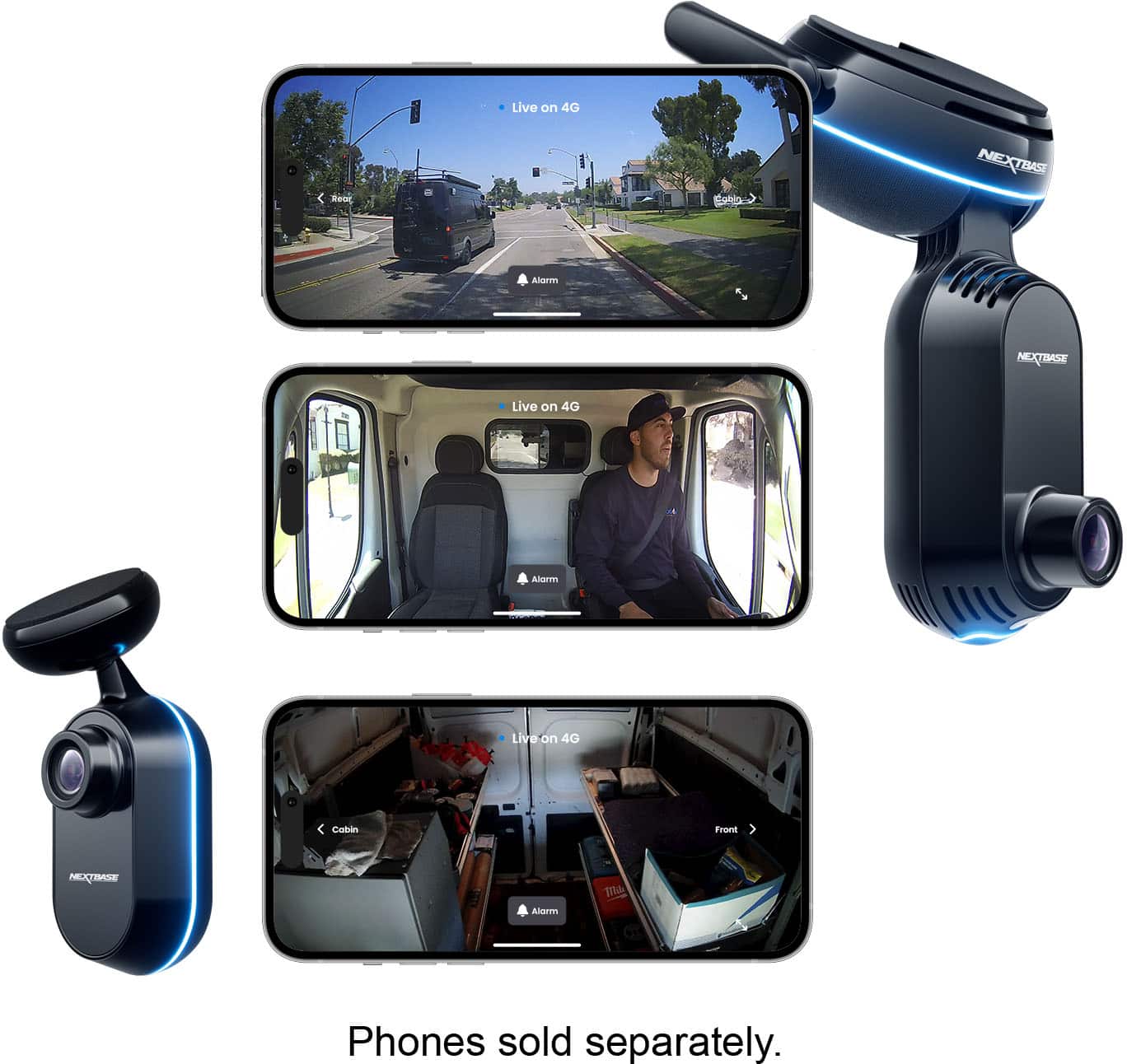
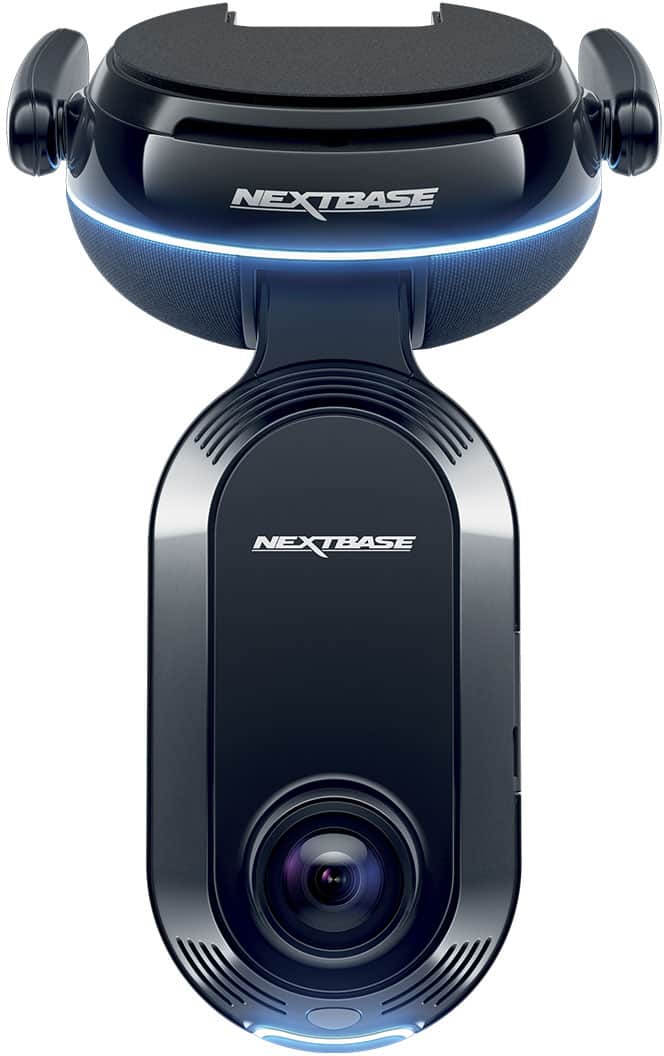
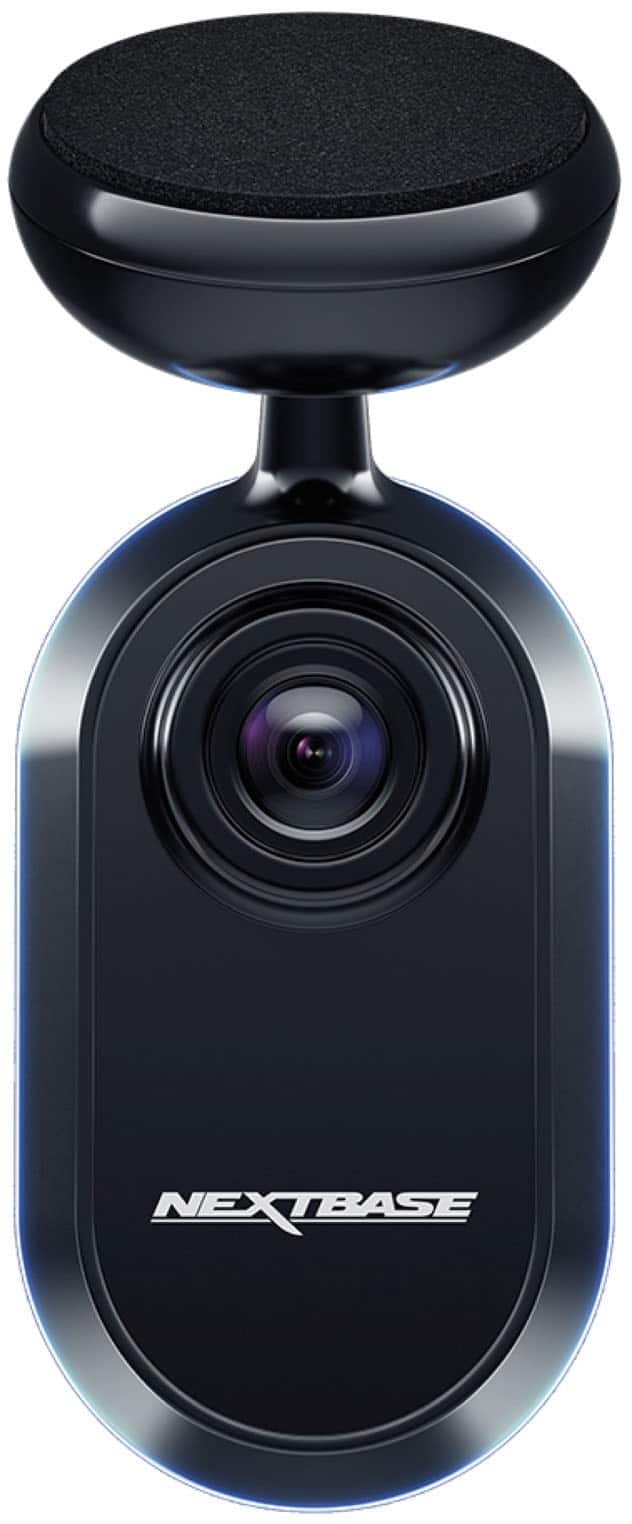

- Model:
- NBIQ4KUS-RWC
- SKU:
- 6641261
Rating by feature
- Value
Rating 3.5 out of 5 stars
- Quality
Rating 4.2 out of 5 stars
- Ease of Use
Rating 3.8 out of 5 stars
Customers are saying
Customers are satisfied with the great video quality and sleek design of the iQ 4K Smart Dash Cam Bundle. However, some customers have expressed concerns regarding the installation process, finding it more complex than expected. Additionally, connectivity speeds and the size of the front camera have been noted as potential drawbacks. Despite these concerns, the voice control feature offers a hands-free operational experience.
This summary was generated by AI based on customer reviews.
- Pros mentioned:Video qualityCons mentioned:Connectivity, Installation difficulty, Size

Great features, needs a better connectivity
|Posted .This reviewer received promo considerations or sweepstakes entry for writing a review.This Nextbase dashcam “system”, as I would call it, has the smarts of a modern sentry system. If only not for a big and a design that needs some work and some connectivity that needs a little more speed, it could be the perfect companion to my daily driver. INSTALLATION and DESIGN Initial software set up is not for the impatient. The LTE is pretty slow—and I live in a big Metro so the sluggish LTE connection and retrieval cannot be attributed to my location. I tried it indoors and I tried it outdoors. Besides, the LTE is supposed to be reliable and decently fast anywhere I go. The firmware update took a lot of tries before it worked. I even tried connecting it to home wifi and Bluetooth just to update the firmware. After hanging maybe 4 times (15 minutes or so per try, not including starting over time), it just worked after a reboot. Actual Installation is not simple but is not complicated either. Cables are color coded, and the connections snap in nicely. My biggest gripe: the front camera is dangling long and low for my windshield. My rearview mirror has this big console (Mercedes GLS) that stretches to the length of my rearview mirror so I cannot place the camera on the driver’s side without it being more into the drivers side (vs. under the rearview mirror) so it blocks my regular driving point-of-view. I cannot place it on the passenger side because I cannot cross the rearview mirror console or make the wire go under the headliner to crawl onto the ODB socket. So I do not have a choice but to have some driving view compromise at the front. The back camera is of decent size—not my worry as I have privacy glass at the back. Besides those nuances, it is easy to install. It comes with a kit, the pry tool some ties and prepared 3M adhesives. I neatly tucked it under the front headliner and the A pillar, into the console by the drivers door. The ODB plug wire is conveniently facing the door side so when plugged, the wire will not dangle by my feet—though it again comes with zipties for me to keep the install together. The wiring to the rear camera is pretty long which makes it easy to run the wire through the lining well onto the back. There is some creativity needed to tuck it by the tailgate hinge. PERFORMANCE Once installed, the cameras are firmly placed, thanks to the very capable adhesives, even in rough bumpy roads, the cameras stay firm—the camera hinges stay tight. The camera view and quality is clear (clear but not crisp), in front, inside the cabin, and the back of my car. Now it needs some subscription to see remote real-time activity, and the LTE is helpful if only it was a little faster. It’s just a little hard to justify paying for something that has pretty slow transmission in today’s 5G speeds. The notifications are instant (at least from what I regularly experienced). In the car, when there is activity, the cameras are responsive. Each activity is easily captured with the right amount of sensitivity. Remotely though is another story as it takes quite a while to see what is going on. I get a notification on some activity but before I can see what is happening, the person is long gone. The recordings are there though but there is a wait. Again, most important is the running quality of the recordings which makes me feel safe in the event of an accident. Covers me in front, convers me in the back. When I am away, it records activity too. And while driving, I am thinking, this could be a good idea for people who uber as it records the cabin too. Voice commands are available but I had to make sure I use them often so I remember the command. Like I want to record what’s going on and want the Witness mode, I had to make sure I get the trigger word (dashcam) then the command. But I don’t use it often in a week, so it’s something that I probably need to put a cheat sheet somewhere to remember. Overall, this is a decent system for the base functionality of a dashcam. The continuous recording is fast and clear. The added functionality of safety is the x factor in here as the alerts and remote monitoring is great. Though the real-time check needs work, I think that’s an easy fix in the future. In itself, it is a reliable security cam, not just for moving occurrences but also when my car is parked. Nextbase has a good thing going on here. It just needs some more polishing.
Brand response from Nextbase
Posted .Hello Dar,
Thank you for such a thorough and insightful review, we really appreciate the time you took to share your experience. It’s great to hear that you’re finding the continuous recording, safety features, and camera quality reassuring in both everyday driving and parked mode.
We understand your frustration around the LTE performance and setup process, especially with the firmware update and app responsiveness. Your feedback is incredibly helpful, and we're actively working on improving remote access speeds and overall user experience.
We're so glad the core functionality is delivering on its promise, keeping you protected on the road and when you're away from your vehicle. If you ever need help with features like Witness Mode or voice command shortcuts, we’d be happy to walk you through them.
Thanks again for choosing Nextbase and for being part of helping us make it even better.
-The Nextbase Reviews Team
- Pros mentioned:Video quality, Voice controlCons mentioned:Installation difficulty
Great 4K clarity, paid subscription is recommended
|Posted .This reviewer received promo considerations or sweepstakes entry for writing a review.The Nextbase iQ 4K smart front and rear dash cam is an interesting ally for my vehicle. I really like the picture clarity with 4K resolution recordings, and the ability to obtain a very full view of the vehicle. The front facing camera, rear facing camera, and cabin facing camera can help to monitor all the happenings when my vehicle is stationary or in motion. The front camera can record in 4K resolution, while the rear window camera can record the road behind me in 1440p resolution, and the cabin facing camera can record in 1080p resolution. This camera package allows for an always-on LTE signal linked directly to the camera base. The kicker is that this ability relies on a paid subscription model that will cost me either $9.99 or $19.99 per month for the different features I will want to have access to. This is something to consider when purchasing a camera like this as it makes it a pricey investment. With this ability of LTE camera, I can get instant notifications on my smartphone if the car camera notices an unusual activity to the car or in the car. I find this helpful for when I need peace of mind when traveling in uncertain locations or staying at hotels on road trips. The camera base plugs directly into the OBD port on my vehicle, which is a bit different than plugging it into a cigarette lighter like many other devices. This OBD port connection allows the camera to draw power from the vehicle battery to always be on and ready to record movement or activity. In theory it's a great way to keep your car camera in monitor and recording mode at all times. I worry over time that it may drain out my vehicle battery over extended periods. Your LTE 4G iQ camera connection will store recordings in the cloud and make them accessible to you with the Nextbase app. If you choose not to opt for a subscription this camera and app don't seem to work at all to even get into the home screen of the app for basic functions. This camera doesn't have a traditional screen for viewing, as it's solely used to house the camera lens and you'll rely on your app to view all the video and settings. I like the ability to have around the clock video monitoring of my car cameras by opening the app. I can speak to the app and the camera in the car will announce my voice to any intruder or family member. It's also a nice way to speak to a family member who may be a new driver and needs help with knowing mom or dad are watching and monitoring. The smart sense parking in the iQ features is a unique way to keep alert about what's happening around the vehicle in order to have eyes and ears on your car when you're not in it. The Guardian mode is a great tool for parents like myself, that will help me set parameters to ensure my child isn't speeding excessively or braking aggressively. I can also use this Guardian mode for monitoring my vehicle when I take it to the auto shop or valet so I know what is happening to my vehicle when it's being used by someone else. The Emergency SOS mode is a peace of mind tool that allows the dashcam to contact my specified emergency contact to let them know there may have been an accident in case I'm unable to dial them directly. It's nice to have an additional layer of safety to reach out to an emergency source on my behalf. Voice control ability also allows me to cue the camera to record a specific moment, or to turn off a specific camera for a brief duration. In conclusion the installation is a bit time consuming to adhere the camera base to your front windshield and rear windshield, but also to run the wiring from the front of the vehicle to the rear. All in all it's a good camera unit with good picture quality. There are a lot of tech savvy AI features built into the technology, but many are locked behind the subscription paywall. If you're willing to continue to invest into the camera on a monthly basis, this is a good unit to get.
I would recommend this to a friendBrand response from Nextbase
Posted .Hello,
Thank you for taking the time to share such a detailed and thoughtful review!
We’re so glad to hear that you’re impressed with the video quality, coverage, and smart safety features of your Nextbase iQ. It’s great to know that features like Guardian Mode and Emergency SOS are providing extra peace of mind for you and your family.
We appreciate your feedback regarding the subscription model and setup process. We’re continuously working to refine the user experience and make our technology as friendly and accessible as possible.
If you’d like any assistance with your setup or have questions about your subscription options, please don’t hesitate to reach out to us at [email protected]
Our team will be happy to help!
-The Nextbase Reviews team
- Pros mentioned:Video qualityCons mentioned:Connectivity, Size
Nextbase IQ 4K: Ambitious, but Needs Improvement
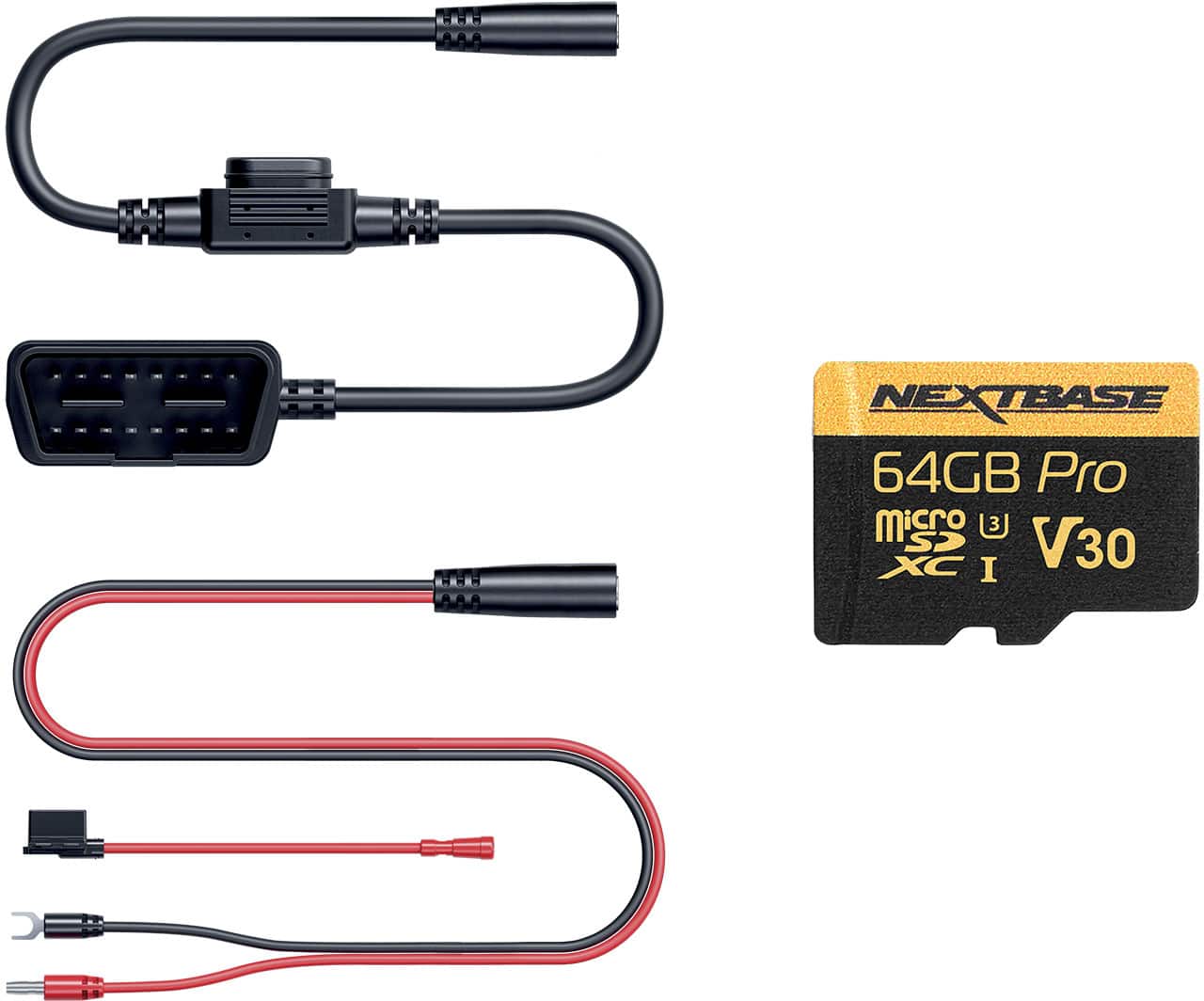
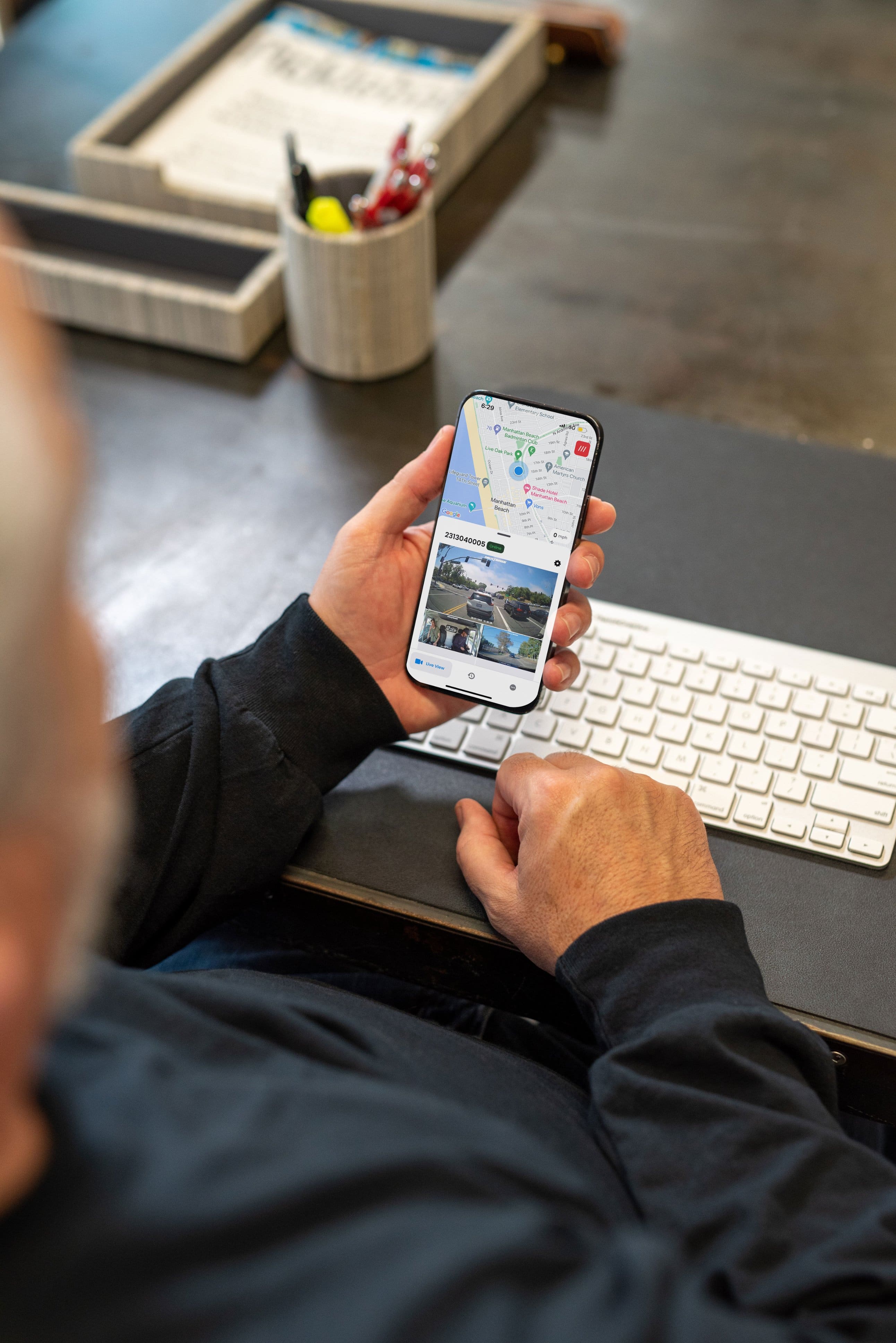
|Posted .This reviewer received promo considerations or sweepstakes entry for writing a review.The Nextbase IQ 4K really aims to be a true smart dash cam. It's not just about recording in 4K, it’s about bringing in 4G LTE connectivity, GPS, and a whole suite of AI-powered intelligent features. Basically, it’s designed to be a 24/7 guardian for your car that you can check in on from your smartphone anywhere. I’ll dive into all those features, how it performs in real-world use, how the install goes, and of course, what I personally like and what could use a little improvement. *Design, Build & Unboxing* The packaging on the Nextbase IQ 4K is really well done. You get two creative boxes that fit together nicely and each holds a camera. Everything is securely packed and feels premium right out of the box. Once you pull out the camera, it has a nice solid build, heavy enough to feel high-quality but not too heavy. It's a fairly large size for a front dash cam. I drive a medium sized SUV, and I had to place it to the right of my rearview mirror to avoid obstructing my view. In the box, you’ll find both front and rear cameras, and they include two trim removal tools to help you hide the cables. I won't go into installation here just yet, but it's nice that they give you those tools. They also include a 64GB microSD card that will loop record as it fills up. You’ll get a handful of zip ties, and velcro straps. There are a couple of adhesive cable management pieces, although you might want to pick up a few extra if you have a car that doesn't allow you to peel back the trim to run cables. The rear camera is a bit smaller and also comes with a couple of strong adhesive mounts. There are a couple extras in case you need to reposition either camera. Overall, the design and unboxing experience is thoughtful and user-friendly, but personally I'll have to order some extra cable management strips to tidy things up (to avoid dangling wires.) *Installation Experience* I installed the Nextbase IQ 4K using the included OBD connector, which made the overall setup fairly quick and easy. Plugging into the OBD port meant I didn’t need to hardwire anything into the fuse box. Do keep in mind that you will have to temporarily remove the connection if you need to run vehicle diagnostics. There was plenty of room to run the rear camera cable through my vehicle. The rear camera plugs directly into the front camera for both power and data, which simplifies things. I mounted the front camera to the right of the rearview mirror. This position avoided blocking my field of view while driving. However, routing the cables from the front camera was a bit of a mess. Even with the included trim tool, I couldn’t manage to tuck the wires cleanly under the headliner or trim. I’ll need to pick up some additional cable management clips, especially to keep things neat near the windshield. The included cable management pieces worked fine on the windshield itself, but their adhesive didn’t hold well on other surfaces like plastic or fabric trim. For the rear camera, I ended up mounting it directly onto the headliner in the back of my vehicle. Both the front and rear cameras use large circular adhesive pads, and so far they’ve held up well, but do much better on glass. I appreciated having a couple of extras in the box in case of repositioning. One odd thing is both cameras powered on just fine, but the system didn’t recognize the rear camera for about 10 minutes after installation. I double-checked the cables and power, and eventually it synced up. Still, I occasionally get a disconnection warning from the rear camera even though everything seems plugged in correctly. The front camera’s angle can be easily adjusted up and down after mounting, which helped me dial in the view just right. Overall, I’d say installation was very easy thanks to the OBD power option, but hiding and organizing the cables, particularly in the front, was more challenging than expected. The rear setup was cleaner, and I’ll probably use some zip ties to finish tidying up the excess cabling on the floorboard. Once installed, everything looks solid and functional, though a little more effort will be needed for a truly clean install. *Specs and Features* Cameras - The front camera is 4k (140 degree field of view), the cabin camera is 1440p (180 degree field of view), and the rear camera is 1440p (140 degree field of view). These give you an almost 360 degree view of your car. The interior camera also has infrared for traveling at night. The camera resolution is very good. I believe it previews in a lower resolution and once you download it you will get the full resolution which helps save space. CONNECTIVITY - 4G LTE Connection, It will connect to your home WiFi, and it can also be paired bluetooth to your phone. It also has a GPS for location and checking your speed (optional.) POWER - You can power it with your ODB port or connect it to your battery. There's a low power mode that will cut power if it senses a low battery. SMART SENSE PARKING monitors the area around the parked vehicle. It's designed to tell the difference between someone hanging around your car and environmental noise. WITNESS MODE allows you to say a voice command if you need recording. This is great for a traffic stop, or a road rage incident. You can give voice commands in 4 different languages: English, French, German, or Spanish. LIVE VIEW allows you to check your feed anywhere with your mobile device. GUARDIAN MODE - This allows you to GeoFence your vehicle. You can set a specific area on a map to alert you if your vehicle leaves that location. It will also alert you if your car travels faster than you expect it to be. This could come in handy if you're child is driving your car and you want to monitor his driving. ROADWATCH AI - Listed as coming soon. It supports Voice Commands and they work very well. App The app is full of features and settings but most importantly helps you monitor your vehicle. There's a live view but also an accessible library. I found the clips to be fairly easy to access but occasionally I had trouble viewing clips and would have to come back later to try again. The clips in the library seemed to be much slower to access than the Events clips. The events clips were almost instant so it seems like these are being uploaded to a server or downloaded to your phone. There's a subscription that gives you access to most of the AI features such as Live View/Remote streaming, Smart Sense Parking, Witness Mode, Guardian Mode, Cloud Storage, Emergency SOS and Remote Alarm. Performance My experience with the NextBase IQ 4K started with anticipation and excitement, and left me with a few questions and minor frustration. I had immediate connection issues with the rear camera. I checked connections and cables and I soon found out that I periodically would have the same issues with the rear camera. I noticed a few times the preview of the video in the event library would show "no rear camera", but upon downloading, it did in fact record the rear camera. I felt like there were a generous amount of events recorded but it did miss some critical moments. Even though it was supposed to be online, or in secure mode while parked, sometimes it wasn't online or it missed events happening around me. I checked the OBD connection a few times when the app stated it was not online but it was always connected, it just didn't power up, it restarted, or it was having a connection issue. There is a sensitivity setting that I will most likely increase from the default sensitivity level. Overall I felt like the idea was great, and it's feature rich, but it needs to improve connectivity and its selection of events that it records. There are a lot of settings that can be customized but I don't feel like some of them work as they should. The video resolution looked great at night with low noise. The cabin switched to infrared and was clear. During the day the resolution was good enough to read license plates. *Pros & Cons* *Pros* * Install is easy with the OBD connector, does not require complex wiring * Infrared cabin camera at night * Video Resolution is great * It does record a generous amount of material in the library * Comprehensive safety and security features * Premium build and design *Suggestions/Needs Improvement* * Software and connection quality needs improvement* * Smart Camera missed a few events it should have recorded * Needs more cable management accessories/pieces * Video downloads in 4K are not intuitive * Front camera is large * Smart Features require subscription I like where this camera and its technology are headed, but right now I think it needs improvement in some key areas. With some software updates it might get where it needs to be soon. It's very close, but right now I can't recommend this product. If you do decide to buy it, you will get some great features, Cutting Edge AI and crisp 4K video recording.
No, I would not recommend this to a friendBrand response from Nextbase
Posted .Hello Ethan,
Thank you for taking the time to share such a detailed and thoughtful review.
We’re glad to hear you found the installation process straightforward and that you’re enjoying the crisp 4K video quality, infrared cabin camera, and the wide range of safety features.
We also appreciate your honest feedback on the areas that need improvement, particularly around connectivity, event recording, and app performance. This input is extremely valuable to our development team as we continue to release updates and refine the Nextbase iQ experience.
We’d love the opportunity to work with you directly to troubleshoot the issues you’ve mentioned. Please don’t hesitate to contact our support team at [email protected]
so we can assist further.
-The Nextbase Reviews Team
- Pros mentioned:Video qualityCons mentioned:Connectivity
Advanced Dashcam with Great Potential
|Posted .This reviewer received promo considerations or sweepstakes entry for writing a review.The Nextbase iQ dashcam is one of the most advanced pieces of vehicle tech I’ve used. Right out of the box, the premium construction is obvious, it feels solid and high-end in your hands. The package includes a 4K front camera (with a built-in (2K) 1440p cabin camera), a (2K) 1440p HD rear camera, two antennas (GPS and cellular), an SD card slot, a capture button, a small LCD screen, and a large speaker with an LED notification ring. The rear camera also has a glowing notification ring that looks sleek when active. While the system can work locally, its best features require a monthly subscription. Overall, it’s an impressive setup that can bring peace of mind to any driver, but it’s far from perfect. Getting started is simple: create a Nextbase iQ account, power on the camera, scan the QR code, and follow the prompts. The tricky part is installation. Experienced users who have installed dashcams before may find it straightforward, but beginners could struggle with concealing wires and positioning the cameras. Since the unit mounts with 3M adhesive (not suction cups), placement is permanent, so pick wisely. The kit includes a prying tool, but removing interior panels to hide cables, especially for the rear camera, is not as easy as it sounds. Depending on your vehicle, it can range from simple to frustrating. I own a Q7 so you know where I am heading. The camera can be powered via the OBD2 port or hardwired, but both options draw power directly from the vehicle battery. Once installed, operation is mostly app or voice driven since the only physical button is for captures. The app is user-friendly and displays your car’s location on a map along with access to live streams and recordings. Reading the manual is helpful to get familiar with the icons on the small LCD. The coverage is where this camera shines. With the three camera setup, you get near 360-degree monitoring. The smart parking mode motion detection is accurate, working very similarly to Tesla’s camera system. The front camera covers the font and the cabin which covers nearly the entire interior, while the rear cam handles the back. Both image and audio quality are excellent. When reviewing footage from the SD card, each recording is saved in three files, Front (F), Rear (R), and Cabin (C), with two versions for each: L (low quality) and H (high definition). Although getting that SD card out from the camera is a pain, you'll either have long nails or use a small pin to get out. One standout feature is Witness Mode: just say, “Hey Dashcam, activate Witness Mode,” and the system will record up to 30 minutes and send a video link to an emergency contact. Very impressive. Notifications arrive quickly, and videos are accessible anytime with a subscription. This is Where It Falls Short Connectivity & Video Access I experienced frequent connectivity errors with the live view, even with the car on and Bluetooth connected. The rear camera disconnected occasionally, and downloading videos was painfully slow via 4G or Bluetooth. Honestly, pulling the SD card is much faster. No Buttons & Voice Control Not having physical controls forces you to use the app, which can be distracting while driving. Voice commands are a partial fix, but they require exact phrasing and don’t always recognize strong accents. Limited Customization The app gives access to settings, but options are limited. You can’t adjust video resolution as the camera is locked at 4K and the videos are saved automatically in low and HD quality, can’t disable the cameras, select a default view, or tweak speaker volume and more. Privacy Concerns All videos are stored locally but to access them you have to go through the server, as in connecting directly to the camera, in my opinion raises privacy concerns. Disabling cameras is unnecessarily difficult. For instance, turning off the cabin camera, likely the only one you’re able to disable, requires a voice command, which didn’t always work reliably for me, and you have to repeat the same procedure every single time the car is turned on. A simple on/off toggle in the app would solve this instantly. Vehicle Battery Dependency Because it constantly draws power from the OBD2 port or hardwire, battery drain may be a concern over time especially when accessing the camera too many times during the day or having the parking sensing area too wide that will trigger many notifications. The manufacturer claims the camera shuts down when voltage gets too low, but I would have preferred a built-in rechargeable battery and a cigarette lighter option. Speaker The built-in speaker on the base is unusually large for a dashcam and takes up considerable space on the windshield. Despite its size, the sound output is very low, and there’s no button or app option to adjust the volume. Parking Mode Although the parking mode works well and is fairly accurate, it has a major drawback. If the car is idling for a few minutes, the system automatically switches to parking mode and starts sending notifications. This happened to me several times while stopped at a red light, which quickly became frustrating since I was still inside the car with the engine on. Subscription Requirement Many of the best features are locked behind a subscription that runs $9.99–$19.99 a month. While 4G connectivity justifies part of that cost, even basic features like live view require a plan and the connectivity is very slow. Without a subscription, this camera is reduced to much more than a basic system. Overall, The Nextbase iQ is a premium dashcam with excellent build quality, advanced safety features, and outstanding video coverage. However, connectivity issues, privacy limitations, lack of customization, reliance on vehicle power, and the heavy push for a subscription make it hard to recommend in its current state. If Nextbase resolves some of these issues through software updates, it could easily become one of the best dashcams available. In the box you get the front dashcam, rear cam, installation kit, prying tool, security stickers, and manual. The SD card is already installed in the dashcam.
No, I would not recommend this to a friendBrand response from Nextbase
Posted .Hello,
Thank you for sharing such a thoughtful and detailed review of your experience with the Nextbase iQ. We’re glad to hear you appreciate the premium build quality and features like Witness Mode and Smart Parking that help bring added peace of mind.
That said, we’re sorry to hear about the challenges you ran into with the connectivity and setup of the camera.
Your points about physical buttons, customization, and subscription requirements are all valuable feedback that we’ll be sure to pass along to our product team. Our goal is always to make the iQ as reliable, flexible, and user-friendly as possible, and your insights help us work toward that.
If you’d like, our support team would be happy to look into the connectivity issues and settings concerns you mentioned in more detail—please don’t hesitate to reach out at [email protected] so we can assist further.
We truly appreciate you taking the time to share both the positives and areas for improvement, and we hope to provide a smoother experience for you going forward.
-The Nextbase Reviews Team
- Pros mentioned:Video qualityCons mentioned:Size
Power camera with cool features!
|Posted .This reviewer received promo considerations or sweepstakes entry for writing a review.The Nextbase iQ 4K Smart Dash Cam delivers cutting-edge vehicle surveillance with impressive clarity, smart features, and a streamlined installation process. Unboxing reveals a premium package, and setup is intuitive for both front and rear cameras. UNBOXING: The Nextbase iQ 4K arrives in a sleek, well-organized box. One box for the front cam and one for the back – each with a bunch of cables and connectors for various configuration options. The front unit features a bit bulky as it’s a puck-shaped base with twin antennas and a downward-hanging camera module. A ring LED and a tiny display indicate status modes. I have a large rearview mirror console – so this puck has to mount below that – somewhat becoming an obstruction (lost a star due to this). The rear camera is compact and can mount flush to my truck’s rear window. INSTALLATION All admit I was a bit hesitant to try to hide the long cables in my car – but it was surprisingly easy. There’s usually room around the trim and molding to fit a cable in there, and I was able to route the front cable down to my ODB port and it’s hidden pretty well. The rear cable also hid well along the headliner and above the column pillar trims pretty easily. Overall – took about 15 min to sufficiently hide the cables – and I’m a big of an OCD guy about my car – so I’m pleased with the result. Both cameras attach with sticky tape – so we’ll see how that lasts. FEATURES • Video Quality: 4K front camera with 180° FOV; 2K rear camera with 140° FOV. Crisp footage even in low light. I installed at night and even those images turned out pretty good! • Smart Features: o Smart Sense Parking: Detects motion while parked o Emergency SOS: Sends alerts in case of crash o Roadwatch AI: Tracks nearby vehicles o Guardian Mode: Monitors driver behavior o Witness Mode: Voice-activated recording – for like police stops or if you feel unsure. Cool thing is that it broadcasts that feed to up to 2 contacts so you can have a “witness”! • Connectivity: LTE-enabled for cloud uploads and remote access • Power Backup: Triple supercapacitors allow 5 seconds of recording after power loss SUMMARY The Nextbase iQ 4K is a top-tier smart dash cam that blends high-resolution recording with advanced safety features using Spatial Awareness and AI to monitor movement and detecting threats. Installation is user-friendly, and the modular power options are a standout. While the adhesive mount limits portability, the overall package is ideal for users seeking robust, always-on vehicle monitoring.
I would recommend this to a friend - Pros mentioned:Video qualityCons mentioned:Connectivity
Too many software bugs & unfulfilled promises
|Posted .This reviewer received promo considerations or sweepstakes entry for writing a review.TLDR: After 2 years, the Nextbase iQ software is still buggy & unresponsive. After 2 years, there are still promised features that are unfulfilled. Like my last iQ, this one is not ready for prime time. PROS 4k Front Camera Recording 1440p Cabin Camera Recording 1440p Rear Camera Recording Live Access via Always-on 4G Connection CONS Software riddled with bugs Unfulfilled promises after more than 2 years Severely hampered without subscription Intermittent Cellular Connectivity Other equal or better options exist for far less INTIAL SET-UP & CONFIGURATION I was lucky to receive an older model of the Nextbase iQ several years ago for testing. It was VERY new to the market and had numerous bugs and issues. So many, that shortly after reviewing I pulled the iQ from my vehicle and went back to just a normal dash cam. The app never got any better and the firmware updates were too slow at addressing issues. My old iQ wasn't defective, it felt more like a beta product. The more I used it and the included app, the more it felt beta. Flash forward to 2025, I now have a teenager that is getting ready to drive and was excited to see this new model come up for review. A perfect addition to my future driver's car or truck. The ability to record front, back, and inside the passenger compartment, in a minimum of 1440p resolution with ability to view the camera real time? What more could a parent want? I've had a Nextbase account for many years now, since receiving my first iQ for testing. Thinking this would be a simple addition, I was wrong. You cannot have more than 1 iQ per account. I had to create a new email address and use it for this iQ, as the app tells you immediately that you have another iQ on your account and you cannot have more than 1 per account. Huge let down. I'm guessing Nextbase only expects you to buy 1 of their dash cams? After overcoming my initial limitations, I've struggled for some time getting their Android app to work properly. It is riddled with bugs. Starting with initial set-up, the app refused to interface with my phone's camera, leaving the app unable to scan the QR code on the dashcam's screen. Restarting the app didn't help. I finally found a work around. Once it asks you to scan the QR code, if you open your camera app and then come back to the iQ app, it will work as expected. Not sure why. It took me a total of 6 attempts to get the iQ set-up the first time. Secondly, users are unable to leave the iQ app during set-up without restarting the whole process from the beginning. For example, once you enter your newly created email address, Nextbase will send you a confirmation code. If you use your phone to retrieve the code, the whole process starts all over, losing your place in the set-up process. The Nextbase iQ app does not run properly in the background. After trying 3 different times, I was forced to log in to my email on a laptop so that when I got another activation code, I didn't have to leave the iQ app to retrieve the code. Unacceptable. Lastly, the firmware update. What a horrible experience. Nextbase warns you the mandatory firmware update will take up to 10 minutes. They were right. But they didn't say how many 10 minutes there would be. I was expecting just one, ten minute update. After 30 minutes, I gave up and cycled power. The update would not complete. Waited another 10 minutes. Still nothing. Pulled power again. Still nothing. Pulled power a 3rd time to reboot, the iQ finally completed its firmware update and began working. 45 minutes later. USE There are a lot of potential features that make the iQ a compelling option. The always on 4G connection allows for near real-time notifications based on preset conditions. Speeding, intrusion, emergency contact notifications, cloud storage, etc. The theory of having connectivity to view the dash cam remotely, in real time, is a HUGE selling point. There are tons of options and Nextbase should be commended for their far-reaching efforts and dreams. Execution is another thing. Access to many of the parental or "nanny" features as I call them, are locked behind a pay wall. MANY of these same features are available on easy to use and often free phone apps. For example, we have a very popular family tracking app. It gives us real-time location information, speed, direction, event notifications, etc. This app isn't limited to just one device, its installed on all our phones and keeps an eye on all of us. One item that I find particularly frustrating is the Roadwatch A.I. feature. It is STILL listed as coming soon. It was listed as Coming Soon in 2023. Years later, it still isn't available? All the fancy marketing material they have on their website advertising traffic and speed identifiers are still undelivered promises. I know I haven't touched on many other features offered with the iQ. Items like Witness Mode, Parking Mode, etc. Honestly, it isn't worth going into much detail as these are included with nearly every dash cam on the market, at least the ones I own from both Nextbase and its competitors. CONNECTIVITY The iQ has an always connected 4G modem. One thing that isn't listed is who is providing the cellular connectivity. We all know how cell reception is around the U.S. Not only that, some providers offer much better service than others depending upon your location. Buyers have no options on cell providers when purchasing. I've noticed responsiveness varies wildly depending upon your location. Parking garages seem to be the bane of the iQ, at least in my area. Entering a parking structure in my area can render the iQ nearly inaccessible. Frustratingly so. The same can be said when traversing back roads and not major thoroughfares. Cellular coverage seems to drop off rapidly when you aren't on the beaten path. Without cellular service, you lose the ability to access Live View and Parking Mode, not to mention the ability to login remotely and view the cameras. FINAL THOUGHTS I know I've been extremely hard on the Nextbase iQ. It is well-deserved. I have 2 other Nextbase dashcams installed in my vehicles, as well as recommended them to friends and family. However, those are Nextbase's "lesser" models like the 322GW and 622GW. These dash cams are great. Not only do they work perfectly, their software works perfectly as well. Did they have a few bugs at the beginning? Yes. But, nothing like the iQ and its associated app. The Smart Sense Parking and Live View are great features. The ability to connect to your dash cam from anywhere with a cell signal is great. VERY few offerings in the dash cam marketplace have this feature. Herein lies the issue. Several of these features are locked behind a subscription service. Not to mention, aside from the remote access functionality, the iQ doesn't offer any real additional benefits that you can't get from a free phone app or another Nextbase made dash cam. What's extremely frustrating is some of the same issues I experienced a couple of years ago still carries over to this day. I had just as many frustrations getting the last, older iQ up and running. Years later, Nextbase hasn't squashed hardly any of the bugs. The set-up process is frustrating. Not being able to have multiple iQ cameras on one account is mind boggling. I was so hoping that after a couple of years the iQ would be a more refined and a more compelling option in the dash cam market. I thought this would be the perfect product for parents of new drivers, ride share drivers, or those that are forced to park in high crime areas. Unfortunately, the complicated set-up process, and intermittent connectivity issues just don't cut it. Especially not when there are so many other options available. I like Nextbase's other offerings. I'm still using them to this day and am very happy with them. The iQ misses the mark. Not only has Nextbase failed to improve the app, they are still promising features have remained unfulfilled for years now. If Nextbase could ever get their Android software to function properly, I would change my mind. The image quality of the camera is pristine, but I'm often forced to access the recorded video by removing the SD card, as the Android app only works correctly a fraction of the time. When it does, its great. When it doesn't, the iQ is next to useless. Do I recommend Nextbase dash cams? YES. Do I recommend the iQ? NO NOT RECOMMENDED
No, I would not recommend this to a friendBrand response from Nextbase
Posted .Hello,
Thank you for taking the time to share such a thorough and honest review.
We’re truly sorry to hear the iQ didn’t meet your expectations, especially after returning to it with high hopes. Your feedback around the app, setup process, and unfulfilled features is incredibly valuable and we take it seriously. We're continuously working to improve and refine the experience, and your insights help guide that.
We’re glad to hear you’ve had a positive experience with our other models, and we hope to regain your trust with future updates. If there is anything we can do to help, please get in touch with our support team at [email protected].
-The Nextbase Reviews Team
- Cons mentioned:Installation difficulty
I have a love and hate relationship with this!
|Posted .This reviewer received promo considerations or sweepstakes entry for writing a review.First and foremost, installation for me was super simple for the front camera. It just took my time and that’s it. The tools that I needed were in the box. Seriously no issues. I struggled a bit with the back camera though, but eventually got it using supplementary videos from a previous Nextbase model camera and other YouTube videos with my same vehicle. The instructional videos weren't too clear on the back installation and how to hide the cable from the front of the vehicle to the back. That said, I don’t recommend listening to the instructions on the front installation guide on placement. It’s FAR TOO LOW IMO! Or the camera itself is too ‘vertical’ or too big. It’s in the way of my drive and it’s super annoying. Place it much higher than they recommend! And the adhesive is super good and I have no idea how I’m gonna take it off to relocate it. I’m sure it’s going to be a pain of a process to remove it to put it in a better spot. Luckily it comes with two pads so I should be able to put it back up once I figure out how to remove it. There’s no guide on how to remove it to relocate it. So I’m just going to have to deal with it until I’m ready to relocate it. As far as the actual product goes, as the title states, I have a love/hate relationship with it. I like having it, but it’s been kind of finicky. Prior to a firmware update I’ve had to unplug the OBD plug more than once and had to restart the device almost every day for one reason or another. Towards the end of my first week with this it got more stable, but I had some serious concerns at first. Picture quality…. It’s not the “4K” I was thinking it was, but it’s not horrible! It’s actually pretty decent and probably one of the better ones on the market. The issue I have with it is getting the videos off. The SD Card is incredibly hard to remove if you’re a guy that doesn’t have long fingernails like me and I think that’s on purpose so someone breaking into your car can’t just rip out the SD card to take evidence with them. But getting the videos off using the app service is SOOOO SLOW!!! Like it’s almost painfully slow! This is even with a local bluetooth connection or setting up home WiFi to the unit. You’re better off just pulling it off the SD card and that in itself is a hassle. So I hate that part of this camera. As for the other stuff, it has voice recognition which is cool. You’re gonna have to look up the commands, but “DashCam” being the trigger word is such a bad idea. If anyone is like “Oh is that a new dash cam” it’ll trigger. NextBase should have made it “NextBase” or something like that instead of “Dash Cam” so I ultimately turned it off. What I hate about that is I don’t know how to get it into private mode without voice commands. So I have just resigned to just recording the inside. Just the way it is. It has some other features too like a ‘security’ mode where it just records your car parked which is nice! It has some other stuff which will be fantastic when my girls are older and driving called “Guardian” mode. And it has this other mode where it records and sends the footage to a trusted person like if you’re pulled over or a dangerous situation is happening. I didn’t test any of these features out at the time of this review, but it’s a nice thing to have. Overall, I like it, but at the same time I wish it was better. It’s hard to explain, but would I recommend it…. Yes I would. But it’s not the slam dunk I was hoping for!
I would recommend this to a friendBrand response from Nextbase
Posted .Hello,
Thanks for taking the time to write such a detailed review!
We're glad the front camera installation was easy and that you like features like Guardian and Parking mode.
We also appreciate your feedback on rear camera placement and adhesive removal — we’ll share that with our development team for improvement.
We understand the issues with firmware, SD card access, and voice commands, and we’re working on refining these aspects.
We’re happy you’d still recommend the product, and if you ever need assistance with the setup or camera relocation, our support team is here to help!
-The Nextbase Reviews Team
- Pros mentioned:Design, Video quality
Evolution of the Dashcam
|Posted .This reviewer received promo considerations or sweepstakes entry for writing a review.My First Take on the Nextbase iQ 4K The Nextbase iQ 4K is, without question, one of the most technically advanced dashcams available today. It embodies the very reason we turn to dashcams in the first place “An Unbiased Witness on the Road.” Two key areas where dashcams excel are accident disputes and fraud prevention. I’ve personally experienced this benefit - once using dashcam footage to report a road‑raging driver to the police. Thanks to the video evidence, authorities were able to locate and deal with the individual. This is my fourth dashcam, and my second from Nextbase. I’m upgrading from the 522GW to the iQ 4K, and my decision comes down to three things, quality, depth of features, and proven reliability over long miles. My 522GW has been with me since June 2019 - over six years and roughly 75,000 miles. It still performs as well as the day I first installed it. That kind of reliability and peace of mind is exactly why I’ve chosen the iQ 4K as its advanced replacement. Setup & Ease of Use Installation was smooth and surprisingly simple given the iQ 4K’s wide range of features. While there are many options to configure, the app’s layout makes management intuitive and straightforward. Smart Features with 4G LTE - Live View Mode Real‑time images and notifications sent directly to your phone, anywhere in the world. You can even share live views of your trips with family and friends. - Driver Monitoring A great tool for keeping an eye on young drivers. I would have loved this feature when my own first hit the road. - Witness Mode With voice control, you can instantly start a live emergency stream to a trusted contact. The system records a 30‑minute feed and sends email notifications to your chosen contacts. - Remote Alarm If suspicious movement is detected - or if you notice something odd in the live feed you can trigger an audible alarm through the dashcam. Notes & Build - In‑app video guides and downloadable user manual - Quite good - Reversible base antennas for flexible installation - Wi‑Fi and Bluetooth connectivity - 4G LTE connectivity - Modular power cabling (OBD2 connector or fuse box) - Cables are best I have seen - Subscription required for advanced features - Solid, sleek design (though space may be tight in some vehicles) - Emergency SOS available at higher subscription tiers - Voice control support Camera & Video Quality - Front camera 4K (2160p) - Rear camera 1440p - Cabin view 2K (1440p) with infrared - Performance - Exceptional video quality across all cameras, with excellent low‑light capability Included Accessories - 64GB Nextbase‑branded MicroSD card - OBD port power cable - Additional cabling for fuse box installation (for older vehicles without OBD2) The Nextbase iQ 4K combines cutting‑edge technology with the reliability I’ve come to trust from the brand. From everyday peace of mind to advanced safety features, it feels like a true evolution of the dashcam.
I would recommend this to a friendBrand response from Nextbase
Posted .Hello,
Thank you so much for your in-depth and thoughtful review of the Nextbase iQ 4K. We truly appreciate you taking the time to share not just your technical insights, but also your personal experiences, they highlight exactly why we strive to create products that are both innovative and dependable.
We’re especially proud to hear that you’ve trusted our dashcams for over six years and 75,000 miles, and that your 522GW continues to perform reliably. Hearing that the iQ 4K feels like a true evolution for you is the highest compliment we could receive.
Thank you again for your continued trust in Nextbase. If you ever need assistance or have further suggestions, we’re always here to help.
Wishing you many more safe and well-recorded journeys!
-The Nextbase reviews team
- Pros mentioned:Video quality
Great add on, buy up needed for best features
|Posted .This reviewer received promo considerations or sweepstakes entry for writing a review.My son recently started driving. This gave me anxiety. However, installing and using this dashcam has given me a sense of peace from both a new driver standpoint but also a liability standpoint. When it comes to this dual (front and back) dashcam it really does check most boxes. My primary positive view of this item really does boil down to 3 areas of focus; the buy-up plan, the installation and the clarity of the cameras. From an installation standpoint it really is as easy as opening the box, scanning a QR code and then sticking (via adhesive sticker) to the interior of the vehicle. After that, just make sure that the plug in can appropriately be attached to the power source via the fuse panel. There is a very easy to follow tutorial for how to do this step. Once positioned, its pretty much done. As easy as that. Next - Navigating the companion app is quite self explanatory. Deciding which plan to use was the part that I didn't quite follow. If you want extended cloud storage its one plan where if you want an extended storage window its the premium plan. The same goes for some heightened notification setting an well as real time viewing privileges. In totality, its a small price to pay for this peace of mind, especially for those with new drivers in their family. Lastly, the camera it self. These cameras do produce high quality, up to 4k in fact, and coupling this with a 144 degree field of view give a great viewer experience. This was crucial for me as i did not want a grainy field of view or any question on what I was looking at in case I did need to review footage. All in all, if you are looking for an extra layer of security that can be added to almost any car then this is a great option for you. It has all the bells and viewing whistles that you would need to soundly monitor your vehicle... and even a little extra if you choose the premium plan.
I would recommend this to a friendBrand response from Nextbase
Posted .Hello Jorge,
Thank you for sharing such a thoughtful review!
We’re delighted to hear that the Nextbase dash cam has helped bring you peace of mind, especially with a new driver in the family.
It’s great to know you found the installation process simple and that the 4K video quality and wide field of view meet your expectations.
We also appreciate your feedback on the subscription plans — we’re always looking for ways to make our options clearer and more convenient and we'll make sure to forward this feedback to our developer's team.
Thank you again for choosing us to help keep your family safe on the road!
-The Nextbase Reviews team
- Cons mentioned:Installation difficulty
My hopes are Dashed for now.
|Posted .This reviewer received promo considerations or sweepstakes entry for writing a review.I was super excited to receive Nextbase iQ 4K Smart Dash Camera bundle! I have been reading a number of reviews of dash cams in general and when I learned about the British based company called Nextbase and saw their products and product videos, I knew it was what I wanted. We all know that accidents happen and accident video recording always comes in handy. Dash cams are very popular in Europe and are slowly getting popularity here in the US. A number of car insurers will offer discounts on your vehicle's policy as well if your car sports a dash cam. What attracted me in this set were a number of things: 1. 4K Recording on the front camera as well as 2K recording inside the cabin. 2. 4G LTE and GPS - Always On connection is a must if you want to know what's going on around your car when it is parked and you are sitting in your office or shopping. The Dash cam would get triggered and record an event if it detects potential threats. There are a few cool other modes however I will get to those later. Now before I proceed, I must say that in theory all the Smart features this dash cam has are awesome, however they are not fully polished. My installation experience was pretty frustrating to say the least. I started with the front dash cam, installed the Nextbase iQ app and followed the prompts to set it all up. Everything went fine with the front camera installation. The headache may come with trying to hide the OBD wiring depending on your vehicle and model. In a Volvo XC90 I was able to find a few routes for the front wiring and hide the cables by tucking them in crevices, however the back camera wiring was pretty difficult. What made it most frustrating was adding the rear/back camera. Once you start the process, it gets stuck on one of the steps where it asks you to connect the power cable. I could not move on from that point. The rear camera would blink red or be off, the front dash cam also would periodically disconnect. I thought maybe a new firmware is available and it would clear all the issues, and I was glad to see there was one, HOWEVER no matter how many times I tried downloading and installing it, it would fail every time! I probably spent 2 hours trying to add the rear camera and update the firmware to no avail. I tried resetting it, powered it off and on - nothing helped. So I gave up on installation of the rear camera at this point and will be calling the company to determine if my unit is faulty. So for now I have been using the front camera in my car and the experience has been OK, not the best as much as I wanted it to be. From time to time the camera would be unresponsive, and after a reboot it would function just fine. The camera unit gets pretty hot as well, so I am hoping during hot summer days it will be able to sustain 100F plus heat inside the car. The app is a bit laggy and reviewing the videos is a pretty tedious process unfortunately. All the events are recorded on a 64Gb SD card supplied with the unit. Premium subscription ($19 a month) offers some cloud recording for events as well. This dashcam offers some cool modes like Guardian Mode - it will trigger remote notifications when your vehicle is operated by a member of your family or a valet for example. Let's say you let your teenager borrow your car and you can be notified if he/she exceeded speed set by you or went somewhere too far (sort of like geofencing). Witness Mode lets you record and share an emergency in real time with someone you assign to it. They would get a text and a live streaming link to view what is happening in real time, however I found this feature to be not fully developed and there is a significant delay in streaming. Witness Mode has to be activated by the Voice Command though, so I am not sure how practical it would be if you are in a situation, panicking and forget to say: "Hey Dash cam activate Witness Mode!" Another helpful mode is an Emergency SOS in the event when a driver is non-responsive, the dash cam is supposed to dispatch emergency services and notify your emergency contact you saved in the app. I have not tried or tested that feature though. So all in all, for now my hopes to make my Volvo to be similarly equipped like Tesla are not very high and I would love for Nextbase to review all the software bugs and improve this product and it will fly off the shelves.
No, I would not recommend this to a friendBrand response from Nextbase
Posted .Hello,
Thank you for sharing such a detailed review of your experience with our iQ camera.
We’re glad to hear you value the features and potential of the system, though we’re truly sorry for the installation frustrations, app issues, and difficulties with the rear camera setup. That’s not the experience we want for our customers.
Your feedback on firmware updates, app performance, and the reliability of features like Witness Mode is very important, and we’ll be passing this along to our product team for review.
In the meantime, we’d love the chance to troubleshoot directly and get your iQ system working as it should. Please reach out to our support team at [email protected] and we’ll do everything we can to resolve these issues.
Thank you again for your honest input—it helps us improve both our products and services.
We're here to help if you decide to reach out to us.
-The Nextbase Reviews Team
- Pros mentioned:Video qualityCons mentioned:Connectivity
High Quality, Needs Some Polishing
|Posted .This reviewer received promo considerations or sweepstakes entry for writing a review.I’ve been eyeballing a new dash cam for a while now and was happy to pick up the Nextbase iQ 4k smart front/rear dash cam with 4G LTE and GPS. Installation of the front camera was a breeze, and the mobile app was easy enough to get started. I’m not sure if the unit is still too new, but I was surprised to see everything was detailed for a right hand drive vehicle - from the instructions to the position of the cables. I ended up crisscrossing the cables to correctly route them. Something to keep in mind when placing your camera. I went with the ODBII cable installation to tap into power and was delighted by how easy it was. A lot easier than using a fuse tap – but multiple fuse tap cables are including as well. The self installation process was straightforward. As with any rear camera, running the cable is a chore but it was easy enough. The image quality is impressive. The cam produces clear and detailed footage both day and night. The 4G functionality is a great feature, allowing real-time access to the camera feed and alerts. I like how customizable some of the features are. For example, being able to set movement detection sensitivity ranges for all sides of your vehicle. I don’t know if the issues are specific to my car, but after several days of use, the general reliability is disappointing. The rear camera tends to disconnect frequently, requiring a power cycle to come back online. The camera intermittently sets itself to “Park” mode when at stop lights, and random reboots happen from time to time. It’s hard to recommend this dash cam kit with all the struggles I’ve experienced. If the stability can be corrected with a future firmware update, the Nextbase iQ may be the high quality dash cam you’re looking for. As for now, it may be worth checking out but be prepared for some potential troubleshooting along the way.
No, I would not recommend this to a friendBrand response from Nextbase
Posted .Hello,
Thank you for sharing your detailed feedback!
We’re glad to hear you found installation straightforward and are enjoying the image quality, 4G features, and customization options.
We’re sorry to hear about the reliability issues you’ve experienced with the rear camera and random reboots—this is not the experience we want for our customers.
Our team is actively working on firmware updates to improve stability, and we’d be happy to assist you directly in the meantime.
Please reach out to our support team so we can help get this resolved: [email protected]
We'll be happy to help!
-The Nextbase Reviews Team
- Pros mentioned:Video quality
A better way to drive and have a witness
|Posted .This reviewer received promo considerations or sweepstakes entry for writing a review.Setup is fairly easy for anyone with basic install experience. It’s mainly plug-n-play unless you need a hard install as there are adapters provided for quick connection through your OBD port and hard wire into your vehicle. The main camera weighs a little more than a phone and thebrear camera is even lighter. While you get good coverage with the main camera, adding the rear camera provides full 360 degree coverage of your vehicle. The added rearview camera provides it’s own cable to install in the rear of the vehicle. Both cameras have a peel and stick to adhere the camera to the glass. You do have cabin viewing as a part of your driving experience to record what is going on during your drive should something happen. The system has the option to automatically notify emergency services if needed. Overall video quality is very clear and crisp, but does go down for the cabin camera and rear camera to 2K. The app layout is simple and easy to use from initial setup to normal use. The general features are free to use under the “Solo” option, while the more you would like to be aware of requires a subscription; plans are Solo/Protect/Protect Plus at a reasonable cost to be in contact with your vehicle 24/7.
I would recommend this to a friendBrand response from Nextbase
Posted .Hello,
Thank you so much for the fantastic review!
We’re happy to hear that setup was straightforward and that you’re enjoying the full coverage and clear video quality from your iQ dash cam. It’s great to know you found the app easy to use and the emergency and smart features helpful for added peace of mind.
We truly appreciate your detailed feedback and recommendation. It’s wonderful to see how well the iQ fits your driving and safety needs.
Let us know if you ever need help with your iQ!
-The Nextbase Reviews team
Fantastic, Voice-Enabled, Cellular Dashcam
|Posted .This reviewer received promo considerations or sweepstakes entry for writing a review.I have had many cars and many dash cams in my lifetime. I can say -- without a doubt -- the new Nextbase iQ 4K Smart Dash Cam with cellular service is the best dash cam I have ever owned. Installation is straightforward (at least for the front/cabin cam). It uses strong adhesive to attach to the windshield which isn't ideal ... I prefer suction cups. But, the installation was simple. I drive a full-size large SUV and was not able to get the rear dash cam installed (yet), but the instructions for installing it lead me to believe it's also straightforward. The iQ dash cam stands out above all others in two ways: 4G/LTE connectivity and voice commands. This dash cam setup is cellular-enabled and appears to run on the T-Mobile 4G LTE network which, at least where I live, has excellent coverage. Since the camera is cellular-enabled, you can almost instantaneously connect to the cam and see what's happening in the front, cabin, and rear of the vehicle. It also pushes "events" to the Nextbase cloud in addition to saving to the included SD Card. Side note - I upgraded the SD card to 128gb for more storage. My favorite part about the iQ dash cam is the voice commands. By saying, "Hey Dash Cam" followed by numerous prompts, you can start witness mode if you are concerned about a situation, lock a video, enter/exit privacy mode, turn the cabin camera on/off, and man more. This may seem pretty basic for all our voice commanded devices in today's world, but where the iQ stands out - it really works! It instantly "wakes" up as soon as you prompt it to and it really understands the commands very, very well. Overall, I would give this dash cam setup a 10/10 if that were possible. It is on the expensive side, but well worth it. The annual plan is the best value for the cellular service. I would HIGHLY recommend this dash cam setup.
I would recommend this to a friendBrand response from Nextbase
Posted .Hello,
Wow! Thank you so much for your incredibly detailed and thoughtful review. We’re thrilled to hear that the iQ 4K Smart Dash Cam has exceeded your expectations, especially coming from someone with so much experience with dash cams.
It’s fantastic to hear that the installation was smooth, that the voice commands are working seamlessly, and that the cellular connectivity is giving you real-time peace of mind.
Your recommendation and 10/10 rating truly mean a lot to us, and we’re so glad you’re enjoying the iQ setup. Thank you again for sharing your experience your enthusiasm for our dash cam really brightened our day
- Thee Nextbase Reviews Team
- Cons mentioned:Connectivity
Peace of mind
||Posted . Owned for 3 weeks when reviewed.This reviewer received promo considerations or sweepstakes entry for writing a review.After much research I felt this was the unit to purchase. Has 3 cameras and sensor work well and phone app keeps me informed when someone is near my vehicle when vehicle unattended. Does not drain car battery. Only complaint is that the unit will lose connectivity to your phone when driving, but will either re-attached or you need to stop the app and re-start it. A bit expensive, but research shows it should last well into the future.
I would recommend this to a friend - Cons mentioned:Size

Great Always On Dash Cam
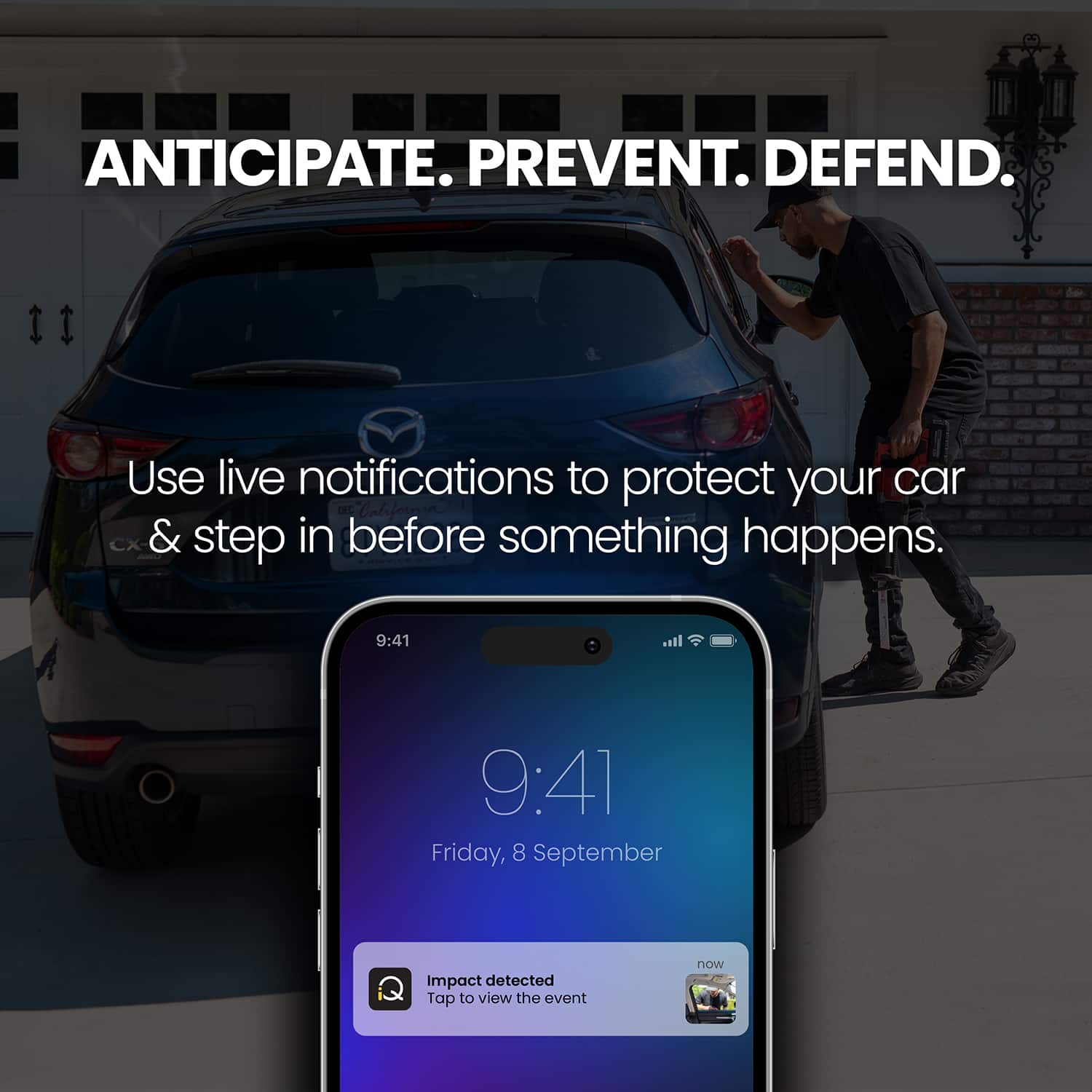
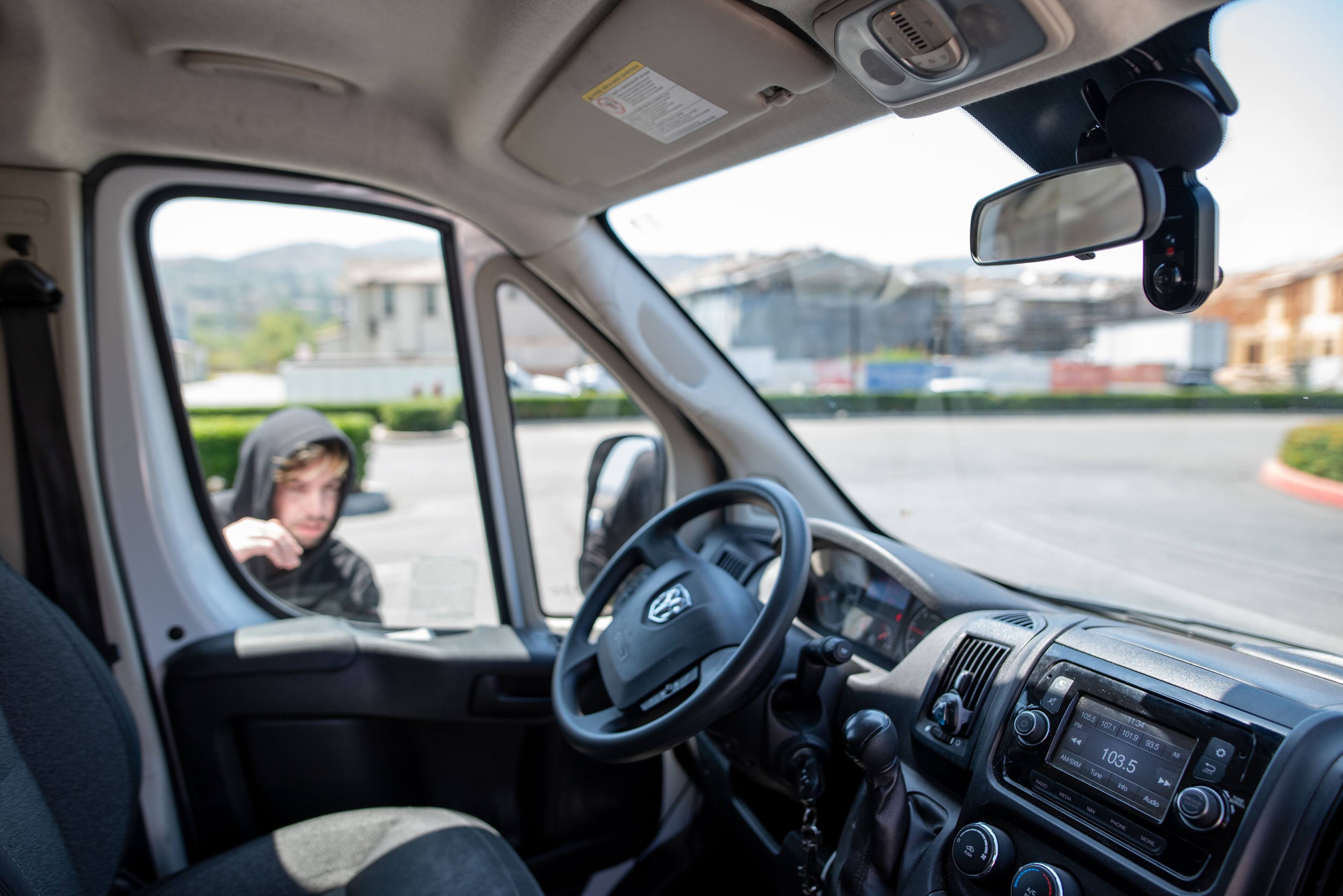
|Posted .This reviewer received promo considerations or sweepstakes entry for writing a review.The Nextbase iQ Smart Dash Cam is less of a camera and more of a complete 4G security system for your vehicle. It stands out with true "always-on" connectivity. Unlike standard cams, the iQ uses a 4G LTE connection (subscription required) to provide Live View from anywhere and instant alerts if someone loiters near your car (using AI-powered Spatial Awareness). The "Witness Mode" is a brilliant safety feature, instantly streaming footage to a contact via voice command. However, the hardware is bulky, and the device is effectively crippled without the pricey monthly subscription ($10–$20/mo).
I would recommend this to a friendBrand response from Nextbase
Posted .Hello,
Thank you for the detailed and thoughtful review! We’re really pleased to hear you’re enjoying the always-on 4G connectivity, Live View, and safety features like Spatial Awareness and Witness Mode. Your feedback on the hardware design and subscription model is appreciated and helps us continue improving the iQ experience.
Thanks for choosing Nextbase and for sharing such valuable insights.
-The Nextbase Reviews Team
- Cons mentioned:Installation difficulty
Not sure if it’s worth the money yet
||Posted . Owned for 2 weeks when reviewed.This reviewer received promo considerations or sweepstakes entry for writing a review.I was so excited when I purchased this product. I liked that it has an option to pay for cell service and not rely on Bluetooth to my phone as it blocks me from connecting to car play on my car radio. It was extremely difficult to install. I wish I knew how difficult when I bought it. I have it connected to my card computer for power as the instructions say to do but I am constantly getting an SOS signal. I am having anxiety that I spent $500 and it will fail me when I need it most. My last camera did not capture anything when I was in an accident last September.
No, I would not recommend this to a friendBrand response from Nextbase
Posted .Hello,
Thank you so much for sharing your experience with the iQ 4K Smart Dash Cam Bundle. We completely understand how important it is to have a reliable system that gives you peace of mind, especially after a previous incident. Your feedback about installation challenges and the SOS signal is very important, and we want to make sure you feel confident using your dash cam.
We recommend reaching out to our support team at [email protected] they can guide you step by step to ensure your setup is fully optimized and functioning as intended. It’s our goal that your dash cam provides the protection and reassurance you were hoping for.
We truly appreciate your honesty and your trust in our products.
-The Nextbase Reviews Team
- Pros mentioned:Features
Nextbase IQ Dash Cam
||Posted . Owned for 3 weeks when reviewed.This reviewer received promo considerations or sweepstakes entry for writing a review.First dash cam to ever own, and I love it. The live feed is the best having 24/7 surveillance, can't get any better. Just the other day my car got towed because I forgot to put my parking permit tag on the windshield mirror. My car was then towed away, so I checked the GPS tracking and found my vehicle at a wrecker towing facility. This camera has good features, happy to have
I would recommend this to a friendBrand response from Nextbase
Posted .Leon,
Thank you for sharing your experience. We’re thrilled to hear your first dash cam has made such a difference, and that the live feed and GPS tracking provided peace of mind when you needed it most. It’s wonderful to know the features are helping you feel secure and confident on the road.
-The Nextbase Reviews Team
- Pros mentioned:Overall performance
Pretty satifised but…
|Posted . Owned for 2 weeks when reviewed.This reviewer received promo considerations or sweepstakes entry for writing a review.Great product but DO NOT like having the pay a subscription to access most of the essential features that should be available since im paying a premium.
I would recommend this to a friendBrand response from Nextbase
Posted .Hello Natalie,
Thank you for taking the time to write a review!
I'm happy to hear that you're satisfied with the product. Thank you very much for providing this valuable feedback regarding our 4G features. I'll make sure to pass it to the pertinent team.
Let us know if there is anything we can help with.
-The Nextbase Reviews team
- Cons mentioned:Size
Dash cam
||Posted . Owned for 3 weeks when reviewed.This reviewer received promo considerations or sweepstakes entry for writing a review.Great camera too big for me but the connectivity is excellent parking mode is pretty good
I would recommend this to a friendBrand response from Nextbase
Posted .Hello Don,
Thank you for sharing your experience. We’re glad to hear the camera’s connectivity and parking mode have impressed you, and we appreciate your thoughtful feedback. It’s wonderful to know the performance is delivering strong peace of mind.
-The Nextbase Reviews Team
- Pros mentioned:Overall performance
iQ dashcam
||Posted . Owned for 1 week when reviewed.This reviewer received promo considerations or sweepstakes entry for writing a review.Cam has all the newest features and works great. Installer spent a lot if time with me talking abiut the different cams and answered all my questions. Installation went fast and with no problems while i waited.
I would recommend this to a friendBrand response from Nextbase
Posted .Hello Michael,
Thank you for your wonderful review!
We're glad to hear that you've had a positive experience with our iQ 4K camera and its installation.
Let us know if there is anything we can help you with!
-The Nextbase Reviews team