Customer Ratings & Reviews
![esc F1 F2 F3 F4 F5 F6 prtsc F7 scrlk F8 F9 M F10 F11 F12
~ 1 ! 2 @ 3 # 4 $ 5 % 6 ^ 7 & 8 * 9 ( 0 ) - =
tab Q W E R T Y U I O P [ { ] } |
caps A S D F G H J K L ; '
shift Z X C V B N M , . /
ctrl alt spacebar alt fn
ins home pg up del end pg dn
enter
ctrl shift](https://pisces.bbystatic.com/image2/BestBuy_US/images/products/35ccebf8-9a8c-4d71-80e9-3b6968208776.jpg)
![esc F1 F2 F3 F4 F5 F6 F7 F8 F9 F10 F11 F12
` 1 ! 2 @ 3 # 4 $ 5 % 6 ^ 7 & 8 * 9 ( 0 ) - _ = +
tab Q W E R T Y U I O P [ { ] |
caps A S D F G H J K L ; ' " enter
shift Z X C V B N M , . /
ctrl alt spacebar
ins home Pgup Pgdn end
del
fn](https://pisces.bbystatic.com/image2/BestBuy_US/images/products/e276c70f-3efc-4a87-8dfb-aba9642373b2.jpg)
- Model:
- RZ03-05521100-R3U1
- SKU:
- 6634785
Rating by feature
- Value
Rating 4.7 out of 5 stars
- Quality
Rating 4.8 out of 5 stars
- Ease of Use
Rating 4.8 out of 5 stars

Performance King (9/10), Typing Peasant (5/10):
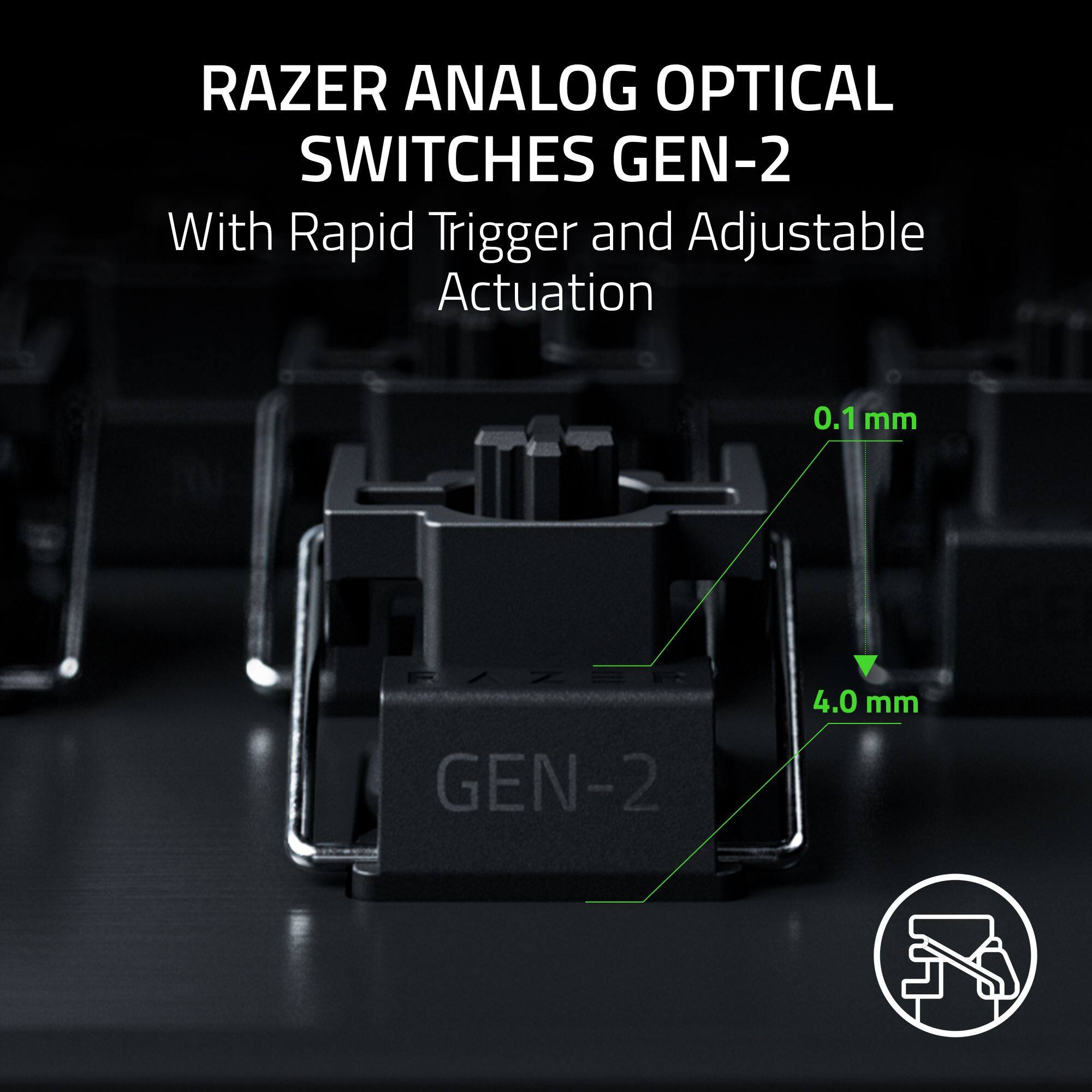
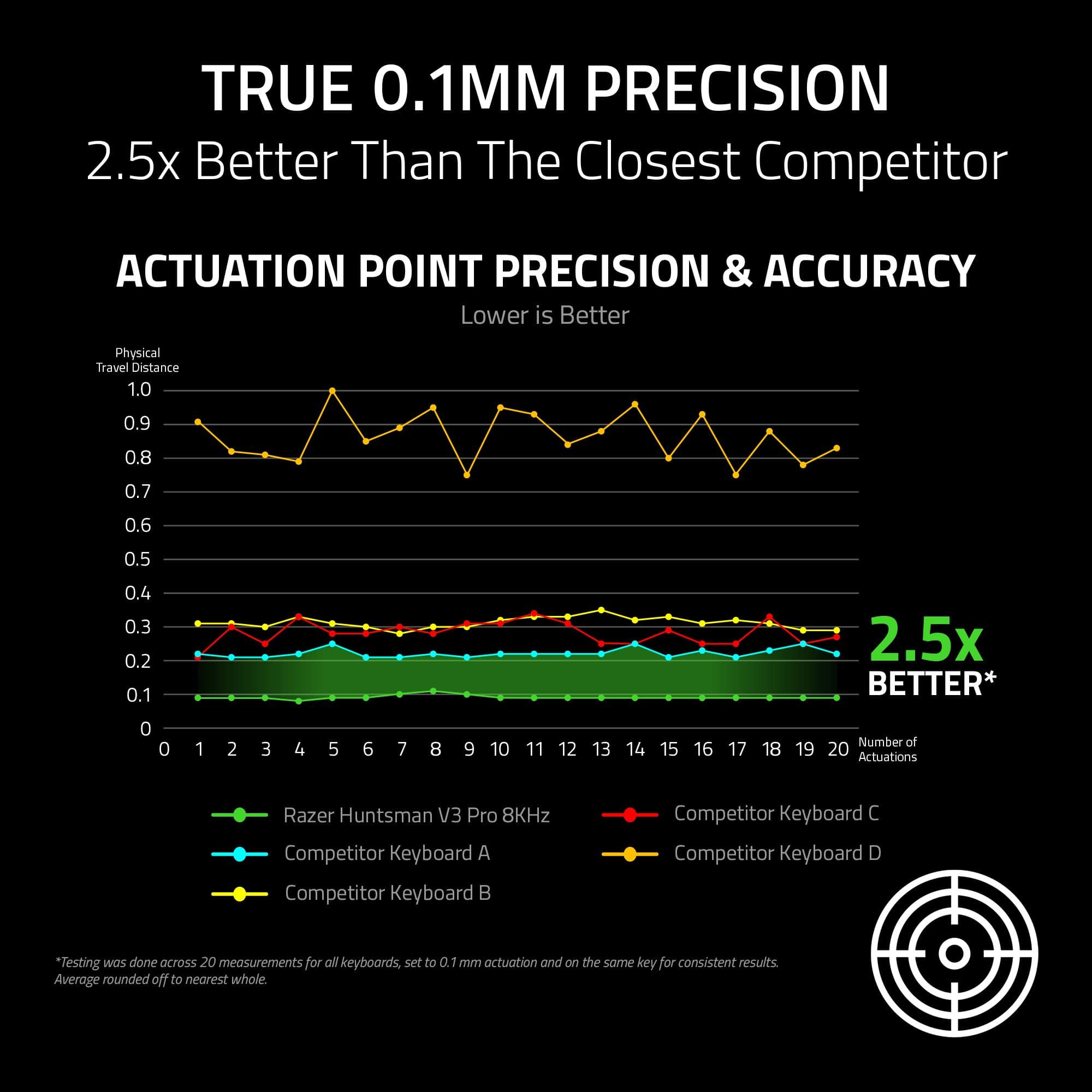
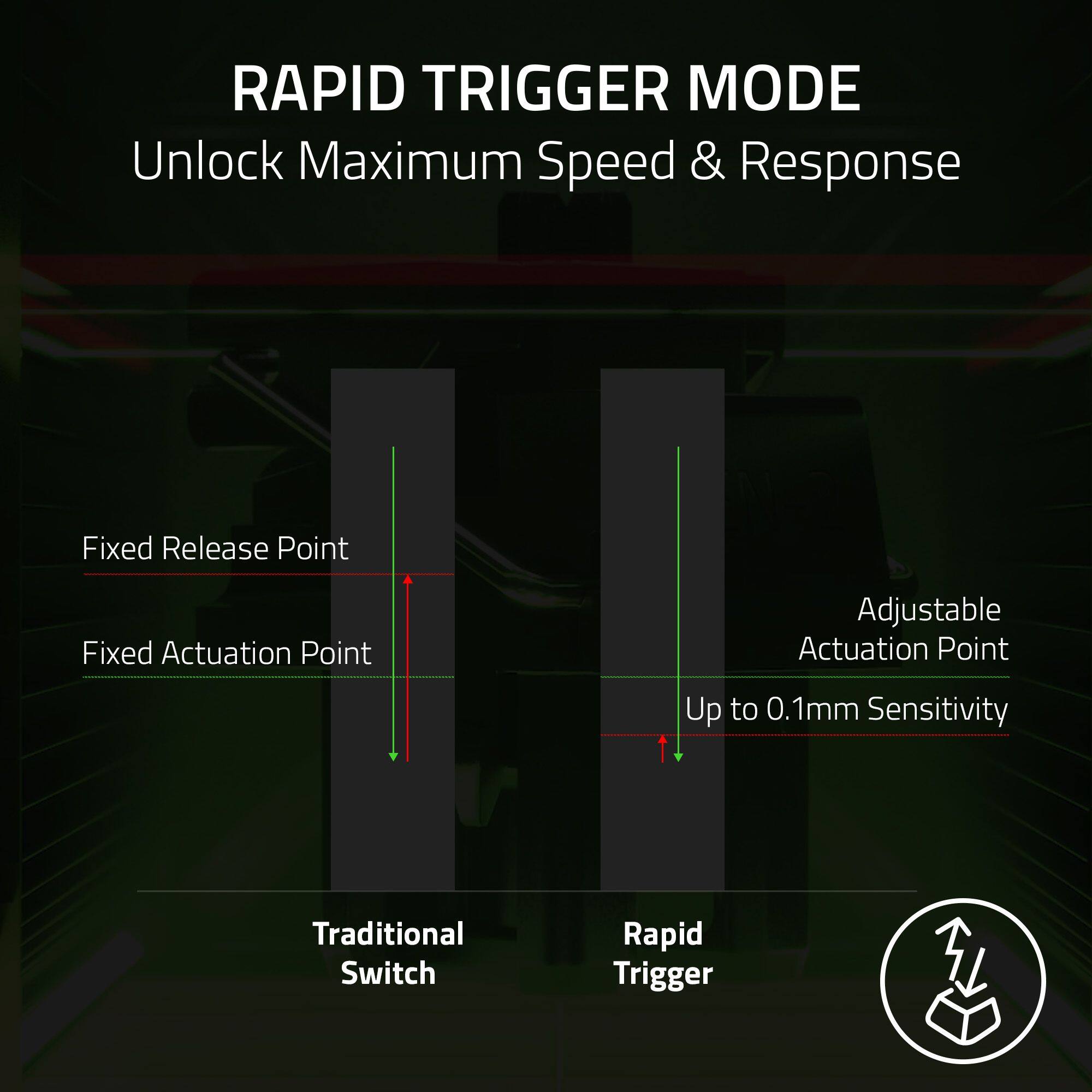
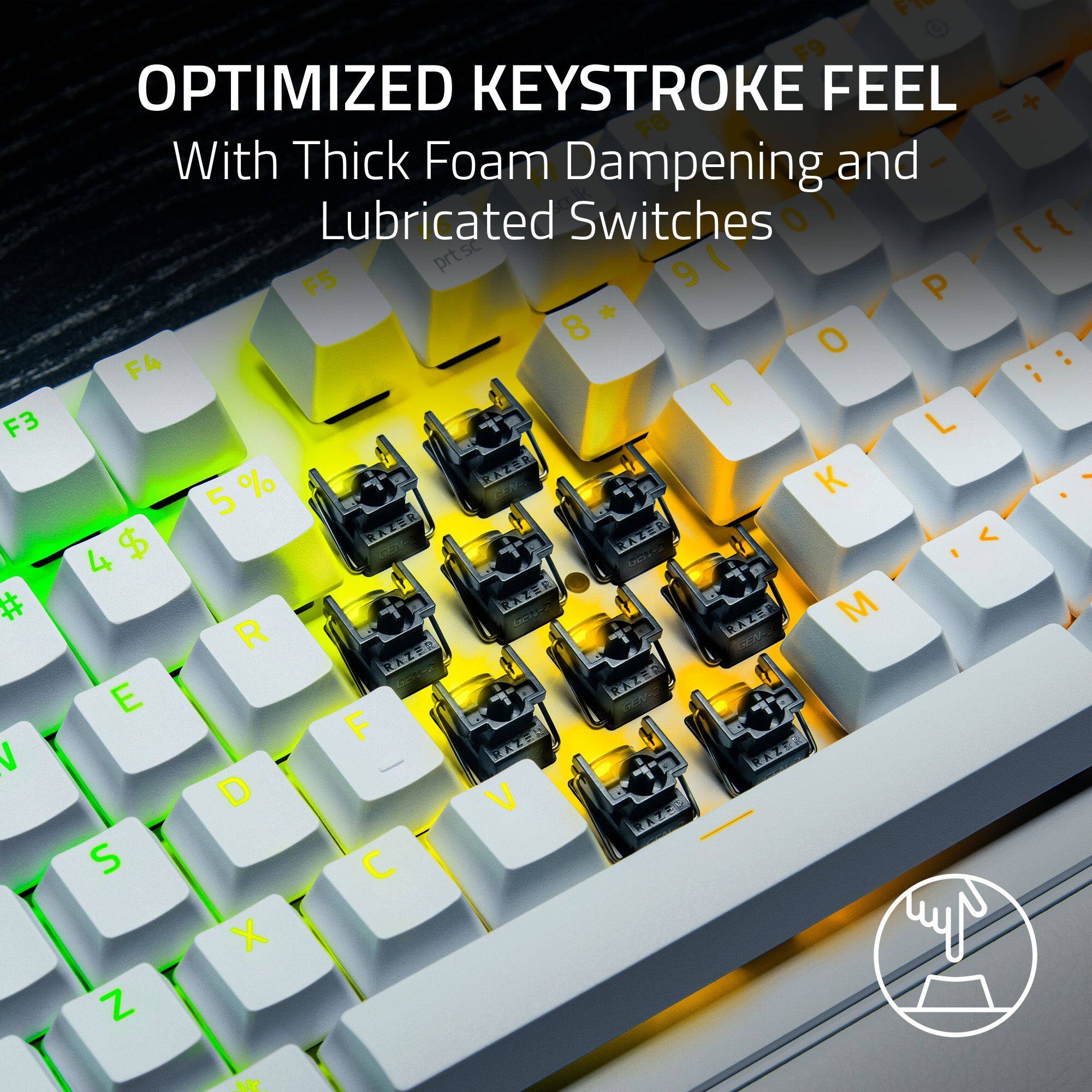
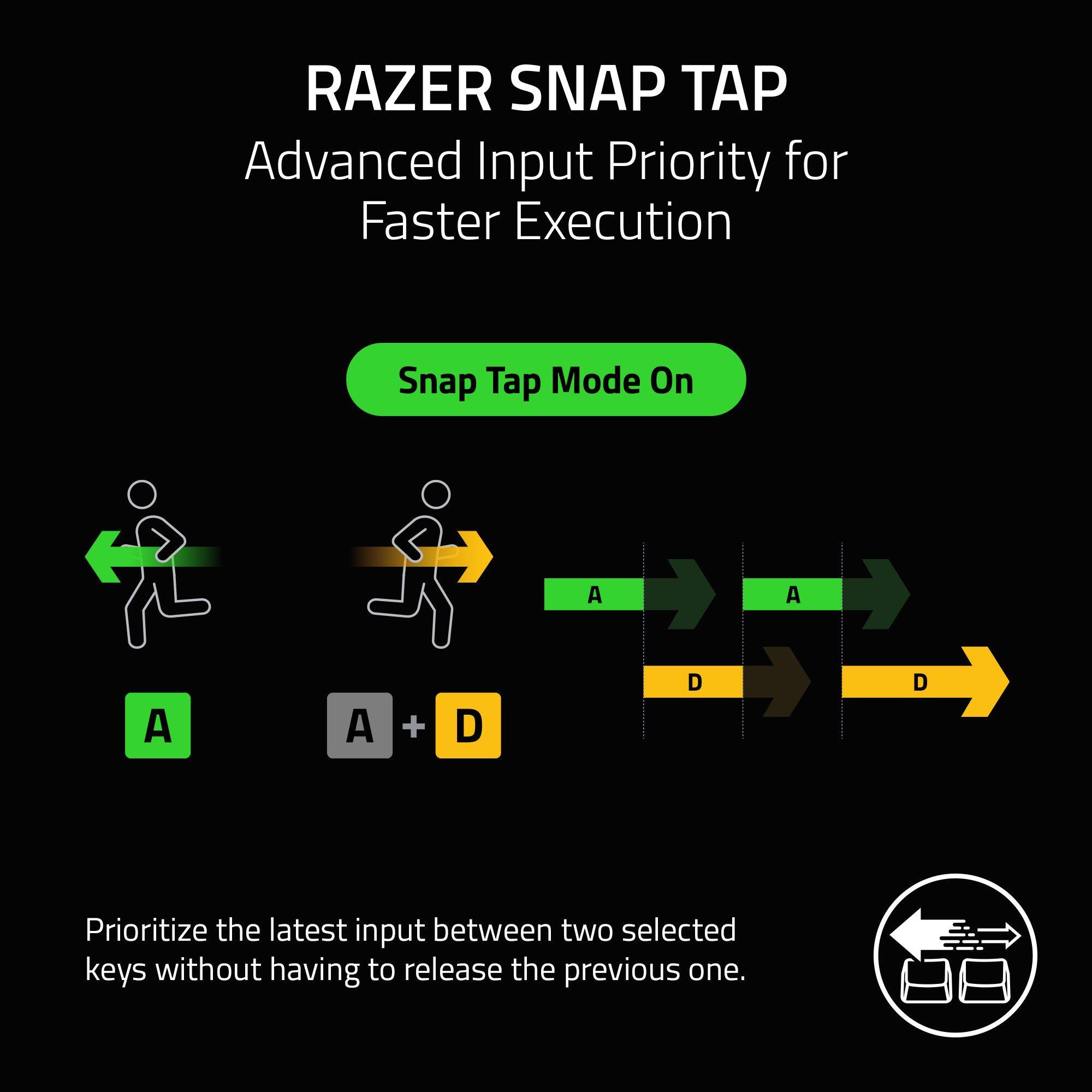
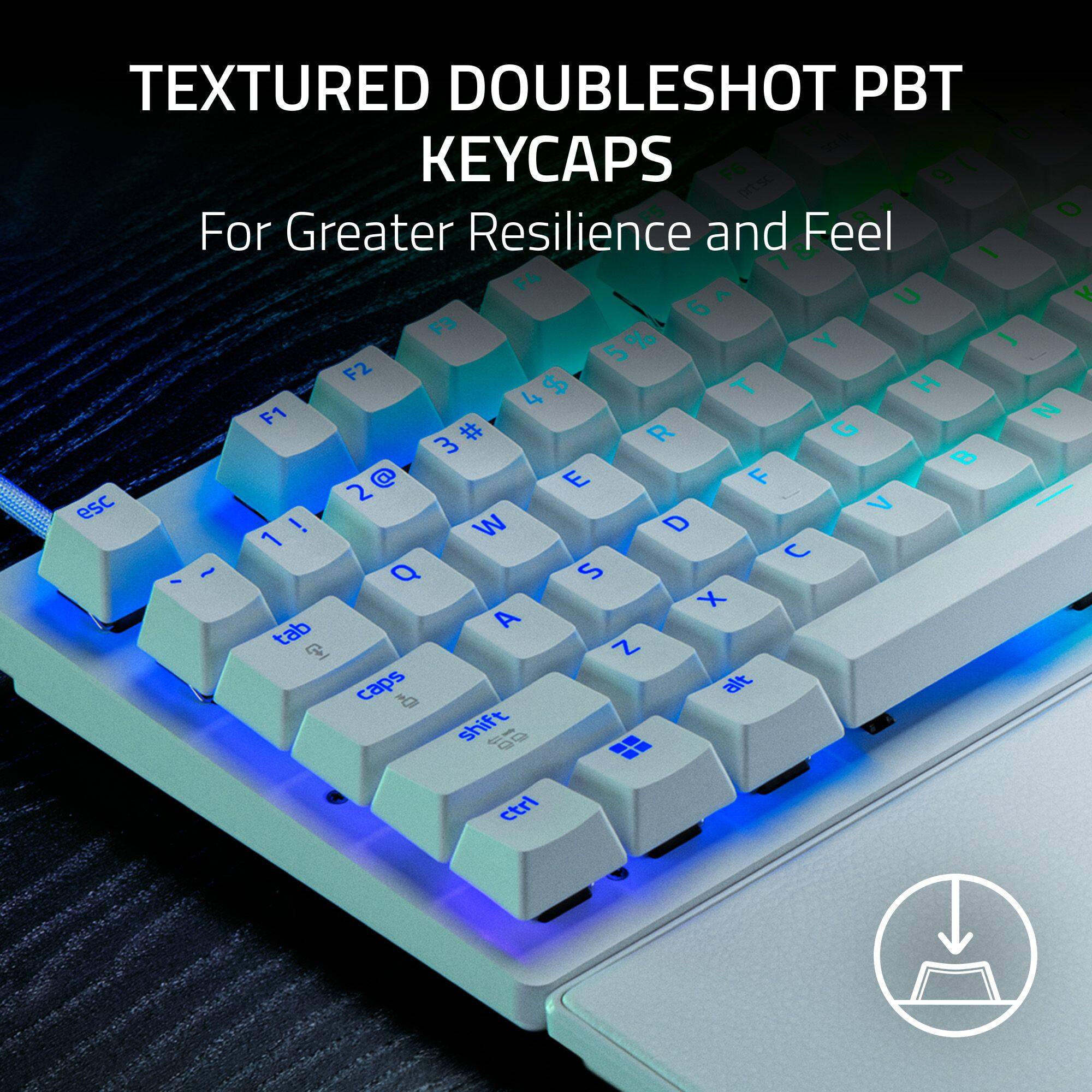
|Posted .This reviewer received promo considerations or sweepstakes entry for writing a review.TLDR: If you want the absolute best raw performance available at a major retailer, this is the keyboard to buy. Especially if you find it on sale. As the Analog Optical Switches bridge the gap between a controller and a mouse, offering superior movement control. Unfortunately, the acoustic experience (sound and feel) lacks the premium dampening found in custom enthusiast boards; it is loud and "pingy." While the physical build feels slightly lightweight and the wrist rest is disappointing, the internal technology interacts to create a competitive advantage that is undeniable. It is a close second to the Wooting 60HE/80HE. While the Wooting is better, this Razer board is much easier to purchase without long shipping wait times and features a bit more on the fly customizability. Pros: - Analog Optical Switches: Incredible control with adjustable actuation (0.1 mm - 4.0 mm). - Rapid Trigger & Snap Tap: noticeable competitive advantage for strafing and movement. - Availability: The best high-performance board you can buy in a physical store today. - On-the-Fly Customization: LED array helps visualize actuation; easy to tweak settings without software. - Controller Emulation: Smooth movement for racing or walking in games. - Customization: Gives you a performance edge versus traditional keyboard with way more customization. - RGB: Best in class. Excellent all around. - Software: Razer Synapse has gotten a lot better and easy to navigate. - Profiles: It has four profiles. Each you can adjust custom keys, lighting (basic), and actuation distance. With easy to reach macros built into the keyboard (FN + Home, Pg Up, Pg Down, Del, End,). Performance: 8,000 Hz is the best. Unsure if they have 8,000 Hz key scanning though. Which would limit speed if they do not have it. Cons: - Acoustics: Loud, "pingy" metallic sound with apparently no internal dampening foam. If they would have added dampening foam this keyboard would be dramatically better. - Typing Experience: Fatigue-inducing for long work sessions. Stabilizers are much improved this time around. - Wrist Rest: Very poor quality (thin plastic, weak magnet) for the price point. - Ghost Inputs: 0.1 mm setting is too sensitive, requiring manual tweaking to prevent drift. - Software Reliance: Complex RGB lighting requires Razer Synapse to be open. - Proprietary Switches: Can’t hot swap. If one goes bad you can’t swap it out. Need to go through RMA. This has a 2-year warranty which is good. - Build Quality: It is lightweight and thin. The textures of the keycaps make it feel cheap. PERFORMANCE/GAMING 9/10: If you are serious about gaming, having an Analog keyboard in your arsenal is a must have. As it allows for greater customizability and movement that standard keyboards cannot match. Analog Optical Switches: Allows you to adjust the Actuation Point anywhere from 0.1 mm to 4.0 mm. Most gaming keyboards are 1.2 to 1.5 mm. At 0.1 mm, the reaction time is nearly instant. However, I found that setting it to the absolute minimum of 0.1 mm caused "ghost signals" where my character would move by itself without my hands on the keyboard. I had to raise it slightly to stop my character from drifting, which is a minor annoyance not present on competitor boards like Wooting. Controller Emulation: This is the second big reason to buy an analog keyboard. As it mimics a controllers thumbstick and/or triggers. Giving you the finite, smooth movement of the a controller, while keeping the superior aim of your mouse. Granted the thumbstick is still technically superior as this is only 4 mm of distance. But is great for games where movement is key or racing games. Rapid Trigger Mode: Standard keys must travel all the way up to reset before you can press them again. To visualize, say you have 1.2 mm before the key actuates, then it has to move back up another 1.2 mm for at total travel of 2.4 mm. With Rapid Trigger, the key resets the instant you lift your finger. So, if you have both set to 0.1 mm (which you can do on this keyboard) that means the total travel time is 0.2 mm. This allows for ultra-responsive strafing in any game. This is hugely noticeable. Snap Tap: This feature prioritizes the latest input between two opposing keys (like Left and Right strafing). It is excellent for games like Counter-Strike or Valorant if you haven't mastered strafing manually, though it doesn't add much if you are already a high-level player. I think it may be banned in some games though (like those two I just mentioned) so you need to be careful if using. And are for sure banned in actual tournaments. Polling Rate: This supports 8,000 Hz polling. Which is the best on the market. Most gaming keyboards are 1,000 Hz. With other non-gaming keyboards being 250 Hz. Higher is better. Razer tends to excel at this stuff. Making it a leader. TYPING 5/10: The typing experience is a mixed bag. I achieved high speeds (134 wpm average, 162 wpm bursts), but the auditory feedback is lacking. This is a loud keyboard. It lacks the "thick thock" (deep, satisfying sound) that typing enthusiasts look for. There is noticeable reverberance/metallic ringing sound inside the case, likely due to a lack of internal sound-dampening foam. It is not suitable for a quiet office or shared room. The switches require 40g of force, which feels light at the top but gets heavier (60-80g) as you press down. This creates a nice resistance for controlling the analog movement. Which is a plus. But can be a bit fatiguing for long typing periods. It uses Double Shot PBT, which is great for longevity, helps prevent key shine, but the specific texture Razer used feels somewhat cheap compared to others. BUILD QUALITY 7/10: Razer included a lot of high-end features, but also cut some corners to keep the price down. There is a handy LED indicator that lets you visualize how deep you are pressing the keys. This is amazing for troubleshooting or practicing your movement control. You can also adjust actuation height on the fly, though the commands take some memorization. RGB Lighting: As expected, the lighting is best-in-class. However, it is frustrating that you cannot save complex lighting profiles directly to the board's onboard memory; you must have the Razer Synapse software running to keep your complex custom lighting effects. However, simple ones that have stock settings are saved directly to one of the four onboard profiles. The aluminum top plate feels premium, but the rest of the chassis is very lightweight plastic, which detracts from the "premium" feel. The wrist rest is the weakest link. It is essentially a thin piece of plastic with a weak magnet and an even thinner layer of faux leather. It feels like an afterthought. More of a “lets just throw this in” instead of an actual feature. Final Verdict: If you are buying this at full retail price, you might consider waiting for a Wooting. As the wait will be worth it. However, if you catch this on sale or want immediate access this is a very strong contender. And if I wasn’t spoiled with a bunch of other keyboards that have enthusiast level upgrades (sound damping foam, gasket mount, lubed switches, etc.) then I would think this thing was awesome. Since it is priced at the same price as those keyboards (which also often come with a lot less features) I must compare them. This is a performance first, sound second type of keyboard.
I would recommend this to a friendRazer Huntsman V3 Pro 8KHZ - The Competitive Edge
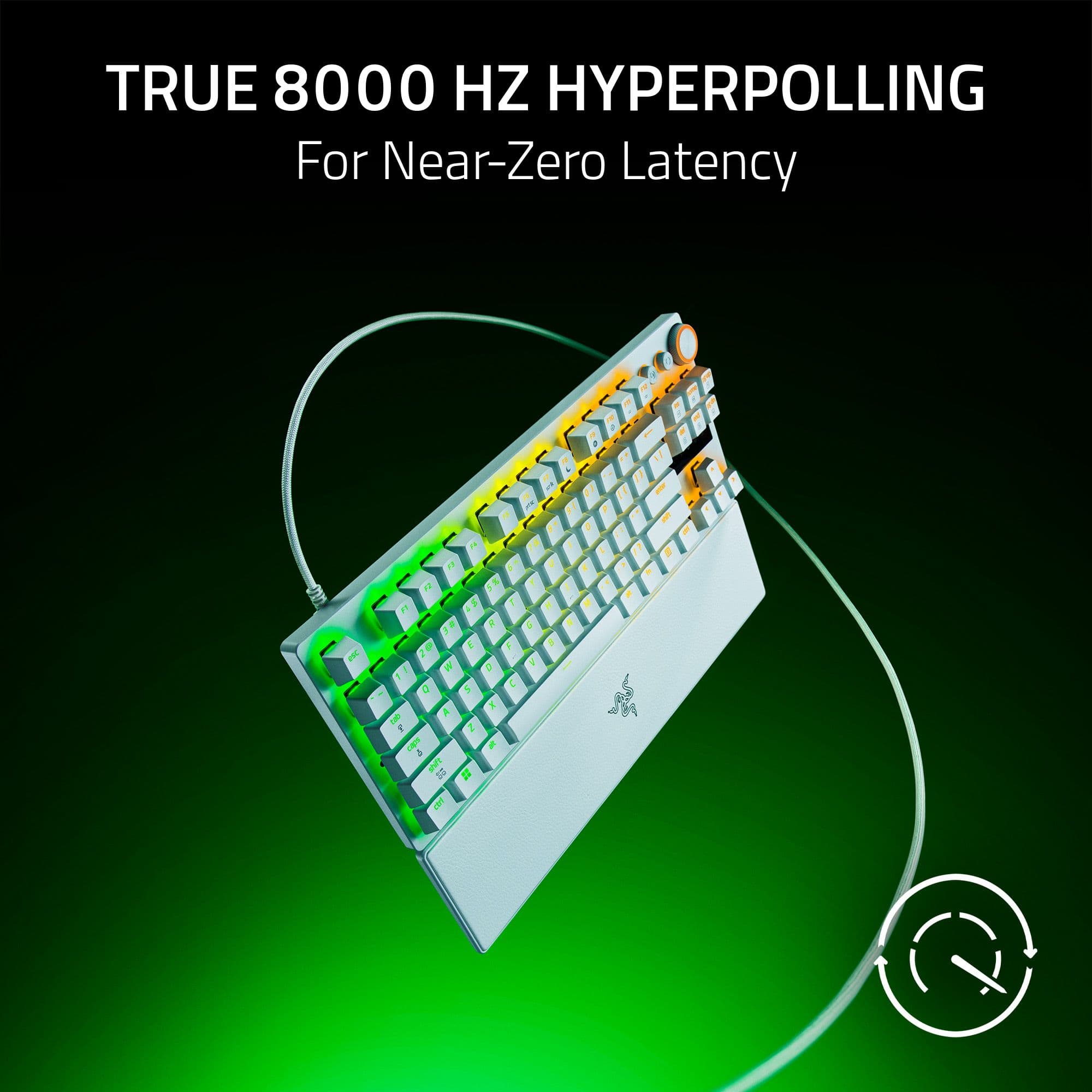
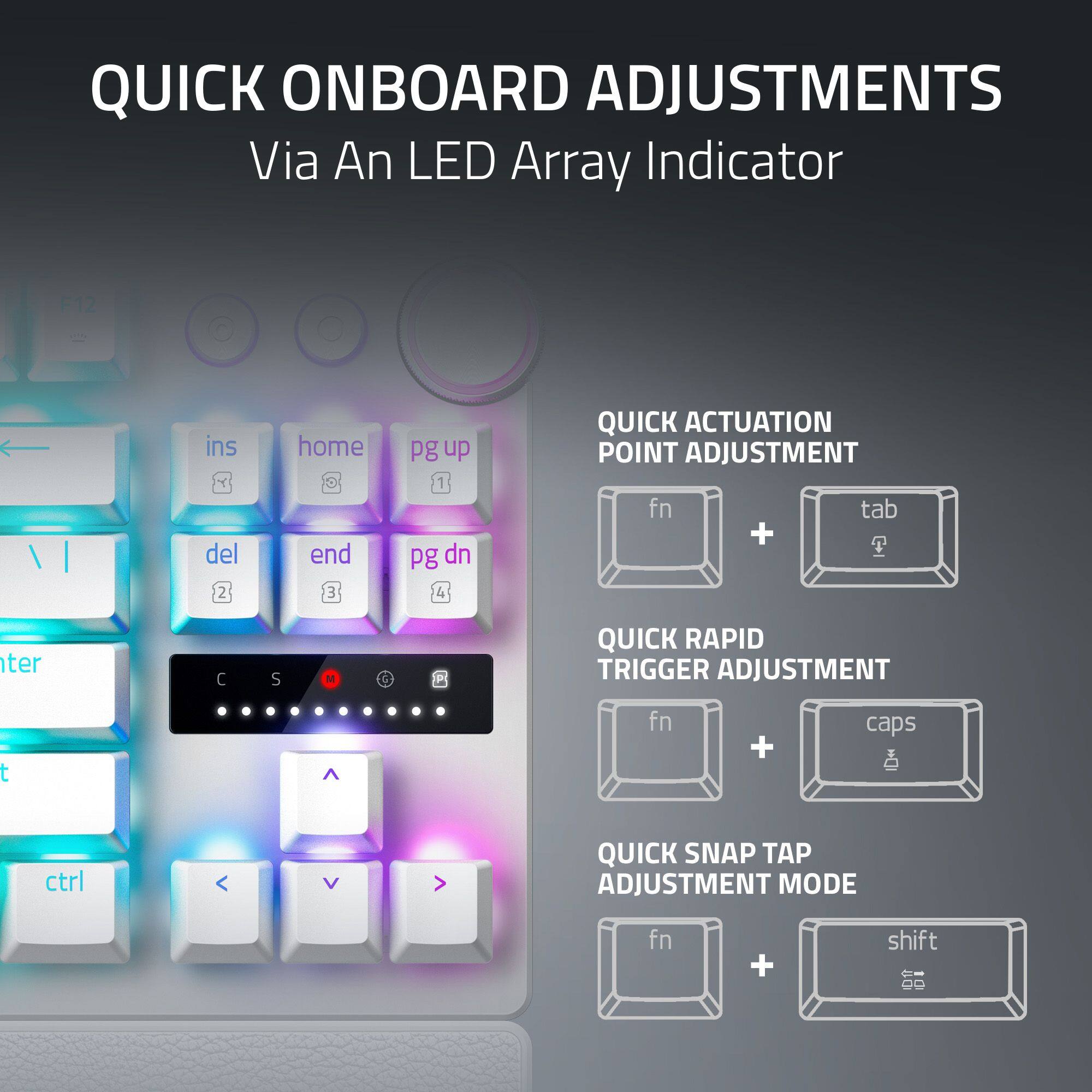
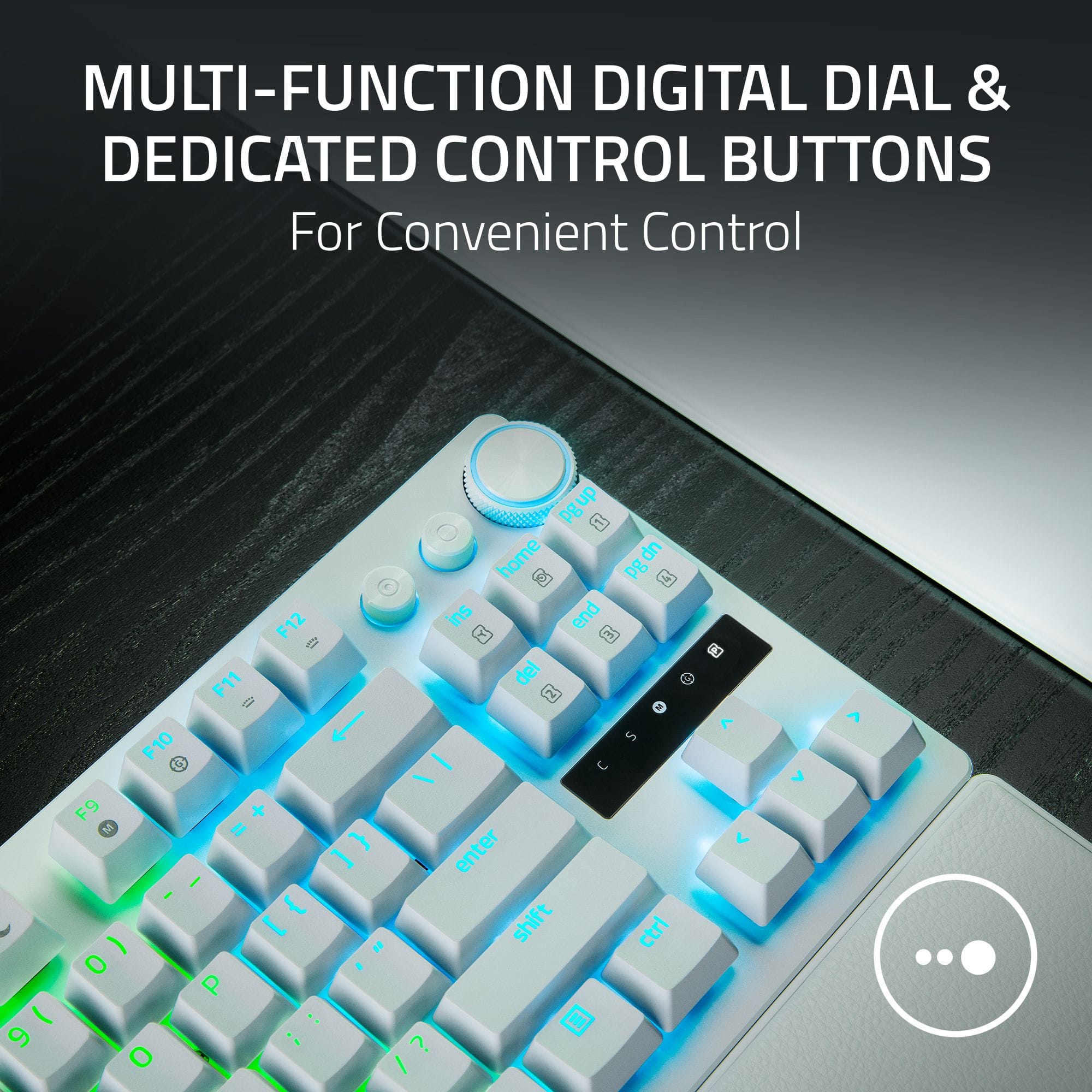
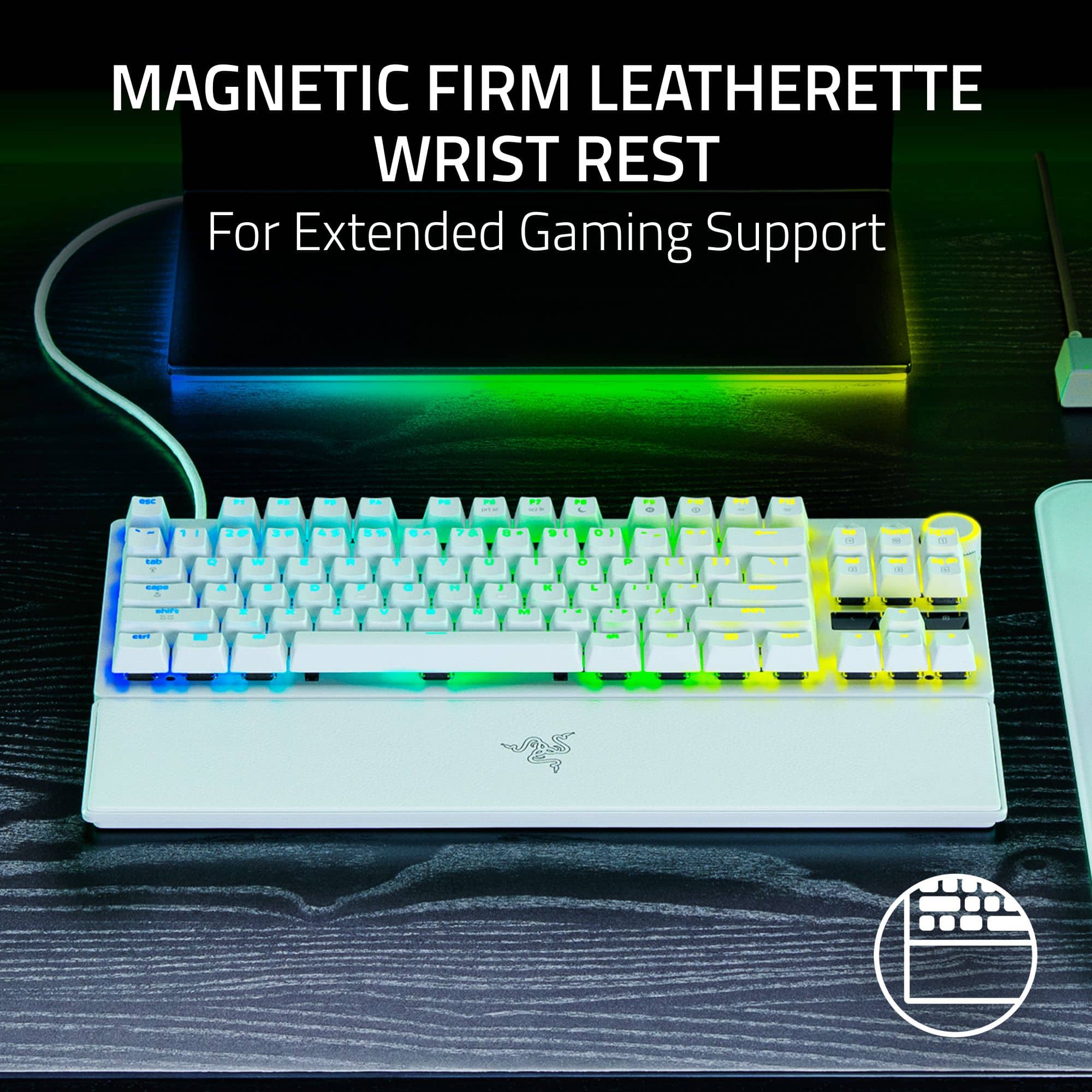
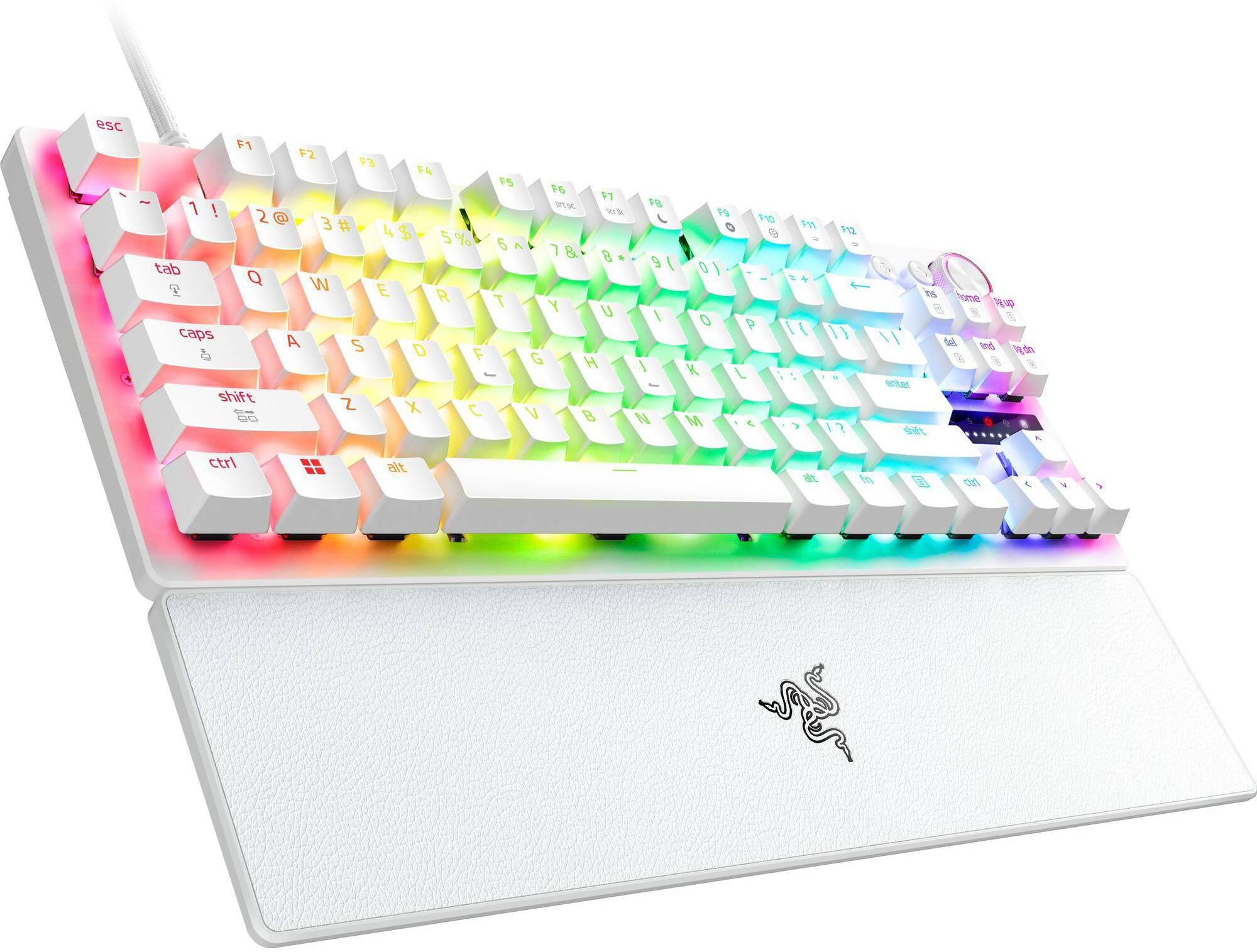
|Posted .This reviewer received promo considerations or sweepstakes entry for writing a review.The Razer Huntsman V3 Pro 8KHz TKL gaming keyboard is without a doubt designed for elite competition. It promises to deliver near zero latency and high precision. It's ten-keyless with a rest wrist pad. It comes with the advanced Gen 2 Analog Optical switches and 8000 Hz polling. It prioritizes reaction time with several modes to help give you the edge in competitive games. The quick reference card and reference guide are well done, and help even casual gamers understand how they can maximize features and adjustments. Design/Build/Unboxing The Huntsman V3 Pro TFL has the trending eco-friendly packaging made with post consumer recycled content. Unpacking the box reveals the small form factor keyboard, wrist pad, and braided cable. The construction is solid, but lightweight. The keyboard has a brushed aluminum top plate that appears to be free of fingerprints and smudges. The leather/leatherette finished wrist pad snaps easily to the keyboard and has non-slip feet underneath. There isn't a lot of padding on the wristpad so you will love it or hate it. The Doubleshot PBT keycaps texture feel like you get a slightly better grip and feel for the keys. There's a volume key and two media buttons that can all be custom programmed. They're great for YouTube. I really like what Razer did with the Quick Reference Card. This makes it much easier for casual gamers to learn how to swap profiles, , dial in actuation, and use features like Snap Tap or Rapid Trigger. Overall, I love the look and feel of the keyboard. It's stable, there's hardly any key wobble, and it's a premium design. Specs & Features Razer Analog Optical Switches Gen-2 - Provide linear travel with a light actuation force. You can adjust these from .1mm to 4.0mm. 8000Hz HyperPolling - This guarantees you have minimized input lag. For those that care, 1000Hz means your keyboard registers an input or checks for a key press every 1ms, 8000Hz is every .125 seconds. I don't know how much more of a difference you will Rapid Trigger Mode - This is great for games where you have to make quick directional changes like First Person Shooters (FPS.) The instant your key senses any upward travel, it resets, allowing quick movements without the input delay. Snap Tap - Fast, light taps register quickly. The idea behind Rapid Trigger Mode, Snap Tap, adjustable actuation, and the 8000Hz polling rate is for key presses to be registered as quickly as possible while minimizing input delay, giving you small advantages while playing fast paced games. - Performance - The Rapid Trigger Mode performs very well. In Valorant and Overwatch the ability to reset key inputs provides exceptional movement control. The response level is very high, but also having the ability to stop without waiting for a reset translates to tighter more precise movements. Snap Tap along with Rapid Trigger allows me to peek quickly or make very small adjustments. For typing and daily use it does the job. You will need to setup a different profile for any type of work or productivity which is available in Synapse but can also be accessed through key combinations on the keyboard. What's really cool here is the ability to see your key presses by glancing at the LEDs that light up on the right side registering key presses. You can also use it to set your actuation level. Overall, this is a well rounded keyboard. It's smooth, quiet, and responsive. I didn't have any issues gaming. I will mention that I had to switch profiles for regular typing because my gaming setup triggered a few unnecessary presses. - Synapse - Synapse is easy to navigate and intuitive. You can customize anything here from macros to lighting, including Snap Tap, Rapid Trigger, and actuation (with visible feedback to understand where you need to set it based on your natural keypresses.) Synapse is comprehensive and really well done. You can even choose settings base on the Linked Games. Technical Analysis - I tested this keyboard using Keyboard Inspector and it indicated true 8000 Hz performance. There is definite frequency domain saturation, the noise floor is evenly saturated all the way up. The signal analysis indicates the keyboard is updating my PC every .125ms without skipping a beats. The "events wrapped around a second" graph shows extremely sharp distinct vertical spikes, the internal clock is stable with no polling drift. Snap Tap works well. Looking at the timeline, when pressing A and D, there are no vertical overlaps where both are active at the same time. There are instant directional changes. As soon as one key is pressed the previous key turns off instantly, even if my finger hasn't fully lifted yet, very impressive! Rapid Trigger and switch response are choppy looking bars. The extremely short duration shows the Rapid Trigger is resetting the switch the moment I begin to lift my finger. There is very low latency here with the cluster of data points near the 1 to 2ms mark indicating the optical switches and 8K polling is catching my input nearly as fast as it happens. - Pros/Cons - *Pros* - Premium design - Extremely fast response time - Almost zero latency - Doubleshot PBT keycaps have a great feel and will be durable - .1mm to 4.0mm adjustable actuation *Suggestions/Needs Improvement* - Not much, but might be a bit of a learning curve for casual gamers This is a great keyboard for gamers. It's quiet, quick, has just what you need and nothing more. It also looks great on my desk. I highly recommend it for any gamers due to the endless customization, and thoughtful design. Technically it's very sound and consistent.
I would recommend this to a friendHighly Customizable, Solid Feel, Responsive
|Posted .This reviewer received promo considerations or sweepstakes entry for writing a review.Razer has a new keyboard out with some crazy good features. Razer’s Huntsman V3 Pro 8KHz optical linear switch gaming keyboard is certinly designed for the gamer. The Huntsman has LED lighting for each key, sports a metal upper section covering the top of the keyboard, and comes with a wrist pad. The wrist pad stays in place due to a magnetic connection with the bottom metal of the keyboard. The top of the wrist pad is leather which aids in preventing my wrists from shifting or slipping on the pad. I found the wrist pad stayed in place even while playing FPS games. The keys have a good solid feel to them and are well made. I also didn’t have a problem with the keyboard itself moving around while playing games. It is supported in the Razer app where I can set settings for the keyboard. Keyboard Settings You can set the actuation point settings through the keyboard itself of in the Razer app. In addition, you can set Snap Tap, swap between actuation setting profiles, adjust the actuation setting, and adjust Rapid Trigger. I like that I can just set quickly without having to go into the app if I want to. Application The Razer apps have too many features to list, but in the app you can set all of the keyboard settings. The above settings plus the LED light settings, LED sync with other Razer devices, LED light zones, key mappings, etc. Razer’s app supports the myriad of features they packed into this keyboard. Use I found it simple to set many of the settings through the keyboard that are supported being set that way. The Razer app also made it simple to set all of the settings available for the keyboard. Razer also has a few other apps you can download to take advantage of what they offer. Installing the apps was straightforward. This is the first keyboard I’ve had that actually allows me to set the actuation. I like having that degree of flexibility. I haven’t seen this in any other keyboard. Hardcore gamers will most likely love that feature. The actuation setting profiles can be easily switched between without having to use the app. This I do through shortcut keys. I can also make an adjustment to one through shortcut keys and the dial at the upper right of the keyboard. There are multiple LED lights on the right of the keyboard which will indicate the actuation setting, so it is easy to see what it is and see the adjustments as I make them. Amazing feature and well thought out by Razer. The keys feel good and are solid. The overall construction is good, but I would have liked the two buttons on the upper right to have been made a little better. I found that they were the only things on the keyboard that didn’t feel solid. Final Thoughts Razer had done an amazing job with the Huntsman. The keys are very responsive, I can set the actuation settings, allows for fine tuning the LED lights, has shortcut keys to make actuation adjustments outside of the app, has good support in the Razer app. I really like what they have done with the Huntsman V3 Pro and I hope they continue down this path with future versions. If you are looking for a solid gaming keyboard then I would recommend considering the Razer Huntsman V3 Pro 8KHz TKL Optical Linear Switch gaming keyboard.
I would recommend this to a friendGreat Upgrade to an Already Amazing Keyboard!
|Posted .This reviewer received promo considerations or sweepstakes entry for writing a review.I’ve been mostly using Razer Products for my Mouse and Keyboard for years now. I’ve tried many keyboards but tend to always go back to Razer M&K because I don’t have issues with them and prefer the feel. I’d been wanting a TKL keyboard (Ten Key Less) for a setup at home, so when I saw Razer was upgrading the Huntsman line of keyboards to V3, I had to pick one up. Pros: - Analog Optical Switches provide fast and accurate keystrokes with customization for inputs. - Low Latency with High Polling Rate. - Works with Razer Synapses. - Included wrist rest that is magnetic. Cons: - Requires Razer Synapses to function. - High Polling Rates can have system performance impacts. Setup: Razer requires their software suite, Razer Synapses, when using their products, which is one of the major downsides of Razer. But the ability to customize and enable additional features are worth it in my experience. To each their own. The biggest benefit is if you use other Razer products, all of them can be managed from the same program. Setup is very simple and straightforward. Just plug in the keyboard, download and open the Razer Synapses software, customize if you want, and then get to gaming. There was a device update the first time I plugged the keyboard in. Software: As mentioned above, Razer does require the Synapse Software to use the Huntsman V3 but that provides access to the advanced features of the keyboard. There are 3 different tabs for the Huntsman V3: Customize, Actuation, and Lighting. The Customize tab allows you to adjust how the keyboard works overall such as enabling Game Mode which disables select keys while gaming to help prevent accidental key presses taking you out of the action mid game. The Polling Rate is a key part of the upgraded Huntsman V3, giving you control of how often the keyboard updates the PC with inputs. The higher the Polling Rate, the more often the PC receives data from the keyboard which greatly reduces the latency of the input. But there is a downside in that increasing the Polling Rate increases the amount of data the PC’s CPU must handle, which for slower or older systems, can cause a performance impact. If you notice any performance issues while using the keyboard, try lowering the Polling Rate from the defaulted 8000Hz. Additionally, on the Customize tab is the Gamepad Settings. This is something special to the Analog Optical switches, allowing you to emulate joystick and trigger behavior with select keys on the keyboard. This means you can make the WASD behave like you’re using a joystick instead of a keyboard, in that a partial press of a key will be registered as a partial push forward. This is because the Analog Optical switch can tell the difference between a full press and a partial press, allowing more nuanced input behaviors than just a pressed or not pressed. On the Actuation page the key actuation can be customized, the distance the key travels to register an input of the key. Snap Tap allows you to set specific key combinations that cannot be input simultaneously, such as A & D which would make you not move either to the Left or Right if both were active at the same time. This is very helpful for fast paced games where the tiniest movement could mean winning or losing. To increase the speed of key input, there is Rapid Trigger and Continuous Rapid Trigger features, but be warned that some games consider these features as unfair modifications, hardware cheating, because of the unfair advantage it provides the gamer. Rapid Trigger allows the key input to reset as soon as the key changes direction, so a downward press can be re-activated as soon as the key has changed direction. As always, Razer knows their Gamers, the Lighting tab handles the RBG and lighting features for the keyboard. You can sync up your mouse & keyboard with the rest of your system via the different plugins with the Razer Chroma RGB software. This allows you to have the perfectly synced RGB setup. Build & Feel: Razer has a good build and feel to most of their products, the Huntsman V3 is no exception. The keyboard has an aluminum top plate which gives it a premium feel and look. The keycaps are made of a quality PBT plastic, it has a textured feel to the surface of the keys that provides good grip. The typing feel is very smooth and responsive, thanks to the Analog Optical switches. These are very responsive and linear, there is not any resistance or click to them. The actuation range on these keys is from 0.1 mm to 4.0 mm, the lightest tap to a full finger press can register the input! The back is a matte plastic that has the same feel as the keycaps, which is something I prefer. It is off-putting if the bottom of the keyboard has a cheap plastic feel while the top feels premium. It might not bother most people, but I tend to move my keyboard around often so I’m always touching the back of the keyboard. Gaming: I’ve got to say, I was very impressed by how smooth gaming was on this keyboard. I know an accessory cannot make up for skills in the game, but the different features of this keyboard really shined while playing FPS and Action games. I was able to strafe easily with the gamepad settings, creeping up slowly with a slight press to full pace with a full press. Not to mention the Snap Tap feature allowing a quick directional change just by releasing either the A or D keys while keeping the other key pressed. It was quite literally game changing, but again be aware of the terms of service on which games you use it to avoid getting banned or worst. Overall, gaming on this keyboard made me want to switch all my gaming keyboards over to Analog Optical Switches just because of the responsiveness and smooth feel. I’ve found my new favorite switch, it was previously the linear hall effect switches but I just like the feel of the Razers more. Conclusion: If you’re a gamer who plays competitively or who notices the input lag from a keyboard, then the Razer Huntsman V3 is a great consideration for your setup! It has Razers Analog Optical Linear switches which are extremely fast, responsive, and provide customizable options not available on traditional mechanical switches. If you already own other Razer products, this keyboard will work with those perfectly. I’m very happy with the keyboard and look forward to gaming on it!
I would recommend this to a friendIntuitive Onboard Adjustment Shortcuts
|Posted .This reviewer received promo considerations or sweepstakes entry for writing a review.The Razer Huntsman V3 Pro gaming keyboard is an intuitive, quick-adjusting keyboard with incredible polling rate. It is well-made, high-performing, and efficient when it comes to gameplay. *What’s Included* Included with the keyboard are a wrist pad, a USB-C to USB-A wired connection, a quick reference guide, and an informative manual. *Quality* The keyboard feels robust and well-made with a brushed metal overlay atop a plastic shell bottom. It is weighed enough to prevent it from being easily moved but is not hefty. The keys are quite deep, allowing for a wide range of actuation customization. The textured keys have a high degree of sideways wobble when lightly depressed, making it obvious to the touch when they are tapped but there is no wobble when deeply depressing. There is a satisfying clickiness to it, but I must add that the depth of the keys makes it hard to use for standard typing. The keys are backlit, with only the letters providing a strong, bold light. Seeing the keys in the dark is easy on the eyes.It has rubber lined back legs that allow it to stand up to an ergonomic position while preventing slippage. The included wrist pad provides adequate ergonomic support with no frills. It is made of a seemingly hard hollow shell that is top lined with thin leatherette fabric that has no cushion or foam. *Functionality* The shortcuts provided by this keyboard are exceptionally easy to understand and apply with clear instructions on a quick reference guide. It even includes LED indicators that show the mm actuation options, which can be changed by turning the multi-function digital dial. The ability to make quick changes to actuation or switch profiles makes this keyboard stand out among others as there is no need to leave a game to get on an app to make the changes. The backlight plays a large role in visual representations of changes made. It will glow a specific color for each profile selected and will show the actual actuation point as you depress a key before committing to it when fine-tuning the rapid-fire setting. It has an extremely high polling rate of 8kHz and any input lag imperceptible during gameplay. It is the most efficient and intuitive keyboard I have used thus far. *App* The keyboard connects with Razer Synapse app. I already had the app and it managed to find the keyboard immediately. The app is streamlined and great for refining the keyboard’s functions and adding profiles among other things. *Conclusion* While this keyboard is no good for everyday typing, it excels in its niche. It elevates performance when gaming, makes it easier to fine-tune on the fly, and has a short learning curve. I highly recommend this keyboard for serious gamers because it does not disappoint.
I would recommend this to a friendThe Keyboard that Deserves your High End GPU
|Posted .This reviewer received promo considerations or sweepstakes entry for writing a review.There’s a myriad of mechanical keyboards out there and sometimes it can be quite overwhelming to choose. This Razer keyboard is designed for gamers seeking maximum competitive advantage. The Huntsman product series has consistently proven to be both reliable and a performer. Design I'm not a pro gamer, but I do play competitively. This full-size keyboard is meant for serious gamers. The layout is clean and the keys have good luminance with RGB lighting. The keyboard feels solid and it is well made. The multi-function digital button and the dedicated control buttons are very useful in making change of settings quickly and efficiently. Ergonomics are good but nothing special. The included palm rest feels great and solid, and it attaches to the keyboard through magnet. The textured keys enhance immersion in the game. I don’t hate the texture, but I don’t love it, either. I would prefer a smooth texture but I can understand why some people would prefer rough keys texture. Performance Keypress is highly responsive, and sensitivity can be adjusted via software. The 8Khz polling rate indeed makes the keyboard feels very responsive. Of course, we can program macros. Razer supports natural 360 movement, which makes movement in games feel more fluid. The keyboard is slightly more sensitive by default than I would have prefer, but it's still suitable for competitive games like Battlefield 6. In PvE games such as Helldivers 2, the default setting is already great. I also use the keyboard to type and it’s a great one for such purpose. Software This keyboard is a no brainer if you’re already into Razer’s ecosystem. Razer’s software is designed to support the whole ecosystem of Razer PC peripherals and integrate them. I like the simplicity of the software while providing tons of features. Conclusion Great wired gaming keyboard for games and work. Default setting is already great. This keyboard deserves your high-end GPU. Pros: Ultra fast polling rate Full size Solid built quality Cons: Keys textures are not smooth
I would recommend this to a friendQuality build, RGB lights, custom rapid actuation
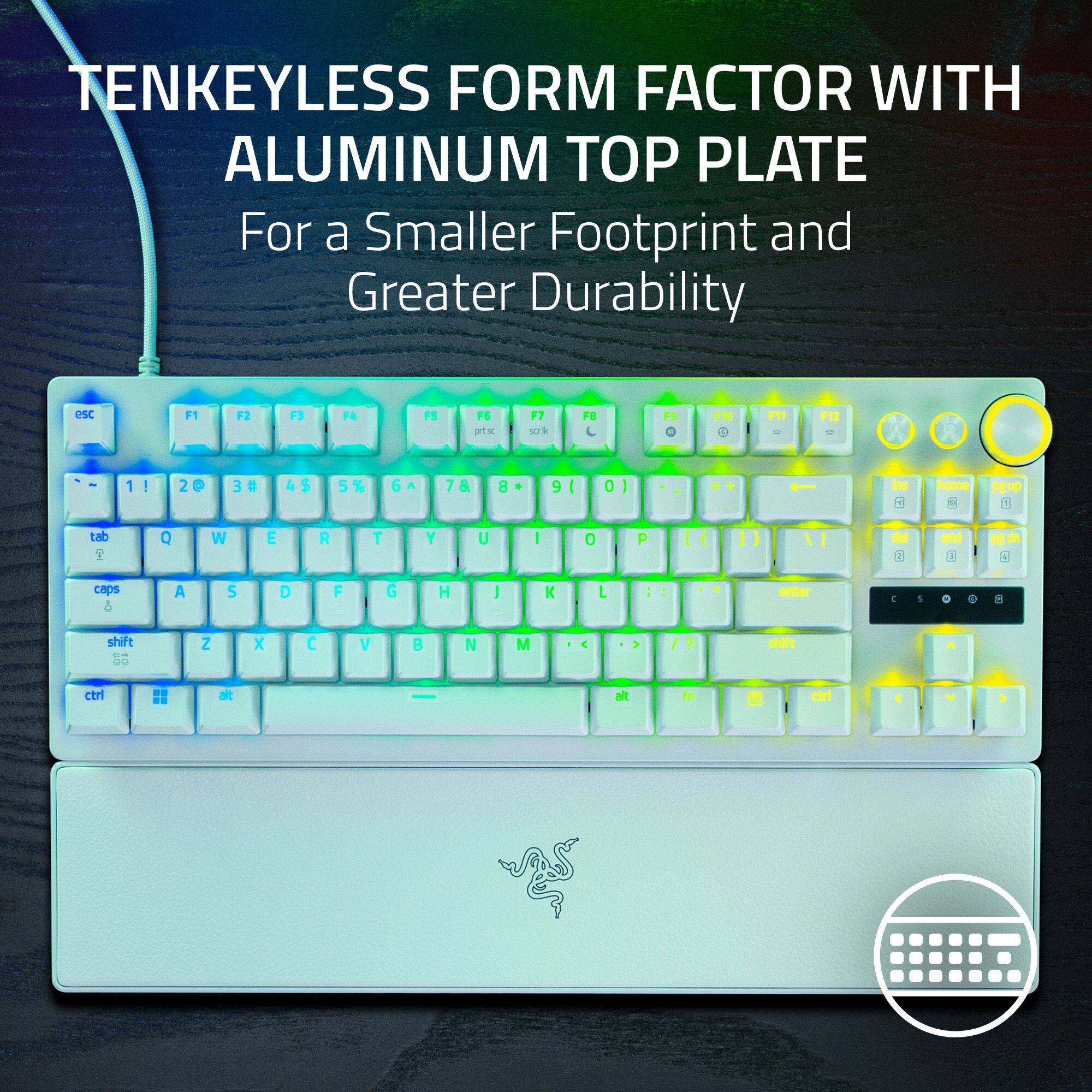
|Posted .This reviewer received promo considerations or sweepstakes entry for writing a review.Razer has been making some very interesting higher-end consumer electronics and tons of gaming computer accessories such as The Razer - Huntsman V3 Pro 8KHz TKL Wired Analog Optical Linear Switch Gaming Keyboard with Snap Tap. I've always had ergonomic challenges with full size keyboards being off-center because of the numeric pad that I rarely use anyway. This Razer Huntsmen V3 Pro blends nicely both fit and color with a black table thanks to its TKL (ten key less). The detachable magnetic leatherette wristpad is a nice touch and will make your long hours of game play more comfortable. The Medium-profile optical analog switches enable super quick, effortless key travel for both gaming and business typing. Due to its compact size, you could fit it in a laptop bag and show it off on your travels, though it is heavier than a typical keyboard due to its premium build quality. What steals the show is the miriad of backlit colors and effects that light up this keyboard. Additionally the unique high-end feature is the ability to customize the key actuation height from a mere 0.1 mm to 4mm. It is all customizable using the Razer Synapse advanced device control software which also allows great levels of customization of function keys, gaming keys and macros, that can be saved to multiple profiles that you can easily recall for different games or just regular typing. The actuation multi-LED meter located right above the arrow keys is a very helpful visual aid in fine tuning. Also included is a generously long USB-C to USB-A cable that’s over 6ft long which is rarely included by other vendors. This is the fastest keyboard I’ve ever owned, thanks to its Analog Optical Switches Gen-2 with true 8 KHz hyperpolling. It would be a great addition to any serious gamer’s arsenal, though it is fairly pricey for a wired keyboard when not on-sale.
I would recommend this to a friendGreat eSports focused keyboard in 2026
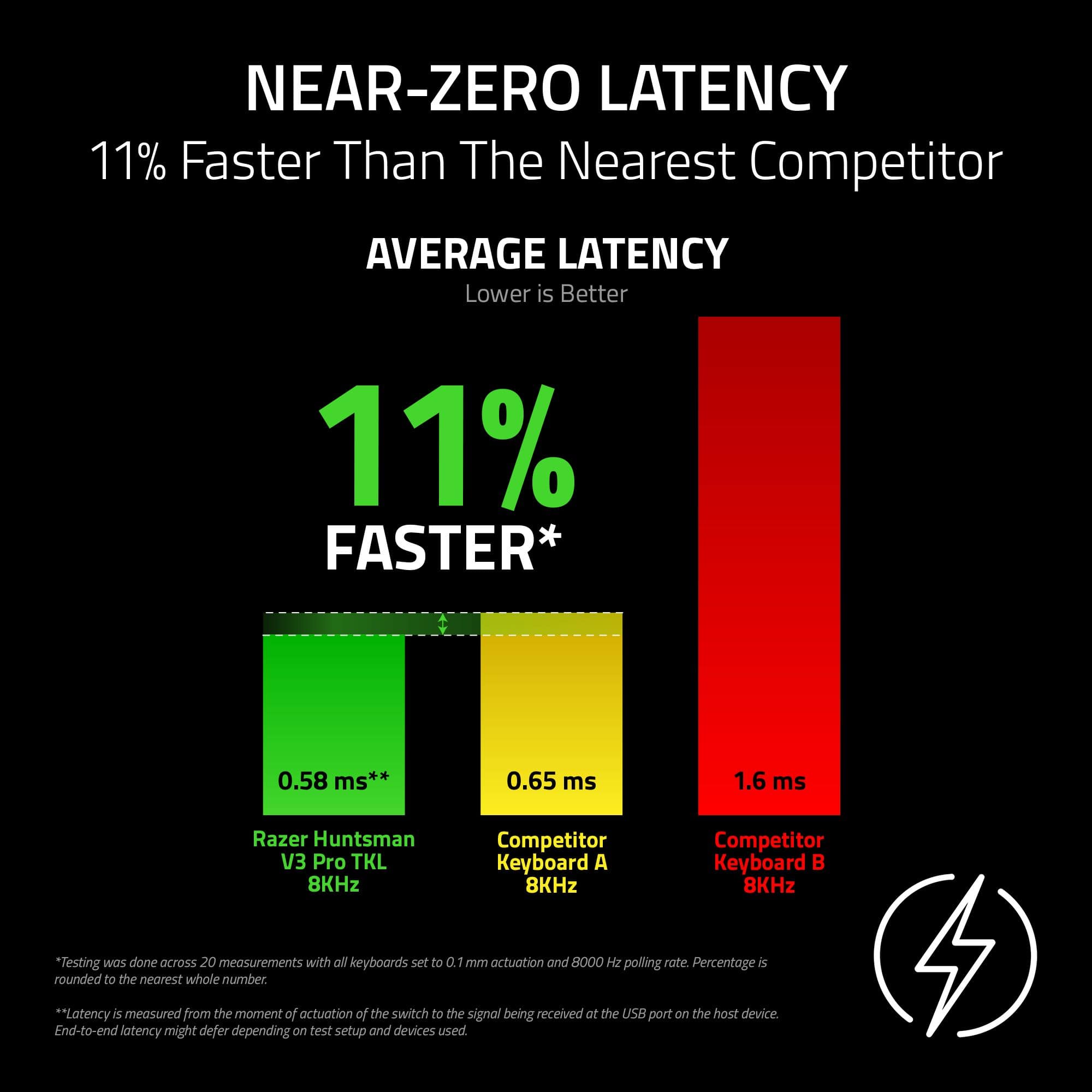
|Posted .This reviewer received promo considerations or sweepstakes entry for writing a review.The Huntsman V3 Pro 8KHz is a great option if you want a sleek do-it-all eSports/FPS game focused keyboard but it is pricey and just a small update if you are coming from the previous non 8K. Synapse 4: It’s 2026 and having to use such heavy software to set up a keyboard is just annoying. Other reviewers may give it a pass but I for one don’t want to have to restart my computer twice just so I can have synapse and the appropriate module. You can use the keyboard without synapse once you customize/add your profiles and that works well and as advertised but I had to get this topic out the way first. Inside the box: - Keyboard itself - Magnetic detachable wrist rest (very poor magnets) - USB C cable - Stickers Design: The main reason I quite like this keyboard in the end is the design. The V3 looks so much better than the old V2 with its dedicated volume buttons that are actually well designed and enjoyable to use. You also get a top aluminum plate so the whole thing just feels premium as it should. It’s not that heavy though as the bottom is mostly plastic. Comes in black/white/green. Get white if you want RGB to pop the most, but black will be most popular. Performance/switches: I set up a custom profile for CS2 prioritizing my WASD keys being faster and enabling rapid trigger. Performance was spot on and I had no issues. Razer is claiming class leading latency of 0.58 ms which is great but that's all i will say about that because we are all still human at the end :) Razer is using Gen-2 analog optical switches and they feel pretty good though they could have a touch quieter. The switches are more stable compared to the non-8k and there’s more foam so I’m surprised there’s still so much sound being emitted. If this keyboard and its standout design really catch your eye go for it. I will continue using this as my main especially as a very active counter-strike player, but I do wish it wasn’t as loud and truly less reliant on software.
I would recommend this to a friendAmazing, but kind of a gimmick, a cool one still!
|Posted .This reviewer received promo considerations or sweepstakes entry for writing a review.I’m just going to summarize this review in just a few words. “This keyboard is awesome” ~ that's it, but to elaborate on that just a little, software support is lacking despite Razer doing some clever workarounds. That’s the TL:DR, it’s a fantastic keyboard! It’s not perfect, nothing is, but there’s way more to love than hate IMO and some games that typically don’t have analog support, do with this keyboard. I’ll start with the “cons”. It’s loud, if you want a slightly quieter keyboard typing experience, this isn’t it. I mean it’s so loud that people can hear it during my meetings I take from home. I just have to mute myself during the meetings. Which slows down my ‘chime in’ speed for topics, but it’s no biggie. Secondly, where’s the game support? I tried it on several of my games and by default, I wanna say 99% of them aren’t supported. Which is sad! But this isn’t necessarily a con because in ‘Analog WASD” mode I was able to get a lot of my games working with it oddly. For example Borderlands 4 worked great in WASD Analog mode, but I couldn’t get Hades or Destiny 2 to work. This is even with "Analog WASD" mode enabled or custom profile. But the biggest “why” and con for me was the lighting. Why can’t I change that in “typing mode” aka “factory default”? I feel like the lighting controls should have it’s own “Reset to Factory” separate and independently of the “Actuation” tab, but that’s just me. Again, all solvable problems by creating your own profile which is super easy to do. Now for the Pros which is a much shorter list for me to type, but a longer list in terms of actual thoughts on this keyboard. Long story short, everything else is good, gaming performance, analog controls, typing (when customized), media controls, and there's an actual "Print Screen" button, etc. I tried Forza with this keyboard and it’s INCREDIBLY odd using a keyboard for that game, but it’s doable. Playing Borderlands 4 worked as well, but in that game I rarely needed to ‘analog’ my movements. But it works you just HAVE to switch it to analog WASD mode! Luckily on the Insert, Home, Delete, End, PgUp & Dn, there’s presets there that cover most situations. Basically, I recommend this keyboard to anyone that wants to adjust their actuation point to help ‘dampen’ your poor typing skills. My accuracy in each press needs work, and with this keyboard it doesn’t have to be perfect. In gaming having the ability to adjust that is also super nice. For example in Black Ops 7 (I know I know) throwing the grenade is significantly easier because a feather can trigger it. So my finger doesn’t have to stretch to get it done. In BattleField 6, I can slide so much easier now. Again actuation customization for the win. Also analog keys work in both these games as well. So for me, the three B Shooters, Battlefield 6, Black Ops 7, and Borderlands 4 all worked with analog keys. And not sure if this counts as cheating or not, but having it having rapid fire on some things…. Kind of makes me feel slimy lol. But it works lol. I am very happy with this keyboard.
I would recommend this to a friendGreat Compact Gaming Keyboard
|Posted .This reviewer received promo considerations or sweepstakes entry for writing a review.The Razer Huntsman V3 Pro is another amazing gaming product from Razer. The Ten Keyless Design makes for a comfortable gaming hand positioning, while also sporting great gaming features like Rapid Trigger. Like many other manufacturers now, Razer ahs also opted for their own optical switches, moving away from Cherry switches you find in other keyboards, which can be a pro or con depending on how you look at it. Build quality for this keyboard is superb. The keys feel like they are double shot pbt material (though I can't find a confirmation of this), they feel really nice though. They key spacing is as it should be and the keys are just the right size. There is a bit of wobble with the keycaps though, which could be annoying to some, I personally didn't have an issue with it. Razer has opted for their in house Optical Analog switches which allows for rapid trigger as well as custom actuation points. This is very handy for tuning the keyboard to exactly how your fingers work when playing. The keyboard has an LED display on the right hand side that shows you how far you are pressing a key to help you figure out the tuning. The one thing I didn't like about the keyboard on the build side was the included wrist pad. I found it uncomfortable so I don't use it. They keys have a very satisfying "thunk" sound when typing. The Razer Synapse software is worlds better than it use to be. Now it doesn't require you to login to use it, and doesn't seem to waste CPU cycles unnecessarily. The keyboard and software allows for a great deal of customization when it comes to keys and lighting. For me, the built in profile for FPS Rapid Trigger was overly sensitive, so I adjusted it to my liking and was able to save the profile to the keyboard (important feature instead of it being in the software only). The keyboard also has built in quick profile changes with the use of the FN key and the home/ins/page keys. Overall this is a great keyboard. The nice typing experience paired with Razers great software and customization will make any gamer happy.
I would recommend this to a friendFeature packed gaming TKL keyboard
|Posted .This reviewer received promo considerations or sweepstakes entry for writing a review.The Razer Huntsman V3 Pro 8K is a phenomenal keyboard for gaming, or anything else in general. I have been using the Huntsman V3 Pro TKL version for a couple years now. The Huntsman V3 Pro was ridiculously responsive before, but adding 8K polling levels up what was already an insanely good gaming keyboard. I love this TKL, or ten keys less version of the keyboard. I have limited desktop space, and this keyboard is the perfect size to be able have enough room for a mouse movement for FPS gaming. It doesn't take up much space and the included wrist pad is magnetic, so you can easily remove it to make even more space, which is how I am currently running it. All they key actuations on the keyboard are adjustable. You can set how sensitive they are and how far down you want them to start registering a press, and can be set individually for each key. There is already an FPS preset that gives a good baseline for your WASD buttons, and can easily be tailored however you like. Also, obviously from the pictures, you have RGB, which is also 100% customizable, and if you really wanted, you could make each key a different color. Razer has done an excellent job with their software to easily be able to make adjustment with the Synapse and Chroma apps. Chroma studio is also very easy to use to customize your RGB lighting to exactly how you would like it. Razer also includes a "cheat sheet" that instructs you on how to make adjustments to actuation, change profiles, and rapid trigger adjustments on the fly without having to go into the software. This can be really handy when your dialing in your keystrokes to just how you like them. Overall a very impressive keyboard with excellent supporting software.
I would recommend this to a friendCutting Edge Super Responsive Gaming Keyboard
|Posted .This reviewer received promo considerations or sweepstakes entry for writing a review.The snake with 3 heads is one of the most recognized logos in the gaming world. Razer has designed & manufactured the world's largest collection of gaming hardware, software & services. When Razer releases a new product, they draw attention from every continent. Razer just introduced the Huntsman V3 Pro 8khz TKL Wired Analog Optical Linear Switch Gaming Keyboard with Snap Tap. Unpacking the Huntsman V3 Pro TKL (Tenkeyless) from the box sets the stage that you have selected one of the most impressive gaming keyboards available today. The leatherette wrist pad snaps magnetically to the frame of the keyboard. The USB A to USB C cable is a 6.6 foot long, robust braided cable. The keyboard features a black, brushed aircraft-grade aluminum surface. The keyboard is super responsive with 8Khz polling rate & can be adjusted by software. It exudes a premium quality feel & appearance. This is the first gaming keyboard I have tested that enables key actuation height variance from 0.1mm to 4.0mm! I love the diverse backlit colors and effects! Simply customize these features, macros, gaming & function keys with Razer Synapse software. CONCLUSION: Razer Huntsman V3 Pro TKL keyboard quickly became my gaming keyboard of choice. The 87 keys are built to withstand 100 million keystrokes! The extreme quality, fit & finish of this keyboard add to the thrill of the "leet" performance you will experience. It earns my highest recommendation.
I would recommend this to a friendSuper fast with improved sound
|Posted .This reviewer received promo considerations or sweepstakes entry for writing a review.Very nice keyboard. It came with a nice braided type C USB cable and a nice magnetic wrist rest (although is just plastic with a fake leather top, I wish this was plush and cushiony like the one that came with the old optical full size huntsman...) that helps elevate your wrist a bit for ergonomics. One of the biggest improvements is they have added some padding and better lubing. The keyboard definitely sounds better (I have the previous non 8k version and it sounds metallic and pingy). The keyboard also has two levels of adjustments on its feet, to tune it to your preferred angle. It also has 3 nice buttons (two you only press, the third one is spinning wheel you can also press), they can configured as media shortcut buttons and the wheels is by default a volume wheel and mute button (if you press it) for windows audio. Now, they keys are Razer's 2nd gen optical analog ones, where you can adjust the actuation point and also use them as analog keys (think if a gamepad trigger, where the more you press or depress it will determine how fast your character or in a racing game i.e. your car will go, like an accelerator). Since you can tune the actuation point, you can make them super sensitive, and they are super, believe me, on the fastest setting, even a tiny touch they key will register. I like that the LED indicators on the right show you with round lights how much you are pressing or depressing a key. Now, for full customization, it uses Razer's Synapse 4 software. Some people will hate it, some people will not. I will say, that is not enterally necessary to have it running, since the keyboard has onboard memory, you can tune your settings with it and save the profiles to the board, then close it completely and then just recall them on the go via keyboard shortcuts (fn+home, fn+pg up, etc). I just wish they gave a 3rd option of a web browser setting option like other gaming magnetic keyboards i.e. You can setup popular gaming settings that magnetic keyboards have nowadays, like snap tap, rapid trigger, etc. Oh, I use DKS (dynamic key stroke) a lot, and didn't see it anywhere, however this keyboard does have it, its just kind of buried in the settings, but it does have it! You can also choose your polling rate, and this keyboard does have 8Khz polling rate. I really didn't feel any different with it, however if you are competitive gamer, well, any advantage you can have is welcome. To me the biggest improvement on this version is the sound and feel of the keys, that's something that to me was lacking on previous ones compared to other brands, so great job Razer! They are PBT, and the legends are good and the RGB is good enough to let you see them in the dark, without being obnoxious. In all, I'm very happy with the improvements Razer has done to it. If you want the fastest TKL analog with rapid trigger keyboard, this is the one for you! P.S. I hope Razer can release more form factors, like a 65% and/or 75% one (I know they also have minis, but 60% is not for me).
I would recommend this to a friendAll Marketing, No Hype.
|Posted .This reviewer received promo considerations or sweepstakes entry for writing a review.THIS… IS the Razer Huntsman V3 Pro 8KHz in the TKL format, Razor's latest refresh in their Huntsman lineup. The new Razer Huntsman V3 Pro 8khz has improved a few things such as its polling rate as well as refined its tuning for latency reduction in a bid to be the best gaming keyboard. Let's take a look at the new Huntsman V3 Pro 8khz and see if the refresh justifies its flagship MSRP of $220. Taking this out of the box, it is instantly noticeable that this is at a relatively modest refresh over the outgoing Huntsman V3 pro (non 8khz), as the new Huntsman Pro 8kz looks identical to the outgoing model and still uses the same 2nd gen analog optical switches. Going into the spec sheet, the main refresh for the Huntsman V3 Pro 8khz was pretty much just adding 8k polling. There are some minor refinements under the hood in regards to snap tap and rapid trigger as well, just nothing notable. Out of the box, this does come with a nice magnetic wrist wrest as well as a usb-c cable to get you going. To note - the Huntsman V3 Pro 8KHz TKL did not work with my aviator cable. This is the first keyboard I have had an issue with this cable, though, it works with any other cable I throw at it. Starting from the top and working down, this is a continued effort from Razer recently to make their keyboards as cheap as possible. This keyboard genuinely feels cheap to the touch, and being made mostly out of plastic… I am not shocked. The shocking part is shocking when you consider that this keyboard sits on an enthusiast level MSRP at $220. The highlight of this keyboard's build quality is its utility screen, offering visual representations of your adjustments/profiles on the fly as well as an indicator to show how deep you are pressing each keystroke. Exterior build quality aside, this keyboard is also missing critical gaming features that I would expect on an enthusiast grade keyboard such as a gasket mounted pcb, hot swappable switches and wireless connectivity. Moving onto typing on the Huntsman V3 Pro 8khz highlights a new set of issues. The corners Razer cut are instantly noticeable when typing as the single layer of ‘dense sound-dampening foam’ does little to make the erroneous key chimes sound like anything other than high pitched hollow taps. The typing experience on the Huntsman V3 pro TKL is by far one of the worst I have had, and certainly the worst by far at this pricepoint. This is partially enabled by Razer continuing to push their 2nd gen analog optical switches, an outdated switch platform, as if their analog optical switches are elite. Razers analog optical switches are not only less adjustable but impossible to repair and more likely to sour in the long run as these switches are not hot swappable and more susceptible to long term interference in real world use. This is due to dust slowly working its way into the switches, blocking the light path (optical switch - uses light) and ruining the switch - that you can’t replace. Analog Optical switches are just no longer the premier switch, and it is time Razer made the jump to a better solution. Razer does try to pull some marketing magic to counter this when claiming that their analog optical switches are in some way, shape or form more reliable than hall effect (magnet based) switches. Razer does this by placing a strong magnet near a hall effect keyboard and progressively moving it closer to the keyboard, then claiming that hall effect switches are now somehow problematic with magnetic interference. Well, yes a magnet based switch is going to be prone to magnetic interference when you have a strong magnet right next to it??? This is pretty disingenuous as they had to have been using an egregiously strong magnet to elicit this response, as all of my 10+ hall effect keyboards work just fine sitting right on top of my magnetic secretlabs desk… with zero issues … ever! Wrapping this show up, I am just left seriously disappointed. Razer knows how to make a premium product, and as a proud owner of not only their laptops but their speakers, I am shocked at how they have continued to sign off on such a poor product. Yes this keyboard has 8k polling, snap tap and rapid trigger… but these are relatively common features that you will find on gaming keyboards half the price and significantly better quality. If you are thinking about buying this keyboard, then I suggest you go into bestbuy and test it along with all the other keyboards they have on display. I am near certain that with all of the new keyboards that bestbuy has been working hard on to display, you will be hard pressed not to find a better keyboard at a significantly better price. For these reasons, and for the sake of your hard earned money, I cannot recommend this keyboard in any fashion. Until next time :)
No, I would not recommend this to a friendFully Configurable Gaming Keyboard
|Posted .This reviewer received promo considerations or sweepstakes entry for writing a review.Gaming keyboards continue to evolve and add complexities and capabilities that most of us gamers never realized we needed. This Razer Huntsman offers some unique features that give you options for customizing your keyboard beyond the typical macros and profiles. Whether they actually improve your reaction time and overall gaming score is tough to say but these days every little edge helps especially in FPS type games. The downside is that all these options can add a level of complexity especially if you aren’t tech/gaming savvy. Razer Synapse software does offer several of the more popular profiles preconfigured so you can get improvement out of the keyboard by sticking to their recommended settings. For anyone who wants to tweak everything from the keystroke actuation to the key’s functionality this keyboard is for you. Pros: - Analog optical switches - Keys and keystroke feel refined - Great RGB options - Total customization via Synapse software app - Preconfigured profiles - Wrist mat included Cons: - Lots of composite / plastic used in the build - Synapse can be overwhelming in options but there is a tutorial - Profile Led indicator not the best Overall: The keyboard feels solid and the key stroke sound is typical of mechanical keys – noisy but not annoying. Many of the keyboard options can be implemented via the keyboard vs the Synapse software. I used the software to set up my configurations and profiles and then used the keyboard strokes to flip between profiles. Synapse Software: I have used Synapse before with my Basilisk mouse, BlackShark headset, Freyja HD chair pad and other Razer keyboards so I wasn’t totally shocked by the options available for this keyboard. Using the Synapse software you can configure everything about this keyboard. The biggest advantage that I have found is the ability to set keystroke actuation distance. There are five preconfigured profiles, Factory Default, FPS Rapid Trigger, Analog WASD, Racing and High Sensitivity. I found my self using the FPS Rapid Trigger for all my shooting games and the High Sensitivity setting for all my fighting games. Its very easy to use the shortcut keys to change profiles however you have to be careful because if someone selects the WASD profile the w, a, s and d keys no longer type and will make you think the keys have failed!
I would recommend this to a friendCareful not to breath on it
|Posted .This reviewer received promo considerations or sweepstakes entry for writing a review.This is the first time I have ever used a keyboard like this and at default setting, it just feels like a typical keyboard with smooth keys. But, once you try one of the other presets or install the Razer Synapse software, wow. This keyboard can be set so sensitive that you could practically breathe on the keys and they would trigger. Talk about making a bunch of typos as it really takes a bit of getting used to because at high sensitivity setting, you can’t even rest your fingers without triggering a key. The way this keyboard feels and reacts, it is hard to explain. It is something that you have to try for yourself. Every key is treated like an analog key and depending on your settings it can act just like the analog triggers on most gaming controllers. So, like accelerating in a racing game, there is no need to tap, tap, tap your acceleration key, just let off of it just a bit. Instead of that digital turning of snapping every time you tap the key, you can set WASD to act like a thumbstick and move smoothly. Then the mode that some E-sports consider cheating. The rapid trigger option that makes it so that the moment you move upwards on a key, you can trigger it down again. Making it so that you can rapidly tap on your keys without ever coming off of the key. The Razer Synapse software is needed if you want to change anything specific. Most of the settings can be saved to the local memory of the keyboard, so you can use it on another device without the software. However, there are various settings that require the Synapse software to be running, otherwise the setting is not going to function. There are unique situations in which I would use the vast majority of the features of this keyboard, so it is a bit overpowered for the average user. But, if you want that analog optical triggering that you aren’t going to find on most common membrane or mechanical keyboards, this is certainly one to get. Even if you just like floating your typing with the hyper sensitive actuations.
I would recommend this to a friendMost responsive keyboard out there
||Posted . Owned for 2 weeks when reviewed.This reviewer received promo considerations or sweepstakes entry for writing a review.Great keyboard. Important to note: Has a higher power draw than the V2 Huntsman, so if you're using a usb extension cable, you will need one that is powered or you can use a longer usb c to usb a cable to connect your directly to your pc.
I would recommend this to a friendPrecision customizable gaming keyboard
||Posted . Owned for 2 weeks when reviewed.This reviewer received promo considerations or sweepstakes entry for writing a review.Attenuation variations, rapid fire keys, powerful software, 8k hz input; this keyboard was made for high-caliber precision gaming with a premium feel.
I would recommend this to a friend
Great Addition to the Huntsman Line
|Posted . Owned for 2 months when reviewed.This reviewer received promo considerations or sweepstakes entry for writing a review.Love the keyboard. Software is still razer synapse so it could be better. However, it is still pretty easy to set up configs and settings. The analog mode is pretty fun for some games, and I love all the little nobs!
I would recommend this to a friendBest Gaming Keyboard of 2025/2026
||Posted . Owned for 1 month when reviewed.This reviewer received promo considerations or sweepstakes entry for writing a review.Absolutely one of the best gaming keyboards I’ve owned. The snap tap feature really changes things up in fps games. Extremely low latency and feels great.
I would recommend this to a friend