Customer Ratings & Reviews
![esc F1 F2 F3 F4 F5 F6 prtsc F7 scrlk F8 F9 M F10 F11 F12
~ 1 ! 2 @ 3 # 4 $ 5 % 6 ^ 7 & 8 * 9 ( 0 ) - =
tab Q W E R T Y U I O P [ { ] } |
caps A S D F G H J K L ; '
shift Z X C V B N M , . /
ctrl alt spacebar alt fn
ins home pg up del end pg dn
enter
ctrl shift](https://pisces.bbystatic.com/image2/BestBuy_US/images/products/35ccebf8-9a8c-4d71-80e9-3b6968208776.jpg)
![esc F1 F2 F3 F4 F5 F6 F7 F8 F9 F10 F11 F12
` 1 ! 2 @ 3 # 4 $ 5 % 6 ^ 7 & 8 * 9 ( 0 ) - _ = +
tab Q W E R T Y U I O P [ { ] |
caps A S D F G H J K L ; ' " enter
shift Z X C V B N M , . /
ctrl alt spacebar
ins home Pgup Pgdn end
del
fn](https://pisces.bbystatic.com/image2/BestBuy_US/images/products/e276c70f-3efc-4a87-8dfb-aba9642373b2.jpg)
- Model:
- RZ03-05521100-R3U1
- SKU:
- 6634785
Rating by feature
- Value
Rating 4.6 out of 5 stars
- Quality
Rating 4.8 out of 5 stars
- Ease of Use
Rating 4.7 out of 5 stars
Excellent
||Posted . Owned for 3 weeks when reviewed.This reviewer received promo considerations or sweepstakes entry for writing a review.Great keyboard, its very responsive and is very customizable
I would recommend this to a friend
The Ultimate Gaming Keyboard Reasonably Priced
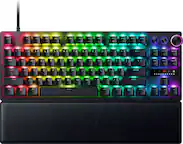
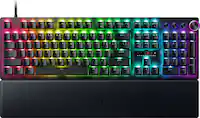
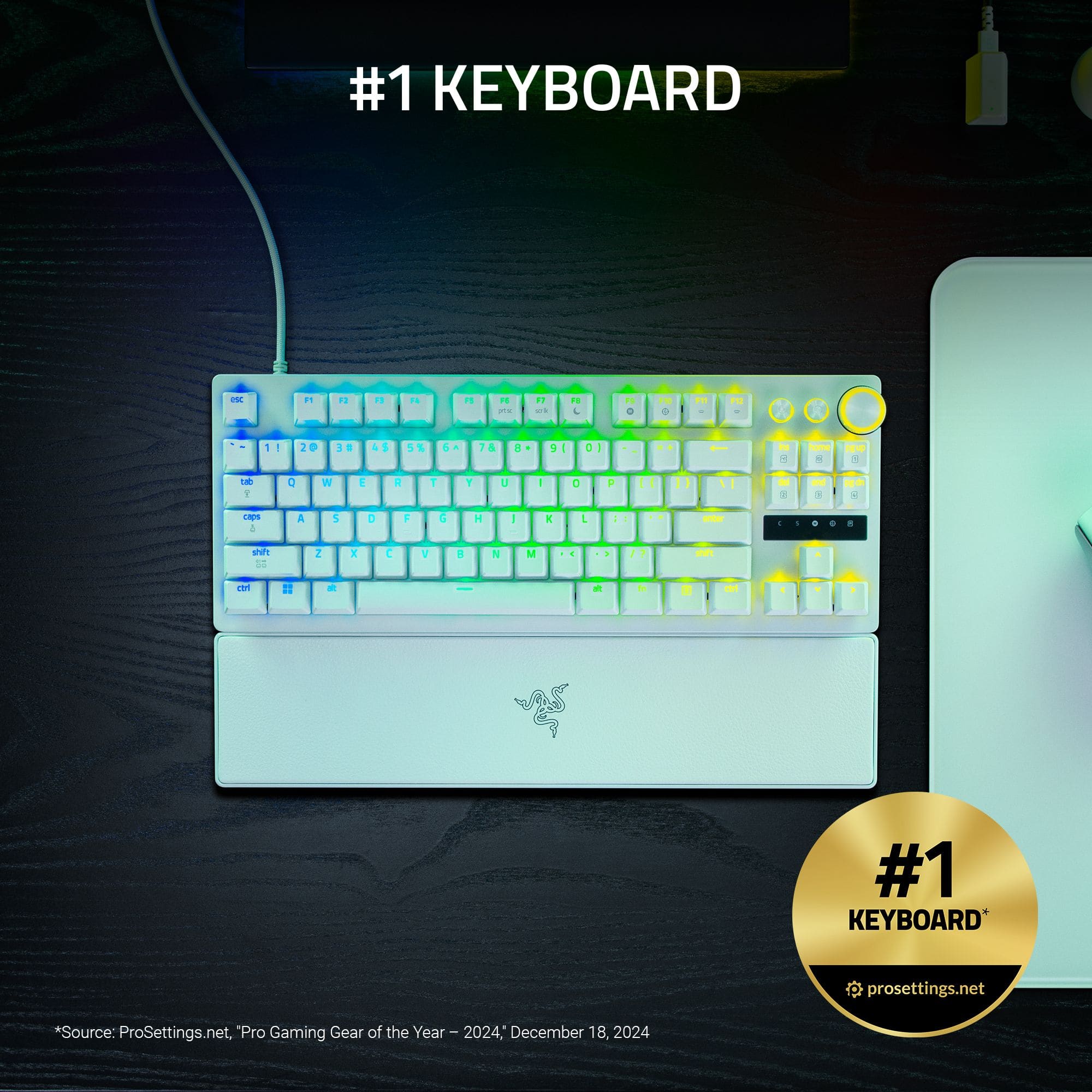
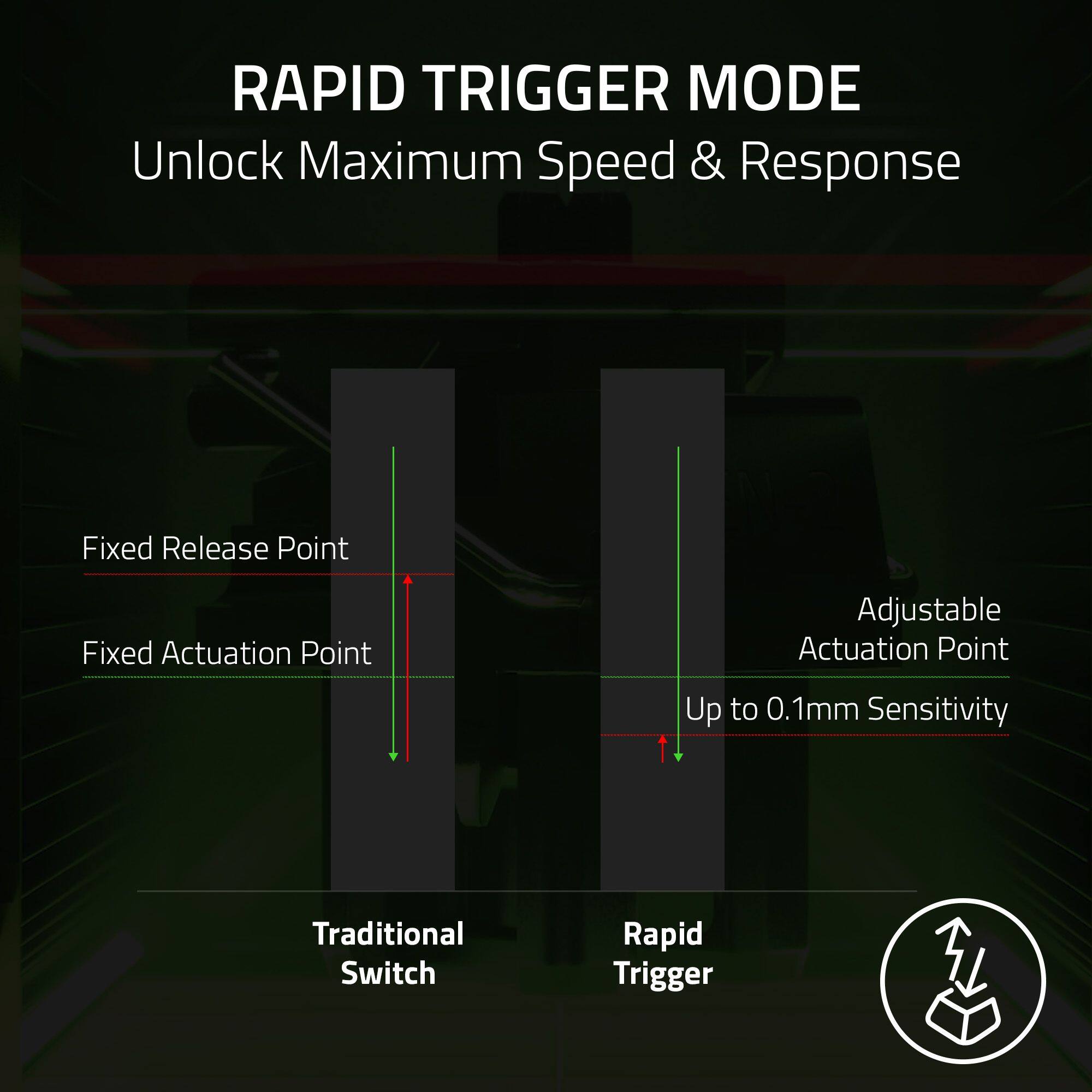
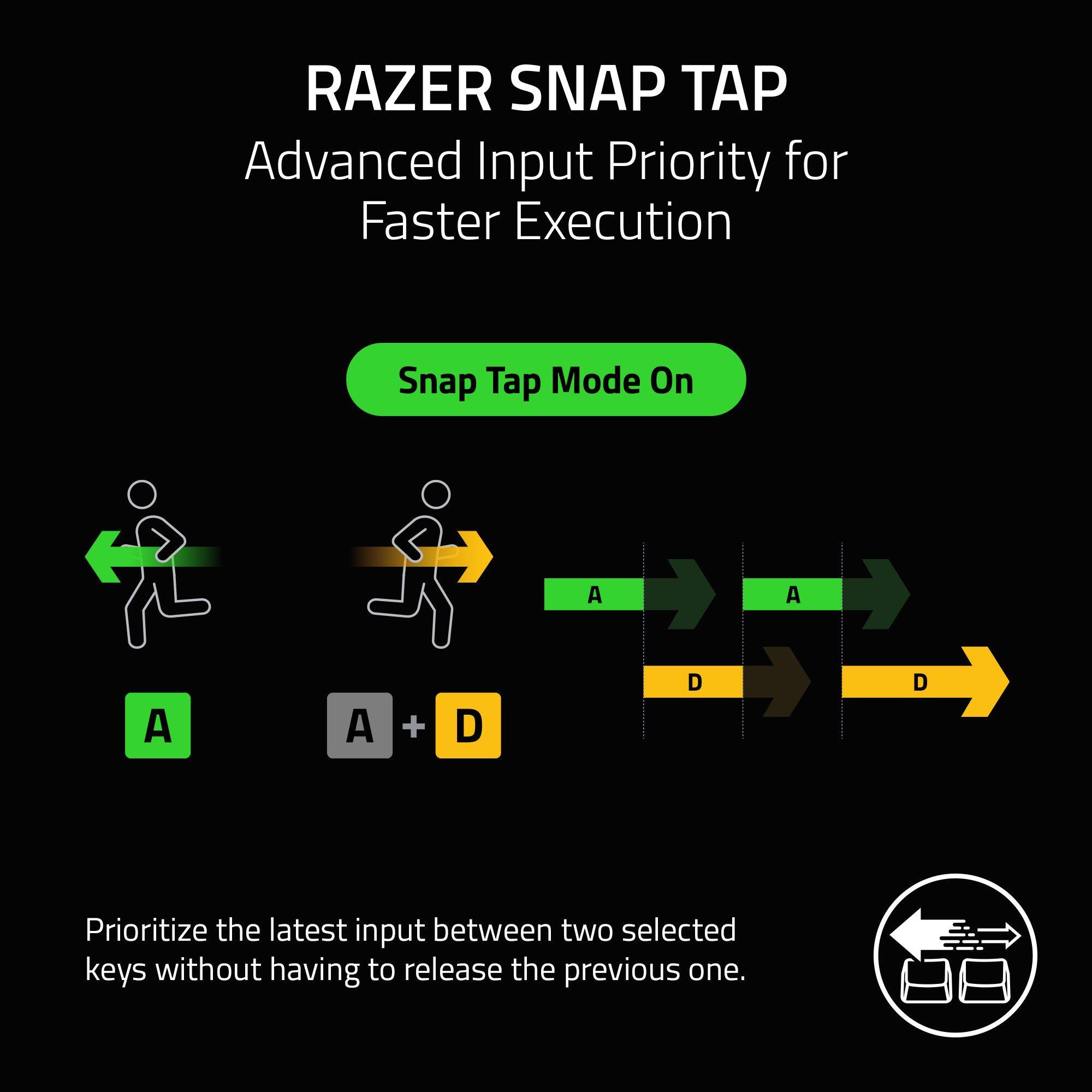
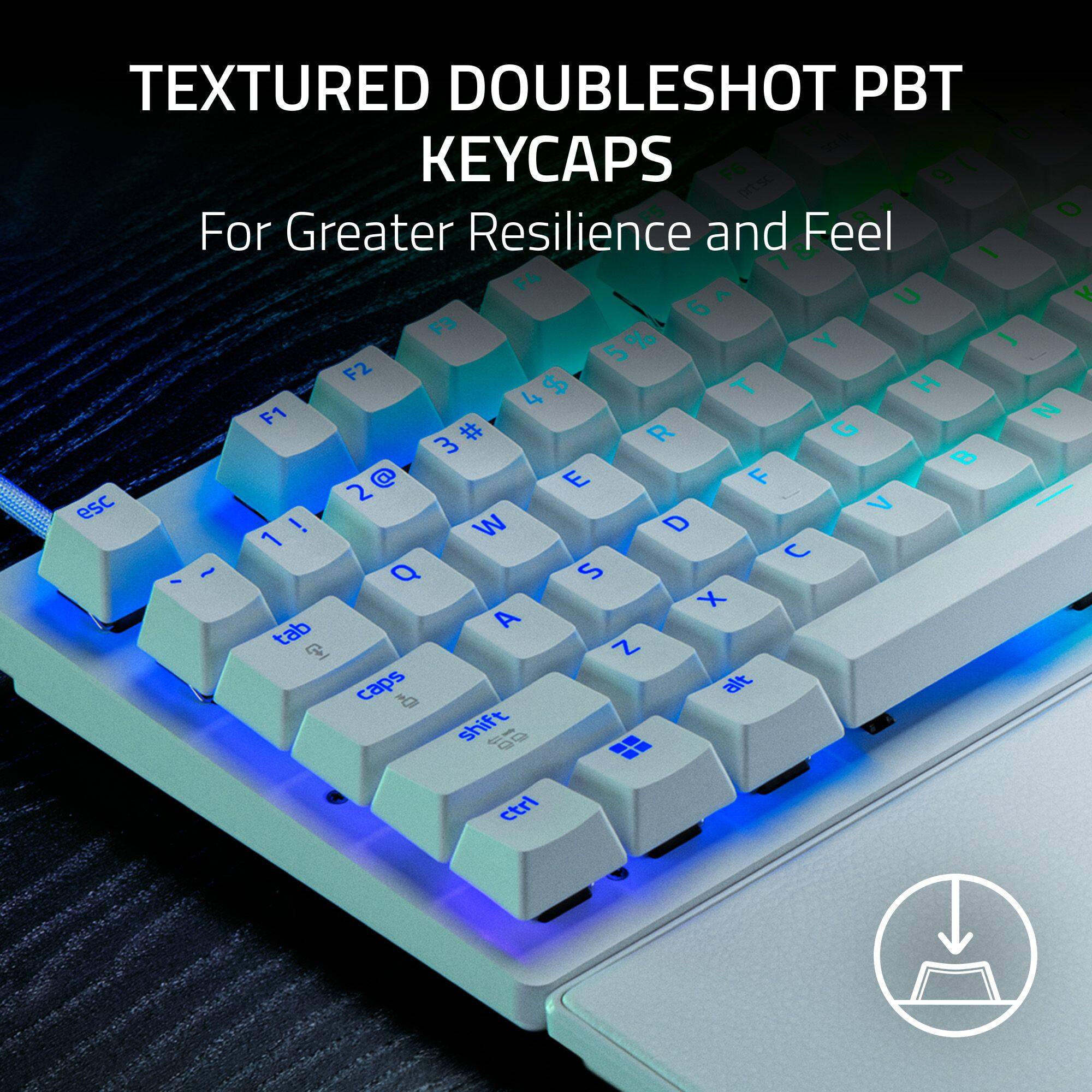
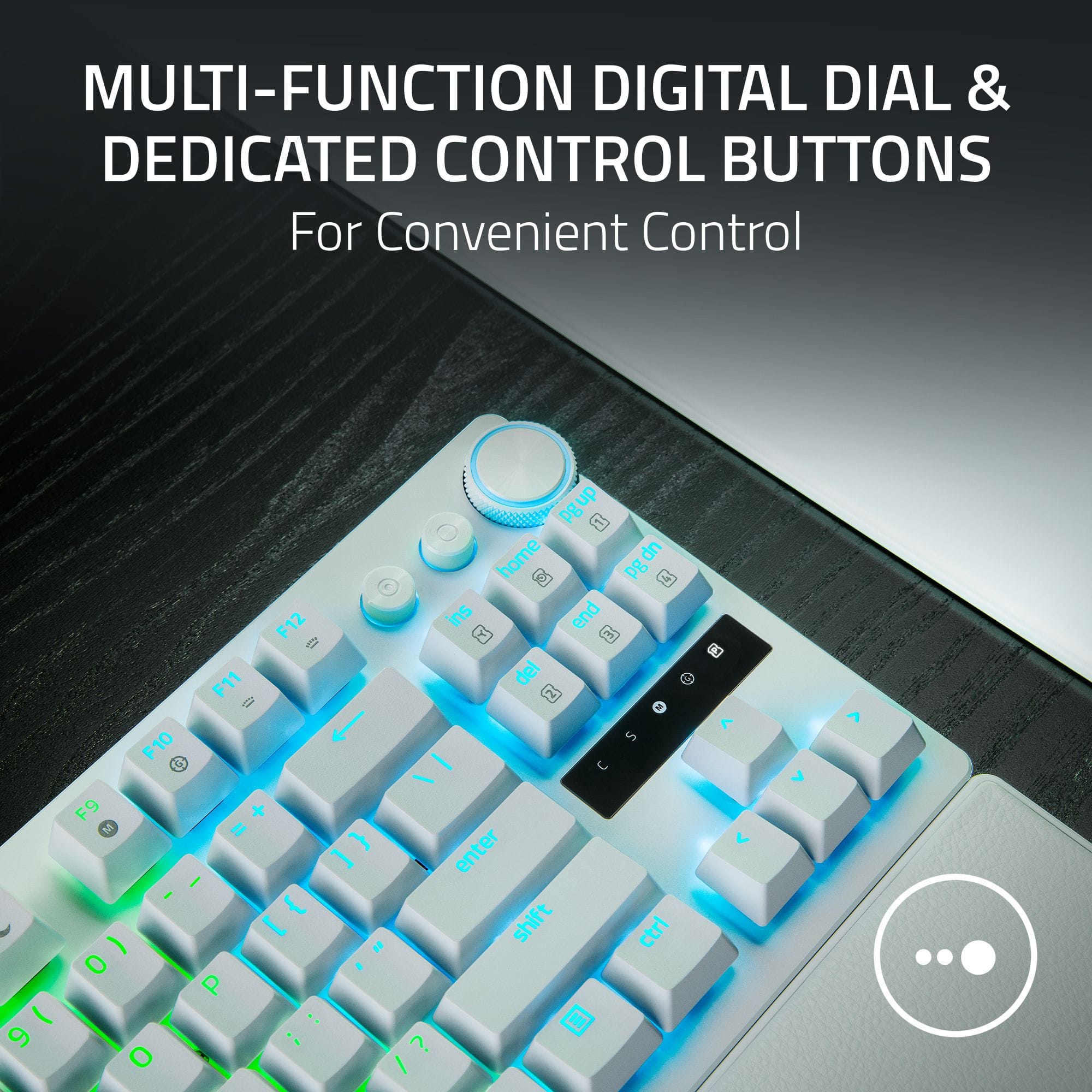
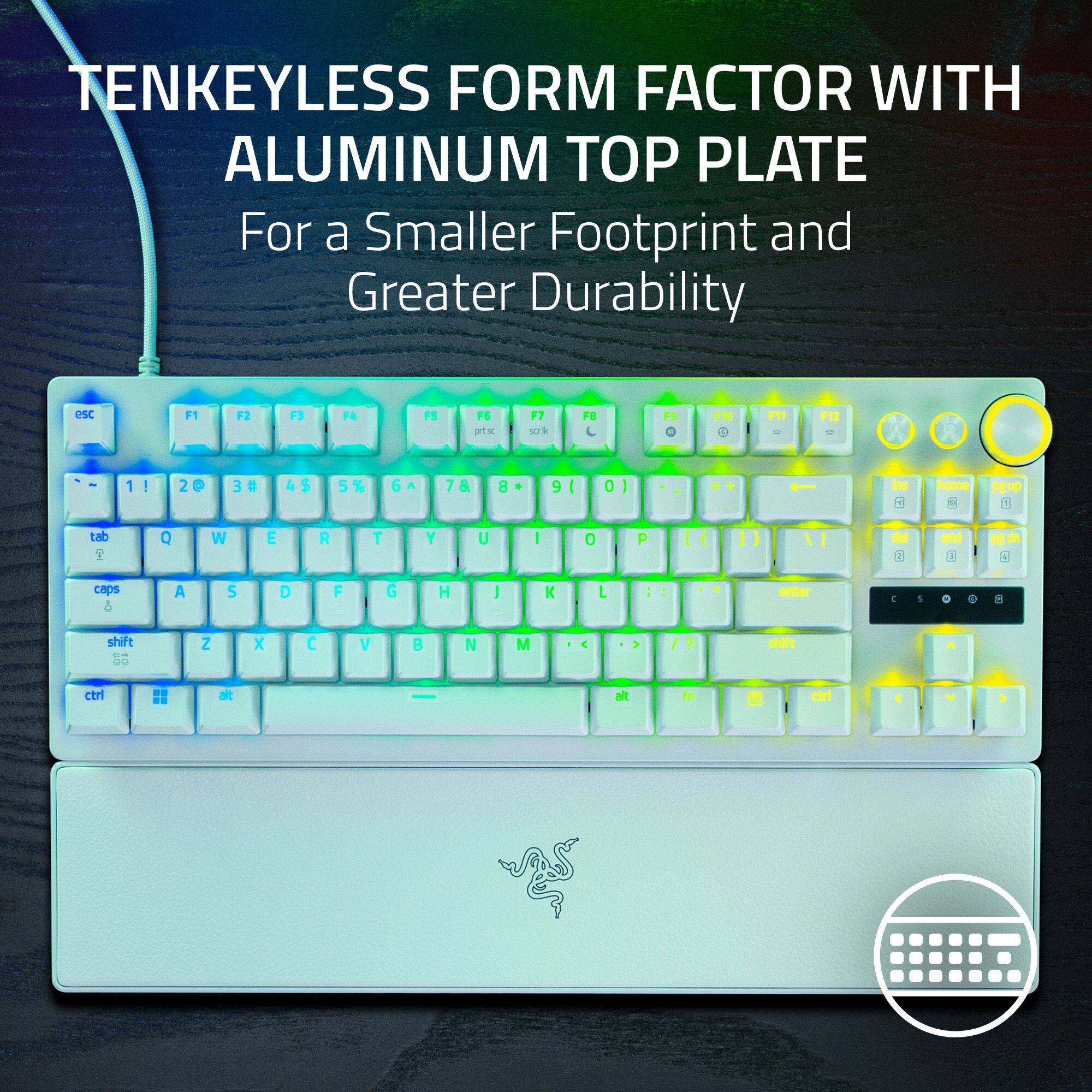
|Posted .This reviewer received promo considerations or sweepstakes entry for writing a review.This Huntsman V3 "Pro" is aptly named. The customization functionality and performance are at the highest levels possible. This keyboard does anything and everything that a gamer could think of or want. First off, there's five preset profiles to choose from- Factory Default - this is standard keyboard functioning with a 2.0 mm actuation point. The keyboard comes set to this profile and it cannot be customized. FPS Rapid Trigger - all keys are set to a 1.2 mm actuation point and the WASD keys set to 0.3 mm sensitivity (reset point). Analog WASD - all keys are set to a 1.2 mm actuation point and the WASD keys act like a controllers left analog stick. Racing - all keys are set to a 1.2 mm actuation point and the WASD keys act like pedals and a steering wheel. High Sensitivity - makes the keyboard highly reactive, with actuation point at 0.8 mm and Rapid Trigger Mode turned on with 0.3 mm sensitivity. These preset profiles can be selected through either the Synapse app or on the keyboard. In addition, the profiles actuation points and sensitivity can be customized either through the Synapse app or directly on the keyboard. Actuation and sensitivity for individual keys must be done through the Synapse app. Any profile once further customized is automatically saved and can be selected as the active profile. This is a great feature as you can have differently customized profiles for different games. If you want to be able to switch profiles on the fly on the keyboard, you have to close the Synapse app as whatever is active on the Synapse app overrides keyboard settings. Synapse is always in control of the keyboard whenever it's open. Two features deserve particular attention because these are literally game changers... Snap Tap - Turning this feature on effects the A and D key inputs by allowing the input on one key while the other is still being held down. This effectively gives the ability to stop moving instantaneously and allows extremely fast back and forth lateral movement, or "jiggling", making you very hard to hit. It's so effective that some games actually banned its use! FPS Rapid Trigger Mode - It affects all keys and enables quicker reaction times and responsiveness. Keys are reset the instant you start to lift your finger; they don't have to travel up to a reset point. Other features include an adjustable polling rate, the default is 8K, the highest (The gaming industry standard is 1k); on the fly Macro recording; and bright RGB lighting that is customizable through the Synapse app, although if you're just using an on board preset profile with the synapse app closed the lighting reverts to solid color cycle. It also includes a multimedia knob and a macro and media button. It's a TKL (no number pad) keyboard with an aluminum frame and textured keycaps that are double shot PBT. The Keystroke action is smooth and easy. It comes with a basic quick start guidebook, a convenient reference card for on-the-fly changes to settings, a leatherette wrist rest, and braided USB A to C cable. This keyboard can definitely give one an edge and the price for what you get is reasonable.
I would recommend this to a friendPerfect size
||Posted . Owned for 1 month when reviewed.This reviewer received promo considerations or sweepstakes entry for writing a review.My son has been loving this keyboard. Perfect size for his needs. He enjoys gaming and steaming. He purchased a separate memory foam pad to rest his wrists on as well. Colors look great on this as well when it’s a little dark in the room. My son would recommend this to any gamer.
I would recommend this to a friendGreat gaming keyboard!
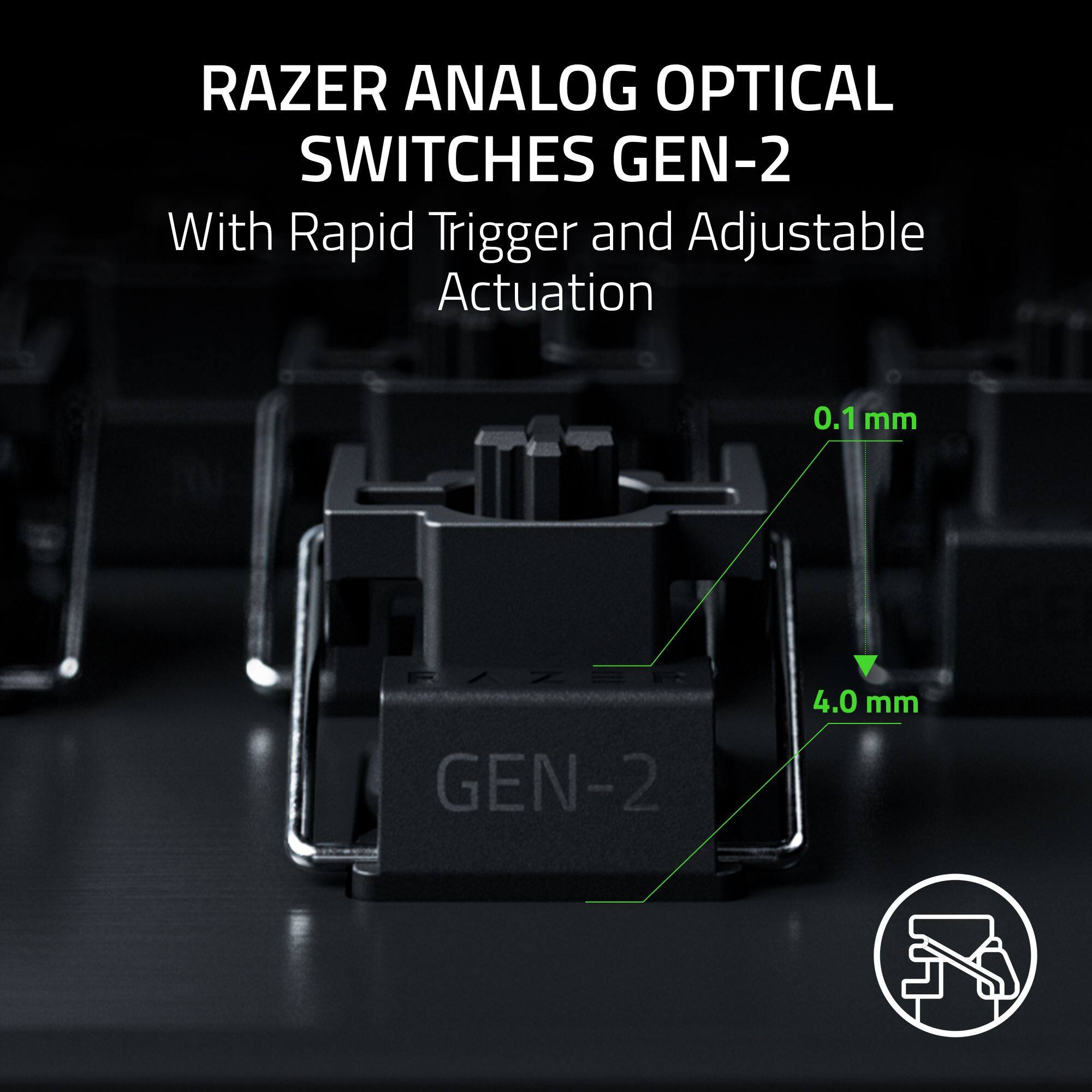
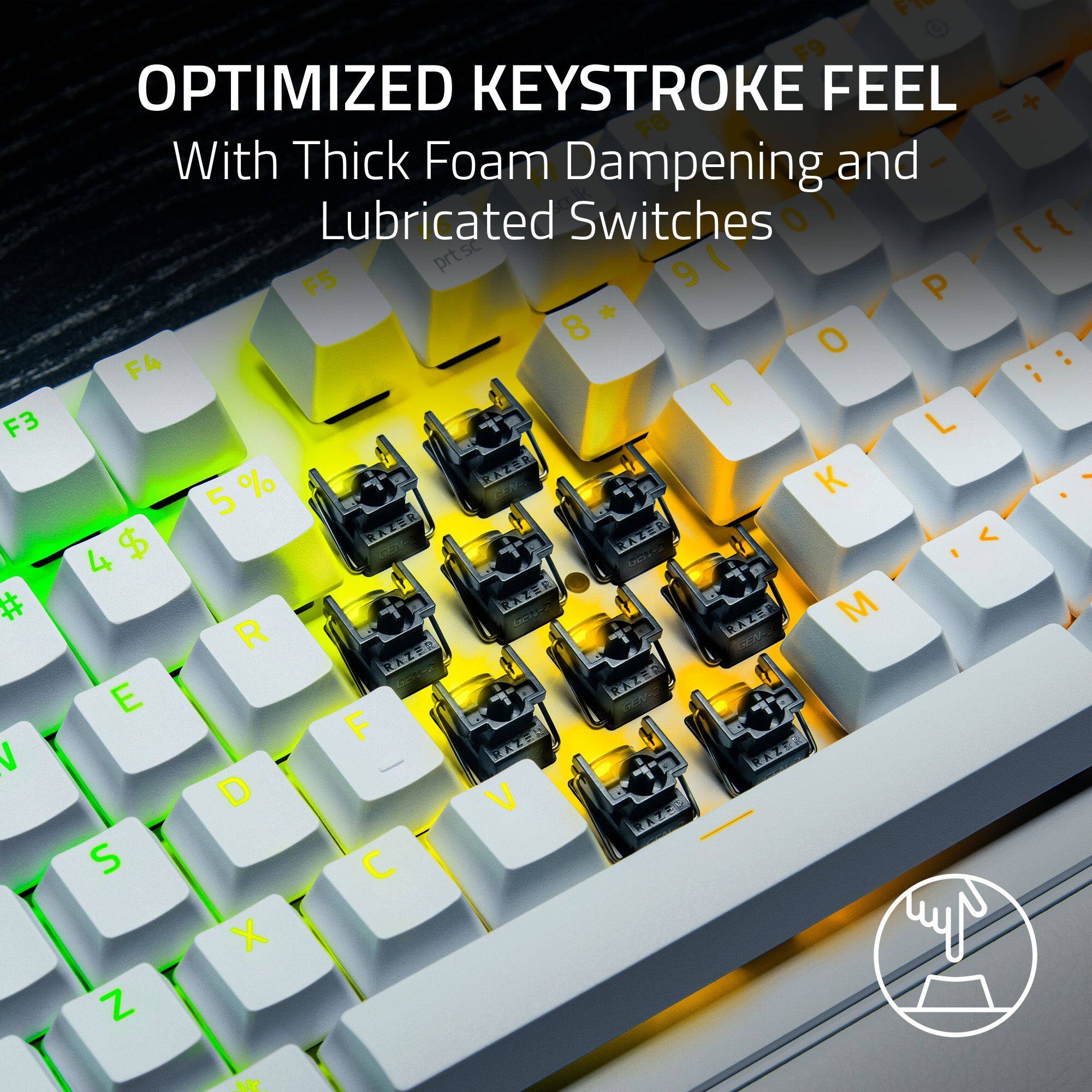
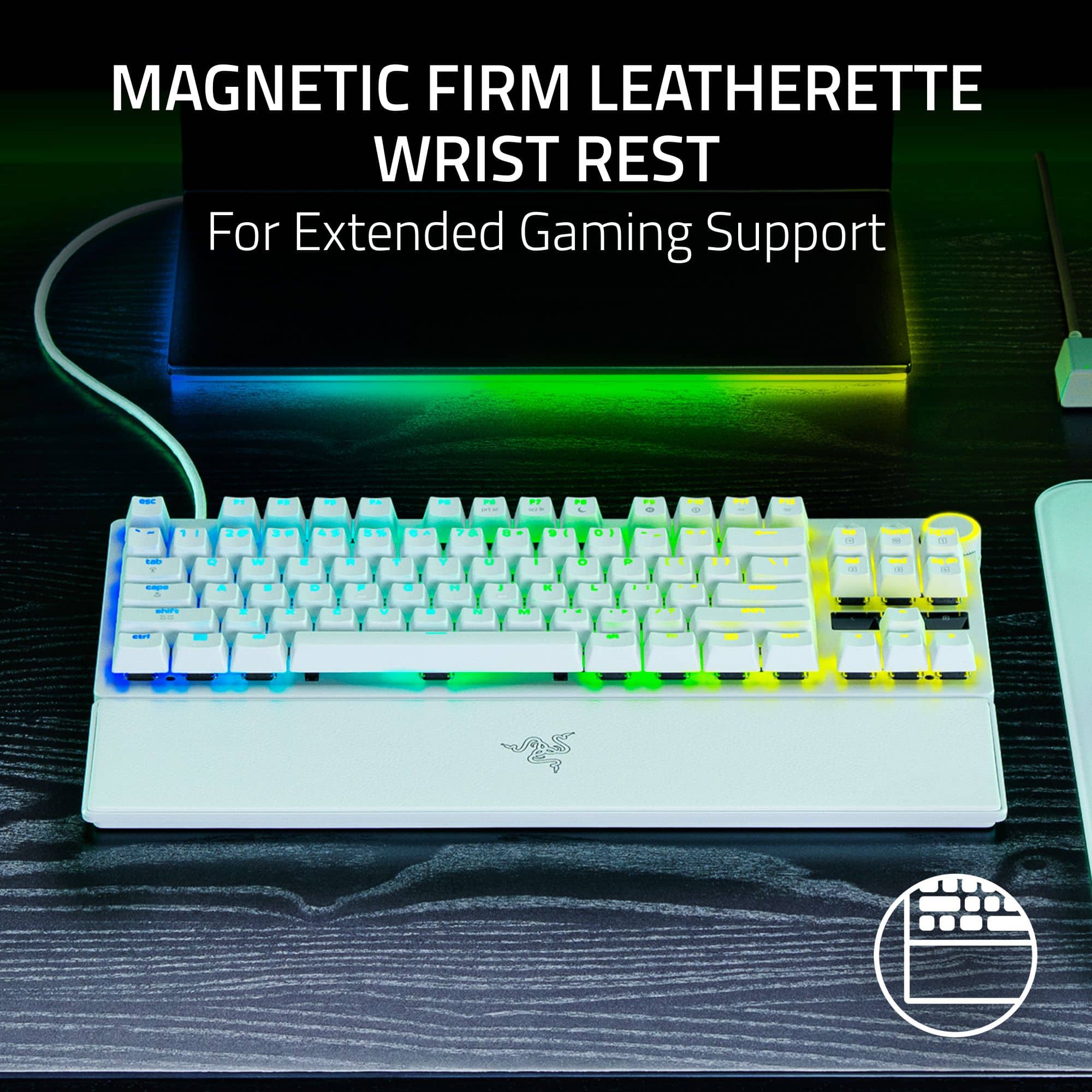
|Posted .This reviewer received promo considerations or sweepstakes entry for writing a review.I have owned quite a number of Razer products over the years. They are synonymous with well built products that are great for gaming and hold up very well in the long run. This keyboard is no exception. Out of the box this keyboard has some good weight to it. It has a very solid feel and I am definitely a fan of the linear switches that are on this keyboard. They have a great smooth feel thanks to the switches as well as each being pre-lubricated. This is a TKL keyboard, meaning it is just a regular keyboard, but without the 10-digit number pad on the right hand side. So, if you are going to use this for day-to-day computer use as well as gaming, you might miss having those keys, but for gaming, it works perfectly. When you power it up you will be greeted by the signature LED light show that is prevalent on most of their products. This one is no different. To get the most out of this keyboard you have to install their Razer Synapse software. It is very easy to install and get set up with your keyboard. After I installed it, I plugged in the keyboard and started up the software and it automatically discovered it and I was good to go. This software allows you to customize just about everything on this keyboard. You can have many different light patterns; you can even select different colors for each and every key if you choose. It also has a lot of other presets like you will find on most keyboards like this. Not only can you change the colors, you can also change how the keys respond. You have a 0.1–4.0 mm adjustable actuation range, meaning if you feel the keys fire off a little too quickly, or you feel like you really have to push them down in order to activate them, that can all be adjusted within the app. This is a great way to get the keyboard to feel exactly how you want it to for the way you play. There is also a dial on the top right of the keyboard that you can set up for various functions, I always just keep mine as a volume control to have easy access to the sound level. As far as the feel of the keyboard goes. You have clicky switches, but they are more of the muted click sound so you wont bother people around you. But even though the keys sound is muted, the action is not. They are extremely responsive and move up and down extremely quickly. I know its hard to describe how a keyboard feels with words, but I would recommend going to a store to try these out. I very much like the feel! I found no issues while gaming. Even on fast paced FPS games I was able to easily key every command quickly and accurately. One other thing is that this also comes with a nice wrist rest as well. It is magnetic, so it sticks to the keyboard so you don’t have to worry about it moving around on you. It has kind of memory foam type feel and I found it very comfortable to use for long periods of time. Overall, I love this keyboard and I would highly recommend checking it out if you are in the market for a new gaming keyboard.
I would recommend this to a friendAwesome keyboard
||Posted . Owned for 1 week when reviewed.This reviewer received promo considerations or sweepstakes entry for writing a review.Love this keyboard looks sweet too put it at my desk at work and it stands out
I would recommend this to a friendNice keyboard
||Posted .This reviewer received promo considerations or sweepstakes entry for writing a review.It’s pretty good, it’s does the job well and I like it
I would recommend this to a friendA super fast keyboard
|Posted .This reviewer received promo considerations or sweepstakes entry for writing a review.The Razer - Huntsman V3 Pro 8KHz TKL Wired Analog Optical Linear Switch Gaming Keyboard with Snap Tap – Black looked premium as soon as I opened its box. Inside was the Razer Huntsman V3 Pro TKL 8K gaming keyboard, USB-C cable, and a magnetic wrist rest. The premium look comes from the brushed aluminum housing giving it a sturdy solid build with no cracking keyboard sound. The keys are nicely spaced to feel comfortable while typing, and the rubber pads on the bottom keep it firmly in place. I can attach a magnetic wrist rest to support my long gaming periods. It is firm and comfortable, made with soft faux leather material. There is a consistent feel among every key, but it is a loud keyboard. The Media dial has bumps to set volume and pressing down on it mutes the volume. Near the Media button are several dedicated media control buttons also. As in Razer’s trademark, the Luminescent RGB lighting looks great, is in good detail and customizable. This keyboard is very fast once tuned. Gaming performance is extremely sensitive and can be too sensitive at times. Customization with the new Gen 2 analog optical switches allows the most precise fine-tuning ever to set my preferred play style. There is a plethora of special features (Snap Tap, Actuation Adjustment, and more). Razer’s HyperSpeed advancements have made input lag a thing of the past. The Razer - Huntsman V3 Pro 8KHz TKL Wired Analog Optical Linear Switch Gaming Keyboard with Snap Tap – Black is super fast and responsive and has a build quality making it one of the best gaming keyboards on the market.
I would recommend this to a friendMy New Best Friend For Gaming
|Posted .This reviewer received promo considerations or sweepstakes entry for writing a review.I am writing this review for the Razer Huntsman V3 Pro Tenkeyless 8khz Gaming Keyboard. To start off, I want to mention that I am an ardent fan of Razer products. I say that because it is extraordinarily obvious that their products are realistically thought out and designed, and that means that gamers are intimately involved in determining how to make Razer products better at what they are designed to do. This is vastly different from the traditional model where non-gaming engineers design gaming products without any real-world experience, and you end up with something that is so frustrating to use that it ends up under your desk or bed to gather dust. From the get-go it’s clear that this is a keyboard designed with performance in mind but not at the expense of everyday usability. Despite being marketed as a “gaming” keyboard, it keeps a familiar layout that never feels foreign or gimmicky. There’s no relearning curve here, just the same keystrokes we’re used to. It doesn’t have the number keypad, and that is important. It’s more comfortable on the shoulders, and also more room for the mouse. But the real differences show up in how the keyboard responds once your fingers hit the keys. One thing I noticed immediately is just how comfortable this keyboard is over long sessions. The included wrist rest isn’t an afterthought - it genuinely reduces strain and makes extended use feel natural rather than fatiguing. Whether I am gaming, typing, or just spending a long stretch at the desk, my hands feel supported in a way that makes me forget about posture entirely - which is exactly how a good wrist rest should work. That said, the keystrokes themselves are louder than I personally prefer. The sound actually reminds me of those cheesy tech support calls where you hear exaggerated keyboard clacking in the background - almost as if it’s there to reassure you that a “real human” is on the other end. It’s not unpleasant, but it is definitely noticeable. This doesn’t come across as cheap or hollow - it feels more like a byproduct of how fast and direct the switches are - but if you prefer quieter keyboards, it’s something worth being aware of. Where this keyboard really separates itself is in how responsive it feels. Inputs register instantly, and repeated actions - things like quick directional changes or rapid key taps - feel noticeably more fluid than on a standard keyboard. A lot of that comes from features designed to get out of your way rather than demand attention. Keys can be set to trigger with extremely light presses, and they reset almost immediately, which makes fast, repetitive actions feel natural instead of forced. What I appreciate most is that none of this requires you to “learn” anything new. You don’t have to change how you type or play - the keyboard simply keeps up better with what your fingers are already trying to do, and in a very real way, “predict” what you will do. And I do want to point this out as well… they say the older we get our reflexes tend to slow up a bit. With such remarkably fast response times on the keyboard, this will help offset some of that slowdown. One genuinely cool feature is the way the keyboard visually reflects input pressure. A small LED lightbar behaves almost like a volume meter, lighting up more intensely as you press harder. Press lightly and it barely glows. Lean into the keys and it ramps up. It’s a subtle touch, but it makes the keyboard’s analog behavior feel tangible rather than abstract. There was a part of me that was a bit concerned about how this keyboard would react when playing certain games. In my own use, I haven’t experienced any compatibility issues across any of the games I’ve tested. That said, there are occasional reports from other users of quirks in specific titles or controller setups, usually tied to advanced input features or software settings rather than the keyboard hardware itself. But like I said, I haven’t personally experienced any issues whatsoever. The RGB lighting here is well-executed without feeling overdone. Each key is individually lit, and the effects are smooth, bright, and evenly distributed. Whether you prefer subtle static lighting or more animated effects, everything looks clean rather than distracting. Lighting can be fully customized, which gives you granular control over colors, effects, and profiles. That said, I appreciated that basic lighting adjustments and profiles can also be managed directly on the keyboard itself, without relying on remote software adjustments through MS Personalization, etc. In practical terms, the RGB is especially useful in low-light environments. It provides just enough illumination to clearly see key legends without flooding the desk with glare, helping create a comfortable ambient glow rather than a harsh spotlight. The Huntsman V3 Pro Tenkeyless feels less like a flashy gaming accessory and more like a precision tool. It keeps a familiar layout, adds meaningful comfort, and delivers speed and responsiveness without demanding your attention. As I said earlier, the keystrokes are louder than I’d personally like - but the comfort, responsiveness, and thoughtful touches make it easy to recommend for anyone who values performance and long-session usability over gimmicks. This is a keyboard for the professional gamer, but is also a keyboard that will give even the casual gamer an almost unfair advantage over others. The response times are insanely quick and responsive. This is a keyboard I am going to being relying on for a long time to come.
I would recommend this to a friendreview
||Posted . Owned for 2 weeks when reviewed.This reviewer received promo considerations or sweepstakes entry for writing a review.It’s nice, good sounds and feel. .
I would recommend this to a friendResponsive. Great Build. Feature Rich. Quality.
|Posted .This reviewer received promo considerations or sweepstakes entry for writing a review.TL;DR, this is a fantastic keyboard that should work for nearly everyone. For starters, it has a great build. It is solid, with a metal top plate, as well as with some nice weight behind it (not to say it is heavy), all while being extremely compact. Sure, that is the TKL design, but I think they did a good job with it. I think it will easily hold up over time. Additionally, I like that they included the function row…and provided a multi-function dial and dedicated control buttons. All real nice adds. As for the look? I love it, which, quite honestly, is not normally my take on a lot of gaming keyboards. Clean. Simple. Plain. Black. Perhaps boring to some, who may want more, but, perfect for me. This one is also definitely a personal thing, but I also like the font choice on the keys. Again, often it is awful (for me at least). Too “gamery” or futuristic looking. I just like these (and they just “feel good” to use). I don’t often use wrist rests, but the included one is functional and attaches wonderfully (and securely). I think most should like it. Don’t really love the faux leather look, which clearly is a minor thing, but just something to note. I found the keys very (very) responsive. Crisp. Fast. Great to use. Very comfortable. As is. Really nice switches. That said, it really is worth the time to dig into the software and dial in your settings for what you like and how you like to play. Actuation. Polling. I am still playing with everything, seeing where my sweet spots are. Same with snap tap and rapid trigger. I am getting there, but just having all the options is what it is about for me. Regardless, it is making my gaming experience better. The somewhat crazy part is saving settings to the keyboard and making changes on the fly. Being able to not only adjust onboard on the go, but also to be able to easily see what you are doing (via the LEDs) is kind of new to me. All in all, there is a great deal of customization available. Done well. I will probably catch some grief here, but I am just not a “huge” RGB guy. I like plain and black. That said, there is no denying that Razer does a very good job with it. It is bright, very customizable, easy to control, and is extremely consistent across all their products, both in color and synchronization. Ultimately, I think this is a great keyboard. Full stop. For gaming, certainly, but I also even like just using it in the day to day. It has great build quality, a full gaming feature-set, is comfortable, and has a high level of customization. It’s also just fun to use.
I would recommend this to a friendhuntsman, amazing
Posted .This reviewer received promo considerations or sweepstakes entry for writing a review.I purchased the Razer Huntsman V3 Pro 8KHz TKL and it’s easily one of the best gaming keyboards I’ve ever used. From the moment I plugged it in, the speed difference was noticeable. The 8,000Hz polling rate makes inputs feel instant, especially in competitive FPS games where every millisecond matters. The adjustable actuation and Rapid Trigger are game-changers. Being able to fine-tune how sensitive each key is gives me a real edge, and movement feels smoother and more responsive than any mechanical keyboard I’ve owned. Strafing, counter-strafing, and quick taps feel incredibly precise. Build quality is top-tier. The aluminum top plate, PBT keycaps, and solid TKL layout make it feel premium and durable, while also freeing up desk space for mouse movement. The RGB is bright and clean, and customization through Synapse lets me dial everything in exactly how I want. Typing is smooth, quiet, and consistent, and the keyboard just feels refined. Yes, it’s a premium price — but the performance, features, and build absolutely justify it. If you’re serious about competitive gaming and want one of the fastest, most customizable keyboards on the market, the Huntsman V3 Pro 8KHz TKL is 100% worth it. I have zero regrets buying this.
I would recommend this to a friendSmooth and Customizable for Everyday Use
|Posted .This reviewer received promo considerations or sweepstakes entry for writing a review.For a while now I've used Razer Huntsman V3 Pro TKL, which I typically do not rush into buying "pro-grade" peripheral products, but it definitely piqued my interest a lot faster than anticipated. The analog optical switches are incredibly responsive; the Rapid Trigger feature definitely aids in smoothing out your repeated inputs during fast shooters. It took me about a day or so before I stopped accidentally over-triggering keys. I did not think that I would take much advantage of the adjustable actuation function, but the on-board adjustable LED array makes tuning them on-the-fly rather easy. The keyboard has an overall dense and muted sound profile. I was pleasantly surprised at how much quieter it was than I expected, especially considering how performance-oriented this keyboard is. The aluminium top plate feels nice and solid. The PBT keycaps offer a great texture but according to my style, the font is somewhat gamer-ish. The magnetic wrist rest is firm, but it's also fairly comfortable and tends to shift when I move my board quickly (which happens more often than I would like it to). Having the HyperPolling at 8000 Hz makes it difficult to "feel" it functioning, but it does register every key press very quickly. This is all I need from this keyboard when I compete. Overall, even with a couple of minor quirks, this has been one of the most reliable and enjoyable keyboards I have used in quite some time. I would rate it 5 stars, even though I wasn't originally planning on giving it that high of a rating.
I would recommend this to a friendTop Tier Keyboard for gaming
|Posted .This reviewer received promo considerations or sweepstakes entry for writing a review.Keyboards come in a lot of flavors, but the Razer Huntsman V3 Pro 8Khz TKL brings some of the highest end components into this keyboard. First off the keyboard is very premium grade in all materials, its not a light keyboard, it has some weight to it. Secondly, the wired aspect the cord is solid and strong so i have zero concern about it shorting in that aspect. The setup took a few seconds of plug and being recognized. The app was downloaded quickly and I was able to change the RGBs on the fly. Some interesting quirks with this keyboard that I liked, The dial and knobs were almost like having a streak deck built into my keyboard. So that a huge plus. Additionally, this keyboard did not have the extra number pad off to the side like a traditional layout keyboard. Its actually so much more fluid for gaming for my hand placement. I don't feel like I'm on two ends of the desk now. Testing showed super responsive keystrokes from the board in Arc and BF6. I had zero latency input issues and the buttons reacted quickly after each semi press on movements. Overall top tier keyboard from Razer/
I would recommend this to a friendRazer Never Disappoints
|Posted .This reviewer received promo considerations or sweepstakes entry for writing a review.Razer brand has always been well recognized among PC gamers. I think to date I have use at least 10 Razor gaming keyboards and each and every one of them had to offer something new and exciting. I picked up Razer Huntsman V3 Pro keyboard and this variant also did not disappoint me in both gaming and usual PC use. The keyboard is well designed and well constructed as usual. The keyboard features a solid yet lightweight build in my opinion. The Razor keyboard offers a rich aesthetic experience and features diverse, vibrant backlit colors and dynamic effects, allowing for all kinds of personalization of the look and feel of the keyboard. Customizing the keyboard is easy however requires a separate piece of software installed on your PC to take advantage of all bells and whistles fully. It is pretty impressive how much customization you can apply to a keyboard nowadays and it also extends to functionality as well. All critical elements, including the full suite of programmable macros, dedicated gaming mode keys and essential function keys are effortlessly managed and tailored through the intuitive and powerful Razer Synapse software. This unified software ecosystem makes adjusting the polling rate, setting actuation points, configuring lighting schemes, and mapping complex macros a seamless and integrated experience. For example, you can precisely set the actuation point (the distance a key must travel before a command is registered). Using this keyboard during the game play was enjoyable and comfortable. The keystrokes felt natural and my wrist enjoyed the soft wrist pad and its support. The wired connection made it also a huge plus for me, no sudden disconnections, excellent response time and it is always on and ready for any task or game. All in all, it is an excellent choice if you are into either heavy gaming or casual gaming, you will enjoy its ergonomics and functionality.
I would recommend this to a friendAs twitchy as you want it to be
|Posted .This reviewer received promo considerations or sweepstakes entry for writing a review.Razer keyboards can admittedly be an acquired taste. Their almost pathological levels of gratuitous RGB and configurability requires a lot more setup time than your typical plug and play device, giving even the most mundane peripheral a learning curve most are not going to be used to. And I don't think there are many products in their lineup that embody that design philosophy quite so completely as the latest Huntsman - a keyboard that goes a step beyond the typical custom light show approach to customization and lets you actually adjust the responsiveness of the keys. Build quality is excellent. The keyboard's metal deck means there is zero flex, it's got enough heft to stay where you put it, and the sturdy feet offer three different options for inclination. The included wrist rest uses a firm leatherette material which doesn't offer much padding but does seem to be much more durable than the materials they've used on past models, something that I can certainly appreciate given how poorly some of those old wrist rests have held up over the years. The keycaps are all double shot molded, producing sharp lighting effects and enough durability to handle even the roughest of typists. Typing on it feels surprisingly good. You don't get a physical bump for feedback - which is typical of analog and likely wouldn't really work with an adjustable actuation point anyway - but there's nonetheless a distinctive solid clack when the key bottoms out and the switches are just a little heavier than most analog switches I've tried. As someone with a fondness for highly tactile, clicky keyboards this made it a lot easier to adjust to than a lot of the other smooth switch designs I've tried and definitely feels like a step up from the first generation Huntsman. Customization is handled through the Razer Synapse app that handles most of their peripherals. Anyone who's made extensive use of Razer hardware can tell you it's fairly crunchy, which can be admittedly overwhelming at first, but once you get past that you'll find one of the most capable utilities on the market when it comes to making adjustments, setting profiles, and programming elaborate lighting effects. It also plays pretty well with other lighting ecosystems, so no matter what your vision may be it's likely the app will not be a major hindrance to seeing it realized. And with those analog switches there are quite a lot of unique concepts on the table too - with options like using a button for a variable throttle that are literally not possible with any other tech. So, at the end of the day, should you get one? My answer is... maybe. It is a fantastically capable, high quality keyboard. But it's also fulfilling a very specific niche. This is a keyboard made to appeal to the most detail-obsessed tech heads, the ones who can spend an hour comparing the actuation points of switches and has opinions about single or multiple contact points. If that's you, you're probably already looking up where you can get one. If it's not... well, it is still an excellent keyboard. But you might want to at least get a demo of it before making a final decision.
I would recommend this to a friendA real beast of a keyboard
|Posted .This reviewer received promo considerations or sweepstakes entry for writing a review.have gone through a variety of high quality keyboards over the years but I have always wanted to use the holy grail of gaming keyboards, anything made by the beast of a brand, Razer. I finally got to experience the difference with this new Huntsman V3 Pro gaming keyboard and I can confirm, I get the hype. This keyboard was clearly packaged with care and I was immediately impressed with the fit and finish of it. I know for its price point it is somewhat expected, but the high quality feel and design is very noticeable. The materials feel elegant, and there is no flexing noises or creaks when using it. Going along with the high quality look and feel of the Huntsman V3 Pro, the user experience was just as nice. The sensitivity and responsiveness of each key was extremely noticeable compared to my old keyboard. Sensitivity and responsiveness that is required by any gamer these days if you want to be competitive. I personally really enjoy the multi-function dial and dedicated control buttons, not only are they extremely cool looking, but the functionality of them is great as well. Since I use my computer for other things besides gaming, such as photo and video editing, I can assign the buttons and dial to different things and it makes the user experience even smoother and more enjoyable. Razer really knocked it out of the park with this one.
I would recommend this to a friendHuntsman tweaked
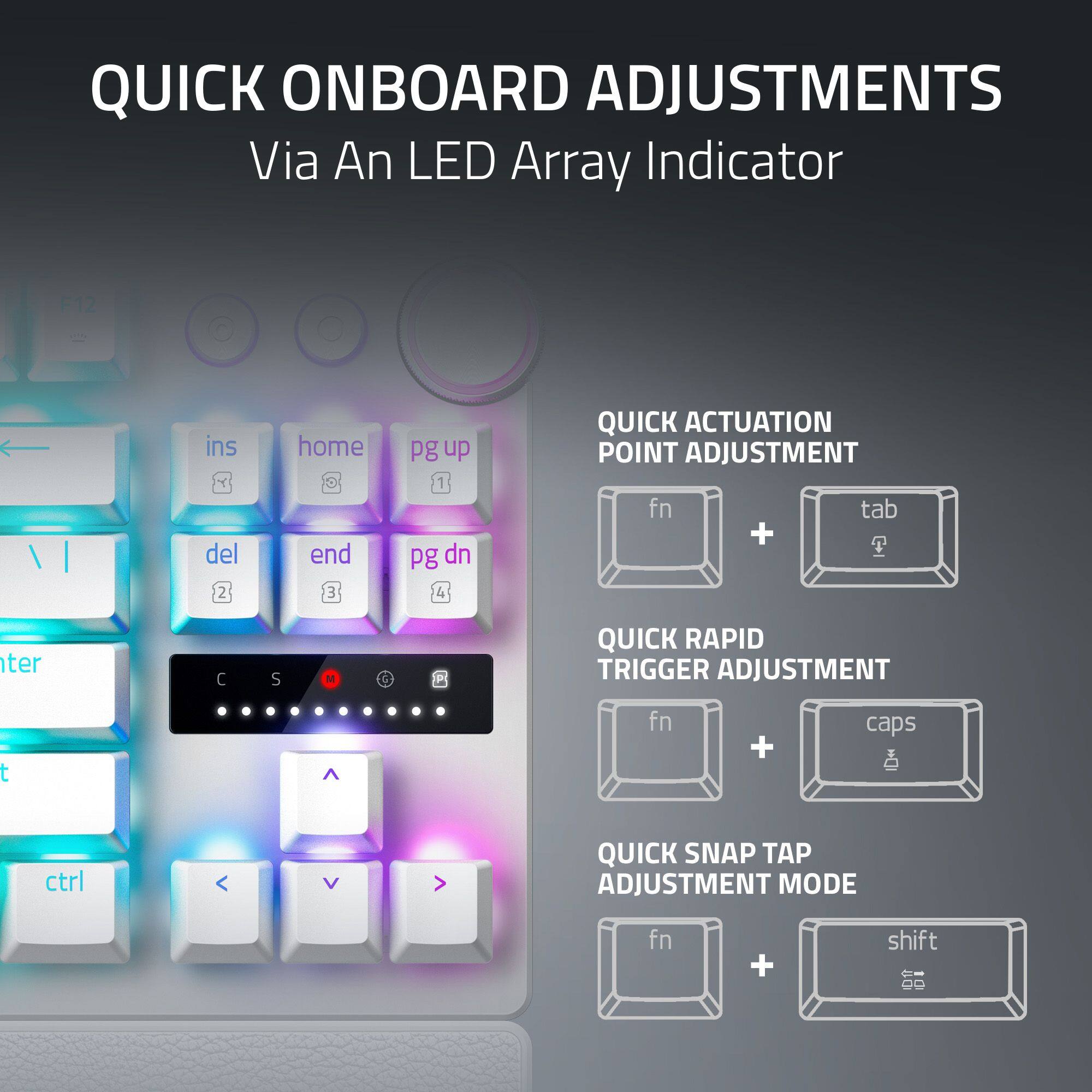
|Posted .This reviewer received promo considerations or sweepstakes entry for writing a review.Razer has some really cool peripherals and if you are invested in their gear then this version of the Huntsman might be a good choice for you if you your current keyboard is a few years old. There are some minor upgrades to the previous version but the size, shape, and layout are unchanged. I can't live without a multi-function media wheel these days. Steaming, gaming, watching movies and video content volumes aren't consistent so having a volume wheel on the keyboard is a must. The customizable RGB backlighting is a plus and can be controlled by the Synapse software however I use SignalRGB to control all of the RGB on/in my system. I think the biggest change that I can tell is you can customize the optical switch profiles on the fly without Synapse software. The learning curve might be a bit much at first but having the ability to adjust switch sensitivity without software is super cool. Using the LEDs as scale and the volume wheel to adjust it's easy to adjust and visualize the adjustment. Using Synapse software gains you some additional settings but with the move to some of the boutique keyboard makers using web-based tools with no need of a constant running utility that eats up system resources. I do like a thonky keyboard for the audio/tactile feedback and the Huntsman doesn't disappoint me there, not too loud but loud enough for my taste. The one thing I would watch for is Snap Tap using SOCD (where 2 opposing keys are pressed at the same time allowing for more precision in movement) but you may be banned in some esports games, so make sure before you buy to make sure you won't have banning issues. The price point is almost tolerable but $220 to $250 might be tough to swallow for some. Such is the price for modern day PC gaming. I'm bit miffed with the included wrist rest being a hard plastic rather than past padded rests in units in the past.
I would recommend this to a friendJust wasn't for me
|Posted .This reviewer received promo considerations or sweepstakes entry for writing a review.The Razer Huntsman V3 keyboard is a nice keyboard with some interesting gaming features, but unfortunately my typing accuracy and performance took a massive hit when trying to use it. So, first, the gaming features. The biggest thing about this keyboard that immediately caught my attention is that it features analogue keys, meaning that they are not just binary, pressed/not pressed. They register the full press of the key from 0-100%, similar to analog triggers on a game controller. This is even visualized on the keyboard itself with a little meter that lights up according to how much the current key is being pressed. This feature was very interesting at first, but overall, I'm not sure I see the use. It works well for what it is. I was able to accurately control my walking speed in FPS games and gas/brake in racing games. And while novel at first, I really just can't see myself using this feature seriously going forward. I'll also mention that you can customize the keyboard with the Razer software. It offers many points of customization, especially surrounding the pressure sensitivity of the keys. The build of the keyboard feels very nice. It's about what I have come to expect from Razer products. However, it is lighter than I was expecting, and an unexpected side effect of that I believe, is that it does not do a very good job of absorbing the shock from typing. What I mean by this, is that I notice my monitor moving slightly every time I am typing. I never noticed this with my previous keyboards, which have all had a good amount of weight to them. Lastly, and my biggest issue with this keyboard, is that I just cannot type very well on it. I can't quite pinpoint what it is, but my gut feeling is that the spacing of the keys is just different enough from any of my other keyboards that I make a ton of mistakes, and my typing speed in turn takes a huge hit. This is just unacceptable for me. I usually type about 60-70 words per minute, which isn't fast, but it's not exactly slow either. With this keyboard, I can only type around 40 words per minute, and will have several mistakes. At first I thought I just had to get used to it, but I have been using it for a few weeks now, and I am still having the same issues. So ultimately, I will not continue using this keyboard. While the gaming features are novel, and they work well, the basic function of a keyboard is what this one fails at. And those gaming features just aren't worth it to me.
No, I would not recommend this to a friendThe Immaculate Keyboard | Legendary
|Posted .This reviewer received promo considerations or sweepstakes entry for writing a review.I am a long time Razer fan. But not really a huge fan, I do own some of their wonderful products, and so I have, in time, come to respect Razer and their keyboards. I have never really liked one until now. The Razer Huntsman is elegant in its simplicity. Unboxing, it's evident the product itself is premium, with a really sturdy feel of aluminum, or metal, and not plastic. Knobs, dials and keys that aren't mush, never mush, not no this keyboard, it's clacky-clack and yeah it's moderately loud but not anything many will take issue with. Firing this up by plugging into my Windows 11 PC was simple, plug it in and it works. Yes, the volume, the media buttons work just fine as well, no Synapse Required (my apologies Phil) but guess what, this keyboard is too beautiful not to be lit up and utilized for all of us color lovers out there, and so SignalRGB detects it, works just fine. And yes, I did install Razer Synapse, and no issues there, it seems to run a lot better now with games, unlike many moons ago when it would sometimes cause conflicts. This keyboard is immaculate. It looks the part, all imperial, elegant, dark, exotic, and just the overall feel, it's amazing, kudo seriously to Razer for joining the big leagues, watch out Corsair! Highly recommend this, especially it's very compact, yet full featured feel, you will love it, for the elegant looks, the lights, the use, or all of the above. Well done Razer.
I would recommend this to a friendAmazing Gaming Keyboard, Incredible Reponse Time
|Posted .This reviewer received promo considerations or sweepstakes entry for writing a review.I have been using the Razer Huntsman Pro TKL (V3) Keyboard for a week and have learnt a lot about how a quality gaming keyboard can make a real difference in gaming, especially FPS. But first, in the box you get: - Razer Huntsman Pro TKL (V3) 8Khz - USB A to USB C Braided Cable (Huntsman charges via USB C) - Wrist/Palm Rest (Light Magnetic Connection) FWIW I have a narrow desk, so don't use palm rests. Out of the box the Hunstman Pro has good weight. They keys are analog-optical aka quiet click. The height adjustment has two levels, so you can get the perfect angle. Setup requires the Razer Synapse software (free download, registration optional) and it's an absolute requirement (and not just for RGB). That said, it's a full RGB keyboard and every key is customizable (and the RGB backlights are briliant). The reason why the Huntsman Pro blew my mind is you can tune the key actuation, basically how much you need to press a key to respond. I've never seen this (maybe my life is sheltered?) but in FPS games like Battlefield I was like whoa whoa whoa, I have never been able to get shots away this fast. You can tune from 0.1mm to 4mm actuation and I seriously encourage you to spend some time tuning it to your keyboard style. The first few games I was blowing through ammo too fast and needed to finely tune actuation in Synapse. You can fine tune mid play using keyboard combos (FN+CAPS and the VOLUME control), but really it's best to go through a training mode in a game to get your actuation right. There's little actuation meter above the arrow keys. Settings can be saved in memory and you there are multiple profiles, so you can switch should you need to tune for different games. FYI I did find that I need different actuation for just typing vs gaming. Overall, the Huntsman Pro V3 is an incredible gaming keyboard. If you're serious about gaming, especially FPS, this is game changing (no pun intended) :-).
I would recommend this to a friend