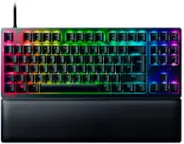
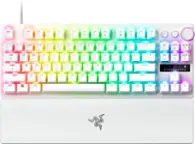
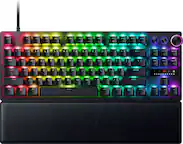
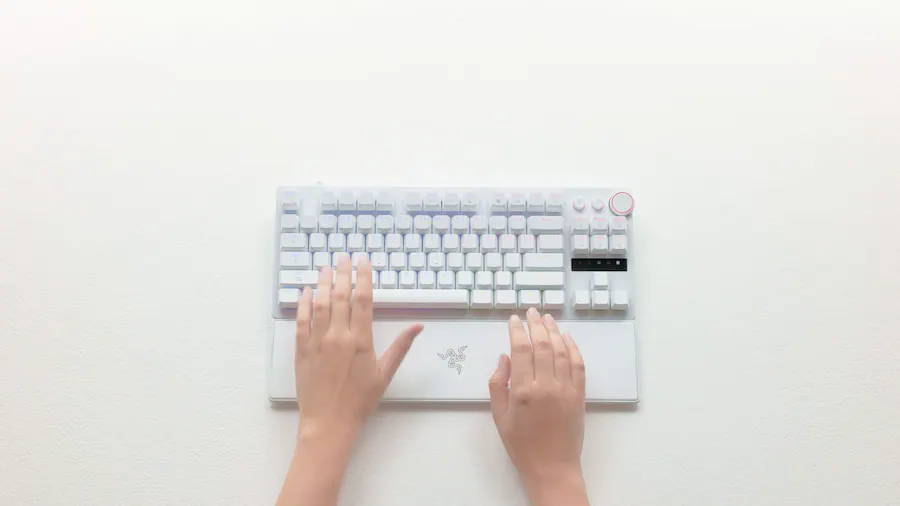
Razer - Huntsman V3 Pro TKL 8KHz Wired Analog Optical Linear Switch Gaming Keyboard with Snap Tap - White
Color
WhiteKey Accessories:
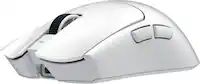
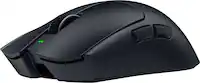
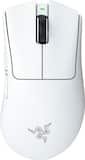
- Razer - DeathAdder V4 Pro Lightweight Optical Gaming Mouse with 150 Hour Battery - Wireless - White$169.99

Related Item

Specifications
- Lighting TypeRGBForm FactorTenkeyless (TKL)Keyboard TechnologyOpticalKey Switch BehaviorLinearConnection TypeWired
Compare similar products

Blitz through the competition with our fastest, most responsive analog optical keyboard—designed with and made for pros. Supercharged with 8000 Hz HyperPolling, Razer™ Snap Tap, Rapid Trigger Mode, and adjustable actuation, play like the world’s best with hardware that meets their highest demands.
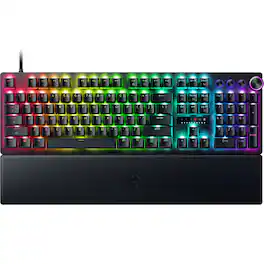
Blitz through the competition with our fastest, most responsive analog optical keyboard—designed with and made for pros. Supercharged with 8000 Hz HyperPolling, Razer™ Snap Tap, Rapid Trigger Mode, and adjustable actuation, play like the world’s best with hardware that meets their highest demands.

Empower your play with a centerpiece that elevates your entire setup. Enter the next phase of battlestation evolution with the ultimate mechanical gaming keyboard. Take full command with a set of features designed for advanced control, and enhance your immersion with full-blown Razer Chroma RGB.
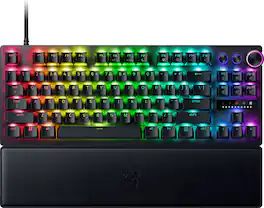
Embrace a new standard of speed with the Razer Huntsman V3 Pro Tenkeyless. Supercharged by Razer Snap Tap and Rapid Trigger Mode, execute more responsive inputs at unfair speeds. Customize further with adjustable actuation to optimize your competitive advantage.
| Pros for Razer - Huntsman V3 Pro TKL 8KHz Wired Analog Optical Linear Switch Gaming Keyboard with Snap Tap - White | |||
|---|---|---|---|
| There were no pros for this product— | RGB Lighting, Build Quality, Responsiveness, Customization, Polling Rate | Keyboard Quality, RGB Lighting, Key Feel, Wrist Rest, Comfort | Keyboard Quality, RGB Lighting, Key Feel, Actuation, Response Time |
| Cons for Razer - Huntsman V3 Pro TKL 8KHz Wired Analog Optical Linear Switch Gaming Keyboard with Snap Tap - White | |||
| There were no cons for this product— | Noise Level, Wrist Rest Comfort | Price, Software, Switches, Size | Price, Noise Level, Software |
Specs
Reviews
Customer Images
The vast majority of our reviews come from verified purchases. Reviews from customers may include My Best Buy members, employees, and Tech Insider Network members (as tagged). Select reviewers may receive discounted products, promotional considerations or entries into drawings for honest, helpful reviews.
- Rated 4 out of 5 stars
Performance King (9/10), Typing Peasant (5/10):
TLDR: If you want the absolute best raw performance available at a major retailer, this is the keyboard to buy. Especially if you find it on sale. As the Analog Optical Switches bridge the gap between a controller and a mouse, offering superior movement control. Unfortunately, the acoustic experience (sound and feel) lacks the premium dampening found in custom enthusiast boards; it is loud and "pingy." While the physical build feels slightly lightweight and the wrist rest is disappointing, the internal technology interacts to create a competitive advantage that is undeniable. It is a close second to the Wooting 60HE/80HE. While the Wooting is better, this Razer board is much easier to purchase without long shipping wait times and features a bit more on the fly customizability. Pros: - Analog Optical Switches: Incredible control with adjustable actuation (0.1 mm - 4.0 mm). - Rapid Trigger & Snap Tap: noticeable competitive advantage for strafing and movement. - Availability: The best high-performance board you can buy in a physical store today. - On-the-Fly Customization: LED array helps visualize actuation; easy to tweak settings without software. - Controller Emulation: Smooth movement for racing or walking in games. - Customization: Gives you a performance edge versus traditional keyboard with way more customization. - RGB: Best in class. Excellent all around. - Software: Razer Synapse has gotten a lot better and easy to navigate. - Profiles: It has four profiles. Each you can adjust custom keys, lighting (basic), and actuation distance. With easy to reach macros built into the keyboard (FN + Home, Pg Up, Pg Down, Del, End,). Performance: 8,000 Hz is the best. Unsure if they have 8,000 Hz key scanning though. Which would limit speed if they do not have it. Cons: - Acoustics: Loud, "pingy" metallic sound with apparently no internal dampening foam. If they would have added dampening foam this keyboard would be dramatically better. - Typing Experience: Fatigue-inducing for long work sessions. Stabilizers are much improved this time around. - Wrist Rest: Very poor quality (thin plastic, weak magnet) for the price point. - Ghost Inputs: 0.1 mm setting is too sensitive, requiring manual tweaking to prevent drift. - Software Reliance: Complex RGB lighting requires Razer Synapse to be open. - Proprietary Switches: Can’t hot swap. If one goes bad you can’t swap it out. Need to go through RMA. This has a 2-year warranty which is good. - Build Quality: It is lightweight and thin. The textures of the keycaps make it feel cheap. PERFORMANCE/GAMING 9/10: If you are serious about gaming, having an Analog keyboard in your arsenal is a must have. As it allows for greater customizability and movement that standard keyboards cannot match. Analog Optical Switches: Allows you to adjust the Actuation Point anywhere from 0.1 mm to 4.0 mm. Most gaming keyboards are 1.2 to 1.5 mm. At 0.1 mm, the reaction time is nearly instant. However, I found that setting it to the absolute minimum of 0.1 mm caused "ghost signals" where my character would move by itself without my hands on the keyboard. I had to raise it slightly to stop my character from drifting, which is a minor annoyance not present on competitor boards like Wooting. Controller Emulation: This is the second big reason to buy an analog keyboard. As it mimics a controllers thumbstick and/or triggers. Giving you the finite, smooth movement of the a controller, while keeping the superior aim of your mouse. Granted the thumbstick is still technically superior as this is only 4 mm of distance. But is great for games where movement is key or racing games. Rapid Trigger Mode: Standard keys must travel all the way up to reset before you can press them again. To visualize, say you have 1.2 mm before the key actuates, then it has to move back up another 1.2 mm for at total travel of 2.4 mm. With Rapid Trigger, the key resets the instant you lift your finger. So, if you have both set to 0.1 mm (which you can do on this keyboard) that means the total travel time is 0.2 mm. This allows for ultra-responsive strafing in any game. This is hugely noticeable. Snap Tap: This feature prioritizes the latest input between two opposing keys (like Left and Right strafing). It is excellent for games like Counter-Strike or Valorant if you haven't mastered strafing manually, though it doesn't add much if you are already a high-level player. I think it may be banned in some games though (like those two I just mentioned) so you need to be careful if using. And are for sure banned in actual tournaments. Polling Rate: This supports 8,000 Hz polling. Which is the best on the market. Most gaming keyboards are 1,000 Hz. With other non-gaming keyboards being 250 Hz. Higher is better. Razer tends to excel at this stuff. Making it a leader. TYPING 5/10: The typing experience is a mixed bag. I achieved high speeds (134 wpm average, 162 wpm bursts), but the auditory feedback is lacking. This is a loud keyboard. It lacks the "thick thock" (deep, satisfying sound) that typing enthusiasts look for. There is noticeable reverberance/metallic ringing sound inside the case, likely due to a lack of internal sound-dampening foam. It is not suitable for a quiet office or shared room. The switches require 40g of force, which feels light at the top but gets heavier (60-80g) as you press down. This creates a nice resistance for controlling the analog movement. Which is a plus. But can be a bit fatiguing for long typing periods. It uses Double Shot PBT, which is great for longevity, helps prevent key shine, but the specific texture Razer used feels somewhat cheap compared to others. BUILD QUALITY 7/10: Razer included a lot of high-end features, but also cut some corners to keep the price down. There is a handy LED indicator that lets you visualize how deep you are pressing the keys. This is amazing for troubleshooting or practicing your movement control. You can also adjust actuation height on the fly, though the commands take some memorization. RGB Lighting: As expected, the lighting is best-in-class. However, it is frustrating that you cannot save complex lighting profiles directly to the board's onboard memory; you must have the Razer Synapse software running to keep your complex custom lighting effects. However, simple ones that have stock settings are saved directly to one of the four onboard profiles. The aluminum top plate feels premium, but the rest of the chassis is very lightweight plastic, which detracts from the "premium" feel. The wrist rest is the weakest link. It is essentially a thin piece of plastic with a weak magnet and an even thinner layer of faux leather. It feels like an afterthought. More of a “lets just throw this in” instead of an actual feature. Final Verdict: If you are buying this at full retail price, you might consider waiting for a Wooting. As the wait will be worth it. However, if you catch this on sale or want immediate access this is a very strong contender. And if I wasn’t spoiled with a bunch of other keyboards that have enthusiast level upgrades (sound damping foam, gasket mount, lubed switches, etc.) then I would think this thing was awesome. Since it is priced at the same price as those keyboards (which also often come with a lot less features) I must compare them. This is a performance first, sound second type of keyboard.
This review is from Razer - Huntsman V3 Pro TKL 8KHz Wired Analog Optical Linear Switch Gaming Keyboard with Snap Tap - Black
SirGalahad Posted
- Rated 5 out of 5 stars
Razer Huntsman V3 Pro 8KHZ - The Competitive Edge
The Razer Huntsman V3 Pro 8KHz TKL gaming keyboard is without a doubt designed for elite competition. It promises to deliver near zero latency and high precision. It's ten-keyless with a rest wrist pad. It comes with the advanced Gen 2 Analog Optical switches and 8000 Hz polling. It prioritizes reaction time with several modes to help give you the edge in competitive games. The quick reference card and reference guide are well done, and help even casual gamers understand how they can maximize features and adjustments. Design/Build/Unboxing The Huntsman V3 Pro TFL has the trending eco-friendly packaging made with post consumer recycled content. Unpacking the box reveals the small form factor keyboard, wrist pad, and braided cable. The construction is solid, but lightweight. The keyboard has a brushed aluminum top plate that appears to be free of fingerprints and smudges. The leather/leatherette finished wrist pad snaps easily to the keyboard and has non-slip feet underneath. There isn't a lot of padding on the wristpad so you will love it or hate it. The Doubleshot PBT keycaps texture feel like you get a slightly better grip and feel for the keys. There's a volume key and two media buttons that can all be custom programmed. They're great for YouTube. I really like what Razer did with the Quick Reference Card. This makes it much easier for casual gamers to learn how to swap profiles, , dial in actuation, and use features like Snap Tap or Rapid Trigger. Overall, I love the look and feel of the keyboard. It's stable, there's hardly any key wobble, and it's a premium design. Specs & Features Razer Analog Optical Switches Gen-2 - Provide linear travel with a light actuation force. You can adjust these from .1mm to 4.0mm. 8000Hz HyperPolling - This guarantees you have minimized input lag. For those that care, 1000Hz means your keyboard registers an input or checks for a key press every 1ms, 8000Hz is every .125 seconds. I don't know how much more of a difference you will Rapid Trigger Mode - This is great for games where you have to make quick directional changes like First Person Shooters (FPS.) The instant your key senses any upward travel, it resets, allowing quick movements without the input delay. Snap Tap - Fast, light taps register quickly. The idea behind Rapid Trigger Mode, Snap Tap, adjustable actuation, and the 8000Hz polling rate is for key presses to be registered as quickly as possible while minimizing input delay, giving you small advantages while playing fast paced games. - Performance - The Rapid Trigger Mode performs very well. In Valorant and Overwatch the ability to reset key inputs provides exceptional movement control. The response level is very high, but also having the ability to stop without waiting for a reset translates to tighter more precise movements. Snap Tap along with Rapid Trigger allows me to peek quickly or make very small adjustments. For typing and daily use it does the job. You will need to setup a different profile for any type of work or productivity which is available in Synapse but can also be accessed through key combinations on the keyboard. What's really cool here is the ability to see your key presses by glancing at the LEDs that light up on the right side registering key presses. You can also use it to set your actuation level. Overall, this is a well rounded keyboard. It's smooth, quiet, and responsive. I didn't have any issues gaming. I will mention that I had to switch profiles for regular typing because my gaming setup triggered a few unnecessary presses. - Synapse - Synapse is easy to navigate and intuitive. You can customize anything here from macros to lighting, including Snap Tap, Rapid Trigger, and actuation (with visible feedback to understand where you need to set it based on your natural keypresses.) Synapse is comprehensive and really well done. You can even choose settings base on the Linked Games. Technical Analysis - I tested this keyboard using Keyboard Inspector and it indicated true 8000 Hz performance. There is definite frequency domain saturation, the noise floor is evenly saturated all the way up. The signal analysis indicates the keyboard is updating my PC every .125ms without skipping a beats. The "events wrapped around a second" graph shows extremely sharp distinct vertical spikes, the internal clock is stable with no polling drift. Snap Tap works well. Looking at the timeline, when pressing A and D, there are no vertical overlaps where both are active at the same time. There are instant directional changes. As soon as one key is pressed the previous key turns off instantly, even if my finger hasn't fully lifted yet, very impressive! Rapid Trigger and switch response are choppy looking bars. The extremely short duration shows the Rapid Trigger is resetting the switch the moment I begin to lift my finger. There is very low latency here with the cluster of data points near the 1 to 2ms mark indicating the optical switches and 8K polling is catching my input nearly as fast as it happens. - Pros/Cons - *Pros* - Premium design - Extremely fast response time - Almost zero latency - Doubleshot PBT keycaps have a great feel and will be durable - .1mm to 4.0mm adjustable actuation *Suggestions/Needs Improvement* - Not much, but might be a bit of a learning curve for casual gamers This is a great keyboard for gamers. It's quiet, quick, has just what you need and nothing more. It also looks great on my desk. I highly recommend it for any gamers due to the endless customization, and thoughtful design. Technically it's very sound and consistent.
This review is from Razer - Huntsman V3 Pro TKL 8KHz Wired Analog Optical Linear Switch Gaming Keyboard with Snap Tap - Black
NanoEthan Posted
- Rated 5 out of 5 stars
Highly Customizable, Solid Feel, Responsive
Razer has a new keyboard out with some crazy good features. Razer’s Huntsman V3 Pro 8KHz optical linear switch gaming keyboard is certinly designed for the gamer. The Huntsman has LED lighting for each key, sports a metal upper section covering the top of the keyboard, and comes with a wrist pad. The wrist pad stays in place due to a magnetic connection with the bottom metal of the keyboard. The top of the wrist pad is leather which aids in preventing my wrists from shifting or slipping on the pad. I found the wrist pad stayed in place even while playing FPS games. The keys have a good solid feel to them and are well made. I also didn’t have a problem with the keyboard itself moving around while playing games. It is supported in the Razer app where I can set settings for the keyboard. Keyboard Settings You can set the actuation point settings through the keyboard itself of in the Razer app. In addition, you can set Snap Tap, swap between actuation setting profiles, adjust the actuation setting, and adjust Rapid Trigger. I like that I can just set quickly without having to go into the app if I want to. Application The Razer apps have too many features to list, but in the app you can set all of the keyboard settings. The above settings plus the LED light settings, LED sync with other Razer devices, LED light zones, key mappings, etc. Razer’s app supports the myriad of features they packed into this keyboard. Use I found it simple to set many of the settings through the keyboard that are supported being set that way. The Razer app also made it simple to set all of the settings available for the keyboard. Razer also has a few other apps you can download to take advantage of what they offer. Installing the apps was straightforward. This is the first keyboard I’ve had that actually allows me to set the actuation. I like having that degree of flexibility. I haven’t seen this in any other keyboard. Hardcore gamers will most likely love that feature. The actuation setting profiles can be easily switched between without having to use the app. This I do through shortcut keys. I can also make an adjustment to one through shortcut keys and the dial at the upper right of the keyboard. There are multiple LED lights on the right of the keyboard which will indicate the actuation setting, so it is easy to see what it is and see the adjustments as I make them. Amazing feature and well thought out by Razer. The keys feel good and are solid. The overall construction is good, but I would have liked the two buttons on the upper right to have been made a little better. I found that they were the only things on the keyboard that didn’t feel solid. Final Thoughts Razer had done an amazing job with the Huntsman. The keys are very responsive, I can set the actuation settings, allows for fine tuning the LED lights, has shortcut keys to make actuation adjustments outside of the app, has good support in the Razer app. I really like what they have done with the Huntsman V3 Pro and I hope they continue down this path with future versions. If you are looking for a solid gaming keyboard then I would recommend considering the Razer Huntsman V3 Pro 8KHz TKL Optical Linear Switch gaming keyboard.
This review is from Razer - Huntsman V3 Pro TKL 8KHz Wired Analog Optical Linear Switch Gaming Keyboard with Snap Tap - Black
James Posted