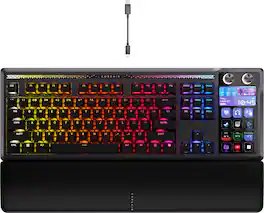
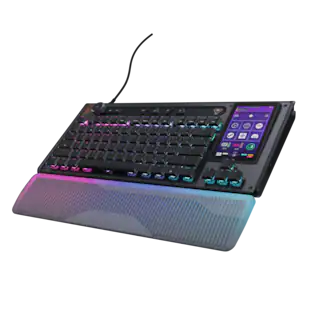
GALLEON 100 SD fuses iconic Stream Deck technology into a high-performance mechanical keyboard, giving you precise, real-time command of your entire gaming setup all from one device. Customizable shortcut keys and dials help you react faster without breaking focus, whether you're executing complex in-game combos or controlling apps like Discord and Spotify. Keep tabs on everything from hardware stats to your favorite Twitch channels on a fullcolor 5" LCD screen. The keyboard also delivers serious gaming performance with lightning-fast 8,000Hz hyperpolling, FlashTap SOCD, and smooth MLX Pulse switches. It’s more than just a keyboard—it’s a new era of input.
Q: Will this work icue software or no. Just because of update it software
A: It will eventually work with ICUE but only works with web hub at this time. Corsair has already announced they are working on ICUE support.

GALLEON 100 SD fuses iconic Stream Deck technology into a high-performance mechanical keyboard, giving you precise, real-time command of your entire gaming setup all from one device. Customizable shortcut keys and dials help you react faster without breaking focus, whether you're executing complex in-game combos or controlling apps like Discord and Spotify. Keep tabs on everything from hardware stats to your favorite Twitch channels on a fullcolor 5" LCD screen. The keyboard also delivers serious gaming performance with lightning-fast 8,000Hz hyperpolling, FlashTap SOCD, and smooth MLX Pulse switches. It’s more than just a keyboard—it’s a new era of input.

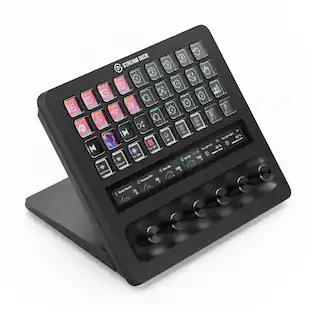
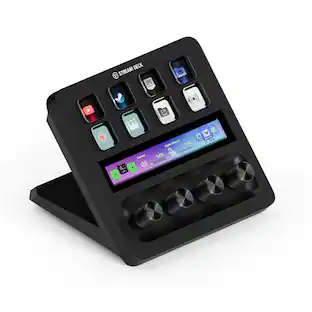
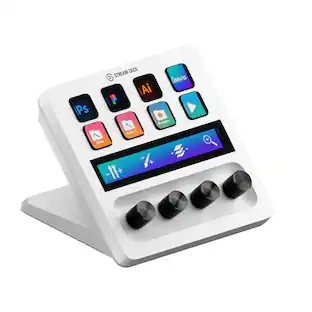
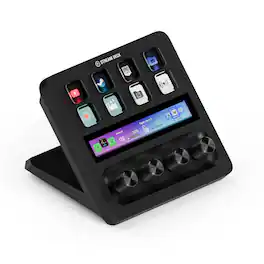
Iconic Stream Deck tech with LCD keys, dials, and touch strip. Fully customizable. Perfect for any workflow. Stream Deck + is your audio mixer, studio controller, production console – anything you want it to be. Trigger actions. Control mics and cameras. Adjust volume, lighting, and much more. Create limitless pages for different apps and swipe between them on the fly. Set up with ease in the Stream Deck app. Unlock Elgato Wave Link mixing software, and hit the Stream Deck Store for plugins, icon packs, thousands or royalty-free music tracks, sound effects, and more. With new plugins and updates added regularly, Stream Deck + evolves with your workflow.
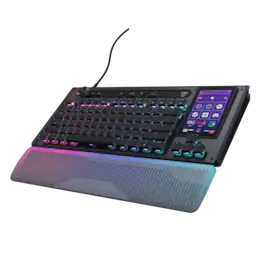
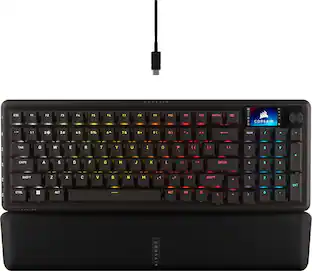
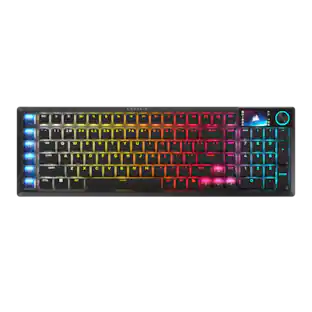
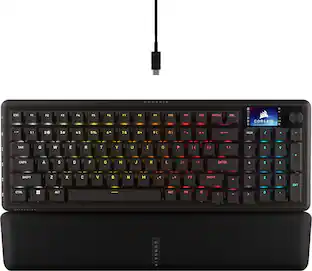
CORSAIR’s VANGUARD 96 pulls off the astonishing feat of shrinking a full keyboard with arrow keys, a tenkey pad, an LCD screen, rotary dial, and 6 programmable G-keys into a super-compact frame. Featuring wobble-free pre-lubricated CORSAIR MLX switches, it’s also hotswappable, supporting compatible 3-pin and 5-pin switches. The stunning LCD screen takes keyboard personalization to the next level with animations, stats, and game integration support. Quadlayer sound dampening provides satisfying keypress acoustics, and 8,000Hz hyper-polling delivers lightning-fast inputs. VANGUARD 96 also features Elgato Virtual Stream Deck integration, FlashTap SOCD handling, and easy customization via our web-based utility, CORSAIR Web Hub.

Meet the CORSAIR K100 AIR Wireless RGB Mechanical Gaming Keyboard, an ultra-thin keyboard that places outstanding performance and productivity in a sleek brushed aluminum frame. Its unbelievably thin profile – just 11mm at its slimmest point – makes the K100 AIR the stylish centerpiece of your entire desktop and workspace. Hyper-fast, tactile CHERRY MX Ultra Low Profile mechanical keyswitches deliver a responsive, satisfying mechanical keyboard experience – you will want to use the keyboard for everything.The K100 AIR offers three ways to connect to your PC, Mac, and devices for optimal, hyper-fast wireless versatility: sub-1ms SLIPSTREAM WIRELESS, Bluetooth, or USB wired. Connect to multiple devices wirelessly and switch between them with the press of a button, with secure AES 128-bit encryption. Wired mode enables CORSAIR AXON Hyper-Processing Technology to transmit keystrokes up to 8x faster than standard gaming keyboards, helping you stay one step ahead of opponents during competition. The K100 AIR offers endlessly customizable lighting and workflows for total control over your setup. Four dedicated G keys are fully programmable to perform custom actions, shortcuts, and macros to elevate your productivity. The K100 AIR shines with brilliant per-key RGB backlighting, for nearly limitless customization for up to 20 lighting layers simultaneously, powered by AXON. Unlock full control over lighting, key remapping, and more with powerful CORSAIR iCUE software. With up to 200 hours of wireless battery life and all the premium features in CORSAIR’s thinnest gaming keyboard ever, the K100 AIR enables you to play elevated.
| Pros for CORSAIR - GALLEON 100 SD Stream Deck-Integrated Mechanical Keyboard - Black | |||
|---|---|---|---|
| Build Quality, Key Feel, Noise Level, Comfort, Stream Deck Integration | Ease of use, Quality, Knobs, Customization, Volume Control | Build Quality, Noise Level, RGB Lighting, Feel, Size | Key Feel, RGB Lighting, Keyboard Quality, Battery Life, Connectivity |
| Cons for CORSAIR - GALLEON 100 SD Stream Deck-Integrated Mechanical Keyboard - Black | |||
| Software | There were no cons for this product— | Software, Key Layout, Port Placement, Wrist Rest | Software, Price |
The vast majority of our reviews come from verified purchases. Reviews from customers may include My Best Buy members, employees, and Tech Insider Network members (as tagged). Select reviewers may receive discounted products, promotional considerations or entries into drawings for honest, helpful reviews.
Before sharing my review and thoughts about this item, I want to highlight that this keyboard truly stands out for its uniqueness. Its design is unlike any keyboard currently on the market. There is no available design that is even close to it. It was one of the standout products at CES, if not the star of the show, and I had been eagerly waiting for it to finally be released. Unboxing this keyboard was an exciting moment. I couldn’t wait to get my hands on it. Corsair did a great job with the packaging; everything was well protected, and the keyboard itself was wrapped in a cloth cover, which immediately gave a premium impression. The moment I picked it up, it felt solid and high-end. You can instantly tell this is a high-quality product where craftsmanship and precision speak for themselves. What makes this Corsair Galleon 100 SD unique is that it is the first keyboard of its kind to seamlessly combine a mechanical keyboard with a Stream Deck into one premium and gorgeous design keyboard. The aluminum top plate, along with the internal sound-dampening layers, gives it a quiet and solid feel. The keys are well spaced, with fast and smooth actuation that feels great for both gaming and productivity. The detachable wrist rest feels great and keeps my hands comfortable and fatigue-free even during long gaming or productivity sessions. The MLX linear switches feel smooth and responsive, and during gaming, the 8,000 Hz polling rate functions great. Every key press feels instant and precise. The keyboard has two USB connections to power the keyboard and enable passthrough, and it also offers one USB passthrough port for connecting other peripheral devices. My biggest feature is the integrated Stream Deck. Corsair managed to integrate the deck in a very smart way by replacing the traditional numpad while keeping the numeric pad available but also adding more functionality than a standard numeric keypad. The Stream Deck features an LCD display and two rotary dials with brilliant colors. It allows you to control shortcuts, macros, apps, media, and system functions directly from the keyboard. The Stream Deck has a huge selection of apps and plugins available, making it great for gaming, streaming, media control, and monitoring system stats. The keyboard and its Stream Deck can be customized through the Corsair Web Hub, which is required for this keyboard and not the standard Corsair iCUE software. The web-based customization hub feels light in use, but it does feel more limited compared to iCUE. There is a learning curve, and it takes time to find the right layout and apps that suit your needs. I personally spent about two hours exploring plugins and customizing everything it felt like digging into the app store and Android store, which was sort of fun. Overall, this keyboard is unlike anything else on the keyboard market. It’s unmatched in build quality, responsiveness, and uniqueness, especially with its integrated Stream Deck that puts control of gaming, streaming, and media right at your fingertips. I would highly recommend it to anyone who values premium quality, smart shortcuts, and cutting-edge features. It is a blend of premium quality and cutting-edge technology.
Zaid Posted
About the Galleon 100 SD The Corsair Galleon 100 SD is a new mechanical keyboard whose most advanced feature is the integration of Stream Deck keys on the keyboard. It has RGB controls and is set-up for gaming as well as productivity. This can be used with a PC, X-Box, or Playstation. Contents Contents include the keyboard, a palm rest, key removal tool, and two USB-A to USB-C cables. If you want to see the user manual, there is a QR Code on the underside of the keyboard (you may need this). Features • 12 button screens for Stream Deck keys • RGB lighting – mood strips, keys • Gasket mounted keys • Dual rotary knobs • USB passthrough port – type C Setting It Up The setup is mostly plug and play. You must use both of the USB cables to power the keyboard. It is a wired keyboard and has a passthrough USB port. Once connected, you go to the Corsair Web Hub (website) and check for a firmware update. It will tell you that you have to turn off any previously installed iCue software while using the Corsair Web Hub. The Web Hub will allow you to set up keys and lighting effects. Then you will need to download the Stream Deck App so that you can use your Stream Deck features. Apps and profiles can be download from the Elgato website connected through the Stream Deck App. The Elgato apps are installed through drag & drop within the Stream Deck App. Appearance of the Keyboard The keyboard has a very nice appearance and the aluminum frame makes it feel like a solid build. The gasket mounted keys feel great and it’s just the right amount of clicky for me. RGB lighting is a staple of Corsair’s keyboards. There’s a mood strip as well as the raised illuminated keys. Again, this lighting is controlled through the Corsair Web Hub. The RGB lighting does not seem as bright as my current keyboard (Corsair M65 Ultra). It’s a little hard to see the letters unless I use a white light. Sides of keys are not illuminated, so it’s hard to see the writing on the function keys at the top of the keyboard. One significant thing to note is that the number pad keys have been replaced with the Stream Deck keys. There is not a raised key number pad. This is an issue for me as I am using this keyboard for productivity, not just gaming. Corsair did attempt to mitigate this by installing Stream Deck number pad key pages, so there is an option to use it to type numbers. If you have used a raised key number pad for a long time like me, it doesn’t feel the same. I have to look at the keyboard to type the numbers in which slows me down. Software Software is where I have the biggest complaints with the Galleon 100 SD. The keyboard is sold as a unified system, but you need two new accounts to use them and the iCue account that I already have isn’t an option. No iCue software – As someone who has used the iCue software for a long time, I am already invested in both Corsair products and my RGB settings. The Galleon 100 SD does not work with iCue. In fact you have to turn it off completely while you use the Corsair Web Hub. Why couldn’t they have integrated this? Corsair Web Hub – Now you must use a website to use your keyboard and have an account with Corsair. This is completely unnecessary. Especially when I have a whole other app installed to use Corsair products. The app didn’t work smoothly. It took me a while to figure out why I had no RGB when I created a new profile. I had to learn a whole new system just to use the keyboard. Stream Deck App by Elgato – You also have to download the Stream Deck App and make an account with them so that you can set up the SD keys. The installation of the apps looks easy, but I ran into a bunch of problems with the Stream Deck apps. You download the apps or profiles that you want and load them into the Stream Deck App. Apps are a Drag & Drop install which is easy. Profiles are a double-click. Unfortunately, most of the apps were lack luster or didn’t work. Spotify by Elgato – I was the most excited about having this app, but there are very few keys to control it. I do like the dial interface. It just feels like it was missing controls Spotify 3rd Party Apps – The interface for the 3rd party apps look better than the Elgato app, so I tried two of those. Unfortunately, they asked for information about my specific Spotify account, and I don’t trust them enough to share the API info with them Crypto Ticker – 3rd party app never worked with the keyboard Stock Ticker – 3rd party app never worked with the keyboard Gaming Apps – I did not find very many games I like that offered SD keys. Many of those who did wanted money to purchase them. $20 was a common price theme. MS Teams Profile – 3rd party profile that said it had 27 SD keys. Only 6 loaded to my keyboard. *Note that the apps on Stream Deck are not necessarily a Corsair issue. The app may be to blame, but I have no way of knowing if it’s a Corsair / Stream Deck integration issue or just bad coding. Listed for purposes of demonstrating experience with apps on the SD keys* Stream Deck Dial – The left dial is setup to change the pages (set of 12) of Stream Deck keys. When I used the user setup pages in the Stream Deck App the dial kept getting stuck on those pages. Seems like there’s a bug here. Software in general was really disappointing. It seemed like any time I wanted to add something, there was a learning curve. I am hoping that this changes and the more apps (free ones) will be offered. My Overall Impression I think that the keyboard looks and feels really nice. It seems to be of high quality. I would like to have a normal number key pad for productivity. The software seems to be a mess. I’m not happy with the Corsair Web Hub or the Stream Deck App. I would like to have an option just to use my existing iCue software for seamless peripheral integration. Conclusion I want to give the Corsair Galleon 100 SD a 3.5 star rating, but since that’s not an option I will mark it at 4 stars. The quality seems to be there physically, but I’d like to see several improvements in the software.
sgriesch Posted
The Corsair Galleon 100 SD is Corsair's latest flagship mechanical keyboard bringing a major feature upgrade compared to any other gaming keyboard by blending the latest high-performance mechanical keystrokes with advanced stream deck integration. Specifically designed for gamers, streamers, and multitasking professionals, it promises to crack some necks and have people doing a triple take with its bright, colorful animated keys, incredibly comfortable keystrokes and convenient experience bringing all the customizable controls you’ll ever need right at your fingertips. The Galleon 100 SD sports a modern refined design with its durable aluminum frame giving it a premium look and feel. The keyboard features customizable RGB lighting across every key allowing users to tailor the aesthetic to their setup using the Corsair iCUE software. Users can sync lighting across other Corsair devices, set up complex key bindings, and automate repetitive tasks, making the Galleon 100 SD a central hub for productivity and entertainment. The keys themselves use high-quality mechanical switches, offering tactile feedback and quiet operation suitable for both gaming and office environments. There are six layers of sound dampening foam that reduce unwanted noise and clatter. Users can choose from linear, tactile, or clicky Corsair mechanical switches to suit your preference. The keyboard includes a magnetically detachable leatherette wrist rest with memory foam cushioning for extended comfort during long sessions. After using the keyboard for several gaming sessions, there is virtually no lag thanks to the AXON technology ultra-responsive 8000Hz hyper-polling which is up to eight times the standard keyboard. Arguably, the standout feature in the Galleon 100 is the built-in stream deck that integrates the customizable features of a stream deck into the top right section of the keyboard with stunningly colorful displays in every key. The stream deck offers a dedicated row of customizable LCD keys, enabling users to launch applications, switch scenes, control media, and execute complex macros with a single tap. The Corsair iCUE software makes it easy to personalize each button with custom icons and functions, catering to streamers and content creators who demand quick access to their most-used controls. To cut to the chase, the stream deck display and keys is absolutely mind blowing, perhaps even a distraction during gaming… but so worth it. Overall, the Corsair Galleon 100 SD mechanical keyboard is a powerful peripheral designed and developed specifically for gamers and streamers looking to enhance their gaming experience or boost their streaming setup. With its integrated stream deck, premium build, and advanced customization, it stands out as one of the most versatile keyboards on the market. The way I look at this investment and the higher price compared to other options is the Galleon 100 SD combines several peripherals that would cost at least this much to purchase separately, frees up another valuable USB port and, as an added bonus, includes an additional USB-C passthrough so I can have another wire strung across my desk.
Grouticus Posted