Customer Ratings & Reviews


- Model:
- RC21-01810100-R3M1
- SKU:
- 6486201
Rating by feature
- Value
Rating 4.1 out of 5 stars
- Quality
Rating 4.6 out of 5 stars
- Ease of Use
Rating 4.5 out of 5 stars
Customers are saying
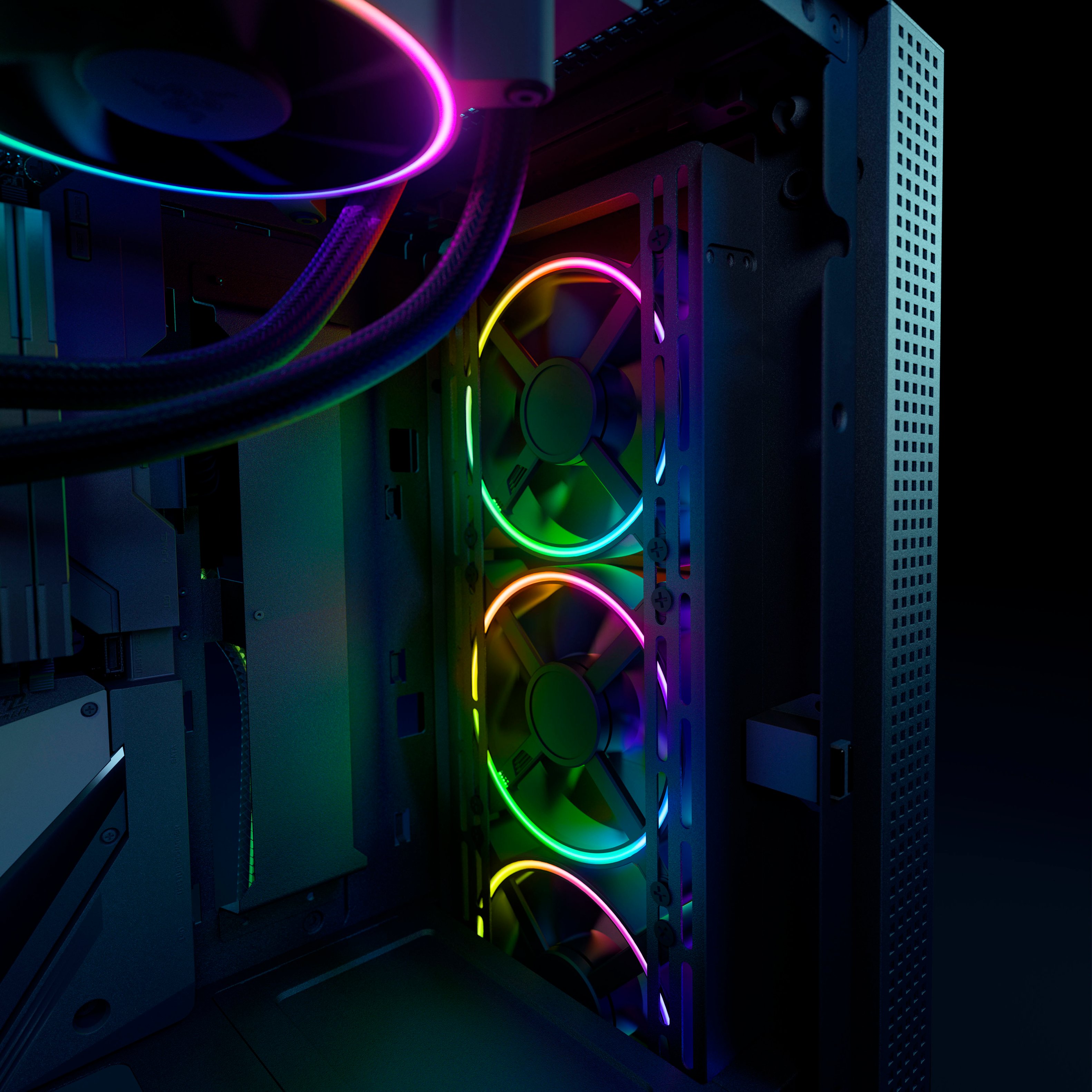
Customers admire the superb RGB lighting and excellent airflow provided by the Kunai Chroma RGB fans. Many appreciate the high-quality build and relatively easy installation process, although some find the price point to be a significant drawback. While the fans generally perform well, a noticeable high-pitched sound at higher RPMs is a recurring concern for some users.
This summary was generated by AI based on customer reviews.
- Pros mentioned:Airflow, Rgb
Less RGB is more!
||Posted . Owned for 7 months when reviewed.This reviewer received promo considerations or sweepstakes entry for writing a review.These can move a lot of air! I honestly wasn't expecting these to be as good as they are. I just really liked the aesthetics! Looks really clean in my PC.
I would recommend this to a friend - Pros mentioned:Airflow, Fan size, RgbCons mentioned:Price

Excellent Cooling Performance, but...
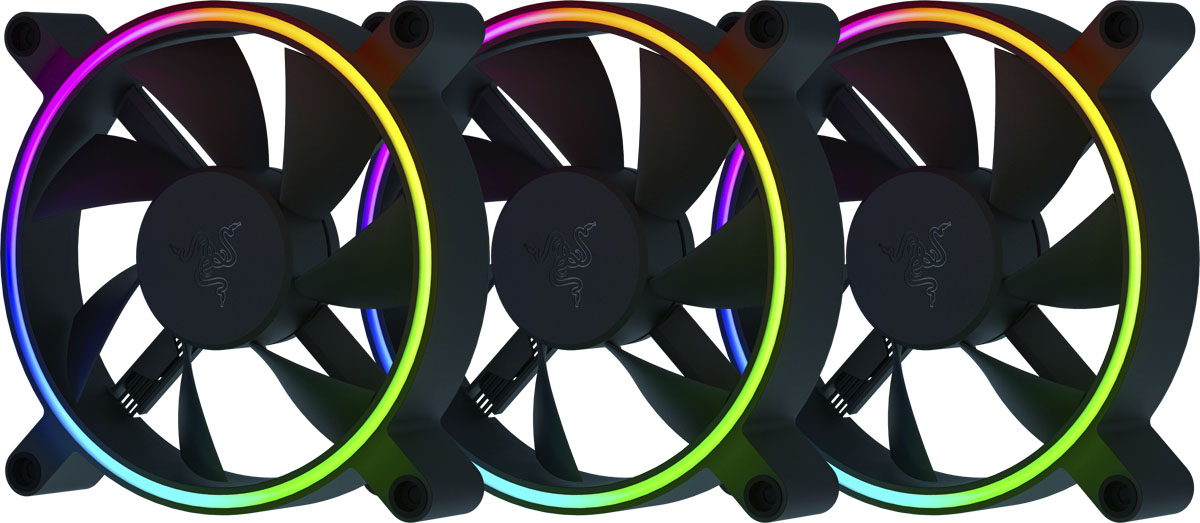
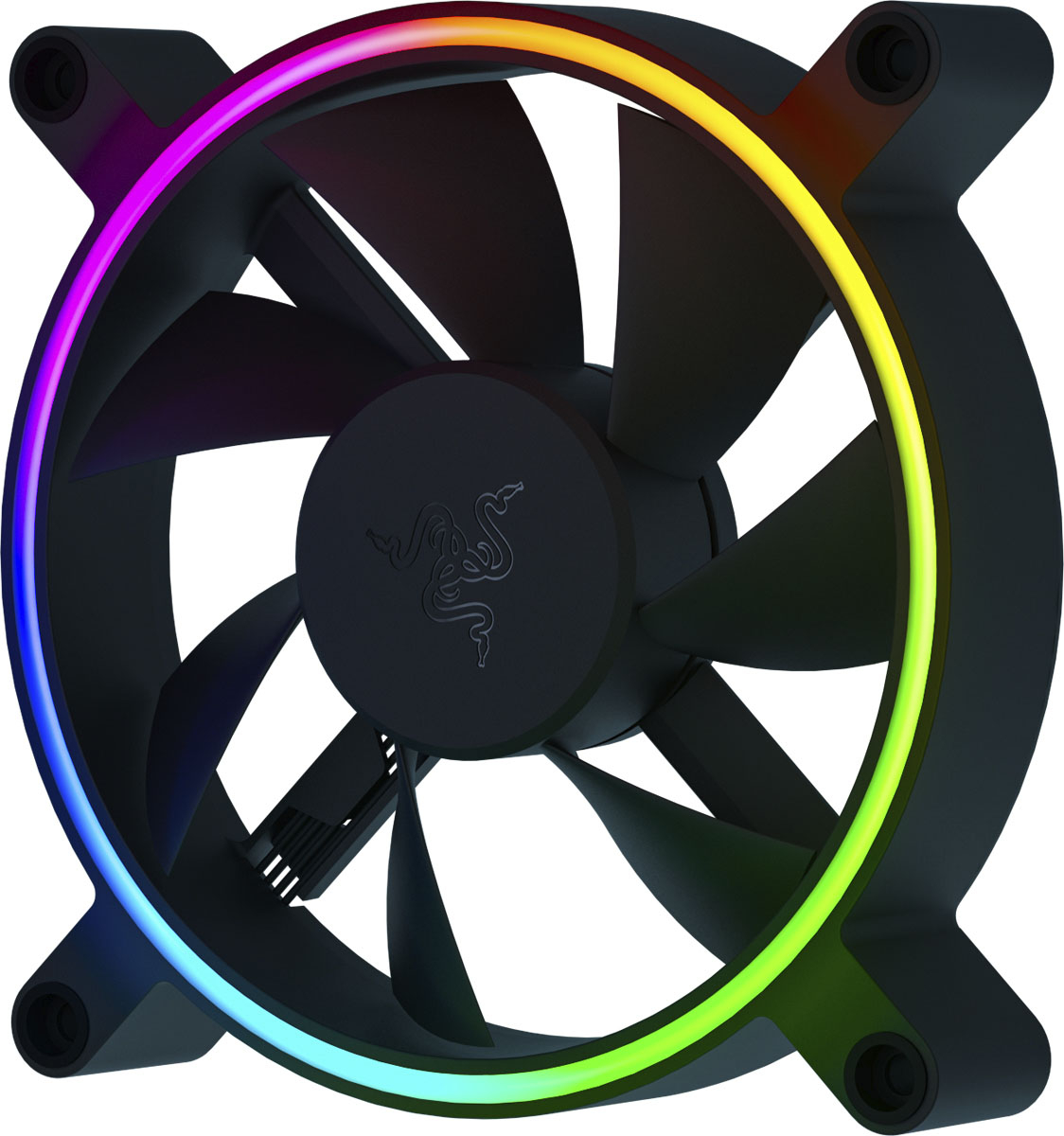
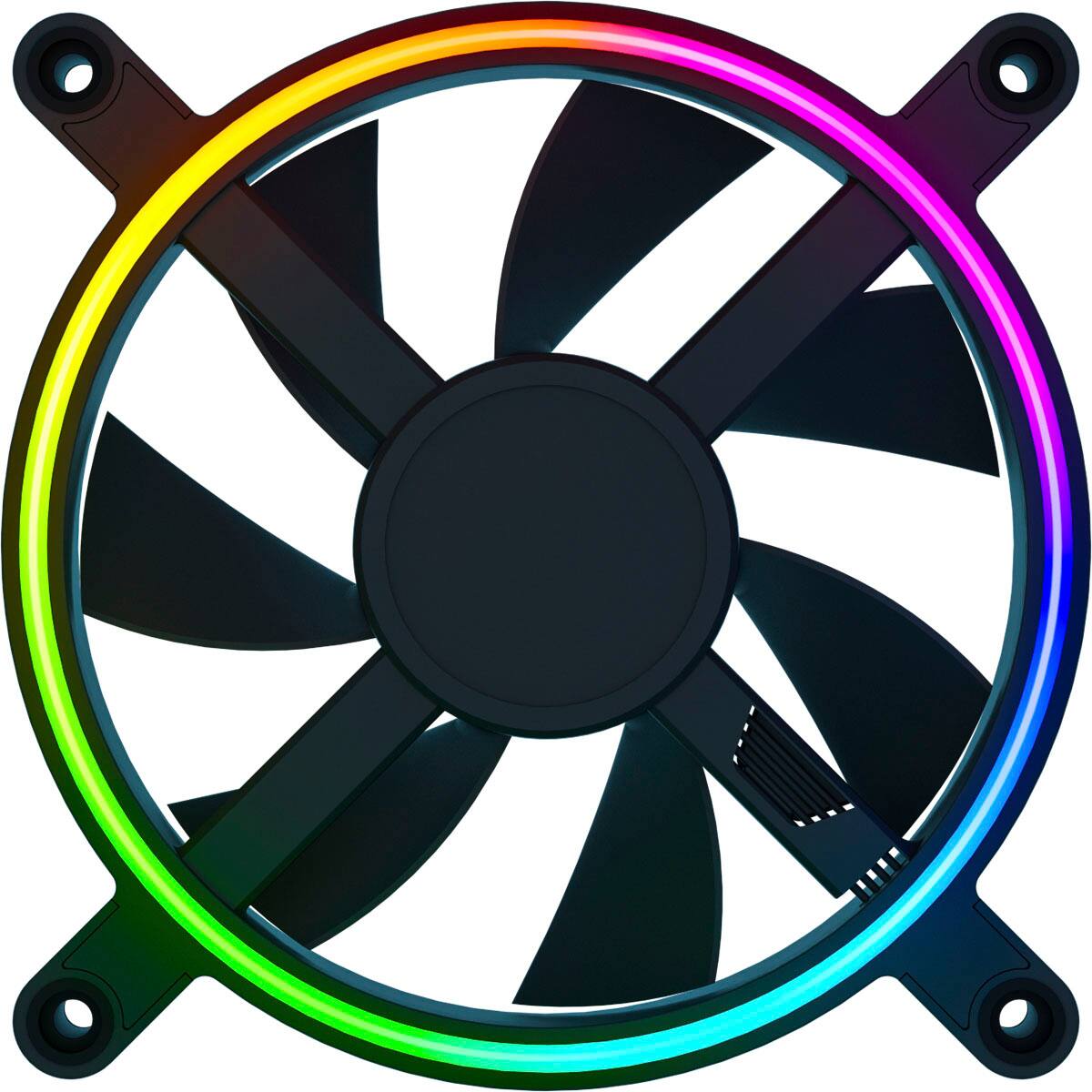
|Posted .This reviewer received promo considerations or sweepstakes entry for writing a review.Does it offer good value? In my opinion, no. Setting aside the value question for a moment, the initial impression was the packaging was certainly first rate. The 3-Pack of Kunai Chroma RGB Performance Fans contained three fans and with fasteners which come nicely packed in a beautiful box, with a fold out manual and some cool stickers -- not gaudy, but subtle and nicely designed to add a bit of class to any PC case (or even elsewhere). The fasteners include 4 standard short, metal screws, to attach the fan to the case, as well as 5 rubber screws which in concert to the pads on the fand help isolate any vibration transferring from the fan to the case. The fans themselves feel solid and well built. The frame and the fan blades are both black, with an RGB ring on both the front and back of the fans. The seven blade fans spin at speed up to 2200 RPM, and are pretty quite until you start exceeding about 15-1600 RPM where you start hearing the movement of air. There is no mechanical noise; just the sound of air moving at a fast rate. The RBG is a single ring around the fan blades which illuminate on both sides of the fan. The lighting is subtle, and the LEDs are not overly bright. The fans themselves to not illuminate. Depending on your preferences, this can be a good or bad thing. If 'subtle' is you're thing, these will likely please you, but if you're after bright, active lighting they'll likely disappoint. They offer 3-pin RGB connections. If all you have are 4-pin connectors, you're out of luck unless you purchase some type of adapter/controller. Each fans actually have three wires for connectivity; one for the 4-pin PWM control, one for 3-pin aRGB control, and one wire which allows you to daisychain a single motherboard 3-pin across all three fans. RGB lighting will need to be controlled from the motherboard software, as the Razer Synapse software will not conntect to the fans without Razer's' fan/rgb controller, which is sold seperately. I tested the Razer - Kunai Chroma RGB 120MM LED PWM Performance Fans in a custom liquid cooled system, replacing 3 generic RGB fans cooling the radiator. The coolant temp dropped 8°C, the overclocked liquid cooled RTX 3080FE GPU temp dropped 7°C, and the GPU VRAM 8°C while under 100% load, putting it in the upper tier of performance for cooling fans. No complaints there whatsoever. So let's get back to my major complaint - lack of value. Sure, the performance is excellent, but at what cost? The MSRP of the 3-pack is the highest of any I've seen, and unlike other high-end packs from other vendors, it contains neither an RGB or Fan controller. My favorite fan kit has an MSRP around 25% lower and INCLUDES a fan/lighting controller. It did not require me to purchase anything additional. This is why I consider it a terrible value. Despite the excellent performance of the Razer - Kunai Chroma RGB 120MM LED PWM Performance Fan, you can get just as good if not better performance for substantially less from more than one vendor. Another consideration is while the 3 fans required 9 wires, my favorite fans have a single sheath of wire, with two connectors at the end, to power and control three fans. With the Razer Kunai, I have to manage NINE cables for the three radiator fans. That's awful from a cable management perspective. If money/value is no concern whatsover, and you like the subtle lighting effects with no option for the blades to illuminate, you'll certainly appeciate the performance of these fans. If money/value does impact your decision making, look elsewhere. You can get fans with as much performance, with better RGB lighting and cable management for a lot less. You won't get the cool stickers though.
No, I would not recommend this to a friend - Pros mentioned:Build quality, RgbCons mentioned:Noise level
Superbly over-engineered w/surprisingly subtle RGB
|Posted .This reviewer received promo considerations or sweepstakes entry for writing a review.Razer is a brand typically associated with products that simply ooze with gamer aesthetic. That's why these Kunai Chroma fans kind of surprised me because the onboard LED lighting is actually pretty subdued--it's bright, but it only illuminates in a ring around the circumference of the fan blades--there is no hub lighting, and the LEDs do not illuminate the fan blades themselves. If you like that effect, then you're going to love the performance that accompanies it...and the fact that this is one of the few RGB fans that looks as good in pull-configuration as in push. I have a full-sized tower with 140mm Noctua fans (ugly) up front lit with a pair of Phanteks Halo ARGB rings (beautiful). My CPU is cooled with an MSI MAG Coreliquid 240mm cooler with two MSI hub-lit ARGB fans. The 120mm MSIs have white translucent fan blades and look stunning in push configuration. However, my tower was designed such that a top-mounted radiator must be installed with the fans in pull-configuration because there is no way to snake the cooling block and coolant tubes down through topmost mounting plate if you wanted to mount the fans below the radiator. This left me using the MSI fans in pull-configuration--they still light up the top of my case, but the backsides of the fans are a bit ugly and the hub-mounted LEDs are actually jammed right up against the base of the frames so I can see the square LEDs themselves through the gaps in the fan assemblies. Sadly, I can't use the Phanteks Halos on any top-mounted fans because the added height won't allow me to reinstall the dust screen. Enter the Kunai...one of the few high-performing fans I've found with RGB lighting that looks just as good from the back as it does from the front. Personally, I kind of dig the more understated RGB design of the Kunai Chroma--diffusion of the LEDs through the rings is bright but smooth and continuous, unlike the Phanteks Halos where you can very easily spot the pinpoint bright spots of each edge-mounted LED. Sound output is minimal though obviously not quite in the same league as something like a whisper-quiet Noctua that's designed for stealth from the ground-up. Higher RPMs thankfully only yield a louder woosh of air movement rather than additional mechanical noise from the fans themselves--well done, Razer! Performance is excellent with just slightly better stats than the MSI's RGB fans when used on a radiator as opposed to straight airflow through the case: MSI 120mm ARGB twin ball-bearing fan: 500-2000 RPM, 0.23-2.39 mmH2O, 14.3-34.3 dBA, 21.63-78.73 CFM Razer Kunai 120mm RGB hydraulic fan: 500-2200 RPM, 0.15-2.47 mmH2O, 15-35 dBA, 17.48-65.5 CFM The fans themselves have eschewed the typical boxy fan frame for a sleeker, near-frameless circular design that actually looks pretty darned cool in practice. The mounting holes have built-in anti-vibration grommets with recesses large enough to allow you to countersink a pass-through screw so that the screw heads sit below the upper surface of the fan. The fan assembly feels substantial; I almost thought the frame must be made of metal when I first started pulling one from the box! The PWM cable is braided (nice) and Razer thoughtfully provides two completely separate RGB cables, one with a male 3-pin plug end, the other with a female 3-pin plug. This makes it MUCH easier to daisy chain other fans or RGB components throughout different areas of the case because you're not limited to using a super-short daisy-chain stub dangling at the end of a single RGB cable. Each fan also includes 4 case screws and 4 really long screwless anti-vibration mounts. My MSI Z590 motherboard uses Mystic Light for RGB control...thankfully, Razer Chroma RGB support is made available to Mystic Light through the Razer Synapse package and SDK. I was hoping not to have to install yet another software package, but such is the price we pay for our toys. I do wish the Synapse overhead wasn't quite so high though--once installed, Razer had 9 separate Windows processes running and consuming about 340MB of memory, and I wasn't even using Chroma Studio to program the fans' lighting effects! Granted, this really isn't that much in the way of resource hogging, but a little more elegant and low-overhead software solution would always be preferable. Overall though, I am incredibly pleased with the Kunai Chroma fans...they are well-built, quiet, high-performing fans that offer a touch of "classy RGB" (if there is such a thing), as opposed to blasting your room with imprecise, scatter-shot, over-the-top RGB glow in every direction. Whether limiting those RGB effects to the fan's outer rings reduces or increases the value proposition of the Kunai Chromas is obviously a matter of personal taste and style, but the cooling performance (especially for higher static-pressure situations), fit-and-finish, and build-quality are definitely top-notch.
I would recommend this to a friend - Pros mentioned:Airflow, Build quality, RgbCons mentioned:Noise level
Great fans, amazing quality!
|Posted .This reviewer received promo considerations or sweepstakes entry for writing a review.This 3 fan pack really amazed me. The quality is superb, not only of the fans themselves, I've never seen such a good quality packaging for them. They come in a very compact box, and inside the fans are greatly protected by foam packaging (each one). They include not only regular screws, but also plastic sound dampening ones, so there is no rattle in your case. Each fan has a 4 pin PWM connector (so you can control the RPM's) and also 2 ARGB (3 pin) connectors, one is male the other female, that way you can daisy chain the ARGB connectors. You can plug these to your ARGB port on your motherboard using just one by daisy chaining them (or you can buy an ARGB Hub, I think Razer has one, but any would work) or if your case comes with a Hub you can plug them there. The RGB lighting is superb, great quality and the fans themselves blow air strong, matter of fact, I had mine tuned on my bios from 800 to just 1100 RPM for low noise operation and they blow plenty of air and keep my case temps low. I highly recommend this 3 pack, I think I'm going to get another 3 pack when I upgrade my case to a Dynamic XL, that thing needs like 9 fans.
I would recommend this to a friend - Pros mentioned:Airflow, Rgb
Very good, some compatibility issues
|Posted .This reviewer received promo considerations or sweepstakes entry for writing a review.These are some very good fans. They run quiet while still keeping my computer cool, and the RGB lighting on them looks extremely nice. However, the RGB headers weren’t compatible with my motherboard - the fans used 3-pin while my motherboard used 4-pin headers. I had to purchase a Razer RGB controller because of this. While it wasn’t too expensive, it was unexpected. Additionally, if you’re getting these to replace fans attached to your case with very long thin screws instead of the normal short and stubby fan screws, you may want to double-check. If the thin screws don’t have threading all the way down and bank on the idea of the fans being normal thickness, you’re going to have to find a different mounting solution or improvise. As a result, the fans on the front of my case have torn cardboard acting as padding between them and the mounting screw to keep in place. While Razer provided both the short and thick screws and the rubber anti-vibration screws, both were too thick to replace the original mounting screws. Not every Mount was incompatible, though - the top ones would work fine with the anti vibration rubber screw things; and the exhaust fan used the normal short stubby screws. In short, these are very good fans that look very nice, and are easily controlled with Razer Synapse. However, before you buy them, make sure you know how they’d attach to your computer case and how they’d connect to your motherboard if you’d rather avoid tactics such as stuffing screw holes with cardboard.
I would recommend this to a friend - Pros mentioned:Build qualityCons mentioned:Noise level
Impressive static pressure, good looking RGB
|Posted .This reviewer received promo considerations or sweepstakes entry for writing a review.These Razer Kunai create an impressive amount of static pressure but still manage to avoid the typical high pitched whine at high RPMs. The build quality is excellent and the fans are heavy and substantial feeling. The design is also unique with the circular frame and just some protrusions to mount the fans. They have a braided main pwm 4pin cable and also some rubber dampening mounts. The ARGB headers can be daisy chained to add more fans. The only major downsides to these fans is you will need both a PWM fan header regulator to control airflow as well as an ARGB header. Your motherboard may be able to control both of it is a newer one with ARGB but it may not provide full functionality for all the LEDs on the fan since every OEM is different. It also means you’ll need multiple software to fully set these up, hopefully OEMs settle on a standard in the not too distant future.
I would recommend this to a friend - Pros mentioned:Airflow
Nice set of fans, Semi-easy to setup!
|Posted .This reviewer received promo considerations or sweepstakes entry for writing a review.The fans look amazing inside of the case. When they powered on, the amount of air they moved was fantastic. I might wind up swapping out all the fans in my case for these! I will say, if you don’t have a Razer RGB Controller you should absolutely get one for these. The ability to daisy chain the fans together makes for easy setup as you only have to plug one into the RGB controller to get them all to turn on. All in all, this is a fantastic set of fans especially if you already have some Razer RGB in your case.
I would recommend this to a friend - Pros mentioned:Airflow, RgbCons mentioned:Noise level
Value for money
||Posted . Owned for less than 1 week when reviewed.This reviewer received promo considerations or sweepstakes entry for writing a review.The 120mm Razer Kunai ARGB fans have some great features and look incredible. At full speed they push a lot of air. Don't think this performance doesn't come at a cost.I was vey happy with the result. had great temps and noise.l've seen some complaints regarding no included fan hub for the price, but by design these don't really need a hub. The RGB can be daisy chained and plugged into a single ARGB header. If you have an available aRGB header on your motherboard, you're good to go.
I would recommend this to a friend Another Awesome Product!
|Posted .This reviewer received promo considerations or sweepstakes entry for writing a review.The 120mm Razer Kunai ARGB fans have some great features and look incredible. At full speed they push a lot of air. Razer claims and astounding 65.5 CFM at full speed. Don’t think this performance doesn’t come at a cost – both financially and audibly. With 3 of these units at full speed, think “jet engine”. I prefer to tune my fans with a manual curve and was happy with the result. I was able to keep them under 1000 RPMs, had great temps and noise was inaudible for my setup. I’ve seen some complaints regarding no included fan hub for the price, but by design these don’t really need a hub. The RGB can be daisy chained and plugged into a single ARGB header. If you have an available aRGB header on your motherboard, you’re good to go. No need for some ungodly hub to mount too. I’ve also read some complaints about needing the Razer fan controller or requiring Razer Synapse to control the RGB, that’s just not true either. I’ve been using Gigabytes RGB Fusion without issue and was able to achieve complete and synchronized process. These are Razer products, and they do come at a premium price. Hydraulic bearings, a cool RGB look, high build quality and incredible performance – what’s not to love?
I would recommend this to a friend- Pros mentioned:Airflow, Rgb
Awesome Fans.
||Posted . Owned for less than 1 week when reviewed.This reviewer received promo considerations or sweepstakes entry for writing a review.Installed these on my omen 40L. They are quiet and move air pretty good. I did like that they are argb and work with my pc’s built in lighting control. I was using noctua nf12. Went with these instead for the 2200 rpm vs 1700. I noticed a 5-7 degree difference.
I would recommend this to a friend - Pros mentioned:Fan size, Rgb
Amazing
||Posted . Owned for 2 weeks when reviewed.This reviewer received promo considerations or sweepstakes entry for writing a review.Love these fans rgb looks sick and are very high quality
I would recommend this to a friend - Pros mentioned:Rgb
Get these on sale
||Posted . Owned for less than 1 week when reviewed.This reviewer received promo considerations or sweepstakes entry for writing a review.If you’re a Razer or rgb fans, these are quite useful for their daisy chaining feature. Cooling is average for their size. Just get them on sale though.
I would recommend this to a friend - Pros mentioned:Airflow
Look nice and easy set up
||Posted . Owned for 2 weeks when reviewed.This reviewer received promo considerations or sweepstakes entry for writing a review.Great fan. Easy to set up and move a ton of air. Buy the razer argb hub to make things easier.
I would recommend this to a friend - Pros mentioned:Airflow, Build quality, Fan sizeCons mentioned:Noise level
Heavy duty performance fans
|Posted .This reviewer received promo considerations or sweepstakes entry for writing a review.Razer - Kunai Chroma RGB 120MM LED PWM Performance Fan A little pricy but wow what a set of 120MM fans even without a fan/lighting controller. These fans come well packaged with three fans in the box and are in individual foam sleeves. Each Fan comes with standard Metal fan screws and a set of rubber pull-through screws. The fans themselves are hefty and well built looking to be much bigger than a standard fan but they are only slightly deeper at just under 3 inches, it is an illusion due to the stoutness of the build. The mounting points have rubber antivibration mounts. There is a RGB ring in the case, which shows through on both sides, and when off, they blend into the background. I like the fact that only the ring lights. The fan connector is a 4 pin allowing for complete PWRManagement there is also a 3 pin RGB connectors to control the lighting, and this can be chained up to 8 fans. The RGB connectors work with Razer’s fan/RGB controllers and I didn’t have another manufactures controller available to test to see if it would work with them. They did work with the motherboard software I tested them on, but the Razer Software requires their controller. The 7 fan blades per fan are solid, and with hydraulic bearings, they should last a long time without being subjected to dust infiltration. They spin up to 2200 RPM and the only noise shows up after 1500RPM due to the airspeed – This is much less than your comparable standard fans' air noise and really is pretty quiet. Even though they have no claim to being static pressure fans for use on a radiator, they push the air through nicely. I would happily use them for a case or to cool that radiator. There was no wobble or mechanical noise, and these are heavier than your comparable fan – You will know why I feel they are rugged the minute you pick them up. Also, a fold-up pamphlet and some cool decals are in the box between the cardboard sleeve and the outer cardboard container. The only reason I dropped the review one star was the absence of a controller for the price of this unit but still - color me impressed.
I would recommend this to a friend - Pros mentioned:Rgb
cool fans
||Posted . Owned for 1 week when reviewed.This reviewer received promo considerations or sweepstakes entry for writing a review.very quiet and very cool looking. and they work with razer chroma
I would recommend this to a friend - Cons mentioned:Price
Great fans!
||Posted . Owned for 1 month when reviewed.This reviewer received promo considerations or sweepstakes entry for writing a review.Look great and perform great as case fans! Just a little pricey imo.
I would recommend this to a friend - Pros mentioned:Airflow, Fan size, RgbCons mentioned:Noise level, Price
Solid fans, though kind of pricy
|Posted .This reviewer received promo considerations or sweepstakes entry for writing a review.I received this product in exchange for my fair and unbiased review. The Razer Kunai Chroma RGB 120mm LED PWN performance fan 3 pack is a great way to add RGB to a case with either a glass or mesh front panel or a mesh top panel. There is plenty of airflow, the fans are relatively quiet unless they're at full speed, the daisy-chaining feature is terrific if you lack a large number of RGB connector ports, and they come with the rubber anti-vibration mounting hardware instead of standard screws so the fans don't create hum by vibrating your case. The only real drawback is the price for the fans; while I understand that addressable RGB is expensive, these fans are actually a little more expensive than those that come from a certain ship if you look carefully for those other fans; that's where I dinged them a star. If you already have Razer gaming peripherals, this is the way to go as you will control their lighting with the same software you're already controlling your keyboard, mouse, headset, and other lighting with. In terms of fan quality, they're great and I can recommend them.
I would recommend this to a friend - Pros mentioned:Build quality, Installation, Rgb
Cool Lighted Fans
|Posted .This reviewer received promo considerations or sweepstakes entry for writing a review.Razer knows its stuff when it comes to gaming accessories. I own many such devices and use them regularly. Yet this will be my first experience switching out a piece of hardware that came with my pre-built home computer. Although the desktop 'tower' I have already has cooling fans, and they work well enough, I was eager to try these Razer Kunai Chroma RGB Performance Fans. I had every expectation the quality I've come to know, would be there. And I wasn't wrong. After reading over the enclosed setup guide* (with diagrams), I got right to it. I took my time replacing my PC's current fans with these Razer beauties. My desktop computer isn't very old, and fortunately the space inside the tower provided plenty of room to install the new fans. I'm well familiar with the Razer Synapse software, which allows you to customize these Kunai Chroma RGB Performance Fans to experience what all they have to offer. Yeah, I love lights! I really really love my computer gaming devices and accessories to have lights on them. It just adds to the fun and enjoyment for me. These Razer cooling fans run relatively quiet, certainly not any louder than the ones they replaced. The fans were nicely packaged; each one individually. There are rubberized screws meant to help reduce vibration. Each fan has a dedicated connector which lets you "link" the three fans together. But, you can also just use one, or two, instead of all three fans. Dependent upon available space within your computer chassis. The aforementioned detailed setup guide* will be particularly helpful for people who have never switched out PC components before, or have had no previous experience "building" their own computer. So far, these Razer Kunai have performed; exceeding my expectations.
I would recommend this to a friend - Pros mentioned:Rgb
Razer
||Posted . Owned for 3 weeks when reviewed.This reviewer received promo considerations or sweepstakes entry for writing a review.Box make other razer stuff go brrrrrrrrrrrr and I tootI in my chair with glee.
I would recommend this to a friend - Pros mentioned:Airflow, RgbCons mentioned:Noise level, Price
Quiet, but expensive. No hub included. Dim lights.
|Posted .This reviewer received promo considerations or sweepstakes entry for writing a review.Pro: -Quiet and good airflow -RGB can be daisy chained Con -No controller hub and relies on your motherboard software -Expensive -Lights are not that bright. These are good fans, but overpriced compared to other premium brands, especially since they don’t include a controller hub. They are quiet and have good airflow, almost on par with my Noctua fans. At 50% these are near silent. At max speed (2000 rpm) they’re louder than my Noctuas, but have a more tolerable lower pitch. The fans are light and have minimal plastic housing. There’s three wires, PWM, LED, and another for daisy chaining. The fans come with screws as well as the rubber mounts. There are vibration pads on the fans, but they are very small, just around the edge of the screw holes. The ring lights are dimly subtle. These will not light up your system, but rather add some color accents to your build. There are rings on both sides, but the glow is not that visible from the sides. The colors are accurate and have a good transition from one to the other. They can be controlled by your motherboard, but your lighting options will be limited to what your motherboard software can do, which usually is just basic patterns. You probably won’t get features such as linked sequences or customizing individual zones. If you want more elaborate lighting like in the product pictures, or don’t have aRGB headers on your motherboard, then you’ll have to buy the hub separately, increasing the already high price. Though these are good fans, I don’t recommend these for the price unless you’re already into the Razer ecosystem, or if you want really bright lighting effects. Other premium brands have the same performance and look for less.
No, I would not recommend this to a friend