Customer Ratings & Reviews

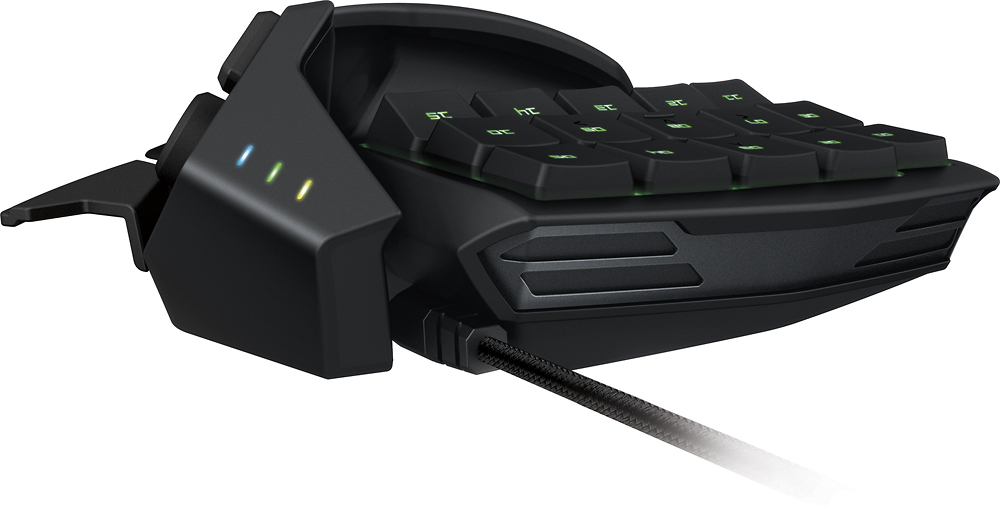
- Model:
- RZ07-01510100-R3U1
- |
- SKU:
- 8299143
Customer reviews
Rating 4.5 out of 5 stars with 104 reviews
(104 customer reviews)to a friend
Customers are saying
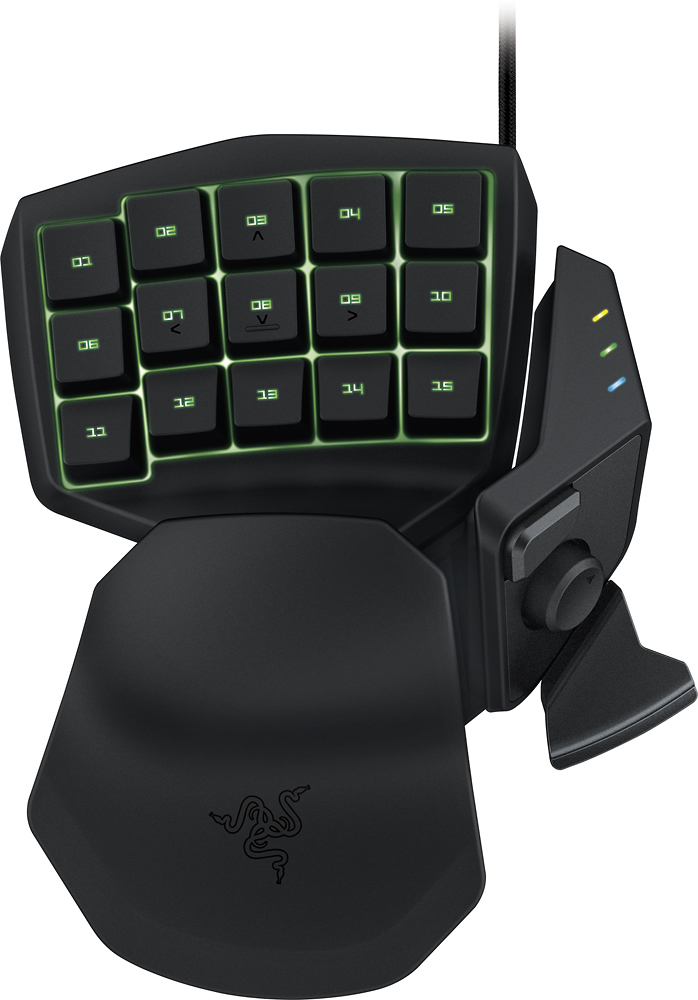
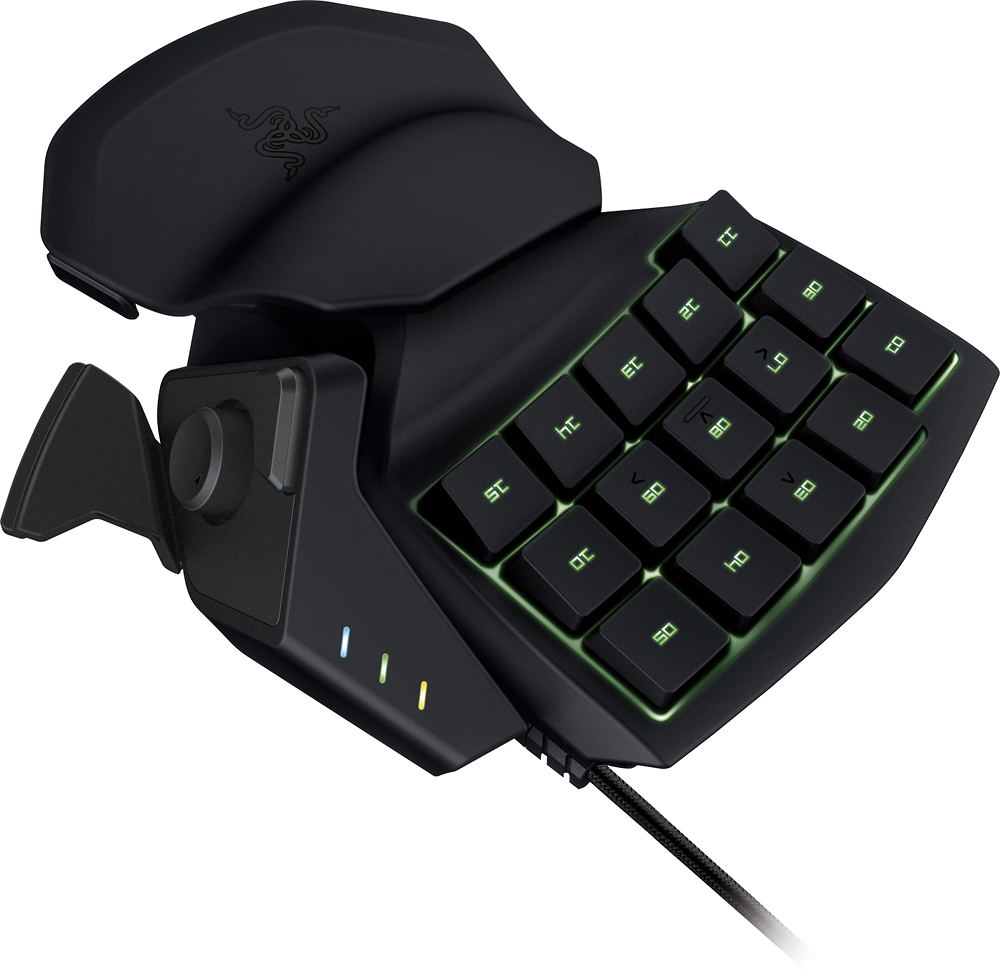
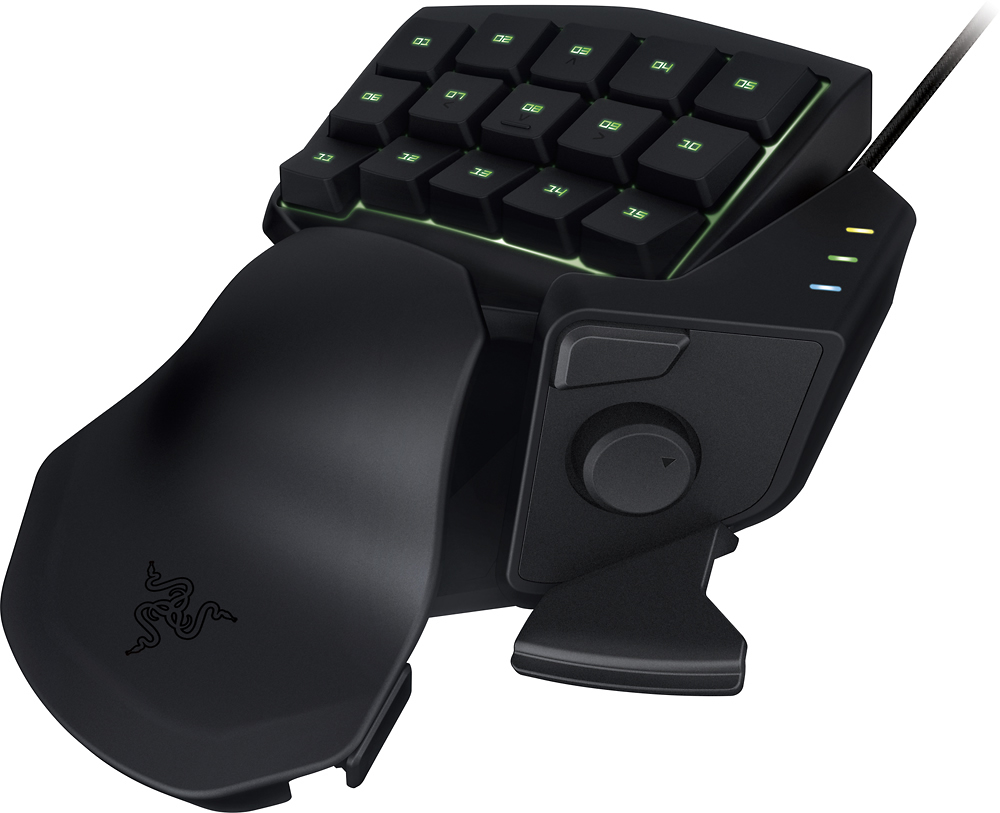
Customers frequently mention the Tartarus Chroma Expert RGB Gaming Keypad's customizability, gaming capabilities, ergonomic design, and reasonable price. The customizable keys and easy-to-use software allow for personalized gaming experiences. The ergonomic design with an adjustable palm rest provides comfort during extended gaming sessions. While some users appreciate the improvements made for ease of use, others mention a slight learning curve.
This summary was generated by AI based on customer reviews.
- Pros mentioned:Ergonomics
Rated 5 out of 5 stars
A great peripheral for advanced users
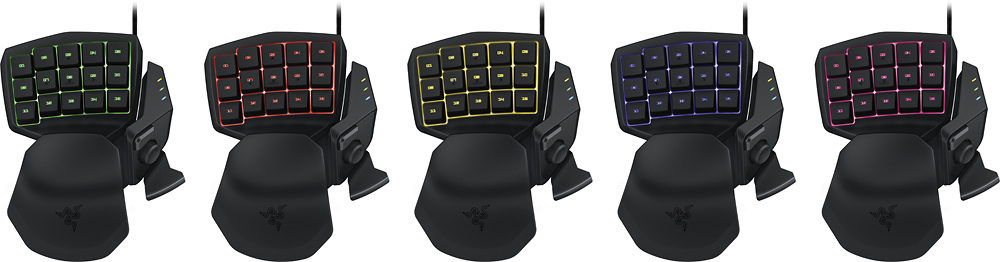
||Posted .This reviewer received promo considerations or sweepstakes entry for writing a review.I needed a device that had enough buttons to perform various tasks in a new game and the ability to move L/R F/B with just one hand, much like a joystick. Did a little research and came to this type of device. Pros: - Ergonomic, with adjustable palm rest - Lit keys for easier referencing - Construction quality consistent with other Razor devices - Customizable color lighting similar to Razor's BlackWidow - Easy keybinding/macro assignment software included! Cons: - No color effects like the BlackWidow - As with any device like this there's a learning curve to use it seamlessly. Having never used anything like this before, it took a few hours of total game play to use it without noticing.
I would recommend this to a friend - Pros mentioned:Customization, Rgb
Rated 5 out of 5 stars
Gaming essential
||Posted .This reviewer received promo considerations or sweepstakes entry for writing a review.Definitely a great piece to own if you're into heavy pc gaming. The customization of different keymaps are insane. The colors of the chroma are mesmerizing.
I would recommend this to a friend - Pros mentioned:Ease of use
Rated 5 out of 5 stars
Great Keypad!
||Posted .This reviewer received promo considerations or sweepstakes entry for writing a review.Razer's keypads are great for anyone who would like a comfortable alternative for a full keyboard. Players transitioning from a console to pc will find it much easier to use this over a keyboard. The software does have a few too many processes for my taste but, with a little know how you can delete the "extra" applications from the folder while it is not running. I would recommend this to anyone that wants a more comfortable keyboard experience.
I would recommend this to a friend - Pros mentioned:Keypad
Rated 5 out of 5 stars
If you play with a keyboard. Get this!
||Posted .This reviewer received promo considerations or sweepstakes entry for writing a review.I used to please all kinds of games in my laptop keyboard but I soon started to hurt my wrist from the flat surface. Then I saw this keypad on bestbuy and I was like omg I got to have it! So I bought it and hooked it up! It feels amazing. Took a few days to get used to it. But it's like a keyboard specifically made for your left hand! The changing of the lights make it even cooler! It's just a great buy. It goes great with my razer chroma mouse and razer cushion mouse pad. Definitely recommend.
I would recommend this to a friend - Pros mentioned:Ease of use
Rated 4 out of 5 stars
Awesome half-keyboard.
||Posted .This reviewer received promo considerations or sweepstakes entry for writing a review.It's almost literally half a keyboard for half the price of a full keyboard. But I was told that it was mostly for, and mostly optimized for, MMO's. However with the synapse companion app, you can program the device and map any keystroke or mouse input to any of the keys on the device. You can also choose from three different back light effects which can display many different colors. You can even set different configurations and lighting effects under different "profiles." For example maybe you have an FPS scheme with one color as one profile, an MMO scheme with a different color under a different profile, and maybe many more layouts all for different games. In short: it's small, not very expensive compared to a full keyboard, very easy to configure or program, and with limitless potential. I just wish you could order custom keys as they are labeled as one through fifteen by default so you really have to memorize the layout you're using.
I would recommend this to a friend - Pros mentioned:Ease of use
Rated 5 out of 5 stars
Great Product for the Money
||Posted .This reviewer received promo considerations or sweepstakes entry for writing a review.You can spend more for a gaming keypad. And if you are an expert gamer, maybe you should take the next step up. But, if you have other things going on in your life (children, golf, a job), this keypad just might fit the bill. It did for me. It has as many programmable keys as I am able to remember. They are quiet, which helps in my house. It seems very sturdy, doesn't slip around, and really feels great in my hand. I wanted to finally replace my present keypad, which is this model's great grandpa (Belkin Nostroma Speedpad N52). It feels and operates in a very similar fashion. It's new. It's black and "Oh the colors, man."
I would recommend this to a friend - Pros mentioned:Rgb
Rated 5 out of 5 stars
Makes gaming more enjoyable
||Posted .This reviewer received promo considerations or sweepstakes entry for writing a review.Mought this for my wife after getting hooked on using a Razer Orbweaver myself. She has smaller hands and does not care about mechanical switches so i got her this. It takes a bit of getting used to but after you do, you barely use your keyboard anymore. Makes long gaming sessions much more comfortable. The only negative thing is that the default movement keys do not have any ridges or blind feel mark. Other than that the chroma is beautiful but overly complicated to use.
I would recommend this to a friend Rated 4 out of 5 stars
Excellent PC gaming/utility peripheral
||Posted .This reviewer received promo considerations or sweepstakes entry for writing a review.My initial impressions of this device were really well rounded in defense of this product. The keys are all arranged ergonomically and are easier to navigate more naturally than any keyboard I have personally used. The level of customization that Razer Synapse offers for the Tartarus Chroma is just the bee's Knees. From RGB LED customization to unlimited Macros that can be programmed to any key on the Tartarus Chroma this is a well balanced gaming device that can greatly expand the control available to all of your left-hand-centric PC applications and games. My only negativity to this device stems from the lack of customizability with the adjustable wrist/palm rest. It literally has only two positions and those are limited to either closest to the main keypad or further away. There is no height adjustment and the wrist\palm rest is one solid molded piece of plastic that offers no further customization for the variance of hand shape/size.
I would recommend this to a friend- Pros mentioned:Ease of use
Rated 5 out of 5 stars
Great buy for serious gamers!
||Posted .This reviewer received promo considerations or sweepstakes entry for writing a review.I had been mulling over getting a gamepad for a while. The price point vs whether or not I would like it enough to keep using and not waste my money was the big hold back. I finally decided to buy the Razer Tartarus, brought it home and unwrapped it. After the initial installation of its software, I messed around with the key bindings. It is incredibly easy to set up. When I began to play with it, though, I immediately thought, "How did I ever live without this?" It fits well in my hand, and with the right set-up of keybindings, I rarely have to use my keyboard for anything but in game messaging! It is extremely responsive. The only thing I can find wrong with it is that the joystick can be too sensitive, but not enough of a problem for me to reduce my overall rating of it!
I would recommend this to a friend - Pros mentioned:Customization, Ease of use
Rated 5 out of 5 stars
Great chroma addon
||Posted .This reviewer received promo considerations or sweepstakes entry for writing a review.Upgraded from a previous keypad. Works like advertised. Customizable buttons. Had world of Warcraft add-on to change keypad buttons in game.
I would recommend this to a friend - Pros mentioned:Ease of use
Rated 4 out of 5 stars
stll the best
||Posted .This reviewer received promo considerations or sweepstakes entry for writing a review.this is my 3rd on and when this wears out I will get another one. improvements made do make it easier to use. only negative is I wish it still came with a disc.
I would recommend this to a friend - Pros mentioned:Ease of use
Rated 5 out of 5 stars
Excellent Gaming Keypad
||Posted .This reviewer received promo considerations or sweepstakes entry for writing a review.Playing WOW is a lot better now that I have the Razer gaming keypad. Before my hand would cramp from trying to use the keys on a normal keyboard. Great design, great functionality, Great product!
I would recommend this to a friend - Pros mentioned:Ease of use
Rated 4 out of 5 stars
Great controller
||Posted .This reviewer received promo considerations or sweepstakes entry for writing a review.I love this controller. Very easy to configure for multiple games. The only dissapointing thing is that you can not control each individual keys RGB settings. All keys will have the same color.
I would recommend this to a friend - Pros mentioned:Keypad
Rated 5 out of 5 stars
Great Gaming Pad
||Posted .This reviewer received promo considerations or sweepstakes entry for writing a review.The Razer gaming pad is great, has a lot of programmable keys, and the thumb control stick is a must for PC gaming. It's a great by for a serious gamer.
I would recommend this to a friend - Pros mentioned:Ease of use
Rated 4 out of 5 stars
Excellent for gamers
||Posted .This reviewer received promo considerations or sweepstakes entry for writing a review.It takes a little getting used to, but it certainly simplifies inputs for any type of game. As an MMO gamer, this is a must have item o cr you can get it set up.
I would recommend this to a friend Rated 5 out of 5 stars
Cool Addition
||Posted .This reviewer received promo considerations or sweepstakes entry for writing a review.Really good if you don't want to spend the money on a keyboard but if you like macros and you already have a keyboard its good for that too.
I would recommend this to a friend- Pros mentioned:Ease of use
Rated 5 out of 5 stars
Very Comfortable
||Posted .This reviewer received promo considerations or sweepstakes entry for writing a review.I'm not a fan of using a keyboard when gaming, so this is absolutely perfect for me when playing a game where I need to use a lot of keys.
I would recommend this to a friend - Pros mentioned:Ease of use
Rated 5 out of 5 stars
My son says it's much easier than a keyboard.
||Posted .This reviewer received promo considerations or sweepstakes entry for writing a review.This piece of equipment is very user friendly and fun to program. It is much easier to use than a keyboard and my son loves it!
I would recommend this to a friend - Pros mentioned:Ease of use
Rated 5 out of 5 stars
Must have for any serious gamer.
||Posted .This reviewer received promo considerations or sweepstakes entry for writing a review.Absolutely proven essential, not just in gaming. Very easy to use and setup. Makes overwhelming controls manageable and easy.
I would recommend this to a friend Rated 4 out of 5 stars
A Non-Gamer Review
||Posted .This reviewer received promo considerations or sweepstakes entry for writing a review.To be fair, I do not use this device for gaming. I actually use it as remote for video editing software and to trigger macros for other programs. It's also pretty handy for navigating with the thumb button (esp. since I'm a lefty). Controls and keys have a nice tactile response for non-mechanical key switches. Only disappointing issue is that the backlight does not allow you to set colors on a per-key basis. You can backlight the device and change colors (etc.), but it's one color at a time for all the keys. Not a huge issue to live with.
I would recommend this to a friend