Customer Ratings & Reviews
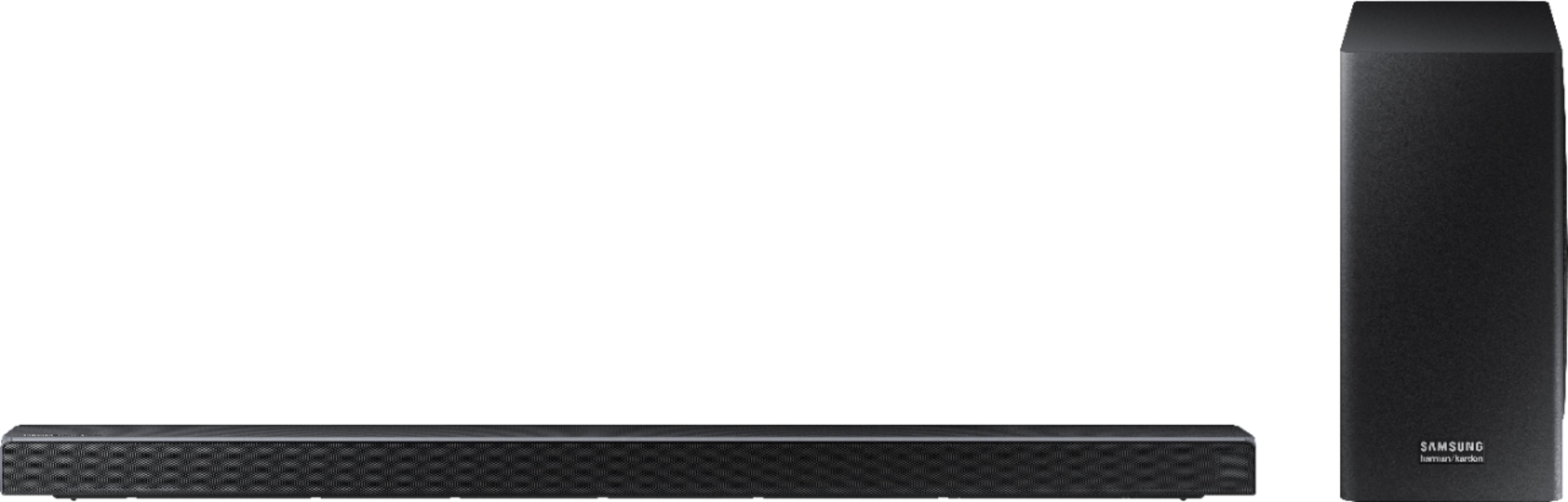
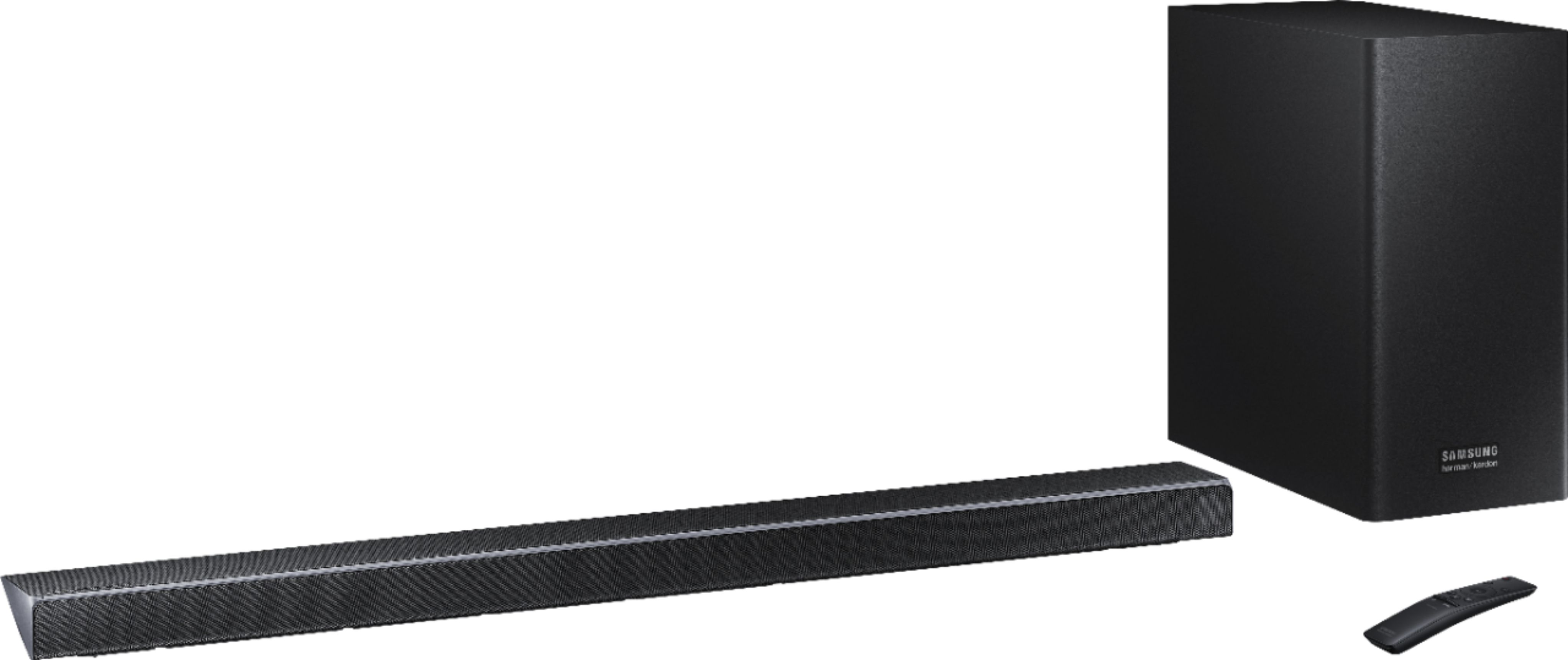
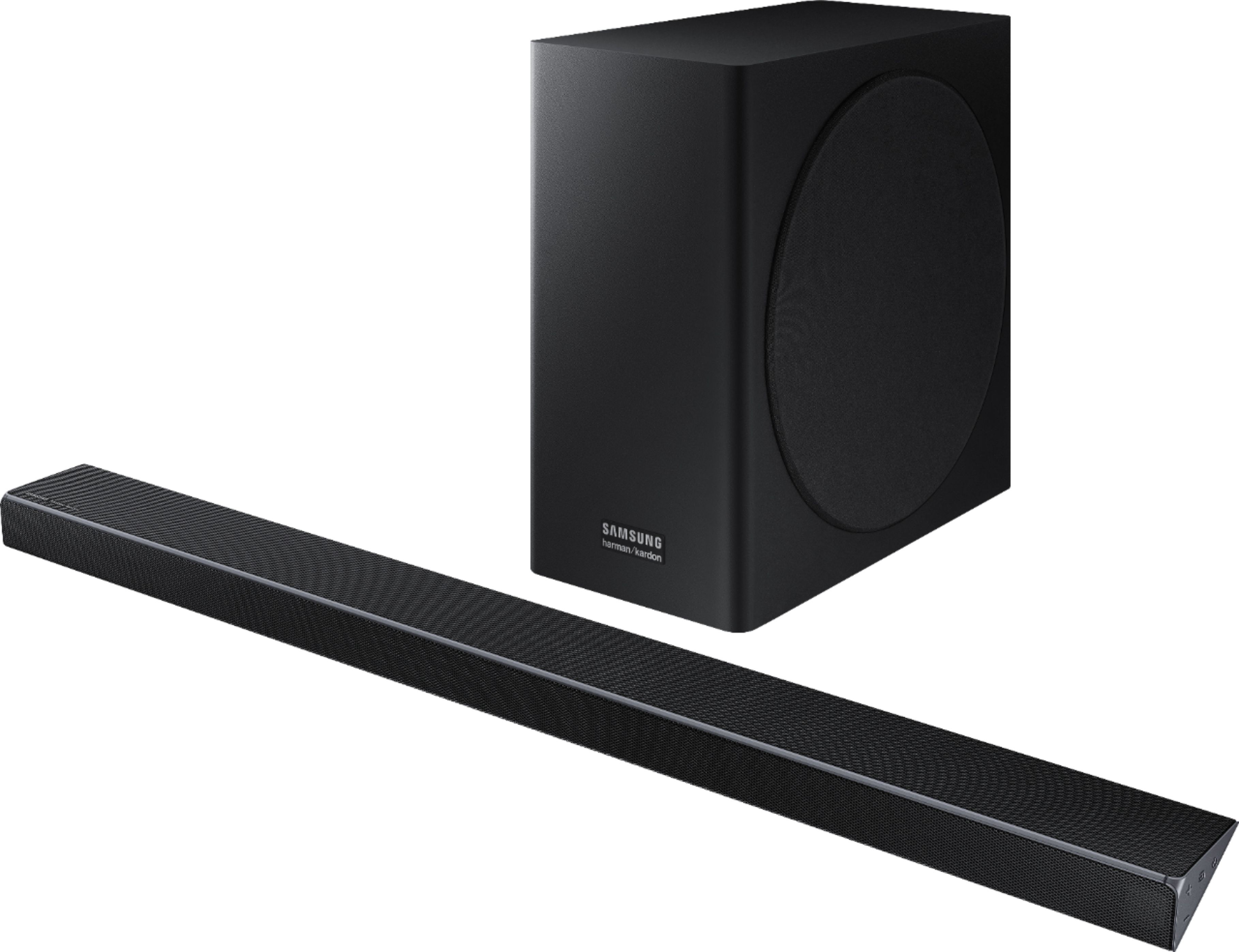

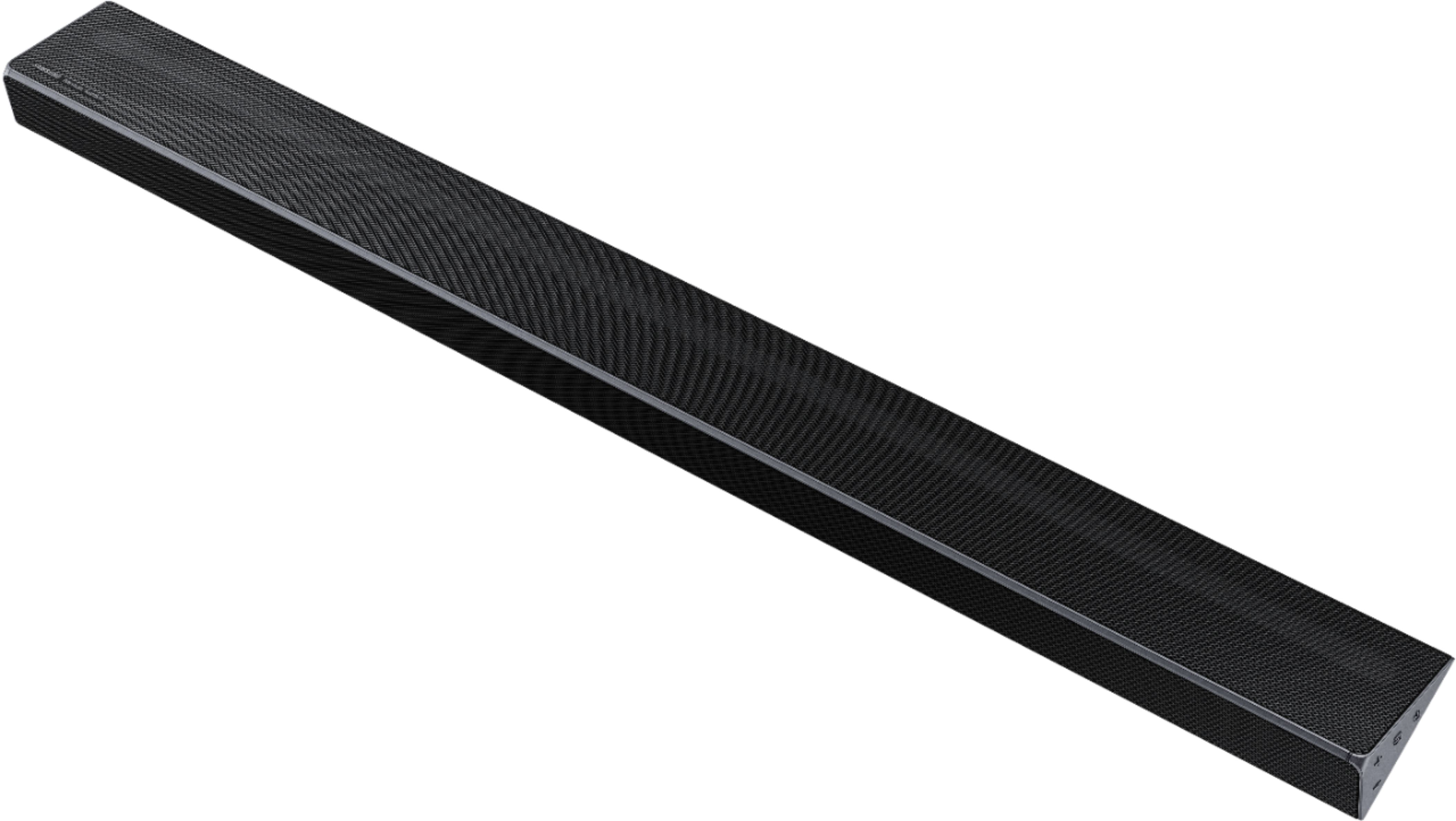

- Model:
- HW-Q70R/ZA
- SKU:
- 6327847
Rating by feature
- Value
Rating 4.4 out of 5 stars
- Quality
Rating 4.6 out of 5 stars
- Ease of Use
Rating 4.5 out of 5 stars
Customers are saying
Customers highly value the 3.1.2-Channel 330W Soundbar with 8" Wireless Subwoofer for its exceptional sound quality, easy setup, and immersive Dolby Atmos experience. Many customers rave about the deep and rich bass, while others appreciate the affordable price point compared to similar products in the market.
This summary was generated by AI based on customer reviews.
Good sound bar
||Posted . Owned for less than 1 week when reviewed.This reviewer received promo considerations or sweepstakes entry for writing a review.Pretty good sound bar easy to install. I’m not as much bass and subwoofer sound as I would have liked nor does it sound very much like surroundsound.
No, I would not recommend this to a friendBrand response from Samsung
Posted .Mitch:
Thank you for sharing your review of the HW-Q70R Samsung Soundbar.
There are two adjustments that can be made to maximize the potential of the included wireless subwoofer and overall bass:
1) Using the WOOFER button on the remote, you can adjust the volume of the subwoofer between -6 to +6 by pressing the button up or down. To set the subwoofer volume level to 0, press the button
2) Adjust the bass control by pressing the SOUND CONTROL button (gear icon) on the remote control, then select BASS to increase the level. You can adjust the volume between -6 to +6 by using the Up/Down buttons.
To improve surround sound, you can adjust CENTER LEVEL, SIDE LEVEL, FRONT TOP LEVEL, and REAR LEVEL, again by pressing the SOUND CONTROL (gear) button and selecting from those choices.
In addition, you may want to check the below:
1) Make sure that the source (e.g. TV output) is sending surround channels to the Soundbar. If the source is not capable of surround, then set the Surround mode to OFF on the Soundbar by pressing the Surround button on the remote.
2) If the source has surround channels, select the desired Sound Mode from the Soundbar remote. Choices are STANDARD, MUSIC, CLEAR VOICE, SPORTS, or MOVIE.
If you need further assistance, please know we are here to help. You can reach Samsung Support via:
1) Phone: 1-800-SAMSUNG
Available 8AM - 12AM EST (Mon-Fri) / 9AM - 11PM EST (Sat-Sun)
2) LiveChat or Email: https://www.samsung.com/us/support/#contact_us_for_support
3) Facebook Messenger: https://www.facebook.com/samsungsupport
4) Twitter: https://twitter.com/SamsungSupport
The Samsung Members Community is also a great resource for getting help from Samsung moderators and customers: https://us.community.samsung.com
If you have not already done so, we invite you to register your new Samsung product at: https://us.community.samsung.com
Registering your product gives you access to easy warranty support, convenient opt-in to special promos and offers, faster troubleshooting and service, and quick notification of system updates.
- Pros mentioned:Dolby atmos, Sound quality
Q70 - Good Product
Posted .This reviewer received promo considerations or sweepstakes entry for writing a review.First, let me say this is my first foray into soundbars. I had a semi high-end component system (Yamaha, B&W speakers, two 12” subs, 800 watts RMS) that more than filled the 14’x20’ living room at our former house. But the living room in our current home just didn’t setup well for a component system. Thus, my search for a decent soundbar began. Now, just to clarify, I didn’t expect to find a soundbar that was equivalent to the component system I had. I don’t think that’s possible with any of the current offerings. I just wanted something that struck a good balance with sound, functionality and appearance. My quest began with a budget range of $700 - $1000. Yes, you can spend more, and the higher end systems do sound better to some degree, but as previously stated this was my first soundbar. I didn’t want to spend $1500 - $1700 on a system that, for me, was new and untested and I had little experience with. So, with my budget range set, off I went. My search began with research. Exhaustive, time consuming research pouring over specifications and details of systems from various manufacturers. After paring my list to the top three, The Q70 won out because it checked all the boxes and was also attractive because it looked like it would integrate seamlessly with my Samsung television (55" Class KU6290 4K UHD TV), which it did. Pros: 1. Build and Appearance. The soundbar is certainly not flashy (subtle is better) and looks to be well built. It feels solid, there are no rattles when you handle it or when it’s working, and it blends well sitting under the TV which is mounted on the brick wall above the fireplace. The soundbar sits on the mantle underneath. 2. Ease of installation. It’s basically plug-and-play as far as to get it working. Everything connected or paired with no problems. Make sure the Anynet+ is on or enabled. The manual says it’s defaulted to be on, but mine wasn’t. And I’m pretty sure I didn’t inadvertently turn it off since you must hold a button down for 5 seconds to turn it off. The manual says this is needed for the ARC connection between the soundbar and your TV. A couple of other tips: Samsung suggests you select Dolby Digital on your TV for the best sound. Mine, a Samsung, either has PCM or Bitstream. There is no Dolby Digital selection. After some research I selected Bitstream. This made a difference in the sound. Also make sure that Dolby Digital is turned on in your satellite or cable receiver. Mine was not on. Probably due to the fact the receiver sat idle for some time during our move. Once it was turned on the sound improved, as one might expect. There was also a firmware update available. More on that later. 3. The sound. I have to say the sound in our living room is better than I expected. The clarity of dialogue is better than the component system I had (that was hard to type). The sound stage is broad and filling with sound enveloping you. On a side note, the compatible surround speakers are worth the extra cost. Rounds out the system nicely, and since the system is surround sound ready, you have volume control built in. Samsung doesn’t state how many watts the amplifier is with the surround system, but if I had to guess I’d say somewhere in the 30 – 50-watt range. On this system the sound coming from the speakers is much louder than I expected, and of course they’re wireless. 4. The subwoofer. The subwoofer is decent. Certainly not thunderous, but not too bad for an 8” 160-watt RMS speaker. To me the bass notes are warm, rich, blend well with the soundbar output and surprisingly good considering what I was used to. I ended up placing the sub tightly in a corner behind the recliner in our living room. Corner loading produced the best non-directional sound in our setup (Note: Once the Dolby Digital was turned on the output to the sub increased). 5. Sound control. You have plenty of control over the sound. You can adjust the various volumes independent of each other and there is a dedicated subwoofer toggle on the remote. You also have separate bass and treble controls. There is also a 7-band equalizer which works in Standard mode, but not in Surround mode. I don’t know if it’s supposed to or not. Mine doesn’t. Maybe limited by the Surround function? It doesn’t really matter as the bass and treble adjustments are satisfactory. So far, the performance of the Q70 has been very good with pay-per-view movies, broadcast programming and movies, and music streamed from Pandora. As previously stated, the sound more than fills our 17’x19’ living room, with sound seemingly coming from all directions. I should point out our living room has a ceiling that angles up on both sides to flat area that is roughly 6-1/2’x17’. Cons: 1. The manual could provide more information. The online version is slightly more informative, but only slightly. This was not a problem for me but could be for others. 2. There is only one HDMI input. If I can add an HDMI switch which allows for an additional input for $30 dollars, how much would it have cost for Samsung to do the same? At this price point you’d expect at least two, if not three HDMI inputs. 3. Connection to WI-FI. In order to connect to WI-FI you must download the SimpleThings app to your phone. Once you get it working then you can connect the soundbar to WI-FI. This is important for firmware updates which will happen automatically when they’re available. You can also get the updates on-line at Samsung’s website and install manually. In my opinion though, you shouldn’t have to download an app to connect the soundbar to WI-FI. Another thing about the app. I had to call Samsung to get it to work. Once downloaded you’re supposed to get an email to confirm your account. I never got the email despite several resend requests and uninstalling and reinstalling the app twice. A minor gripe. The bottom line is the Q70 works very well for us. This soundbar system can provide good sound, has good surround sound capabilities, is easy to install and use with only some minor negatives. If you’re in the market for a soundbar, I would recommend you give this one a listen. I hope this review is helpful for you and with your decision.
I would recommend this to a friend Ok but not great
||Posted . Owned for 1 year when reviewed.This reviewer received promo considerations or sweepstakes entry for writing a review.I was disappointed. Connected to an 82” Samsung tv and the performance is average. Expected more from Samsung.
No, I would not recommend this to a friendReturning Soundbar to Samsung 2nd Time
||Posted . Owned for 1 month when reviewed.This reviewer received promo considerations or sweepstakes entry for writing a review.There were several disappointing things with this soundbar. For one thing it was not clear that Atmos support only occurs through the HDMI port and not the HDMI-arc port. As there is only one HDMI port, I had to buy a switch so that I could connect two devices to that port. The issue with HDMI-arc and Atmos is not unique to Samsung but it is certainly not advertised. Second, I would have issues with the Roku remote switching the input back to HDMI-arc from HDMI. It turns out a factory reset fixes the problem until the unit is powered off for at least a few hours, then the problem returns. The soundbar was sent to Samsung to be fixed and was returned with the same issue even though the main board was replaced. I am now looking at a possible exchange with Samsung and still awaiting as to see how they will resolve this problem. I believe they have a bug but they have not yet acknowledged it. I'm not sure why they couldn't have tested the unit before returning it to me. Sound is great, I think the rear speakers I purchased (additional purchase) are a little weak. If I didn't have the HDMI switching issue, I would rate it 4 stars.
No, I would not recommend this to a friendBrand response from Samsung
Posted .mihhim:
Thank you for sharing your concerns with the Samsung HW-Q70R Soundbar.
This model includes one HDMI input. In case you might be interested for a future purchase, our HW-Q90R has 2 HDMI inputs.
Roku reverting back to HDMI-ARC is normal. If Roku is inactive for some time, it will either go to standby or sleep mode. The next time you press any button on the Roku remote, Roku "wakes up" and sends a live signal to the TV, which will make the TV switch to the Roku input.
I hope this was helpful to you.
If you need further assistance, please know we are here to help. You can reach Samsung Support via:
1) Phone: 1-800-SAMSUNG
Available 8AM - 12AM EST (Mon-Fri) / 9AM - 11PM EST (Sat-Sun)
2) LiveChat: https://www.samsung.com/us/support/#contact_us_for_support
3) Facebook Messenger: https://www.facebook.com/samsungsupport
4) Twitter: https://twitter.com/SamsungSupport
5) The Samsung Members Community is also a great resource for getting help from Samsung moderators and customers: https://us.community.samsung.com
If you have not already done so, we invite you to register your new Samsung product at: https://us.community.samsung.com
Registering your product gives you access to easy warranty support, convenient opt-in to special promos and offers, faster troubleshooting and service, and quick notification of system updates.
- Cons mentioned:Missing parts
box was destroyed when arived. missing power pack.
||Posted .This reviewer received promo considerations or sweepstakes entry for writing a review.When the item arrived it was obviously opened and return item. missing power pack and bracket. returned to best buy store . was tolled to never buy anything and have it mailed to an address . all the stores completely out of the item. purchased another sound bar from another store . returning was painless
No, I would not recommend this to a friendBrand response from Samsung
Posted .MemcGill75:
Thank you for purchasing the Samsung HW-Q70R Soundbar. I am very sorry to see that you had issues with your purchase, and that the soundbar looked like an open-box item.
I hope the store will be able to assist you with this issue.
If you ever need assistance with product features, specs, or operation, please know we are here to help. You can reach Samsung Support via:
1) Phone: 1-800-SAMSUNG
Available 8AM - 12AM EST (Mon-Fri) / 9AM - 11PM EST (Sat-Sun)
2) LiveChat: https://www.samsung.com/us/support/#contact_us_for_support
3) Facebook Messenger: https://www.facebook.com/samsungsupport
4) Twitter: https://twitter.com/SamsungSupport
5) The Samsung Members Community is also a great resource for getting help from Samsung moderators and customers: https://us.community.samsung.com
When you receive your soundbar, we invite you to register your new Samsung product at: https://us.community.samsung.com
Registering your product gives you access to easy warranty support, convenient opt-in to special promos and offers, faster troubleshooting and service, and quick notification of system updates.
Neds an upgrade
||Posted . Owned for 1 month when reviewed.This reviewer received promo considerations or sweepstakes entry for writing a review.The sound bar did not produce the sound quality I was expecting. Should have a lot better sound for the price.
No, I would not recommend this to a friendBrand response from Samsung
Posted .Slim:
I am sorry to see that you are not completely happy with the performance of this soundbar.
So that we can troubleshoot towards a solution, including helping with setting adjustments customized to your user scenario, please reach out to us at:
1) Phone: 1-800-SAMSUNG (ask for Soundbars)
Available 8AM - 12AM EST (Mon-Fri) / 9AM - 11PM EST (Sat-Sun)
2) LiveChat or Email: https://www.samsung.com/us/support/#contact_us_for_support
3) Facebook Messenger: https://www.facebook.com/samsungsupport
4) Twitter: https://twitter.com/SamsungSupport
The Samsung Members Community is also a great resource for getting help from Samsung moderators and customers: https://us.community.samsung.com/t5/Get-Help/ct-p/get-help
If you have not already done so, we invite you to register your new Samsung Soundbar at: https://www.samsung.com/us/support/register/
Registering your product gives you access to easy warranty support, convenient opt-in to special promos & offers, faster troubleshooting & service, and quick notification of system updates.
We hope to hear from you.
Not Recommended!
||Posted . Owned for 1 year when reviewed.This reviewer received promo considerations or sweepstakes entry for writing a review.Purchased this soundbar along with new Samsung QLED TV in December 2019. It sounded pretty good. However, we had a bunch of connection issues. The bluetooth connection would go in and out frequently and make watching tv impossible. The WiFi connection, and we have great WiFi in the house, would also just disconnect randomly and we would have to go through setting it up again through the settings, which just became annoying since we had to do it at least once per week. We finally settled on using an optical cable which worked most of the time. Then finally in February of this year, the power bar would just not power on. Only 14 months old and it is now just a brick. Took it in to Best Buy Geek Squad, and they sent it off. After 3 weeks, I received a call that they can fix it for only $250. No thank you. I would not recommend this product.
No, I would not recommend this to a friendPretty good sound but harder to control sound
||Posted .This reviewer received promo considerations or sweepstakes entry for writing a review.DirecTV doesn't recognize the device so back to having multiple remotes.
No, I would not recommend this to a friendBrand response from Samsung
Posted .Todd:
Thank you for purchasing the Samsung HW-Q70R Soundbar.
The ability of the DirecTV remote to control the soundbar is 100% under DirecTV’s control. I would recommend you contact DirecTV Customer Service.
If you have a Samsung Smart TV with OneRemote control, you would be able to control the TV, DirecTV box, and soundbar via that single remote.
If you need further assistance, please know we are here to help. You can reach Samsung Support via:
1) Phone: 1-800-SAMSUNG
Available 8AM - 12AM EST (Mon-Fri) / 9AM - 11PM EST (Sat-Sun)
2) LiveChat: https://www.samsung.com/us/support/#contact_us_for_support
3) Facebook Messenger: https://www.facebook.com/samsungsupport
4) Twitter: https://twitter.com/SamsungSupport
5) The Samsung Members Community is also a great resource for getting help from Samsung moderators and customers: https://us.community.samsung.com
If you have not already done so, we invite you to register your new Samsung product at: https://us.community.samsung.com
Registering your product gives you access to easy warranty support, convenient opt-in to special promos and offers, faster troubleshooting and service, and quick notification of system updates.
------------------
- Cons mentioned:Compatibility
Returned due to issues with a Samsung TV.
||Posted . Owned for 8 months when reviewed.This reviewer received promo considerations or sweepstakes entry for writing a review.I would have expected a Samsung Soundbar to seamlessly integrate with a Samsung TV. Unfortunately, this one didn't work well and after a 2 hour call with Samsung, I gave up and returned it.
No, I would not recommend this to a friend Sansung Speaker Bar and Woofer
||Posted . Owned for 1 year when reviewed.This reviewer received promo considerations or sweepstakes entry for writing a review.Sorry, the expensive speaker bas and woofer were not good. Sound was not all that good. Programming to TV or Steaming shows would loss connection and would keep driving me crazy. I ended up selling it at half price.
No, I would not recommend this to a friendConstant sound cutouts- impossible to fix
||Posted . Owned for 2 months when reviewed.This reviewer received promo considerations or sweepstakes entry for writing a review.This soundbar has never once worked correctly even when paired with a brand new Samsung TV. Every few seconds, regardless of how I connect the soundbar to the TV, the sound cuts out and back in really quick like a hiccup in the sound. Totally ruins every song, makes it difficult to understand conversations, and ruins any chance of paying attention to the media due to constant aggravating cutouts. A 3 minute song will have up to 30 or more cutouts in it. For the few seconds between cutouts it sounds great, but overall this is a total ripoff.
No, I would not recommend this to a friendNot impressed. Better tv speakers but barely
||Posted . Owned for 3 months when reviewed.This reviewer received promo considerations or sweepstakes entry for writing a review.I have been trying to find a good sound bar. So I thought that I would purchase the latest at the time. Wasn't even on display yet. Salesman said they just received them. What a disappointment 800 dollars. My cheap 100 dollar one works better and has the ability to at least turn the volume up to hear it. Recommend passing on this
No, I would not recommend this to a friendBrand response from Samsung
Posted .AZTRAILBOSS:
Thank you for purchasing the Samsung Harman Kardon HW-Q70R Soundbar with Wireless Subwoofer. I am very sorry to see that you are not happy with the sound performance.
The HW-Q70R features Dolby Atmos and DTS:X sound via Samsung Acoustic Beam technology for rich, panoramic sound you can not only hear, but also feel.
If you have a Samsung TV, you can adjust the Soundbar’s volume using the IR remote control that came with your Samsung TV. Please refer to Page 30 of the HW-Q70R User Manual: http://downloadcenter.samsung.com/content/UM/201905/20190523101207819/HW-Q70R_ZA_FullManual_02_ENG_190521.pdf
To adjust Sound Control, Woofer, and Volume using the H-Q70R remote, please refer to Page 29. The page also details how you can adjust Treble, Bass, Sync, Center Level, Side Level, Front Top Level, Rear Level, and Virtual On/Off.
For further help, please reach out to Samsung Soundbar Support:
1) Phone: 1-800-SAMSUNG (ask for Soundbars)
Available 8AM - 12AM EST (Mon-Fri) / 9AM - 11PM EST (Sat-Sun)
2) LiveChat or Email: https://www.samsung.com/us/support/#contact_us_for_support
3) Facebook Messenger: https://www.facebook.com/samsungsupport
4) Twitter: https://twitter.com/SamsungSupport
The Samsung Members Community is also a great resource for getting help from Samsung moderators and customers: https://us.community.samsung.com/t5/Get-Help/ct-p/get-help
If you have not already done so, we invite you to register your new Samsung product at: https://www.samsung.com/us/support/register/
Registering your product gives you access to easy warranty support, convenient opt-in to special promos & offers, faster troubleshooting & service, and quick notification of system updates.
We hope the above tips are helpful.
No mids and tinny sound coming from the bar
||Posted .This reviewer received promo considerations or sweepstakes entry for writing a review.The sound coming from the bar itself is abysmal and sounds like something you would get out of a $100 soundbar. Very tinny sounding with no mids. The sub sounds great but isn't enough to compensate for the missing mid range tones not produced from the bar. I exchanged this for the Bose 700 bar and is leaps and bounds better than this Samsung Q70R.
No, I would not recommend this to a friendBrand response from Samsung
Posted .TCook:
Thank you for sharing your review of the HW-Q70R Samsung Harman Kardon Soundbar with Dolby Atmos featuring 3 front-firing channels, 2 up-firing channels, and deep bass from the dedicated woofer for true 3.1.2ch sound. I am very sorry to see that you were not happy with this model and have returned it.
Should you ever decide to give Samsung soundbars another try in the future and have questions or need help with settings, please know we are here to assist. You can reach Samsung Support at:
1) Phone: 1-800-SAMSUNG (ask for Soundbars)
Available 8AM - 12AM EST (Mon-Fri) / 9AM - 11PM EST (Sat-Sun)
2) LiveChat or Email: https://www.samsung.com/us/support/#contact_us_for_support
3) Facebook Messenger: https://www.facebook.com/samsungsupport
4) Twitter: https://twitter.com/SamsungSupport
The Samsung Members Community is also a great resource for getting help from Samsung moderators and customers: https://us.community.samsung.com/t5/Get-Help/ct-p/get-help
- Pros mentioned:Easy setup

Almost surround sound in a sound bar
|Posted .This reviewer received promo considerations or sweepstakes entry for writing a review.First thing to get out of the way; this review is coming from a non-audiophile and a Samsung Smartthings owner. Sound: The sound is awesome, I have used no sound bar, entry level, and professional grade sound systems. I would peg this somewhere around an entry level pro sounding system. While it can’t compete with a true professionally installed sound system It blows the doors off of the entry level sound bar and the cheap surround sound systems I've seen around. The virtual surround sound is almost there. I don’t feel like it is a true surround sound but it is more way more than a regular sound bar that I've used. I think the biggest difference is the voice projection. That is where it really shinned for me. Usually I have to keep the remote on me for when the movie goes from people talking to music the volume changes dramatically and you need the volume at different levels. With this setup I haven’t been changing the volume constantly because I can actually hear people talk at low volume levels. They do sell the back speakers separately and I will be picking up those eventually as this is replacing my previous sound system. So that should theoretically help with the surround sound. Also the Base is awesome, this is the first sound bar that had a separate subwoofer and I don’t think I could go back to just a sound bar after having one. Price: This is not a cheap system, but it isn’t an expensive system (relative); I have used the cheapest sound bar to expensive professional grade sound systems. I have to say that I have used more expensive systems that didn’t cast the sound as good as this one. While it doesn’t compare to some systems I’ve used I’m not sure you need anything more than this for most home setups unless you are an audiophile. I think that the virtual surround sound makes it come close to a true surround sound at a fraction of the installation time and setup (and cost if you aren’t installing it yourself). Setup: The physical setup was extremely easy. For me it was basically plug and play with a couple of screws to put the feet on. Since I have Smartthings as soon as I opened the app it asked to connect and was good to go. What I didn't expect to work was the volume. I have a differently branded TV and the instructions said that the volume control may not work with the TV and that two remotes would have to be used. It worked perfectly. Cons: It’s a little sad the rear speakers are sold separately. Smartthings connectivity is via WiFi and doesn’t connect though the Smartthings hub so it is an addition security vulnerability on any network (this is an extremely small risk but I view it as a con myself). That’s about it. I am very happy with this device and would definitely recommend this to anybody that is looking for something better but not ready to run the wires or pay for a true surround sound system.
I would recommend this to a friend - Pros mentioned:Sound quality
Great Design, Great Sound
|Posted .This reviewer received promo considerations or sweepstakes entry for writing a review.I first hooked up the soundbar at my office, I have a 40' tv as one of my monitors. We played around with the sound and played the scene from infinity war, where Thor comes back to defeat Thanos. The rumble of the thunder was amazing, it felt like we were in a movie theater sitting next to the speaker. The controls are easy to use and the LED display on the right hand side shows which of the four sound modes that you are in. The adaptive mode is my favorite for movies and watching concerts. It has a dedicated center channel for clear dialogue. The one 4K HDMI input is not a large concern since I already use a HDMI splitter for my gaming system and my streaming devices. Setting up was easy, the sub-woofer automatically connected and we were using it in minutes.
I would recommend this to a friend - Pros mentioned:Price, Sound quality
Great Value for Some
|Posted .This reviewer received promo considerations or sweepstakes entry for writing a review.First and foremost, this unit is a great value with great sound. It almost sounds as good as my 5.1 system. I would have given it higher marks if it would connect to wi-fi without having to be connected to a late model Samsung TV (which I do not own) in order to do so. It should be noted that there is no on screen user interface without said Samsung TV connection. In any case, it worked well with my Sony TV using HDMI ARC. I had a little difficulty figuring out to use the remote to adjust the tonal frequencies but eventually figured it out. I found that adjustment necessary when comparing the unit to my 5.1 system while playing music content rather than just TV content.
I would recommend this to a friend - Pros mentioned:Dolby atmos
Big upgrade from previous soundbar
|Posted .This reviewer received promo considerations or sweepstakes entry for writing a review.I picked this up to replace an aging soundbar that I have been very satisfied with, the Samsung HW-F750, to add some new technology to my entertainment system like Dolby Atmos. The old system was a 4.1 system, so the Q70R has a different speaker layout than the previous kit. This was immediately noticeable to me in the clarity of sound throughout the entire range. The most noticeable for me was the mids and highs compared to what I had grown used to. I could hear and understand the voices much better in both movies and TV shows. Having said that it does not seem to have as much bass available as my old F750 did. The subwoofer is a good size and fairly heavy so I expected a bit better performance out of that particular component. I currently use it daily with the subwoofer adjusted to +4 out of 6 and it still seems a little lacking. I am using this with my 4K Samsung TV (10-bit HDR panel) and it synced up flawlessly to the TV both using Bluetooth if you want a wireless connection or via HDMI cable and the ARC enabled port on your TV. Using ARC HDMI will always deliver the best sound performance as Bluetooth must use more compression due to bandwidth. This device is advertised more for the Amazon Alexa crowd but I synced it up with my home through the Samsung Smartthings app no problem. I do wish it had full Google home integration, but since I have a samsung phone and TV its integrated enough just cant ask google to do anything more than turn it on or off. Having it connected to my Wifi also allowed me to play music via the spotify app very easily. I used this with my Xbox One X as well which is also a Dolby Atmos enabled device. This allowed me to not only watch movies with this pretty awesome simulated surround sound technology but also play games. This was once again a huge and noticeable improvement over my previous Samsung sound bar. These things have come a long ways in 5 years time. Still no comparison to a proper 5+ speaker surround sound set-up but for probably the average 80% of people out there this Q70R sound bar will give them more than enough performance and features to satisfy and impress. Overall the only complaint I can find is the somewhat lacking bass. That's ultimately not enough to dock a star all things considered. My experience has been very good right from the get go with super easy set-up process. Everything just worked right when it was plugged up and provided noticeably better audio than my previous soundbar kit.
I would recommend this to a friend Soundbar
||Posted . Owned for 10 months when reviewed.This reviewer received promo considerations or sweepstakes entry for writing a review.Disappointed. Can't get the sound to match up to the people talking. Seems to be a problem when you research the product.
No, I would not recommend this to a friendPoor sound quality
||Posted . Owned for 3 weeks when reviewed.This reviewer received promo considerations or sweepstakes entry for writing a review.I was disappointed in the sound quality of this sound bar I wanted a much bigger sound for the bass and this just did that cut it
No, I would not recommend this to a friendBrand response from Samsung
Posted .Jazz:
Thank you for your review of this Samsung HW-Q70R Soundbar. I am very sorry that you are not completely happy with the bass performance.
There are two adjustments that can be made to maximize bass from soundbar and subwoofer:
1) Using the WOOFER button on the remote, you can adjust the volume of the subwoofer between -6 to +6 by toggling the button up or down. To set the subwoofer volume level to 0, press the button down.
2) Adjust the bass control by pressing the SOUND CONTROL button (gear icon) on the remote control, then select BASS to increase the level. You can adjust the volume between -6 to +6 by using the Up/Down buttons.
For precise audio adjustments, you can use the 7-band frequency equalizer to optimize the sound for your room acoustics.
Please refer to pages 27-29 in the User Manual for audio setting adjustments, which include sound mode selection (STANDARD, SURROUND, GAME PRO, ADAPTIVE SOUND), TREBLE, BASS, SYNC, CENTER LEVEL, SIDE LEVEL, FRONT TOP LEVEL,REAR LEVEL, and VIRTUAL ON/OFF, as well as WOOFER adjustment: http://downloadcenter.samsung.com/content/UM/201903/20190312112428032/HW-R650_ZA_FullManual_00_ENG_190211.pdf
I hope these tips help to solve your issue. For further help, please contact us via any of the below options:
1) Phone: 1-800-SAMSUNG (ask for Soundbars)
Available 8AM - 12AM EST (Mon-Fri) / 9AM - 11PM EST (Sat-Sun)
2) LiveChat: https://www.samsung.com/us/support/#contact_us_for_support
3) Facebook Messenger: https://www.facebook.com/samsungsupport
4) Twitter: https://twitter.com/SamsungSupport
The Samsung Members Community is also a great resource for getting help from Samsung moderators and customers: https://us.community.samsung.com/t5/Get-Help/ct-p/get-help
If you have not already done so, we invite you to register your new Samsung Soundbar at: https://www.samsung.com/us/support/register/
Registering your product gives you access to easy warranty support, convenient opt-in to special promos & offers, faster troubleshooting & service, and quick notification of system updates.
Not again
||Posted . Owned for 3 weeks when reviewed.This reviewer received promo considerations or sweepstakes entry for writing a review.I thought I was saving by buying an open box, not again that's for sure. I saw on Amazon brand new for cheaper!
No, I would not recommend this to a friend